

Help Scout Bewertung: Vorteile, Nachteile, Funktionen und Preise
Wenn Sie einen Live-Chat möchten, der persönlich wirkt und mit Ihrem Team skaliert, ist Help Scout eine überzeugende Lösung – einfach, menschlich und überraschend leistungsfähig für wachsende Unternehmen.

Wir bewerten Tools unabhängig; Provisionen helfen, unsere Tests zu finanzieren. Siehe unsere Transparenzrichtlinie und unsere Methodik.
Help Scout is a live chat software built for support teams that need to manage customer conversations across chat, email, and a self-service knowledge base from a single shared inbox. I'd reach for it over Intercom if your priority is a tool your team can get up and running quickly, without weeks of configuration or a steep per-seat cost eating into your budget.
Help Scout Evaluation Summary

4.5/5
- From $25/user/month (billed annually)
- Free plan available
Warum Sie unseren Software-Empfehlungen vertrauen können
6,700+
Reviews
20
Industry experts
16+
Evaluation factors
14
Years
Unser Team testet und bewertet Software seit 2012. Als CX-Führungskräfte selbst wissen wir, wie schwierig – und wichtig – es ist, die richtige Software auszuwählen.
Für diesen Leitfaden haben wir Tools mithilfe von praktischen Tests und unabhängiger Recherche bewertet und dabei unsere Bewertungskriterien angewendet.
Unsere Bewertungen spiegeln unser menschliches redaktionelles Urteilsvermögen wider, keine Verkaufsstrategie.
 Gui DrusinaCreative Director
 Tim FisherVP of AI
Help Scout Overview
When I compare Help Scout to other live chat options, I think its clean interface, fast onboarding, and strong email integration make it a top pick for teams who want simplicity without losing power. Pricing is transparent, and the Beacon widget blends chat, email, and self-service in one place. While it doesn’t offer the deepest automation or analytics,
I’d suggest it’s ideal for small to midsize teams who value a human touch and need to get up and running quickly. If you’re judging by ease of use and customer-first design, Help Scout stands out.
Pros
- Fast, personal support from Help Scout’s own team
- Beacon widget offers chat, self-service, and messaging in one
- Shared inbox keeps chat and email conversations organized
Cons
- Limited analytics for tracking live chat performance
- No built-in chatbot builder for custom automation
- Reporting features are less advanced than some competitors
Is Help Scout Right For Your Needs?
Who Would be a Good Fit for Help Scout?
Help Scout is a great choice for teams that want a simple, unified chat and email experience without heavy setup or technical overhead. I think it’s especially well-suited for customer-centric businesses, smaller support teams, and organizations that value a personal touch over automation. Its shared inbox, Beacon widget, and easy onboarding make it a strong fit for industries and roles where fast, human support matters most.
- AgenciesMultiple mailboxes and user roles help agencies manage client support.
- Customer Success TeamsShared inbox and tagging keep customer conversations organized.
- Education ProvidersEasy onboarding and knowledge base help schools support students and staff.
- NonprofitsAffordable pricing and simple workflows suit lean nonprofit teams.
- Ecommerce StoresBeacon widget lets you offer chat, self-service, and messaging to shoppers.
- SaaS StartupsHelp Scout’s quick setup and shared inbox help small teams manage support.
Who Would be a Bad Fit for Help Scout?
Help Scout isn’t the best choice for teams that need deep automation, advanced analytics, or highly technical integrations. If your business relies on complex workflows, custom bots, or detailed reporting, you’ll probably find Help Scout’s feature set limiting compared to other options.
- Multinational CorporationsNo native multi-language chat or global compliance tools.
- Sales TeamsLimited CRM features and sales pipeline management.
- IT Help DesksNo custom chatbot builder or advanced ticket routing.
- Healthcare ProvidersMissing HIPAA compliance and specialized healthcare integrations.
- Financial ServicesNo built-in compliance features for strict regulatory requirements.
- Large EnterprisesLacks advanced automation and analytics needed for enterprise-scale support.
Wie wir Tools testen & bewerten
Wir haben jahrelang unser System zur Softwarebewertung entwickelt, verfeinert und verbessert. Unser Bewertungsraster ist darauf ausgelegt, die Nuancen der Softwareauswahl und Merkmale eines effektiven Tools abzubilden, wobei der Fokus auf den entscheidenden Aspekten des Entscheidungsprozesses liegt. Nachfolgend sehen Sie, wie unser Test- und Bewertungssystem anhand von sieben Kriterien funktioniert. Es ermöglicht uns, eine unabhängige Bewertung der Software basierend auf Kernfunktionen, besonderen Merkmalen, Benutzerfreundlichkeit, Onboarding, Kundensupport, Integrationen, Kundenbewertungen und Preis-Leistungs-Verhältnis zu geben.
Kernfunktionen (25% der Gesamtnote)
Der Ausgangspunkt unserer Bewertung ist immer die grundlegende Funktionalität eines Tools. Verfügt es über die Basisfunktionen, die ein Benutzer erwarten würde? Sind einige dieser Kernfunktionen nur in teureren Preisplänen verfügbar? Im Kern erwarten wir, dass ein Tool mit den Grundfunktionen seiner Konkurrenten mithalten kann.
Besondere Merkmale (25% der Gesamtnote)
Anschließend bewerten wir außergewöhnliche Funktionen, die über die üblichen Kernfunktionen hinausgehen. Eine hohe Punktzahl spiegelt spezialisierte oder einzigartige Features wider, die das Produkt schneller, effizienter oder für den Endnutzer besonders wertvoll machen. Wir prüfen außerdem, wie einfach es ist, das Tool mit anderen typischerweise verwendeten Programmen zu integrieren, um die Funktionalität und den Nutzen zu erweitern. Tools mit vielen nativen Integrationen, Verbindungen zu Drittanbietern und API-Zugang für eigene Integrationen erhalten die besten Bewertungen.
Benutzerfreundlichkeit (10% der Gesamtnote)
Wir berücksichtigen, wie schnell und einfach sich Aufgaben ausführen lassen, die zur Kernfunktionalität gehören. Software mit hoher Punktzahl ist gut gestaltet, intuitiv zu bedienen, bietet mobile Apps, stellt Vorlagen bereit und erleichtert auch relativ komplexe Aufgaben erheblich.
Onboarding (10% der Gesamtnote)
Wir wissen, wie wichtig eine schnelle Team-Akzeptanz einer neuen Plattform ist. Deshalb bewerten wir, wie leicht sich ein Tool mit minimalem Training erlernen und benutzen lässt. Wir prüfen, wie schnell ein Teammitglied ohne Vorkenntnisse eingerichtet ist und das Tool nutzen kann. Lösungen mit hoher Bewertung erfordern wenig oder keine Unterstützung.
Kundensupport (10% der Gesamtnote)
Wir beurteilen, wie schnell und einfach man telefonisch, per Live-Chat oder Wissensdatenbank Unterstützung erhält. Tools und Anbieter mit echtem Echtzeit-Support bekommen die besten Bewertungen, während Chatbots am schlechtesten abschneiden.
Kundenbewertungen (10% der Gesamtnote)
Neben unseren eigenen Tests berücksichtigen wir den Net Promoter Score von aktuellen und ehemaligen Nutzern. Wir prüfen, ob sie sich wieder für das Tool entscheiden würden. Software mit hoher Bewertung weist auch einen hohen Net Promoter Score auf.
Preis-Leistungs-Verhältnis (10% der Gesamtnote)
Schließlich bewerten wir unter Berücksichtigung aller anderen Kriterien den durchschnittlichen Preis der Einstiegspläne in Bezug auf die Kernfunktionen und vergleichen den Nutzen der anderen Bewertungskriterien. Software, die mehr für weniger bietet, erhält eine höhere Bewertung.
Core Features
Beacon Widget
Embed live chat, self-service, and messaging on your site with one tool. Customers can search help docs or start a chat from the same widget.
Shared Inbox
Manage chat, email, and messages in a single, organized inbox. Assign, tag, and collaborate on conversations with your team.
Knowledge Base
Publish searchable help articles for customers to find instant answers. Connect articles directly to the Beacon for quick self-service.
Saved Replies
Create and use canned responses for common questions in chat. Speed up replies and keep messaging consistent across your team.
Customer Profiles
See customer history, previous chats, and data alongside every conversation. Personalize support with context at your fingertips.
Collision Detection
Get real-time alerts if another teammate is viewing or replying to the same chat. Avoid duplicate responses and improve team coordination.

Ease of Use
Help Scout is one of the most approachable live chat tools I’ve used. The interface is clean, with intuitive navigation and minimal clutter, so new team members can get started quickly.
Users often mention how easy it is to manage conversations and switch between chat, email, and knowledge base. Features like saved replies and collision detection keep things simple, making it a strong choice for teams that want to avoid complexity.

Integrations
Help Scout integrates with Slack, HubSpot, Salesforce, Jira, Shopify, Mailchimp, WooCommerce, Asana, Zapier, and WhatsApp, among others.
Help Scout also offers a public API and connects with third-party integration tools like Zapier for even more options.

New Product Updates from Help Scout
 Opens new window
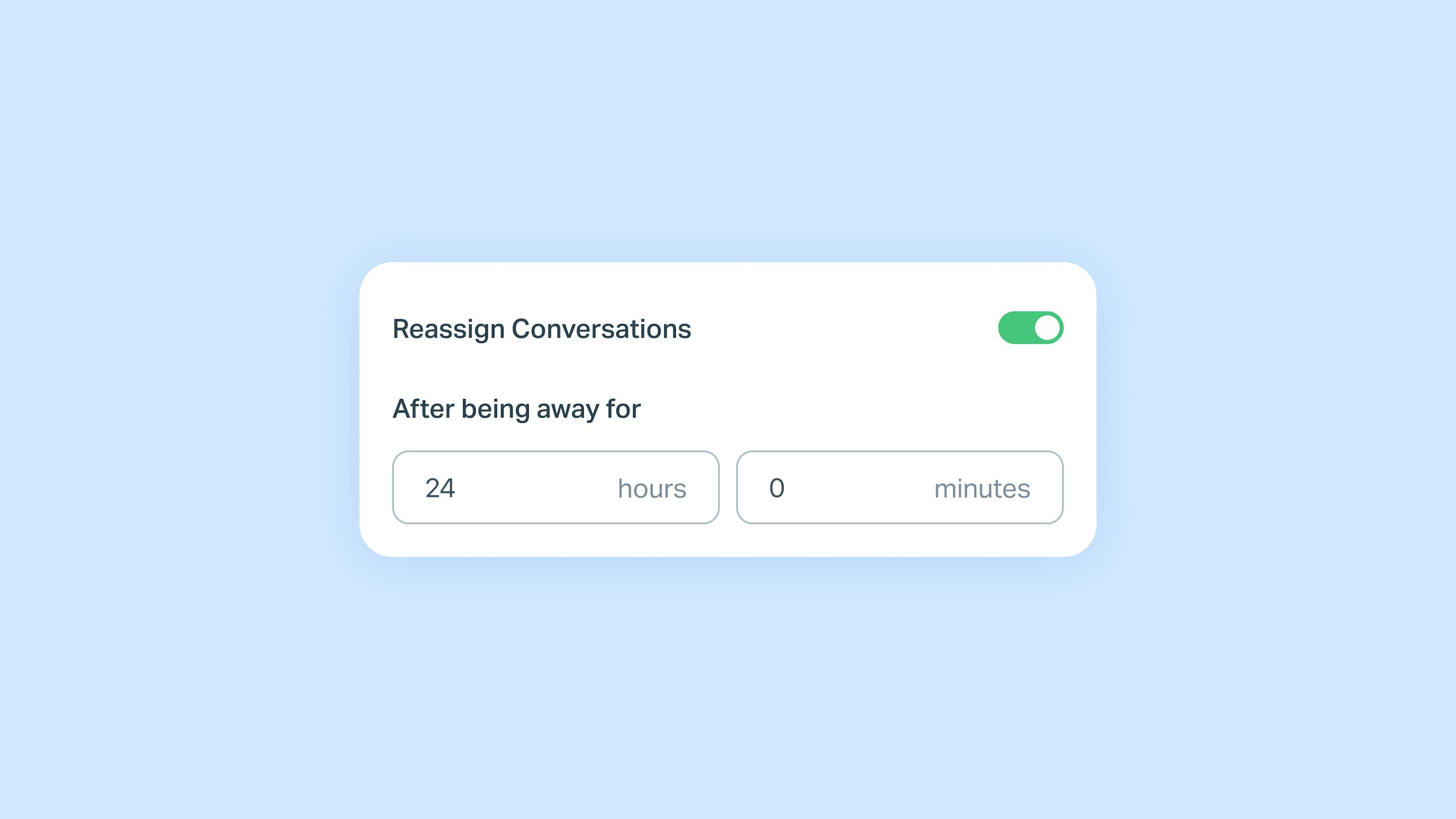
Help Scout Adds Automatic Conversation Reassignment
Help Scout introduces auto-reassign conversations to keep customer messages moving when assigned teammates are away. Teams can choose how long a teammate must be unavailable before conversations are automatically unassigned for someone else to respond. Highlights include:
- Auto-Unassign for Away Teammates: Automatically unassigns conversations after a teammate has been away for a set time.
- Customer Reply Support: Makes conversations available for reassignment when customers reply while the assigned teammate is away.
- Conversation Reopen and Workflow Support: Applies to reopened conversations and new workflow messages to keep conversations moving.
Visit Help Scout's official site for more details.
 Opens new window
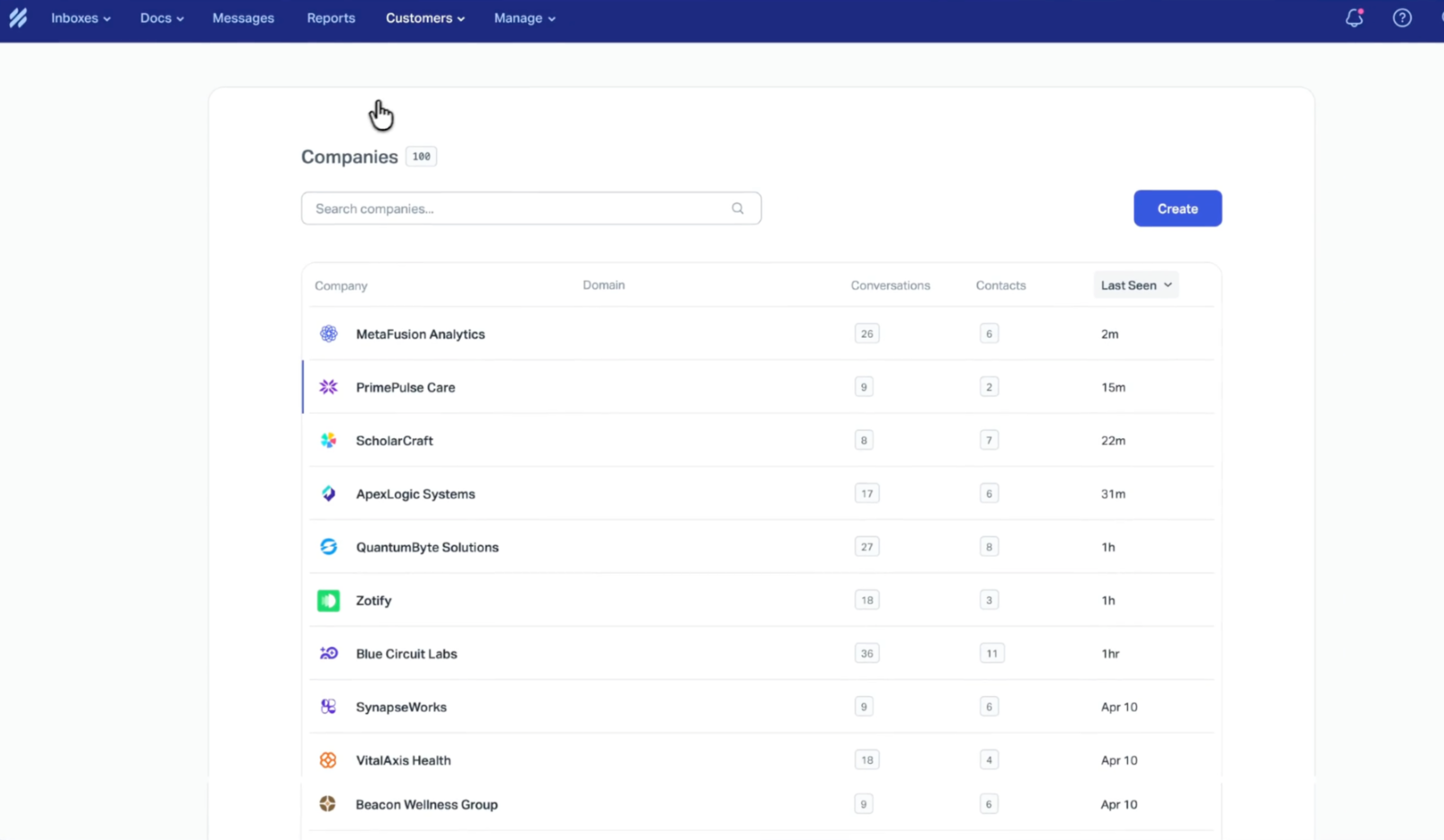
Help Scout Adds Company Profile for Account Health Insights
Help Scout’s Company Profile now makes it easier to understand account health at a glance by consolidating essential customer support signals in one view. This helps teams quickly spot trends and take action to improve customer experience. Highlights include:
- Centralized Metrics and Trends View: See customer support performance indicators in one place to evaluate account health faster.
- Response Time Visibility: Monitor how quickly your team replies so you can identify delays and improve responsiveness.
- Customer Satisfaction (CSAT) Tracking: Keep a clear pulse on customer sentiment to prioritize experience improvements.
- Conversation Volume Insights: Understand support demand levels to better plan staffing and workflows.
- Topics Overview: Surface what customers are contacting you about to spot recurring issues and guide proactive fixes.
Visit Help Scout's official site for more details
 Opens new window
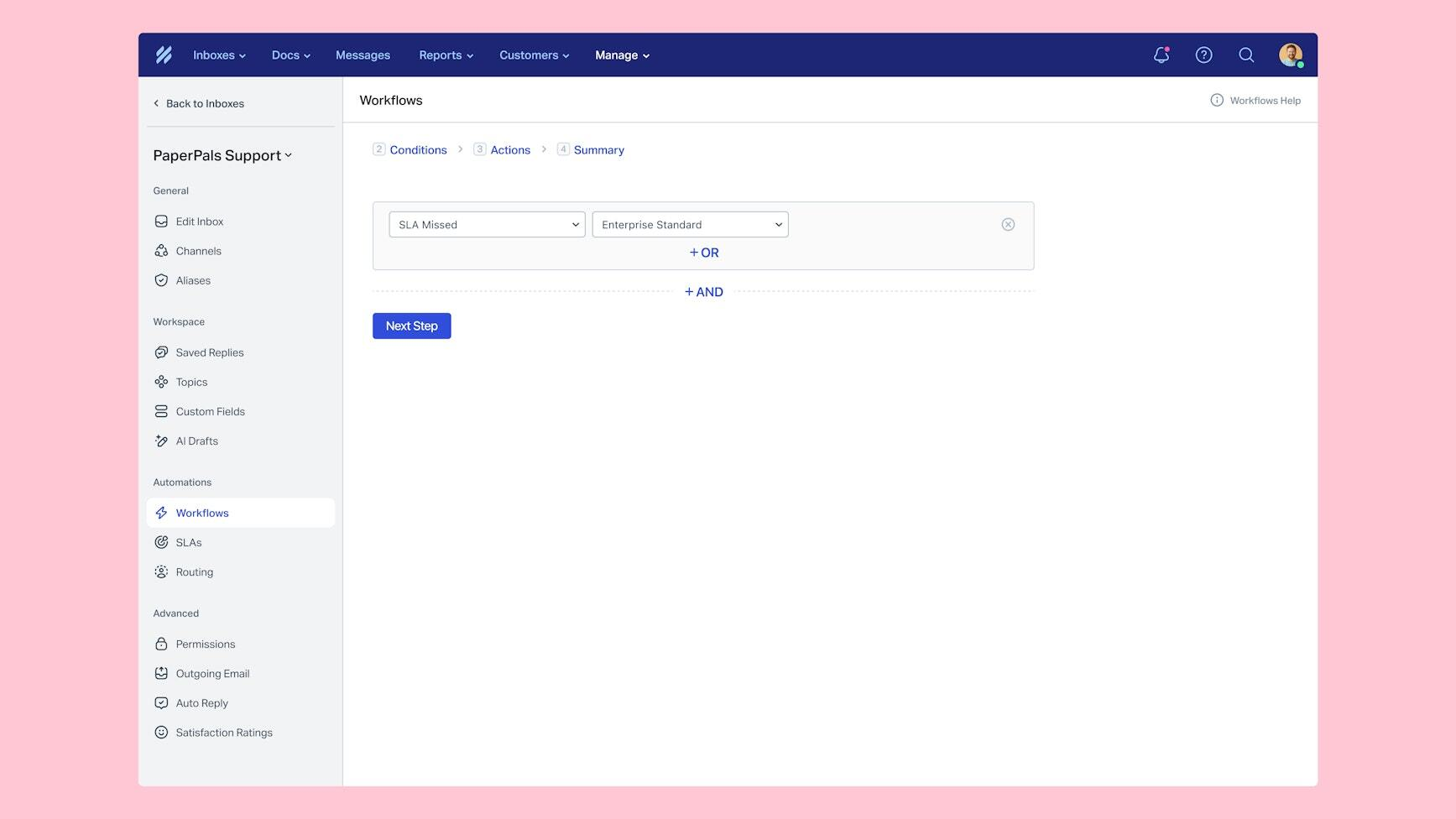
Help Scout Adds SLA Workflows and Availability Status Controls
Help Scout adds SLA workflow automation and synced availability statuses to help teams manage conversations more efficiently. These updates improve response tracking, task routing, and team visibility across the inbox. Highlights include:
- SLA Workflows: Trigger automatic actions when conversations approach or miss SLA deadlines to help teams respond faster.
- Availability Status Controls: Set Active, Away, or custom statuses across web and mobile to show teammate availability.
Visit Help Scout’s official site for more details.
 Opens new window
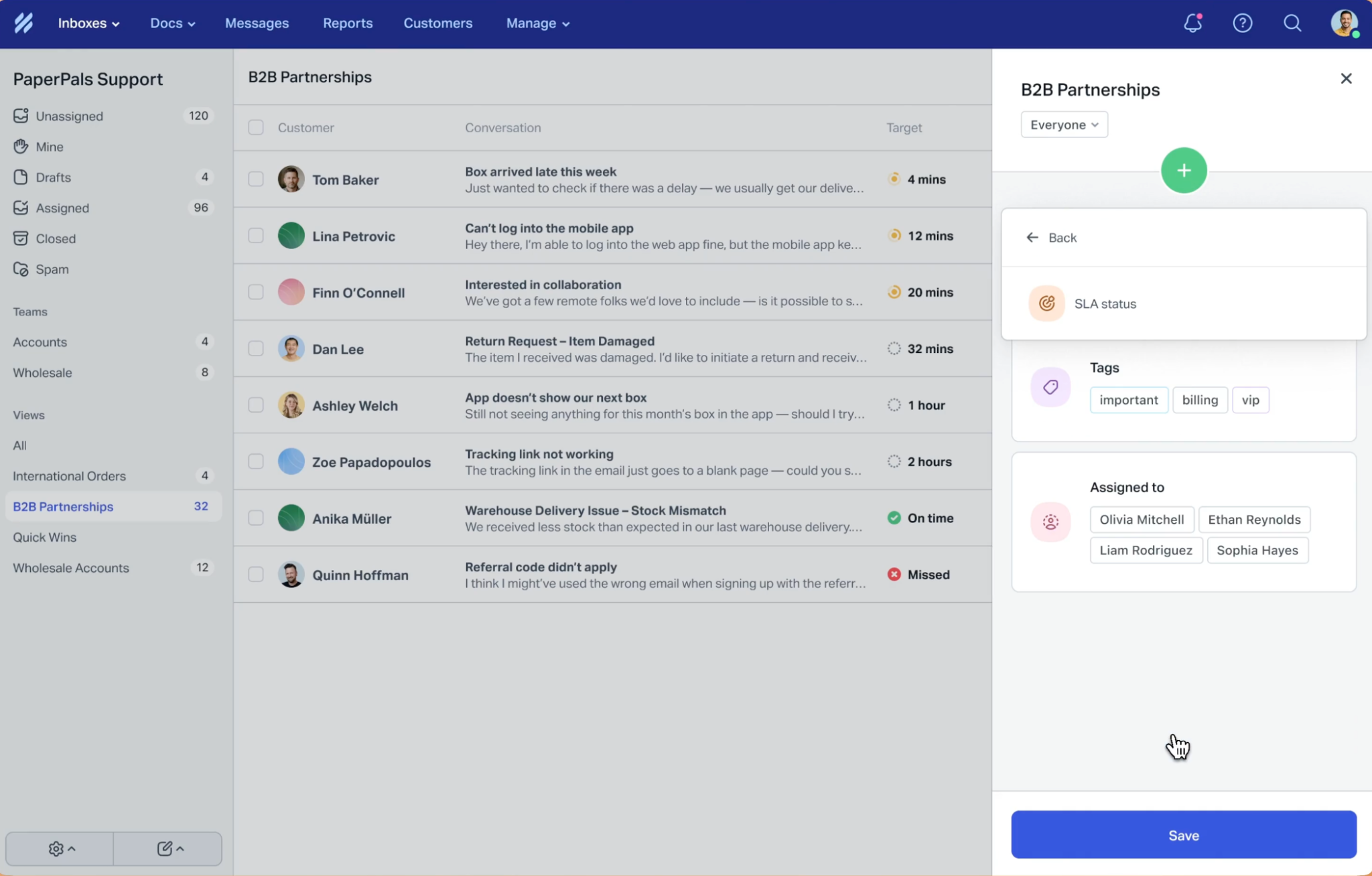
Help Scout Adds Next Response Time Goals and SLA View Filters
Help Scout adds Next Response Time goals and SLA-focused view filters to help teams manage customer response commitments more effectively. These updates improve conversation prioritization and help support teams stay on top of follow-ups and breached SLAs. Highlights include:
- Next Response Time Goals: Teams can track follow-up response times throughout customer conversations, not just first replies and final resolutions.
- SLA View Filters: Users can create focused views for upcoming reply deadlines, resolution deadlines, and breached conversations.
Visit Help Scout’s official site for more details.
 Opens new window
Help Scout Adds Automatic Availability Updates
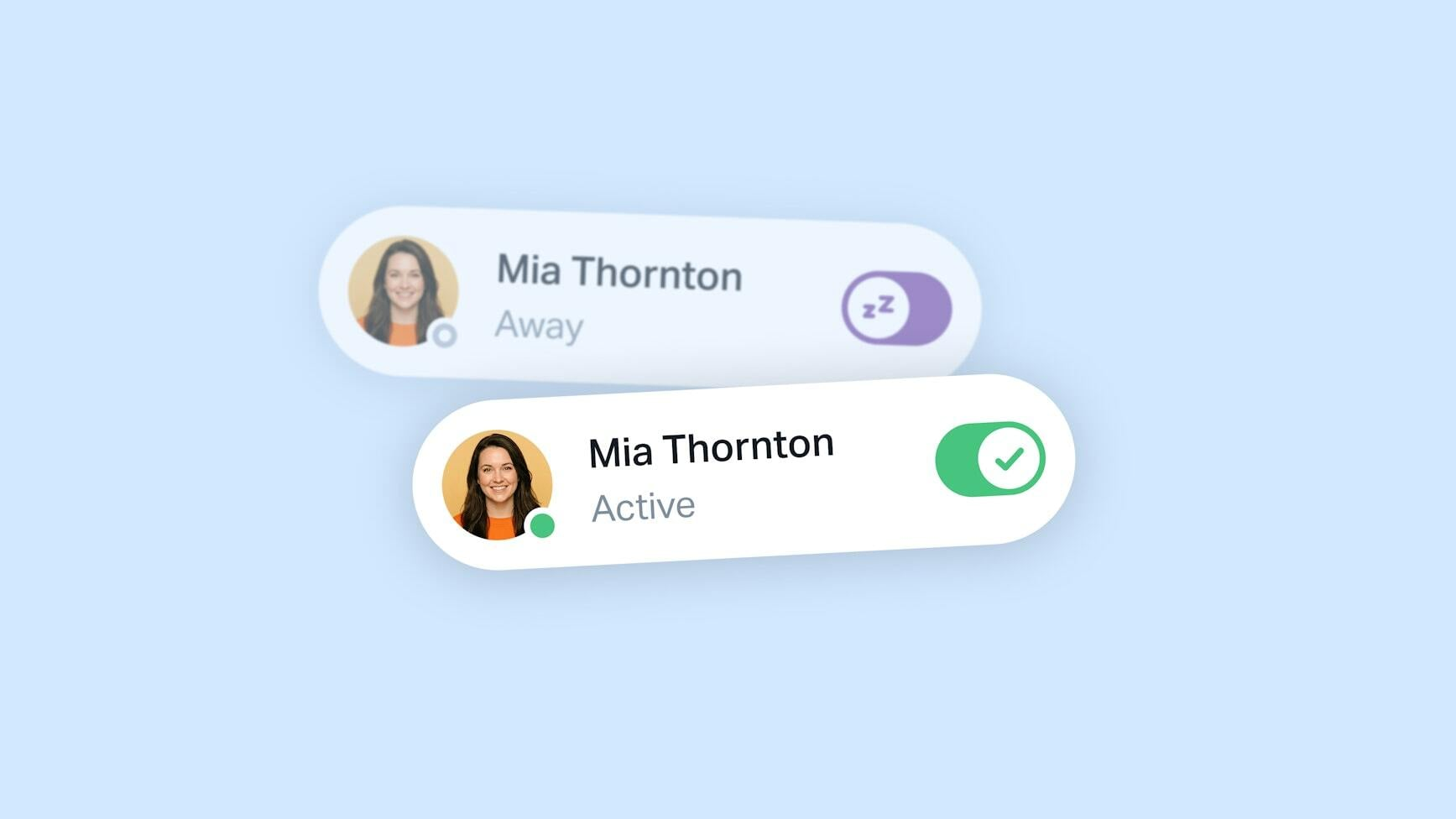
Help Scout introduces presence detection to automatically update teammate availability based on app activity across web and mobile platforms. This update helps support teams route conversations more accurately, reduce missed assignments, and improve overall inbox coordination. Highlights include:
- Automatic Presence Detection: Update teammate availability automatically based on whether users are actively using the app.
- Improved Conversation Routing: Assign conversations only to available teammates for better workload distribution and response handling.
- Manual Away Status Support: Allow teammates to remain marked as Away for PTO or other situations without automatic overrides.
Visit Help Scout's official site for more details.
 Opens new window
Help Scout Adds SLAs for Response and Resolution Times
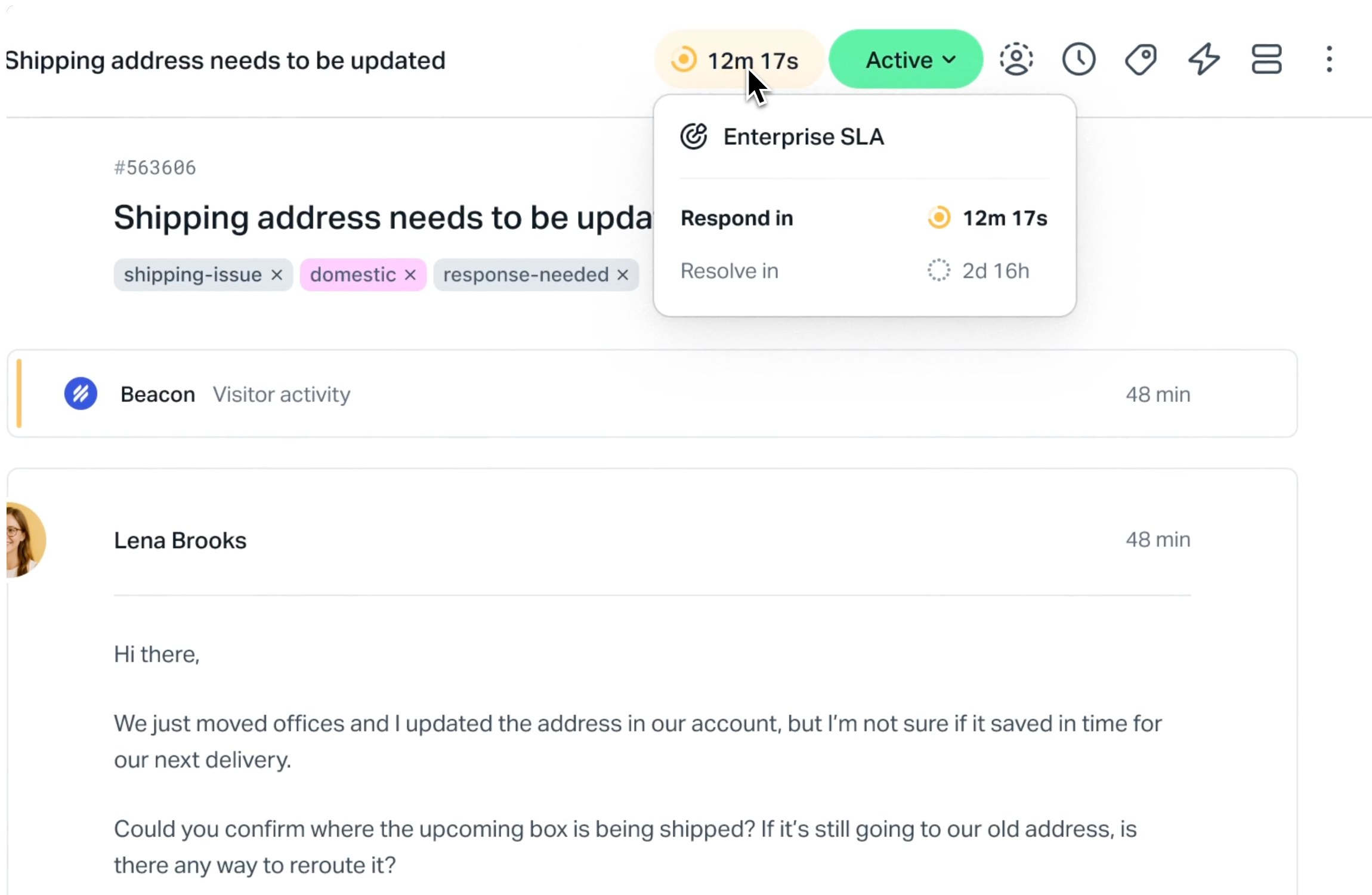
Help Scout introduces SLAs to track response and resolution times directly within the inbox. This update improves support efficiency by giving teams clear visibility into deadlines and helping them focus on conversations that need attention. Highlights include:
- Response and Resolution SLAs: Set targets to track reply and resolution timelines for better performance monitoring.
- Real-Time SLA Tracking: Keep timelines updated as conversations progress to maintain accurate visibility.
- Inbox Prioritization: Identify overdue and at-risk conversations to focus on what matters most.
Visit Help Scout’s official site for more details.
 Opens new window
Help Scout Adds Custom Status Messages
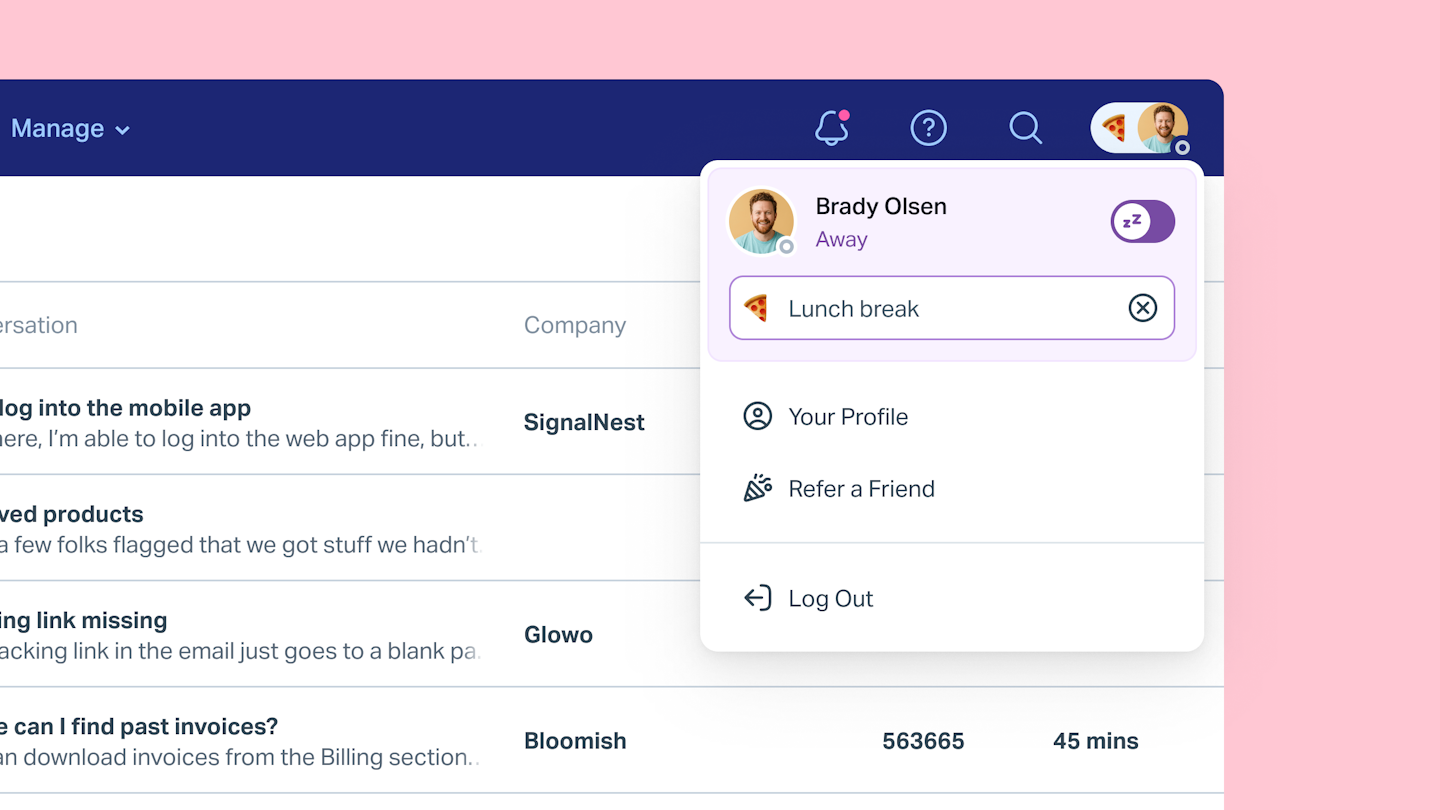
Help Scout introduces custom status messages, allowing users to communicate what they are working on or their availability directly within the inbox. This improves team collaboration by providing visibility into workload and reducing interruptions during handoffs and coordination. Highlights include:
- Custom Status Messages: Allows users to share context behind their availability across the inbox.
- Improved Team Coordination: Helps teams manage handoffs and collaboration without disrupting workflows.
Visit Help Scout’s official site for more details.
Help Scout Specs
- Analytics: Yes
- API: Yes
- Batch Permissions & Access: Yes
- Call Integration: Yes
- Chat: Yes
- Contact Management: Yes
- Contact Sharing: No
- CRM Integration: Yes
- Customer Management: Yes
- Customer Service: Yes
- Dashboard: Yes
- Data Export: Yes
- Data Import: Yes
- Data Visualization: Yes
- Email Integration: Yes
- Escalation Management: No
- External Integrations: Yes
- Instant Chat Integration: Yes
- Knowledge Base: Yes
- Lead Management: No
- Lead Scoring: No
- Multi-User: Yes
- Notifications: Yes
- Real-time Alerts: Yes
- Scheduling: Yes
- Self-service Portal: Yes
- Social Media Integration: Yes
- Support Forum: No
- Third-Party Plugins/Add-Ons: Yes
- Ticket Management: Yes
- Workflow Management: Yes


