

Die 10 besten Plattformen für digitale Erlebnisse im Test für 2026

10 Auswahl der besten Plattformen für digitale Erlebnisse


Plattformen für digitale Erlebnisse (DXP) helfen Teams dabei, konsistente und personalisierte Erlebnisse über alle Kontaktpunkte mit Kunden hinweg bereitzustellen. Wenn es Ihnen schwerfällt, fragmentierte Tools, uneinheitliche Botschaften oder eine eingeschränkte Sichtbarkeit des Kundenverhaltens zu verwalten, sind Sie nicht allein. Mit steigenden Kundenerwartungen wächst auch der Druck, maßgeschneiderte Erlebnisse in großem Maßstab bereitzustellen.
Die richtige Plattform für digitale Erlebnisse kann Ihnen dabei helfen, Abläufe zu optimieren, die Interaktion zu steigern und in Echtzeit zu reagieren – ohne Ihren Technologiestack von Grund auf neu aufbauen zu müssen. In diesem Leitfaden habe ich die wichtigsten Tools geprüft, mit denen Sie Inhalte, Daten und Kanäle vereinheitlichen können. Unabhängig davon, ob Sie modulare, zusammensetzbare DXP-Lösungen oder traditionelle Systeme bewerten: Diese praktischen Einblicke helfen Ihnen dabei, die richtige Plattform auszuwählen, damit Ihr Team nahtlose Kundenreisen vom ersten Eindruck bis zur Kundenbindung orchestrieren kann.
Warum Sie unseren Software-Empfehlungen vertrauen können
Unser Team testet und bewertet Software seit 2012. Als CX-Führungskräfte selbst wissen wir, wie schwierig – und wichtig – es ist, die richtige Software auszuwählen.
Für diesen Leitfaden haben wir Tools mithilfe von praktischen Tests und unabhängiger Recherche bewertet und dabei unsere Bewertungskriterien angewendet.
Unsere Bewertungen spiegeln unser menschliches redaktionelles Urteilsvermögen wider, keine Verkaufsstrategie.
Übersichtstabelle der besten Plattformen für digitale Erlebnisse
Ein direkter Vergleich aller Tools, die es in meine Top-20-Liste geschafft haben.
| Tool | Best For | Trial Info | Price | ||
|---|---|---|---|---|---|
| 1 | Am besten für interaktive Produkttouren | Kostenloser Plan + kostenlose Demo verfügbar | Ab $174/Monat (jährliche Abrechnung) | Website | |
| 2 | Am besten zur Automatisierung von Antworten geeignet | Kostenlose Testversion verfügbar | Ab $25/Benutzer/Monat (jährliche Abrechnung) | Website | |
| 3 | Am besten geeignet für Teams, die Integrationen mit Microsoft, Slack oder WhatsApp benötigen | Kostenlose Demo + 14-tägige kostenlose Testphase verfügbar | Ab $19/Benutzer/Monat (jährlich abgerechnet) | Website | |
| 4 | Am besten geeignet für moderne Content-Management-System-Tools wie SDKs, Migrationsskripte + Webframework | Kostenlose Demo verfügbar | Preis auf Anfrage | Website | |
| 5 | Am besten geeignet für Produktinformationsmanagement, digitales Asset-Management und digitalen Handel | Kostenlose Demo verfügbar | Ab $9,900/Jahr | Website | |
| 6 | Am besten mit agentischer KI für automatisierte Inhaltsverwaltung | Kostenlose Demo verfügbar | Preise auf Anfrage | Website | |
| 7 | Bestes System für Digital Asset Management (DAM) und Content Management System (CMS) | Kostenlose Demo verfügbar | Ab $30.000/Jahr (jährliche Abrechnung) | Website | |
| 8 | Am besten für KI-gestützte Content-Erstellung | Kostenlose Testversion verfügbar | Preise auf Anfrage | Website | |
| 9 | Am besten für KI-gestützte App-Entwicklung | Kostenloser Plan verfügbar | Ab $36.300/Nutzer/Monat (jährlich abgerechnet) | Website | |
| 10 | Am besten für personalisierte Inhaltsbereitstellung | Kostenlose Demo verfügbar | Preis auf Anfrage | Website |
Testberichte zu den besten Plattformen für digitale Erlebnisse
Hier finden Sie eine kurze Beschreibung jedes auf dieser Liste aufgeführten Unternehmens-Tools für digitale Erlebnisse (DXP):

Am besten für interaktive Produkttouren
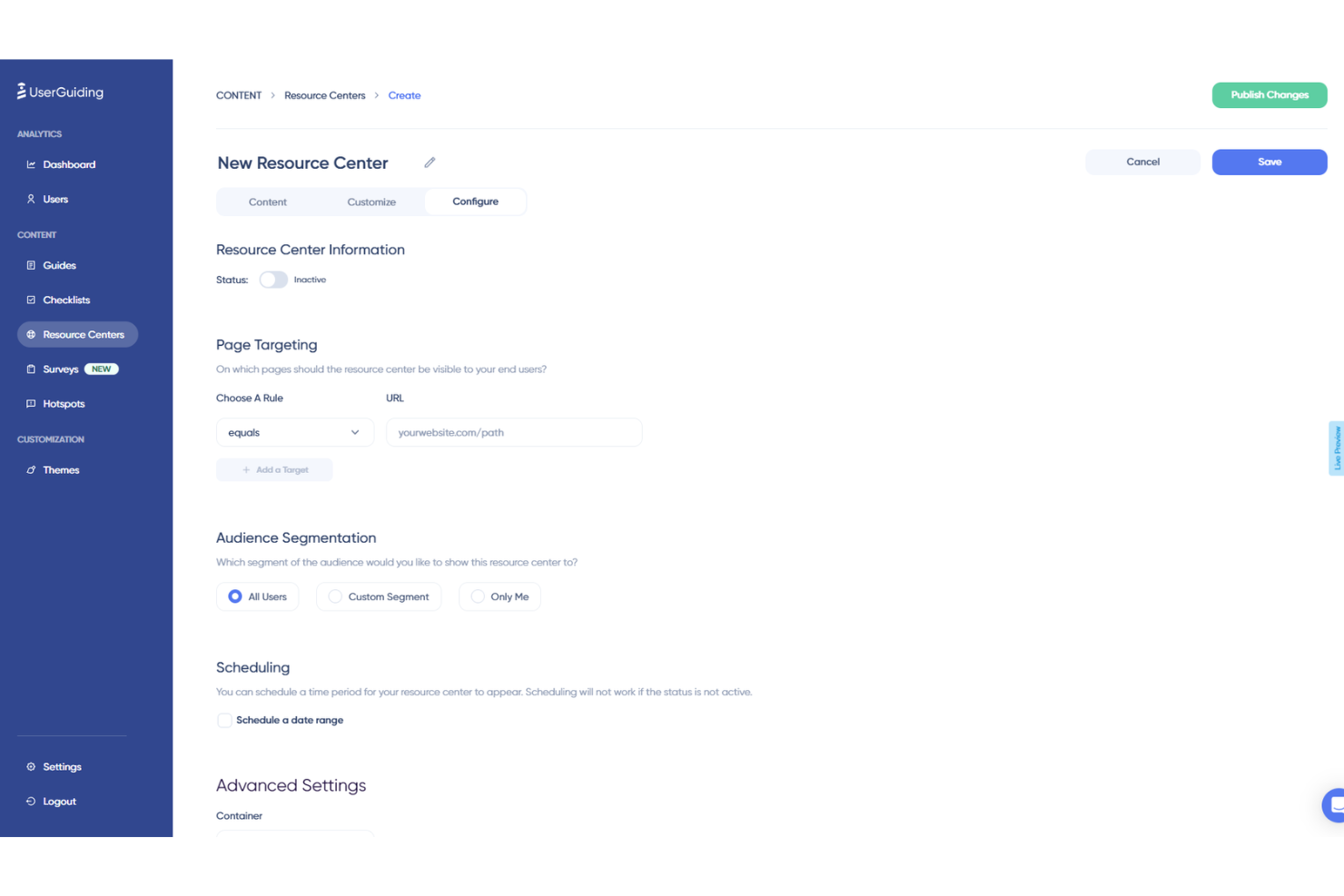
UserGuiding ist eine Software zur Verbesserung der Produktakzeptanz, die Ihnen hilft, digitale Erlebnisse mit einer Vielzahl von Funktionen zu optimieren. Egal, ob Sie interaktive Produkttouren anbieten oder Nutzerfeedback sammeln möchten – UserGuiding stellt Ihnen Werkzeuge zur Verfügung, die Ihre Software ansprechender und benutzerfreundlicher machen.
Warum ich UserGuiding gewählt habe: Einer der Gründe, warum ich UserGuiding als hervorragende Plattform für digitale Erfahrungen ausgewählt habe, ist die Möglichkeit, interaktive Produkttouren zu erstellen. Diese Touren führen Ihre Nutzer durch die notwendigen Schritte in Ihrer Software, wodurch sie Ihr Produkt leichter verstehen und nutzen können. Das kann zu höherer Nutzerzufriedenheit und steigenden Adoptionsraten führen. Zusätzlich bietet UserGuiding Onboarding-Checklisten, damit Nutzer beim ersten Start Ihres Produkts keine wichtigen Schritte verpassen. Diese Funktion hilft, die Lernkurve für neue Nutzer zu senken und sorgt für einen reibungsloseren Einstieg.
Ein weiteres herausragendes Merkmal sind die In-App-Umfragen, mit denen Sie wertvolles Nutzerfeedback einholen können, ohne dass Nutzer Ihre Software verlassen müssen. So erhalten Sie leichter Einblicke und können fundierte, datengestützte Entscheidungen zur Verbesserung Ihres Produkts treffen. Außerdem stellt UserGuiding Analysen bereit, sodass Sie das Nutzerengagement verfolgen und Verbesserungsbedarf erkennen können. Diese Daten sind entscheidend, um Ihre digitalen Erlebnisse gezielt auf die Bedürfnisse Ihrer Nutzer auszurichten.
Hauptfunktionen & Integrationen:
Funktionen umfassen Hotspots, die zusätzliche UI-Informationen zur Nutzerführung bereitstellen, sowie Tooltips zur Nutzeraufklärung, die überall in Ihrer Anwendung platziert werden können. Ein weiteres wertvolles Feature ist der KI-Assistent, der rund um die Uhr Unterstützung leistet und Nutzern bei Problemen sofort hilft. Gemeinsam schaffen diese Funktionen ein ansprechendes und unterstützendes Nutzungserlebnis.
Integrationen umfassen Amplitude, Webhook, Salesforce, Intercom, Mixpanel, Segment, Slack, Google Analytics, Google Tag Manager, Woopra und HubSpot.
Pros and Cons
Pros:
- Einfache Erstellung interaktiver Rundgänge ohne Programmierkenntnisse
- Nutzersegmentierung ermöglicht personalisierte Nutzererfahrungen
- Intuitive Benutzeroberfläche, die die Erstellung von Nutzeranleitungen und Onboarding-Erlebnissen vereinfacht
Cons:
- Begrenzte erweiterte Bearbeitungsfunktionen
- Einfache Checklisten-Funktionalität

Am besten zur Automatisierung von Antworten geeignet
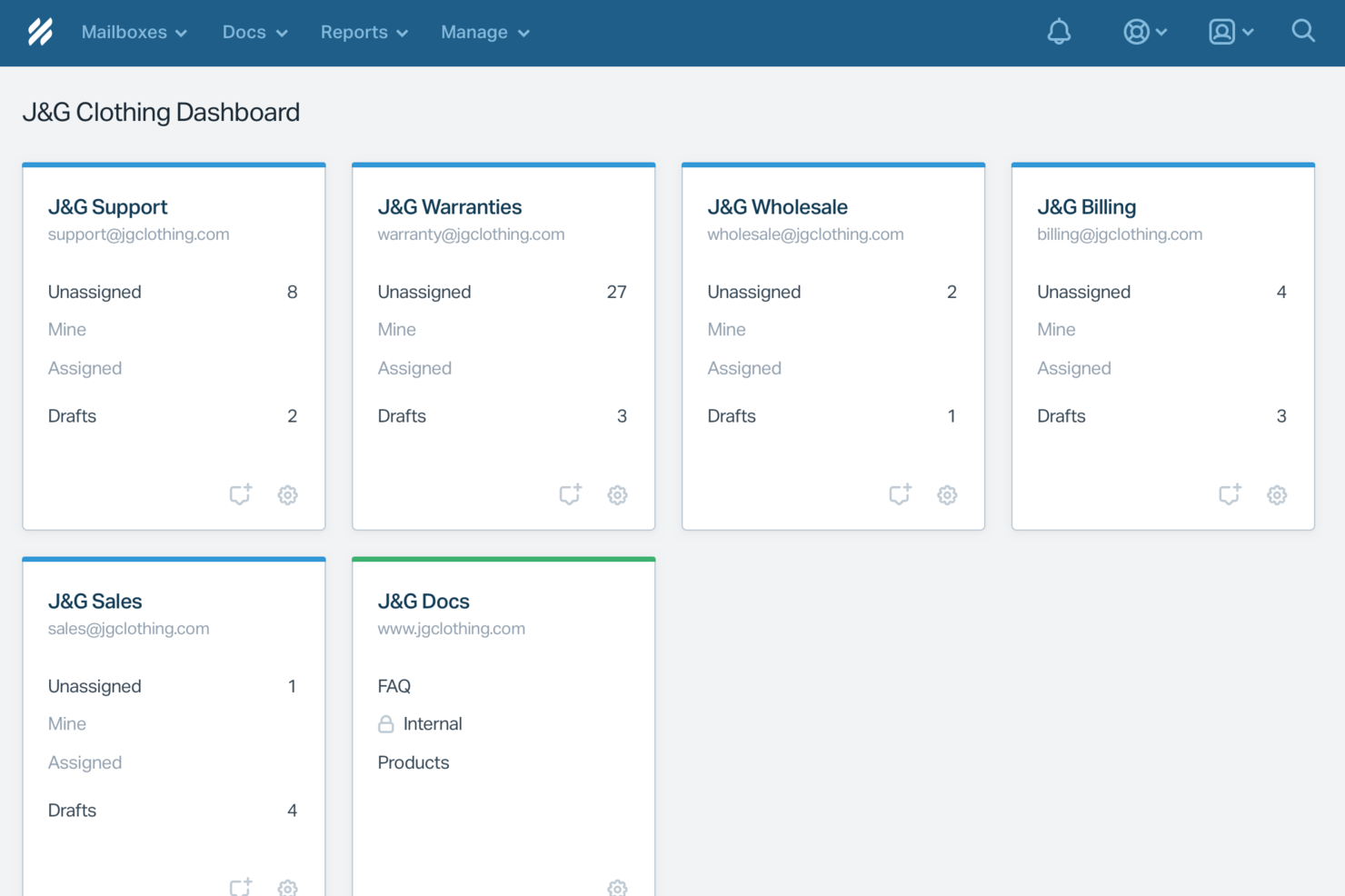
Für Unternehmen, die eine Digital Experience Platform suchen und dabei besonderen Wert auf Kundeninteraktion und Support legen, bietet Help Scout eine überzeugende Lösung. Die Plattform wurde speziell für kundenorientierte Teams entwickelt und stellt Werkzeuge bereit, die eine nahtlose Kommunikation ermöglichen – unabhängig davon, ob Sie ein kleines Unternehmen oder ein größeres Unternehmen managen. Help Scout begegnet Herausforderungen im Kundenservice, indem Funktionen bereitgestellt werden, die die Zusammenarbeit im Team verbessern, Routineaufgaben automatisieren und aussagekräftige Analysen bieten, um die Interaktion mit Kunden zu optimieren.
Warum ich Help Scout gewählt habe
Ich habe Help Scout aufgrund seines einzigartigen Ansatzes gewählt, künstliche Intelligenz im Kundenservice zu integrieren – ein entscheidender Aspekt einer Digital Experience Platform. Die Funktion 'AI Answers' automatisiert Antworten auf häufig gestellte Fragen, sodass Ihr Team sich auf komplexere Anliegen konzentrieren kann. Der Inbox Assistant unterstützt zudem bei der Formulierung präziser Antworten in Echtzeit und sorgt so für effiziente und wirkungsvolle Kommunikation. Diese Tools steigern nicht nur das Service-Tempo, sondern verbessern auch die Qualität der Kundeninteraktion durch die Anpassungs- und Lernfähigkeit der KI.
Help Scout Hauptfunktionen
Neben KI-gestützten Lösungen habe ich noch weitere Funktionen entdeckt, die Help Scout auszeichnen:
- Gemeinsamer Posteingang: Bündelt sämtliche Kundenkommunikationen an einem Ort, sodass Ihr Team effizient zusammenarbeiten kann.
- Beacon: Ein einbettbares Widget, das Live-Chat, Zugriff auf die Wissensdatenbank und Kontaktformulare direkt auf Ihrer Webseite oder App bietet.
- Docs: Eine integrierte Wissensdatenbank, die Kunden befähigt, eigenständig Antworten zu finden und so Ihr Support-Team entlastet.
- Workflow-Automatisierung: Automatisiert repetitive Aufgaben und Prozesse, damit Ihr Team sich auf strategischere Initiativen konzentrieren kann.
Help Scout Integrationen
Integrationen umfassen HubSpot, Salesforce, Jira, Slack, Shopify, Zapier, Mailchimp, WooCommerce, Magento und Pipedrive; eine API steht für individuelle Integrationen zur Verfügung.
Pros and Cons
Pros:
- AI Answers löst häufige Tickets ohne manuelles Eingreifen von Agenten
- Reibungslose Übergabe erhält Konversationskontext für Agenten
- Integrierte Wissensdatenbank ermöglicht präzise automatisierte Antworten
Cons:
- Kein eigenständiger Chatbot außerhalb des Help Scout-Ökosystems
- Die Wirksamkeit der KI hängt stark von der Qualität der Wissensdatenbank ab
New Product Updates from Help Scout

Help Scout Adds Automatic Conversation Reassignment
Help Scout can now automatically unassign conversations when the assigned teammate has been away long enough, keeping replies moving so others can pick them up. For more information, visit Help Scout's official site.
 .
.
Am besten geeignet für Teams, die Integrationen mit Microsoft, Slack oder WhatsApp benötigen
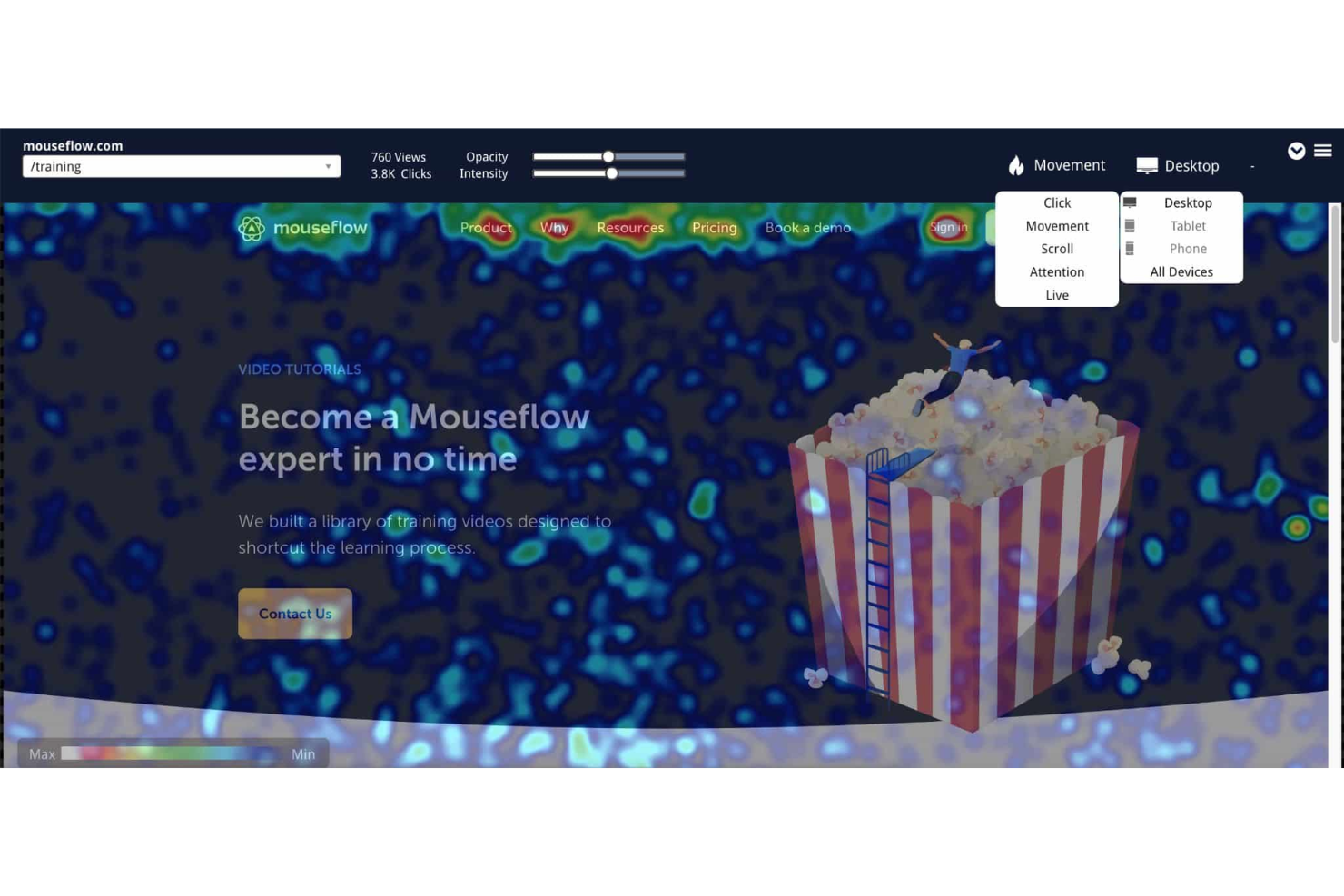
Freshdesk (ein Produkt von Freshworks Inc.) ist eine Helpdesk-Plattform, die darauf ausgelegt ist, Kundendienstteams in verschiedenen Branchen und Unternehmensgrößen zu unterstützen. Sie umfasst zentrale Support-Tools wie Ticketing, interne Zusammenarbeit, Hilfewidgets und Analysen, mit denen Teams Kundenanfragen verwalten und Support-Aktivitäten innerhalb eines einzigen Systems überprüfen können.
Freshdesk bietet zudem Zugang zu Lernressourcen über die Freshworks Academy und das Resource Center. Diese Materialien können von Teams genutzt werden, die ihre Kundendienstpraktiken verbessern und Mitarbeiter effektiver einarbeiten möchten.
Die Plattform bietet einen kostenlosen Tarif für bis zu zwei Agenten für sechs Monate an, der grundlegende Ticket- und Wissensdatenbankfunktionen umfasst. Kostenpflichtige Tarife stehen für Teams zur Verfügung, die zusätzliche Kanäle, Automatisierung oder Reporting-Funktionen benötigen. Ausgewählte Tarife beinhalten eine 14-tägige kostenlose Testphase.

Am besten geeignet für moderne Content-Management-System-Tools wie SDKs, Migrationsskripte + Webframework
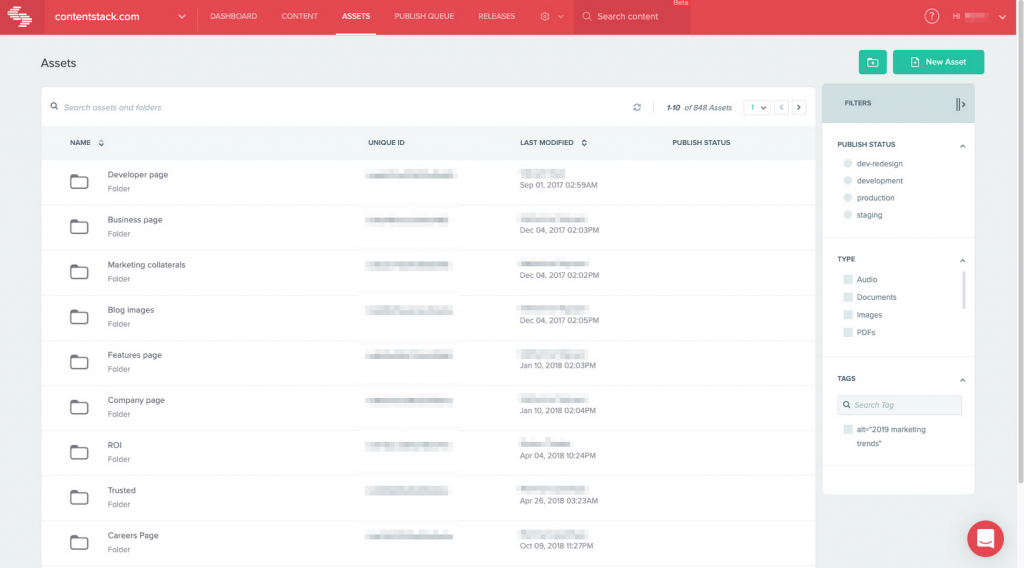
Contentstack ist ein Headless-Content-Management-System, das für Unternehmen entwickelt wurde, die Inhalte über mehrere Kanäle hinweg bereitstellen möchten. Es richtet sich an Entwickler und Marketingexperten, die eine flexible Plattform zur Erstellung und Verwaltung digitaler Erlebnisse suchen.
Warum ich Contentstack ausgewählt habe: Es überzeugt als Headless-CMS, da es dir ermöglicht, Inhalte über seinen API-First-Ansatz überall bereitzustellen. Du kannst Inhalte entkoppelt verwalten, wodurch Entwickler die Freiheit haben, mit dem Frontend-Framework ihrer Wahl zu arbeiten. Die Plattform bietet kollaborative Funktionen, mit denen dein Team effizient zusammenarbeiten kann. Contentstack stellt außerdem umfangreichen Support und Dokumentation bereit, was die Implementierung und Skalierung erleichtert.
Hervorstechende Funktionen & Integrationen:
Funktionen beinhalten die Möglichkeit, modulare Inhaltsblöcke zu erstellen, um Inhalte einfach über verschiedene Seiten hinweg wiederzuverwenden. Du kannst integrierte Workflows einsetzen, um Freigabeprozesse für Inhalte zu optimieren. Die Live-Vorschau-Funktion ermöglicht es, Änderungen in Echtzeit vor der Veröffentlichung anzuzeigen.
Integrationen bestehen mit Salesforce, Marketo, Google Analytics, Optimizely, Adobe Analytics, Slack, Vercel, Netlify, Zapier und Shopify.
Pros and Cons
Pros:
- Flexibler API-First-Ansatz
- Modulare Inhaltsblöcke
- Echtzeit-Kollaborationswerkzeuge
Cons:
- Komplex für einfache Websites
- Begrenzte Standardvorlagen
- Die Ersteinrichtung erfordert technisches Know-how

Pimcore
Am besten geeignet für Produktinformationsmanagement, digitales Asset-Management und digitalen Handel
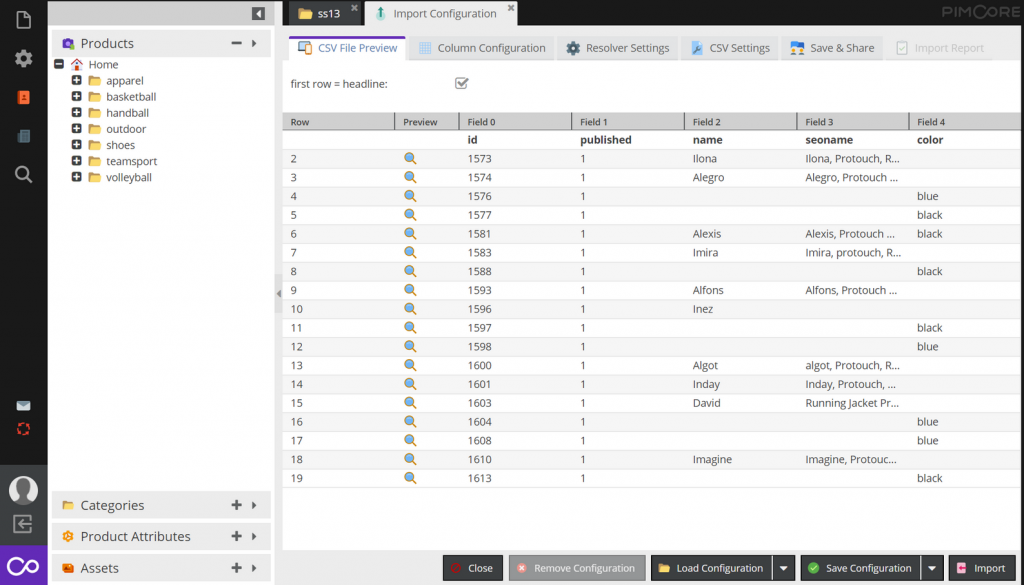
Pimcore ist eine Open-Source-Plattform für digitale Erlebnisse, die auf Unternehmen ausgerichtet ist, die ein effektives Datenmanagement benötigen. Sie richtet sich an Unternehmen, die Daten, Inhalte und Kundenerlebnisse an einem Ort bündeln und verwalten möchten.
Warum ich Pimcore gewählt habe: Pimcore überzeugt im Bereich Datenmanagement durch die Bereitstellung einer vielseitigen Plattform, die Product Information Management (PIM) und Master Data Management (MDM) vereint. Ihr Team kann dank flexibler Datenmodelle komplexe Datenstrukturen problemlos handhaben. Das Digital Asset Management (DAM) von Pimcore sorgt dafür, dass all Ihre Mediendateien organisiert und zugänglich sind. Die API-basierte Architektur ermöglicht die Verbindung und Synchronisation von Daten über verschiedene Systeme hinweg.
Herausragende Funktionen & Integrationen:
Funktionen umfassen ein benutzerfreundliches Content-Management-System, mit dem Sie digitale Inhalte effizient erstellen und verwalten können. Sie können das integrierte E-Commerce-Framework nutzen, um Online-Shop-Funktionen zu verwalten. Darüber hinaus bietet die Plattform Kundendatenmanagement-Tools, um Interaktionen zu personalisieren und die Kundenbindung zu verbessern.
Integrationen umfassen Adobe Experience Manager, Salesforce, Magento, Google Analytics, Microsoft Dynamics, SAP, Zendesk, Oracle, HubSpot und Mailchimp.
Pros and Cons
Pros:
- Vielseitige Datenmanagement-Tools
- Open-Source-Flexibilität
- Umfassendes Asset-Management
Cons:
- Technisches Know-how für die Einrichtung erforderlich
- Begrenzte Vorlagen ab Werk
- Hoher Ressourcenverbrauch

Am besten mit agentischer KI für automatisierte Inhaltsverwaltung
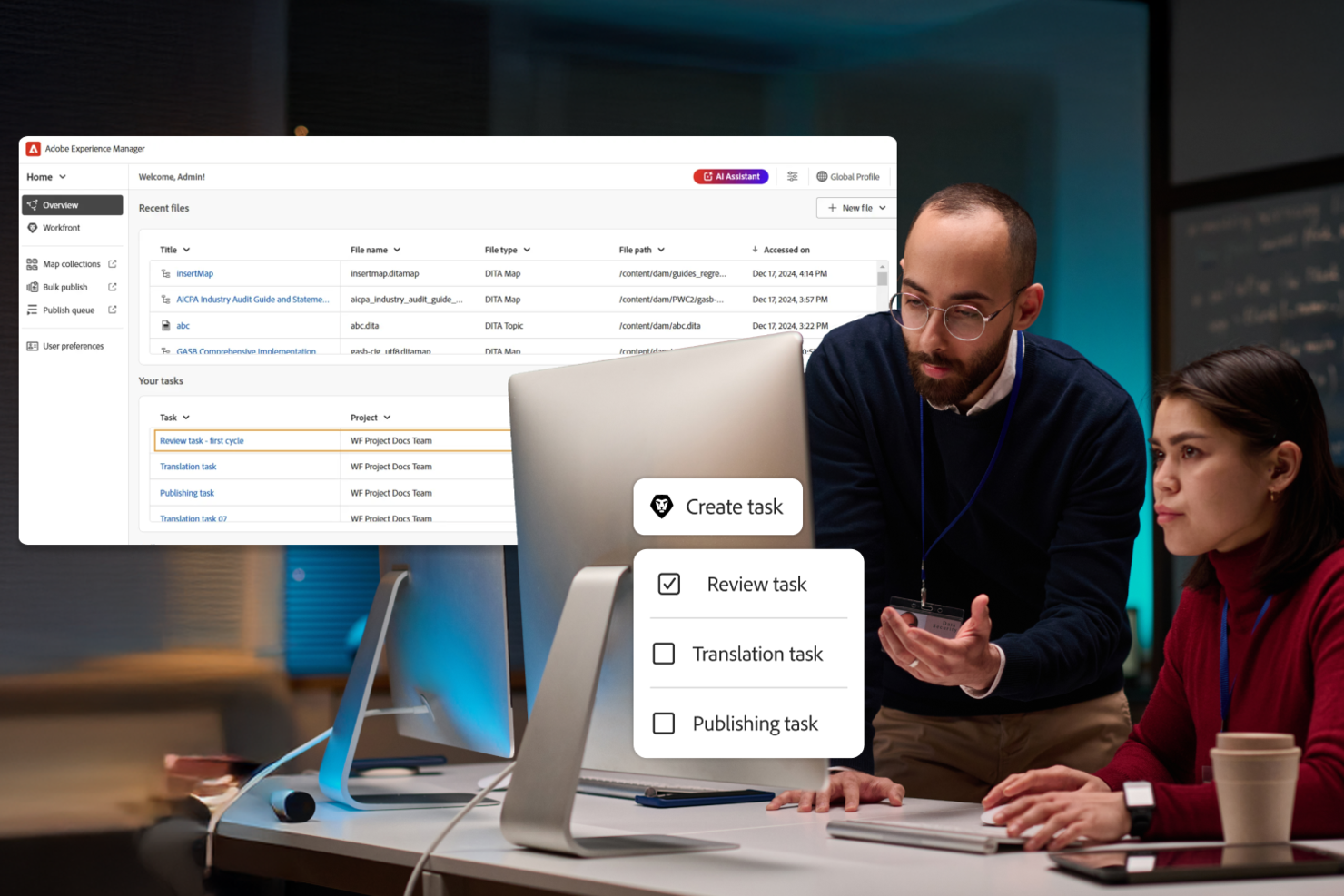
Adobe Experience Manager ist eine Digital-Experience-Plattform für Unternehmen und große Organisationen, die Inhalte über Web, Mobile und neue Kanäle verwalten, personalisieren und ausliefern müssen, während sie Markenkonsistenz und operative Effizienz wahren.
Für wen ist Adobe Experience Manager am besten geeignet?
Große Unternehmen und Marketingteams, die konsistente, personalisierte digitale Erlebnisse über mehrere Kanäle und Geräte hinweg bieten müssen.
Warum ich Adobe Experience Manager ausgewählt habe
Ich habe Adobe Experience Manager als eine der besten Lösungen ausgewählt, weil seine agentischen KI-Funktionen meinem Team helfen, die Inhaltsverwaltung in großem Umfang zu automatisieren. Ich nutze die integrierte KI, um veraltete Assets zu kennzeichnen, Markenvorgaben durchzusetzen und Freigaben auf mehreren Websites zu beschleunigen. Praktisch bedeutet das, dass wir unsere digitalen Inhalte konform und einheitlich halten können, ohne dass eine manuelle Kontrolle nötig ist.
Wichtige Funktionen von Adobe Experience Manager
- Headless CMS: Verwalten und liefern Sie Inhalte per API an jeden Kanal oder jedes Gerät.
- Digital Asset Management: Organisieren, speichern und verteilen Sie Bilder, Videos und Dokumente aus einer zentralen Bibliothek.
- Personalisierungs-Engine: Zielgruppenspezifische Ausspielung von Inhalten und Erlebnissen basierend auf Nutzerdaten und Verhalten.
- Formular-Editor: Interaktive Formulare für Web und Mobilgeräte ohne Programmierung erstellen, veröffentlichen und verwalten.
Adobe Experience Manager Integrationen
Integrationen umfassen Adobe Workfront, Adobe GenStudio for Performance Marketing, Adobe Express, Adobe Creative Cloud, Adobe Firefly, Adobe Analytics, Frame.io, Adobe Commerce, OneDrive und Dropbox.
Pros and Cons
Pros:
- Erweiterte Optionen zur Personalisierung und Zielgruppenansprache
- Native Unterstützung für Digital Signage Management
- Agentische KI-Tools für automatisierte Inhaltskontrolle
Cons:
- Vollständige Funktionalität erfordert das Adobe-Ökosystem
- Updates und Patches können Arbeitsabläufe stören

Bestes System für Digital Asset Management (DAM) und Content Management System (CMS)
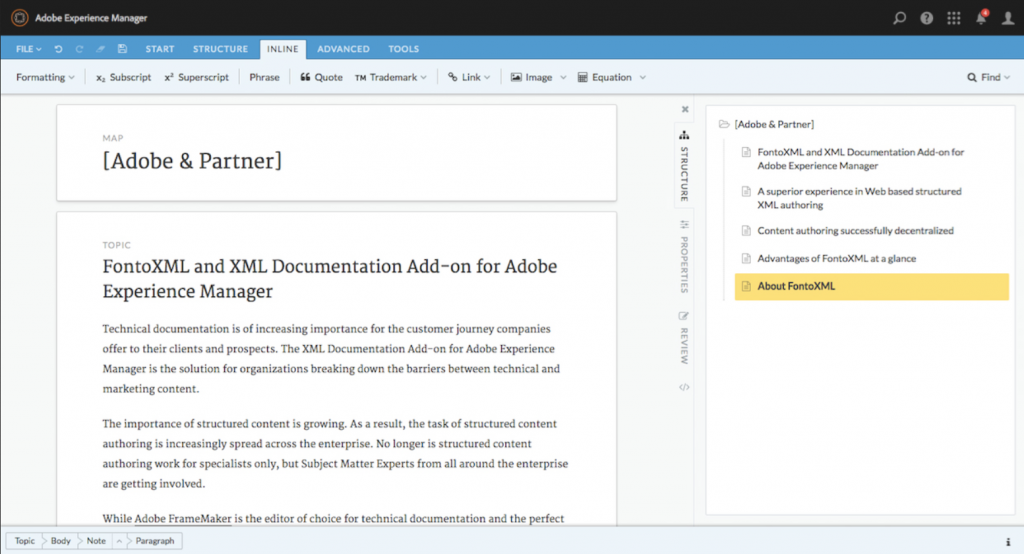
Adobe Experience Manager ist eine umfassende Lösung für das Content-Management, die sich an große Unternehmen richtet, die personalisierte digitale Erlebnisse bereitstellen müssen. Sie unterstützt Marketingteams dabei, Inhalte effizient über verschiedene Kanäle hinweg zu erstellen, zu verwalten und zu optimieren.
Warum ich Adobe Experience Manager gewählt habe: Es ist die erste Wahl für Unternehmenslösungen aufgrund der Möglichkeit zur Verwaltung und Personalisierung umfangreicher Inhalte. Sie können konsistentes Branding und eine einheitliche Markenbotschaft über mehrere Kanäle hinweg nahtlos bereitstellen. Die modulare Architektur der Plattform unterstützt komplexe Workflows und Strategien zur Inhaltsverteilung. Durch die Integration in die Adobe-Tool-Suite werden die kreativen und Marketingfähigkeiten Ihres Teams erweitert.
Herausragende Funktionen & Integrationen:
Funktionen umfassen eine intuitive webbasierte Autorenumgebung, die die Inhaltserstellung und -bearbeitung vereinfacht. Sie können das integrierte Digital Asset Management nutzen, um Mediendateien schnell zu organisieren und abzurufen. Die Plattform bietet außerdem fortschrittliche Analysen, die Einblicke in das Nutzerengagement und die Performance Ihrer Inhalte ermöglichen.
Integrationen umfassen Adobe Analytics, Adobe Target, Adobe Campaign, Marketo, Salesforce, SAP, Microsoft Dynamics, Oracle, Slack und Workfront.
Pros and Cons
Pros:
- Erweiterte Personalisierungsfunktionen
- Nahtlose Integration mit Adobe-Tools
- Verwaltet umfangreiche Inhalte
Cons:
- Hohe Lernkurve für neue Nutzer
- Komplex für einfache Content-Anforderungen
- Höhere Kosten für kleinere Teams

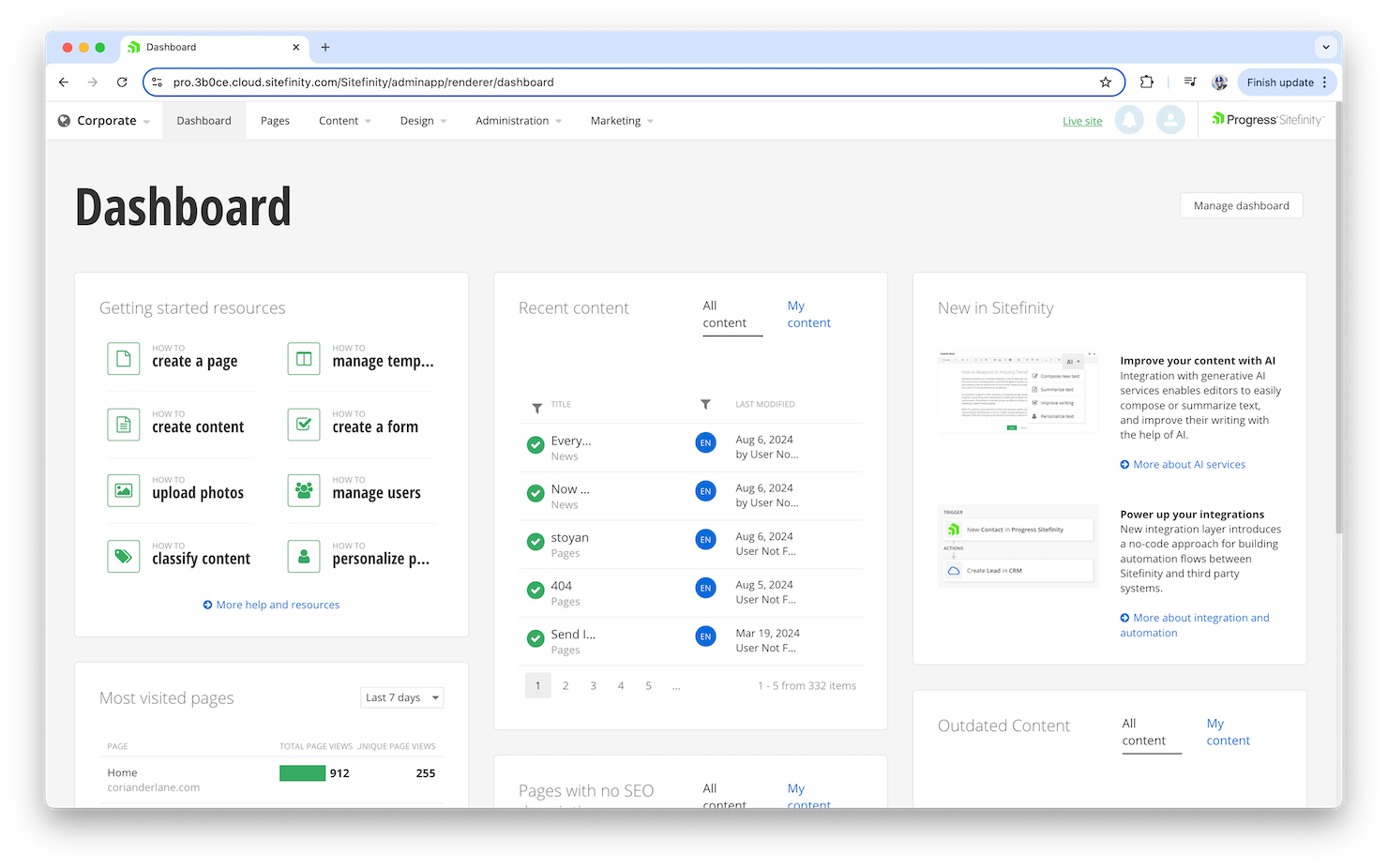
Sitefinity ist eine Digital Experience Platform, die entwickelt wurde, um Ihnen die Verwaltung digitaler Inhalte und Nutzerinteraktionen zu erleichtern. Sie bietet ein cloud-natives Content Management System (CMS), das moderne Entwicklungsframeworks wie ASP.NET Core und Next.js unterstützt und Ihnen flexible sowie skalierbare Lösungen für die Erstellung ansprechender digitaler Erlebnisse an die Hand gibt.
Warum ich Sitefinity gewählt habe: Ich habe mich für Sitefinity entschieden, weil der KI-gestützte Page Builder und die Drag-and-drop-Funktionalität Ihr Team in die Lage versetzen, Inhalte ohne umfangreiche technische Kenntnisse zu erstellen und zu verwalten. Die Plattform stellt zudem ein digitales Asset Management sowie SEO-Tools bereit, sodass Ihre Inhalte nicht nur ansprechend gestaltet, sondern auch für Suchmaschinen optimiert werden. Darüber hinaus ermöglichen das Multisite- und Mehrsprachmanagement von Sitefinity die zielgerichtete Ansprache verschiedenster Zielgruppen mit individueller Ansprache und Inhalten.
Ein weiteres Alleinstellungsmerkmal von Sitefinity sind seine Customer Data Platform (CDP)-Fähigkeiten, zu denen Audience Intelligence und Journey-Analyse gehören. Dank dieser Funktionen können Sie Inhalte personalisieren und A/B-Tests durchführen, um die Kundenbindung durch gezielte Erlebnisse zu stärken. Der Fokus der Plattform auf Headless- und Hybrid-CMS-Architekturen gewährleistet, dass Sie Inhalte über mehrere Kanäle hinweg verwalten können – für einen konsistenten Markenauftritt und schlanke Abläufe.
Herausragende Funktionen & Integrationen:
Funktionen umfassen Headless-APIs, mit denen Sie Inhalte auf verschiedenen Geräten und Plattformen bereitstellen und so ein durchgängiges Markenerlebnis schaffen. Die No-Code-Integrationen erleichtern Ihrem Team die Verbindung von Sitefinity mit anderen Tools und steigern die Effizienz Ihrer Arbeitsabläufe. Zudem liefern KI-basierte Kundenanalysen wertvolle Daten, um Ihr Publikum besser zu verstehen und Ihre Inhalte gezielt auf deren Bedürfnisse zuzuschneiden.
Integrationen beinhalten MarkLogic, Semaphore, OpenEdge, DataDirect Connectors, ShareFile, Podio, MOVEit, Salesforce, HubSpot, Microsoft Dynamics 365, ASP.NET Core, Next.js und Angular.
Pros and Cons
Pros:
- Die Benutzeroberfläche für Content Management und Seitenerstellung in Sitefinity ist einfach zu navigieren
- Umfangreiche Anpassungsmöglichkeiten, einschließlich eines Modul-Builders
- Integrierte Workflows erleichtern den Freigabeprozess von Inhalten
Cons:
- Anwender berichten von Schwierigkeiten beim Bildmanagement, insbesondere bei der Nachverfolgung ihrer Verwendung
- Erweiterte granulare Berechtigungen bei Site-Sync und Multisite-Management benötigt

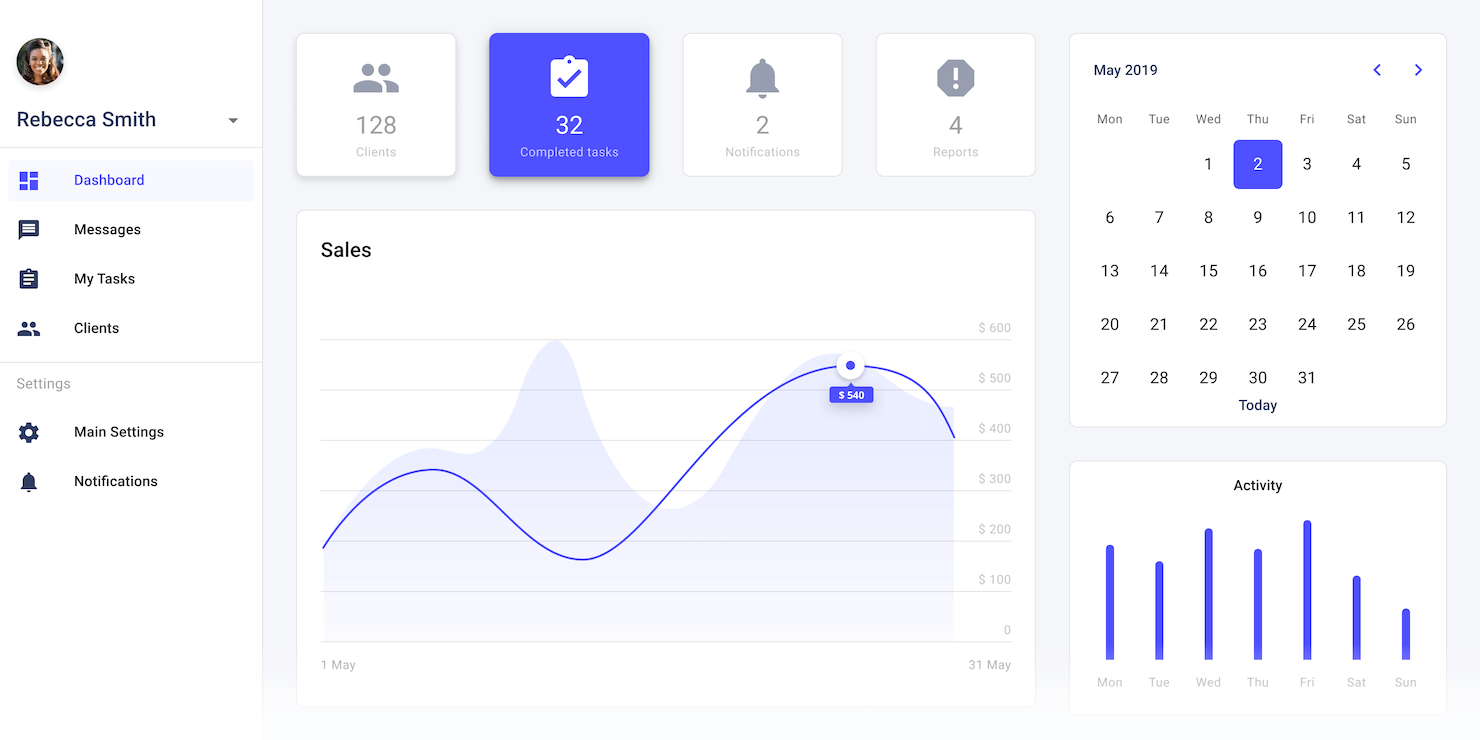
OutSystems ist eine KI-gesteuerte Low-Code-Plattform, die darauf ausgelegt ist, die Entwicklung von Unternehmenssoftware zu revolutionieren. Mit innovativen Tools und Funktionen ermöglicht sie Unternehmen, maßgeschneiderte Anwendungen zu erstellen, die den dynamischen Marktanforderungen entsprechen.
Warum ich OutSystems gewählt habe: Ich habe OutSystems als gute Digital-Experience-Plattform ausgewählt, weil sie KI-gestützte Entwicklungstools wie die Agent Workbench bietet, die es Ihnen ermöglichen, individuelle KI-Agenten zu entwickeln, die Nutzerinteraktionen erheblich verbessern können. Darüber hinaus vereinfacht das Data-Fabric-Feature das Datenmanagement über Anwendungen hinweg, wodurch Ihr Team leichter auf wichtige Informationen zugreifen und diese nutzen kann. Diese Möglichkeiten stellen sicher, dass Ihre digitalen Erlebnisse nicht nur ansprechend, sondern auch datenbasiert sind.
Zusätzlich bietet OutSystems ein robustes Sicherheits- und Compliance-Framework, das entscheidend für die Aufrechterhaltung von Vertrauen und Zuverlässigkeit Ihrer digitalen Anwendungen ist. Mit dem Fokus auf Unternehmensintegration und Governance können Sie Anwendungen bereitstellen, die strenge Sicherheitsstandards erfüllen. Dies ist besonders vorteilhaft, wenn Sie in regulierten Branchen wie Banken oder dem Gesundheitswesen tätig sind, in denen Compliance nicht verhandelbar ist.
Hervorstechende Funktionen & Integrationen:
Funktionen beinhalten das Mentor-Tool, das Anwendungen anhand natürlicher Spracheingaben generiert und die App-Erstellung für Ihr Team intuitiver und zugänglicher macht. Die Plattform unterstützt außerdem ein digitales Distributions-Framework, wie das Beispiel von Zurich Insurance zeigt: Dort konnten die Policenverkäufe verdoppelt werden – ein Beweis für das Potenzial zur Steigerung des Unternehmenswachstums. Zusätzlich legt OutSystems Wert auf Community-Engagement und bietet Entwicklern umfangreiche Ressourcen, um kontinuierliches Lernen und Innovation in Ihrer Organisation zu gewährleisten.
Integrationen umfassen Salesforce, SAP, SQL Server, Oracle, MySQL, PostgreSQL, IBM Db2, Amazon Aurora PostgreSQL, Azure for PostgreSQL, MongoDB, Facebook und Twilio.
Pros and Cons
Pros:
- Schnelle Anwendungsentwicklung und schnelle Bereitstellung
- Vereinfacht API- und Datenbankanbindungen
- Hohe Bewertungen für Benutzererlebnis, Performance und Sicherheit
Cons:
- Langsame Reaktion des technischen Supports und Kundenservices
- Fehlende native Berichtsfunktionen, daher externe Lösungen erforderlich

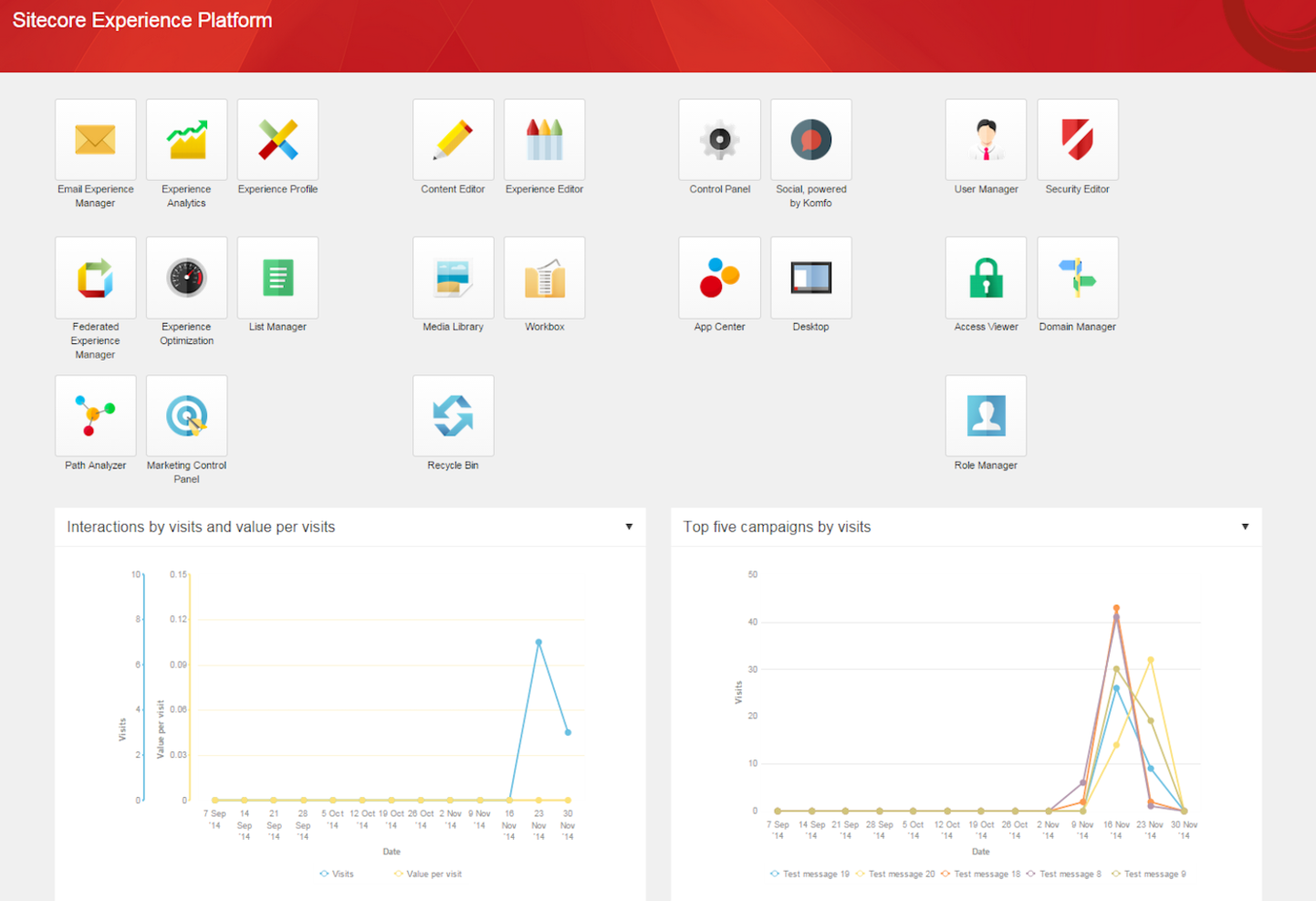
Die Sitecore Experience Platform ist ein umfassendes Tool, das Ihnen hilft, personalisierte digitale Erlebnisse über mehrere Kanäle hinweg zu verwalten und bereitzustellen. Sie wurde entwickelt, um Ihr Team zu befähigen, durch den Einsatz von Daten und Content-Strategien bedeutungsvolle Interaktionen mit Ihren Kunden zu schaffen.
Warum ich Sitecore gewählt habe: Ich habe die Sitecore Experience Platform aufgrund ihrer leistungsstarken Content-Management-Funktionen ausgewählt, die es Ihnen ermöglichen, individuell zugeschnittene Inhalte entlang der gesamten Customer Journey bereitzustellen. Diese Plattform unterstützt Ihr Team bei datenbasierten Entscheidungen, indem sie fortschrittliche Analysen bereitstellt, die Kundeninteraktionen nachverfolgen und so eine gezielte Optimierung Ihrer Engagement-Strategien ermöglichen. Sie zeichnet sich außerdem durch eine modulare Architektur aus, was bedeutet, dass Sie die Plattform individuell anpassen und skalieren können, ohne an eine starre Struktur gebunden zu sein.
Ein weiterer Grund für die Wahl der Sitecore Experience Platform ist ihre Fähigkeit, kanalübergreifendes Marketing zu unterstützen. Sie können mühelos konsistente Botschaften über Web, E-Mail, soziale Medien und mobile Kanäle hinweg ausspielen und so ein einheitliches Kundenerlebnis schaffen. Dieses Feature stärkt die Fähigkeit Ihrer Marke, Kunden überall dort zu erreichen, wo sie sich aufhalten, und steigert sowohl Reichweite als auch Kundenzufriedenheit.
Herausragende Funktionen & Integrationen:
Funktionen beinhalten die Möglichkeit, KI für die Personalisierung einzusetzen, wodurch Inhalte individuell an die Vorlieben und Verhaltensweisen jedes Nutzers angepasst werden. Die Plattform bietet außerdem umfangreiche Testmöglichkeiten, mit denen Ihr Team verschiedene Content-Varianten ausprobieren kann, um herauszufinden, was bei Ihrer Zielgruppe am besten ankommt. Darüber hinaus stellt Sitecore detaillierte Analysen bereit, die tiefe Einblicke in das Nutzerverhalten ermöglichen und Ihnen helfen, Ihre Engagement-Strategien weiter zu verfeinern.
Integrationen umfassen Salesforce, Microsoft Dynamics 365, SAP, Marketo, Google Analytics, Adobe Analytics, Brightcove, Bynder, Workato, Slack, Zendesk und HubSpot.
Pros and Cons
Pros:
- Unterstützung für mehrere Sprachen und Websites
- Die moderne Oberfläche und der WYSIWYG-Editor vereinfachen die Inhaltserstellung und -verwaltung
- Konzipiert für hohe Besucherzahlen und komplexe Prozesse
Cons:
- Begrenzte Auswahl an Drittanbieter-Plug-ins
- Nutzer bemängeln, dass Workflows für Seitenverwaltung und automatisierte Veröffentlichungsprozesse ausbaufähig sind
Wann Sie Plattformen für digitale Erlebnisse einsetzen sollten
Eine Plattform für digitale Erlebnisse (DXP) vereint Inhaltsverwaltung, Kundendaten und kanalübergreifende Bereitstellung in einem vernetzten System. Das Ergebnis: konsistente und personalisierte Erlebnisse an jedem Kontaktpunkt, ohne dass Ihr Team alles manuell zusammenführen muss. Wenn Ihnen eines der folgenden Szenarien bekannt vorkommt, lohnt sich ein genauerer Blick:
- Ihre Inhalte befinden sich gleichzeitig an zu vielen Orten: Sie verwalten eine Website, eine mobile App und regionale Mikroseiten über separate Tools und Tabellen. Diese konsistent zu halten, ist eine Vollzeitaufgabe. Eine DXP zentralisiert Inhalte und Veröffentlichungen, sodass Aktualisierungen überall gleichzeitig erscheinen und der Koordinationsaufwand Ihres Teams erheblich sinkt.
- Sie setzen auf eine kanalübergreifende Strategie, aber das Erlebnis wirkt uneinheitlich: Ein Kunde durchsucht Ihre App, besucht anschließend Ihre Website, und es fühlt sich an, als handele es sich um zwei verschiedene Marken. Eine DXP synchronisiert Inhalte und Kundendaten über alle Kanäle hinweg, sodass die Reise nahtlos bleibt – unabhängig davon, wo jemand mit Ihnen in Kontakt tritt.
- Personalisierung steht auf Ihrem Fahrplan, wird aber immer wieder zurückgestellt: Sie verfügen über die Kundendaten, aber nicht über die Infrastruktur, um sie in großem Maßstab zu nutzen. Eine DXP integriert Personalisierung in Ihre Bereitstellungsprozesse, sodass die richtigen Inhalte automatisch das richtige Segment erreichen.
- Die Einführung einer Kampagne dauert mehr als 3 Wochen: Ihr Team hat die kreativen Materialien fertiggestellt, aber die Veröffentlichung von Inhalten über mehrere Regionen hinweg erfordert Entwicklungstickets, Genehmigungen und zahlreiche Abstimmungen, wodurch sich die Zeitpläne verlängern. Eine DXP gibt Marketingteams die Kontrolle, Inhalte ohne Engpässe zu veröffentlichen.
- Sie expandieren in neue Märkte und die Lokalisierung ist ein Chaos: Die Verwaltung übersetzter Inhalte und regionaler Varianten über separate CMS-Instanzen hinweg führt zu einem Chaos bei der Versionskontrolle. Eine DXP übernimmt die mehrsprachige Bereitstellung für mehrere Regionen an einem zentralen Ort und sorgt dafür, dass jede Marktversion markenkonform bleibt.
Weitere Software für das Management digitaler Erlebnisse
Hier sind einige weitere DX-Tools, die es nicht in die Top-Liste geschafft haben.
- Crownpeak
Am besten geeignet für personalisierte digitale Erlebnisse
- Kentico Kontent
Am besten geeignet für KI-gesteuerte Inhalts-Audits
- Magnolia CMS
E offene CaaS-Lösung zur Verbindung mit CMS
- CoreMedia
Am besten geeignet für KI-gestützte Erkenntnisse
- Quadient
Am besten geeignet für personalisierte Kommunikation
- Censhare
Am besten für zentrales Content-Management
- Solodev
Am besten geeignet für cloudbasiertes App-Management
- Mura
Am besten geeignet zur Erstellung von Content-Hubs und zur Synchronisierung von Web-Erlebnissen mit PPC-Kampagnen
- Compass
Am besten geeignet für interaktive Führungen
- Expresia
Am besten für KI-gesteuerte Personalisierung
- Product Fruits
Am besten geeignet, um Kundenfeedback zu sammeln und die Produkt-DX zu optimieren
- Nextiva
Am besten für Omnichannel-Kundensupport geeignet
- Jahia
Optimieren Sie die DX-Entwicklung mit A/B-Tests und Analysen unter Verwendung von DSGVO-konformen Kundendaten.


Wie ich Digital Experience Platforms bewerte
DXPs sind die Lösung, zu der Organisationen greifen, wenn sie Multi-Site-Inhalte verwalten, Erlebnisse über Web und Mobil personalisieren und Marketing mit Commerce und CRM verbinden wollen. Bei der Bewertung dieser Plattformen denke ich in zwei Schichten: einen Basisstandard, den jedes Tool erfüllen muss, und Unterscheidungsmerkmale, die einen Anbieter vom anderen abheben.
Kernfunktionen (Grundvoraussetzungen für diese Liste)
Bei Digital Experience Platforms überprüfe und bewerte ich als Kernfunktionen:
- Content Management: Ich suche nach unternehmensweiten Autor/innen-Workflows, Versionierung und modularen Inhaltsblöcken, die Teams ermöglichen, übergreifend auf mehreren Websites zu veröffentlichen – und das ohne Entwicklerhilfe.
- Omnichannel-Auslieferung: Die Ausspielung von Inhalten auf Web, Mobil, Kiosken und Chatbots ist entscheidend. Ich prüfe, ob die Plattform Headless-APIs neben visuellen Seiteneditoren unterstützt.
- Personalisierungs-Engine: Regelbasierte Segmentierung ist die Mindestanforderung. Ich bewerte, wie gut die Plattform Inhalte basierend auf Verhalten, Geografie oder Profildaten in Echtzeit ausspielt.
- Integrationsebene: DXPs sind das Herzstück des Technologiestacks. Ich achte auf vorgefertigte Konnektoren und offene APIs, die CRM-Systeme, Commerce-Engines, CDPs und Analyse-Tools verbinden.
- Digital Asset Management: Teams, die Tausende von Bildern und Videos verwalten, benötigen ein zuverlässiges DAM. Ich prüfe Tagging, Transformation und Wiederverwendung von Assets über verschiedene Kanäle hinweg.
- Multisite & Lokalisierung: Globale Marken betreiben Dutzende von regionalen Websites. Ich bewerte, wie die Plattform geteilte Inhalte, Übersetzungs-Workflows und lokale Governance unterstützt.
- Composable Architecture: Ich achte auf einen modularen, API-zentrierten Aufbau, mit dem sich Funktionen schrittweise integrieren lassen – statt sich an eine monolithische Komplettlösung binden zu müssen.
Ein Tool muss die meisten dieser Fähigkeiten bieten, um auf dieser Liste zu stehen. Danach betrachte ich, was das jeweilige Tool besonders macht.
Herausragende Funktionen (Was die Auswahl unterscheidet)
Ich suche nach KI-gestützter nativer Inhaltsgenerierung und intelligenten Personalisierungs-Tools, die Teams bei der Automatisierung von Texten, Empfehlungen und Bildvarianten unterstützen. Umfassende Workflow-Automatisierung – wie automatisches Tagging von Assets, automatisches Veröffentlichen und integrierte Content-Governance – kann eine Plattform bei hohem Content-Volumen besonders attraktiv machen. Integrierte Experimentierfunktionen und A/B-Tests ermöglichen es Marketer:innen, Nutzerreisen kontinuierlich zu optimieren – ohne auf Drittsysteme angewiesen zu sein.
Was ich über die Funktionen hinaus bewerte
Die Komplexität der Implementierung ist ein Schlüsselfaktor. Manche DXPs brauchen über 12 Monate und spezialisierte Entwicklerteams, während andere Teams innerhalb von Wochen produktiv machen. Ich bewerte das Partner-Ökosystem und verfügbare Systemintegratoren, da die meisten Unternehmen für die Einführung auf Agenturen setzen. Auch die architektonische Flexibilität ist wichtig – ob eine Plattform On-Premise-, Cloud- oder hybride Bereitstellung unterstützt, kann etwa in regulierten Branchen wie Gesundheitswesen oder Finanzwesen entscheidend sein. Ebenfalls prüfe ich, wie viel Marketer:innen eigenständig erledigen können, ohne für jede Änderung an einer Seite ein Ticket beim Entwicklungsteam aufgeben zu müssen.
Was sind Plattformen für digitale Erlebnisse?
Plattformen für digitale Erlebnisse sind Tools, die Unternehmen dabei unterstützen, Kundeninteraktionen über digitale Kanäle hinweg zu erstellen, zu verwalten und zu optimieren. Sie zentralisieren Inhalte, Daten und Bereitstellungssysteme, um während der gesamten Kundenreise konsistente, personalisierte Erlebnisse zu ermöglichen.
So wählen Sie Plattformen für digitale Erlebnisse aus
Damit Sie sich bei der individuellen Auswahl Ihrer Software auf das Wesentliche konzentrieren können, finden Sie hier eine Checkliste mit Faktoren, die Sie bei der Auswahl einer DXP berücksichtigen sollten:
| Faktor | Was Sie berücksichtigen sollten |
|---|---|
| Skalierbarkeit | Stellen Sie sicher, dass die Plattform mit Ihrem Unternehmen wachsen und mehr Datenverkehr sowie Inhalte problemlos verarbeiten kann. |
| Integrationen | Achten Sie auf die Kompatibilität mit bestehenden Tools wie CRM, ERP und Analysen, damit Ihre Systeme miteinander verbunden bleiben. |
| Anpassbarkeit | Prüfen Sie, ob Sie Funktionen und Benutzeroberflächen an Ihre Marke, Arbeitsabläufe und den Kundenlebenszyklus anpassen können. |
| Benutzerfreundlichkeit | Die Plattform sollte intuitiv bedienbar sein, die Schulungszeit minimieren und die Akzeptanz durch Ihr Team verbessern. |
| Budget | Berücksichtigen Sie die Kosten im Verhältnis zu Ihrem Budget, einschließlich versteckter Gebühren und des Werts der enthaltenen Funktionen. |
| Sicherheitsvorkehrungen | Überprüfen Sie Maßnahmen zum Datenschutz wie Verschlüsselung, Sicherungskopien und die Einhaltung von Vorschriften. |
| Supportleistungen | Bewerten Sie den Umfang des verfügbaren Kundensupports, der Sie bei Bedarf unterstützt. |
| Leistung | Bewerten Sie die Geschwindigkeit und Zuverlässigkeit der Plattform und stellen Sie sicher, dass sie Inhalte effizient an Nutzer ausliefern kann. |
Trends bei Plattformen für digitale Erlebnisse
Im Rahmen meiner Recherche habe ich unzählige Produktaktualisierungen, Pressemitteilungen und Versionsprotokolle verschiedener Anbieter von Plattformen für digitale Erlebnisse ausgewertet. Hier sind einige der aufkommenden Trends, die ich im Blick behalte:
- Entkoppelte Architektur: Viele Plattformen setzen auf entkoppelte CMS, um mehr Flexibilität bei der Bereitstellung von Inhalten über verschiedene Kanäle zu bieten. Diese Architektur ermöglicht es Entwicklern, ihre bevorzugten Frontend-Werkzeuge zu verwenden, und verbessert dadurch die Anpassungsmöglichkeiten und die Leistung.
- KI-gestützte Personalisierung: KI wird eingesetzt, um Nutzererlebnisse auf Grundlage von Echtzeitdaten anzupassen. Plattformen nutzen KI, um das Nutzerverhalten zu analysieren und personalisierte Inhalte bereitzustellen, wodurch Interaktionen relevanter und ansprechender werden.
- Zusammensetzbare DXP: Anbieter stellen auf zusammensetzbare Architekturen um, die es Nutzern ermöglichen, verschiedene Funktionen miteinander zu kombinieren. Dieser Trend unterstützt eine schnellere Implementierung und größere Flexibilität, sodass Unternehmen sich rasch an Marktveränderungen anpassen können.
- Kanalübergreifendes Erlebnis: Ein konsistentes Erlebnis über alle Kontaktpunkte hinweg wird immer wichtiger. Plattformen konzentrieren sich auf die Integration verschiedener Kanäle, damit Nutzer unabhängig von der Art ihrer Interaktion dieselbe Markenbotschaft und Servicequalität erhalten.
- Analysen der Nutzererfahrung: Der Schwerpunkt liegt zunehmend auf Tools, die detaillierte Einblicke in Nutzerinteraktionen bieten. Diese Analysen digitaler Erlebnisse helfen Unternehmen zu verstehen, wie Nutzer mit ihren Inhalten interagieren, und Verbesserungsmöglichkeiten zu erkennen, wodurch digitale Strategien insgesamt optimiert werden.
Funktionen von Plattformen für digitale Erlebnisse
Achten Sie bei der Auswahl einer Plattform für digitale Erlebnisse auf die folgenden wichtigen Funktionen:
- Content-Management-System: Digitale Inhalte an einem zentralen Ort organisieren, erstellen und aktualisieren. So können Sie Ihre Website schnell aktualisieren, Kampagnen starten oder Blogs verwalten, ohne jedes Mal das Rad neu zu erfinden.
- Personalisierungstools: Individuelle Erlebnisse auf Grundlage des Nutzerverhaltens, des Standorts oder von Profildaten bereitstellen. Dadurch fühlen sich Ihre Besucher, als könnten sie ihre Gedanken lesen – Sie zeigen ihnen genau das, was sie brauchen, und zwar genau dann, wenn sie es brauchen.
- Omnikanal-Bereitstellung: Mit Nutzern in Kontakt treten, wo immer sie sich befinden – ob auf Ihrer Website, in einer App oder per E-Mail. Diese Funktion sorgt dafür, dass Ihre Kommunikation nahtlos und konsistent ist und nicht auf einen einzigen Kanal beschränkt bleibt.
- Headless-Architektur: Sie trennt Frontend und Backend. Dadurch können Sie Inhalte flexibel auf verschiedenen Geräten und in unterschiedlichen Formaten bereitstellen.
- Integrationsmöglichkeiten: Einfach mit Ihrem CRM, Ihrer Marketingautomatisierung, Ihren Analysewerkzeugen oder anderen Geschäftstools verbinden. Sie verbringen weniger Zeit damit, zwischen Systemen zu wechseln, und können reibungslosere Arbeitsabläufe aufbauen.
- Analysen und Berichte: Echtzeitdaten zum Nutzerverhalten, zur Inhaltsleistung und zu Website-Kennzahlen eingehend analysieren. Gewinnen Sie klare Erkenntnisse, um Ihre digitale Strategie auf Grundlage dessen, was tatsächlich funktioniert, anzupassen, zu verfeinern oder vollständig neu auszurichten.
- Abbildung der Nutzerreise: Visualisieren, wie sich Nutzer durch Ihre digitalen Angebote bewegen – vom ersten Klick bis zum Bezahlvorgang. Das ist wie ein Überblick aus der Vogelperspektive über die Reise Ihrer Kunden, sodass Sie mögliche Hindernisse beseitigen können.
- Sicherheit und Compliance: Vertrauliche Daten und Kundeninformationen zuverlässig schützen – mit Funktionen, die Ihnen dabei helfen, Datenschutzgesetze und Vorschriften einzuhalten. Niemand möchte für einen Sicherheitsvorfall verantwortlich sein.
- Werkzeuge für Arbeitsabläufe und Zusammenarbeit: Teams eine reibungslose Zusammenarbeit ermöglichen, indem Sie Rollen zuweisen, Fortschritte verfolgen und Inhalte auf einer Plattform genehmigen – keine unübersichtlichen E-Mail-Verläufe oder verlorenen Dateien mehr.
Übliche KI-Funktionen von Plattformen für digitale Erlebnisse
Über die oben aufgeführten Standardfunktionen von Plattformen für digitale Erlebnisse hinaus integrieren viele dieser Lösungen KI mit Funktionen wie:
- Automatisierte Inhaltsempfehlungen: KI nutzen, um jedem Besucher relevante Artikel, Produkte oder Angebote vorzuschlagen, sodass Ihre Inhalte perfekt auf ihn zugeschnitten wirken – ganz ohne manuelles Rätselraten.
- Prädiktive Analysen: KI nutzen, um das Nutzerverhalten und Trends zu prognostizieren, bevor sie eintreten, damit Sie Kampagnen und Strategien vorbereiten können, die ins Schwarze treffen.
- Chatbots und virtuelle Assistenten: Sofortige, KI-gestützte Unterstützung anbieten, um Fragen zu beantworten oder Nutzer zu begleiten, und Ihrer Zielgruppe jederzeit Hilfe bereitstellen – auch wenn Sie gerade nicht erreichbar sind.
- Dynamische Personalisierung: Website-Layouts, Inhalte oder Handlungsaufforderungen für jeden Besucher automatisch ändern – auf Grundlage dessen, was die KI in Echtzeit über seine Vorlieben und Handlungen lernt.
- Sentimentanalyse: Erkennen, wie Nutzer über Ihre Marke oder Ihre Inhalte denken, indem KI Feedback, Bewertungen oder Beiträge in sozialen Netzwerken analysiert. So können Sie Probleme schnell angehen oder Erfolge feiern.
Vorteile von Plattformen für digitale Erlebnisse
Laut Gartner werden 40 % der Unternehmen bis 2027 daran scheitern, wirkungsvolle digitale Erlebnisse bereitzustellen, da es ihnen an einer kohärenten, intelligenten Strategie für die Koordination von Inhalten und den Inhaltsbetrieb mangelt.
Die Implementierung von Plattformen für digitale Erlebnisse bietet Ihrem Team und Ihrem Unternehmen mehrere Vorteile. Hier sind einige, auf die Sie sich freuen können:
- Höheres Engagement: Personalisierungsfunktionen helfen dabei, Inhalte auf Nutzer zuzuschneiden und dadurch Interaktion und Zufriedenheit zu steigern.
- Verbesserte betriebliche Effizienz: Die Automatisierung von Arbeitsabläufen vereinfacht die Genehmigung und Veröffentlichung von Inhalten und spart Zeit und Aufwand.
- Datenbasierte Erkenntnisse: Analysen digitaler Erlebnisse liefern wertvolle Informationen über das Nutzerverhalten und die Bedürfnisse der Kunden und unterstützen so bessere Entscheidungen.
- Konsistentes Branding: Die Omnikanal-Unterstützung stellt sicher, dass Ihre Markenbotschaft auf allen Plattformen einheitlich bleibt.
- Flexibilität bei der Bereitstellung: Die Headless-Architektur ermöglicht es Ihnen, Inhalte nahtlos auf verschiedenen Geräten bereitzustellen.
- Skalierbarkeit: Die Fähigkeit, steigenden Datenverkehr und wachsende Inhaltsmengen zu bewältigen, unterstützt Ihr Unternehmen bei seinem Wachstum.
- Kundenorientierter Ansatz: Eine zentrale, einheitliche Ansicht Ihrer Kundendaten über mehrere Kontaktpunkte hinweg ermöglicht es Ihnen, die Bedürfnisse Ihrer Kunden in den Mittelpunkt zu stellen.
Herausforderungen bei der Implementierung von DXPs
Hier sind die Herausforderungen bei der Implementierung von DXPs und mögliche Lösungen:
- Hohe Anfangskosten: Lösungen für digitale Erlebnisse können erhebliche Investitionen in Technologie, Infrastruktur und Fachwissen erfordern. Erwägen Sie eine schrittweise Implementierung und priorisieren Sie Funktionen mit großer Wirkung, um die anfänglichen Kosten zu senken.
- Komplexe Integration: Die Verbindung der DXP mit bestehenden Systemen, Tools und Datenbanken kann technisch anspruchsvoll sein. Nutzen Sie APIs und Vermittlerschichten, um die Integration zu optimieren und Kompatibilitätsprobleme zu minimieren.
- Steile Lernkurve: Die Schulung der Mitarbeitenden für die Nutzung und Verwaltung der Plattform kann Zeit und Ressourcen erfordern. Investieren Sie in eine umfassende Schulung und bieten Sie fortlaufende Unterstützung, um Ihr Team zu stärken. Der Aufbau einer Wissensdatenbank zur Selbstbedienung kann Ihren Teams helfen, schnell Antworten zu finden.
- Datensilos: Die Zusammenführung von Daten aus mehreren Quellen in einer einheitlichen Plattform kann schwierig sein, insbesondere bei Altsystemen. Implementieren Sie eine Kundendatenplattform (CDP), um Daten effektiv zu zentralisieren und zu harmonisieren.
- Aufwand für Anpassungen: Die Anpassung einer DXP an spezifische Geschäftsanforderungen kann umfangreiche Entwicklungsarbeiten erfordern. Konzentrieren Sie sich auf Plattformen mit modularen oder Niedrigcode-Optionen, um den Anpassungsaufwand zu vereinfachen.
- Wartungsanforderungen: Laufende Aktualisierungen, Sicherheitsverwaltung und Leistungsoptimierung erhöhen den Arbeitsaufwand. Arbeiten Sie mit Anbietern verwalteter Dienste zusammen oder wählen Sie einen DXP-Anbieter, der Wartung in sein Angebot einschließt.
- Abhängigkeit vom Anbieter: Proprietäre oder geschlossene DXPs können Unternehmen an bestimmte Anbieter binden. Entscheiden Sie sich für offene oder hybride DXPs, die mehr Freiheit beim Wechsel oder bei der Integration zusätzlicher Tools bieten.
- Skalierbarkeitsprobleme: Ein schnelles Unternehmenswachstum kann die Plattform belasten, wenn sie nicht für eine steigende Nachfrage ausgelegt ist. Wählen Sie eine DXP mit cloudbasierter Architektur, um eine einfache Skalierbarkeit zu gewährleisten.
- Datenschutz und Compliance: Sicherzustellen, dass die DXP der DSGVO oder dem CCPA entspricht, kann komplex sein. Arbeiten Sie mit einer Rechtsexpertin oder einem Rechtsexperten zusammen und wählen Sie Plattformen mit integrierten Compliance-Funktionen.
- Nicht aufeinander abgestimmte Ziele: Ohne klare Zielsetzungen fällt es Unternehmen schwer, die Funktionen der DXP an ihrer digitalen Strategie auszurichten. Definieren Sie klare Ziele und beziehen Sie Interessengruppen frühzeitig ein, um sicherzustellen, dass die Plattform den Geschäftsanforderungen entspricht.
Kosten und Preise von Plattformen für digitale Erlebnisse
Bei der Auswahl von Plattformen für digitale Erlebnisse ist es wichtig, die verschiedenen verfügbaren Preismodelle und Tarife zu verstehen. Die Kosten variieren je nach Funktionen, Teamgröße, Zusatzoptionen und weiteren Faktoren. Die folgende Tabelle fasst gängige Tarife, ihre durchschnittlichen Preise und typische enthaltene Funktionen von Lösungen für digitale Erlebnisse zusammen:
Vergleichstabelle der Tarife für Plattformen für digitale Erlebnisse
| Tarifart | Durchschnittlicher Preis | Übliche Funktionen |
|---|---|---|
| Kostenloser Tarif | $0 | Eingeschränkter Support, grundlegende Inhaltsverwaltung und minimale Analysefunktionen. |
| Persönlicher Tarif | $5-$25/Benutzer/Monat | Erweiterte Inhaltsverwaltung, grundlegende Personalisierung und Standardanalysefunktionen. |
| Geschäftstarif | $50-$150/Benutzer/Monat | Erweiterte Personalisierung, Automatisierung von Arbeitsabläufen, Unterstützung mehrerer Kanäle und API-Zugriff. |
| Unternehmenstarif | $200-$500/Benutzer/Monat | Vollständige Anpassung, Premium-Unterstützung, umfassende Analysefunktionen und Optionen für Skalierbarkeit. |
Häufig gestellte Fragen zur Plattform für digitale Erlebnisse
Hier finden Sie Antworten auf einige häufige Fragen, die sich Menschen zu Software für digitale Erlebnisse stellen.
Content-Management-System im Vergleich zur Plattform für digitale Erlebnisse: Worin besteht der Unterschied?
Eine Plattform für digitale Erlebnisse (DXP) bietet mehr als ein Content-Management-System (CMS). Während ein CMS Website-Inhalte verwaltet, verbindet eine DXP mehrere Kanäle und Kontaktpunkte – etwa Web, Mobilgeräte und soziale Medien – und schafft so eine einheitliche Kundenreise. Wenn Sie umfassendere CX-Initiativen verwalten, unterstützt Sie eine DXP mit Integrationen, Analysen und Personalisierung, die ein einfaches CMS nicht bieten kann.
Wie kann eine DXP die Personalisierung im E-Commerce unterstützen?
DXPs ermöglichen die Personalisierung im E-Commerce, indem sie das Nutzerverhalten verfolgen, Zielgruppen segmentieren und relevante Inhalte sowie Angebote dynamisch über mehrere Kanäle bereitstellen. Sie können Kundendaten nutzen, um Produktempfehlungen, Aktionen und Kommunikation Ihres Shops individuell anzupassen und so Interaktion und Umsatz zu steigern.
Gibt es verschiedene Arten von Plattformen für digitale Erlebnisse?
Ja, Plattformen für digitale Erlebnisse gibt es in verschiedenen Ausführungen, etwa als monolithische Komplettlösungen, als zusammensetzbare modulare Systeme sowie als offene oder geschlossene Systeme. Die passende Variante hängt davon ab, wie wichtig Ihnen Flexibilität, die Integration mit anderen Tools und die Skalierbarkeit für Ihre CX-Strategie sind.
Was sind cloudbasierte DXPs und SaaS-DXPs?
Cloudbasierte DXPs und SaaS-DXPs sind Plattformen, auf die Sie online zugreifen, anstatt sie lokal zu installieren. Diese Optionen erleichtern Ihrem Team Aktualisierungen, Wartung und Skalierung und verringern gleichzeitig den IT-Aufwand. Für CX-Verantwortliche bedeutet dies schnellere Bereitstellungen und eine bessere Anpassungsfähigkeit an sich verändernde Kundenbedürfnisse.
Was ist der Unterschied zwischen offenen und geschlossenen DXPs?
Offene DXPs ermöglichen die Integration weiterer Tools und die individuelle Anpassung Ihres Technologie-Stacks, während geschlossene DXPs eine Lösung von einem einzigen Anbieter mit weniger Flexibilität bieten. Wenn Ihre CX-Strategie besondere Integrationen erfordert, sind offene Systeme hilfreich. Wenn Sie Einfachheit und Unterstützung durch den Anbieter bevorzugen, ist ein geschlossenes System möglicherweise besser geeignet.
Was ist eine zusammensetzbare DXP? Wie unterscheidet sie sich von einer hybriden Plattform für digitale Erlebnisse?
Eine zusammensetzbare DXP besteht aus austauschbaren Modulen, sodass Sie die besten Tools auswählen und kombinieren können. Hybride DXPs verbinden vorgefertigte Funktionen mit einer gewissen Modularität. Zusammensetzbare DXPs bieten CX-Verantwortlichen mehr Flexibilität und Kontrolle über die Kundenreise, wenn das Unternehmen wächst oder seine Ausrichtung ändert.
Wie unterstützen Plattformen für digitale Erlebnisse kanalübergreifende Kundenreisen?
DXPs vereinheitlichen Kundendaten und Kontaktpunkte und ermöglichen es Ihnen, konsistente Erlebnisse über Web, Mobilgeräte, soziale Medien und Offline-Kanäle hinweg bereitzustellen. Dadurch bleiben Nachrichten, Markenauftritt und Dienstleistungen während jedes Schritts der Kundenreise aufeinander abgestimmt.
Worauf sollte ich bei der Auswahl einer DXP für meine Organisation achten?
Achten Sie auf eine DXP, die sich in Ihren bestehenden Technologie-Stack integrieren lässt, Ihre Kanalstrategie unterstützt und leistungsfähige Funktionen für Personalisierung und Analysen bietet. Benutzerfreundlichkeit, Skalierbarkeit und Unterstützung durch den Anbieter sind ebenfalls entscheidend für einen langfristigen Mehrwert.
Wie tragen DXPs dazu bei, Kundenbindung und Loyalität zu verbessern?
DXPs steigern die Kundenbindung, indem sie Interaktionen personalisieren, Daten über mehrere Kanäle hinweg vereinheitlichen und nahtlose Kundenerlebnisse bereitstellen. Sie können Interaktionen verfolgen, Schwachstellen erkennen und Kundenreisen schnell optimieren – so bauen Sie stärkere und langfristige Kundenbeziehungen auf.
Plattformen für digitale Erlebnisse zur Transformation Ihrer CX
Plattformen für digitale Erlebnisse können digitales Marketing und Kundenreisen grundlegend verändern. Durch die Nutzung zusammensetzbarer Architekturen und die Konzentration auf den Lebenszyklus von Interaktionen unterstützen diese Plattformen Marketingteams dabei, die Aktivierung zu verbessern und herausragende digitale Kundenerlebnisse bereitzustellen.
Sie können sich für den Newsletter von The CX Lead anmelden , um über die neuesten Trends und Erkenntnisse im Bereich Kundenerlebnis von führenden Branchenexperten auf dem Laufenden zu bleiben.