

Tools für Feedback-Management helfen Ihrem Team, Kundenfeedback zu sammeln, zu organisieren und darauf zu reagieren, ohne in einer Flut von Informationen unterzugehen. Sie bündeln Feedback aus mehreren Kanälen, machen relevante Muster sichtbar und schließen den Feedback-Kreislauf mit Ihren Kunden.
Ich habe diese Tools danach bewertet, wie gut sie die Erfassung, Verschlagwortung, Analyse, Integrationen sowie Workflows zur Umwandlung von Feedback in konkrete Maßnahmen unterstützen. Dieser Leitfaden stellt die besten Plattformen für Feedback-Management für verschiedene Teamgrößen und Ziele vor, damit Sie bessere Erlebnisse schaffen können.
Was ist ein Tool für Feedback-Management?
Ein Tool für Feedback-Management ist eine digitale Plattform, die Unternehmen dabei unterstützt, Feedback von Kunden oder Mitarbeitern zu sammeln, zu organisieren und zu analysieren. Sie vereinfacht die Erfassung von Erkenntnissen durch Teams und wird genutzt, um Produktentscheidungen zu treffen, den Service zu verbessern und die Zufriedenheit im Laufe der Zeit zu verfolgen. Außerdem spielt sie häufig eine wichtige Rolle bei der Weiterentwicklung von Produkten, der Verbesserung des Kundenservice und der Förderung der Kundenbindung.
Warum Sie unseren Software-Empfehlungen vertrauen können
6,700+
Reviews
20
Industry experts
16+
Evaluation factors
14
Years
Unser Team testet und bewertet Software seit 2012. Als CX-Führungskräfte selbst wissen wir, wie schwierig – und wichtig – es ist, die richtige Software auszuwählen.
Für diesen Leitfaden haben wir Tools mithilfe von praktischen Tests und unabhängiger Recherche bewertet und dabei unsere Bewertungskriterien angewendet.
Unsere Bewertungen spiegeln unser menschliches redaktionelles Urteilsvermögen wider, keine Verkaufsstrategie.
 Gui DrusinaCreative Director
 Tim FisherVP of AI
Vergleichstabelle der besten Software für Feedback-Management
Hier finden Sie eine Vergleichstabelle mit den wichtigsten Details zu meiner Auswahl der besten Softwarelösungen für Feedback-Management. Sie können Preisinformationen sowie die Verfügbarkeit kostenloser Testversionen oder Demos direkt nebeneinander einsehen, um die beste Software für Ihr Budget und Ihre geschäftlichen Anforderungen zu finden.
| Tool | Best For | Trial Info | Price | ||
|---|---|---|---|---|---|
| 1 | Am besten geeignet zur Vereinheitlichung von Kundenfeedback | Kostenlose Demo verfügbar | Preise auf Anfrage | Website | |
| 2 | Am besten zur Vereinheitlichung von Feedbackquellen | Kostenlose Demo verfügbar | Preise auf Anfrage | Website | |
| 3 | Am besten geeignet für fortgeschrittenes Umfragedesign und Analysen | Kostenlose Testversion + kostenloser Tarif + kostenlose Demo verfügbar | Ab $39/Monat (jährlich abgerechnet) | Website | |
| 4 | Am besten für die kanalübergreifende Erfassung von Feedback | Kostenlose Demo verfügbar | Preise auf Anfrage | Website | |
| 5 | Am besten geeignet zur Automatisierung der Analyse von Kundenfeedback | Kostenlose 14-tägige Testversion + kostenlose Demo verfügbar | Preise auf Anfrage | Website | |
| 6 | Am besten geeignet, um Feedback in umsetzbare Erkenntnisse zu verwandeln | 7-tägige kostenlose Testphase + kostenlose Demo verfügbar | Ab $55/Nutzer/Monat | Website | |
| 7 | Am besten geeignet zur Verfolgung von Kundenfeedback und Feature-Anfragen | Kostenloser Plan verfügbar | Ab $19/Monat | Website | |
| 8 | Am besten geeignet für visuelles Feedback mit Kontext | Kostenlose Version verfügbar | Ab $7/Nutzer/Monat | Website | |
| 9 | Am besten geeignet für umfassende Kundenfeedback-Programme | Kostenlose 10-tägige Testphase verfügbar | Ab $55.99/Monat | Website | |
| 10 | Am besten für automatisierte Kundenbewertungsanfragen | 14-tägige kostenlose Testversion | Ab $39/Agent/Monat | Website |


Tests der 20 besten Tools für Feedback-Management
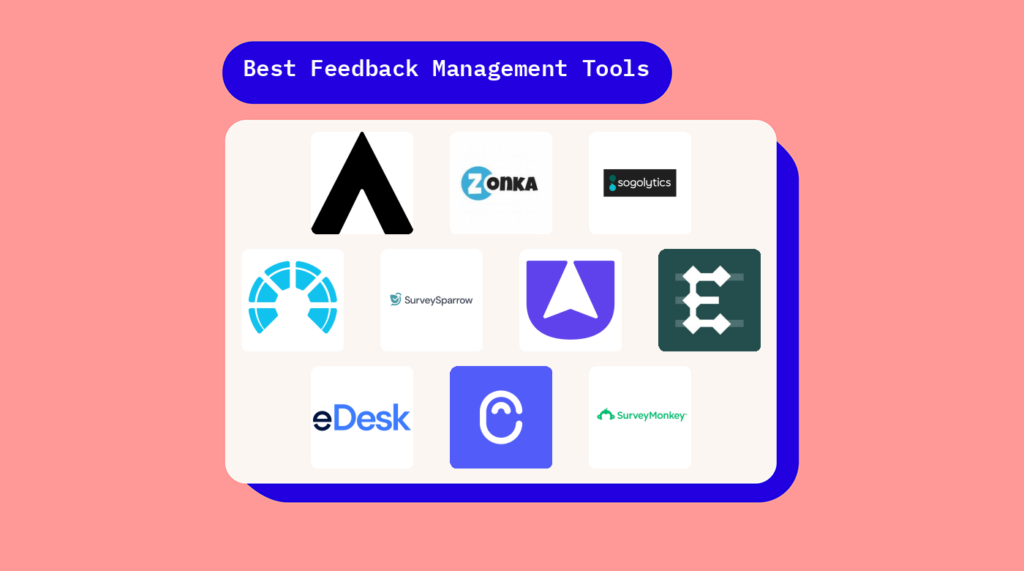
Ich habe ausführliche Zusammenfassungen meiner bevorzugten Tools für Feedback-Management erstellt und erläutert, warum ich jedes System in diese Liste aufgenommen habe.
 Am besten geeignet zur Vereinheitlichung von Kundenfeedback
- Kostenlose Demo verfügbar
- Preise auf Anfrage
Visit WebsiteCustomer Rating:4.8/5
Enterpret vereint Kundenfeedback und hebt umsetzbare Erkenntnisse aus verschiedenen Quellen hervor. Enterpret ist eine KI-basierte Kundenintelligenzplattform, die für Unternehmen entwickelt wurde, die ihr Produktmanagement und die Kundenerfahrung durch detaillierte Feedback-Analyse verbessern möchten. Durch die Konsolidierung von Feedback aus über 50 Quellen spricht Enterpret Unternehmen an, die Kundenmeinungen in umsetzbare Strategien verwandeln möchten. Die Plattform bietet fortschrittliche Funktionen wie adaptive Taxonomien und KI-Agenten zur Automatisierung von Lösungen und adressiert damit die Herausforderung, große Mengen an Kundenfeedback zu verwalten und in wertvolle Geschäftseinblicke umzuwandeln.
Warum ich Enterpret gewählt habe
Ich habe Enterpret aufgrund seiner einzigartigen Fähigkeit ausgewählt, Kundenfeedback aus mehreren Quellen zu vereinheitlichen und in umsetzbare Erkenntnisse zu verwandeln. Die adaptive Taxonomie der Plattform ermöglicht es, Feedback nach Themen und Auswirkungen zu organisieren, sodass Produktverbesserungen leichter priorisiert werden können. Zusätzlich automatisieren die KI-Agenten von Enterpret Arbeitsabläufe, wodurch Ihr Team deutlich weniger Zeit für manuelle Aufgaben aufwenden muss. Diese Kombination von Funktionen macht Enterpret zur idealen Wahl für Unternehmen, die ihren Feedback-Management-Prozess optimieren und die Entscheidungsfindung verbessern möchten.
Enterpret Hauptfunktionen
Neben der Vereinheitlichung von Kundenfeedback bietet Enterpret:
- Kunden-Wissensgraph: Diese Funktion liefert kontextbezogene Erkenntnisse, indem sie Feedback mit relevanten geschäftlichen Elementen verbindet und so das Verständnis für Kundenbedürfnisse vertieft.
- Abfrage in natürlicher Sprache: Ermöglicht es, Erkenntnisse aus Feedback durch einfache Anfragen zu gewinnen und macht die Datenanalyse damit zugänglicher.
- Dashboard-Visualisierung: Bietet anpassbare Dashboards zur Visualisierung von Feedback-Trends und Mustern, was bessere Entscheidungen unterstützt.
- Anomalieerkennung: Warnt Sie vor ungewöhnlichen Feedback-Spitzen oder -Rückgängen, sodass Sie auf neue Probleme schnell reagieren können.
Enterpret Integrationen
Zu den Integrationen gehören Zendesk, Intercom, Salesforce, Amplitude, Gong, JIRA, Mixpanel, Slack, Snowflake und AWS Connect.
Pros and Cons
Pros:
- KI-gestützte Verschlagwortung und Taxonomie organisieren Feedback automatisch.
- Konsolidiert Feedback für ein ganzheitliches Kundenverständnis.
- Integriert sich mit wichtigen Plattformen für nahtlosen Datenfluss.
Cons:
- Begrenzte Anpassungsmöglichkeiten bei der Feedback-Kategorisierung.
- Nutzer berichten über Verzögerungen.
Learn more about Enterpret: Am besten zur Vereinheitlichung von Feedbackquellen
- Kostenlose Demo verfügbar
- Preise auf Anfrage
Visit WebsiteCustomer Rating:4.4/5
Chattermills Dashboard zentralisiert Kundenfeedback in Themen, hebt Stimmungs-Trends, Hauptprobleme und Echtzeit-Leistungskennzahlen in einer einheitlichen Übersicht hervor. Chattermill ist eine Feedback-Analyseplattform, die Unternehmen dabei unterstützt, Kundenmeinungen in sinnvolle Verbesserungen umzuwandeln. Sie bündelt Feedback aus Umfragen, Bewertungen, Support-Tickets und anderen Kanälen und nutzt KI-gestützte Analysen, um Themen, Stimmungsänderungen und wiederkehrende Probleme aufzudecken. Dies macht Chattermill besonders wertvoll für Teams im Kundenservice und Produktmanagement, die einen klaren Überblick darüber benötigen, was wirklich zählt.
Warum ich Chattermill gewählt habe
Ich habe Chattermill aufgrund seiner außergewöhnlichen Fähigkeit ausgewählt, fragmentierte Feedbackquellen in eine einheitliche, übersichtliche Ansicht zu integrieren. Die KI-gestützte Stimmungsanalyse der Plattform liefert sofortige Erkenntnisse, sodass Ihr Team Trends erkennen und Kundenanliegen proaktiv angehen kann. Darüber hinaus stellt das Echtzeit-Benachrichtigungssystem von Chattermill sicher, dass Sie niemals kritisches Feedback verpassen, was schnelle Reaktionen ermöglicht und die Kundenzufriedenheit deutlich steigern kann.
Chattermill Hauptfunktionen
Neben der KI-gestützten Stimmungsanalyse und Echtzeit-Benachrichtigungen bietet Chattermill noch weitere interessante Funktionen:
- Multi-Channel-Integration: Integriert Feedback aus Umfragen, sozialen Medien und Kundenservice-Plattformen problemlos in ein zentrales System.
- Fortschrittliches Analyse-Dashboard: Bietet ein anpassbares Dashboard, das Daten übersichtlich und verständlich darstellt, sodass Sie fundierte Entscheidungen treffen können.
- Automatisierte Verschlagwortung: Kategorisiert Feedback automatisch nach Thema oder Stimmung, wodurch manuelle Dateneingaben reduziert und eine schnellere Analyse ermöglicht werden.
- Auswirkungsmessung: Verfolgt, wie sich Feedback auf Geschäftskennzahlen wie Net Promoter Score (NPS) und Kundenzufriedenheit (CSAT) auswirkt, und ermöglicht so einen direkten Zusammenhang zwischen Erkenntnissen und Geschäftserfolg.
Chattermill Integrationen
Zu den Integrationen gehören Zendesk, SurveyMonkey, Salesforce, Trustpilot, Intercom, Medallia, Qualtrics, Recharge, Sprinklr und Thingtesting.
Pros and Cons
Pros:
- KI-gestützte Stimmungs- und Themenanalyse
- Integration von Feedback aus mehreren Kanälen unterstützt
- Anpassbare Analyse-Dashboards verfügbar
Cons:
- Keine eigenen Tools zur Feedback-Erhebung
- Preise werden nicht öffentlich kommuniziert
Learn more about Chattermill: Am besten geeignet für fortgeschrittenes Umfragedesign und Analysen
- Kostenlose Testversion + kostenloser Tarif + kostenlose Demo verfügbar
- Ab $39/Monat (jährlich abgerechnet)
Visit WebsiteCustomer Rating:4.7/5
Sogolytics sorgt für die konsistente Bereitstellung von Umfragen über verschiedene Kanäle hinweg, darunter E-Mail, SMS und soziale Medien. Sogolytics ist ein fortschrittliches Feedback-Management-Tool, das Organisationen jeder Größe dabei unterstützt, kritisches Feedback von verschiedenen Interessengruppen zu sammeln, zu analysieren und darauf zu reagieren. Das intuitive Design der Plattform und die umfangreichen Funktionen machen sie zu einer guten Wahl für alle, die zuverlässige und aufschlussreiche Werkzeuge zur Datenerhebung und -analyse benötigen.
Warum ich Sogolytics ausgewählt habe: Einer der Gründe, warum Sogolytics als Feedback-Management-Tool überzeugt, sind seine leistungsstarken Analysefunktionen. Die Plattform bietet Live-Berichte und Analysen von Antworttrends, sodass Nutzer sofortige Einblicke in ihre Daten erhalten. Erweiterte Berichtsfunktionen wie Kreuztabellenanalyse und bedingte Formatierung unterstützen dabei, Muster und Trends im Feedback zu erkennen, was das Ziehen aussagekräftiger Schlussfolgerungen erleichtert. Zudem bietet der Omni-Bericht von Sogolytics einen umfassenden Überblick über alle Feedbackdaten.
Ein weiteres herausragendes Merkmal ist die Fähigkeit der Plattform, Umfrageerlebnisse zu personalisieren. Sogolytics enthält Werkzeuge wie automatisierte Erinnerungen und personalisierte Umfrageeinladungen. Es verfügt außerdem über erweiterte Verzweigungs- und Sprunglogik, um sicherzustellen, dass den Befragten nur relevante Fragen gestellt werden.
Hervorstechende Funktionen & Integrationen:
Funktionen umfassen einsatzbereite Umfragevorlagen für verschiedene Zwecke, von Kundenzufriedenheit bis Mitarbeitermotivation. Die Plattform unterstützt auch anonyme Umfragen und bietet eine intuitive Drag-and-Drop-Oberfläche, die die Erstellung professioneller Umfragen ohne umfangreiche technische Kenntnisse ermöglicht.
Integrationen umfassen Google Drive, HubSpot, Mailchimp, Microsoft Teams, Salesforce, Slack, SurveyMonkey, Trello, Webhooks und Zendesk.
Pros and Cons
Pros:
- Erweiterte Kennzahlen und individuelle KPIs
- Vielfalt an Vorlagen und Designoptionen für Umfragen
- Unterstützt mehrere Sprachen
Cons:
- Die kostenlose Version bietet nur eingeschränkte Funktionen
- Einige erweiterte Funktionen erfordern eine gewisse Einarbeitungszeit
Learn more about Sogolytics: Am besten für die kanalübergreifende Erfassung von Feedback
- Kostenlose Demo verfügbar
- Preise auf Anfrage
Visit WebsiteCustomer Rating:4.7/5
Zonka Feedback hilft Ihnen, Kundenfeedback über E-Mail, SMS, WhatsApp, Kioske, Websites, Apps und QR-Codes zu sammeln. Zonka Feedback ist eine kanalübergreifende Plattform zur Verwaltung von Feedback. Sie ermöglicht es Ihnen, Umfragen zu erstellen, Kundenantworten über Web, E-Mail, SMS, In-App- und Offline-Kanäle zu sammeln und Ergebnisse mit KI-gestützter Berichterstattung sowie teamübergreifenden Workflows mit geschlossenem Regelkreis zu analysieren.
Für wen ist Zonka Feedback am besten geeignet?
Zonka Feedback eignet sich gut für CX- und Support-Teams in mittelständischen bis großen Unternehmen aus den Bereichen Gastgewerbe, Gesundheitswesen, Einzelhandel und SaaS.
Warum ich Zonka Feedback ausgewählt habe
Ich habe Zonka Feedback als eines der besten Tools ausgewählt, weil es jeden Kanal abdeckt, über den Kunden Feedback geben. Die meisten Tools funktionieren mit E-Mail und Web ausreichend gut, aber Zonka unterstützt zusätzlich SMS, WhatsApp, In-App-SDKs, QR-Codes und Offline-Kiosk-Umfragen über eine einzige Plattform. Jeder Kanal ist dabei nicht nur ein Schalter zur Verteilung: E-Mail-Umfragen unterstützen eingebettete Fragen, sodass Kunden antworten können, ohne jemals einen Link zu öffnen, und SMS-Umfragen lassen sich direkt mit Twilio oder Plivo verbinden, um die Zustellung zu verfolgen. Diese kanalspezifischen Konfigurationsmöglichkeiten bedeuten, dass Sie bei der Nutzung mehrerer Kanäle keine Abstriche bei der Qualität machen müssen.
Wichtige Funktionen von Zonka Feedback
- KI-gestützte Stimmungsanalyse: Kennzeichnet Antworten mit Stimmungen und Themen, sodass Sie Muster in großen Feedbackmengen erkennen können, ohne sie manuell zu prüfen.
- Aufgabenverteilung mit geschlossenem Regelkreis: Weist Teammitgliedern direkt aus einer Antwort Nachfassaufgaben zu und bietet Eskalationsregeln für ungelöste Fälle.
- Umfragelogik und Verzweigungen: Ermöglicht es Ihnen, Fragen auf Grundlage vorheriger Antworten anzuzeigen oder zu überspringen, damit Umfragen für jede teilnehmende Person kurz und relevant bleiben.
- Echtzeit-Benachrichtigungen zu Antworten: Sendet sofortige Benachrichtigungen, wenn eine niedrige Bewertung oder eine negative Antwort eingeht, damit Ihr Team schnell handeln kann.
Integrationen von Zonka Feedback
Zonka Feedback bietet native Integrationen mit Salesforce, HubSpot, Zendesk, Freshdesk, Intercom, HelpScout, Front, Pipedrive, Slack, Microsoft Teams, Jira, Google Sheets und weiteren Diensten. Es lässt sich mit Zapier, Make und Integrately verbinden. Webhooks und eine API unterstützen benutzerdefinierte Integrationen.
Pros and Cons
Pros:
- Integrierter Kiosk-Modus für die Erfassung vor Ort
- Automatische KI-Kennzeichnung von Freitextantworten
- Echtzeit-Benachrichtigungen bei negativen Bewertungen
Cons:
- Antwortbegrenzungen bei Tarifen der unteren Preisklassen
- Berichte mit Rohdaten sind schwer zu interpretieren
Learn more about Zonka Feedback: Am besten geeignet zur Automatisierung der Analyse von Kundenfeedback
- Kostenlose 14-tägige Testversion + kostenlose Demo verfügbar
- Preise auf Anfrage
Visit WebsiteCustomer Rating:4.4/5
SurveySparrow bietet anpassbare Dashboards, die verschiedene Kennzahlen und Ergebnisse aus Feedback und Umfragen anzeigen können. SurveySparrow ist eine umfassende Voice of Customer (VOC)-Plattform, die darauf ausgelegt ist, das Kundenerlebnis durch effizientes Erfassen und Analysieren von Feedback über mehrere Kanäle wie E-Mail, soziale Medien und Messaging-Apps wie WhatsApp zu verbessern.
Warum ich SurveySparrow gewählt habe: SurveySparrow hebt sich durch KI-gestützte Analysen hervor, die es Ihnen ermöglichen, die Treiber der Kundenbindung, Stimmungen und zentrale Erlebniskennzahlen aufzudecken. Mit Werkzeugen wie CogniVue können Sie die Umwandlung von Rohdaten in umsetzbare Erkenntnisse automatisieren, sodass Ihr Team datengestützte Entscheidungen treffen kann. Die Plattform unterstützt außerdem automatisierte CSAT-Nachverfolgungen (Kundenzufriedenheit), sodass Ihr Team Probleme schnell lösen und die Kundenzufriedenheit insgesamt verbessern kann.
Ein weiterer Grund für die Wahl von SurveySparrow ist die Fähigkeit, Umfragen über verschiedene Kanäle wie WhatsApp, SMS, Websites und sogar offline durchzuführen. Diese Flexibilität ermöglicht es Ihnen, Ihre Zielgruppe überall zu erreichen, wodurch die Rücklaufquote steigt und eine vielfältige Datenerhebung gewährleistet wird. Darüber hinaus helfen die Customer Effort Score (CES)- und transaktionalen Net Promoter Score (NPS)-Umfragen dabei, Benutzerfreundlichkeit und Zufriedenheit nach Interaktionen zu bewerten.
Hervorzuhebende Funktionen & Integrationen:
Funktionen umfassen die Integration von Ticketsystemen, Umfrageautomatisierung, mehrsprachige Umfragen, Echtzeit-Analysen, visuelle KPIs auf Dashboards, Offline-Umfragen, Kundenstimmungsanalysen, Sammlung von Produktfeedback, transaktionale NPS-Umfragen, angepasste Weblink-Umfragen, Ereignis-Feedback-Tracking und datengestützte Erkenntnisse.
Integrationen umfassen Gmail, Google Sheets, Slack, Microsoft Teams, Salesforce, HubSpot, Zendesk, Jira Software Cloud, NetSuite, Pipedrive, QuickBooks Online und Mailchimp.
Pros and Cons
Pros:
- Bietet anpassbare Umfragevorlagen
- Gute KI-gestützte Feedbackanalyse
- Unterstützt mehrsprachige Umfragen
Cons:
- Funktionen für Stimmungsanalysen nur in höheren Tarifen verfügbar
- Eingeschränkte Konfigurationsoptionen bei Basis-Tarifen
Learn more about SurveySparrow: Am besten geeignet, um Feedback in umsetzbare Erkenntnisse zu verwandeln
- 7-tägige kostenlose Testphase + kostenlose Demo verfügbar
- Ab $55/Nutzer/Monat
Visit WebsiteCustomer Rating:4.4/5
Alchemer verfügt über ein KI-gestütztes Dashboard für einheitliche Stimmungsanalysen. Für alle, die nach einer Lösung suchen, um Feedback-Erfassung und -Analyse zu optimieren, hebt sich Alchemer als eine anpassungsfähige Plattform hervor, die darauf ausgelegt ist, die Kundenbindung zu verbessern und Erkenntnisse zu gewinnen. Dieses Tool ist besonders für Unternehmen aus Branchen wie dem öffentlichen Sektor, dem Bildungswesen und dem Einzelhandel interessant, in denen das Verständnis der Kundenstimmung entscheidend für Verbesserungen ist.
Warum ich Alchemer gewählt habe
Ich habe mich für Alchemer entschieden, weil die Plattform darin glänzt, Feedback in umsetzbare Erkenntnisse zu verwandeln – ein entscheidender Aspekt im Feedback-Management. Die In-App-Kundeninteraktionen ermöglichen es, Nutzer direkt einzubeziehen und die Stimmung über Funktionen wie Love Dialogs und Rating Dialogs zu erfassen. Zudem lässt sich das Nutzererlebnis individuell an das eigene Markendesign anpassen, inklusive Mehrsprachigkeitsunterstützung, was vor allem bei heterogenen Zielgruppen wichtig ist. Die Berichts- und Analysewerkzeuge der Plattform liefern detaillierte Kennzahlen zu Kundenstimmung und Engagement, sodass Sie stets informiert bleiben und schnell auf Kundenbedürfnisse reagieren können.
Wichtige Funktionen von Alchemer
Neben den Alleinstellungsmerkmalen bietet Alchemer noch weitere nützliche Eigenschaften:
- Individuell anpassbare Umfragen: Gestalten Sie Umfragen, die die Identität Ihrer Marke widerspiegeln – mit verschiedenen Fragetypen und Logikoptionen zur Verbesserung der Antwortqualität.
- Echtzeit-Feedback-Erfassung: Erheben und analysieren Sie Feedback direkt beim Eintreffen, um rasch auf Kundenbedürfnisse reagieren und Anpassungen vornehmen zu können.
- Rollenbasierte Dashboards: Unterschiedlichen Teammitgliedern stehen maßgeschneiderte Einblicke und Reporting-Tools zur Verfügung, sodass relevante Daten genau den richtigen Personen zugänglich sind.
- KI-gestützte Analyse: Setzen Sie KI-Technologien ein, um Kundenstimmungen und Trends noch genauer zu analysieren und ein tieferes Verständnis von Feedback zu gewinnen.
Alchemer-Integrationen
Zu den Integrationen gehören Salesforce, HubSpot, Zendesk, Slack, Tableau, Marketo und Shopify.
Pros and Cons
Pros:
- Rollenbasierte Dashboards erleichtern den gezielten Datenzugriff
- Mehrsprachigkeitsunterstützung erweitert die Möglichkeiten der Zielgruppenansprache
- Kontinuierliche Updates und neue Funktionen halten die Plattform aktuell
Cons:
- Einige Nutzer wünschen sich erweiterte Analysefunktionen
- Die Erstellung von mobilen Umfragen gestaltet sich mitunter etwas schwierig
Learn more about Alchemer: Am besten geeignet zur Verfolgung von Kundenfeedback und Feature-Anfragen
- Kostenloser Plan verfügbar
- Ab $19/Monat
Visit WebsiteCustomer Rating:4.6/5
Mit Canny können Sie Feedback aus verschiedenen Quellen innerhalb einer Plattform verfolgen und verwalten. Canny ist ein Feedback-Management-Tool, das Unternehmen dabei unterstützt, Kundenfeedback und Feature-Anfragen zu erfassen und zu verfolgen. Es schlägt effektiv eine Brücke zwischen Unternehmen und ihrer Nutzerbasis und ist somit ein ideales Werkzeug für die Produktentwicklung und Verbesserung.
Warum ich Canny ausgewählt habe: In meiner Bewertung hat sich Canny durch seinen Fokus auf das Nachverfolgen von Feedback und Feature-Anfragen ausgezeichnet – ein wesentlicher Bestandteil bei der Gestaltung zukünftiger Produktentwicklungen. Besonders habe ich Canny aufgrund seiner Transparenz bei der Verwaltung von Feedback ausgewählt, da es Unternehmen und ihren Nutzern ermöglicht, den Lebenszyklus von Feature-Anfragen zu verfolgen.
Die Plattform bietet verschiedene Kanäle, über die Kunden ihre Wünsche einreichen können, wie z. B. ein öffentliches Feedback-Board, In-App-Widgets und Integrationen mit Tools wie Intercom und Slack. Canny hilft Unternehmen dann dabei, Feature-Anfragen nach unterschiedlichen Kriterien wie Produktbereich, Kundensegment oder Prioritätsstufe zu kategorisieren und zu taggen.
Herausragende Funktionen & Integrationen:
Funktionen beinhalten Feedback-Boards, Roadmap-Veröffentlichung und Abstimmungssysteme, die es Nutzern ermöglichen, für Feature-Anfragen abzustimmen. So können Unternehmen die Beliebtheit und Nachfrage nach bestimmten Ideen oder Erweiterungen einschätzen. Diese Funktionen helfen dabei, Feedback zu organisieren, Feature-Anfragen zu priorisieren und die eigenen Pläne zu kommunizieren.
Integrationen umfassen Intercom, Slack, GitHub, HubSpot, Discord, Microsoft Teams, Google Workspace, Okta SSO, Google Analytics und Jira.
Pros and Cons
Pros:
- Einfach einzurichten
- Roadmap-Veröffentlichung erhöht Transparenz
- Abstimmungssystem fördert Nutzerengagement
Cons:
- Benutzeroberfläche könnte intuitiver sein
- Begrenzte erweiterte Berichtsfunktionen
Learn more about Canny: Am besten geeignet für visuelles Feedback mit Kontext
- Kostenlose Version verfügbar
- Ab $7/Nutzer/Monat
Visit WebsiteCustomer Rating:4.8/5
Das Bug-Tracking-Dashboard von Userback zeigt Sitzungswiedergaben, Teamgespräche und Echtzeit-Statusupdates mit verbundenen Integrationen an. Userback bietet eine maßgeschneiderte Lösung, die das Sammeln und Analysieren von Nutzerfeedback vereinfacht. Mit Funktionen wie Feedback-Widgets, Nutzerumfragen und Sitzungswiedergaben kann Ihr Team verwertbare Einblicke gewinnen und gezielt auf die Bedürfnisse der Nutzer eingehen. Durch die Integration in Ihren bestehenden Workflow hilft Userback, Rätselraten zu vermeiden und die Zusammenarbeit zu fördern, was letztlich Produktverbesserungen und Kundenzufriedenheit antreibt.
Warum ich Userback gewählt habe
Ich habe Userback aufgrund seiner außergewöhnlichen Fähigkeit gewählt, visuelles Feedback mit kontextueller Tiefe bereitzustellen – ideal für Teams, die Nutzererfahrungen präzise erfassen möchten. Mit Funktionen wie kommentierten Screenshots und Bildschirmaufnahmen erhalten Sie Feedback, das konkrete Probleme direkt auf den Visualisierungen hervorhebt und so Unklarheiten beseitigt. Dieser Ansatz ermöglicht Ihrem Team, die Herausforderungen der Nutzer besser zu verstehen und Verbesserungen gezielt zu priorisieren. Durch die Integration dieser visuellen Feedback-Tools in Ihren Workflow können Sie Nutzerbedürfnisse zügig adressieren und die Produktentwicklung insgesamt verbessern.
Wichtige Funktionen von Userback
Neben den visuellen Feedback-Möglichkeiten bietet Userback eine Reihe von Funktionen, die Ihren Feedback-Management-Prozess auf ein neues Niveau heben.
- Feedback-Widget: Mit dieser Funktion können Sie Feedback direkt auf Ihrer Website oder in Ihrer Anwendung sammeln, sodass Nutzer ihre Erkenntnisse teilen können, ohne die Seite zu verlassen.
- Nutzerumfragen: Passen Sie Umfragen an und setzen Sie sie ein, um detailliertes Nutzerfeedback zu erhalten und deren Erfahrungen und Präferenzen besser zu verstehen.
- Feature-Portal: Binden Sie Ihre Nutzer ein, indem Sie ein eigenes Portal anbieten, auf dem neue Funktionen vorgeschlagen und über bestehende abgestimmt werden kann – das schafft ein Gemeinschaftsgefühl und fördert die Beteiligung.
- Sitzungswiedergabe: Erfassen und analysieren Sie Nutzersitzungen, um genau zu verstehen, wie Nutzer mit Ihrem Produkt interagieren, und gezielt Verbesserungsmöglichkeiten zu identifizieren.
Userback-Integrationen
Integrationen umfassen Jira, Slack, ClickUp, Intercom, Asana, Linear, Notion, GitHub, Microsoft Teams und Zendesk.
Pros and Cons
Pros:
- Unterstützt visuelles Feedback mit Screenshots, Anmerkungen und Videos
- Bietet öffentliche Roadmaps und Feature-Abstimmung
- Zentrales Dashboard zur Organisation und Priorisierung von Feedback
Cons:
- Die Performance kann in bestimmten Webumgebungen beeinträchtigt werden
- Gelegentliche Probleme beim Datenexport und Reporting
Learn more about Userback: Am besten geeignet für umfassende Kundenfeedback-Programme
- Kostenlose 10-tägige Testphase verfügbar
- Ab $55.99/Monat
Visit WebsiteCustomer Rating:4.6/5
Versenden Sie Nutzerumfragen per Mobile, E-Mail, Web und in Ihrer App, um Feedback über mehrere Kanäle und Kontaktpunkte hinweg zu sammeln. Survicate ist eine Multi-Channel-Umfrageplattform, mit der Ihre Teams Feedback und Erkenntnisse von Kunden, Nutzern und Website-Besuchern sammeln können. Umfragen, die mit dieser Software durchgeführt werden, erreichen eine durchschnittliche Rücklaufquote von 30 %, verglichen mit einer durchschnittlichen Rücklaufquote von 5 % bei anderen Online-Umfragen.
Warum ich Survicate ausgewählt habe: Diese Plattform steht auf meiner Liste, weil sie das Erfassen von Feedback aus verschiedenen Quellen besonders einfach macht. Dadurch lassen sich Erkenntnisse über alle Nutzerkontaktpunkte hinweg gewinnen und ein umfassendes Bild der Customer Journey zeichnen. Sie kann sogar Daten aus nur teilweise ausgefüllten Umfragen erfassen, sodass kein Feedback verloren geht.
Mit den Umfragen lassen sich wichtige Kennzahlen zur Kundenzufriedenheit messen, darunter der Net Promoter Score (NPS), der Customer Satisfaction Score (CSAT) und der Customer Effort Score (CES). Es kann ein individuelles Branding hinzugefügt werden, um ein konsistentes Nutzererlebnis zu gewährleisten, und verschiedene Fragetypen können konfiguriert werden.
Hervorstechende Funktionen & Integrationen:
Funktionen umfassen vorgefertigte, anpassbare Vorlagen, die häufige Bereiche der Kundenzufriedenheit abdecken. Außerdem können die Umfragen so eingerichtet werden, dass sie nur bei wichtigen Aktionen angezeigt werden und Nutzer genau dann erreichen, wenn sie am ehesten bereit sind, teilzunehmen. Die Software verfügt zudem über KI-Funktionen, die eine schnellere Erstellung und Auswertung der Umfragen unterstützen.
Integrationen sind unter anderem ActiveCampaign, Drip, Amplitude, HubSpot, Intercom, Mailchimp, Salesforce, FullStory, Zendesk und Microsoft Teams.
Pros and Cons
Pros:
- Intuitive Benutzeroberfläche und Widget-Design
- Schneller und hilfreicher Kundensupport
- Möglichkeit, gezielte Umfragen zu erstellen
Cons:
- Integrationen sind im Freemium-Plan nicht verfügbar
- Begrenztes maximales Antwortlimit pro Monat
Learn more about Survicate: 10Am besten für automatisierte Kundenbewertungsanfragen
eDesk
- 14-tägige kostenlose Testversion
- Ab $39/Agent/Monat
Visit WebsiteCustomer Rating:4.4/5
eDesk Feedback-Dashboard zentralisiert Bewertungsanfragen über E-Commerce-Kanäle hinweg. Für Unternehmen im E-Commerce-Sektor, die ein effektives Tool für das Feedback-Management suchen, bietet eDesk eine überzeugende Lösung. Es ist darauf ausgerichtet, das Kundensupport-Erlebnis durch Automatisierung von Interaktionen und aussagekräftige Feedback-Analysen zu verbessern. Damit ist es ideal für Onlinehändler, die ihren Kundenservice optimieren möchten. Durch die Bewältigung der Herausforderungen beim Management von Kundenbewertungen und Interaktionen über mehrere Plattformen hinweg, befähigt eDesk Ihr Team dazu, herausragenden Service zu bieten und langfristige Kundenbeziehungen aufzubauen.
Warum ich eDesk gewählt habe
Ich habe mich für eDesk entschieden, weil es einzigartige Möglichkeiten zur Automatisierung von Bewertungsanfragen bietet – eine Funktion, die gezielt die effiziente Sammlung von Kunden-Feedback adressiert. Die 'Smart Review Requests' von eDesk wenden sich automatisch an zufriedene Kunden und erhöhen so die Wahrscheinlichkeit positiver Rückmeldungen. Darüber hinaus übernimmt die KI-Automatisierung einen Großteil der Kundeninteraktionen, sodass sich Ihr Team auf komplexere Fälle konzentrieren kann. Diese Funktionen in Kombination mit Einblicken in das Kundenfeedback in Echtzeit machen eDesk zu einem wertvollen Tool für Unternehmen, die ihr Feedback-Management verbessern wollen.
Wichtige Funktionen von eDesk
Neben automatisierten Bewertungsanfragen bietet eDesk:
- KI-gesteuertes Ticket-Routing: Stellt sicher, dass Kundenanfragen an die richtigen Teammitglieder weitergeleitet werden und verbessert so die Antwortgenauigkeit.
- Automatisierte Antworten: Bietet sofortige Reaktionen auf häufige Kundenanfragen, reduziert Wartezeiten und steigert die Kundenzufriedenheit.
- 24/7-Chatbot: Bietet rund um die Uhr Unterstützung und stellt sicher, dass Kundenanfragen auch außerhalb der Geschäftszeiten zeitnah beantwortet werden.
- Umfassende Reporting-Tools: Ermöglichen Ihrem Team, Feedback-Trends zu verfolgen und auszuwerten, damit Sie datenbasierte Entscheidungen zur Optimierung Ihres Kundenservice treffen können.
eDesk-Integrationen
Zu den Integrationen gehören Amazon, eBay, Shopify, WhatsApp, Facebook und mehr als 200 weitere Plattformen, sodass Sie Kundeninteraktionen kanalübergreifend effizient verwalten können.
Pros and Cons
Pros:
- Bindet umfassende Bestelldaten zur Verbesserung des Kundenservice ein
- Nahtlose Synchronisierung von Bestelldaten mit führenden Marktplätzen
- KI-Automatisierungen reduzieren wiederkehrende Support-Tätigkeiten
Cons:
- Hauptsächlich für E-Commerce entwickelt, weniger flexibel für andere Branchen
- Reporting und Analysen sind vorhanden, aber weniger individuell anpassbar als in Enterprise-Dashboards
Learn more about eDesk:
Weitere Tools für Feedback-Management
Nachfolgend finden Sie eine Liste zusätzlicher Tools für Feedback-Management, die ich in die engere Auswahl aufgenommen habe, die es aber nicht unter die besten 20 geschafft haben.
- 11SurveyMonkeyAm besten geeignet für die Erstellung anpassbarer, detaillierter Umfragen
- 12TypeformAm besten geeignet, um ansprechende, interaktive Formulare zu erstellen
- 13NicereplyAm besten geeignet für die Messung von Kundenzufriedenheitswerten
- 14UseResponseAm besten für Omnichannel-Kundensupport-Teams geeignet
- 15UservoiceAm besten geeignet für umfassendes Produktfeedback-Management
- 16SprigAm besten geeignet für Feedback-Analyse im großen Maßstab mit KI
- 17QualtricsAm besten geeignet für fortgeschrittene User-Experience-Forschung
- 18Google FormsAm besten geeignet für einfache und unkomplizierte Weitergabe von Formularen
- 19Zoho SurveyAm besten geeignet für die Integration von Umfrageergebnissen mit dem CRM
- 20Trustpilot BusinessAm besten geeignet zum Sammeln und gezielten Nutzen von Kundenbewertungen
- 21GetFeedbackAm besten für Salesforce-Nutzer, die integriertes Feedback suchen
- 22FeedbackifyAm besten geeignet, um website-spezifisches Kundenfeedback zu erfassen
- 23Zeda.ioAm besten geeignet für KI-gesteuertes Feedback für Produkteinblicke
- 24PathProAm besten geeignet für Feature-Voting und Priorisierung
Wie ich Feedback-Management-Tools bewerte
Ich teile meine Bewertung in grundlegende Anforderungen – wie die Erfassung über mehrere Kanäle und geschlossene Feedback-Schleifen – sowie Unterscheidungsmerkmale, die ein gutes Tool vom passenden für Ihr CX-Programm unterscheiden.
Kernfunktionalität (Grundlage für diese Liste)
Wenn ich Tools für meine Liste auswähle, bewerte ich jedes einzelne auf einer Skala von 0 (bietet diese Funktion nicht) bis 5 (hervorragend in diesem Bereich) für jede unten aufgelistete Kernfunktion. Anschließend berechne ich die Gesamtpunktzahl des Tools als Prozentsatz. Jedes Tool muss eine Mindest-Gesamtpunktzahl von 65 % erreichen, um berücksichtigt zu werden.
- Multi-Channel-Feedback-Erfassung: Ich prüfe, ob das Tool Rückmeldungen über E-Mail, Web, In-App, SMS und soziale Kanäle hinweg erfasst, sodass Ihr Team die Kundschaft dort erreicht, wo sie gerade ist.
- Umfragemethodik: Jedes Tool sollte Umfragen mit Vorlagen, Sprunglogik und Verzweigungen unterstützen, um verschiedene Touchpoints wie nach dem Kauf oder während des Onboardings abzudecken.
- Text- und Sentiment-Analyse: Ich bewerte, wie gut das Tool offene Antworten verarbeitet – ich achte auf automatisierte Sentiment-Bewertungen, Themen-Erkennung und Kategorisierung, die über einfache Schlüsselwort-Tags hinausgehen.
- Geschlossene Feedback-Schleifen (Closed-Loop Workflows): Hier ist es entscheidend, negatives Feedback zu erfassen, Fälle zuzuweisen und die Nachverfolgung zu steuern. Ich suche nach in das Tool integrierten Alarmfunktionen und Eskalationswegen.
- Berichte und Dashboards: Dashboards sollten CX-KPIs wie NPS-Trends und CSAT nach Segment anzeigen, mit rollenbasierten Ansichten, sodass z. B. eine CX-Leitung andere Daten sieht als ein Teamlead an der Kundenfront.
- CX-Stack-Integrationen: Ich schaue auf native Anbindungen an CRMs, Helpdesks und Kommunikationsplattformen – zum Beispiel die Synchronisierung einer Detraktor-Umfrageantwort mit dem Salesforce- oder Zendesk-Datensatz.
Wenn ich eine Liste mit Tools habe, die die Kriterien erfüllen, betrachte ich, wodurch sich jede Plattform auszeichnet.
Unterscheidende Merkmale (Was Anbieter auszeichnet)
So vergleiche und kontrastiere ich verschiedene Anbieter:
Herausragende Funktionen
KI-gestützte Erkenntnisgewinnung ist ein zentrales Unterscheidungsmerkmal. Tools, die tausende offene Rückmeldungen automatisch zusammenfassen und Haupttreiber der Kundenzufriedenheit herausfiltern, ersparen CX-Teams viele Stunden manueller Kategorisierung. Ich prüfe auch, ob eine Plattform Feedback bestimmten Phasen der Customer Journey – wie Onboarding oder Verlängerung – zuordnet, damit Sie gezielt die Bruchstellen im Erlebnis aufdecken können. Prädiktive Analysen bieten einen weiteren Mehrwert, indem sie Konten kennzeichnen, bei denen auf Basis negativer Sentiments eine Abwanderung droht, noch bevor Ihr Team überhaupt ein Support-Ticket sieht.
Über Funktionen hinaus
Skalierbarkeit ist wichtig bei der Bewertung von Feedback-Management-Tools. Ich untersuche, wie gut eine Plattform mit steigendem Rücklauf und Einsätzen in mehreren Regionen und verschiedenen Sprachen zurechtkommt – insbesondere für Teams, die CX-Programme für mehrere Marken betreiben. Datensicherheit ist ein weiterer Schlüsselfaktor, da Kundenfeedback oft sensible Informationen enthält. Ich prüfe auf DSGVO- und SOC2-Konformität, Optionen für Datenresidenz und rollenbasierte Zugriffskontrolle. Auch der Implementierungssupport fließt in die Bewertung ein; Anbieter, die eigene CX-Strategen oder Onboarding-Spezialist:innen stellen, helfen Teams, VoC-Programme schneller zu starten.
Vorteile von Tools für Feedback-Management
Tools für Feedback-Management bieten mehrere Vorteile:
- Sie helfen dabei, wertvolle Kundenerkenntnisse systematisch zu sammeln, und unterstützen Unternehmen dabei, Kundenpräferenzen, Schwachstellen und das gesamte Kundenerlebnis zu verstehen.
- Sie ermöglichen die Interaktion mit Kunden in Echtzeit, fördern dadurch unmittelbare Antworten auf Kundenanliegen und steigern die Kundenzufriedenheit.
- Sie bieten leistungsstarke Datenanalysefunktionen und verwandeln Rohdaten aus dem Feedback in umsetzbare Erkenntnisse zur Verbesserung des Unternehmens.
- Sie vereinfachen den Prozess der Feedback-Erfassung und machen ihn effizienter und weniger zeitaufwendig.
- Sie ermöglichen die Integration mit anderen Geschäftssystemen wie CRM- oder Helpdesk-Software, gewährleisten einen reibungslosen Datenfluss und schaffen eine umfassende Sicht auf die Kunden.
Funktionen von Tools für Feedback-Management
Achten Sie bei der Auswahl von Tools für Feedback-Management auf die folgenden wichtigen Funktionen:
- Zentralisiertes Dashboard: Diese Funktion bündelt alle Ihre Rückmeldungen an einem übersichtlichen, leicht navigierbaren Ort. So können Sie Antworten anzeigen, sortieren und verwalten, ohne zwischen verschiedenen Plattformen wechseln zu müssen.
- Mehrkanal-Erfassung: Sammeln Sie ganz einfach Rückmeldungen über verschiedene Kanäle wie E-Mail, Webformulare, mobile Apps und soziale Medien. So erreichen Sie Ihre Zielgruppe dort, wo sie sich aufhält, und stellen sicher, dass Ihnen keine wertvollen Erkenntnisse entgehen.
- Automatisierte Benachrichtigungen: Bleiben Sie auf dem Laufenden, indem Sie Echtzeit-Warnungen erhalten, sobald neue Rückmeldungen eingehen. So können Sie Probleme ansprechen oder auf positives Feedback reagieren, bevor etwas untergeht.
- Anpassbare Umfragewerkzeuge: Passen Sie Fragen, Bewertungsskalen und Gestaltung an Ihre individuellen Anforderungen an. Dank dieser Flexibilität können Sie genau das fragen, was für Sie und Ihre Zielgruppe wichtig ist.
- Analysen und Berichte: Verwandeln Sie riesige Mengen unbearbeiteter Rückmeldungen in klare, umsetzbare Erkenntnisse. Detaillierte Berichte und visuelle Analysen helfen Ihnen, Trends zu erkennen, verborgene Probleme aufzudecken und das Gesamtbild auf einen Blick zu erfassen.
- Integrationsmöglichkeiten: Verbinden Sie die Tools, die Sie bereits verwenden, nahtlos miteinander, etwa CRM-Systeme, Support-Desks oder Kommunikationsplattformen. So können Sie Rückmeldungen ohne zusätzliche Schritte direkt in Ihren Arbeitsablauf übernehmen.
- Benutzersegmentierung: Sortieren Sie Rückmeldungen nach Benutzergruppen, demografischen Merkmalen oder Kundentypen. So können Sie Antworten individuell anpassen und erkennen, welche Segmente die meiste Aufmerksamkeit benötigen, um ein persönlicheres Erlebnis zu bieten.
- Zugriffskontrollen: Schützen Sie vertrauliche Informationen, indem Sie den richtigen Personen die jeweils passende Zugriffsebene gewähren. So können Sie den Datenschutz verwalten und Ihre Rückmeldungsprozesse sicher halten.
- Markierung und Kategorisierung von Rückmeldungen: Organisieren Sie Antworten schnell, indem Sie sie markieren und bestimmten Themen oder Schwerpunkten zuordnen. Dadurch verringert sich der manuelle Verwaltungsaufwand und wiederkehrende Probleme lassen sich schneller erkennen.
Kosten und Preisgestaltung von Tools zur Rückmeldungsverwaltung
Die Preise für Tools zur Rückmeldungsverwaltung unterscheiden sich je nach den konkreten Funktionen, der Anzahl der Benutzer und dem Umfang des Betriebs erheblich. In der Regel können Sie je nach benötigten Funktionen und Leistungsumfang mit Kosten zwischen 10 und über 100 $ pro Benutzer und Monat rechnen. Lösungen für Unternehmen mit erweiterten Funktionen können teurer sein.
Die meisten Tools zur Rückmeldungsverwaltung basieren auf einem Abonnementmodell, bei dem Benutzer eine monatliche oder jährliche Gebühr für den Zugriff auf den Dienst zahlen. Die Gebühr richtet sich häufig nach der Anzahl der Benutzer oder dem Umfang der verarbeiteten Rückmeldungsdaten. Einige Anbieter bieten auch eine gestaffelte Preisstruktur an, bei der erweiterte Funktionen und Möglichkeiten in höheren Preisstufen verfügbar sind.
Auch häufig gefragt
Hier finden Sie Antworten auf häufig gestellte Fragen zu Tools für Feedbackmanagement:
So wählen Sie ein Tool für Feedbackmanagement aus
Es ist leicht, sich in langen Funktionslisten und komplexen Preisstrukturen zu verlieren. Damit Sie sich bei der Auswahl der für Sie passenden Software auf das Wesentliche konzentrieren können, finden Sie hier eine Checkliste mit den wichtigsten Faktoren:
Faktor | Was zu beachten ist Skalierbarkeit | Schätzen Sie das Feedbackvolumen sowie die Anzahl der Nutzer und Teams für die nächsten 12–36 Monate. Prüfen Sie die Limits für Datensätze, Anhänge und Projekte. Achten Sie auf Preiserhöhungen nach dem Überschreiten von Nutzer- oder Antwortgrenzwerten. Vergewissern Sie sich, dass Exportlimits und Datenaufbewahrung geregelt sind, damit Sie bei wachsendem Volumen nicht an den Anbieter gebunden sind. Integrationen | Erstellen Sie eine Liste Ihrer CRM-, Support-, Analyse- und Entwicklungstools. Prüfen Sie native Konnektoren oder den API-Umfang, die Synchronisationsrichtung (einseitig oder zweiseitig), die Häufigkeit, die Identitätszuordnung und die nachträgliche Übernahme historischer Daten. Fragen Sie nach API-Ratenlimits sowie Gebühren für Konnektoren oder SSO. Anpassbarkeit | Können Sie Ihre Taxonomie (Tags, Felder, Kategorien) abbilden, ohne Berichte zu beeinträchtigen? Legen Sie fest, wer Schemata bearbeiten darf. Vermeiden Sie übermäßige Anpassungen, die Daten fragmentieren. Stellen Sie sicher, dass Sie Änderungen versionieren und Bearbeitungen für eine einheitliche Nutzung in allen Teams prüfen können. Benutzerfreundlichkeit | Führen Sie einen Pilotversuch mit 5–10 Nutzern durch. Messen Sie die Zeit zum Erfassen, Deduplizieren und Auffinden von Feedback. Prüfen Sie rollenbasierte Ansichten und den Administrationsaufwand für die Pflege der Taxonomie. Eine steile Lernkurve verlangsamt die Akzeptanz; planen Sie entsprechend Schulungen ein. Implementierung und Einführung | Wer ist für SSO, Integrationen, Datenmigration und das Taxonomiedesign zuständig? Prüfen Sie die Einführungspakete des Anbieters, Schulungsformate und den Zugriff auf die Testumgebung. Planen Sie Abhängigkeiten im Zeitplan von der internen IT und den Systemverantwortlichen ein. Führen Sie den Rollout phasenweise nach Teams durch, um Veränderungen zu steuern. Kosten | Ermitteln Sie die Gesamtbetriebskosten: Lizenzen (pro Nutzer, Antwort oder Arbeitsbereich), Implementierung, Schulungen, Konnektoren, SSO, API, Speicher und Export. Ermitteln Sie Aufschläge für Mehrverbrauch und vertragliche Mindestabnahmen. Berechnen Sie die Preise über 12, 24 und 36 Monate unter verschiedenen Szenarien für das Wachstum der Mitarbeiterzahl und des Volumens. Sicherheitsvorkehrungen | Fordern Sie SSO/SAML, MFA, Verschlüsselung bei der Übertragung und im Ruhezustand, rollenbasierten Zugriff, Prüfprotokolle, Backups mit angegebenem RPO/RTO und eine Reaktion auf Sicherheitsvorfälle. Bitten Sie um SOC 2 oder ISO 27001, eine aktuelle Zusammenfassung des Penetrationstests und eine Liste der Unterauftragsverarbeiter. Bestätigen Sie bei Bedarf die verfügbaren Optionen für den Datenstandort.
Quellen:
- Productboard-Bewertung (PRD von Menschen erstellte Inhalte)
- Productboard-Marktbericht (PRD von Menschen erstellte Inhalte)
- ProdPad-Marktbericht (PRD von Menschen erstellte Inhalte)
Welche Tools für Feedbackmanagement sind am günstigsten und welche am teuersten?
Die Preise können variieren und sich im Laufe der Zeit ändern. Nach meinem letzten Stand gehört Google Forms zu den günstigeren Optionen, da es für die grundlegende Nutzung kostenlos ist. Die günstigsten Tools für Feedbackmanagement beginnen häufig mit eingeschränkten kostenlosen Tarifen oder kostengünstigen Paketen, wobei Funktionen und Integrationen begrenzt sind. Die teuersten Optionen wie Qualtrics oder Medallia bieten erweiterte Analysen, umfassende Integrationen und Support zu einem höheren Preis.
Sind kostenlose Tools für Feedbackmanagement verfügbar?
Ja, einige Tools für Feedbackmanagement bieten kostenlose Versionen an, darunter Google Forms, SurveyMonkey oder der Basistarif von Typeform. Diese eignen sich für einfache Umfragen, enthalten jedoch keine Automatisierung, erweiterten Analysen oder Integrationen, die CX-Teams bei ihrem Wachstum häufig benötigen. Prüfen Sie die Einschränkungen kostenloser Tools, bevor Sie sie in Ihren Arbeitsablauf für das Kundenerlebnis integrieren.
Wie können Tools für Feedbackmanagement die Strategie für das Kundenerlebnis verbessern?
Tools für Feedbackmanagement helfen Ihnen, Erkenntnisse von Kunden in Echtzeit zu sammeln, zu analysieren und umzusetzen. Indem diese Plattformen Trends und Problembereiche sichtbar machen, können Sie CX-Initiativen priorisieren, Verbesserungsmaßnahmen nachverfolgen und deren Wirkung gegenüber Interessengruppen nachweisen. Außerdem ermöglichen sie die Segmentierung von Antworten für gezielte Maßnahmen.
Welche Integrationen sollte ich bei Plattformen für Feedbackmanagement priorisieren?
Sie sollten Integrationen mit Ihrem CRM, Helpdesk, Analyse- und Marketingautomatisierungstools priorisieren. Diese Verbindungen stellen sicher, dass Feedback mit echten Kundenprofilen verknüpft wird, Aktionen für Ihr Supportteam auslöst und einen vollständigen Überblick über Problembereiche entlang der Kundenreise bietet. Nahtlose Integrationen sparen Ihrem Team Zeit und helfen dabei, den Feedbackkreislauf mit Kunden zu schließen.
Wie unterstützen Tools für Feedbackmanagement Compliance und Datenschutz?
Die meisten renommierten Tools für Feedbackmanagement bieten Funktionen zur Unterstützung der DSGVO, des CCPA und anderer Datenschutzstandards durch Datenverschlüsselung, Zugriffskontrollen und regelmäßige Prüfungen. Als CX-Verantwortlicher sollten Sie stets die Dokumentation des Anbieters auf Compliance-Zertifizierungen prüfen und sicherstellen, dass sie den Datenschutzanforderungen Ihres Unternehmens entspricht.
Welche Funktionen helfen meinem Team, den Feedbackkreislauf mit Kunden zu schließen?
Achten Sie auf Funktionen wie automatische Benachrichtigungen, Fallmanagement und Antwort-Arbeitsabläufe. Diese helfen Ihnen, Feedback schnell zu bestätigen und Aufgaben den richtigen Teammitgliedern zuzuweisen. Tools mit integrierter Nachrichtenfunktion, Nachfassumfragen oder der Integration in Ticketsysteme erleichtern es, Kundenanliegen zu lösen und über Verbesserungen zu informieren.
Wie messe ich den ROI von Software für Feedbackmanagement?
Sie können den ROI messen, indem Sie wichtige Kennzahlen wie einen höheren NPS/CSAT, eine geringere Abwanderung oder eine höhere Kundenbindung nach der Einführung des Tools verfolgen. Setzen Sie Verbesserungen mit Veränderungen bei Geschäftsergebnissen sowie mit Kosteneinsparungen durch Automatisierung oder Effizienzsteigerungen in Beziehung. Berichten Sie regelmäßig über diese Kennzahlen, um den Wert für die Unternehmensleitung sichtbar zu machen.
Weitere Softwarebewertungen
Wenn Sie Lust bekommen, in ein Kaninchenloch zum Thema Kundenfeedback zu fallen, können Sie sich gerne einige unserer anderen Artikel zu diesem Thema ansehen:
- Kundenfeedback-Software
- Beschwerdemanagement-Software
- Software für das Management von Kundenbewertungen
Abschließende Gedanken
Ich hoffe, dieser Leitfaden hilft Ihnen dabei, den Prozess der Auswahl des richtigen Tools für das Feedbackmanagement Ihrer Anforderungen zu bewältigen. Dies sind nur einige der zahlreichen verfügbaren Optionen, und die richtige Wahl hängt immer von Ihren geschäftlichen Anforderungen, Ihren Präferenzen hinsichtlich der Benutzerfreundlichkeit und Ihren Budgetvorgaben ab. Von kostengünstigen Lösungen wie Google Forms bis hin zu fortschrittlichen Plattformen wie Medallia bietet der Markt eine große Auswahl an Optionen für unterschiedliche Anwendungsfälle. Vielleicht gibt es sogar einige verborgene Perlen, die ich in meiner Übersicht übersehen habe.
Wenn Sie über Tools für das Feedbackmanagement oder andere Themen aus der Welt der Kundenerfahrung auf dem Laufenden bleiben möchten, melden Sie sich für unseren Newsletter an, um die neuesten Erkenntnisse von Branchenexperten zu erhalten!