


Hiver für Kundendienst im Jahr 2026: Ein ausführlicher Testbericht



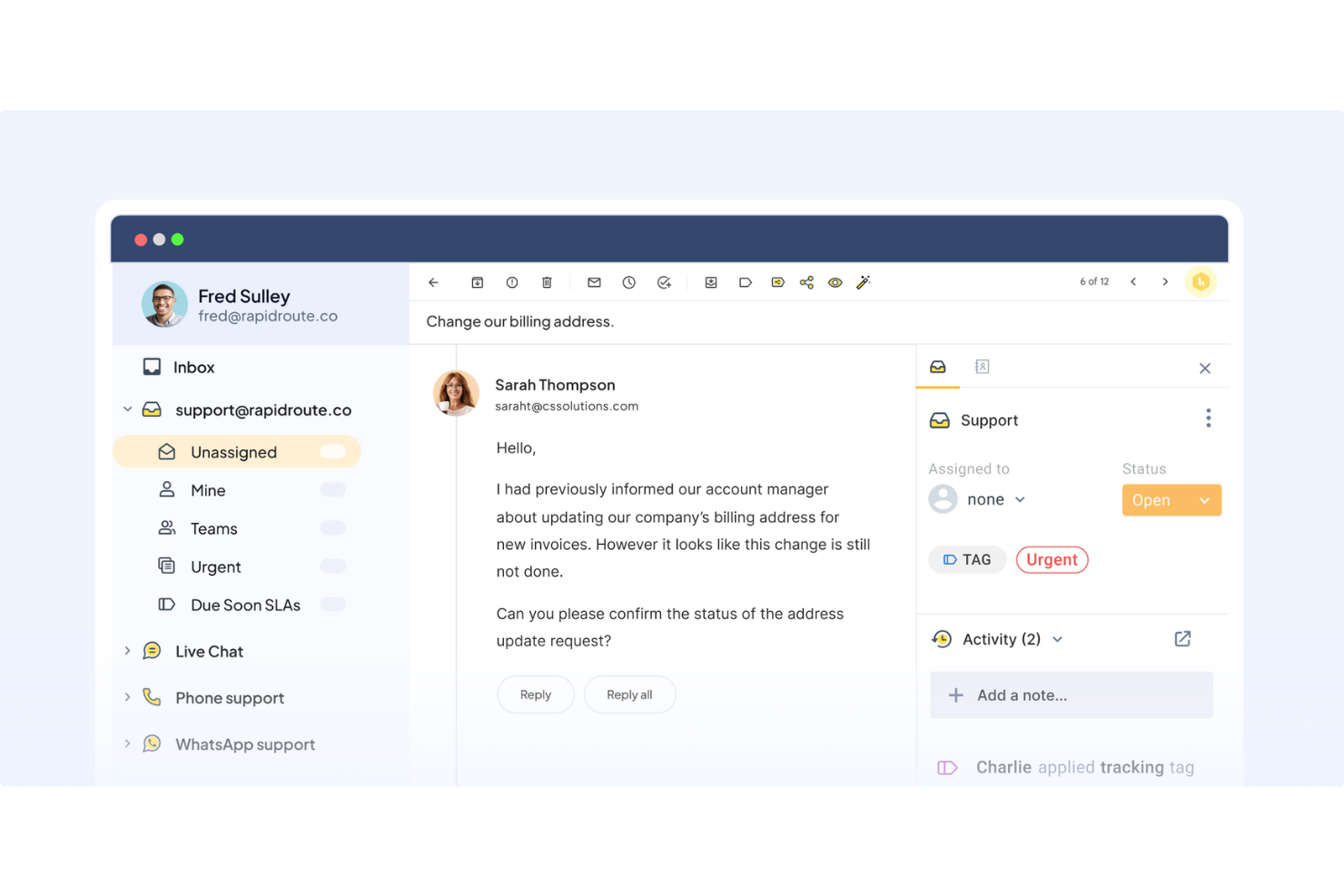
Hiver is an AI customer service platform that helps CX teams manage complex support operations across email, live chat, voice, WhatsApp, and self-service from one workspace. It supports both dedicated omnichannel service operations and Gmail-based support workflows, giving customer experience leaders a way to improve responsiveness, collaboration, and consistency without adding unnecessary complexity.
It works best for CX leaders in logistics, e-commerce, finance, and tech who need support quality to hold up at scale. You get clear value by helping agents respond with consistent quality, reducing busywork with AI, and making support feel easier for both teams and customers.
In this article, you’ll get a full breakdown of Hiver’s features, pros and cons, use cases, and more, so you can decide if it’s right for your team.
Hiver Evaluation Summary
- From $35/user/month
- Free plan available
Warum Sie unseren Software-Empfehlungen vertrauen können
Unser Team testet und bewertet Software seit 2012. Als CX-Führungskräfte selbst wissen wir, wie schwierig – und wichtig – es ist, die richtige Software auszuwählen.
Für diesen Leitfaden haben wir Tools mithilfe von praktischen Tests und unabhängiger Recherche bewertet und dabei unsere Bewertungskriterien angewendet.
Unsere Bewertungen spiegeln unser menschliches redaktionelles Urteilsvermögen wider, keine Verkaufsstrategie.
Hiver Overview
Hiver is a solid choice if you want customer service software that offers quick adoption speed, cross-team collaboration, and strong workflow automation via AI capabilities. The platform has two variants of its product: Hiver Omni, which serves teams running high-stakes omnichannel support with cross-team coordination, and Hiver in Gmail for teams that want AI-powered shared inbox management without switching tools.
Its modern design, omnichannel coverage, and Hiver AI give it an advantage over tools that feel heavier or more rigid. What I find compelling is how the AI is built into the workflow. Before an agent opens a conversation, it's already classified and prioritized. Then, while they're responding, an AI QA Coach flags tone issues and gaps before anything gets sent. Finally, AI Insights gives managers a continuous quality picture across every conversation, surfacing coaching needs and recurring problem areas across the team.
pros
-
You deliver human-like, personalized responses without switching tabs or sounding robotic.
-
Your team stays aligned with shared drafts, notes, collision alerts, and clear ownership.
-
Hiver AI reduces manual effort by drafting responses, auto-tagging conversations, and summarizing threads in seconds.
cons
-
Complex enterprise workflows may require more customization than Hiver currently offers.
-
No advanced help desk forecasting, capacity planning, or predictive SLA breach modeling.
-
Teams with support channels outside of chat, email, and call (like social channels), may find the platform lacks features.
Is Hiver Right For Your Needs?
Who Would be a Good Fit for Hiver?
Hiver is a strong fit if your team wants an AI-powered customer service platform that still feels simple and familiar. If you manage high email volumes, need better collaboration across agents, or want to deliver personalized support at scale, Hiver gives you the structure and clarity you need.
-
E-commerce Teams
You can pull order context, draft responses faster, and handle customer issues without switching tools.
-
IT & Internal Support
Workflows, SLAs, and collision alerts help your team respond quickly and stay aligned.
-
AI-Forward Support Teams
Hiver AI handles repetitive tasks so your team focuses on high-value problems.
-
Travel & Hospitality
Personalized responses and fast collaboration help you improve customer experience.
-
Logistics & Operations
Shared inboxes, tags, and workflows give you visibility and control over high-volume communication.
-
Small Support Teams
Hiver is easy to learn and helps your team start resolving issues within hours.
Who Would be a Bad Fit for Hiver?
Teams that need deep custom objects, complex enterprise routing, or highly specialized workflows may feel limited by Hiver’s structure. Organizations that need advanced field service or mobile-first workflows may also find Hiver too narrowly focused.
-
Large Corporations
Hiver’s limited scalability and customization may not meet your complex needs.
-
Custom-Heavy Data Teams
If your work depends on deeply modeled custom objects, Hiver may be too light.
-
Healthcare Providers
The lack of robust analytics and reporting tools could hinder your compliance requirements.
-
Field Service Teams
On-site, mobile-dependent workflows may not align with Hiver’s multichannel approach.
-
Manufacturing Companies
Your need for intricate supply chain communication may not align with Hiver’s more basic abilities.
-
Highly Regulated Industries
Teams needing extensive compliance workflows beyond HIPAA may find gaps.
Wie wir Tools testen & bewerten
Wir haben jahrelang unser System zur Softwarebewertung entwickelt, verfeinert und verbessert. Unser Bewertungsraster ist darauf ausgelegt, die Nuancen der Softwareauswahl und Merkmale eines effektiven Tools abzubilden, wobei der Fokus auf den entscheidenden Aspekten des Entscheidungsprozesses liegt. Nachfolgend sehen Sie, wie unser Test- und Bewertungssystem anhand von sieben Kriterien funktioniert. Es ermöglicht uns, eine unabhängige Bewertung der Software basierend auf Kernfunktionen, besonderen Merkmalen, Benutzerfreundlichkeit, Onboarding, Kundensupport, Integrationen, Kundenbewertungen und Preis-Leistungs-Verhältnis zu geben.
Kernfunktionen (25% der Gesamtnote)
Der Ausgangspunkt unserer Bewertung ist immer die grundlegende Funktionalität eines Tools. Verfügt es über die Basisfunktionen, die ein Benutzer erwarten würde? Sind einige dieser Kernfunktionen nur in teureren Preisplänen verfügbar? Im Kern erwarten wir, dass ein Tool mit den Grundfunktionen seiner Konkurrenten mithalten kann.
Besondere Merkmale (25% der Gesamtnote)
Anschließend bewerten wir außergewöhnliche Funktionen, die über die üblichen Kernfunktionen hinausgehen. Eine hohe Punktzahl spiegelt spezialisierte oder einzigartige Features wider, die das Produkt schneller, effizienter oder für den Endnutzer besonders wertvoll machen. Wir prüfen außerdem, wie einfach es ist, das Tool mit anderen typischerweise verwendeten Programmen zu integrieren, um die Funktionalität und den Nutzen zu erweitern. Tools mit vielen nativen Integrationen, Verbindungen zu Drittanbietern und API-Zugang für eigene Integrationen erhalten die besten Bewertungen.
Benutzerfreundlichkeit (10% der Gesamtnote)
Wir berücksichtigen, wie schnell und einfach sich Aufgaben ausführen lassen, die zur Kernfunktionalität gehören. Software mit hoher Punktzahl ist gut gestaltet, intuitiv zu bedienen, bietet mobile Apps, stellt Vorlagen bereit und erleichtert auch relativ komplexe Aufgaben erheblich.
Onboarding (10% der Gesamtnote)
Wir wissen, wie wichtig eine schnelle Team-Akzeptanz einer neuen Plattform ist. Deshalb bewerten wir, wie leicht sich ein Tool mit minimalem Training erlernen und benutzen lässt. Wir prüfen, wie schnell ein Teammitglied ohne Vorkenntnisse eingerichtet ist und das Tool nutzen kann. Lösungen mit hoher Bewertung erfordern wenig oder keine Unterstützung.
Kundensupport (10% der Gesamtnote)
Wir beurteilen, wie schnell und einfach man telefonisch, per Live-Chat oder Wissensdatenbank Unterstützung erhält. Tools und Anbieter mit echtem Echtzeit-Support bekommen die besten Bewertungen, während Chatbots am schlechtesten abschneiden.
Kundenbewertungen (10% der Gesamtnote)
Neben unseren eigenen Tests berücksichtigen wir den Net Promoter Score von aktuellen und ehemaligen Nutzern. Wir prüfen, ob sie sich wieder für das Tool entscheiden würden. Software mit hoher Bewertung weist auch einen hohen Net Promoter Score auf.
Preis-Leistungs-Verhältnis (10% der Gesamtnote)
Schließlich bewerten wir unter Berücksichtigung aller anderen Kriterien den durchschnittlichen Preis der Einstiegspläne in Bezug auf die Kernfunktionen und vergleichen den Nutzen der anderen Bewertungskriterien. Software, die mehr für weniger bietet, erhält eine höhere Bewertung.
Core Features
Omnichannel Inbox
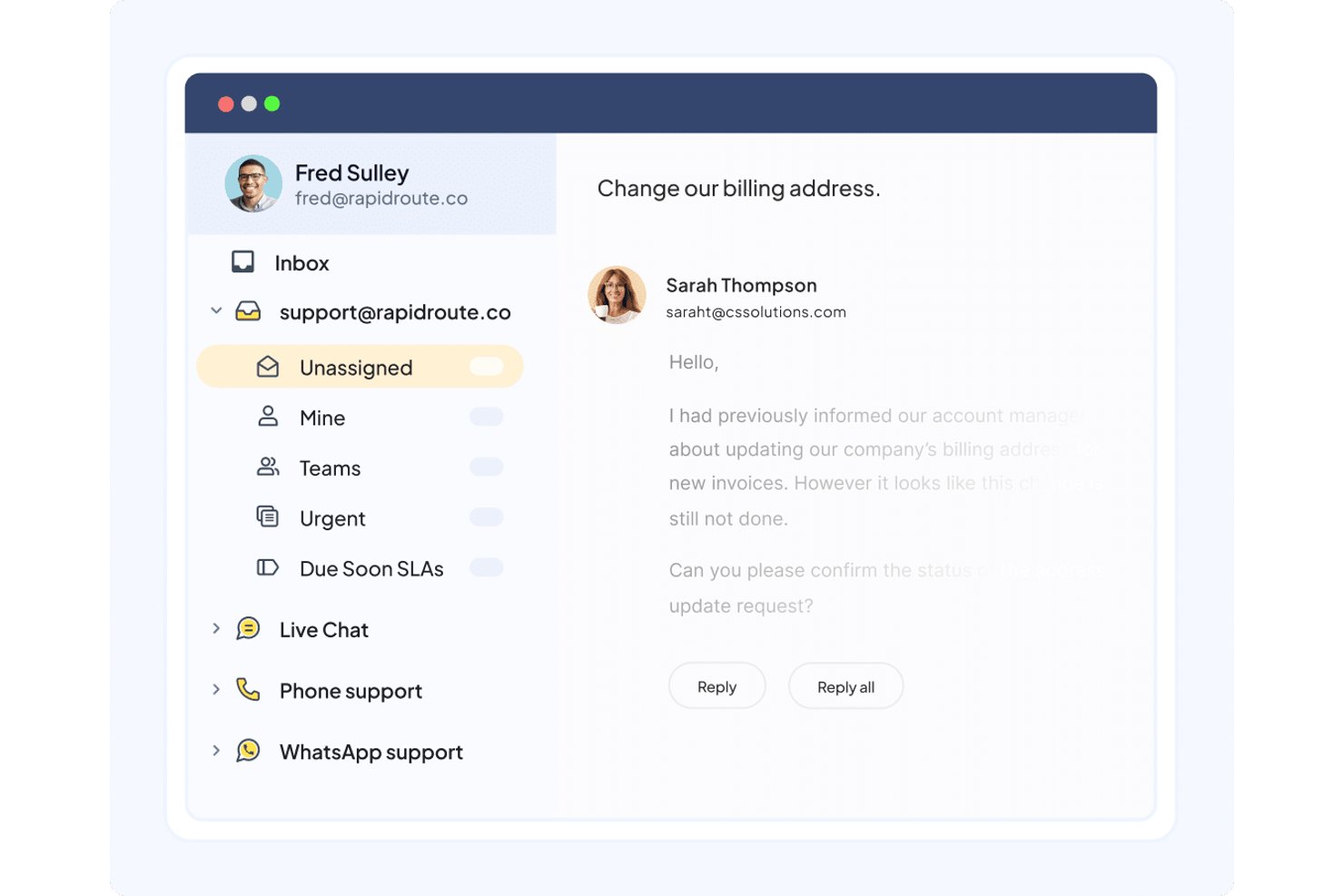
You manage email, chat, voice, WhatsApp, and portal requests from one simple view. It keeps your team organized without requiring them to learn a complex new interface.
Ticketing
You assign, track, and respond to customer conversations with clarity and structure. It helps your team avoid confusion and resolve issues faster.
Live Chat
You help customers in real time with simple routing and AI-backed support. It gives your team a fast way to resolve issues and keep customers engaged.
Workflow Automation
You automate routing, tagging, and categorizing tasks based on rules. This reduces manual work so your team focuses on customer conversations instead of admin tasks.
Knowledge Base & Self-Service Tools:
You create help center articles and deploy an AI-powered chat widget to let customers solve problems on their own. This reduces inbound questions and improves customer experience.
Analytics & Dashboards
You track response time, resolution time, CSAT, and agent performance. It gives you the data you need to improve operations and plan staffing.
Standout Features
Personalized, Human-Like Conversations
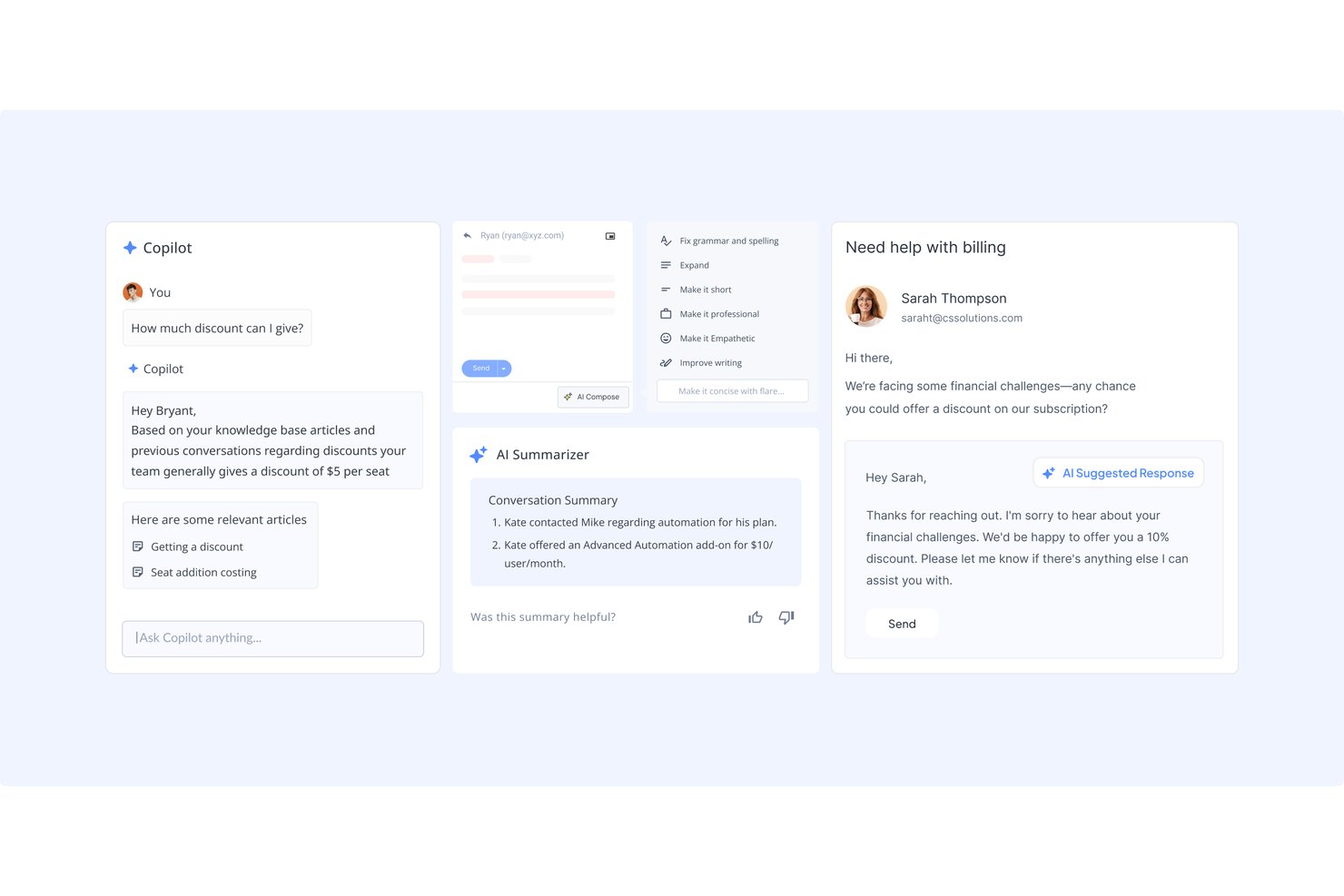
Hiver helps your team respond naturally by keeping all customer context in front of you and drafting replies that feel human—not robotic. It makes every interaction smoother and more personal for customers.
Hiver AI
You get AI-generated drafts, summaries, and sentiment detection to speed up responses. It helps your team deliver personalized answers without starting from scratch.
Ease of Use
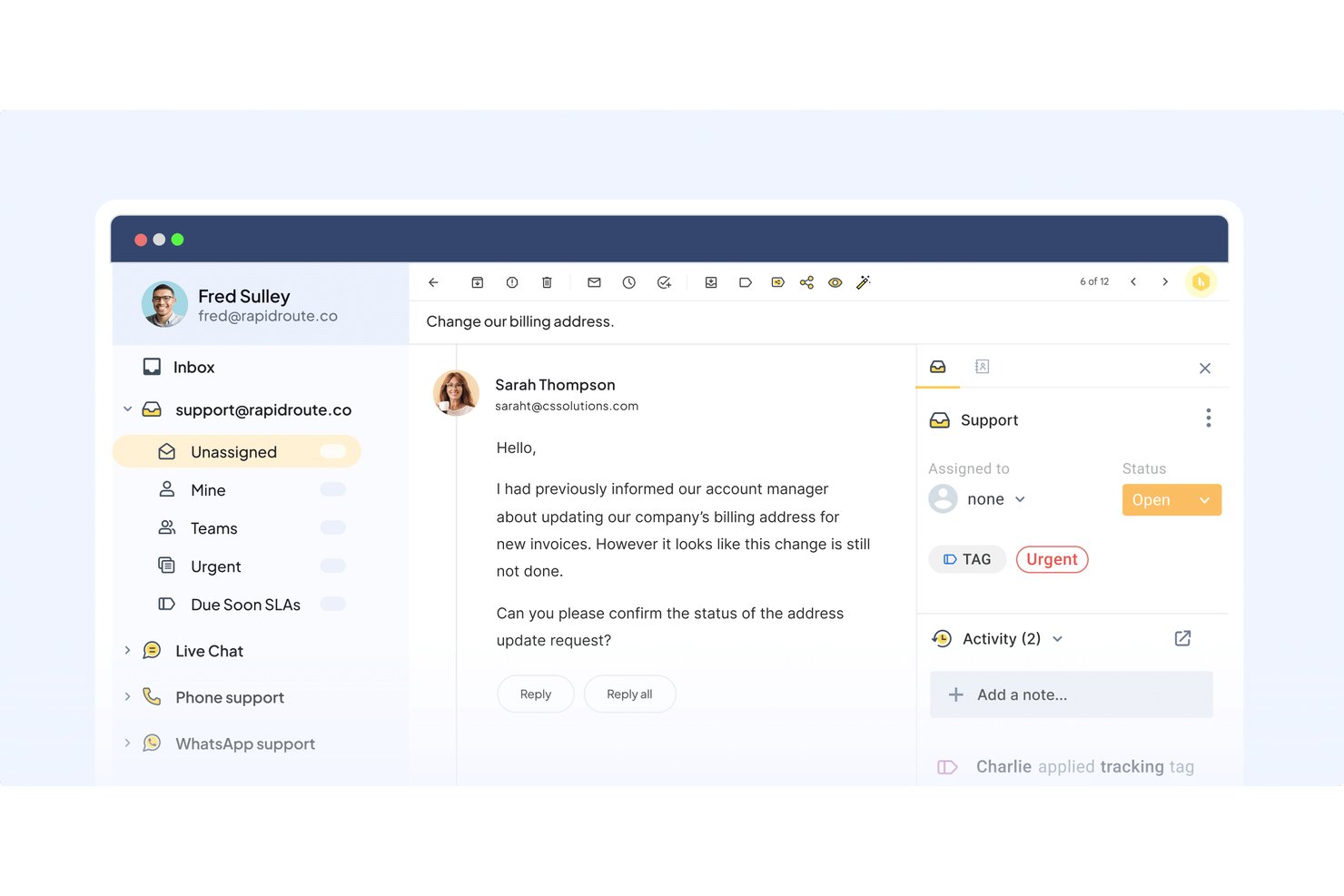
Hiver is easy to use because its modern and intuitive design centralizes multi-channel communications. Even during busy periods, the interface stays clean and helps you assign work without confusion. AI speeds up common actions like drafting, tagging, and summarizing, which reduces the number of clicks needed to handle each conversation. It’s a practical choice if you want your team to pick up the tool quickly and stay productive.
Onboarding
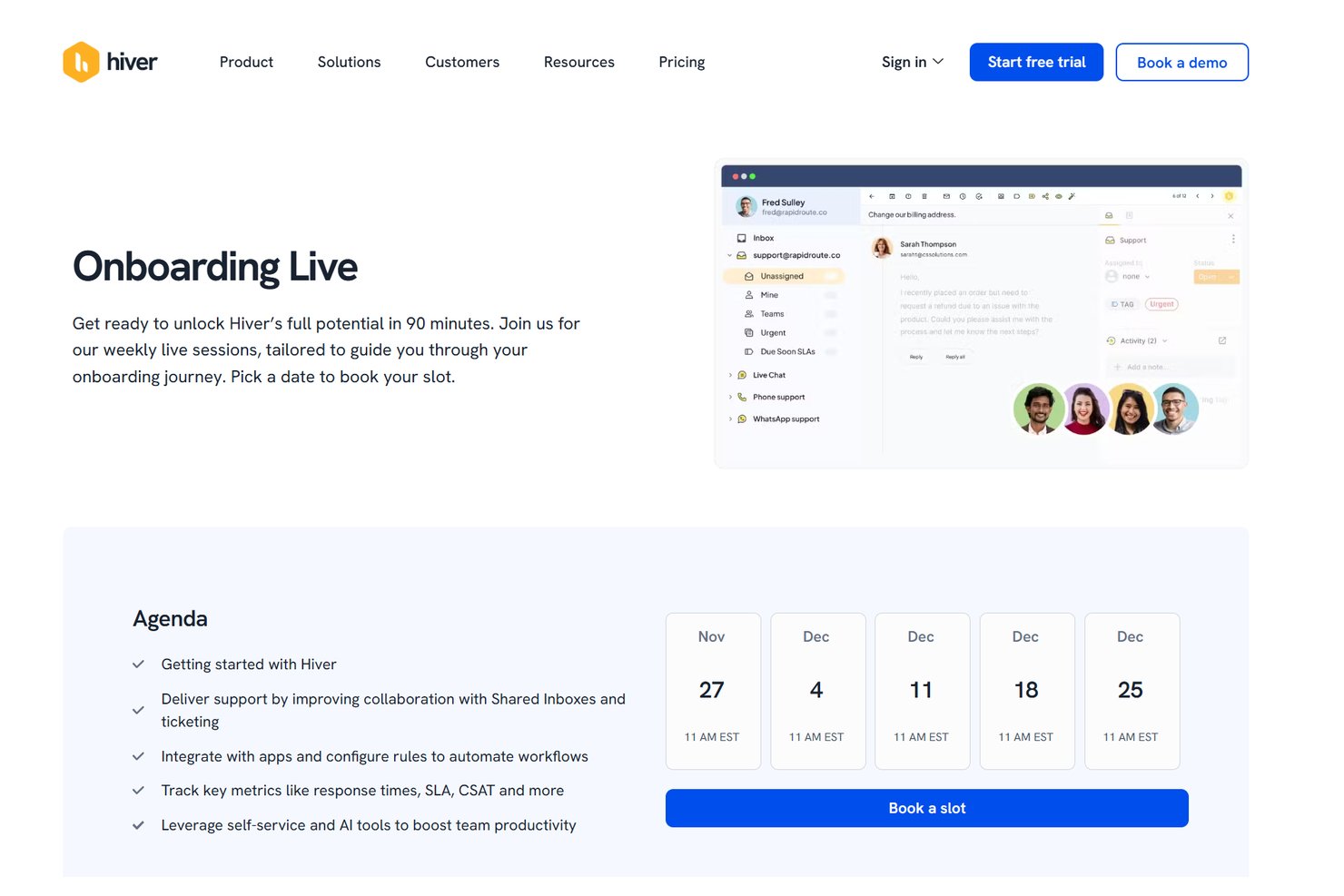
Hiver’s onboarding is quick because you connect channels, create workflows, and assign roles in minutes. The help center, product tours, and 24/7 support help you reach full productivity within a few days. I also like that Hiver offers live onboarding sessions weekly, helping you get started in just 90 minutes.
Customer Support
Hiver offers 24/7 email and live chat support, so your team always has help when needed. Their guidance is clear and practical, making it easy to resolve issues or get through setup steps. You also get access to a detailed help center and onboarding guides for self-service support. Overall, the support experience is dependable and helpful for busy teams.
Integrations
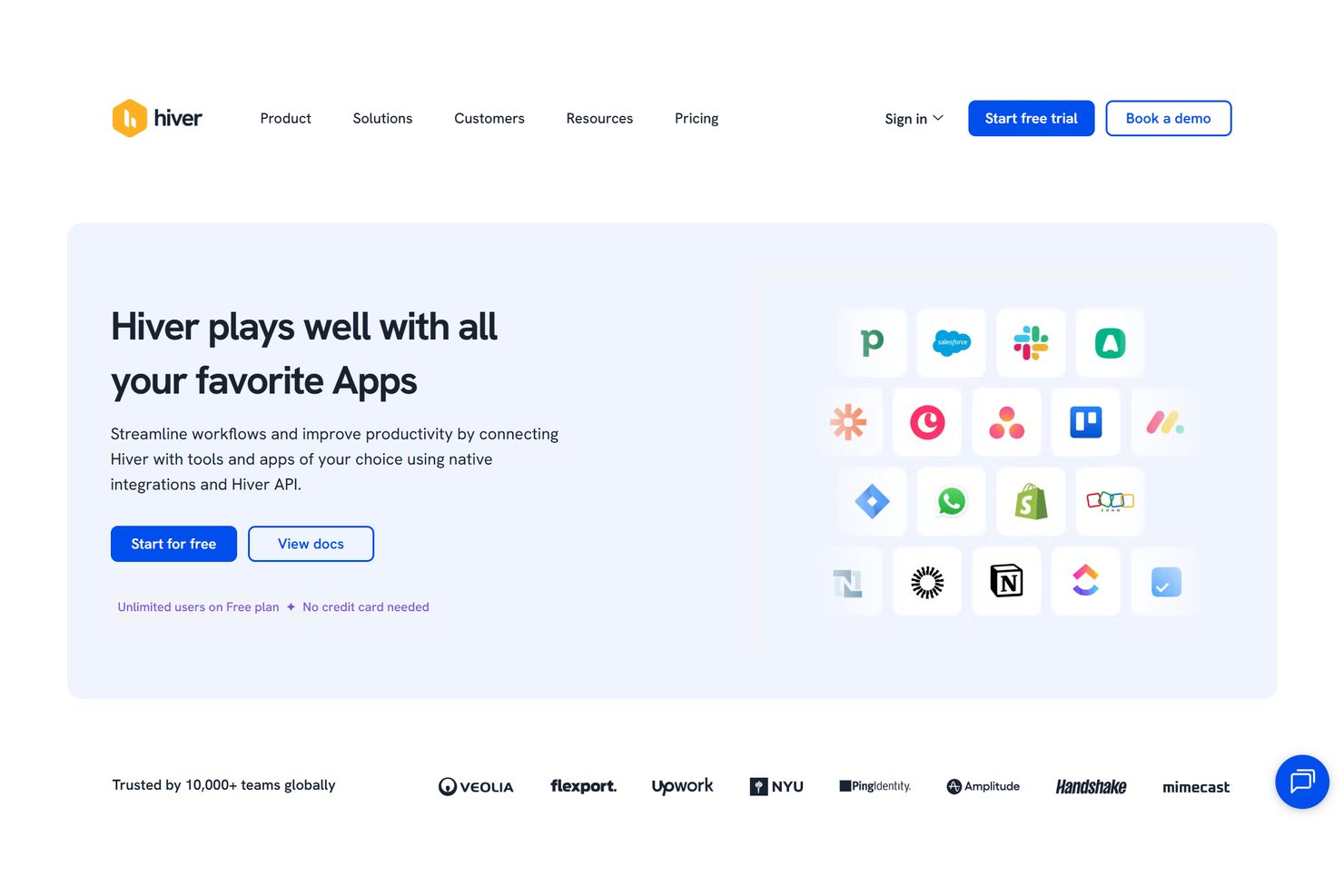
Hiver integrates natively with Salesforce, HubSpot, Shopify, Netsuite, Shopify, ClickUp, Asana, Jira, Pipedrive, Aircall, and Slack. It also offers an API and connects with third-party integration tools like Zapier.
Value for Money
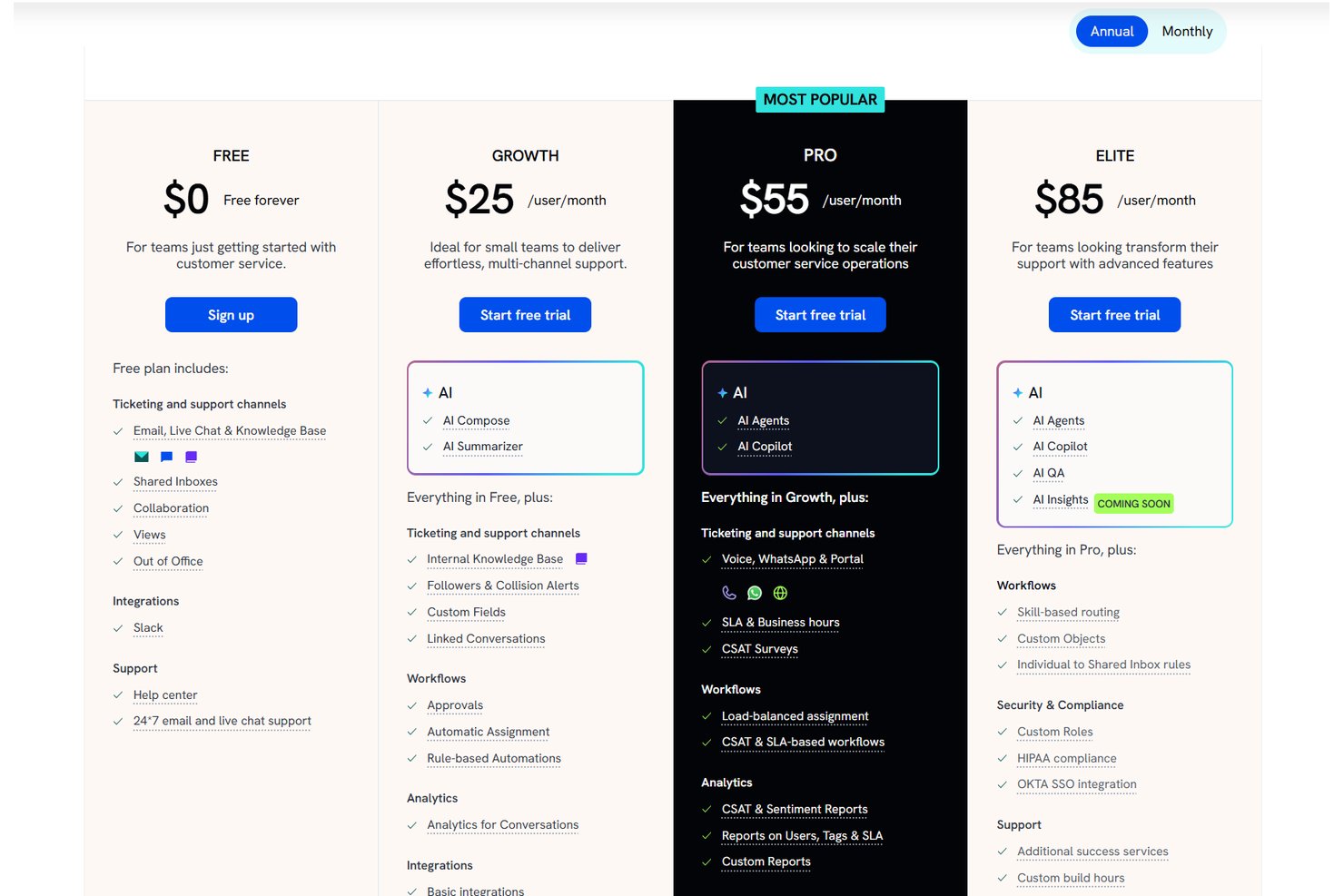
Hiver delivers strong value by giving you advanced AI tools, omnichannel support, and fast, human-like responses without overwhelming your team. Hiver Omni and Hiver in Gmail share the same pricing tiers, which keeps the plans easy to compare whether your team wants a dedicated customer service platform or a Gmail-based support workflow. The value of each plan depends on your setup, especially if you need broader channel coverage, automation, or advanced reporting.
- Free: Basic ticketing, shared inboxes, team collaboration, and core channels.
- Growth: Provides AI Agents, AI Copilot, rule-based automations, round-robin assignment, and pre-built analytics.
- Pro: Adds CSAT, chatbots, business hours, dashboards, and deeper reporting. For teams using Hiver Omni, this tier also includes Slack support, so agents can manage customer conversations from public and private Slack channels directly in Hiver.
- Elite: Adds skill-based routing, custom objects, custom roles, and compliance features.
New Product Updates from Hiver

Hiver Brings Chat Widget Support to Mobile Apps
Hiver now supports embedding its Chat Widget directly inside mobile apps, making it easier for customers to reach support without switching away from the app. This helps teams capture issues in-context and maintain a smoother in-app experience. Highlights include:
- iOS Support: Lets teams embed the Hiver Chat Widget in iOS apps.
- Android Support: Enables in-app chat support for Android users.
- React Native Support: Supports Chat Widget embedding in React Native apps.
- Flutter Support: Lets Flutter apps offer Hiver chat directly within the app.
Visit Hiver’s official site for more details.
 for more details.
Hiver Expands Reporting Across Shared Inboxes
Hiver has introduced reporting across Shared Inboxes to make cross-team visibility easier and faster. You can now analyze performance for multiple inboxes in one place, either as a combined view or broken down by inbox. Highlights include:
- Multi-Inbox Reporting: Lets teams analyze up to five Shared Inboxes together.
- Inbox-Level Breakdown: Separates performance data by inbox for easier comparison.
- Reports and Dashboards: Extends multi-inbox analysis across standard and custom reports.
- Data Exports: Includes Shared Inbox reporting data in exports for further analysis.
Visit Hiver’s official site for more details.

Hiver Introduces Skills for AI Support Automation
Hiver introduces Skills to train Hiver AI with instructions, logic, approvals, simulations, and connected actions. These updates make it easier to automate support workflows while keeping teams involved where needed. Highlights include:
- Natural-Language Instructions: Lets teams define how Hiver AI should handle requests using plain-language steps and logic.
- Automated Actions: Runs configured processes automatically on matching conversations.
- Third-Party Actions: Lets Skills take actions in connected systems such as HubSpot.
- Simulation Mode: Lets teams test Skills before using them in live workflows.
- Approval Steps: Lets teams require member approval before selected actions run.
Visit Hiver’s official site for more details.

Hiver Adds Omni APIs and Notes API for Workflow Automation
Hiver adds Open APIs for managing Shared Inboxes, conversations, tags, and users, along with a Notes API for automating Shared Notes and mentions. These updates help teams connect Hiver with other tools and create more customized workflows. Highlights include:
- Hiver Omni APIs: Programmatically manages Shared Inboxes, conversations, tags, and users for custom integrations.
- Notes API: Automates Shared Notes, teammate mentions, and replies to existing notes.
Visit Hiver’s official site for more details.

Hiver Adds Global Configuration and Domain-Based Sharing
Hiver adds Global Configuration for account-level Tags, Custom Fields, and Automations, along with conversation links restricted to approved domains. These updates simplify workflow management and let external users view conversations and add notes without Shared Inbox access. Highlights include:
- Global Configuration: Creates Tags, Custom Fields, and Automations once and applies them across relevant Shared Inboxes.
- Domain-Based Conversation Sharing: Lets people from approved domains securely view conversation threads and add notes.
- Automation Support: Adds shared conversation links to Automations to involve external collaborators automatically.
Visit Hiver’s official site for more details.

Hiver Adds Linear Issue Tracking and Slack Collaboration
Hiver adds a Linear integration to convert customer requests into issues and Slack collaboration to start and reply to channel discussions from Hiver conversations. These updates reduce context switching while keeping issue progress and internal discussions connected to customer threads. Highlights include:
- Linear Integration: Converts feature requests, bugs, and customer feedback into Linear issues directly from Hiver.
- Automated Issue Creation: Uses Hiver Automations to create Linear issues from qualifying customer conversations.
- In-Thread Progress Tracking: Monitors Linear issue progress from the related Hiver conversation.
- Slack Collaboration: Starts discussions in existing or new Slack channels and supports replies from Hiver.
Visit Hiver’s official site for more details.

Hiver Enhances AI With New Data Sources and Sheet Queries
Hiver adds Google Drive and Confluence as knowledge sources for Ask AI and enables users to run natural-language queries in Google Sheets. These updates improve AI accuracy and make it easier to retrieve insights without manual searching or analysis. Highlights include:
- AI Knowledge Source Integrations: Connect Google Drive and Confluence to provide AI with richer, up-to-date content for responses.
- Google Sheets Queries with Ask AI: Ask questions in plain language to get instant insights from data in connected spreadsheets.
Visit Hiver’s official site for more details.

Hiver Improves Search and Automation Across Channels
Hiver enhances how teams handle conversations by adding unified search across channels and expanding automation capabilities. These updates reduce manual work and improve visibility across support operations. Highlights include:
- Omnichannel Search: Search across email, chat, and Slack in one place with unified filters and results.
- New Automation Triggers and Conditions: Automate workflows based on inbox changes and recipient domains for better routing and task handling.
Visit Hiver’s official site for more details.

Hiver Adds Collision Alerts for Emails
Hiver introduces Collision Alerts, which notify agents in real time when multiple users are drafting replies to the same email. This improves coordination by establishing clear ownership and reducing duplicate responses. Highlights include:
- Real-Time Collision Alerts: Notifies agents when others are drafting in the same conversation.
- Duplicate Reply Prevention: Helps avoid sending multiple responses to the same email.
- Improved Team Coordination: Supports clearer ownership while maintaining flexibility in collaboration.
Visit Hiver’s official site for more details.

Hiver Omni Adds Slack as Support Channel
Hiver Omni adds Slack as a customer service channel, allowing teams to manage Slack messages and threads as structured conversations. This improves efficiency by centralizing communication, enabling ownership tracking, SLAs, automation, and analytics within a single workspace. Highlights include:
- Slack as Support Channel: Manages Slack messages and threads as structured customer conversations.
- Unified Communication Management: Handles Slack alongside email and chat in one platform.
- Built-In Support Tools: Applies SLAs, automation, analytics, and CSAT tracking to Slack interactions.
Visit Hiver’s official site for more details.
Hiver Specs
- Analytics
- API
- Batch Permissions & Access
- Call Integration
- Chat
- Contact Management
- Contact Sharing
- CRM Integration
- Customer Management
- Customer Service
- Dashboard
- Data Export
- Data Import
- Data Visualization
- Email Integration
- Escalation Management
- External Integrations
- Instant Chat Integration
- Knowledge Base
- Lead Management
- Lead Scoring
- Multi-User
- Notifications
- Real-time Alerts
- Scheduling
- Self-service Portal
- Social Media Integration
- Support Forum
- Third-Party Plugins/Add-Ons
- Ticket Management
- Workflow Management
Hiver FAQs
How does Hiver help your team deliver personalized customer service?
Can Hiver improve collaboration inside your team?
Is Hiver suitable for large teams?
Does Hiver help you handle high email volumes?
How does Hiver support omnichannel communication?
Does Hiver offer analytics and reporting?
Can Hiver be customized to fit specific workflows?
How does Hiver ensure compliance with industry regulations?
Hiver Company Overview & History
Hiver is a customer service software company serving more than 10,000 teams worldwide. The company focuses on making customer service easy, personal, and fast through an intuitive interface powered by AI. Hiver is known for its strong collaboration features, fast onboarding, and Hive tools that simplify daily support work. Customers include Flexport, Upwork, NYU, Ping Identity, and Visiting Angels.
Hiver Major Milestones
- 2011: Hiver is founded.
- 2015: Launches shared inbox and collaboration features inside Gmail.
- 2018: Expands into full multi-channel customer service.
- 2023: Introduces advanced automation and analytics tools.
- 2024: Launches Hiver AI and the standalone Hiver Omni platform.
- 2025: Expands AI features for personalization, self-service, and smart routing.