


monday CRM vs. Zoho CRM: Vergleich & Expertenbewertungen für 2026


monday CRM ist ein visuelles, flexibles Arbeitsumfeld, das Teams dabei unterstützt, Beziehungen, Geschäfte und interne Prozesse an einem Ort zu verwalten. Zoho CRM ist eine etablierte Plattform, die darauf abzielt, Vertriebs-, Marketing- und Service-Touchpoints über den gesamten Kundenlebenszyklus hinweg zu optimieren.
Im Vergleich zu monday CRM bietet Zoho CRM umfassendere Funktionen für Unternehmen, während monday durch Benutzerfreundlichkeit und schnelle Einrichtung überzeugt. In diesem Artikel vergleiche ich die Tools direkt miteinander – ihre Funktionen, Vor- und Nachteile, Preise und wie sie sich als Customer Relationship Management (CRM) Software für Ihr Team schlagen.
monday CRM vs. Zoho CRM: An Overview
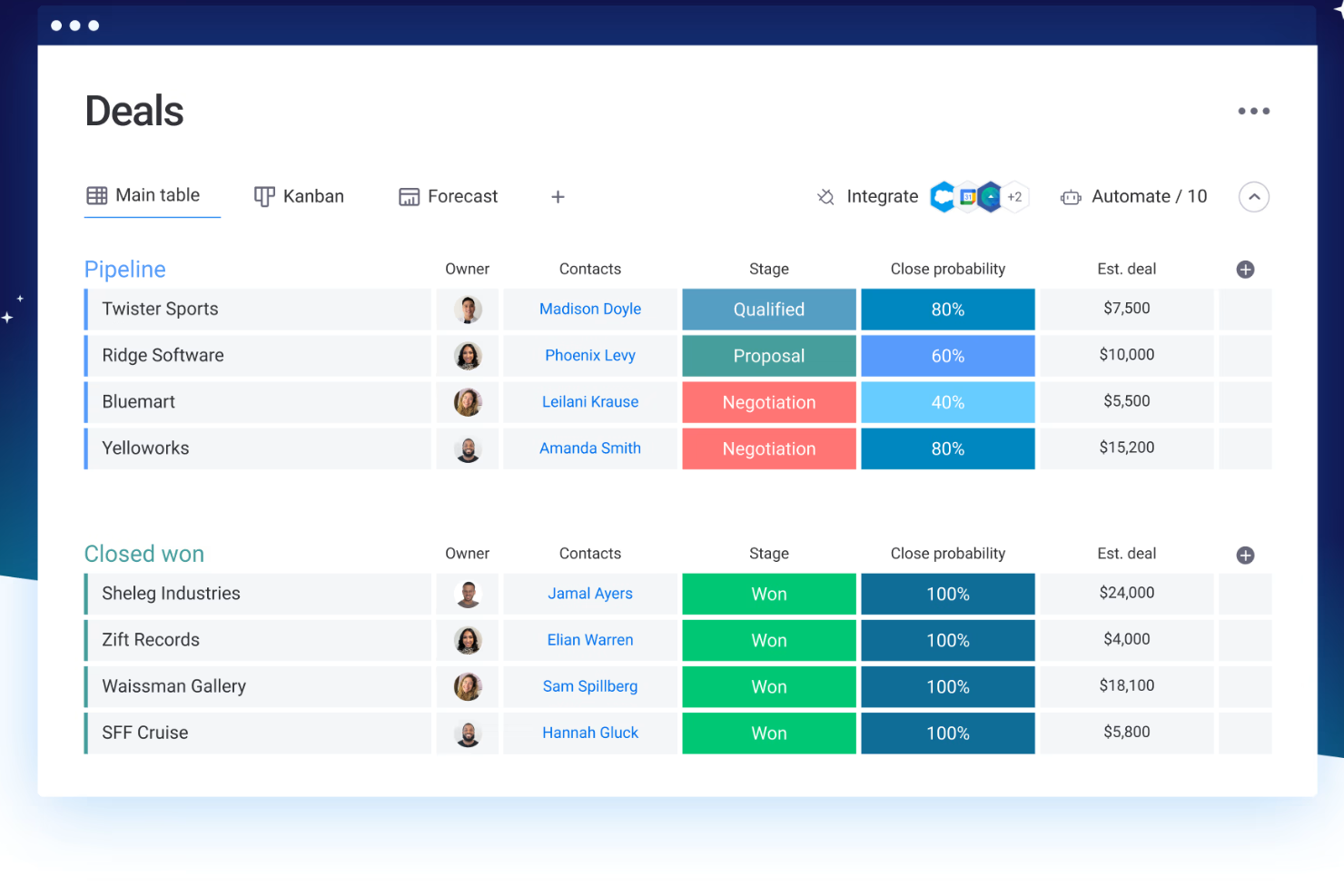
monday CRM


Zoho CRM


Why Trust Our Software Reviews
monday CRM vs. Zoho CRM Pricing Comparison
| monday CRM | Zoho CRM | |
|---|---|---|
| Free Trial | Free demo available | Free plan + free demo + free trial available |
| Pricing | Pricing upon request | From $14/user/month (billed annually) |
monday CRM vs. Zoho CRM Preise & versteckte Kosten
Die Preisgestaltung von monday CRM basiert auf einem nutzerbasierten, gestaffelten Modell, bei dem zentrale Funktionen erst in höheren Tarifen freigeschaltet werden und zusätzliche Kosten für Automatisierungslimits, weitere Zugänge oder Premium-Support anfallen können. Zoho CRM nutzt ebenfalls ein nutzerbasiertes Preismodell, enthält aber bereits in niedrigeren Tarifen mehr integrierte Funktionen – dennoch können fortgeschrittene Analysen, Integrationen und Add-ons die Gesamtkosten erhöhen.
Um die passende Lösung zu wählen, sollten Sie festlegen, wie viele Benutzer Zugriff benötigen, welche Funktionen Sie im Alltag tatsächlich nutzen und wo Ihr Unternehmen wahrscheinlich wachsen wird – besonders, wenn Sie Workflows entwickeln oder auf mehrere Teams ausweiten möchten.
monday CRM vs. Zoho CRM Feature Comparison
Die anpassbaren Boards von monday CRM ermöglichen es Ihnen, Geschäfte, Aufgaben und Follow-ups in einer übersichtlichen Ansicht zu verwalten – praktisch, wenn Ihr Team Kundenprojekte und interne Abläufe im selben Raum jongliert.
Der integrierte KI-Assistent Zia in Zoho CRM ist ideal, um Lead-Insights anzuzeigen oder nächste Schritte vorzuschlagen, besonders wenn Sie ein hohes Volumen an eingehenden Leads managen. monday CRM bleibt einfach und flexibel; Zoho setzt stärker auf intelligente Automatisierung und Vertriebsinformationen.
| monday CRM | Zoho CRM | |
|---|---|---|
| 2-Factor Authentication | ||
| API | ||
| Calendar Management | ||
| Call Tracking | ||
| Campaign Management | ||
| Click-to-Dial | ||
| Contact Management | ||
| Contact Sharing | ||
| Custom Data Forms | ||
| Customer Management | ||
| Dashboard | ||
| Data Export | ||
| Data Import | ||
| Data Visualization | ||
| Email Integration | ||
| External Integrations | ||
| File Sharing | ||
| File Transfer | ||
| Google Apps Integration | ||
| Lead Management | ||
| Lead Scoring | ||
| Marketing Automation | ||
| Mobile App | ||
| Multi-User | ||
| Notifications | ||
| Pipeline Management | ||
| Sales Automation | ||
| Scheduling | ||
| Social-Media Integration | ||
| Task Scheduling/Tracking | ||
| Third-Party Plugins/Add-Ons |
monday CRM vs. Zoho CRM Integrationen
| Integration | monday CRM | Zoho CRM |
|---|---|---|
| ✅ | ❌ | |
| HubSpot | ✅ | ✅ |
| Slack | ✅ | ✅ |
| Microsoft Teams | ✅ | ✅ |
| Google Workspace | ✅ | ✅ |
| Salesforce | ❌ | ✅ |
| Mailchimp | ✅ | ✅ |
| QuickBooks | ❌ | ✅ |
| API | ✅ | ✅ |
| Zapier | ✅ | ✅ |
Die Integration von monday CRM mit LinkedIn ermöglicht es Ihnen, Beiträge zu automatisieren und Interaktionen direkt aus dem CRM zu verfolgen – ideal für Teams mit Fokus auf Social-Media-Engagement. monday lässt sich zudem nativ in das monday.com-Ökosystem integrieren, einschließlich des Projektmanagement-Tools und monday service. Zoho CRM bietet eine Salesforce-Integration, die sich für Teams eignet, die ihre Vertriebsdaten synchronisieren oder nahtlos auf eine neue CRM-Software umsteigen möchten, damit alle Kundeninteraktionen stets aktuell sind.
Während monday CRM das Social Media Management verbessert, überzeugt Zoho CRM durch umfassende Synchronisation von Vertriebsdaten.
monday CRM vs. Zoho CRM Sicherheit, Compliance & Zuverlässigkeit
| Faktor | monday CRM | Zoho CRM |
|---|---|---|
| Datenverschlüsselung | monday CRM nutzt AES-256-Verschlüsselung zum Schutz der Daten sowohl während der Übertragung als auch im Ruhezustand. | Zoho CRM schützt Daten mit AES-256-Verschlüsselung, um Vertraulichkeit und Sicherheit zu gewährleisten. |
| Regulatorische Compliance | monday CRM entspricht der DSGVO und weiteren internationalen Standards. | Zoho CRM erfüllt DSGVO, CCPA und weitere wichtige Compliance-Anforderungen. |
| Zuverlässigkeit | monday CRM garantiert eine Verfügbarkeit von 99,9% und gewährleistet somit einen stetigen Zugang zu den Tools. | Zoho CRM bietet ein 99,9% Uptime SLA und stellt damit einen zuverlässigen Dienst bereit. |
monday CRM und Zoho CRM bieten beide eine robuste Sicherheit und Compliance, jedoch deckt Zoho CRM ein breiteres Spektrum an regulatorischen Standards ab. Um den passenden Anbieter auszuwählen, sollten Sie die für Ihr Team relevanten Compliance-Anforderungen bewerten und Funktionen priorisieren, die den Datenschutz stärken – wie Verschlüsselung und garantierte Verfügbarkeit.
monday CRM vs. Zoho CRM Bedienkomfort
| Faktor | monday CRM | Zoho CRM |
|---|---|---|
| Benutzeroberfläche | monday CRM bietet eine optisch ansprechende und intuitive Drag-and-Drop-Oberfläche. | Funktionenreich, aber unübersichtlicher mit steilerer Lernkurve. |
| Onboarding-Erfahrung | Interaktive Tutorials, vorgefertigte Vorlagen und ein nutzerfreundlicher Einrichtungsprozess mit geführten Anleitungen. | Bietet Tutorials, ausführliche Anleitungen und persönliche Unterstützung bei der Einrichtung, benötigt aber mehr Zeit für die Konfiguration aufgrund des Umfangs und der Optionen. |
| Kundensupport | In-App-Chat, E-Mail-Support, Wissensdatenbank und Help Center erleichtern schnelle Lösungen. | Support erfolgt per Ticketsystem, sofern man kein Premium-Paket nutzt. |
| Anpassbarkeit | Hochgradig anpassbare Boards und Felder mit einfachen Bedienelementen. | Tiefe Anpassungsmöglichkeiten, deren Einstellungen jedoch schwerer auffindbar und konfigurierbar sind. |
| Workflow-Simplicity | Automatisierungen lassen sich einfach mit No-Code-Logikblöcken erstellen. | Bietet leistungsstarke Automatisierungen, deren Einrichtung jedoch technischer wirkt. |
monday CRM wird für seine klare, intuitive Oberfläche und den einfachen Einstieg gelobt und eignet sich ideal für diejenigen, die eine unkomplizierte Navigation und ein müheloses Nutzererlebnis schätzen. Zoho CRM bietet zwar weitreichende Anpassungsmöglichkeiten, kann für neue Nutzer aber überwältigend sein.
monday CRM vs Zoho CRM: Pros & Cons
monday CRM
- Automation features save your team time on repetitive tasks and streamline daily work.
- It’s easy to track tasks, emails, and contact history in one place.
- You can build and adjust pipelines without needing technical help.
- You can't manage complex sales territories or multi-layered account hierarchies.
- Reporting feels limited if your team needs deeper performance or trend analysis.
- It can feel overwhelming with too many features for new users.
Zoho CRM
- Integration with other Zoho apps enhances your team's productivity.
- Robust automation tools that save you time on repetitive tasks.
- You can customize workflows to fit your team's specific needs.
- Customer support response times can be slower compared to competitors.
- Some users find the advanced features difficult to navigate without support.
- The user interface can feel cluttered and overwhelming for new users.
Best Use Cases for monday CRM and Zoho CRM
monday CRM
- Customer Support Teams You can track tickets, manage handoffs, and log follow-ups all in one easy-to-navigate board.
- Sales Operations Teams You can build lightweight sales pipelines and reporting without relying on complex CRM tools.
- Small Businesses Setup is quick, and you won’t need IT to change your workflows or customize fields.
- Account Management It helps your team stay on top of renewals, upsells, and check-ins without switching tools.
- SaaS Companies You can manage leads, onboard customers, and monitor ongoing relationships without bloated features.
- Marketing Agencies It’s easy to track client requests, campaign status, and deliverables across multiple accounts.
Zoho CRM
- Small Businesses Zoho CRM offers scalability and customization, making it a great fit for growing small businesses.
- Retail Sales Teams The CRM's automation tools simplify sales processes, perfect for retail environments.
- Tech Startups Its integration with other Zoho products makes it an all-in-one tool for dynamic and tech-focused teams.
- Marketing Departments Zoho CRM's workflow enhances marketing automation and lead generation.
- Customer Support Teams With its robust ticketing and support features, customer service teams can streamline responses.
- Consulting Firms Zoho CRM's customization and reporting features help consultants manage client interactions effectively.
Wer sollte monday CRM nutzen, und wer Zoho CRM?
Meiner Meinung nach eignet sich monday CRM am besten für Service- und Vertriebsteams, die eine schnelle, visuelle und flexibel anpassbare Lösung wünschen – vor allem, wenn Sie Vertrieb und Projekte oder Kundenaufträge parallel verwalten. Zoho CRM ist sinnvoller, wenn Sie besonders umfangreiche Funktionen, starke Anpassbarkeit und eine engere Integration mit Finanz- oder Marketingtools benötigen.
monday CRM passt zu Startups, kleinen Unternehmen und wachsenden Teams, die Wert auf Einfachheit und visuelle Übersicht legen. Zoho ist besser geeignet für komplexe Organisationen, in denen Kontrolle und Skalierbarkeit wichtiger sind als die Benutzerfreundlichkeit.
Differences Between monday CRM and Zoho CRM
| monday CRM | Zoho CRM | |
|---|---|---|
| Automation | Drag-and-drop automation for tasks and updates. | Rule-based automation of repetitive tasks that supports advanced logic and AI-powered triggers. |
| Integrations | Seamless integration with project tools like Slack, Zoom, and DocuSign. | Strong for back-office tools like Xero, Google Ads, and finance apps. |
| Pricing Model | Per-user pricing with limits based on plan tier and seats. | Tiered structure with multiple plans for varied functionality. |
| Setup Time | Quick to launch with templates and guided flows. | Takes longer to configure due to deep feature sets and custom rules. |
| User Interface | Visual and clean, with boards that are easy to customize and navigate. | Dense and traditional, with more menus and a higher learning curve. |
| Visit monday CRMOpens new window | Read Zoho CRM ReviewOpens new window |
Similarities Between monday CRM and Zoho CRM
| CRM Features | Both let you track leads, manage pipelines, and automate tasks—monday CRM focuses on visual workflows, Zoho on data depth. |
|---|---|
| Customizable Dashboards | Each CRM solution offers strong customization options—monday through flexible boards and fields, Zoho through modules and rule-based logic. |
| Multi-Channel Support | Both provide multi-channel support, allowing your team to engage with customers via email, chat, and more, though Zoho CRM includes phone support. |
| Reporting | Each provides dashboards to track deal flow and team performance—monday CRM with visual widgets, Zoho with advanced filters. |
| Third-Party Integrations | Both connect with major tools like Gmail, Slack, and HubSpot, helping your team sync data across platforms. Plus, both use APIs and Zapier to connect with third-party apps. |
| Visit monday CRMOpens new window Read Zoho CRM ReviewOpens new window | |