

Las 10 mejores alternativas a OpenPhone para equipos pequeños en 2026

Lista de alternativas a OpenPhone


Las mejores alternativas a OpenPhone (ahora Quo) ofrecen un sistema telefónico virtual fiable, integraciones flexibles y una gestión sencilla de los números para respaldar tus soluciones de comunicación. Si buscas alternativas a OpenPhone, como Grasshopper o Google Voice, probablemente necesites un servicio VoIP que se adapte a tu flujo de trabajo, crezca junto con tu equipo y ofrezca herramientas de las que OpenPhone puede carecer. Elegir el software adecuado puede ayudarte a gestionar grandes volúmenes de llamadas, conectar con clientes a través de distintos canales y mantener tus operaciones en funcionamiento sin problemas. En esta guía encontrarás una lista cuidadosamente seleccionada de las mejores alternativas, con comparaciones claras que te ayudarán a tomar una decisión informada para tu empresa en 2026.
¿Qué es OpenPhone?
OpenPhone es una solución de software VoIP fácil de usar que proporciona números de teléfono empresariales, gestión de llamadas y funciones de mensajería a través de una plataforma basada en la nube. Permite a los equipos realizar y recibir llamadas, enviar mensajes de texto y gestionar contactos desde cualquier dispositivo. OpenPhone está diseñado para empresas que necesitan un servicio telefónico flexible, una configuración sencilla e integración con otros programas empresariales. Es popular entre emprendedores, autónomos y equipos remotos que buscan funcionalidades modernas.
Tabla comparativa de alternativas a OpenPhone
Esta tabla comparativa resume los detalles de precios de mis principales alternativas seleccionadas a OpenPhone:
| Tool | Best For | Trial Info | Price | ||
|---|---|---|---|---|---|
| 1 | Ideal para herramientas de análisis e informes | Demo gratuita disponible | Desde $15/usuario/mes (facturado anualmente) | Website | |
| 2 | Ideal para equipos de soporte de Shopify en un solo centro telefónico | Prueba gratuita disponible | Desde $60/mes | Website | |
| 3 | Mejor con soporte humano en vivo 24/7 | Prueba gratuita de 14 días | Desde $25/usuario/mes (facturado anualmente) | Website | |
| 4 | Ideal para la disponibilidad internacional de números | Prueba gratuita de 7 días + demo gratis disponible | Desde $15/usuario/mes (facturación anual) | Website | |
| 5 | Ideal para transcripciones de llamadas impulsadas por IA | Prueba gratis de 14 días + demo gratuita | Desde $80/usuario/mes (facturado anualmente) | Website | |
| 6 | Mejor para escalabilidad de nivel empresarial | Demostración gratuita Y prueba gratuita de 14 días | Desde $54/organizador/mes (facturado anualmente) | Website | |
| 7 | Ideal para la automatización de SMS y voz | Prueba gratuita de 14 días + demo gratuita | Desde $29/usuario/mes (facturación anual) | Website | |
| 8 | Ideal para la gestión unificada del espacio de trabajo | Demostración gratuita disponible | Desde $15/usuario/mes | Website | |
| 9 | Ideal para soporte de tickets omnicanal | Prueba gratuita de 14 días disponible | Desde $19/agente/mes (facturado anualmente) | Website | |
| 10 | Ideal para análisis de conversaciones impulsados por IA | No disponible | Desde $59.99/mes | Website |
Por qué confiar en nuestras recomendaciones de software
Nuestro equipo lleva probando y evaluando software desde 2012. Como líderes de CX, sabemos lo difícil —y lo importante— que es elegir el software adecuado.
Para esta guía, evaluamos las herramientas mediante pruebas prácticas e investigación independiente, puntuando las herramientas según nuestros criterios de selección.
Nuestras reseñas reflejan nuestro criterio editorial humano, no un discurso de ventas.
Opiniones sobre alternativas a OpenPhone
A continuación se muestran mis resúmenes detallados de las mejores alternativas a OpenPhone que llegaron a mi lista de favoritas. Mis reseñas ofrecen un análisis detallado de las funciones, integraciones y casos de uso más adecuados de cada software para ayudarte a encontrar la mejor opción para ti.

Nextiva
Ideal para herramientas de análisis e informes
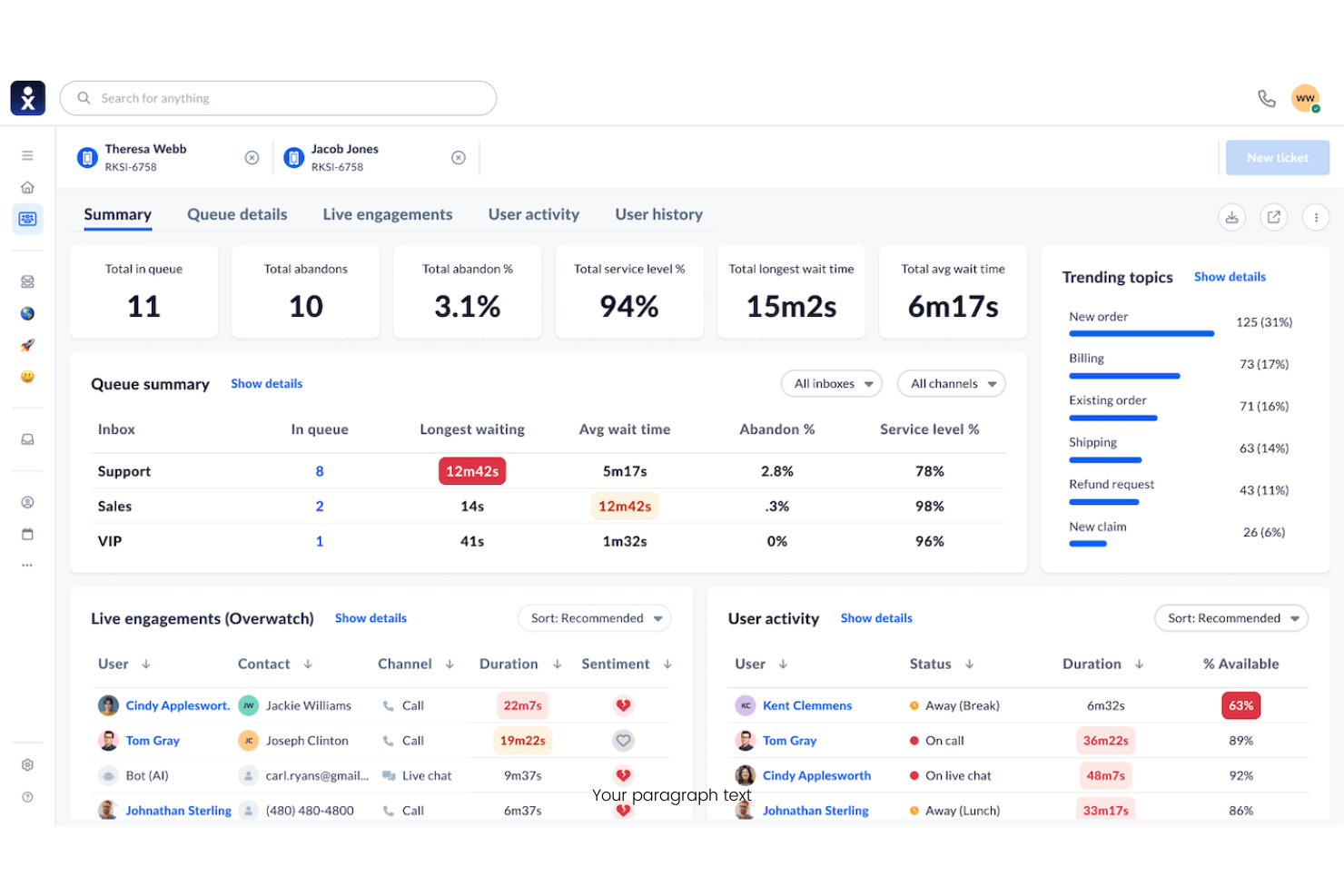
Nextiva es una plataforma VoIP basada en la nube creada para empresas que necesitan herramientas avanzadas de comunicación y colaboración. Es una opción sólida para equipos que buscan funciones unificadas de llamadas, mensajería y compromiso con el cliente en una sola solución.
¿Para quién es mejor Nextiva?
Empresas medianas y grandes que necesitan una gestión de llamadas robusta y análisis detallados en múltiples ubicaciones o departamentos.
Por qué Nextiva es una buena alternativa a OpenPhone
Elegí Nextiva por la profundidad de sus análisis e informes, que supera con creces lo que ofrecen la mayoría de las herramientas VoIP. Utilizo el panel de análisis de llamadas integrado para hacer un seguimiento en tiempo real del volumen de llamadas, el rendimiento de los agentes y los tiempos de respuesta por departamento. Mi equipo también depende de la función de seguimiento del recorrido del cliente para ver cómo los contactos pasan por los distintos puntos de comunicación. En la práctica, esto significa que podemos tomar decisiones fundamentadas con datos sobre personal, enrutamiento y calidad del servicio sin tener que exportar informes desde otra herramienta.
Funciones clave de Nextiva
- Recepcionista automática: Da la bienvenida a las llamadas entrantes y las dirige a la persona o departamento correcto sin necesidad de una recepcionista en vivo.
- Correo de voz a email: Envía los mensajes de voz directamente a la bandeja de entrada de correo electrónico del usuario como archivos de audio para facilitar su revisión.
- Colas de llamadas: Mantiene a las personas que llaman en espera y las conecta con el siguiente agente disponible.
- Fax en línea: Envía y recibe faxes de manera digital sin hardware físico, usando la misma plataforma que las llamadas y mensajes.
Integraciones de Nextiva
Las integraciones incluyen Salesforce, HubSpot, Zendesk, Microsoft Teams, Google Workspace, Zoho, Oracle NetSuite, ServiceNow, Microsoft Outlook y Bullhorn.
Pros and Cons
Pros:
- Herramientas de chat integradas para equipos
- Videoconferencias de alta calidad
- Excelentes teléfonos de escritorio
Cons:
- Caro para equipos pequeños
- Bandeja de entrada compartida de SMS débil

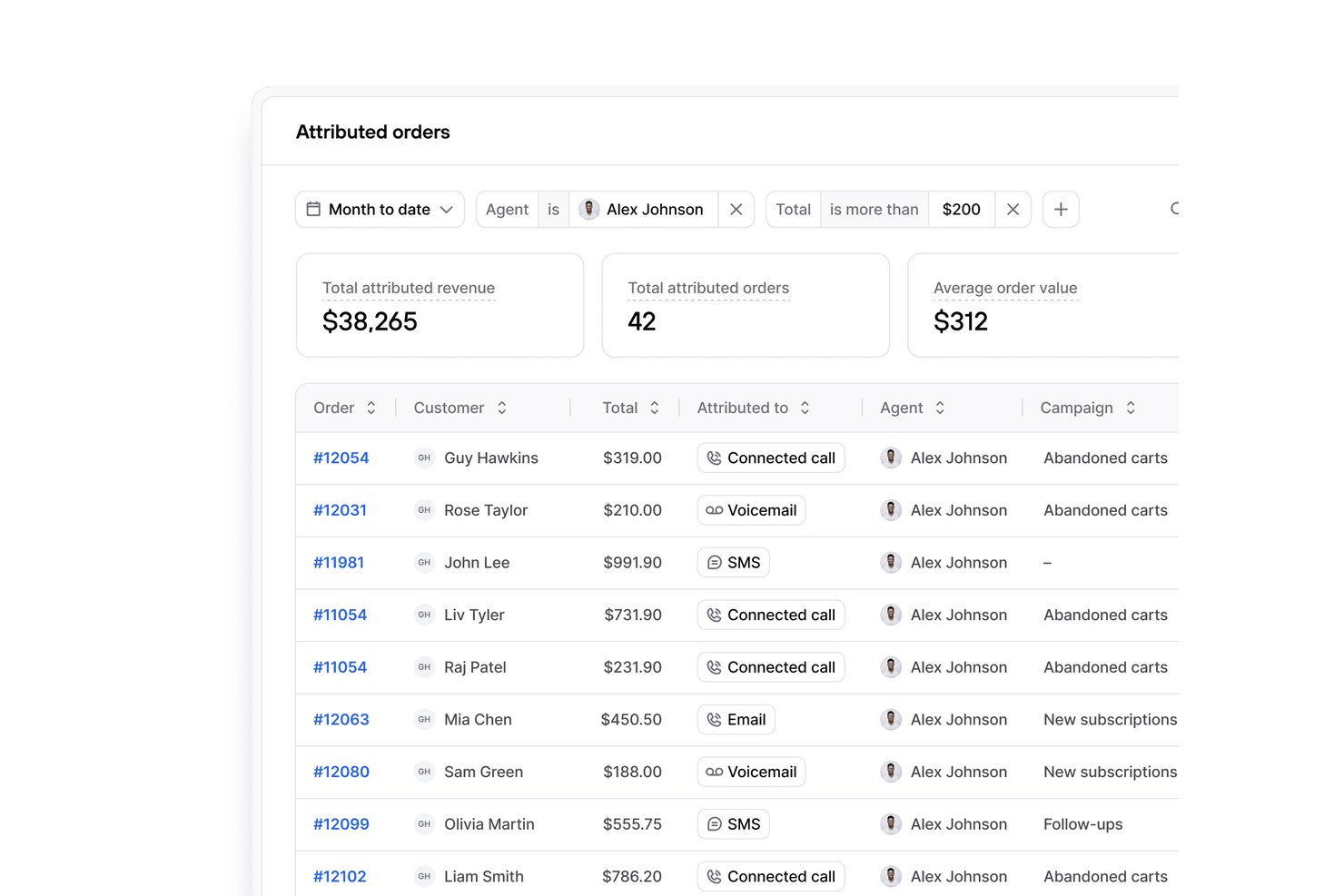
Para los comerciantes de Shopify, Consio AI es un sistema telefónico empresarial que reúne las llamadas de los clientes, los flujos de trabajo de soporte y la comunicación del equipo en un centro compartido, ayudando a los equipos de comercio electrónico a gestionar las consultas sin tener que alternar entre herramientas independientes.
¿Para quién es más adecuado Consio AI?
Consio AI es adecuado para los equipos de atención al cliente de Shopify que desean una cobertura telefónica compartida y un soporte coordinado sin tener que alternar entre distintas herramientas de comunicación.
Por qué Consio AI es una buena alternativa a OpenPhone
Elegí Consio AI porque ofrece a los equipos de soporte de Shopify un único centro telefónico para las llamadas de los clientes, los flujos de trabajo de soporte y la comunicación del equipo. Mi equipo puede gestionar las consultas de comercio electrónico en un espacio de trabajo compartido en lugar de dividir la cobertura entre distintas herramientas de comunicación. Esta configuración compartida nos ayuda a coordinar las respuestas cuando varios agentes gestionan el mismo problema de un cliente.
Funciones principales de Consio AI
- Agente de voz con IA: Responde preguntas entrantes sobre pedidos, devoluciones y políticas de productos.
- Grabación de llamadas: Guarda grabaciones, transcripciones, resúmenes y etiquetas de los interlocutores.
- Sincronización de datos de Shopify: Muestra perfiles de clientes, productos, carritos e historial de pedidos.
- Integraciones con plataformas de soporte: Conecta los registros de llamadas con Gorgias, Zendesk, Kustomer y Richpanel.
Integraciones de Consio AI
Consio AI se integra con Shopify y plataformas de soporte, como Gorgias, Zendesk, Kustomer y Richpanel.
Pros and Cons
Pros:
- Contexto de los pedidos nativo de Shopify durante las llamadas
- La IA natural gestiona preguntas rutinarias
- Visibilidad clara de las llamadas de todo el equipo
Cons:
- La configuración del flujo de llamadas requiere una configuración inicial
- La profundidad de los informes puede limitar a los equipos complejos

Mejor con soporte humano en vivo 24/7
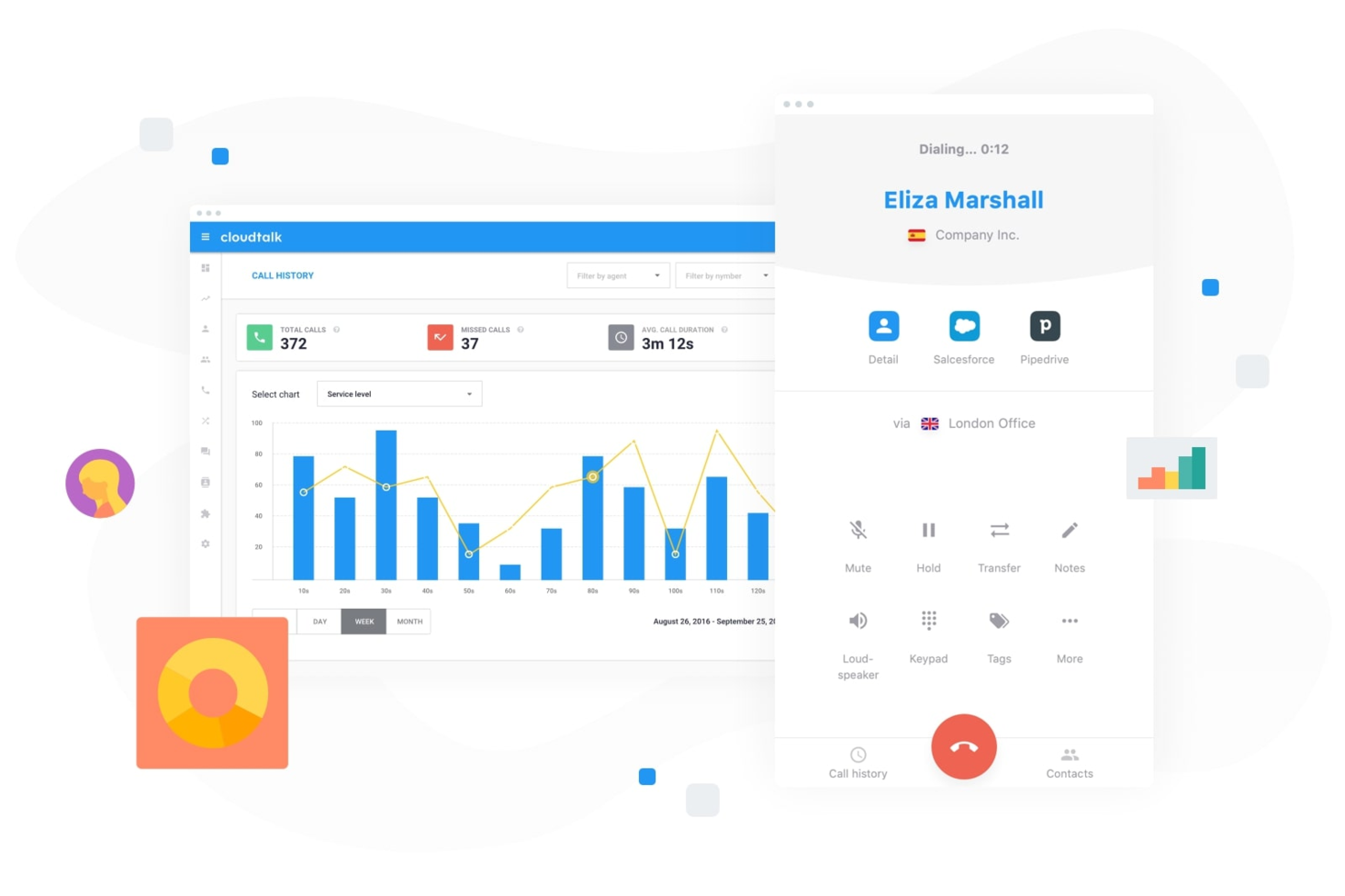
CloudTalk es un sistema telefónico basado en la nube diseñado para equipos que necesitan llamadas empresariales y SMS confiables, junto con funciones avanzadas de centro de llamadas. Si buscas una alternativa flexible a OpenPhone que admita números globales, enrutamiento de llamadas e integraciones con CRM, CloudTalk merece la pena considerarlo.
¿Para quién es mejor CloudTalk?
CloudTalk es una buena opción para equipos globales que necesitan acceso confiable a soporte humano en vivo en cualquier momento.
Por qué CloudTalk es una buena alternativa a OpenPhone
Me gusta que CloudTalk le brinda a mi equipo acceso a soporte humano en vivo 24/7, sin importar cuándo surjan los problemas. Cuando realizamos campañas nocturnas o atendemos clientes en diferentes zonas horarias, siempre contactamos con una persona real para recibir ayuda. Dependo de su soporte continuo para solucionar problemas urgentes de calidad de llamada o enrutamiento. Este nivel de disponibilidad hace que CloudTalk sea una fuerte alternativa a OpenPhone para equipos que no pueden permitirse tiempos de inactividad.
Funciones clave de CloudTalk
- Enrutamiento basado en habilidades: Dirige las llamadas a los agentes según su experiencia o dominio de idiomas.
- Cola de llamadas: Coloca las llamadas entrantes en una cola con música personalizada y mensajes en espera.
- Extensión de clic para llamar: Inicia llamadas directamente desde tu CRM o mesa de ayuda con un solo clic.
- Llamadas en conferencia: Organiza llamadas multiparticipantes para reuniones del equipo o conversaciones con clientes.
Integraciones de CloudTalk
CloudTalk ofrece integraciones nativas con Salesforce, HubSpot, Zendesk, Pipedrive, Intercom, Freshdesk, Zoho CRM, Microsoft Dynamics 365, Slack y Shopify. También proporciona una API para integraciones personalizadas.
Pros and Cons
Pros:
- Soporte humano en vivo 24/7
- Opciones avanzadas de enrutamiento de llamadas e IVR
- Se integra de forma nativa con los principales CRM
Cons:
- No hay bandeja de entrada compartida para mensajes de texto del equipo
- La grabación de llamadas no está disponible en todos los planes
New Product Updates from CloudTalk
CloudTalk Adds Campaign Statistics to MCP
CloudTalk adds campaign statistics to MCP with funnel, call, conversion, disposition, and duration metrics. This helps reporting assistants review campaign performance using read-only aggregate data. For more information, visit CloudTalk’s official site.
 .
.
Ringover
Ideal para la disponibilidad internacional de números
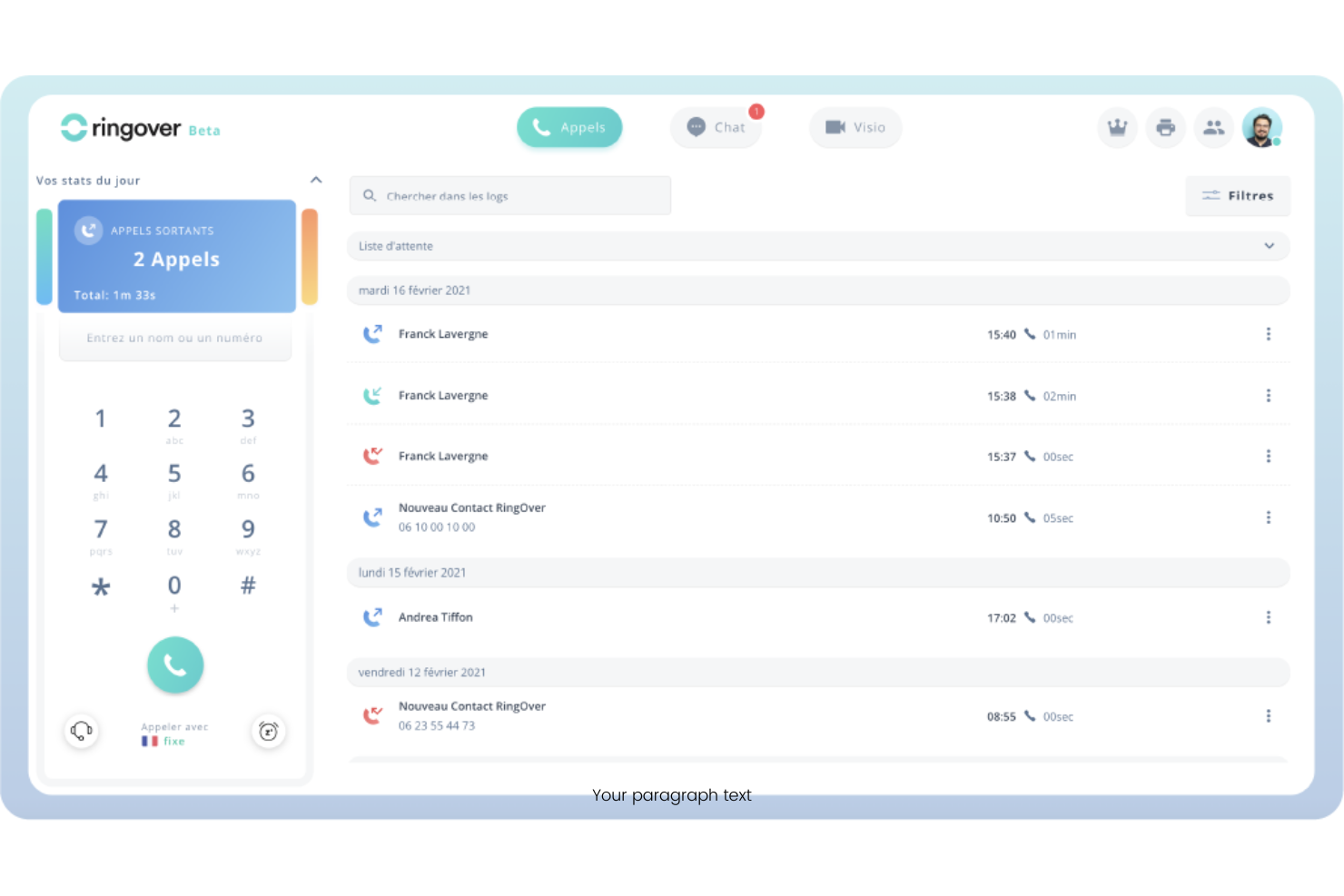
Ringover es una plataforma VoIP basada en la nube diseñada para empresas que necesitan funciones de llamadas flexibles y una gestión sencilla de comunicaciones globales. Es ideal para equipos que buscan controles avanzados de llamadas, análisis e integraciones que respalden fuerzas laborales distribuidas o remotas.
¿Para quién es mejor Ringover?
Ringover es adecuado para equipos o empresas multinacionales que necesitan gestionar y escalar números telefónicos en varios países desde una sola plataforma.
Por qué Ringover es una buena alternativa a OpenPhone
Elegí Ringover específicamente por su disponibilidad de números internacionales: ofrece números locales en más de 65 países, lo que significa que mi equipo puede establecer presencia local en nuevos mercados sin necesidad de oficinas físicas. La función de enrutamiento geográfico es algo en lo que confío mucho; dirige automáticamente las llamadas entrantes al agente adecuado según la ubicación del llamante. También valoro las llamadas ilimitadas a más de 110 destinos incluidas en el plan base, lo que elimina la imprevisibilidad de la facturación por minuto cuando mi equipo gestiona grandes volúmenes de llamadas entre países.
Funciones clave de Ringover
- Marcador automático: Ejecuta campañas de llamadas salientes automatizadas, permitiendo a los representantes de ventas avanzar en listas de contactos sin marcar manualmente cada número.
- Call whisper: Permite que los supervisores hablen con los agentes durante llamadas en vivo sin que el cliente escuche, útil para entrenar en tiempo real.
- Voicemail drop: Deja automáticamente un mensaje grabado cuando una llamada no es contestada durante campañas salientes.
- Despliegue de pantalla CTI: Muestra en pantalla la información del llamante y el historial de CRM en el momento en que se conecta una llamada entrante.
Integraciones de Ringover
Las integraciones incluyen Salesforce, HubSpot, Pipedrive, Bullhorn, Zoho, Zendesk, Microsoft Dynamics, Freshdesk, Slack y Google Workspace.
Pros and Cons
Pros:
- Potente centralita virtual
- Pantallas emergentes de CRM sencillas
- Reuniones de vídeo integradas
Cons:
- La interfaz está muy sobrecargada
- Enfocado a grandes centros de llamadas

Dialpad
Ideal para transcripciones de llamadas impulsadas por IA
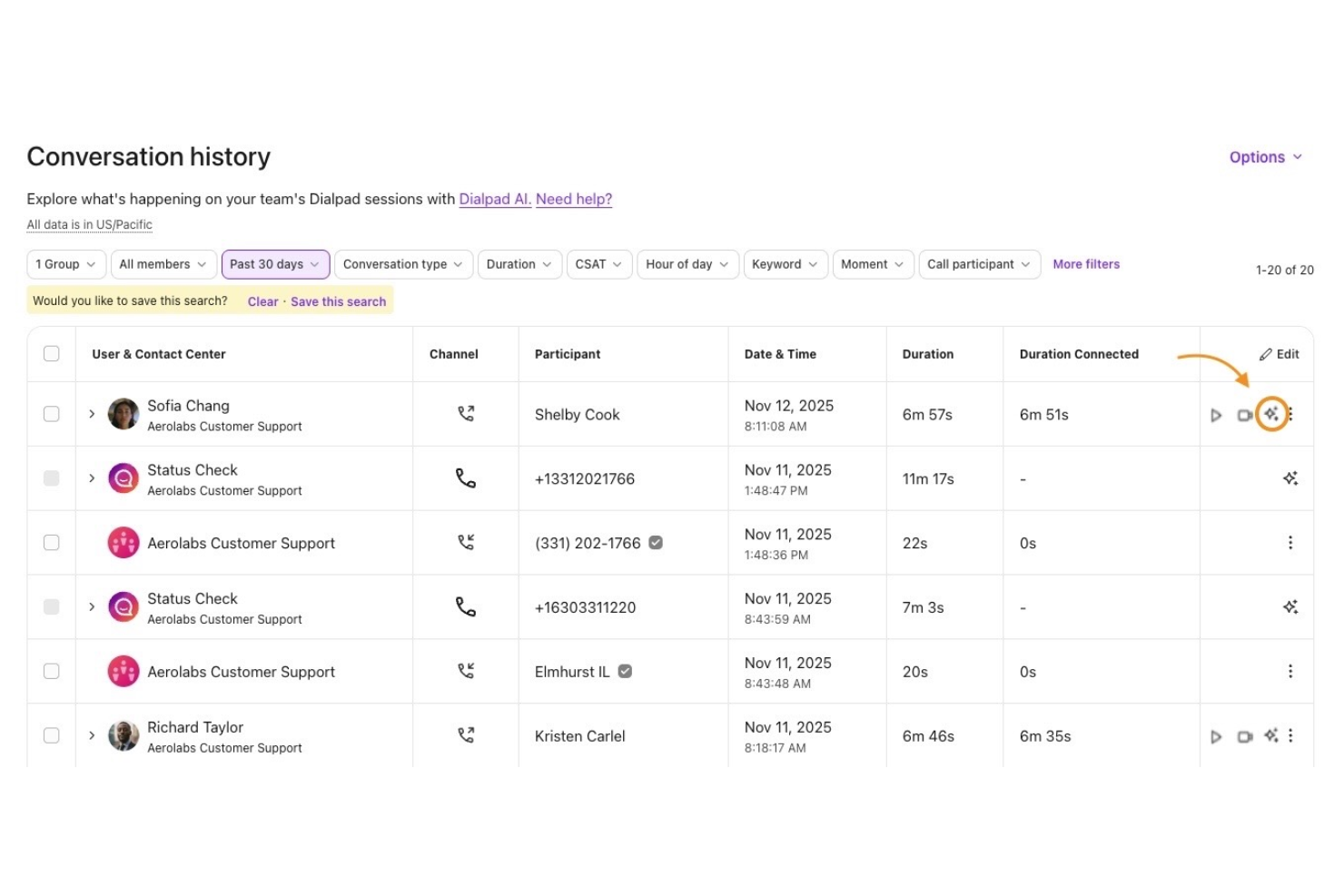
Dialpad es una plataforma VoIP basada en la nube diseñada para equipos que desean funciones modernas de llamadas, mensajería y videollamadas en un solo lugar. Es una opción sólida para empresas que buscan herramientas de comunicación flexibles y que incluyen inteligencia artificial integrada para ayudar a gestionar conversaciones y optimizar los flujos de trabajo.
¿Para quién es ideal Dialpad?
Dialpad es adecuado para pequeñas y medianas empresas y equipos remotos que necesitan voz, video y mensajería unificados en una sola plataforma.
Por qué Dialpad es una buena alternativa a OpenPhone
Elegí Dialpad para esta lista por su transcripción con IA integrada, que captura automáticamente notas de llamadas en tiempo real sin necesidad de una herramienta de terceros. Me gusta cómo la IA de Dialpad también resalta tareas y momentos clave de las llamadas, de modo que mi equipo puede revisar conversaciones sin escuchar las grabaciones completas. En la práctica, esto significa que mi equipo puede concentrarse en la conversación en lugar de tomar notas manualmente. Para equipos que gestionan grandes volúmenes de llamadas, esto marca una diferencia real en la rapidez con la que podemos hacer seguimientos con los clientes.
Funciones clave de Dialpad
- Mensajería empresarial: Envía y recibe mensajes SMS y MMS directamente dentro de la aplicación de Dialpad junto con las llamadas.
- IVR (respuesta de voz interactiva): Configura menús automatizados de enrutamiento de llamadas para dirigir a los llamantes al equipo o departamento correcto.
- Grabación de llamadas: Graba llamadas entrantes y salientes para revisión de calidad, cumplimiento o capacitación de equipos.
- Transcripción de buzón de voz: Convierte automáticamente los mensajes de buzón de voz en texto para que tu equipo pueda leer y responder sin escuchar grabaciones.
Integraciones de Dialpad
Las integraciones incluyen Salesforce, Zendesk, Microsoft Teams, Google Workspace y Slack.
Pros and Cons
Pros:
- Excelentes herramientas de enrutamiento de llamadas
- Más integraciones empresariales
- Calidad de llamada muy fiable
Cons:
- La interfaz no es tan amigable para startups
- La mensajería no es el enfoque principal

Mejor para escalabilidad de nivel empresarial
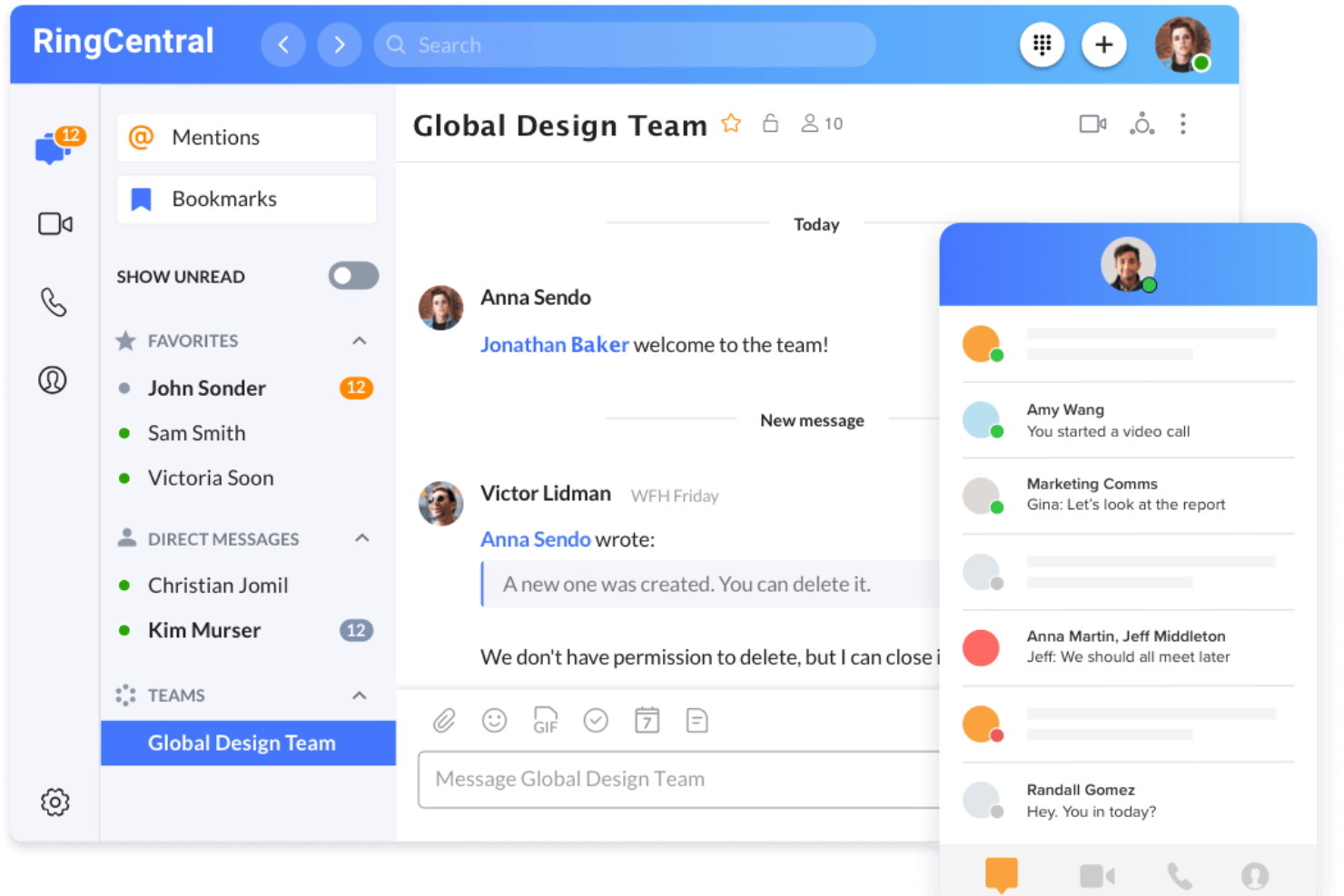
RingCentral es una plataforma de comunicaciones unificadas diseñada para empresas que necesitan funciones avanzadas de llamadas, mensajería y video en un solo lugar. Es una excelente opción para organizaciones con equipos distribuidos o necesidades de comunicación complejas que buscan un software VoIP confiable y todo en uno.
¿Para quién es mejor RingCentral?
Grandes organizaciones y empresas con equipos distribuidos que requieren una comunicación segura y escalable en múltiples ubicaciones o departamentos.
Por qué RingCentral es una buena alternativa a OpenPhone
Elegí RingCentral por su escalabilidad a nivel empresarial, que permite agregar usuarios, números de teléfono y ubicaciones fácilmente sin tener que rehacer toda la configuración. Mi equipo utiliza la función de gestión de múltiples sedes para configurar el enrutamiento de llamadas, los horarios y los menús IVR de forma independiente para cada oficina. También confío en las reglas avanzadas de gestión de llamadas de RingCentral para dirigir automáticamente las llamadas según la hora del día, el identificador de llamadas o el departamento, algo difícil de replicar en herramientas VoIP más sencillas. En la práctica, eso significa que mi equipo puede apoyar el crecimiento en distintas regiones sin verse limitado por la plataforma.
Características clave de RingCentral
- Buzón de voz visual: Muestra los mensajes de voz como vistas previas de texto para que puedas leerlos y priorizarlos sin escuchar el audio.
- Supervisión en vivo de colas de llamadas: Supervisa el desempeño de las colas y agentes mediante paneles personalizables en tiempo real.
- Cancelación de ruido de fondo: Elimina automáticamente el ruido de fondo no deseado en llamadas y videoreuniones.
- Respuesta automática de SMS: Envía respuestas automáticas a los mensajes de texto entrantes fuera del horario laboral, en vacaciones o para preguntas frecuentes.
Integraciones de RingCentral
Las integraciones incluyen Salesforce, Zendesk, Microsoft Teams, Google Workspace y ServiceNow.
Pros and Cons
Pros:
- Fax digital incorporado
- Herramientas avanzadas para colas de llamadas
- Estabilidad de llamadas inigualable
Cons:
- Difícil de gestionar SMS compartidos
- Un proceso de incorporación horrible

JustCall
Ideal para la automatización de SMS y voz
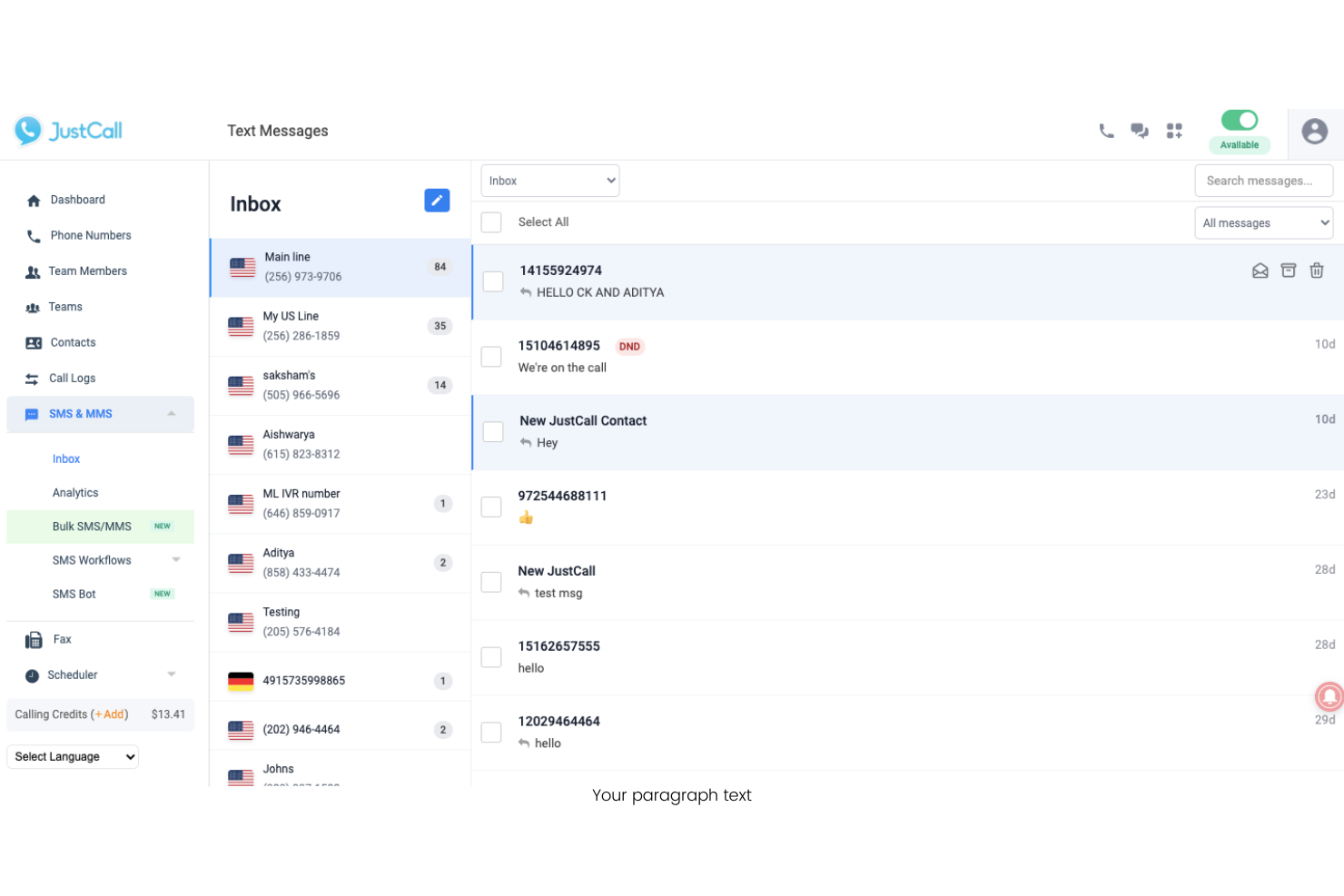
JustCall es un sistema telefónico en la nube diseñado para equipos que desean gestionar llamadas y mensajes de texto desde una sola plataforma. Es ideal para equipos de soporte al cliente y ventas que buscan automatizar los flujos de comunicación y centralizar las interacciones.
¿Para quién es mejor JustCall?
JustCall es adecuado para equipos de ventas y soporte distribuidos que necesitan automatizar tanto las comunicaciones por SMS como por voz a través de múltiples canales.
Por qué JustCall es una buena alternativa a OpenPhone
Elegí JustCall específicamente por su función de flujos de trabajo de SMS, que permite activar mensajes de texto automáticos según condiciones como llamadas perdidas, envíos de formularios o resultados de llamadas. Para un equipo de soporte que gestiona un alto volumen de llamadas entrantes, esto significa que un cliente que cae en una cola ocupada puede recibir automáticamente un mensaje de seguimiento sin intervención manual. También valoro los bots de SMS, que atienden consultas rutinarias de mensajes entrantes las 24 horas mediante respuestas automáticas basadas en reglas. OpenPhone no ofrece ese nivel de automatización por SMS, lo que convierte a JustCall en una opción más adecuada para equipos que dependen mucho de la comunicación con clientes por texto.
Funciones clave de JustCall
- Transcripción de llamadas: La IA genera resúmenes y transcripciones de las llamadas finalizadas para su revisión y toma de notas posteriores.
- IVR / menús de llamadas: Configure un menú de voz interactivo que guíe a los llamantes por las opciones antes de conectarlos con un agente.
- Encuesta post-llamada: Envíe automáticamente una encuesta a los clientes tras finalizar la llamada para recopilar comentarios sobre el desempeño del agente.
- Marcador predictivo: Marca múltiples números simultáneamente y conecta a los agentes solo con las llamadas respondidas, reduciendo el tiempo de espera entre conexiones.
Integraciones de JustCall
Las integraciones incluyen Salesforce, HubSpot, Pipedrive, ActiveCampaign, Slack, Intercom, Help Scout, Freshdesk, Zendesk y Zoho CRM.
Pros and Cons
Pros:
- Activadores profundos de flujos de trabajo en CRM
- Integración sencilla con WhatsApp
- Buenas funciones de mensajes masivos
Cons:
- Costo base de suscripción elevado
- Aplicación móvil poco práctica

Ideal para la gestión unificada del espacio de trabajo
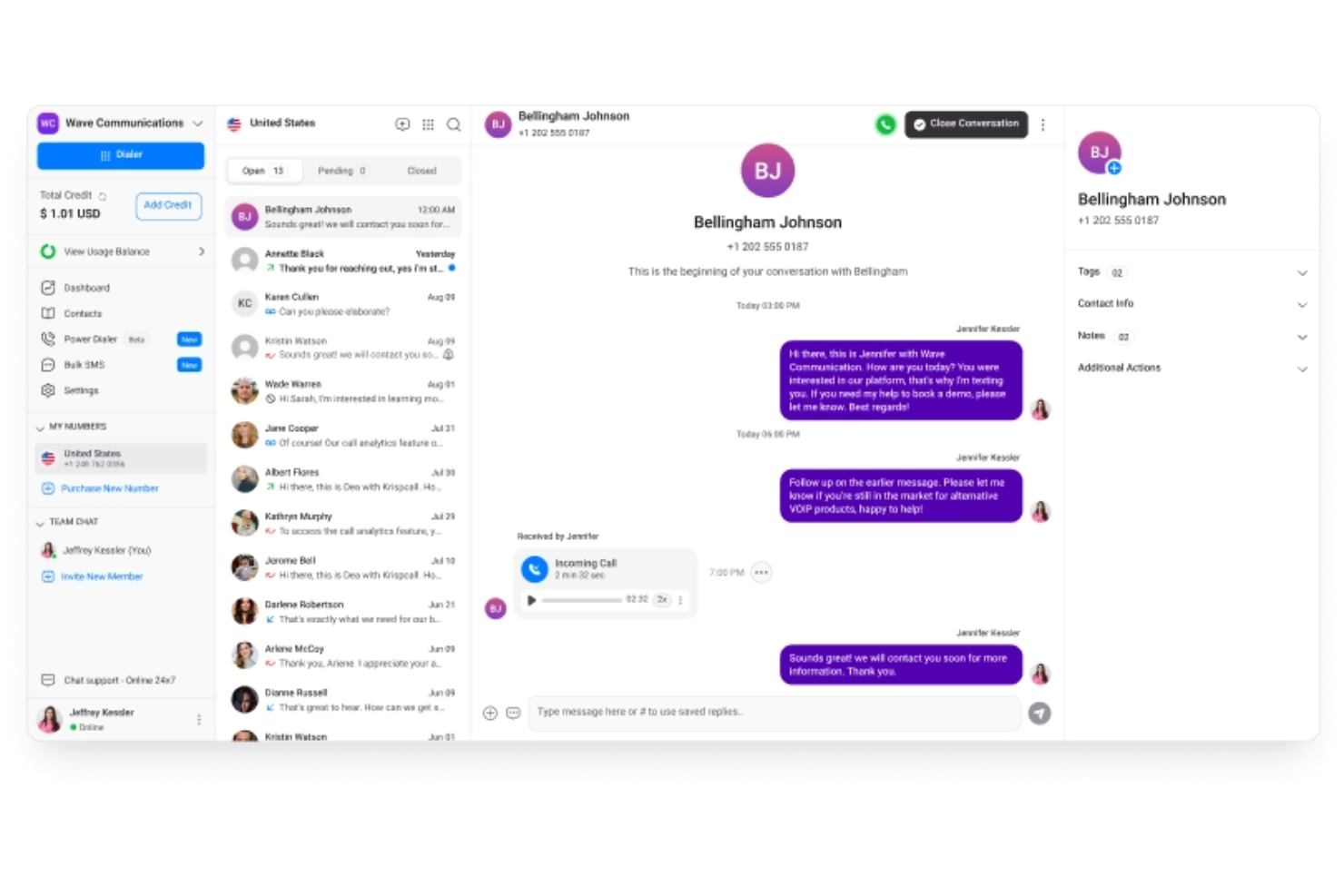
KrispCall ofrece un sistema telefónico basado en la nube, diseñado para equipos que necesitan gestión avanzada de llamadas y colaboración en un solo lugar. Es ideal para empresas que buscan un control centralizado de múltiples números, usuarios y canales de comunicación.
¿Para quién es mejor KrispCall?
Pequeñas y medianas empresas que necesitan gestionar múltiples números telefónicos y usuarios en equipos distribuidos.
Por qué KrispCall es una buena alternativa a OpenPhone
Elegí KrispCall porque su espacio de trabajo unificado integra llamadas, mensajes y actividad de contactos en una sola interfaz, en lugar de dispersarlos en varias herramientas. Mi equipo usa la función de número compartido para gestionar varias líneas desde un solo panel, lo que facilita asignar números a agentes o departamentos específicos. También dependo de las notas de llamadas y el registro de actividad para mantener el contexto de cada interacción con clientes sin cambiar de aplicación. En la práctica, eso significa que mi equipo se mantiene coordinado en diferentes zonas horarias sin perder el hilo de las conversaciones.
Características clave de KrispCall
- IVR (árbol telefónico): Dirige las llamadas entrantes a través de un menú multinivel para llevarlas al agente o departamento indicado.
- Grabación de llamadas: Graba llamadas entrantes y salientes para documentación, control de calidad y análisis de desempeño de agentes.
- SMS masivos: Envía mensajes de texto masivos a grandes listas de contactos desde tu número VoIP mediante una sola acción.
- Timbrado simultáneo: Hace sonar a varios agentes al mismo tiempo para que las llamadas entrantes sean respondidas lo más rápido posible.
Integraciones de KrispCall
Las integraciones incluyen HubSpot, Pipedrive, Zendesk, ActiveCampaign y Keap.
Pros and Cons
Pros:
- Precios accesibles para emprender
- Diseño de espacio compartido
- Monitoreo sencillo de buzón de llamadas
Cons:
- Atención al cliente más lenta
- Problemas de entrega de SMS

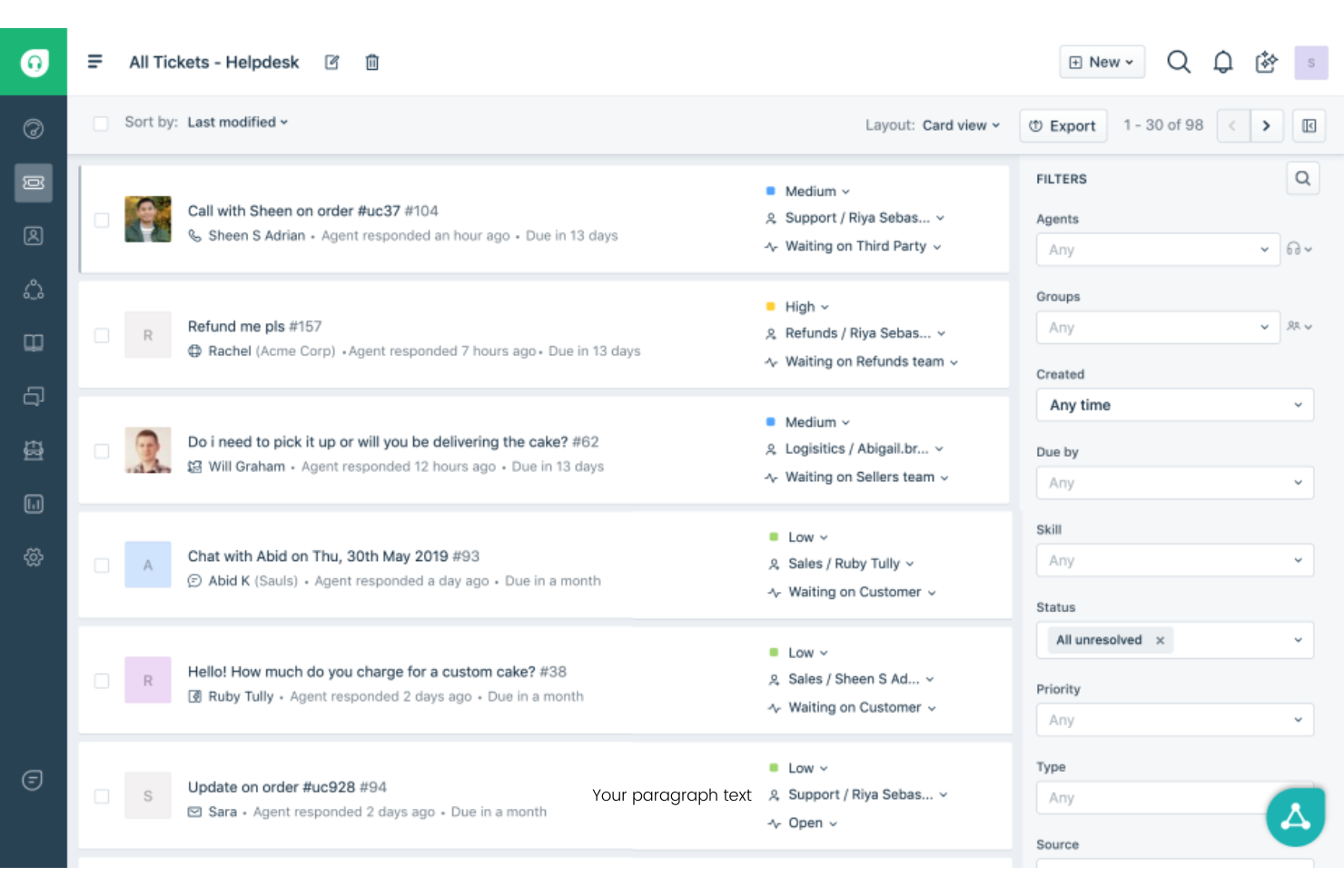
Freshdesk es una plataforma de soporte al cliente basada en la nube, diseñada para equipos que necesitan gestionar conversaciones en varios canales desde un solo lugar. Es una opción sólida para empresas que desean unificar el soporte por correo electrónico, chat, teléfono y redes sociales mientras mantienen la gestión de tickets organizada.
¿Para quién es mejor Freshdesk?
Freshdesk es ideal para equipos de atención al cliente en empresas en crecimiento que necesitan centralizar y hacer seguimiento de tickets de múltiples canales de comunicación.
Por qué Freshdesk es una buena alternativa a OpenPhone
Elegí Freshdesk porque va mucho más allá del soporte telefónico básico, centralizando los tickets de correo electrónico, chat, teléfono y redes sociales en un único espacio de trabajo para agentes. Lo que considero más útil es la asignación de tickets basada en habilidades, que dirige los tickets entrantes a los agentes según su experiencia específica—de modo que un problema de facturación nunca va a parar con un especialista técnico. También dependo de la función de políticas de SLA múltiples, que permite a mi equipo establecer diferentes reglas de tiempo de respuesta para distintos segmentos de clientes o tipos de incidencias. Para los equipos que superan una herramienta solo de voz como OpenPhone, Freshdesk cubre esa necesidad con soporte estructurado y rastreable en todos los canales.
Características claves de Freshdesk
- Copiloto Freddy AI: Asiste a los agentes en tiempo real sugiriendo respuestas y resumiendo el historial de tickets durante conversaciones activas.
- Asignación por turnos y balanceo de carga: Distribuye los tickets entrantes de manera equitativa entre los agentes disponibles para evitar desequilibrios en la carga de trabajo.
- Foros comunitarios: Permite a los clientes publicar preguntas y encontrar respuestas generadas por pares a través de un espacio de discusión público y con la marca.
- Registros de auditoría: Registra un historial con sello de tiempo de toda la actividad de la cuenta, incluyendo cambios en configuraciones, tickets y permisos de los agentes.
Integraciones de Freshdesk
Las integraciones incluyen Salesforce, Jira, Slack, Shopify y Mailchimp.
Pros and Cons
Pros:
- Base de conocimientos incorporada
- Integración fluida con email
- Herramientas sólidas para el seguimiento de SLA
Cons:
- Nada recomendable para mensajes de texto casuales
- Interfaz de helpdesk compleja

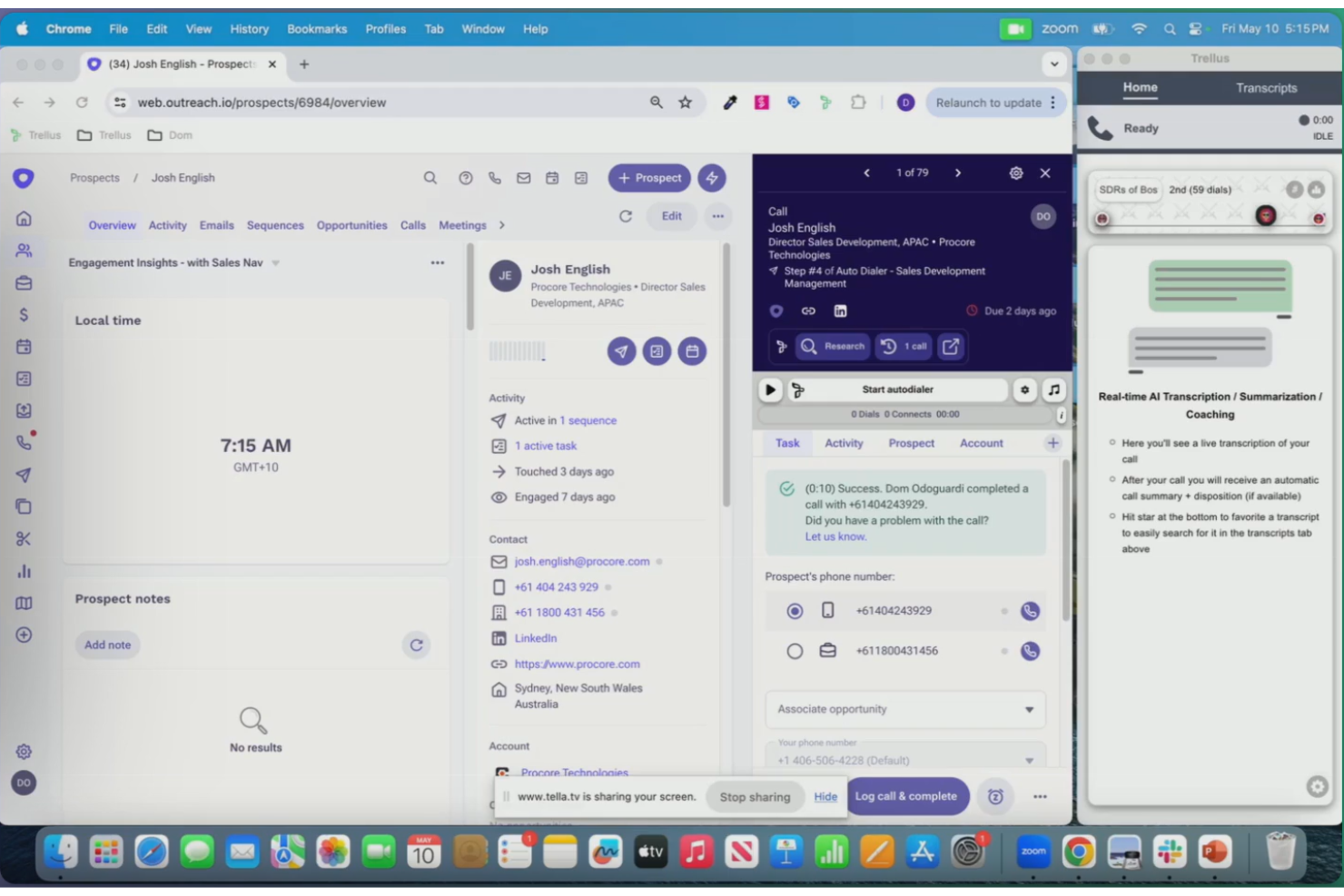
Trellus utiliza inteligencia artificial para analizar y resumir conversaciones con clientes, lo que lo convierte en una excelente opción para equipos que desean obtener conocimientos más profundos de sus llamadas. Es especialmente útil para líderes de ventas, soporte y servicio que necesitan identificar rápidamente tendencias y temas accionables en grandes volúmenes de interacciones.
¿Para quién es mejor Trellus?
Líderes de ventas y soporte en empresas medianas o grandes que necesitan análisis potenciados por IA de transcripciones de llamadas con clientes y tendencias.
Por qué Trellus es una buena alternativa a OpenPhone
Elegí Trellus porque va más allá del registro de llamadas, permitiendo descubrir lo que realmente sucede en las conversaciones. La IA genera automáticamente resúmenes de llamadas y resalta temas clave, objeciones y acciones a seguir en cada interacción—por lo que mi equipo no tiene que revisar manualmente las grabaciones para encontrar lo importante. También confío en la función de coaching en tiempo real, que muestra sugerencias y guías relevantes durante las llamadas en vivo, basadas en lo que dice el cliente. En la práctica, esto significa que mis representantes reciben orientación en el momento sin necesitar que un gestor esté en la línea.
Funciones clave de Trellus
- Marcación paralela: Marca hasta cinco líneas simultáneamente desde tu plataforma de gestión de ventas actual.
- Dejado de mensajes de voz automático: Deja mensajes de voz pregrabados automáticamente cuando una llamada no es contestada.
- Monitoreo de salud del número: Realiza chequeos automáticos del estado de los números y rota los números para evitar ser marcado como spam.
- Piso de ventas virtual: Crea un entorno compartido de llamadas en vivo donde los equipos remotos pueden escuchar y colaborar en tiempo real.
Integraciones de Trellus
Las integraciones incluyen HubSpot, Salesforce, Salesloft, Outreach y Apollo.io.
Pros and Cons
Pros:
- Análisis avanzado de conversaciones
- Excelente para prospección en frío
- Marcación automática sin interrupciones
Cons:
- No incluye bandeja compartida ligera
- Precio elevado para startups
Otras alternativas a OpenPhone
Estas son algunas opciones adicionales de alternativas a OpenPhone que no llegaron a mi lista de favoritas, pero que aún merece la pena conocer:
- Beside
Ideal para notas de llamadas colaborativas
- Aircall
Ideal para opciones de integración con CRM
- Vonage
Lo mejor para integraciones avanzadas de API para desarrolladores
- Cisco Webex
Mejor con funciones de seguridad de nivel empresarial


Cómo evalúo las alternativas a OpenPhone
Mi evaluación tiene dos capas: requisitos básicos que una herramienta debe cumplir para ser elegible y factores diferenciadores importantes cuando tu equipo de soporte necesita bandejas de entrada compartidas, sincronización con el CRM y un enrutamiento de llamadas eficaz.
Funcionalidad principal (requisitos básicos de esta lista)
Al seleccionar herramientas para mi lista, califico cada una en una escala de 0 (no ofrece la funcionalidad) a 5 (sobresale en esta área) para cada funcionalidad principal que se indica a continuación. Después, convierto la puntuación total de la herramienta en un porcentaje. Cada herramienta debe alcanzar una puntuación total mínima del 65% para ser considerada.
- Llamadas VoIP empresariales: Compruebo si la plataforma admite números locales, gratuitos e internacionales para que tu equipo pueda atender a los clientes sin tener que gestionar operadores independientes.
- Bandejas de entrada compartidas del equipo: Los equipos de soporte necesitan colaborar en llamadas y mensajes de texto desde números compartidos, por lo que busco asignación, conversaciones internas y visibilidad en tiempo real.
- SMS/MMS empresariales: Evalúo si los agentes pueden enviar y recibir mensajes de texto desde los mismos números desde los que llaman, incluida la compatibilidad con plantillas y fragmentos para respuestas habituales.
- Enrutamiento de llamadas e IVR: Los grupos de timbrado, las reglas de horario comercial y los menús multinivel determinan la rapidez con la que un cliente contacta con el agente adecuado, así que analizo la profundidad de las opciones de flujo de llamadas.
- Integraciones de CRM/mesa de ayuda: Herramientas como HubSpot, Salesforce y Zendesk son fundamentales para la mayoría de las plataformas de experiencia del cliente, por lo que compruebo si existen integraciones nativas que sincronicen los contactos y registren las llamadas automáticamente.
- Supervisión y análisis de llamadas: Busco grabación, transcripción e informes por agente que ayuden a los responsables de equipo a revisar las conversaciones y hacer un seguimiento de métricas como las tasas de llamadas perdidas.
Una vez que tengo una lista de herramientas que cumplen estos criterios, considero qué distingue a cada plataforma.
Factores diferenciadores (lo que distingue a los proveedores)
Así es como comparo y contrasto los distintos proveedores:
Funciones destacadas
Los resúmenes de llamadas mediante IA marcan una gran diferencia cuando los agentes gestionan decenas de conversaciones al día: las notas y los elementos de acción automáticos posteriores a la llamada implican menos tiempo dedicado a documentar y traspasos más rápidos entre turnos. También busco automatizaciones de flujos de trabajo que activen mensajes de seguimiento o etiqueten conversaciones según los resultados de las llamadas, lo que reduce el trabajo manual repetitivo. Para los equipos que atienden a clientes de distintas regiones, conviene evaluar la provisión de números internacionales para que los agentes puedan ofrecer una presencia local sin necesidad de operadores independientes.
Más allá de las funciones
La transparencia en los precios es importante porque los equipos de soporte crecen rápidamente: evalúo si los costes por usuario siguen siendo previsibles al añadir agentes y números. El cumplimiento normativo es otra área que reviso detenidamente, especialmente los controles de consentimiento para la grabación de llamadas y la configuración de conservación de datos de la que dependen los equipos de sectores regulados. La fiabilidad completa el análisis: reviso los compromisos de disponibilidad publicados y la calidad de las llamadas de nivel operador, porque una llamada interrumpida durante una interacción de soporte en directo erosiona de inmediato la confianza del cliente.
¿Por qué buscar una alternativa a OpenPhone?
Aunque OpenPhone es una buena opción de software VoIP, hay varias razones por las que algunos usuarios buscan soluciones alternativas. Es posible que busques una alternativa a OpenPhone porque…
- Necesitas un enrutamiento avanzado de llamadas para varios departamentos
- Tu organización necesita funciones de seguridad de nivel empresarial
- Quieres videoconferencias integradas además de las llamadas
- Necesitas compatibilidad con números de teléfono y usuarios internacionales
- Tu equipo ha superado las capacidades básicas de SMS y buzón de voz
Si alguna de estas situaciones te resulta familiar, has llegado al lugar adecuado. Mi lista contiene varias opciones de software VoIP más adecuadas para equipos que se enfrentan a estos desafíos con OpenPhone y buscan soluciones alternativas.
Funciones principales de OpenPhone
Estas son algunas de las funciones principales de OpenPhone, para ayudarte a contrastar y comparar lo que ofrecen las soluciones alternativas:
- Bandeja de entrada compartida: Permite a varios miembros del equipo gestionar llamadas, mensajes de texto y mensajes de voz desde un único número de empresa, lo que facilita la colaboración y las respuestas rápidas.
- Números de empresa exclusivos: Asigna números de teléfono únicos a personas o equipos, manteniendo separadas las comunicaciones personales y profesionales.
- Grabación de llamadas: Graba automáticamente las llamadas entrantes y salientes, lo que permite revisar las conversaciones para garantizar la calidad o para la formación.
- Transcripción de mensajes de voz: Convierte los mensajes de voz en texto, para que puedas leerlos de un vistazo y priorizar las respuestas.
- Gestión de contactos: Centraliza la información de clientes y contactos en la aplicación, lo que facilita consultar los datos durante las llamadas o los mensajes de texto.
- Respuestas automáticas: Envía respuestas de texto automatizadas a las llamadas o mensajes perdidos, garantizando que los clientes reciban actualizaciones puntuales incluso cuando no estés disponible.
- Integraciones con herramientas de CRM: Se conecta con plataformas como HubSpot y Salesforce para sincronizar la actividad de las llamadas y los datos de los contactos, mejorando la coordinación de los flujos de trabajo.
- Transferencia de números: Permite transferir números de empresa existentes a OpenPhone, para que no pierdas la continuidad al cambiar de proveedor.
- Llamadas internacionales: Permite realizar y recibir llamadas a números internacionales y desde ellos, ampliando tu alcance más allá de los mercados locales.
- Directorios del equipo: Proporciona una lista consultable de los miembros del equipo y sus extensiones, lo que agiliza y organiza mejor la comunicación interna.