


Alchemer vs. SurveyMonkey: 2026 Comparison and Expert Reviews


Sifting through customer data and feedback is one thing, but knowing what to do with it is another. The metrics that move the needle on your CX goals, and your business goals at large, will look different for every organization, which is why identifying the right features and capabilities from the outset is so critical.
Choosing between Alchemer and SurveyMonkey means weighing Alchemer’s advanced customization and workflow automation against SurveyMonkey’s user-friendly simplicity—two very different takes on customer review management software that can shape your team’s approach to feedback and insights. If you’re feeling torn between the need for deep, flexible survey logic and the desire for a fast, approachable tool your whole team can use, then you’re not alone. The stakes are high: the right platform can help you capture actionable insights and feedback, improve customer experiences, and prove the value of your work.
In this guide, you’ll get a side-by-side look at features, pricing, and real-world usability so you can confidently choose the survey solution that fits your goals, your team, and your customers.
Alchemer vs. SurveyMonkey: An Overview
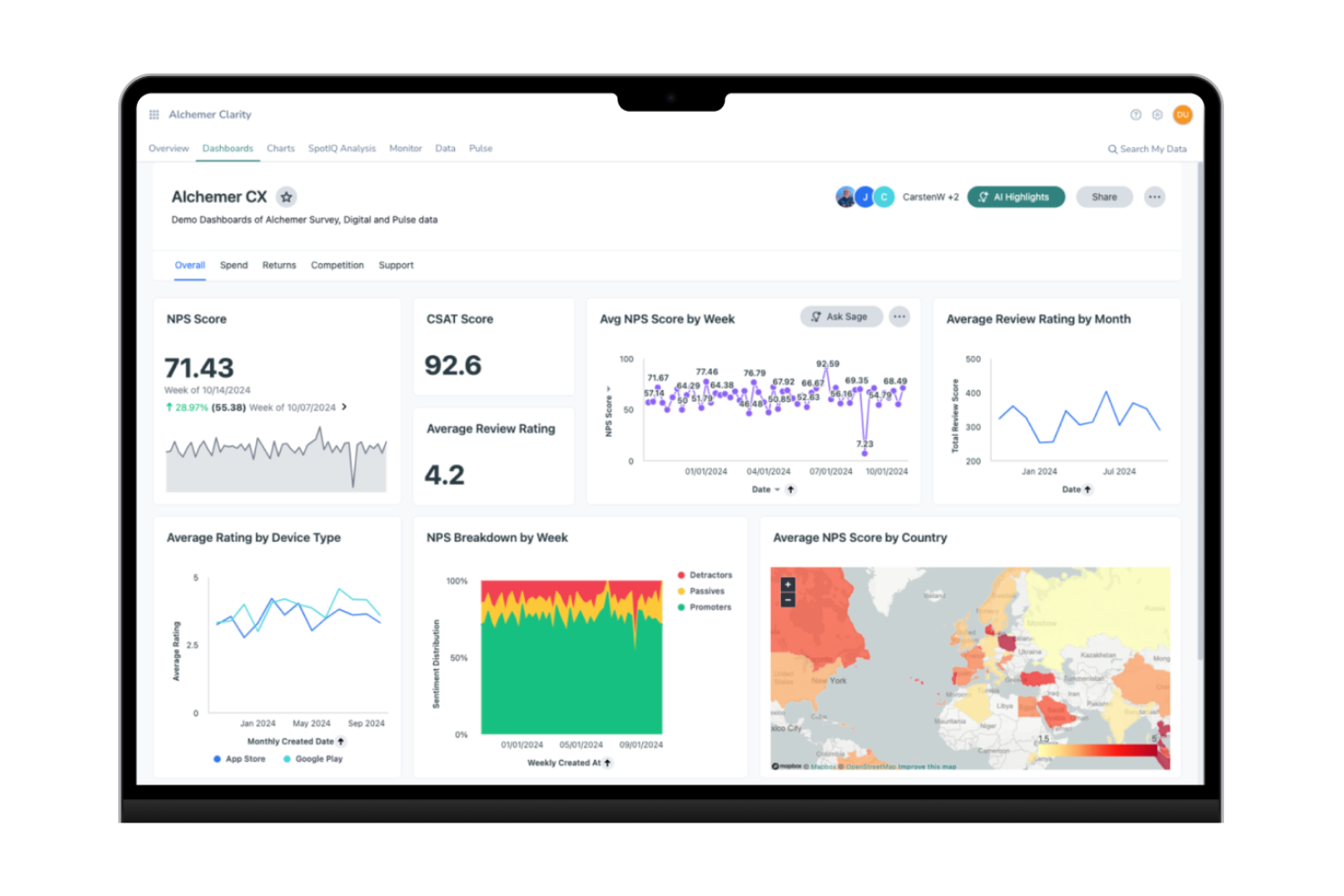
Alchemer
SurveyMonkey


Why Trust Our Software Reviews
We’ve been testing and reviewing software since 2020. As CX leaders ourselves, we know how critical and difficult it is to make the right decision when selecting software.
We invest in deep research to help our audience make better software purchasing decisions. We’ve tested more than 2,000 tools for different CX use cases and written over 1,000 comprehensive software reviews. Learn how we stay transparent & our software review methodology.
Alchemer vs. SurveyMonkey Pricing Comparison
| Alchemer | SurveyMonkey | |
|---|---|---|
| Free Trial | 7-day free trial and free demo available | Free trial available |
| Pricing | From $55/user/month | From $30/user/month (billed annually) |
Alchemer vs. SurveyMonkey Pricing & Hidden Costs
Alchemer uses a tiered pricing model based on features, user seats, and survey volume, with advanced capabilities often locked behind higher plans. SurveyMonkey offers a similar tiered approach, especially on its per-user pricing and limits on responses at lower tiers. Desired features like branding removal, advanced analytics, or advanced customer support can increase your total cost with either platform.
To choose the right vendor, start by mapping your survey needs such as the number of users, required integrations, and expected response volume against each platform’s plan limits and included features. Look beyond headline pricing to spot potential add-ons or usage caps that could affect your total spend. Request a detailed quote or trial, and ask about contract flexibility, so you can scale up or down as your needs change. This approach helps you avoid surprises and ensures you’re paying for the features your team will actually use.
Alchemer vs. SurveyMonkey Feature Comparison
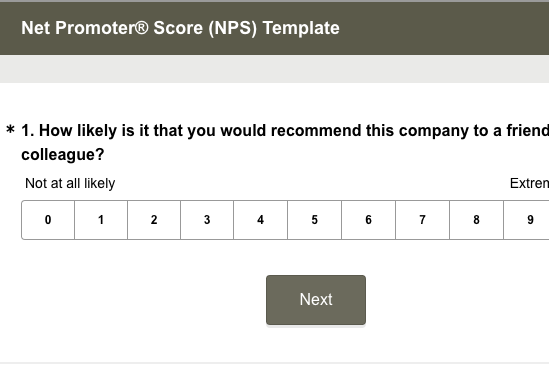
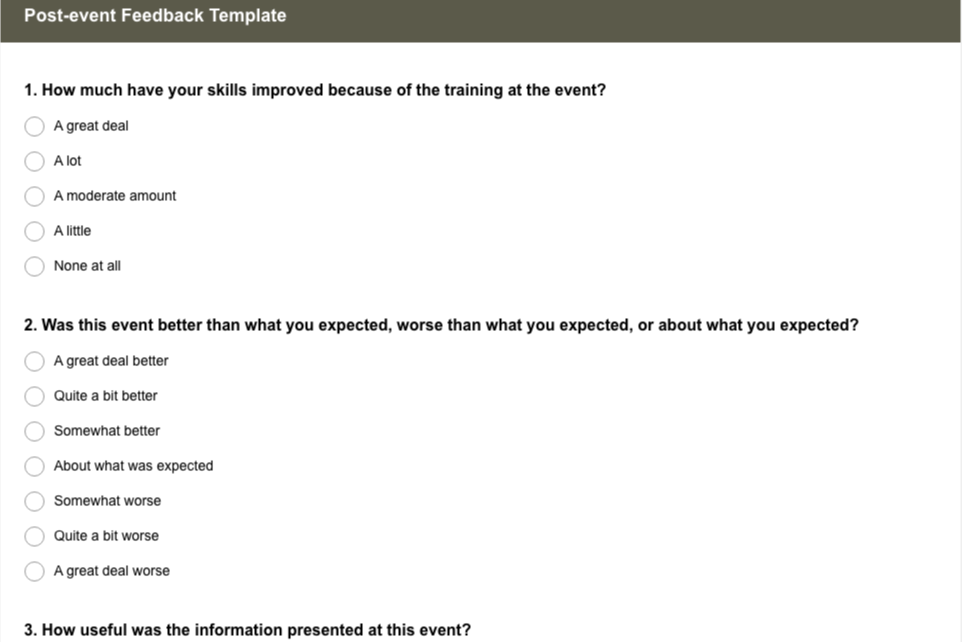
Alchemer stands out with its flexible survey logic and deep integration options, making it easy for you to automate workflows and tailor surveys to complex business needs. SurveyMonkey shines with its intuitive interface and a vast library of templates, helping you quickly launch polished surveys and analyze results without a steep learning curve.
| Alchemer | SurveyMonkey | |
|---|---|---|
| API | ||
| Analytics | ||
| Calendar Management | ||
| Dashboard | ||
| Data Export | ||
| Data Import | ||
| Data Visualization | ||
| External Integrations | ||
| Feedback Management | ||
| Multi-Source Feedback | ||
| Multi-User | ||
| Net Promoter Score | ||
| Notifications | ||
| Online Surveys | ||
| Scheduling | ||
| Sentiment Analysis |
Alchemer vs. SurveyMonkey Integrations
| Integration | Alchemer | SurveyMonkey |
| Salesforce | ✅ | ✅ |
| HubSpot | ✅ | ✅ |
| Microsoft Teams | ✅ | ✅ |
| Zendesk | ✅ | ✅ |
| Marketo | ✅ | ✅ |
| Slack | ✅ | ✅ |
| Google Sheets | ✅ | ✅ |
| Mailchimp | ✅ | ✅ |
| Tableau | ✅ | ✅ |
| Oracle Eloqua | ✅ | ❌ |
| API | ✅ | ✅ |
| Zapier | ✅ | ✅ |
Alchemer and SurveyMonkey both cover the most popular integrations, but Alchemer offers a broader range, especially for enterprise tools like Oracle Eloqua. Both platforms support API and Zapier connections, so you can connect to almost any system.
Alchemer vs. SurveyMonkey Security, Compliance & Reliability
| Factor | Alchemer | SurveyMonkey |
| Data Privacy | Offers GDPR, HIPAA, and CCPA compliance, with data residency options. | Provides GDPR and CCPA compliance, with strong privacy controls. |
| Encryption | Uses TLS encryption in transit and AES-256 at rest. | Secures data with TLS in transit and AES-256 at rest. |
| Uptime Guarantee | Delivers 99.9% uptime SLA for enterprise customers. | Maintains 99.9% uptime with real-time status monitoring. |
| Access Controls | Supports SSO, role-based permissions, and audit logs. | Offers SSO, granular permissions, and detailed access logs. |
| Third-Party Audits | Undergoes regular SOC 2 Type II and ISO 27001 audits. | Holds SOC 2 Type II and ISO 27001 certifications. |
Both Alchemer and SurveyMonkey deliver strong security and compliance, but Alchemer’s flexible data residency and HIPAA compliance give it an edge for organizations with strict requirements. SurveyMonkey’s reliability and transparent status monitoring make it a safe bet for teams that value uptime and straightforward compliance.
Alchemer vs. SurveyMonkey Ease of Use
| Factor | Alchemer | SurveyMonkey |
| User Interface | Offers a powerful interface with advanced options that may require a learning curve. | Features a clean, intuitive interface designed for quick adoption by any user. |
| Onboarding | Provides guided setup and in-depth tutorials for complex configurations. | Delivers a simple onboarding process with step-by-step wizards and helpful tips. |
| Survey Creation | Enables highly customizable surveys with detailed logic and branching. | Lets you build surveys quickly using templates and drag-and-drop tools. |
| Support Resources | Responsive email support and clear documentation, with phone support and a customer success manager in higher tier plans. | Offers a large knowledge base, live chat, and community forums for fast answers. |
| Collaboration | Supports team roles and permissions, but setup can be complex for new users. | Makes team collaboration easy with straightforward sharing and editing features. |
SurveyMonkey is the clear winner for ease of use, making it ideal if you want to get started fast and keep things simple. Alchemer’s strength lies in its flexibility and customization, but you’ll need to invest more time upfront to unlock its full potential.
Alchemer vs SurveyMonkey: Pros & Cons
Alchemer
- Responsive customer support with dedicated onboarding resources.
- Flexible branding and white-labeling options for surveys.
- Advanced survey logic supports complex branching and workflows.
- Limited offline survey capabilities for field data collection.
- There's a learning curve for advanced features.
- Some features require higher-tier pricing plans.
SurveyMonkey
- Data collection in real-time.
- Customizable templates for survey design and question types.
- Easy to use, even for beginners.
- Basic reporting tools compared to competitors.
- Customer support may not meet all your expectations.
- Lacks advanced features for in-depth data analysis and data visualization.
Best Use Cases for Alchemer and SurveyMonkey
Alchemer
- Healthcare Organizations Alchemer supports HIPAA compliance and advanced logic for patient feedback.
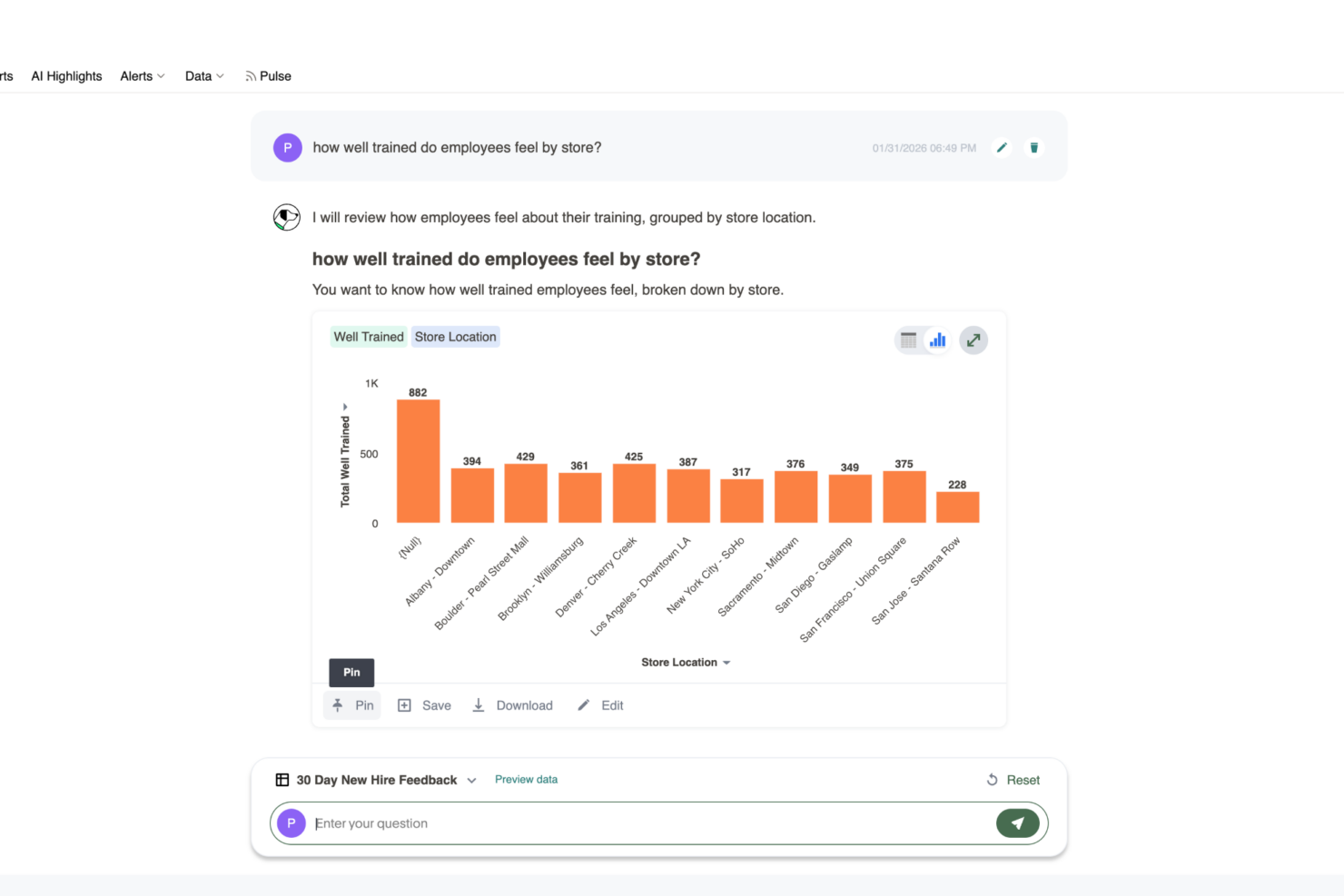
- Enterprise CX Teams Custom workflows and detailed reporting fit large-scale feedback programs.
- Higher Education Complex branching and branding options suit academic research surveys.
- Market Research Firms Advanced survey logic enables sophisticated audience segmentation and analysis.
- Government Agencies Data security and compliance features meet strict regulatory requirements.
- Product Management Detailed feedback collection and workflow automation support product development cycles.
SurveyMonkey
- Small Businesses SurveyMonkey's simple setup and quick deployment help your team gather customer feedback easily. The basic plan provides essential market research features and customer satisfaction tracking, while paid plans offer advanced features like automation and enhanced reporting tools.
- Educational Institutions It allows you to conduct surveys for student feedback with minimal hassle. The platform's templates and question types simplify survey design, and in-depth reporting tools available in paid plans help analyze survey results.
- Marketing Teams Your team can use SurveyMonkey to quickly gauge customer satisfaction and preferences through real-time feedback. Integration with CRM platforms, social media, and Google Drive helps streamline workflows and generate actionable insights.
- Human Resources SurveyMonkey helps you collect employee feedback efficiently. Automation features and notifications keep HR teams informed of survey responses in real-time, supporting better employee engagement methodologies.
- Nonprofits It's ideal for nonprofit organizations gathering donor and volunteer feedback with its accessible tools. SurveyMonkey offers special discounts for nonprofit entities, making paid plans more affordable.
- Event Planners Your team can use SurveyMonkey to gather attendee feedback seamlessly through quizzes and surveys. The user experience is optimized for quick survey design and data collection via social media and email.
Who Should Use Alchemer and Who Should Use SurveyMonkey?
Alchemer is the best fit for teams that need advanced customization, complex survey logic, and deep integrations, like enterprise organizations, research-heavy industries, or anyone with strict compliance needs. SurveyMonkey is perfect for professionals who want a fast, approachable solution for gathering feedback, such as small businesses, educators, or teams with limited technical resources. If your team values flexibility and deep insights, Alchemer will feel like home; if you prioritize speed, simplicity, and broad accessibility, then SurveyMonkey is the clear winner. Ultimately, your choice comes down to whether you need power and flexibility or ease and speed.
Differences Between Alchemer and SurveyMonkey
| Alchemer | SurveyMonkey | |
|---|---|---|
| Automation | Enables detailed automation and workflow triggers for survey actions. | Offers basic automation, mainly for notifications and reminders. |
| Customization | Offers advanced survey logic, branching, and custom workflows. | Provides basic logic and customization, focused on simplicity. |
| Integrations | Supports a wider range of native integrations, especially for enterprise tools. | Covers popular integrations, but with fewer options for enterprise systems. |
| User Interface | Powerful but complex, with a learning curve. | Clean, intuitive, and easy for beginners to navigate. |
| Visit AlchemerOpens new window | Read SurveyMonkey ReviewOpens new window |
Similarities Between Alchemer and SurveyMonkey
| Branding | Both Alchemer and SurveyMonkey allow you to customize the look and feel of your surveys with your own branding and logos. |
|---|---|
| Collaboration Tools | Alchemer and SurveyMonkey support team collaboration, allowing multiple users to build, edit, and review surveys together with role-based permissions. |
| Reporting | Each platform provides real-time reporting dashboards and exportable analytics, making it easy to visualize and share survey results with your team. |
| Template Library | Both offer a wide range of pre-built survey templates to help you get started quickly, with options for customer feedback, employee engagement, and more. |
| Visit AlchemerOpens new window Read SurveyMonkey ReviewOpens new window | |