

MoEngage Review: Pros, Cons, Features and Pricing



MoEngage is a customer engagement software for teams that need to orchestrate personalized, multi-channel campaigns across push notifications, email, SMS, and in-app messaging. I'd mainly consider it if you want the cross-channel analytics and AI-driven segmentation that a platform like Braze offers, but at a price point and onboarding experience that's more realistic for mid-market teams rather than enterprise-scale deployments.
MoEngage Evaluation Summary

- Pricing upon request
- Free demo available
Why Trust Our Software Recommendations
Our team has been testing and reviewing software since 2012. As CX leaders ourselves, we know how difficult—and important—it is to choose the right software.
For this guide, we evaluated tools using hands-on testing and independent research, scoring tools using our selection criteria.
Our reviews reflect our human editorial judgment, not a sales pitch.
MoEngage Overview
MoEngage delivers a strong mix of features and value, making it a solid option for businesses aiming to improve customer engagement. Its standout capabilities like personalized messaging and real-time analytics give it an advantage over many competitors. That said, the onboarding process could be a bit easier. In my opinion, MoEngage is best suited for marketing teams in industries like retail and e-commerce, where customer retention is key.
pros
-
You can personalize customer interactions with targeted messaging.
-
Your team gets real-time analytics for better decision-making.
-
MoEngage supports multi-channel engagement, enhancing reach.
cons
-
The onboarding process can be a bit challenging for your team.
-
Customer support response times might not meet your expectations.
-
The user interface could be more intuitive for easier navigation.
Is MoEngage Right For Your Needs?
Who Would be a Good Fit for MoEngage?
MoEngage is a good fit for marketing teams in retail, e-commerce, and financial services sectors. If your team needs to drive customer retention with personalized messaging and real-time analytics, MoEngage's multi-channel engagement capabilities can be a game-changer. Its ability to target specific customer segments helps your business tailor interactions, enhancing customer satisfaction and loyalty.
-
Retail Marketing Teams
MoEngage's personalized messaging helps your team engage customers with targeted promotions and offers. And its email marketing tools and omnichannel capabilities make it easier to deliver consistent, relevant experiences across every customer touchpoint.
-
E-commerce Platforms
With MoEngage, your business can enhance customer retention through personalized recommendations and real-time insights.
-
Financial Services
MoEngage supports your team's need for secure, personalized communication with clients, fostering trust and loyalty. Plus, its integration with CRM systems makes it easier to manage customer relationships and deliver timely, relevant messaging.
-
Travel and Hospitality
MoEngage allows your team to deliver personalized travel offers and updates, improving the customer journey.
-
Media and Entertainment
Your team can use MoEngage to engage audiences with custom content suggestions and notifications.
-
Consumer Technology
MoEngage helps your product team strengthen user engagement by sending personalized updates, feature announcements, and feedback requests. This allows product owners to better understand and communicate with end users, so they can fully understand the product experience from real users’ perspectives.
Who Would be a Bad Fit for MoEngage?
MoEngage might not be ideal for small businesses or startups with limited resources, as its onboarding process can be complex and time-consuming. If your team lacks the technical expertise to navigate its features, you might struggle with its user interface. Additionally, industries with minimal customer interaction, like heavy manufacturing or agriculture, might not find its engagement tools necessary.
-
Small Startups
Your team might find MoEngage's complex onboarding a hurdle if resources and expertise are limited.
-
Heavy Manufacturing
If your industry doesn't rely heavily on customer engagement, MoEngage's features may not be useful to you.
-
Agricultural Businesses
MoEngage's focus on customer retention isn't relevant if your work involves minimal customer interaction.
-
Nonprofits
If your organization prioritizes basic communication tools, MoEngage's advanced features might be excessive.
-
Local Retailers
For small-scale operations, MoEngage's multi-channel capabilities could be more than you need.
-
Healthcare Providers
Patient confidentiality concerns might make MoEngage's engagement tools inappropriate for your team.
How We Test & Score Tools
We’ve spent years building, refining, and improving our software testing and scoring system. The rubric is designed to capture the nuances of software selection and what makes a tool effective, focusing on critical aspects of the decision-making process.
Below, you can see exactly how our testing and scoring works across seven criteria. It allows us to provide an unbiased evaluation of the software based on core functionality, standout features, ease of use, onboarding, customer support, integrations, customer reviews, and value for money.
Core Functionality (25% of final scoring)
The starting point of our evaluation is always the core functionality of the tool. Does it have the basic features and functions that a user would expect to see? Are any of those core features locked to higher-tiered pricing plans? At its core, we expect a tool to stand up against the baseline capabilities of its competitors.
Standout Features (25% of final scoring)
Next, we evaluate uncommon standout features that go above and beyond the core functionality typically found in tools of its kind. A high score reflects specialized or unique features that make the product faster, more efficient, or offer additional value to the user.
We also evaluate how easy it is to integrate with other tools typically found in the tech stack to expand the functionality and utility of the software. Tools offering plentiful native integrations, 3rd party connections, and API access to build custom integrations score best.
Ease of Use (10% of final scoring)
We consider how quick and easy it is to execute the tasks defined in the core functionality using the tool. High scoring software is well designed, intuitive to use, offers mobile apps, provides templates, and makes relatively complex tasks seem simple.
Onboarding (10% of final scoring)
We know how important rapid team adoption is for a new platform, so we evaluate how easy it is to learn and use a tool with minimal training. We evaluate how quickly a team member can get set up and start using the tool with no experience. High scoring solutions indicate little or no support is required.
Customer Support (10% of final scoring)
We review how quick and easy it is to get unstuck and find help by phone, live chat, or knowledge base. Tools and companies that provide real-time support score best, while chatbots score worst.
Customer Reviews (10% of final scoring)
Beyond our own testing and evaluation, we consider the net promoter score from current and past customers. We review their likelihood, given the option, to choose the tool again for the core functionality. A high scoring software reflects a high net promoter score from current or past customers.
Value for Money (10% of final scoring)
Lastly, in consideration of all the other criteria, we review the average price of entry level plans against the core features and consider the value of the other evaluation criteria. Software that delivers more, for less, will score higher.
Core Features
Personalized Messaging: MoEngage lets your team send targeted messages to customers based on their behavior and preferences. This can help boost engagement by making interactions more relevant.
Real-Time Analytics Dashboard: You can access up-to-the-minute data, helping your team make informed decisions quickly. This feature stands out for its ability to track customer behavior as it happens.
Multi-Channel Engagement: MoEngage supports communication across email, SMS, web, and mobile. Your work benefits from reaching customers wherever they are.
Customer Segmentation: You can categorize your audience into specific groups for tailored marketing. This ensures your team delivers the right message to the right people.
Push Notifications: Engage your customers with timely alerts and updates via mobile and web. This helps keep your audience informed and interested.
A/B Testing: Test different versions of your campaigns to see what works best. Your team can optimize strategies based on real results.

Standout Features
Predictive Insights: MoEngage offers predictive and actionable analytics to forecast customer behavior. This helps your team anticipate needs and adjust strategies accordingly.
Journey Designer: You can map out the entire customer journey visually. This feature allows your team to better understand the user experience and execute complex engagement strategies with ease.

Ease of Use
MoEngage is generally user-friendly, but you might find the interface a bit challenging if you're new to customer engagement tools. While its features are powerful, navigating them requires some getting used to. Your team may need time to master the platform, especially during initial onboarding. However, once familiar, you’ll appreciate the intuitive design that simplifies complex tasks, allowing for effective customer interaction and engagement.

Onboarding
MoEngage's onboarding process can be a bit daunting for new users, as it involves a steep learning curve. Your team may need extra time to fully grasp the platform's capabilities. While there are support resources available, like tutorials and guides, they might not be enough for teams without technical expertise. However, once you navigate the initial setup, the platform's powerful features make the effort worthwhile for enhancing customer engagement.
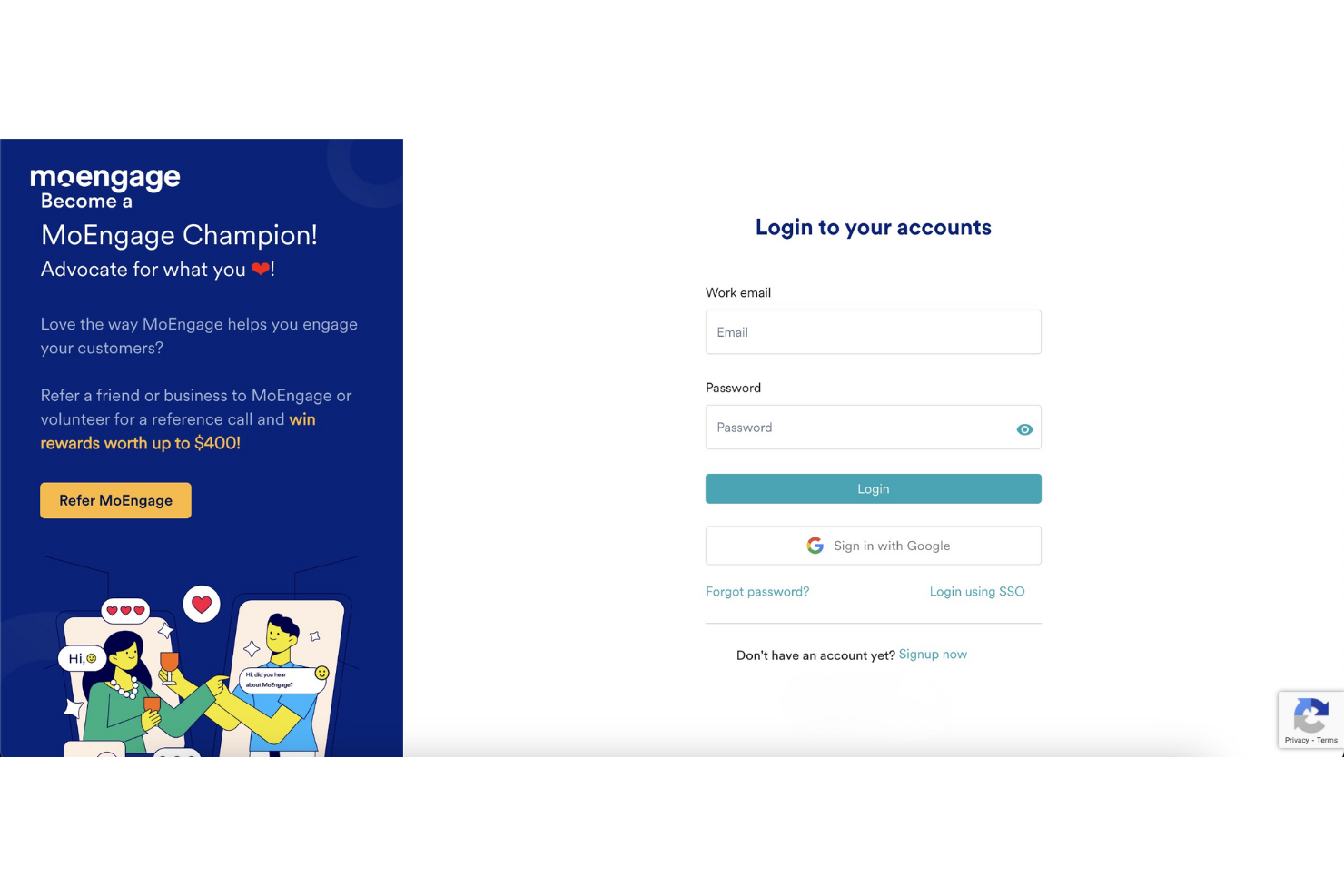
Customer Support
MoEngage's customer support is adequate, but your team might find response times slower than ideal. While they offer various support channels, including email and chat, the assistance can sometimes lack depth. Users have noted that more complex issues may require multiple interactions to resolve. Despite this, the availability of resources such as help articles and community forums can aid your team in troubleshooting common problems independently.

Integrations
The MoEngage platform integrates with Salesforce, BigQuery, Mailchimp, Shopify, HubSpot, Slack, Zendesk, Mixpanel, and Amplitude.
MoEngage also provides an API for connecting with third-party integration tools, allowing for seamless connectivity and enhanced functionality.

Value for Money
MoEngage’s pricing feels well-balanced, giving businesses access to powerful features and add-ons at competitive rates. Users also appreciate the variety of pricing tiers that cater to different business sizes and needs, making it accessible for both small and large teams.
Since MoEngage doesn’t publish its pricing, you’ll need to contact the team directly for a quote. You can also request a demo to get a closer look at the platform before making a decision.
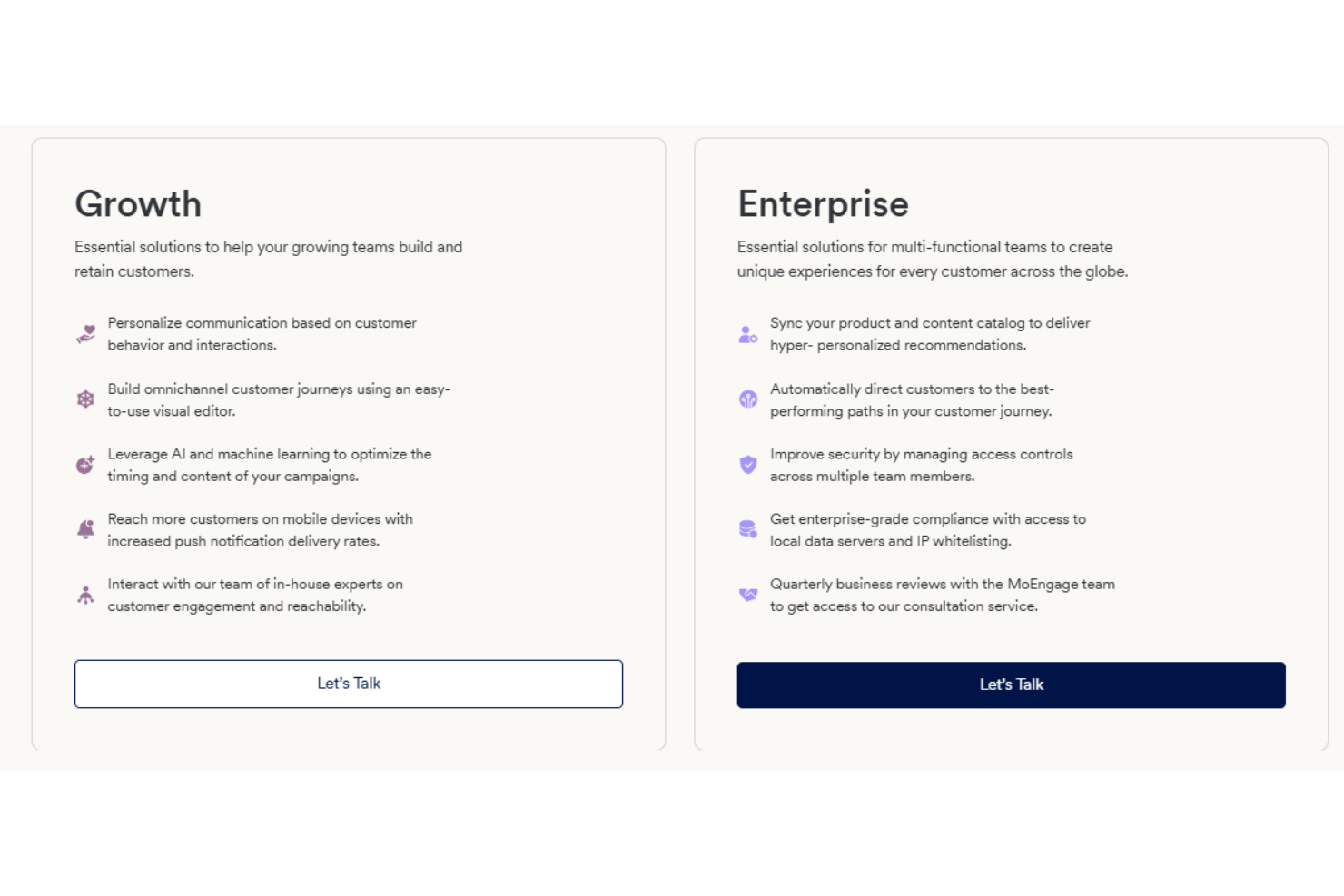
Here’s a quick look at the two different plans available:
Growth Plan: Essential features for growing teams, including web push notifications, Facebook audience sync, and basic analytics.
Enterprise Plan: Custom solutions for large organizations, including device-triggered messages, debug flows, and audit logs.
MoEngage Specs
- Analytics
- API
- Calendar Management
- Chat
- Click-to-Dial
- CRM Integration
- Customer Management
- Customer Service
- Dashboard
- Dashboards
- Data Export
- Data Import
- Data Visualization
- External Integrations
- Feedback Management
- Knowledge Base
- Lead Management
- Lead Scoring
- Multi-Source Feedback
- Multi-User
- Net Promoter Score
- Notifications
- Omnichannel Referrals
- Online Surveys
- Review Moderation
- Scheduling
- Sentiment Analysis
- Social Media Monitoring
MoEngage FAQs
How does MoEngage handle data security and compliance?
Can MoEngage support large-scale customer engagement?
What kind of analytics does MoEngage provide?
Is MoEngage suitable for multi-channel marketing?
How easy is it to use MoEngage?
What support does MoEngage offer for onboarding?
Can MoEngage integrate with existing systems?
What kind of customer support does MoEngage offer?
MoEngage Company Overview & History
MoEngage is a customer engagement platform founded in 2014 by Raviteja Dodda and Yashwanth Kumar, headquartered in North America (San Francisco, California). As a customer engagement platform, MoEngage focuses on enhancing marketing strategies for B2C brands through personalized communication across various channels, including email, SMS, and push notifications.
Trusted by over 1,350 global brands, MoEngage is known for its innovative technologies like Merlin AI and Push Amplification, aimed at boosting customer engagement and retention. The company emphasizes insights-driven engagement to foster customer loyalty and improve overall experiences.