
19 Beste Jotform-Alternativen im Test 2026

Beste Jotform-Alternativen Übersicht
Hier ist meine Übersicht der besten Jotform-Alternativen:


Als Customer Experience Manager wissen Sie, dass Umfragen und Datenerhebungen entscheidend sind, um Ihr Publikum zu verstehen. Vielleicht haben Sie Jotform ausprobiert, es aber als eingeschränkt in der Anpassung, bei Integrationen oder bei der Einhaltung von Vorschriften empfunden. Viele Teams stehen vor denselben Herausforderungen und suchen nach Alternativen, die ihre Anforderungen besser erfüllen.
Basierend auf meinen Erfahrungen mit verschiedenen Softwarelösungen habe ich die besten Jotform-Alternativen identifiziert, die einzigartige Funktionen und Vorteile bieten. Diese Tools können Ihrem Team helfen, Daten effizienter zu erfassen und tiefere Einblicke zu gewinnen.
In diesem Artikel stelle ich Ihnen jede Option vor und konzentriere mich darauf, wie sie typische Herausforderungen lösen – objektiv, gut recherchiert und damit Sie eine fundierte Entscheidung treffen können.
Was ist Jotform?
Jotform ist eine Softwarelösung für Umfragen und Datenerhebung, die Unternehmen dabei unterstützt, Informationen effizient zu sammeln. Häufig wird sie von Marketingfachleuten, Lehrkräften und Veranstaltungsplanern genutzt, die schnell Daten erfassen und analysieren müssen.
Funktionen wie Drag-and-drop-Formularbau, anpassbare Vorlagen und Integrationen mit anderen Tools unterstützen die einfache Erstellung maßgeschneiderter Umfragen und effektive Erkenntnisgewinnung. Insgesamt bietet Jotform eine vielseitige Plattform für die Verwaltung von Datenerhebungsaufgaben.
Zusammenfassung der besten Jotform-Alternativen
Diese Vergleichstabelle fasst Preisinformationen und die Anzahl der verfügbaren Formulare für meine wichtigsten Jotform-Alternativen zusammen, um Ihnen zu helfen, die beste Option für Ihr Budget und Ihre geschäftlichen Anforderungen zu finden.
| Tool | Best For | Trial Info | Price | ||
|---|---|---|---|---|---|
| 1 | Best for conversational, design-led forms | Free plan available | From $25/user/month (billed annually) | Website | |
| 2 | Best for GDPR compliance | Free plan available | From $19/month (billed annually) | Website | |
| 3 | Best for small business forms and payments | 7-day free trial + free plan available | From $24/month (billed annually) | Website | |
| 4 | Best for WordPress integration | Free demo available | From $59/year | Website | |
| 5 | Best for extensive survey templates | Free plan available | From $30/user/month (billed annually) | Website | |
| 6 | Best for easy payment forms | Free plan + free demo available | From $16.25/month (billed annually) | Website | |
| 7 | Best for HIPAA-compliant forms | 14-day free trial + free demo available | From $83/month (billed annually) | Website | |
| 8 | Best for integration with Zoho products | Free plan available + free demo available | From $10/month (billed annually) | Website | |
| 9 | Best for Google Workspace users | Free with Google Account | From $7/user/month (billed annually) | Website | |
| 10 | Best for lead generation forms | Free 14-day trial | From $63/month (billed annually) | Website |
Why Trust Our Software Reviews
We’ve been testing and reviewing software since 2020. As CX leaders ourselves, we know how critical and difficult it is to make the right decision when selecting software.
We invest in deep research to help our audience make better software purchasing decisions. We’ve tested more than 2,000 tools for different CX use cases and written over 1,000 comprehensive software reviews. Learn how we stay transparent & our software review methodology.
-

SupportYourApp
Visit WebsiteThis is an aggregated rating for this tool including ratings from Crozdesk users and ratings from other sites.4.7 -
Hiver
Visit WebsiteThis is an aggregated rating for this tool including ratings from Crozdesk users and ratings from other sites.4.7 -
Freshdesk
Visit WebsiteThis is an aggregated rating for this tool including ratings from Crozdesk users and ratings from other sites.4.4





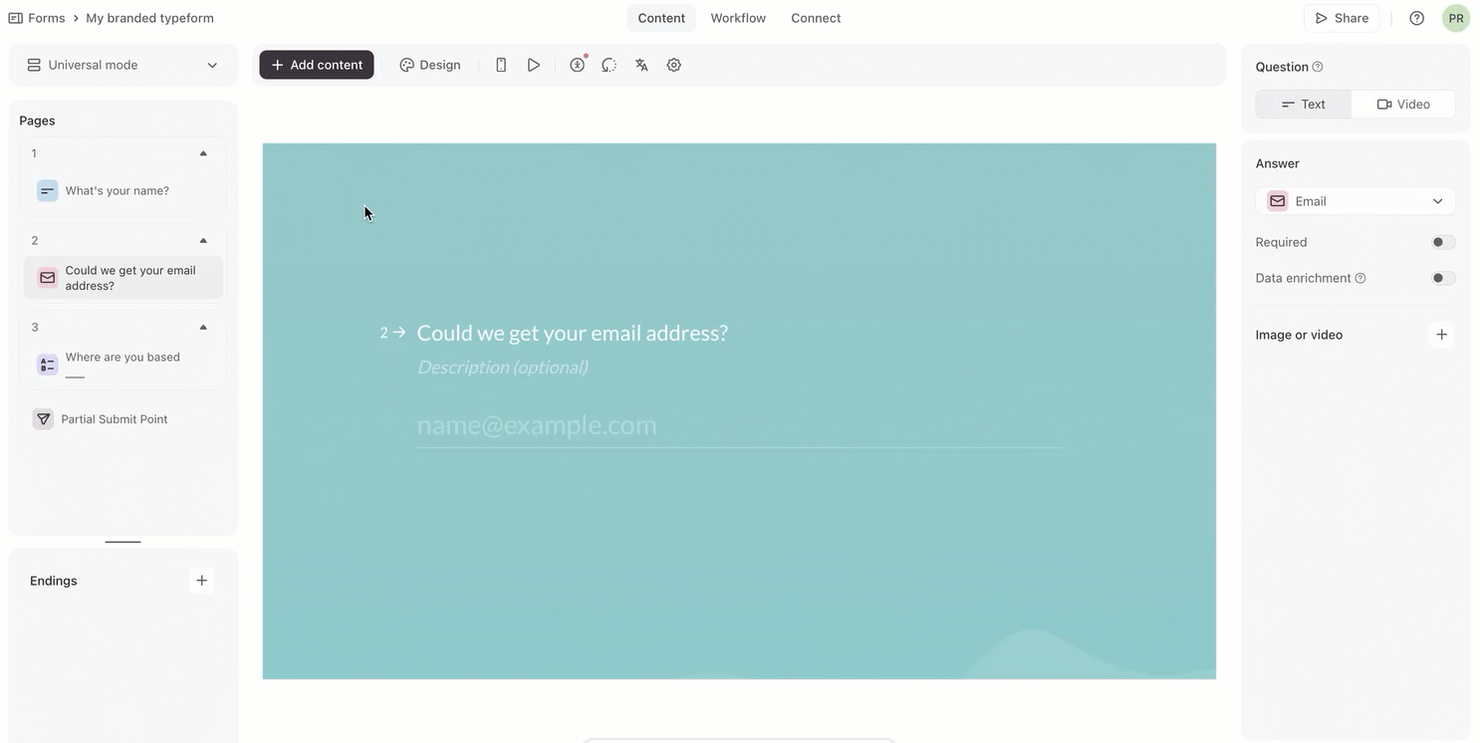
Typeform is an online form builder that lets users create interactive, engaging forms, surveys, and quizzes. It’s popular among marketers, educators, and businesses that want to boost user engagement and gather feedback effectively.
Why it's a good Jotform alternative: Typeform offers a user-friendly design that makes form creation intuitive and engaging for your audience. It offers conversational forms that boost response rates, along with customizable themes and templates to match your brand. The platform's emphasis on design and user experience makes it an appealing choice for creating interactive forms.
Standout features and integrations:
Features include conditional logic, customizable question paths, and interactive elements. You can use multimedia content such as images and videos to enrich your forms. Typeform also offers analytics to track form performance and gather insights.
Integrations include Google Sheets, Mailchimp, Zapier, HubSpot, Slack, Salesforce, Airtable, and more.
Pros and Cons
Pros:
- Broad integrations for marketing stacks
- Customizable themes
- Engaging conversational format
Cons:
- Weak version-history support
- Limited multi-page layouts

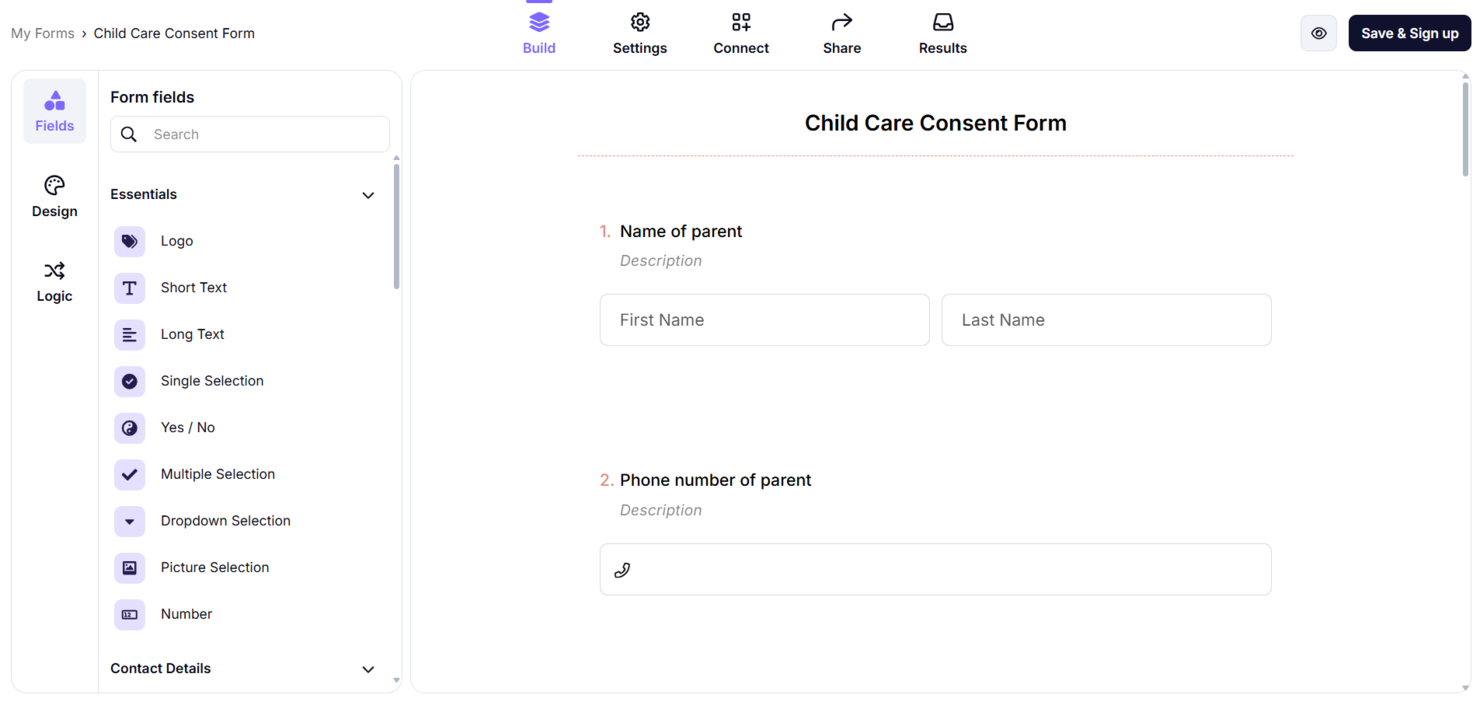
forms.app is an online form builder that lets users easily create surveys, quizzes, and contact forms. It is widely used by businesses, educators, and individuals who need to collect data efficiently.
Why it's a good Jotform alternative: forms.app offers strong GDPR compliance, so your data collection adheres to strict privacy regulations. It features an intuitive drag-and-drop interface and allows for customization with conditional logic and payment options. The platform also offers a variety of templates to suit different needs, making it versatile across applications. Its emphasis on security and privacy makes it a reliable choice for your data collection tasks.
Standout features and integrations:
Features include AI-powered form generation, mobile-responsive designs, and e-signature capabilities. You can also create multi-page forms and integrate payment options directly into your forms. The platform offers a wide library of templates to help you get started quickly.
Integrations include Slack, Google Drive, Mailchimp, PayPal, HubSpot, and more.
Pros and Cons
Pros:
- AI tools for building forms
- Good value on lower tiers
- Modern interface with quick creation
Cons:
- AI form suggestions may need manual editing
- Limited branding and CSS customization

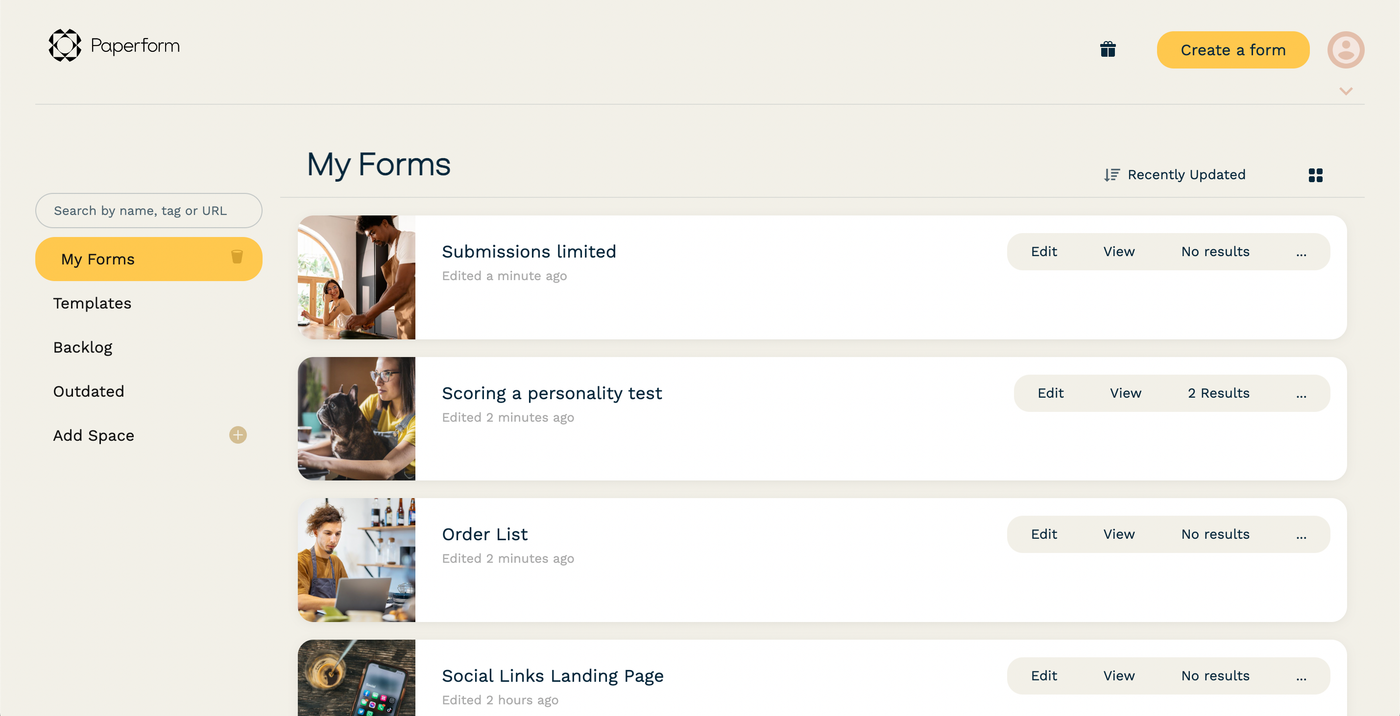
Paperform is an online form builder designed for small to medium-sized businesses. It allows you to create customized forms for surveys, quizzes, payments, and scheduling.
Why it's a good Jotform alternative: Paperform offers a user-friendly interface with aesthetically pleasing designs, making it ideal for small businesses that need a professional touch. It provides solutions such as scheduling forms and payment processing, which are important for businesses. The platform also supports over 2,000 integrations to boost productivity. Its customization options make it a versatile choice for various business needs.
Standout features and integrations:
Features include scheduling management, eSignature capabilities, and AI tools for form creation. You can create forms without any coding, which simplifies the setup process, while the Guided Mode presents questions one at a time, making forms interactive.
Integrations include Google Sheets, Slack, Mailchimp, Dropbox, HubSpot, PayPal, and more.
Pros and Cons
Pros:
- Great fit for SMB brands
- Strong payment and checkout options
- Flexible, page-style form layouts
Cons:
- Limited branding customization options
- Pricing is higher than that of many competitors

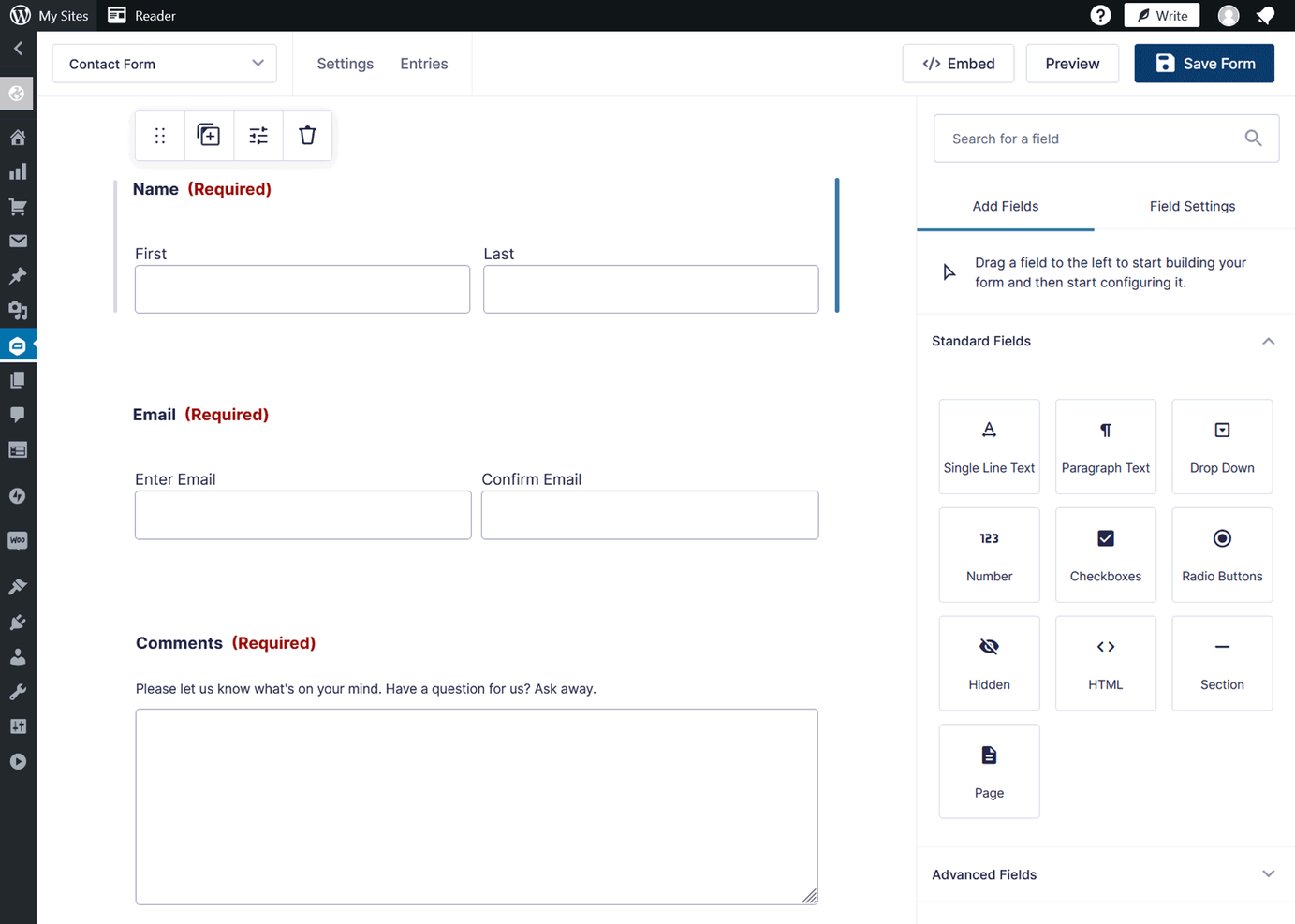
Gravity Forms is a WordPress plugin that allows users to create custom forms for their websites. It's used by developers and website owners who need versatile form solutions integrated directly into their WordPress sites.
Why it's a good Jotform alternative: Gravity Forms integrates directly with WordPress, making it an excellent choice if you want to manage forms within your site. It features an intuitive drag-and-drop form builder that lets you create forms without coding and advanced conditional logic that lets you tailor forms based on user input. Its ability to manage submissions and automate workflows makes it a powerful tool for website management.
Standout features and integrations:
Features include multi-page forms, file uploads, and entry management. You can use conditional logic to create dynamic forms that adapt to user responses and spam protection tools to keep your site secure from unwanted submissions.
Integrations include PayPal, Mailchimp, Dropbox, Zapier, Slack, HubSpot, Salesforce, and more.
Pros and Cons
Pros:
- Extensible for developers via hooks
- Advanced conditional logic and add-ons
- Powerful WordPress-native form builder
Cons:
- Minimal native data-reporting tools
- Limited to WordPress sites

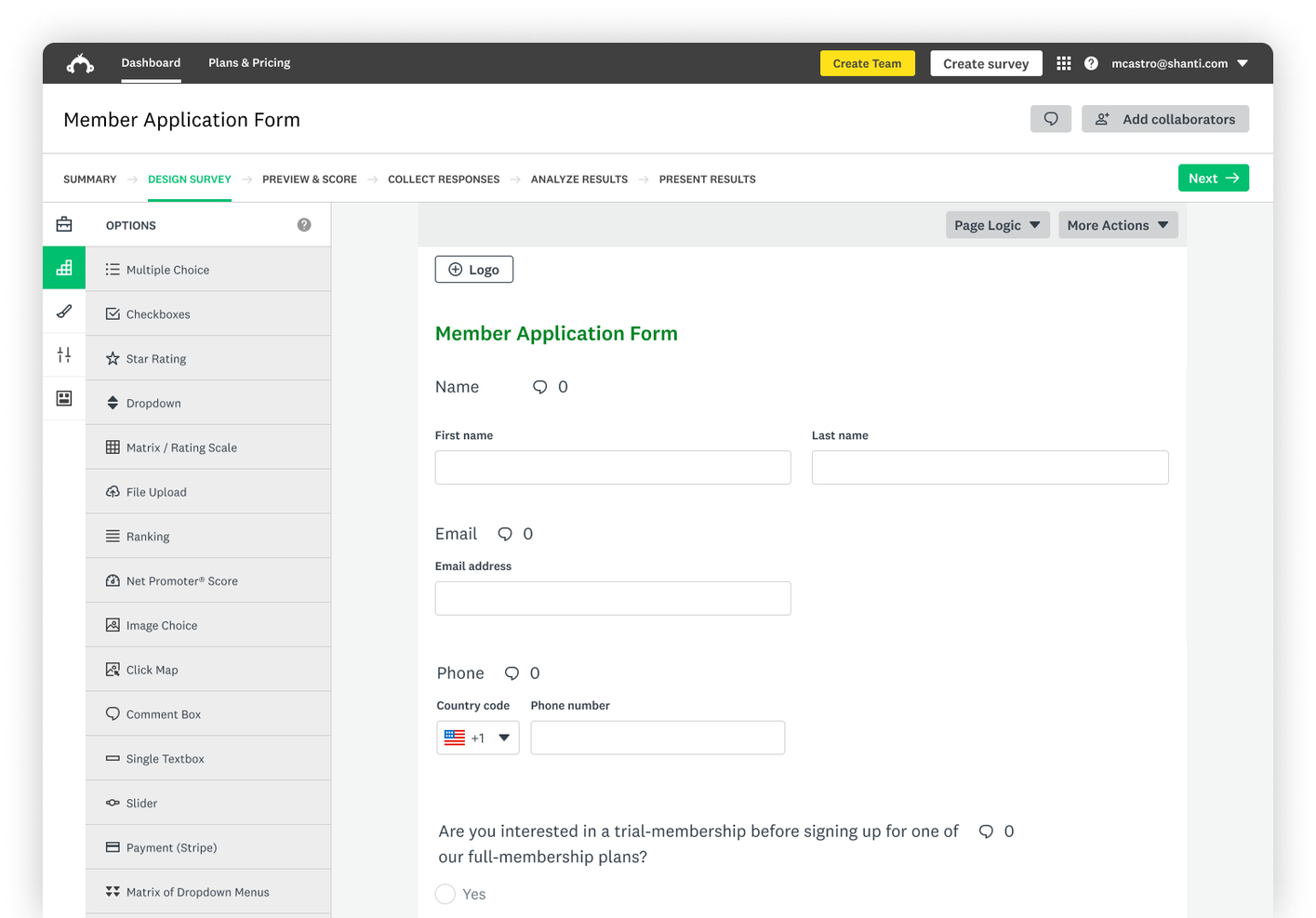
SurveyMonkey is a survey and data collection tool used by businesses and organizations to gather insights and feedback. It's popular among marketers, educators, and research teams for creating surveys and analyzing results.
Why it's a good Jotform alternative: SurveyMonkey offers a wide range of survey templates, making it easy for you to get started quickly. Its advanced analytics and reporting tools give you deeper insights into your data, while customizable survey options and question types offer flexibility to meet your specific needs. This makes SurveyMonkey a versatile choice for detailed data collection tasks.
Standout features and integrations:
Features include question bank access, real-time results, and A/B testing. You can easily share surveys via email or social media, with options for anonymous responses. SurveyMonkey's mobile app allows you to manage surveys and analyze data on the go.
Integrations include Salesforce, Microsoft Teams, Slack, HubSpot, Google Drive, Mailchimp, and more.
Pros and Cons
Pros:
- Real-time results and dashboards
- Large library of survey templates
- Intuitive survey-building interface
Cons:
- Advanced features can feel pricey
- The free plan has tight limits

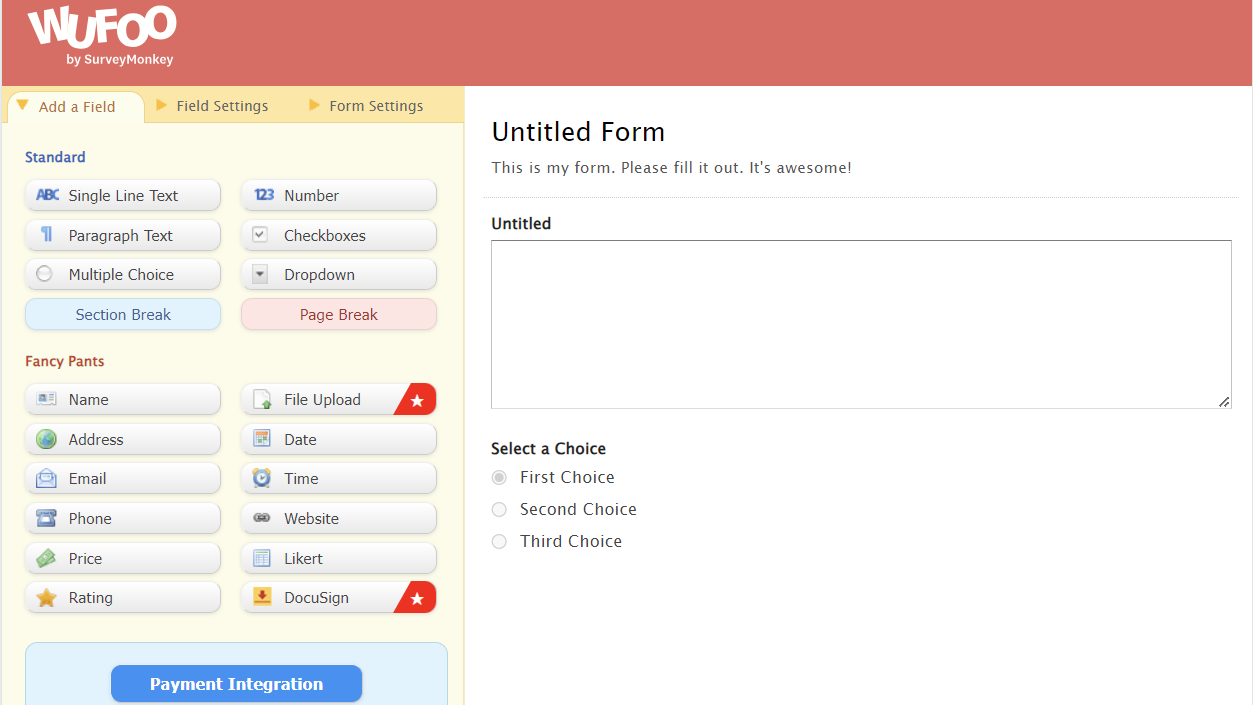
Wufoo is an online form builder designed to help users create forms and collect data efficiently. It's popular among small businesses, non-profits, and educators who need to gather information and process payments.
Why it's a good Jotform alternative: Wufoo offers simple payment form creation, making it ideal for businesses that need to collect payments online. Its drag-and-drop interface simplifies form building, and you can customize forms with themes and templates. The platform supports logic-based rules to improve user experience, and its focus on payment processing and ease of use makes it a strong choice for businesses looking to simplify transactions.
Standout features and integrations:
Features include custom branding, real-time email notifications, and analytics reports. You can create forms with CAPTCHA for added security and track performance with built-in analytics. Wufoo also offers a form gallery to help you get started quickly.
Integrations include Salesforce, Mailchimp, Dropbox, Google Sheets, Slack, Zapier, and more.
Pros and Cons
Pros:
- Solid Zapier-based integration options
- Fast setup for payment forms
- Simple drag-and-drop form builder
Cons:
- Limited advanced logic depth
- Outdated interface design
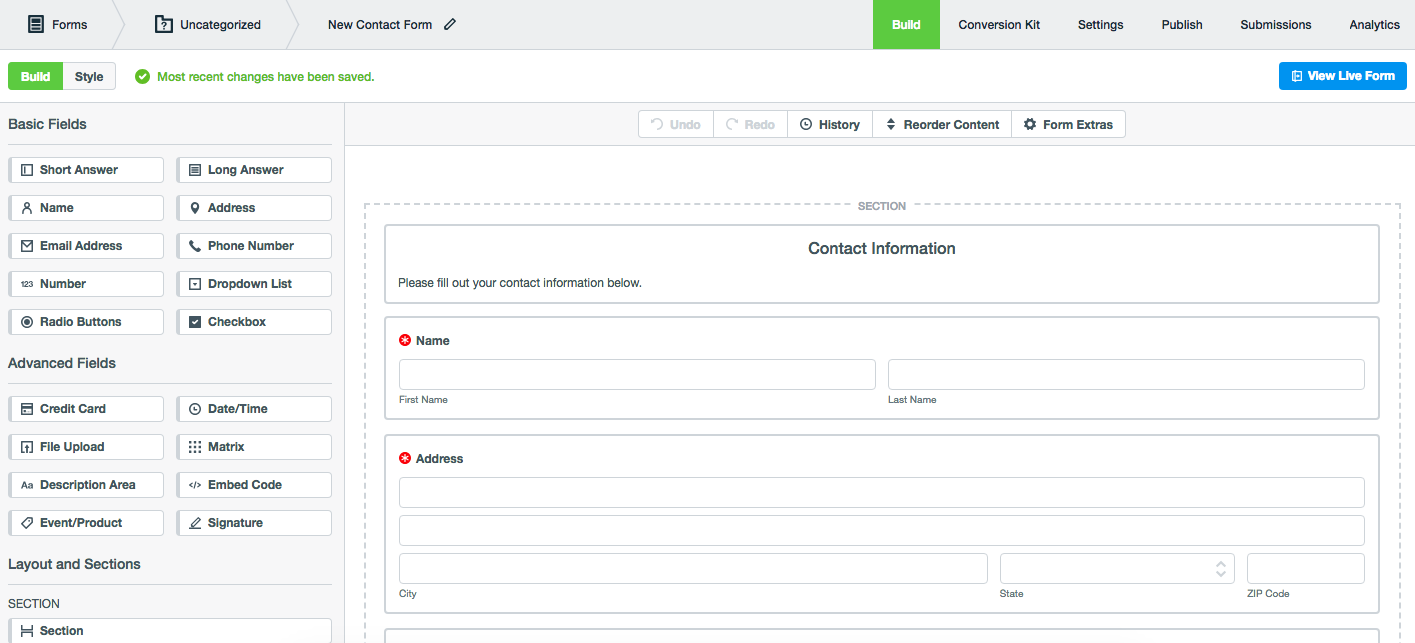
Formstack is an online form builder used by businesses to automate workflows and manage data collection efficiently. It's popular among healthcare providers, financial services, and other industries that require secure data handling.
Why it's a good Jotform alternative: Formstack offers forms with HIPAA compliance, making it a reliable choice for handling sensitive information. It includes features such as advanced security measures and data encryption to protect your data. You can automate workflows with its drag-and-drop builder, reducing manual processes. Formstack's focus on compliance and security makes it a strong option for industries with strict data regulations.
Standout features and integrations:
Features include conditional logic, workflow automation, and e-signature capabilities. You can create forms with custom branding to match your organization's identity and access conversion analytics to help track form performance.
Integrations include Salesforce, Google Drive, Mailchimp, Dropbox, HubSpot, PayPal, Slack, Microsoft Teams, and more.
Pros and Cons
Pros:
- Strong security and compliance options
- Reusable templates speed up projects
- Good for complex workflow automation
Cons:
- The user interface can be unintuitive
- Limited flexibility in PDF or document generation
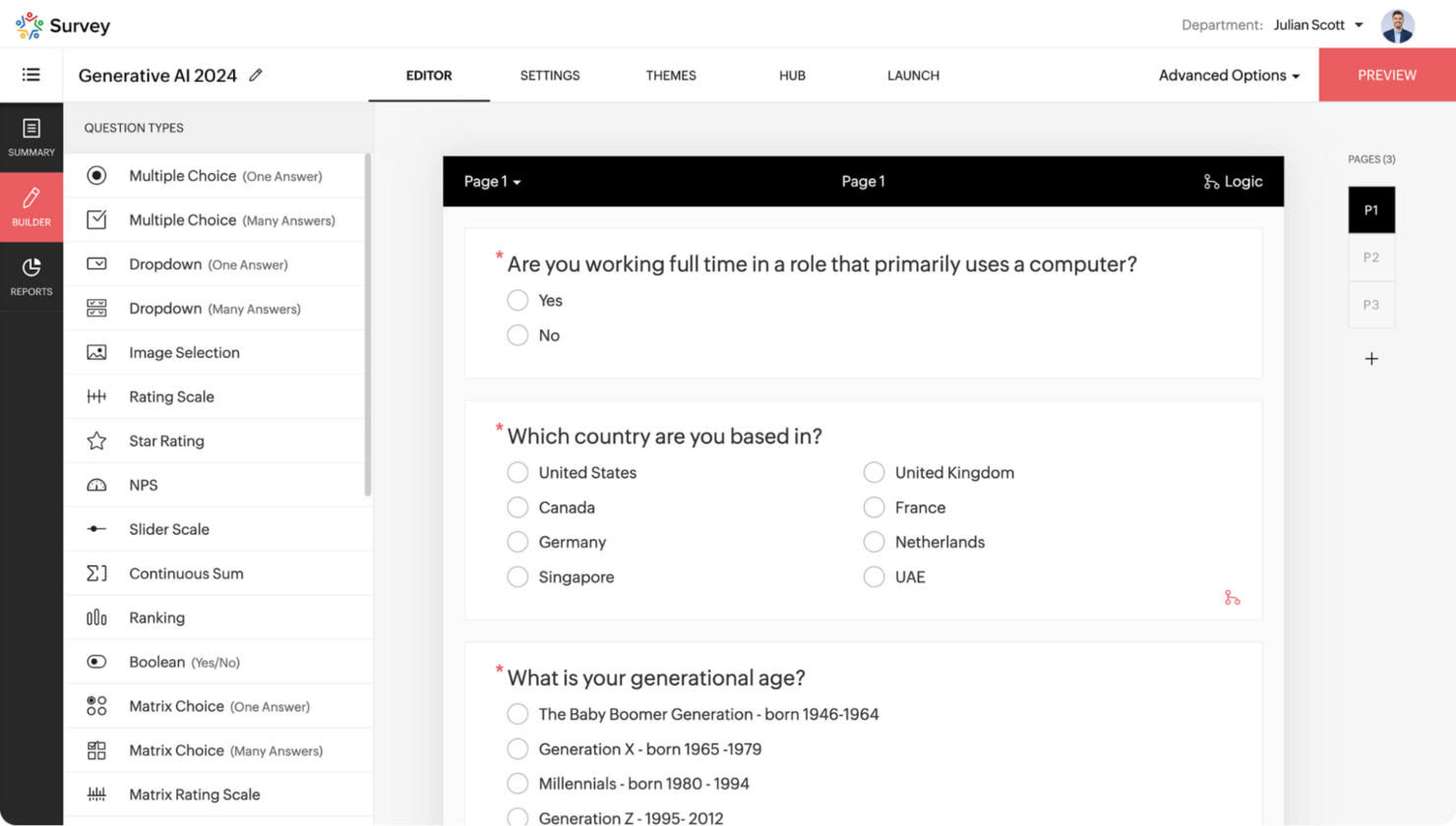
Zoho Forms is an online form builder that helps businesses create forms to manage data collection and automate workflows. It's widely used by teams within organizations that utilize the Zoho suite for their business operations.
Why it's a good Jotform alternative: Zoho Forms integrates smoothly with other Zoho products, making it ideal if you're already in the Zoho ecosystem. It features drag-and-drop form building and customizable templates to suit your needs, with advanced analytics to track form performance and gather insights. Its deep integration with Zoho services makes it a valuable tool for businesses looking for cohesive data management.
Standout features and integrations:
Features include conditional logic, approval workflows, and mobile forms. You can create forms that automatically trigger workflows and send notifications to your team. Zoho Forms also supports offline data collection, allowing you to gather information even without an internet connection.
Integrations include Zapier, Google Sheets, Slack, PayPal, and more.
Pros and Cons
Pros:
- Strong automation and workflow options
- Mobile apps support offline collection
- Zoho product integration
Cons:
- Limited features outside of the Zoho ecosystem
- Limited template library
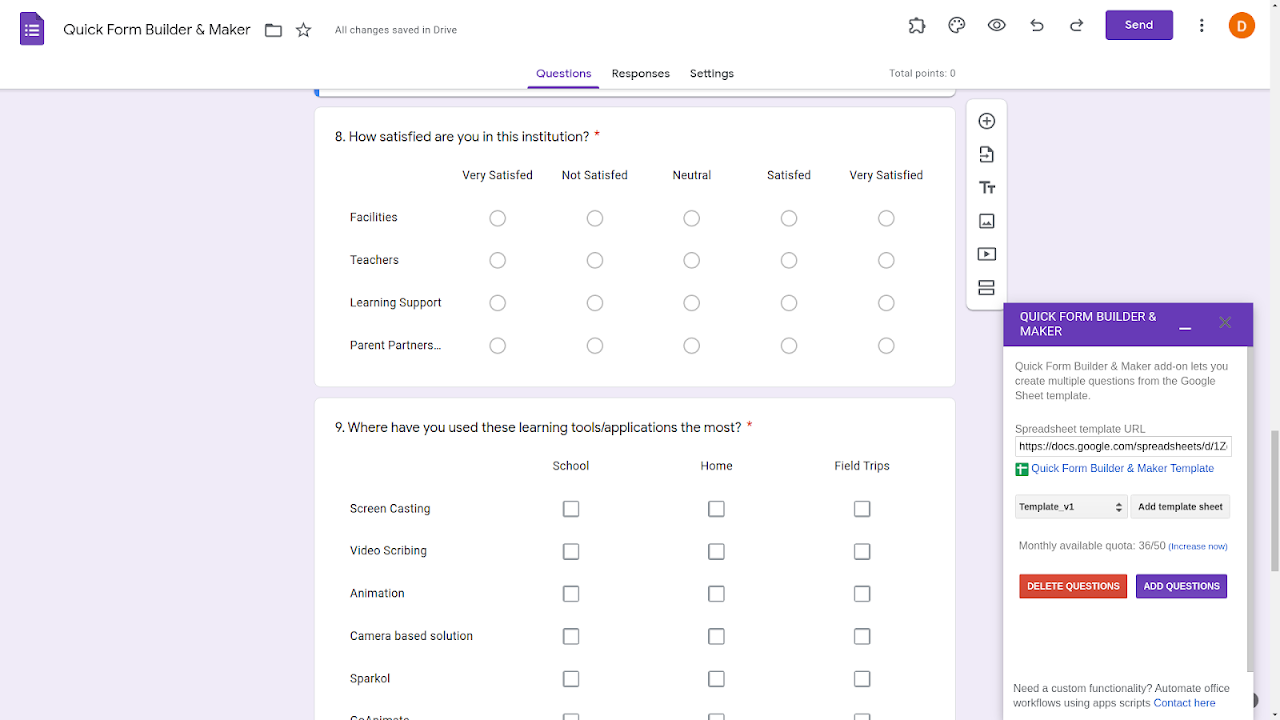
Google Forms is a versatile form builder that lets users create surveys, quizzes, and questionnaires. It's widely used by educators, business professionals, and teams within Google Workspace to gather and analyze data.
Why it's a good Jotform alternative: Google Forms integrates smoothly with other Google Workspace apps, making it an ideal choice if you already use Google's suite of tools. It offers real-time collaboration, allowing your team to work together on form creation, and it automatically collects data into Google Sheets, simplifying data management. Its simplicity and integration capabilities make it a practical option for efficient workflow.
Standout features and integrations:
Features include customizable themes, response validation, and automatic data saving. You can create quizzes with automatic grading, which is helpful for educators, and collect unlimited responses, making it suitable for large-scale surveys.
Integrations include Google Sheets, Gmail, Google Classroom, and more.
Pros and Cons
Pros:
- Automatic data collection
- Real-time collaboration
- Smooth integration with Google Workspace
Cons:
- No native support for conditional logic
- Lacks advanced workflow automation and notifications

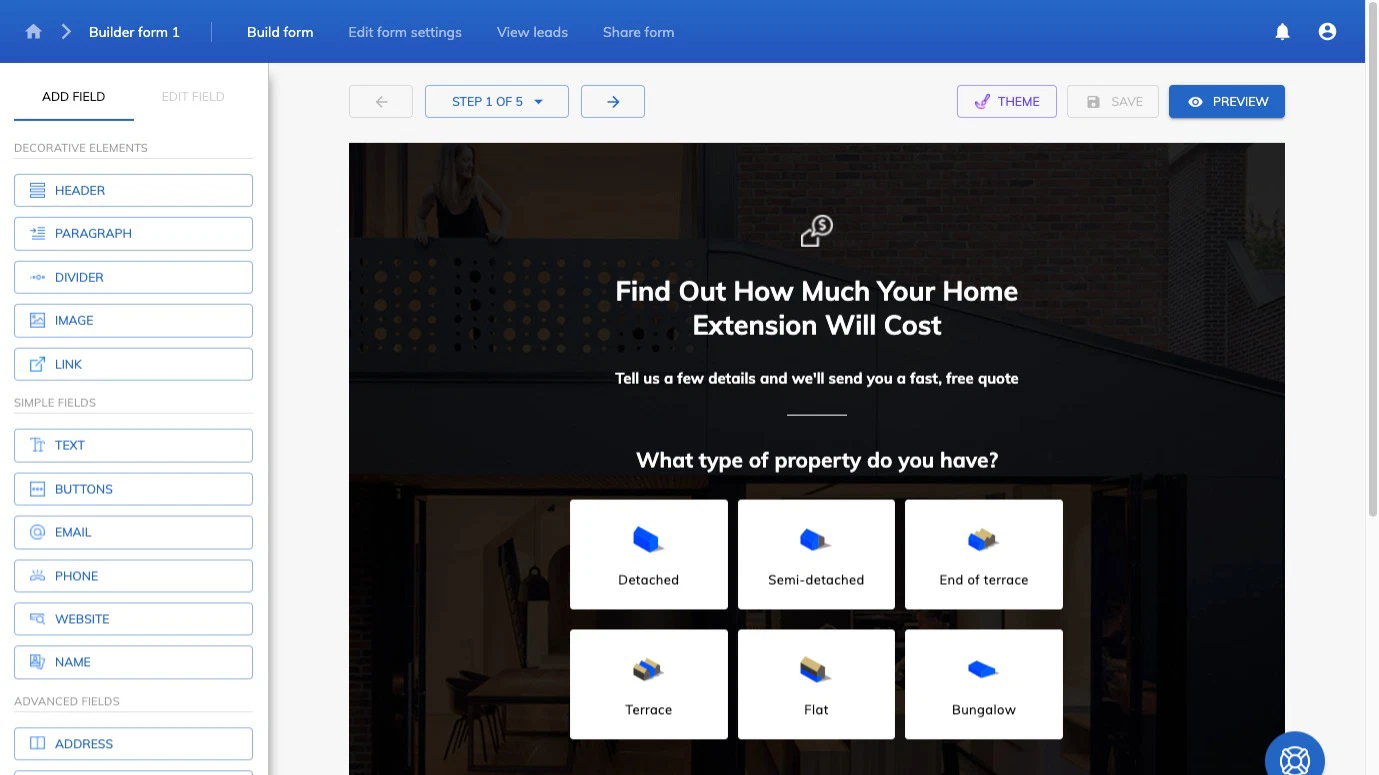
Growform is a multi-step form builder designed for businesses focused on lead generation. It caters to marketers and sales teams who need to capture more qualified leads with customizable, visually appealing forms.
Why it's a good Jotform alternative: Growform's multi-step forms and conditional logic are tailored to improve lead quality and engagement. It offers over 100 high-converting templates, allowing you to create forms without coding, and you can easily customize forms to match your brand's aesthetic, improving the user experience. This makes Growform an ideal choice for businesses aiming to increase conversion rates.
Standout features and integrations:
Features include customizable backgrounds, fonts, and CSS tweaks. You can use conditional logic to ask tailored questions, improving lead quality. Growform also offers pixel firing and Google Tag Manager integration to track form performance.
Integrations include Google Sheets, Salesforce, HubSpot, Mailchimp, Slack, and more.
Pros and Cons
Pros:
- Powerful no-code builder
- High-converting templates for lead gen
- Multi-step forms focused on conversions
Cons:
- Complexity rises with very large forms using conditional logic
- Limited advanced reporting and analytics
Weitere Jotform-Alternativen
Hier sind einige weitere Jotform-Alternativen, die es nicht auf meine Hauptliste geschafft haben, aber dennoch einen Blick wert sind:
- Tripetto
For conversational logic forms
- Fillout
For native Airtable and Notion integrations
- SurveySparrow
For conversational surveys
- WPForms
For WordPress beginners
- ProProfs Survey Maker
For educational quizzes and surveys
- Qualaroo
For user feedback insights
- Formsite
For secure data collection
- Cognito Forms
For complex calculations
- Youform
For intuitive form customization


Auswahlkriterien für Jotform-Alternativen
Bei der Auswahl der besten Jotform-Alternativen für diese Liste habe ich typische Anforderungen und Schmerzpunkte von Käufer:innen im Bereich Umfrage- und Datenerhebungssoftware berücksichtigt, zum Beispiel Anpassungsmöglichkeiten und Datensicherheit. Außerdem habe ich diesen Bewertungsrahmen genutzt, um strukturiert und fair zu evaluieren:
Kernfunktionalität (25 % der Gesamtwertung)
Um in diese Liste aufgenommen zu werden, musste jede Lösung folgende typische Anwendungsfälle abdecken:
- Umfragen und Formulare erstellen
- Antworten erfassen
- Daten analysieren
- Daten per API exportieren
- Formulare als Widgets auf Websites einbetten
Weitere herausragende Funktionen (25 % der Gesamtwertung)
Um die Auswahl weiter einzugrenzen, habe ich nach einzigartigen Funktionen gesucht, wie:
- Erweiterte bedingte Logiken für Formulare
- KI-gestützte Einblicke
- Offline-Datenerfassung und Webhooks
- Anpassbare Vorlagen
- Zahlungsabwicklung
Benutzerfreundlichkeit (10 % der Gesamtwertung)
Um einen Eindruck von der Nutzerfreundlichkeit jedes Systems zu erhalten, habe ich Folgendes berücksichtigt:
- Intuitive Benutzeroberfläche
- Einfache Navigation
- Schnelle Einrichtung von Basisformularen
- Mobile Kompatibilität
- Barrierefreiheitsfunktionen
Onboarding (10% der Gesamtbewertung)
Um das Onboarding-Erlebnis jeder Plattform zu bewerten, habe ich Folgendes berücksichtigt:
- Verfügbarkeit von Trainingsvideos
- Interaktive Produkttouren
- Vorgefertigte Vorlagen
- Chatbot-Unterstützung
- Webinare und Tutorials
Kundensupport (10% der Gesamtbewertung)
Um die Kundensupport-Dienste jedes Softwareanbieters zu beurteilen, habe ich Folgendes berücksichtigt:
- Rund-um-die-Uhr-Support
- Live-Chat-Support
- Umfassendes Hilfezentrum
- E-Mail-Support
- Community-Foren
Preis-Leistungs-Verhältnis (10% der Gesamtbewertung)
Um das Preis-Leistungs-Verhältnis jeder Plattform zu beurteilen, habe ich Folgendes berücksichtigt:
- Wettbewerbsfähige Preise
- Verfügbarkeit einer kostenlosen Testversion
- Funktionsumfang zum Preis
- Flexible Preispläne
- Keine versteckten Gebühren
Kundenbewertungen (10% der Gesamtbewertung)
Um einen Eindruck von der allgemeinen Kundenzufriedenheit zu bekommen, habe ich bei der Auswertung von Kundenbewertungen Folgendes berücksichtigt:
- Allgemeine Zufriedenheitsbewertung
- Feedback zur Zuverlässigkeit
- Von Nutzern gemeldete Probleme
- Lob für einzigartige Funktionen
- Empfehlungen von Anwendern
Warum nach einer Jotform-Alternative suchen?
Obwohl Jotform eine gute Wahl für Umfragen und Datenerfassung ist, gibt es zahlreiche Gründe, warum manche Nutzer alternative Lösungen suchen. Sie könnten nach einer Jotform-Alternative suchen, weil…
- Sie mehr Anpassungsmöglichkeiten benötigen
- Ihr Team erweiterte Analysen benötigt
- Sie eine bessere Drittanbieter-Integration mit bestehenden Tools wünschen
- Sie Funktionen für die Offline-Datenerfassung benötigen
- Ihre Organisation stärkere Sicherheitsfunktionen verlangt
- Sie nach einer kostengünstigeren Option suchen
Trifft einer dieser Punkte auf Sie zu, sind Sie hier genau richtig. Meine Liste enthält mehrere Umfrage- und Datenerfassungs-Softwarelösungen, die für Teams mit den genannten Herausforderungen bei Jotform besser geeignet sind und alternative Möglichkeiten bieten.
Funktionen
Hier sind einige der wichtigsten Funktionen von Jotform, damit Sie besser vergleichen und Alternativen bewerten können:
- Drag-and-drop-Formular-Editor: Erstellen Sie mühelos individuelle Formulare, indem Sie Formularfelder, Bilder hinzufügen, das Design ändern und benutzerdefinierte Domains nutzen – alles ohne Programmierkenntnisse.
- Formularvorlagen: Greifen Sie auf über 10.000 vorgefertigte Vorlagen zu und passen Sie Formulare schnell an.
- Bedingte Logik: Erstellen Sie dynamische Formulare, die sich je nach Nutzerantworten anpassen und so die Nutzerinteraktion verbessern.
- Zahlungsintegration: Akzeptieren Sie Zahlungen direkt über Formulare mithilfe verschiedener Zahlungsdienstleister.
- Autoresponder-E-Mails: Richten Sie automatisierte E-Mail-Antworten für Formulareinsendungen ein, damit Ihr Publikum stets informiert ist.
- PDF-Generierung: Wandeln Sie Formulareinsendungen in PDF-Dokumente um, um diese einfach zu teilen und zu archivieren.
- Offline-Datenerfassung: Erfassen Sie mit der mobilen App Daten auch ohne Internetverbindung – ideal für Außeneinsätze.
- Elektronische Unterschriften: Erhalten Sie rechtsverbindliche Unterschriften direkt über konfigurierbare Formulare, um die Genehmigung von Dokumenten zu vereinfachen.
- Formularanalysen: Analysieren Sie Formulardaten, um Einblicke zu gewinnen und die Leistung der Formulare zu verbessern.
- Zusammenarbeitstools: Arbeiten Sie gemeinsam mit Ihrem Team an der Erstellung und Verwaltung von Formularen, um die Produktivität zu steigern.
Wie geht es weiter?
Wenn Sie gerade dabei sind, Umfrage- und Datenerfassungs-Software zu recherchieren, verbinden Sie sich kostenlos mit einem SoftwareSelect-Berater für passende Empfehlungen.
Sie füllen ein Formular aus und führen ein kurzes Gespräch, in dem sie auf Ihre spezifischen Anforderungen eingehen. Anschließend erhalten Sie eine Auswahlliste von Softwarelösungen zur Überprüfung. Sie begleiten Sie sogar während des gesamten Kaufprozesses, einschließlich Preisverhandlungen.