
20 Best A/B Testing Tools For Better Results in 2026

10 Best A/B Testing Tools Shortlist
Here's my pick of the 10 best software from the 20 tools reviewed.


With so many different A/B testing tools to choose from, figuring out which one is right for you is tough. You know you want a tool to help you run tests to figure out which version of your digital product performs better, but you need to figure out which tool is right for you. In this post, I'll help you make your choice easy by sharing my insights on the best A/B testing tools to manage live comparison tests and analyze the metrics, so you can hone in on the winning design, layout, or approach.
Why Trust Our Software Reviews
The Best A/B Testing Tools Comparison Chart
Here’s a comparison chart that summarizes basic details about each of my top A/B testing tool selections. You can view pricing details and the availability of free trials or demos side-by-side to help you find the best tool for your budget.
| Tool | Best For | Trial Info | Price | ||
|---|---|---|---|---|---|
| 1 | Best for flexible statistical testing | 15-day free trial + free plan available | From $12/month (billed annually) | Website | |
| 2 | Best A/B testing tool for flicker-free experiments | Free demo available | Pricing upon request | Website | |
| 3 | Best A/B testing tool for a Bayesian statistics engine | Free demo available | From $50/month (billed annually) | Website | |
| 4 | Best A/B testing tool for intuitive experiments | 14-day free trial | From $12/service connection/month | Website | |
| 5 | Best A/B testing tool for aggregation experiment metrics | Free demo + 30-day free trial available | Pricing upon request | Website | |
| 6 | Best A/B testing tool for front-end A/B and multi-page experimentation | Free demo available | Pricing upon request | Website | |
| 7 | Best A/B testing tool for AI-powered predictions | Free demo available | Pricing upon request | Website | |
| 8 | Best A/B testing tool for experiments built into a CRM | 14-day free trial | From $147/user/month | Website | |
| 9 | Best A/B testing tool for session replays | 21-day free trial + free plan available | From $15/user/month (billed annually) | Website | |
| 10 | Best A/B testing tool for better product observability | Free plan available | From $150/month | Website |
-

SupportYourApp
Visit WebsiteThis is an aggregated rating for this tool including ratings from Crozdesk users and ratings from other sites.4.7 -
Freshdesk
Visit WebsiteThis is an aggregated rating for this tool including ratings from Crozdesk users and ratings from other sites.4.4 -
Hiver
Visit WebsiteThis is an aggregated rating for this tool including ratings from Crozdesk users and ratings from other sites.4.6




Overviews of the 10 Best A/B Testing Tools
Here’s a brief description of each A/B testing tool that showcases each tool’s best use case, their noteworthy features, and some pros & cons. I’ve also included screenshots to give you a snapshot of their user interface too.


Zoho PageSense is a conversion rate optimization (CRO) tool that lets you track how visitors behave on your website and test improvements.
Why I picked Zoho PageSense: I picked Zoho PageSense because it supports both A/B and split‑URL testing, so you can experiment with minor edits or full redesigns without juggling different platforms. You also get to choose between Bayesian and Frequentist statistical models when running tests, giving your team flexibility in how results are evaluated.
Beyond testing variance, PageSense includes advanced goal tracking. You can monitor key actions—like form submissions or clicks—across traffic sources and time periods, and even view daily/hourly trends or visitor locations on a map.
Zoho PageSense Standout Features and Integrations
Features include smart funnel analysis, letting you build a multi‑step conversion path and see exactly where visitors drop off and why. The tool also provides scroll and attention maps, showing how users move through content and what they focus on.
Integrations include Google Ads, Intercom, KISSmetrics, Google Analytics, OpenAI, and various Zoho apps like Flow, CRM, Sales IQ, and Desk.
Pros and Cons
Pros:
- Supports a wide variety of tests
- Provides detailed insights on visitor behavior
- Great tool for mapping customer journey
Cons:
- On-the-go reporting is limited
- Could offer more native integrations outside of the Zoho ecosystem

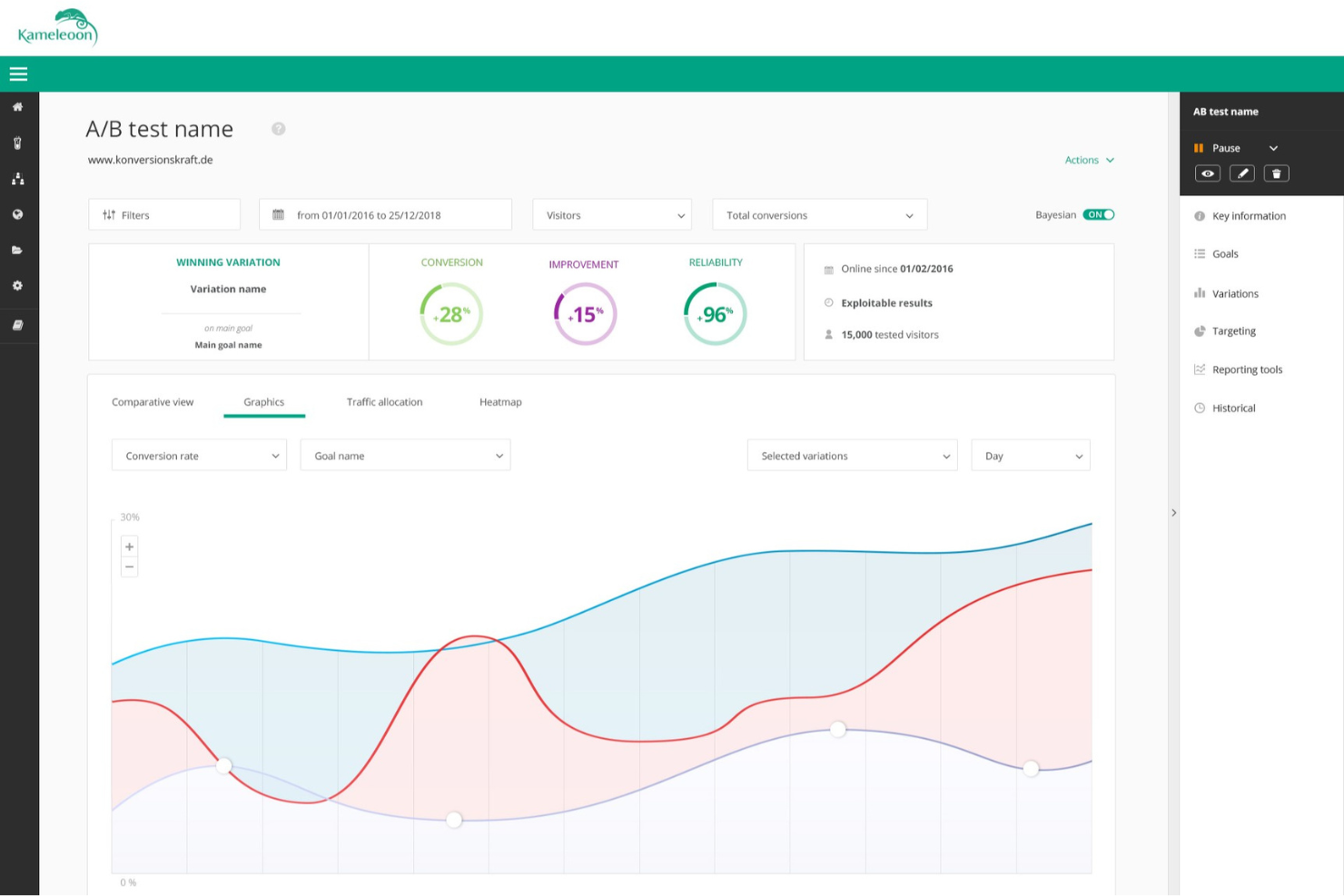
Kameleoon is a web experimentation platform that helps you unlock growth on web channels while maintaining data accuracy, high levels of performance, and strict privacy.
Why I picked Kameleoon: The software is designed to be flicker-free, guaranteed, so your experiments don’t affect user behavior. Yet pages still load fast to ensure a quality experience for website visitors.
You can use the SPA-compatible smart graphic editor to build tests, or deploy experiments from your preferred coding environment. You can also build audience segments using over 45 native targeting criteria. It’s also easy to toggle between native goals and your preferred analytics solution.
Kameleoon Standout Features and Integrations
Features unlimited experiments, AB testing, multivariate testing, server-side testing, a developer-friendly code editor, a large widget library, audience segmentation, and dynamic traffic allocation.
Integrations include Adobe Analytics, Amplitude, CrazyEgg, HotJar, Klaviyo, Mouseflow, Piano, Tealium, Trust Commander, and UserCentrics.
Pros and Cons
Pros:
- Excellent graphical editor
- Easy implementation
- Extensive feature set
Cons:
- Some technical knowledge required
- Prioritizing projects can be difficult


AB Tasty helps you test your website or mobile app, so you can drive the highest possible return on investment from your new features, better copy, or improved design.
Why I picked AB Tasty: AB Tasty is powered by a Bayesian statistics engine to give you all the data you need to make informed decisions. You can leverage advanced features such as gain probability and median value to correctly assess the impact of each experiment. Once you have a clear winner, you can update your website with the winning variation.
Using the ROI dashboard, it’s easy to track the import of tests compared to the original. You can attribute gains in revenue to your experiments by campaign and time period, to get a clear picture of ongoing optimizations.
AB Tasty Standout Features and Integrations
Features include web experiments, mobile experiments, confidence level, multivariate testing, a WYSIWYG editor, a test library, targeting, user data, and monitoring.
Integrations include Adobe Audience Manager, Amplitude, Didomi, Full Story, Google Analytics, Heap, Infinity, Mixpanel, Segmentio, and Tealium.
Pros and Cons
Pros:
- Infinitely flexible
- Plugins extend the feature set
- Easy to use widgets
Cons:
- Experiments affect loading times
- Advanced tests require coding


LaunchDarkly is an innovative A/B testing tool that empowers businesses to make data-driven decisions about design, copy, and user experience.
Why I picked LaunchDarkly: The software makes it easy for product managers, marketers, and developers to run and act on experiments. You can run front-end, back-end, and mobile experiments in any environment, then serve the winning variation with just a few clicks.
The software also helps you measure the impact of new releases, monitoring how new features affect system performance when they’re deployed. New features are wrapped in flags so you can begin optimizing immediately.
You can define the data you want to collect, from revenue impact and page load time to server cost and customer experience. The system records data for assigned metrics, so you can analyze further and fine tune your experiments. You get results that are easy to understand, without worrying about statistical significance, p-values, or confidence intervals.
LaunchDarkly Standout Features and Integrations
Features include real-time performance, rapid process flag updates, instant flag evaluation, differentiated architecture, development workflow, full-stack testing, and Bayesian testing.
Integrations include Amazon Kinesis, Amplitude, AppDynamics, Cloudflare, Github, Heap, LogDNA, Pendo, Segment, and Slack.
Pros and Cons
Pros:
- API calls
- Toggle of feature flags
- Excellent documentation
Cons:
- Role assignments need to be more granular
- Occasional errors

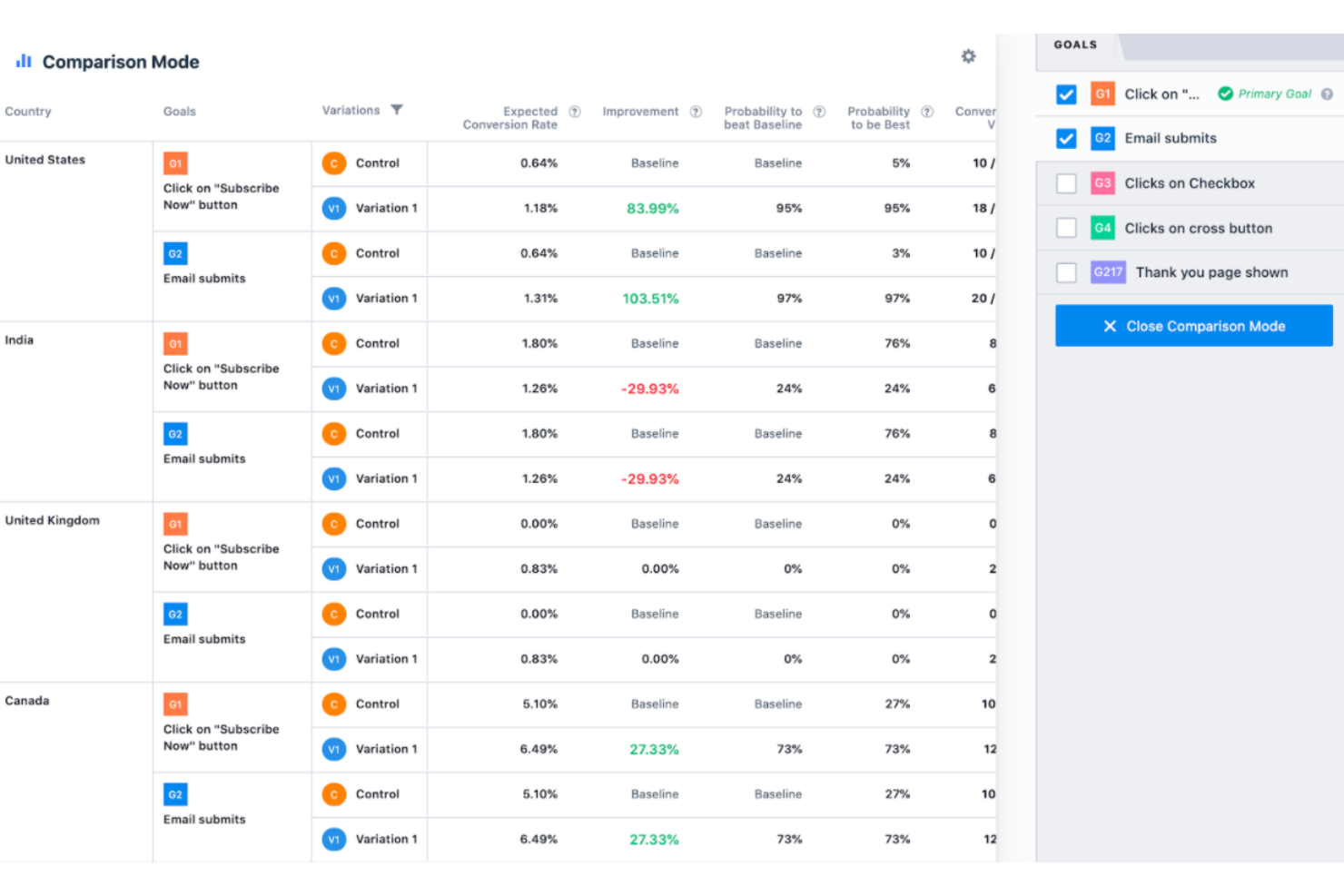
VWO (Visual Website Optimizer) is an A/B testing and conversion optimization platform designed for businesses of all sizes.
Why I picked VWO: The platform allows businesses to create and run experiments to optimize website performance and user engagement, using a range of testing methods. VWO also includes a range of features enabling businesses to gain insights into user behavior and identify areas for improvement.
You can import and aggregate all the metrics that are important to your business, then measure how they are affected by your experiments. The software tracks both leading and lagging indicators for your experiments. It also monitors ‘guardrail metrics’ to ensure that badly failing experiments are stopped quickly.
VWO Standout Features and Integrations
Features include A/B testing, multivariate testing, split URL testing heatmaps, visitor recordings, and form analytics.
Integrations include 6Sense, AT Internet, Adobe Analytics, BlueConic, Contentsquare, FullStory, Heap, Kissmetrics, Snowplow, and WhatConverts.
Pros and Cons
Pros:
- Form analytics
- Excellent behavior insights
- Powerful analytics and reporting
Cons:
- Setup requires resources and investment
- The user interface is not intuitive

Best A/B testing tool for front-end A/B and multi-page experimentation
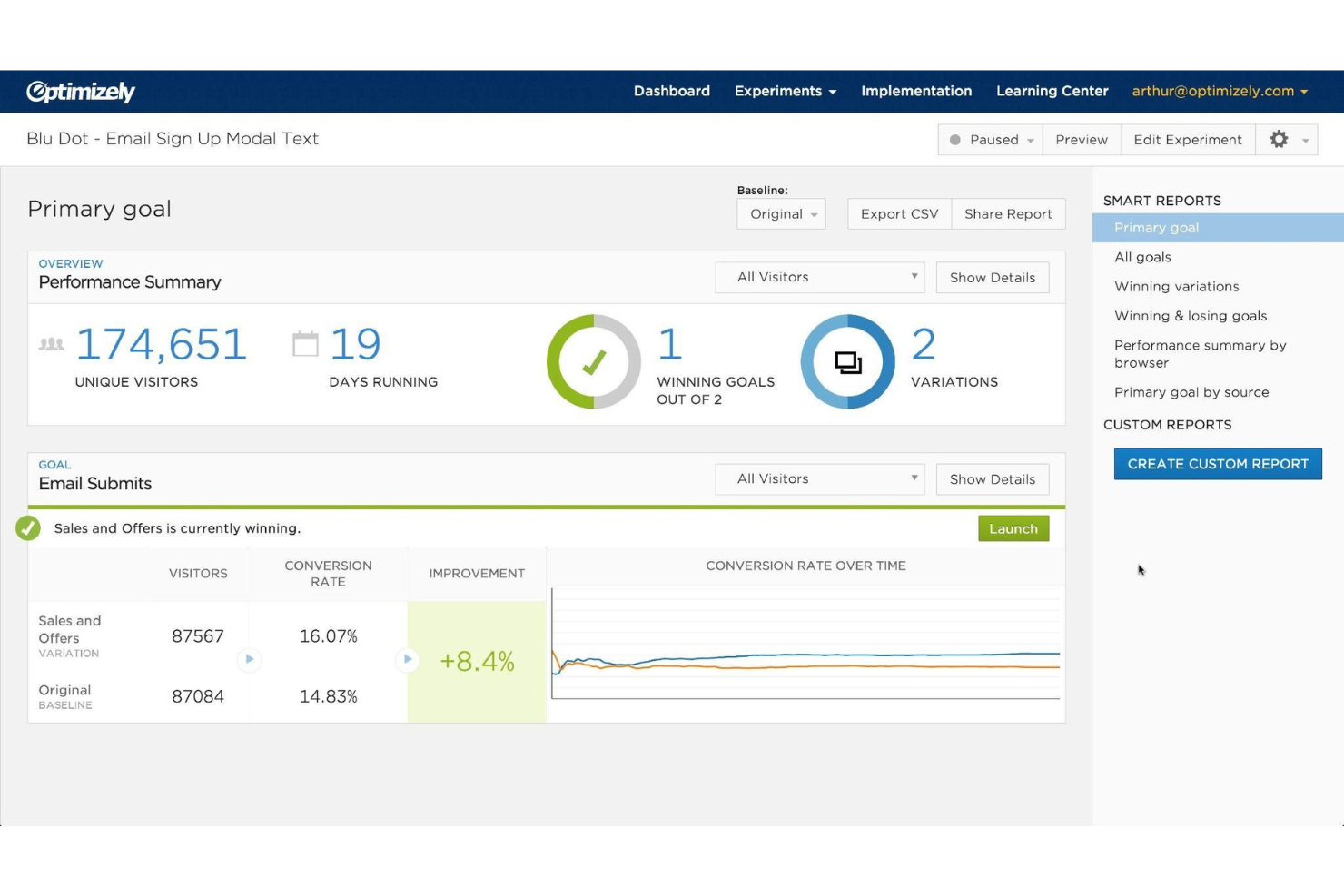
Optimizely is an enterprise-level experimentation platform that helps businesses optimize their digital experiences through A/B testing, personalization, and analytics.
Why I picked Optimizely: The platform enables businesses to test and launch new features, improve website performance, and drive conversions. It offers a wide range of features, integrations, and support options to help businesses create and manage complex experimentation strategies.
This front-end A/B and multi-page experimentation product lets you safely run multiple experiments on the same page. As well as leveraging advanced experimentation you can use personalization to create better customer experiences. You can deliver targeted messaging, personalized offers, and recommend the most relevant content for your users.
Optimizely Standout Features and Integrations
Features include exclusion groups, A/B testing, personalization, multivariate testing, feature flagging, audience targeting, analytics and insights, real-time performance monitoring, and collaboration tools.
Integrations include Acumatica, Aprimo DAM Connector, Coreware, Delighted, FullStory, Magento, OpenPay, PunchOut, Shopify Plus, and Weld.
Pros and Cons
Pros:
- Extensive online documentation
- Integrations with existing workflows
- Powerful audience targeting
Cons:
- Can be expensive for SMBs
- Pricing plans are confusing


Yieldify is an A/B testing platform that allows you to conduct experiments on any aspect of personalization, from designs and formats to copy and advanced targeting rules.
Why I picked Yieldify: This platform uses an AI-prediction engine to accelerate the testing process. You can focus on the tests most likely to work and get meaningful results faster. The machine learning software allows you to run several A/B tests concurrently or run multiple variants in the same confidence test.
Yieldify is also designed to surface problem results. You can run incremental control testing, measuring experiences against a control group who see no personalization.
Yieldify Standout Features and Integrations
Features include A/B/control tests, A/B/n tests, AI-powered predictions, a visual editor, test scheduling, surveys, statistical relevance analysis, split testing, funnel analysis, qualitative and quantitative experiments, and audience targeting.
Integrations include ActiveCampaign, Aircall, CampaignMonitor, FastSpring, IBM Watson, Iterable, Oracle NetSuite, Salesnexus, SendGrid, and Webflow.
Pros and Cons
Pros:
- Advanced segmentation
- Precise targeting
- Excellent reporting features
Cons:
- Integrating with email can be tricky
- Occasional campaign glitches


ClickFunnels is a comprehensive digital marketing system and CRM that includes advanced A/B testing features. You can split-test multiple variations of your pages, offers, and messages to get the most from your marketing campaigns.
Why I picked ClickFunnels: Using ClickFunnels, you can test multiple variations in real time. You can test a single page, a complete funnel, or an entire workflow. For landing pages, you have the option to run experiments on headlines, messaging, and page layout.
ClickFunnels also allows you to test your emails against each other to find winners and optimize your follow-up campaigns. You can test subject lines, CTA options, messages, links, and email designs to maximize click-through rates.
ClickFunnels Standout Features and Integrations
Features include A/B testing, multivariate testing, email experiments, funnel testing, analytics, workflows, call-to-action testing, and price testing.
Integrations include ActiveCampaign, HubSpot, Keap, Mailshake, PayPal, Recurly, SendLane, Stripe, and WebinarJam.
Pros and Cons
Pros:
- Modern design
- Easy to set up
- Integrated into the ClickFunnels CRM
Cons:
- Pages may load slowly
- Limited testing features


Freshmarketer is a marketing automation and conversion rate optimization platform designed for businesses of all sizes.
Why I picked Freshmarketer: Using Freshmarketer, you can create A/B tests to compare different versions of pages to determine which performs better. Freshmarketer provides heatmaps that show where visitors are clicking on a website, which can help you optimize pages for better user engagement and conversions.
Freshmarketer offers session replay capabilities, enabling you to watch recordings of how visitors interact with your website, so you can optimize accordingly. The platform offers conversion funnel analysis, which allows you to track the user journey, identify areas where users drop off, and optimize pages for better conversions.
Freshmarketer Standout Features and Integrations
Features include AB testing, heatmaps, conversion funnels, session recording and replay, an API, an activity dashboard, alerts, escalation, notifications, behavior tracking, campaign analytics, and campaign segmentation.
Integrations include Adobe Analytics, Drupal, FreshDesk, Google, Joomla, Magento, SquareSpace, WordPress, and Unbounce.
Pros and Cons
Pros:
- Advanced audience targeting
- Conversion funnel analysis
- No coding required
Cons:
- Lacks advanced features
- Limited customization options


Statsig is a feature flagging and experimentation platform designed for software development teams to test and launch new features with a data-driven approach.
Why I picked Statsig: This tool allows developers and product managers to measure feature launches, run A/B experiments, and dynamically control the release of features to different user segments. Statsig is designed to integrate into existing workflows, providing comprehensive analytics tools and reporting to help teams make data-driven decisions.
The software deploys product observability to improve results. This technology combines experimentation with real-time analytics to give you a 360° view of your product and business. Statsig serves all your experimentation needs with a unified platform that connects what you build with the impact you deliver.
Statsig Standout Features and Integrations
Features include feature flagging, A/B testing, dynamic configuration of feature flags, support for multiple languages, custom user targeting, comprehensive analytics, and multi-platform capabilities.
Integrations include Amplitude, Datadog, Discord, Google Analytics, Jira, Heap, LogDNA, Microsoft Teams, RevenueCat, and Slack.
Pros and Cons
Pros:
- Advanced analytics
- Custom user targeting
- Integrates into existing workflows
Cons:
- Performance issues with complex experiments
- Requires tech expertise
Other A/B Testing Tools
Here are a few more solid options that didn’t make the best A/B testing tools list:
- Intellimize
A/B testing tool for programmatic conversion rate optimization
- A/B Smartly
A/B testing tool for knowledge-based experiments
- Tggl
For safe, fast code releases with feature flags
- Crazy Egg
A/B testing tool for rapid setup
- Omniconvert
A/B testing tool for a powerful segmentation engine
- Instapage
A/B testing tool for split-testing with heatmaps
- Convertize
A/B testing tool for an intuitive, visual page-editor
- Apptimize
A/B testing tool for optimizing customer journeys across all channels
- Adobe Target
A/B testing tool for everything from web to IoT
- Oracle Maxymiser
A/B testing tool for in-session personalization


AB Testing Tool Selection Criteria
When selecting the best AB testing tools to include in this list, I considered common buyer needs and pain points like ease of integration and the ability to interpret test results effectively. I also used the following framework to keep my evaluation structured and fair:
Core Functionality (25% of total score)
To be considered for inclusion in this list, each solution had to fulfill these common use cases:
- Conduct A/B tests
- Analyze test results
- Segment audiences
- Provide real-time reporting
- Integrate with other tools
Additional Standout Features (25% of total score)
To help further narrow down the competition, I also looked for unique features, such as:
- Multivariate testing
- AI-driven insights
- Visual editor for tests
- Cross-device testing
- Predictive analytics
Usability (10% of total score)
To get a sense of the usability of each system, I considered the following:
- Intuitive interface
- Easy navigation
- Minimal learning curve
- Clear documentation
- Responsive design
Onboarding (10% of total score)
To evaluate the onboarding experience for each platform, I considered the following:
- Availability of training videos
- Interactive product tours
- Access to templates
- Onboarding webinars
- Supportive chatbots
Customer Support (10% of total score)
To assess each software provider’s customer support services, I considered the following:
- 24/7 support availability
- Multiple support channels
- Response time
- Quality of help documentation
- Availability of a dedicated account manager
Value For Money (10% of total score)
To evaluate the value for money of each platform, I considered the following:
- Competitive pricing
- Feature set for the price
- Flexibility of pricing plans
- Discounts for long-term commitments
- Free trial availability
Customer Reviews (10% of total score)
To get a sense of overall customer satisfaction, I considered the following when reading customer reviews:
- Overall satisfaction rating
- Commonly reported issues
- Praise for specific features
- Feedback on customer support
- Perceived value for money
How to Choose AB Testing Tool
It’s easy to get bogged down in long feature lists and complex pricing structures. To help you stay focused as you work through your unique software selection process, here’s a checklist of factors to keep in mind:
| Factor | What to Consider |
|---|---|
| Scalability | Can the tool handle your current and future needs? Consider the volume of tests and data you expect. Look for tools that grow with your business without significant extra costs or technical hurdles. |
| Integrations | Does the tool integrate with your existing systems like CRM, analytics, or marketing platforms? Ensure seamless data flow and avoid disruptions in your workflow. Check for native integrations and the ability to connect via APIs. |
| Customizability | How flexible is the tool in adapting to your specific processes? Look for options to customize dashboards and reports. Ensure it can tailor experiments to fit your unique business goals. |
| Ease of use | Is the tool intuitive for your team? Check for a user-friendly interface and straightforward navigation. Consider the learning curve and whether extensive training is required. |
| Implementation and onboarding | How quickly can you get up and running? Evaluate the resources and support available during setup. Look for tools offering comprehensive onboarding, including tutorials and live support. |
| Cost | Does the pricing align with your budget? Consider total costs, including setup fees, monthly charges, and any hidden costs. Compare pricing tiers and check if the features you need are included in the base price. |
| Security safeguards | Are your data and user privacy protected? Look for tools with strong security measures like encryption, access controls, and compliance with data protection regulations. Ensure they have a clear privacy policy. |
| Support availability | What level of support does the vendor provide? Check for 24/7 support, dedicated account managers, and the availability of multiple support channels like chat, email, and phone. Ensure timely and effective assistance when issues arise. |
What Are AB Testing Tools?
AB testing tools are software products used to compare two versions of a webpage, app, or campaign to see which one performs better. The insights come from real user actions, helping teams make clearer and more effective decisions.
Marketing professionals, product managers, and UX designers use these tools to improve user experience, increase conversions, and refine digital strategies. By testing small updates and tracking results, they can understand what truly engages users and create better-performing products or campaigns.
Features
When selecting AB testing tools, keep an eye out for the following key features:
- Split testing: Allows comparison between two or more versions of a webpage or app to see which performs better, providing insights for optimization.
- Real-time analytics: Offers immediate data on test performance, helping users make quick, informed decisions.
- Audience segmentation: Enables targeting specific user groups to tailor experiences and improve engagement.
- Visual editor: Provides a user-friendly interface to set up tests without needing coding skills, simplifying the testing process.
- Multivariate testing: Tests multiple variables simultaneously to understand complex interactions and optimize user experience.
- Feature flagging: Lets users control the release of new features, ensuring smooth rollouts and minimizing risks.
- Predictive analytics: Uses data to forecast outcomes, helping teams anticipate user behavior and refine strategies.
- Customizable dashboards: Allows users to tailor data views to their needs, making it easier to track and analyze results.
- Heatmaps: Visualizes user interactions on a page, offering insights into user behavior and areas for improvement.
Benefits
Implementing AB testing tools provides several benefits for your team and your business. Here are a few you can look forward to:
- Improved decision-making: Real-time analytics and data-driven insights help your team make informed choices that enhance user experiences.
- Increased conversion rates: Split testing and audience segmentation enable you to optimize pages and apps, leading to higher engagement and conversions.
- Risk reduction: Feature flagging allows for controlled feature rollouts, minimizing the chance of negative impacts on your users.
- Enhanced user targeting: Audience segmentation lets you deliver personalized experiences, improving user satisfaction and retention.
- Better resource allocation: Predictive analytics help anticipate outcomes, allowing your team to focus efforts on strategies that are likely to succeed.
- Time efficiency: Visual editors and customizable dashboards simplify the setup and monitoring of tests, saving time and effort.
- Insightful user behavior analysis: Heatmaps provide a clear view of user interactions, helping you identify areas for improvement and optimize accordingly.
Costs & Pricing
Selecting AB testing tools requires an understanding of the various pricing models and plans available. Costs vary based on features, team size, add-ons, and more. The table below summarizes common plans, their average prices, and typical features included in AB testing tools solutions:
Plan Comparison Table for AB Testing Tools
| Plan Type | Average Price | Common Features |
|---|---|---|
| Free Plan | $0 | Basic split testing, limited analytics, and community support. |
| Personal Plan | $20-$50/user/month | Advanced split testing, basic audience segmentation, and email support. |
| Business Plan | $100-$300/user/month | Full analytics, multivariate testing, feature flagging, and priority support. |
| Enterprise Plan | $500+/user/month | Custom integrations, dedicated account manager, predictive analytics, and 24/7 support. |
AB Testing Tools FAQs
Here are some answers to common questions about AB testing tools:
How do AB testing tools handle data privacy?
Yes, most AB testing tools comply with data privacy regulations like GDPR and CCPA. They typically offer features to anonymize user data and provide options to manage user consent. When choosing a tool, check if it offers customizable privacy settings and read their privacy policy to ensure it aligns with your company’s needs.
Can I use AB testing tools without technical skills?
Yes, many AB testing tools are designed for non-technical users. They often include drag-and-drop editors and visual interfaces that let you set up tests without coding. However, understanding basic concepts of testing and data analysis will help you get the most out of these tools.
What types of tests can I run with AB testing tools?
With AB testing tools, you can run various tests like A/B, multivariate, and split URL tests. A/B tests compare two versions of a page, multivariate tests examine multiple elements, and split URL tests compare different URLs. Choose the test type based on your goals and resources.
How long should an AB test run?
The duration of an AB test depends on your traffic and goals. Generally, tests should run for at least two weeks to gather sufficient data. Avoid ending tests too early, as this can lead to inaccurate results. Use statistical significance as a guide to determine when to conclude a test.
What’s Next:
If you're in the process of researching AB testing tools, connect with a SoftwareSelect advisor for free recommendations.
You fill out a form and have a quick chat where they get into the specifics of your needs. Then you'll get a shortlist of software to review. They'll even support you through the entire buying process, including price negotiations.