
42 Best AI Chatbots for Customer Service in 2026

20 Best AI Chatbots for Customer Service Shortlist
Here's my pick of the 20 best software from the 42 tools reviewed.


The best AI chatbots for customer service automate support at scale—answering FAQs, reducing ticket volume, and freeing agents for complex issues. You want a chatbot to help you provide quick and consistent responses to simple customer queries, but you need to figure out which option delivers better outcomes for your customers and agents.
In this article, I leverage my CX experience to review and shortlist the best AI chatbots to help customer service teams work more effectively and offer customer support around the clock.
Why Trust Our Reviews
We’ve been testing and reviewing AI chatbots for customer service since 2021. As CX professionals ourselves, we know how critical and difficult it is to make the right decision when selecting software.
We invest in deep research to help our audience make better software purchasing decisions. We’ve tested more than 2,000 tools for different customer experience use cases and written over 1,000 comprehensive software reviews. Learn how we stay transparent & our software review methodology.
The Best AI Chatbots For Customer Service: Pricing Comparison Chart
This comparison chart summarizes my top AI chatbots for customer service selections, including why they stand out, pricing details and the availability of free trials or demos.
| Tool | Best For | Trial Info | Price | ||
|---|---|---|---|---|---|
| 1 | Best for automating customer inquiries | Free trial + free demo available | From $99/month | Website | |
| 2 | Best for AI agents trained on your own data | Free plan available | From $32/month (billed annually) | Website | |
| 3 | Best with custom brand voice configuration | Free demo available | Pricing upon request | Website | |
| 4 | Best for unified communication channels | 30-day free trial available | From $31/agent/month (billed annually) | Website | |
| 5 | Best for AI-powered ticket triage | Free demo + 14-day free trial available | From $19/user/month (billed annually) | Website | |
| 6 | Best for major marketplace integration | 14-day free trial | From $39/agent/month | Website | |
| 7 | Best for auto-resolution across channels | 14-day free trial available | From $16/user/month (billed annually) | Website | |
| 8 | Best for automating IT support tasks | 30-day free trial + free demo available | From $149/technician/month (billed annually) | Website | |
| 9 | Best for automating routine inquiries | Free plan available | From $16/month (billed annually) | Website | |
| 10 | Best with no-code workflow automation | Free trial + free demo available | From $19/agent/month (billed annually) | Website | |
| 11 | Best for multilingual customer support | Not available | Pricing upon request | Website | |
| 12 | Best for AI-driven customer interactions | 15-day free trial + free plan | From $7/user/month (billed annually) | Website | |
| 13 | Best for AI-driven automation | Free plan available | From $25/user/month (billed annually) | Website | |
| 14 | Best for automating customer inquiries | 7-day free trial available | From $24.17/month (billed annually) | Website | |
| 15 | Best with Microsoft Teams ticketing integration | 21-day free trial | From $12/user/month (billed annually) | Website | |
| 16 | Best for visitor tracking insights | 15-day free trial available | From $7/operator/month | Website | |
| 17 | Best with automated quality assurance | 14-day free trial + free demo available | From $25/seat/month (billed annually) | Website | |
| 18 | Best for real-time customer issue resolution | Free Demo | Customized price upon request | Website | |
| 19 | Best for brand-safe interactions | Free Demo | Website | ||
| 20 | Best for advanced AI customer queries | 14-day free trial available | From $29/user/month (billed annually) | Website |


-

SupportYourApp
Visit WebsiteThis is an aggregated rating for this tool including ratings from Crozdesk users and ratings from other sites.4.7 -
Freshdesk
Visit WebsiteThis is an aggregated rating for this tool including ratings from Crozdesk users and ratings from other sites.4.4 -
Zendesk
Visit WebsiteThis is an aggregated rating for this tool including ratings from Crozdesk users and ratings from other sites.4.3


Best AI Chatbots for Customer Service Reviews
Here are my in-depth reviews of the 20 best AI chatbots for customer service that made it into my shortlist.


CoSupport AI is an AI-powered chatbot platform for customer service teams seeking to automate support conversations, reduce manual workload, and deliver fast, accurate responses across digital channels.
Who Is CoSupport AI Best For?
CoSupport AI is a strong fit for mid-sized to enterprise businesses with high-volume support operations that need to automate repetitive customer inquiries at scale.
Why I Picked CoSupport AI
I picked CoSupport AI as one of the best because of how it handles inquiry automation at a level most tools don't reach. The AI Agent is trained directly on your historical support tickets, internal documentation, and product data, so it pulls from your knowledge base to resolve issues like order status checks or account updates without human involvement. I also like that it supports 40+ languages out of the box, so my team isn't managing separate workflows for different regions. CoSupport AI uses a patented model ensemble to reduce AI hallucinations, which is a real concern when you're letting AI handle customer-facing conversations autonomously.
CoSupport AI Key Features
- AI Assistant with response drafting: Generates ready-to-send reply suggestions for human agents in 1.5 seconds, trained on your ticket history and company data.
- Text Lens: Highlights key questions and details within customer tickets to help agents quickly understand and respond to complex requests.
- Reinforcement learning: Refines response suggestions based on agent feedback and new customer interaction data.
- No-code AI setup: Configure, test, and deploy AI agents without engineering resources, connecting your knowledge base, CRM, or helpdesk in minutes.
CoSupport AI Integrations
Integrations include Zendesk, Freshdesk, Zoho Desk, Intercom, and a custom API for additional connections.
Pros and Cons
Pros:
- Provides contextual insights via built-in business intelligence
- Automates large volumes of routine customer queries
- Rapid implementation respected by teams deploying it
Cons:
- Advanced analytics and customization options still maturing
- Fine-tuning responses may demand ongoing oversight


Chatbase lets customer service teams and businesses create AI chatbots tailored to their own data, helping deliver fast, accurate, and context-aware support across websites and messaging channels.
Who Is Chatbase Best For?
Chatbase is a good fit for small to mid-sized businesses that want to deploy a custom AI chatbot without relying on a development team.
Why I Picked Chatbase
Chatbase earns its spot as one of the best on my shortlist because of how well it handles training AI agents on your own business data. I like that you can upload documents, connect a website URL, or sync a knowledge base, and Chatbase builds a chatbot that answers questions based specifically on that content. In practice, that means my team can deploy a support bot that references our actual product documentation rather than generating generic responses. The lead capture and escalation features also let the bot hand off to a human agent when a question falls outside its training data.
Chatbase Key Features
- Smart escalation: Set natural language rules that trigger handoffs to human agents via live chat or helpdesk tickets when the AI can't resolve an issue.
- AI model comparison: Test different AI models and configurations side by side to find the best setup for your support use case.
- Multilingual support: Automatically detects and responds in 80+ languages using generative AI, without manual configuration.
- Advanced reporting: Tracks conversation analytics and agent performance data to help you identify gaps and optimize responses over time.
Chatbase Integrations
Integrations include Zendesk, Notion, Slack, Stripe, Salesforce, Cal.com, Calendly, WhatsApp, Messenger, and Make.
Pros and Cons
Pros:
- Ensures data security and compliance
- Provides multilingual AI agent support
- Integrates with major business platforms
Cons:
- Limited customization for chatbot flows
- Missing built-in live chat

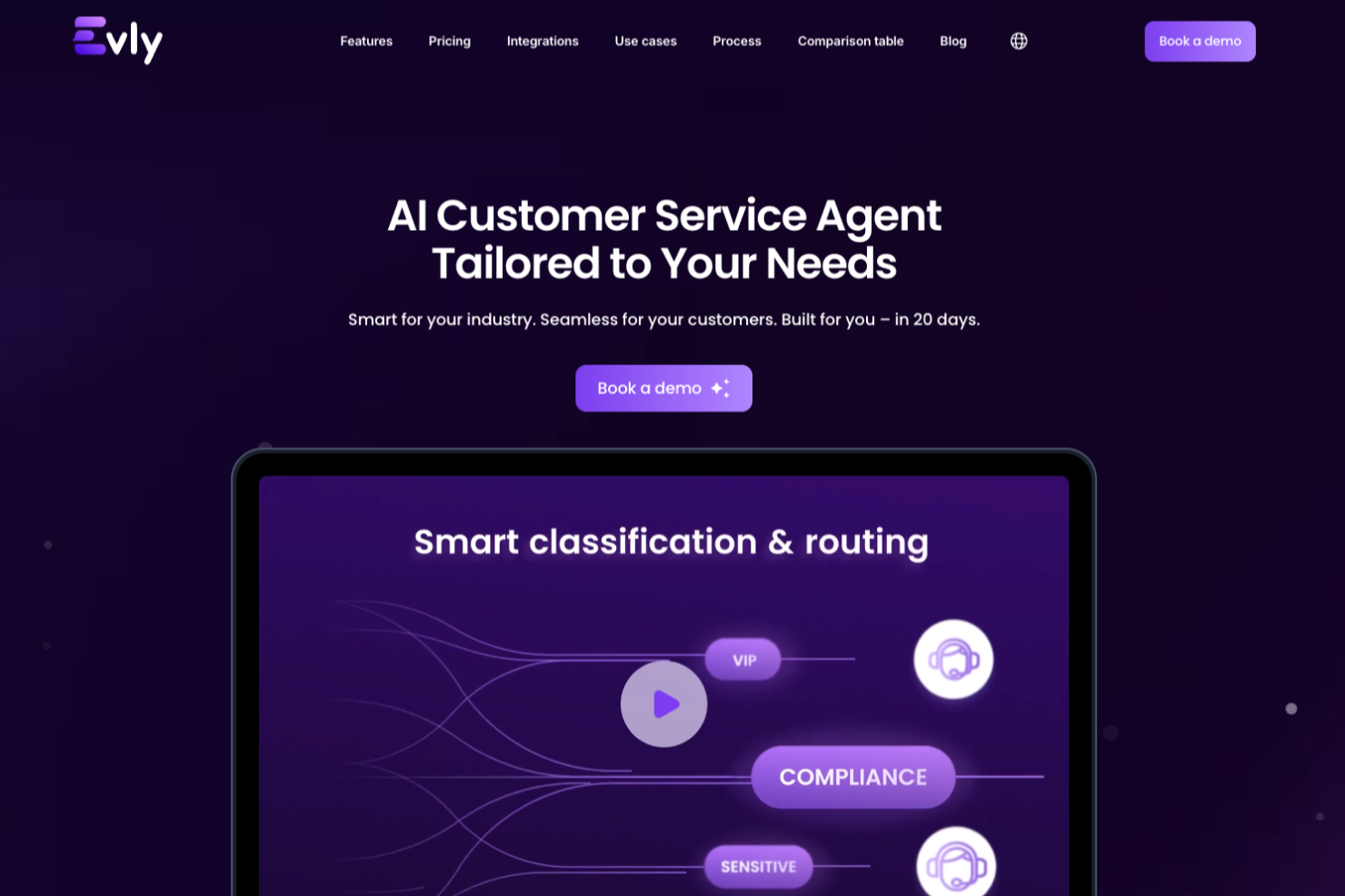
Evly is an AI chatbot platform designed for customer service teams who want to automate support, personalize conversations, and maintain brand consistency across digital channels.
Who Is Evly Best For?
Evly is a good fit for mid-sized to enterprise customer service teams that need AI-driven chat automation with consistent, on-brand messaging across multiple support channels.
Why I Picked Evly
Evly earns its spot on my shortlist because of how well it handles custom brand voice configuration—something most AI chatbots treat as an afterthought. I like that you can define tone, vocabulary, and response style at a granular level, so the chatbot sounds like your brand, not a generic bot. My team uses Evly's voice profile settings to ensure the chatbot mirrors the same language used across email templates and help center articles. That kind of consistency across touchpoints is what keeps customer interactions feeling intentional rather than automated.
Evly Key Features
- AI-powered intent detection: Automatically identifies customer intent from incoming messages to route conversations to the right response or agent.
- Automated escalation routing: Transfers complex or unresolved chats to a live agent based on predefined triggers or sentiment signals.
- Multichannel deployment: Deploy the chatbot across web, mobile, and social messaging platforms from a single configuration.
- Conversation analytics dashboard: Tracks chat volume, resolution rates, and drop-off points to surface gaps in your support coverage.
Evly Integrations
Integrations include Salesforce, Shopify, Slack, Microsoft Teams, and Airtable.
Pros and Cons
Pros:
- Provides detailed analytics and ticket insights
- Offers multilingual support in 95+ languages
- Customizes chatbot tone and brand voice
Cons:
- Lacks transparent, self-serve pricing information
- Limited public documentation on advanced customization


Comm100 gives customer service teams in retail, finance, education, and healthcare an AI-powered chatbot platform that automates support, manages high chat volumes, and connects conversations across multiple digital channels.
Who Is Comm100 Best For?
Comm100 is a strong fit for mid-size to enterprise teams in regulated industries like finance, healthcare, and education that need AI-powered chat across multiple digital channels.
Why I Picked Comm100
Comm100 earns its spot on my shortlist because of how well it handles unified communication channels within a single agent console. I like that my team can manage live chat, email, SMS, social media, and messaging apps all from one place—without switching between tools or losing conversation context. The ticketing and messaging module pulls all of these channels into one queue, so agents aren't juggling separate inboxes when volume spikes. The AI Agent layer sits across those channels, so automated responses and escalation logic apply consistently whether a customer reaches out via web chat or a messaging app.
Comm100 Key Features
- AI Agent: Deploy a bot that handles common customer questions using natural language processing without agent involvement.
- Canned messages: Build a library of pre-written responses agents can insert instantly during live chat conversations.
- Visitor monitoring: View real-time data on who is browsing your site, including page history and time on site.
- Reporting dashboard: Track chatbot resolution rates, agent response times, and customer satisfaction scores in one view.
Comm100 Integrations
Integrations include Salesforce, HubSpot, Zendesk, Shopify, Facebook, WhatsApp, Instagram, Microsoft Dynamics 365, Google Analytics, and Twilio.
Pros and Cons
Pros:
- Easy-to-use live chat with quick setup process
- HubSpot CRM integration records chats automatically
- Automation features help reduce manual support workload
Cons:
- Limited stability when connecting third-party tools
- Users report mapping challenges during CRM integration


Freshdesk is a customer service platform built for support teams in businesses of all sizes who want to automate conversations, resolve tickets faster, and deliver consistent experiences across chat, email, and social channels using AI-driven tools.
Who Is Freshdesk Best For?
Freshdesk is a good fit for growing support teams that handle high ticket volumes across multiple channels and need AI tools to keep response times and workloads manageable.
Why I Picked Freshdesk
Freshdesk earns its spot on my shortlist because of how well Freddy AI handles ticket triage automatically. I particularly like the auto-triage feature, which reads incoming tickets and fills in fields like priority, category, and type without any manual input from agents. Freddy AI Copilot prioritizes tickets by customer sentiment, so my team can spot which conversations need urgent attention. This lets agents spend less time sorting and more time resolving issues.
Freshdesk Key Features
- Freddy AI Agent: An AI bot that handles customer questions directly across chat and email channels without agent involvement.
- Skill-based ticket assignment: Automatically routes tickets to agents based on their specific skills and expertise.
- Freddy AI Insights: Generates reports on support trends, ticket patterns, and team performance to surface operational gaps.
- Knowledge base: A multilingual self-service portal where customers can find answers to common questions without contacting support.
Freshdesk Integrations
Integrations include Playvox, Slack, MS Teams, Shopify, Salesforce, Jira, Tata, Jupiter, Springer, and Workato.
Pros and Cons
Pros:
- Features a no-code conversational bot builder for easy deployment
- Robust automation features to reduce manual tasks
- Asset management capabilities
Cons:
- Advanced reporting features are seen as complex by some
- Freddy AI is a paid add-on feature
New Product Updates from Freshdesk

Freshdesk Enhances Contact Data Management and Social Identity Fields
Freshdesk now lets you manage social handles and handle large contact lists with ease, streamlining customer profiles and data tasks. For more information, visit Freshdesk’s official site.


eDesk is an AI-powered customer service platform built for e-commerce businesses that need to manage high volumes of support across multiple channels and marketplaces.
Who Is eDesk Best For?
eDesk is a strong fit for e-commerce businesses selling across multiple online marketplaces who need a centralized hub for customer support.
Why I Picked eDesk
eDesk earns its spot on my shortlist because of how well it handles customer support across major marketplaces like Amazon, eBay, and Walmart from a single inbox. I like that it automatically pulls in order data alongside each customer message, so my team isn't switching between tabs to look up purchase details before responding. The AI-suggested replies are trained on ecommerce-specific contexts, so the responses fit marketplace interactions rather than generic support scenarios. I also find the automated order-status responses especially useful for cutting down repetitive "where's my order?" tickets at scale.
eDesk Key Features
- AI sentiment detection: Automatically identifies the emotional tone of incoming messages to help prioritize urgent or frustrated customer tickets.
- Live chat widget: Lets you deploy a chat window directly on your storefront to handle real-time customer conversations.
- Smart inbox: Groups related messages from the same customer across channels into a single conversation thread.
- Performance reporting: Tracks agent response times, resolution rates, and customer satisfaction scores in a built-in dashboard.
eDesk Integrations
Integrations include Amazon, eBay, Walmart, Shopify, WooCommerce, BigCommerce, Mirakl, and Etsy.
Pros and Cons
Pros:
- Integrates rich order data for enhanced customer service
- AI-powered automations improve response efficiency
- Designed to handle high volumes of ecommerce inquiries
Cons:
- Reporting customization is limited for complex analysis
- Primarily built for ecommerce, less flexible for other industries


SparrowDesk is an AI-powered customer service platform designed for support teams and businesses that want to automate responses, resolve queries faster, and manage conversations across multiple channels without sacrificing quality or consistency.
Who Is SparrowDesk Best For?
SparrowDesk is a good fit for mid-sized to enterprise support teams that handle high volumes of customer inquiries across multiple channels and need AI to resolve them automatically.
Why I Picked SparrowDesk
SparrowDesk earns its spot on my shortlist because of how well it handles auto-resolution across channels without requiring constant human intervention. I like that it uses AI to automatically close out common queries—things like order status, password resets, or account updates—across chat, email, and social in one unified flow. My team is able to set resolution rules per channel, so the bot doesn't just deflect tickets but actually closes them with a confirmed answer. That channel-specific control over automated resolution benefits high-volume support environments.
SparrowDesk Key Features
- AI intent detection: Identifies the purpose behind each customer message to route or respond with the right action automatically.
- Live agent handoff: Transfers conversations from the AI chatbot to a human agent when queries exceed the bot's resolution scope.
- Canned response library: Stores pre-approved replies that the AI can pull from to answer frequently asked questions consistently.
- Conversation analytics dashboard: Tracks chatbot performance metrics like resolution rate, response time, and escalation frequency.
SparrowDesk Integrations
Integrations include Attio, Zapier, SurveySparrow, HubSpot, and Okta.
Pros and Cons
Pros:
- Omnichannel inbox centralizes communication across platforms.
- Multilingual support caters to a global audience.
- AI Copilot assists agents with smart draft suggestions.
Cons:
- Limited native integrations could hinder seamless connectivity.
- Dependence on AI may not suit all customer service styles.


Atera is an all-in-one IT management platform designed for IT teams and managed service providers who want to use AI chatbots and automation to resolve customer service issues faster and reduce manual workload.
Who Is Atera Best For?
Atera is a strong fit for IT departments and managed service providers that handle high volumes of support requests and need AI-driven tools to manage them at scale.
Why I Picked Atera
I picked Atera as one of the best because it goes beyond basic chatbot deflection in automating IT support tasks. What I love most is Robin, Atera's autonomous AI agent, which doesn't just respond to requests—it takes action. When an employee submits a ticket about a password reset or a broken app, Robin investigates the issue, executes the fix directly on the device or in the cloud, and closes the loop in the ticketing system, all without a technician touching it. I also like the ticket automation rules, which let my team set up dynamic routing based on technician skill, workload, and availability, so tickets route to the appropriate technician without manual triage. The AI auto-tagging feature categorizes incoming tickets by keyword, which makes it easier to spot patterns and prioritize what needs human attention.
Atera Key Features
- AI Copilot: An AI assistant built into the helpdesk that summarizes incoming tickets, suggests resolutions, and helps technicians respond to end users faster.
- Customer portal: A self-service portal where end users can submit tickets, track request status, and access knowledge base articles without contacting a technician.
- Real-time monitoring and alerts: Configurable threshold profiles that trigger alerts only when device or network conditions meet specific criteria you define.
- IT reporting and analytics: On-demand and automated reports that track ticket volume, device health, and technician performance across your environment.
Atera Integrations
Integrations include Splashtop, AnyDesk, TeamViewer, ScreenConnect, QuickBooks, Xero, ESET, Webroot, Bitdefender, and IRONSCALES.
Pros and Cons
Pros:
- Offers comprehensive remote monitoring and management features.
- Integrates multiple IT management tools into one platform.
- The AI-driven automation reduces workload significantly for IT teams.
Cons:
- Less granular control for highly complex custom workflows or integrations.
- Reporting features may incur additional costs for advanced needs.
New Product Updates from Atera

Atera Enhances IT Autopilot With Automation and File Support
Atera’s IT Autopilot gets three major boosts: you can now attach common files for deeper analysis, automate IT tasks with clear workflows, and choose how the system follows up when users go silent. These updates help streamline IT operations and improve resolution efficiency. For more information, visit Atera’s official site.


Quidget is an AI chatbot platform designed for customer service teams who want to handle high volumes of customer inquiries and reduce manual workload by automating responses across multiple channels.
Who Is Quidget Best For?
Quidget suits small to mid-sized businesses that need to deflect repetitive support tickets without building out a large customer service team.
Why I Picked Quidget
Quidget handles automating routine inquiries with minimal setup. I like that it can scan your existing help content—like FAQs or knowledge base articles—and use that to train the chatbot, so it starts answering common questions right away. My team is able to set escalation rules so that anything the bot can't resolve gets handed off to a live agent with full conversation context intact. That handoff feature alone saves a lot of back-and-forth for customers who'd otherwise have to repeat themselves.
Quidget Key Features
- Multi-language support: Quidget automatically detects and responds in the customer's language, covering 45+ languages across all channels.
- Voice AI agent: A voice-based AI agent that listens and responds to customers in real time, handling inquiries over phone or voice interfaces.
- AI performance reporting: Built-in reports show how many questions the AI resolved, which were escalated, and where customers are located.
- Widget customization: Change colors, add your logo, and remove Quidget branding to match your company's look without any coding.
Quidget Integrations
Integrations include Zendesk, Freshdesk, Slack, WhatsApp, Calendly, Telegram, and Viber.
Pros and Cons
Pros:
- No-code setup gets your AI agent running quickly
- Learns from your knowledge base and website content
- Seamless hand-off to human agents for complex inquiries
Cons:
- High-volume use may require regular tuning or oversight
- Focused more on FAQ automation than full conversational flows


Zendesk gives customer service teams in retail, SaaS, and ecommerce a way to automate support with AI chatbots, handle high ticket volumes, and deliver fast, consistent answers across chat, email, and social channels.
Who Is Zendesk Best For?
Zendesk is a strong fit for mid-size to enterprise support teams that need a scalable, AI-powered customer service platform with deep customization options.
Why I Picked Zendesk
Zendesk earns its spot as one of the best on my shortlist because of how well its no-code workflow automation holds up in real, high-volume support environments. I particularly like the no-code flow builder, which lets admins set up multi-step automated workflows—like routing a VIP complaint to a senior agent while simultaneously creating a Jira issue—without writing a single line of code. The business rules engine also lets you build triggers and automations based on ticket conditions, customer sentiment, or intent, so your AI chatbot isn't just deflecting tickets but actually moving them through the right resolution path. On top of that, Zendesk's AI agents can be launched in minutes by connecting directly to your existing knowledge base, with no scripting or predefined conversation flows required.
Zendesk Key Features
- AI-powered triage: Automatically categorizes and prioritizes incoming tickets based on customer intent and sentiment.
- Omnichannel messaging: Manages customer conversations across chat, email, social media, and voice from a single agent workspace.
- Contextual self-service: Surfaces relevant help center articles to customers mid-conversation based on what they're asking.
- Agent copilot: Provides real-time response suggestions and next-step recommendations to agents during live interactions.
Zendesk Integrations
Integrations include Slack, Shopify, Jira, Salesforce, Google Play Reviews, Trustpilot, Harvest, Pipedrive, Sprout Social, and ChannelReply.
Pros and Cons
Pros:
- No-code automation builder for chatbot workflows
- Multilingual chatbot support for global teams
- Robust audit logs for compliance tracking
Cons:
- AI chatbot features require higher-tier plans
- Limited chatbot customization compared to some competitors


Horatio delivers AI-powered chatbots and automation tools for businesses that want to improve customer service performance, helping support teams handle high volumes of inquiries and streamline customer interactions across multiple channels.
Who Is Horatio Best For?
Horatio is a strong fit for e-commerce and DTC brands that need to scale customer support across global markets and multiple languages.
Why I Picked Horatio
Multilingual customer support is where Horatio genuinely earns its spot on my shortlist. I picked it because the platform is built to handle guest and customer interactions across languages at scale—something that's especially relevant for travel and hospitality brands expanding into new global markets. In practice, my team can deploy multilingual support across chat, email, phone, and in-app channels without spinning up separate regional teams. Horatio also pairs this with AI-human handoff design, where agentic AI handles routine multilingual queries like booking changes or loyalty inquiries, and skilled human agents step in for complex or emotionally sensitive interactions.
Horatio Key Features
- Omnichannel support: Handle customer interactions across chat, email, phone, and social media from a single outsourced team.
- Real-time performance dashboards: Track metrics like containment rate, escalation accuracy, SLA adherence, and error rates through live reporting dashboards.
- Brand voice training: Train AI models using past transcripts and escalation protocols so every automated response stays consistent with your brand tone.
- QA monitoring: Run multi-layered quality checks with dedicated QA analysts who audit both human and AI interactions against defined performance benchmarks.
Horatio Integrations
Native integrations are not currently listed.
Pros and Cons
Pros:
- Provides multilingual support for global customer bases
- Offers strong compliance and fraud prevention tools
- Automates repetitive tasks through AI-driven workflows
Cons:
- No free trial option for new users
- Some features, like advanced analytics, require custom setup


Zoho Desk is a customer service platform designed for support teams and businesses that want to automate responses, manage multichannel inquiries, and deliver faster, more accurate support using AI-powered tools.
Who Is Zoho Desk Best For?
Zoho Desk is a strong fit for small to mid-sized businesses that need a scalable, AI-assisted support platform without the complexity or cost of enterprise tools.
Why I Picked Zoho Desk
Zoho Desk earns its spot on my shortlist because of how deeply Zia, its built-in AI, is woven into the actual support workflow. I particularly like that Zia doesn't just handle customer-facing chat—it also works alongside agents in real time, summarizing ticket threads, analyzing tone, and surfacing relevant knowledge base articles so agents can respond faster and more accurately. The Answer Bot feature is another highlight: it deploys across your website and messaging channels, pulling from your knowledge base to resolve common questions before they ever reach a human agent. All of these AI capabilities are built into Zoho Desk at no extra cost, which is uncommon at this price point.
Zoho Desk Key Features
- Ticket management: Merge, clone, split, and create parent-child tickets to keep support queues organized across your team.
- Guided conversations: Build no-code chat flows that walk customers through self-service steps without agent involvement.
- Omnichannel inbox: Manage customer interactions from email, live chat, social media, phone, and web forms in one unified interface.
- Blueprint automation: Design structured process flows that mirror your support workflows and enforce consistent ticket handling steps.
Zoho Desk Integrations
Integrations include Zoho CRM, Jira, Slack, Salesforce, Trello, Microsoft Teams, HubSpot, Asana, Mailchimp, and GitLab.
Pros and Cons
Pros:
- Customizable reporting and analytics tools
- Strong automation features for repetitive tasks
- Comprehensive ticket management system
Cons:
- Limited customization options for certain features
- Mobile app functionality may not be as robust as the desktop version


Hiver brings AI-powered automation and collaborative customer support tools directly into Gmail, helping support teams and service-focused businesses manage high volumes of customer conversations without switching platforms.
Who Is Hiver Best For?
Hiver is a strong fit for small to mid-sized support teams that already run their customer communications through Gmail and Google Workspace.
Why I Picked Hiver
I picked Hiver as one of the best because I love how its AI automation goes well beyond simple rule-based triggers. Hiver's AI Agents learn from your team's past tagging habits, macros, and conversation patterns to autonomously categorize tickets, detect urgency via AI Sentiment Analysis, and close out low-value loops like thank-you replies—without any agent involvement. I also use AI Extract regularly, which pulls key details like order IDs directly from conversations and pushes them into automated routing workflows. What makes this genuinely useful is that all of it runs inside your existing inbox setup, with very little configuration needed to get started.
Hiver Key Features
- Live chat with AI chatbots: Deploy AI-powered chatbots on your website to handle repetitive queries and route conversations automatically before a human agent steps in.
- CSAT surveys: Send short post-resolution surveys to customers to collect satisfaction scores and track service quality over time.
- AI Summarizer: Condense long conversation threads into brief notes to speed up ticket handoffs and escalations between agents.
- SLA tracking: Set response and resolution deadlines, then monitor compliance and violations across your shared inboxes in real time.
Hiver Integrations
Integrations include Salesforce, HubSpot, Slack, Jira, Asana, QuickBooks, Okta, Shopify, NetSuite, and Aircall.
Pros and Cons
Pros:
- Workflow automation triages and drafts
- AI chatbots handle routine inquiries
- Omnichannel inbox consolidates customer communications
Cons:
- Analytics features may not meet advanced reporting needs
- Limited customization for complex workflows


Tidio is an AI-powered customer service platform built for ecommerce stores and small businesses that want to handle customer questions, automate support, and manage conversations across chat, email, and messenger channels.
Who Is Tidio Best For?
Tidio is a great fit for ecommerce businesses and small-to-mid-sized support teams that need to manage high volumes of customer conversations without scaling headcount.
Why I Picked Tidio
Tidio earns its spot on my shortlist because of how well it handles automating customer inquiries without requiring a lot of setup time. I really like Lyro, Tidio's AI agent, which resolves common customer questions automatically by pulling answers from your existing help content—so my team isn't manually responding to the same questions repeatedly. I also use Tidio's Flows feature to build trigger-based automation that routes inquiries, collects customer details, and sends responses based on specific conditions like page visits or cart abandonment.
Tidio Key Features
- Live chat widget: Embed a real-time chat window on your website to let customers connect with support agents instantly.
- Ticketing system: Convert customer conversations into trackable tickets so nothing gets missed or left unresolved.
- Multichannel inbox: Manage messages from email, live chat, and Instagram in one unified view.
- Canned responses: Save and reuse pre-written replies to common questions directly within the chat interface.
Tidio Integrations
Integrations include Instagram, Messenger, Shopify, WhatsApp, WordPress, Zendesk, ActiveCampaign, Adobe Commerce, Salesforce, and Zapier.
Pros and Cons
Pros:
- Helpful resources for setup and optimization
- Effective AI chatbot tailored to user needs
- User-friendly and customizable live chat interface
Cons:
- Reports of auto-renewal leading to unwanted charges
- Issues with account blocking and unclear reasons for suspensions

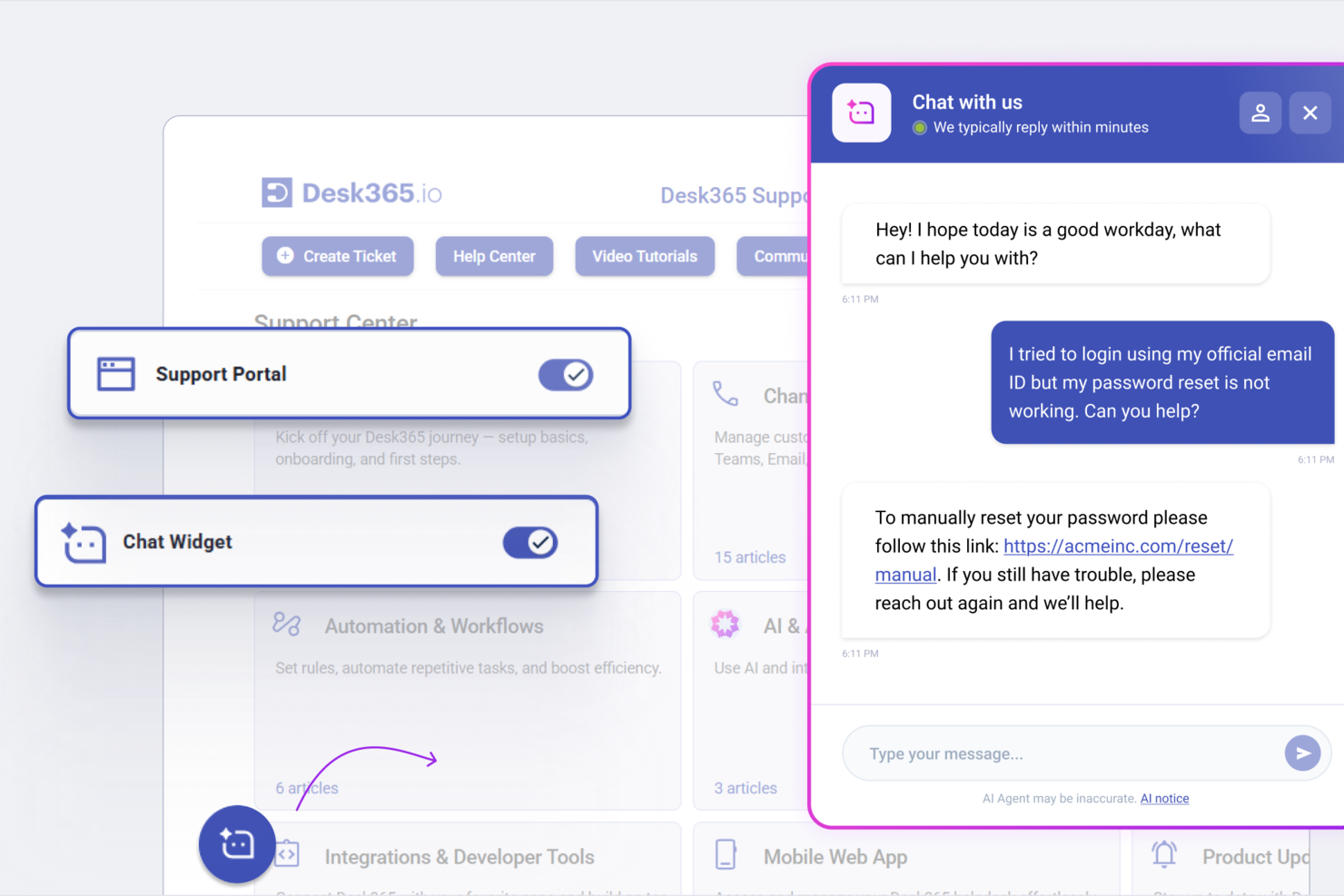
Desk365 offers an AI-powered customer service platform designed to help you manage support across multiple channels. It’s well suited for teams using Microsoft Teams or organizations seeking a help desk that combines ticketing, automation, and chatbot functionality. With chat, email, and self-service tools unified in one platform, Desk365 helps you streamline customer inquiries and automate repetitive support tasks.
Who Is Desk365 Best For?
Desk365 is best for customer support teams in mid-sized organizations that rely on Microsoft Teams and need AI-driven ticketing and automation.
Why I Picked Desk365
I picked Desk365 for its seamless Microsoft Teams ticketing integration, which makes it especially valuable for organizations that already use Teams as their primary collaboration hub. The platform allows you to create, manage, and respond to support tickets directly within Teams, reducing the need to switch between tools and improving agent productivity. I also value how the AI chatbot captures customer queries from Teams conversations and automatically converts them into actionable tickets. This capability keeps support workflows aligned with your team’s existing communication channels, helping you deliver timely and consistent customer service.
Desk365 Key Features
Some other features that make Desk365 useful for customer service teams include:
- AI-powered chatbot for web and email: Handles customer inquiries instantly and converts conversations into support tickets.
- Custom ticket fields: Capture relevant details for each request by configuring fields tailored to your workflows.
- Knowledge base management: Create and maintain a searchable knowledge base to help customers find answers independently.
- Automated ticket assignment: Route incoming tickets to the appropriate agents or teams using predefined rules.
Desk365 Integrations
Integrations include Microsoft Teams, Microsoft 365, Asana, Azure DevOps, Jira, Power BI, and custom integrations via API and Microsoft Power Automate.
Pros and Cons
Pros:
- Knowledge base articles can be generated with AI
- Mobile app supports ticket management on the go
- Approval workflows are highly configurable
Cons:
- Some automation features require Power Automate setup
- Custom branding options are limited on lower tiers


Zoho SalesIQ is a customer engagement platform designed to enhance interactions between businesses and their customers. It offers a range of tools, including live chat and a chatbot builder, to help businesses provide efficient customer service.
Why I Picked Zoho SalesIQ: I picked Zoho SalesIQ because it excels in visitor tracking and lead scoring, which are crucial for understanding customer behavior and prioritizing engagement. This feature allows your team to identify potential leads and focus on those most likely to convert, enhancing your customer service strategy. Additionally, Zoho SalesIQ supports various messaging channels like WhatsApp and Facebook Messenger, ensuring you can connect with customers on their preferred platforms.
The customizable chatbot builder is another reason Zoho SalesIQ stands out. It allows you to tailor interactions to meet specific customer needs, providing personalized service without overwhelming your team. This flexibility means you can adjust the chatbot to handle different scenarios, ensuring consistent and reliable customer support.
Standout Features & Integrations:
Features include a robust live chat system that allows for real-time communication with customers, ensuring immediate assistance and support. The platform also offers detailed visitor insights, giving you a deeper understanding of your audience's needs and preferences. Additionally, Zoho SalesIQ's lead scoring feature helps prioritize potential customers, enabling your team to focus efforts where they'll have the most impact.
Integrations include WordPress, GoDaddy, Zoho CRM, Zoho Desk, Zoho Analytics, OpenAI, Zendesk, Mailchimp, Salesforce, HubSpot, Google Analytics, and Shopify.
Pros and Cons
Pros:
- Secure and accessible client data integration with Zoho CRM
- Offers visitor tracking, codeless chatbot creation, and real-time communication
- User-friendly interface with features like proactive chat triggers
Cons:
- Lacks complexity and advanced tools
- Occasional issues with the mobile app, particularly on Android

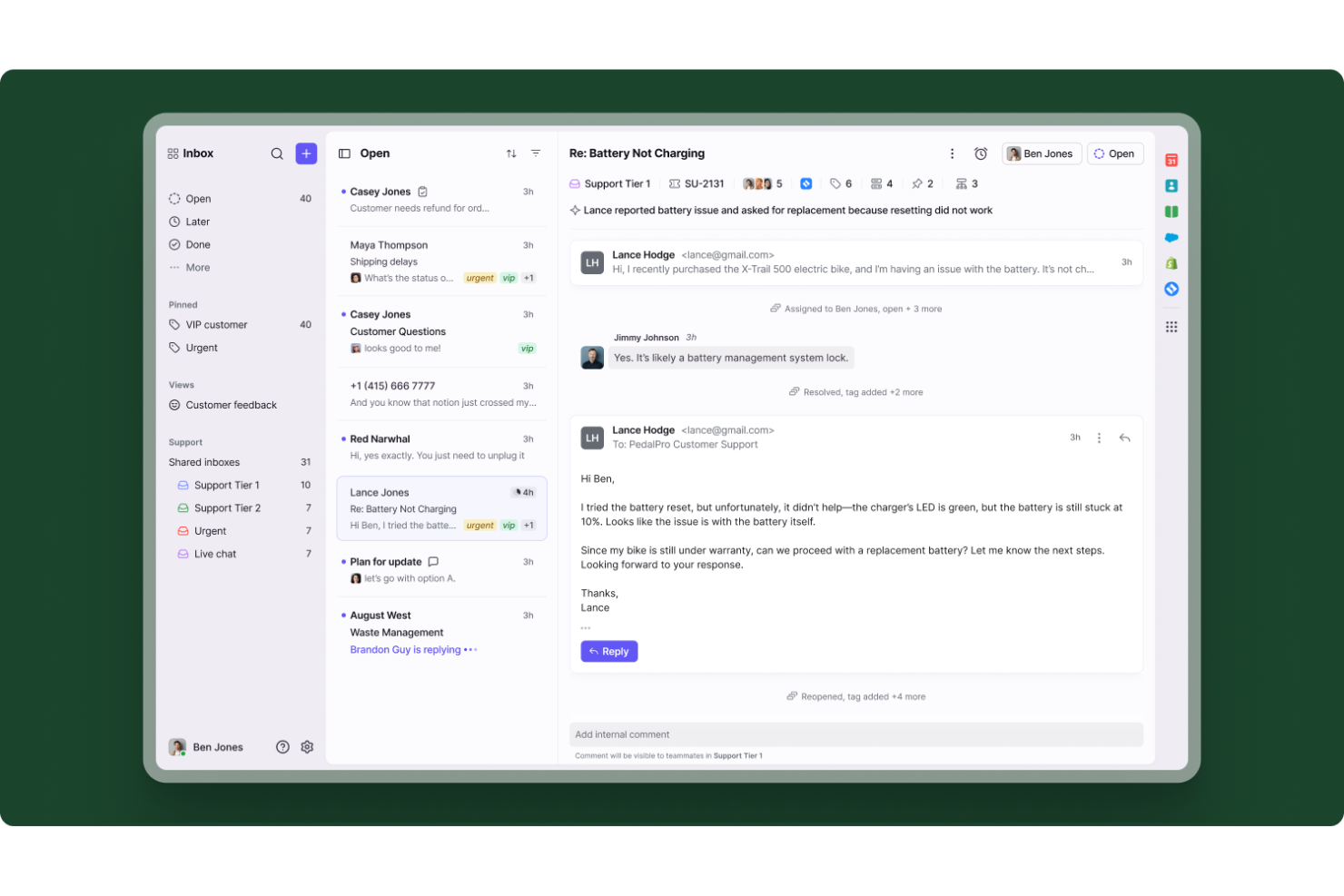
Front brings AI-powered automation and collaborative inbox management to customer service teams looking for smarter ways to handle conversations. It’s designed for businesses that want to unify chat, email, and messaging channels while maintaining a personal touch. If you need a solution that blends AI efficiency with human oversight, Front helps your team deliver fast, accurate support at scale.
Who Is Front Best For?
Front is a strong choice for customer service teams in mid-sized to large businesses that need to manage high volumes of conversations across multiple channels.
Why I Picked Front
For teams focused on maintaining high standards in customer interactions, I picked Front because of its automated quality assurance capabilities. The platform uses AI to review conversations, flagging potential issues and highlighting areas for improvement without manual oversight. This means you can catch compliance risks or inconsistent messaging early, even as chat volumes grow. I also appreciate how Front’s quality assurance tools integrate directly into the inbox, so feedback and coaching happen in real time.
Front Key Features
Some other features in Front that support customer service teams include:
- Omnichannel inbox: Manage chat, email, SMS, and social messages from a single shared workspace.
- AI-powered conversation routing: Automatically assign incoming messages to the right team member based on topic, urgency, or customer profile.
- Custom workflow automation: Set up rules to automate repetitive tasks like tagging, escalation, or follow-up reminders.
- Analytics and reporting dashboard: Track team performance, response times, and conversation trends with built-in analytics tools.
Front Integrations
Integrations include Aircall, Asana, BuildBetter, Chatra, FullContact, Gainsight, HubSpot, ClickUp, Alloy, and OnePageCRM.
Pros and Cons
Pros:
- Real-time collaboration on customer conversations
- Workflow automation reduces manual ticket handling
- Shared inbox supports multi-channel customer chat
Cons:
- Analytics dashboard lacks advanced filtering options
- AI features require higher-tier plans


Conversica offers AI chatbot solutions designed to enhance customer service by facilitating meaningful conversations. Their AI Agents engage customers through various channels, turning marketing campaigns into personalized interactions that drive demand and foster relationships.
Why I Picked Conversica: I picked Conversica because it enables instant, meaningful conversations, which are crucial for maintaining customer trust and loyalty. Their AI Agents address inbound inquiries, resolving issues like billing changes and plan updates in real-time. This helps businesses keep their customers engaged and satisfied by providing quick resolutions to common problems.
Another reason for choosing Conversica is its ability to initiate personalized conversations to trigger renewals, offer upgrades, and reengage inactive accounts. These functionalities drive customer retention and growth by ensuring that your customers feel valued and understood. The platform's design allows for scalability and integration with existing tech stacks, making it a versatile tool for any business.
Standout Features & Integrations:
Features include real-time issue resolution, which ensures your customers' concerns are addressed promptly, thereby enhancing satisfaction. Subscription management is another key feature, allowing customers to handle changes seamlessly without losing valuable time. Additionally, personalized conversations are initiated by AI Agents to drive renewals and reengage inactive accounts, keeping your business thriving and your customers loyal.
Integrations include Salesforce, Slack, Marketo, NetSuite, ServiceNow, Workday, HubSpot, Microsoft Dynamics CRM, Mailchimp, HigherGear, VinSolutions, and Eloqua.
Pros and Cons
Pros:
- The service automates outreach, allowing sales teams to focus on higher-priority tasks
- AI helps organize conversations and adds productivity hours for teams
- Engagement of unresponsive leads
Cons:
- Instances of sending multiple messages to the same customer have been reported
- Achieving a natural conversational flow requires significant testing


Netomi is a conversational AI platform designed for enterprise-level customer service. It focuses on delivering brand-safe, automated interactions to enhance customer satisfaction and support efficiency.
Why I Picked Netomi: I picked Netomi because it uses generative AI to facilitate safe and effective customer interactions. This technology ensures that your customers receive accurate and context-aware responses, which can improve their overall experience. Additionally, Netomi supports both fully automated and human-assisted interactions, giving you the flexibility to tailor your customer service approach to various scenarios.
Another reason Netomi stands out is its no-code interface, which simplifies the management and optimization of your AI-driven customer service. This feature means that even if your team lacks technical expertise, you can still leverage advanced AI capabilities to boost your support team's capacity and resolution rates. The platform's focus on secure and brand-safe customer interactions is another critical factor that makes it a great choice for enterprises.
Standout Features & Integrations
Features include a comprehensive architecture with built-in guardrails and governance, which ensures that all customer interactions are safe and compliant. Netomi also provides a no-code interface, allowing you to manage and optimize the AI platform without needing technical skills. Additionally, the platform supports both automated and human-assisted interactions, enabling you to provide personalized customer service experiences.
Integrations include Zendesk, Salesforce, Freshdesk, Zoho, Khoros, ServiceNow, Kustomer, Oracle Service, Shopify, HubSpot, Slack, and Teams.
Pros and Cons
Pros:
- Supports both automated and human-assisted interactions
- No-code management interface
- Versatile AI capabilities for customer interaction
Cons:
- Some integrations might require extra effort
- Potential latency issues with large workflows


Intercom is a dynamic AI customer service platform designed to transform how you engage with your customers. It offers a suite of tools that automate responses and enhance customer interactions across various channels.
Why I Picked Intercom: I picked Intercom because of its advanced AI capabilities that can resolve complex customer queries without human intervention. The Fin AI Agent stands out by providing quick and accurate responses, which helps your team manage high volumes of inquiries with ease. This functionality ensures that your customers receive timely assistance, enhancing their overall experience.
Another reason I chose Intercom is its ability to provide a consolidated view of customer interactions. This feature allows your team to access all necessary information in one place, improving decision-making and response accuracy. By offering a smooth customer journey, Intercom enables your business to maintain strong relationships with your audience.
Standout Features & Integrations
Features include an AI-powered helpdesk that can summarize conversations and recommend relevant articles, enabling your team to work more efficiently. Intercom also offers multilingual support, allowing you to cater to a diverse customer base. Additionally, it provides detailed analytics, giving you insights into customer behavior and helping you improve your service strategies.
Integrations include Slack, Salesforce, HubSpot, Shopify, Zendesk, Mailchimp, Stripe, Google Analytics, Facebook Messenger, Zoom, Microsoft Teams, and Aircall.
Pros and Cons
Pros:
- Versatile messaging options, including email and in-app messages
- Comprehensive analytics for tracking customer interactions
- Customizable chatbots that enhance user experience
Cons:
- Integration challenges with specific third-party tools
- Occasional performance issues during peak times
Other AI Chatbots For Customer Service
Here are some other conversational AI platforms that didn’t make it into my shortlist of the best chatbot software, but are still worth taking a closer look at:
- Drift
For real-time customer engagement
- Assembled AI
For intelligent case routing
- Jitbit Helpdesk
For AI-powered response generation
- Kommunicate
For multilingual support
- Forethought
For handling customer inquiries
- Guru
For AI-driven knowledge access
- IBM Watson Assistant
For understanding conversation context
- Ushur
For real-time customer interactions
- SAAS First
For 24/7 AI customer support
- UDESK
For reducing human agent workload
- Compass
For real-time AI chat assistance
- 14.ai
For intent-aware AI customer replies
- SwiftCX
For AI-driven customer insights
- Stonly
For personalized knowledge sharing
- LiveAgent
For quick customer responses
- Alhena AI
For quick deployment and higher accuracy
- Neople
For seamless integration with existing workflows
- LivePerson
For answering questions during the purchase interaction
- Freshchat
For multi-channel customer engagement
- ChatBot
For customizing conversation flows
- LiveHelpNow
For omnichannel customer communication
- SysAid
For quick responses using organizational data


Related CX Software Reviews
If you still haven't found what you're looking for here, check out these related customer experience management tools that we've tested and evaluated.
- Customer Service Software
- Help Desk Software
- Call Center Software
- Customer Messaging Platform
- Digital Experience Platform
- Sentiment Analysis Tools
What is an AI Chatbot for Customer Service?
An AI chatbot for customer service is a software application that uses artificial intelligence to interact with customers and handle inquiries in real-time. Customer service representatives, support teams, and businesses generally use these tools to improve customer interaction and efficiency.
They provide value by reducing response times and freeing up human agents for more complex tasks. AI chatbots can handle a wide range of tasks, such as answering frequently asked questions, troubleshooting issues, and guiding users through processes. Features like natural language processing, 24/7 availability, and automated responses help with handling customer inquiries quickly and accurately.
Overall, these tools offer businesses a way to streamline their support operations and improve customer satisfaction.
Selection Criteria for the Best AI Chatbot
Selecting the best AI chatbots for customer service required a meticulous approach, grounded in both comprehensive market research and personal expertise. I began by reviewing AI chatbot platforms with the highest customer reviews, gathering a broad list of potential candidates.
My years of experience then played a crucial role in refining this list, as I evaluated each platform against a set of carefully considered criteria, designed to highlight tools that genuinely add value by alleviating the workload on customer service teams and enhancing the user experience.
Core Functionality (25% of total score)
- Provide instant responses to customer queries
- Handle routine questions (order tracking, returns and exchanges, troubleshooting)
- Route customers to the correct department or agent
- Collect customer feedback
- Support multiple languages
Additional Standout Features (25% of total score)
- Integrate with CRM systems
- Offer predictive analytics
- Provide voice recognition capabilities
- Enable sentiment analysis
- Allow custom branding or personas
Usability (10% of total score)
- Intuitive interface design
- Easy navigation
- Customizable workflows
- Mobile compatibility
- Clear documentation
Onboarding (10% of total score)
- Availability of training videos
- Interactive product tours
- Pre-built templates
- Live webinars and Q&A sessions
- Step-by-step setup guides
Customer Support (10% of total score)
- 24/7 support availability
- Multichannel support options
- Dedicated account managers
- Response time to inquiries
- Availability of self-help resources (knowledge base, community forums)
Value For Money (10% of total score)
- Competitive pricing plans
- Transparent pricing structure
- Value-added features included
- Flexible subscription options
- Free trial availability
Customer Reviews (10% of total score)
- Overall satisfaction ratings
- Feedback on ease of use
- Comments on feature set
- Reviews of customer support
- Testimonials on return on investment
Since integration capabilities are essential for ensuring the AI chatbot works seamlessly within the existing technological framework, I prioritized platforms with robust native integrations, API access for custom solutions, and compatibility with key business tools and platforms.
How to Choose AI Chatbots for Customer Service
You'll want to ensure the best fit possible when choosing an AI chatbot for customer service for your company. Here are the questions you should be asking yourself before making a purchasing decision:
⬜ What are your goals for employing an AI chatbot?
⬜ Have you ever used an AI chatbot for customer service before?
⬜ How many users will need access to the tool? And how often?
⬜ Which 3 key software features can't you live without?
⬜ Does your company have unique or niche needs?
⬜ What channels does it need to connect to? Website, app, other?
⬜ What's your budget for AI chatbot software?
It could be helpful to write down the answers to these questions before you start reading the reviews below. That way, you can measure each tool against the features, functionality, and flexibility you actually need.
Trends in AI Chatbots for Customer Service
The latest trends in AI chatbot technology are propelled by the need to solve specific challenges in customer service operations. Below, I explore the key trends shaping the future of AI chatbots.
- Emotionally Intelligent Responses: Advanced natural language processing (NLP) capabilities enable chatbots to understand and respond to the emotional tone of customer inquiries. This evolution addresses the need for more empathetic and contextually relevant customer interactions, leading to higher satisfaction rates.
- Voice-Enabled Conversational Interfaces: The integration of voice recognition allows users to interact with chatbots using natural speech, making technology more accessible and aligning with the use of voice-assisted devices.
- AI Ethics and Bias Mitigation: Ethical AI practices can counteract bias in chatbot interactions. This reflects a growing awareness of and response to the ethical implications of AI, ensuring chatbots treat all users fairly and without prejudice.
- Hyper-Automation of Customer Service Processes: Beyond just simple queries, AI chatbots are being used to automate complex customer service workflows. This includes integrating with backend systems to perform tasks such as order processing, appointment scheduling, and issue resolution without human intervention.
- Continuous Learning and Adaptation: Chatbots that can learn from each interaction and adapt their responses over time are in high demand. This feature ensures that the service provided by chatbots becomes more accurate and efficient, reflecting the need for continuous improvement in customer service quality.
Features of AI Chatbot for Customer Service
When selecting an AI chatbot for customer service, keep an eye out for the following key features:
- 24/7 availability: Handle customer inquiries at any time of day or night, making sure your customers always get support—even during holidays or after business hours.
- Omni-channel support: Interact with users across multiple platforms such as websites, social media, and messaging apps, so you can meet customers wherever they prefer to engage.
- Instant response times: Provide quick, real-time answers to common questions, helping customers resolve issues without the traditional waiting game.
- Seamless escalation: Effortlessly hand off conversations to human agents when things get complicated, so customers never feel stuck talking to a robot when they need a real person.
- Customizable workflows: Tailor conversation flows to fit your business’s unique services, letting you personalize the chatbot’s approach for better user experiences.
- User-friendly interface: Give both your team and your customers an intuitive, easy-to-navigate experience that doesn’t require a PhD in technology to operate.
- Secure data handling: Protect customer data with built-in security features like encryption and compliance with privacy standards, keeping everyone’s information safe.
- Detailed analytics: Track key metrics like response times, customer satisfaction scores, and chat volumes, so you can continuously improve your service.
Common AI Chatbot for Customer Service AI Features
Beyond the standard AI chatbot for customer service features listed above, many of these solutions are incorporating AI with features like:
- Natural language processing: Understand conversational language, so the chatbot can interpret customer questions—even if they’re asked in quirky or unexpected ways.
- Sentiment analysis: Detect how customers are feeling in real time, allowing the chatbot to adjust its tone or escalate issues based on customer emotions.
- Predictive suggestions: Anticipate what customers might need based on their behavior and previous chats, delivering relevant support without being asked.
- Automated learning and improvement: Continuously learn from each interaction, so the chatbot gets smarter and more effective at answering questions over time.
- Context retention: Remember details from previous interactions, so customers don’t have to repeat themselves and can pick up conversations right where they left off.
Benefits of AI Chatbots for Customer Service
By automating interactions and providing timely, intelligent responses, AI chatbots have transformed the way companies approach customer service, as well as how customers interact with businesses. Here are five primary advantages of implementing this technology:
- Instant Response: They deliver real-time responses to customer inquiries, significantly reducing the time customers spend waiting for answers and improving overall satisfaction.
- Scalability: AI chatbots can handle an increasing number of inquiries without the need for additional resources, allowing businesses to efficiently manage spikes in customer service demands.
- Cost Efficiency: By automating routine inquiries, chatbots reduce the workload on human agents and lower operational costs associated with customer support.
- Personalized Experiences: AI chatbots can tailor conversations based on customer data, offering personalized recommendations and support that enhance the customer journey.
- Reduction in Human Error: Automating responses to frequently asked questions and routine inquiries not only speeds up the service but also minimizes the chances of incorrect information being relayed to customers.
AI chatbots for customer service embody a significant leap toward creating more dynamic, efficient, and customer-centric business operations. With their ability to adapt, learn, and provide value at every touchpoint, these chatbots are not just a trend but a fundamental component of modern customer service strategies.
Costs & Pricing For AI Chatbots for Customer Service
The market for customer service AI chatbots offers a variety of plan options to cater to different business needs and budgets. Here, we break down the common plan options and their pricing to help you make an informed decision.
| Plan Type | Average Price | Common Features |
|---|---|---|
| Free | $0 | Basic chatbot functionalities, Limited interactions per month, Community support, Basic analytics |
| Starter | $20 - $50/ month | Basic plus: Customizable chatbot designs, More interactions per month, Email support |
| Professional | $100 - $500/ month | Starter plus: Integration capabilities, Advanced analytics, Priority support |
| Enterprise | $1000+/month | Professional plus: Custom development options, AI model training, 24/7 support, Unlimited interactions |
Each plan caters to different stages of business growth, from those just exploring AI chatbot solutions to large enterprises requiring sophisticated, tailor-made functionalities. When selecting a plan, consider not only the current needs of your business but also future growth, ensuring that the chosen solution can scale as your customer service demands evolve.
FAQs: More on AI, Chatbots, and Customer Service
Here are the answers to the questions I receive most often about AI, the best AI chatbots, and customer service in general.
How do I choose the right AI chatbot for my support channels?
Start by listing your current support channels (chat, email, social, etc.) and the types of customer inquiries you handle. Look for AI chatbots that support your primary channels and integrate with your CRM or helpdesk tools. Assess each vendor’s ability to handle complexity, language support, and automation depth. Ask vendors for case studies relevant to your industry—don’t rely on generic demos.
What integrations should I look for in customer service chatbots?
You should prioritize integrations with your CRM, helpdesk, live chat platform, and knowledge base. Also check for support with calendar, ticketing, and eCommerce systems if relevant. Smooth integration ensures your chatbot can resolve cases efficiently, personalize customer interactions, and automate workflows seamlessly for your team.
What are the advantages of using AI chatbots for customer service?
Modern consumers don’t want to wait to receive answers to their questions. When they hit a blockade, customers simply move on to the next business. This is the main advantage of having AI customer service chatbots ready and able to answer basic customer queries or escalate issues 24/7.
AI-powered chatbots can also help your business with lead generation by collecting user’s contact information on the spot. The data collected by chatbots can be used as learning material for both the chatbot and the company.
How can I ensure my AI chatbot delivers personalized customer experiences?
Train your chatbot using customer data from your CRM and feedback. Create detailed intent libraries and use conversation flows that reference purchase history or past interactions. Regularly review bot transcripts for areas to fine-tune answers. Consider platforms with advanced natural language processing to recognize returning customers and personalize greetings or offers.
What security or compliance standards should chatbots meet for customer service?
Look for chatbots that offer end-to-end encryption, GDPR or CCPA compliance, and strong data access controls. Review the vendor’s security documentation and ask if they’ve completed SOC 2, ISO 27001, or similar audits. For sensitive industries, ensure the solution supports custom retention policies and audit trails.
How long does it take to implement an AI chatbot in a typical customer service environment?
Most AI chatbot implementations take 2–8 weeks depending on your support volume and integration needs. Simple FAQ bots can go live in days, while complex, multi-channel deployments may need testing and training. Involve both your CX and IT teams early to speed up onboarding and cut down on surprises.
How do AI and machine-learning-based chatbots differ from rule-based chatbots?
AI chatbots use natural language processing and machine learning to understand and respond to customer queries, even if questions are phrased in new ways. Rule-based bots follow pre-set decision trees and only recognize specific keywords or phrases. For CX leaders, AI chatbots are better at handling variety, while rule-based bots are simpler but less flexible.
How can I measure the ROI of using an AI-based chatbot for customer service?
Measure ROI by tracking support ticket deflection, reduction in response times, and agent workload before and after chatbot deployment. Also measure customer satisfaction and NPS scores. Use cost savings (fewer agents, shorter handling times) and improved retention as key financial indicators for your business case.
What are the downsides and limitations to using AI chatbots in customer service?
AI chatbots may misunderstand context, struggle with complex requests, or require ongoing maintenance. Poorly trained bots can frustrate customers. You’ll also need to manage data privacy, security, and escalation to live agents. Start small, monitor performance, and commit to iterative improvement for best results.
Use an AI-Powered Chatbot to Take Your Customer Service to the Next Level
Any business or organization that still believes in human interactions as the only approach to customer relationship management probably hasn’t seen the numbers. It’s expected that up to 85% of customer interactions are already being managed without involving human agents, be it an AI assistant or otherwise.
To stay in the loop of the latest advances in using AI tools for customer service, consider signing up for our newsletter. We'll deliver expert-authored content that touches on all aspects of CX, including tips, tricks, and many how-to resources.