
19 Best Jotform Alternatives Reviewed in 2026

Best Jotform Alternatives Shortlist
Here’s my shortlist of the best Jotform alternatives:


As a customer experience manager, you know that surveys and data collection are key to understanding your audience. You may have tried Jotform but found it limited in customization, integrations, or regulatory compliance. Many teams face the same challenges and look for alternatives that better meet their needs.
Based on my experience testing various software, I’ve identified the top Jotform alternatives that offer unique features and benefits. These tools can help your team collect data more efficiently and gain deeper insights.
This article will walk you through each option, focusing on how they address common challenges, with an unbiased, well-researched perspective to help you make an informed decision.
What is Jotform?
Jotform is a survey and data collection software solution that helps businesses gather information efficiently. It's commonly used by marketing professionals, educators, and event planners who need to collect and analyze data quickly.
Features such as drag-and-drop form building, customizable templates, and integration with other tools help with creating tailored surveys and gathering insights effectively. Overall, Jotform offers a versatile platform for managing data collection tasks.
Best Jotform Alternatives Summary
This comparison chart summarizes pricing details and the number of forms available for my top Jotform alternatives to help you find the best one for your budget and business needs.
| Tool | Best For | Trial Info | Price | ||
|---|---|---|---|---|---|
| 1 | Best for conversational, design-led forms | Free plan available | From $25/user/month (billed annually) | Website | |
| 2 | Best for GDPR compliance | Free plan available | From $15/month (billed annually) | Website | |
| 3 | Best for small business forms and payments | Free plan available | From $24/month (billed annually) | Website | |
| 4 | Best for extensive survey templates | Free plan available | From $30/user/month (billed annually) | Website | |
| 5 | Best for easy payment forms | Free plan + free demo available | From $16.25/month (billed annually) | Website | |
| 6 | Best for HIPAA-compliant forms | Free 14-day trial available | From $83/month (billed annually) | Website | |
| 7 | Best for integration with Zoho products | Free plan available | From $10/month (billed annually) | Website | |
| 8 | Best for Google Workspace users | Free with Google Account | Included with Google Workspace plans starting at $6/user/month | Website | |
| 9 | Best for WordPress integration | Free demo available | From $59/year | Website | |
| 10 | Best for lead generation forms | Free 14-day trial | From $63/month (billed annually) | Website |
Why Trust Our Software Reviews
-

SupportYourApp
Visit WebsiteThis is an aggregated rating for this tool including ratings from Crozdesk users and ratings from other sites.4.7 -
Freshdesk
Visit WebsiteThis is an aggregated rating for this tool including ratings from Crozdesk users and ratings from other sites.4.4 -
Hiver
Visit WebsiteThis is an aggregated rating for this tool including ratings from Crozdesk users and ratings from other sites.4.6




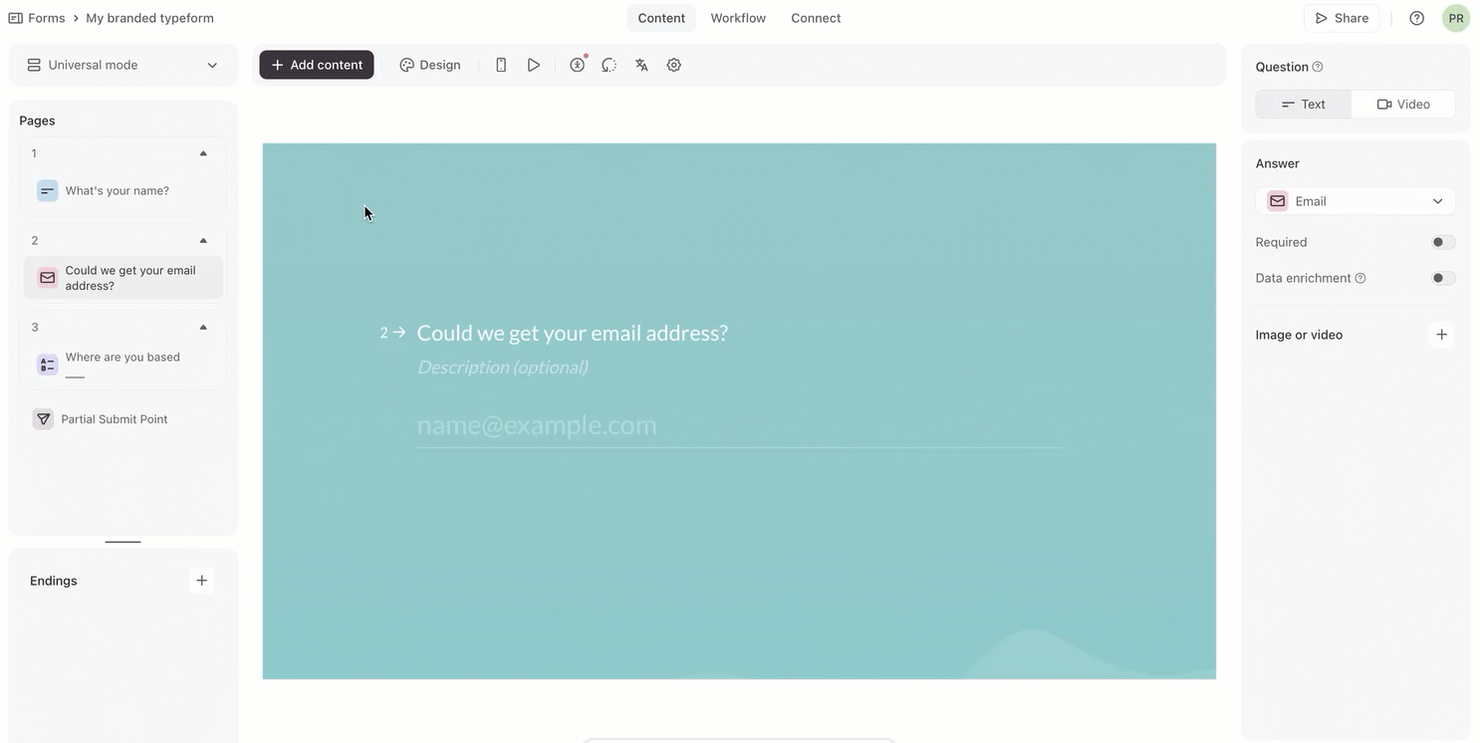
Typeform is an online form builder that lets users create interactive, engaging forms, surveys, and quizzes. It’s popular among marketers, educators, and businesses that want to boost user engagement and gather feedback effectively.
Why it's a good Jotform alternative: Typeform offers a user-friendly design that makes form creation intuitive and engaging for your audience. It offers conversational forms that boost response rates, along with customizable themes and templates to match your brand. The platform's emphasis on design and user experience makes it an appealing choice for creating interactive forms.
Standout features and integrations:
Features include conditional logic, customizable question paths, and interactive elements. You can use multimedia content such as images and videos to enrich your forms. Typeform also offers analytics to track form performance and gather insights.
Integrations include Google Sheets, Mailchimp, Zapier, HubSpot, Slack, Salesforce, Airtable, and more.
Pros and Cons
Pros:
- Broad integrations for marketing stacks
- Customizable themes
- Engaging conversational format
Cons:
- Weak version-history support
- Limited multi-page layouts

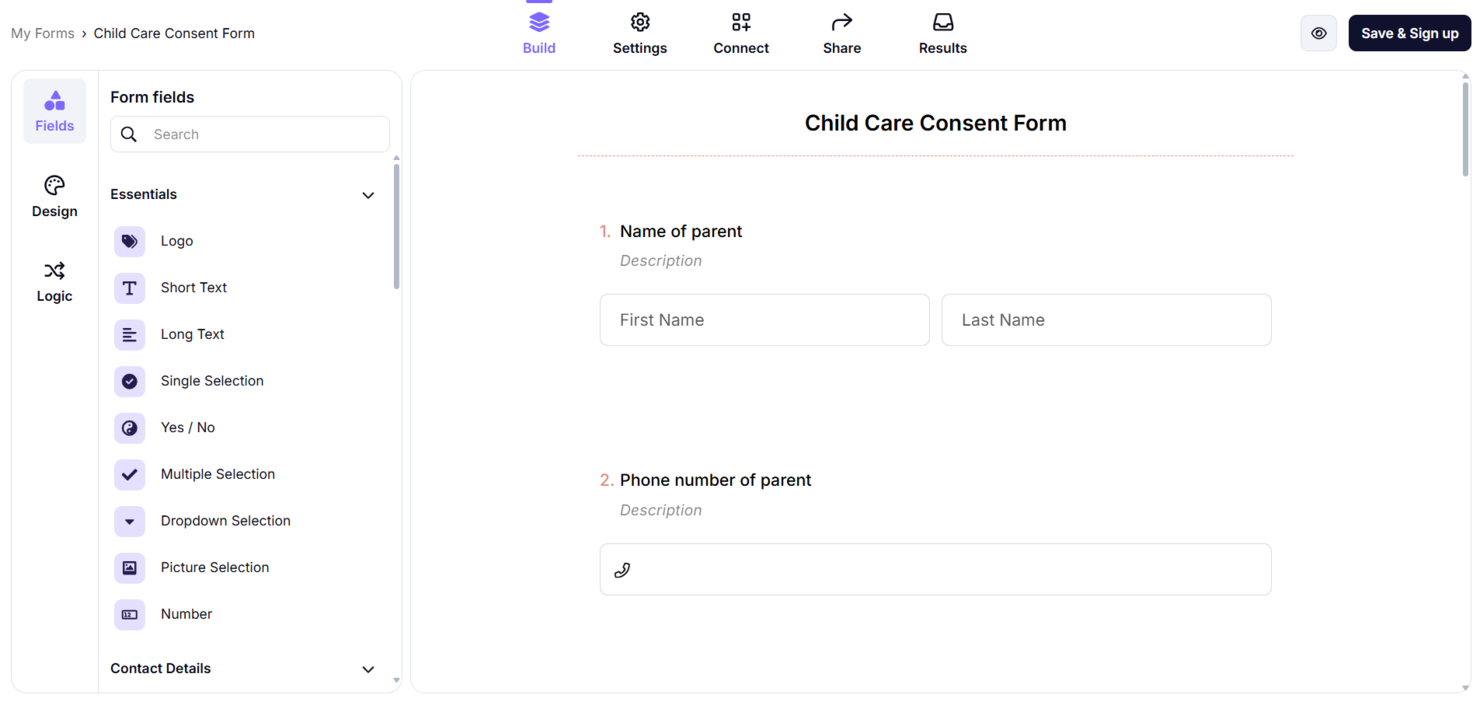
forms.app is an online form builder that lets users easily create surveys, quizzes, and contact forms. It is widely used by businesses, educators, and individuals who need to collect data efficiently.
Why it's a good Jotform alternative: forms.app offers strong GDPR compliance, so your data collection adheres to strict privacy regulations. It features an intuitive drag-and-drop interface and allows for customization with conditional logic and payment options. The platform also offers a variety of templates to suit different needs, making it versatile across applications. Its emphasis on security and privacy makes it a reliable choice for your data collection tasks.
Standout features and integrations:
Features include AI-powered form generation, mobile-responsive designs, and e-signature capabilities. You can also create multi-page forms and integrate payment options directly into your forms. The platform offers a wide library of templates to help you get started quickly.
Integrations include Slack, Google Drive, Mailchimp, PayPal, HubSpot, and more.
Pros and Cons
Pros:
- AI tools for building forms
- Good value on lower tiers
- Modern interface with quick creation
Cons:
- AI form suggestions may need manual editing
- Limited branding and CSS customization

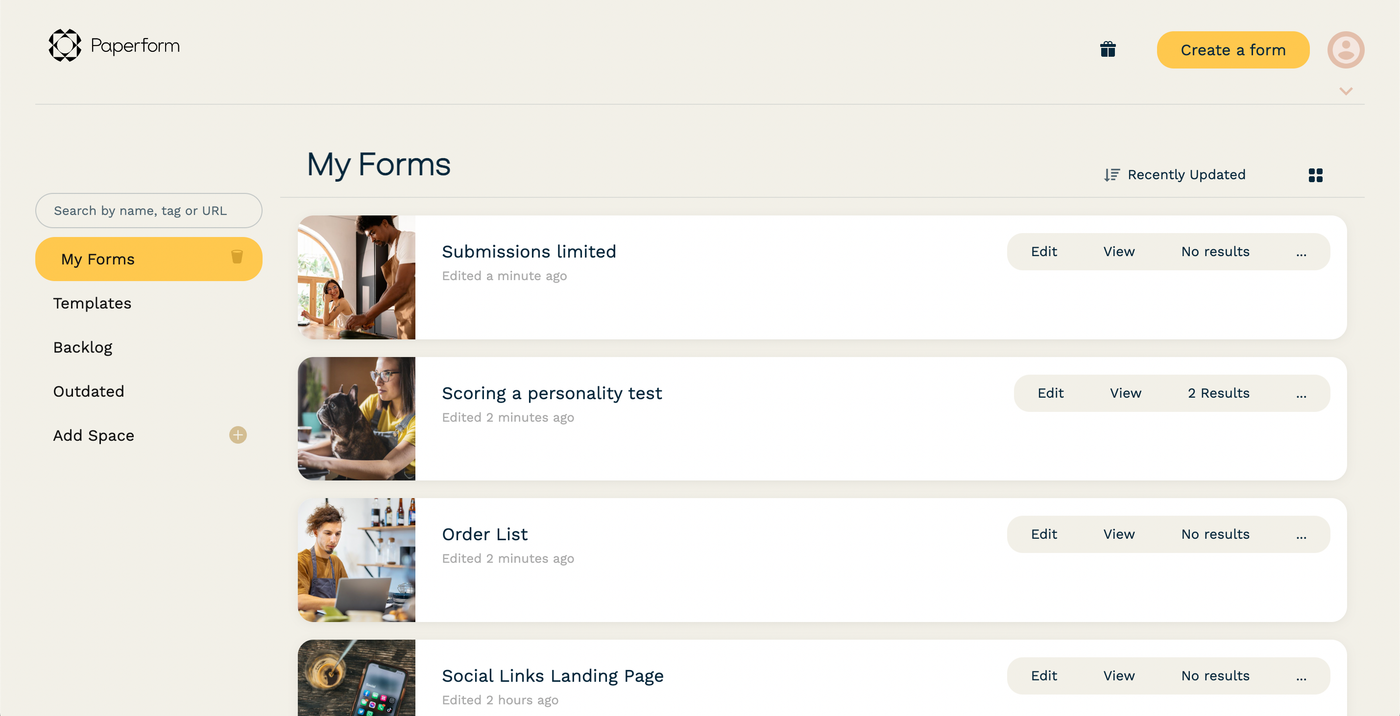
Paperform is an online form builder designed for small to medium-sized businesses. It allows you to create customized forms for surveys, quizzes, payments, and scheduling.
Why it's a good Jotform alternative: Paperform offers a user-friendly interface with aesthetically pleasing designs, making it ideal for small businesses that need a professional touch. It provides solutions such as scheduling forms and payment processing, which are important for businesses. The platform also supports over 2,000 integrations to boost productivity. Its customization options make it a versatile choice for various business needs.
Standout features and integrations:
Features include scheduling management, eSignature capabilities, and AI tools for form creation. You can create forms without any coding, which simplifies the setup process, while the Guided Mode presents questions one at a time, making forms interactive.
Integrations include Google Sheets, Slack, Mailchimp, Dropbox, HubSpot, PayPal, and more.
Pros and Cons
Pros:
- Great fit for SMB brands
- Strong payment and checkout options
- Flexible, page-style form layouts
Cons:
- Limited branding customization options
- Pricing is higher than that of many competitors

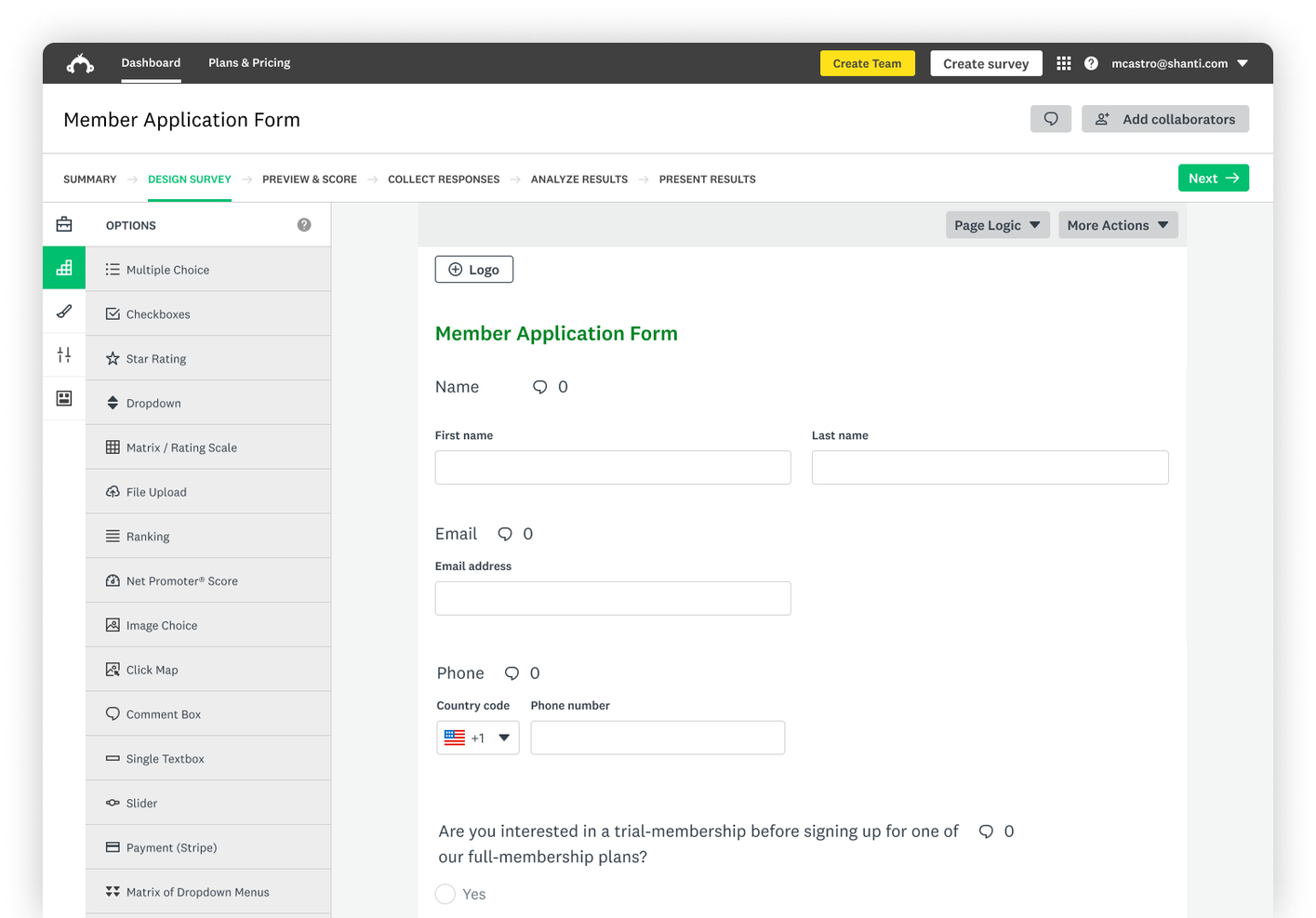
SurveyMonkey is a survey and data collection tool used by businesses and organizations to gather insights and feedback. It's popular among marketers, educators, and research teams for creating surveys and analyzing results.
Why it's a good Jotform alternative: SurveyMonkey offers a wide range of survey templates, making it easy for you to get started quickly. Its advanced analytics and reporting tools give you deeper insights into your data, while customizable survey options and question types offer flexibility to meet your specific needs. This makes SurveyMonkey a versatile choice for detailed data collection tasks.
Standout features and integrations:
Features include question bank access, real-time results, and A/B testing. You can easily share surveys via email or social media, with options for anonymous responses. SurveyMonkey's mobile app allows you to manage surveys and analyze data on the go.
Integrations include Salesforce, Microsoft Teams, Slack, HubSpot, Google Drive, Mailchimp, and more.
Pros and Cons
Pros:
- Real-time results and dashboards
- Large library of survey templates
- Intuitive survey-building interface
Cons:
- Advanced features can feel pricey
- The free plan has tight limits

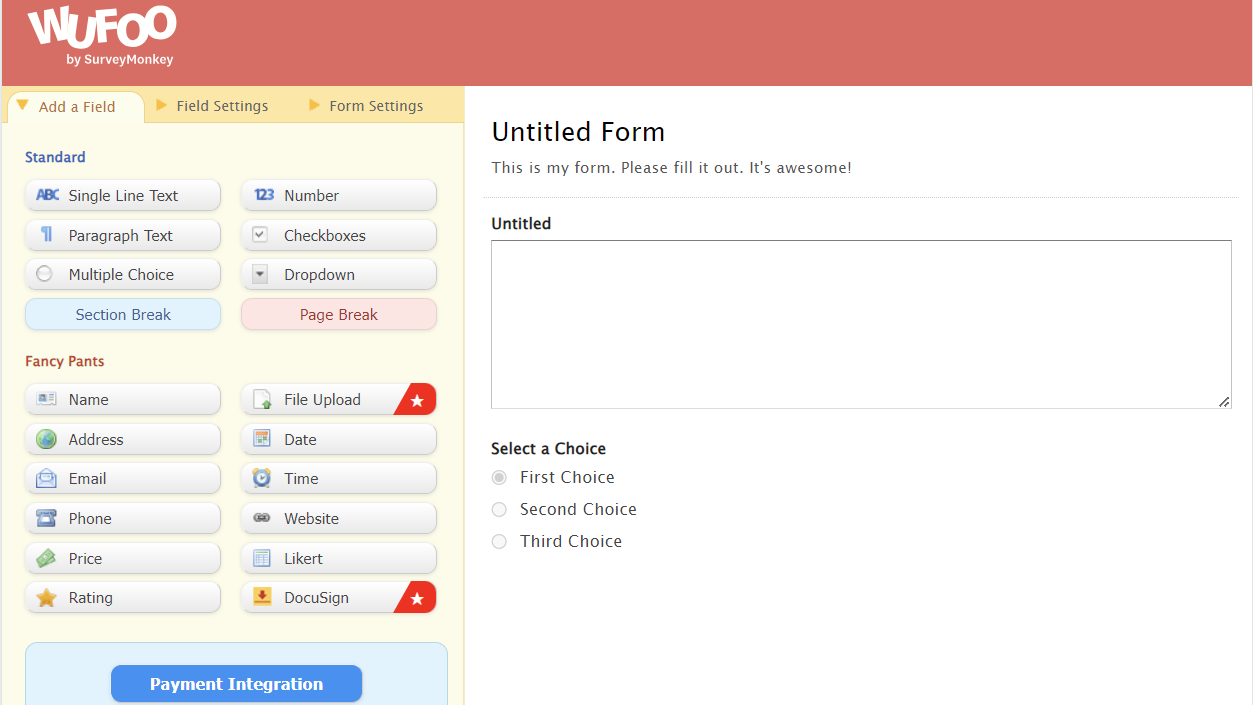
Wufoo is an online form builder designed to help users create forms and collect data efficiently. It's popular among small businesses, non-profits, and educators who need to gather information and process payments.
Why it's a good Jotform alternative: Wufoo offers simple payment form creation, making it ideal for businesses that need to collect payments online. Its drag-and-drop interface simplifies form building, and you can customize forms with themes and templates. The platform supports logic-based rules to improve user experience, and its focus on payment processing and ease of use makes it a strong choice for businesses looking to simplify transactions.
Standout features and integrations:
Features include custom branding, real-time email notifications, and analytics reports. You can create forms with CAPTCHA for added security and track performance with built-in analytics. Wufoo also offers a form gallery to help you get started quickly.
Integrations include Salesforce, Mailchimp, Dropbox, Google Sheets, Slack, Zapier, and more.
Pros and Cons
Pros:
- Solid Zapier-based integration options
- Fast setup for payment forms
- Simple drag-and-drop form builder
Cons:
- Limited advanced logic depth
- Outdated interface design
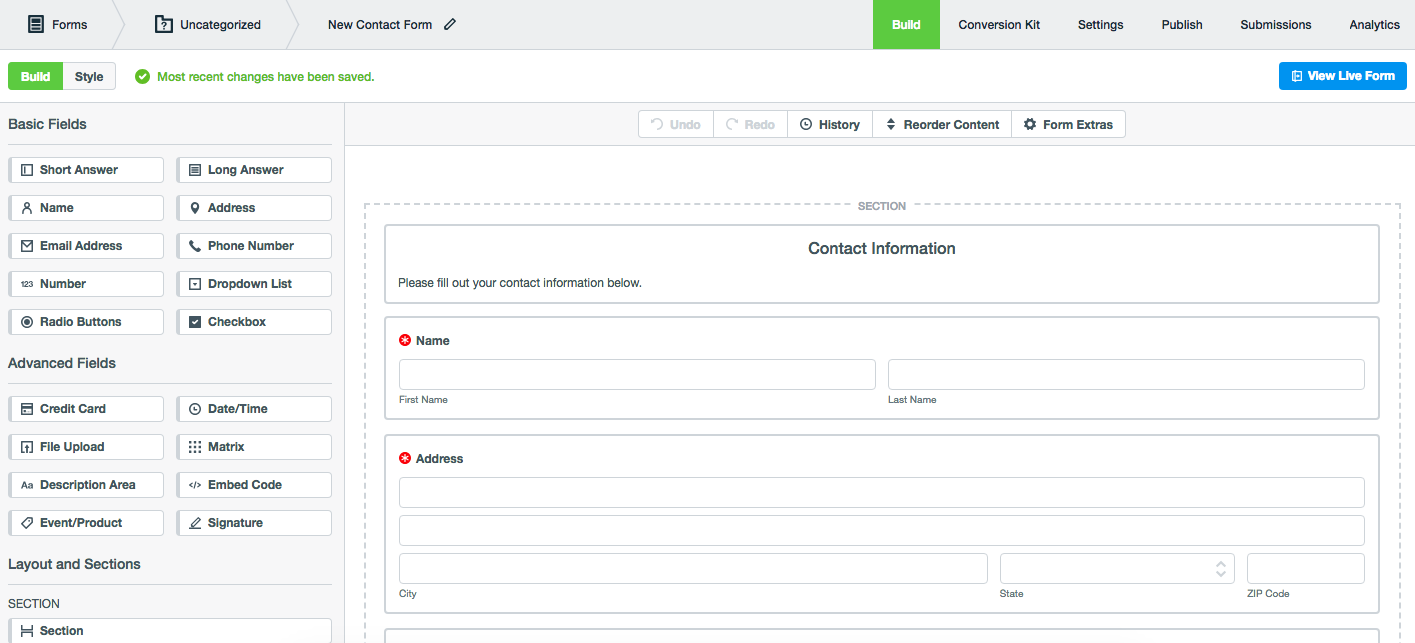
Formstack is an online form builder used by businesses to automate workflows and manage data collection efficiently. It's popular among healthcare providers, financial services, and other industries that require secure data handling.
Why it's a good Jotform alternative: Formstack offers forms with HIPAA compliance, making it a reliable choice for handling sensitive information. It includes features such as advanced security measures and data encryption to protect your data. You can automate workflows with its drag-and-drop builder, reducing manual processes. Formstack's focus on compliance and security makes it a strong option for industries with strict data regulations.
Standout features and integrations:
Features include conditional logic, workflow automation, and e-signature capabilities. You can create forms with custom branding to match your organization's identity and access conversion analytics to help track form performance.
Integrations include Salesforce, Google Drive, Mailchimp, Dropbox, HubSpot, PayPal, Slack, Microsoft Teams, and more.
Pros and Cons
Pros:
- Strong security and compliance options
- Reusable templates speed up projects
- Good for complex workflow automation
Cons:
- The user interface can be unintuitive
- Limited flexibility in PDF or document generation
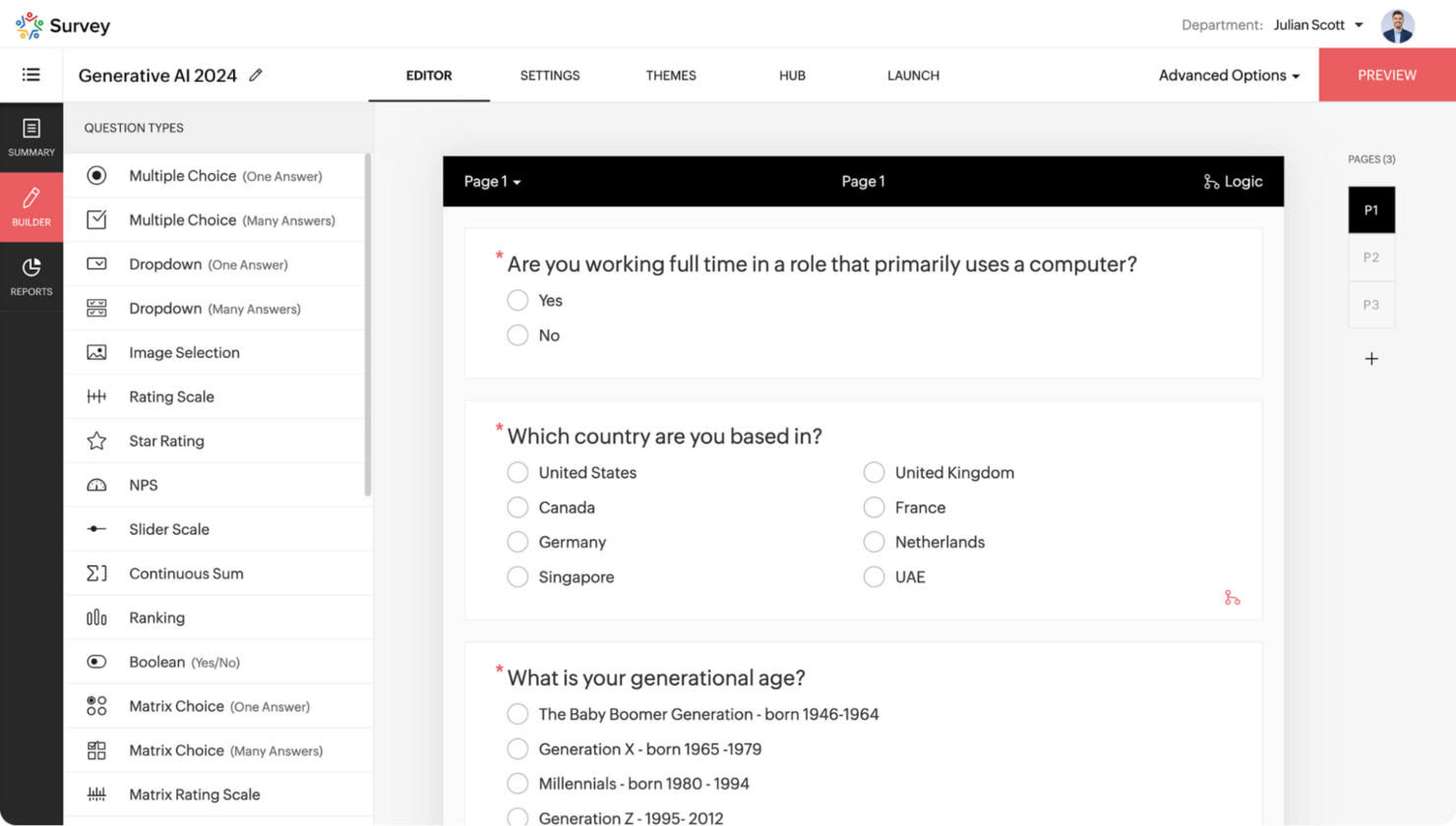
Zoho Forms is an online form builder that helps businesses create forms to manage data collection and automate workflows. It's widely used by teams within organizations that utilize the Zoho suite for their business operations.
Why it's a good Jotform alternative: Zoho Forms integrates smoothly with other Zoho products, making it ideal if you're already in the Zoho ecosystem. It features drag-and-drop form building and customizable templates to suit your needs, with advanced analytics to track form performance and gather insights. Its deep integration with Zoho services makes it a valuable tool for businesses looking for cohesive data management.
Standout features and integrations:
Features include conditional logic, approval workflows, and mobile forms. You can create forms that automatically trigger workflows and send notifications to your team. Zoho Forms also supports offline data collection, allowing you to gather information even without an internet connection.
Integrations include Zapier, Google Sheets, Slack, PayPal, and more.
Pros and Cons
Pros:
- Strong automation and workflow options
- Mobile apps support offline collection
- Zoho product integration
Cons:
- Limited features outside of the Zoho ecosystem
- Limited template library
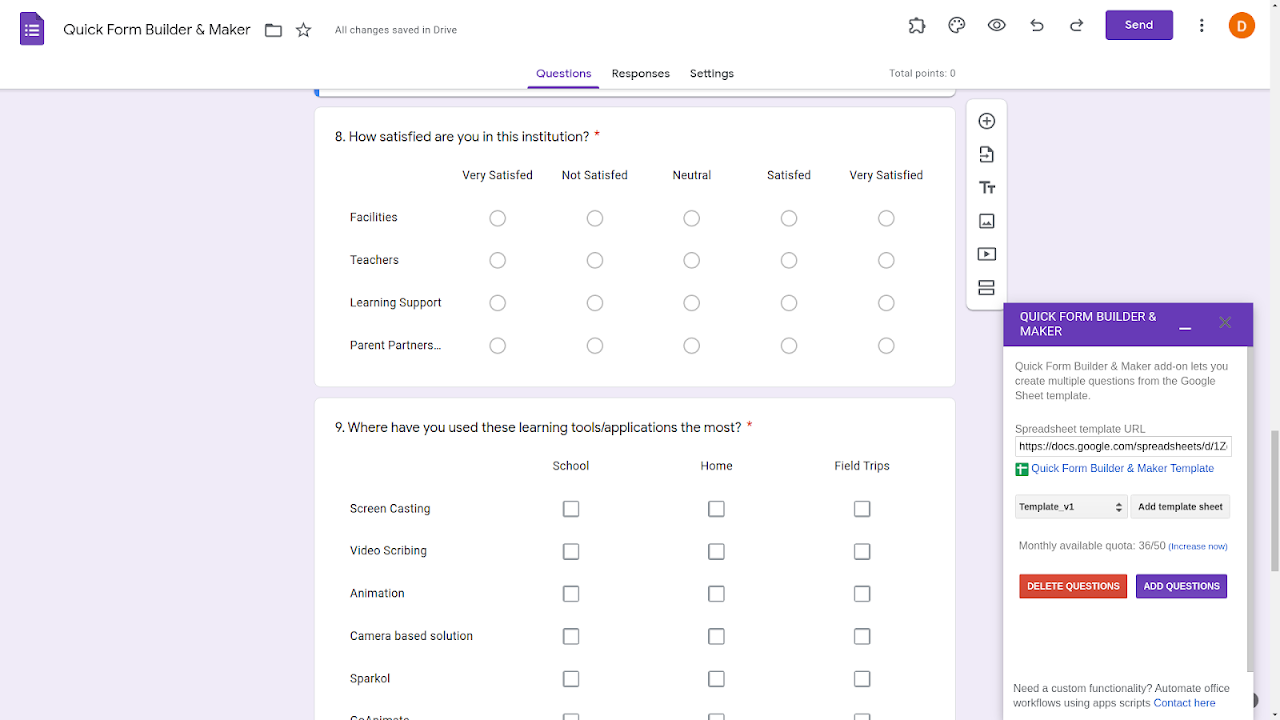
Google Forms is a versatile form builder that lets users create surveys, quizzes, and questionnaires. It's widely used by educators, business professionals, and teams within Google Workspace to gather and analyze data.
Why it's a good Jotform alternative: Google Forms integrates smoothly with other Google Workspace apps, making it an ideal choice if you already use Google's suite of tools. It offers real-time collaboration, allowing your team to work together on form creation, and it automatically collects data into Google Sheets, simplifying data management. Its simplicity and integration capabilities make it a practical option for efficient workflow.
Standout features and integrations:
Features include customizable themes, response validation, and automatic data saving. You can create quizzes with automatic grading, which is helpful for educators, and collect unlimited responses, making it suitable for large-scale surveys.
Integrations include Google Sheets, Gmail, Google Classroom, and more.
Pros and Cons
Pros:
- Automatic data collection
- Real-time collaboration
- Smooth integration with Google Workspace
Cons:
- No native support for conditional logic
- Lacks advanced workflow automation and notifications

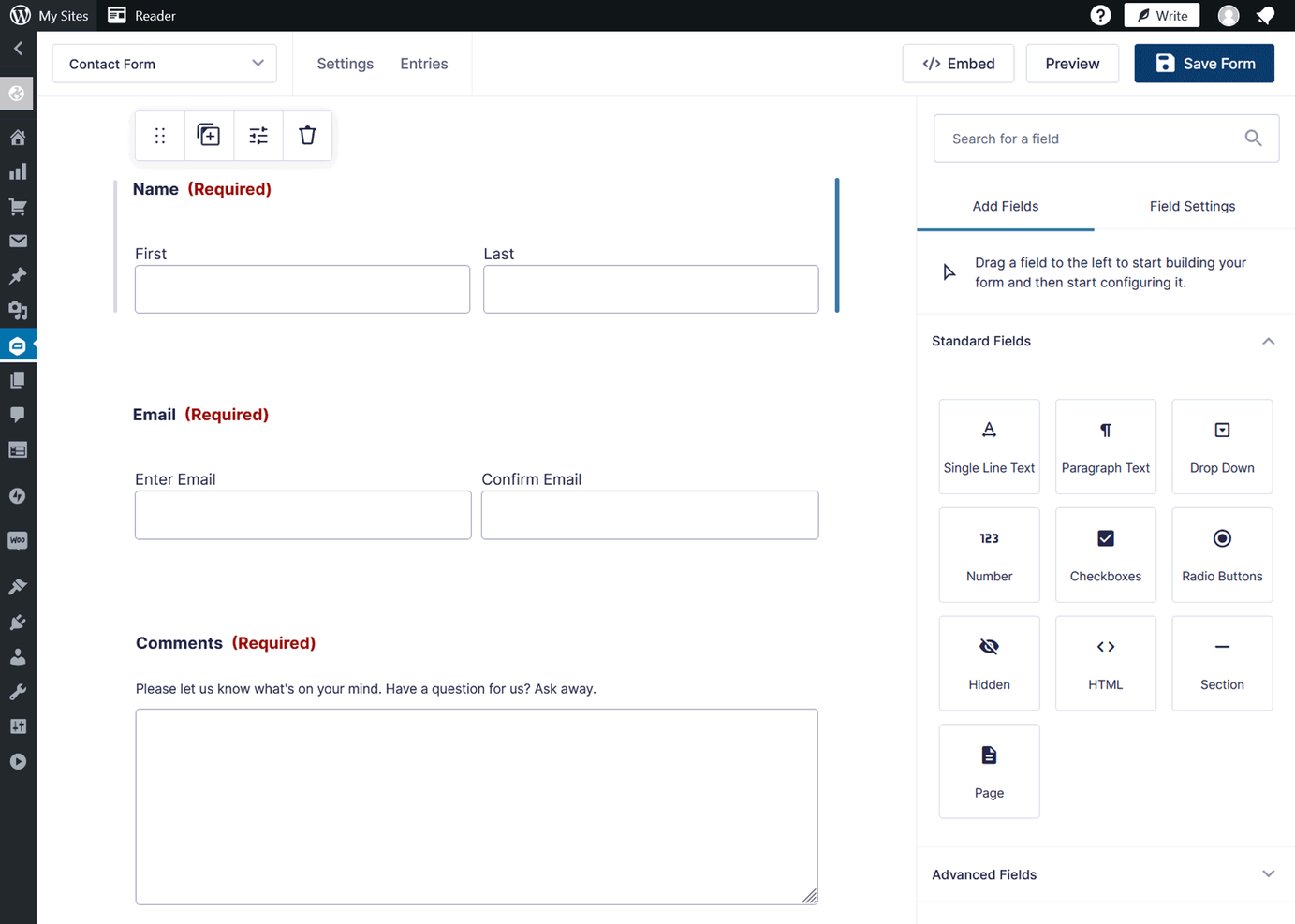
Gravity Forms is a WordPress plugin that allows users to create custom forms for their websites. It's used by developers and website owners who need versatile form solutions integrated directly into their WordPress sites.
Why it's a good Jotform alternative: Gravity Forms integrates directly with WordPress, making it an excellent choice if you want to manage forms within your site. It features an intuitive drag-and-drop form builder that lets you create forms without coding and advanced conditional logic that lets you tailor forms based on user input. Its ability to manage submissions and automate workflows makes it a powerful tool for website management.
Standout features and integrations:
Features include multi-page forms, file uploads, and entry management. You can use conditional logic to create dynamic forms that adapt to user responses and spam protection tools to keep your site secure from unwanted submissions.
Integrations include PayPal, Mailchimp, Dropbox, Zapier, Slack, HubSpot, Salesforce, and more.
Pros and Cons
Pros:
- Extensible for developers via hooks
- Advanced conditional logic and add-ons
- Powerful WordPress-native form builder
Cons:
- Minimal native data-reporting tools
- Limited to WordPress sites

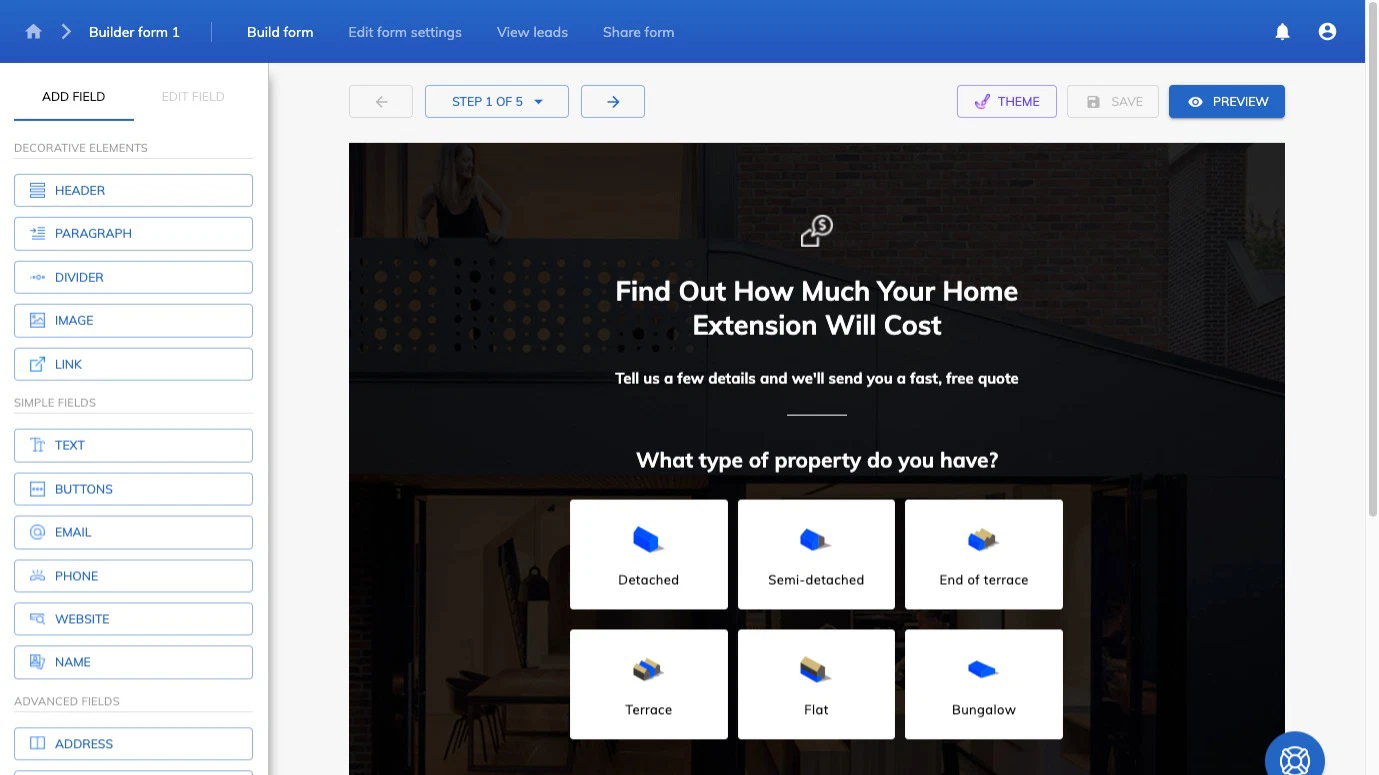
Growform is a multi-step form builder designed for businesses focused on lead generation. It caters to marketers and sales teams who need to capture more qualified leads with customizable, visually appealing forms.
Why it's a good Jotform alternative: Growform's multi-step forms and conditional logic are tailored to improve lead quality and engagement. It offers over 100 high-converting templates, allowing you to create forms without coding, and you can easily customize forms to match your brand's aesthetic, improving the user experience. This makes Growform an ideal choice for businesses aiming to increase conversion rates.
Standout features and integrations:
Features include customizable backgrounds, fonts, and CSS tweaks. You can use conditional logic to ask tailored questions, improving lead quality. Growform also offers pixel firing and Google Tag Manager integration to track form performance.
Integrations include Google Sheets, Salesforce, HubSpot, Mailchimp, Slack, and more.
Pros and Cons
Pros:
- Powerful no-code builder
- High-converting templates for lead gen
- Multi-step forms focused on conversions
Cons:
- Complexity rises with very large forms using conditional logic
- Limited advanced reporting and analytics
Other Jotform Alternatives
Here are some additional Jotform alternatives that didn’t make it onto my shortlist, but are still worth checking out:
- Tripetto
For conversational logic forms
- Fillout
For native Airtable and Notion integrations
- ProProfs Survey Maker
For educational quizzes and surveys
- WPForms
For WordPress beginners
- Qualaroo
For user feedback insights
- SurveySparrow
For conversational surveys
- Formsite
For secure data collection
- Cognito Forms
For complex calculations
- Youform
For intuitive form customization


Jotform Alternatives Selection Criteria
When selecting the best Jotform alternatives to include in this list, I considered common buyer needs and pain points related to survey and data collection software products, such as customization options and data security. I also used the following framework to keep my evaluation structured and fair:
Core Functionality (25% of total score)
To be considered for inclusion in this list, each solution had to fulfill these common use cases:
- Create surveys and forms
- Collect responses
- Analyze data
- Export data via API
- Embed forms as widgets on websites
Additional Standout Features (25% of total score)
To help further narrow down the competition, I also looked for unique features, such as:
- Advanced form conditional logic
- AI-powered insights
- Offline data collection and webhooks
- Customizable templates
- Payment processing
Usability (10% of total score)
To get a sense of the usability of each system, I considered the following:
- Intuitive interface
- Simple navigation
- Quick basic form setup
- Mobile compatibility
- Accessibility features
Onboarding (10% of total score)
To evaluate the onboarding experience for each platform, I considered the following:
- Availability of training videos
- Interactive product tours
- Pre-built templates
- Chatbot assistance
- Webinars and tutorials
Customer Support (10% of total score)
To assess each software provider’s customer support services, I considered the following:
- 24/7 support availability
- Live chat support
- Complete help center
- Email support
- Community forums
Value For Money (10% of total score)
To evaluate the value for money of each platform, I considered the following:
- Competitive pricing
- Free trial availability
- Feature set for price
- Flexible pricing plans
- No hidden fees
Customer Reviews (10% of total score)
To get a sense of overall customer satisfaction, I considered the following when reading customer reviews:
- Overall satisfaction rating
- Feedback on reliability
- User-reported issues
- Praise for unique features
- Recommendations by users
Why Look For A Jotform Alternative?
While Jotform is a good choice of survey and data collection software, there are a number of reasons why some users seek out alternative solutions. You might be looking for a Jotform alternative because…
- You need more customization options
- Your team requires advanced analytics
- You want better third-party integration with existing tools
- You need offline data collection capabilities
- Your organization requires stronger security features
- You're looking for a more budget-friendly option
If any of these sound like you, you’ve come to the right place. My list contains several survey and data collection software options that are better suited for teams facing these challenges with Jotform and looking for alternative solutions.
Features
Here are some of the key features of Jotform, to help you contrast and compare what alternative solutions offer:
- Drag-and-drop form builder: Easily create custom forms by adding form fields, images, and changing styles, and using custom domains without coding.
- Form templates: Access over 10,000 pre-made templates to customize forms quickly.
- Conditional logic: Create dynamic forms that adapt based on user responses, improving user interaction.
- Payment integration: Collect payments directly through forms using various payment processors.
- Autoresponder emails: Set up automated email responses for form submissions to keep your audience informed.
- PDF generation: Convert form submissions into PDF documents for easy sharing and record-keeping.
- Offline data collection: Use the mobile app to collect data without an internet connection, useful for fieldwork.
- Electronic signatures: Obtain legally binding signatures through customizable forms, simplifying document approval.
- Form analytics: Analyze form data to gain insights and improve form performance.
- Collaboration tools: Work with your team to create and manage forms, improving productivity.
What’s Next:
If you're in the process of researching survey and data collection software, connect with a SoftwareSelect advisor for free recommendations.
You fill out a form and have a quick chat where they get into the specifics of your needs. Then you'll get a shortlist of software to review. They'll even support you through the entire buying process, including price negotiations.