

10 Best Kixie Alternatives for Sales Dialing in 2026

Kixie Alternative Shortlist


A strong Kixie alternative gives you reliable VoIP calling, an efficient sales dialer, and smooth CRM integrations—along with flexible features that fit your team’s workflow. If you’re searching for a Kixie alternative, you likely need a call center or audio-dialer solution that’s easy to set up, supports multi-line calling, and scales with your business. Modern platforms also include parallel dialers, bots, and tools for cold calling, helping each sales rep connect with more prospects faster. In this list, you’ll find top VoIP software options that offer dependable call quality, workflow automation, and advanced sales tools designed to improve team performance—so you can compare what matters most and choose the right fit for your sales or support team.
What Is Kixie?
Kixie is a cloud-based VoIP software platform designed for sales and support teams to make, receive, and manage calls directly from their computers or mobile devices. It offers features like automatic call logging, CRM integrations, call analytics, and power dialing. Kixie helps businesses simplify outbound and inbound calling, track performance, and connect with customers more efficiently—all within a single, easy-to-use interface.
Why Trust Our Software Recommendations
Our team has been testing and reviewing software since 2012. As CX leaders ourselves, we know how difficult—and important—it is to choose the right software.
For this guide, we evaluated tools using hands-on testing and independent research, scoring tools using our selection criteria.
Our reviews reflect our human editorial judgment, not a sales pitch.
Kixie Alternative Software Comparison Table
This comparison table summarizes pricing details for my top Kixie alternative software selections:
| Tool | Best For | Trial Info | Price | ||
|---|---|---|---|---|---|
| 1 | Best for business calling and collaboration | Free demo available | From $15/user/month (billed annually) | Website | |
| 2 | Best for call routing and analytics | 14-day free trial | From $25/user/month (billed annually) | Website | |
| 3 | Best for scalable omnichannel support | Free demo available | From $75/user/month (billed annually) | Website | |
| 4 | Best for AI-driven customer experience | Free demo available | From $110/user/month | Website | |
| 5 | Best for predictive dialing and reporting | Free demo available | From $119/seat/month | Website | |
| 6 | Best for call tracking and integrations | 14-day free trial | From $29/user/month (billed annually) | Website | |
| 7 | Best for omnichannel support with voice | 14-day free trial | From $19/user/month (billed annually) | Website | |
| 8 | Best for AI contact center automation | Free demo available | From $85/user/month | Website | |
| 9 | Best for contact center with SMS automation | 7-day free trial + free demo available | From $30/user/quarter | Website | |
| 10 | Best for customizable contact center solutions | Free demo available | Pricing upon request | Website |
Kixie Alternative Reviews
Below are my detailed summaries of the best Kixie alternatives that made it onto my shortlist. My reviews offer a detailed look at the features, integrations, and pricing of each software to help you find the best one for you.

Nextiva
Best for business calling and collaboration
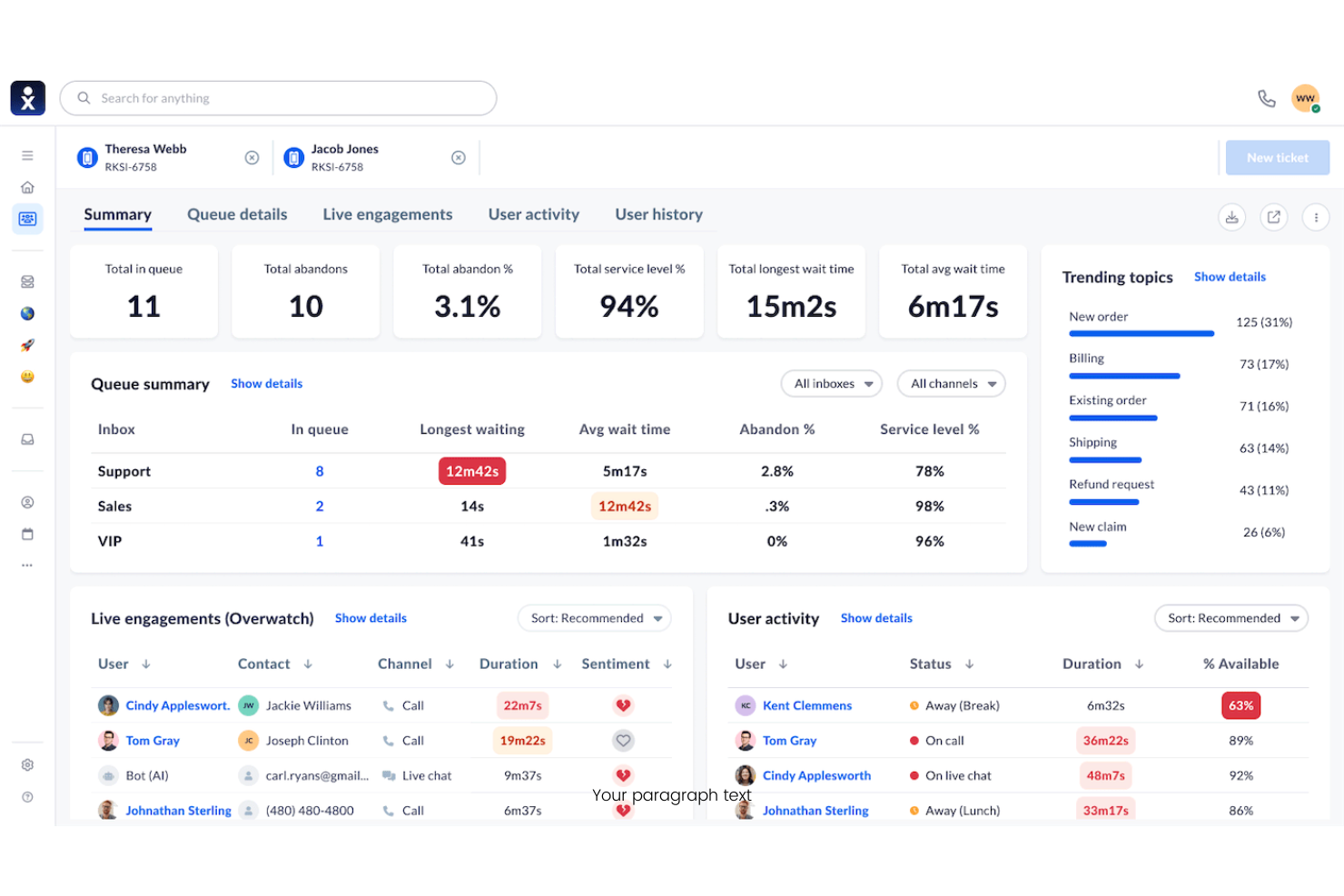
Nextiva is a cloud-based business phone system built for teams that want to unify calling, messaging, and video in one platform. I think it’s a strong choice for small to mid-sized businesses looking to simplify communications and manage customer interactions from anywhere.
Who Is Nextiva Best For?
Small and mid-sized businesses that want unified calling, messaging, and video in one platform.
Why Nextiva Is a Good Kixie Alternative
I picked Nextiva because it brings calling, team messaging, and video meetings into one app—so my team isn't juggling separate tools for internal and customer-facing communication. I especially like the Call Pop feature, which surfaces customer data on screen the moment a call comes in, giving agents context before they even say hello. Nextiva's auto attendant also lets me set up call routing rules without needing IT support, which matters when my team's structure changes frequently. For businesses that want a single platform to handle both team collaboration and customer calls, Nextiva covers both well.
Nextiva Key Features
- Voicemail-to-email: Delivers voicemail recordings directly to your inbox so agents can review and respond without logging into a separate system.
- Call queues: Hold incoming callers in line and route them to the next available agent when your team is at capacity.
- Real-time presence: Shows which team members are available, on a call, or away so agents can transfer calls or collaborate without guessing.
- Online faxing: Sends and receives faxes through the platform without any hardware, keeping all business communications in one place.
Nextiva Integrations
Integrations include Salesforce, HubSpot, Microsoft Teams, Zendesk, Google Workspace, Oracle NetSuite, Microsoft Dynamics, ServiceNow, Zoho, and more.
Pros and Cons
Pros:
- Real-time presence helps with team coordination
- Voicemail-to-email keeps messages accessible anywhere
- Call Pop shows caller info before answering
Cons:
- International calling rates can be high
- Call recording is not on all plans

Best for call routing and analytics
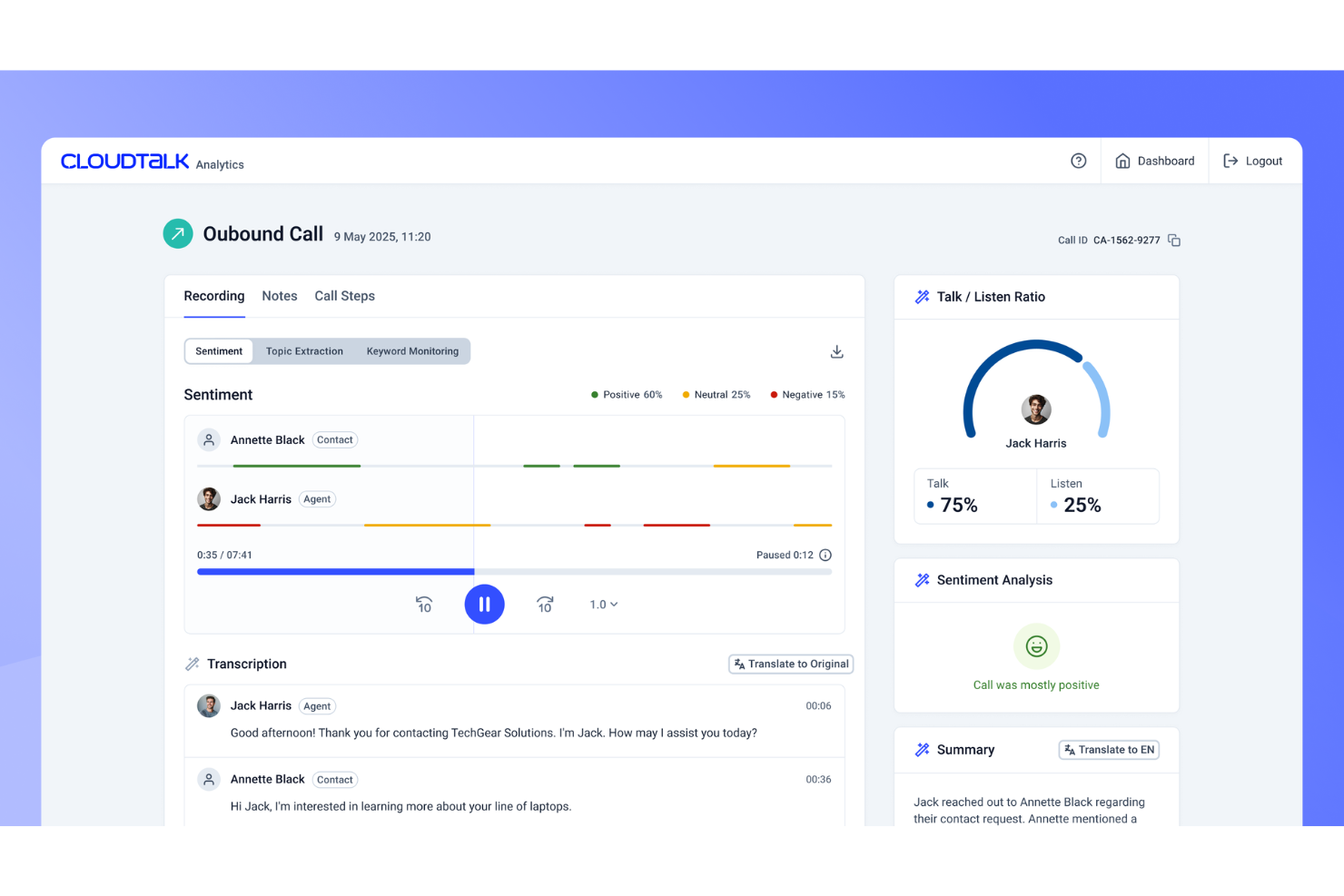
CloudTalk is a cloud-based VoIP platform built for sales and support teams that need advanced call management and analytics. If you want customizable call flows and deep CRM integrations to improve customer conversations, CloudTalk is worth a look.
Who Is CloudTalk Best For?
Sales teams and customer support centers that need advanced call routing and analytics.
Why CloudTalk Is a Good Kixie Alternative
I picked CloudTalk because its call routing and analytics go deeper than most VoIP tools at this price point. I really like the smart call queuing feature, which lets me set up routing rules based on agent skills, availability, or caller history—so customers always reach the right person. I also use CloudTalk's real-time analytics dashboard to monitor call volume, wait times, and agent performance without digging through reports. In practice, that means my team can spot bottlenecks and adjust workflows on the fly.
CloudTalk Key Features
- Power dialer: Automatically dials a list of contacts in sequence, reducing manual dialing time for outbound sales teams.
- Call recording: Records inbound and outbound calls for quality assurance and agent coaching.
- Interactive voice response (IVR): Lets callers navigate a menu to reach the right department or agent without manual transfer.
- Voicemail drop: Allows agents to leave a pre-recorded message with a single click instead of recording one each time.
CloudTalk Integrations
Integrations include HubSpot, Salesforce, Zendesk, Pipedrive, Intercom, Zoho CRM, Microsoft Teams, Freshdesk, Help Scout, Shopify, and more.
Pros and Cons
Pros:
- Power dialer for high-volume outbound calling
- Real-time analytics dashboard for call monitoring
- Advanced call routing with customizable rules
Cons:
- Call recording storage has monthly limits
- Occasional call quality issues reported by users

Best for scalable omnichannel support
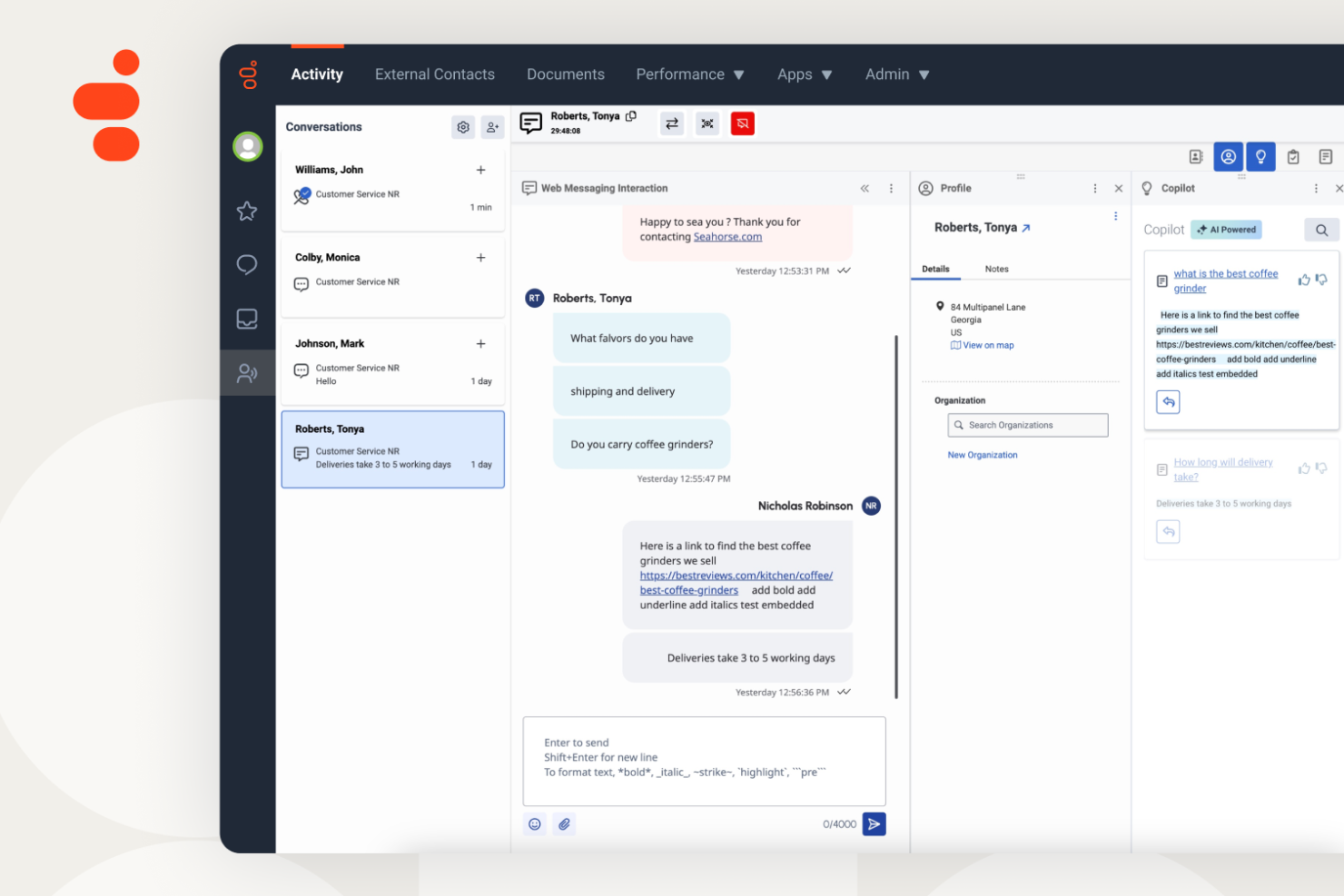
Genesys Cloud CX is a cloud-based contact center platform designed for businesses that want to unify voice, chat, email, and social channels in one place. I think it’s a strong choice for midsize to large organizations that need advanced routing, analytics, and AI-powered customer engagement.
Who Is Genesys Cloud CX Best For?
Large enterprises and global contact centers needing unified, AI-powered customer engagement across multiple channels.
Why Genesys Cloud CX Is a Good Kixie Alternative
I picked Genesys Cloud CX because it handles the full contact center stack—voice, digital channels, AI, and workforce management—from a single platform. What I find most useful is the intelligent routing engine, which uses real-time customer data to match callers with the right agent based on skills, history, and intent. I also appreciate the built-in journey management tools, which let my team track and act on customer behavior across multiple touchpoints before a call even connects. For teams managing high interaction volumes across channels, that level of orchestration is hard to find in a single tool.
Genesys Cloud CX Key Features
- Agent copilot: Delivers real-time AI suggestions to agents during live interactions to guide responses and next steps.
- Predictive engagement: Uses AI to identify the right moment to proactively reach out to online visitors with targeted offers or support.
- Co-browse: Lets agents view and interact with a customer's browser in real time to resolve issues visually.
- Workforce forecasting and scheduling: Generates agent schedules based on predicted interaction volumes to keep staffing aligned with demand.
Genesys Cloud CX Integrations
Integrations include Salesforce, Microsoft Teams, Zendesk, ServiceNow, Microsoft Dynamics 365, Slack, Zoom, Oracle Service Cloud, Google Cloud, and more.
Pros and Cons
Pros:
- Event-driven routing enables low-latency decisions
- Quality management ties reviews to agent performance
- Highly scalable cloud-native architecture
Cons:
- Admin settings are spread across multiple configuration layers
- Historical data retention policies limit long-term analysis

Best for AI-driven customer experience
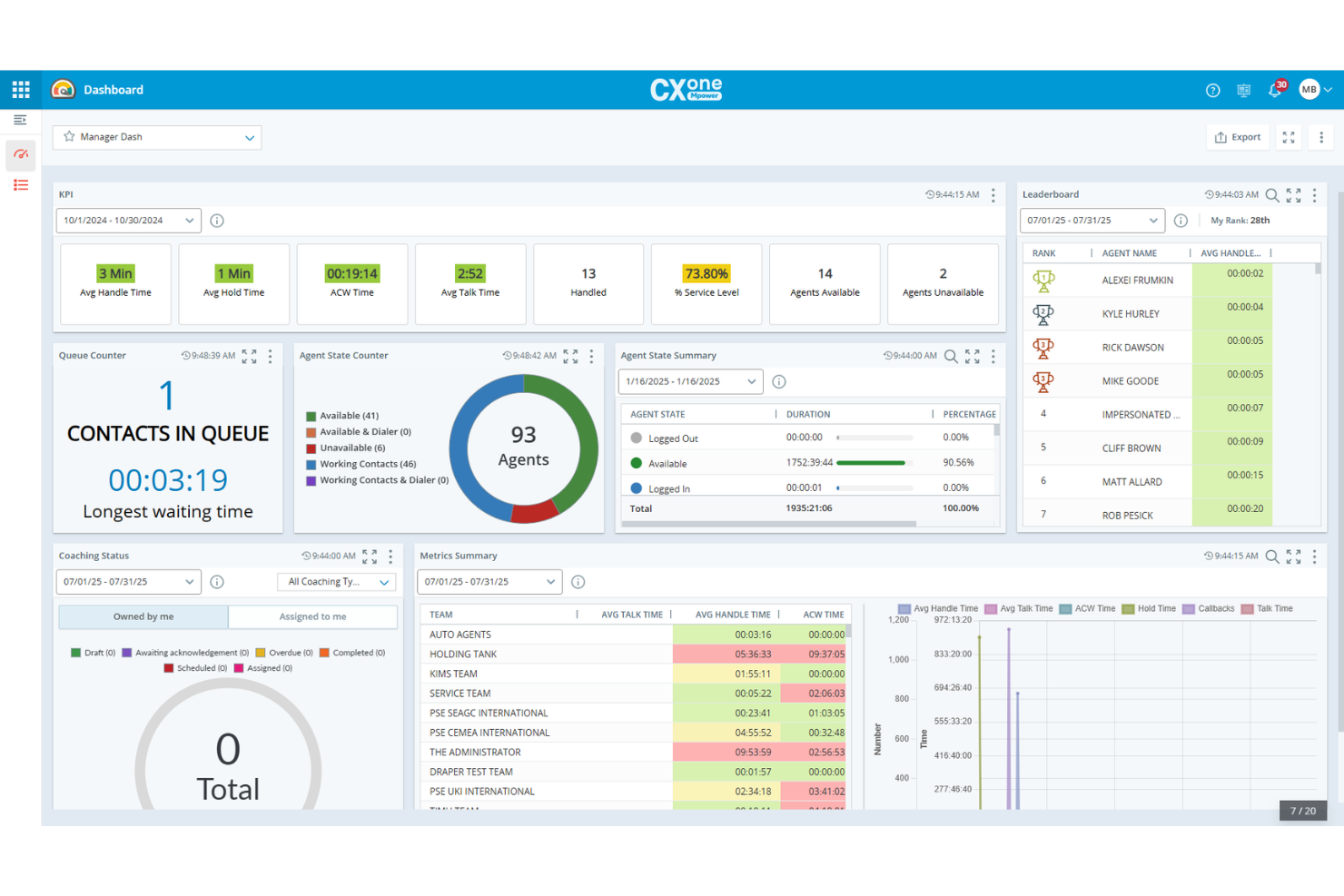
NiCE CXone is a cloud-based contact center platform designed for businesses that need to manage customer interactions across voice, chat, email, and social channels. I think it’s a strong choice for teams who want advanced routing, workforce optimization, and AI-driven insights to improve customer experience.
Who Is NiCE CXone Best For?
Large customer service teams in regulated industries needing omnichannel contact center capabilities.
Why NiCE CXone Is a Good Kixie Alternative
I picked NiCE CXone because it handles omnichannel customer interactions in a way that goes well beyond basic VoIP calling. My team uses the AI-powered routing engine to direct contacts across voice, chat, and email based on agent skills and customer history, which cuts down on transfers and repeat contacts. I also rely on the workforce management tools to forecast staffing needs and schedule agents in real time. For contact centers that need to coordinate large teams across multiple channels, NiCE CXone gives you the operational control to do that at scale.
NiCE CXone Key Features
- Interaction analytics: Analyzes 100% of voice and digital interactions using AI to surface trends, sentiment, and agent performance insights.
- Quality management: Evaluates agent interactions automatically with AI-scored evaluations and built-in coaching workflows.
- IVR and self-service automation: Lets customers resolve issues through automated phone self-service with intelligent call routing and deflection.
- Outbound engagement: Runs proactive outbound campaigns across voice and digital channels with compliance controls and predictive dialing.
NiCE CXone Integrations
Integrations include Salesforce, SharePoint, Zendesk, Confluence, Microsoft Teams, Oracle Service Cloud, ServiceNow, Microsoft Dynamics 365, Google Workspace, and more.
Pros and Cons
Pros:
- Flexible deployment across channels
- Workforce tools connect scheduling and QA
- Real-time AI guides agents with sentiment insights
Cons:
- Reporting customization lacks flexibility without workarounds
- Studio scripting and routing logic can be slow to edit
Five9
Best for predictive dialing and reporting
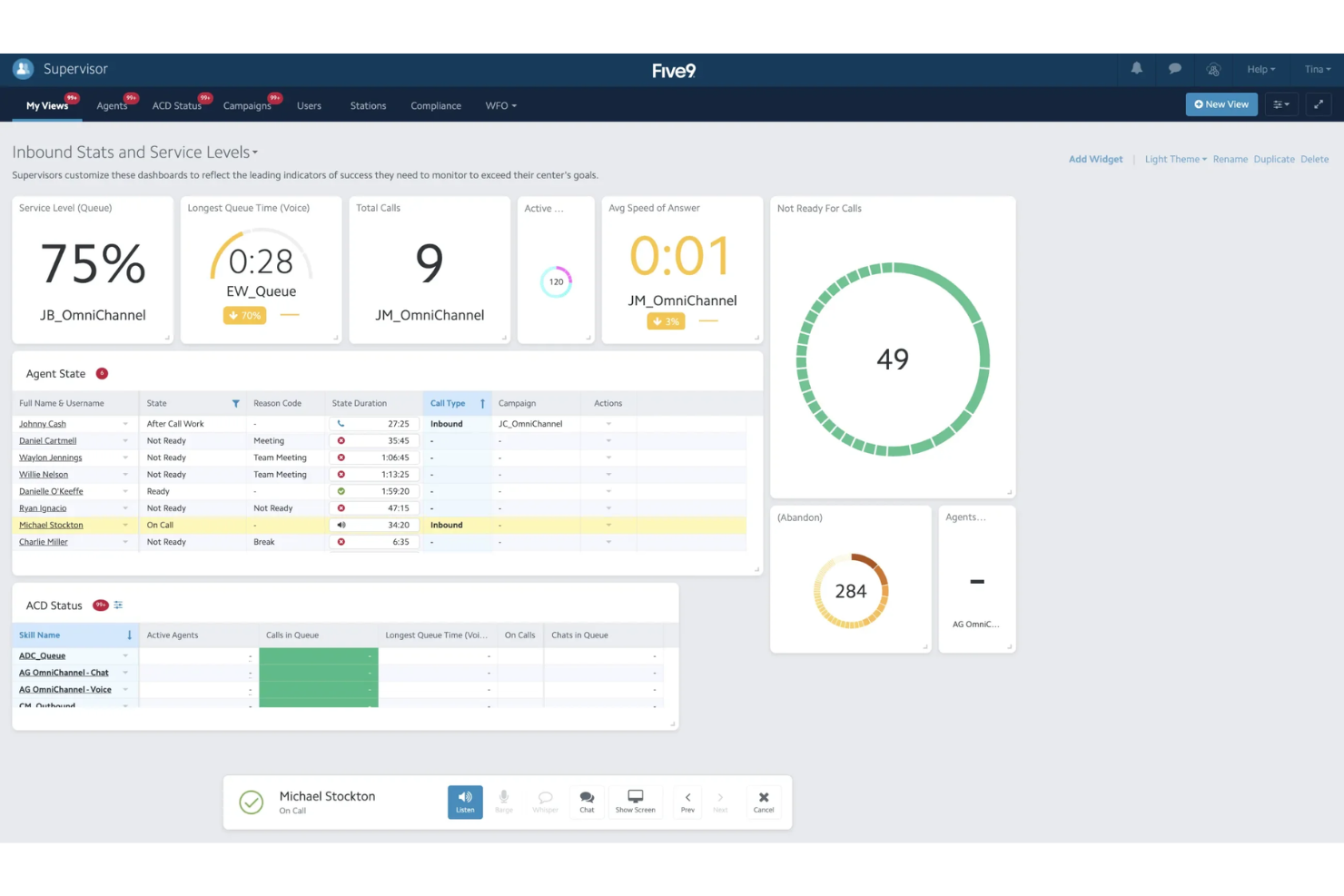
Five9 is a cloud-based contact center platform built for businesses that need advanced call routing, predictive dialing, and real-time analytics. I think it’s a strong fit for sales and support teams who want to manage high call volumes and improve agent productivity.
Who Is Five9 Best For?
Sales and support teams in mid-sized to large organizations needing advanced call management and CRM integrations.
Why Five9 Is a Good Kixie Alternative
I picked Five9 for its predictive dialer, which automatically adjusts call pacing based on agent availability and connect rates—something that makes a real difference when my team is running high-volume outbound campaigns. I also rely on the intelligent call routing to match inbound contacts with the right agent based on skills, history, and priority. Five9's CRM integrations with Salesforce and other platforms mean my team can pull up customer records mid-call without switching tabs. For teams that need to scale outbound calling without sacrificing inbound quality, Five9 handles both well.
Five9 Key Features
- Visual IVR builder: Design and deploy self-service call flows using a drag-and-drop interface.
- Agent desktop: Gives agents a unified view of customer data, call controls, and interaction history on one screen.
- Real-time reporting: Monitors live call queues, agent status, and KPIs through customizable dashboards.
- Omnichannel routing: Manages voice, email, chat, and social interactions from a single queue.
Five9 Integrations
Integrations include Salesforce, Microsoft Teams, ServiceNow, Oracle, Zendesk, Microsoft Dynamics 365, NetSuite, Zoom, Slack, and more.
Pros and Cons
Pros:
- Deep CRM integrations reduce agent context switching
- Real-time dashboards track performance metrics live
- Predictive dialer adapts to agent availability
Cons:
- Integration with legacy systems needs technical effort
- UI can be unintuitive for new users

JustCall
Best for call tracking and integrations
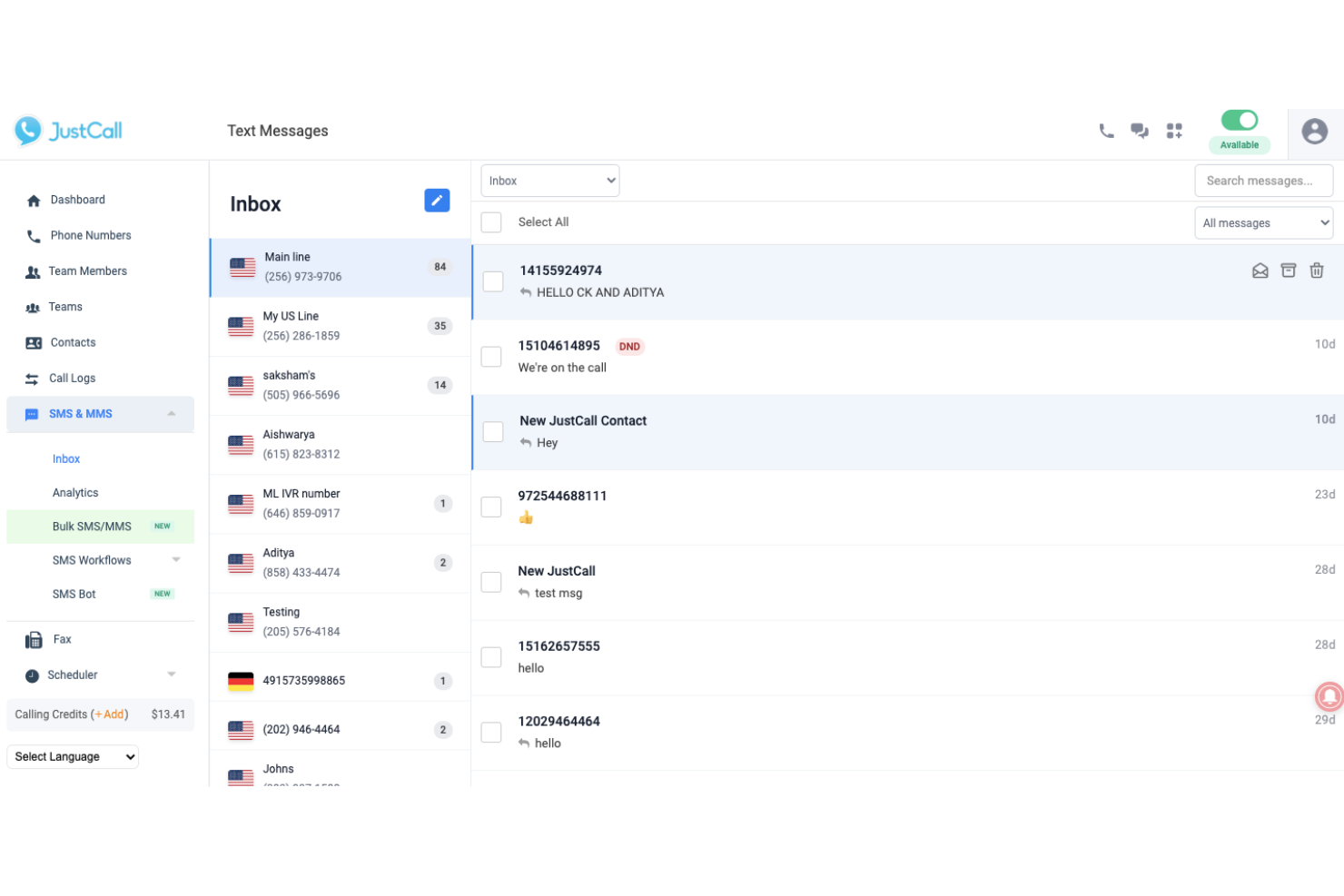
JustCall is a cloud-based phone system built for sales and support teams that want to manage calls, texts, and voicemails from one platform. I think it’s a strong fit for businesses that need advanced call routing, analytics, and integrations with popular CRMs to simplify customer communications.
Who Is JustCall Best For?
Sales and support teams at growing businesses that want AI-powered call scoring and coaching.
Why JustCall Is a Good Kixie Alternative
I picked JustCall because its AI-powered call scoring automatically evaluates every call against a custom rubric, so I can spot coaching opportunities without listening to recordings manually. I also rely on AI call summaries, which transcribe and summarize conversations in real time and sync directly to my CRM. In practice, that means my team spends less time on call notes and more time acting on insights. For teams that want structured, data-driven coaching built into their phone system, JustCall delivers that natively.
JustCall Key Features
- IVR / call menus: Lets callers navigate an interactive menu to reach the right team or access information before connecting with an agent.
- Post-call survey: Automatically sends a survey after each call to collect customer feedback on agent performance.
- Agent assist: Provides real-time script suggestions and cues to agents during live calls to reduce handle time.
- SMS workflows: Triggers automated text messages based on specific conditions, such as appointment reminders or follow-up sequences.
JustCall Integrations
Integrations include Salesforce, HubSpot, Pipedrive, ActiveCampaign, Slack, Intercom, Help Scout, Zoho CRM, Zendesk, and more.
Pros and Cons
Pros:
- Post-call surveys collect instant feedback
- Automated SMS workflows for follow-ups
- AI call scoring highlights coaching opportunities
Cons:
- Limited outbound SMS marketing automation
- Integrations sometimes require manual troubleshooting

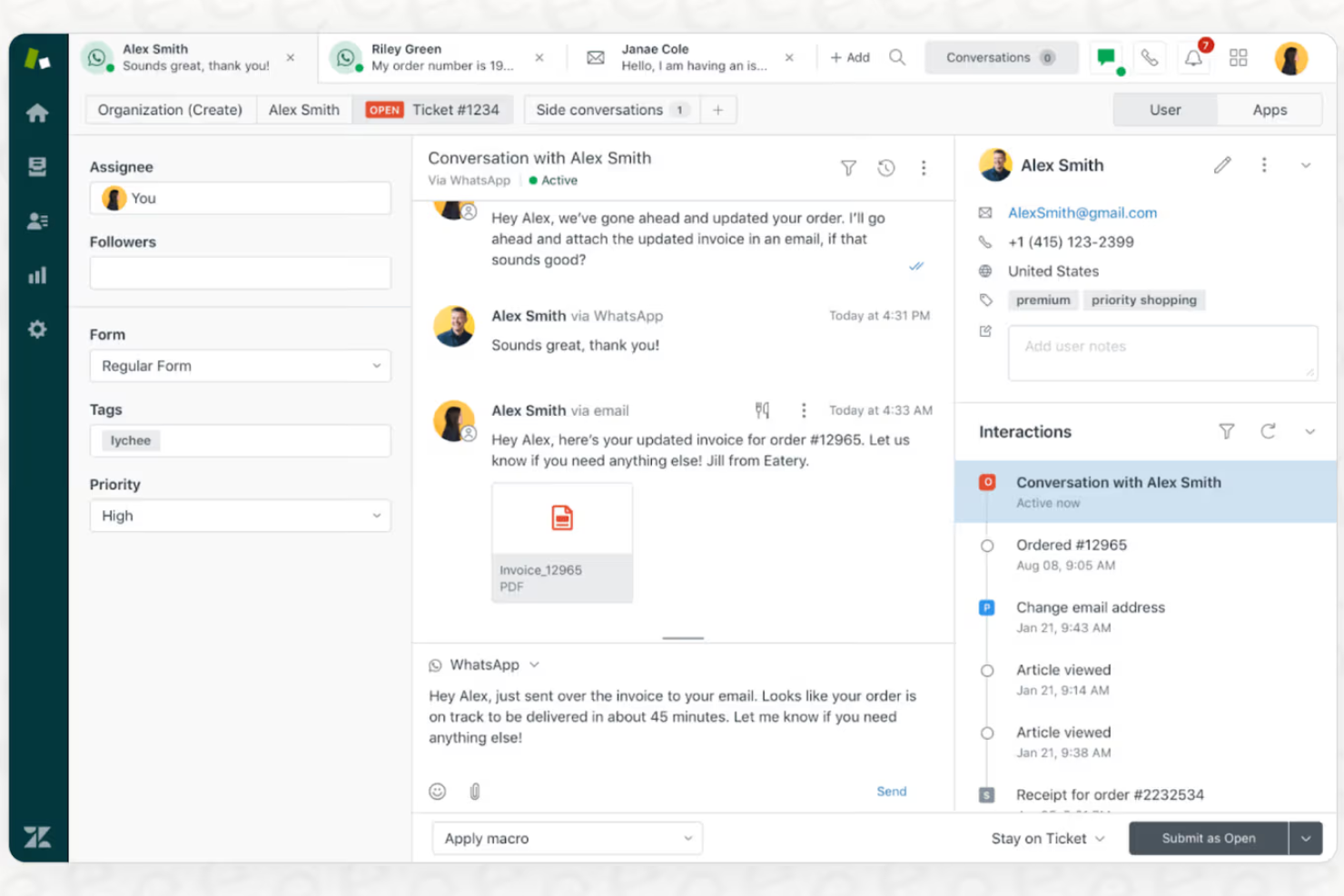
Zendesk Voice brings integrated calling and ticketing into one platform, making it a strong fit for support teams that want to manage voice, chat, and email from a single workspace. If you’re looking for a solution that connects phone conversations directly to customer records and workflows, Zendesk is worth a look.
Who Is Zendesk Best For?
Support teams at midsize to large companies that need omnichannel customer service with integrated voice and ticketing.
Why Zendesk Is a Good Kixie Alternative
I picked Zendesk Voice because it brings phone support directly into the same workspace where my team handles email, chat, and messaging—so agents never have to switch tabs to get full customer context on a call. What I find most useful is the voice copilot, which surfaces live suggestions to agents mid-call, helping them resolve issues faster without putting customers on hold. I also rely on the automatic post-call transcription and summary, which drops straight into the agent's workspace, so wrap-up time is minimal. For teams that need voice tightly connected to ticketing and omnichannel workflows, that level of integration is hard to match.
Zendesk Key Features
- IVR routing: Routes incoming calls through an interactive voice response system based on caller input, with options for group, prioritized, overflow, and after-hours routing.
- Callback request: Lets callers opt out of hold queues and request a return call instead of waiting.
- Call conferencing: Connects multiple participants on a single call, with wait time tracking built in.
- Cross-channel reporting: Compares voice performance against email, chat, and messaging in a single analytics view.
Zendesk Integrations
Integrations include Slack, Shopify, Google Play Reviews, Harvest, Pipedrive, ChannelReply, Trustpilot, Sprout Social, Amazon, and more.
Pros and Cons
Pros:
- Advanced IVR and call routing options
- Built-in call recording with searchable transcripts
- Omnichannel ticketing links calls to all channels
Cons:
- Limited outbound dialing automation
- Voice features require higher-tier plans

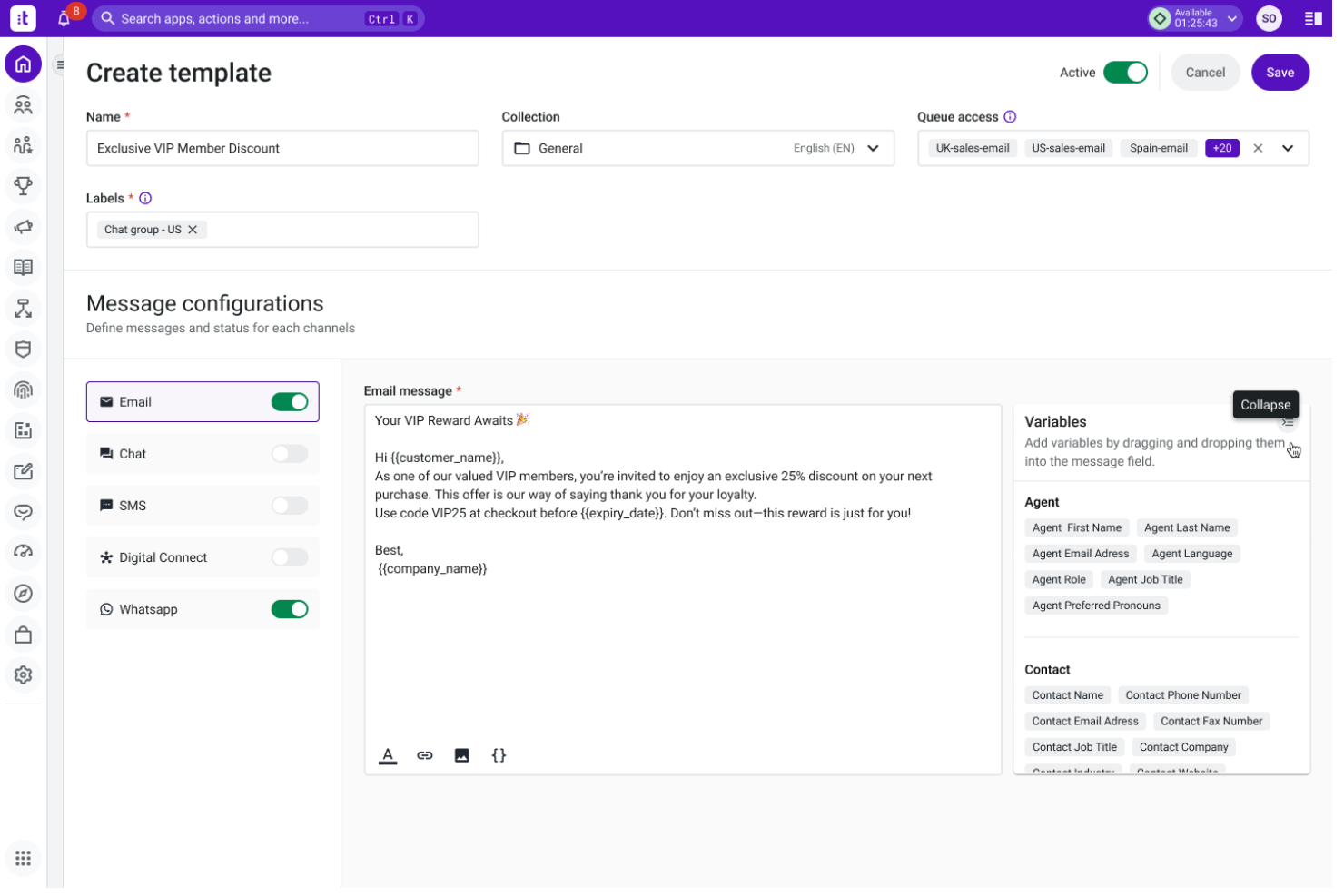
Talkdesk is a cloud-based contact center platform built for businesses that want to combine AI-driven automation with flexible voice and digital channels. I think it’s a strong fit for teams in industries like retail, healthcare, and financial services that need advanced call routing, real-time analytics, and customizable workflows.
Who Is Talkdesk Best For?
Large customer service teams in regulated industries like healthcare, retail, and financial services.
Why Talkdesk Is a Good Kixie Alternative
I picked Talkdesk because its AI-powered automation goes well beyond basic call handling—Talkdesk Autopilot can resolve common customer issues without agent involvement, which takes real pressure off high-volume support queues. I also appreciate the AI Agents feature, which gives live coaching and next-best-action suggestions during calls. For teams in regulated industries, I find the built-in compliance and workforce management tools especially useful for maintaining quality at scale.
Talkdesk Key Features
- Click-to-call: Place outbound calls directly from a CRM, helpdesk, or website with a single click.
- Automatic call distributor (ACD): Routes inbound calls based on caller data, IVR selection, business hours, and agent skills.
- Call barging: Lets supervisors drop into live calls to speak with both the agent and the caller directly.
- Automated workflows: Triggers post-call actions like populating your CRM with call recordings and interaction data.
Talkdesk Integrations
Integrations include Salesforce, Zendesk, Microsoft Teams, ServiceNow, HubSpot, Microsoft Dynamics 365, Zoom, Slack, and more.
Pros and Cons
Pros:
- Built-in compliance for regulated industries
- Real-time call transcription and analytics
- AI-powered call routing and automation
Cons:
- Some advanced features require add-ons
- Occasional delays in customer support response
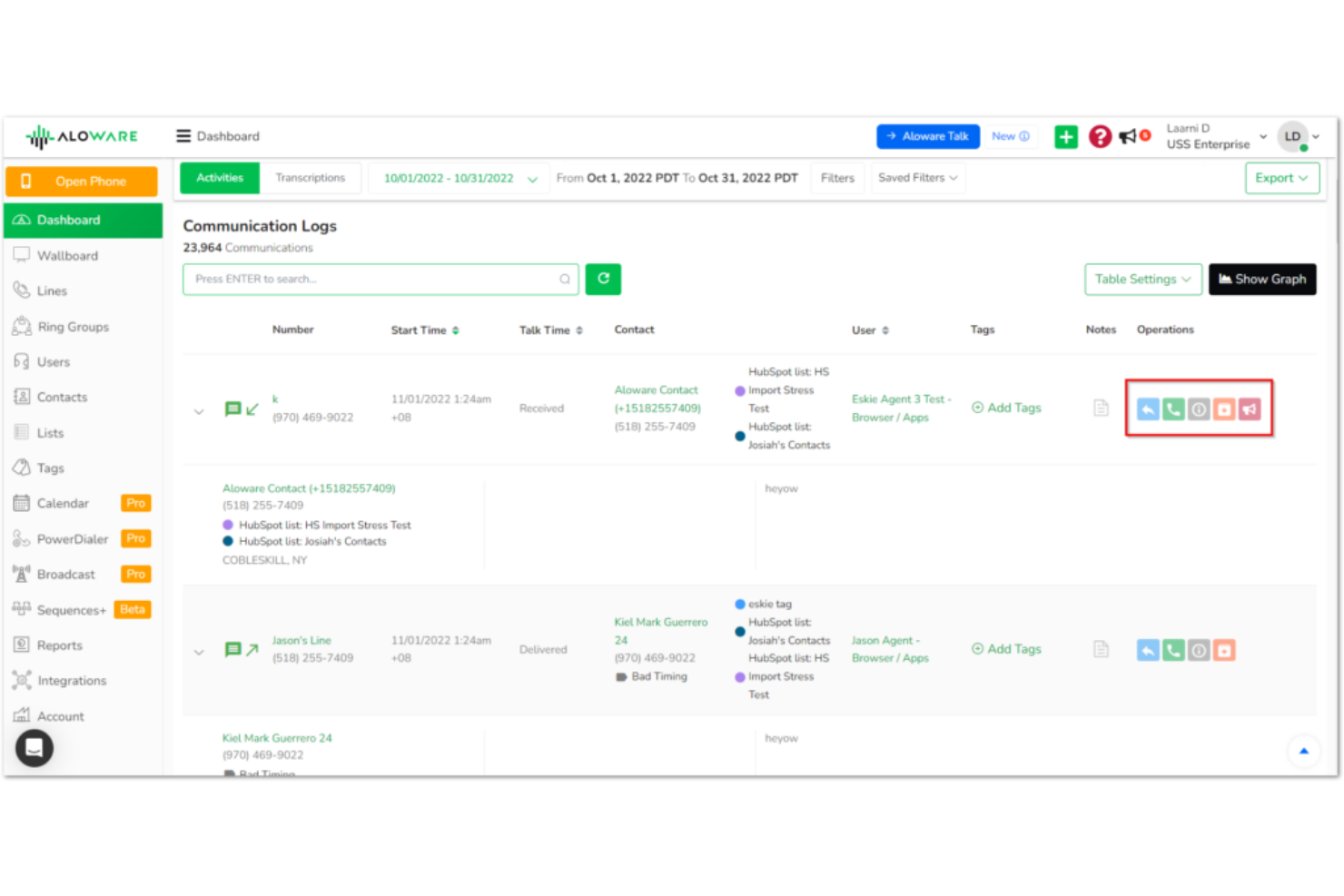
Aloware is a cloud-based contact center platform designed for sales and support teams that want to combine calling, texting, and automation in one place. I think it’s a strong fit for businesses looking to boost customer engagement with built-in SMS and CRM integrations.
Who Is Aloware Best For?
Sales and support teams at small to midsize businesses that want calling, texting, and automation in one platform.
Why Aloware Is a Good Kixie Alternative
I picked Aloware because it brings calling, SMS, and automation together in a way that feels purpose-built for sales teams running high-volume outreach. What I find most useful is iPlus, Aloware's AI-powered dialer, which automatically queues and dials contacts from CRM lists so my team spends more time talking and less time dialing. I also appreciate the built-in SMS automation, which lets me set up trigger-based text sequences that fire based on CRM activity—something Kixie doesn't handle as natively. In practice, that means my team can run coordinated call and text campaigns from a single platform without stitching together separate tools.
Aloware Key Features
- Call monitoring: Lets supervisors observe live calls in real time and step in to support agents without interrupting the caller.
- Unified inbox: Consolidates calls, SMS, email, and fax into a single interface so agents manage all channels without switching between tools.
- Call transcription: Automatically transcribes calls and stores the text directly in your CRM for quick review and analysis.
- Web form-to-call: Converts web form submissions into instant outbound calls, connecting your team with new leads the moment they express interest.
Aloware Integrations
Integrations include HubSpot, Salesforce, HighLevel, Pipedrive, Zoho, Guesty, Gong, Facebook, Slack, Zapier, and more.
Pros and Cons
Pros:
- TCPA and HIPAA compliance tools included
- LocalTouch rotates caller IDs for outreach
- Built-in SMS automation for follow-ups
Cons:
- Bugs and slow performance during calls or app usage
- Reporting tools feel outdated and limited


NobelBiz is a cloud-based contact center platform built for businesses that need to manage voice and digital channels in one place. I think it’s a strong fit for teams in regulated industries who want advanced call routing, compliance features, and omnichannel support.
Who Is NobelBiz Best For?
Contact center teams in regulated industries that need advanced compliance and omnichannel communication.
Why NobelBiz Is a Good Kixie Alternative
Compliance is where NobelBiz really sets itself apart. I picked it because it goes well beyond basic calling—it's built for contact centers that operate in regulated environments where TCPA, HIPAA, and PCI-DSS aren't optional. The Call Guard TCPA Compliance Ecosystem is something I find genuinely useful: it gives teams separate dialing interfaces for consent and non-consent scenarios, so agents aren't guessing about what's permissible. I also appreciate the LocalTouch feature, which automatically rotates local caller IDs based on who you're calling, helping outbound teams improve answer rates without manual number management.
NobelBiz Key Features
- Predictive dialer: Automatically dials multiple numbers at once and connects agents only when a live person answers, reducing idle time between calls.
- IVR scripting: Lets you build inbound call menus with linked scripts, prompts, and routing rules that can be scheduled and updated without developer support.
- Quality management: Records inbound and outbound calls with search and retrieval tools so supervisors can review interactions for coaching and compliance.
- Omnichannel 360 dashboard: Centralizes voice, SMS, email, WhatsApp, and social channels into a single browser-based interface for agents to manage without switching tabs.
NobelBiz Integrations
Native integrations are not currently listed.
Pros and Cons
Pros:
- IVR scripting is flexible and self-service
- LocalTouch feature rotates caller IDs automatically
- TCPA and HIPAA compliance tools are built-in
Cons:
- No built-in SMS marketing automation
- Reporting tools can feel outdated
Other Kixie Alternatives
Here are some additional Kixie alternative options that didn’t make it onto my shortlist, but are still worth checking out:
- RingEX
For unified calling and messaging
- Aircall
For CRM-integrated cloud calling
- PhoneBurner
For power dialing and sales workflows
- Call Logic
For sales and fundraising dialing
- Koncert
For multichannel sales engagement
- Readymode
For high-volume predictive dialing
- Dialpad
For AI-powered business communications
- DialedIn
For predictive dialing with compliance
- Convoso
For lead-focused contact centers


How I Evaluate Kixie Alternatives
I evaluate Kixie alternatives in two layers: core must-haves like power dialing and CRM sync, and differentiators—like AI coaching and global coverage—that set the best options apart.
Core Functionality (Table Stakes For This List)
When I'm selecting tools for my list, I rank each one on a scale from 0 (does not offer the functionality) to 5 (excels in this area) for each core functionality listed below. Then, I calculate the tool's total score into a percentage. Each tool needs to achieve a minimum total score of 65% to be considered for inclusion.
- Cloud Voice Calling: I check for reliable VoIP with local and international number availability, since CX teams often need to handle inbound routing and outbound calls across multiple regions.
- Power/Auto Dialer: Whether it's a retention campaign or follow-up cadence, I look for dialing modes that let agents move through call lists without manual number entry.
- CRM Integration: A tool earns higher marks when it natively syncs call activity, notes, and outcomes with CRMs like Salesforce, HubSpot, or Zoho without extra middleware.
- SMS & Multichannel Messaging: Two-way SMS is the baseline, but I also evaluate whether the platform supports channels like WhatsApp or voicemail drop for broader customer outreach.
- Call Recording & Analytics: I look at recording capabilities alongside reporting depth—agent scorecards, call outcome tracking, and team-level dashboards all factor into this score.
- AI & Conversation Intelligence: Features like automated transcription, sentiment tagging, and post-call summaries matter here, especially for teams running QA reviews at scale.
Once I have a list of tools that meet this criteria, I consider what sets each platform apart.
Differentiating Factors (What Sets Vendors Apart)
Here's how I compare and contrast different vendors:
Standout Features
Real-time agent assist is a major differentiator—I look for platforms that surface live prompts and objection-handling cues during calls, which makes a real difference for newer agents handling escalations. Smart call routing also matters; teams fielding high inbound volume need skills-based routing and multi-level IVR to get customers to the right person fast. I also evaluate local presence dialing, since matching the caller ID to a recipient's area code can meaningfully improve answer rates on outbound retention and win-back campaigns.
Beyond Features
Compliance is a big one—I check whether platforms support TCPA, GDPR, and call recording consent workflows, especially for teams operating across regions with different privacy rules. Integration depth also gets close attention. A tool that connects to your CRM but not your helpdesk (Zendesk, Intercom, Freshdesk) creates gaps in the customer record. I also evaluate pricing transparency, looking for clear per-seat structures without hidden fees for number provisioning or integration access.
Why Look For A Kixie Alternative?
While Kixie is a good choice of VoIP software, there are a number of reasons why some users seek out alternative solutions. You might be looking for a Kixie alternative because…
- You need more advanced call analytics and reporting
- Your team requires deeper CRM integrations
- You want AI-powered call coaching features
- You experience call quality issues in certain regions
- You need more flexible SMS automation options
If any of these sound like you, you’ve come to the right place. My list contains several VoIP software options that are better suited for teams facing these challenges with Kixie and looking for alternative solutions.
Kixie Key Features
Here are some of the key features of Kixie, to help you contrast and compare what alternative solutions offer:
- PowerDialer: Automatically dials through lists of contacts, helping sales teams reach more leads in less time and reducing manual dialing errors.
- Click-to-call: Lets users place calls directly from their CRM or browser with a single click, streamlining outbound calling workflows.
- Local presence dialing: Displays a local phone number to the recipient, increasing answer rates and building trust with prospects.
- CRM integration: Syncs call activity, notes, and recordings with popular CRMs like HubSpot, Salesforce, and Pipedrive for unified data management.
- Call recording: Records inbound and outbound calls for quality assurance, training, and compliance purposes.
- Voicemail drop: Allows users to leave a pre-recorded voicemail with one click, saving time on repetitive messages.
- SMS messaging: Enables sending and receiving text messages directly from the Kixie platform, supporting multi-channel outreach.
- Call analytics: Provides detailed reporting on call activity, outcomes, and agent performance to inform coaching and strategy.
- Automatic call logging: Logs every call and text automatically in the connected CRM, reducing manual data entry for reps.
- Live call coaching: Let managers listen in, whisper, or barge into live calls to support agents in real time.