
14 WalkMe Alternatives Picked for 2026

WalkMe Alternatives Shortlist
Here’s my shortlist of WalkMe alternatives:


A strong WalkMe alternative gives your team flexible onboarding, in-app guidance, and process automation without locking you into a single approach. If you’re searching for WalkMe alternatives, you’re likely weighing cost, integration needs, or looking for features that better fit your product or employee workflows.
The right digital adoption platform (DAP) can help you deliver consistent user experiences, support change management, and drive adoption—without the complexity or limitations you may have faced with WalkMe. In this list, you’ll find a range of options tailored for different business sizes, technical requirements, and use cases, so you can confidently choose the best fit for your customer experience goals.
What is WalkMe?
WalkMe is a digital adoption platform that helps organizations guide users through software, automate tasks, and improve onboarding with in-app walkthroughs and tooltips. Teams use WalkMe to simplify complex processes, reduce support requests, and increase user adoption across web applications.
Its features include workflow automation, analytics, and customizable guidance, making it a popular choice for businesses aiming to improve employee or customer experiences with digital tools.
Best WalkMe Alternatives Summary
This comparison chart summarizes pricing details for my top WalkMe alternatives to help you find the best option for your budget and business needs.
| Tool | Best For | Trial Info | Price | ||
|---|---|---|---|---|---|
| 1 | Best for Salesforce integration support | Free demo available | Pricing upon request | Website | |
| 2 | Best for workflow compliance tracking | Free demo available | From $9,500/app | Website | |
| 3 | Best for enterprise-level process automation | Free demo available | Pricing upon request | Website | |
| 4 | Best for rapid employee onboarding | Free demo available | Pricing upon request | Website | |
| 5 | Best for in-app product analytics | Free plan + free demo available | Pricing upon request | Website | |
| 6 | Best for customer feedback collection | Free demo available | Pricing upon request | Website | |
| 7 | Best for code-free feature adoption | 14-day free trial | From $299/month (billed annually) | Website | |
| 8 | Best for AI-driven user guidance | Free demo available | Pricing upon request | Website | |
| 9 | Best for automated training content creation | Free demo available | Pricing upon request | Website | |
| 10 | Best for Oracle application guidance | 90-day free trial available | Pricing upon request | Website |
Why Trust Our Software Reviews
We’ve been testing and reviewing software since 2020. As CX leaders ourselves, we know how critical and difficult it is to make the right decision when selecting software.
We invest in deep research to help our audience make better software purchasing decisions. We’ve tested more than 2,000 tools for different CX use cases and written over 1,000 comprehensive software reviews. Learn how we stay transparent & our software review methodology.
-

SupportYourApp
Visit WebsiteThis is an aggregated rating for this tool including ratings from Crozdesk users and ratings from other sites.4.7 -
Hiver
Visit WebsiteThis is an aggregated rating for this tool including ratings from Crozdesk users and ratings from other sites.4.7 -
Freshdesk
Visit WebsiteThis is an aggregated rating for this tool including ratings from Crozdesk users and ratings from other sites.4.4





WalkMe Alternatives Reviews
Below are my detailed summaries of the WalkMe alternatives that made it onto my shortlist. My reviews offer a detailed look at the features, best use cases, and integrations of each platform to help you find the best one for you.

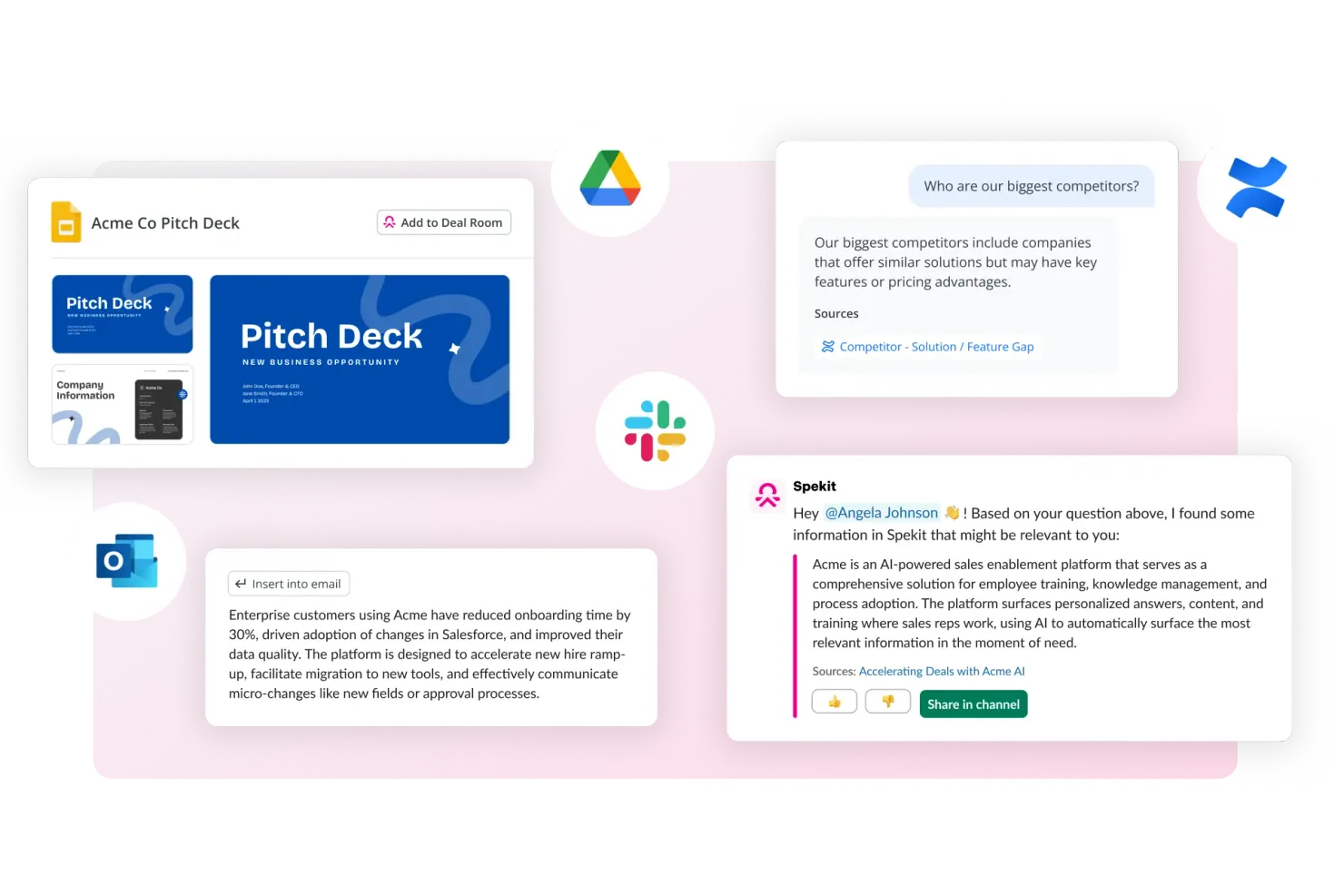
Spekit is built for Salesforce-centric teams that need in-app training and support, offering deep integration with Salesforce and other web tools. It’s designed for sales, support, and operations professionals who want to deliver just-in-time knowledge directly within their workflows. Spekit differentiates itself from WalkMe and similar platforms by surfacing bite-sized, contextual guidance exactly where users work, without disrupting their experience.
Why Spekit Is a Good WalkMe Alternative
For teams that rely heavily on Salesforce, Spekit offers a level of integration and contextual support that’s hard to match. I picked Spekit because it embeds training, process documentation, and knowledge directly into Salesforce fields, objects, and workflows, so users get guidance exactly where they need it.
The platform also lets you update and push new content instantly, which is valuable for fast-changing sales and support environments. This targeted, in-app approach makes Spekit a strong alternative to WalkMe for organizations prioritizing Salesforce adoption.
Spekit Key Features
Some other features that make Spekit useful for digital adoption include:
- Chrome extension: Access and create Spekit content directly from your browser.
- Analytics dashboard: Track user engagement and content usage across your organization.
- Knowledge checks: Add quizzes and knowledge checks to reinforce learning within workflows.
- Slack integration: Share and surface Spekit content directly in Slack conversations.
Spekit Integrations
Integrations include Salesforce, Gmail, Outlook, Slack, Gong, Chorus, Salesloft, Outreach, SharePoint, and more.
Pros and Cons
Pros:
- Recommends content based on active deals
- Unifies sales enablement and training content
- Deep Salesforce integration
Cons:
- Basic analytics for user behavior tracking
- Lacks gamification features like badges
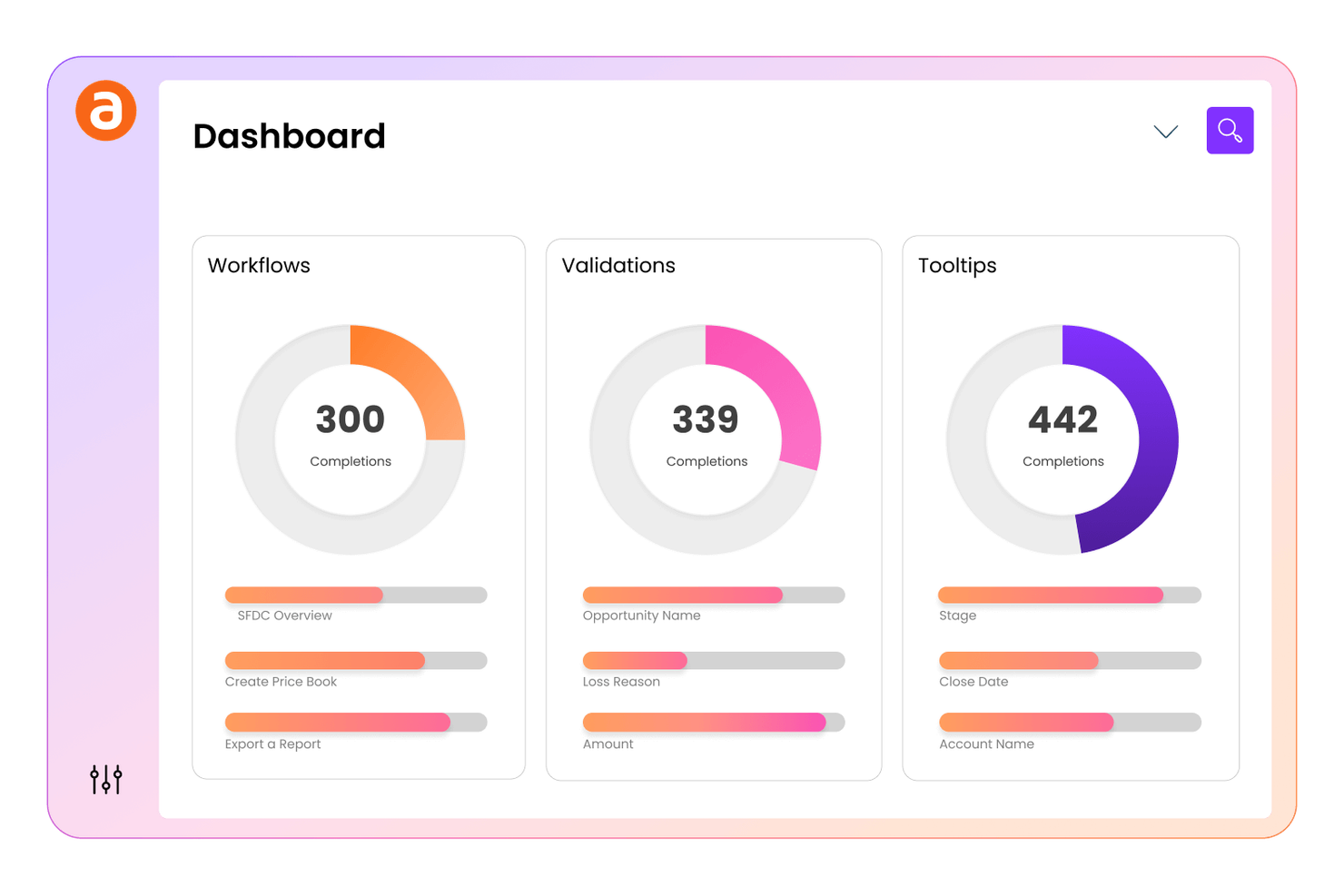
Apty provides workflow compliance tracking built into its digital adoption platform for teams that need to ensure employees follow critical processes and policies. It’s particularly useful for operations, compliance, and IT leaders in regulated industries who need to monitor and enforce correct software usage. Apty differentiates itself by allowing you to set up compliance checkpoints and track user actions, making it easier to identify and address gaps in process adherence.
Why Apty Is a Good WalkMe Alternative
Unlike many digital adoption platforms, Apty is designed to help you track and enforce workflow compliance across your organization. I picked Apty because it lets you set up compliance checkpoints within your software, so you can monitor whether users are following required steps and processes.
The platform also provides detailed analytics on user actions, making it easier to identify where compliance gaps exist. This focus on workflow compliance makes Apty a strong choice for teams in regulated industries or those with strict process requirements.
Apty Key Features
In addition to workflow compliance tracking, Apty offers several other features that support digital adoption and user engagement:
- In-app guidance creation: Build step-by-step walkthroughs and tooltips directly within your business applications.
- Content segmentation: Target onboarding and training content to specific user groups or roles.
- Feedback collection tools: Gather user feedback through in-app surveys and prompts.
- Automated task tracking: Monitor user progress on assigned tasks and highlight incomplete actions.
Apty Integrations
Integrations include Salesforce, Workday, Oracle, Infor, Coupa, ServiceNow, Microsoft Dynamics, SAP SuccessFactors, NetSuite, and Jira.
Pros and Cons
Pros:
- Connects adoption metrics to business KPIs
- Provides in-app analytics for insights
- Offers workflow compliance tracking
Cons:
- Targeting limited to web applications
- Visual editor lacks deep CSS control

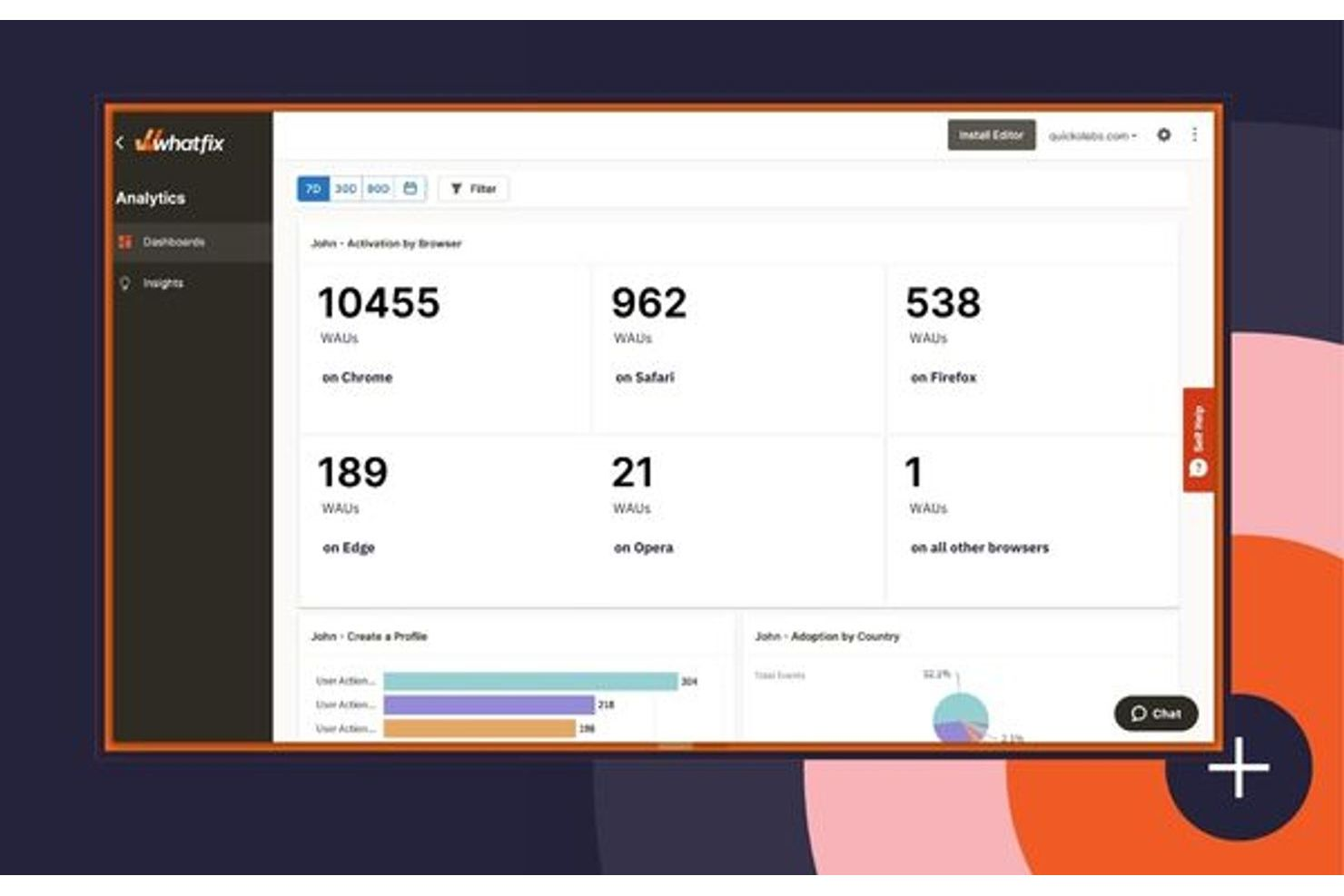
Whatfix is a digital adoption platform designed for organizations that need advanced process automation and personalized user guidance at scale. It’s a strong fit for large organizations managing complex workflows across multiple business systems. Teams looking to automate repetitive tasks and deliver tailored in-app experiences will find Whatfix especially useful compared to more basic onboarding tools.
Why Whatfix Is a Good WalkMe Alternative
For teams focused on automating complex business processes, Whatfix stands out with its enterprise-level process automation capabilities. I picked Whatfix because it lets you create dynamic workflows that guide users through multi-step tasks, reducing manual effort and errors.
Its advanced segmentation tools allow you to deliver personalized guidance based on user roles or behaviors. The platform also supports real-time process analytics, so you can monitor adoption and optimize workflows as your needs evolve.
Whatfix Key Features
Some other features in Whatfix can help you deliver and manage digital adoption at scale:
- Multi-format content creation: Build step-by-step guides, tutorial videos, and PDFs from a single workflow to support different learning preferences.
- Self-serve knowledge base: Embed contextual help widgets directly in your applications so users can access answers without leaving their workflow.
- SCORM and LMS integration: Connect Whatfix with your learning management system to track training completion and compliance.
- Localization support: Deliver in-app guidance in multiple languages to support global teams and diverse user bases.
Whatfix Integrations
Integrations include Amplitude, Bullhorn, Confluence, FullStory, Google Analytics, Microsoft Azure, Oracle, Salesforce, ServiceNow, and more.
Pros and Cons
Pros:
- Automates content translation in 70+ languages
- Generates walkthroughs from text prompts
- Offers multi-format content creation from a single workflow
Cons:
- Requires 2-4 months for implementation
- Unclear pricing until late sales stages

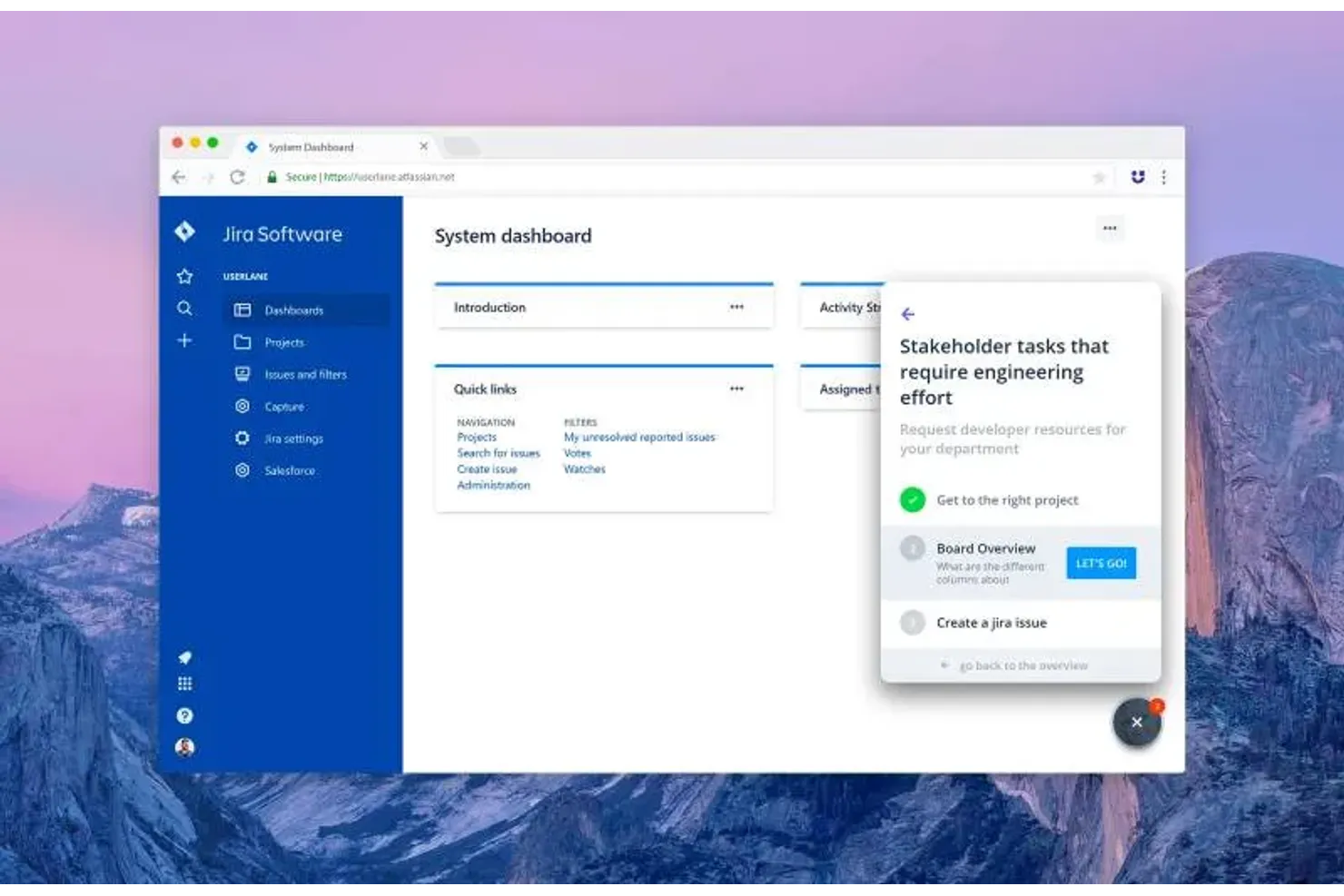
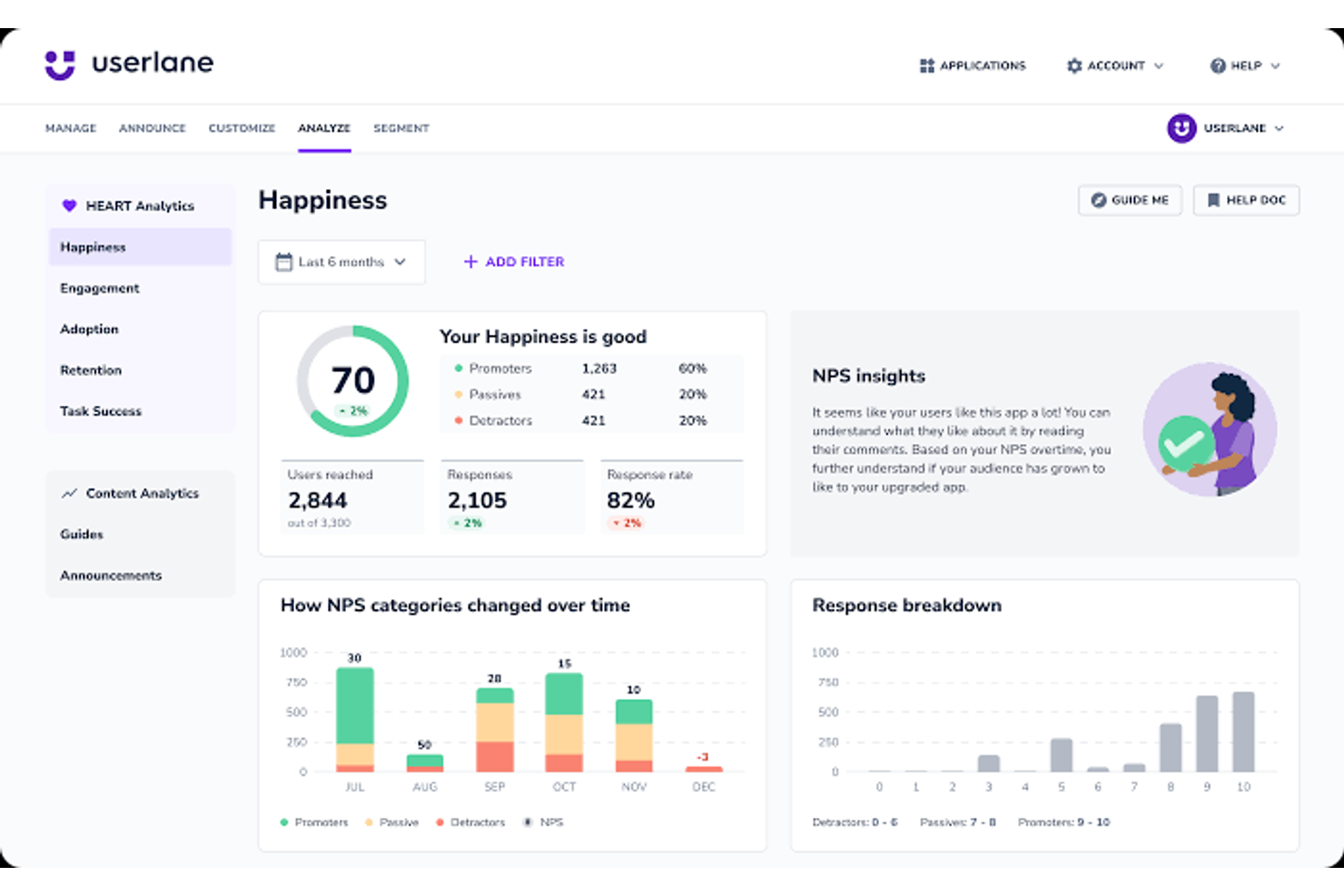
Userlane is designed for teams that need to onboard employees quickly across multiple software tools, offering interactive, step-by-step guidance that supports rapid adoption. It suits HR, IT, and operations leaders aiming to improve employee training while reducing support tickets during software rollouts. The platform differentiates itself from other digital adoption solutions through real-time, in-app walkthroughs that help new users get up to speed without leaving their workflow.
Why Userlane Is a Good WalkMe Alternative
If you need to get employees up and running on new software fast, Userlane is built for rapid onboarding. I picked Userlane because it lets you create interactive, in-app guides that walk users through processes step by step, right when they need help.
The platform also includes a real-time assistant that answers questions and provides support for end-users directly within the application. This focus on immediate, contextual guidance makes Userlane a strong choice for teams rolling out new tools or processes
Userlane Key Features
Some other features in Userlane can help your team improve software adoption and spot usage gaps across your apps:
- App Discovery: See which SaaS tools your employees actually use so you can find unused licenses, overlapping tools, and shadow IT.
- HEART Analytics: Track happiness, engagement, adoption, retention, and task success so you can understand where users struggle.
- Announcements: Share updates inside the app so users see important messages while they work.
- Surveys and NPS: Collect feedback in-app and review sentiment data to measure how people feel about the software experience.
Userlane Integrations
Integrations include SharePoint, Confluence, KnowledgeOwl, and more.
Pros and Cons
Pros:
- Features a dedicated virtual assistant bot
- Automates guide element selection via Heartbeat
- Supports full on-site server installation
Cons:
- Lacks advanced behavioral predictive analytics
- Offers fewer visual customization options

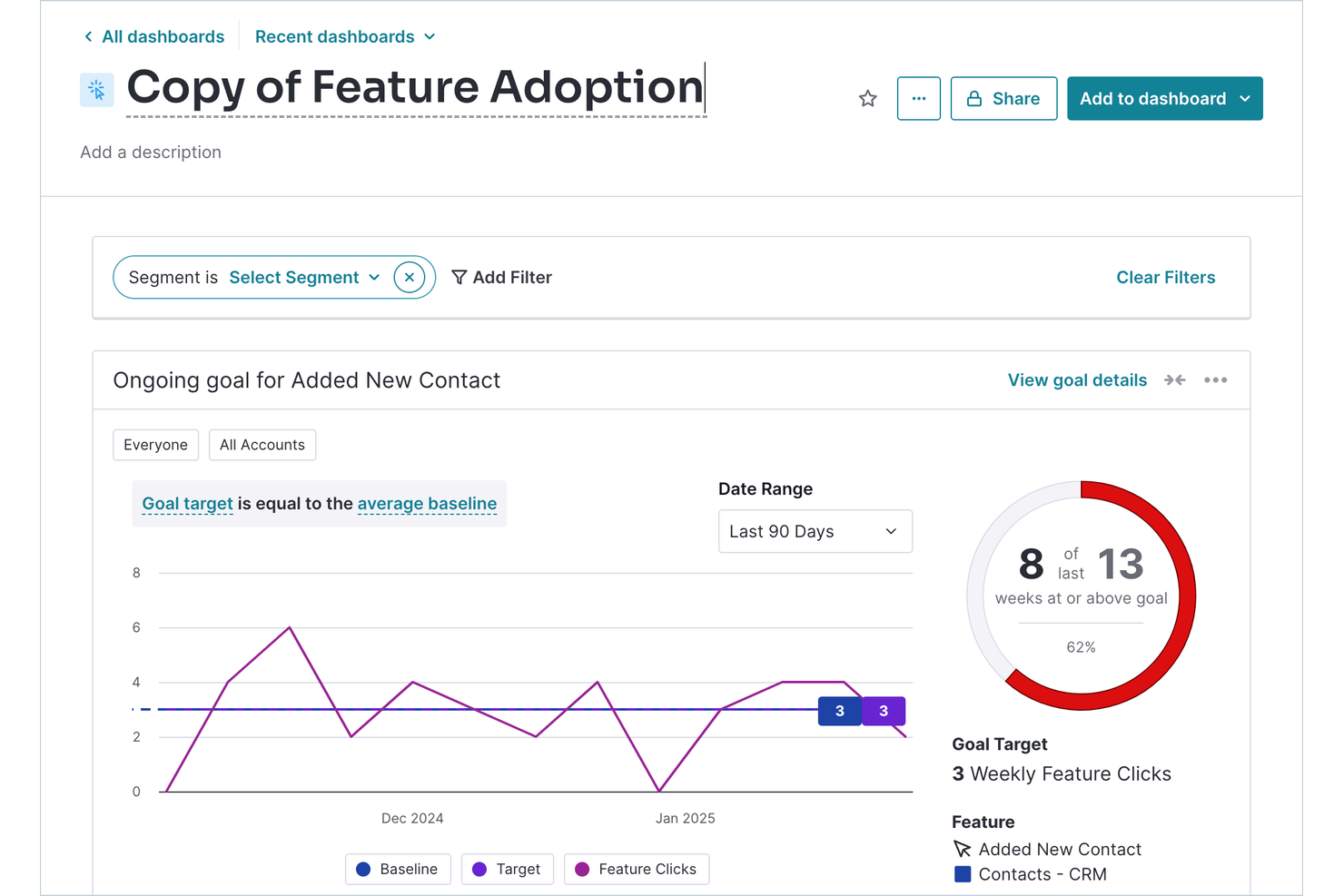
Pendo offers in-app product analytics for teams that need deep insight into how users interact with their software. It’s particularly useful for SaaS companies and digital teams looking to combine user feedback, feature adoption tracking, and in-app guidance in a single platform. Pendo differentiates itself by pairing granular analytics with tools that drive engagement, onboarding, and product adoption.
Why Pendo Is a Good WalkMe Alternative
Unlike many digital adoption platforms, Pendo puts in-app product analytics at the center of its offering. I picked Pendo because it lets you track feature usage, user flows, and drop-off points directly within your application, giving you a clear picture of how customers interact with your product.
You can also collect user feedback through in-app surveys and combine that data with behavioral analytics for a more complete view. This approach helps you make data-driven decisions about onboarding, feature adoption, and user engagement.
Pendo Key Features
Some other features in Pendo can help you deliver targeted in-app experiences and improve digital adoption scalability:
- No-code guide builder: Create in-app walkthroughs, tooltips, and announcements without needing developer resources.
- Resource Center: Add a persistent in-app help hub so users can access guides, support, and documentation anytime.
- Mobile app support: Deploy analytics and in-app messaging across both web and mobile applications.
- Segmentation tools: Target messages and guides to specific user groups based on behavior or attributes.
Pendo Integrations
Integrations include Salesforce, HubSpot, Jira, Segment, Slack, Zendesk, Intercom, Gong, and more.
Pros and Cons
Pros:
- Combines feedback polls with usage data
- Tracks user events retroactively without tagging
- Retains user analytics for 7 years
Cons:
- Hard cap at 500 monthly users
- Reporting delays of up to 24-hours

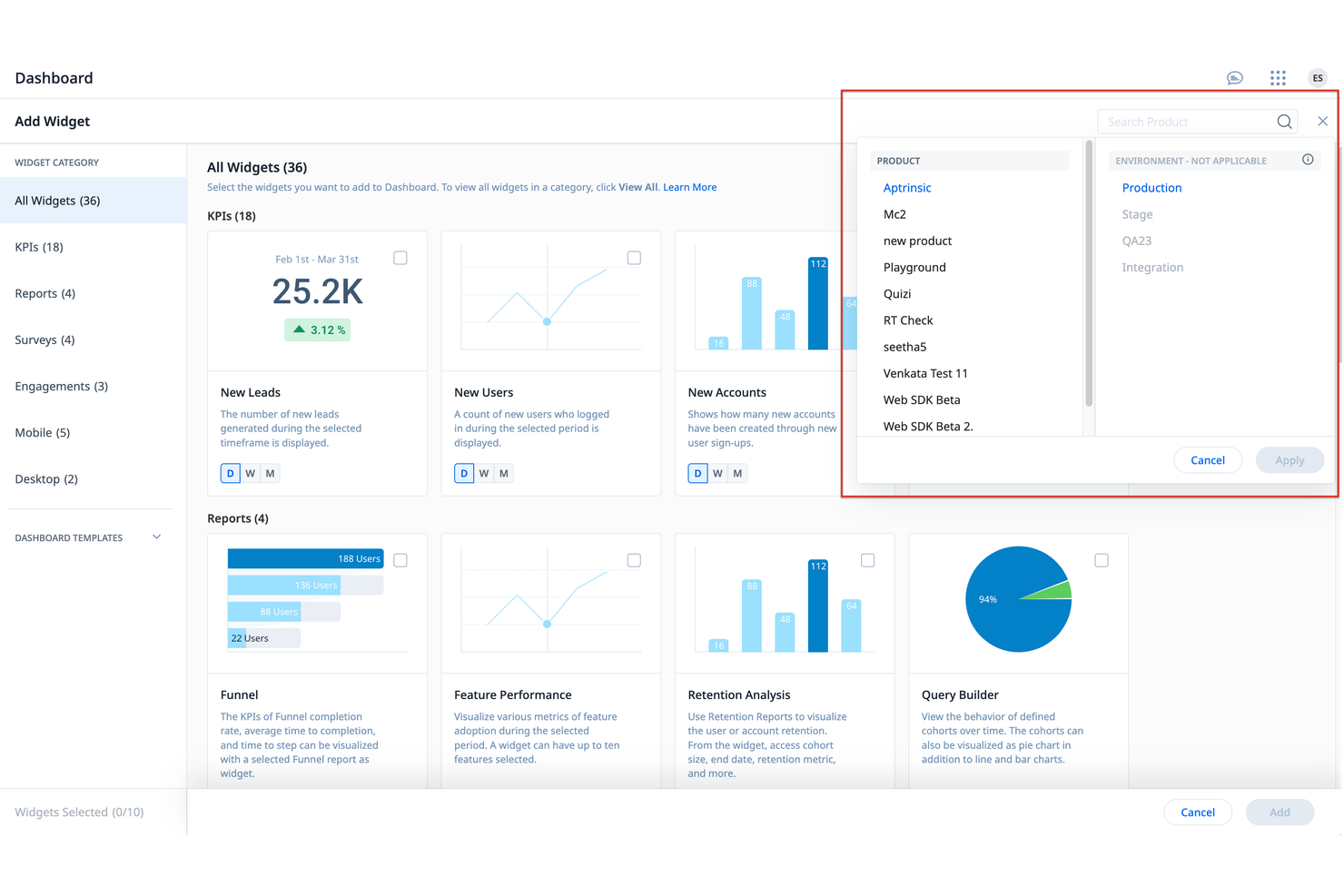
Gainsight PX is built for teams searching for a digital adoption platform that prioritizes customer feedback. It’s designed for product teams and customer experience leaders who want to collect, analyze, and act on user insights directly within their product. Gainsight PX differentiates itself from WalkMe through its in-app survey and feedback capabilities, helping teams understand user sentiment and guide product improvements.
Why Gainsight PX Is a Good WalkMe Alternative
Gainsight PX stands out for teams that want to prioritize customer feedback collection within their digital adoption strategy. I picked Gainsight PX because it offers in-app surveys, NPS tracking, and feedback widgets that let you gather actionable insights from users as they interact with your product. These features help you identify pain points and opportunities for improvement directly from your user base. With Gainsight PX, you can continuously refine your product experience based on real user sentiment, which is something WalkMe doesn’t focus on as deeply.
Gainsight PX Key Features
Some other features that make Gainsight PX valuable for digital adoption teams include:
- Product analytics: Track user behavior and feature adoption across your application.
- In-app guides: Build and launch step-by-step walkthroughs to onboard and educate users.
- Audience segmentation: Target specific user groups with personalized messages and experiences.
- Event tracking: Monitor custom events to understand how users interact with key workflows.
Gainsight PX Integrations
Integrations include Salesforce, Slack, Zendesk, HubSpot, and more.
Pros and Cons
Pros:
- Maps user journeys across multiple products
- Automates email outreach based on behavior
- Scores customer health based on usage
Cons:
- Limited 24/7 live vendor support access
- No identification for untagged UI elements
Userpilot is built for product teams and SaaS companies that want to drive feature adoption without writing code. It’s particularly useful for product managers and UX professionals who need to launch onboarding flows, tooltips, and feature announcements directly from a visual editor. Userpilot differentiates itself by enabling teams to create and deploy interactive guides and checklists without relying on developer resources, making it easier to respond quickly to user needs.
Why Userpilot Is a Good WalkMe Alternative
For teams that want to boost feature adoption without relying on developers, Userpilot offers a true code-free approach. I picked Userpilot because it lets you build and launch onboarding flows, tooltips, and feature announcements directly from a visual editor.
You can also set up interactive checklists and in-app surveys to guide users through new features and collect feedback. This makes Userpilot a strong choice for product managers who need to move quickly and adapt onboarding experiences on the fly.
Userpilot Key Features
Some other features that make Userpilot useful for digital adoption teams include:
- Audience targeting: Deliver onboarding experiences and messages to specific user segments based on behavior or attributes.
- A/B testing: Test different in-app flows and content variations to see what drives engagement.
- Resource center widget: Add a customizable in-app help center with links, videos, and documentation.
- Event-based analytics: Track user actions and measure the impact of onboarding and feature adoption campaigns.
Userpilot Integrations
Integrations include Salesforce, HubSpot, Segment, Google Analytics, Zendesk, Slack, Amplitude, Mixpanel, Intercom, and more.
Pros and Cons
Pros:
- Enables A/B testing for onboarding flows
- Includes built-in NPS and CSAT dashboards
- Allows one-click tracking of UI features
Cons:
- No free-tier option for early startups
- Supports only customer-facing web applications

Command AI offers a modern approach for teams looking to add AI-driven user guidance to their digital adoption strategy. The platform is designed for product managers, customer success teams, and operations leaders who want to deliver personalized, context-aware support inside their apps. It differentiates itself from WalkMe by using generative AI to provide real-time, tailored assistance that adapts to each user’s needs and actions.
Why Command AI Is a Good WalkMe Alternative
What sets Command AI apart as a WalkMe alternative is its focus on AI-driven user guidance that adapts in real time. I picked Command AI because it uses generative AI to deliver personalized, context-aware support directly within your application.
The platform can analyze user behavior and trigger relevant guidance or resources based on what each user is doing. This approach helps your team provide more dynamic, responsive support than traditional rule-based walkthroughs.
Command AI Key Features
Some other features that make Command AI useful for digital adoption teams include:
- No-code workflow builder: Create and deploy user guidance flows without writing code.
- Analytics dashboard: Track user engagement and measure the impact of in-app guidance.
- Role-based targeting: Deliver specific guidance to users based on their role or permissions.
- Knowledge base integration: Surface relevant help articles and resources directly within your application.
Command AI Integrations
Integrations include Salesforce, HubSpot, Zendesk, Intercom, Slack, Google Analytics, Jira, Trello, and more.
Pros and Cons
Pros:
- Offers AI-driven chat for instant answers
- Integrates documentation into a global search
- No-code workflow builder
Cons:
- High initial installation costs for startups
- Performance impact on heavy web applications

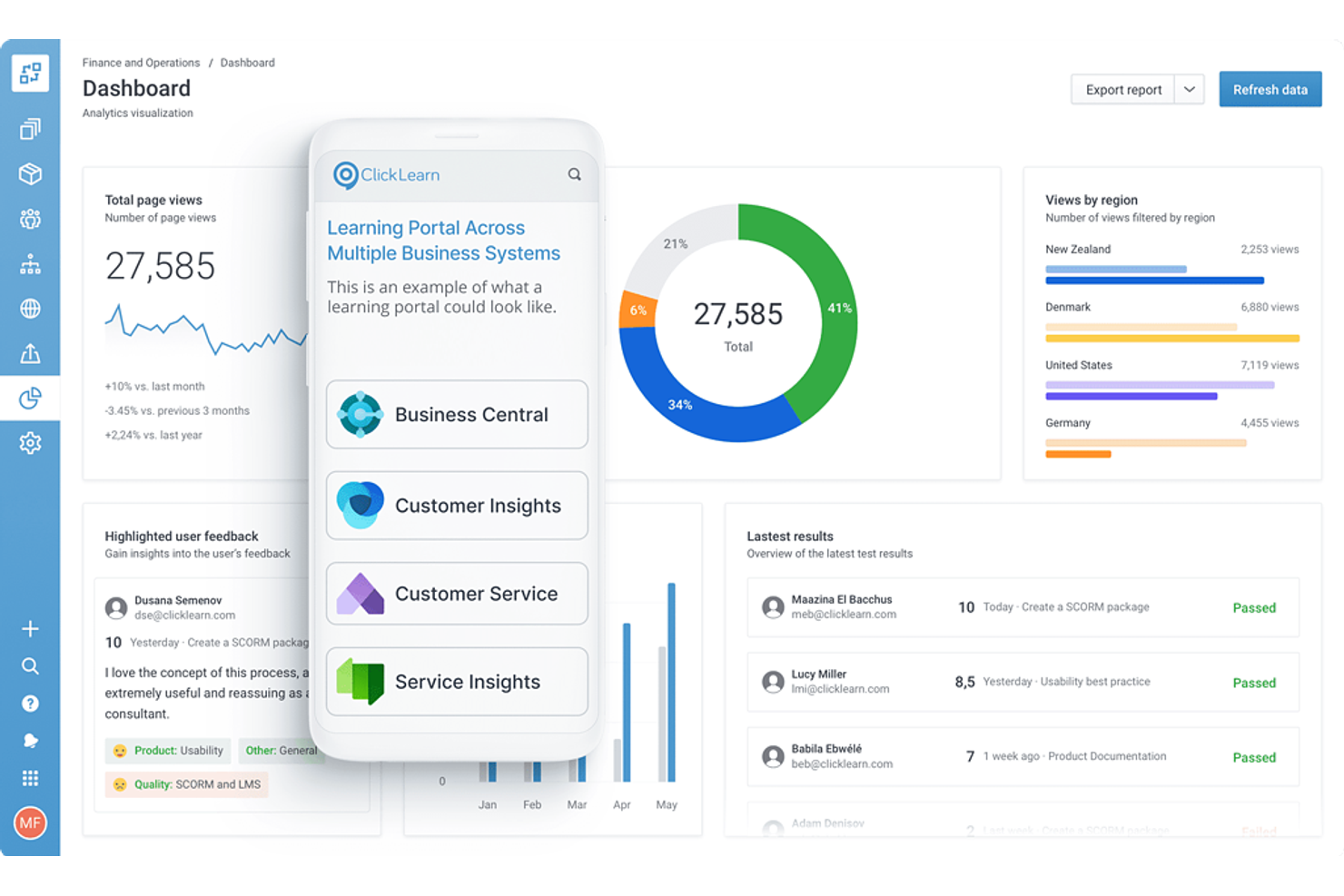
ClickLearn offers a unique approach to training content creation through automated content generation across multiple business systems. It’s particularly useful for IT, HR, and operations teams that want to capture processes once and instantly produce step-by-step guides, videos, and e-learning modules. Unlike WalkMe, ClickLearn differentiates itself by automating the creation and updating of training materials as systems evolve.
Why ClickLearn Is a Good WalkMe Alternative
Unlike most digital adoption platforms, ClickLearn automates the process of creating training content for your business applications. I picked ClickLearn because it records user actions and instantly generates step-by-step guides, videos, and e-learning modules in multiple formats. The tool also updates all training materials automatically when your processes or software change, so your documentation always stays current.
This automation makes ClickLearn a strong alternative to WalkMe for teams that need to keep training resources up to date with minimal manual effort.
ClickLearn Key Features
Some other features that make ClickLearn valuable for digital adoption include:
- Multi-language support: Automatically generate training materials in multiple languages for global teams.
- Virtual assistant: Guide users through processes in real time with an on-screen assistant.
- Content portal: Centralize all training materials in a searchable, branded portal for easy access.
- Version control: Track changes and manage different versions of your training content.
ClickLearn Integrations
Integrations include Microsoft Dynamics 365, SAP, Oracle, Acumatica, Salesforce, and more.
Pros and Cons
Pros:
- Updates screenshots automatically with one click
- Records processes across native desktop applications
- Produces documentation in 7 different formats
Cons:
- Requires local software installation for authors
- Longer processing time for new recordings

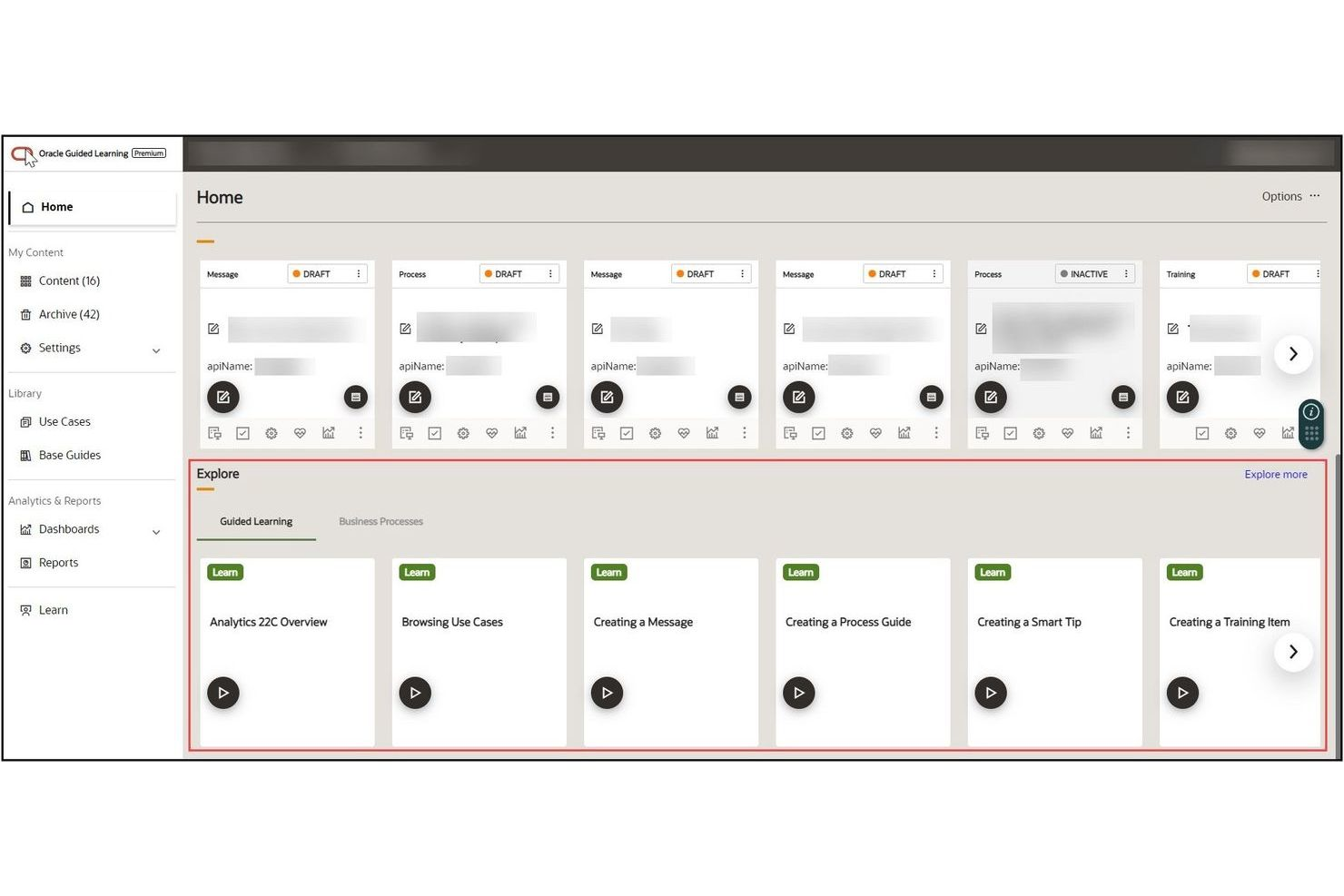
Oracle Guided Learning offers in-app guidance tailored specifically for organizations running Oracle Cloud applications. It’s designed for IT leaders, HR teams, and operations professionals who need to onboard users and drive adoption across complex Oracle workflows. The platform differentiates itself through deep integration with Oracle products, enabling you to deliver context-aware help and process updates directly within the Oracle interface.
Why Oracle Guided Learning Is a Good WalkMe Alternative
If your business relies on Oracle Cloud applications, Oracle Guided Learning is purpose-built to deliver in-app guidance that’s fully aligned with Oracle’s evolving interface and workflows. I picked this tool because it offers context-sensitive walkthroughs and process updates that appear directly within Oracle products, so users always get relevant help in real time.
The platform also lets you manage and update guidance content centrally, which is especially useful for organizations with frequent process changes. This level of Oracle-specific integration is something most general digital adoption platforms, including WalkMe, can’t match.
Oracle Guided Learning Key Features
Some other features that make Oracle Guided Learning valuable for digital adoption include:
- Content versioning: Track and manage different versions of guidance content as processes evolve.
- User segmentation: Target specific guidance to different user groups or roles within your organization.
- Progress tracking: Monitor user completion of guided learning paths and in-app walkthroughs.
- Multimedia support: Add videos, images, and links to enhance in-app guidance content.
Oracle Guided Learning Integrations
Integrations include Oracle Fusion Cloud Applications, Oracle NetSuite, Oracle APEX, Oracle Analytics Cloud, PeopleSoft, and more.
Pros and Cons
Pros:
- Includes pre-built content for Oracle processes
- Publishes updates directly to Fusion environments
- Embedded natively within Oracle Cloud apps
Cons:
- Fragile flows during Oracle UI updates
- Restricted to the Oracle ecosystem only
Other WalkMe Alternatives
Here are some additional WalkMe alternatives that didn’t make it onto my shortlist, but are still worth checking out:
- Stonly
For interactive knowledge bases
- UserGuiding
For small business onboarding
- ChurnZero
For customer success team enablement
- Chameleon
For personalized onboarding tours


WalkMe Alternatives Selection Criteria
When selecting the best WalkMe alternatives to include in this list, I considered common buyer needs and pain points related to digital adoption platform products, like creating effective in-app guidance and collecting actionable user feedback. I also used the following framework to keep my evaluation structured and fair:
Core Functionality (25% of total score)
To be considered for inclusion in this list, each solution had to fulfill these common use cases:
- Create in-app interactive walkthroughs
- Deliver contextual help and tooltips
- Track user engagement and feature adoption
- Segment users for targeted messaging
- Collect user feedback within the product
Additional Standout Features (25% of total score)
To help further narrow down the competition, I also looked for unique features, such as:
- Advanced analytics dashboards
- AI-driven content recommendations
- Multilingual content support
- Customizable branding and themes
- Integration with customer data platforms
Usability (10% of total score)
To get a sense of the ease of use of each system, I considered the following:
- Intuitive drag-and-drop editor
- Clean and modern interface design
- Minimal steps to launch new guides
- Clear navigation and menu structure
- Responsive design for different devices
Onboarding (10% of total score)
To evaluate the onboarding experience for each platform, I considered the following:
- Availability of training videos and documentation
- Pre-built templates for common use cases
- Interactive product tours for new users
- Access to onboarding webinars and workshops
- In-app chatbots for real-time assistance
Customer Support (10% of total score)
To assess each software provider’s customer support services, I considered the following:
- Multiple support channels, including chat and email
- Fast response times to support requests
- Access to a knowledge base or help center
- Availability of dedicated customer success managers
- Community forums for peer-to-peer support
Value For Money (10% of total score)
To evaluate the value for money of each platform, I considered the following:
- Transparent and flexible pricing plans
- Features included at each pricing tier
- No hidden fees or surprise charges
- Discounts for annual or volume commitments
- Free trial or demo availability
Customer Reviews (10% of total score)
To get a sense of overall customer satisfaction, I considered the following when reading customer reviews:
- Positive feedback on product reliability
- Reports of helpful and knowledgeable support
- User comments on feature completeness
- Experiences with onboarding and implementation
- Value perception compared to similar tools
Why Look For a WalkMe Alternative?
While WalkMe is a good choice of digital adoption platform, there are a number of reasons why some users seek out alternative solutions. You might be looking for a WalkMe alternative because…
- You need more transparent or flexible pricing options
- Your team wants deeper product analytics or feedback tools
- Your team wants to avoid a steep learning curve
- You require faster or more personalized customer support
- You need a solution that is easier to set up and manage
- Your organization has unique integration requirements
If any of these sound like you, you’ve come to the right place. My list contains several digital adoption platforms and WalkMe competitors that are better suited for teams facing these challenges with WalkMe and looking for alternative solutions.
WalkMe Key Features
Here are some of the key features that WalkMe offers, to help you contrast and compare what alternative solutions offer:
- In-app guided walkthroughs for onboarding and training
- Contextual tooltips and pop-up messages
- Workflow automation for repetitive user tasks
- User segmentation for targeted experiences
- Analytics dashboards for tracking user engagement
- Customizable branding and interface elements
- Multi-language support for global teams
- Integration with CRM and help desk systems
- Role-based access controls for team management
What’s Next:
If you're in the process of researching WalkMe alternatives, connect with a SoftwareSelect advisor for free recommendations.
You fill out a form and have a quick chat where they get into the specifics of your needs. Then you'll get a shortlist of software to review. They'll even support you through the entire buying process, including price negotiations.