

13 Best Pendo Alternatives Reviewed for 2026

Pendo Alternatives Shortlist


A strong Pendo alternative combines in-app guidance, product analytics, and user feedback tools to help your team deliver better product experiences. If you’re searching for options beyond Pendo, you’re likely looking for platforms that offer flexible onboarding, actionable insights, and customization to fit your product’s needs.
This list will help you compare leading Pendo alternatives, so you can find the right solution for driving adoption, understanding user behavior, and improving your product experience strategy.
What Is Pendo?
Pendo is an all-in-one product experience platform that combines in-app guidance, product analytics, and user feedback collection. Teams use Pendo to onboard users, track feature adoption, and gather insights on how customers interact with their software. By centralizing these tools, Pendo helps product, customer success, and support teams improve user engagement and make data-driven decisions about product improvements.
Best Pendo Alternatives Summary
This comparison chart summarizes pricing details for my top Pendo alternatives to help you find the best one for your budget and business needs.
| Tool | Best For | Trial Info | Price | ||
|---|---|---|---|---|---|
| 1 | Best for employee training use cases | Free demo available | Pricing upon request | Website | |
| 2 | Best for session replay insights | Free plan + free demo available | Pricing upon request | Website | |
| 3 | Best with behavioral cohort analysis | Free plan available | From $49/month (billed annually) | Website | |
| 4 | Best for enterprise workflow guidance | Free demo available | Pricing upon request | Website | |
| 5 | Best with automatic event tracking | Free trial + free demo available | Pricing upon request | Website | |
| 6 | Best for product usage analytics | Free plan available | From $25/month (billed annually) | Website | |
| 7 | Best for code-free onboarding flows | 14-day free trial + free demo available | From $299/month (billed annually) | Website | |
| 8 | Best for customer health scoring | Free demo available | Pricing upon request | Website | |
| 9 | Best for personalized in-app messaging | 14-day free trial | From $750/month (billed annually) | Website | |
| 10 | Best with advanced user segmentation | Free demo available | From $279/month | Website |
Why Trust Our Software Reviews
We’ve been testing and reviewing software since 2020. As CX leaders ourselves, we know how critical and difficult it is to make the right decision when selecting software.
We invest in deep research to help our audience make better software purchasing decisions. We’ve tested more than 2,000 tools for different CX use cases and written over 1,000 comprehensive software reviews. Learn how we stay transparent & our software review methodology.
-

SupportYourApp
Visit WebsiteThis is an aggregated rating for this tool including ratings from Crozdesk users and ratings from other sites.4.7 -
Freshdesk
Visit WebsiteThis is an aggregated rating for this tool including ratings from Crozdesk users and ratings from other sites.4.4 -
Tidio
Visit WebsiteThis is an aggregated rating for this tool including ratings from Crozdesk users and ratings from other sites.4.7




Pendo Alternatives Reviews
Below are my detailed summaries of the best Pendo alternatives that made it onto my shortlist. My reviews offer a detailed look at the features, best use cases, and integrations of each platform to help you find the best one for you.

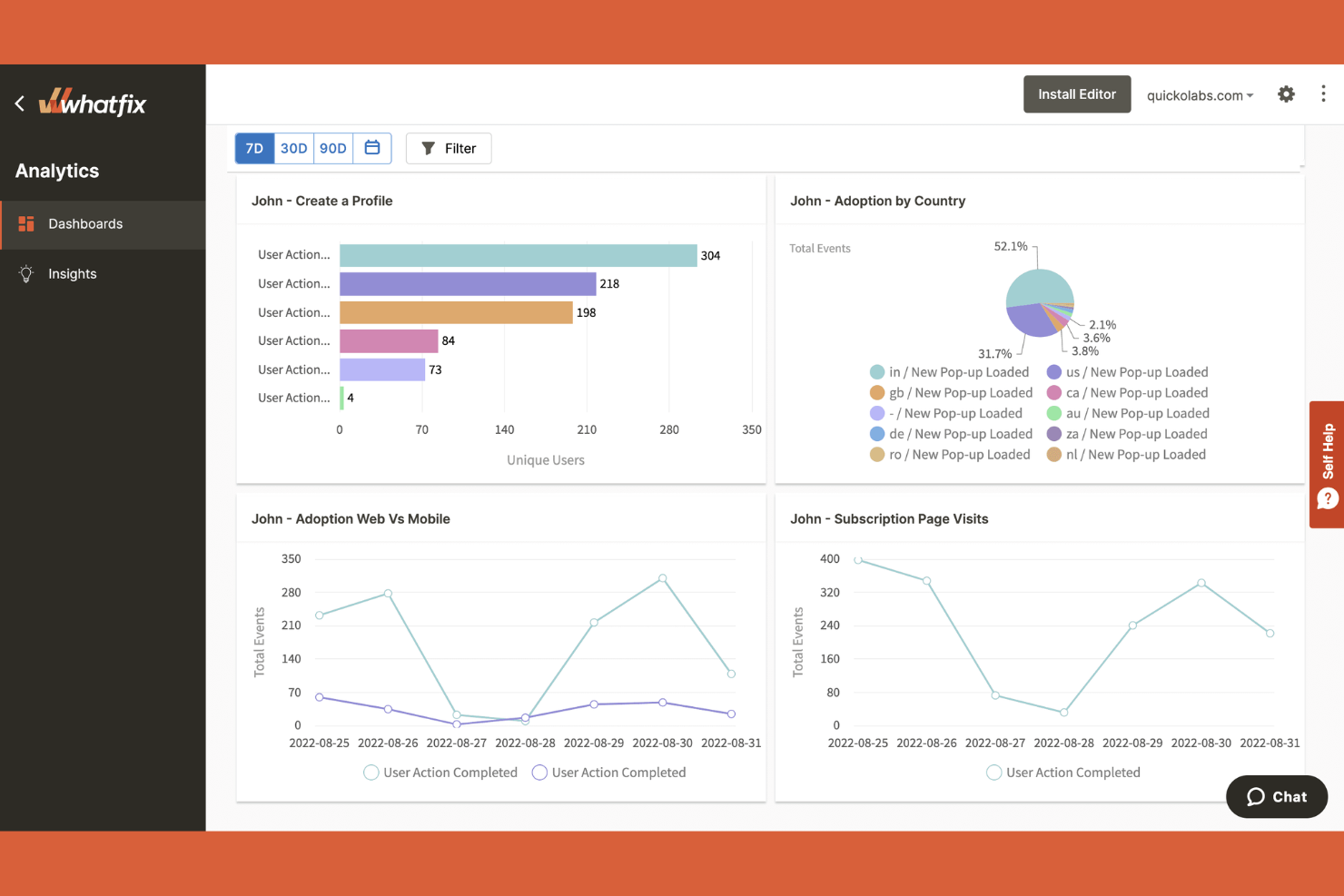
Whatfix is a digital adoption platform that stands out for organizations focused on employee onboarding, training, and ongoing enablement within complex software environments. If you need to create interactive walkthroughs, task lists, and in-app guidance tailored for internal teams, Whatfix offers specialized features that go beyond typical product experience platforms like Pendo.
Why Whatfix Is a Good Pendo Alternative
For teams focused on employee training and internal enablement, Whatfix brings a different set of strengths than Pendo. I picked Whatfix because it lets you build interactive walkthroughs, onboarding flows, and task lists specifically for employees navigating complex software. Its in-app guidance tools support step-by-step learning and can be tailored to different roles or departments. This makes Whatfix especially useful for HR, IT, and operations teams that need to deliver consistent, scalable training across the organization.
Whatfix Key Features
Some other features that make Whatfix appealing for product experience management include:
- Content Aggregation: Combine help articles, videos, and documents from multiple sources into a unified in-app resource.
- Self-Help Widget: Add a searchable widget to your app that surfaces relevant help content based on user context.
- SCORM Compliance: Export training modules in SCORM format for use in learning management systems.
- Analytics Dashboard: Track user engagement, completion rates, and content performance with built-in analytics.
Whatfix Integrations
Integrations include Salesforce, Microsoft Dynamics 365, SAP SuccessFactors, ServiceNow, Workday, SharePoint, NetSuite, and more.
Pros and Cons
Pros:
- Automates multi-step processes
- Offers cross-platform support
- SCORM export supports external LMS
Cons:
- Requires complex implementation
- No native product analytics for user behavior

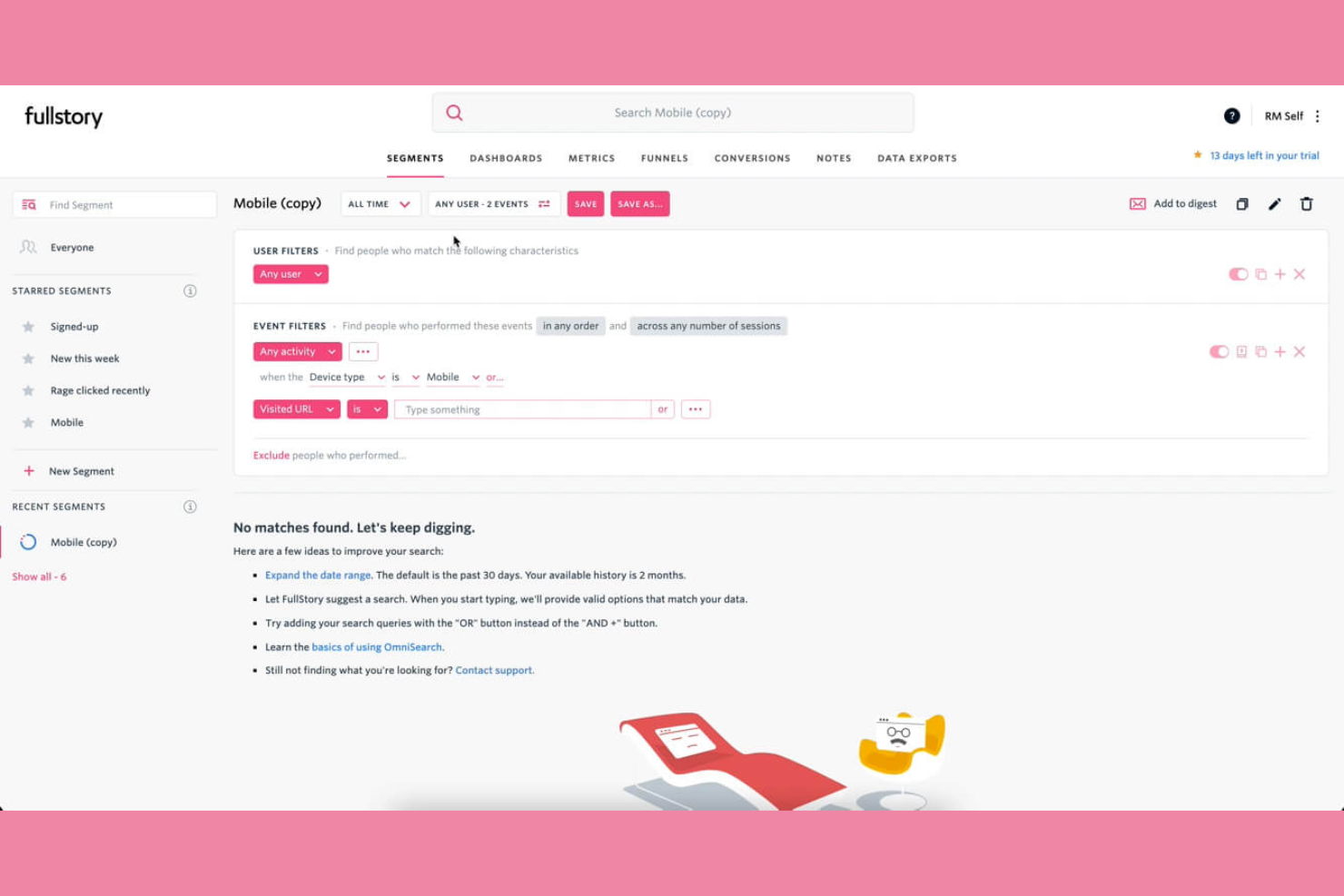
If you want to see exactly how users interact with your product, Fullstory gives you detailed session recordings and digital experience analytics. This platform is a strong fit for product managers, UX researchers, and digital teams who need to diagnose friction points and understand user journeys in depth. Unlike Pendo, Fullstory’s session replay lets you watch real user sessions and uncover issues that traditional analytics might miss.
Why Fullstory Is a Good Pendo Alternative
Fullstory stands out for teams that want to go beyond event-based analytics and actually watch the real-time customer experience of their product. I picked Fullstory because its session replay feature lets you view real user sessions, so you can see exactly where users get stuck or drop off. You also get heatmaps and click maps that highlight areas of high engagement or confusion. This level of visual insight helps product and UX teams quickly identify and resolve friction points that might not show up in Pendo’s analytics.
Fullstory Key Features
Some other features that make Fullstory valuable for product experience teams include:
- Conversion Funnels: Track user progress through key flows to identify where drop-offs occur.
- Error Detection: Automatically surface JavaScript errors and user frustration signals.
- Custom Event Tracking: Define and monitor specific user actions relevant to your product goals.
- Segmented User Search: Filter and find sessions based on user attributes or behaviors.
Fullstory Integrations
Integrations include Twilio Segment, Google Analytics, Zendesk, Salesforce, Slack, Adobe Analytics, Jira, Intercom, HubSpot, and more.
Pros and Cons
Pros:
- Offers tagless autocapture
- Shows frustration signals for rage clicks
- High-fidelity session replays
Cons:
- Requires privacy and PII management
- Pricing rises sharply with session volume

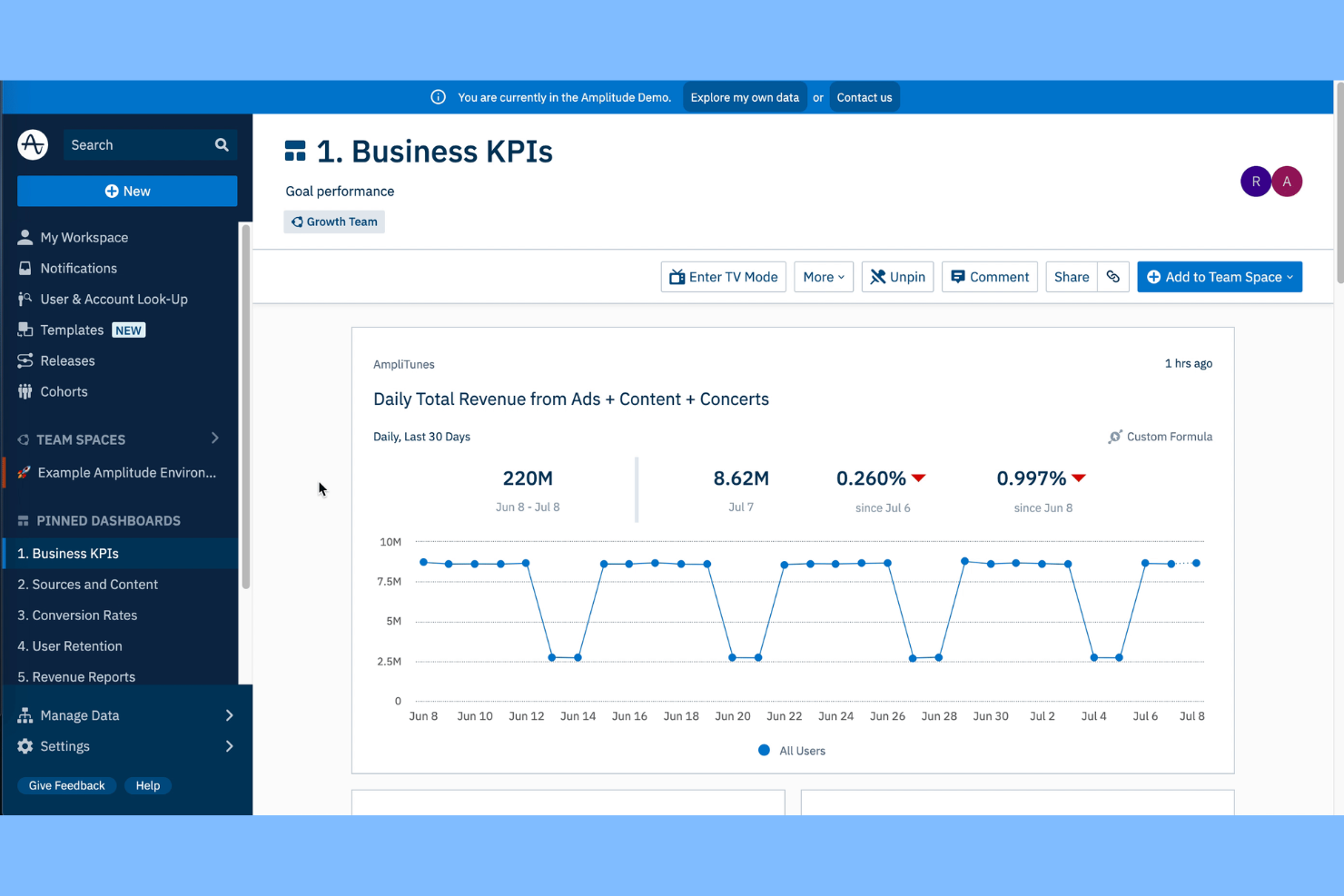
Amplitude provides deep user analytics for teams that want to build actionable cohorts for targeted analysis. It’s especially useful for product managers, growth analysts, and digital businesses that need to understand how specific user segments interact with features over time. Unlike Pendo, Amplitude’s behavioral cohort analysis lets you track, compare, and act on granular user patterns to drive product decisions.
Why Amplitude Is a Good Pendo Alternative
When you need to analyze user behavior at a granular level, Amplitude stands out for its behavioral cohort analysis capabilities. I picked Amplitude because it lets you define, track, and compare custom user segments based on real actions and engagement patterns. You can visualize how different cohorts move through funnels, identify retention drivers, and measure the impact of product changes on specific groups. This approach gives product teams a clearer view of what drives user outcomes compared to the broader analytics in Pendo.
Amplitude Key Features
Some other features that make Amplitude useful for product experience teams include:
- Event Segmentation: Break down user actions by event properties to uncover detailed usage patterns.
- Pathfinder Analysis: Visualize the most common paths users take through your product.
- Data Governance Tools: Manage tracking plans, enforce naming conventions, and monitor data quality.
- Custom Dashboards: Build and share dashboards tailored to specific teams or metrics.
Amplitude Integrations
Integrations include Twilio Segment, Braze, Amazon S3, HubSpot, Salesforce, Adobe Marketo Engage, Snowflake, Google Analytics 4, Slack, and more.
Pros and Cons
Pros:
- Integrated native A/B testing
- Retention analysis tracks user engagement
- Behavioral cohorts for advanced user segmentation
Cons:
- Limited support for feature adoption tracking
- Steeper learning curve

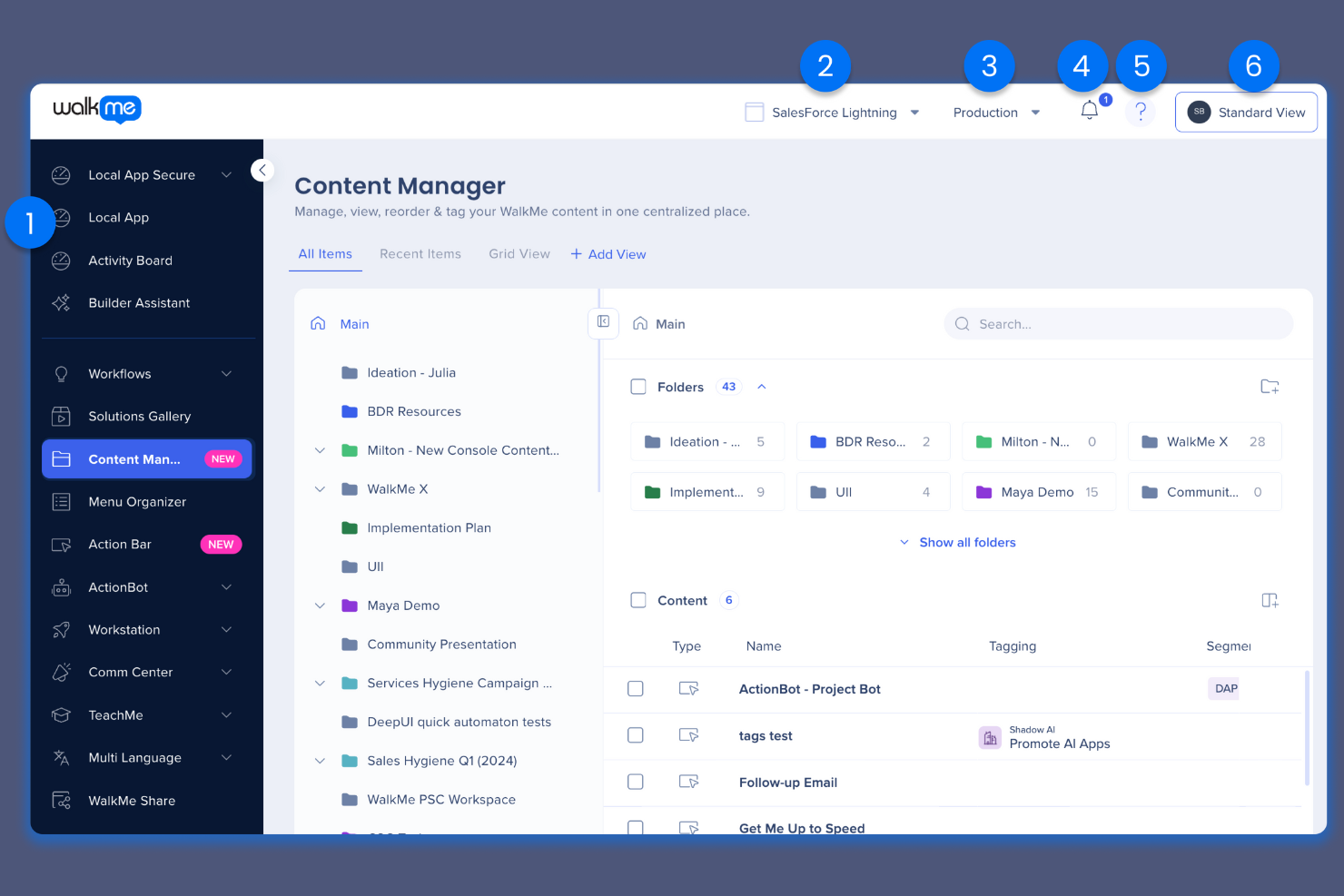
For organizations managing complex digital workflows, WalkMe offers advanced guidance and automation across enterprise applications. This platform is especially useful for large businesses and IT teams that need to drive user adoption and reduce support requests at scale. Unlike Pendo, WalkMe specializes in overlaying step-by-step instructions and automations directly onto existing software, helping users complete tasks without leaving their workflow.
Why WalkMe Is a Good Pendo Alternative
If your team needs to guide users through complex enterprise workflows, WalkMe offers capabilities that go beyond what Pendo provides. I picked WalkMe because it lets you build interactive, step-by-step walkthroughs and tooltips that overlay directly on top of any web application. You can also automate repetitive tasks and trigger contextual help based on user actions, which is especially valuable for onboarding and change management in large organizations. These features make WalkMe a strong choice for enterprises that want to drive adoption and reduce support tickets across multiple business systems.
WalkMe Key Features
Some other features that set WalkMe apart for product experience teams include:
- Analytics Dashboard: Track user interactions and engagement across workflows in real time.
- Resource Center: Centralize help articles, videos, and support resources within the application.
- A/B Testing: Experiment with different guidance flows to optimize user adoption.
- Role-Based Targeting: Deliver specific guidance and content to users based on their role or department.
WalkMe Integrations
Integrations include Salesforce, Workday, Microsoft Dynamics 365, ServiceNow, SAP SuccessFactors, Oracle Cloud, NetSuite, SharePoint, and Jira.
Pros and Cons
Pros:
- Uses a patented DeepUI technology
- Has AI bots to complete tasks for users
- Supports complex enterprise software environments
Cons:
- Weak product discovery analytics
- High cost of ownership

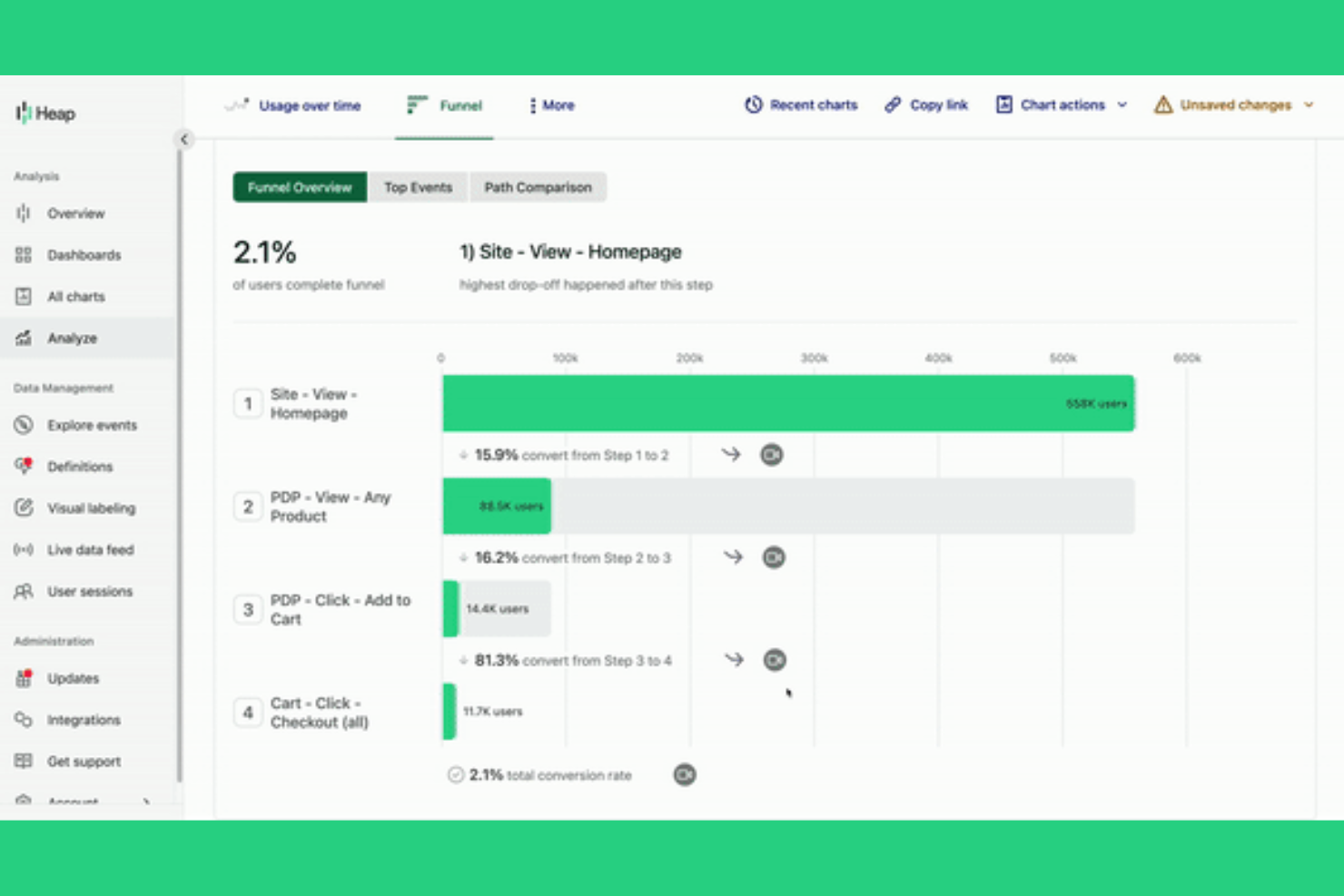
Heap takes a unique approach to product analytics by automatically capturing every user interaction across your digital products. This makes it especially appealing to product managers, UX teams, and analysts who want to uncover user behavior patterns without manual event setup. If you’re looking for a platform that reduces tracking gaps and surfaces insights you might otherwise miss, Heap offers a distinct advantage over tools like Pendo.
Why Heap Is a Good Pendo Alternative
Unlike most product experience platforms, Heap automatically tracks every user event without requiring manual tagging. I picked Heap for teams that want to capture a complete picture of user behavior from day one, without the risk of missing key interactions. Its autocapture feature logs clicks, form submissions, and page views out of the box, so you can retroactively analyze user journeys and identify friction points. This approach is especially valuable for product managers and analysts who need reliable, granular data to inform product decisions.
Heap Key Features
Some other features that make Heap useful for product experience teams include:
- Session Replay: Watch recordings of real user sessions to see exactly how users interact with your product.
- Data Enrichment: Automatically enhance user profiles with firmographic and demographic data from third-party sources.
- Retroactive Analysis: Define new events at any time and analyze historical data without re-tagging.
- Segmentation: Create dynamic user segments based on behavior, attributes, or custom criteria.
Heap Integrations
Integrations include Amazon Redshift, Snowflake, Amazon S3, Looker, Tableau, Salesforce, Adobe Marketo Engage, HubSpot, and more.
Pros and Cons
Pros:
- Uses AI to find friction and churn
- Provides better data governance
- Automatic event tracking to reduce manual tagging
Cons:
- Cannot build tooltips or in-app modals
- Lacks native NPS surveys and feedback

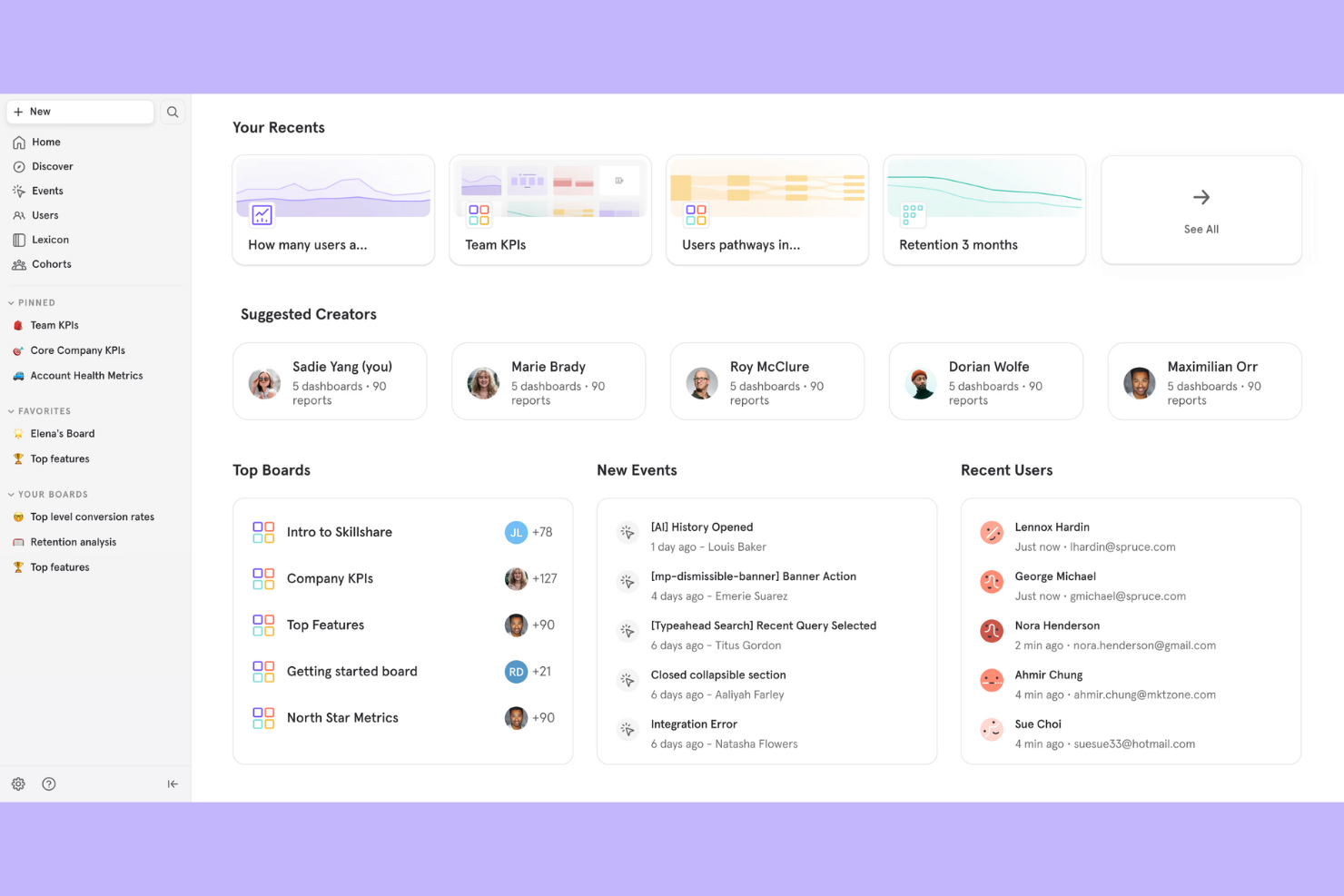
Mixpanel gives product teams a detailed view into how users engage with digital products at every step compared to other analytics tools. It’s a strong fit for SaaS companies, growth teams, and analysts who need to track product usage trends and measure feature adoption in real time. If you want to dig deep into user cohorts, funnel analysis, and retention metrics beyond what Pendo offers, Mixpanel stands out for its flexible analytics and event-based tracking.
Why Mixpanel Is a Good Pendo Alternative
For teams focused on understanding product usage in depth, Mixpanel offers analytics capabilities that go beyond what you’ll find in most product experience platforms. I picked Mixpanel because its event-based tracking lets you measure exactly how users interact with every feature, not just overall engagement. You can build custom funnels, analyze user cohorts, and track retention trends to see which product changes drive real impact. This level of granularity is especially useful for SaaS and digital product teams that need to optimize user journeys and feature adoption.
Mixpanel Key Features
Some other features that make Mixpanel valuable for product experience teams include:
- A/B Test Analysis: Measure the impact of experiments by comparing user behavior across different test groups.
- Custom Dashboards: Build and share dashboards tailored to specific metrics or team needs.
- User Profile Enrichment: Add custom properties and attributes to user profiles for deeper segmentation.
- Automated Insights: Surface trends and anomalies in your data without manual digging.
Mixpanel Integrations
Integrations include Census, Branch, Apxor, Conduit, Plotline, Tealium, Mailchimp, Tenjin, Rivery, and more.
Pros and Cons
Pros:
- Advanced funnel and retention data
- Real-time data processing and reporting
- Granular event tracking for product analysis
Cons:
- Requires manual tagging of every event
- Doesn’t support built-in app nudges

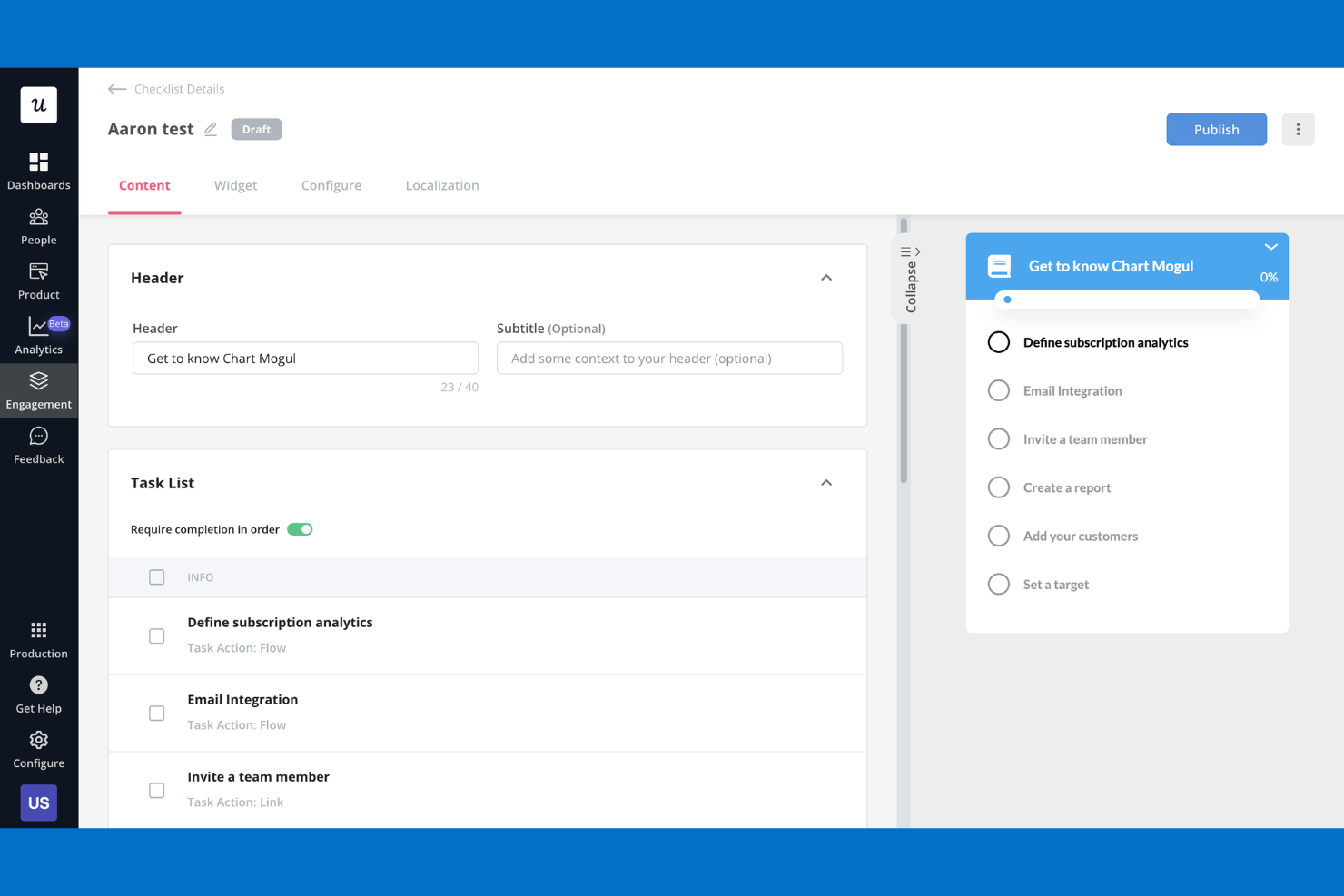
If you want to build no-code onboarding flows without writing any manual scripts, Userpilot is worth a look. This platform is designed for the fast-moving startup product manager or customer success team needing to launch in-app experiences quickly. Userpilot stands out for its visual editor and flexible targeting, making it easier to guide users and drive feature adoption compared to more developer-focused tools.
Why Userpilot Is a Good Pendo Alternative
Userpilot stands out for teams that want to create onboarding flows without relying on developers. I picked it as a Pendo alternative because its visual editor lets you build tooltips, checklists, and walkthroughs directly in your app. You can also target experiences to new users or specific segments based on behavior or lifecycle stage. This makes Userpilot a strong choice if you need to launch and iterate onboarding content quickly.
Userpilot Key Features
Some other features in Userpilot help teams manage and optimize the product experience platform as a whole:
- A/B Testing: Run experiments on in-app experiences to compare performance and optimize user flows.
- NPS Surveys: Collect Net Promoter Score feedback directly within your product to measure user sentiment.
- Resource Center: Add a customizable in-app help center so users can access guides, FAQs, and support resources.
- Event-Based Analytics: Track custom events and analyze how users interact with specific features or onboarding steps.
Userpilot Integrations
Integrations include HubSpot, Salesforce, Segment, Google Tag Manager, Zendesk, Google Analytics, Intercom, Amplitude, Mixpanel, and more.
Pros and Cons
Pros:
- Built-in NPS and in-app survey tools
- Supports advanced user segmentation
- Visual editor for creating quick onboarding flows
Cons:
- No built-in roadmap module
- Lacks in-app multi-language support

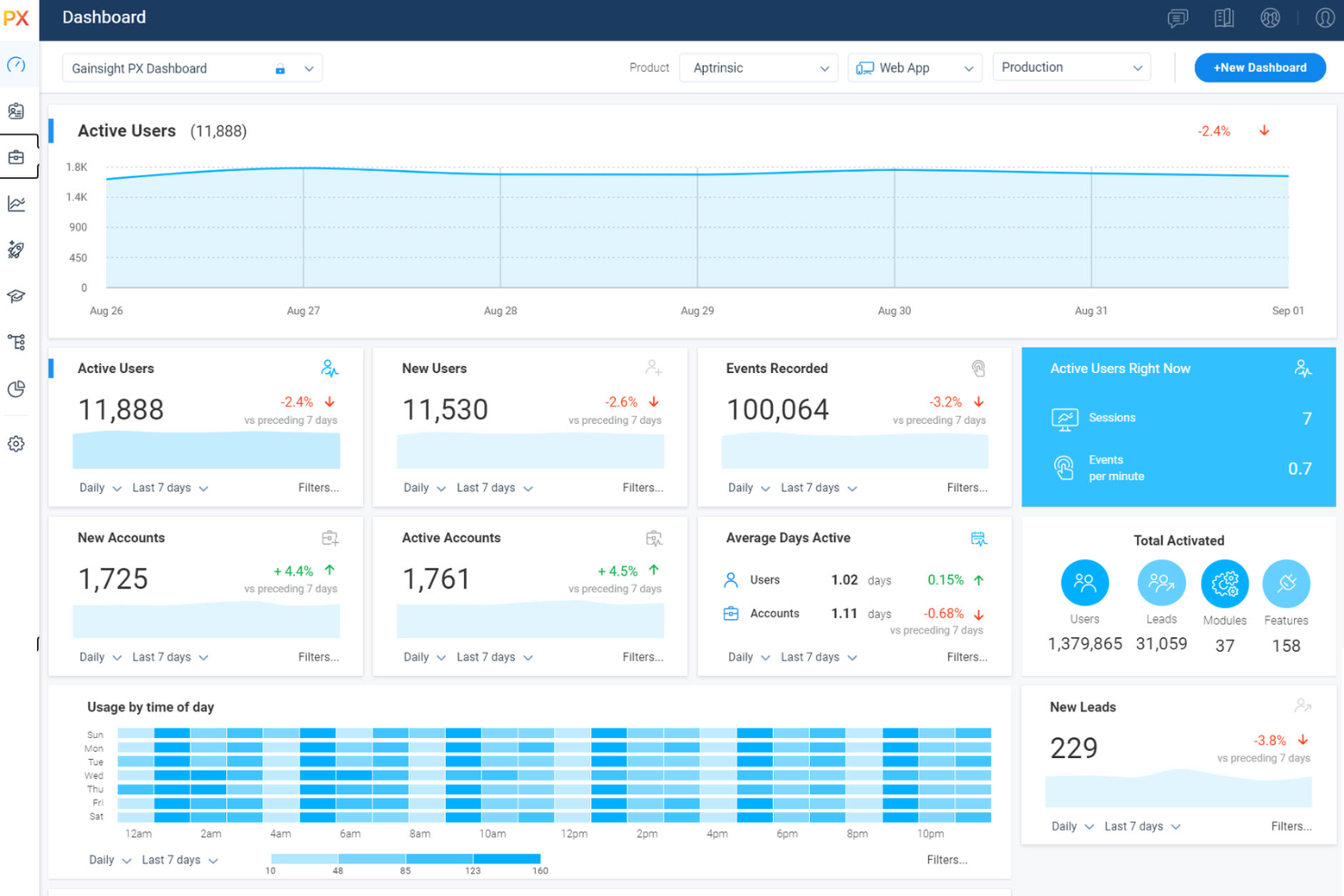
Teams looking to measure and improve customer health often turn to Gainsight PX for its advanced scoring and analytics. This platform is especially useful for customer success managers and SaaS businesses that want to predict churn and proactively address risks. Unlike Pendo, Gainsight PX brings together product usage data, customer feedback, and account insights to deliver a holistic view of customer health.
Why Gainsight PX Is a Good Pendo Alternative
For teams that need deep insight into customer health, Gainsight PX offers specialized tools that go beyond what Pendo provides. I picked Gainsight PX because it combines product usage analytics, customer feedback, and account data to generate dynamic health scores for each customer. You can set up custom scoring models, track risk signals, and trigger automated playbooks when accounts show signs of churn. These features make Gainsight PX a strong choice for organizations that want to proactively manage customer relationships and retention.
Gainsight PX Key Features
Some other features that make Gainsight PX valuable for product experience teams include:
- Journey Orchestration: Build and automate customer journeys across multiple touchpoints.
- In-App Engagements: Launch surveys, tooltips, and announcements directly within your product.
- Segmentation Engine: Group users based on behavior, demographics, or lifecycle stage.
- Revenue Analytics: Track expansion, renewal, and upsell opportunities within customer accounts.
Gainsight PX Integrations
Integrations include Salesforce, Zendesk, Jira, Slack, Intercom, ServiceNow, Snowflake, Google Analytics, Mixpanel, and Segment.
Pros and Cons
Pros:
- Allows for more sophisticated user journeys
- Automatically discovers your product UI
- Integrates natively with Gainsight CS
Cons:
- Has a heavier SDK, impacting load times
- Reporting dashboards require manual setup

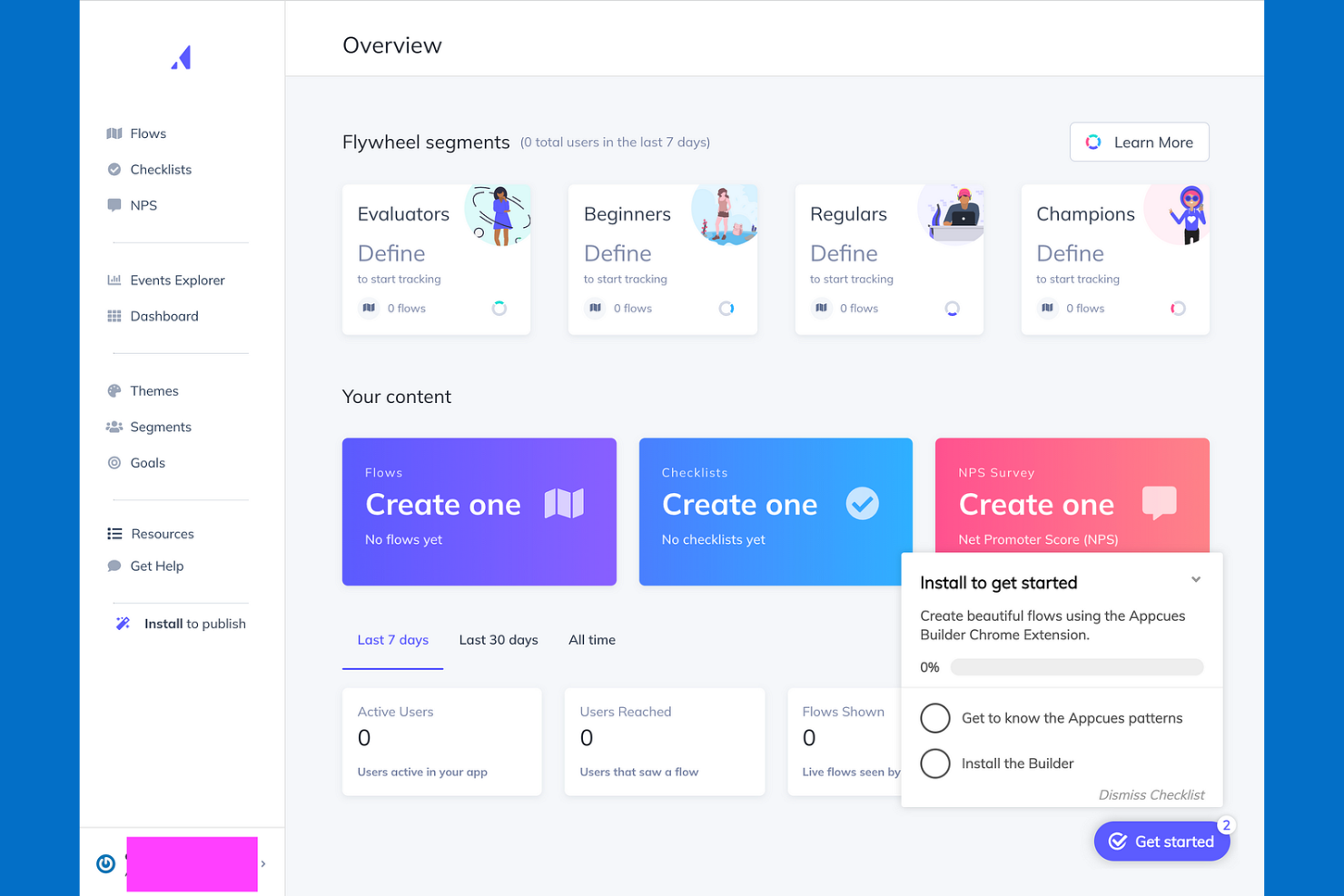
As an analytics platform, Appcues gives product teams a way to deliver highly personalized in-app messages and onboarding flows. If you need to tailor experiences for different user segments or drive adoption of new features, Appcues offers flexible targeting and customization options. Its focus on personalization and user engagement sets it apart from more analytics-heavy platforms like Pendo.
Why Appcues Is a Good Pendo Alternative
For teams focused on delivering targeted in-app messages, Appcues offers a level of personalization that’s hard to match. I picked it as a Pendo alternative because you can create dynamic onboarding flows, announcements, and feature callouts tailored to specific user segments.
The platform’s behavioral analytics and audience targeting let you adapt messaging based on user behavior or lifecycle stage. This makes Appcues a strong fit if your priority is engaging users with the right message at the right time.
Appcues Key Features
Some other features in Appcues help teams manage and optimize the product experience platform as a whole:
- Flow Builder: Design and launch multi-step onboarding or engagement flows using a drag-and-drop interface.
- Checklists: Add interactive checklists to guide users through key actions or milestones in your product.
- In-App Surveys: Collect user feedback directly within your app using customizable survey widgets.
- Event Tracking: Monitor user actions and trigger experiences based on specific in-app events.
Appcues Integrations
Integrations include Segment, Mixpanel, Amplitude, HubSpot, Salesforce, Intercom, Zendesk, FullStory, Google Analytics, and more.
Pros and Cons
Pros:
- Integrates with major analytics and CRM tools
- Branching logic for personalized onboarding flows
- Supports multi-language in-app messaging
Cons:
- Lacks an in-depth knowledge base
- Limited native analytics

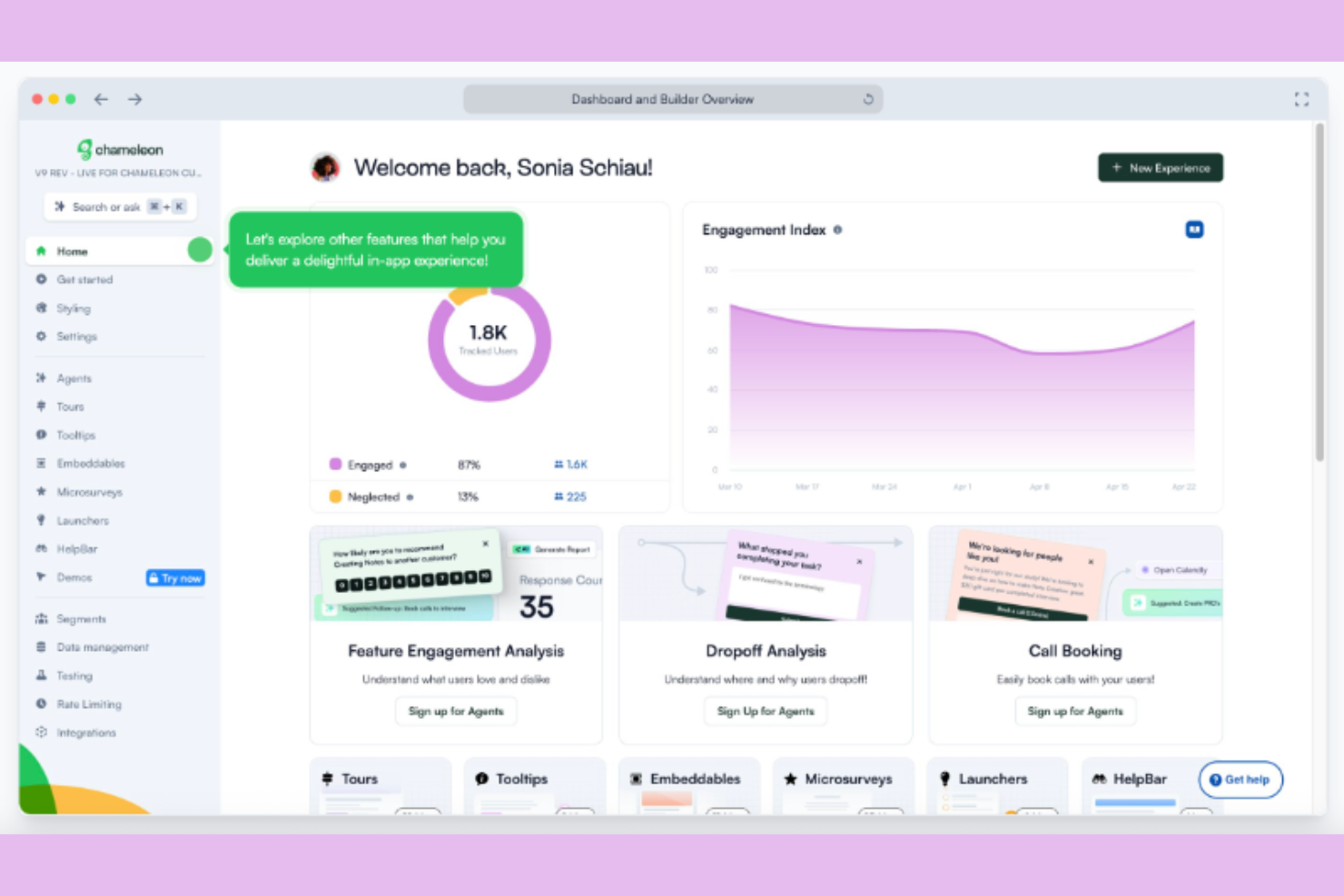
Chameleon is designed for product-led teams that need precise control over user segmentation and in-app experiences. If you want to deliver onboarding, tours, and announcements to highly specific user groups, Chameleon’s advanced targeting options stand out. Its flexible segmentation tools help product managers and UX teams create tailored journeys that go beyond what’s possible with Pendo’s default options.
Why Chameleon Is a Good Pendo Alternative
When you need to target highly specific user segments, Chameleon offers more advanced options than most product experience platforms. I picked it as a Pendo alternative because you can build segments using custom properties, behavioral data, and real-time triggers.
Chameleon’s user-friendly audience targeting lets you deliver onboarding tours, tooltips, and announcements to exactly the right users at the right time. This level of segmentation is especially useful for teams managing complex products or multiple user personas.
Chameleon Key Features
In addition to its advanced segmentation capabilities, Chameleon offers several other features that help teams shape the in-app experience:
- Builder Chrome Extension: Create and edit in-app experiences directly on your live product using a Chrome extension.
- A/B Testing: Run experiments on tours and messages to compare performance and optimize user engagement.
- Microsurveys: Launch short, targeted surveys within your app to collect contextual feedback from users.
- Rate Limiting: Control how often users see in-app experiences to avoid overwhelming them with too many prompts.
Chameleon Integrations
Integrations include HubSpot, Salesforce, Mixpanel, Heap, Figma, Slack, Amplitude, Intercom, and more.
Pros and Cons
Pros:
- Handles complex web environments
- Chrome extension for live in-app editing
- Advanced multi-condition targeting filters
Cons:
- Builder can conflict with complex web apps
- No built-in product analytics dashboards


Pendo Alternatives Selection Criteria
When selecting the best Pendo alternatives to include in this list, I considered common buyer needs and pain points related to product experience platforms, like tracking in-app user behavior and delivering targeted in-app messaging. I also used the following framework to keep my evaluation structured and fair:
Core Functionality (25% of total score)
To be considered for inclusion in this list, each solution had to fulfill these common use cases:
- Track user interactions within the product
- Collect and analyze user feedback
- Deliver in-app messages and guides
- Segment users based on behavior
- Generate product usage reports
Additional Standout Features (25% of total score)
To help further narrow down the competition, I also looked for unique features, such as:
- Predictive analytics for churn or expansion
- Automated customer journey orchestration
- Advanced health scoring models
- Revenue impact tracking
- Customizable in-app survey builders
Usability (10% of total score)
To get a sense of the usability of each system, I considered the following:
- Intuitive navigation and dashboard layout
- Minimal clicks to access core features
- Clear labeling and helpful tooltips
- Responsive design for different devices
- Consistent interface across modules
Onboarding (10% of total score)
To evaluate the onboarding experience for each platform, I considered the following:
- Availability of step-by-step product tours
- Access to training videos and documentation
- Pre-built templates for common workflows
- Interactive onboarding checklists
- Live chat or chatbot support during setup
Customer Support (10% of total score)
To assess each software provider’s customer support services, I considered the following:
- Multiple support channels like chat, email, and phone
- Fast response times to inquiries
- Access to a searchable knowledge base
- Availability of onboarding specialists
- Community forums or user groups
Value For Money (10% of total score)
To evaluate the value for money of each platform, I considered the following:
- Transparent pricing plans
- Flexible paid plans for different team sizes
- Features included at each pricing tier
- Free trial or demo availability
- No hidden fees or surprise charges
Customer Reviews (10% of total score)
To get a sense of overall customer satisfaction, I considered the following when reading customer reviews:
- Positive feedback on feature reliability
- Reports of responsive customer support
- Comments on ease of implementation
- User satisfaction with integrations
- Value perception compared to competitors
Why Look For A Pendo Alternative?
While Pendo is a good choice of product analytics tool, there are a number of reasons why some users seek out alternatives. You might be looking for a Pendo alternative because…
- You need more advanced customer health scoring
- Your team wants deeper revenue analytics
- You require more flexible user segmentation
- You need better support for mobile analytics
- Your organization prefers transparent pricing
If any of these sound like you, you’ve come to the right place. My list contains several product experience platform options that are better suited for teams facing these challenges with Pendo and looking for alternatives.
Pendo Key Features
Here are some of the key features of Pendo, to help you contrast and compare what alternative solutions offer:
- In-app guides and walkthroughs
- Product usage analytics
- User feedback collection
- Feature adoption tracking
- Net Promoter Score (NPS) surveys
- Segmentation of users by behavior
- Roadmap sharing and planning
- Mobile app analytics
- Resource center for self-service support
- Multi-language support for global teams
What’s Next:
If you're in the process of researching Pendo alternatives, connect with a SoftwareSelect advisor for free recommendations.
You fill out a form and have a quick chat where they get into the specifics of your needs. Then you'll get a shortlist of software to review. They'll even support you through the entire buying process, including price negotiations.