
14 Best Sprinklr Alternatives for 2026

Sprinklr Alternatives Shortlist
Here’s my shortlist of Sprinklr alternatives:


A strong Sprinklr alternative gives your team flexible customer feedback tools, omnichannel support, and workflow automation—without the learning curve or cost of Sprinklr. If you’re searching for Sprinklr alternatives, you’re likely looking for platforms that help you manage customer interactions, gather insights, and coordinate across teams in a user-friendly manner. This list will help you compare leading options, understand their unique strengths, and find the right fit for your customer experience goals in 2026.
What Is Sprinklr?
Sprinklr is a customer experience management platform that helps businesses manage interactions across social networks, messaging, and digital channels. It offers tools for social listening, customer feedback, case management, and workflow automation. Sprinklr is used by large organizations to unify customer data, monitor brand sentiment, and coordinate support or social media marketing efforts across teams. Its broad feature set is designed for complex, multi-channel environments.
Best Sprinklr Alternatives Summary
This comparison chart summarizes pricing details for my top Sprinklr alternative selections to help you find the best one for your budget and business needs.
| Tool | Best For | Trial Info | Price | ||
|---|---|---|---|---|---|
| 1 | Best for website user behavior tracking | 14-day free trial + free plan + free demo available | From $25/month (billed annually) | Website | |
| 2 | Best with integrated CRM capabilities | Free plan available | From $9/month (billed annually) | Website | |
| 3 | Best with unified communication features | Free demo available | From $15/user/month (billed annually) | Website | |
| 4 | Best for advanced survey customization | 30-day free trial + free demo available | Pricing upon request | Website | |
| 5 | Best for automated sentiment analysis | Free demo available | From $3,000/month (billed annually) | Website | |
| 6 | Best for customizable workflow automation | 30-day free trial + free plan + free demo available | From $25/user/month | Website | |
| 7 | Best for enterprise feedback management | Free demo available | Pricing upon request | Website | |
| 8 | Best for collaborative inbox management | 14-day free trial + free demo available | From $25/seat/month (billed annually) | Website | |
| 9 | Best for quick customer feedback collection | Free plan + free demo available | From $19/month | Website | |
| 10 | Best for client feedback benchmarking | Free demo available | Pricing upon request | Website | |
| 11 | Best for real-time experience insights | Free demo available | From $92,000/year | Website | |
| 12 | Best with omnichannel support tools | 14-day free trial + free demo available | From $19/agent/month (billed annually) | Website |
Why Trust Our Software Reviews
We’ve been testing and reviewing software since 2020. As CX leaders ourselves, we know how critical and difficult it is to make the right decision when selecting software.
We invest in deep research to help our audience make better software purchasing decisions. We’ve tested more than 2,000 tools for different CX use cases and written over 1,000 comprehensive software reviews. Learn how we stay transparent & our software review methodology.
-

SupportYourApp
Visit WebsiteThis is an aggregated rating for this tool including ratings from Crozdesk users and ratings from other sites.4.7 -
Freshdesk
Visit WebsiteThis is an aggregated rating for this tool including ratings from Crozdesk users and ratings from other sites.4.4 -
Zendesk
Visit WebsiteThis is an aggregated rating for this tool including ratings from Crozdesk users and ratings from other sites.4.3




Sprinklr Alternatives Reviews
Below are my detailed summaries of the best Sprinklr alternatives that made it onto my shortlist. My reviews offer a detailed look at the features, best use cases, and integrations of each platform to help you find the best one for you.

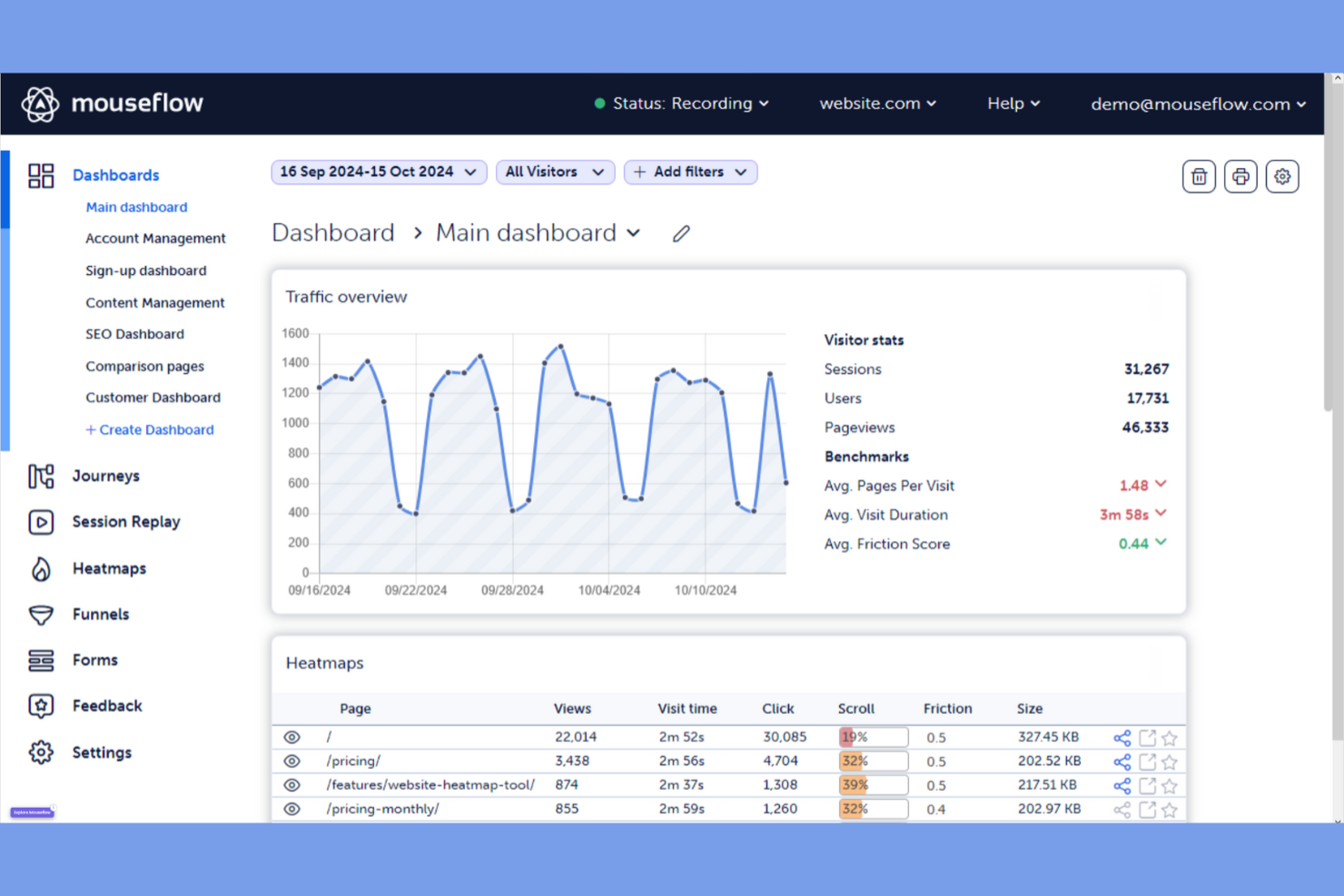
If you’re looking to understand exactly how users interact with your website, Mouseflow offers a focused approach to user behavior tracking. It’s especially useful for digital teams, UX designers, and ecommerce managers who want to visualize user journeys and pinpoint friction points. Unlike Sprinklr, Mouseflow specializes in session replay, heatmaps, and funnel analysis, giving you granular insights into on-site behavior that broader CX platforms don’t provide.
Why Mouseflow Is a Good Sprinklr Alternative
When you need to go beyond aggregated metrics and see exactly how users behave on your website, Mouseflow delivers targeted website user behavior tracking. I picked Mouseflow because it offers session replay and heatmaps, letting you watch real user journeys and spot where visitors hesitate or drop off. The tool also includes funnel analysis, so you can identify specific steps in your site’s flow that cause friction. For teams focused on optimizing digital experiences at the page and interaction level, Mouseflow offers a level of behavioral insight that Sprinklr’s broader CX suite doesn’t match.
Mouseflow Key Features
Some other Mouseflow features can help your team get more from website user behavior tracking:
- Form Analytics: Track how users interact with forms and identify fields that cause abandonment.
- User Feedback Widget: Collect direct feedback from visitors while they browse your site.
- Geo Heatmaps: Visualize user activity by geographic location to spot regional trends.
- Custom Tagging: Mark and categorize sessions based on specific user actions or events.
Mouseflow Integrations
Integrations include Google Analytics, WordPress, Shopify, HubSpot, Wix, Squarespace, and Weebly.
Pros and Cons
Pros:
- Built in form analytics for drop offs
- Six types of automatic heatmaps
- Full session replays for user behavior
Cons:
- Interface can feel data heavy at first
- Data storage is limited on cheap plans

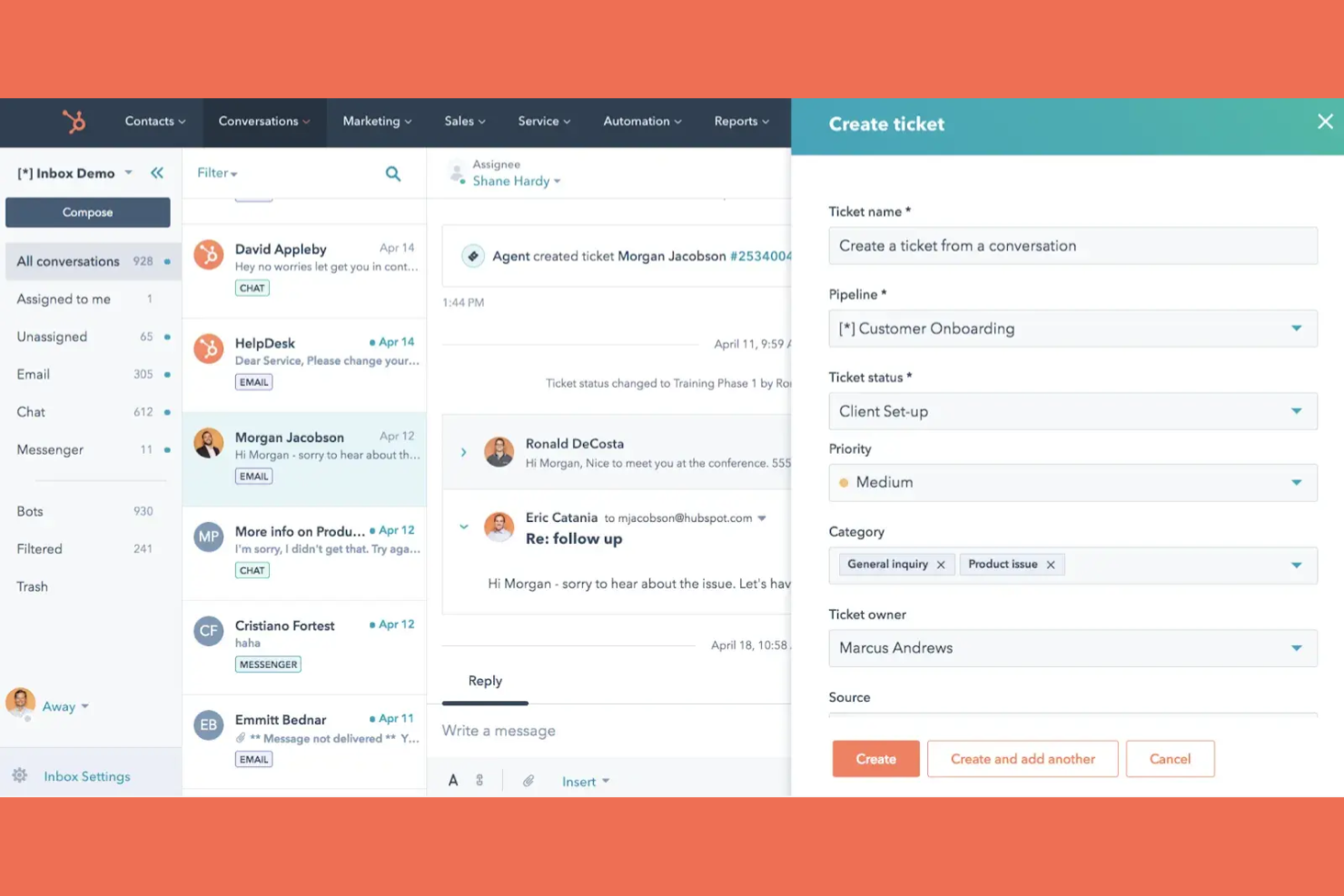
If you’re looking for a Sprinklr alternative with built-in CRM capabilities, HubSpot brings customer data and engagement tools together in one platform. It’s a strong fit for teams that want to connect marketing, sales, and service workflows without juggling multiple systems. HubSpot stands out by letting you manage customer interactions, automate outreach, and track every touchpoint directly alongside your CRM records.
Why HubSpot Is a Good Sprinklr Alternative
For teams that want customer engagement and CRM in one place, HubSpot offers a unified platform that connects every interaction to a central customer record. I picked HubSpot because its integrated CRM lets you track conversations, automate follow-ups, and view a complete customer history without switching tools. The platform’s ticketing, live chat, and marketing automation features all tie directly into the CRM, so you always have context for every customer touchpoint. If you need a Sprinklr alternative that keeps your customer data and engagement tools tightly connected, HubSpot is a strong choice.
HubSpot Key Features
Some other HubSpot features can help your team manage customer experience and engagement across channels:
- Knowledge Base Management: Build and organize a searchable library of help articles for customers.
- Customer Feedback Surveys: Create and distribute NPS, CSAT, and custom surveys to gather customer insights.
- Workflow Automation: Set up automated processes for tasks like ticket routing and follow-up reminders.
- Reporting Dashboards: Visualize key metrics and trends with customizable, real-time dashboards.
HubSpot Integrations
Integrations include Salesforce, Microsoft Dynamics, Shopify, WordPress, Slack, Zapier, and LinkedIn.
Pros and Cons
Pros:
- Strong AI tools for content creation and insights
- Excellent training and support resources
- Automate repetitive tasks with ease
Cons:
- Customizing complex data can be limited
- Onboarding fees for professional plans

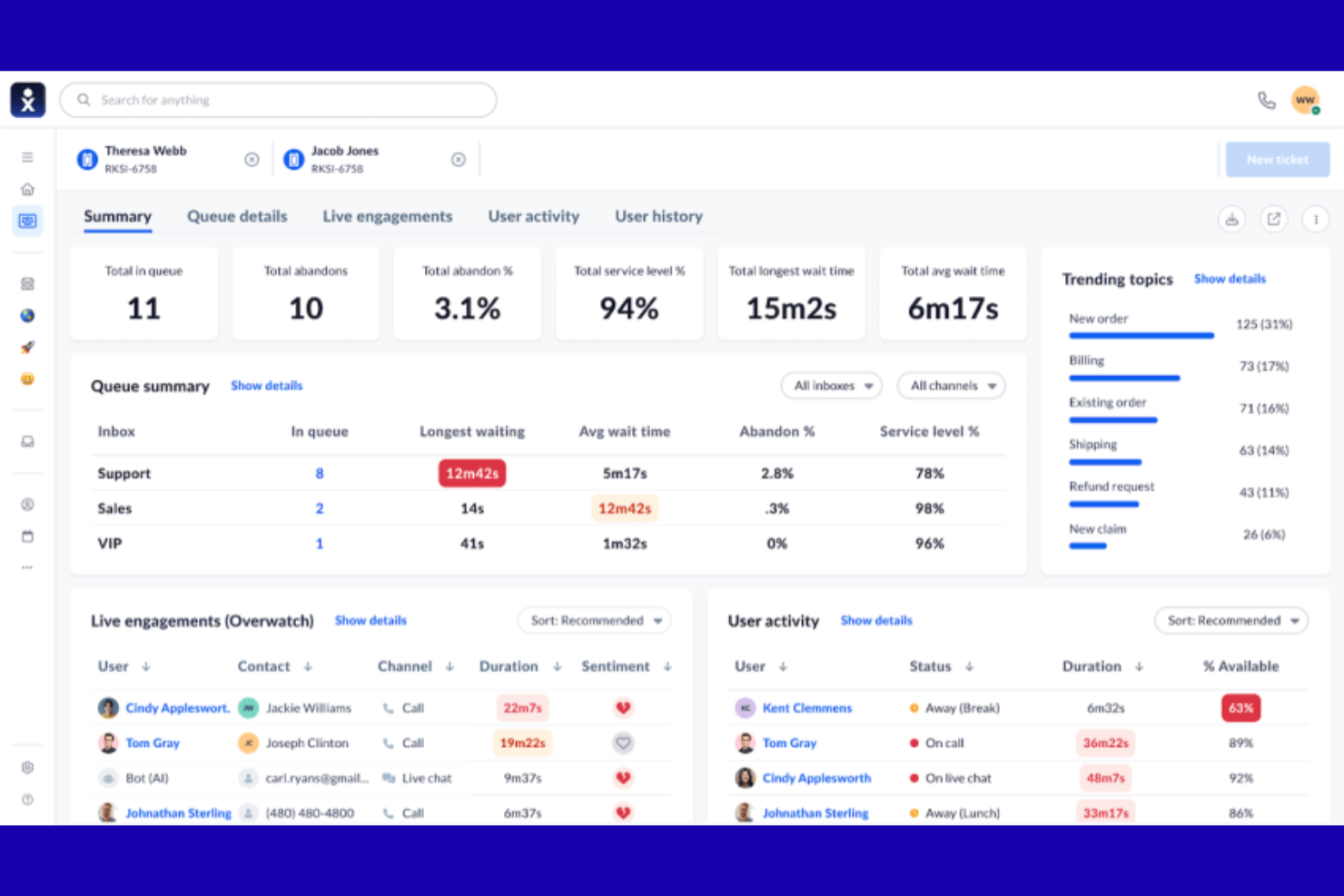
For teams looking to unify customer communication across channels, Nextiva brings voice, video, chat, and contact center tools together in one platform. It’s a strong fit for CX leaders and support teams who want to manage calls, messages, and collaboration without juggling multiple systems. Unlike Sprinklr, Nextiva emphasizes integrated communication features that help you keep every customer conversation connected and accessible.
Why Nextiva Is a Good Sprinklr Alternative
When unified communication is your top priority, Nextiva offers a focused approach that sets it apart from Sprinklr. I picked Nextiva because it combines voice, video, SMS, and team chat in a single platform, so you can manage all customer and internal conversations without switching tools. Its contact center features let you route calls, monitor agent performance, and track interactions across channels. For teams that want to centralize communication and collaboration, Nextiva’s all-in-one design is a strong alternative to Sprinklr’s broader CX suite.
Nextiva Key Features
Some other features in Nextiva can help you manage customer experience and operations more efficiently:
- Call Recording: Record and store calls for quality assurance and training purposes.
- Voicemail Transcription: Convert voicemails to text so you can read messages instead of listening.
- Auto Attendant: Set up automated call routing to direct customers to the right department or agent.
- Analytics and Reporting: Access detailed reports on call volume, agent activity, and customer interactions.
Nextiva Integrations
Integrations include Salesforce, Microsoft Dynamics, HubSpot, Google Workspace, Slack, and Zoho CRM.
Pros and Cons
Pros:
- Easy to scale as your business grows
- AI tools for summaries and transcripts
- Excellent 24/7 phone and chat support
Cons:
- Contracts can be rigid and hard to cancel
- Pricing is confusing and not transparent

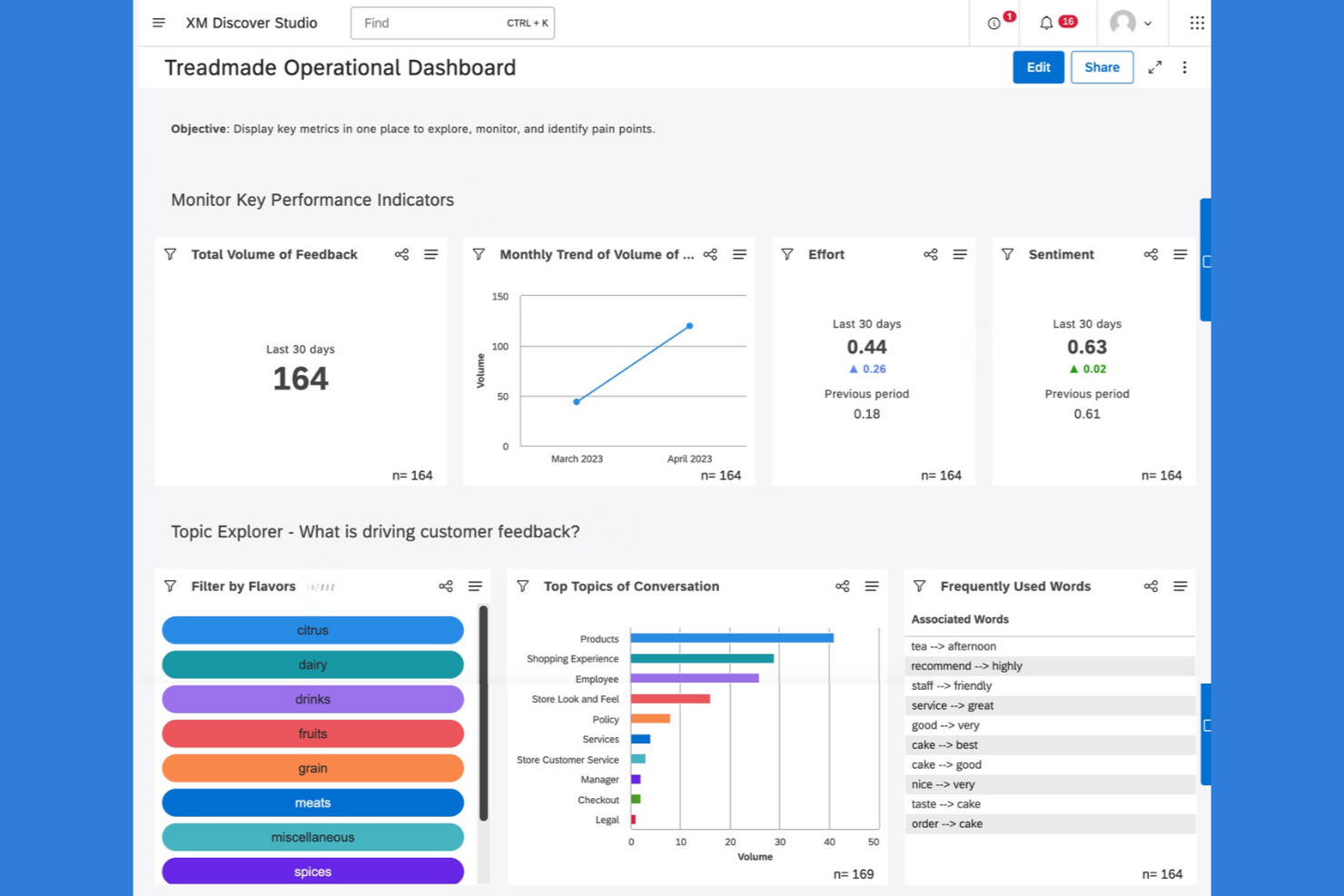
Qualtrics is a survey and experience management platform designed for teams that need deep customization and advanced analytics. If your business relies on gathering detailed customer feedback or running complex research projects, Qualtrics offers flexible survey design and strong data analysis tools. It’s a capital choice for organizations that want more control over survey logic and reporting than Sprinklr provides.
Why Qualtrics Is a Good Sprinklr Alternative
When you need advanced survey customization, Qualtrics stands out as a strong alternative to Sprinklr. I picked Qualtrics for its flexible survey builder, which lets you create complex question logic and branching paths tailored to your audience. The platform also offers detailed reporting tools, so you can analyze feedback at a granular level. If your team values control over survey design and data collection, Qualtrics delivers capabilities that go beyond what Sprinklr typically offers.
Qualtrics Key Features
Some other features in Qualtrics can help your team manage feedback and experience data across channels:
- Multi-Channel Distribution: Send surveys via email, SMS, web, or social media channels to reach respondents wherever they are.
- Role-Based Access Controls: Set permissions for different team members to manage data security and workflow.
- Automated Alerts: Trigger notifications to the right people when survey responses meet certain criteria.
- Panel Management: Build and manage respondent panels for ongoing research or targeted outreach.
Qualtrics Integrations
Integrations include Salesforce, Adobe Analytics, SAP, Marketo, and HubSpot.
Pros and Cons
Pros:
- High security and data protection
- Advanced stats with built in tools
- Expert surveys and complex logic
Cons:
- Too many features for simple tasks
- No public pricing and long terms

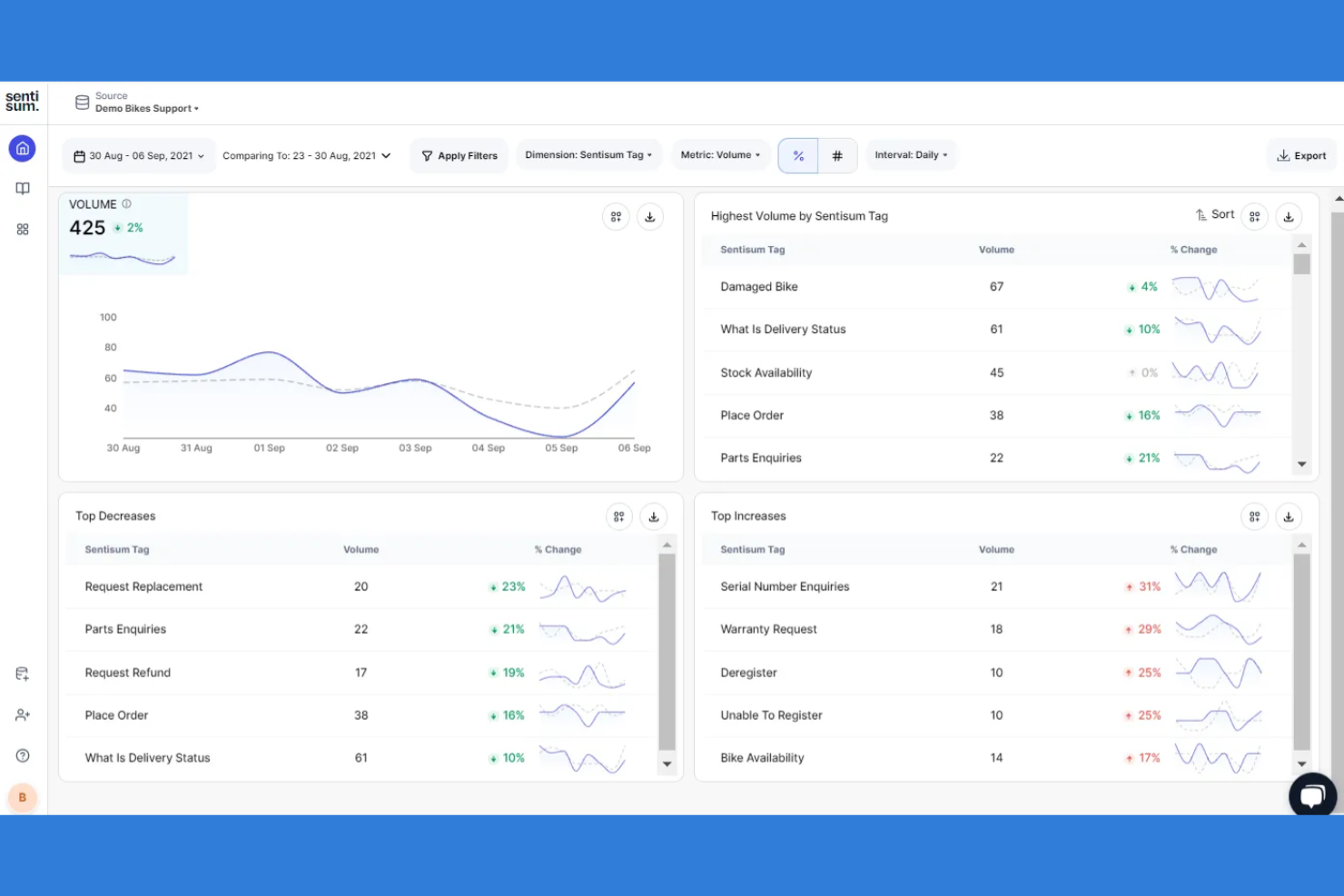
If you’re searching for a way to automatically understand customer sentiment at scale, SentiSum offers advanced AI tools-driven sentiment analysis built for support and experience teams. It’s a strong fit for businesses that want to surface actionable insights from tickets, chats, and surveys without manual tagging. SentiSum stands apart from Sprinklr by focusing on real-time, automated sentiment detection and granular topic analysis across your customer conversations.
Why SentiSum Is a Good Sprinklr Alternative
Unlike broader CX platforms, SentiSum specializes in automated sentiment analysis that helps you quickly understand customer emotions across every support channel. I picked SentiSum because its AI models tag and categorize feedback in real time, so you can spot trends and pain points without manual effort. The platform’s granular topic analysis lets you drill down into specific issues, making it easier to prioritize improvements. If you want a focused solution for extracting actionable insights from customer conversations, SentiSum is a strong alternative to Sprinklr.
SentiSum Key Features
Some other SentiSum features can help your team get more value from customer feedback and support data:
- Multilingual Sentiment Analysis: Analyze customer sentiment across multiple languages without manual translation.
- Automated Reporting: Generate and schedule reports that summarize key trends and insights.
- Custom Taxonomy Builder: Create and manage custom categories to fit your business’s unique needs.
- Integrations With Support Platforms: Connect directly to tools like Zendesk, Intercom, and Salesforce for seamless data flow.
SentiSum Integrations
Integrations include Zendesk, Freshdesk, Intercom, TikTok, Slack, and Mailchimp.
Pros and Cons
Pros:
- Plain English AI search for answers
- Deep root cause and trend analysis
- Automatic tagging saves manual effort
Cons:
- Limited tools for deep history
- Requires initial time to train AI

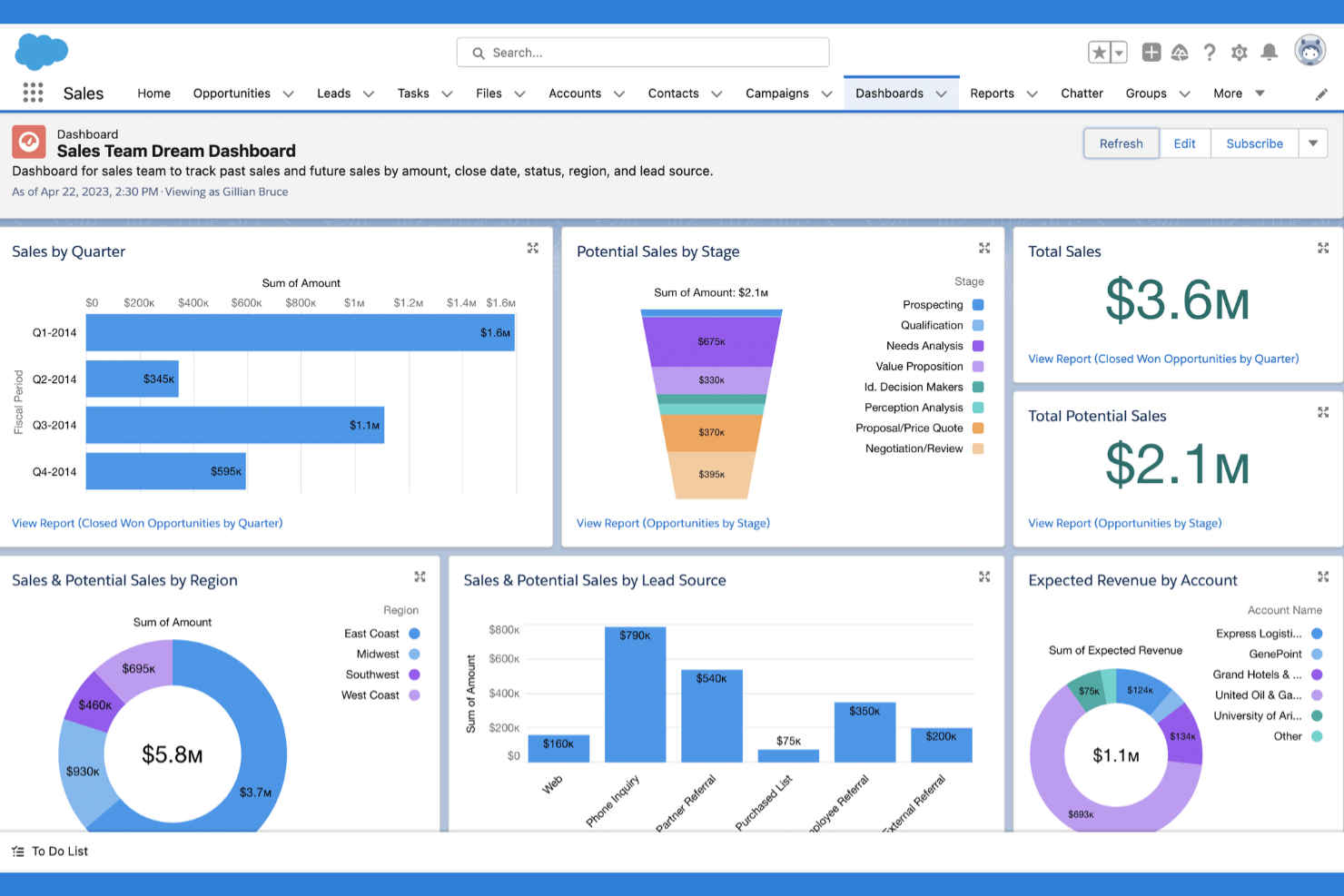
Salesforce gives you a flexible platform for building custom workflows and automations across sales, service, and support. It’s a strong fit for organizations with complex processes or unique customer experience requirements that go beyond out-of-the-box solutions. If you need a Sprinklr alternative that adapts to your business rules and integrates deeply with your data, Salesforce offers extensive customization options.
Why Salesforce Is a Good Sprinklr Alternative
When you need workflow automation that adapts to your business, Salesforce stands out for its deep customization capabilities. I picked Salesforce because its Flow Builder lets you design automated processes for everything from case management to customer onboarding, all tailored to your specific needs. You can set up multi-step workflows, trigger actions based on customer data, and automate approval workflows or escalations without relying on pre-set templates. For teams looking for a Sprinklr alternative that supports unique and evolving processes, Salesforce offers the flexibility and scalability to build exactly what you need.
Salesforce Key Features
Some other Salesforce features can help your team manage customer experience and engagement at scale:
- Service Cloud Console: Centralizes customer interactions, case details, and communication tools in one interface.
- Omni-Channel Routing: Automatically directs cases, chats, and tasks to the right agent based on skill or availability.
- Knowledge Management: Lets you create, organize, and share internal and external help articles.
- Einstein AI Predictions: Uses AI to forecast customer needs and suggest next actions for agents.
Salesforce Integrations
Integrations include Microsoft Outlook, Gmail, Slack, LinkedIn, QuickBooks, Mailchimp, and HubSpot.
Pros and Cons
Pros:
- Connects with over 3000 third party apps
- Infinite ways to customize your data
- Powerful AI with Agentforce automation
Cons:
- Support and admins often cost extra
- Limited applicability as a social media management tool


For organizations that need to manage feedback at scale, Medallia is a SaaS that offers a specialized platform for enterprise feedback management. It’s designed for large businesses and CX leaders who want to capture, analyze, and act on feedback from multiple channels in real time. Medallia stands apart from Sprinklr by providing advanced analytics, AI-driven insights, and closed-loop feedback workflows tailored for complex enterprise environments.
Why Medallia Is a Good Sprinklr Alternative
If your business needs to manage feedback across a large, complex organization, Medallia is built for enterprise feedback management at scale. I picked Medallia because it offers advanced survey distribution, real-time text analytics, and AI-powered sentiment analysis, all designed to capture and interpret feedback from multiple channels. The platform also supports closed-loop feedback workflows, helping teams respond quickly and track resolution outcomes. For CX leaders who want to turn enterprise-wide feedback into actionable insights, Medallia provides a depth of analytics and automation that goes beyond what Sprinklr typically offers.
Medallia Key Features
Some other Medallia features can help your team manage and act on feedback at scale:
- Mobile Feedback Collection: Gather feedback from customers directly through mobile devices and apps.
- Role-Based Dashboards: Give different teams and leaders access to tailored views and insights.
- Case Management: Assign, track, and resolve customer issues within the platform.
- Voice and Speech Analytics: Analyze phone interactions for sentiment, keywords, and trends.
Medallia Integrations
Integrations include Salesforce, Adobe Experience Manager, Google Analytics, Microsoft Dynamics, Tableau, and Oracle.
Pros and Cons
Pros:
- WIde-ranging CRM integration
- Built to handle massive enterprise-level data
- Real time alerts for instant action
Cons:
- Slow and technical setup process
- Difficult for new users to master

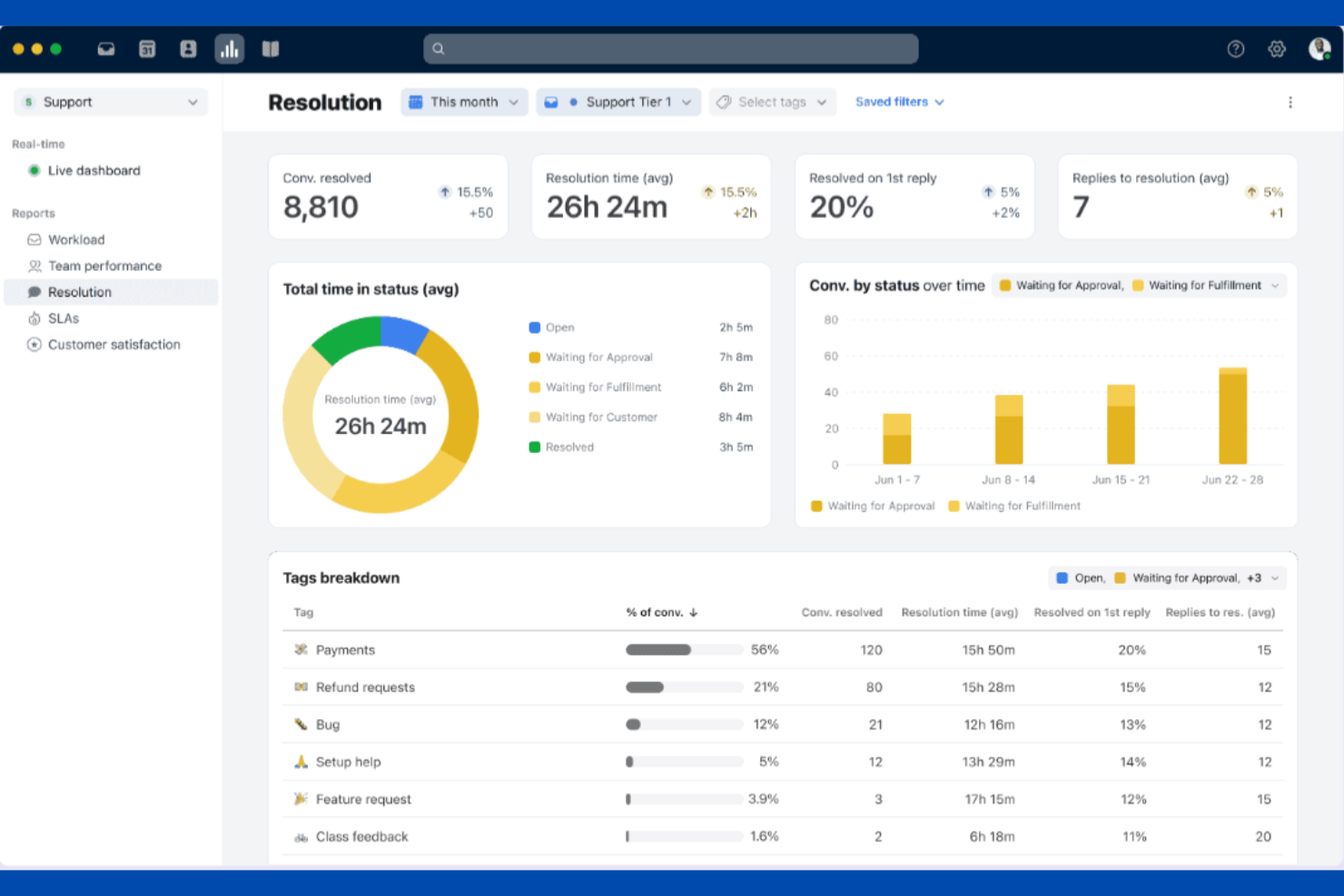
If your team needs a shared inbox that supports real-time collaboration, Front is worth a look. It’s designed for customer support, account management, and operations teams that want to manage email, chat, and SMS together without losing visibility or accountability. Unlike Sprinklr, Front emphasizes internal collaboration features like shared drafts, assignments, and internal comments right inside the unified inbox.
Why Front Is a Good Sprinklr Alternative
For teams that need to manage high volumes of customer messages together, Front offers a collaborative inbox experience that Sprinklr doesn’t match. I picked Front because it lets multiple team members work on the same conversation, assign messages, and leave internal comments without switching tools. Shared drafts and real-time activity indicators help prevent duplicate replies and keep everyone aligned. If your priority is transparent, team-based communication with customers, Front’s collaboration tools make it a strong alternative to Sprinklr.
Front Key Features
Some other features in Front can help your team manage customer conversations more efficiently:
- Multi-Channel Inbox: Combine email, SMS, live chat, and social media messages in one place.
- Rules-Based Automation: Set up automated routing, tagging, and responses based on message content or sender.
- Analytics Dashboard: Track team performance, response times, and message volumes with built-in reporting tools.
- App Integrations: Connect with tools like Salesforce, Slack, and Asana directly from your inbox.
Front Integrations
Integrations include Salesforce, Slack, Asana, Trello, HubSpot, Intercom, and Google Workspace.
Pros and Cons
Pros:
- Powerful rules to automate workflows
- Easy to assign and track ownership
- Internal comments on customer threads
Cons:
- Mobile app can be slow with high volume
- Lower tiers limit your total channels

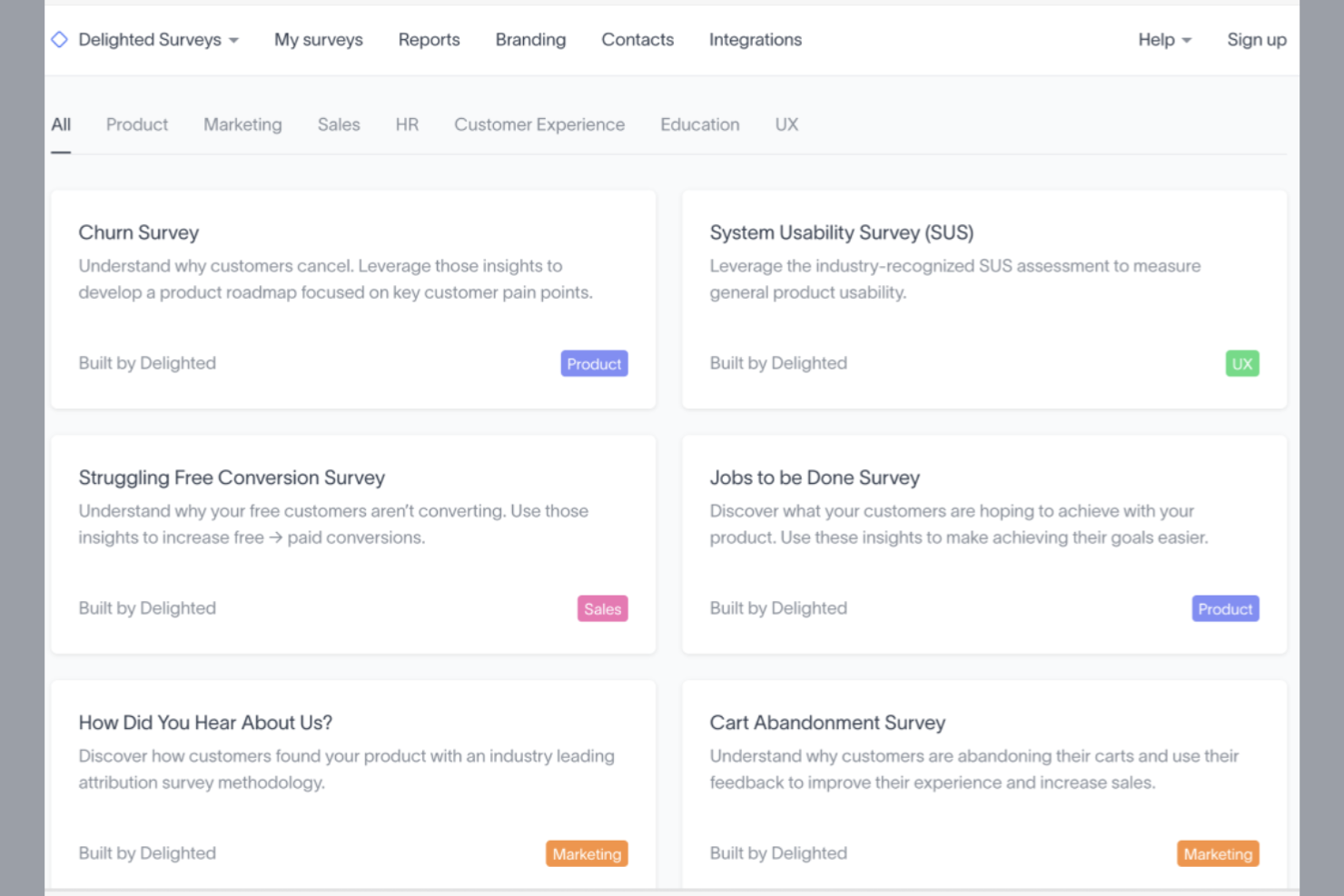
When you need to gather customer feedback quickly and with minimal setup, Delighted offers a focused solution. It’s built for CX teams, product managers, and service leaders who want to launch surveys across multiple channels without complex configuration. Unlike Sprinklr, Delighted specializes in rapid survey deployment and real-time feedback collection, making it ideal for teams that prioritize speed and ease of use.
Why Delighted Is a Good Sprinklr Alternative
If your team’s priority is collecting customer feedback quickly, Delighted is a strong alternative to Sprinklr. I picked Delighted because it lets you launch NPS, CSAT, CES, and custom surveys in just a few clicks, without lengthy setup or configuration. You can distribute surveys via email, web, SMS, or link, and responses appear in real time for immediate action. For teams that need fast, actionable insights rather than a full-scale CX suite, Delighted’s focus on rapid feedback collection stands out.
Delighted Key Features
Some other features in Delighted can help you manage and act on feedback more effectively:
- Dashboard Reporting: View survey results and trends in a centralized analytics dashboard.
- Response Tagging: Categorize feedback with custom tags for easier analysis and follow-up.
- Automated Alerts: Set up notifications for specific scores or keywords to trigger team action.
- Multi-Language Support: Send surveys in multiple languages to reach a global audience.
Delighted Integrations
Integrations include Slack, Zapier, HubSpot, Salesforce, Zendesk, and Segment.
Pros and Cons
Pros:
- Clean design boosts completion rates
- Best in class surveys for NPS and CSAT
- Very simple to set up and launch
Cons:
- No more advanced features or updates
- Limited logic and skip branching
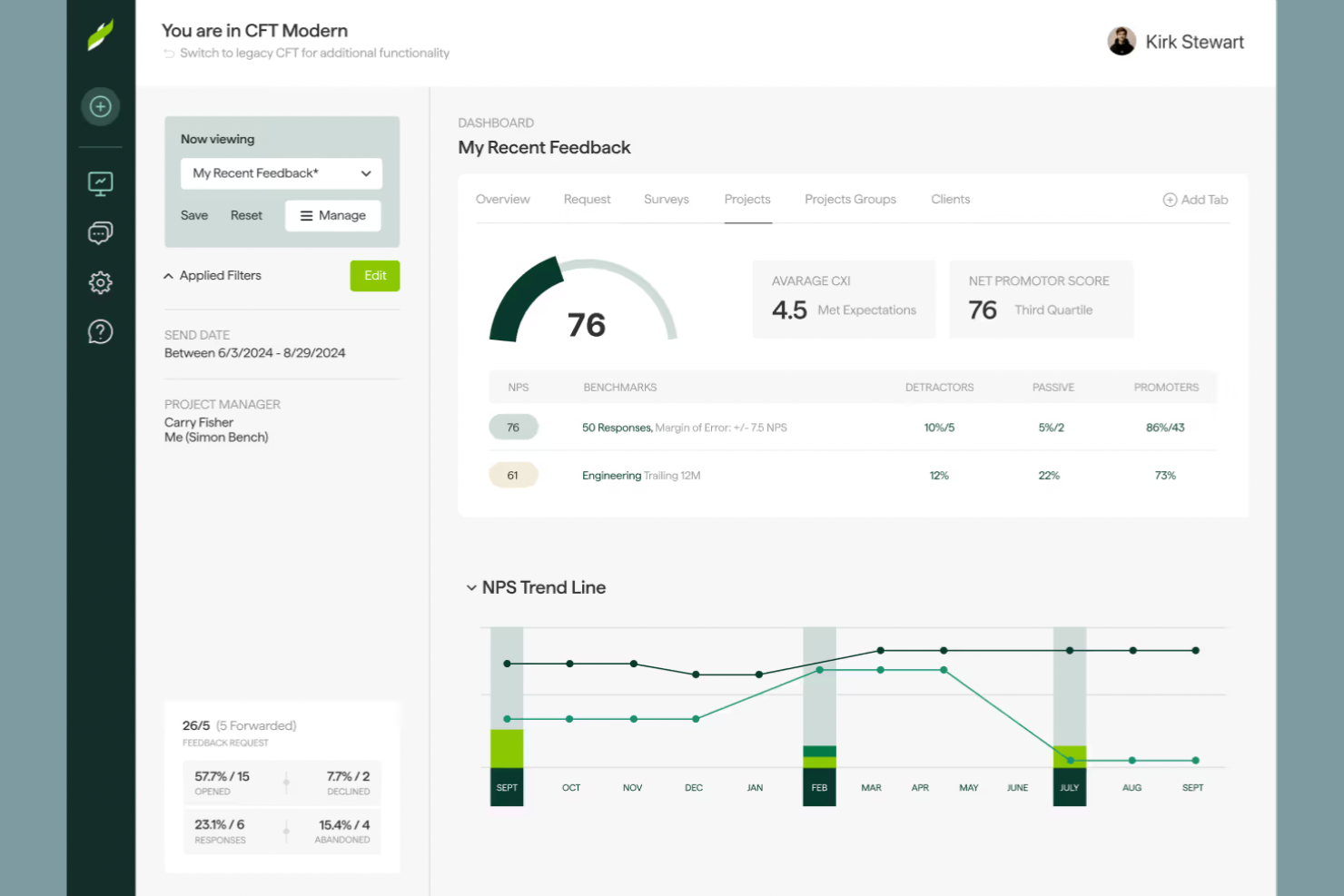
For teams that want to benchmark their client feedback against industry peers, ClearlyRated offers a specialized platform focused on client satisfaction measurement and comparison. It’s especially useful for professional services firms and agencies that need to demonstrate value and improve retention. Unlike Sprinklr, ClearlyRated centers on Net Promoter Score (NPS) benchmarking and industry-specific insights, helping you understand exactly where your client experience stands.
Why ClearlyRated Is a Good Sprinklr Alternative
If you’re looking for a tool that goes beyond collecting feedback and actually benchmarks your client satisfaction against industry standards, ClearlyRated is worth considering. I picked ClearlyRated because it specializes in Net Promoter Score (NPS) benchmarking, letting you see how your client experience compares to similar firms.
The platform also provides industry-specific reporting and recognition programs, which can help you identify strengths and areas for improvement. For professional services teams focused on measurable client feedback, ClearlyRated offers a targeted alternative to Sprinklr’s broader CX suite.
ClearlyRated Key Features
Some other ClearlyRated features can help your team get more from client feedback and industry benchmarking:
- Branded Survey Templates: Use customizable survey templates that reflect your company’s branding.
- Client Testimonial Collection: Collect and display verified client testimonials directly from survey responses.
- Online Reputation Badges: Earn and showcase digital badges based on your client satisfaction scores.
- Automated Survey Scheduling: Set up recurring survey campaigns to gather feedback at regular intervals.
ClearlyRated Integrations
Integrations include Salesforce, Microsoft Dynamics, HubSpot, Google Analytics, and Qualtrics.
Pros and Cons
Pros:
- Dedicated expert customer support
- Insightful real time data dashboards
- High client response rates via NPS
Cons:
- Minimum response count for awards
- AI features are still quite limited

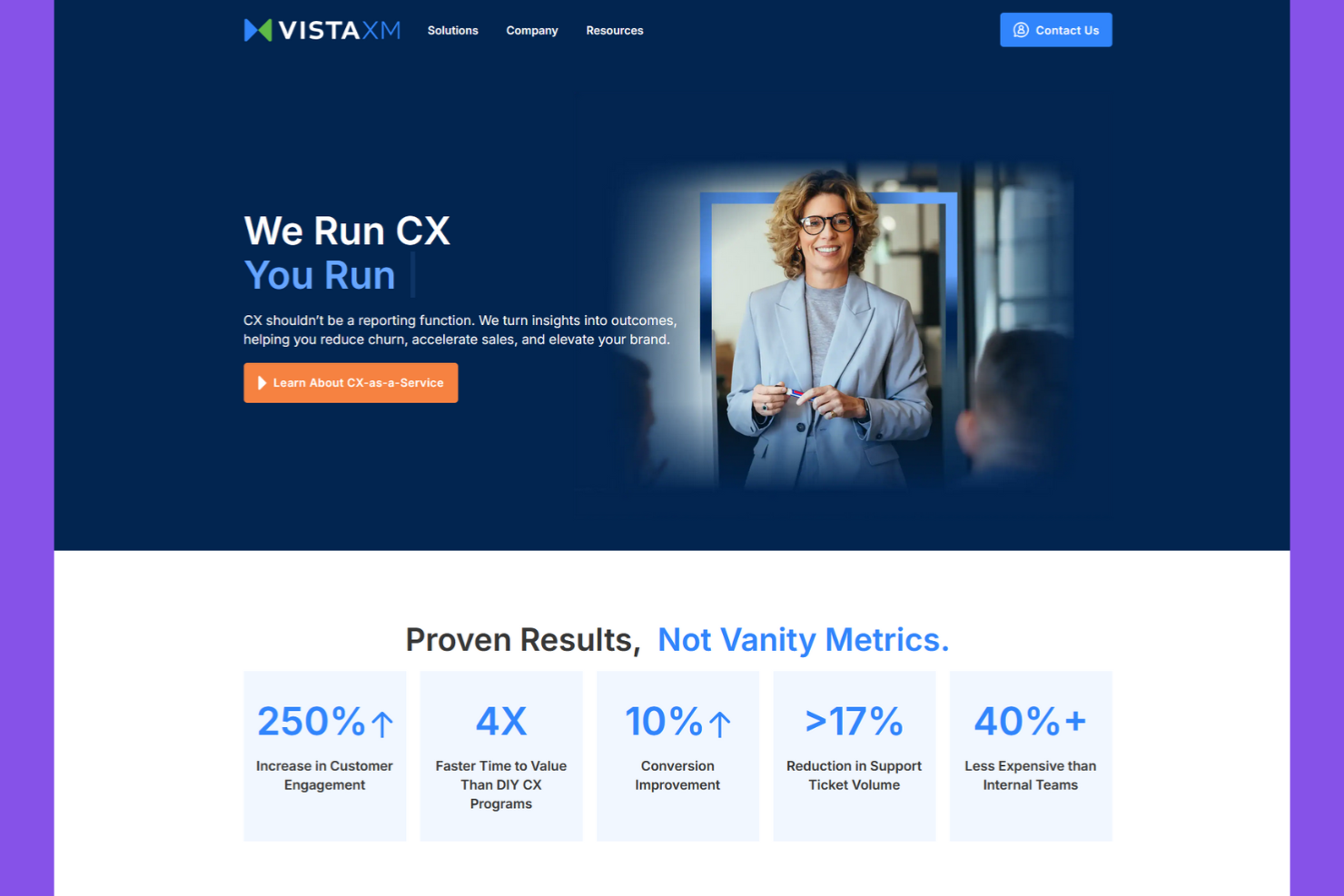
VistaXM gives customer experience teams a way to capture and act on real-time feedback across multiple channels. It’s designed for organizations that need instant insights to address issues as they happen and optimize touchpoints on the fly. Unlike Sprinklr, VistaXM emphasizes live data collection and rapid response tools, making it a strong fit for businesses that prioritize immediate action on customer experience signals.
Why VistaXM Is a Good Sprinklr Alternative
For teams that need to act on customer feedback the moment it’s received, VistaXM stands out with its real-time experience insights. I picked VistaXM because it offers live data dashboards and instant alerting, so you can quickly identify and address emerging issues. The platform also supports multi-channel feedback collection, letting you capture signals from web, mobile, and in-person touchpoints as they happen. If your business values immediate visibility and rapid response, VistaXM offers a focused alternative to Sprinklr’s broader suite.
VistaXM Key Features
Some other VistaXM features can help your team get more from real-time experience management:
- Role-Based Access Controls: Assign permissions and access levels based on user roles within your organization.
- Custom Survey Builder: Design and deploy tailored surveys to match specific feedback needs.
- Sentiment Analysis Engine: Analyze open-text feedback for sentiment trends and emerging themes.
- Scheduled Reporting: Automate the delivery of key reports to stakeholders on a recurring basis.
VistaXM Integrations
Integrations include Salesforce, Zendesk, HubSpot, Microsoft Dynamics, and Zoom.
Pros and Cons
Pros:
- Clear ROI tracking for churn and revenue
- Expert human team manages the platform
- Fast time to value versus DIY programs
Cons:
- Less control for hands on tech teams
- Minimum one year contract commitment

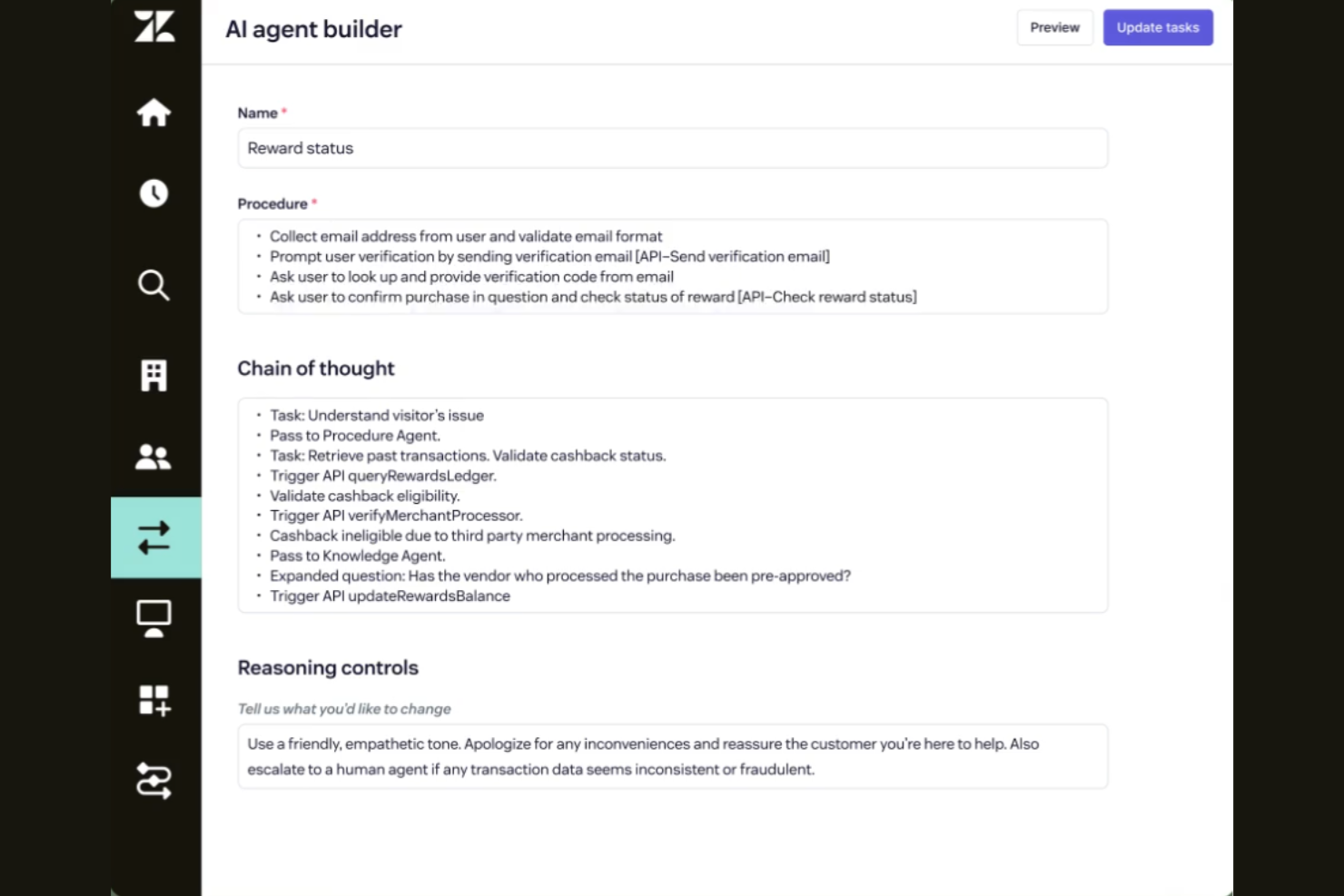
If your team needs to manage customer conversations across multiple channels, Zendesk offers a unified platform built for omnichannel support. It’s especially useful for support teams that want to handle email, chat, social, and voice interactions from a single workspace. Zendesk stands out from Sprinklr by focusing on ticket management and integrated communication tools for fast, consistent service.
Why Zendesk Is a Good Sprinklr Alternative
For teams that prioritize omnichannel support, Zendesk offers a focused approach that sets it apart from Sprinklr. I like that Zendesk brings together email, live chat, social messaging, and voice into a single agent workspace, making it easier to manage customer conversations without switching tools. The platform’s unified ticketing system helps your team track, prioritize, and resolve issues across all channels. If you’re looking for a solution that centralizes communication and optimizes support workflows, Zendesk is a strong alternative.
Zendesk Key Features
Some other Zendesk features can help your team manage customer experience and support operations more efficiently:
- Customizable Ticket Forms: Create tailored ticket forms to capture the right information for different types of requests.
- Knowledge Base Management: Build and maintain a self-service help center with articles and FAQs.
- AI-Powered Answer Bot: Use AI to suggest relevant help articles to customers before they reach an agent.
- SLA Management: Set and track service level agreements to ensure timely responses and resolutions.
Zendesk integrations
Integrations include Salesforce, Slack, Google Analytics, Shopify, and Zoom.
Pros and Cons
Pros:
- Self service knowledge base tools
- Powerful data reporting and analytics
- Highly scalable for enterprise growth
Cons:
- Difficult and long setup process
- Steep learning curve for admins
Other Sprinklr Alternatives
Here are some additional Sprinklr alternatives options that didn’t make it onto my shortlist, but are still worth checking out:
- Dialpad
For AI-powered call transcription
- Zonka Feedback
For multi-channel survey distribution


Sprinklr Alternatives Selection Criteria
When selecting the best Sprinklr alternatives to include in this list, I considered common buyer needs and pain points related to Sprinklr alternatives products, like managing omnichannel customer interactions, a user-friendly interface, and unifying communication tools. I also used the following framework to keep my evaluation structured and fair:
Core Functionality (25% of total score)
To be considered for inclusion in this list, each solution had to fulfill these common use cases:
- Manage customer conversations across multiple channels
- Route and assign tickets or inquiries to agents
- Track and report on customer interactions
- Store customer contact and interaction history
- Support team collaboration on customer issues
Additional Standout Features (25% of total score)
To help further narrow down the competition, I also looked for unique features, such as:
- AI-powered conversation analysis
- Social media listening and engagement tools
- Integrated voice and video calling
- Automated workflow and process design
- Real-time sentiment analysis
Usability (10% of total score)
To get a sense of the usability of each system, I considered the following:
- Simple and intuitive user interface
- Customizable dashboards and views
- Fast navigation between modules
- Clear labeling and organization of features
- Minimal clicks to complete common tasks
Onboarding (10% of total score)
To evaluate the onboarding experience for each platform, I considered the following:
- Availability of step-by-step product tours
- Access to training videos and documentation
- Pre-built templates for common workflows
- Interactive onboarding checklists
- Live webinars or onboarding sessions
Customer Support (10% of total score)
To assess each software provider’s customer support services, I considered the following:
- 24/7 live chat or phone support
- Fast response times to inquiries
- Knowledgeable and helpful support agents
- Access to a searchable help center
- Community forums for peer support
Value For Money (10% of total score)
To evaluate the value for money and cost-effectiveness of each platform, I considered the following:
- Transparent and predictable pricing
- Range of plans for different team sizes
- Features included at each pricing tier
- No hidden fees or surprise charges
- Free trial or demo availability
Customer Reviews (10% of total score)
To get a sense of overall customer satisfaction, I considered the following when reading customer reviews:
- Consistent positive feedback on core features
- Reports of reliable uptime and performance
- Praise for customer support quality
- Feedback on ease of onboarding and use
- Constructive criticism and vendor responsiveness
Why Look For A Sprinklr Alternative?
While Sprinklr is a good choice, there are a number of reasons why some users seek out alternative solutions. You might be looking for a Sprinklr alternative because…
- You need more affordable pricing for smaller teams
- You want simpler setup and faster onboarding
- You require deeper integrations with specific CRMs or tools
- You prefer a platform focused on unified communications
- You need better support for non-English languages
- You want more flexible reporting and analytics options
If any of these sound like you, you’ve come to the right place. My list contains several Sprinklr alternatives options that are better suited for teams facing these challenges with Sprinklr and looking for alternative solutions.
Sprinklr Key Features
Here are some of the key features of Sprinklr, to help you contrast and compare what alternative solutions offer:
- Omnichannel customer engagement across social, messaging, email, and voice
- Social media performance and sentiment analysis
- AI-powered case routing and response suggestions
- Unified customer profiles and interaction history
- Customizable dashboards and advanced analytics
- Automated workflow and approval processes
- Content publishing, content calendar, and campaign management tools
- Knowledge base and self-service portal capabilities
- Real-time collaboration for support and marketing teams
- Integration with major CRM and marketing automation platforms
What’s Next:
If you're in the process of researching Sprinklr alternatives, connect with a SoftwareSelect advisor for free recommendations.
You fill out a form and have a quick chat where they get into the specifics of your needs. Then you'll get a shortlist of software to review. They'll even support you through the entire buying process, including price negotiations.