
22 Best VoIP Software in 2026

VoIP Software Shortlist
Here's my pick of the 10 best software from the 22 tools reviewed.


VoIP software lets your team make and receive calls over the internet instead of traditional phone lines, giving you more flexibility and control over business communications. If you’re searching for the best VoIP software, you’re likely looking to improve call quality, support remote work, or unify your customer interactions across channels.
With so many options out there, it’s tough to know which platform will actually fit your needs and scale with your business. In this guide, you’ll find a curated shortlist of top VoIP solutions, what sets each apart, and how they can help you deliver reliable, modern communications for your team and customers.
Why Trust Our Software Reviews
We’ve been testing and reviewing software since 2020. As CX leaders ourselves, we know how critical and difficult it is to make the right decision when selecting software.
We invest in deep research to help our audience make better software purchasing decisions. We’ve tested more than 2,000 tools for different CX use cases and written over 1,000 comprehensive software reviews. Learn how we stay transparent & our software review methodology.
Best VoIP Software Summary
This comparison chart summarizes pricing details for my top VoIP software selections to help you find the best one for your budget and business needs.
| Tool | Best For | Trial Info | Price | ||
|---|---|---|---|---|---|
| 1 | Best for unified customer interactions across all channels | Free demo available | From $15/user/month (billed annually) | Website | |
| 2 | Best for enterprise-grade compliance and audit logging | 14-day free trial + free demo available | Pricing upon request | Website | |
| 3 | Best with 500+ integrations for enterprise workflows | Free demo available | From $20/user/month (billed annually) | Website | |
| 4 | Best for customizable communication APIs | Free trial available | Pricing upon request | Website | |
| 5 | Best for healthcare-ready secure communications | Free demo available | Pricing upon request | Website | |
| 6 | Best with built-in AI note-taking for call insights | Free trial available | From $16/user/month | Website | |
| 7 | Best for real-time AI coaching during live calls | Free trial available | From $30/license/month (billed annually) | Website | |
| 8 | Best for 100+ built-in CRM and helpdesk integrations | 14-day free trial | From $25/user/month (billed annually) | Website | |
| 9 | Best for Microsoft Teams integration with global reach | Free demo available | Pricing upon request | Website | |
| 10 | Best for rapid employee training in under 30 minutes | No free trial; 30-day money-back guarantee | From $19.95/user/month | Website |

-

monday service
Visit WebsiteThis is an aggregated rating for this tool including ratings from Crozdesk users and ratings from other sites.4.6 -
SupportYourApp
Visit WebsiteThis is an aggregated rating for this tool including ratings from Crozdesk users and ratings from other sites.4.7 -
Freshdesk
Visit WebsiteThis is an aggregated rating for this tool including ratings from Crozdesk users and ratings from other sites.4.4




VoIP Software Reviews
Below are my detailed summaries of the VoIP software that made it onto my shortlist. My reviews offer a detailed look at the features, integrations, and best use cases of each platform to help you find the best one for you.

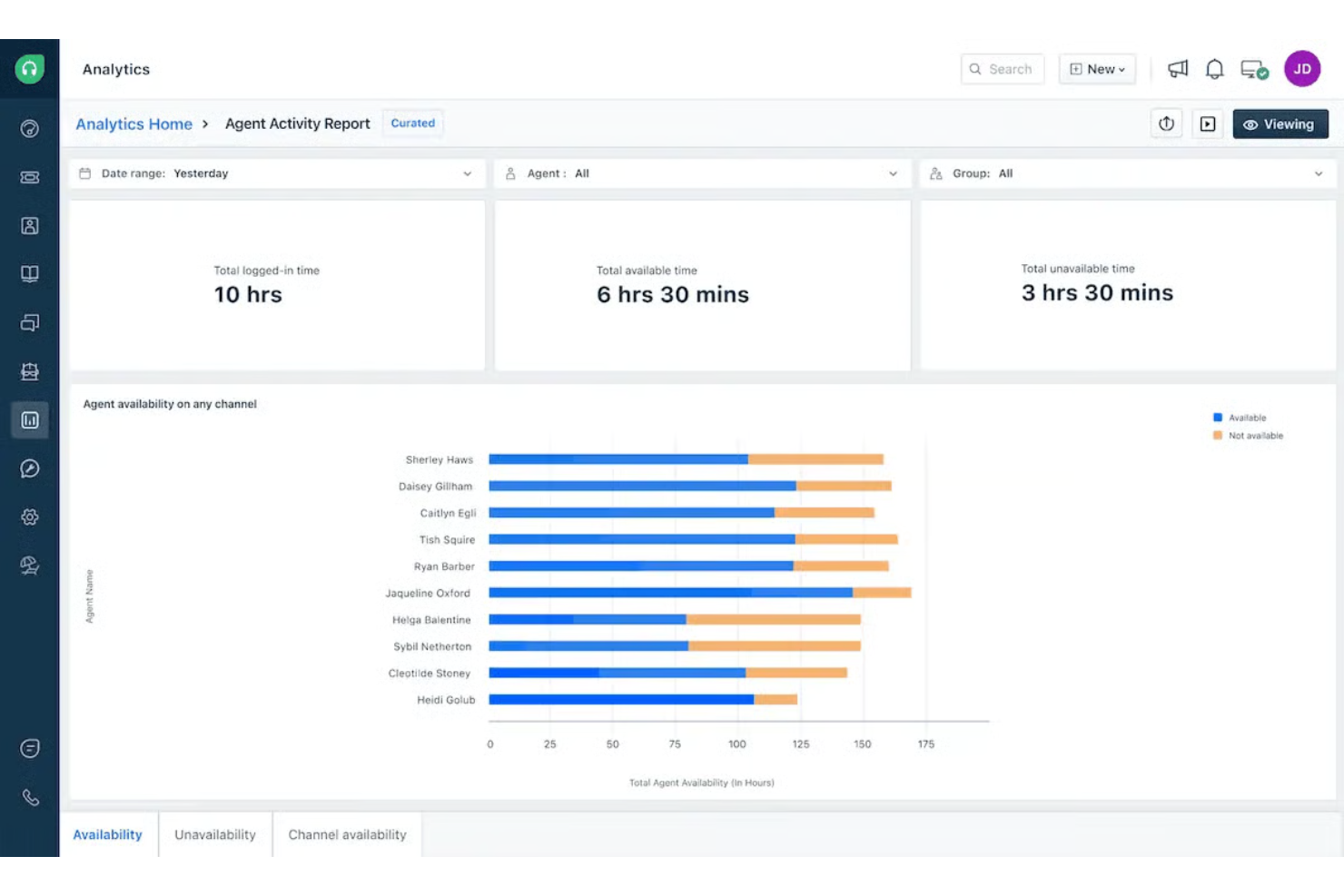
Nextiva is a cloud-based VoIP platform that combines business calling, SMS, video meetings, team chat, and contact center tools in a single workspace.
Who Is Nextiva Best For?
Customer service and support teams in mid-sized to large organizations that need unified communication across multiple channels.
Why I Picked Nextiva
I picked Nextiva as one of the best because I can manage calls, SMS, email, and social messages from a single dashboard. My team uses its threaded conversation view to track every customer interaction across channels. I also like how Nextiva’s call pop feature shows customer details instantly when a call comes in.
Nextiva Key Features
- Auto attendant: Routes incoming calls to the right department or person automatically.
- Voicemail to email: Sends voicemail messages as audio files directly to your email inbox.
- Call recording: Records inbound and outbound calls for quality assurance and compliance.
- Conference calling: Lets you host multi-person audio conferences from any device.
Nextiva Integrations
Nextiva offers native integrations with Salesforce, HubSpot, Zendesk, Microsoft Teams, Google Contacts, ServiceNow, Oracle Sales Cloud, and Microsoft Outlook. An API is available for custom integrations.
Pros and Cons
Pros:
- Reliable uptime for high-volume support environments
- Real-time customer context displayed during inbound calls
- Unified inbox for managing voice, SMS, and customer conversations
Cons:
- Limited SMS capabilities compared to competitors
- Occasional dropped calls during peak hours

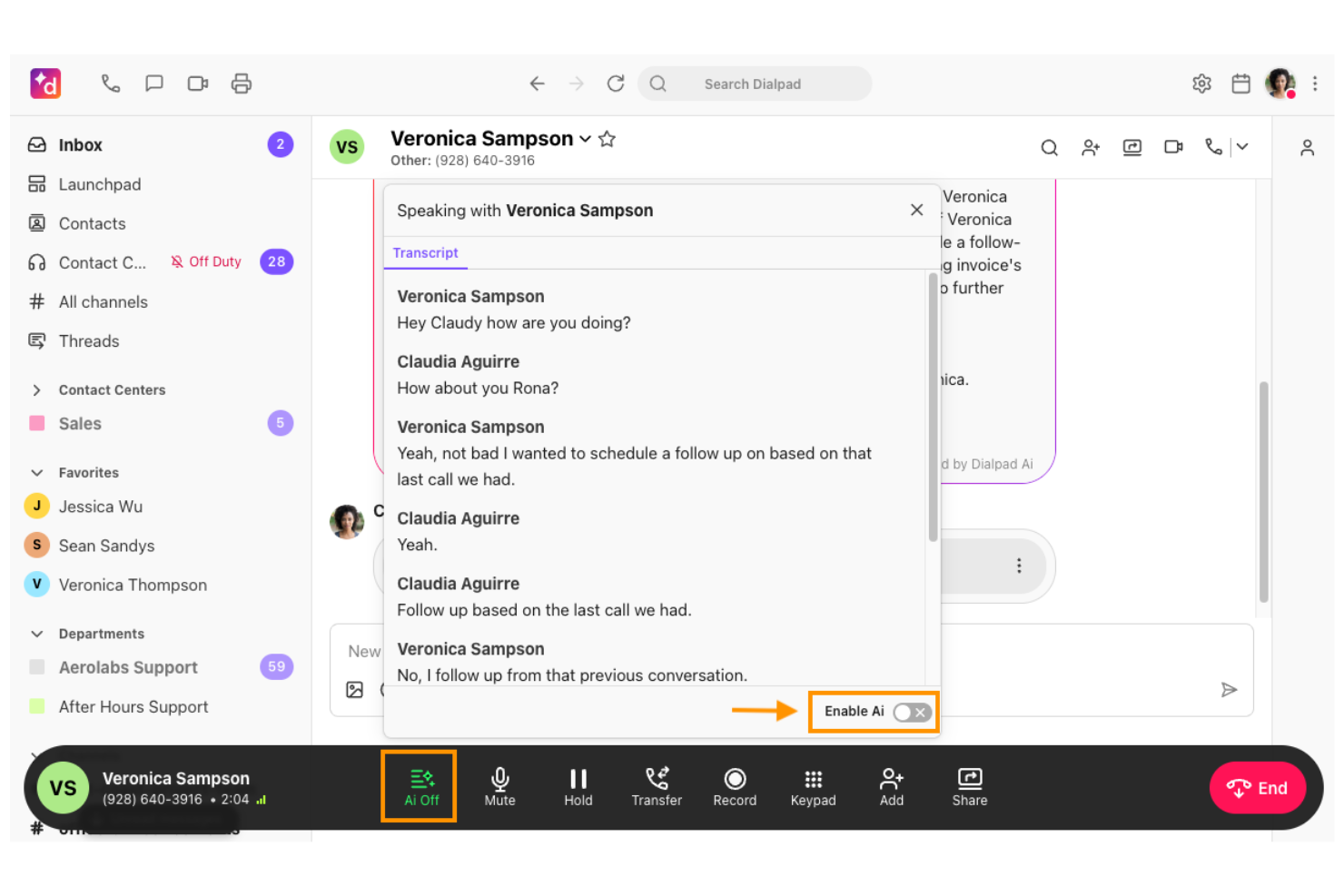
Dialpad is a cloud-based VoIP platform that combines business calling, SMS, video meetings, AI-powered transcriptions, and advanced admin controls for unified communications.
Who Is Dialpad Best For?
Enterprises and regulated industries that require advanced compliance, audit logging, and unified communications across distributed teams.
Why I Picked Dialpad
I picked Dialpad as one of the best because I can access detailed audit logs and compliance controls that meet enterprise standards. My team uses its real-time call monitoring and retention policies to support regulated workflows. I also like the built-in AI-powered call transcription for accurate recordkeeping.
Dialpad Key Features
- Multi-level auto attendant: Route calls automatically based on customizable menus.
- Voicemail transcription: Convert voicemails to searchable text in real time.
- Call flip: Switch live calls between devices without interruption.
- HD voice quality: Deliver clear audio for all VoIP calls.
Dialpad Integrations
Dialpad offers native integrations with Salesforce, HubSpot, Zendesk, Microsoft 365, Google Workspace, Slack, Okta, and ServiceNow, and provides an API for custom integrations.
Pros and Cons
Pros:
- Live call monitoring with coaching capabilities
- Detailed audit trails for regulated environments
- Built-in AI transcription with real-time call insights
Cons:
- Analytics customization is limited for complex reporting needs
- Advanced features gated behind higher-tier plans

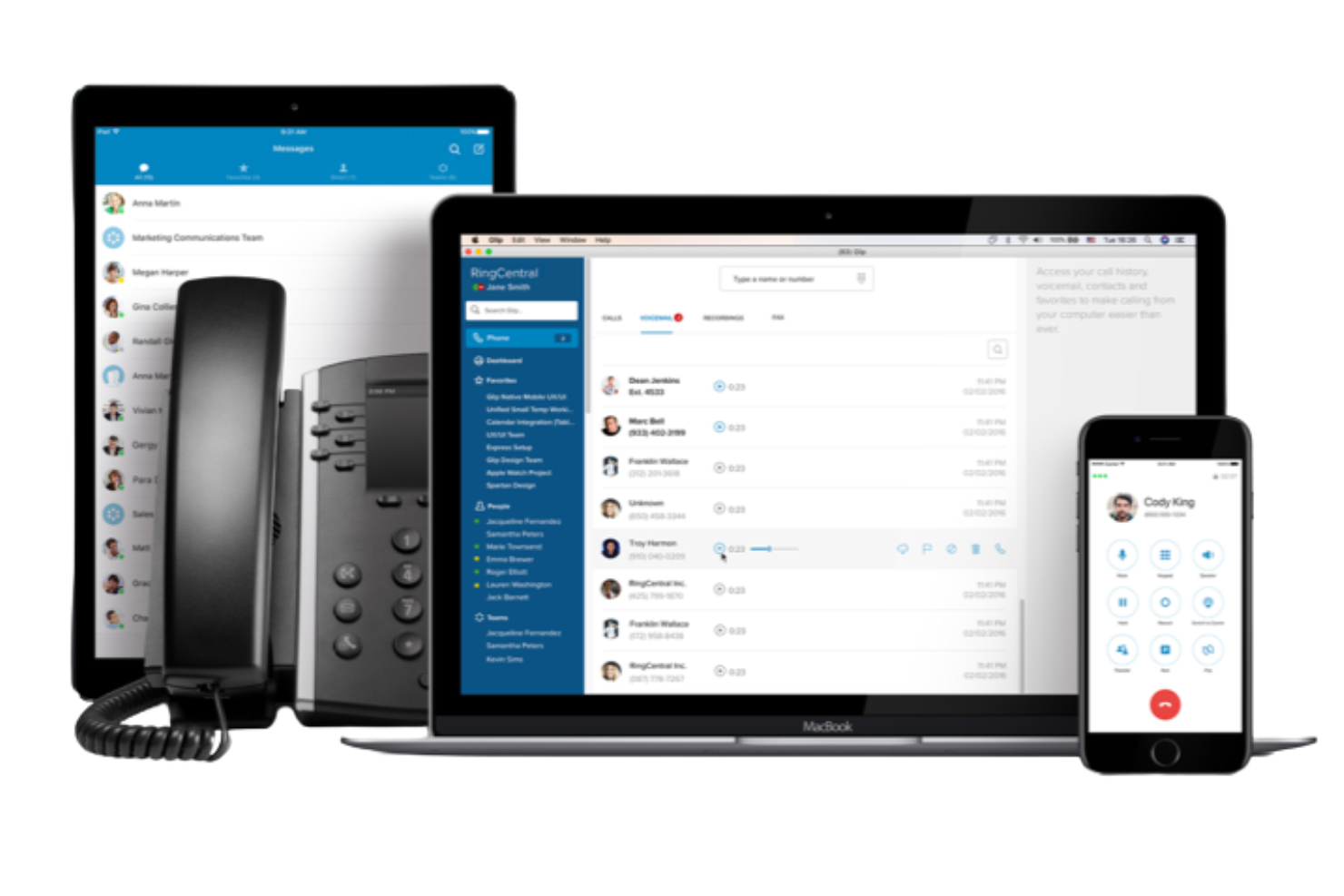
RingCentral is a cloud-based VoIP platform for businesses that brings together calling, video meetings, team messaging, and faxing in one unified workspace.
Who Is RingCentral Best For?
Large enterprises and IT teams that need a VoIP platform with extensive integration options for complex workflows.
Why I Picked RingCentral
I picked RingCentral as one of the best because I can connect it with over 500 business apps, which is rare in the VoIP space. My team uses its integrations with Salesforce and Microsoft 365 to sync call data and automate follow-ups. I also like how RingCentral’s open API lets us build custom workflows for unique business processes.
RingCentral Key Features
- Multi-level auto attendant: Route incoming calls automatically to the right department or extension.
- HD voice and video conferencing: Host high-quality voice calls and video meetings from any device.
- Team messaging: Chat with colleagues, share files, and create group conversations within the platform.
- Call recording: Record calls on demand or automatically for training and compliance needs.
RingCentral Integrations
RingCentral offers over 500 pre-built integrations, including native integrations with Salesforce, Google Workspace, Microsoft Teams, Jira, and Shadow All-In-One Analytics. An API is available for custom integrations.
Pros and Cons
Pros:
- Supports HD video meetings and webinars
- Offers advanced call routing and IVR options
- Integrates natively with major business platforms
Cons:
- Admin dashboard can feel overwhelming at first
- Occasional call quality issues

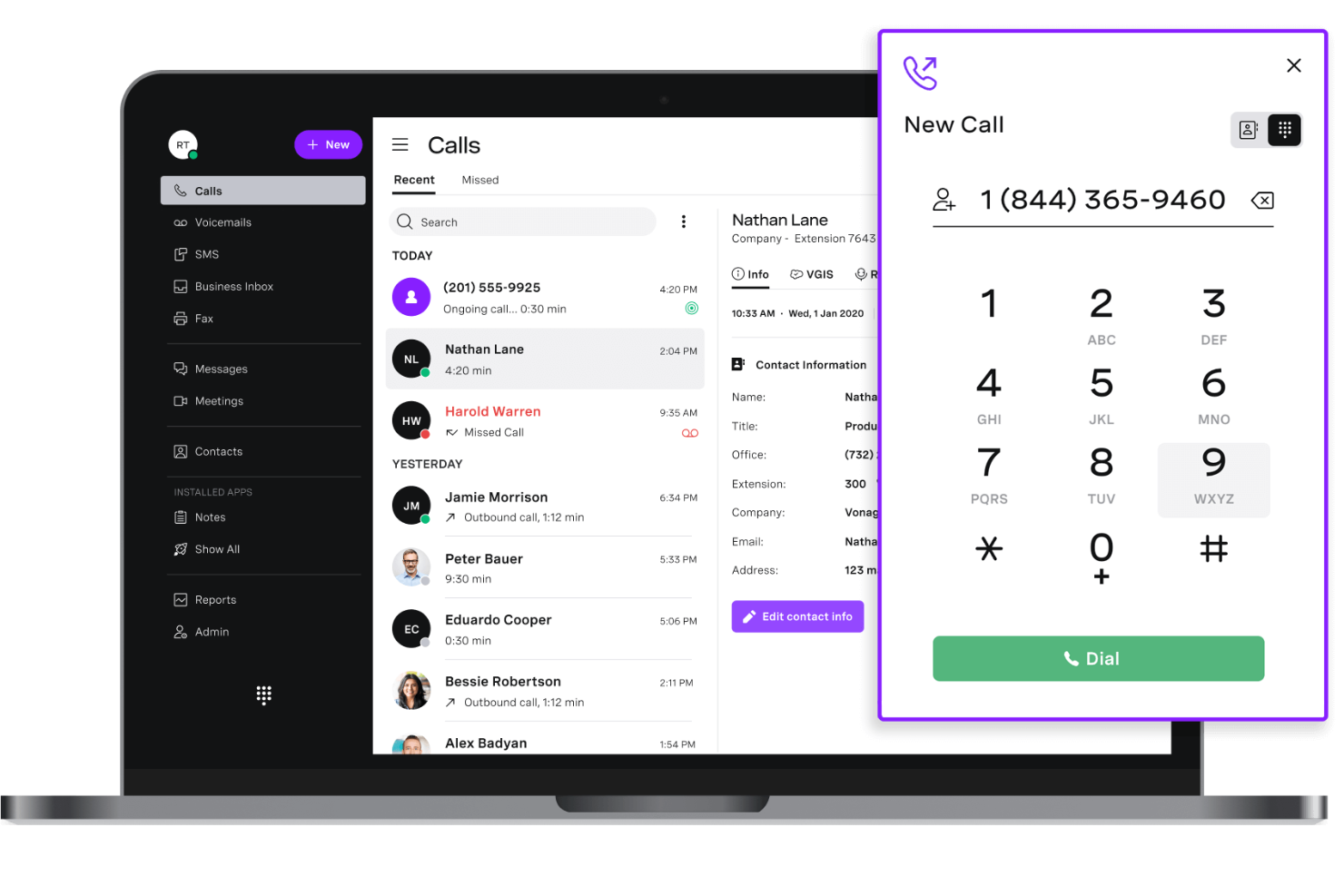
Vonage is a cloud-based communications platform that provides programmable voice, SMS, video, and messaging APIs for building custom VoIP and unified communications solutions.
Who Is Vonage Best For?
Developers and product teams at SaaS companies who need to build custom communication workflows using APIs.
Why I Picked Vonage
I picked Vonage as one of the best because I can use its programmable APIs to build custom voice, SMS, and video workflows for my business. I like that I can integrate real-time voice calls into my apps and automate call routing or notifications. My team uses Vonage’s WebRTC and SIP trunking to connect cloud and on-premise systems without being locked into a single interface.
Vonage Key Features
- Number porting: Bring existing phone numbers into the Vonage platform.
- Call recording: Record inbound and outbound calls for compliance or training.
- Interactive voice response (IVR): Set up automated menus to route calls.
- Call queuing: Place incoming calls in a queue until an agent is available.
Vonage Integrations
Vonage offers native integrations with Salesforce, Microsoft Teams, Zendesk, HubSpot, Microsoft Dynamics 365, G Suite, Slack, ServiceNow, Bullhorn, and Zoho CRM. An API is available for custom integrations.
Pros and Cons
Pros:
- Scales well for product-led and developer teams
- Supports SIP trunking for hybrid cloud setups
- Flexible APIs for building custom communication workflows
Cons:
- User interface is less intuitive for non-technical teams
- Requires technical expertise to unlock full platform value

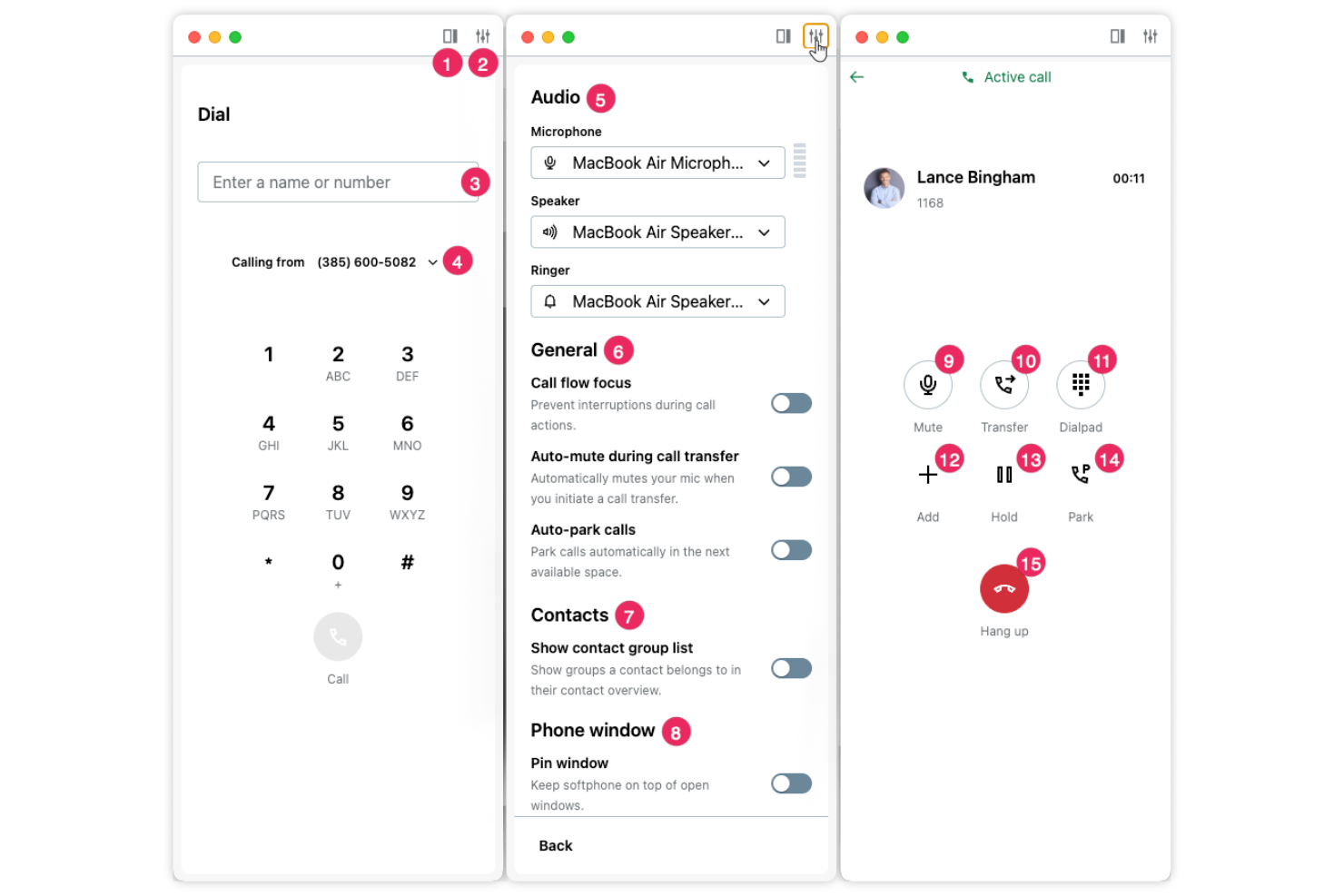
GoTo Connect is a cloud-based VoIP platform that combines business phone systems, video conferencing, SMS, and team messaging with advanced call routing and device management.
Who Is GoTo Connect Best For?
Healthcare organizations and clinics need secure, HIPAA-compliant communications across phone, video, and messaging.
Why I Picked GoTo Connect
I picked GoTo Connect as one of the best because I need a VoIP platform that’s built for healthcare compliance—my team relies on its HIPAA-ready security features for patient communications. I like that I can set up secure video visits and encrypted messaging between staff and patients. I also use its call routing and audit logging to help us meet regulatory requirements without extra manual work.
GoTo Connect Key Features
- Auto-attendant: Route incoming calls automatically based on caller input.
- Call recording: Record calls for training or compliance purposes.
- Mobile app: Make and receive calls from iOS and Android devices.
- Voicemail-to-email: Receive voicemail messages as audio files in your email inbox.
GoTo Connect Integrations
GoTo Connect offers native integrations with Microsoft Teams, Salesforce, Slack, Zoho CRM, Google Workspace, Outlook, and Zendesk. An API is available for custom integrations.
Pros and Cons
Pros:
- Flexible call routing with visual dial plan editor
- Built-in video meetings for internal and external use
- Supports secure communications for regulated industries
Cons:
- Interface design feels dated compared to newer tools
- SMS capabilities limited depending on region

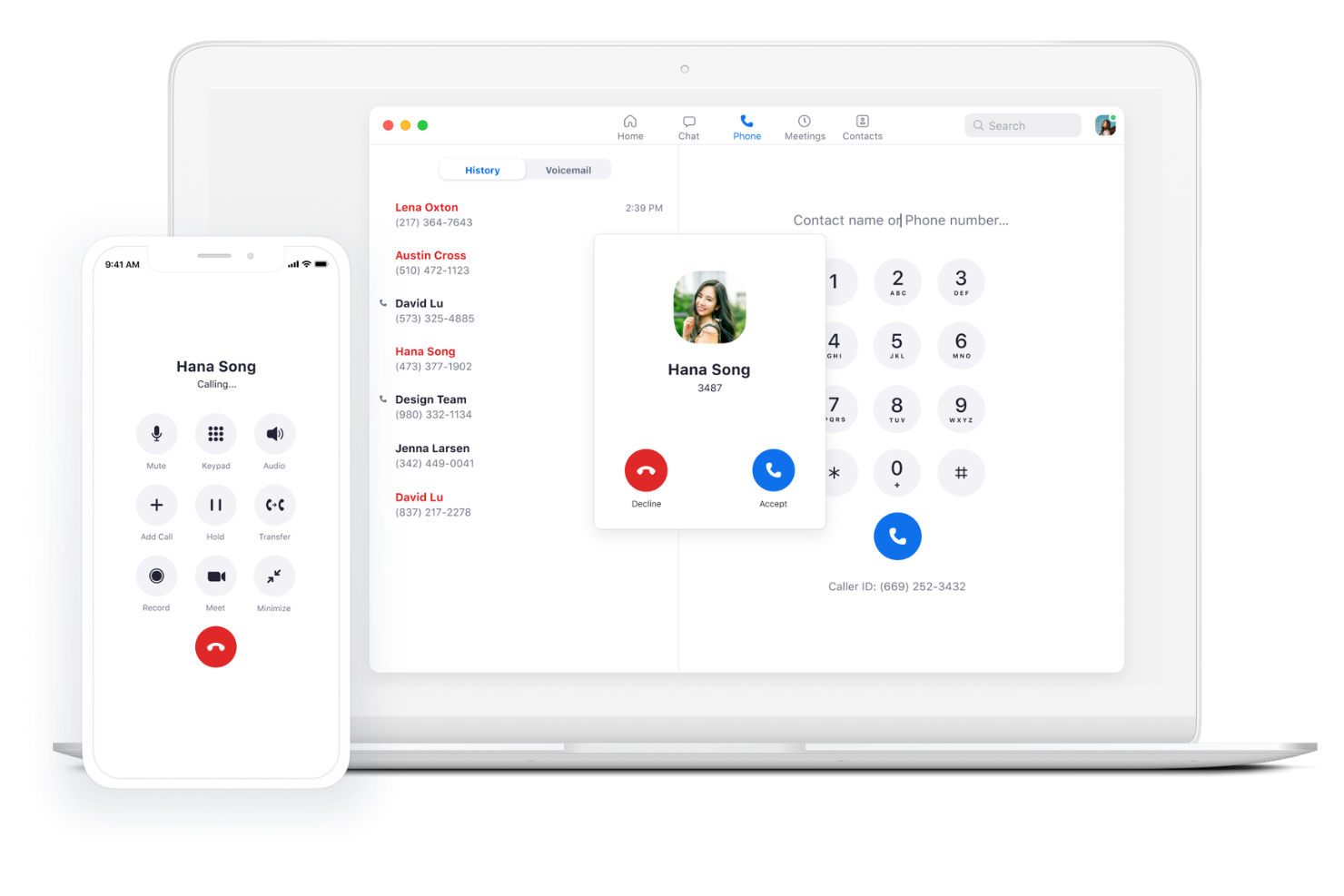
Zoom Phone is a cloud-based VoIP platform that offers business calling, SMS, call routing, voicemail, and video meeting integration within the Zoom ecosystem.
Who Is Zoom Phone Best For?
Distributed teams and hybrid workplaces that need integrated calling, messaging, and meeting features within the Zoom platform.
Why I Picked Zoom Phone
I picked Zoom Phone as one of the best because I can capture call summaries and action items automatically with its built-in AI note-taking. My team uses the AI Companion to generate searchable transcripts and highlight key moments from every call. I also like how seamlessly it connects voice, SMS, and video meetings in one place.
Zoom Phone Key Features
- Call delegation: Assign incoming calls to assistants or team members for handling.
- Call park: Place calls on hold and retrieve them from any device within your organization.
- Global PSTN coverage: Make and receive calls in over 40 countries with local numbers.
- Emergency calling: Route emergency calls to local public safety answering points.
Zoom Phone Integrations
Zoom Phone offers native integrations with Salesforce, Slack, Microsoft Teams, Google Workspace, ServiceNow, HubSpot, Zendesk, and Okta, and provides an API for custom integrations.
Pros and Cons
Pros:
- Quick deployment with minimal onboarding required
- Familiar interface for teams already using Zoom meetings
- AI-generated call summaries reduce manual note-taking
Cons:
- Business texting features lack advanced messaging options
- Limited customization in call analytics dashboards
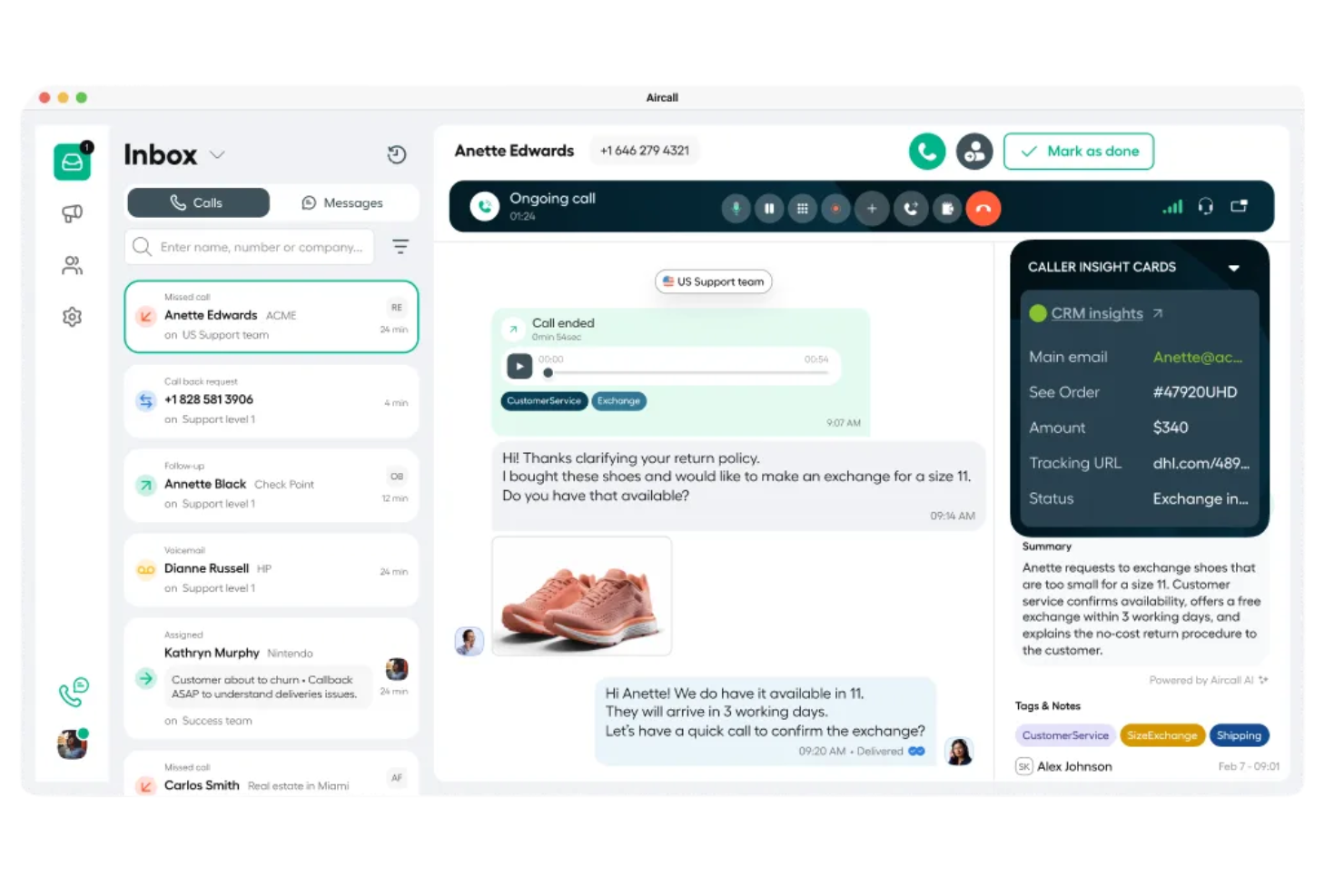
Aircall is a cloud-based VoIP platform for business teams that combines voice calling, SMS, call routing, analytics, and app integrations in a single interface.
Who Is Aircall Best For?
Sales and support teams in small to midsize businesses that want live call coaching and easy app integrations.
Why I Picked Aircall
I picked Aircall as one of the best because I can use its real-time AI coaching to give my team live feedback during calls. I like how the AI listens in and surfaces suggestions or reminders right when agents need them. My team also relies on Aircall’s live call monitoring and whisper features to support new hires and improve call quality on the spot.
Aircall Key Features
- Click-to-dial: Instantly place calls from any CRM or helpdesk interface.
- Shared call inbox: Manage and assign missed calls or voicemails as a team.
- Call tagging: Categorize calls with custom tags for tracking and reporting.
- IVR menus: Set up interactive voice response menus to route callers efficiently.
Aircall Integrations
Aircall offers 200+ native integrations, including Salesforce, HubSpot, Intercom, Microsoft 365, Slack, Zendesk, Pipedrive, Zoho CRM, Freshdesk, and Shopify, and provides an API for custom integrations.
Pros and Cons
Pros:
- Easy setup for sales and support workflows
- Shared call inbox improves team collaboration
- Live call whisper and coaching tools for agent training
Cons:
- Dashboard performance may lag under heavy usage
- Limited historical reporting for long-term performance tracking

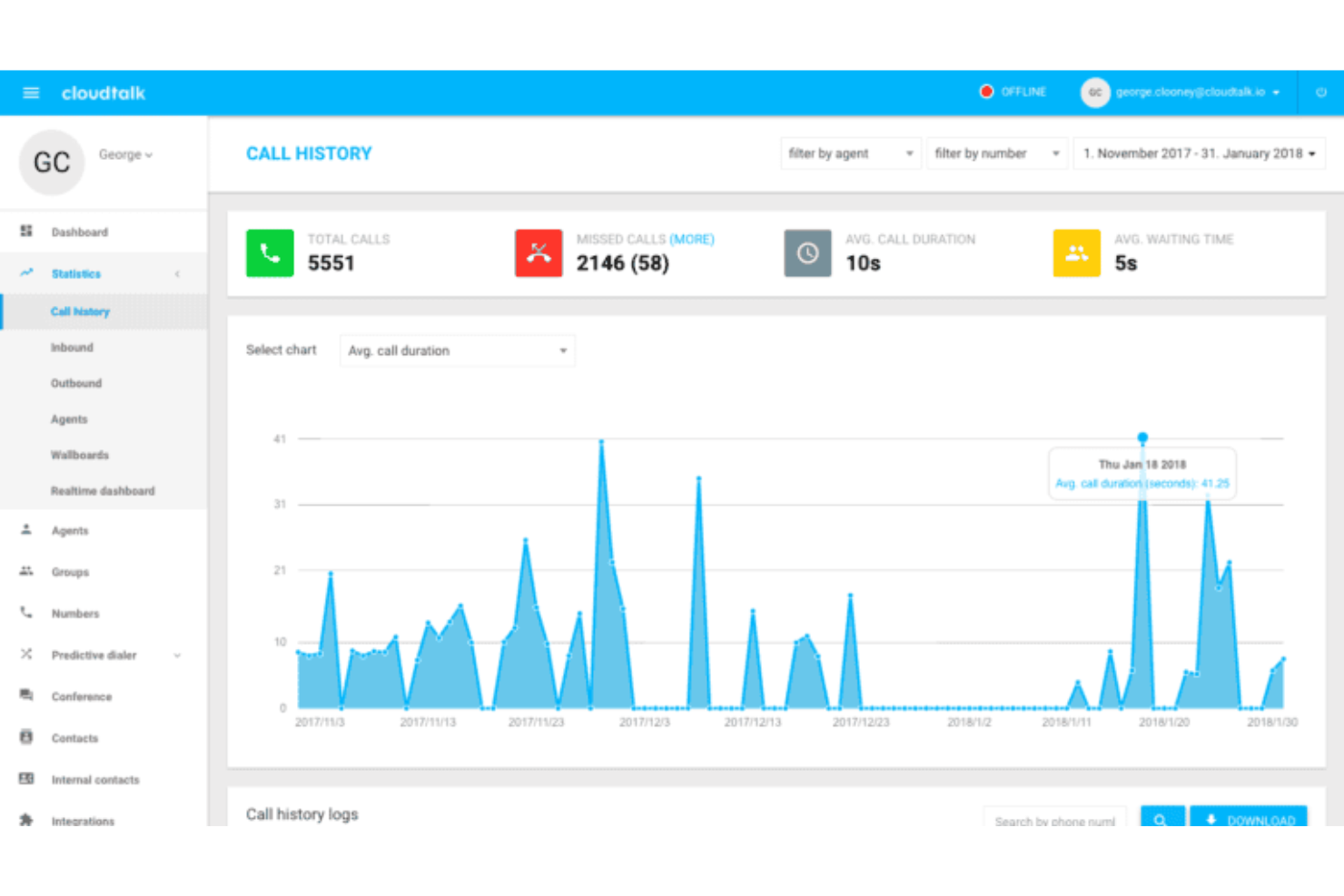
CloudTalk is a cloud-based VoIP platform for sales and support teams that offers call routing, analytics, call recording, and advanced dialer features.
Who Is CloudTalk Best For?
Sales and support teams at mid-sized or enterprise companies that need deep CRM and helpdesk integrations.
Why I Picked CloudTalk
CloudTalk earns its spot as one of the best on my shortlist because I can connect it directly to over 100 CRMs and helpdesk tools without extra middleware. I use the real-time call activity sync with Salesforce and HubSpot to keep customer records up to date. My team also relies on the automatic ticket creation in Zendesk and Freshdesk, which saves us time and reduces manual entry.
CloudTalk Key Features
- Smart dialer: Automatically compiles call lists from your CRM or helpdesk.
- Call flow designer: Lets you build custom call routing workflows with a visual editor.
- Voicemail transcription: Converts voicemail messages to text for quick review.
- Call tagging: Allows you to categorize calls for easier tracking and reporting.
CloudTalk Integrations
CloudTalk offers 35+ native integrations, including Salesforce, HubSpot, Zendesk, Freshdesk, Pipedrive, Intercom, Zoho CRM, Microsoft Dynamics 365, Slack, and Google Workspace. An API is available for custom integrations.
Pros and Cons
Pros:
- Deep CRM syncing for sales and support workflows
- Custom call flows with visual builder interface
- Strong outbound dialing tools for sales teams
Cons:
- No native video communication features
- Mobile app experience lacks parity with desktop

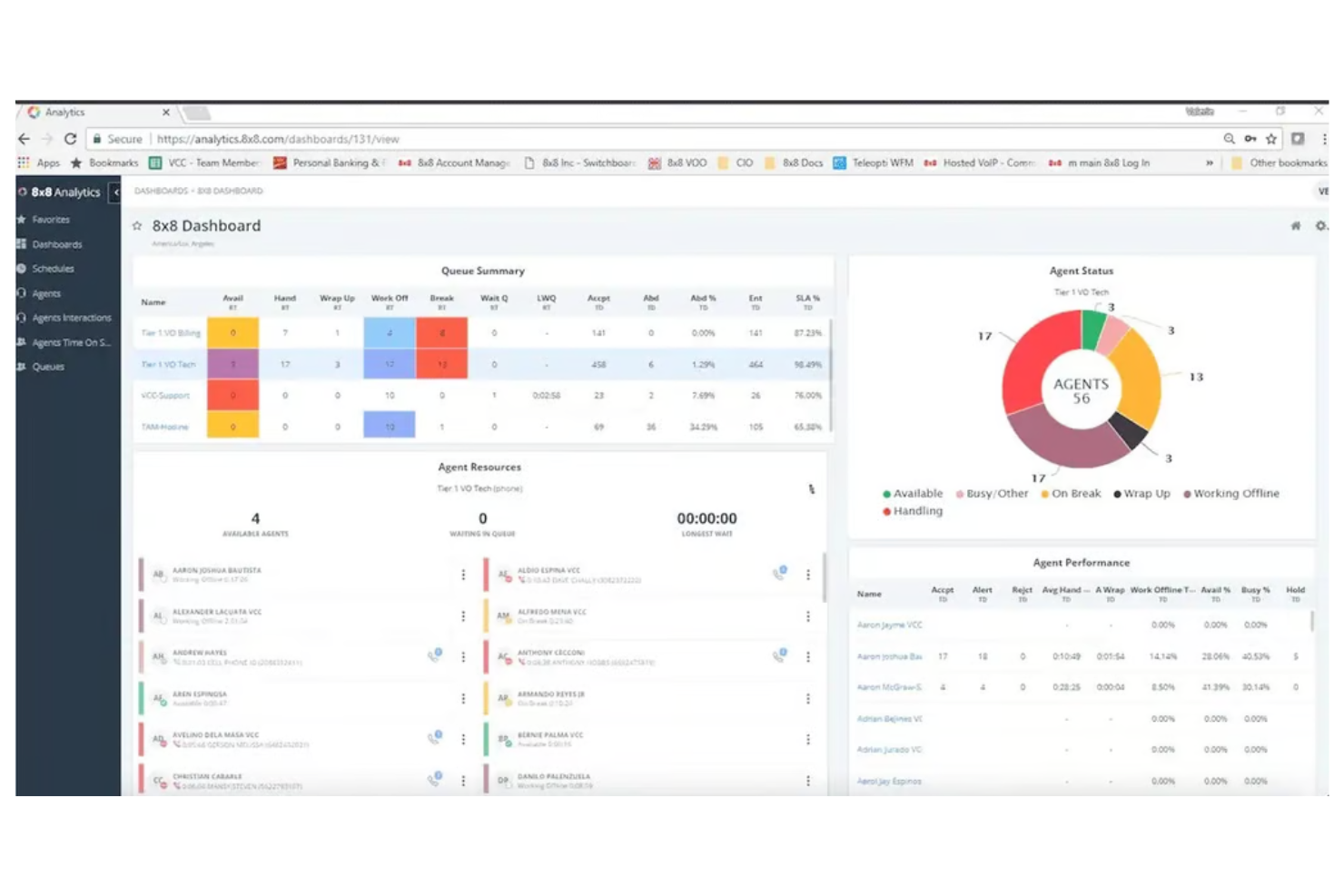
8x8 is a cloud-based VoIP platform that provides business phone systems, video meetings, team messaging, contact center solutions, and advanced analytics for organizations needing unified communications.
Who Is 8x8 Best For?
Global enterprises and IT teams that need unified communications tightly integrated with Microsoft Teams.
Why I Picked 8x8
I picked 8x8 as one of the best because I can connect my global workforce directly through Microsoft Teams without extra hardware or complex workarounds. My team uses 8x8’s direct routing to enable PSTN calling inside Teams, and I like that we can manage international numbers and compliance from a single admin portal. I also rely on its analytics dashboard to monitor call quality and usage across multiple regions.
8x8 Key Features
- Auto-attendant: Set up automated call routing and greetings for inbound calls.
- Call recording: Record calls for quality assurance and compliance needs.
- Voicemail-to-email: Receive voicemail messages as audio files in your email inbox.
- Call analytics: Access detailed reports on call activity, duration, and trends.
8x8 Integrations
8x8 offers native integrations with Microsoft Teams, Salesforce, Google Workspace, ServiceNow, Zendesk, and WhatsApp. An API is available for custom integrations.
Pros and Cons
Pros:
- Centralized analytics across regions and teams
- Global number coverage for international operations
- Native Microsoft Teams calling with direct routing support
Cons:
- Feature set may feel complex for smaller teams
- Navigation within admin portal can be unintuitive

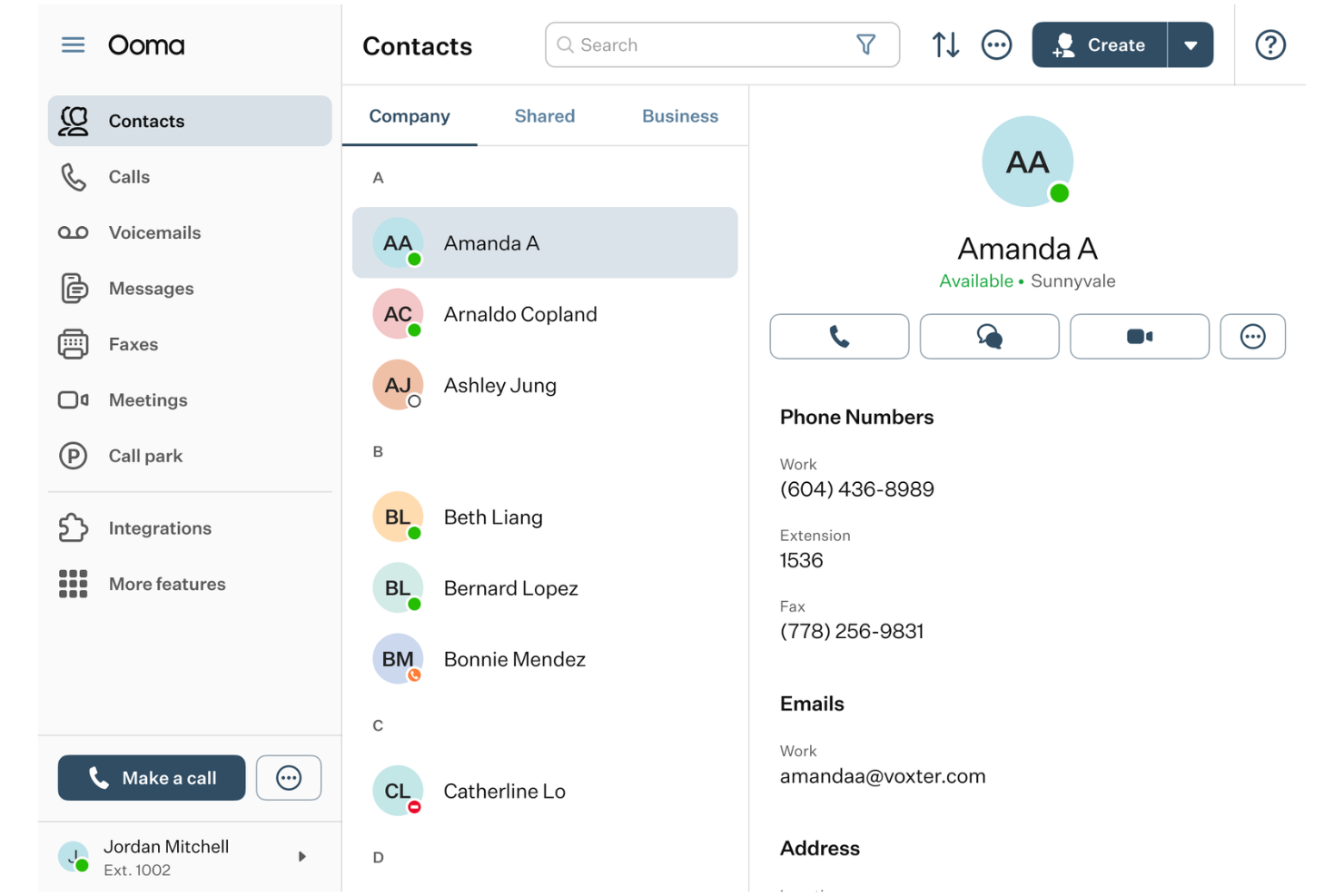
Ooma is a cloud-based VoIP platform for businesses that offers voice calling, virtual receptionist, call forwarding, mobile apps, and device management with a focus on simple setup and administration.
Who Is Ooma Best For?
Small businesses and distributed teams that need a VoIP system with fast onboarding and minimal training requirements.
Why I Picked Ooma
I picked Ooma as one of the best because I can get new hires up and running in less than 30 minutes—its guided setup and plug-and-play hardware make onboarding fast. I use the web-based admin portal to assign numbers and configure call flows without IT support. My team also relies on the built-in training resources and visual dashboards to help employees learn features quickly.
Ooma Key Features
- Virtual receptionist: Automatically answers and routes incoming calls based on custom rules.
- Ring groups: Directs calls to multiple extensions or devices simultaneously.
- Call park: Lets users place calls on hold and retrieve them from any device.
- Mobile app: Enables calling, texting, and voicemail access from iOS and Android devices.
Ooma Integrations
Ooma offers native integrations with Microsoft Teams, Salesforce, ServiceNow, Zendesk, Freshdesk, and Google Workspace. An API is available for custom integrations.
Pros and Cons
Pros:
- Reliable option for small teams with basic requirements
- Virtual receptionist handles basic call routing needs
- Simple setup with minimal technical expertise required
Cons:
- Limited feature depth for scaling businesses
- Lacks advanced analytics and reporting capabilities
Other VoIP Software
Here are some additional VoIP software options that didn’t make it onto my shortlist, but are still worth checking out:
- Ringover
For unlimited international calling plans
- Five9
For advanced predictive dialing capabilities
- Talkdesk
For AI-powered customer self-service tools
- Grasshopper
For small businesses needing local or toll-free numbers
- 3CX
With on-premise or cloud deployment flexibility
- JustCall
For AI-powered outbound lead qualification
- Zadarma
With free internal calls across global offices
- Net2Phone
For integrated fax and SMS in one platform
- Quo
For instant team messaging alongside calls
- Google Voice
For easy number porting from mobile carriers
- VoIP.ms
For granular pay-as-you-go call pricing
- Intermedia Unite
For uptime service reliability


VoIP Software Selection Criteria
When selecting the best VoIP software to include in this list, I considered common buyer needs and pain points like reliable call quality and flexible number management. I also used the following framework to keep my evaluation structured and fair:
Core Functionality (25% of total score) To be considered for inclusion in this list, each solution had to fulfill these common use cases:
- Make and receive calls over the internet
- Support voicemail and call forwarding
- Offer call routing and auto-attendant
- Provide call logs and history
- Enable business texting or SMS
Additional Standout Features (25% of total score) To help further narrow down the competition, I also looked for unique features, such as:
- Advanced call analytics and reporting
- Built-in CRM or helpdesk integrations
- AI-powered call transcription or sentiment analysis
- Customizable call flows and IVR menus
- Unlimited international calling plans
Usability (10% of total score) To get a sense of the usability of each system, I considered the following:
- Simple and intuitive user interface
- Easy access to core features
- Minimal setup steps for new users
- Clear navigation and labeling
- Responsive design across devices
Onboarding (10% of total score) To evaluate the onboarding experience for each platform, I considered the following:
- Availability of step-by-step setup guides
- Access to training videos and tutorials
- Interactive product tours for new users
- Prebuilt templates for common workflows
- Live chat or chatbot support during onboarding
Customer Support (10% of total score) To assess each software provider’s customer support services, I considered the following:
- 24/7 support availability
- Multiple support channels like phone and chat
- Fast response times to inquiries
- Knowledgeable and helpful support staff
- Access to a searchable help center
Value For Money (10% of total score) To evaluate the value for money of each platform, I considered the following:
- Transparent and predictable pricing plans
- No hidden fees or surprise charges
- Flexible plans for different business sizes
- Free trial or demo availability
- Features offered at each pricing tier
Customer Reviews (10% of total score) To get a sense of overall customer satisfaction, I considered the following when reading customer reviews:
- Consistent call quality and reliability
- Positive feedback on ease of use
- Reports of helpful customer support
- Satisfaction with feature set and updates
- Value for price paid compared to alternatives
How to Choose VoIP Software
It’s easy to get bogged down in long feature lists and complex pricing structures. To help you stay focused as you work through your unique software selection process, here’s a checklist of factors to keep in mind:
| Factor | What to Consider |
|---|---|
| Scalability | Will the solution support your team as you grow? Check user limits, extension options, and upgrade paths. |
| Integrations | Does it connect with your CRM, helpdesk, or collaboration tools? Confirm native integrations and API availability. |
| Customizability | Can you tailor call flows, greetings, and routing to your business needs? Look for flexible configuration options. |
| Ease of use | Will your team adopt it quickly? Evaluate the interface, navigation, and how easily non-technical users can manage settings. |
| Implementation and onboarding | How long will the setup take, and what resources are required? Ask about migration support, training, and onboarding materials. |
| Cost | Are pricing tiers clear and predictable? Watch for per-user fees, add-on charges, and contract requirements. Compare total cost of ownership. |
| Security safeguards | Does the platform offer encryption, access controls, and compliance with industry standards? Assess risk for sensitive customer data. |
| Support availability | What support channels are offered, and during what hours? Consider if you need 24/7 help or dedicated account management. |
What Is VoIP Software?
VoIP software is a digital phone service that allows businesses to make and receive calls over the internet instead of traditional landlines. It functions as a VoIP phone system, often combining telephony, video calls, instant messaging, and voicemail into a single platform that can be accessed through a softphone on desktop or mobile devices.
Many business VoIP tools also include PBX capabilities, enabling teams to manage call routing, extensions, and internal communication without physical infrastructure. This makes VoIP a practical choice for companies that want flexible communication across locations while maintaining reliable service.
Features
When selecting VoIP software, keep an eye out for the following key features:
- Call routing: Directs incoming calls to the right person or department based on rules you set, helping teams manage high call volumes and reduce wait times.
- Voicemail to email: Sends audio recordings or transcriptions of voicemails directly to your email inbox, so you never miss important messages.
- Auto-attendant: Answers calls automatically with a menu system that guides callers to the right extension or information without human intervention.
- Business texting: Lets you send and receive SMS or MMS messages from your business number, keeping customer communications organized and professional.
- Call forwarding: Redirects calls to another number or device, so you can stay connected when you’re away from your desk or on the go.
- Conference calling: Allows multiple people to join a single call, making it easy to host team meetings or customer discussions from anywhere.
- Call logs and reporting: Tracks call history, duration, and outcomes, giving you insights into team performance and customer engagement.
- Number porting: Lets you transfer existing phone numbers into the system, so you can keep your business identity consistent during migration.
- Custom greetings: Enables you to record or upload personalized greetings for callers, creating a branded and welcoming experience.
- Mobile and desktop apps: Provides dedicated applications for smartphones and computers, so you can manage calls and messages from any device.
Common VoIP Software AI Features
Beyond the standard VoIP software features listed above, many service providers are incorporating AI with features like:
- Real-time transcription: Converts spoken conversations into written text instantly during calls, making it easier to capture details, create records, and support accessibility.
- AI-powered call analytics: Analyzes call data to identify trends, customer sentiment, and agent performance, helping teams make data-driven decisions and improve service quality.
- Intelligent call routing: Uses AI to direct calls based on caller intent, previous interactions, or agent expertise, ensuring customers reach the right person faster.
- Automated post-call summaries: Generates concise summaries of each call using AI, saving time on manual note-taking and making it easier to review conversations.
- Voice biometrics: Authenticates callers by analyzing unique voice patterns, adding an extra layer of security and reducing the need for manual identity verification.
Benefits
Implementing VoIP software provides several benefits for your team and your business. Here are a few you can look forward to:
- Flexible communication: Make and receive calls, texts, and voicemails from any device, supporting remote and hybrid work environments.
- Cost savings: Reduce expenses by using internet-based calling and eliminating the need for traditional phone lines and hardware.
- Scalable growth: Add users, numbers, and features as your business expands without major infrastructure changes or disruptions.
- Improved customer experience: Use features like call routing, auto-attendants, and custom greetings to ensure customers reach the right person quickly.
- Actionable insights: Access call logs, analytics, and reporting tools to monitor team performance and identify areas for improvement.
- Enhanced security: Benefit from encryption, access controls, and voice biometrics to protect sensitive customer and business data.
- Streamlined onboarding: Leverage intuitive interfaces, training resources, and migration support to get your team up and running quickly.
Costs & Pricing
Selecting VoIP software requires an understanding of the various pricing models and plans available. Costs vary based on features, team size, add-ons, and more. The table below summarizes common plans, their average prices, and typical features included in VoIP software solutions:
Plan Comparison Table for VoIP Software
| Plan Type | Average Price | Common Features |
|---|---|---|
| Free Plan | $0 | Basic calling, limited minutes, voicemail, and simple call forwarding. |
| Personal Plan | $8-$30/user/month | Unlimited domestic calls, voicemail to email, call logs, and mobile app access. |
| Business Plan | $20-$50/user/month | Auto-attendant, call routing, business texting, call analytics, and integrations with other software. |
| Enterprise Plan | $40-$89+/user/month | Advanced security, custom integrations, priority support, international calling, and compliance tools. |
VoIP Software FAQs
Here are some answers to common questions about VoIP software:
Can I keep my existing phone number when switching to VoIP software?
Yes, most VoIP software providers support number porting. This means you can transfer your current business number to the new system, helping you maintain brand consistency and avoid confusion for your customers.
Do I need special hardware to use VoIP software?
No, you don’t need special hardware for most VoIP software. You can make and receive calls using your computer, smartphone, or tablet. Some businesses choose to use dedicated VoIP desk phones, but they’re optional.
How reliable is call quality with VoIP software?
Call quality depends on your internet connection. With a stable, high-speed connection, you can expect clear audio and minimal dropped calls. If your network is slow or unstable, you may experience delays or call drops.
Is VoIP software secure for business communications?
Yes, most VoIP software includes security features like call encryption, access controls, and compliance with industry standards. Always check what safeguards are in place to protect sensitive customer and business data.
Can VoIP software integrate with my CRM or helpdesk tools?
Yes, many VoIP solutions offer integrations with popular CRM, helpdesk, and collaboration platforms. This helps you centralize customer data and streamline workflows across your business.
What happens if my internet goes down?
If your internet connection fails, most VoIP software can automatically forward calls to a backup number, such as a mobile phone. This helps ensure you don’t miss important calls during outages.