

10 Mejores Software de Centros de Llamadas para Pequeñas Empresas en 2026

Mejor software de centro de llamadas para pequeñas empresas: Selección destacada


El software de centro de llamadas para pequeñas empresas ayuda a equipos de tamaño reducido a gestionar llamadas de clientes de forma profesional, sin el coste o la complejidad de los sistemas para grandes empresas. Las mejores herramientas de centro de llamadas te ayudan a optimizar la atención, mantener la capacidad de respuesta y ofrecer una experiencia de cliente consistente, sin importar si gestionas unas pocas docenas de llamadas al día o estás creciendo rápidamente.
Como profesional de CX, he seleccionado estas opciones según su facilidad de uso, precio accesible, escalabilidad y funciones clave como el enrutamiento de llamadas, las colas y los informes. Este artículo te ayudará a elegir con confianza el mejor software de centro de llamadas para pequeñas empresas, para que puedas apoyar a tu equipo y clientes de manera más eficiente, rápida e inteligente.
Por qué confiar en nuestras recomendaciones de software
Nuestro equipo lleva probando y evaluando software desde 2012. Como líderes de CX, sabemos lo difícil —y lo importante— que es elegir el software adecuado.
Para esta guía, evaluamos las herramientas mediante pruebas prácticas e investigación independiente, puntuando las herramientas según nuestros criterios de selección.
Nuestras reseñas reflejan nuestro criterio editorial humano, no un discurso de ventas.
Resumen de los mejores programas de centro de llamadas para pequeñas empresas
| Tool | Best For | Trial Info | Price | ||
|---|---|---|---|---|---|
| 1 | Mejor para soporte de centro de llamadas impulsado por IA | Demostración gratuita disponible | Desde $30/usuario/mes (cobrado anualmente) | Website | |
| 2 | Ideal para tomar decisiones basadas en datos | Demostración gratuita disponible | Desde $15/usuario/mes (facturado anualmente) | Website | |
| 3 | Mejor para una gestión eficiente del centro de llamadas | Prueba gratuita de 14 días | Desde $25/usuario/mes (facturado anualmente) | Website | |
| 4 | Ideal para la productividad de los agentes y la calidad del servicio | Demo gratuita disponible | Precios bajo solicitud | Website | |
| 5 | La mejor para operaciones de centro de llamadas configurables | Demo gratuita disponible | Desde $15/mes (facturación anual) | Website | |
| 6 | Ideal para una experiencia de cliente fluida y sin fricciones en todos los canales | Demostración gratuita | Desde $85/usuario/mes | Website | |
| 7 | Ideal para colaborar con colegas y cerrar ventas | Prueba gratuita de 14 días + demostración gratuita | Desde $80/usuario/mes (facturado anualmente) | Website | |
| 8 | Ideal con aplicación móvil y extensiones de navegador | Prueba gratuita de 15 días disponible | Desde $39/usuario/mes | Website | |
| 9 | Ideal para integrar llamadas telefónicas y mensajería de texto en aplicaciones | Prueba gratuita + demo gratis disponible | Desde $150/usuario/mes | Website | |
| 10 | Mejor para centros de soporte al cliente de clase mundial | Configuración individual gratuita (pueden aplicarse cargos por llamadas), Prueba gratuita de 15 días | Desde $74/agente/mes | Website |
Visión general de los 10 mejores programas de centro de llamadas para pequeñas empresas
Puedes usar los resúmenes sencillos de cada herramienta a continuación para entender en qué se destaca cada una frente a otros programas de centro de llamadas para pequeñas empresas.
Mejor para soporte de centro de llamadas impulsado por IA
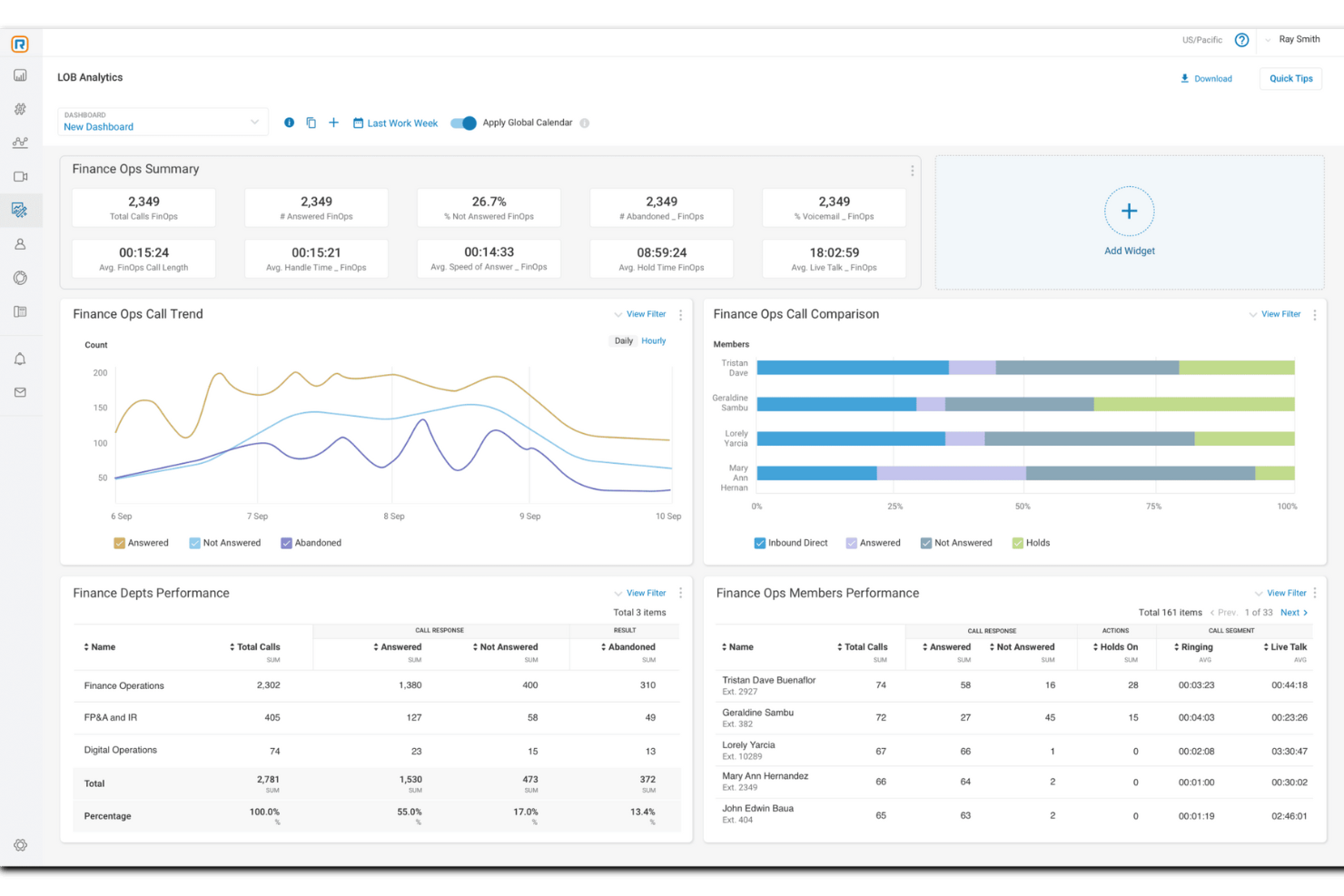
RingCentral es una solución de software para centros de llamadas diseñada para empresas de todos los tamaños, que ofrece capacidades omnicanal para gestionar las interacciones con los clientes.
Por qué elegí RingCentral: Como una solución de centro de llamadas enfocada en la IA, RingCentral puede automatizar tareas para apoyar a pequeñas empresas con recursos limitados. Estas capacidades de automatización incluyen agentes virtuales impulsados por IA, entrenamiento en tiempo real e información procesable para ayudarte a tomar decisiones informadas sobre la experiencia del cliente y el rendimiento general de los agentes.
RingCentral también ofrece enrutamiento omnicanal, que asigna inteligentemente las consultas del centro de contacto al agente adecuado, lo que conduce a una resolución más rápida. El sistema inteligente de enrutamiento de la plataforma emplea diversas estrategias. Por ejemplo, puede emparejar a los clientes con los mejores recursos disponibles según las habilidades del agente o usar aprendizaje automático para comprender la intención de los mensajes y enrutar mensajes digitales.
Características destacadas e integraciones de RingCentral
Las características incluyen funcionalidades omnicanal, enrutamiento inteligente, IVR/autoservicio, devolución de llamada automática, combinación de llamadas, mitigación de riesgos de cumplimiento, encriptación, gestión y compromiso del personal, perfiles de habilidades de agentes, grabación de pantalla, escucha doble, informes preconstruidos y análisis detallados.
Las integraciones incluyen Microsoft Teams, Salesforce, Google Workspace, Beetexting, HubSpot, Asana, Zendesk, Appointment Reminder, Aha!, Trello, Zapier, Automator y más de 300 adicionales.
Pros and Cons
Pros:
- Funciones de automatización omnicanal
- Se adapta al crecimiento de tu empresa
- Gran cantidad de integraciones disponibles
Cons:
- Los planes de menor nivel tienen funciones y capacidades de almacenamiento limitadas
- Limitaciones con ciertos teléfonos de escritorio

Nextiva
Ideal para tomar decisiones basadas en datos
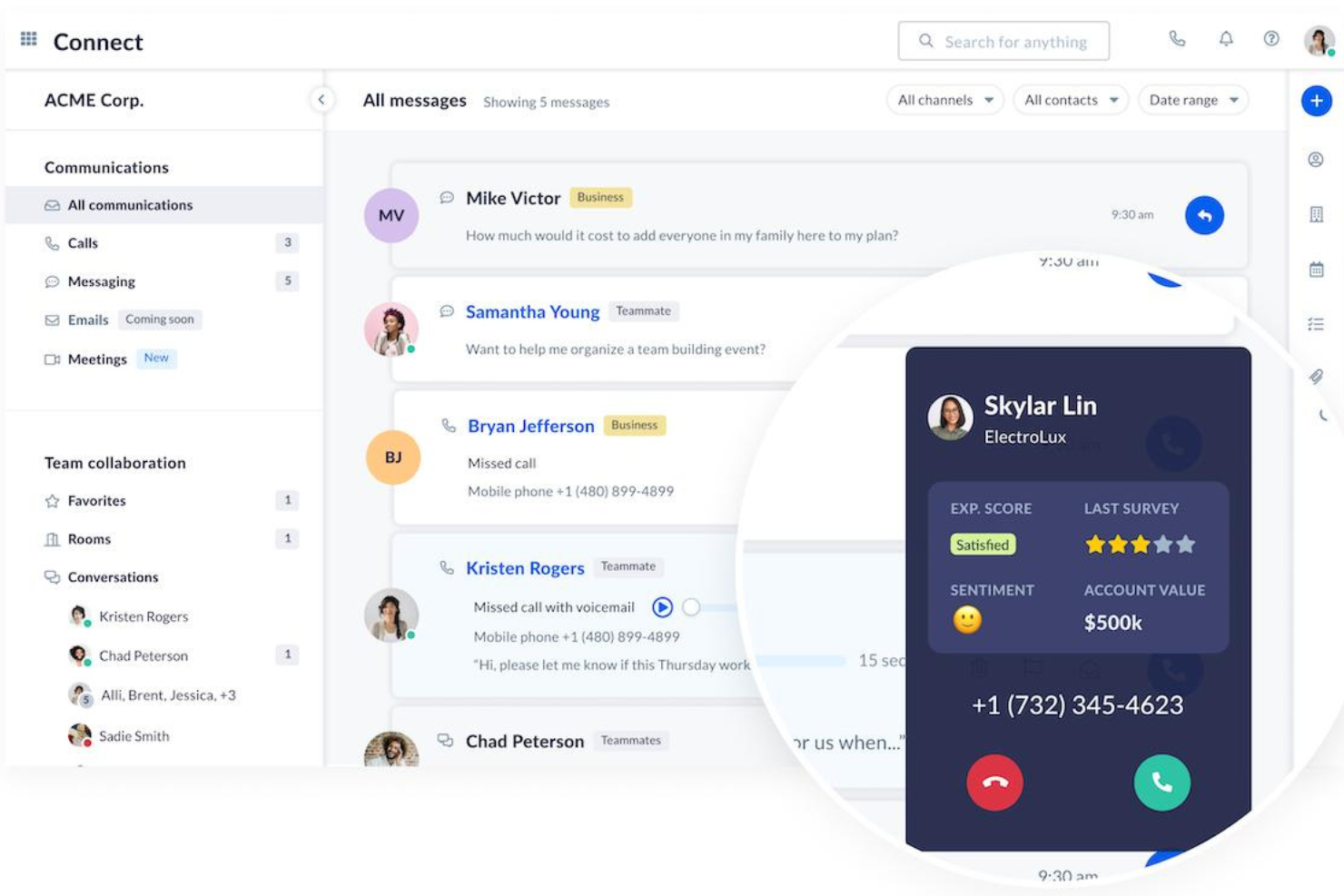
Nextiva es una plataforma unificada de gestión de la experiencia del cliente que ofrece una amplia gama de herramientas y funciones para mejorar las interacciones y los procesos de comunicación con los clientes.
Por qué elegí Nextiva: La plataforma de Nextiva incluye funcionalidades esenciales para centros de llamadas, como enrutamiento avanzado de llamadas, respuesta de voz interactiva (IVR) y distribución automática de llamadas (ACD). Estas funciones permiten a las pequeñas empresas gestionar altos volúmenes de llamadas mientras mantienen la satisfacción del cliente. Además, Nextiva ofrece herramientas impulsadas por IA como análisis de sentimientos y guiones dinámicos de llamadas, que ayudan a personalizar las interacciones con los clientes.
Otra razón por la que Nextiva destaca es por sus completas herramientas de informes y análisis. Estas herramientas brindan información en tiempo real sobre el rendimiento del centro de llamadas, lo que permite a las empresas monitorear métricas clave como el volumen de llamadas, los tiempos de espera y los índices de resolución. Con estos datos, las pequeñas empresas pueden tomar decisiones basadas en datos para optimizar sus operaciones.
Funciones y integraciones destacadas de Nextiva
Funciones incluyen asistentes virtuales inteligentes, grabación y monitoreo de llamadas, IVR avanzado, enrutamiento de llamadas personalizable, chatbots con IA, paneles de control en tiempo real, análisis de voz y texto, herramientas de gestión de calidad y optimización de la fuerza laboral.
Integraciones incluyen Salesforce, Microsoft Dynamics, Microsoft Teams, HubSpot, Zendesk, Zoho, Oracle Sales Cloud, Workbooks, ServiceNow, SugarCRM, Act! CRM, Lotus Notes, ConnectWise, GoldMine y Bullhorn.
Pros and Cons
Pros:
- Funciones de IA para automatizar tareas
- Información en tiempo real sobre el rendimiento del centro de llamadas
- Funciones de gestión de la fuerza laboral
Cons:
- Las integraciones clave solo están disponibles en los planes de nivel superior
- La configuración inicial puede llevar tiempo para las pequeñas empresas

Mejor para una gestión eficiente del centro de llamadas
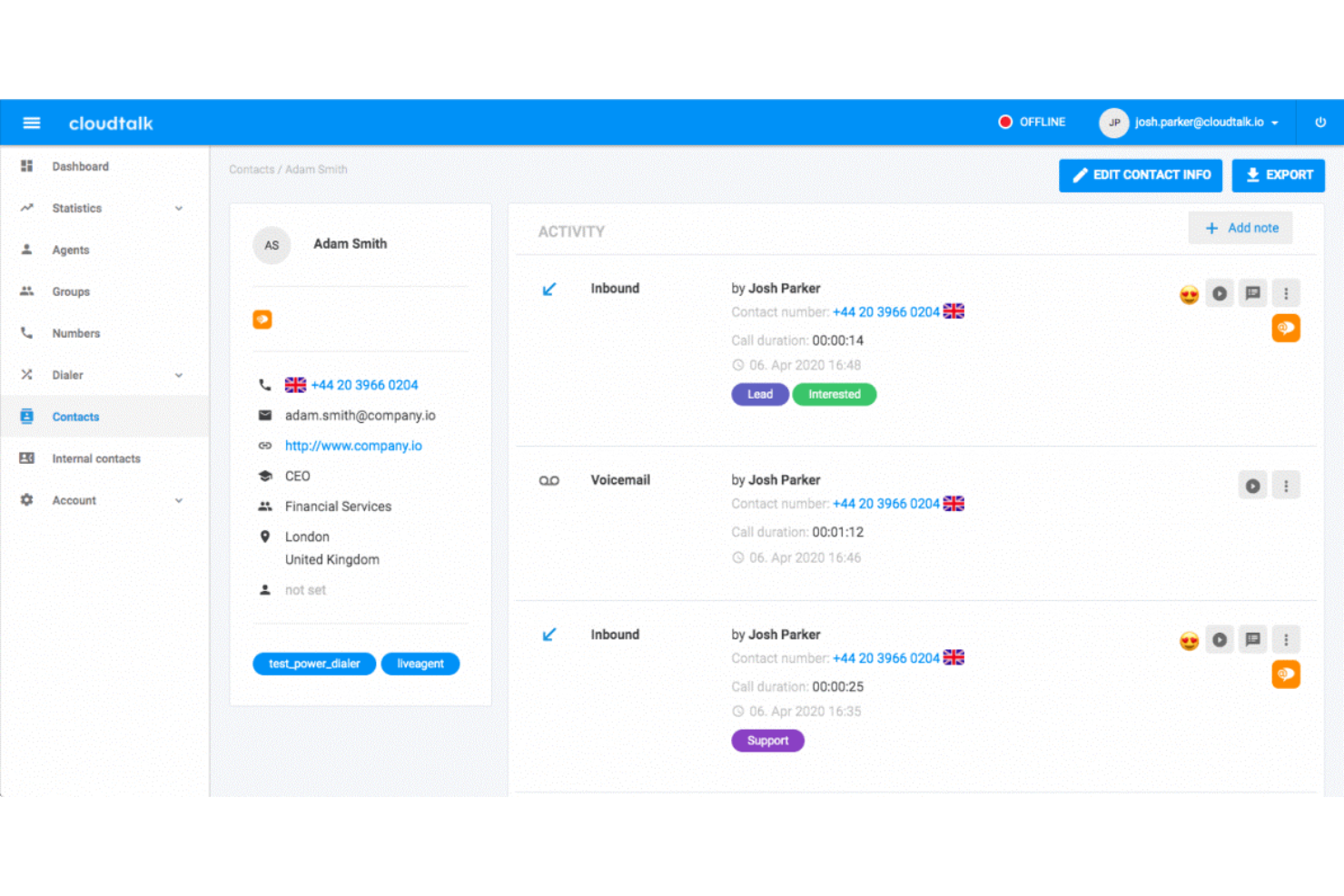
CloudTalk es un software para centros de llamadas que permite a las empresas gestionar eficazmente sus operaciones de call center, garantizando interacciones con los clientes fluidas y organizadas.
Por qué elegí CloudTalk: Este software basado en la nube elimina la necesidad de equipos, y su configuración sin código lo hace accesible para todo tipo de empresas. Ofrece muchas funciones útiles de gestión de llamadas, como colas ilimitadas, grabación de llamadas y números internacionales y gratuitos. Pero también cuenta con herramientas para ayudarte a gestionar tus operaciones.
La distribución automática de llamadas asegura que ninguno de tus empleados se sobrecargue con llamadas de clientes. Al mismo tiempo, los grupos de timbrado notifican a todos los agentes disponibles sobre las llamadas entrantes al mismo tiempo para garantizar respuestas rápidas. Las notas de llamada y el etiquetado ayudan a mantener a todos al día y alineados con el historial del cliente y la información importante.
Funciones y Integraciones Destacadas de CloudTalk
Las funciones incluyen marcación automática, marcador inteligente, extensiones personalizadas, llamadas tripartitas, transferencias de llamadas, clic para llamar, campañas, notas de llamada, etiquetado de llamadas, diseñador de flujos de llamadas, colas VIP, agentes preferidos y automatización de flujos de trabajo.
Las integraciones incluyen HubSpot, Zendesk, Intercom, Gong, Pipedrive, Salesforce, Copper CRM, ActiveCampaign, LiveAgent y Outreach, entre otras. Se pueden configurar integraciones adicionales con una cuenta de pago en Zapier.
Pros and Cons
Pros:
- El diseñador de flujos de llamadas está incluido en el plan inicial
- Las grabaciones de llamadas se almacenan durante 1 mes en el plan inicial
- Usuarios ilimitados en el plan inicial
Cons:
- Informes y analíticas limitados en el plan inicial
- Tarifa adicional por números extra

Shelf
Ideal para la productividad de los agentes y la calidad del servicio
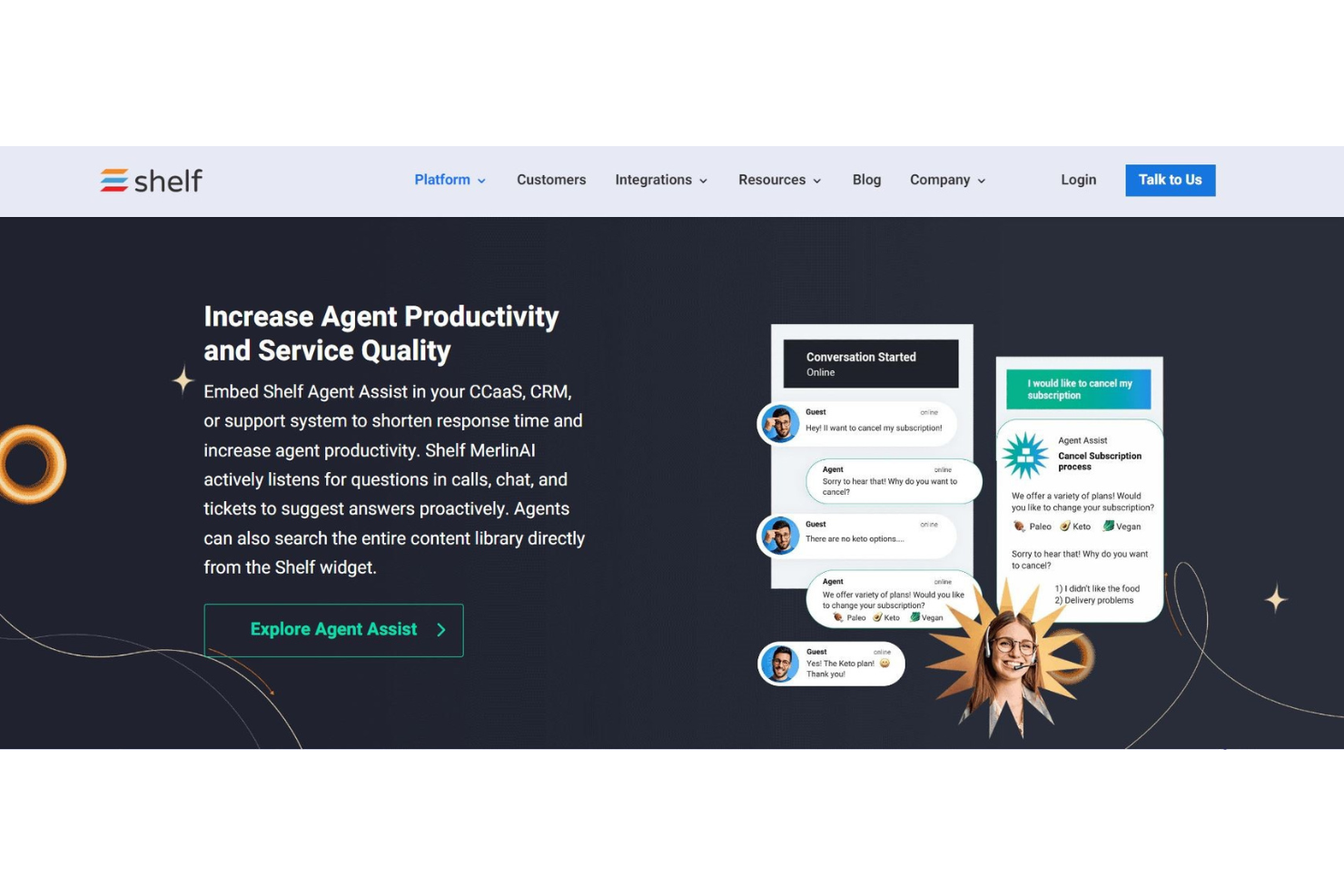
Shelf se presenta como una plataforma moderna de gestión del conocimiento con un enfoque en la inmediatez y la capacidad de respuesta. Dado que los clientes esperan un servicio instantáneo bajo demanda, las empresas necesitan mejores herramientas para hacer un seguimiento predictivo de sus necesidades. Con su tecnología exclusiva MerlinAI, Shelf puede ayudar a tu equipo a detectar preguntas y sugerir las mejores respuestas, de forma automática.
Las herramientas MerlinAI y Agent Assist son una de las razones por las que incluí Shelf en esta lista. Ambas tienen la capacidad de mejorar la productividad y el compromiso de los agentes. Los empleados ya no tienen que buscar en bases de datos y notas para responder a preguntas urgentes de los clientes, porque la IA de Shelf puede automatizar todo el ciclo de vida del conocimiento con creación de contenido, anuncios, revisiones, clasificaciones y más. Ahorrarás mucho tiempo a tu equipo y mejorarás tu base de conocimiento, asegurando que siempre esté actualizada.
Si quieres que tus agentes puedan ofrecer el mejor servicio posible a los clientes con toda la información necesaria al alcance de su mano, Shelf es para ti. Con respuestas a preguntas de clientes entregadas instantáneamente en su escritorio, los agentes pueden responder mejor. Shelf también ofrece soluciones de nivel inferior con respuestas instantáneas y sin esfuerzo mediante chatbots, formularios de respuesta impulsados por IA y portales de autoservicio.
Características e integraciones destacadas de Shelf
Características incluyen asistencia de agentes por IA, gestión del conocimiento, chatbots, portales de autoservicio, sistema de tickets, cifrado avanzado (AES), creación y sincronización automática de contenido, comunicación por SMS, correo electrónico y web, acceso por API, y análisis e informes.
Integraciones incluyen Genesys, NICE inContact, Five9, Salesforce, Slack, Kustomer, Zendesk, Google Drive, Dropbox y Firefox.
Pros and Cons
Pros:
- Se integra fácilmente en estructuras existentes
- Capta rápidamente recursos de la web
- Permite a los agentes ofrecer un mejor servicio
Cons:
- La combinación de colores puede ser difícil de leer
- Sin chat interno integrado: solo integración con Slack

La mejor para operaciones de centro de llamadas configurables
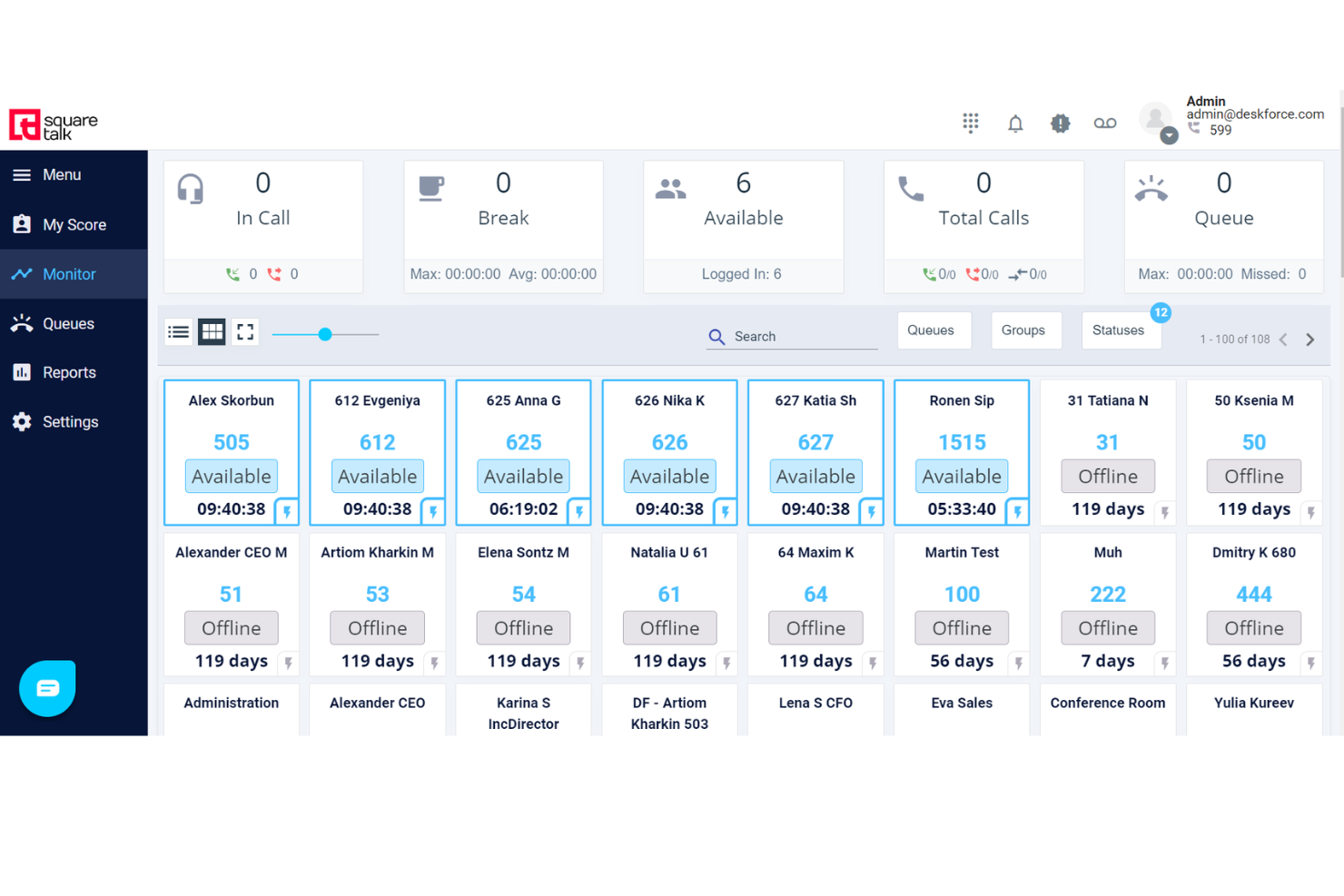
Squaretalk es una plataforma de software para centros de contacto diseñada para mejorar la comunicación y la eficiencia operativa de empresas de todos los tamaños.
Por qué elegí Squaretalk: Me gusta lo configurable que es la plataforma, ya que te da la posibilidad de ajustarla para adaptarse a tus necesidades operativas específicas. Puedes crear un sistema que esté alineado con los procesos y flujos de trabajo de tu negocio, mejorando la forma en que tu equipo maneja las llamadas e interacciones con los clientes.
La plataforma también incluye capacidades detalladas de generación de informes, cruciales para comprender los indicadores de rendimiento y tomar decisiones informadas. Puedes personalizar estos informes para enfocarte en los datos más relevantes, lo que te permite detectar tendencias, evaluar la productividad de los agentes y mejorar las operaciones de tu centro de llamadas sin complejidad añadida.
Características destacadas e integraciones de Squaretalk
Las características incluyen enrutamiento inteligente de llamadas, distribución automática de llamadas, gestión inteligente de colas, marcación predictiva, restablecimiento dinámico de clientes potenciales, guion en pantalla, clasificación de agentes, devolución de llamada web y reglas de zona horaria.
Las integraciones incluyen Zoho, Salesforce, Freshworks, Pipedrive y Lynx.
Pros and Cons
Pros:
- Potentes características de seguridad, incluido el cifrado de extremo a extremo
- Amplia gama de funcionalidades para centros de llamadas
- Incluye capacidades de videollamada y una herramienta softphone
Cons:
- Algunas limitaciones en la personalización
- El periodo inicial de formación puede ser largo
New Product Updates from Squaretalk
Squaretalk Adds TradeCore Integration for Brokerage Workflows
Squaretalk adds a TradeCore integration that connects customer conversations with BrokerIQ CRM workflows. This helps brokerage teams trigger AI-driven follow-ups, tasks, and other actions from calls and messages. For more information, visit Squaretalk’s official site.
 .
.
Talkdesk
Ideal para una experiencia de cliente fluida y sin fricciones en todos los canales
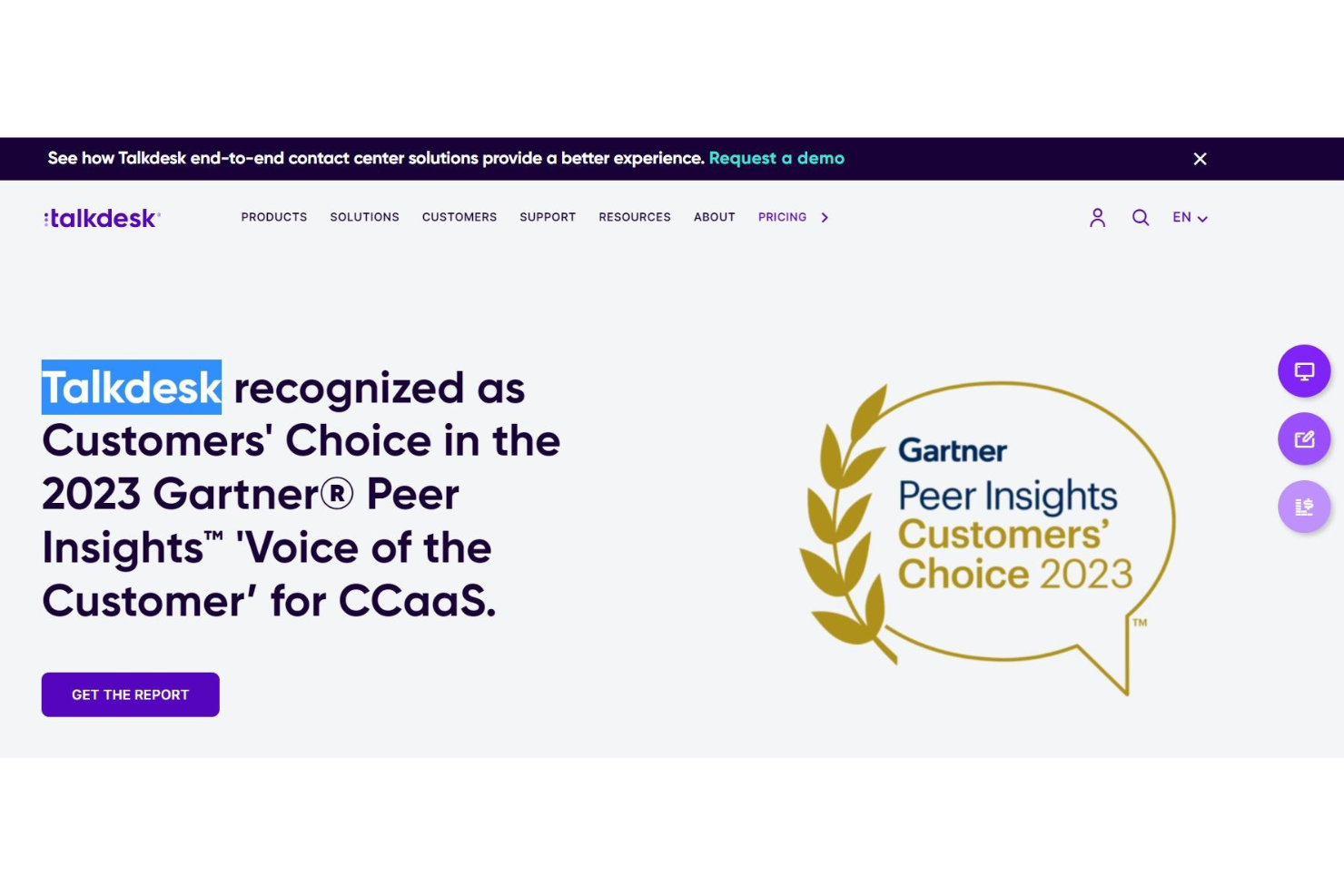
Talkdesk ofrece a las pequeñas empresas con gran alcance una experiencia global de servicio al cliente. Su solución de centro de contacto proporciona conexiones ultrarrápidas basadas en la nube y aplicaciones de experiencia del cliente a nivel empresarial que puedes integrar con casi cualquier cosa. Talkdesk puede brindar interacción omnicanal, autoservicio para clientes y análisis de experiencia del cliente, todo en un solo lugar.
Elegí este software porque equilibra las necesidades del consumidor con la usabilidad empresarial, para una experiencia integral desde todos los ángulos. Tus agentes de servicio al cliente disfrutarán de una interfaz intuitiva que garantiza un espacio de trabajo limpio y reportes sencillos. Con enrutamiento inteligente, interacción proactiva saliente y análisis de voz para mejorar los problemas de satisfacción del cliente, tendrás todo lo necesario.
Esta herramienta es ideal para pequeñas empresas que planean crecer, ya que Talkdesk es fácilmente escalable y ampliable con integraciones prediseñadas, opciones de comunicación omnicanal y funciones para la colaboración entre empleados.
Características destacadas e integraciones de Talkdesk
Características incluyen áreas de trabajo dedicadas para los agentes, enrutamiento inteligente, grabación de llamadas, análisis de voz, reportes detallados, gestión de calidad, autoservicio, integraciones prediseñadas, comunicación omnicanal y gestión de la fuerza laboral.
Integraciones incluyen Salesforce, Slack, Microsoft Teams, Now, Dynamics 360, Zoom, Shopify, BigCommerce y OnePage CRM.
Pros and Cons
Pros:
- Llamadas vía wifi
- Experiencia de llamadas confiable (sin llamadas caídas)
- Configuración e implementación intuitivas
Cons:
- Fallos ocasionales del sistema
- Muchas actualizaciones

Dialpad
Ideal para colaborar con colegas y cerrar ventas
La tecnología de Dialpad se basa en inteligencia impulsada por IA para agilizar tu flujo de trabajo. Ya sea que utilices el centro de contacto con IA para ayudarte a interactuar con los clientes o las soluciones de ventas con IA para guiarte durante las llamadas en vivo en cada paso, el sistema telefónico más inteligente del mundo está a tu alcance.
Hay mucho que puedes hacer con la tecnología de IA, y es una de las principales razones por las que Dialpad está en esta lista. Utilizan IA para potenciar videollamadas, transcribir automáticamente las conversaciones, realizar análisis de sentimientos y mucho más. La innovación de sus productos te permite dar un paso atrás y respirar mientras la IA hace todo el trabajo.
Desde el comercio minorista y la tecnología hasta la educación y las ventas, Dialpad es una herramienta que trasciende industrias. Ideal tanto para empresas grandes como pequeñas, este software de centro de llamadas ofrece mucha versatilidad y flexibilidad para satisfacer tus necesidades.
Funciones e integraciones destacadas de Dialpad
Funciones incluyen un centro de contacto con IA, compromiso omnicanal con el cliente, mensajería con IA, ventas con IA, CSAT con IA, agentes virtuales con IA, sistema telefónico VoIP, sistema telefónico empresarial y videoconferencias.
Integraciones incluyen Koopid, Miro, Kare Knowledgeware, Zoho, Salesforce, Now, BlogSpot, Slack, One Login, Poly y API personalizadas.
Pros and Cons
Pros:
- Notificaciones automáticas de llamadas entrantes muy prácticas
- Ideal para ventas
- Gestión eficiente
Cons:
- Difícil escuchar y transcribir mensajes de voz

Ideal con aplicación móvil y extensiones de navegador
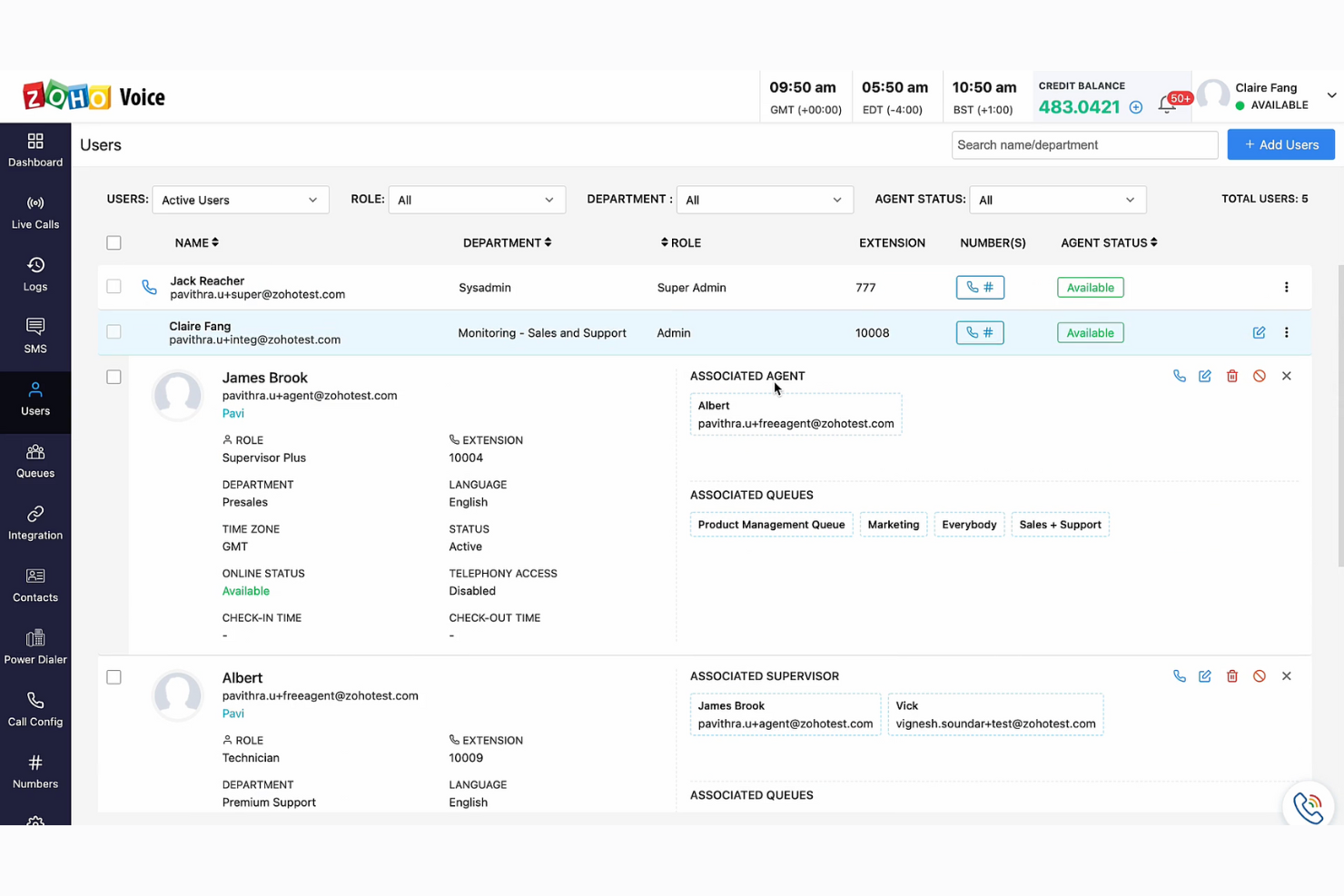
Zoho Voice es un sistema de telefonía VoIP basado en la nube diseñado para satisfacer las necesidades de comunicación de empresas globales. Puede utilizarse para establecer centros de llamadas remotos, gestionar llamadas internacionales e integrarse con tus sistemas de CRM y mesa de ayuda. Con aplicaciones móviles para Android y iOS, y extensiones de navegador para Chrome, Firefox y Edge, es lo suficientemente flexible como para adaptarse a diversos contextos y configuraciones.
Elegí Zoho Voice porque fomenta la colaboración en equipo y ofrece un despliegue sencillo, lo que lo hace amigable y multifuncional. Su capacidad para integrarse con sistemas de CRM y ayuda es especialmente útil para pequeñas empresas que desean mantener relaciones con los clientes y brindar soporte, sin invertir en múltiples sistemas aislados.
Esta plataforma ofrece un sistema telefónico VoIP integral con funciones avanzadas para centros de llamadas y conectividad de voz de alta calidad. Está especialmente orientada a las necesidades de pequeñas y medianas empresas. Otras funcionalidades útiles incluyen la gestión de archivos en línea, creación de sitios web y operaciones de mesa de ayuda.
Funciones e integraciones destacadas de Zoho Voice
Funciones incluyen un panel de control todo en uno, funcionalidad SMS, seguimiento de llamadas en tiempo real, diferentes estrategias de timbrado, grabación dinámica de llamadas, llamadas entre agentes, gestión de contactos incorporada, integraciones con teléfonos de escritorio y auriculares, monitorización de llamadas, marcador automático y análisis de desempeño.
Integraciones incluyen otros productos de Zoho, como Zoho CRM y Zoho Desk.
Pros and Cons
Pros:
- Funciones de cola, monitorización y capacitación en llamadas
- Parte del ecosistema más amplio de Zoho
- Variedad de planes para elegir
Cons:
- Integraciones disponibles limitadas
- Carece de herramientas para videollamadas

Ideal para integrar llamadas telefónicas y mensajería de texto en aplicaciones
Con una infraestructura de telefonía basada en la nube como servicio web, Twilio ofrece una forma novedosa de garantizar comunicaciones empresariales integrales desde el lado del desarrollador. Este software de centro de llamadas proporciona APIs de servicios web que integran las comunicaciones en todo, desde la web y dispositivos móviles hasta el software de aplicaciones.
Elegí Twilio para esta lista porque simplifica el complicado hardware de telecomunicaciones a favor de un sistema en la nube que permite construir sistemas de comunicación inteligentes y complejos, sin necesidad de todos los accesorios físicos. Ya sea que tus desarrolladores necesiten una forma de gestionar colas de llamadas, convertir texto en voz o grabar llamadas en tienda, Twilio lo hace todo.
Twilio es realmente el aliado del desarrollador. Si eres un propietario de negocio que finalmente está construyendo un sitio web o una aplicación telefónica, ¡este software es para ti! Encuentra soluciones para empresas, startups y organizaciones sin fines de lucro de todos los sectores con este software.
Características destacadas e integraciones de Twilio
Características incluyen voz y video programables, API de correo electrónico, SIP trunking, seguridad y verificación de usuarios, API para MMS, SMS, Whatsapp y Facebook messenger.
Integraciones incluyen Desk.com, Zendesk, LogicMonitor, OutSystems Platform, Checkfront y Vision Helpdesk.
Pros and Cons
Pros:
- Atención al cliente rápida y útil
- Soporta SMS globales
- Fácil configuración e integración
Cons:
- Se necesita una buena conexión a Internet
- Sitio web desordenado
- Faltan análisis para SMS


Zoho es un software de centro de llamadas integral que ofrece mucho más que lo básico necesario para un centro de atención al cliente. Con herramientas para ventas, marketing, finanzas y gestión de oficina, tienes una plataforma todo en uno que te ayuda a rastrear y analizar tendencias empresariales para asegurar un crecimiento reactivo y próspero.
Particularmente me encanta la plataforma Zoho porque puedes conectar a todos tus empleados con Connect, la solución de intranet de Zoho para todas las comunicaciones internas. Podrás impulsar el compromiso de los empleados, fomentar la transparencia y medir el pulso de tu organización en un solo lugar, todo mientras atiendes a tus clientes con excelencia.
Dado que Zoho ofrece soluciones personalizadas, es ideal para casi cualquier industria y tamaño de empresa. Desde TI y legal hasta ventas y comercio minorista, las soluciones de Zoho pueden ayudar a todo tipo de pymes a crecer.
Funciones e integraciones destacadas de Zoho
Funciones incluyen números de teléfono virtuales, IVR, colas de llamadas, monitorización del rendimiento de colas, escucha de llamadas, transferencia de llamadas, buzón de voz, devolución de llamada, marcador automático, análisis de llamadas y valoración CSAT posterior a la llamada.
Integraciones incluyen la conexión de cualquier sistema de telefonía en la nube a través de PhoneBridge, CRM, Desk, Bigin y ServiceDesk Plus Cloud.
Pros and Cons
Pros:
- Alto nivel de seguridad
- Opciones de herramientas extremadamente personalizables
- Gran funcionalidad e interacción entre herramientas
Cons:
- Curva de aprendizaje empinada para las herramientas
- Atención al cliente lenta
Otras opciones
Aquí tienes algunas opciones más que no entraron en la lista de mejores programas de centro de llamadas para pequeñas empresas, pero que pueden ser buenas alternativas para tu equipo:
- InGenius
Ideal para servicio personalizado en ventas y atención al cliente
- Kixie Powercall
Ideal para acelerar las ventas con llamadas y mensajes de texto automatizados
- PanTerra Networks
Ideal para soluciones empresariales personalizadas
- ChaseData CCaaS
Ideal para optimizar operaciones con enfoque en cumplimiento normativo
- LiveAgent
Mejor para soluciones de mesa de ayuda omnicanal
- Zendesk
Ideal para una integración rápida que crece con tu negocio
- Aircall
Ideal para integrar con centros de ayuda y otros CRM de soporte al cliente


Cómo evalúo el software de centros de llamadas para pequeñas empresas
Evalúo cada herramienta en dos niveles: los elementos imprescindibles como el enrutamiento IVR y la grabación de llamadas, y los diferenciadores que importan a un equipo reducido que gestiona 200 llamadas diarias.
Funcionalidad esencial (Requisitos mínimos para esta lista)
Al seleccionar herramientas para mi lista, califico cada una en una escala del 0 (no ofrece la funcionalidad) al 5 (destaca en este aspecto) para cada funcionalidad principal que se indica a continuación. Luego, calculo la puntuación total de la herramienta en porcentaje. Cada herramienta debe alcanzar una puntuación total mínima del 65% para ser considerada para su inclusión.
- Enrutamiento y gestión de colas de llamadas entrantes: Busco IVR multinivel, enrutamiento basado en habilidades y gestión de colas que permitan a un equipo de soporte de cinco personas organizar llamadas por idioma, tipo de incidencia o prioridad.
- Herramientas de llamadas salientes: Ya sea para equipos de ventas haciendo campañas de seguimiento o agentes confirmando citas, reviso que incluyan marcación automática, gestión de listas y click-to-call.
- Grabación y monitoreo de llamadas: Evalúo si los gestores pueden escuchar en tiempo real, dar indicaciones privadas a nuevos agentes o intervenir directamente cuando una escalada se complica.
- Integraciones con CRM y mesa de ayuda: Tarjetas emergentes con el historial del llamante ahorran a los agentes tener que preguntar “¿puede repetir su número de pedido?” — busco conectores nativos para herramientas como HubSpot, Salesforce y Zendesk.
- Reportes en tiempo real e históricos: Paneles que muestran en vivo la profundidad de colas y tiempos de espera junto a informes de tendencias semanales ayudan a equipos pequeños a asignar turnos correctamente y detectar brechas de servicio a tiempo.
- Precios y despliegue accesibles para PYMES: Configuración en la nube, tarifas por usuario y mínimos bajos (o inexistentes) de asientos son fundamentales aquí — verifico que un equipo de tres agentes pueda empezar sin un contrato empresarial.
Una vez tengo una lista de herramientas que cumplen con estos criterios, considero qué distingue a cada plataforma.
Factores diferenciadores (Qué distingue a los proveedores)
Así comparo y contrasto diferentes proveedores:
Características destacadas
El soporte omnicanal es un diferenciador clave. Busco plataformas donde los agentes gestionen una llamada telefónica y luego den seguimiento por SMS o chat sin cambiar de herramienta. La asistencia para agentes mediante IA también cuenta — transcripciones en tiempo real y respuestas sugeridas ayudan a los agentes novatos a resolver llamadas con confianza. Los IVR de autoservicio y voicebots pueden desviar preguntas rutinarias, como consultar el estado de un pedido, lo que marca la diferencia cuando el equipo tiene solo tres o cuatro agentes.
Más allá de las características
La transparencia de precios es fundamental — compruebo si el proveedor publica tarifas por usuario y ofrece facturación mensual, ya que muchos equipos pequeños no pueden comprometerse a contratos anuales antes de ver resultados. La velocidad de implementación es igual de importante. Una plataforma con asistentes de configuración guiada y plantillas IVR preconstruidas debería permitir que un equipo reciba llamadas en vivo en cuestión de días, no semanas. También evalúo cómo apoya un proveedor el crecimiento, como añadir agentes estacionales en épocas de alta demanda sin tener que pasar a una tarifa empresarial.
Cómo elegir un software de centro de llamadas para pequeñas empresas
Es fácil perderse entre interminables listas de funcionalidades y estructuras de precios complejas. Para ayudarte a mantener el enfoque durante tu proceso de selección de software, aquí tienes una lista de elementos clave a considerar:
| Factor | En qué fijarse |
| Escalabilidad | Asegúrate de que el software pueda crecer junto con tu empresa. Busca opciones que permitan expandirse fácilmente sin costes significativos. |
| Integraciones | Comprueba si el software se integra con tus herramientas existentes como sistemas CRM, correo electrónico y plataformas de chat para optimizar las operaciones. |
| Personalización | Elige un software que te permita adaptar las funciones a las necesidades específicas de tu empresa. |
| Facilidad de uso | Selecciona una solución intuitiva para tu equipo, así reducirás el tiempo de capacitación y aumentarás la productividad. |
| Presupuesto | Equilibra el coste con las prestaciones. Asegúrate de que no haya tarifas ocultas y que el software se adapte a tu presupuesto. |
| Seguridad | Prioriza el software que ofrezca cifrado de datos, controles de acceso seguros y actualizaciones periódicas de seguridad para proteger información sensible. |
¿Qué es el software de centro de llamadas para pequeñas empresas?
El software de centro de llamadas para pequeñas empresas es una plataforma en la nube que centraliza la comunicación con los clientes a través de canales como teléfono, chat, correo electrónico y redes sociales. Ayuda a equipos pequeños a gestionar consultas de forma eficiente mediante funciones como enrutamiento inteligente, integración con CRM y análisis en tiempo real para mejorar la calidad y rapidez del soporte.
Características del software de centro de llamadas para pequeñas empresas
Cuando selecciones un software de centro de llamadas para pequeñas empresas, fíjate en las siguientes funciones clave:
- Distribución automática de llamadas: Distribuye las llamadas entrantes al agente más adecuado, reduciendo los tiempos de espera y mejorando la satisfacción del cliente.
- Respuesta de voz interactiva (IVR): Permite a los llamantes interactuar con un sistema informatizado para enrutar sus llamadas, aumentando la eficiencia.
- Analítica de llamadas: Ofrece información detallada sobre el volumen de llamadas, la duración y el desempeño del agente, lo que ayuda en la toma de decisiones y evaluación del rendimiento.
- Integración con CRM: Se conecta con los sistemas existentes de gestión de relaciones con clientes para proporcionar a los agentes información vital del cliente.
- Escalabilidad: Asegura que el software pueda crecer junto con el negocio, incorporando más usuarios y funciones según sea necesario.
- Soporte omnicanal: Gestiona las interacciones con clientes en varios canales como teléfono, correo electrónico y chat desde una sola plataforma.
- Grabación de llamadas: Graba las llamadas para fines de aseguramiento de calidad, formación y cumplimiento.
- Informes en tiempo real: Ofrece acceso inmediato a los datos de rendimiento, permitiendo ajustes rápidos y cambios de estrategia.
- Paneles personalizables: Permite a las empresas adaptar su interfaz para mostrar la información más relevante.
- Funciones de seguridad: Protege los datos sensibles del cliente mediante el cifrado y el cumplimiento de estándares de la industria.
Beneficios del software de centro de llamadas para pequeñas empresas
Implementar software de centro de llamadas para pequeñas empresas aporta varios beneficios para tu equipo y tu negocio. Aquí tienes algunos de los que puedes esperar:
- Mejora del servicio al cliente: El software de centro de llamadas ayuda a gestionar las interacciones con los clientes de manera eficiente, lo que conduce a tiempos de respuesta más rápidos y mayor satisfacción del cliente.
- Eficiencia de costes: Automatizar tareas rutinarias reduce la necesidad de personal adicional, ayudando a las pequeñas empresas a disminuir los costes operativos.
- Escalabilidad: A medida que crece tu empresa, el software de centro de llamadas puede adaptarse fácilmente a un mayor volumen de llamadas sin requerir una gran inversión adicional.
- Integración con CRM: Muchas soluciones de centro de llamadas se integran con sistemas CRM, proporcionando un flujo de información de clientes sin interrupciones y mejorando el servicio personalizado.
- Mejora de la colaboración en el equipo: Las herramientas de comunicación integradas facilitan una mejor coordinación entre los miembros del equipo, incrementando la productividad general.
- Analítica en tiempo real: El acceso a datos e informes en tiempo real permite a las pequeñas empresas tomar decisiones informadas y optimizar sus operaciones.
- Capacidades de acceso remoto: El software de centro de llamadas en la nube permite a los empleados trabajar desde cualquier lugar, proporcionando flexibilidad y manteniendo la continuidad del negocio.
Costos y precios del software de centro de llamadas para pequeñas empresas
Seleccionar el software de centro de llamadas para pequeñas empresas requiere conocer los distintos modelos y planes de precios disponibles. Los costos varían según las características, el tamaño del equipo, los complementos y más. La siguiente tabla resume los planes comunes, sus precios promedio y las características típicas incluidas en las soluciones de software de centro de llamadas para pequeñas empresas:
Tabla comparativa de planes para software de centro de llamadas para pequeñas empresas
| Tipo de plan | Precio promedio | Características comunes |
| Plan gratuito | $0/user/month | Gestión básica de llamadas, soporte limitado y reportes básicos |
| Plan personal | $5-$15/user/month | Enrutamiento de llamadas, buzón de voz, reportes e integraciones básicas |
| Plan de negocios | $20-$50/user/month | Reportes avanzados, integración con CRM, grabación de llamadas y analítica |
| Plan empresarial | $50-$100/user/month | Integraciones personalizadas, soporte dedicado multicanal y analítica avanzada |
Preguntas frecuentes sobre software de call center para pequeñas empresas
Aquí tienes respuestas a preguntas comunes sobre el software de call center para pequeñas empresas:
¿Qué es la regla 80/20 en un call center?
La regla 80/20 en un call center, también conocida como nivel de servicio, indica que el 80% de las llamadas deben ser respondidas en 20 segundos. Esta métrica ayuda a garantizar la satisfacción del cliente al reducir los tiempos de espera. Puede que quieras monitorear esto para mantener una operación eficiente en el call center.
¿Qué debo considerar al elegir un software de call center para mi pequeña empresa?
Al seleccionar un software de call center, considera factores como el costo, las funcionalidades, la facilidad de uso y las capacidades de integración. Piensa en las necesidades específicas de tu equipo y cómo el software puede ayudarte a alcanzar los objetivos de tu negocio. También es recomendable buscar software que ofrezca un período de prueba para evaluar su idoneidad antes de tomar una decisión definitiva.
¿Puede el software de call center integrarse con otras herramientas?
Sí, la mayoría de los softwares de call center pueden integrarse con otras herramientas empresariales como sistemas CRM, correo electrónico y plataformas de chat. Estas integraciones permiten a tu equipo acceder rápidamente a la información de los clientes y brindan una experiencia de servicio más cohesiva.
¿Qué otro software de call center para pequeñas empresas debería usar?
Incluso con todas las opciones de esta lista, es posible que sigas buscando la opción perfecta. Consulta estos listados para encontrar el mejor software de llamadas entrantes, opciones virtuales, software de mesa de ayuda y más.rnu003culu003ern tu003cliu003eu003ca href=u0022https://thecxlead.com/tools/best-inbound-call-center-software/u0022u003eSoftware de Call Center de Llamadas Entrantesu003c/au003eu003c/liu003ern tu003cliu003eu003ca href=u0022https://thecxlead.com/tools/best-virtual-call-center-software/u0022u003eSoftware de Call Center Virtualu003c/au003eu003c/liu003ern tu003cliu003eu003ca href=u0022https://thecxlead.com/tools/best-help-desk-software/u0022u003eSoftware de Mesa de Ayuda para Atención al Clienteu003c/au003eu003c/liu003ern tu003cliu003eu003ca href=u0022https://thecxlead.com/services/best-customer-service-outsourcing-companies/u0022u003eEmpresas de Outsourcing de Atención al Clienteu003c/au003eu003c/liu003ern tu003cliu003eu003ca href=u0022https://thecxlead.com/tools/best-call-queue-software/u0022u003eSoftware para Colas de Llamadasu003c/au003eu003c/liu003ernu003c/ulu003e
Más reseñas de software de call center
Como seguramente ya sabes, existen diferentes tipos de software de call center para cubrir las distintas necesidades de cada empresa. Si no encontraste exactamente lo que buscabas en esta lista, estoy seguro de que alguna de mis otras listas de los 10 mejores te será útil:
- Software de Call Center
- Software de Call Center Saliente
- Software de Call Center para Empresas
- Software de Programación para Call Center
- Software CRM para Call Center
- Software de Contact Center en la Nube
- Software de Gestión de Personal para Call Center
- Software de Guionización para Call Center
- Software de Atención al Cliente
- Software de Atención al Cliente con IA

Obtén toda la información que necesitas en The CX Lead
Si estás en proceso de investigar software de call center para pequeñas empresas, conéctate con un asesor de SoftwareSelect para recibir recomendaciones gratuitas.
Solo tienes que llenar un formulario y mantener una charla rápida donde abordarán las especificidades de tus necesidades. Luego recibirás una lista corta de software para revisar. Incluso te acompañarán en todo el proceso de compra, incluidas las negociaciones de precios.