
24 Best Customer Self-Service Software in 2026

Best Customer Self-Service Software Shortlist
Here’s my shortlist of the best customer self-service software:


As a customer experience manager, you're constantly juggling the demands of improving satisfaction and reducing costs. It's not easy to meet customer expectations while managing resources efficiently. That's where customer self-service software comes in. It empowers your customers to find answers on their own, freeing up your team's time for more complex issues.
I've tested and reviewed various software solutions to help you find the best fit for your needs. In my experience, the right tool can make a significant difference. I'll share unbiased reviews of my top picks, focusing on how they can address your specific challenges. Let's explore the options that can truly support your team and help elevate your customer service strategy.
Why Trust Our Software Reviews
Best Customer Self-Service Software Summary
This comparison chart summarizes pricing details for my top customer self-service software selections to help you find the best one for your budget and business needs.
| Tool | Best For | Trial Info | Price | ||
|---|---|---|---|---|---|
| 1 | Best with no-code automation flows | 7-day free trial available | From $24.17/month (billed annually) | Website | |
| 2 | Best with real-time chat support | Free trial available | From $25/user/month (billed annually) | Website | |
| 3 | Best with multilingual AI agent support | Free plan available | From $32/month (billed annually) | Website | |
| 4 | Best for small business needs | 14-day free trial available | From $19/month | Website | |
| 5 | Best for AI-fueled, chat-based support | 14-day free trial + free demo available | From $12/user/month (billed annually) | Website | |
| 6 | Best for AI-based multi-channel support | Free demo available | From $26.10/month (billed annually) | Website | |
| 7 | Best for AI-managed customer journeys | 30-day free trial + free demo available | Pricing upon request | Website | |
| 8 | Best for AI-backed, developer-focused teams | Free demo available | Pricing upon request | Website | |
| 9 | Best for AI-enabled support in regulated fields | Free demo available | Pricing upon request | Website | |
| 10 | Best for AI-powered custom portal creation | 14-day free trial | From $59/month | Website |
-

SupportYourApp
Visit WebsiteThis is an aggregated rating for this tool including ratings from Crozdesk users and ratings from other sites.4.7 -
Freshdesk
Visit WebsiteThis is an aggregated rating for this tool including ratings from Crozdesk users and ratings from other sites.4.4 -
Zendesk
Visit WebsiteThis is an aggregated rating for this tool including ratings from Crozdesk users and ratings from other sites.4.3





Best Customer Self-Service Software Review
Below are my detailed summaries of the best customer self-service software that made it onto my shortlist. My reviews offer a detailed look at the key features, pros and cons, integrations, and ideal use cases of each tool to help you find the best one for you.

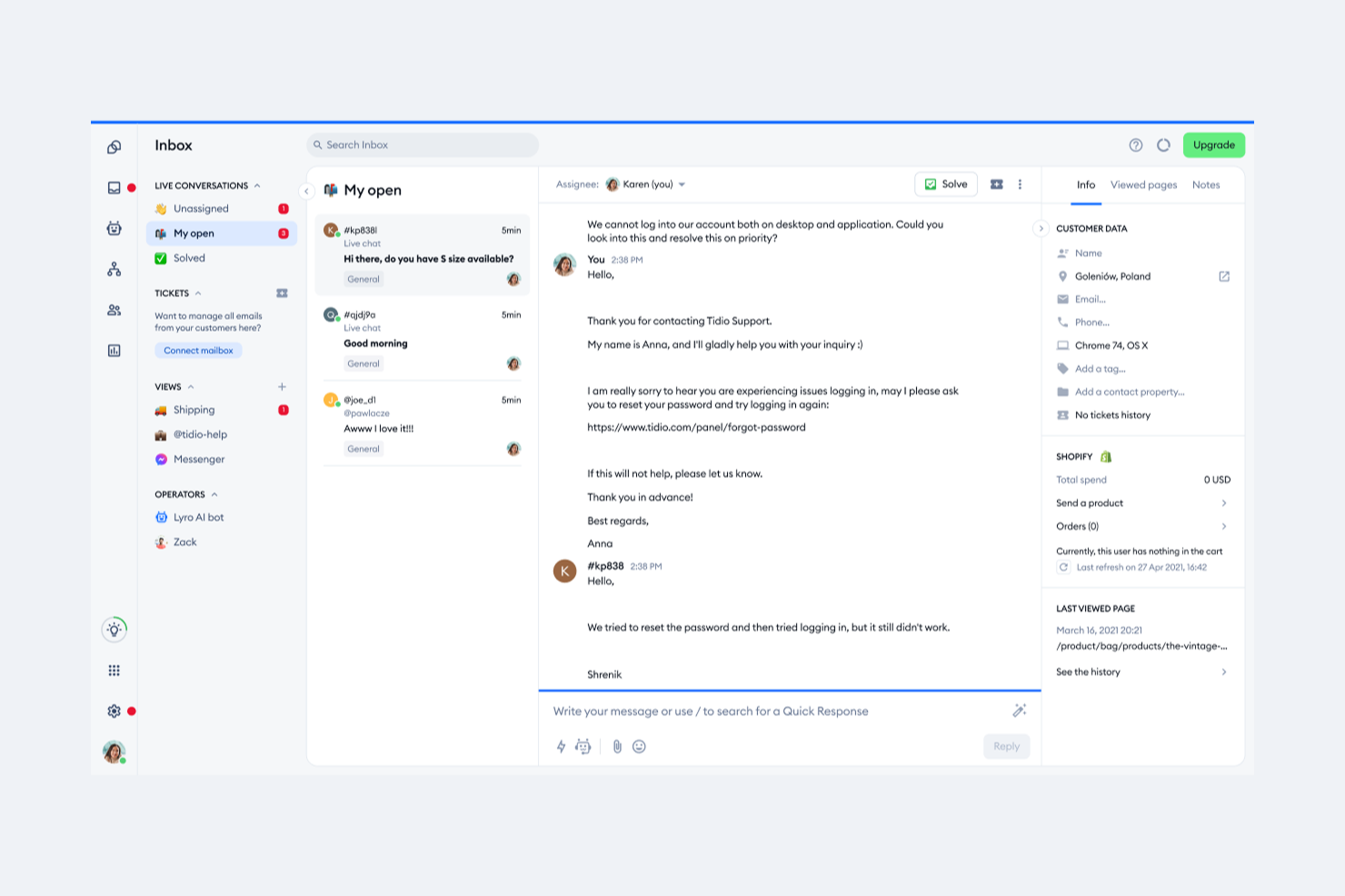
Tidio brings live chat, AI chatbots, and automation together in one platform for businesses looking to offer instant, always-on customer support. It’s a strong fit for ecommerce stores, SaaS companies, and service teams that want to reduce repetitive questions and help customers find answers on their own. With its focus on automation and multi-channel support, Tidio helps teams handle high volumes of inquiries without overwhelming agents.
Who Is Tidio Best For?
Tidio is a good fit for small to midsize ecommerce businesses and service teams that want to automate customer support and provide instant answers across multiple channels.
Why I Picked Tidio
For teams that want to automate customer support without coding, Tidio stands out with its no-code automation flows. I picked Tidio because its visual flow builder lets you design chatbot conversations and automated responses using a simple drag-and-drop interface. This means you can set up self-service options for FAQs, order tracking, or lead capture without needing developer resources. The ability to quickly launch and adjust automation flows makes it easy to keep your self-service experience up to date as customer needs change.
Tidio Key Features
Some other features in Tidio that support customer self service include:
- Live chat widget: Add a customizable chat widget to your website so customers can reach out or find answers instantly.
- AI-powered Lyro chatbot: Use an AI chatbot that can answer customer questions using your knowledge base and past conversations.
- Multi-channel inbox: Manage conversations from live chat, email, Messenger, Instagram, and WhatsApp in a single unified inbox.
- Pre-built chatbot templates: Choose from a library of ready-made chatbot templates for common support scenarios like order tracking, appointment booking, and FAQs.
Tidio Integrations
Integrations include Shopify, WooCommerce, WordPress, Zendesk, Salesforce, HubSpot, Messenger, Instagram, WhatsApp, and Intercom.
Pros and Cons
Pros:
- Includes real-time visitor tracking and analytics
- Provides AI-powered responses for common questions
- Integrates natively with major ecommerce platforms
Cons:
- Reporting features lack advanced segmentation
- Chatbot customization options can feel restrictive
New Product Updates from Tidio

Tidio Expands Lyro AI Across Email and Chat
Tidio expands Lyro AI to email ticketing and enhances its chatbot with Claude 3.0 integration. These updates improve automation across support channels and enhance AI-driven interactions. For more information, visit Tidio’s official site.
 .
.
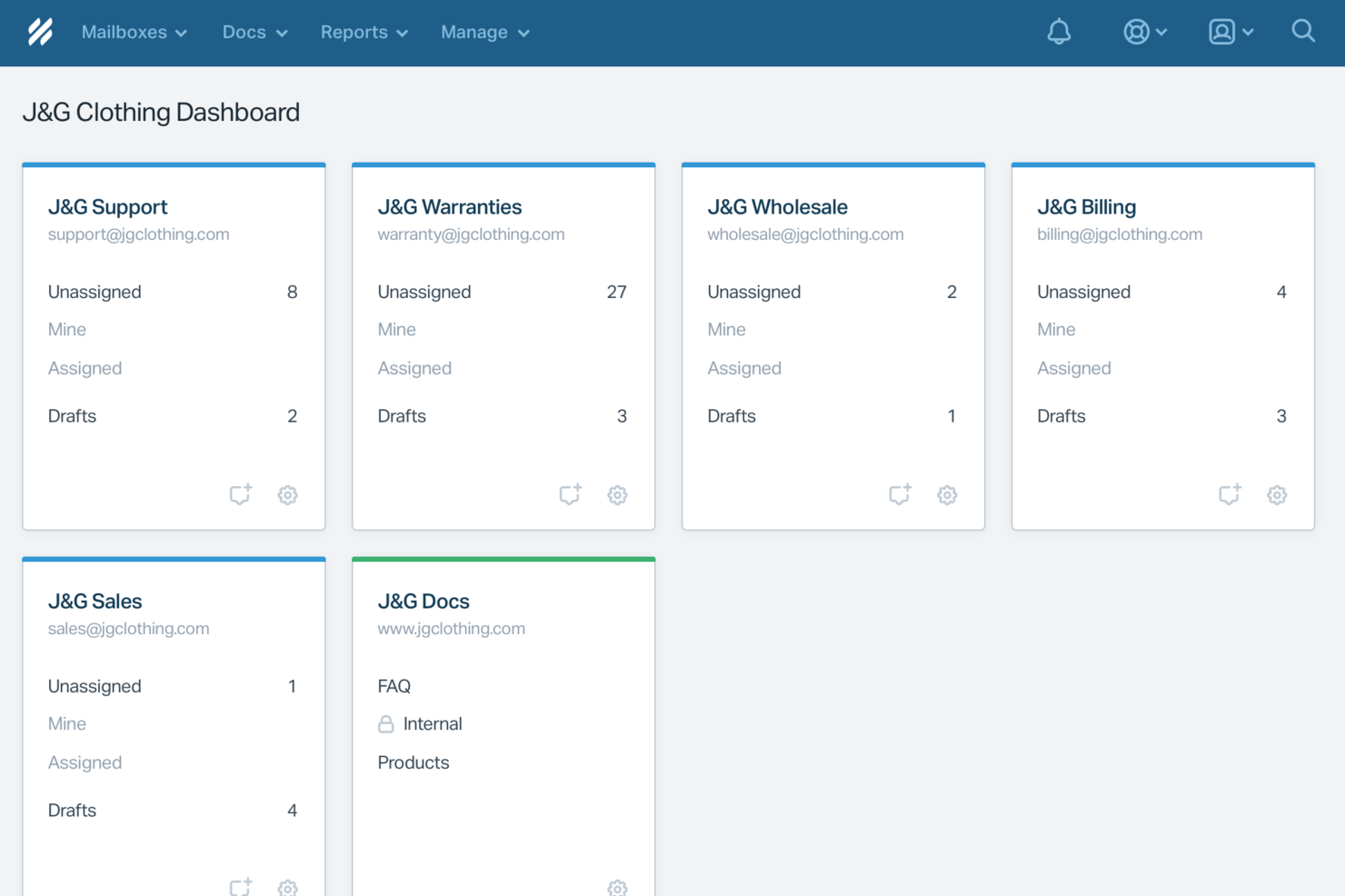
For businesses seeking a customer self-service software solution, Help Scout stands out as a tool that blends AI-driven automation with the human touch necessary for personalized customer support. Whether you're running a small business or managing a large support team, Help Scout's features like a shared inbox and knowledge base empower your team to provide quick and effective responses, addressing the common challenge of managing high volumes of customer inquiries. By offering tools that streamline workflows and enhance customer interactions, Help Scout appeals to those in need of efficient yet personal customer service solutions.
Why I Picked Help Scout
I picked Help Scout because it excels in providing a seamless self-service experience, making it an ideal choice for customer self-service software. The platform's Knowledge Base allows customers to find answers independently, reducing the need for direct support and decreasing email volume. Additionally, its Beacon feature proactively guides users to relevant resources, ensuring they receive the support they need without unnecessary delays. These features are particularly beneficial for teams looking to enhance customer satisfaction while managing support efficiently.
Help Scout Key Features
In addition to its standout self-service capabilities, Help Scout offers several other features that enhance customer support:
- Shared Inbox: Centralizes customer communications, allowing your team to collaborate effectively and manage inquiries in one place.
- Live Chat: Facilitates real-time communication, enabling your team to assist customers instantly and address their concerns promptly.
- Workflows: Automates repetitive tasks, helping your team stay organized and focus on more complex customer issues.
- Reporting and Analytics: Provides insights into customer interactions and team performance, allowing you to make data-driven improvements to your support processes.
Help Scout Integrations
Integrations include Slack, HubSpot, Shopify, Salesforce, Mailchimp, Jira, WooCommerce, Stripe, Intercom, and Trello. An API is available for custom integrations.
Pros and Cons
Pros:
- Built-in knowledge base powers accurate automated replies
- Smooth handoff preserves conversation context for agents
- AI Answers resolves common tickets without agent involvement
Cons:
- AI effectiveness depends heavily on knowledge base quality
- Not a standalone chatbot outside Help Scout ecosystem
New Product Updates from Help Scout

Help Scout Enhances Support Management With AI and Integrations
Help Scout introduces smarter routing, WhatsApp and Aircall integrations, and new AI enhancements to help teams manage conversations, automate workflows, and support customers across more channels. For more information, visit Help Scout’s official site.
 .
.
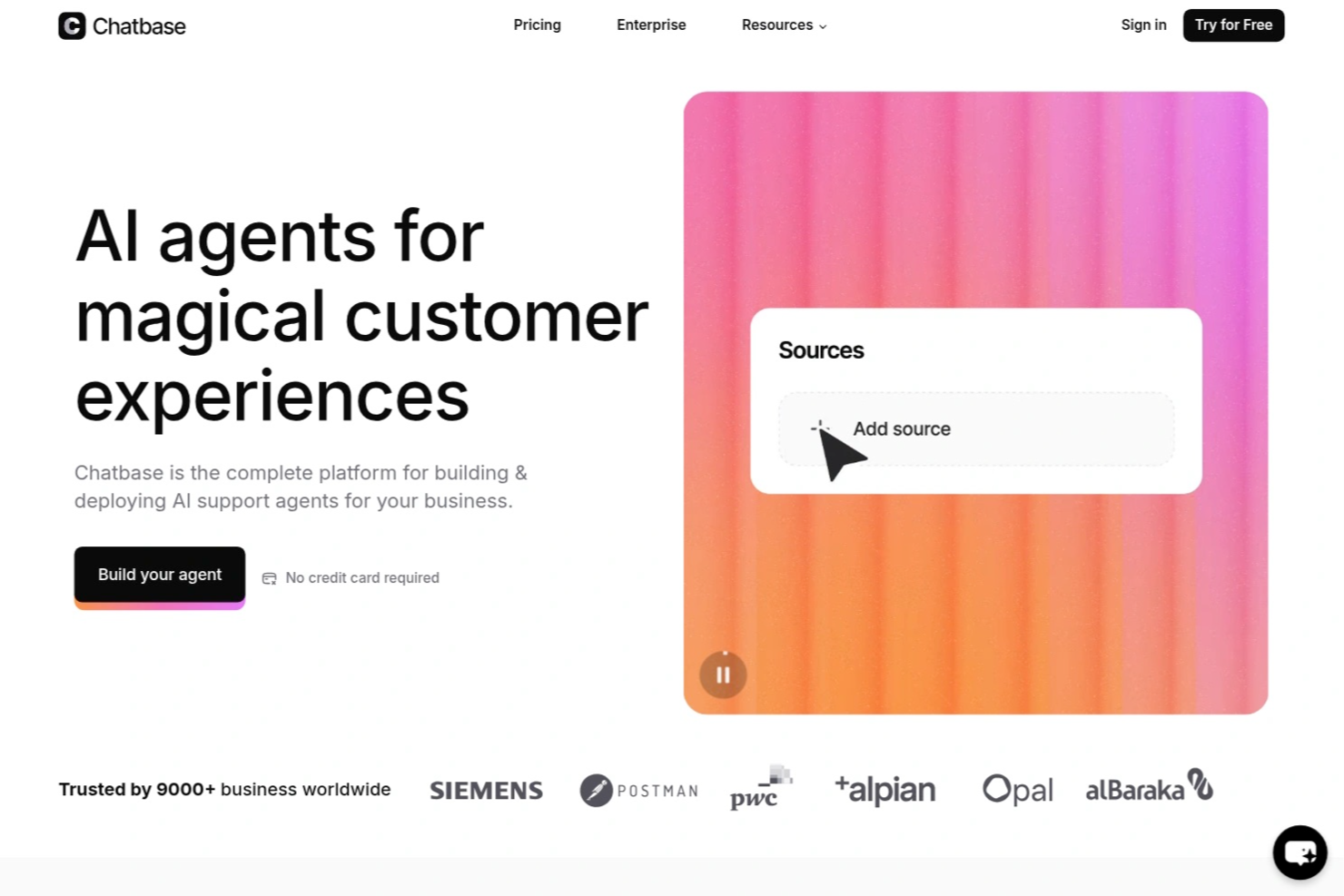
Chatbase is an AI chatbot platform designed for businesses and support teams who want to automate customer self service, reduce repetitive inquiries, and deliver instant, accurate answers across digital channels.
Who Is Chatbase Best For?
Chatbase suits support teams and businesses that want to automate customer interactions and provide instant answers across multiple digital channels.
Why I Picked Chatbase
I picked Chatbase as one of the best because I can train its AI agents on my own content and have them respond in over 95 languages. My team uses Chatbase to support customers in their preferred language, which is especially useful for global audiences. I also like that the platform automatically detects the user's language and switches responses accordingly.
Chatbase Key Features
- Custom chatbot builder: Create AI chatbots tailored to your brand and knowledge base.
- File and URL upload: Train bots using PDFs, text files, or website URLs for accurate responses.
- Widget customization: Adjust the look and feel of the chat widget to match your site.
- Conversation analytics: Track user interactions and chatbot performance with built-in analytics tools.
Chatbase Integrations
Integrations include Make, Zendesk, Notion, Slack, Stripe, Salesforce, Cal.com, Calendly, WhatsApp, and Messenger. An API is also available for custom integrations.
Pros and Cons
Pros:
- Enables direct integration with popular business tools
- Provides detailed analytics on chatbot conversations
- Allows training bots with custom files and URLs
Cons:
- Branding removal only on higher-tier plans
- Limited advanced workflow automation options

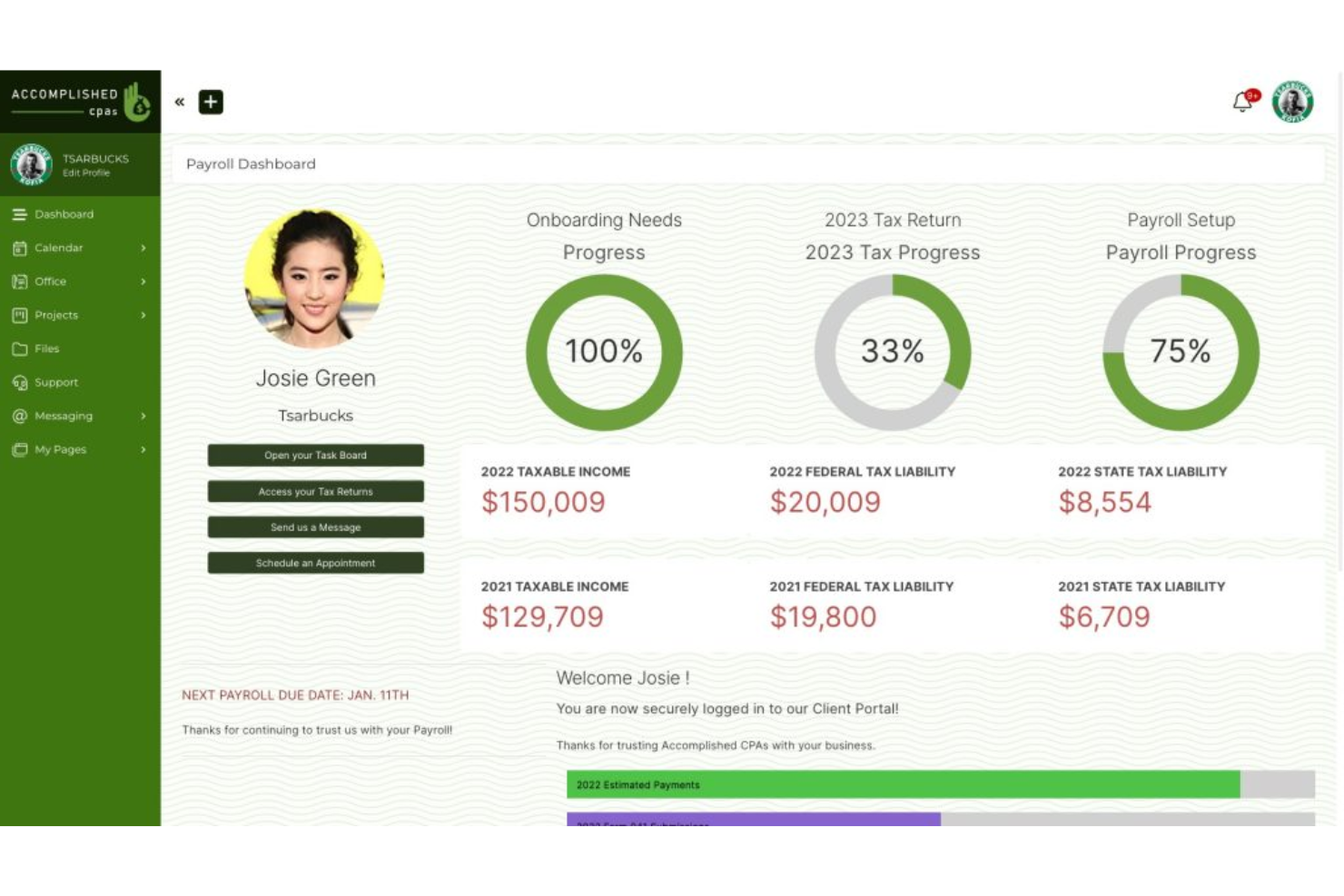
SuiteDash is an all-in-one business software tailored for small to medium-sized businesses. It provides essential functions such as CRM, project management, and digital marketing tools.
Why I picked SuiteDash: SuiteDash's unique selling point is its focus on small business needs. Its features help you manage customer requests, and the software includes billing automation and secure messaging, which are important for maintaining efficient operations. Its unlimited pricing model allows you to scale without worrying about increasing costs.
Standout Features and Integrations:
Features include customizable client portals, automated workflows, and billing automation. The platform also offers secure messaging and digital proposals with e-signing. These features help you manage client communications and business processes.
Integrations include QuickBooks, Stripe, PayPal, Zoom, and more.
Pros and Cons
Pros:
- Secure client portals
- Customizable dashboards
- Unlimited client accounts
Cons:
- Platform speed can be slow
- Interface feels cluttered and dated

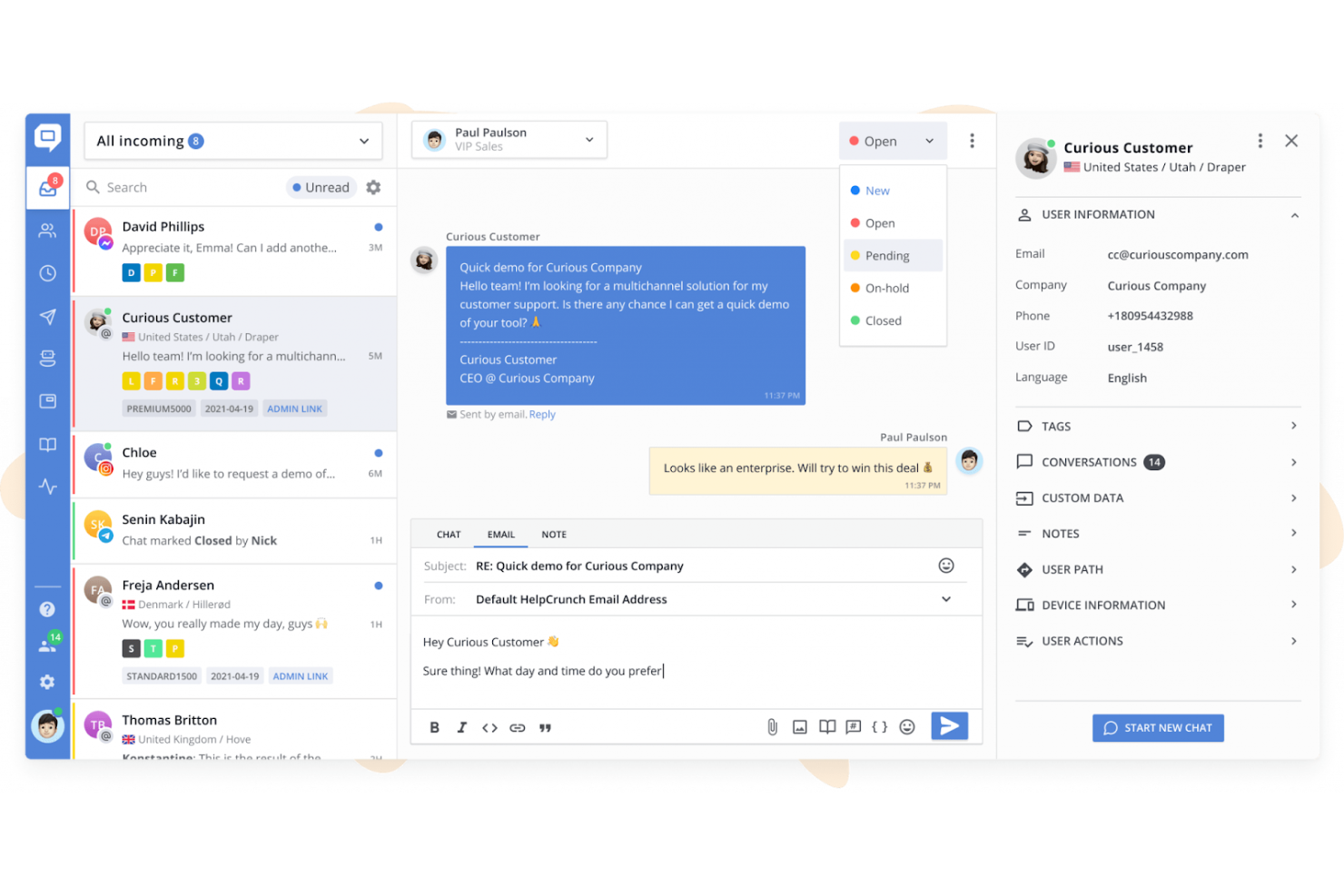
HelpCrunch is a customer communication platform that focuses on AI-fueled chatbots and serves small to medium-sized businesses. It provides tools for live chat, email marketing, and customer relationship management.
Why I picked HelpCrunch: It excels at offering chat-based support, helping your team engage with customers in real-time. The platform includes features such as proactive chat and automated messages to facilitate customer interactions. Its customization options allow you to tailor the chat experience to your brand. These features make it a great choice for businesses aiming to improve customer engagement through chat.
Standout Features and Integrations:
Features include a knowledge base that lets your team create and share helpful knowledge base articles with customers. The email automation feature helps boost your marketing efforts. Additionally, HelpCrunch offers detailed reporting tools to analyze customer interactions and improve service.
Integrations include Slack, Google Analytics, Zapier, HubSpot, and more.
Pros and Cons
Pros:
- Email marketing tools
- Proactive chat capabilities
- Highly customizable chat widget
Cons:
- Connecting email workflows can be challenging
- Limited data visualization options

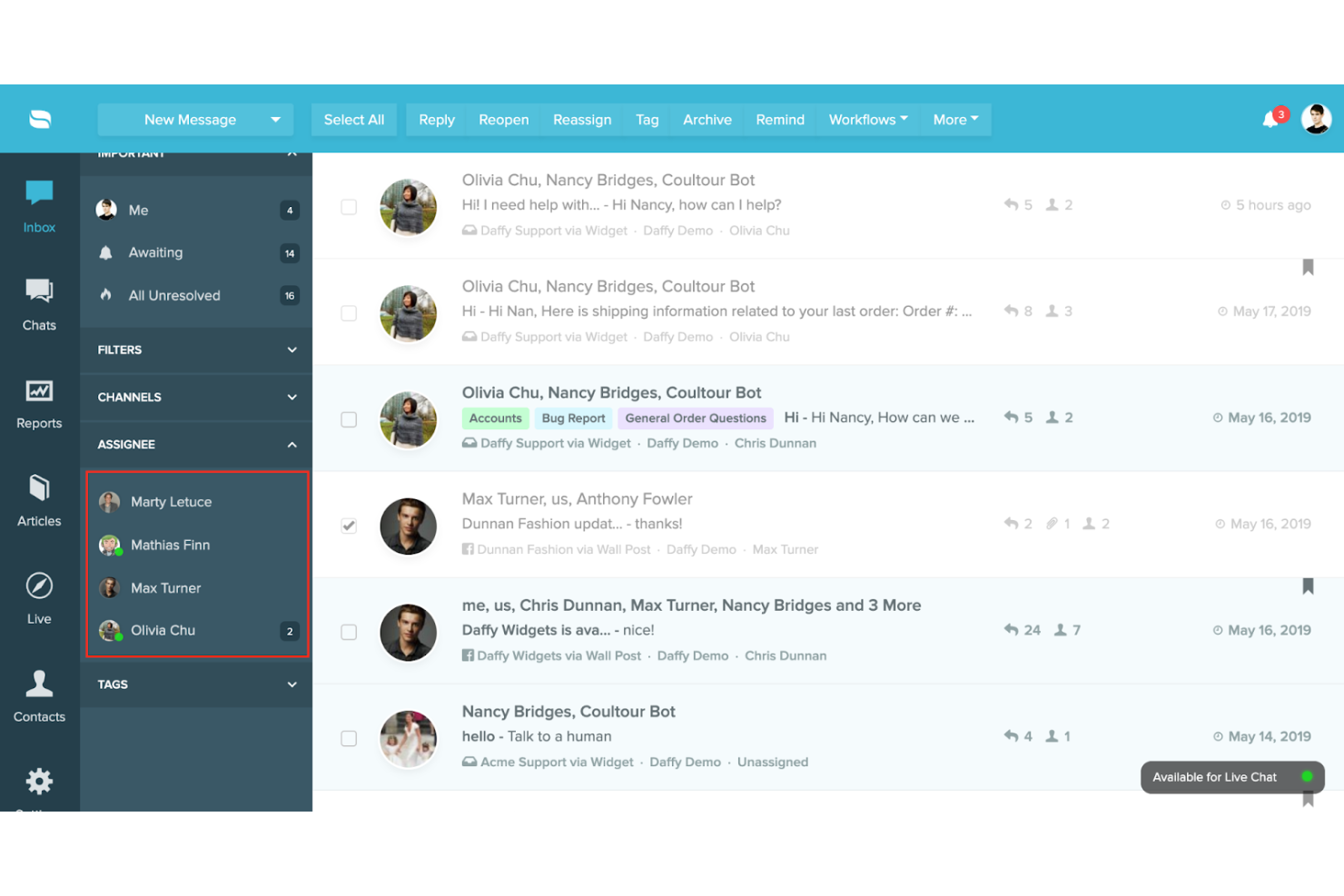
Re:amaze is a customer service platform that provides omnichannel support, catering primarily to small and medium-sized businesses. It offers tools for managing customer interactions across email, live chat, and social media.
Why I picked Re:amaze: Its multi-channel support capabilities make it ideal for teams that need to manage customer interactions on various platforms. Features such as shared inbox and live chat help your team respond to inquiries efficiently. The platform also offers automated workflows to reduce repetitive tasks. These functionalities help you handle multi-channel customer service effectively.
Standout Features and Integrations:
Features include a customizable chatbot that allows your team to automate responses to common questions. The platform also provides a knowledge base feature to share helpful articles with customers. Additionally, Re:amaze offers detailed analytics to track performance and improve service.
Integrations include Shopify, BigCommerce, Slack, Stripe, Mailchimp, and more.
Pros and Cons
Pros:
- Broad analytics tools
- Customizable chatbot options
- Multi-channel communication
Cons:
- Configuration for workflows can be difficult
- Image handling is limited

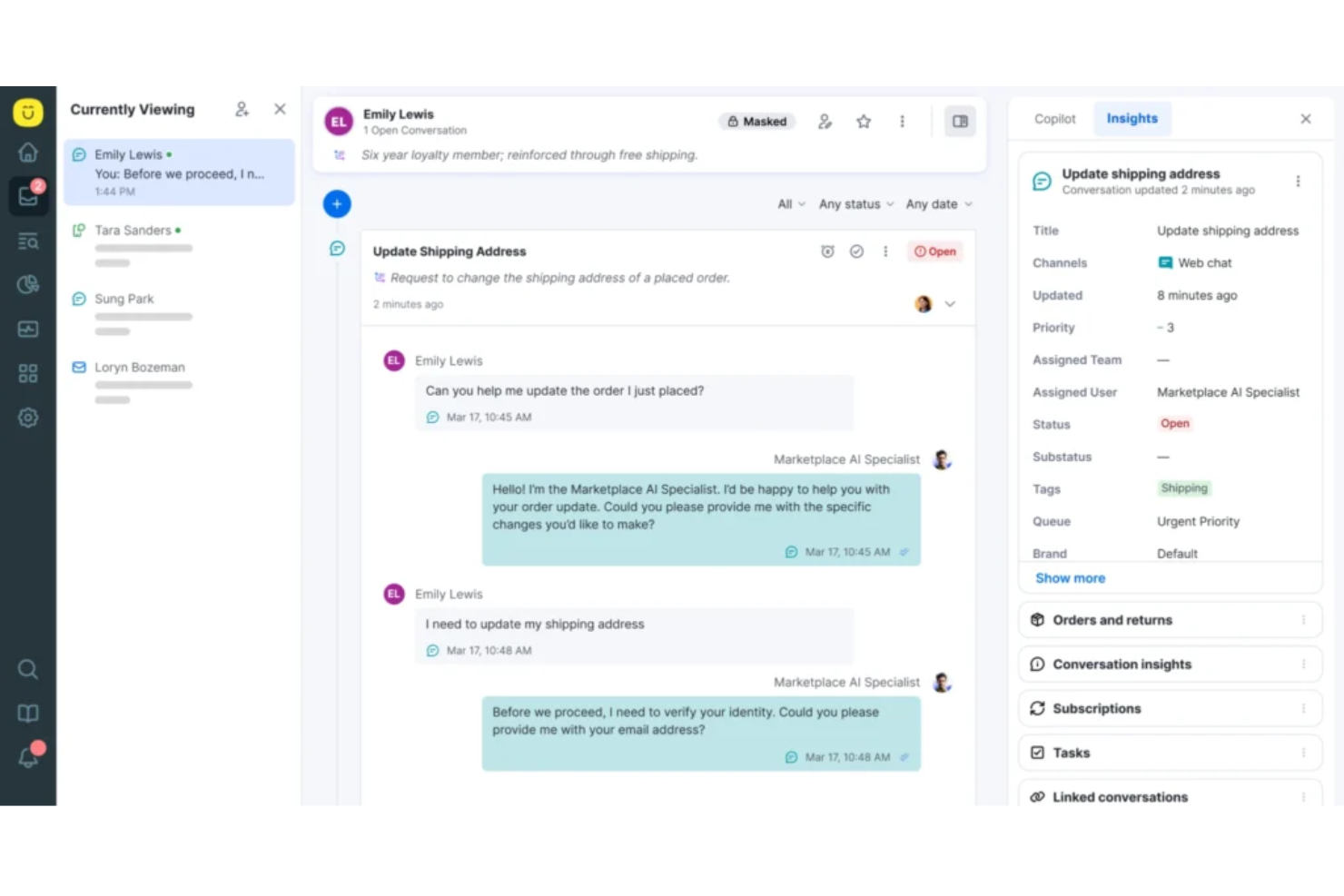
Kustomer is a customer self-service portal aimed at businesses wanting to create personalized customer journeys. It provides tools for managing customer interactions, automation, and ticketing to help elevate support services.
Why I picked Kustomer: Its focus on AI-managed customer journeys makes it unique. The platform includes a timeline view of customer interactions, allowing your team to see the full context of each conversation. Automated workflows help optimize repetitive tasks, improving efficiency. These features align perfectly with its goal of personalizing customer experiences.
Standout Features and Integrations:
Features include sentiment analysis that helps your team understand customer emotions. The platform also offers a unified customer view, providing essential information at a glance. Additionally, Kustomer's reporting tools allow you to track performance metrics and optimize support operations.
Integrations include Shopify, Adobe Commerce, Zapier, and more.
Pros and Cons
Pros:
- Supports personalized customer interactions
- Sentiment analysis capabilities
- Offers a unified customer view
Cons:
- Occasional lag during high volume
- Reporting is complex and unintuitive


DevRev is an AI-backed customer service platform tailored for developer-focused teams, combining customer support with product development insights. It helps teams integrate customer feedback directly into the development cycle to improve product offerings.
Why I picked DevRev: It's uniquely suited for teams that want to bridge the gap between development and customer service. The tool provides a unified view of customer interactions and product issues. This makes it a valuable choice for teams aiming to strengthen product quality through customer insights.
Standout Features and Integrations:
Features include a bug tracking system that keeps your team informed about product issues. The feedback management feature lets you gather and analyze customer input effectively. DevRev also offers a collaboration hub where teams can discuss and prioritize tasks.
Integrations include GitHub, Jira, Slack, Zendesk, Salesforce, and more.
Pros and Cons
Pros:
- Supports agile methodologies
- Real-time feedback tracking
- Integrates development and support
Cons:
- Some core features still maturing
- Non-technical teams may struggle

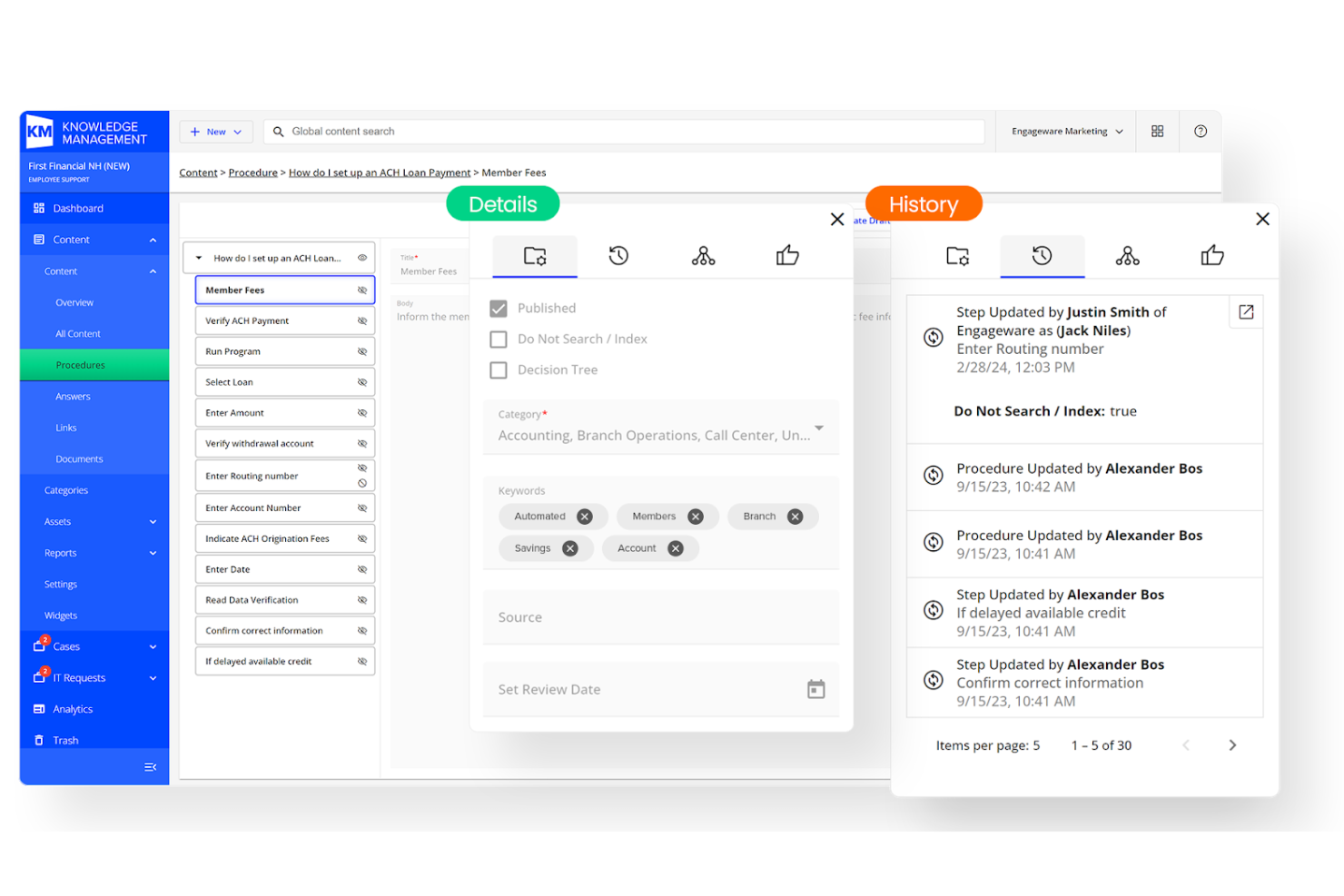
Engageware is a customer self-service platform that excels in appointment scheduling, catering to businesses needing to manage client interactions efficiently. It provides tools for scheduling, queue management, and customer communication.
Why I picked Engageware: Its focus on appointment scheduling and management makes it ideal for businesses with high customer interaction. The platform offers features such as real-time scheduling to keep appointments organized. Its queue management system helps your team handle customer flow smoothly. These capabilities are perfect for businesses that rely on efficient scheduling and customer interaction.
Standout Features and Integrations:
Features include a customizable scheduling interface that allows your team to tailor appointment settings to your needs. The platform also provides automated notifications to remind customers of their appointments. Additionally, Engageware offers detailed analytics to track appointment trends and optimize scheduling efficiency.
Integrations include Salesforce, Microsoft Dynamics 365, and more.
Pros and Cons
Pros:
- Automated customer notifications
- Queue management tools
- Supports appointment scheduling
Cons:
- Inconsistent Outlook calendar sync
- Outdated admin dashboard UI

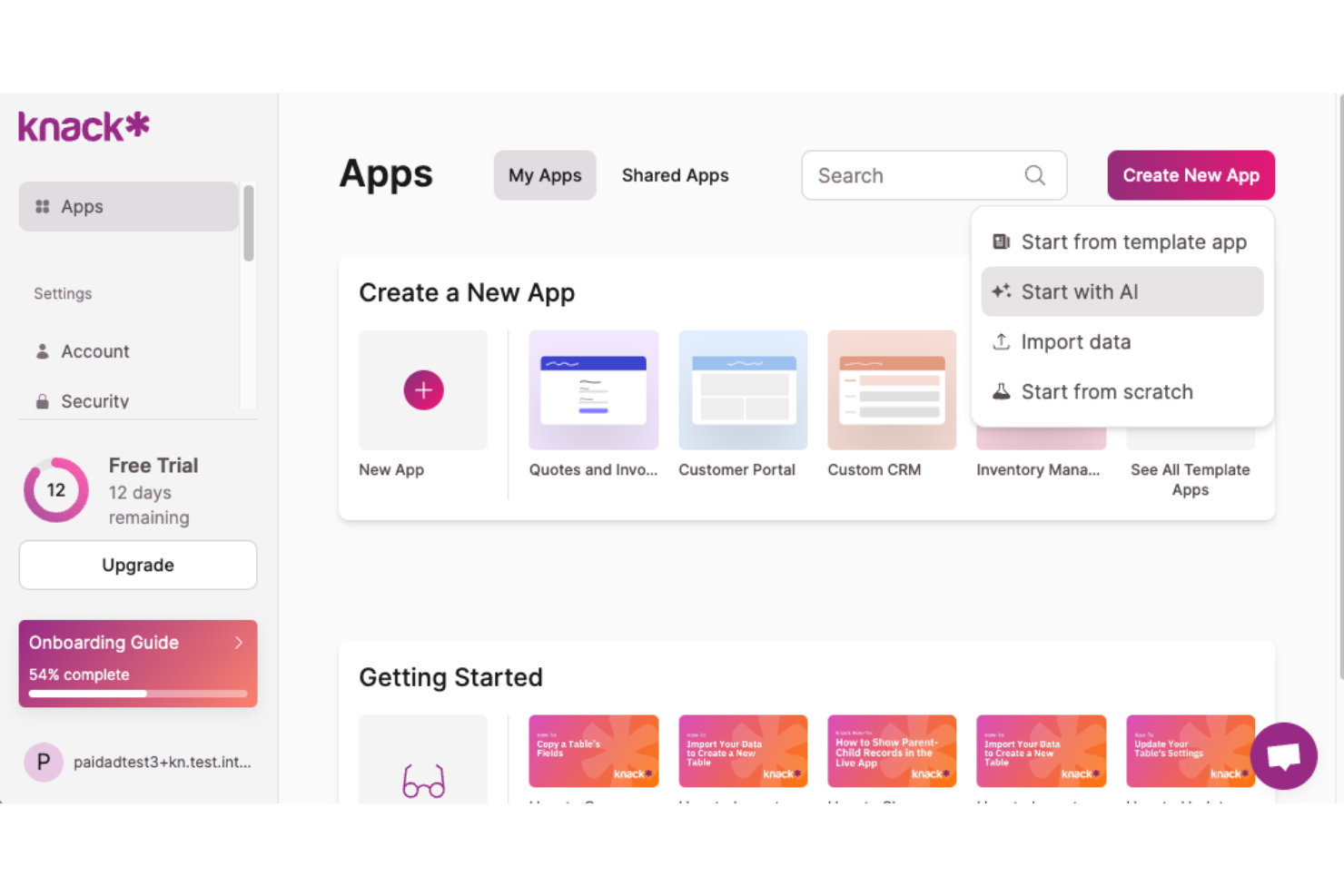
Knack is a client portal software designed for businesses needing custom solutions for project management, invoicing, and customer interactions. It primarily serves industries such as healthcare, education, and non-profits, offering no-code customization for various business functions.
Why I picked Knack: This tool excels in AI-powered custom portal creation, allowing you to tailor solutions to your specific needs. Its no-code database empowers you to build without technical expertise. These features make it ideal for businesses looking to manage data and client interactions effectively.
Standout Features and Integrations:
Features include the ability to customize your portal and control who sees what. E-commerce capabilities allow you to manage transactions within the platform.
Integrations include Google Drive, Slack, QuickBooks, Stripe, Zapier, and more.
Pros and Cons
Pros:
- Flexible pricing based on records
- Suitable for various industries
- Customizable without coding
Cons:
- Limited built-in design tools
- Native mobile apps are missing
Other Customer Self-Service Software
Here are some additional customer self-service software options that didn’t make it onto my shortlist, but are still worth checking out:
- HubSpot Service Hub
For AI-guided CRM and customer engagement
- Bettermode
For community engagement
- Salesforce Agentforce Service
For AI-driven enterprise support
- Stonly
For AI-supported interactive guides
- TeamSupport
For B2B, AI-assisted customer support
- Custify
For proactive customer retention
- Gainsight
For customer success management
- LiveHelpNow
For extensive help desk tools
- WalkMe
For user onboarding assistance
- Zoho Desk
For integrated CRM features
- Freshworks
Intuitive ticketing system
- Zendesk
For scalable support solutions
- LiveAgent
For real-time chat support
- Help Scout
For shared inbox functionality


Customer Self-Service Software Selection Criteria
When selecting the best customer self-service software to include in this list, I considered common buyer needs and pain points such as reducing support ticket volume and improving customer satisfaction. I also used the following framework to keep my evaluation structured and fair:
Core Functionality (25% of total score)
To be considered for inclusion in this list, each solution had to fulfill these common use cases:
- Provide a knowledge base for FAQs
- Offer a customer portal for account management
- Enable ticket submission and tracking
- Support live chat and messaging
- Facilitate community forums for peer support
Additional Standout Features (25% of total score)
To help further narrow down the competition, I also looked for unique features, such as:
- Customizable user interface
- AI-driven recommendations
- Multi-lingual support options
- Advanced analytics and reporting
- Integration with third-party apps
Usability (10% of total score)
To get a sense of the usability of each system, I considered the following:
- Intuitive navigation and layout
- Minimal learning curve for new users
- Responsive design for mobile access
- Customization options for user preferences
- Clear and concise user interface
Onboarding (10% of total score)
To evaluate the onboarding experience for each platform, I considered the following:
- Availability of interactive product tours
- Access to training videos and resources
- Presence of templates for quick setup
- Support for data migration and setup
- Availability of live webinars or demos
Customer Support (10% of total score)
To assess each software provider's customer support services, I considered the following:
- Availability of 24/7 support channels
- Responsiveness of customer service team
- Access to a full-scale help center
- Support through multiple communication channels
- Availability of dedicated account managers
Value for Money (10% of total score)
To evaluate the value for money of each platform, I considered the following:
- Competitive pricing compared to features
- Availability of different pricing tiers
- Inclusion of essential features in base plans
- Flexibility in contract terms and billing
- Access to discounts or promotions
Customer Reviews (10% of total score)
To get a sense of overall customer satisfaction, I considered the following when reading customer reviews:
- Frequency of positive feedback
- Commonly mentioned strengths and weaknesses
- Overall user satisfaction ratings
- Feedback on support and service quality
- Reports of reliability and uptime issues
How To Choose Customer Self-Service Software
It's easy to get bogged down in long feature lists and complex pricing structures. To help you stay focused as you work through your unique software selection process, here's a checklist of factors to keep in mind:
| Factor | What To Consider |
|---|---|
| Scalability | Can the software grow with your business? Consider user limits and storage capacity. Look for flexible plans that accommodate your growth without hefty cost increases. |
| Integrations | Does it connect with your current tools? Check for compatibility with CRM systems, email platforms, and other software you use daily. Avoid tools that isolate your data. |
| Customizability | Can you tailor the software to fit your workflows? Look for options to customize user interfaces and workflows to match your team's processes. |
| Ease of use | Is the software intuitive? See if team members can navigate it without extensive training. A user-friendly interface can save time and reduce frustration. |
| Implementation and onboarding | How long will it take to get up and running? Consider the resources you'll need for setup and training. Look for tools with guided onboarding and support. |
| Cost | How does the pricing align with your budget? Consider not just the ticket price but hidden costs such as training or premium support. |
| Security safeguards | How does the software protect your data? Look for encryption, regular security updates, and compliance with industry standards to keep your information safe. |
| Support availability | What help is available when you need it? Check if there's 24/7 support, dedicated account managers, or community forums to assist you when issues arise. |
What Is Customer Self-Service Software?
Customer self-service software is a tool that allows customers to find answers and resolve issues on their own without contacting support. These tools are typically used by customer support teams, IT professionals, and business managers to help improve customer satisfaction and reduce workload. Knowledge bases, chatbots, and community forums help with providing instant support, answering FAQs, and facilitating peer-to-peer assistance. Overall, these tools empower users to solve problems independently, saving time and resources for both businesses and customers.
Features
When selecting customer self-service software, keep an eye out for the following key features:
- Knowledge base: Provides a centralized repository of frequently asked questions and guides, allowing customers to find answers quickly and independently.
- Chatbot: Offers automated responses from AI agents, reducing the need for human intervention and providing faster resolution times.
- Community forums: Facilitate peer-to-peer support and interaction, enabling users to share solutions and experiences.
- Ticketing system: Manages customer inquiries efficiently by routing and tracking support requests through resolution.
- Customizable interface: Allows businesses to tailor the software's appearance and functionality to match their brand and workflows.
- Analytics and reporting: Provides insights into customer interactions and usage patterns to help improve service and support strategies.
- Multi-lingual support: Provides access to support agents who speak the customer's preferred language, supporting accessibility.
- Real-time notifications: Keep customers and support teams informed about wait times, updates, and changes, delivering timely communication.
- Integration capabilities: Connect with existing business tools and platforms, supporting a smooth data flow and operational efficiency.
Benefits
Implementing customer self-service software provides several benefits for your team and your business. Here are a few you can look forward to:
- Reduced support workload: By enabling customers to find answers through knowledge bases and chatbots, your team spends less time on repetitive troubleshooting.
- Improved customer satisfaction: Quick access to self-service solutions via community forums and self-service portals can elevate the user experience and build customer loyalty.
- Cost savings: Automation and efficient ticketing systems lower operational costs by minimizing the need for extensive customer support staff.
- Increased efficiency: Real-time notifications and integration capabilities help provide smooth operations and quick in-app responses to customer needs.
- Better decision-making: Analytics and reporting provide insights into customer behavior and support interactions, helping you refine your strategies.
- Improved accessibility: Multi-lingual support gives access to all customer regions, expanding your reach and improving service inclusivity.
Costs & Pricing
Selecting customer self-service software requires an understanding of the various pricing models and plans available. Costs vary based on features, team size, add-ons, and more. The table below summarizes common plans, their average prices, and typical features included in customer self-service software solutions:
Plan Comparison Table for Customer Self-Service Software
| Plan Type | Average Price | Common Features |
|---|---|---|
| Free Plan | $0 | Basic knowledge base, limited support, and community forums. |
| Personal Plan | $12-$49/user/month | Chat support, ticketing system, and basic analytics. |
| Business Plan | $30-$75/user/month | Advanced customization, integration capabilities, and multi-lingual support. |
| Enterprise Plan | $80-$3600/month | Full-featured platform, dedicated account manager, and custom analytics. |
Customer Self-Service Software FAQs
Here are some answers to common questions about customer self-service software:
How do I know if my business needs customer self-service software?
If your team is overwhelmed with support requests, customer self-service software can help. It allows customers to find answers on their own, reducing the burden on your staff. Consider it if you want to improve response times and customer satisfaction. Even small businesses can benefit if they frequently handle repetitive inquiries.
Can customer self-service software integrate with my existing systems?
Yes, most customer help desk software offers integration capabilities. Check if the software supports your CRM, email, or other business tools. Integrations support smooth data flow and operational efficiency. It’s important for maintaining consistency and maximizing the software’s value across your organization.
How secure is customer self-service software?
Security varies by provider, but strong safeguards are the norm. Look for features such as data encryption, regular updates, and compliance with standards such as GDPR. Before choosing a tool, assess its security measures to help protect your customer data. This is especially important for industries handling sensitive information.
What should I consider when switching to customer self-service software?
Consider the transition process, including data migration and team training. Choose a provider that offers support during onboarding to minimize disruptions. Evaluate how the software aligns with your current workflows. Planning the switch carefully can help your team adapt smoothly and maximize the benefits of the new tool.
What's Next:
If you're in the process of researching customer self-service software, connect with a SoftwareSelect advisor for free recommendations.
You fill out a form and have a quick chat where they get into the specifics of your needs. Then you'll get a shortlist of software to review. They'll even support you through the entire buying process, including price negotiations.