

10 Best ServiceNow Alternatives Reviewed In 2026

Best ServiceNow Alternatives Shortlist


ServiceNow is a widely used service management platform known for its extensive IT service management (ITSM) features. However, its complex interface and high cost can be a drawback, especially for small to mid-sized businesses seeking alternatives.
Using my experience with customer experience software, I tested and compared several of the top ServiceNow alternatives available. From there, I compiled my results into detailed reviews to help you find the best software for your specific needs.
What Is ServiceNow?
ServiceNow is a cloud-based platform that streamlines workflows and automates various business processes, primarily for IT service management (ITSM), but also extending to HR, customer service, and security operations.
It’s generally used by IT professionals and service desk teams to help manage IT operations and routing, while improving efficiency through automation, incident management, and workflow optimization.
ServiceNow Alternatives Comparison Table
This comparison table summarizes pricing details for my top ServiceNow alternative selections:
| Tool | Best For | Trial Info | Price | ||
|---|---|---|---|---|---|
| 1 | Best for instant root cause analysis | 30-day free trial available | From $209/month/technician (billed annually) | Website | |
| 2 | Best for combining IT service and asset-lifecycle management | 14-day free trial | From $19/user/month (billed annually) | Website | |
| 3 | Best for AI-driven automation | Free trial available | From $89/agent/month | Website | |
| 4 | Best for automatically handling customer inquiries | Free plan available; 7-day free trial | From $24.17/month (billed annually) | Website | |
| 5 | Best with cross-team workflow coordination | 14-day free trial | From $25/user/month (billed annually) | Website | |
| 6 | Best for ITIL compliance | Free demo + 30-day free trial available | From $99/agent/month (billed annually) | Website | |
| 7 | Best for ease of use and automation | 14-day free trial | From $24/user/month (billed annually) | Website | |
| 8 | Best for visual workflow management | 14-day free trial | From $9/seat/month (billed annually) | Website | |
| 9 | Best for AI-powered ticket support | 30-day free trial | From $1,499/year (billed annually) | Website | |
| 10 | Best for quick setup and customization | Free demo available | From $76/agent/month | Website |


Why Trust Our Software Recommendations
Our team has been testing and reviewing software since 2012. As CX leaders ourselves, we know how difficult—and important—it is to choose the right software.
For this guide, we evaluated tools using hands-on testing and independent research, scoring tools using our selection criteria.
Our reviews reflect our human editorial judgment, not a sales pitch.
Best ServiceNow Alternatives Reviews
Here are my detailed summaries of the best ServiceNow alternatives. Each review covers key features, pros and cons, integrations, and ideal use cases to help you choose the right tool for your needs.

Best for instant root cause analysis

Robin Autonomous IT offers IT teams and managed service providers an AI-powered platform for automating and optimizing complex IT workflows. It stands out for users who want to streamline operations, speed up troubleshooting, and improve overall efficiency compared to standard ITSM tools.
Who Is Robin Autonomous IT Best For?
IT operations teams and managed service providers in midsize businesses that need AI-driven automation for troubleshooting and incident analysis.
Why Robin Autonomous IT Is a Good ServiceNow Alternative
I picked Robin for this list because it cuts straight to the point when an incident hits. Its AI analyzes the full context of an alert—device history, recent changes, error patterns—and surfaces the root cause in seconds rather than hours. I appreciate that my team doesn't have to dig through logs manually; Robin flags exactly what's wrong and why. For IT teams tired of ServiceNow's multi-step investigation workflows, that instant analysis is a real differentiator.
Robin Autonomous IT Key Features
- Automated ticket resolution: Robin autonomously resolves common IT tickets without requiring technician intervention.
- Proactive device monitoring: Continuously scans endpoints for anomalies and flags issues before they escalate.
- AI-generated action suggestions: Robin recommends specific remediation steps based on real-time device and system context.
- Natural language ticket intake: Accepts and interprets support requests written in plain language to initiate the resolution process.
Robin Autonomous IT Integrations
Robin has built-in integrations with identity providers like Google, Azure AD, and Okta, and accepts requests through channels including Slack, Microsoft Teams, email, and the Atera Customer Portal. It also integrates with HubSpot and connects to third-party ITSM tools. Robin supports additional connectivity via Cloud Actions, MCP, and Zapier, and Atera provides an API for custom integrations.
Pros and Cons
Pros:
- Reduces manual escalation for IT staff
- Issue analysis delivers rapid actionable insights
- AI pinpoints root cause for tickets
Cons:
- Reporting options are less detailed than peers
- AI-driven actions may overlook unique cases
Best for combining IT service and asset-lifecycle management

You can use Freshservice to centralize service requests, assets and workflows across IT and business teams. It helps replace more heavyweight legacy ITSM tools with a platform built for maintenance, automation and employee-experience oriented service delivery.
Why I Picked Freshservice as a ServiceNow alternative: I chose Freshservice because it strikes a clear balance between IT service management (ITSM) maturity and cost-versus-complexity. It supports incident, problem, change and asset management in a single platform with built-in automation, helping you move from reactive to proactive. It brings AI-driven ticketing (via “Freddy” AI) to support self-service and routing. Its pricing starts at a lower level than many enterprise ITSM suites, making it easier to justify for teams shifting off ServiceNow.
Standout Features & Integrations
Features include a self-service portal and workflow automations for incident, request and change lifecycles; asset discovery and lifecycle management tied into ticketing and service requests; orchestration and low-code/connector workflows to link other tools (DevOps, HR, Cloud) into your service process; and an analytics/reporting module to monitor SLAs, workload and asset/IT health. It also offers mobile apps, multi-department service desks, and works across IT and business service teams.
Integrations include Slack, Microsoft Teams, Atlassian Jira, Azure AD, Workday, BambooHR, GitHub, DocuSign, Smartsheet, dozens more — plus a public API and connector app ecosystem.
Pros and Cons
Pros:
- User-friendly interface with self-service portal improves end-user experience
- Strong connector ecosystem and automation via orchestration
- Rich ITSM feature-set (incident, problem, change, asset) under one roof
Cons:
- Some advanced features (asset packs, orchestration transactions) require higher tiers
- Reporting and analytics less deep/customisable
New Product Updates from Freshservice
 Experience)
Freshservice Introduces a Reimagined IT Asset Management (ITAM) Experience
Freshservice introduces a reimagined IT Asset Management (ITAM) experience with continuous infrastructure discovery, dependency mapping, IPAM, and Software License Management. This update helps teams improve asset visibility and manage connected IT environments more effectively. For more information, visit Freshservice’s official site.

SysAid
Best for AI-driven automation

SysAid is an IT Service Management (ITSM) solution designed for IT teams and service desk professionals. It supports ticket management, asset management, and workflow automation to help teams manage IT services more efficiently.
Why SysAid is a good ServiceNow alternative: SysAid’s AI-supported capabilities, such as automated ticket categorization and conversational self-service features, help reduce manual effort for IT teams. These tools support faster handling of requests and more consistent service delivery without requiring complex configuration. Combined with guided onboarding and available support resources, SysAid can help teams get up and running more quickly compared to heavier ITSM platforms that often require extensive setup and training.
Standout features & integrations:
Features include AI-supported ticket categorization, service automation, self-service and conversational request intake, and performance tracking tools that help monitor IT service effectiveness.
Integrations include Microsoft Teams, Slack, Jira, Zendesk, Salesforce, Active Directory, Google Workspace, Okta, ServiceNow, and Azure AD.
Pros and Cons
Pros:
- Comprehensive onboarding support
- Efficient asset management
- AI-driven ticket automation
Cons:
- Requires initial setup time
- Limited customization options
New Product Updates from SysAid

SysAid Adds Bulk Contract Import
SysAid added bulk contract import to License Manager Essentials, letting admins upload a CSV template, validate entries, and create multiple contracts at once. For more information, visit SysAid's official site.

Tidio
Best for automatically handling customer inquiries
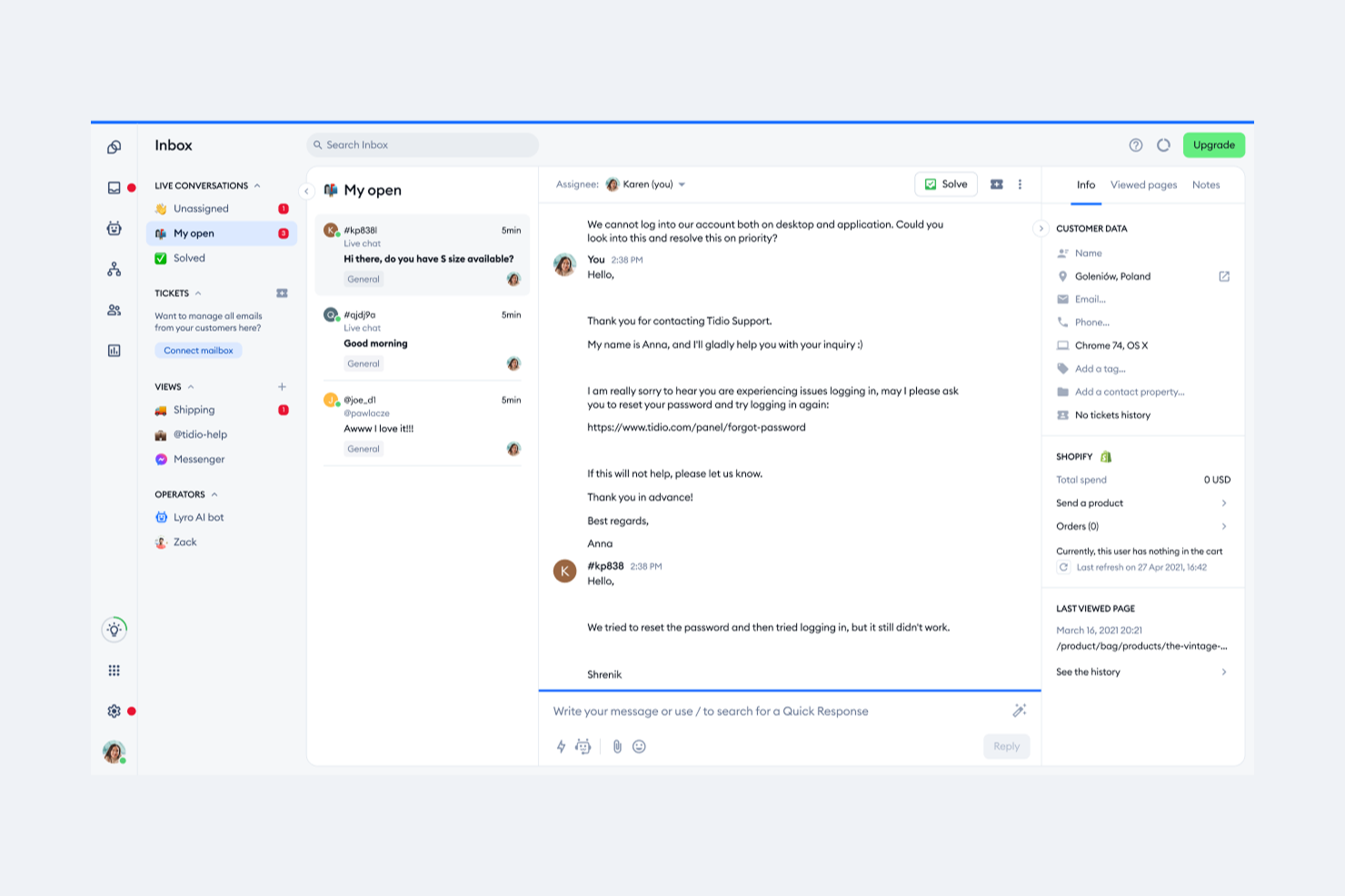
Tidio's AI-driven customer service solutions, including the Lyro AI Agent and multichannel support, present an intriguing option for teams seeking alternatives to ServiceNow. If you're in an industry that prioritizes enhancing customer interactions and streamlining support processes, Tidio's focus on improving resolution rates and customer satisfaction might catch your attention. Its integration capabilities and automation features can help address challenges in managing customer queries efficiently, ultimately fostering stronger customer relationships.
Why I Picked Tidio
I picked Tidio for its unique focus on AI-driven customer interactions, which can be particularly appealing if you're exploring ServiceNow alternatives. The platform's Lyro AI Agent stands out by automatically handling customer inquiries, helping to improve resolution rates and customer satisfaction. Additionally, Tidio's multichannel support allows your team to seamlessly manage communications across various platforms, ensuring no customer message is missed. These features align well with the needs of businesses looking to enhance their customer service capabilities beyond traditional IT service management.
Tidio Key Features
In addition to its standout AI capabilities, Tidio offers several features that might interest you:
- Live Chat: Engage with customers in real-time through a customizable chat widget on your website.
- Help Desk: Organize and track customer inquiries with a ticketing system that ensures prompt responses.
- Automation: Set up automated responses and workflows to handle routine customer interactions efficiently.
- Analytics: Gain insights into customer interactions and support performance to make data-driven decisions.
Tidio Integrations
Integrations include Shopify, WordPress, HubSpot, Zapier, Mailchimp, Facebook Messenger, Instagram, WhatsApp, Google Analytics, and Slack.
Pros and Cons
Pros:
- Multichannel inbox centralizes chat, email, and social
- Supports 120+ integrations including Shopify and HubSpot
- AI chatbot resolves routine inquiries automatically
Cons:
- Pricing may be high for businesses with high conversation volumes
- AI usage limits apply on lower-tier plans

Front
Best with cross-team workflow coordination
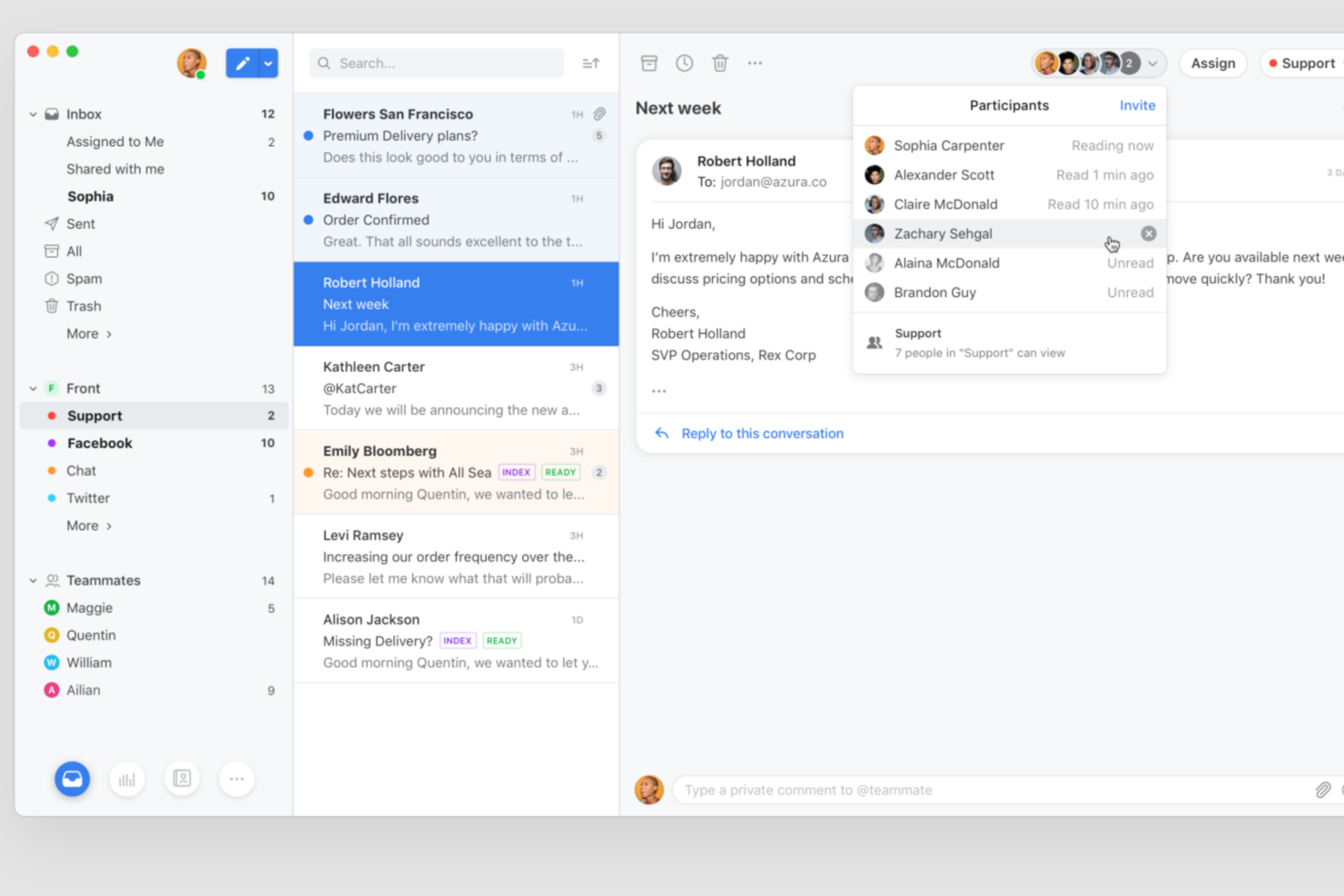
Front offers a collaborative customer communication platform designed for teams that need to manage high volumes of messages across multiple channels. It’s a strong fit for support, operations, and service teams looking for more transparency and coordination than traditional ticketing systems provide. If you want to replace rigid IT workflows with flexible, conversation-driven processes, Front gives your team the tools to work together and respond faster.
Who Is Front Best For?
Front is a strong choice for customer support and operations teams in midsize to large organizations that need to coordinate responses across multiple departments.
Why Front Is a Good servicenow alternatives
When I look for a ServiceNow alternative that truly supports cross-team workflow coordination, Front stands out for its collaborative approach to customer communication. Shared inboxes let multiple teams work together on conversations without losing context or duplicating effort. Built-in workflow automation routes messages to the right people and keeps everyone aligned on next steps. I appreciate how Front’s internal comments and assignments make it easy to coordinate complex requests across support, operations, and other departments.
Front Key Features
Some other features in Front that may interest teams considering ServiceNow alternatives include:
- Analytics and Reporting: Access dashboards and analytics to track team performance and message volume trends.
- SLA Management: Set and monitor service level agreements to ensure timely responses and accountability.
- Multi-Channel Messaging: Manage email, SMS, live chat, and social media messages from a single platform.
- Customizable Templates: Create and use message templates to standardize responses and speed up communication.
Front Integrations
Integrations include HubSpot, Salesforce, Asana, Slack, Aircall, FullContact, ClickUp, Chatra, Gainsight, and AMGiNE.
Pros and Cons
Pros:
- AI features assist with triage and quality assurance
- Omnichannel messaging covers email, chat, SMS, and social
- Shared inboxes support true cross-team collaboration
Cons:
- Not designed for complex IT service management
- No built-in ITIL framework or compliance tools

Halo
Best for ITIL compliance

HaloITSM is a versatile IT service management tool designed to align with your organization's needs. It offers a comprehensive suite of features to support efficient IT operations and service delivery.
Why I Picked HaloITSM as a ServiceNow alternative: I picked HaloITSM because of its commitment to ITIL compliance, which ensures that your IT services align with industry standards. This feature is crucial for organizations that prioritize structured and standardized IT processes. Another standout feature is its customizable workflows, allowing you to tailor processes to fit your specific requirements, enhancing adaptability in various IT environments.
Moreover, HaloITSM's reporting capabilities provide valuable insights into your IT operations. With detailed analytics, you can identify trends and make informed decisions to improve service delivery. These features make HaloITSM a strong contender for those seeking an alternative to ServiceNow, focusing on flexibility and data-driven decision-making.
Standout Features & Integrations
Features include a self-service portal that empowers users to resolve issues independently, reducing the load on your IT team. The tool also supports multi-channel communication, ensuring that your team can connect with users through their preferred platforms. Additionally, it offers asset management capabilities, helping you keep track of your organization's IT assets and their lifecycle.
Integrations include Microsoft Teams, Azure Active Directory, Slack, Jira, Salesforce Marketing Cloud, Google Workspace, TeamViewer, Webex Suite, 3CX, PagerDuty, Splunk Enterprise, and ConnectWise Cybersecurity Management.
Pros and Cons
Pros:
- Easy workflow and field customization options
- Strong ITIL-aligned service management coverage
- Clean, intuitive interface for daily agents
Cons:
- Orchestration tools weaker than ServiceNow’s suite
- Fewer native integrations than enterprise peers

HappyFox
Best for ease of use and automation

HappyFox is a help desk software solution aimed at businesses seeking efficient ticket management and customer support. It's used by support teams to handle inquiries, automate workflows, and improve response times.
Why HappyFox is a good ServiceNow alternative: HappyFox is easy to use, so your team can get started quickly without much training. The software’s automated ticketing reduces manual work, while the intuitive interface works well for teams of any size. Along with these features, HappyFox also offers customizable reports so you can track support performance and spot areas for improvement.
Standout features & integrations:
Features include customizable workflows, ticket automation, and a self-service knowledge base to enhance support efficiency. Additionally, it provides detailed reporting, integrations with popular apps, and AI-powered tools to automate repetitive tasks.
Integrations include Salesforce, Slack, Microsoft Teams, Shopify, Mailchimp, Google Workspace, Jira, Trello, QuickBooks, and Zapier.
Pros and Cons
Pros:
- Supports workflow automation
- Customizable reporting options
- Intuitive user interface
Cons:
- Lacks extensive analytics tools
- Limited advanced features
Best for visual workflow management
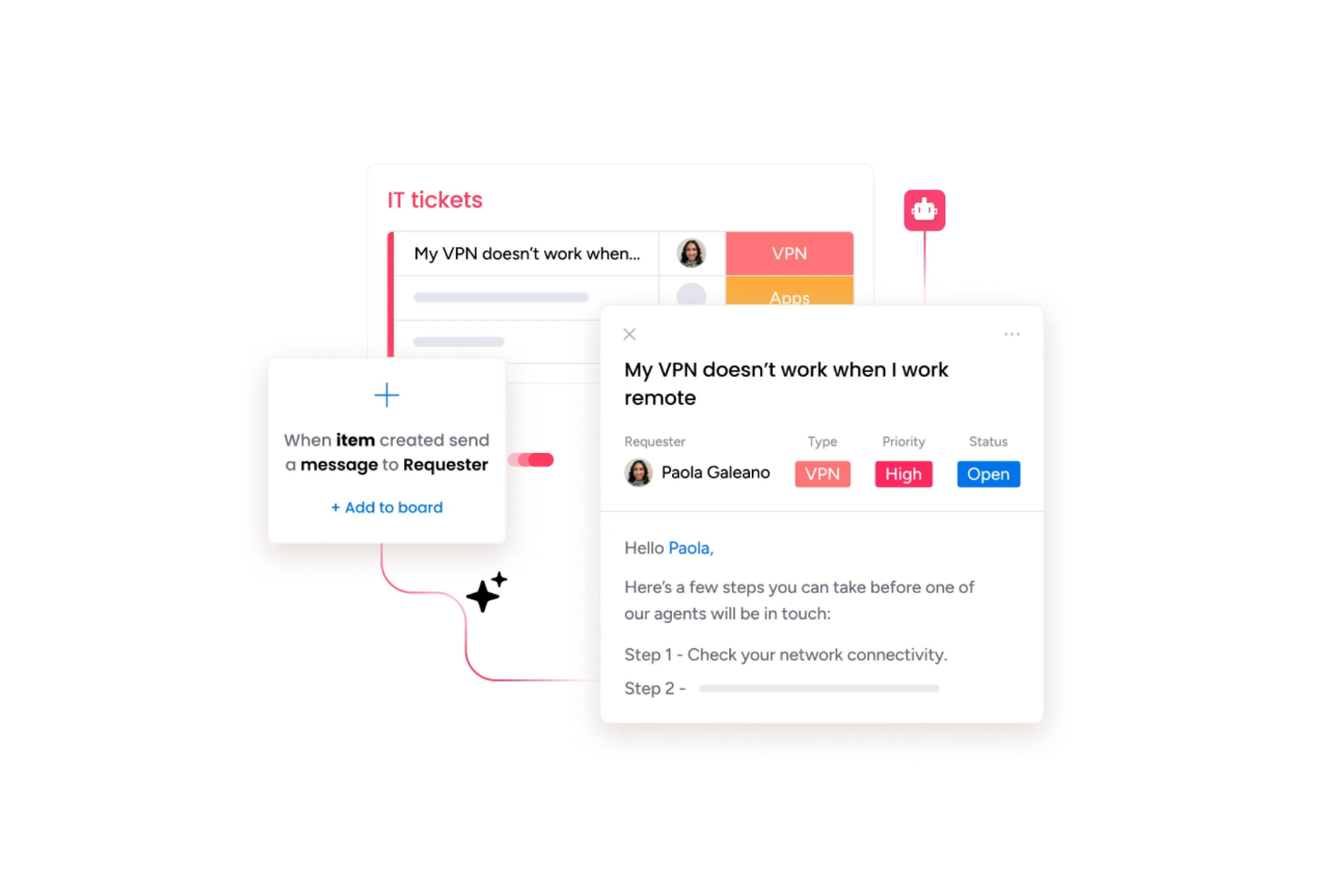
monday service is a modern service management platform designed for teams who want to simplify complex workflows and streamline service requests. It’s a versatile choice for organizations looking to replace legacy systems with a more visual, flexible workspace for managing day-to-day operations.
Who Is monday service Best For?
Mid-size and enterprise service teams in need of a visual platform to coordinate workflows and manage requests across departments.
Why monday service Is a Good ServiceNow Alternative
I picked monday service for this list because its visual workflow builder makes it genuinely easy to design and modify service processes without needing a developer. I've built ticket escalation flows and approval chains directly in the board view, dragging automation triggers into place rather than writing complex scripts. What I appreciate most is the no-code workflow builder, which lets my team map out multi-step service processes visually and update them in real time as needs change. For teams tired of rigid, hard-to-modify ITSM configurations, that kind of flexibility is hard to beat.
monday service Key Features
- AI-powered ticket classification: Automatically categorizes and routes incoming service requests based on content.
- Service portal: Gives end users a self-service interface to submit and track their own requests.
- SLA tracking: Monitors response and resolution deadlines with visual status indicators on each ticket.
- Custom dashboards: Lets teams build views that surface ticket volume, team workload, and performance metrics in one place.
monday service Integrations
monday service offers native integrations with tools like Slack, Salesforce, HubSpot, Jira, Zendesk, Microsoft Teams, Google Workspace, GitHub, Dropbox, and Outlook. It also connects with Zapier and provides an API for custom integrations.
Pros and Cons
Pros:
- Visual no-code workflow builder for service processes
- Highly customizable dashboards across teams
- Strong native integrations with business apps
Cons:
- Reporting less robust than enterprise ITSM platforms
- Limited advanced ITIL and CMDB capabilities

Best for AI-powered ticket support

For those exploring ServiceNow alternatives, InvGate Service Management presents a compelling choice with its AI-driven platform that simplifies IT operations. It's particularly beneficial for industries like education and banking, where seamless tool integration and user experience are crucial. With features such as automated workflows and AI-assisted knowledge management, it addresses challenges like operational silos and inefficient ticket handling, making it a suitable option for improving service delivery processes.
Why I Picked InvGate Service Management
I picked InvGate Service Management as a standout among ServiceNow alternatives because of its impressive AI-powered ticket support. This platform excels in recognizing the best expert for each ticket, ensuring faster resolutions and improved teamwork. Its AI capabilities also include major incident detection, allowing for proactive intervention to minimize downtime. Moreover, the automatic creation of knowledge articles from resolved incidents keeps the Knowledge Base up-to-date, promoting self-service and enhancing user satisfaction.
InvGate Service Management Key Features
In addition to its AI-powered ticket support, InvGate Service Management offers several key features that enhance its appeal as a ServiceNow alternative:
- UI Flexibility: Customize branding options for login screens and messages to align with your corporate identity.
- Approval Management: Automate ticket approval processes to streamline workflows and enhance efficiency.
- Multilingual Support: Access the interface in multiple languages, supporting Unicode for diverse text requirements.
- Time Tracking: Keep track of time spent on resolutions to improve resource management and performance analysis.
InvGate Service Management Integrations
Integrations include Microsoft Entra ID, Google Workspace, Jira, Slack, Microsoft Teams, WhatsApp, and IT Asset Inventory.
Pros and Cons
Pros:
- Engaging gamification elements improve user engagement and agent performance
- Customizable SLA rules and an intuitive workflow designer allow
- Comprehensive ITSM support and formal help desk capabilities
Cons:
- Cannot send emails from a custom domain when using InvGate's email servers
- No support for ticket creation from social media
New Product Updates from InvGate Service Management
InvGate Adds KB Article Creation and PDF Indexing for AI Search
InvGate Service Management adds KB article creation shortcuts and AI indexing for PDF attachments in KB articles. The updates help teams improve knowledge coverage and make more support content searchable through AI features. For more information, visit InvGate Service Management’s official site.
 .
.
TOPdesk
Best for quick setup and customization

TOPdesk is an IT service management tool used primarily by IT departments and service desk teams. It helps with incident management, asset management, and other IT service processes.
Why TOPdesk is a good ServiceNow alternative: TOPdesk is easy to set up and customize, so your team can get started quickly without a steep learning curve. You can tweak dashboards and forms to fit your workflows, all without needing technical expertise. This flexibility cuts down onboarding time and helps you tailor the platform to meet your team’s needs.
Standout features & integrations:
Features include customizable dashboards, incident management, and asset tracking. With TOPdesk, your team can easily track issues and manage assets without complicated processes. Plus, its user-friendly interfaces allow you to manage your IT services without getting bogged down in overly complex systems.
Integrations include Microsoft Teams, Slack, Azure DevOps, Jira, Outlook, Active Directory, Google Workspace, Intune, SAP, and Okta.
Pros and Cons
Pros:
- Simple setup process
- Flexible dashboards
- Good for small teams
Cons:
- May lack depth for large enterprises
- Limited advanced features
Other ServiceNow Alternatives
Here are some additional ServiceNow alternatives that didn’t make it onto my shortlist, but are still worth checking out:
- Jira Service Management
For customizable service queues
- Zendesk
For omnichannel support
- BMC Helix
For data insights
- Helpjuice
For knowledge management
- EasyVista
For real-time user interaction tracking
- SymphonyAI
For AI-native automation in ITSM
- Atomicwork
For employee communication
- Hiver
For omnichannel inbox
- Help Scout
For personalized support
- Zoho Desk
For user privacy focus
- Agentforce Service (formerly Service Cloud)
For CRM integration
- ManageEngine ServiceDesk Plus
For omnichannel incident logging
- InvGate
For automated ticketing
- NinjaOne
For automated patch management


How I Evaluate ServiceNow Alternatives
I split my evaluation into baseline requirements—omnichannel ticketing, case automation, and self-service—and the differentiators that separate tools built for CX teams from generic service platforms.
Core Functionality (Table Stakes For This List)
When I'm selecting tools for my list, I rank each one on a scale from 0 (does not offer the functionality) to 5 (excels in this area) for each core functionality listed below. Then, I calculate the tool's total score into a percentage. Each tool needs to achieve a minimum total score of 65% to be considered for inclusion.
- Omnichannel Ticketing & Case Management: I check whether a platform unifies email, chat, phone, social, and web inquiries into one workspace rather than splitting agents across separate queues per channel.
- Workflow Automation: Each tool gets evaluated on how easily a CX admin can set up auto-routing, SLA escalations, and status triggers without filing a request with a dev team.
- Self-Service Portal & Knowledge Base: I look for branded, customer-facing portals where users can search a knowledge base, submit requests, and track case status on their own.
- Customer 360 View: The agent workspace should surface a customer's full interaction history, open cases, and profile data in one place so agents aren't toggling between tabs mid-conversation.
- CX Analytics & Reporting: I evaluate whether the platform tracks service KPIs like CSAT, first response time, and resolution time through dashboards that CX leaders can customize for stakeholder reviews.
- Integrations & APIs: Connectivity with CRMs, communication platforms, and business tools matters here. I look at native connector libraries and API documentation to gauge ecosystem fit.
Once I have a list of tools that meet this criteria, I consider what sets each platform apart.
Differentiating Factors (What Sets Vendors Apart)
Here's how I compare and contrast different vendors:
Standout Features
AI-assisted agent tools are a major differentiator. I look for platforms where generative AI drafts reply suggestions or summarizes long case threads, saving agents real time during peak volume. Chatbot and virtual agent capabilities matter too—especially when the bot handles common requests like order status checks and hands off to a live agent with full context intact. I also evaluate voice of customer features, like embedded CSAT or NPS surveys triggered after resolution, since closing the feedback loop inside the platform removes the need for a separate survey tool.
Beyond Features
Total cost of ownership is a big one. ServiceNow often requires dedicated admins and consultants, so I check whether an alternative lets a CX ops manager handle configuration without that overhead. Time to value matters just as much—I look for platforms with prebuilt service templates that get teams live in weeks, not quarters. Security and compliance round out my evaluation. CX teams handle sensitive customer data daily, so I confirm SOC 2 and GDPR readiness along with role-based access controls and audit logging.
Why Look for a ServiceNow Alternative?
While ServiceNow is a versatile software for several end users, there are a number of reasons why you may seek out alternative solutions. You might be looking for a ServiceNow alternative because:
- It's too expensive for smaller teams
- The interface is too complex for beginners
- There are limited customization options
- It requires extensive training
- It's not ideal for non-IT departments
- There is a lack of local support in certain regions
If any of these sound like you, you’ve come to the right place. My list contains several ServiceNow alternatives options that are better suited for teams facing these challenges.
Features to Look For In ServiceNow Alternatives
When selecting ServiceNow alternatives, keep an eye out for the following key features:
- Workflow automation: This feature helps you streamline repetitive tasks and processes, so you can focus on what matters—solving real problems instead of getting tangled in manual work. Workflow automation reduces errors and speeds up service delivery by moving requests and approvals through customized steps.
- Incident management: With incident management, you can easily capture, track, and resolve user issues or service disruptions. It gives you a clear structure for prioritizing problems, assigning them to the right people, and keeping everyone updated until issues are resolved.
- Self-service portal: A self-service portal empowers users to find answers, submit requests, and track progress—without having to make endless phone calls or emails. It centralizes knowledge articles, FAQs, and ticket submissions, making life easier for both you and your users.
- Change management: Change management handles the scheduling, approval, and implementation of system or process changes. This feature minimizes risk and prevents chaos by ensuring everyone stays informed and that every change follows a consistent, auditable process.
- Knowledge base: The knowledge base provides a searchable library of articles, manuals, and troubleshooting guides. It lets users quickly access solutions for common problems, reducing support workload and helping issues get solved faster.
- Asset and configuration management: This feature lets you keep tabs on physical and digital assets—think laptops, software licenses, or servers. You can track ownership, status, and dependencies, so you always know where your resources are and how they're being used.
- Reporting and analytics: Reporting and analytics tools help you measure performance, identify trends, and make data-driven decisions. These features turn piles of raw data into clear, actionable insights you can use to optimize services and justify improvements.
- Integration capabilities: Integration capabilities let you connect with other software tools and platforms you already use. Whether it’s HR systems, communication tools, or monitoring solutions, you can pull info together so your workflows run smoothly across different environments.
Frequently Asked Questions
Is ServiceNow built on AWS?
No, ServiceNow is not built on AWS, but it can run on AWS infrastructure in certain cases. ServiceNow primarily operates on its own proprietary cloud, but some customers have the option to deploy ServiceNow on Amazon Web Services. This hybrid approach provides flexibility if you need to meet specific regulatory or data residency needs. However, the default ServiceNow platform is hosted and managed by ServiceNow itself, not AWS.
What are the pros and cons of switching from ServiceNow to another platform?
Switching from ServiceNow to another platform comes with both advantages and drawbacks. On the plus side, you might find a solution that’s better suited to your team’s needs, offers more customization, or costs less. You could also switch to a platform with a friendlier user interface, improved automation, or better integration with your existing tools.
However, the downsides include the time and resources needed for migration, potential data loss, and the need to retrain your team. You may lose some features you depend on now or face disruption during the transition. Weigh the specific requirements of your organization to determine if the benefits of switching outweigh the challenges.
How do I choose the right ServiceNow alternative for my team?
To choose the right ServiceNow alternative for your team, first define your key needs—like ITSM features, automation, integrations, ease of use, and budget. Make a list of must-have requirements and any preferences. Compare several options by reading user reviews, checking demos, and exploring case studies for teams similar to yours. Focus on tools that fit your workflow, have strong customer support, and offer a clear ROI. Test your top two or three picks with free trials to see which fits your team best before committing.
Are there open source solutions similar to ServiceNow?
Yes, there are open source solutions similar to ServiceNow. Options like OTRS, GLPI, and iTop offer IT service management (ITSM) features such as ticketing, asset management, and workflow automation. While these tools may not match ServiceNow’s full enterprise feature set, they’re cost-effective for teams seeking flexibility and customization without hefty licensing fees. You can tailor these platforms to fit your IT processes, but keep in mind they may need more hands-on setup and support compared to commercial tools like ServiceNow.
Can ServiceNow alternatives integrate with my existing tools?
Yes, most ServiceNow alternatives can integrate with your existing tools. Many platforms offer robust APIs, pre-built connectors, and integrations with popular software for HR, IT, customer support, and project management. Before choosing an alternative, check if it supports seamless integration with the specific tools your team uses—like Slack, Jira, Microsoft Teams, or Salesforce. You may need technical help for more complex setups, but many vendors provide guides and customer support to make integration as smooth as possible.
How do ServiceNow alternatives compare in terms of cost and features?
ServiceNow alternatives often cost less upfront and offer flexible pricing models, like pay-per-user or tiered plans. While most alternatives include core IT service management features such as ticketing, workflow automation, and reporting, some tools focus on specific industries or use cases and may offer more customization. Integrations and user interface can vary widely. Review the specific features you need—like asset management, self-service portals, or advanced analytics—and try demos to see which platform fits your team and budget best.
Who is the biggest competitor of ServiceNow?
The biggest competitor of ServiceNow is often considered to be BMC Helix (formerly BMC Remedy). BMC Helix offers similar IT service management (ITSM) solutions for enterprises and is frequently mentioned alongside ServiceNow in industry comparisons. Other strong competitors include Cherwell, Ivanti, and Freshservice, but BMC Helix is generally seen as the closest alternative for large organizations looking for robust ITSM platforms.