



Freshdesk contro Zoho Desk: confronto dettagliato e recensioni degli esperti per il 2026



Scegliere una piattaforma di assistenza significa trovare un sistema che renda davvero più semplice il lavoro del team di supporto. Se stai confrontando Freshdesk e Zoho Desk, probabilmente stai cercando di bilanciare automazione e convenienza economica, facilità d’uso e personalizzazione, nonché funzionalità di intelligenza artificiale e praticità nel mondo reale. Forse il software che utilizzi attualmente è macchinoso, troppo costoso o non abbastanza potente per stare al passo con la crescita del team. Oppure stai iniziando da zero e vuoi evitare di scegliere la piattaforma sbagliata al primo tentativo.
In questa guida troverai un confronto fianco a fianco tra le funzionalità, i prezzi e i casi d’uso di Freshdesk e Zoho Desk, così potrai scegliere con sicurezza la soluzione più adatta ai tuoi obiettivi.
Freshdesk vs. Zoho Desk: An Overview
Freshdesk
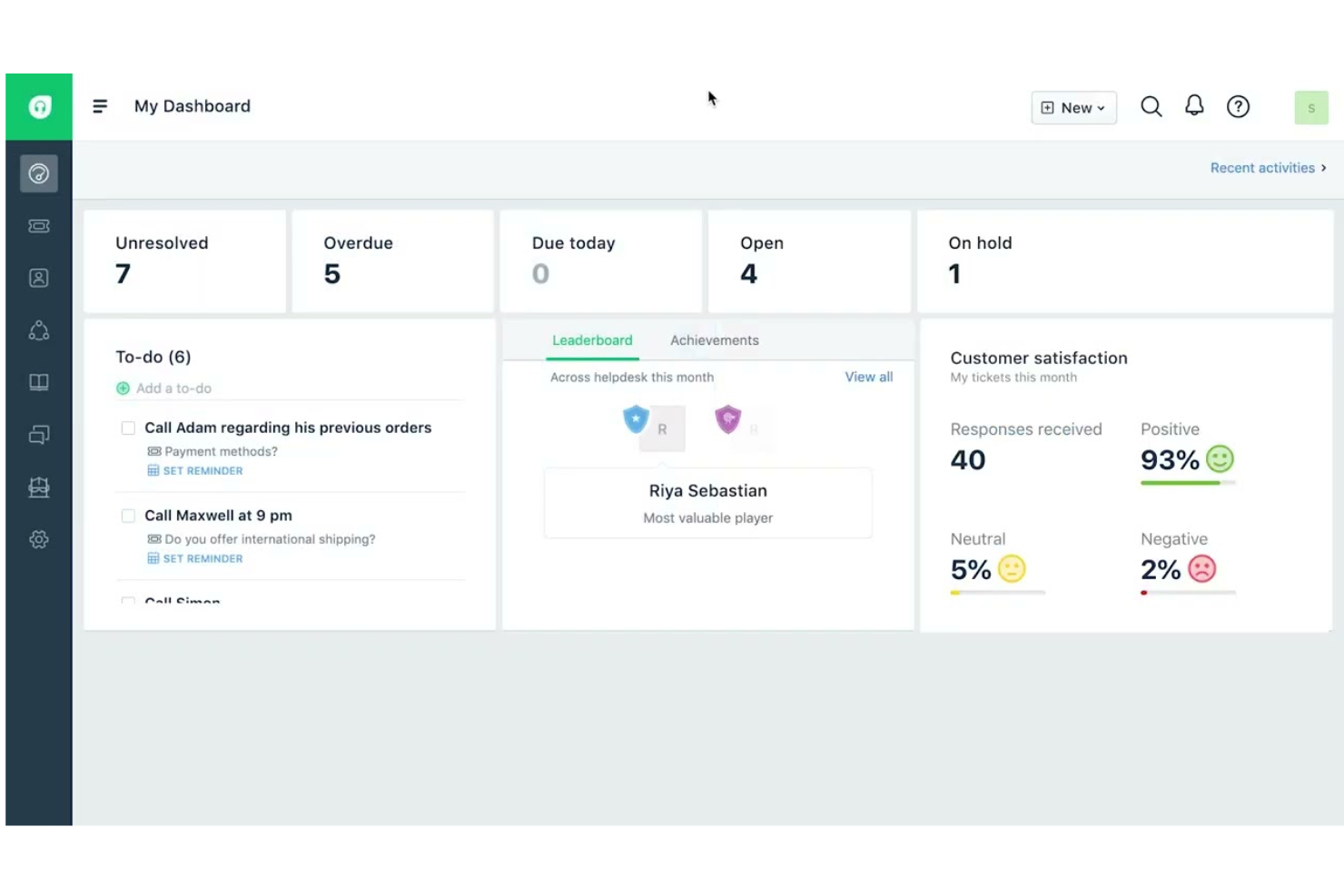
Zoho Desk

Perché fidarsi dei nostri consigli sui software
Il nostro team testa e recensisce software dal 2012. In quanto leader CX noi stessi, sappiamo quanto sia difficile — e importante — scegliere il software giusto.
Per questa guida, abbiamo valutato gli strumenti attraverso test pratici e ricerche indipendenti, assegnando un punteggio agli strumenti in base ai nostri criteri di selezione.
Le nostre recensioni riflettono il nostro giudizio editoriale umano, non un discorso di vendita.
Freshdesk vs. Zoho Desk Pricing Comparison
| Freshdesk | Zoho Desk | |
|---|---|---|
| Free Trial | 14-day free trial | 15-day free trial |
| Pricing | From $19/user/month (billed annually) | Pricing upon request |
Prezzi e costi nascosti di Freshdesk e Zoho Desk
I prezzi di Freshdesk sono strutturati in piani a livelli con capacità crescenti, dalle funzionalità di base dell’help desk fino all’intelligenza artificiale e all’automazione avanzate. Sebbene gli strumenti principali per la gestione dei ticket e dell’assistenza siano inclusi in ogni piano, potenti funzionalità di intelligenza artificiale come gli agenti Freddy AI e le sessioni aggiuntive di Freddy Copilot possono essere soggette a limiti di utilizzo o costi aggiuntivi, che possono far aumentare la fattura con la crescita del volume di richieste di assistenza.
Anche Zoho Desk utilizza un modello di prezzi a livelli, a partire da un piano gratuito senza scadenza per i piccoli team e con l’aggiunta progressiva di funzionalità a ogni livello a pagamento. La maggior parte delle funzionalità principali, tra cui assistenza omnicanale, automazione e analisi, è inclusa nei piani a pagamento standard. Tuttavia, alcuni strumenti avanzati, come gli agenti di intelligenza artificiale, Answer Bot, i centri assistenza multimarca e gli ambienti sandbox, sono riservati ai livelli superiori.
Freshdesk vs. Zoho Desk Feature Comparison
Sia Freshdesk sia Zoho Desk coprono gli aspetti essenziali che ci si aspetta da una moderna piattaforma di assistenza: gestione omnicanale dei ticket, automazione e flussi di lavoro, basi di conoscenza self-service, report e analisi, nonché risposte assistite dall’intelligenza artificiale, rivelandosi opzioni valide per i team che desiderano offrire un’assistenza clienti coerente.
Freshdesk si distingue per la sua suite Freddy AI, che include un’assistenza avanzata tramite Copilot e agenti di intelligenza artificiale pronti per essere avviati e gestire risoluzioni automatizzate, oltre a un Centro di comando centralizzato che riunisce tutti i canali e gli approfondimenti in un unico spazio di lavoro. Zoho Desk offre l’intelligenza predittiva e Answer Bot di Zia, strumenti di personalizzazione avanzati come modelli e moduli personalizzati, nonché un approccio incentrato sulla privacy con prezzi trasparenti e un’ampia assistenza multilingue.
| Freshdesk | Zoho Desk | |
|---|---|---|
| API | ||
| Analytics | ||
| Batch Permissions & Access | ||
| CRM Integration | ||
| Call Integration | ||
| Chat | ||
| Contact Management | ||
| Contact Sharing | ||
| Customer Management | ||
| Customer Service | ||
| Dashboard | ||
| Data Export | ||
| Data Import | ||
| Data Visualization | ||
| Email Integration | ||
| Escalation Management | ||
| External Integrations | ||
| Instant Chat Integration | ||
| Knowledge Base | ||
| Lead Management | ||
| Lead Scoring | ||
| Multi-User | ||
| Notifications | ||
| Real-time Alerts | ||
| Scheduling | ||
| Self-service Portal | ||
| Social Media Integration | ||
| Support Forum | ||
| Third-Party Plugins/Add-Ons | ||
| Ticket Management | ||
| Workflow Management |
Integrazioni di Freshdesk e Zoho Desk
| Integrazione | Freshdesk | Zoho Desk |
| Slack | ✅ | ✅ |
| Salesforce | ✅ | ✅ |
| Microsoft Teams | ✅ | ✅ |
| Shopify | ✅ | ✅ |
| Jira | ✅ | ✅ |
| HubSpot | ✅ | ✅ |
| WhatsApp Business | ✅ | ✅ |
| Zoho CRM | ❌ | ✅ |
| Google Workspace | ✅ | ✅ |
| Mailchimp | ✅ | ✅ |
| API | ✅ | ✅ |
| Zapier | ✅ | ✅ |
Sia Freshdesk sia Zoho Desk offrono ampi ecosistemi di integrazioni, inclusi strumenti per l’e-commerce e il marketing. Freshdesk si integra ampiamente con piattaforme di terze parti, mentre Zoho Desk si distingue per la sua integrazione nativa e approfondita all’interno dell’ecosistema Zoho.
Freshdesk vs. Zoho Desk: sicurezza, conformità e affidabilità
| Fattore | Freshdesk | Zoho Desk |
| Crittografia dei dati | Crittografa i dati in transito e a riposo utilizzando protocolli conformi agli standard del settore. | Utilizza la crittografia SSL/TLS per i dati in transito e AES-256 per i dati a riposo. |
| Conformità normativa | Certificato SOC 2 Type II e ISO/IEC 27001:2022, con ulteriori attestazioni di conformità globali. | Supporta la conformità al GDPR e al SOC 2 e opera secondo standard di sicurezza certificati ISO 27001. |
| Garanzia di disponibilità | Centro fiduciario pubblico e monitoraggio dello stato disponibili; nella documentazione fornita non è indicata una percentuale SLA specifica. | Offre uno SLA di disponibilità fino al 99,9% con aggiornamenti in tempo reale sullo stato del servizio. |
| Controlli degli accessi | Autorizzazioni basate sui ruoli e opzioni SSO per una gestione sicura degli utenti. | Accesso granulare basato sui ruoli, SSO e registri di audit per le attività degli utenti. |
Sia Freshdesk sia Zoho Desk offrono solide basi di sicurezza, tra cui crittografia, controlli degli accessi basati sui ruoli e registri di audit. Tuttavia, Freshdesk elenca pubblicamente una gamma più ampia di certificazioni formali e attestazioni di terze parti attraverso il proprio Centro fiduciario.
Freshdesk vs. Zoho Desk: facilità d'uso
| Fattore | Freshdesk | Zoho Desk |
| Interfaccia utente | Pannello di controllo chiaro e moderno, con gestione dei ticket tramite trascinamento. | Interfaccia personalizzabile con più opzioni, ma con una curva di apprendimento più ripida. |
| Configurazione iniziale | La configurazione guidata e i tutorial interattivi aiutano i nuovi utenti a iniziare rapidamente. | Offre checklist per la configurazione iniziale e suggerimenti integrati nell'app, ma la configurazione può risultare complessa. |
| Personalizzazione | È semplice configurare flussi di lavoro e automazioni di base. | Flussi di lavoro e layout altamente personalizzabili per gli utenti avanzati. |
| Esperienza mobile | App mobile intuitiva per gestire i ticket ovunque ci si trovi. | L'app mobile offre tutte le funzionalità, ma può risultare affollata. |
| Risorse di supporto | Base di conoscenza completa e assistenza tramite chat dal vivo reattiva. | Documentazione di supporto dettagliata e forum della community, con assistenza dal vivo disponibile per alcuni piani. |
Freshdesk è più facile da apprendere per i nuovi utenti, mentre Zoho Desk premia chi desidera investire tempo nella personalizzazione. Freshdesk si distingue per la configurazione intuitiva e l'assistenza reattiva, mentre Zoho Desk si distingue per flessibilità e profondità una volta acquisita familiarità con la piattaforma.
Freshdesk vs Zoho Desk: Pros & Cons
Freshdesk
- Omnichannel ticketing includes email, chat, phone, and social.
- AI tools assist agents with suggestions and insights.
- Easy-to-use interface with minimal training required.
- Reporting dashboards offer limited customization options.
- Mobile app lacks features available on desktop.
- Most AI features are limited to higher-tier plans.
Zoho Desk
- You can easily customize workflows.
- The AI assistant, Zia, helps automate ticket management and responses.
- It offers robust reporting and analytics capabilities.
- You may find the user interface a bit outdated.
- Your team may experience slow customer support response times.
- The learning curve can be steep for new users.
Best Use Cases for Freshdesk and Zoho Desk
Freshdesk
- Ecommerce Support Teams Freshdesk’s omnichannel ticketing helps manage inquiries from multiple sales channels, marketplaces, and order-related customer requests efficiently.
- SaaS Startups Affordable plans (including a free one), AI tools, and easy setup suit fast-growing, resource-limited teams needing scalable customer support infrastructure.
- Retail Customer Service Phone, chat, and messaging integrations through the Freshworks platform support high-volume customer requests across multiple locations.
- Managed Service Providers (MSPs) MSPs can track client issues, prioritize requests, and automate routing across different technical support teams.
- IT Help Desks Automated ticket routing, SLAs, and knowledge base features streamline internal service requests and improve resolution times.
- Travel and Hospitality Support Teams Hotels, airlines, and travel agencies can manage booking questions, cancellations, and service requests across multiple communication channels.
Zoho Desk
- Small Businesses Zoho Desk's affordability, usability, and comprehensive feature set make it ideal for managing customer support without breaking the bank.
- Retail Industry With omnichannel support, you can handle customer queries from all platforms, ensuring consistent service.
- Education Sector Zoho Desk's self-service options allow students and faculty to find answers quickly without waiting for support.
- Startups The platform's scalability ensures that it grows with your business, providing essential tools as your needs evolve.
- Customer Support Teams The automation features reduce repetitive tasks, allowing your team to focus on complex customer issues.
- E-Commerce Efficient support ticket management tools help you handle high volumes of customer inquiries, improving response times.
- Educational Institutions Schools and universities with specific needs for student interaction and engagement may not benefit from Zoho Desk's customer service focus.
Chi dovrebbe usare Freshdesk e chi dovrebbe usare Zoho Desk?
Freshdesk è una scelta solida per i team che desiderano automazione basata sull'intelligenza artificiale e visibilità centralizzata, soprattutto se prevedono di sfruttare agenti di intelligenza artificiale avanzati e uno spazio di lavoro unificato per ottimizzare l'assistenza ad alto volume su più canali. È adatto alle organizzazioni che danno priorità a risoluzioni rapide e automatizzate, strumenti di intelligenza artificiale potenti e un unico centro di comando per il monitoraggio.
Zoho Desk, d'altra parte, è ideale per i team che apprezzano flessibilità, trasparenza e personalizzazione, in particolare per le piccole e medie imprese o per quelle che hanno già investito nell'ecosistema Zoho. È adatto alle organizzazioni di supporto che desiderano un'ampia copertura dei canali, una configurabilità avanzata (come blueprint e moduli personalizzati) e prezzi prevedibili senza costi nascosti, beneficiando al contempo di un'assistenza basata sull'intelligenza artificiale e di solidi controlli della privacy.
Differences Between Freshdesk and Zoho Desk
| Freshdesk | Zoho Desk | |
|---|---|---|
| Automation | Built-in automation is easy to set up and use out of the box. | Automation is highly customizable for complex workflows. |
| CRM Integrations | Integrates with many CRMs, but not with a native CRM. | Deep, native integration with Zoho CRM by default. |
| Customization | Balanced customization with a focus on ease of setup. | Deep customization for fields, layouts, and processes. |
| Free Plan Limits | Free program limited to ~1–2 agents temporarily or short-term trial. | Free-forever plan supports up to 3 users with basic ticketing. |
| User Interface | Modern, intuitive, and beginner-friendly dashboard. | Feature-rich interface with more options and complexity. |
| Visit FreshdeskOpens new window | Read Zoho Desk ReviewOpens new window |
Similarities Between Freshdesk and Zoho Desk
| AI-Powered Automation | Both include AI assistants to help automate replies and support workflows. |
|---|---|
| Knowledge Base | Each offers a built-in knowledge base so you can create self-service portals and FAQs for customers. |
| Multichannel Support | Both let you manage email, chat, phone, and social media tickets from a single dashboard for unified support. |
| Reporting & Analytics | Each platform includes customizable reports and dashboards to track team performance and customer trends. |
| SLA Management | Both provide SLA policies and escalation rules to help your team meet response and resolution targets. |
| Visit FreshdeskOpens new window Read Zoho Desk ReviewOpens new window | |