

10 Migliori Software per il Successo del Cliente di 2026

10 Shortlist di software per il successo del cliente


Il software per il successo del cliente aiuta il tuo team a gestire proattivamente gli account, ridurre il tasso di abbandono e identificare opportunità di crescita. Se hai difficoltà con dati frammentati, onboarding incoerente, gestione reattiva dei clienti o visibilità limitata sui rischi degli account e sul potenziale di rinnovo, il software giusto può risolvere la maggior parte di questi problemi.
In questo articolo recensirò i migliori software per il successo del cliente sul mercato, in grado di aiutarti a potenziare gli sforzi di fidelizzazione e ad aumentare la soddisfazione dei clienti.
Perché fidarsi dei nostri consigli sui software
Il nostro team testa e recensisce software dal 2012. In quanto leader CX noi stessi, sappiamo quanto sia difficile — e importante — scegliere il software giusto.
Per questa guida, abbiamo valutato gli strumenti attraverso test pratici e ricerche indipendenti, assegnando un punteggio agli strumenti in base ai nostri criteri di selezione.
Le nostre recensioni riflettono il nostro giudizio editoriale umano, non un discorso di vendita.
Tabella riassuntiva delle migliori soluzioni software per il successo del cliente
Ecco un confronto affiancato delle mie 20 migliori scelte:
| Tool | Best For | Trial Info | Price | ||
|---|---|---|---|---|---|
| 1 | Ideale per prevenire l'abbandono silenzioso | Prova gratuita di 7 giorni + demo gratuita disponibile | A partire da $199/mese (fatturazione annuale) | Website | |
| 2 | Ideale per il supporto clienti potenziato dall'intelligenza artificiale | Prova gratuita di 14 giorni + demo gratuita disponibile | A partire da $19/agente/mese (fatturato annualmente) | Website | |
| 3 | Ideale per la gestione di app basate sul cloud | Piano gratuito disponibile | $9.99/mese | Website | |
| 4 | Ideale per la risoluzione a ciclo chiuso delle problematiche dei clienti | Demo gratuita disponibile | Prezzo su richiesta | Website | |
| 5 | Ideale per l'engagement proattivo dei clienti | Prova gratuita disponibile | Da $25/utente/mese (fatturazione annuale) | Website | |
| 6 | Ideale per tracciare i punteggi di salute dei clienti | Demo gratuita disponibile | Prezzo su richiesta | Website | |
| 7 | Ideale per funzionalità di automazione del ciclo di vita | Demo gratuita disponibile | Da $45/mese (fatturazione annuale) | Website | |
| 8 | Ideale per unificare le interazioni con i clienti | Prova gratuita di 14 giorni + demo gratuita disponibile | Da $19/agente/mese (fatturazione annuale) | Website | |
| 9 | La soluzione migliore per sicurezza e privacy di livello aziendale | Piano gratuito disponibile | A partire da $32/mese (fatturato annualmente) | Website | |
| 10 | Ideale per l'integrazione di operazioni clienti unificate | Piano gratuito disponibile | Da $29/mese (fatturato annualmente) | Website |


Recensioni dei migliori software per il successo del cliente
Ecco una breve descrizione di ciascuna app per il successo del cliente per mostrarne il miglior caso d’uso, alcune funzionalità rilevanti e screenshot per dare un’idea dell’interfaccia utente.

Ideale per prevenire l'abbandono silenzioso
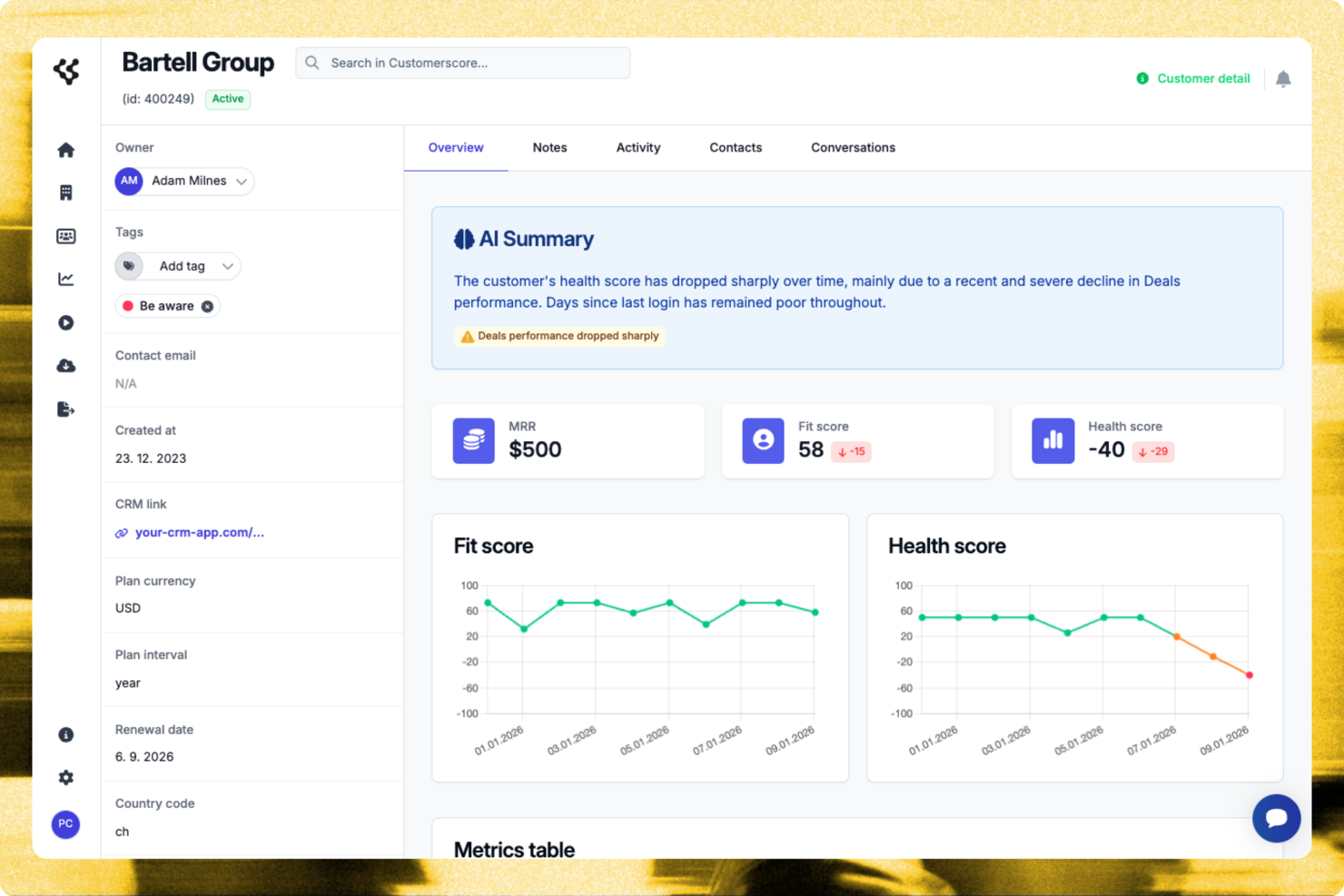
Customerscore.io consente ai team CX e alle aziende SaaS di monitorare la salute dei clienti, prevedere l'abbandono e automatizzare il coinvolgimento, così possono concentrarsi sugli account che necessitano maggiormente di attenzione.
Per chi è ideale Customerscore.io?
Customerscore.io è particolarmente indicato per le aziende SaaS con team dedicati al successo del cliente che devono monitorare la salute degli account e intervenire sui segnali di abbandono prima che sfocino in problemi più gravi.
Perché ho scelto Customerscore.io
Customerscore.io si guadagna un posto nella mia selezione perché affronta direttamente il problema dell'abbandono silenzioso—clienti che si disimpegnano e cancellano il servizio senza mai aprire un ticket di supporto. Mi piace come la valutazione dello stato di salute basata su AI rilevi segnali da tutto il tuo stack (dati di utilizzo, fatturazione, attività di supporto) e attivi workflow automatici non appena un punteggio cala, così nessun account a rischio passa inosservato. Questo significa che il mio team può eseguire una strategia di prevenzione dell'abbandono inviando automaticamente una mail personalizzata di controllo quando il punteggio di salute scende sotto i 60, senza necessità di revisione manuale della dashboard. Il workflow di protezione rinnovi è un'altra funzione davvero utile: segnala automaticamente gli account a basso utilizzo 30 giorni prima del rinnovo e avvia un contatto proattivo.
Caratteristiche principali di Customerscore.io
- Automazione dei workflow di espansione: Invia automaticamente un'email di upsell quando l'utilizzo da parte di un cliente raggiunge l'80% del limite previsto dal piano.
- Trigger per attivazione dell'onboarding: Invia una mail tutorial al giorno 14 se una funzionalità chiave non è ancora stata adottata.
- Rilevamento segnali da fonti multiple: Raccoglie dati su coinvolgimento, fatturazione e supporto da strumenti come Mixpanel, Stripe e Intercom in un'unica panoramica della salute del cliente.
- Dashboard per la misurazione dell’impatto: Monitora gli account a rischio individuati, il tasso di recupero e l’ARR protetto, così puoi vedere esattamente cosa funziona.
Integrazioni Customerscore.io
Customerscore.io offre integrazioni native con Intercom, Mixpanel, Stripe, HubSpot, Salesforce, Segment e Zapier. È disponibile un’API per integrazioni personalizzate.
Pros and Cons
Pros:
- Chiara visibilità sui rischi di abbandono
- Insight attuabili su opportunità di upsell
- Ottime integrazioni native con CRM
Cons:
- Prezzi non resi pubblici
- Curva di apprendimento per le analisi

Ideale per il supporto clienti potenziato dall'intelligenza artificiale
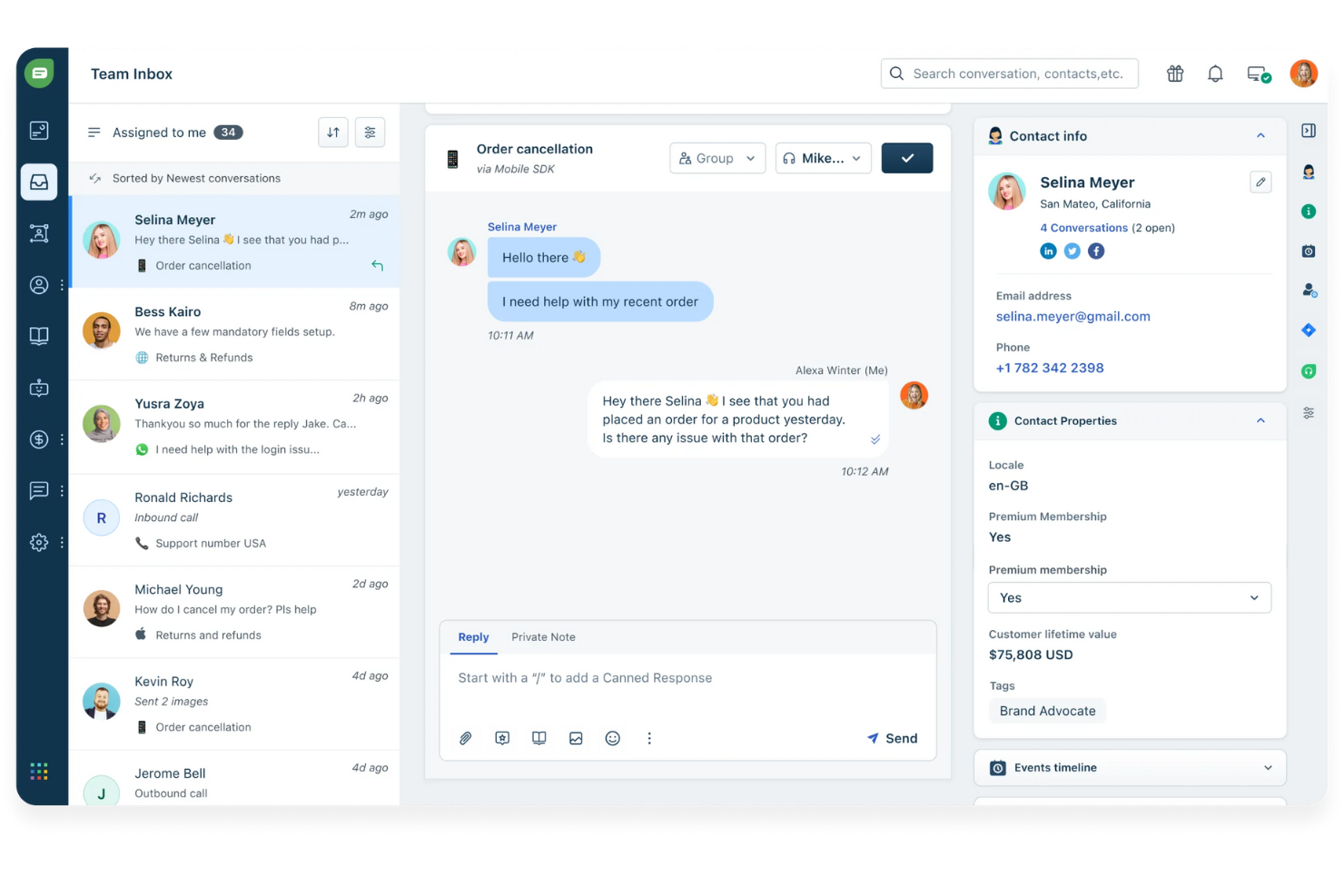
Freshdesk è una piattaforma di successo per i clienti basata su cloud, progettata per i team CX che devono gestire richieste di assistenza, automatizzare i flussi di lavoro e offrire un servizio coerente su canali come email, chat e social media.
Per chi è più indicato Freshdesk?
Freshdesk è adatto a piccole e medie imprese che necessitano di una piattaforma di supporto multicanale scalabile, senza un pesante carico IT.
Perché ho scelto Freshdesk
Freshdesk si guadagna un posto nella mia selezione perché la sua suite Freddy AI gestisce l'intero ciclo di vita del supporto, non solo una singola fase. Apprezzo in particolare Freddy AI Copilot, che fornisce agli agenti suggerimenti per le risposte in tempo reale, traduzioni live e riepiloghi dei ticket, consentendo loro di rispondere più velocemente senza compromettere la precisione. Freddy AI Agent risolve autonomamente le richieste ripetitive 24/7, sollevando il mio team dal rispondere sempre alle stesse domande. Freddy AI Insights completa l'offerta fornendo avvisi proattivi e risposte alle domande della leadership sulle tendenze del supporto su richiesta.
Funzionalità principali di Freshdesk
- Posta in arrivo condivisa omnicanale: Gestisci le conversazioni dei clienti da email, chat, telefono e social media in un'unica casella di posta unificata.
- Assegnazione dei ticket in base alle competenze: Instrada automaticamente i ticket in arrivo agli agenti in base alle loro specifiche competenze o aree di esperienza.
- Gestione delle policy SLA: Imposta e applica più policy SLA per monitorare gli obiettivi di tempo di risposta e risoluzione in diversi segmenti di clientela.
- Knowledge base: Crea un portale self-service multilingue in cui i clienti possono trovare risposte senza contattare il tuo team di supporto.
Integrazioni Freshdesk
Freshdesk offre oltre 1.000 integrazioni native, incluse Salesforce, HubSpot, Jira, Slack, Shopify, Mailchimp, Google Workspace, Microsoft Teams, WhatsApp, Zoom e Zapier. È disponibile un'API per le integrazioni personalizzate.
Pros and Cons
Pros:
- Chatbot AI e automazione riducono i compiti ripetitivi
- Interfaccia intuitiva che favorisce un'adozione rapida
- Solidi strumenti di report e analisi per approfondimenti sulle performance
Cons:
- Capacità di personalizzazione limitate
- Le funzionalità AI avanzate richiedono configurazione e formazione aggiuntiva

Ideale per la gestione di app basate sul cloud

Solodev è una piattaforma di esperienza digitale che offre agli sviluppatori gli strumenti per creare e gestire applicazioni di vario tipo. Che tu stia costruendo un sito web, distribuendo modelli di intelligenza artificiale o esplorando il metaverso, Solodev mette a disposizione l'infrastruttura e le risorse di cui hai bisogno.
Perché ho scelto Solodev: Ho scelto Solodev per la sua forte attenzione ai servizi cloud e alla gestione digitale. Grazie a un'infrastruttura cloud completa, puoi distribuire e gestire applicazioni con facilità, assicurando che i tuoi progetti siano scalabili e sicuri. Inoltre, la funzionalità di gestione digitale della piattaforma ti consente di integrare applicazioni di adtech, martech e commercio, offrendoti una soluzione centralizzata per gestire diverse necessità aziendali.
Un altro motivo per cui Solodev si distingue è il suo impegno nell'innovazione in ambiti come intelligenza artificiale e blockchain. Fornendo strumenti per ospitare e addestrare modelli di IA, Solodev ti permette di sfruttare le funzionalità di machine learning per creare esperienze utente avanzate. Il supporto alla blockchain della piattaforma consente anche di costruire reti affidabili, essenziali per applicazioni che richiedono elevata sicurezza e trasparenza.
Funzionalità principali e integrazioni:
Le funzionalità includono lo sviluppo per il metaverso, che ti consente di creare applicazioni di realtà aumentata e realtà virtuale, espandendo la tua presenza digitale verso nuove dimensioni. La piattaforma offre inoltre un solido supporto per l'Internet delle Cose (IoT), permettendoti di collegare e analizzare dispositivi per operazioni più intelligenti. Inoltre, Solodev garantisce supporto per dispositivi mobili, fornendoti le risorse necessarie per sviluppare app e gestire le inserzioni sugli store in modo efficace.
Le integrazioni includono Customer.io, AWS, IPQualityScore e GoDaddy.
Pros and Cons
Pros:
- Interfaccia intuitiva e facile da usare, adatta a piccole e medie imprese
- Gestione SEO avanzata e capacità di integrazione solide
- La creazione di siti assistita dall'IA semplifica il processo di design
Cons:
- Limitazioni in termini di scalabilità e opzioni di personalizzazione
- Elevata personalizzazione richiede competenze di programmazione o budget dedicato

Ideale per la risoluzione a ciclo chiuso delle problematiche dei clienti
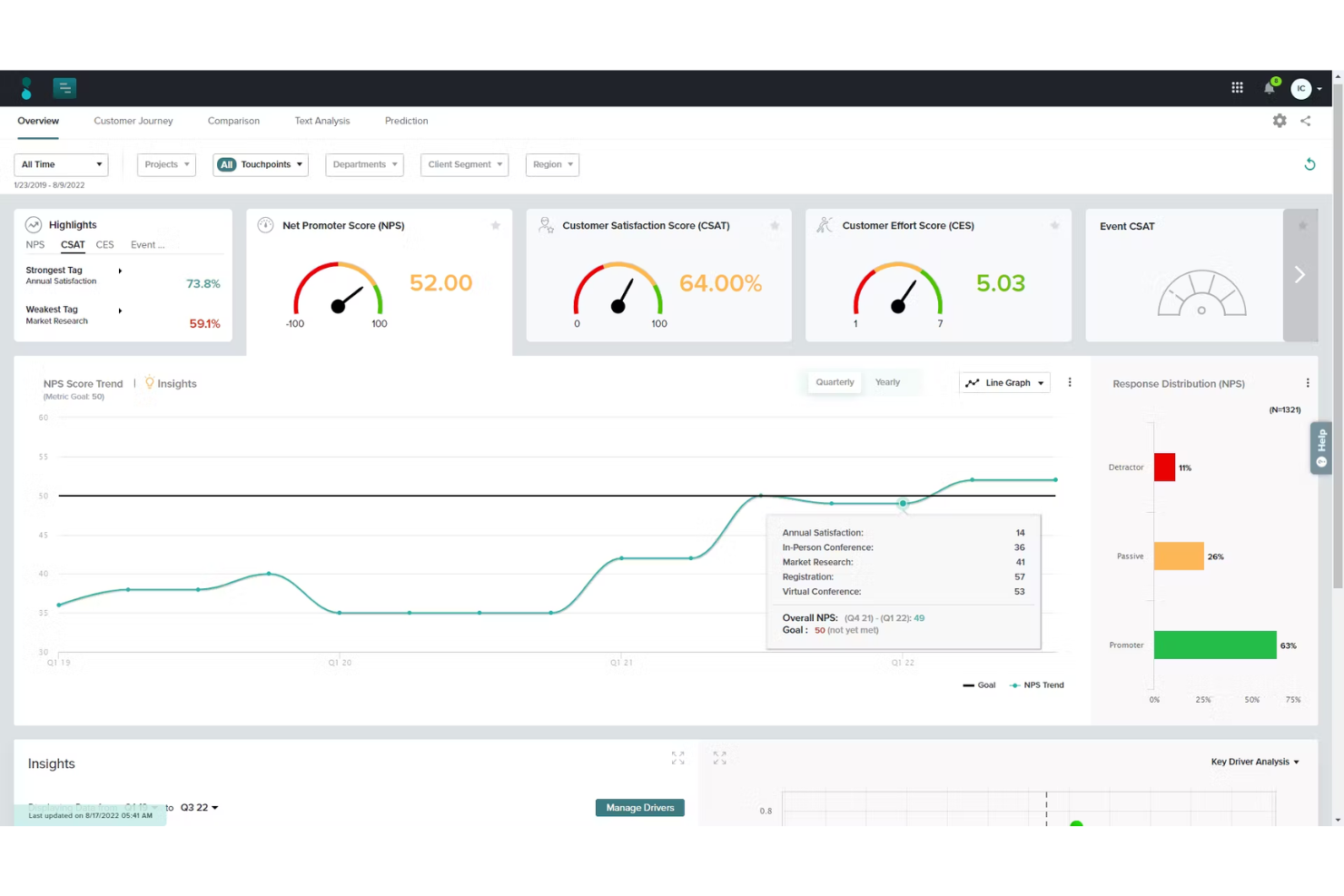
Sogolytics offre ai team CX nelle aziende orientate ai servizi un modo per raccogliere, analizzare e agire sui feedback dei clienti grazie a strumenti avanzati per i sondaggi e flussi di lavoro automatizzati per il follow-up che migliorano le relazioni con i clienti e producono risultati misurabili.
Per chi è più indicato Sogolytics?
Sogolytics è particolarmente adatto ad organizzazioni di medie e grandi dimensioni con team CX o di customer insight dedicati che necessitano di programmi strutturati di raccolta feedback collegati ad azioni concrete.
Perché ho scelto Sogolytics
Sogolytics si guadagna il suo posto tra i migliori della mia selezione per come gestisce l'intero ciclo di una segnalazione cliente: dal momento in cui il feedback viene ricevuto fino alla sua risoluzione. Mi piace il fatto che SogoConnect, il suo modulo di gestione dei ticket di assistenza, inoltri automaticamente i feedback ricevuti al team corretto e avvii un timer di risposta, evitando così che qualcosa rimanga senza risposta. Quando un problema ha bisogno di attenzione immediata, il mio team può escalarlo manualmente o automaticamente allo stato 'Critico', innescando alert ai responsabili. Le funzionalità di avviso e piani d'azione in SogoCX aggiungono un ulteriore livello: il mio team può impostare notifiche automatiche quando metriche CX scendono sotto una certa soglia e creare piani di follow-up strutturati collegati direttamente a questi segnali.
Caratteristiche principali di Sogolytics
- Distribuzione omnicanale dei sondaggi: Invio di richieste di feedback tramite email, SMS, web, codici QR e canali in-app da un'unica piattaforma.
- Analisi dei driver principali: Identifica quali variabili di touchpoint hanno il maggiore impatto statistico su NPS, CSAT o CES.
- Mappatura del customer journey: Visualizza i dati CX su più touchpoint in una sola schermata, utilizzando tag per raggruppare e confrontare fasi o segmenti.
- Analisi testuale con NLP: Categorizza automaticamente ed estrae il sentiment dalle risposte aperte senza necessità di revisione manuale.
Integrazioni Sogolytics
Sogolytics offre integrazioni native con Salesforce, HubSpot, Microsoft Teams, Slack, Zendesk, Google Sheets, Mailchimp e Zapier. È inoltre disponibile un'API per integrazioni personalizzate.
Pros and Cons
Pros:
- Risultati facilmente visualizzabili con grafici ed esportabili
- Ampia libreria di template per velocizzare la creazione dei sondaggi
- Indicato sia per feedback interni che dei clienti
Cons:
- Interfaccia necessita di molto scrolling e appare affollata
- Compatibilità con vecchi formati dati può creare problemi
New Product Updates from Sogolytics
Sogolytics Adds Teams and Slack Surveys and Custom Automations
Sogolytics adds native Microsoft Teams and Slack survey distribution, a Custom Automations Builder, Derived Fields, PointClickCare integration, and authenticator-based MFA. These updates expand survey distribution and workflow automation while adding new data management and security capabilities. For more information, visit Sogolytics’ official site.
 .
.
Ideale per l'engagement proattivo dei clienti
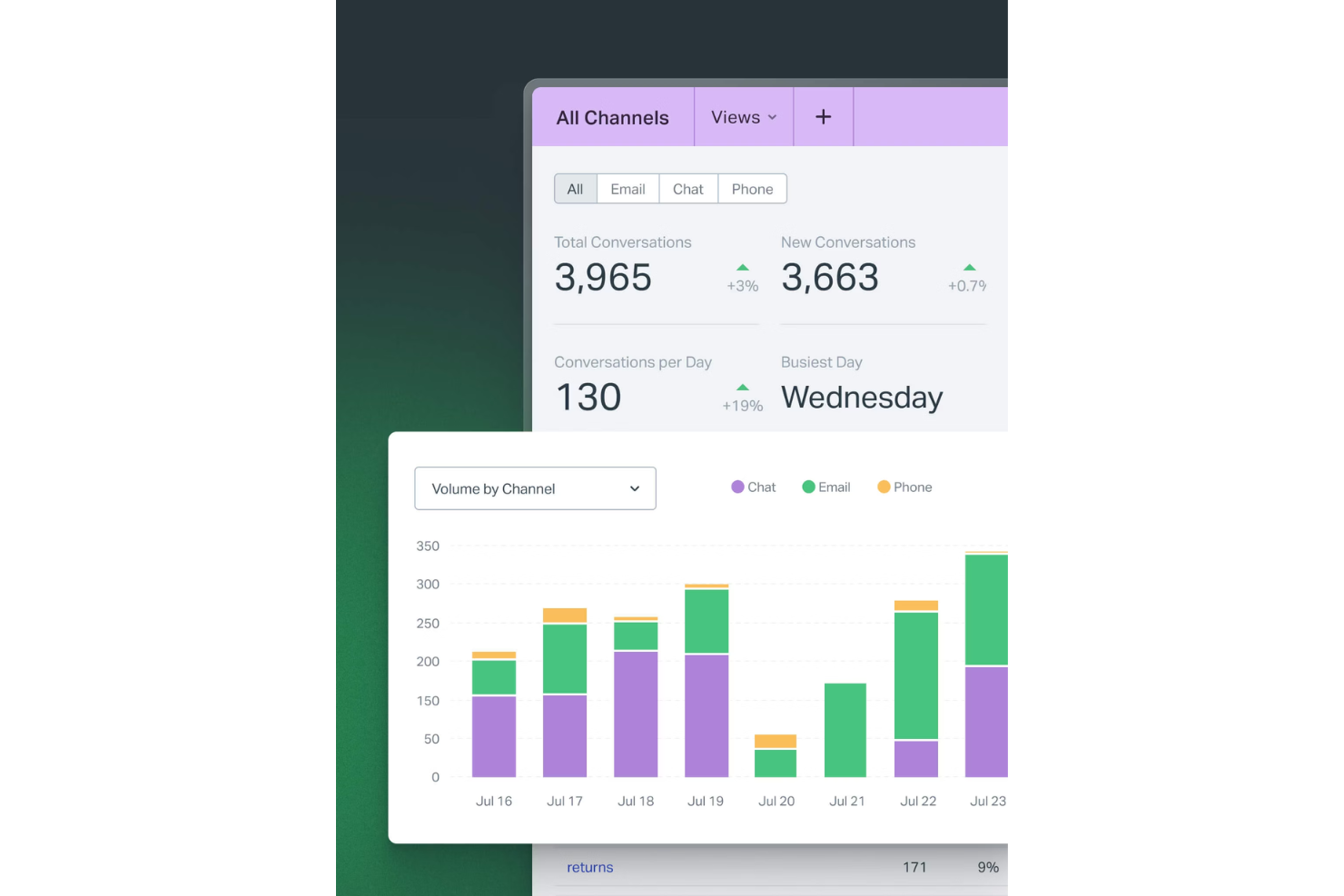
Help Scout offre ai team di assistenza clienti in aziende SaaS, ecommerce e basate su servizi una casella di posta condivisa, profili cliente e strumenti di automazione per gestire le conversazioni, fornire supporto personalizzato e mantenere solide relazioni con i clienti.
Per Chi è Ideale Help Scout?
Help Scout è particolarmente adatto a team di piccole e medie dimensioni che gestiscono un alto volume di conversazioni con i clienti e necessitano di uno strumento collaborativo, semplice da usare e senza una curva di apprendimento ripida.
Perché Ho Scelto Help Scout
Help Scout si guadagna un posto tra i migliori della mia lista grazie alla sua capacità di gestire l'engagement proattivo del cliente senza dover ricorrere a strumenti aggiuntivi. Apprezzo in particolare la funzione Messaggi, che consente al mio team di inviare notifiche mirate all'interno dell'app o del sito web, attivate da comportamenti specifici del cliente—come tempo sulla pagina, URL o numero di visite—così possiamo raggiungere i clienti nel momento più opportuno durante l'onboarding o in una fase critica del prodotto. I sondaggi NPS integrati e di sentiment permettono di misurare facilmente la soddisfazione dei clienti senza aggiungere un'altra piattaforma. Il widget Beacon riunisce tutto mostrando articoli della knowledge base direttamente in-app, prima ancora che un cliente pensi di fare una richiesta.
Funzionalità Principali di Help Scout
- Casella di posta condivisa: Gestisci email, chat, telefono e conversazioni social da un'unica casella, con assegnazione automatica delle conversazioni al membro del team più adatto.
- Profili cliente: Importa dati dei clienti e cronologia completa delle conversazioni dalle app collegate direttamente all'interno di ogni thread di supporto, senza cambiare strumento.
- Automazione dei workflow: Configura workflow basati su regole per assegnare automaticamente, taggare e indirizzare le conversazioni in base a criteri come mittente, oggetto o parola chiave.
- Risposte salvate: Conserva e riutilizza risposte pre-compilate alle domande più frequenti, così gli agenti potranno rispondere rapidamente a richieste ricorrenti senza dover riscrivere ogni volta.
Integrazioni di Help Scout
Help Scout offre più di 90 integrazioni native, tra cui Salesforce, HubSpot, Slack, Jira, Shopify, Mailchimp, Google Workspace, Trello, Intercom, Aircall e Zapier. È disponibile anche un'API per integrazioni personalizzate.
Pros and Cons
Pros:
- Casella di posta centralizzata che semplifica la gestione della comunicazione
- Messaggistica proattiva che riduce l'abbandono e aumenta l'engagement
- Analisi avanzate per monitorare le prestazioni del team
Cons:
- Alcune funzionalità avanzate di chat sono disponibili solo nei piani superiori
- Le opzioni di personalizzazione della knowledge base sono limitate
New Product Updates from Help Scout

Help Scout Adds Automatic Conversation Reassignment
Help Scout can now automatically unassign conversations when the assigned teammate has been away long enough, keeping replies moving so others can pick them up. For more information, visit Help Scout's official site.
 .
.
Velaris
Ideale per tracciare i punteggi di salute dei clienti
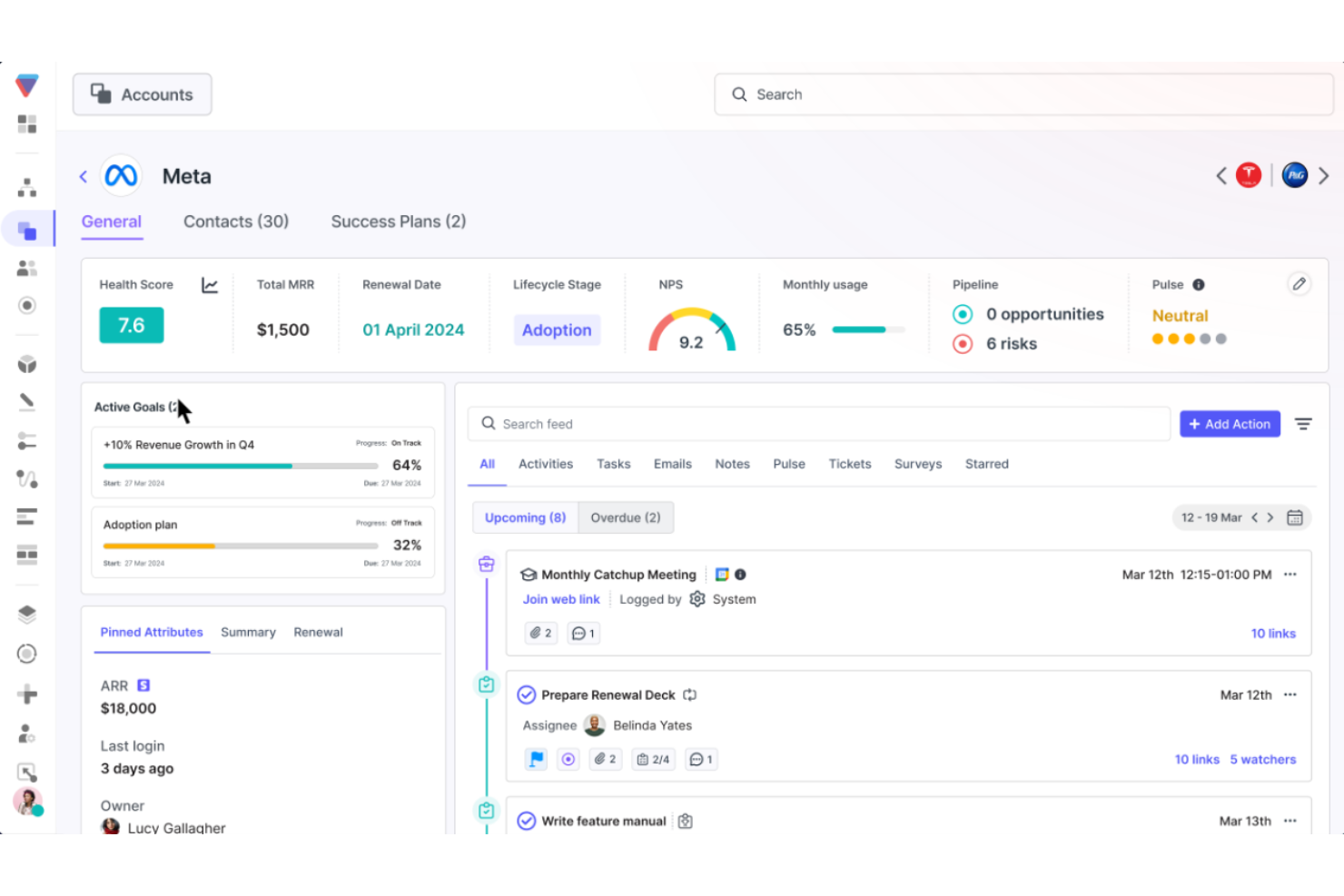
Velaris offre ai team CX e ai responsabili del successo dei clienti una piattaforma unificata per monitorare i percorsi dei clienti, automatizzare i flussi di lavoro e mettere in evidenza le informazioni utili che aiutano a ridurre l’abbandono e favorire la crescita degli account.
Per chi è ideale Velaris?
Velaris è particolarmente indicato per le aziende B2B SaaS con team dedicati al successo dei clienti che desiderano passare da un supporto reattivo a una gestione proattiva degli account.
Perché ho scelto Velaris
Ho scelto Velaris come uno dei migliori per il livello di controllo che offre nella configurazione dei punteggi di salute. La maggior parte degli strumenti propone una formula fissa: Velaris ti permette di costruire i punteggi salute da zero usando le metriche esatte più rilevanti per la tua azienda, che si tratti di utilizzo del prodotto, volume di ticket di supporto, valutazioni NPS o qualsiasi altro dato personalizzato. Mi piace anche che i punteggi si integrino a livello di organizzazione, account e contatto, così il mio team può individuare un contatto in difficoltà anche all’interno di un account generalmente sano. Inoltre, la funzione CSM Pulse consente ai CSM di aggiungere le proprie valutazioni manuali, una garanzia che il punteggio rifletta sia i dati sia il giudizio umano che nessun algoritmo potrà mai sostituire completamente.
Caratteristiche principali di Velaris
- Playbook: Crea playbook standardizzati passo dopo passo che si attivano automaticamente in base al comportamento del cliente o alla fase del ciclo di vita.
- Builder visivo di workflow: Progetta flussi di lavoro automatici utilizzando trigger personalizzati per inviare comunicazioni, aggiornare record o avvisare il tuo team.
- Sondaggi: Crea e invia sondaggi NPS, CSAT e CES direttamente dalla piattaforma per raccogliere feedback strutturati dai clienti.
- Intelligenza AI sugli account: Genera panoramiche storiche istantanee di qualsiasi account, aggregando attività, comunicazioni e contesto in una sola vista.
Integrazioni con Velaris
Velaris offre integrazioni native con Salesforce, HubSpot, Intercom, Zendesk, Slack, Microsoft Teams, Google Workspace, Jira e Zapier. È disponibile un’API per integrazioni personalizzate.
Pros and Cons
Pros:
- Una vista centralizzata unisce utilizzo, sentiment e coinvolgimento
- La valutazione dinamica della salute si adatta ai cambiamenti del ciclo di vita
- I flussi di lavoro automatizzati riducono il tracciamento e il contatto manuale
Cons:
- Le organizzazioni più piccole potrebbero non sfruttare appieno tutte le funzionalità della piattaforma
- Meno integrazioni disponibili

Ideale per funzionalità di automazione del ciclo di vita
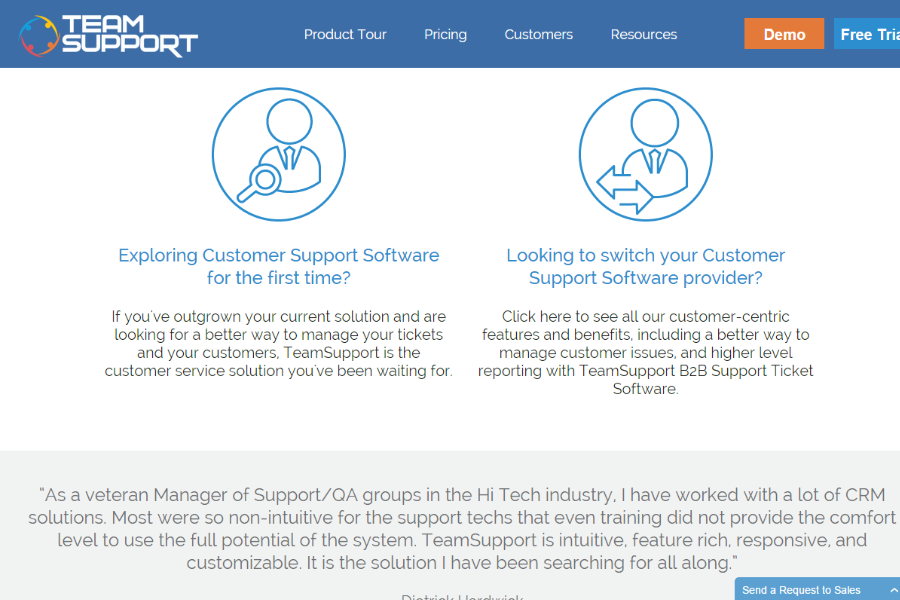
TeamSupport è una piattaforma per il successo dei clienti progettata per team B2B di supporto e customer experience che devono gestire relazioni complesse con i clienti, ottimizzare la comunicazione e rispondere proattivamente alle esigenze durante tutto il ciclo di vita del cliente.
Per chi è ideale TeamSupport?
TeamSupport è particolarmente adatto ad aziende B2B che hanno team dedicati al supporto o al successo clienti e gestiscono rapporti continuativi con numerosi clienti su più account.
Perché ho scelto TeamSupport
Ho scelto TeamSupport tra i migliori perché la funzione Playbooks automatizza tutto il ciclo di vita del cliente. Playbooks copre onboarding, prevenzione dell'abbandono, rinnovi e opportunità di upselling in un unico processo workflow, senza strumenti esterni o checklist manuali. Quando una trattativa si chiude su Salesforce o HubSpot, Playbooks crea automaticamente un nuovo record cliente e avvia il workflow di onboarding. Inoltre, attiva flussi di prevenzione dell'abbandono quando un punteggio di salute cala, così il mio team può rispondere subito ai segnali di rischio prima che peggiorino.
Caratteristiche principali di TeamSupport
- Customer Distress Index: Un sistema di punteggio proprietario che monitora i pattern di coinvolgimento e il sentiment su tutti i punti di contatto dei clienti per identificare account a rischio.
- Agente AI: Un agente basato su intelligenza artificiale che gestisce domande di supporto ricorrenti, raccoglie informazioni e inoltra i casi complessi agli operatori umani.
- Vista unificata delle attività: Una panoramica unica di tutte le questioni aperte organizzate per cliente, utente, ticket o prodotto sull'intero portfolio account.
- Dashboard analitica avanzata: Modelli di reportistica preimpostati e personalizzabili con metriche in tempo reale e avvisi per monitorare la performance a livello di account.
Integrazioni di TeamSupport
TeamSupport offre integrazioni native con Salesforce, HubSpot, Jira, Slack, Mailchimp, Microsoft Teams e QuickBooks, e si collega tramite Zapier. È disponibile un'API per integrazioni personalizzate.
Pros and Cons
Pros:
- Automazione ticket basata su AI
- Insight in tempo reale sul sentiment
- Hub self service clienti personalizzabile
Cons:
- La knowledge base è poco configurabile
- Funzionalità limitata dell'app mobile

Zendesk
Ideale per unificare le interazioni con i clienti

Zendesk offre ai team di customer experience (CX) di aziende di ogni dimensione una piattaforma unica per gestire le conversazioni con i clienti, i ticket di supporto e l'engagement su più canali, aiutando i team a fornire un servizio rapido e coerente e a risolvere velocemente i problemi.
Per chi è più indicato Zendesk?
Zendesk è particolarmente adatto per team CX e di assistenza di medie e grandi aziende che gestiscono elevati volumi di interazioni con i clienti su diversi canali.
Perché ho scelto Zendesk
Zendesk si è guadagnato un posto nella mia lista grazie alla sua capacità di riunire tutte le interazioni con i clienti in un unico luogo: email, chat, voce, social e messaggistica confluiscono tutti in un workspace unico per gli agenti. Mi piace che gli operatori possano visualizzare la cronologia completa delle conversazioni su tutti i canali senza dover cambiare strumento, così da poter riprendere subito dal punto in cui era terminata l'interazione precedente. Il mio team si affida anche ai profili cliente unificati di Zendesk, che mostrano dettagli dell'account, ticket passati e il contesto dell'interazione accanto alla conversazione. Questo livello di visibilità riduce drasticamente il ping-pong che i clienti odiano e consente agli agenti di rispondere con le informazioni giuste fin dall'inizio.
Funzionalità chiave di Zendesk
- Smistamento ticket con intelligenza artificiale: Assegna automaticamente i ticket in arrivo agli operatori giusti in base a disponibilità, competenze e carico di lavoro su tutti i canali.
- Smistamento omnicanale: Instrada le conversazioni da email, voce, messaggistica e social in una coda unificata, così gli agenti non devono smistare manualmente le richieste in arrivo.
- Costruttore di knowledge base: Permette ai team di creare, gestire e proporre articoli self-service utilizzando l'intelligenza artificiale generativa per trasformare vecchi ticket in contenuti del centro assistenza.
- Dashboard di reportistica personalizzata: Offre ai team CX dashboard preimpostate e completamente personalizzabili per monitorare volume dei ticket, performance degli agenti e tendenze del servizio.
Integrazioni di Zendesk
Zendesk offre oltre 1500 integrazioni native tramite il suo marketplace, tra cui Salesforce, Slack, Jira, Shopify, Mailchimp, HubSpot, Google Workspace, Microsoft Teams, Zoom, Trello e Zapier. È disponibile una API per integrazioni personalizzate.
Pros and Cons
Pros:
- Unifica email, chat, telefono e social in un unico workspace
- Automatizza i workflow di smistamento e risposta, riducendo le attività manuali
- Ampie integrazioni con sistemi CRM, telefonia e social
Cons:
- La configurazione e l'impostazione sono complesse e richiedono molte risorse
- Le funzionalità avanzate sono disponibili solo con componenti aggiuntivi o personalizzazioni di livello superiore
New Product Updates from Zendesk
Zendesk Adds Email AI Replies and Predictive Routing
Zendesk’s latest email AI agents update brings configurable knowledge and welcome replies and adds predictive routing for email tickets, so you can tailor your automated emails and get inquiries resolved faster. For more information, visit Zendesk’s official site.

Chatbase
La soluzione migliore per sicurezza e privacy di livello aziendale
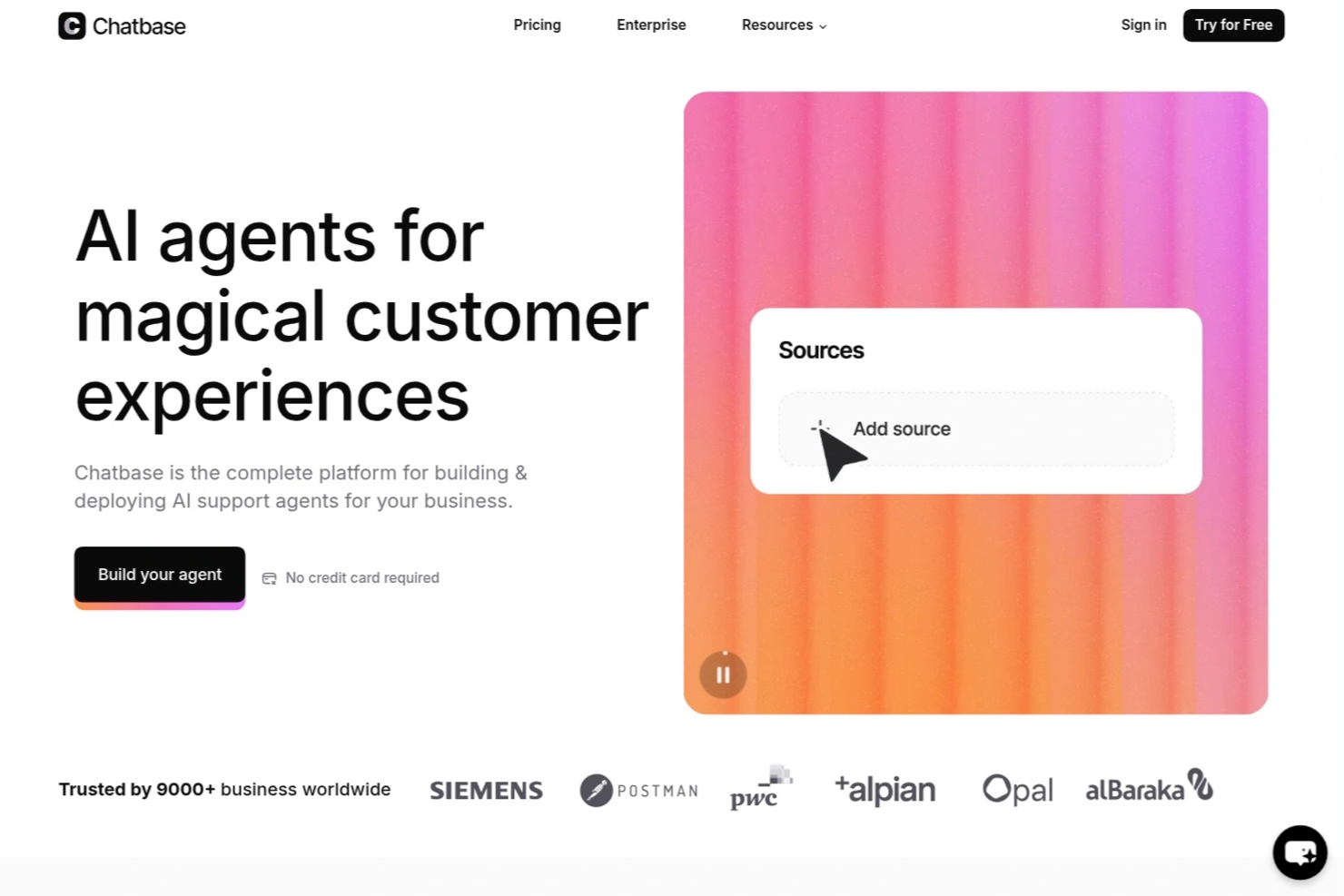
Chatbase è una piattaforma di chatbot basati sull’intelligenza artificiale per i team di assistenza clienti che consente di creare, distribuire e gestire agenti IA personalizzati, automatizzare i flussi di lavoro dell’assistenza e collegare i chatbot ai dati e ai sistemi aziendali.
Per chi è più indicato Chatbase?
Chatbase è adatto ai team di assistenza clienti delle aziende in crescita che hanno bisogno di automatizzare l’assistenza e collegare i chatbot ai propri sistemi interni.
Perché ho scelto Chatbase
Ho scelto Chatbase come una delle soluzioni migliori perché offre al mio team funzionalità di sicurezza e controlli della privacy di livello aziendale, essenziali per gestire i dati sensibili dei clienti. Apprezzo il fatto che Chatbase offra funzionalità come la crittografia dei dati, i registri di controllo e una gestione rigorosa degli accessi. In pratica, questo significa che il mio team può distribuire con sicurezza chatbot IA nei settori regolamentati senza preoccuparsi di lacune nella conformità.
Funzionalità principali di Chatbase
- Generatore di agenti IA personalizzati: Crea e addestra chatbot IA utilizzando i tuoi dati aziendali e i tuoi documenti.
- Supporto multilingue: Distribuisci chatbot in grado di interagire con i clienti in più lingue.
- Analisi delle conversazioni: Monitora e analizza le interazioni con i chatbot per individuare tendenze e migliorare le risposte.
- Accesso API: Integra Chatbase con i sistemi aziendali e i flussi di lavoro esistenti utilizzando API affidabili.
Integrazioni di Chatbase
Chatbase offre integrazioni native con Zendesk, Notion, Slack, Stripe, Salesforce, Cal.com, Calendly, WhatsApp e Messenger. Si collega anche a Make e Zapier e mette a disposizione un’API per le integrazioni personalizzate.
Pros and Cons
Pros:
- Accesso API per un’integrazione avanzata con i sistemi aziendali
- La personalizzazione del widget si adatta facilmente all’identità visiva aziendale
- Il pannello di analisi delle conversazioni evidenzia le tendenze degli utenti
Cons:
- Non dispone di una funzionalità integrata per trasferire la conversazione a un operatore umano
- Mancano strumenti avanzati per l’automazione dei flussi di lavoro

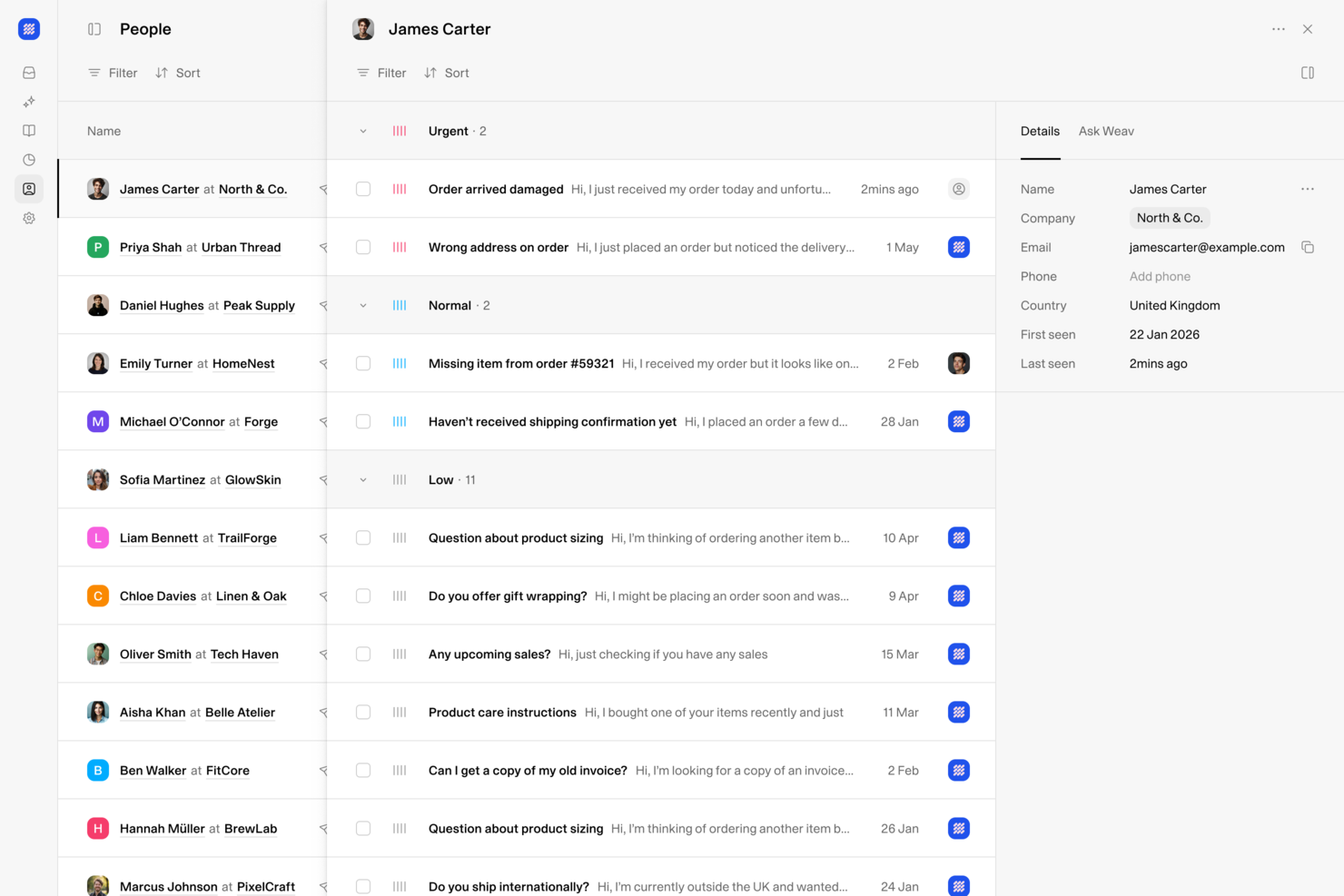
Weav è una piattaforma di assistenza clienti potenziata dall'AI che combina una casella di posta unificata, agenti AI, chatbot e strumenti di risoluzione automatica dei ticket per i team di supporto che gestiscono le interazioni con i clienti su più canali.
Per Chi È Più Indicato Weav?
Weav è ideale per team di supporto di piccole e medie dimensioni che hanno bisogno di centralizzare le comunicazioni con i clienti e automatizzare la gestione dei ticket ripetitivi senza necessità di grandi risorse ingegneristiche.
Perché Ho Scelto Weav
Weav si è guadagnato un posto nella mia selezione perché la sua casella di posta unificata riunisce agenti AI e operatori umani in uno spazio di lavoro condiviso, così ogni conversazione con il cliente, a prescindere dal canale, resta in un unico luogo con tutto il contesto necessario. Mi piace molto che l'AI di Weav suggerisca risposte su tutte le caselle contemporaneamente, così il mio team non deve passare da uno strumento all'altro per gestire email, chat e altri canali. La funzione 'Chiedi a Weav' aggiunge inoltre un livello rapido di conoscenza interna, così gli operatori possono trovare risposte sui prodotti senza lasciare l'ambiente di lavoro.
Funzionalità Principali di Weav
- Costruttore di chatbot AI: Crea e implementa chatbot AI addestrati sulla tua documentazione prodotto e sui contenuti di assistenza per gestire le domande dei clienti in arrivo.
- Instradamento intelligente dei ticket: Instrada automaticamente i ticket in arrivo all'agente umano giusto in base all’argomento, alla priorità o al team, così le conversazioni arrivano subito alla persona più adatta senza smistamenti manuali.
- Addestramento tramite knowledge base: Carica documenti interni, FAQ e articoli per addestrare l'intelligenza artificiale di Weav sulle specifiche del tuo prodotto, in modo che risponda con precisione nel tuo contesto.
- Cruscotti analitici personalizzati: Tieni traccia di volume dei ticket, tempi di risposta e tassi di risoluzione usando visualizzazioni di cruscotto configurabili secondo le esigenze di reportistica del tuo team.
Integrazioni di Weav
Le integrazioni native non sono chiaramente documentate. Weav offre un’API REST orientata agli sviluppatori dove ogni azione disponibile nel pannello di controllo può essere gestita via codice, insieme a webhook in tempo reale per creare workflow personalizzati.
Pros and Cons
Pros:
- Agenti AI si addestrano dai ticket risolti
- Casella unificata su tutti i canali
- Nessun costo per ogni collaboratore
Cons:
- Poche integrazioni native di terze parti disponibili
- Il piano gratuito limita l'AI a 20 messaggi
Altri software per il successo del cliente
Eccone altri che non sono entrati nella lista principale.
- Missive
Ideale per la comunicazione collaborativa con i clienti
- Nextiva
Ideale per l'orchestrazione personalizzata del percorso cliente
- Dock
Ideale per workspace rivolti ai clienti
- Tidio
Ideale per l’analisi del comportamento dei clienti
- ChurnZero
Ideale per la gestione dei rischi di abbandono dei clienti
- Guidde
Ideale per creare video tutorial con l’IA
- Planhat
Il miglior software multicanale per il successo del cliente
- Front
Ideale per la coordinazione dei flussi di lavoro tra team
- GUIDEcx
Ideale per l'onboarding di clienti e utenti
- Catalyst
Il miglior software per il successo del cliente per strategie di upselling e fidelizzazione
- Skilljar
Il miglior software per il customer success dedicato alla formazione dei clienti
- Podium
Il miglior software per il successo del cliente per SMS e marketing testuale
- Sprout Social
Ideale per centralizzare le caselle di posta social
- Akita
Ideale per ridurre l'abbandono dei clienti
- Guru
Ideale per suggerimenti di risposta ai clienti basati su IA
- Front
Ideale per la gestione della comunicazione con i clienti
- Quidget
Ideale per l'automazione della chat dal vivo alimentata da AI
- Hiver
Ideale per offrire esperienze cliente migliorate
- Product Fruits
Ideale per raccogliere feedback dettagliati sull'onboarding dei clienti
- eDesk
Ideale per team di supporto ecommerce


Come valuto i software di Customer Success
Divido la mia valutazione in due livelli: le capacità di base, come il punteggio di salute, gli avvisi di rischio di abbandono e i playbook del ciclo di vita, che qualificano uno strumento per la lista, e i fattori di differenziazione che separano i migliori dal resto.
Funzionalità di base (Requisiti imprescindibili per questa lista)
Quando seleziono gli strumenti per la mia lista, valuto ciascuno su una scala da 0 (non offre la funzionalità) a 5 (eccelle in quest'area) per ogni funzionalità di base elencata di seguito. Successivamente, calcolo il punteggio totale dello strumento come percentuale. Ogni strumento deve ottenere un punteggio totale minimo del 65% per essere preso in considerazione.
- Punteggio di Salute del Cliente: Cerco punteggi di salute configurabili e multifattoriali—strumenti in cui è possibile pesare input come tendenze dei ticket di supporto, frequenza di accesso e risposte NPS per segmento di account.
- Rischio di Abbandono e Avvisi: Qui sono importanti i sistemi di allerta precoce. Valuto se una piattaforma identifica automaticamente gli account a rischio e indirizza gli avvisi al CSM corretto prima che inizino le conversazioni di rinnovo.
- Playbook del Ciclo di Vita e Automazione: Ogni strumento dovrebbe permettere di costruire playbook attivati per fasi chiave come onboarding, check-in sull’adozione e QBR, invece che fare affidamento sulla creazione manuale di attività.
- Analisi dell’Utilizzo del Prodotto: Verifico se la piattaforma acquisisce dati di telemetria e li traduce in metriche di adozione—elementi come coinvolgimento a livello di funzionalità, utilizzo delle licenze e tendenze d’uso nel tempo.
- Gestione di Rinnovo ed Espansione: Strumenti come Gainsight e ChurnZero gestiscono questo aspetto in maniera diversa, quindi valuto se la piattaforma offre visualizzazioni della pipeline, previsioni di ricavi e monitoraggio NRR/GRR in un unico luogo.
- Vista Unificata del Cliente e Integrazioni: Un CSM non dovrebbe dover tenere aperte quattro schede per prepararsi a una chiamata. Cerco una timeline unica dell’account che raccolga dati da CRM, supporto, fatturazione e sistemi di prodotto.
Dopo aver stilato una lista di strumenti che rispettano questi criteri, considero ciò che rende unica ogni piattaforma.
Fattori di differenziazione (Cosa distingue i fornitori)
Ecco come confronto e metto in contrasto diversi fornitori:
Caratteristiche distintive
L’IA predittiva è un forte elemento di differenziazione. Valuto se una piattaforma è in grado di prevedere la probabilità di abbandono o di espansione sulla base dei modelli comportamentali—non solo di segnalare account già critici. Anche gli spazi di lavoro condivisi con il cliente fanno la differenza. Piani di successo condivisi in cui i clienti monitorano le tappe di onboarding o esaminano i risultati dei QBR trasformano il CS da funzione di back-office a vera partnership visibile. Inoltre, presto attenzione agli strumenti di coinvolgimento in-app, perché inviare solleciti per l’adozione o sondaggi NPS direttamente all’interno del prodotto elimina ostacoli che l’email non può superare.
Oltre le funzionalità
La profondità delle integrazioni conta molto. Verifico se una piattaforma si sincronizza bidirezionalmente con il CRM e il sistema di fatturazione, perché dati obsoleti in un punteggio di salute sono peggio di non averlo affatto. Anche i tempi di implementazione variano: alcune piattaforme rendono operativo un team CS di dieci persone in poche settimane, mentre altre richiedono mesi e servizi professionali. Infine, valuto anche l’idoneità al segmento, perché uno strumento pensato per un modello enterprise ad alta interazione spesso sovraccarica un team SMB snello che punta su strategie digitali.
Come scegliere un software per il successo del cliente
È facile perdersi tra lunghe liste di funzionalità e strutture tariffarie complesse. Per aiutarti a rimanere concentrato mentre porti avanti il tuo processo di selezione, ecco una checklist di fattori da tenere a mente:
| Fattore | Cosa considerare |
|---|---|
| Scalabilità | Assicurati che il software possa crescere insieme alla tua attività. Scegli soluzioni in grado di gestire un maggior numero di dati dei clienti e utenti senza sacrificare le prestazioni. |
| Integrazioni | Verifica che possa connettersi senza problemi ai tuoi strumenti esistenti, come CRM e piattaforme di comunicazione, per semplificare i processi. |
| Personalizzazione | Hai bisogno di un software che si adatti ai tuoi flussi di lavoro specifici e ai punti di contatto con il cliente, per la massima efficienza. |
| Facilità d’uso | Scegli una soluzione intuitiva, facile da imparare e che possa essere utilizzata quotidianamente dal tuo team, riducendo i tempi di formazione e aumentando la produttività. |
| Budget | Allinea il prezzo del software ai tuoi vincoli finanziari. Valuta sia i costi iniziali sia quelli ricorrenti, per evitare sorprese. |
| Tutela della sicurezza | Assicurati che siano previste robuste misure di protezione dei dati per salvaguardare le informazioni dei clienti e rispettare la normativa. |
Tendenze nei software per il successo del cliente
È fondamentale che i customer success manager e i team di supporto clienti restino aggiornati sulle tendenze dei software per il successo del cliente, per ottimizzare le loro strategie e migliorare l’esperienza dei clienti. Rimanendo al passo con le ultime novità, i CSM possono sfruttare funzionalità e innovazioni offerte dai software per massimizzare il successo dei clienti.
Inoltre, restare informati sulle nuove tendenze permette ai CSM di adattare i flussi di lavoro, razionalizzare i processi e mantenere un vantaggio competitivo in un mercato del customer success in rapida evoluzione. Ecco quattro trend recenti da tenere d’occhio nel 2026:
Analisi Guidata dall’IA per Approfondimenti Completi sui Clienti
L’intelligenza artificiale sta rivoluzionando il modo in cui vengono analizzati e utilizzati i dati dei clienti, consentendo ai CSM di raccogliere e visualizzare facilmente dati completi sui clienti. L’IA può anche aiutare a tracciare le interazioni con i clienti e offrire approfondimenti grazie a diverse funzionalità, tra cui l’elaborazione automatica dei dati, l’analisi predittiva e la personalizzazione.
Prova ad implementare strumenti di analisi guidati dall’IA per ottenere approfondimenti più dettagliati sui clienti. Questo non solo farà risparmiare tempo, ma aiuterà anche a personalizzare i servizi per rispondere in modo più efficace alle esigenze dei clienti.
Vuoi saperne di più sulla raccolta e l’archiviazione dei dati per il successo dei clienti? Dai un’occhiata al nostro articolo sul software gratuito per database di clienti.
Piattaforme di Comunicazione Unificata
Le piattaforme di comunicazione unificata stanno diventando essenziali per colmare le lacune di comunicazione e collaborazione tra i diversi team. Attraverso il software per il successo dei clienti, questo può offrire vantaggi come la comunicazione centralizzata, l’integrazione con altri strumenti CRM e la collaborazione in tempo reale per la risoluzione dei problemi tra team.
Adotta una piattaforma di comunicazione unificata per migliorare la collaborazione tra i team, assicurandoti che tutti siano allineati e lavorino verso un obiettivo comune, come massimizzare il successo e la soddisfazione dei clienti.
Accessibilità Mobile e Soluzioni Cloud-Based
Adottando soluzioni mobili e basate su cloud, è possibile gestire in modo efficiente volumi elevati di interazioni con i clienti grazie a funzionalità come l’accesso remoto, che consente ai membri del team di accedere ai dati dei clienti ovunque per un supporto rapido a distanza, e aggiornamenti in tempo reale tramite applicazioni mobile, assicurando che tutti i membri del team siano costantemente informati e allineati con le ultime interazioni dei clienti. Questo approccio aumenta la flessibilità e la scalabilità nella gestione delle interazioni con i clienti.
Reportistica Avanzata e Personalizzazione delle Dashboard
Questa tendenza mette in evidenza il passaggio verso una maggiore efficienza riducendo i processi manuali grazie a funzionalità come report personalizzabili che possono essere adattati a metriche aziendali critiche, generazione automatica dei report per risparmiare tempo e dashboard interattive che facilitano decisioni rapide e informate.
Investire in un software per il successo dei clienti con queste funzionalità avanzate consente una migliore automazione e personalizzazione dell’analisi dei dati, liberando tempo per attività più strategiche e affrontando le principali sfide nelle operazioni di customer success.
Cos’è il Software per il Successo dei Clienti?
Il software per il successo dei clienti è una piattaforma che aiuta le aziende a monitorare la salute, il coinvolgimento e i risultati dei clienti per favorire in modo proattivo la fidelizzazione e la crescita. Viene utilizzato per monitorare l’utilizzo, individuare i rischi e garantire che i clienti ottengano un valore continuativo dal tuo prodotto o servizio.
Caratteristiche del Software per il Successo dei Clienti
Quando scegli un software per il successo dei clienti, cerca le seguenti caratteristiche chiave:
- Profili cliente completi: Raccogli e organizza tutti i dati essenziali del cliente in una panoramica unica e facile da consultare. Questa visione olistica ti permette di personalizzare le interazioni e comprendere rapidamente il percorso di ogni cliente, così nessuno si sentirà più solo un numero nel sistema.
- Strumenti di comunicazione automatizzati: Pianifica email, imposta promemoria e attiva avvisi per ottimizzare il modo in cui ti relazioni con i clienti. Automatizzando questi punti di contatto, manterrai comunicazioni costanti e cordiali—niente più "Ops, mi sono dimenticato di rispondere!".
- Monitoraggio dell’utilizzo: Tieni sotto controllo, in tempo reale, come i clienti interagiscono con il tuo prodotto. Questa funzione individua tendenze nel comportamento degli utenti, consentendoti di offrire supporto tempestivo o cogliere occasioni di up-sell/evoluzione molto prima che pensino di abbandonare.
- Metrica di scoring salute cliente: Calcola e aggiorna i punteggi di salute dei clienti in base ai loro schemi di utilizzo, alle interazioni con il supporto e alla soddisfazione generale. Considera questi punteggi come un sistema di allerta precoce che ti avvisa quando un cliente necessità particolare attenzione, prima che la situazione peggiori.
- Automazione di attività e workflow: Lascia che il software gestisca i compiti ripetitivi come assegnare i follow-up o aggiornare gli stati. Automatizzare questi flussi di lavoro ti libera per pianificare strategie e costruire relazioni solide, invece di lottare con i fogli di calcolo.
- Strumenti di pianificazione del successo: Imposta obiettivi e traguardi individuali per ogni cliente. Potrai monitorare i progressi, celebrare i successi insieme e guidare i clienti a sfruttare al massimo il tuo prodotto—costruendo così una fedeltà duratura.
- Meccanismi di raccolta feedback: Invia sondaggi o chiedi feedback direttamente in-app. La possibilità di raccogliere opinioni in modo diretto ti permette di adeguarti rapidamente alle esigenze che cambiano e dimostrare che il parere dei clienti conta davvero.
- Report e analisi: Accedi a dashboard che trasformano il lavoro svolto con i clienti in dati utili su cui agire. Queste analisi facilitano l’individuazione di ciò che funziona, la revisione delle strategie e la dimostrazione dell’impatto del tuo team.
- Capacità di integrazione: Collegati in modo efficace con CRM, strumenti di marketing e di help desk affinché tutte le informazioni cliente siano sempre aggiornate e accessibili da un’unica piattaforma. Queste integrazioni ti aiutano a offrire un servizio fluido e coordinato senza sforzi.
- Supporto onboarding: Offri a nuovi utenti guide interattive, tutorial e risorse direttamente nel software. Un onboarding efficace pone le basi per la soddisfazione a lungo termine e riduce drasticamente le richieste di supporto su "Come si inizia?".
Funzionalità AI comuni nei software per il successo cliente
Oltre alle funzionalità standard elencate sopra, molti di questi software includono funzionalità AI come:
- Analisi predittiva dell’abbandono: L’AI analizza i comportamenti dei clienti per prevedere quali utenti hanno più probabilità di abbandonare. Ciò ti consente di intervenire preventivamente con strategie personalizzate di fidelizzazione, prima che sia troppo tardi.
- Analisi automatica del sentiment: Il software esamina email, chat e feedback per rilevare in tempo reale lo stato d’animo dei clienti. Potrai rapidamente capire chi è soddisfatto e chi è frustrato, così da stabilire le giuste priorità di intervento.
- Raccomandazioni di contenuti personalizzate: L’AI suggerisce articoli, tutorial o aggiornamenti di prodotto rilevanti in base all’uso e alle preferenze di ogni cliente. Così terrà alta l’attenzione degli utenti con consigli e risorse davvero utili.
- Prioritizzazione automatica dei casi: Con un pizzico di intelligenza artificiale, i ticket e le richieste di assistenza vengono ordinati e gestiti in base all’urgenza, al rischio di escalation o al valore del cliente—così risolverai sempre prima le questioni più importanti.
- Mapping intelligente del customer journey: L’AI sfrutta le interazioni e i dati d’uso per tracciare il percorso ideale di ogni cliente. Così potrai intervenire nei momenti strategici, trasformando i clienti "così così" in veri fan.
- Regolazione dinamica del punteggio di salute: Invece di affidarsi solo a metriche statiche, l’AI aggiorna in tempo reale il punteggio salute man mano che arrivano nuovi dati, consentendoti di mantenere il focus sui clienti a rischio in ogni momento.
Vantaggi dei software per il successo del cliente
I software per il successo cliente offrono una vasta gamma di vantaggi che possono avere un effetto domino positivo su tutta l’organizzazione. Ad esempio, uno studio del 2021 di Forrester ha evidenziato che le aziende che investono nella tecnologia con un approccio orientato al cliente crescono 1,8 volte più velocemente rispetto ai concorrenti.
Scegliendo il software per il successo cliente più adatto, puoi aspettarti questi benefici:
1. Maggiore fidelizzazione dei clienti: Questo software aiuta il tuo team ad anticipare bisogni e problematiche dei clienti, aumentando la soddisfazione e riducendo l’abbandono. Identificando per tempo i clienti a rischio, puoi applicare strategie di retention in modo efficace.
2. Approfondimenti basati sui dati: Il software per il successo del cliente offre strumenti di analisi e reportistica che forniscono approfondite conoscenze sui comportamenti e sulle preferenze dei clienti. Questi dati consentono di prendere decisioni informate che migliorano la fidelizzazione, l’esperienza e i risultati dei clienti.
3. Maggiore efficienza operativa: Automatizzando attività di routine come i follow-up, la gestione dei ticket e le richieste dei clienti tramite il software per il successo del cliente, i membri del team possono dedicarsi ad attività più strategiche. Questo aumenta la produttività e ottimizza l’utilizzo delle risorse.
4. Interazioni personalizzate con i clienti: Il software consente di monitorare e comprendere il percorso del cliente per personalizzare la comunicazione e i servizi in base ai dati individuali di ciascun cliente. Le interazioni personalizzate hanno maggiori probabilità di aumentare il coinvolgimento e la fedeltà dei clienti.
5. Coinvolgimento dei clienti scalabile: Man mano che la tua azienda cresce, gestire volumi crescenti di interazioni con i clienti diventa una sfida. Il software per il successo del cliente è in grado di scalare per gestire questa crescita, mantenendo la qualità del servizio senza la necessità di aumentare il personale in modo proporzionale.
L’uso strategico di questa tecnologia non solo migliora il percorso del cliente, ma stimola anche una crescita aziendale sostenibile mantenendo la soddisfazione del cliente al centro dell’attenzione.
Costi e prezzi dei software per il successo del cliente
I software per il successo del cliente offrono una varietà di opzioni di prezzo e piani, ognuno pensato per soddisfare esigenze e dimensioni aziendali differenti. Conoscere questi piani e le loro funzionalità è fondamentale per scegliere una soluzione che sia in linea con gli obiettivi e i vincoli di budget della tua organizzazione. Ecco una panoramica delle opzioni di piano tipiche che potresti incontrare:
| Tipo di piano | Prezzo medio | Funzionalità comuni |
|---|---|---|
| Gratuito | $0 | Analisi di base, profili clienti limitati, supporto via email |
| Base | $25 per utente/mese | Profili clienti avanzati, supporto via email e chat, reportistica di base |
| Professionale | $75 per utente/mese | Monitoraggio completo del ciclo di vita del cliente, reportistica avanzata, integrazioni, supporto prioritario |
| Enterprise | $150 per utente/mese | Funzionalità personalizzate, account manager dedicato, supporto 24/7, funzionalità AI |
Nella scelta di un piano, considera la complessità delle tue relazioni con i clienti, l’ampiezza della base clienti e il livello di supporto e personalizzazione di cui potresti aver bisogno. Il software giusto per il successo del cliente dovrà rispondere non solo alle esigenze attuali, ma anche essere scalabile con la crescita dell’organizzazione, garantendo il giusto equilibrio tra funzionalità e costi per massimizzare il valore e supportare efficacemente gli obiettivi di successo clienti della tua azienda.
Domande frequenti sul Customer Success
Ecco alcune risposte alle domande frequenti sui software di customer success utilizzati dai team CX.
Quali sono i tipi di software per il Customer Success?
Il software di customer success generalmente si suddivide in tre categorie principali: piattaforme tutto-in-uno, strumenti specializzati e soluzioni di analytics. Le piattaforme tutto-in-uno combinano onboarding, valutazione della salute del cliente e coinvolgimento in un unico strumento. Gli strumenti specializzati si concentrano su una necessità specifica, come i sondaggi, il feedback o i rinnovi. Le soluzioni di analytics offrono approfondimenti avanzati sui dati dei clienti, per monitorare la fidelizzazione e le opportunità di upselling. La scelta del tipo giusto dipende dagli obiettivi del tuo team, dai problemi da risolvere e da quanto bene uno strumento si integra con il tuo flusso di lavoro.
rnrnrn
Come posso misurare il ROI di un software di Customer Success?
rnrnPuoi misurare il ROI monitorando metriche come il tasso di fidelizzazione dei clienti, i ricavi da espansione, la riduzione del churn e il miglioramento del Net Promoter Score (NPS). Confronta questi valori prima e dopo l’implementazione del software. Considera il tempo risparmiato grazie all’automazione delle attività manuali, la maggiore produttività del team e l’aumento delle opportunità di upselling. Comunicare questi risultati concreti aiuterà a giustificare l’investimento con gli stakeholder.rnrnrnrnrn
Quali integrazioni dovrei prioritizzare nella scelta del software di Customer Success?
Dai priorità alle integrazioni con il tuo CRM (come Salesforce o HubSpot), sistemi di ticketing di supporto e strumenti di comunicazione come Slack o le piattaforme email. Un’integrazione senza soluzione di continuità con la tua infrastruttura assicura che i dati dei clienti siano sempre aggiornati e riduce il lavoro manuale. Per i responsabili del customer success, integrazioni solide con strumenti di analytics e di fatturazione sono particolarmente preziose per la visibilità e il reporting su tutto il ciclo di vita del cliente.
In che modo le piattaforme di Customer Success aiutano a ridurre il churn?
Le piattaforme di customer success aiutano a ridurre il churn fornendo segnali di allerta precoce attraverso i punteggi di salute, automatizzando i processi di follow-up e mettendo in evidenza i clienti a rischio. Funzionalità come il tracciamento dell’utilizzo, i check-in automatici e il coinvolgimento personalizzato rendono più facile intervenire proattivamente. Questo aiuta il tuo team a costruire relazioni più solide e a risolvere i problemi prima che i clienti pensino di lasciare.
Quali sono gli errori comuni da evitare nell'implementazione di un software di Customer Success?
Gli errori più comuni includono saltare la valutazione delle necessità, sottovalutare le difficoltà di migrazione dei dati e non coinvolgere gli utenti in prima linea nell’implementazione. Non bisogna trascurare di formare il team o di impostare criteri di successo chiari. Evita di personalizzare troppo i flussi di lavoro all’inizio: ottieni risultati rapidi con le funzionalità principali e poi migliora gradualmente. La gestione del cambiamento è fondamentale per una buona adozione.
Il software di Customer Success può migliorare la collaborazione tra i reparti?
Sì, il software di customer success può migliorare la collaborazione centralizzando i dati dei clienti e facilitando la condivisione di informazioni con i team di vendita, prodotto e supporto. Funzionalità come note condivise, assegnazione di compiti e dashboard per i dirigenti mantengono tutti allineati. Questo aiuta a superare i silos e ad offrire un’esperienza cliente unificata.
Cosa ne pensi di questa lista?
I clienti che ottengono ciò di cui hanno bisogno da prodotti e servizi sono clienti soddisfatti che continueranno a generare entrate per la tua azienda. Attirare nuovi clienti è più costoso e richiede più tempo rispetto a mantenere quelli attuali. È quindi fondamentale che le aziende si concentrino sul successo dei clienti.
Il software di customer success è uno strumento eccellente che ti aiuta a risolvere le problematiche dei clienti e a offrire servizi eccezionali, trasformando così i clienti occasionali in sostenitori fedeli.
Oltre al software di customer success, esistono altri strumenti utili che la tua azienda può utilizzare per crescere e attrarre nuovi clienti. Puoi scoprirli iscrivendoti a The CX Lead.