
21 AI Customer Self-Service Platforms in 2026

AI Customer Self-Service Platforms Shortlist
Here’s my shortlist of the best AI customer self-service platforms:


AI customer self-service platforms are software tools that use artificial intelligence to help customers find answers, resolve issues, and complete tasks without needing to speak with a human agent. If you’re searching for ways to handle high support volumes, deliver faster resolutions, or offer 24/7 assistance, these platforms can help your team meet rising customer expectations. In this list, you’ll find trusted AI solutions that automate common requests, integrate with your existing systems, and give your customers more control—so you can focus on complex cases and drive better outcomes.
Why Trust Our Software Reviews
Best AI Customer Self-Service Platforms Summary
This comparison chart summarizes pricing details for my top AI customer self-service platform selections to help you find the best one for your budget and business needs.
| Tool | Best For | Trial Info | Price | ||
|---|---|---|---|---|---|
| 1 | Best for e-commerce customer support automation | Free trial + free demo available | From $10/month | Website | |
| 2 | Best for automated ticket workflows | Free demo available | Pricing upon request | Website | |
| 3 | Best for unified AI customer support | 30-day free trial + free demo available | Pricing upon request | Website | |
| 4 | Best for AI-driven unified customer support | Free demo available | Pricing upon request | Website | |
| 5 | Best for AI-driven customer service tools | 14-day free trial + free demo available | From $19/agent/month (billed annually) | Website | |
| 6 | Best for AI ticket routing and resolution | 15-day free trial + free demo available | From $7/user/month (billed annually) | Website | |
| 7 | Best for AI-powered support automation | Free plan + 14-day free trial + free demo available | From $9/seat/month (billed annually) | Website | |
| 8 | Best for AI-powered help desk automation | 14-day free trial + free demo available | From $19/agent/month (billed annually) | Website | |
| 9 | Best for AI chatbot customer support | Free demo available | Pricing upon request | Website | |
| 10 | Best for multilingual AI self-service support | Free demo available | From $1.25/solve | Website |
-

SupportYourApp
Visit WebsiteThis is an aggregated rating for this tool including ratings from Crozdesk users and ratings from other sites.4.7 -
Freshdesk
Visit WebsiteThis is an aggregated rating for this tool including ratings from Crozdesk users and ratings from other sites.4.4 -
Zendesk
Visit WebsiteThis is an aggregated rating for this tool including ratings from Crozdesk users and ratings from other sites.4.3





AI Customer Self-Service Platforms Reviews
Below are my detailed summaries of the best AI customer self-service platforms that made it onto my shortlist. My reviews offer a detailed look at the features, capabilities, and integrations of each platform to help you find the best one for you.

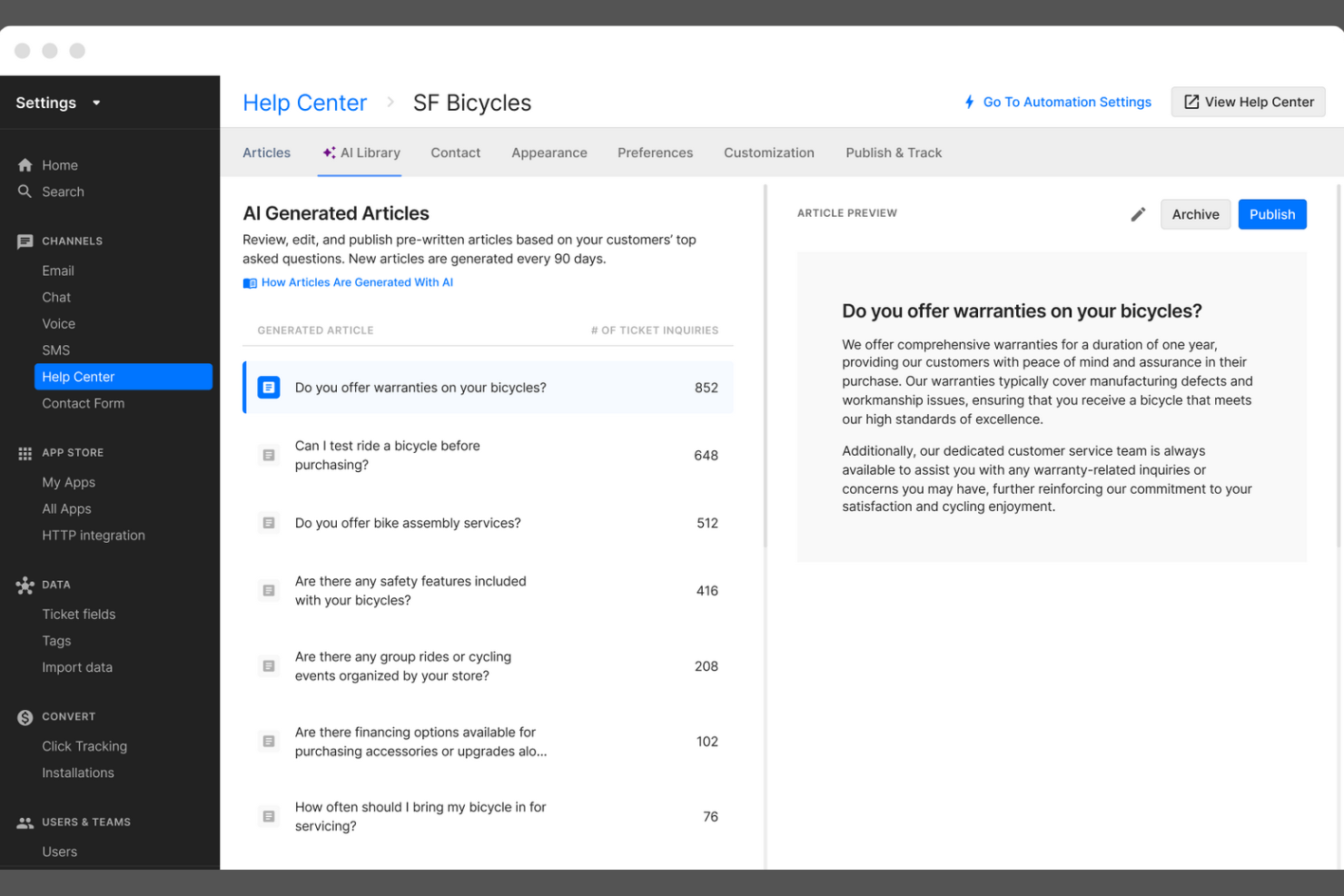
Gorgias is a customer service platform built for ecommerce brands that want to automate and personalize support at scale. It’s especially useful for online retailers looking to centralize customer conversations and automate repetitive tasks. With Gorgias, support teams can manage tickets from multiple channels and deliver faster, more consistent responses to shoppers.
Who Is Gorgias Best For?
Gorgias is a strong choice for e-commerce support teams at direct-to-consumer brands and online retailers.
Why I Picked Gorgias
I picked Gorgias because its deep Shopify integration makes it uniquely valuable for e-commerce brands that want to automate and personalize customer service. The platform pulls in order details, shipping status, and customer data directly from Shopify, allowing support agents and AI-powered workflows to resolve common e-commerce questions without switching tools. Gorgias also enables automated responses to repetitive inquiries, like order tracking or returns, which helps teams handle high ticket volumes efficiently. This focus on e-commerce-specific automation and data access sets Gorgias apart from more generic AI customer self-service platforms.
Gorgias Key Features
Some other features that make Gorgias a strong option for AI customer self-service platforms include:
- AI-powered intent detection: Automatically identifies the reason for each customer inquiry to route tickets and trigger relevant automations.
- Macros and templated responses: Lets teams create reusable replies for common questions, ensuring consistency and saving time.
- Multi-channel support: Centralizes customer conversations from email, live chat, social media, SMS, and WhatsApp in one dashboard.
- Self-service help center: Allows businesses to build and manage a branded knowledge base that customers can access 24/7.
Gorgias Integrations
Integrations include Shopify, Magento, BigCommerce, WooCommerce, Facebook, Instagram, Slack, Klaviyo, Yotpo, and more.
Pros and Cons
Pros:
- Macros speed up ticket resolution workflows
- Centralizes chat, email, and social messaging
- AI suggests responses for repetitive questions
Cons:
- Lacks advanced workflow branching logic
- No AI voice or phone support features

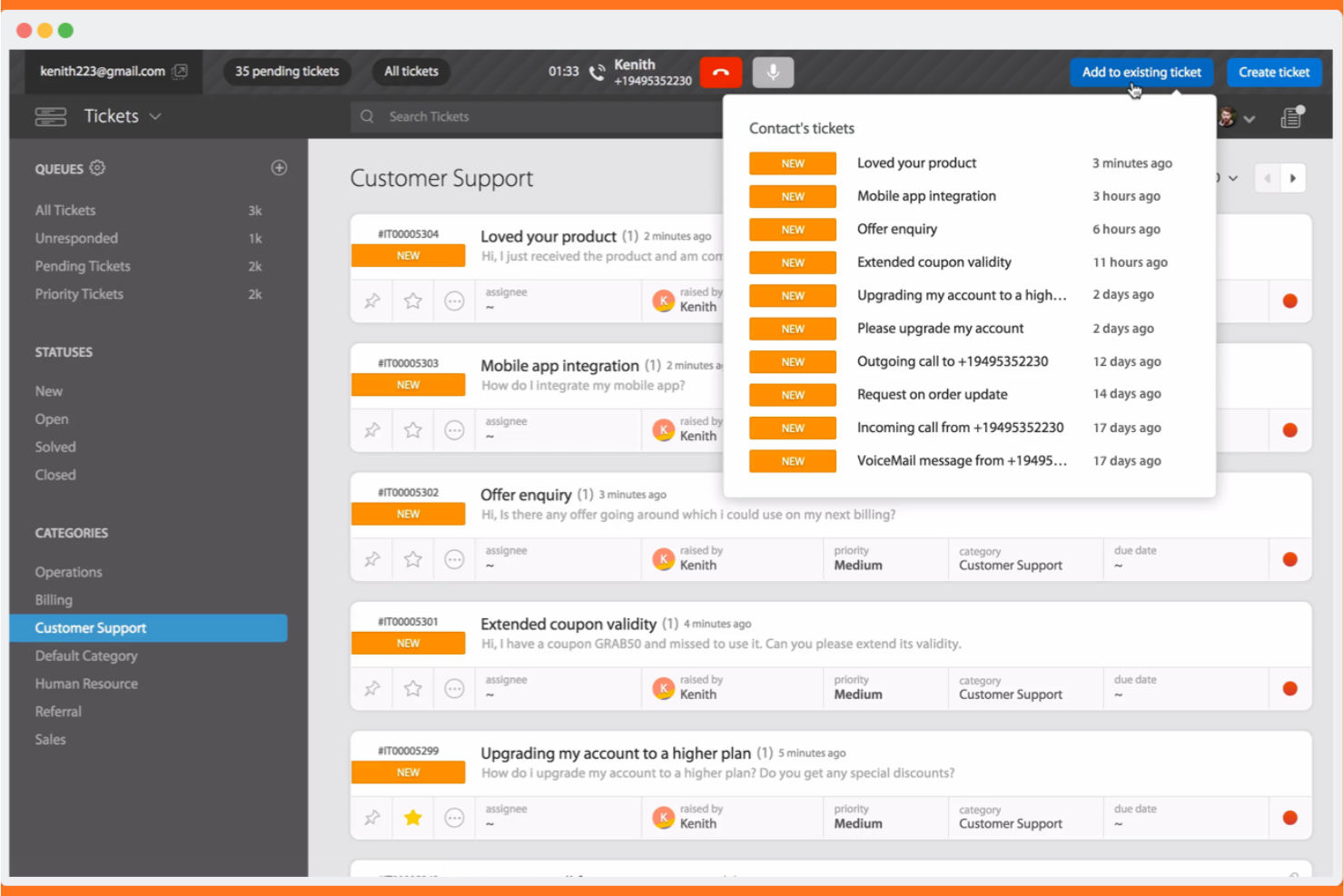
If your team needs AI-driven ticketing with multilingual support, HappyFox is worth a look. It’s designed for organizations that want to automate customer service workflows and offer self-service options in multiple languages. HappyFox helps support teams manage complex inquiries while reducing manual workload and improving response consistency.
Who Is HappyFox Best For?
HappyFox suits mid-sized to large organizations that need multilingual AI ticketing and workflow automation for customer support.
Why I Picked HappyFox
What drew me to HappyFox is its focus on AI-powered ticketing combined with multilingual self-service and workflow automation. The platform’s AI can automatically categorize, prioritize, and route tickets, which is especially useful for teams handling large volumes of customer requests in different languages. I also like that HappyFox offers a multilingual knowledge base and self-service portal, making it easier for global customers to find answers on their own. Its workflow automation tools help support teams reduce manual steps and maintain consistent service quality across channels.
HappyFox Key Features
Some other features that make HappyFox a strong option for AI customer self-service platforms include:
- Canned actions: Create and use pre-defined responses for common customer queries to speed up ticket handling.
- Custom ticket fields: Add unique data fields to tickets to capture information specific to your business or workflow.
- Customer satisfaction surveys: Send automated surveys after ticket resolution to gather feedback and measure service quality.
- Role-based permissions: Control access to features and data by assigning roles and permissions to different team members.
HappyFox Integrations
Native integrations are not currently listed.
Pros and Cons
Pros:
- Workflow automation reduces manual ticket handling
- Multilingual self-service portal supports global users
- AI ticket classification improves response accuracy
Cons:
- Ticket sync delays reported across some channels
- AI features limited to higher-tier plans

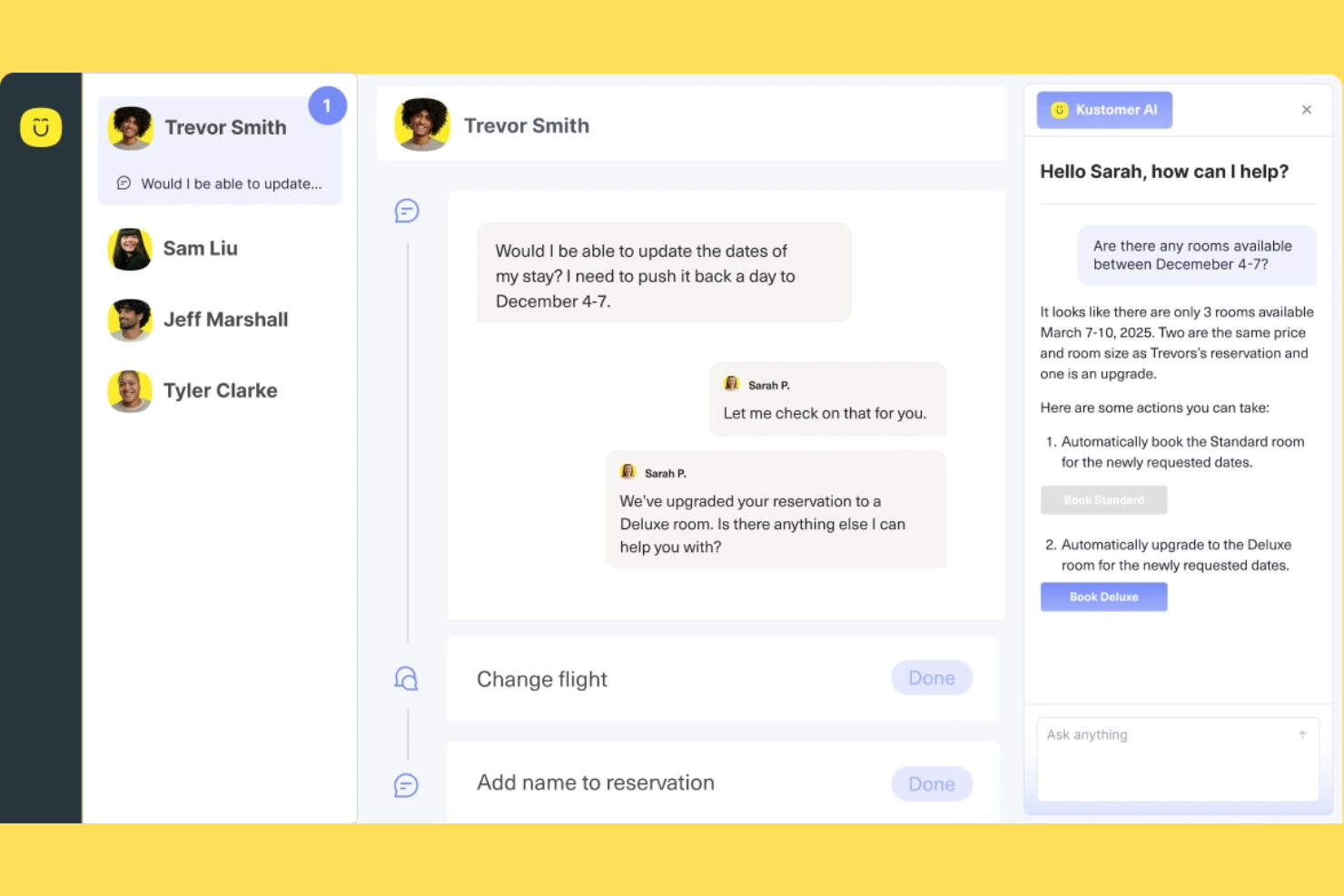
If your team needs a customer service platform that brings all channels and customer data together, Kustomer is worth a look. It’s designed for support teams in retail, ecommerce, and fast-growing businesses that want to automate and personalize service at scale. Kustomer helps you manage conversations, automate repetitive tasks, and deliver faster, more informed responses using AI.
Who Is Kustomer Best For?
Kustomer suits mid-sized to large support teams in retail and e-commerce that need to manage high volumes of omnichannel customer interactions.
Why I Picked Kustomer
What stands out to me about Kustomer is how it brings together omnichannel support and AI-powered automation in one platform. I picked it for this list because it lets you manage conversations from chat, email, social, and voice in a single timeline, so agents always have the full context. Kustomer’s AI features can automate routine tasks, suggest responses, and even route conversations based on intent, which helps teams handle high volumes without losing the personal touch. For businesses that want to unify customer data and automate service across channels, Kustomer offers a strong foundation.
Kustomer Key Features
Some other features that make Kustomer useful for AI customer self-service platforms include:
- Knowledge base management: Build and maintain a searchable help center for customers to find answers on their own.
- Customer timeline view: See a chronological record of every customer interaction, order, and activity in one place.
- Custom workflows: Design automated processes for ticket handling, escalations, and follow-ups using a visual workflow builder.
- Sentiment analysis: Automatically detect customer sentiment in conversations to prioritize and personalize responses.
Kustomer Integrations
Integrations include Shopify, TikTok Shop, Facebook, WhatsApp, Instagram, Gmail, Twilio, AfterShip, Narvar, and more.
Pros and Cons
Pros:
- Visual workflow builder for custom automations
- Sentiment analysis flags urgent conversations
- Knowledge base supports self-service and chatbots
Cons:
- Occasional delays syncing with e-commerce platforms
- Advanced AI features require higher-tier plans

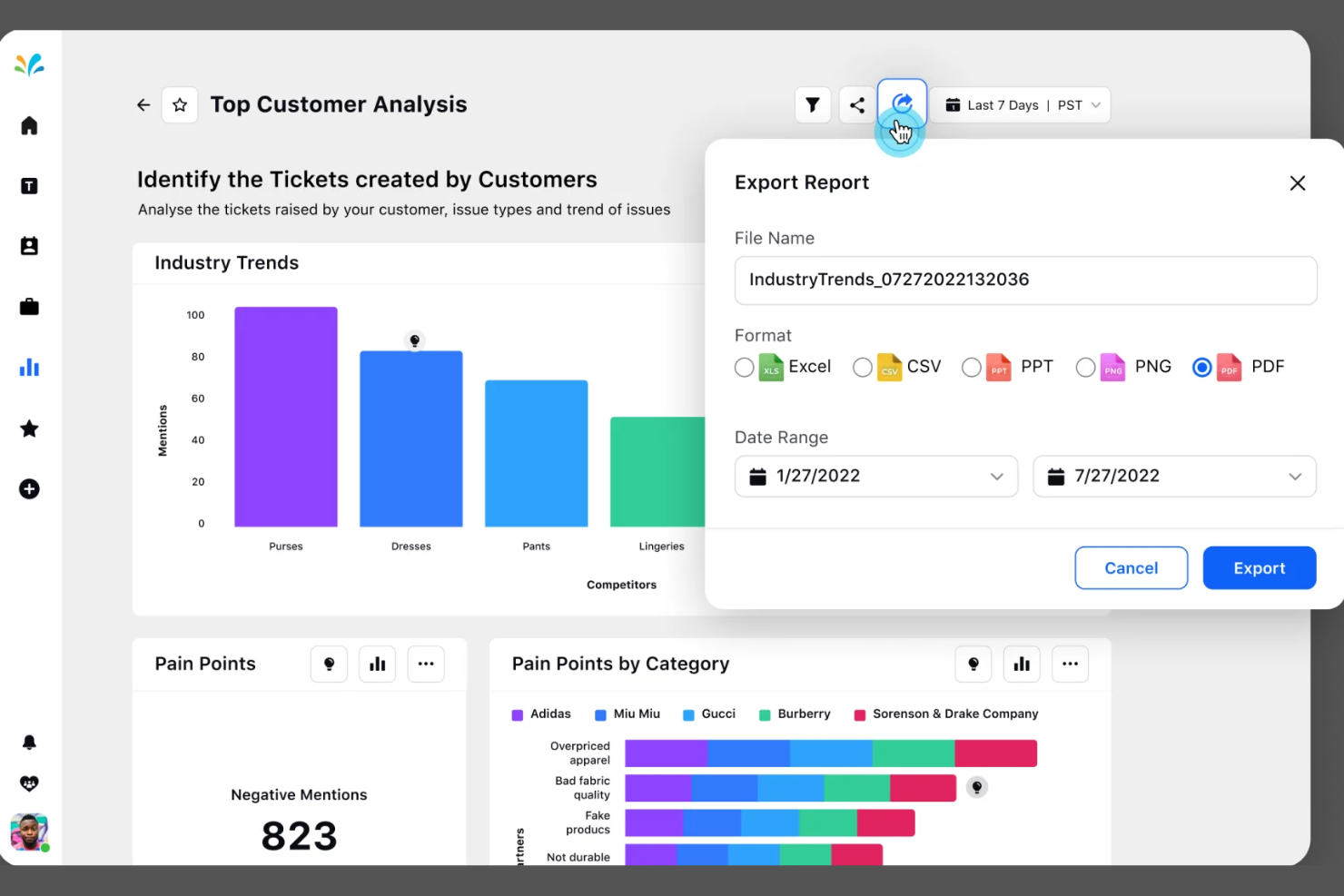
Sprinklr offers a unified platform for businesses that want to manage customer self-service across multiple digital channels. It’s a strong fit for large enterprises and global brands that need advanced AI to automate and personalize support at scale. If your team handles high volumes of customer interactions and wants to centralize service operations, Sprinklr is worth a closer look.
Who Is Sprinklr Best For?
Sprinklr suits large enterprises and global brands that need unified, AI-driven self-service across multiple digital channels.
Why I Picked Sprinklr
What drew me to Sprinklr is its ability to unify AI-powered self-service across a wide range of digital channels. For teams managing customer interactions on web, social, messaging, and voice, Sprinklr’s platform brings everything together in one place. I appreciate how its AI can automate responses, route inquiries, and personalize self-service experiences based on customer context. This unified approach helps large organizations deliver consistent, scalable support without juggling multiple tools or fragmented workflows.
Sprinklr Key Features
Some other features that make Sprinklr useful for AI customer self-service platforms include:
- Knowledge base management: Build and manage a centralized library of articles and FAQs for customer self-service.
- Case management: Track, assign, and resolve customer issues with automated workflows and escalation rules.
- Sentiment analysis: Analyze customer messages in real time to detect tone and urgency.
- Multilingual support: Deliver AI-powered self-service and automated responses in multiple languages.
Sprinklr Integrations
Integrations include Salesforce, ServiceNow, Zendesk, Microsoft Teams, Slack, HubSpot, Google Analytics, Adobe Experience Manager, Freshdesk, and more.
Pros and Cons
Pros:
- Advanced analytics link performance to business outcomes
- AI-powered social listening surfaces trends insights
- Smart inbox consolidates messages across all social platforms
Cons:
- Custom reports need manual dashboard building
- Workflow setup requires navigating multiple modules

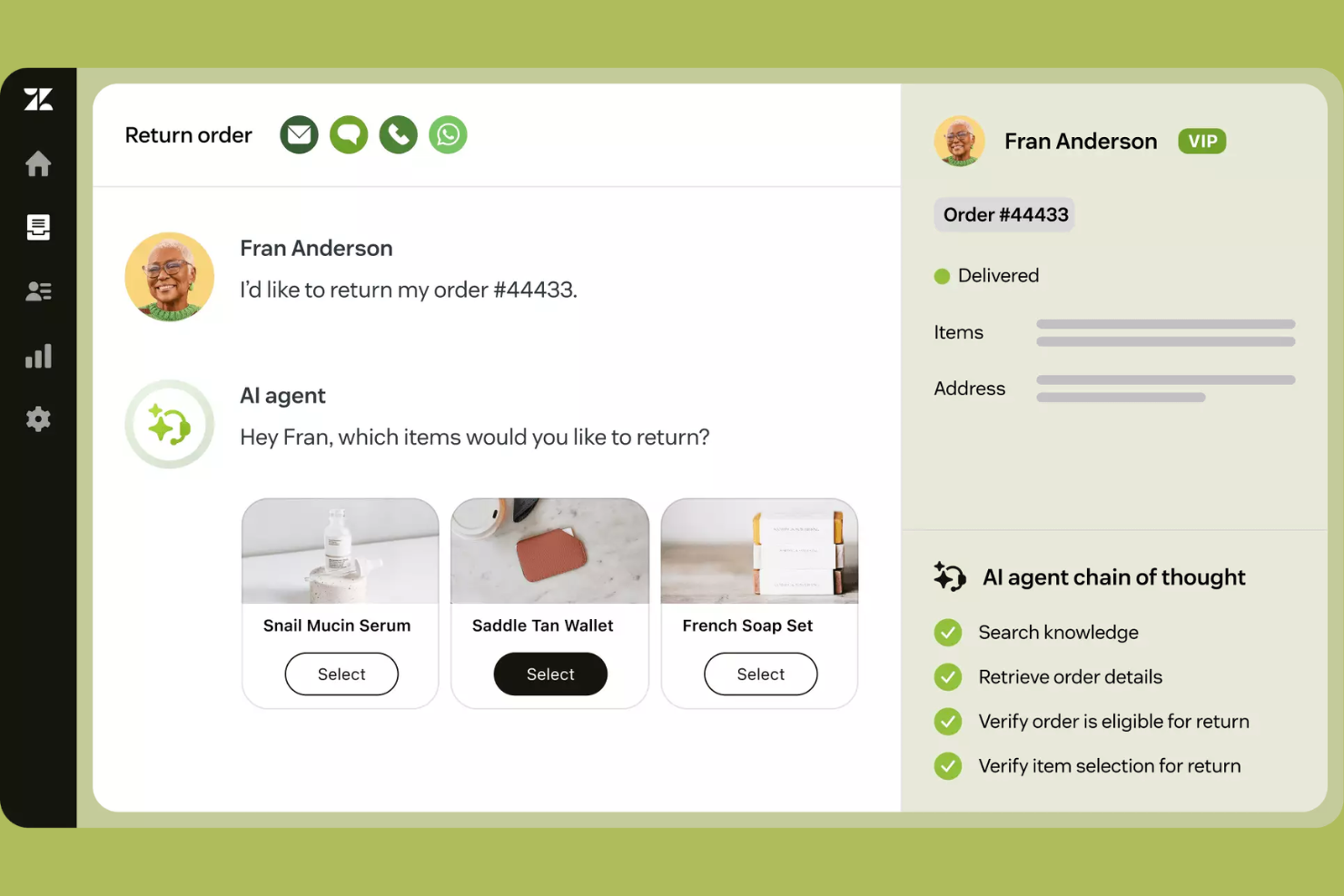
Zendesk offers a unified platform for businesses that want to manage customer service across multiple channels with AI-driven automation. It’s a strong choice for support teams in retail, SaaS, and other industries that handle high volumes of customer inquiries. If you need to centralize conversations and automate routine questions, Zendesk can help your team deliver faster, more consistent support.
Who Is Zendesk Best For?
Zendesk suits mid-sized to large businesses with dedicated support teams that need to manage high volumes of customer interactions across multiple channels.
Why I Picked Zendesk
I picked Zendesk because its omnichannel support with advanced AI automation addresses the complex needs of businesses handling customer inquiries across chat, email, social, and voice. Zendesk’s AI-powered bots can resolve common questions instantly, while its unified agent workspace lets teams manage all conversations in one place. I also appreciate how Zendesk’s automation tools can triage, route, and prioritize tickets based on intent and urgency. This combination helps support teams deliver consistent, high-quality self-service and agent-assisted experiences at scale.
Zendesk Key Features
Some other Zendesk features that support AI customer self-service platforms include:
- Answer Bot for self-service: Zendesk’s AI-powered Answer Bot suggests relevant help articles to customers directly in chat or email.
- Customizable help center: Build and manage a branded knowledge base that customers can search for answers on their own.
- Automated workflows: Set up triggers and automations to handle repetitive tasks and escalate issues based on custom rules.
- Customer satisfaction surveys: Collect feedback automatically after interactions to measure and improve service quality.
Zendesk Integrations
Integrations include Slack, Shopify, Pipedrive, Sprout Social, Harvest, and more.
Pros and Cons
Pros:
- Workflow automations reduce manual agent tasks
- Intent detection improves ticket routing accuracy
- AI bots handle high ticket volumes automatically
Cons:
- Integration setup can be time-consuming
- Limited multilingual support for self-service content

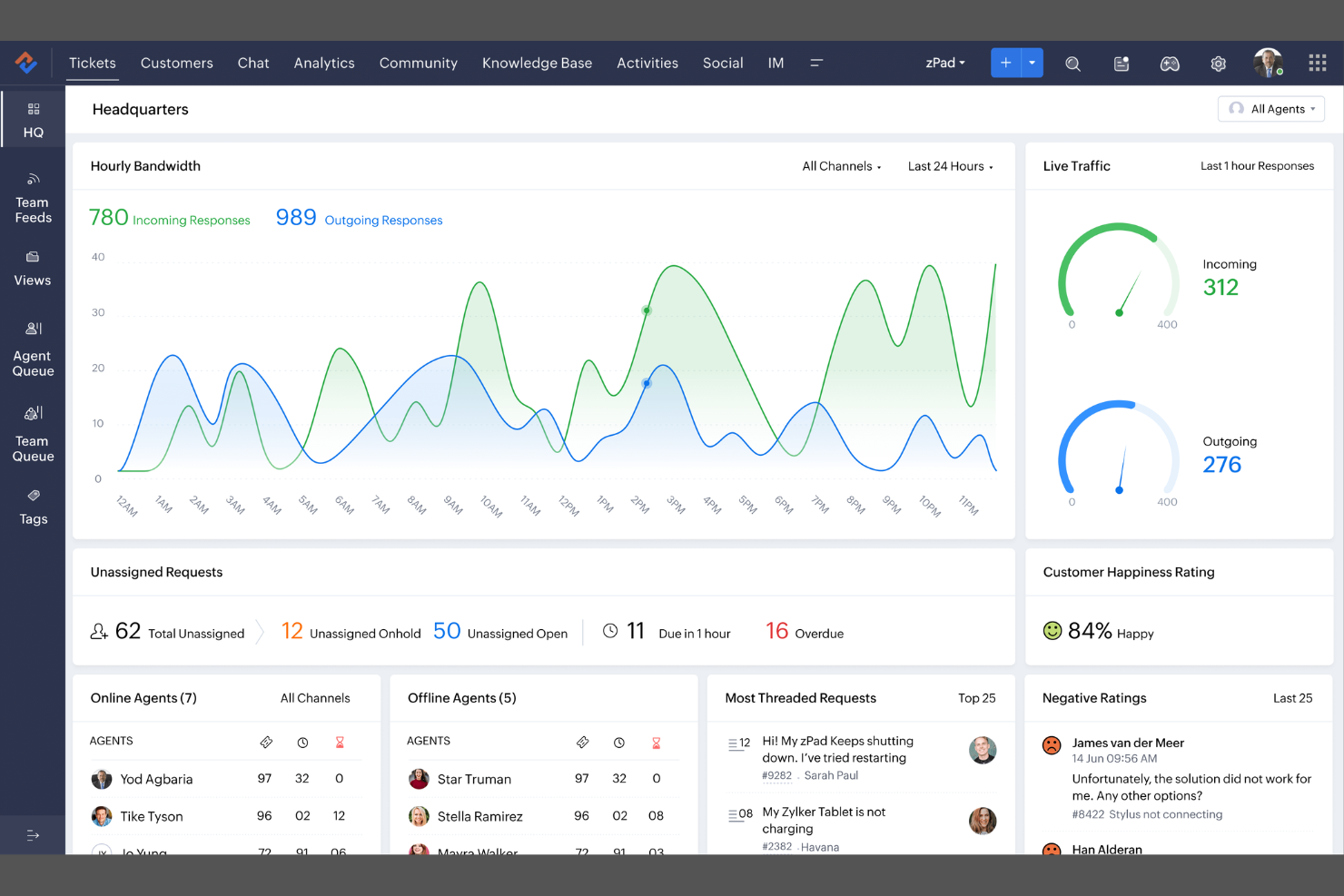
If you’re looking for an AI-driven customer service platform with strong automation, Zoho Desk is worth considering. It’s designed for support teams that want to manage tickets across multiple channels and automate repetitive tasks. Zoho Desk appeals to businesses that need customizable workflows and built-in AI tools to help resolve customer issues faster.
Who Is Zoho Desk Best For?
Zoho Desk suits mid-sized to large support teams that need omnichannel ticket management and advanced automation.
Why I Picked Zoho Desk
I picked Zoho Desk because its omnichannel AI support and automation capabilities stand out for teams managing high volumes of customer interactions. The platform’s Zia AI assistant can analyze incoming tickets, suggest responses, and even automate ticket assignment based on sentiment and priority. I also appreciate how Zoho Desk’s workflow automation lets you set up rules for escalations, follow-ups, and approvals across channels like email, chat, and social media. These features make it a strong choice for businesses that want to deliver consistent, data-driven support experiences at scale.
Zoho Desk Key Features
Some other features that make Zoho Desk a strong option for AI customer self-service platforms include:
- Customizable help center: Build a branded self-service portal where customers can find answers and submit tickets.
- Multi-department ticketing: Organize and route tickets by department to keep workflows clear and responsibilities defined.
- SLA management: Set and track service level agreements to ensure timely responses and resolutions.
- Contextual AI suggestions: Surface relevant knowledge base articles and solutions to agents and customers during ticket interactions.
Zoho Desk Integrations
Integrations include Twilio, Jira, Slack, Screen Magic, Salesforce, Trello, Microsoft Teams, Zapier, Intercom, Asana, Pipedrive, HubSpot, and more.
Pros and Cons
Pros:
- SLA tracking and reporting for support teams
- Workflow automation for escalations and approvals
- AI-powered ticket classification and response suggestions
Cons:
- Occasional delays in ticket sync across channels
- Limited chatbot customization options

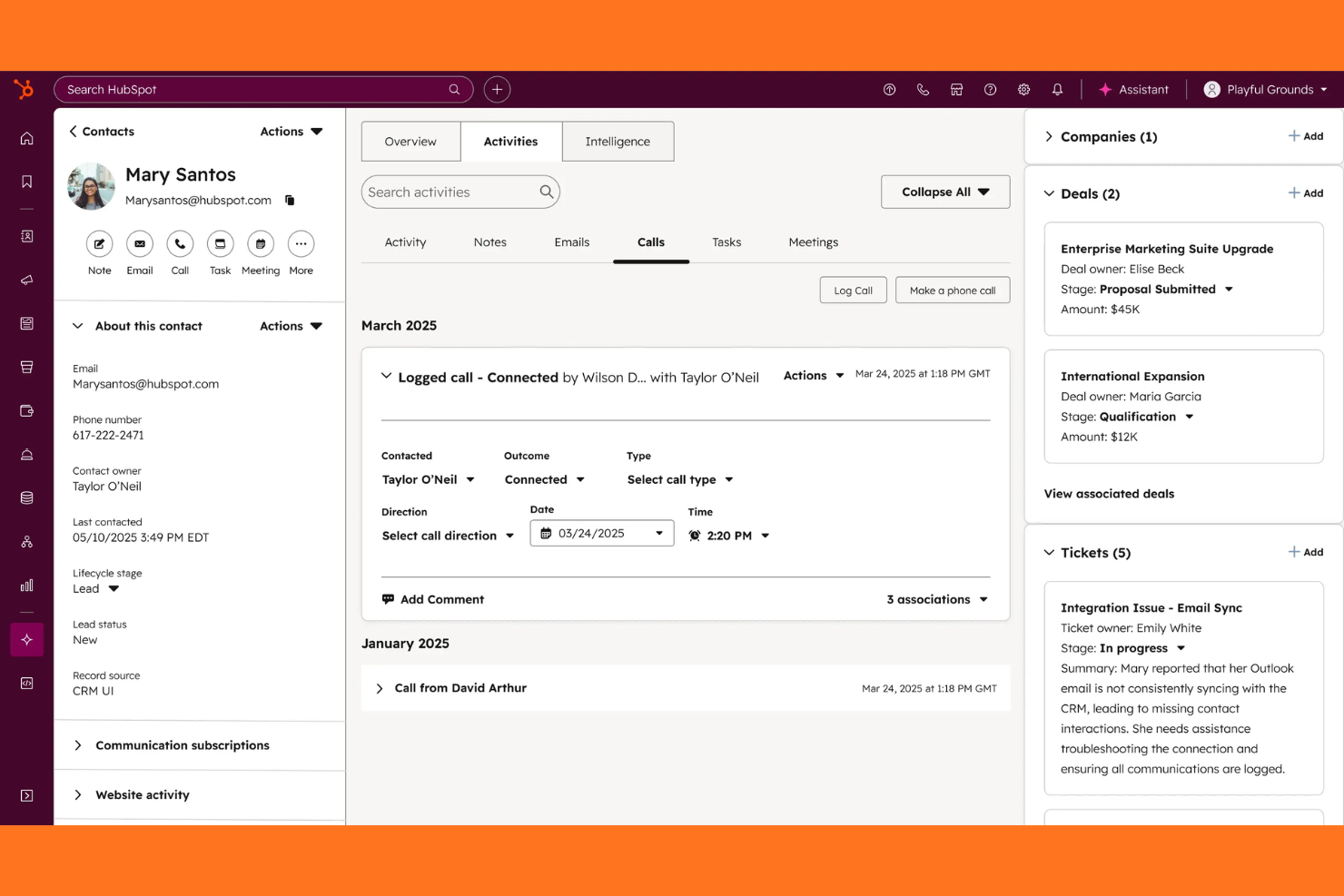
If you’re looking for an AI-driven customer service platform that connects tickets, chat, and a knowledge base in one place, HubSpot Service Hub is worth a look. It’s a strong fit for growing businesses and teams that want to automate support while keeping all customer data unified. With HubSpot Service Hub, you can centralize customer conversations and empower users to find answers on their own.
Who Is HubSpot Service Hub Best For?
HubSpot Service Hub suits small to midsize businesses and support teams that want to unify customer service, automate workflows, and manage all interactions in a single platform.
Why I Picked HubSpot Service Hub
What stands out to me about HubSpot Service Hub is how it brings together ticketing, live chat, and knowledge base tools into a single, unified platform powered by AI automation. This unified approach means your team can automate repetitive support tasks, route tickets intelligently, and surface relevant help articles to customers without switching systems. I also appreciate that HubSpot’s AI tools can analyze conversations and suggest responses, which helps teams deliver faster, more consistent support. For businesses that want to centralize customer service and automate self-service, HubSpot Service Hub offers a strong, all-in-one solution.
HubSpot Service Hub Key Features
Some other features that make HubSpot Service Hub valuable for AI customer self-service platforms include:
- Customer feedback surveys: Collect and analyze customer satisfaction, NPS, and custom survey responses directly within the platform.
- SLAs and automation rules: Set service level agreements and automate ticket prioritization, escalation, and follow-up actions.
- Omnichannel messaging: Manage conversations from email, chat, Facebook Messenger, and more in a single inbox.
- Reporting dashboard: Track team performance, ticket volume, and customer trends with customizable analytics and reports.
HubSpot Service Hub Integrations
Integrations include Salesforce, Gmail, Outlook, Slack, Zoom, Microsoft Teams, Google Calendar, WordPress, Google Meet, and more.
Pros and Cons
Pros:
- Automated ticket routing based on rules
- Knowledge base integrates with live chat
- AI chatbots handle multi-step customer queries
Cons:
- Limited AI analytics for self-service usage
- Chatbot customization requires manual setup

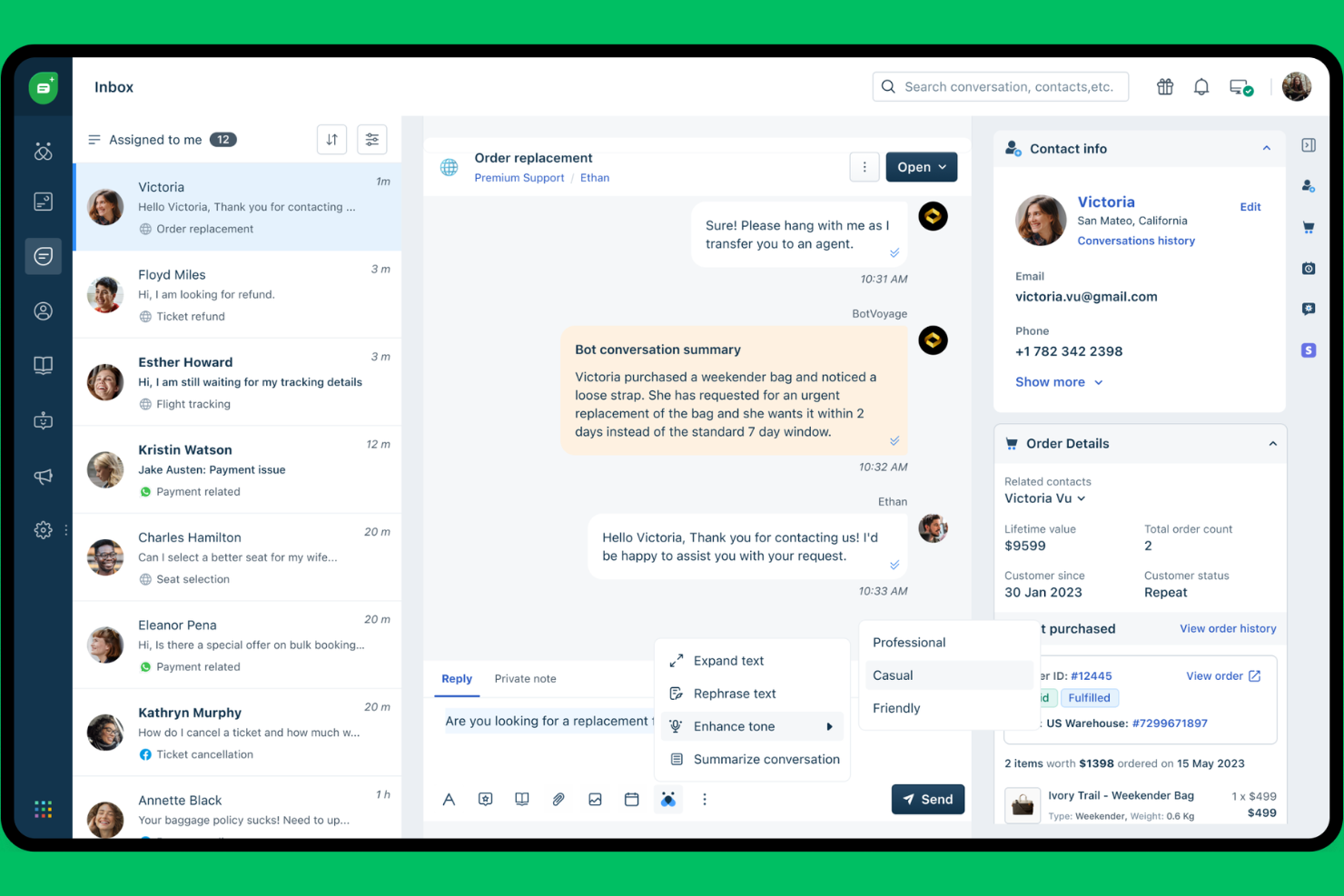
Freshdesk offers a flexible platform for support teams that want to automate and personalize customer service using AI. It’s a strong fit for businesses of all sizes, especially those handling high ticket volumes across multiple channels. If you need a solution that combines ticketing, self-service, and AI-driven workflows, Freshdesk is worth considering.
Who Is Freshdesk Best For?
Freshdesk suits support teams in growing businesses and mid-sized companies that need scalable, AI-powered ticketing and self-service.
Why I Picked Freshdesk
What makes Freshdesk stand out for AI customer self-service platforms is its focus on AI-powered ticketing and self-service tools. I picked it because it combines an AI-driven ticketing system with features like Freddy AI, which can automate responses, suggest solutions, and route tickets based on intent. The platform also includes a knowledge base builder, so customers can find answers without waiting for an agent. For teams looking to reduce manual workload and improve response times, Freshdesk’s AI capabilities are especially valuable.
Freshdesk Key Features
Some other features that make Freshdesk useful for AI customer self-service platforms include:
- Omnichannel support: Manage customer conversations across email, chat, phone, and social channels from a single dashboard.
- Canned responses: Create and use pre-written replies for common customer questions to speed up response times.
- Customer portal: Offer a branded self-service portal where customers can track tickets and access help resources.
- SLA management: Set and monitor service level agreements to ensure timely responses and resolution for customer issues.
Freshdesk Integrations
Integrations include Slack, Microsoft Teams, Shopify, Playvox, Freshchat, Freshsales, Jira, Mailchimp, WhatsApp, and more.
Pros and Cons
Pros:
- Visual workflow builder for custom automations
- Knowledge base supports self-service and chatbots
- AI automations handle repetitive support tasks
Cons:
- Automation rules can conflict with each other
- Ticket structure limits advanced reporting

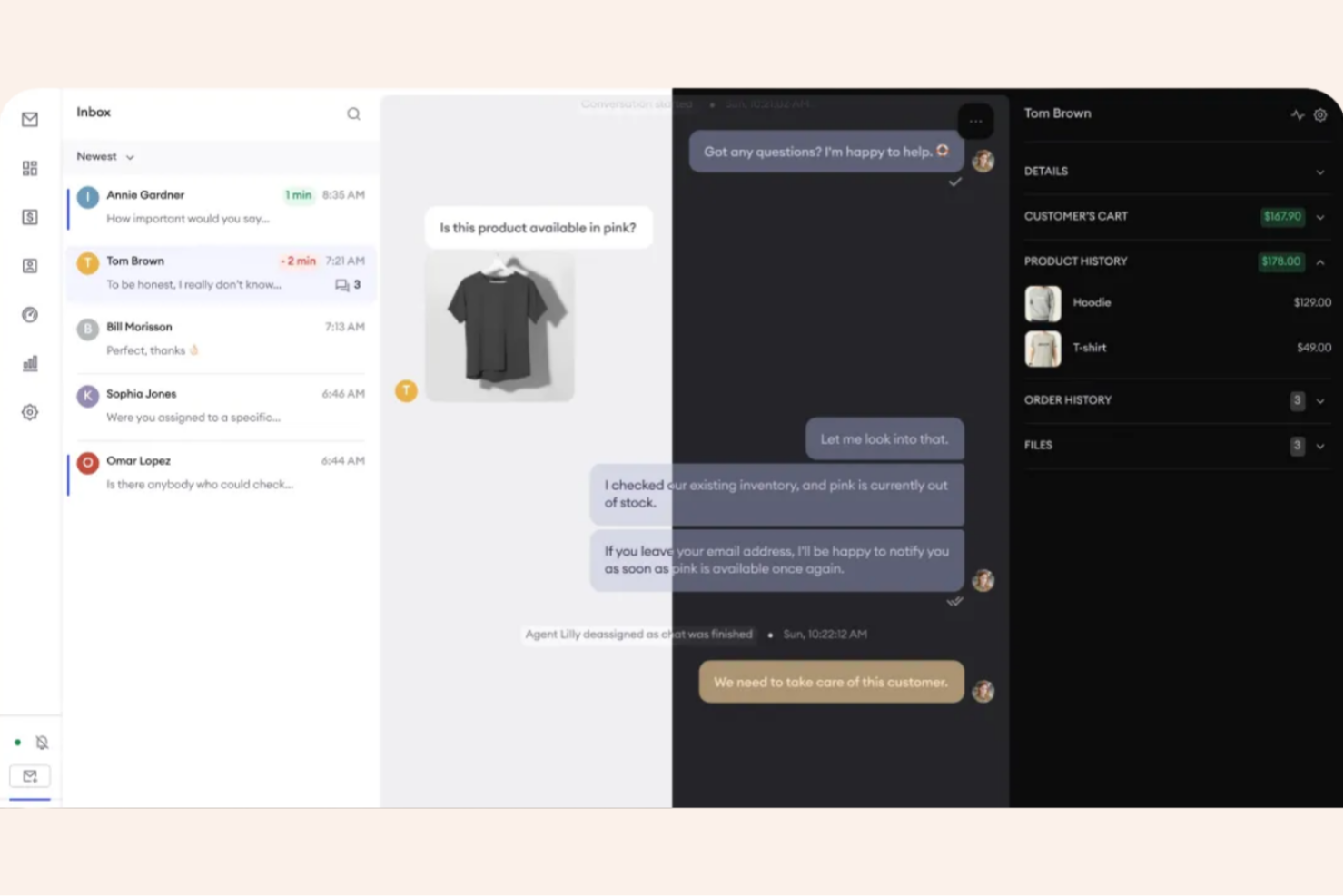
If your e-commerce team needs AI-driven customer service that adapts to changing needs, Zowie is worth considering. The platform is designed for online retailers looking to automate repetitive support tasks and deliver instant answers to shoppers. Zowie helps reduce ticket volume and response times while maintaining a personalized customer experience.
Who Is Zowie Best For?
Zowie fits e-commerce businesses that want to automate customer service and scale support without expanding headcount.
Why I Picked Zowie
What stands out about Zowie is its focus on AI-powered automation built specifically for e-commerce customer service. I picked Zowie because it uses machine learning to automate repetitive questions, instantly resolve common order and shipping inquiries, and escalate complex issues to human agents only when needed. The platform’s AI learns from your historical support data, so it can quickly adapt to new products, promotions, or policies without manual rule-setting. This makes Zowie a strong fit for ecommerce teams that want to deliver fast, accurate self-service while keeping support operations lean.
Zowie Key Features
Some other features that make Zowie a strong option for AI customer self-service platforms include:
- Omnichannel support: Manage customer conversations across chat, email, Facebook Messenger, and Instagram from a single dashboard.
- Knowledge base integration: Connect your help center content so the AI can surface relevant articles in real time.
- Intent detection: Automatically identify customer intent to route inquiries or trigger specific workflows.
- Analytics dashboard: Track automation rates, response times, and customer satisfaction with built-in reporting tools.
Zowie Integrations
Integrations include Zendesk, Freshdesk, Shopify, Adobe Commerce, BigCommerce, Salesforce, HubSpot, Stripe, and more.
Pros and Cons
Pros:
- Intent detection for accurate ticket routing
- Automated order tracking and status updates
- AI adapts to new e-commerce scenarios quickly
Cons:
- Mobile app does not support all features
- Reporting features lack advanced segmentation

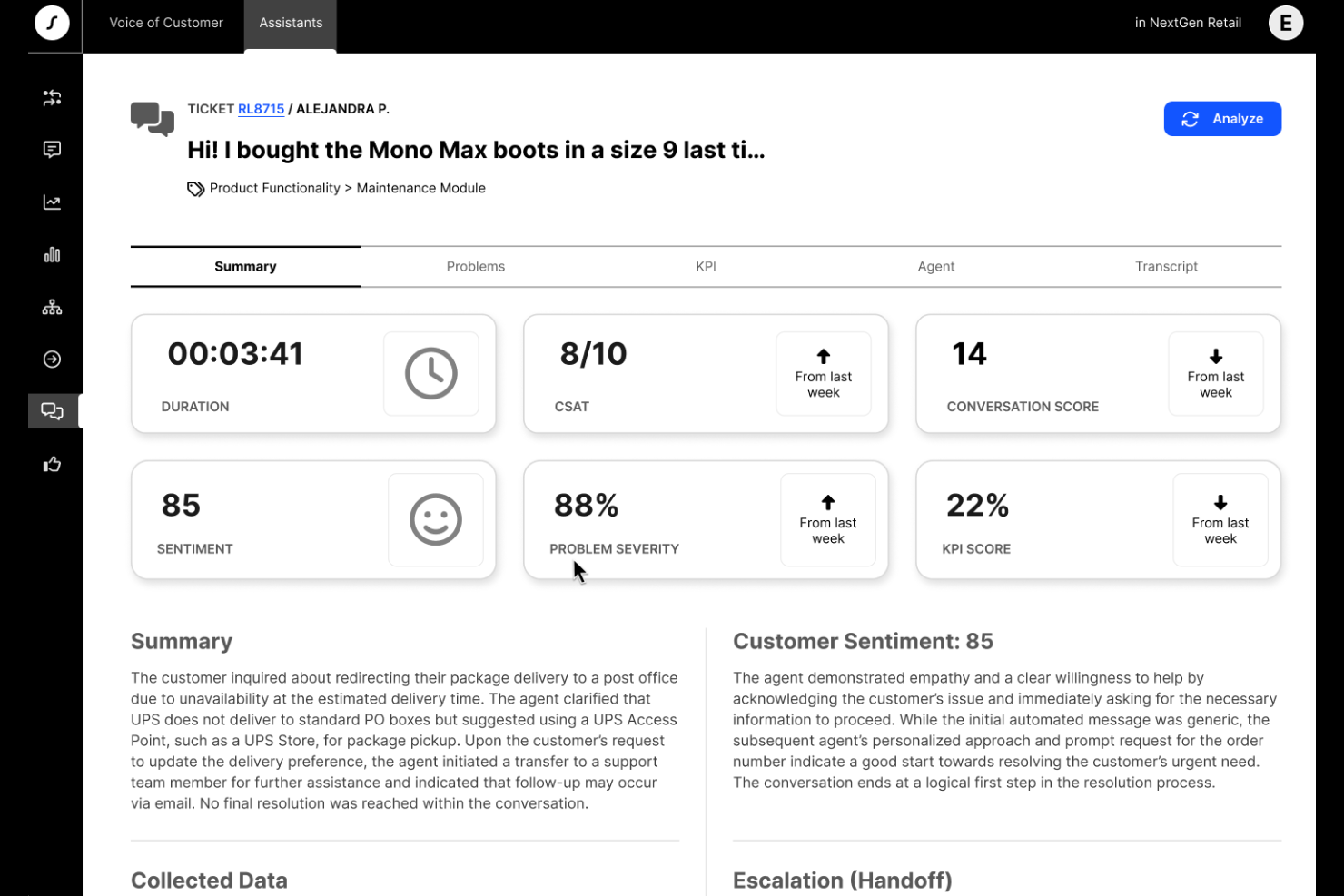
Crescendo offers AI-powered customer self-service designed for teams that need to support users across multiple languages and channels. It’s a strong fit for businesses with global audiences or complex knowledge bases that want to automate answers and reduce manual ticket handling. Crescendo helps customer experience teams deliver consistent, accurate information while freeing up agents for higher-value work.
Who Is Crescendo Best For?
Crescendo is a good fit for global support teams and organizations that need multilingual AI self-service to manage complex customer inquiries across multiple regions.
Why I Picked Crescendo
I chose Crescendo for this list because its AI-driven self-service stands out with advanced multilingual support and automated knowledge base management. The platform uses natural language processing to understand and respond to customer queries in multiple languages, which is essential for businesses serving diverse audiences. I also appreciate how Crescendo automates the creation and updating of knowledge base articles, reducing manual effort for support teams. These capabilities make it a strong option for organizations that need scalable, accurate self-service across regions and languages.
Crescendo Key Features
Some other features that make Crescendo a versatile choice for AI customer self-service platforms include:
- Omnichannel support: Manage customer interactions across chat, email, and messaging apps from a single platform.
- Automated ticket triage: Route incoming requests to the right workflows or agents based on AI-driven intent detection.
- Customizable workflows: Design and automate support processes tailored to your business needs without coding.
- Analytics dashboard: Track self-service usage, resolution rates, and customer satisfaction with real-time reporting tools.
Crescendo Integrations
Integrations include Grindr, Miro, Headway, Loom, and more.
Pros and Cons
Pros:
- Analytics dashboard tracks self-service performance
- Fast deployment with minimal IT involvement
- Omnichannel support covers chat, email, and messaging
Cons:
- Reporting features lack deep customization options
- Limited customization for advanced workflow logic
Other AI Customer Self-Service Platforms
Here are some additional AI customer self-service platforms options that didn’t make it onto my shortlist, but are still worth checking out:
- Tidio
For instant AI chatbot responses
- Comm100
For omnichannel AI customer engagement
- DevRev
For AI-powered support and product ops
- Featurebase
For AI-driven feedback and self-service
- Aisera
For enterprise service desk automation
- Help Scout
For simple customer support and knowledge bases
- IBM watsonx Assistant
For enterprise AI chatbots
- NiCE
For AI-driven customer experience analytics
- NiCE Cognigy
For conversational AI in contact centers
- Fin
For automating support workflows with AI
- Agentforce Service
For AI support in Salesforce


AI Customer Self-Service Platforms Selection Criteria
When selecting the best AI customer self-service platforms to include in this list, I considered common buyer needs and pain points like reducing support ticket volume and delivering consistent self-service experiences across channels. I also used the following framework to keep my evaluation structured and fair:
Core Functionality (25% of total score)
To be considered for inclusion in this list, each solution had to fulfill these common use cases:
- Automate responses to common customer questions
- Provide a searchable knowledge base
- Support multiple digital channels
- Escalate complex issues to human agents
- Track and report on self-service usage
Additional Standout Features (25% of total score)
To help further narrow down the competition, I also looked for unique features, such as:
- AI-powered sentiment analysis
- Visual workflow or automation builder
- Multilingual support for global audiences
- Integration with CRM and ticketing systems
- Customizable chatbot personalities
Usability (10% of total score)
To get a sense of the usability of each system, I considered the following:
- Simple and intuitive user interface
- Easy navigation between modules
- Clear labeling and instructions
- Responsive design for all devices
- Minimal clicks to complete key tasks
Onboarding (10% of total score)
To evaluate the onboarding experience for each platform, I considered the following:
- Availability of training videos and tutorials
- Access to interactive product tours
- Pre-built templates for quick setup
- In-app chatbots for onboarding support
- Live or recorded webinars for new users
Customer Support (10% of total score)
To assess each software provider’s customer support services, I considered the following:
- 24/7 support availability
- Multiple support channels offered
- Fast response times to inquiries
- Access to a detailed help center
- Dedicated customer success managers
Value For Money (10% of total score)
To evaluate the value for money of each platform, I considered the following:
- Transparent and flexible pricing plans
- Features included at each pricing tier
- Free trial or demo availability
- No hidden fees or surprise charges
- Discounts for annual or volume commitments
Customer Reviews (10% of total score)
To get a sense of overall customer satisfaction, I considered the following when reading customer reviews:
- Positive feedback on AI accuracy
- Reports of reliable uptime and performance
- Comments on ease of setup and use
- Feedback on support quality and responsiveness
- User suggestions for future improvements
How to Choose AI Customer Self-Service Platforms
It’s easy to get bogged down in long feature lists and complex pricing structures. To help you stay focused as you work through your unique software selection process, here’s a checklist of factors to keep in mind:
| Factor | What to Consider |
|---|---|
| Scalability | Will the platform handle your current and projected support volumes without performance issues? |
| Integrations | Does it connect natively to your CRM, ticketing, analytics, and communication tools? |
| Customizability | Can you tailor workflows, branding, and knowledge base content to fit your organization’s needs? |
| Ease of use | Will your team and customers find the interface intuitive, or will it require extensive training? |
| Implementation and onboarding | How long will it take to deploy, migrate data, and get your team up to speed? |
| Cost | Are pricing tiers clear, and do they align with your usage patterns and budget constraints? |
| Security safeguards | Does the platform meet your data privacy, encryption, and access control requirements? |
| Support availability | What support channels and response times does the vendor offer, especially during critical issues? |
What Are AI Customer Self-Service Platforms?
AI customer self-service platforms are customer service software that use generative AI, AI agents, and copilots to help customers resolve issues or find information without direct human assistance. These platforms typically include chatbots, virtual agents, and automated knowledge bases that support the full customer journey, handle common questions, guide users through processes, and escalate complex cases when needed. With features like no-code setup and workflow orchestration, they help teams optimize support operations, improve resolution times, and track key metrics like CSAT. By delivering valuable insights and learning from customer stories and case studies, these platforms improve AI customer service while remaining user-friendly and scalable.
Features of AI Customer Self-Service Platforms
When selecting AI customer self-service platforms, keep an eye out for the following key features:
- AI-powered chatbots: These virtual agents use natural language processing to answer customer questions, guide users, and resolve common issues in real time.
- Automated knowledge base: A searchable library of articles and FAQs that customers can access anytime, often updated automatically based on new inquiries and trends.
- Omnichannel support: The ability to provide consistent self-service experiences across web, mobile, social media, messaging apps, and more.
- Case escalation: Automated detection and routing of complex or sensitive issues to human agents when self-service cannot resolve the problem.
- Sentiment analysis: AI tools that analyze customer messages to detect tone, urgency, and satisfaction, helping prioritize and personalize responses.
- Multilingual capabilities: Support for multiple languages, allowing customers from different regions to access self-service in their preferred language.
- Workflow automation: Tools to design and automate repetitive support processes, such as ticket creation, follow-ups, and status updates.
- Integration with CRM and support tools: Native connections to customer relationship management and help desk systems to sync data and maintain context.
- Analytics and reporting: Dashboards and reports that track usage, resolution rates, customer satisfaction, and identify areas for improvement.
- Customizable branding: Options to tailor the look, feel, and tone of self-service interfaces to match your organization’s brand and voice.
Benefits of AI Customer Self-Service Platforms
Implementing AI customer self-service platforms provides several benefits for your team and your business. Here are a few you can look forward to:
- Reduced support ticket volume: Automated chatbots and knowledge bases resolve common questions, decreasing the number of tickets routed to human agents.
- Faster response times: AI-powered self-service tools deliver instant answers and guidance, helping customers get solutions without waiting in a queue.
- Consistent customer experiences: Omnichannel support and automated workflows ensure customers receive the same quality of service across every channel.
- Improved agent productivity: By handling repetitive inquiries, these platforms free up support teams to focus on complex or high-value cases.
- Actionable insights: Analytics and sentiment analysis provide data on customer needs, satisfaction, and trends, supporting continuous improvement.
- Scalable support operations: AI self-service platforms can handle large volumes of interactions without additional staffing, making it easier to grow.
- Global accessibility: Multilingual capabilities and customizable interfaces allow you to serve diverse customer bases around the world.
Costs and Pricing of AI Customer Self-Service Platforms
Selecting AI customer self-service platforms requires an understanding of the various pricing models and plans available. Costs vary based on features, team size, add-ons, and more. The table below summarizes common plans, their average prices, and typical features included in AI customer self-service platform solutions:
Plan Comparison Table for AI Customer Self-Service Platforms
| Plan Type | Average Price | Common Features |
|---|---|---|
| Free Plan | $0 | Basic chatbot functionality, limited knowledge base access, single channel support, and basic analytics. |
| Personal Plan | $10-$30/user/month | Expanded chatbot capabilities, multi-channel support, limited integrations, and basic workflow automation. |
| Business Plan | $40-$80/user/month | Advanced AI features, omnichannel support, CRM integrations, analytics dashboards, and customizable branding. |
| Enterprise Plan | $100-$200/user/month | Full automation suite, advanced security, multilingual support, dedicated account management, and custom integrations. |
AI Customer Self-Service Platforms FAQs
Here are some answers to common questions about AI customer self-service platforms:
How do AI customer self-service platforms improve customer satisfaction?
AI customer self-service platforms improve customer satisfaction by providing instant, accurate answers and 24/7 support. Customers can resolve issues quickly without waiting for a human agent, which leads to faster resolutions and a more positive experience.
Can AI customer self-service platforms integrate with existing support tools?
Yes, most AI customer self-service platforms offer integrations with popular CRM, help desk, and communication tools. This allows you to sync customer data, maintain context across channels, and simplify workflows without disrupting your current systems.
What types of issues can AI customer self-service platforms handle?
AI customer self-service platforms handle routine questions, password resets, order tracking, and other common requests. They can also guide users through troubleshooting steps and escalate complex or sensitive issues to human agents when needed.
Are AI customer self-service platforms secure?
Yes, reputable platforms include security safeguards such as data encryption, access controls, and compliance with privacy regulations. Always review a vendor’s security documentation to ensure it meets your organization’s requirements.
How long does it take to implement an AI customer self-service platform?
Implementation time varies, but many platforms offer onboarding resources like product tours, templates, and training videos. Simple setups can take a few days, while more complex integrations or customizations may require several weeks.