

10 Best AI Customer Self-Service Platforms in 2026

AI Customer Self-Service Platforms Shortlist


AI customer self-service platforms are software tools that use artificial intelligence to help customers find answers, resolve issues, and complete tasks without needing to speak with a human agent. If you’re searching for ways to handle high support volumes, deliver faster resolutions, or offer 24/7 assistance, these platforms can help your team meet rising customer expectations. In this list, you’ll find trusted AI solutions that automate common requests, integrate with your existing systems, and give your customers more control—so you can focus on complex cases and drive better outcomes.
Why Trust Our Software Recommendations
Our team has been testing and reviewing software since 2012. As CX leaders ourselves, we know how difficult—and important—it is to choose the right software.
For this guide, we evaluated tools using hands-on testing and independent research, scoring tools using our selection criteria.
Our reviews reflect our human editorial judgment, not a sales pitch.
AI Customer Self-Service Platforms Comparison Table
This comparison table summarizes pricing details for my top AI customer self-service platform selections:
| Tool | Best For | Trial Info | Price | ||
|---|---|---|---|---|---|
| 1 | Best for AI agents tested on real data | Free demo available | Pricing upon request | Website | |
| 2 | Best with real-time data integrations | 7-day free trial + free plan + free demo available | From $32/month (billed annually) | Website | |
| 3 | Best with no-code workflow customization | Free plan available | From $29/month (billed annually) | Website | |
| 4 | Best for instant AI chatbot responses | Free plan available; 7-day free trial | From $24.17/month (billed annually) | Website | |
| 5 | Best for automated ticket workflows | 14-day free trial | From $24/user/month (billed annually) | Website | |
| 6 | Best for e-commerce customer support automation | Free demo + 30-day free trial available | From $40/month | Website | |
| 7 | Best for unified AI customer support | Free demo available | Pricing upon request | Website | |
| 8 | Best for AI-powered support automation | 14-day free trial | From $20/user/month | Website | |
| 9 | Best for AI-driven unified customer support | 30-day free trial | Pricing upon request | Website | |
| 10 | Best for multilingual AI self-service support | Free demo available | From $1.25/solve | Website |
AI Customer Self-Service Platforms Reviews
Below are my detailed summaries of the best AI customer self-service platforms that made it onto my shortlist. My reviews offer a detailed look at the features, capabilities, and integrations of each platform to help you find the best one for you.

Cresta
Best for AI agents tested on real data
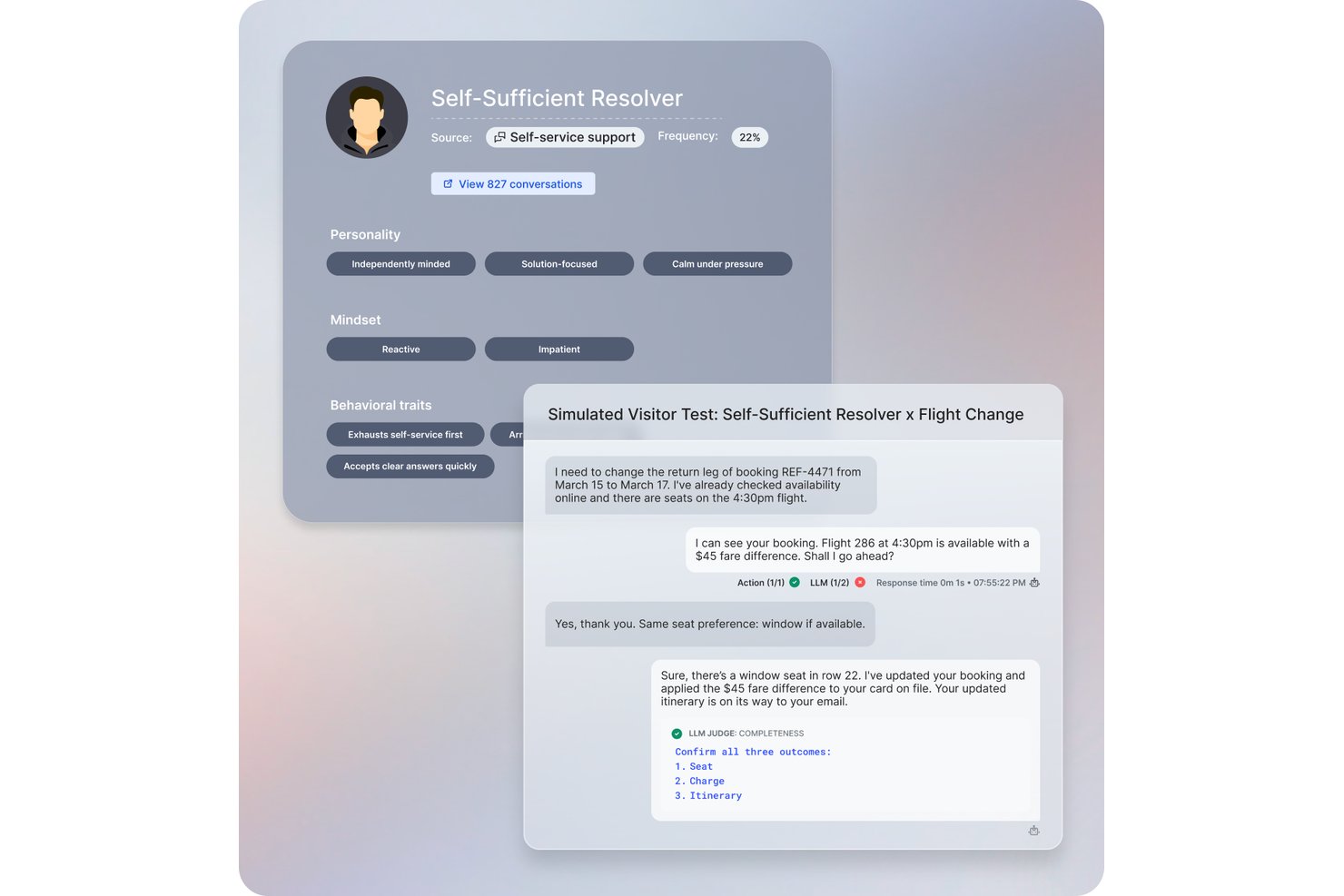
Cresta is an AI customer self-service platform that uses conversational AI, real-time agent assistance, and conversation analytics to automate and optimize service interactions across chat, voice, and messaging channels.
Who Is Cresta Best For?
Cresta is a strong fit for enterprise customer experience teams who manage large volumes of interactions across multiple channels.
Why I Picked Cresta
I picked Cresta as one of the best because it stands out for AI agents tested using real customer data. I like having access to autonomous conversation agents and real-time agent coaching that adapt based on actual, in-production service conversations.
Cresta Key Features
- Multichannel support: Manage customer conversations across chat, voice, and messaging from one unified platform.
- Conversation intelligence: Analyze interactions using natural language processing to surface trends and customer sentiment.
- Automated quality management: Score and review every conversation automatically for compliance and service standards.
- Live workflow automation: Trigger predefined workflows within customer interactions to streamline processes and reduce manual steps.
Cresta Integrations
Cresta offers native integrations with Salesforce, Twilio, Pipedrive, BigCommerce, Five9, Zendesk, and more. An API is available for custom integrations.
Pros and Cons
Pros:
- Real-time feedback for live agents
- Advanced analytics for every interaction
- AI adapts based on real conversations
Cons:
- Occasional intent recognition inaccuracies
- Complex workflows may require extra setup

Chatbase
Best with real-time data integrations
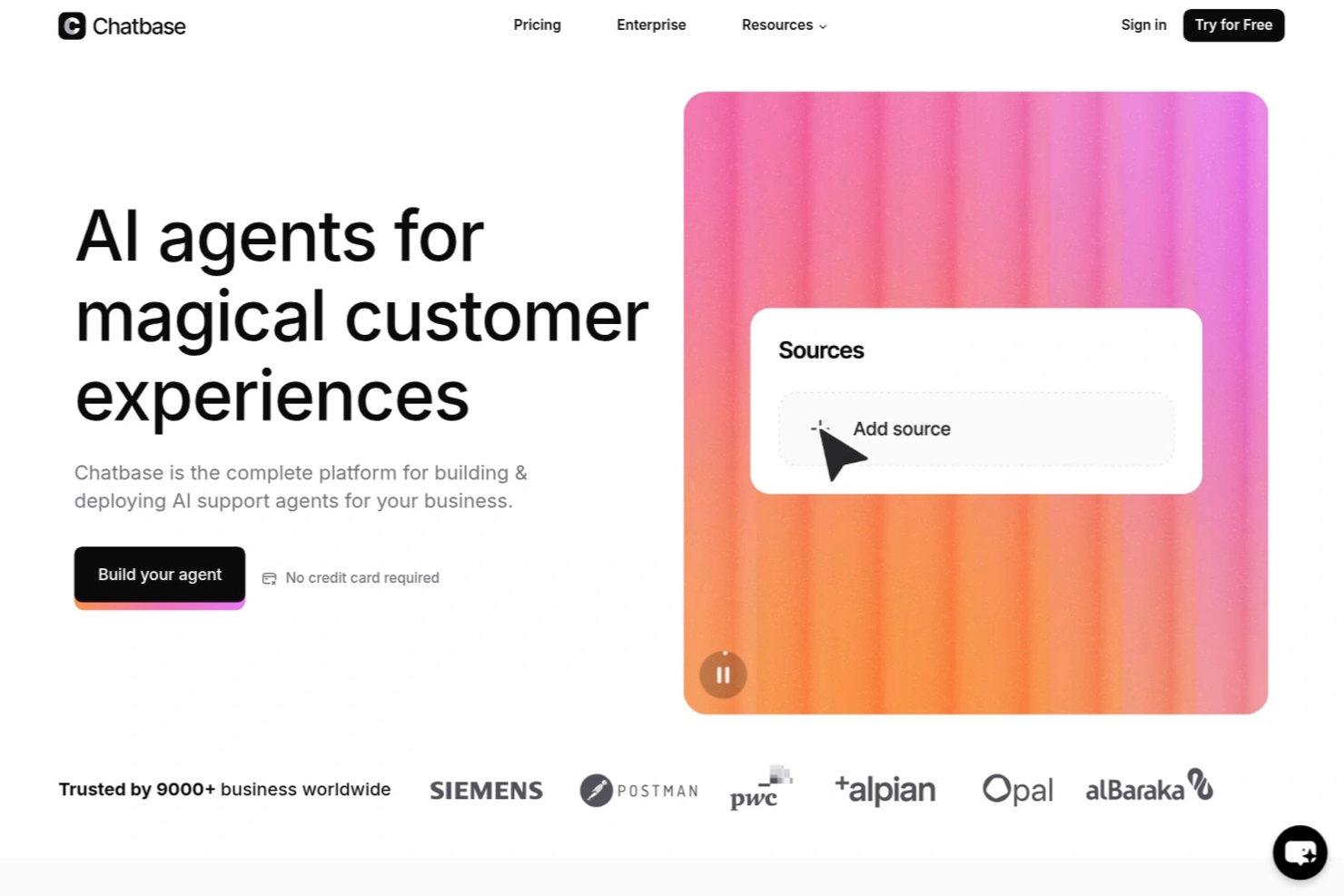
Chatbase is an AI chatbot platform designed for businesses and support teams who want to automate customer interactions, deliver instant answers, and reduce manual workload across websites and messaging channels.
Who Is Chatbase Best For?
Chatbase suits support and operations teams at growing businesses that want to automate customer service across digital channels.
Why I Picked Chatbase
I picked Chatbase as one of the best because I can connect my chatbots directly to live databases and APIs, letting them pull up-to-the-minute information for customers. My team uses the real-time data integrations to answer order status questions, check inventory, or provide account updates instantly. I like that we can set up webhooks and custom data sources, so our bots always respond with the latest details.
Chatbase Key Features
- No-code chatbot builder: Build and deploy chatbots using a drag-and-drop interface without coding.
- Multi-language support: Serve customers in multiple languages with built-in translation capabilities.
- Conversation analytics: Track chatbot performance and review detailed conversation logs and metrics.
- Customizable AI agent actions: Define specific actions and workflows for your AI agents to handle complex requests.
Chatbase Integrations
Chatbase offers native integrations with WhatsApp, Facebook Messenger, Telegram, Slack, Google Sheets, Shopify, and Zapier. An API is available for custom integrations.
Pros and Cons
Pros:
- Deploys chatbots across multiple messaging platforms
- Provides detailed conversation analytics and logs
- Enables multi-step, conditional AI agent actions
Cons:
- Custom branding options are only on paid plans
- Lacks built-in voice assistant integration

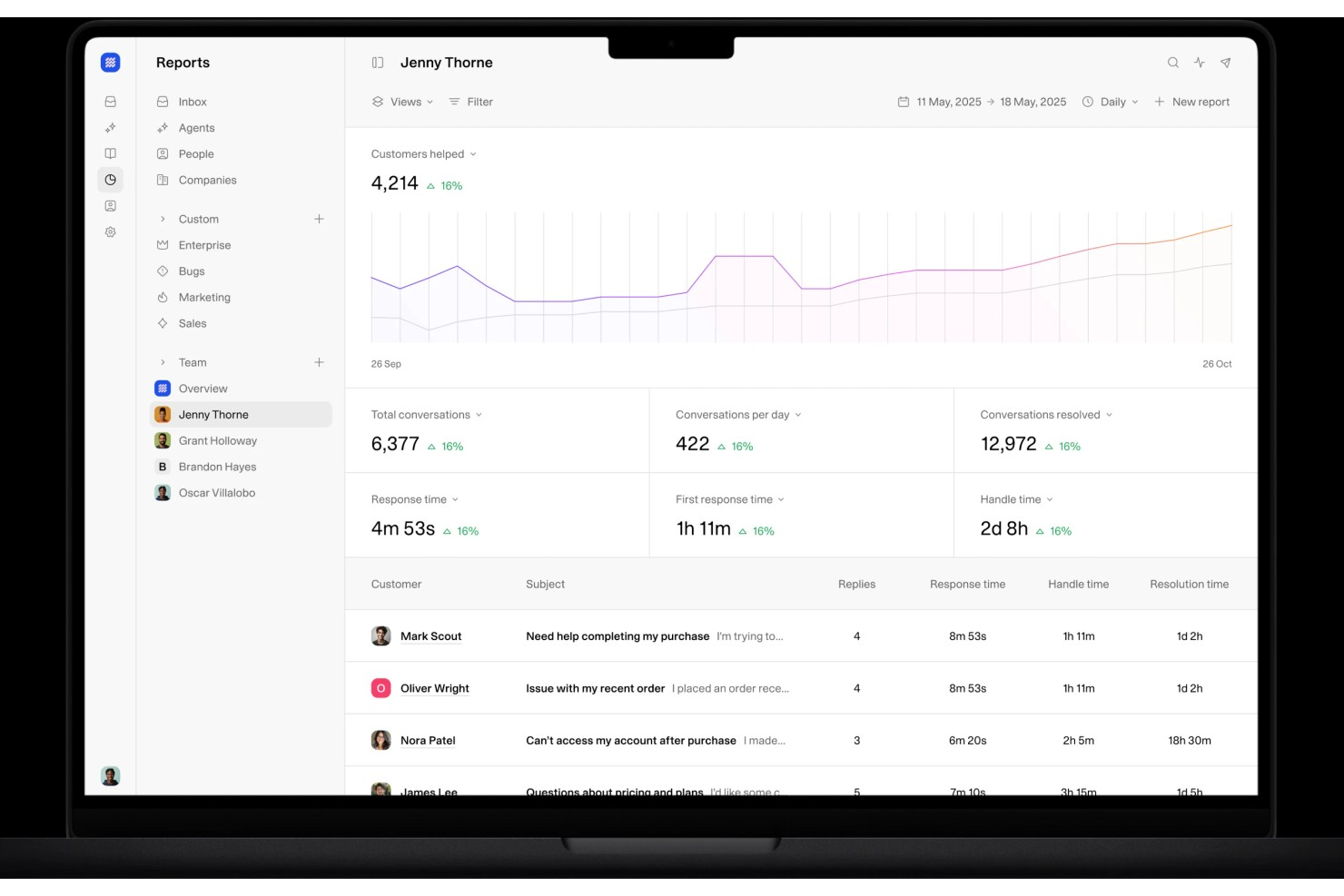
Weav is an AI customer self-service platform built around product-trained AI agents, chatbots, a unified human-AI inbox, internal knowledge search, and automated resolution reporting.
Who Is Weav Best For?
Weav is a good fit for small to mid-sized ecommerce and SaaS teams that want to automate customer support without relying on a large support staff.
Why I Picked Weav
I've included Weav in my top picks because its no-code agent customization genuinely sets it apart. You can set conversation tone, cap response length, define prohibited phrases, and inject additional context into agents using simple text prompts, no developer involvement needed. I also like that specialized agents can be built for distinct scenarios, like billing versus technical support, each trained separately on relevant content. The one-click training setup means your team can spin up and adjust agents without touching a single line of code.
Weav Key Features
- Knowledge base training: Train your AI agent by importing content from websites, uploaded files, Q&A pairs, and video transcripts.
- Unified inbox: Manage customer conversations across multiple channels in one view, with AI-drafted reply suggestions for human agents.
- Ask Weav: An internal AI search tool that lets support team members instantly surface answers from your connected knowledge sources.
- Resolution reporting: Track AI resolution rates, ticket volume, and agent performance across your support operations.
Weav Integrations
Weav offers native integrations with Stripe and Shopify, letting AI agents handle billing, subscription, and invoice workflows directly inside customer conversations. It also integrates with Google Drive. Beyond those, Weav supports custom actions that connect agents to any third-party HTTPS API, so you can build integrations with your own backend or tools like order management and booking systems.
Pros and Cons
Pros:
- Built-in automated confidence scoring
- Continuous learning from resolved tickets
- One-click training from existing documentation
Cons:
- Free plan caps AI messages at 20
- Limited native third-party integrations

Tidio
Best for instant AI chatbot responses

If you want to add AI chat and automation to your customer support, Tidio is worth considering. It’s designed for e-commerce stores and small businesses that need to handle customer questions quickly across chat, email, and Messenger. Tidio helps you automate common queries and keep conversations organized in one place.
Who Is Tidio Best For?
Tidio suits small ecommerce businesses and support teams that want to automate customer conversations and manage live chat across multiple channels.
Why I Picked Tidio
What draws me to Tidio for AI customer self-service is its focus on combining live chat with AI-powered automation in a single platform. Tidio’s AI chatbot can answer common customer questions instantly, reducing the need for human intervention and helping teams handle higher volumes. I also like that you can set up automated workflows to qualify leads or route conversations based on customer responses. For businesses that want to offer real-time support while automating repetitive queries, Tidio’s approach to live chat and automation stands out.
Tidio Key Features
Some other features that make Tidio useful for AI customer self-service platforms include:
- Multichannel inbox: Manage conversations from live chat, email, Instagram, and Messenger in one unified dashboard.
- Visitor tracking: See real-time website visitor activity and trigger automated messages based on behavior.
- Canned responses: Create and use pre-written replies to answer frequent customer questions quickly.
- Widget customization: Adjust the chat widget’s appearance and branding to match your website’s look and feel.
Tidio Integrations
Integrations include Shopify, WordPress, Messenger, Instagram, WhatsApp, Zendesk, HubSpot, Salesforce, Microsoft Dynamics, and more.
Pros and Cons
Pros:
- Customizable chat widget matches brand style
- Real-time visitor tracking for proactive engagement
- Prebuilt chatbot templates for e-commerce use cases
Cons:
- Chatbot can miss complex queries
- Limited analytics for chatbot performance

HappyFox
Best for automated ticket workflows
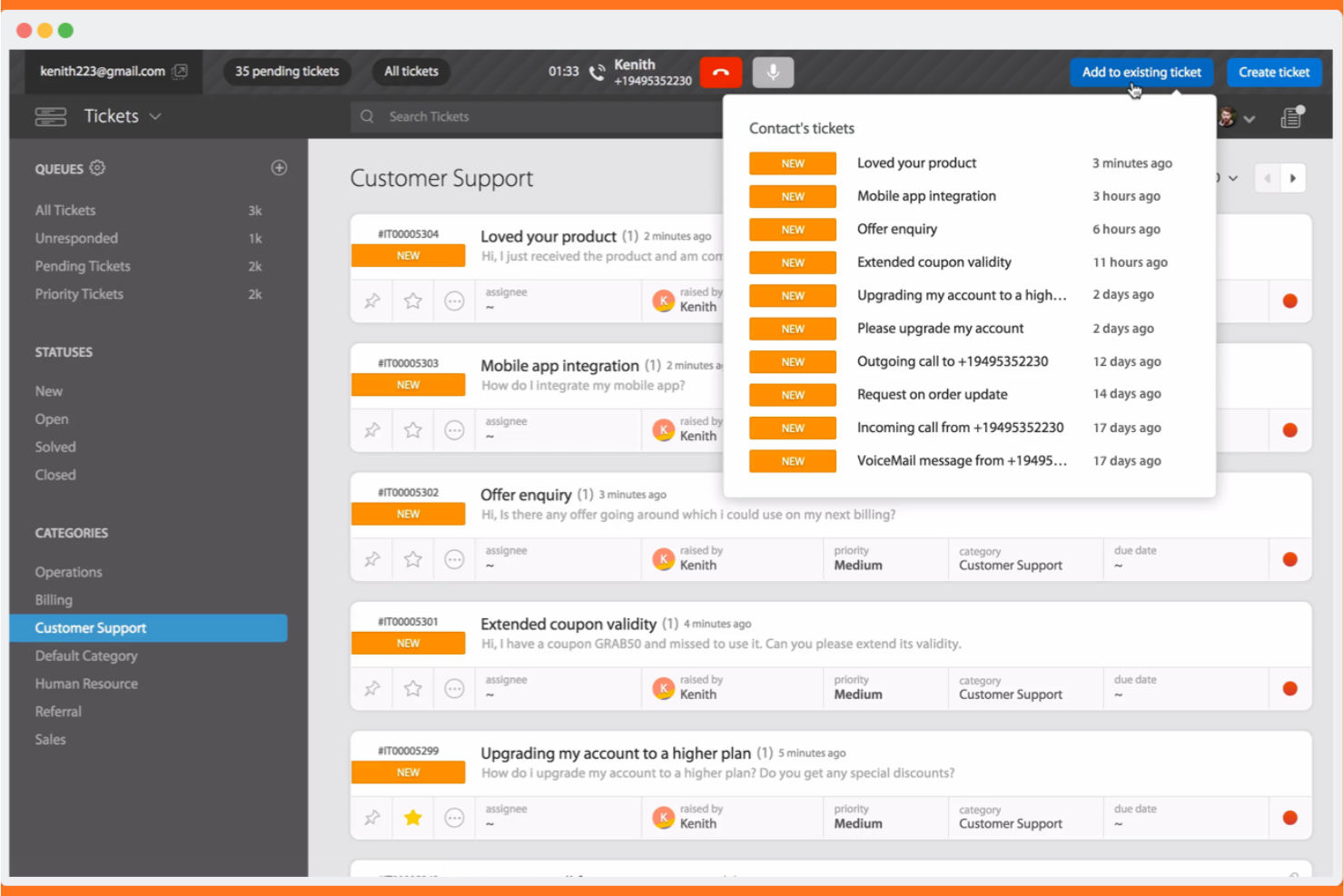
If your team needs AI-driven ticketing with multilingual support, HappyFox is worth a look. It’s designed for organizations that want to automate customer service workflows and offer self-service options in multiple languages. HappyFox helps support teams manage complex inquiries while reducing manual workload and improving response consistency.
Who Is HappyFox Best For?
HappyFox suits mid-sized to large organizations that need multilingual AI ticketing and workflow automation for customer support.
Why I Picked HappyFox
What drew me to HappyFox is its focus on AI-powered ticketing combined with multilingual self-service and workflow automation. The platform’s AI can automatically categorize, prioritize, and route tickets, which is especially useful for teams handling large volumes of customer requests in different languages. I also like that HappyFox offers a multilingual knowledge base and self-service portal, making it easier for global customers to find answers on their own. Its workflow automation tools help support teams reduce manual steps and maintain consistent service quality across channels.
HappyFox Key Features
Some other features that make HappyFox a strong option for AI customer self-service platforms include:
- Canned actions: Create and use pre-defined responses for common customer queries to speed up ticket handling.
- Custom ticket fields: Add unique data fields to tickets to capture information specific to your business or workflow.
- Customer satisfaction surveys: Send automated surveys after ticket resolution to gather feedback and measure service quality.
- Role-based permissions: Control access to features and data by assigning roles and permissions to different team members.
HappyFox Integrations
Native integrations are not currently listed.
Pros and Cons
Pros:
- Workflow automation reduces manual ticket handling
- Multilingual self-service portal supports global users
- AI ticket classification improves response accuracy
Cons:
- Ticket sync delays reported across some channels
- AI features limited to higher-tier plans

Gorgias
Best for e-commerce customer support automation
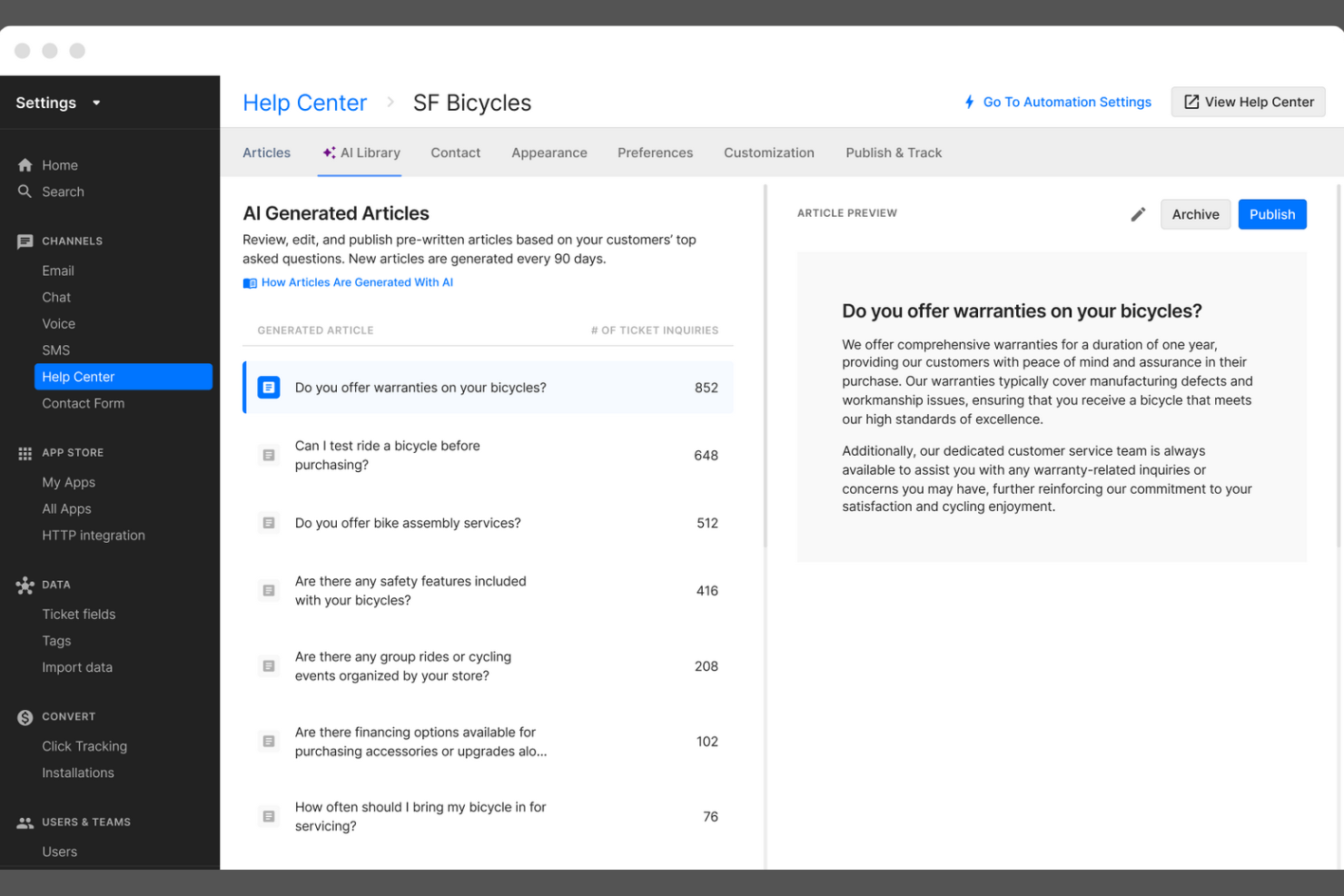
Gorgias is a customer service platform built for ecommerce brands that want to automate and personalize support at scale. It’s especially useful for online retailers looking to centralize customer conversations and automate repetitive tasks. With Gorgias, support teams can manage tickets from multiple channels and deliver faster, more consistent responses to shoppers.
Who Is Gorgias Best For?
Gorgias is a strong choice for e-commerce support teams at direct-to-consumer brands and online retailers.
Why I Picked Gorgias
I picked Gorgias because its deep Shopify integration makes it uniquely valuable for e-commerce brands that want to automate and personalize customer service. The platform pulls in order details, shipping status, and customer data directly from Shopify, allowing support agents and AI-powered workflows to resolve common e-commerce questions without switching tools. Gorgias also enables automated responses to repetitive inquiries, like order tracking or returns, which helps teams handle high ticket volumes efficiently. This focus on e-commerce-specific automation and data access sets Gorgias apart from more generic AI customer self-service platforms.
Gorgias Key Features
Some other features that make Gorgias a strong option for AI customer self-service platforms include:
- AI-powered intent detection: Automatically identifies the reason for each customer inquiry to route tickets and trigger relevant automations.
- Macros and templated responses: Lets teams create reusable replies for common questions, ensuring consistency and saving time.
- Multi-channel support: Centralizes customer conversations from email, live chat, social media, SMS, and WhatsApp in one dashboard.
- Self-service help center: Allows businesses to build and manage a branded knowledge base that customers can access 24/7.
Gorgias Integrations
Integrations include Shopify, Magento, BigCommerce, WooCommerce, Facebook, Instagram, Slack, Klaviyo, Yotpo, and more.
Pros and Cons
Pros:
- Macros speed up ticket resolution workflows
- Centralizes chat, email, and social messaging
- AI suggests responses for repetitive questions
Cons:
- Lacks advanced workflow branching logic
- No AI voice or phone support features

Kustomer
Best for unified AI customer support
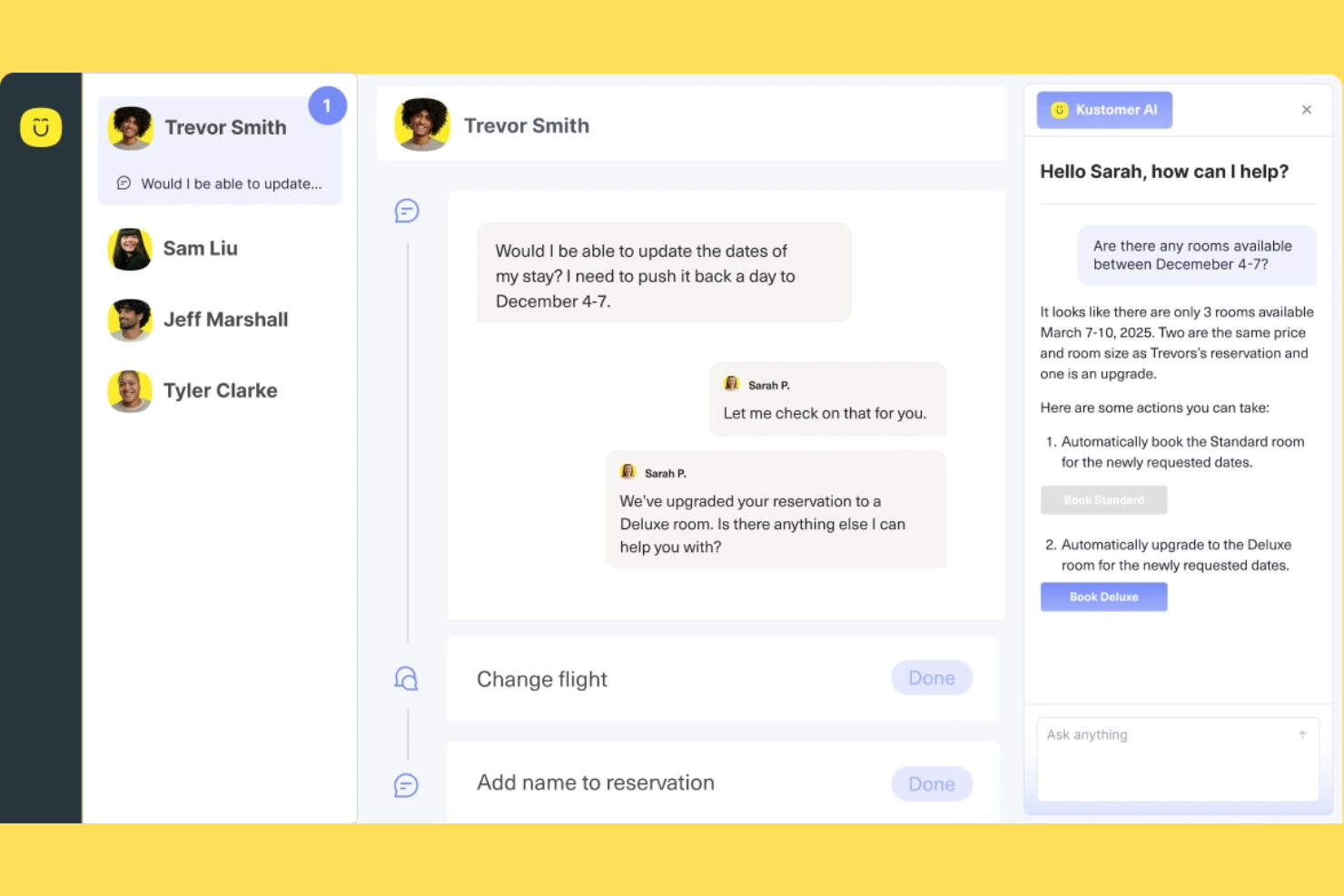
If your team needs a customer service platform that brings all channels and customer data together, Kustomer is worth a look. It’s designed for support teams in retail, ecommerce, and fast-growing businesses that want to automate and personalize service at scale. Kustomer helps you manage conversations, automate repetitive tasks, and deliver faster, more informed responses using AI.
Who Is Kustomer Best For?
Kustomer suits mid-sized to large support teams in retail and e-commerce that need to manage high volumes of omnichannel customer interactions.
Why I Picked Kustomer
What stands out to me about Kustomer is how it brings together omnichannel support and AI-powered automation in one platform. I picked it for this list because it lets you manage conversations from chat, email, social, and voice in a single timeline, so agents always have the full context. Kustomer’s AI features can automate routine tasks, suggest responses, and even route conversations based on intent, which helps teams handle high volumes without losing the personal touch. For businesses that want to unify customer data and automate service across channels, Kustomer offers a strong foundation.
Kustomer Key Features
Some other features that make Kustomer useful for AI customer self-service platforms include:
- Knowledge base management: Build and maintain a searchable help center for customers to find answers on their own.
- Customer timeline view: See a chronological record of every customer interaction, order, and activity in one place.
- Custom workflows: Design automated processes for ticket handling, escalations, and follow-ups using a visual workflow builder.
- Sentiment analysis: Automatically detect customer sentiment in conversations to prioritize and personalize responses.
Kustomer Integrations
Integrations include Shopify, TikTok Shop, Facebook, WhatsApp, Instagram, Gmail, Twilio, AfterShip, Narvar, and more.
Pros and Cons
Pros:
- Visual workflow builder for custom automations
- Sentiment analysis flags urgent conversations
- Knowledge base supports self-service and chatbots
Cons:
- Occasional delays syncing with e-commerce platforms
- Advanced AI features require higher-tier plans

Best for AI-powered support automation
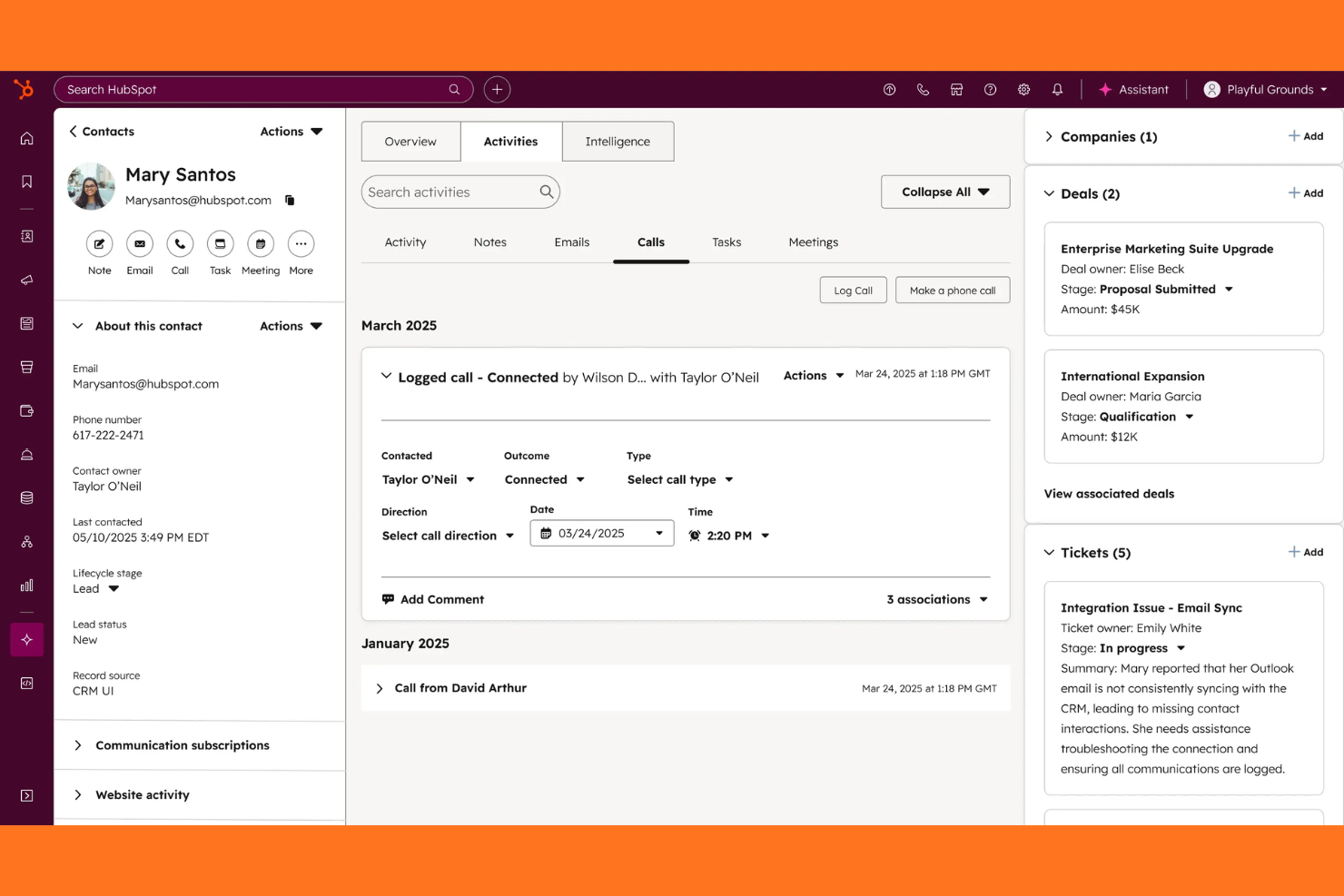
If you’re looking for an AI-driven customer service platform that connects tickets, chat, and a knowledge base in one place, HubSpot Service Hub is worth a look. It’s a strong fit for growing businesses and teams that want to automate support while keeping all customer data unified. With HubSpot Service Hub, you can centralize customer conversations and empower users to find answers on their own.
Who Is HubSpot Service Hub Best For?
HubSpot Service Hub suits small to midsize businesses and support teams that want to unify customer service, automate workflows, and manage all interactions in a single platform.
Why I Picked HubSpot Service Hub
What stands out to me about HubSpot Service Hub is how it brings together ticketing, live chat, and knowledge base tools into a single, unified platform powered by AI automation. This unified approach means your team can automate repetitive support tasks, route tickets intelligently, and surface relevant help articles to customers without switching systems. I also appreciate that HubSpot’s AI tools can analyze conversations and suggest responses, which helps teams deliver faster, more consistent support. For businesses that want to centralize customer service and automate self-service, HubSpot Service Hub offers a strong, all-in-one solution.
HubSpot Service Hub Key Features
Some other features that make HubSpot Service Hub valuable for AI customer self-service platforms include:
- Customer feedback surveys: Collect and analyze customer satisfaction, NPS, and custom survey responses directly within the platform.
- SLAs and automation rules: Set service level agreements and automate ticket prioritization, escalation, and follow-up actions.
- Omnichannel messaging: Manage conversations from email, chat, Facebook Messenger, and more in a single inbox.
- Reporting dashboard: Track team performance, ticket volume, and customer trends with customizable analytics and reports.
HubSpot Service Hub Integrations
Integrations include Salesforce, Gmail, Outlook, Slack, Zoom, Microsoft Teams, Google Calendar, WordPress, Google Meet, and more.
Pros and Cons
Pros:
- Automated ticket routing based on rules
- Knowledge base integrates with live chat
- AI chatbots handle multi-step customer queries
Cons:
- Limited AI analytics for self-service usage
- Chatbot customization requires manual setup

Sprinklr
Best for AI-driven unified customer support
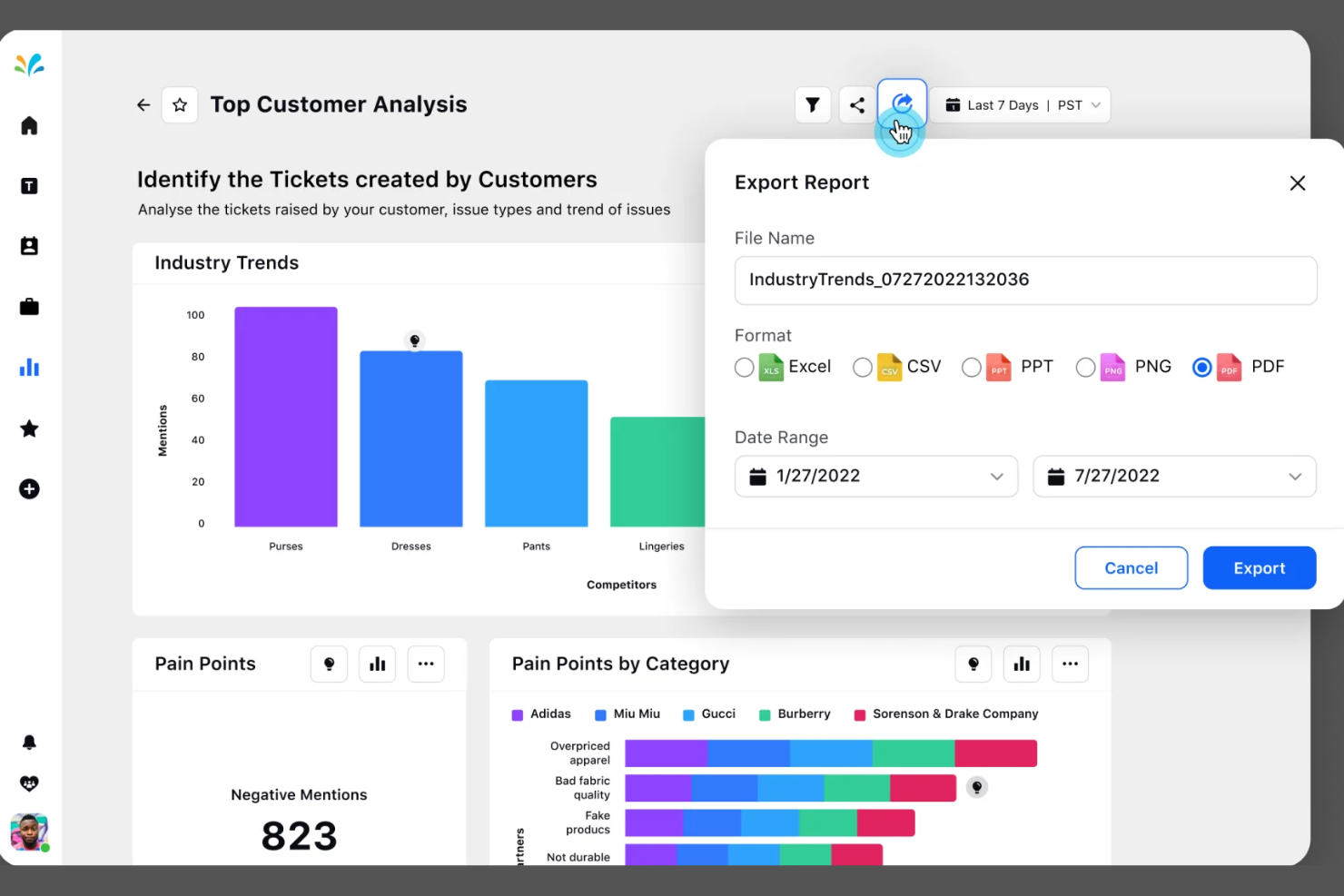
Sprinklr offers a unified platform for businesses that want to manage customer self-service across multiple digital channels. It’s a strong fit for large enterprises and global brands that need advanced AI to automate and personalize support at scale. If your team handles high volumes of customer interactions and wants to centralize service operations, Sprinklr is worth a closer look.
Who Is Sprinklr Best For?
Sprinklr suits large enterprises and global brands that need unified, AI-driven self-service across multiple digital channels.
Why I Picked Sprinklr
What drew me to Sprinklr is its ability to unify AI-powered self-service across a wide range of digital channels. For teams managing customer interactions on web, social, messaging, and voice, Sprinklr’s platform brings everything together in one place. I appreciate how its AI can automate responses, route inquiries, and personalize self-service experiences based on customer context. This unified approach helps large organizations deliver consistent, scalable support without juggling multiple tools or fragmented workflows.
Sprinklr Key Features
Some other features that make Sprinklr useful for AI customer self-service platforms include:
- Knowledge base management: Build and manage a centralized library of articles and FAQs for customer self-service.
- Case management: Track, assign, and resolve customer issues with automated workflows and escalation rules.
- Sentiment analysis: Analyze customer messages in real time to detect tone and urgency.
- Multilingual support: Deliver AI-powered self-service and automated responses in multiple languages.
Sprinklr Integrations
Integrations include Salesforce, ServiceNow, Zendesk, Microsoft Teams, Slack, HubSpot, Google Analytics, Adobe Experience Manager, Freshdesk, and more.
Pros and Cons
Pros:
- Advanced analytics link performance to business outcomes
- AI-powered social listening surfaces trends insights
- Smart inbox consolidates messages across all social platforms
Cons:
- Custom reports need manual dashboard building
- Workflow setup requires navigating multiple modules

Crescendo
Best for multilingual AI self-service support
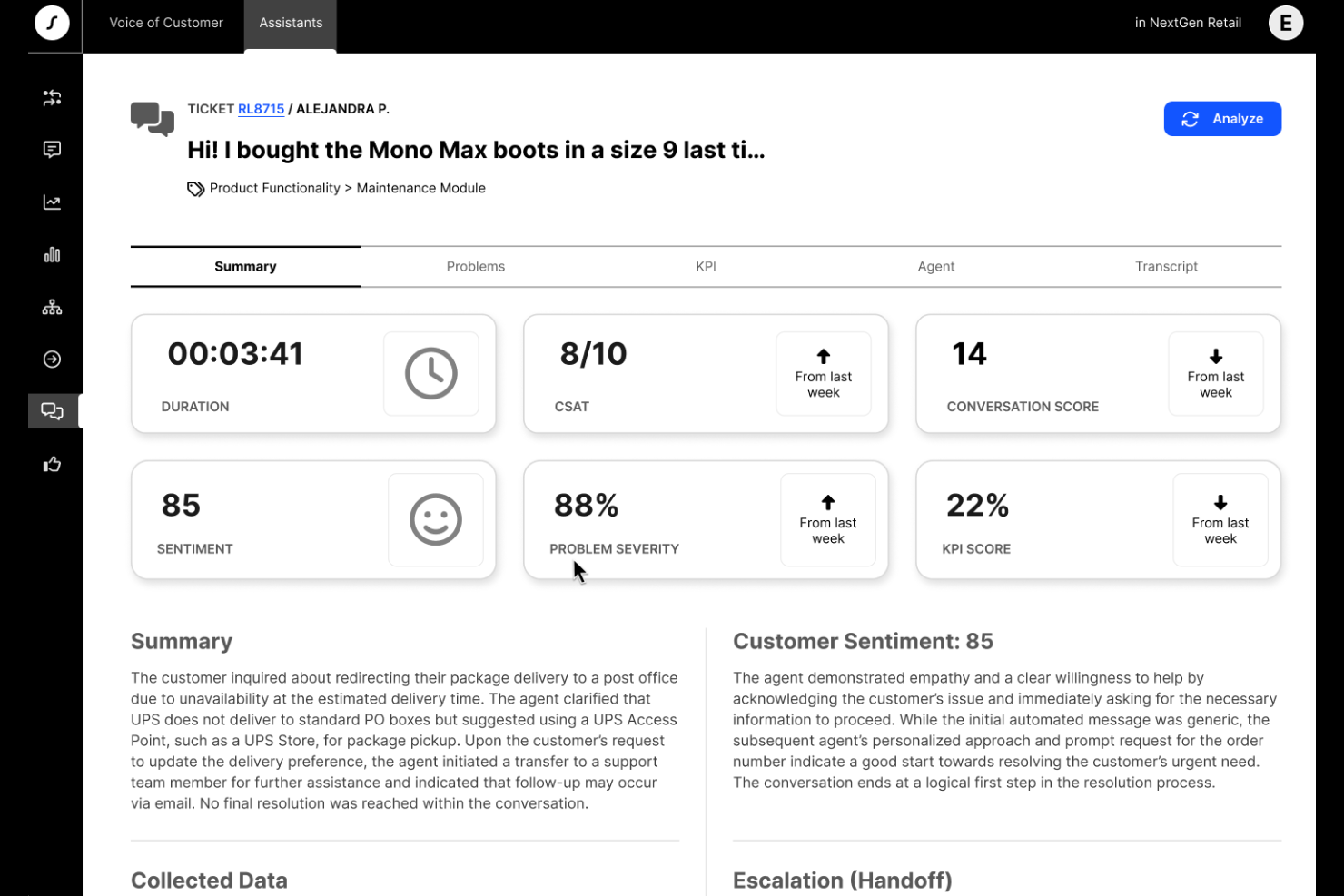
Crescendo offers AI-powered customer self-service designed for teams that need to support users across multiple languages and channels. It’s a strong fit for businesses with global audiences or complex knowledge bases that want to automate answers and reduce manual ticket handling. Crescendo helps customer experience teams deliver consistent, accurate information while freeing up agents for higher-value work.
Who Is Crescendo Best For?
Crescendo is a good fit for global support teams and organizations that need multilingual AI self-service to manage complex customer inquiries across multiple regions.
Why I Picked Crescendo
I chose Crescendo for this list because its AI-driven self-service stands out with advanced multilingual support and automated knowledge base management. The platform uses natural language processing to understand and respond to customer queries in multiple languages, which is essential for businesses serving diverse audiences. I also appreciate how Crescendo automates the creation and updating of knowledge base articles, reducing manual effort for support teams. These capabilities make it a strong option for organizations that need scalable, accurate self-service across regions and languages.
Crescendo Key Features
Some other features that make Crescendo a versatile choice for AI customer self-service platforms include:
- Omnichannel support: Manage customer interactions across chat, email, and messaging apps from a single platform.
- Automated ticket triage: Route incoming requests to the right workflows or agents based on AI-driven intent detection.
- Customizable workflows: Design and automate support processes tailored to your business needs without coding.
- Analytics dashboard: Track self-service usage, resolution rates, and customer satisfaction with real-time reporting tools.
Crescendo Integrations
Integrations include Grindr, Miro, Headway, Loom, and more.
Pros and Cons
Pros:
- Analytics dashboard tracks self-service performance
- Fast deployment with minimal IT involvement
- Omnichannel support covers chat, email, and messaging
Cons:
- Reporting features lack deep customization options
- Limited customization for advanced workflow logic
Other AI Customer Self-Service Platforms
Here are some additional AI customer self-service platforms options that didn’t make it onto my shortlist, but are still worth checking out:
- Zendesk
For AI-driven customer service tools
- Zoho Desk
For AI ticket routing and resolution
- Freshdesk
For AI-powered help desk automation
- Zowie
For AI chatbot customer support
- Hiver
For managing customer support via Gmail
- Comm100
For omnichannel AI customer engagement
- DevRev
For AI-powered support and product ops
- Featurebase
For AI-driven feedback and self-service
- Aisera
For enterprise service desk automation
- Help Scout
For simple customer support and knowledge bases
- IBM watsonx Assistant
For enterprise AI chatbots
- NiCE
For AI-driven customer experience analytics
- Fin
For automating support workflows with AI
- NiCE Cognigy
For conversational AI in contact centers
- Agentforce Service
For AI support in Salesforce


How I Evaluate AI Customer Self-Service Platforms
I only consider platforms where the AI actually resolves customer issues—processing a return, answering a billing question, or guiding a troubleshooting flow—without routing everything to a live agent. From there, I evaluate each tool on two levels: the core functionality it needs to qualify and the differentiating factors that separate good options from great ones.
Core Functionality (Table Stakes For This List)
When I'm selecting tools for my list, I rank each one on a scale from 0 (does not offer the functionality) to 5 (excels in this area) for each core functionality listed below. Then, I calculate the tool's total score into a percentage. Each tool needs to achieve a minimum total score of 65% to be considered for inclusion.
- Conversational AI Agents: I evaluate whether the AI can hold multi-turn conversations that actually resolve issues, like walking a customer through a subscription change step by step.
- Generative AI Answers: Each tool should generate grounded, accurate responses from your content rather than just matching keywords to canned replies from a static FAQ.
- Knowledge Base Integration: I look at how well the platform ingests sources like Zendesk Guide articles, Confluence pages, or PDF documentation and keeps that content in sync.
- Multi-Channel Deployment: The AI experience should carry across web chat, mobile, email, and messaging apps so customers get the same quality of help regardless of channel.
- Human Agent Handoff: I check whether the platform passes full conversation context and intent data to the live agent, so the customer doesn't repeat themselves after escalation.
- Self-Service Analytics: Strong reporting on deflection rates, unresolved queries, and content gaps matters here—these insights are what help CX teams continuously close coverage holes.
Once I have a list of tools that meet the criteria, I consider what sets each platform apart.
Differentiating Factors (What Sets Vendors Apart)
Here's how I compare and contrast different vendors:
Standout Features
Agentic action execution is a major differentiator. Some platforms only answer questions, but I look for AI that can process a refund, cancel a subscription, or update shipping details through backend API connections. A no-code bot builder also matters because it lets CX teams adjust conversation flows without filing engineering tickets. I check for AI guardrails too—hallucination prevention, brand voice controls, and restricted topic settings keep responses accurate and on-brand.
Beyond Features
I evaluate each platform's integration ecosystem closely—native connectors to tools like Zendesk, Salesforce, or Intercom determine how smoothly the AI fits into your existing support workflow. Pricing transparency matters too, especially whether the vendor charges per resolution, per conversation, or per seat, since unpredictable costs can erode ROI as ticket volume scales. Security and compliance round out my review. I check for SOC 2 Type II certification, GDPR readiness, and clear policies on whether customer data is used to train shared models.
How to Choose AI Customer Self-Service Platforms
It’s easy to get bogged down in long feature lists and complex pricing structures. To help you stay focused as you work through your unique software selection process, here’s a checklist of factors to keep in mind:
| Factor | What to Consider |
|---|---|
| Scalability | Will the platform handle your current and projected support volumes without performance issues? |
| Integrations | Does it connect natively to your CRM, ticketing, analytics, and communication tools? |
| Customizability | Can you tailor workflows, branding, and knowledge base content to fit your organization’s needs? |
| Ease of use | Will your team and customers find the interface intuitive, or will it require extensive training? |
| Implementation and onboarding | How long will it take to deploy, migrate data, and get your team up to speed? |
| Cost | Are pricing tiers clear, and do they align with your usage patterns and budget constraints? |
| Security safeguards | Does the platform meet your data privacy, encryption, and access control requirements? |
| Support availability | What support channels and response times does the vendor offer, especially during critical issues? |
What Are AI Customer Self-Service Platforms?
AI customer self-service platforms are customer service software that use generative AI, AI agents, and copilots to help customers resolve issues or find information without direct human assistance. These platforms typically include chatbots, virtual agents, and automated knowledge bases that support the full customer journey, handle common questions, guide users through processes, and escalate complex cases when needed. With features like no-code setup and workflow orchestration, they help teams optimize support operations, improve resolution times, and track key metrics like CSAT. By delivering valuable insights and learning from customer stories and case studies, these platforms improve AI customer service while remaining user-friendly and scalable.
Features of AI Customer Self-Service Platforms
When selecting AI customer self-service platforms, keep an eye out for the following key features:
- AI-powered chatbots: These virtual agents use natural language processing to answer customer questions, guide users, and resolve common issues in real time.
- Automated knowledge base: A searchable library of articles and FAQs that customers can access anytime, often updated automatically based on new inquiries and trends.
- Omnichannel support: The ability to provide consistent self-service experiences across web, mobile, social media, messaging apps, and more.
- Case escalation: Automated detection and routing of complex or sensitive issues to human agents when self-service cannot resolve the problem.
- Sentiment analysis: AI tools that analyze customer messages to detect tone, urgency, and satisfaction, helping prioritize and personalize responses.
- Multilingual capabilities: Support for multiple languages, allowing customers from different regions to access self-service in their preferred language.
- Workflow automation: Tools to design and automate repetitive support processes, such as ticket creation, follow-ups, and status updates.
- Integration with CRM and support tools: Native connections to customer relationship management and help desk systems to sync data and maintain context.
- Analytics and reporting: Dashboards and reports that track usage, resolution rates, customer satisfaction, and identify areas for improvement.
- Customizable branding: Options to tailor the look, feel, and tone of self-service interfaces to match your organization’s brand and voice.
Benefits of AI Customer Self-Service Platforms
Implementing AI customer self-service platforms provides several benefits for your team and your business. Here are a few you can look forward to:
- Reduced support ticket volume: Automated chatbots and knowledge bases resolve common questions, decreasing the number of tickets routed to human agents.
- Faster response times: AI-powered self-service tools deliver instant answers and guidance, helping customers get solutions without waiting in a queue.
- Consistent customer experiences: Omnichannel support and automated workflows ensure customers receive the same quality of service across every channel.
- Improved agent productivity: By handling repetitive inquiries, these platforms free up support teams to focus on complex or high-value cases.
- Actionable insights: Analytics and sentiment analysis provide data on customer needs, satisfaction, and trends, supporting continuous improvement.
- Scalable support operations: AI self-service platforms can handle large volumes of interactions without additional staffing, making it easier to grow.
- Global accessibility: Multilingual capabilities and customizable interfaces allow you to serve diverse customer bases around the world.
Costs and Pricing of AI Customer Self-Service Platforms
Selecting AI customer self-service platforms requires an understanding of the various pricing models and plans available. Costs vary based on features, team size, add-ons, and more. The table below summarizes common plans, their average prices, and typical features included in AI customer self-service platform solutions:
Plan Comparison Table for AI Customer Self-Service Platforms
| Plan Type | Average Price | Common Features |
|---|---|---|
| Free Plan | $0 | Basic chatbot functionality, limited knowledge base access, single channel support, and basic analytics. |
| Personal Plan | $10-$30/user/month | Expanded chatbot capabilities, multi-channel support, limited integrations, and basic workflow automation. |
| Business Plan | $40-$80/user/month | Advanced AI features, omnichannel support, CRM integrations, analytics dashboards, and customizable branding. |
| Enterprise Plan | $100-$200/user/month | Full automation suite, advanced security, multilingual support, dedicated account management, and custom integrations. |
AI Customer Self-Service Platforms FAQs
Here are some answers to common questions about AI customer self-service platforms:
How do AI customer self-service platforms improve customer satisfaction?
AI customer self-service platforms improve customer satisfaction by providing instant, accurate answers and 24/7 support. Customers can resolve issues quickly without waiting for a human agent, which leads to faster resolutions and a more positive experience.
Can AI customer self-service platforms integrate with existing support tools?
Yes, most AI customer self-service platforms offer integrations with popular CRM, help desk, and communication tools. This allows you to sync customer data, maintain context across channels, and simplify workflows without disrupting your current systems.
What types of issues can AI customer self-service platforms handle?
AI customer self-service platforms handle routine questions, password resets, order tracking, and other common requests. They can also guide users through troubleshooting steps and escalate complex or sensitive issues to human agents when needed.
Are AI customer self-service platforms secure?
Yes, reputable platforms include security safeguards such as data encryption, access controls, and compliance with privacy regulations. Always review a vendor’s security documentation to ensure it meets your organization’s requirements.
How long does it take to implement an AI customer self-service platform?
Implementation time varies, but many platforms offer onboarding resources like product tours, templates, and training videos. Simple setups can take a few days, while more complex integrations or customizations may require several weeks.