

10 Best Automated Help Desk Software Reviewed in 2026

Best Automated Help Desk Software Shortlist


Managing customer interactions can be a headache for any team. As a customer experience manager, you face the constant challenge of maintaining efficient support while juggling multiple tasks. Automated help desk software can ease this burden, handling routine queries and freeing up your team to focus on complex issues.
I've tested and reviewed various software options to help you choose the right one. I aim to provide an honest, unbiased look at the best help desk software available. In this article, you'll find a breakdown of my top picks, each with features to suit different needs.
By the end, you'll have a clear idea of which software can best support your team's goals.
Why Trust Our Software Recommendations
Our team has been testing and reviewing software since 2012. As CX leaders ourselves, we know how difficult—and important—it is to choose the right software.
For this guide, we evaluated tools using hands-on testing and independent research, scoring tools using our selection criteria.
Our reviews reflect our human editorial judgment, not a sales pitch.
Best Automated Help Desk Software Summary
This comparison chart summarizes pricing details for my top automated help desk software selections to help you find the best one for your budget and business needs.
| Tool | Best For | Trial Info | Price | ||
|---|---|---|---|---|---|
| 1 | Best for automating repetitive tasks | Free plan available | From $25/user/month (billed annually) | Website | |
| 2 | Best with enterprise-grade security | 7-day free trial + free plan + free demo available | From $32/month (billed annually) | Website | |
| 3 | Best for Shopify order management in chat | Free plan available; 7-day free trial | From $24.17/month (billed annually) | Website | |
| 4 | Best for quick setup | Free plan + free demo available | From $29/user/month | Website | |
| 5 | Best for real-time chat | 14-day free trial and free demo available | From $19/user/month (billed annually) | Website | |
| 6 | Best for small businesses | Free plan + free demo available | From $39.99/month | Website | |
| 7 | Best for scalability | Free demo available | From $39/user/month (billed annually) | Website | |
| 8 | Best for CRM integration | Free demo + 14-day free trial | From CAD $10/user/month (billed annually) | Website | |
| 9 | Best for multi-channel support | Free demo available | From $39/user/month | Website | |
| 10 | Best for IT Teams | 14-day free trial + free demo available | Pricing upon request | Website |
Best Automated Help Desk Software Review
Below are my detailed summaries of the best automated help desk software that made it onto my shortlist. My reviews offer a detailed look at the key features, pros and cons, integrations, and ideal use cases of each tool to help you find the best one for you.

Best for automating repetitive tasks
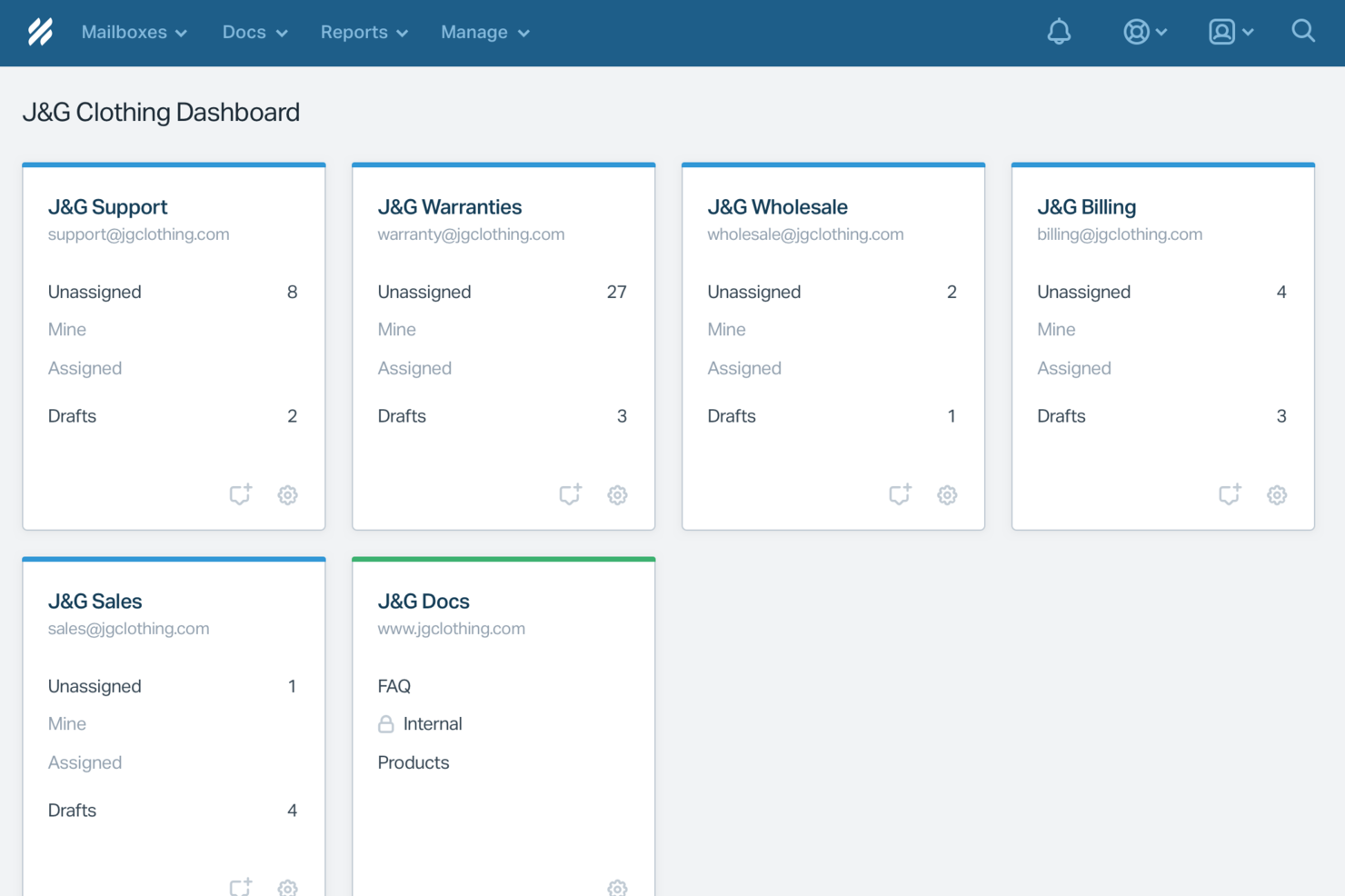
Help Scout is designed for businesses looking to enhance their customer support with automated help desk software. Its unique combination of AI-driven tools and human support features makes it ideal for teams aiming to streamline communication while maintaining a personal touch. By addressing common challenges like delayed response times and inefficient customer interactions, Help Scout helps you deliver exceptional service and improve overall customer satisfaction.
Why I Picked Help Scout
I picked Help Scout because of its standout feature, the Workflows tool, which automates repetitive tasks and organizes incoming messages based on specific criteria. This functionality significantly improves response times and overall efficiency in handling customer inquiries. Additionally, the AI integration provides instant responses to common questions, enabling your team to focus on more complex issues. These features make Help Scout a compelling choice for automated help desk software, especially for businesses keen on optimizing their support processes.
Help Scout Key Features
In addition to its robust automation capabilities, Help Scout offers several other features that enhance its value as automated help desk software.
- Shared Inbox: This feature allows your team to collaborate on customer inquiries in a single, organized space.
- Knowledge Base: A self-service tool that empowers customers to find answers on their own, reducing the volume of support tickets.
- Live Chat: Provides real-time communication with customers, improving engagement and satisfaction.
- Analytics: Delivers insights into your team's performance and customer interactions, helping you make informed improvements.
Help Scout Integrations
Integrations include Slack, HubSpot, Shopify, Salesforce, Mailchimp, Jira, Trello, QuickBooks, Stripe, and Google Workspace.
Pros and Cons
Pros:
- Built-in knowledge base powers accurate automated replies
- Smooth handoff preserves conversation context for agents
- AI Answers resolves common tickets without agent involvement
Cons:
- AI effectiveness depends heavily on knowledge base quality
- Not a standalone chatbot outside Help Scout ecosystem
New Product Updates from Help Scout

Help Scout Adds Automatic Conversation Reassignment
Help Scout can now automatically unassign conversations when the assigned teammate has been away long enough, keeping replies moving so others can pick them up. For more information, visit Help Scout's official site.
 .
.
Chatbase
Best with enterprise-grade security
Chatbase is an AI-powered help desk platform for businesses that want to automate customer support, streamline repetitive inquiries, and deliver fast, accurate responses across multiple channels.
Who Is Chatbase Best For?
Chatbase suits support teams at growing companies that want to automate customer interactions and scale service without expanding headcount.
Why I Picked Chatbase
I picked Chatbase as one of the best because I need automated help desk software that prioritizes enterprise-grade security. I like that Chatbase offers advanced data encryption, audit logs, and compliance controls for sensitive customer data. My team is able to confidently deploy AI chatbots in regulated industries without worrying about data exposure.
Chatbase Key Features
- Custom AI chatbot builder: Create and train chatbots using your own data sources and knowledge base.
- Multi-channel deployment: Deploy chatbots on your website, WhatsApp, Facebook Messenger, and other platforms.
- Conversation analytics: Track chatbot interactions and performance with built-in analytics dashboards.
- API access: Integrate Chatbase with your existing systems and workflows using robust API endpoints.
Chatbase Integrations
Integrations include Zendesk, Notion, Slack, Stripe, Salesforce, Cal.com, Calendly, WhatsApp, Messenger, and Make. An API is also available for custom integrations.
Pros and Cons
Pros:
- Conversation analytics with exportable reports
- Supports multiple languages for global teams
- Multi-channel deployment across web and messaging apps
Cons:
- Branding features locked behind paid plans
- No built-in live agent handoff

Tidio
Best for Shopify order management in chat
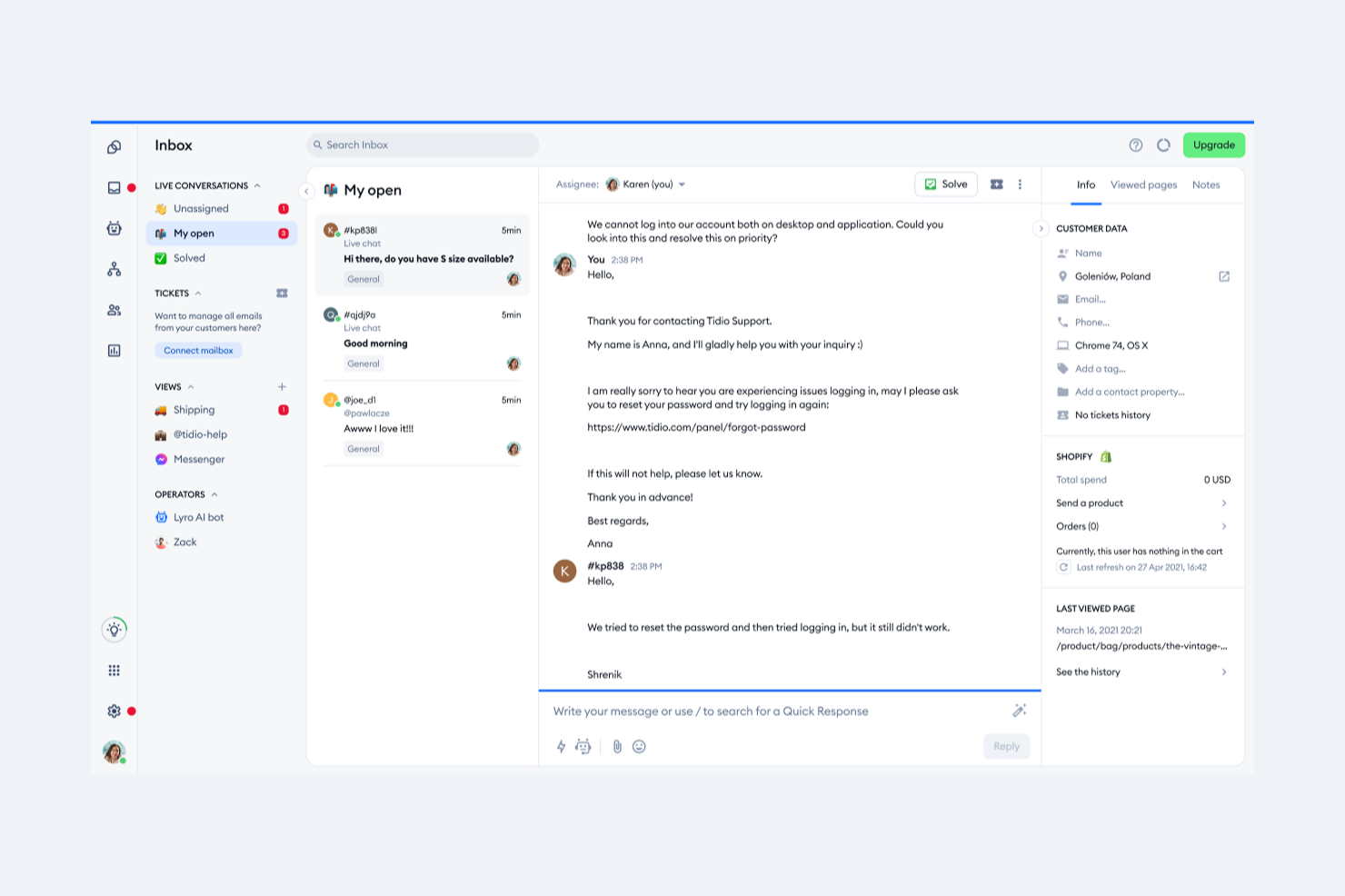
Tidio brings together live chat, AI-powered chatbots, and multichannel messaging to help businesses automate and manage customer support from one platform. It’s a strong fit for ecommerce stores, small businesses, and teams looking to streamline customer conversations and ticketing. If you need to handle high volumes of inquiries while maintaining a personal touch, Tidio offers tools to automate responses and keep your support organized.
Who Is Tidio Best For?
Tidio is a good fit for small to midsize ecommerce businesses and support teams that want to automate customer interactions and manage inquiries across multiple channels.
Why I Picked Tidio
For ecommerce teams running on Shopify, Tidio stands out by letting agents manage orders and customer requests directly within the chat interface. The Shopify integration allows support reps to view order details, update order statuses, and issue refunds or cancellations without leaving the conversation. I picked Tidio because this level of in-chat order management reduces context switching and helps agents resolve customer issues faster. It’s especially useful for stores that want to keep support and order operations tightly connected in one place.
Tidio Key Features
Some other features in Tidio that help automate and organize customer support include:
- AI-powered chatbots: Build and deploy chatbots that can answer common questions, collect information, and route tickets automatically.
- Multichannel messaging: Manage conversations from live chat, email, Messenger, and Instagram in a single unified inbox.
- Ticketing system: Track, assign, and resolve customer issues with a built-in ticketing workflow.
- Proactive messaging: Set up automated messages to engage visitors based on their behavior or trigger specific workflows.
Tidio Integrations
Integrations include Shopify, Zendesk, Intercom, WordPress, Instagram, Messenger, HubSpot, Salesforce, WhatsApp, and Microsoft Dynamics.
Pros and Cons
Pros:
- Proactive messaging based on visitor behavior
- Multichannel inbox centralizes customer conversations
- AI-powered chatbots automate repetitive support tasks
Cons:
- Branding removal is only available on higher tiers
- Occasional delays in live chat notifications

HelpDesk
Best for quick setup
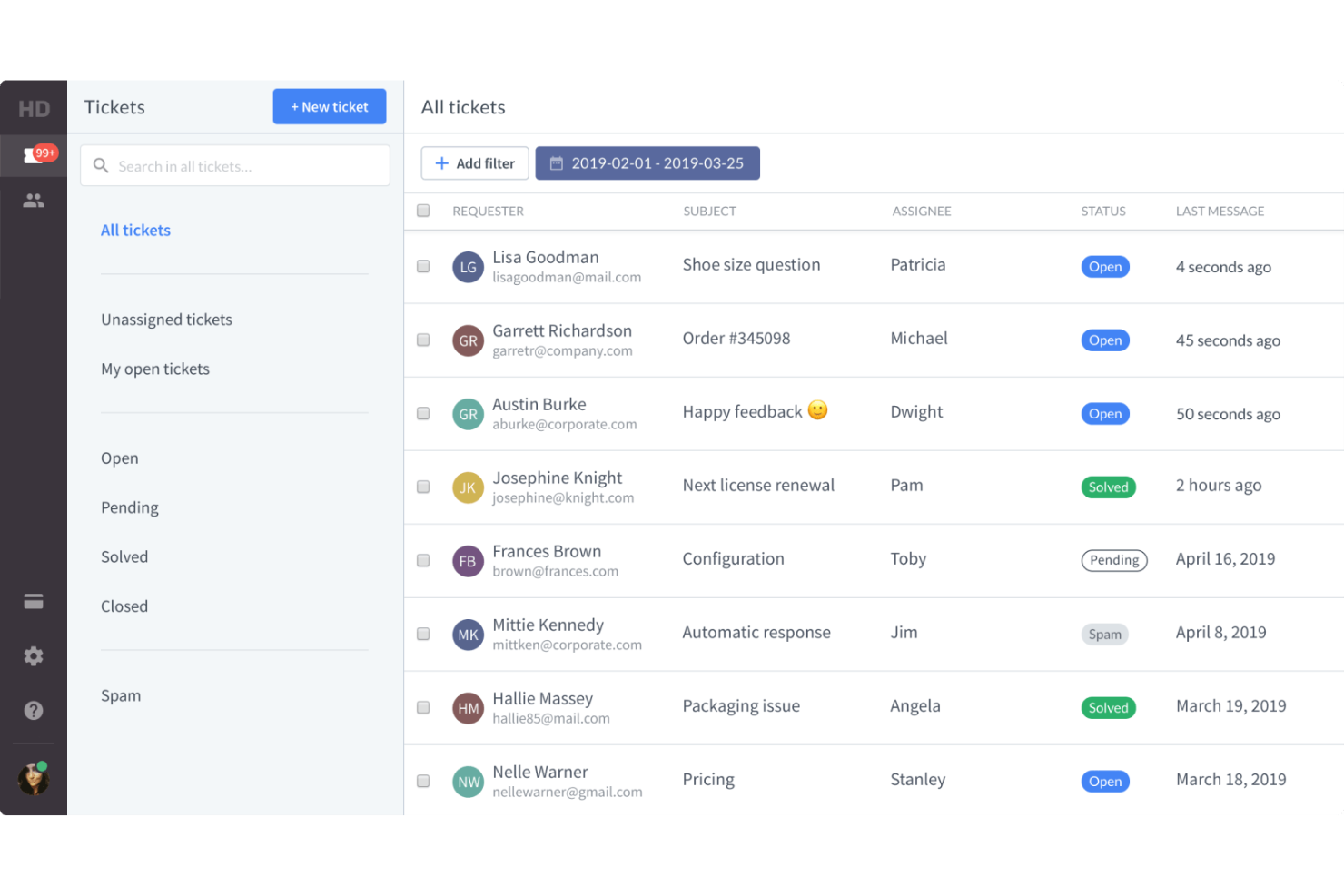
HelpDesk is a help desk and ticketing program designed for small businesses and enterprises across industries such as IT, SaaS, retail, and sales. It focuses on service level agreement (SLA) ticket management, team collaboration, and multi-channel support to improve customer service operations.
Why I picked HelpDesk: This tool is ideal for teams needing a quick setup with minimal hassle. Its features include automatic ticket sorting and prioritization, which saves time for your team. The simple user interface ensures your team can start using it immediately without a steep learning curve. HelpDesk's emphasis on efficiency and ease of use aligns with its quick setup advantage.
Standout Features and Integrations:
Features include automatic language detection, catering to diverse customer bases, similar ticket tracking to reduce repetitive tasks, and AI-powered tag suggestions for better ticket organization. Its strong security measures ensure your data stays protected.
Integrations include Slack, Zapier, Shopify, LiveChat, HubSpot, Salesforce, and more.
Pros and Cons
Pros:
- Strong data security system
- Centralized ticket management
- Supports fast resolution times
Cons:
- Confusing LiveChat branding split
- No multi-language support

Intercom
Best for real-time chat
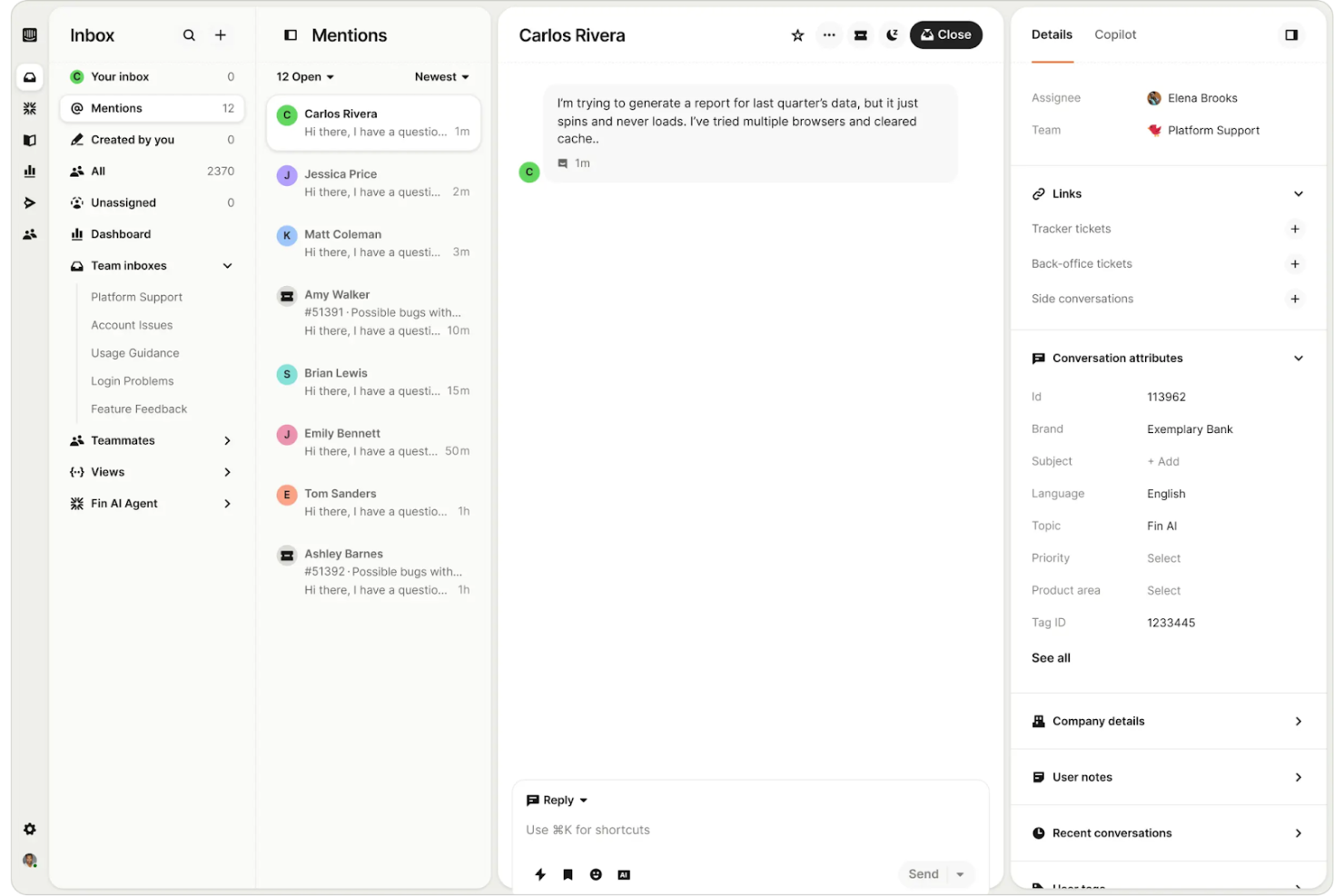
Intercom is a customer communication platform designed for businesses that want to foster customer engagement through real-time chat. It serves companies by providing tools for messaging, customer support, and lead generation, helping teams connect with users efficiently.
Why I picked Intercom: Intercom is ideal for teams that prioritize real-time communication with customers. Its live chat widget allows your team to engage users instantly on your website or app. The platform's automation capabilities help manage repetitive inquiries, freeing up your team for more complex tasks. Intercom's focus on real-time chat and automation makes it perfect for businesses aiming to improve customer interaction.
Standout Features and Integrations:
Features include a customizable messenger to match your brand, proactive messaging to reach out to users at the right time, and a built-in help center for self-service. The platform also offers targeted messaging to engage specific user segments effectively.
Integrations include Salesforce, Slack, HubSpot, Shopify, Google Analytics, and more.
Pros and Cons
Pros:
- High fees for AI bot resolutions
- Targeted messaging options
- Effective automation tools
- Unified platform includes chats, bots, and more
Cons:
- Support can be slow to respond

Best for small businesses
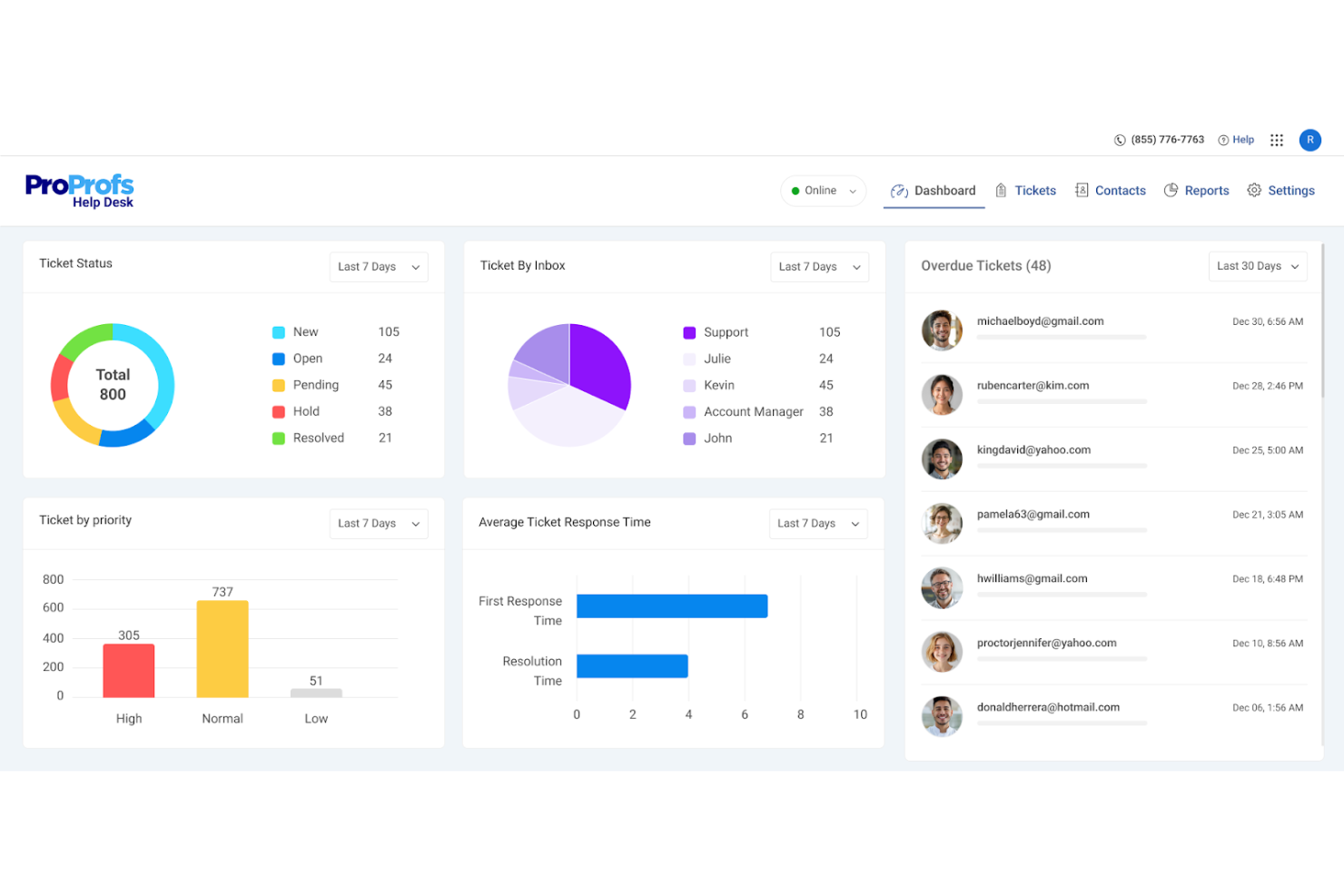
ProProfs Help Desk is ticketing and support software designed for small businesses to manage customer inquiries efficiently. It centralizes support requests and encourages team collaboration, making it easier for your team to track and resolve issues.
Why I picked ProProfs Help Desk: This tool is tailored for small businesses, offering features that support efficient ticket management without overwhelming complexity. The shared inbox feature helps your team collaborate, while automated ticket assignments ensure common issues are directed to the right person. Customer satisfaction surveys gather essential feedback to help you improve your service. ProProfs stands out for its balance of simplicity and functionality, catering well to smaller teams.
Standout Features and Integrations:
Features include AI-driven support for faster ticket resolution times, centralized ticket management from various channels, and team collaboration tools such as shared inboxes. Automation for ticket assignments and performance reporting is also a key feature.
Integrations include Salesforce, Atlassian Jira, BigCommerce, Slack, and more.
Pros and Cons
Pros:
- Flexible customization options
- Suitable for small- to medium-sized businesses
- Team collaboration tools
Cons:
- No social media ticket support
- Lacks advanced reporting tools

Best for scalability

SolarWinds Service Desk software is a cloud-based ITSM system aimed at IT teams looking to improve service delivery and support operations. It focuses on incident management, change management, and asset management to streamline IT processes.
Why I picked SolarWinds Service Desk: This tool excels in scalability, making it suitable for growing organizations. Its asset management capabilities allow you to keep track of all IT assets efficiently. The change management feature helps your team manage IT changes without disruptions. SolarWinds Service Desk is designed to support expanding teams with its scalable infrastructure and extensive ITSM tools.
Standout Features and Integrations:
Features include a service catalog that centralizes all service requests, a knowledge base to empower end-users with self-service options, and automated workflows to increase efficiency. The software also provides detailed reporting to help you track performance metrics.
Integrations include Microsoft Azure, Active Directory, Google Workspace, Slack, and more.
Pros and Cons
Pros:
- Detailed asset management
- Extensive monitoring for hybrid IT
- Scalable for growing organizations
Cons:
- High pricing for small businesses
- Frequent security patch requirements

Best for CRM integration
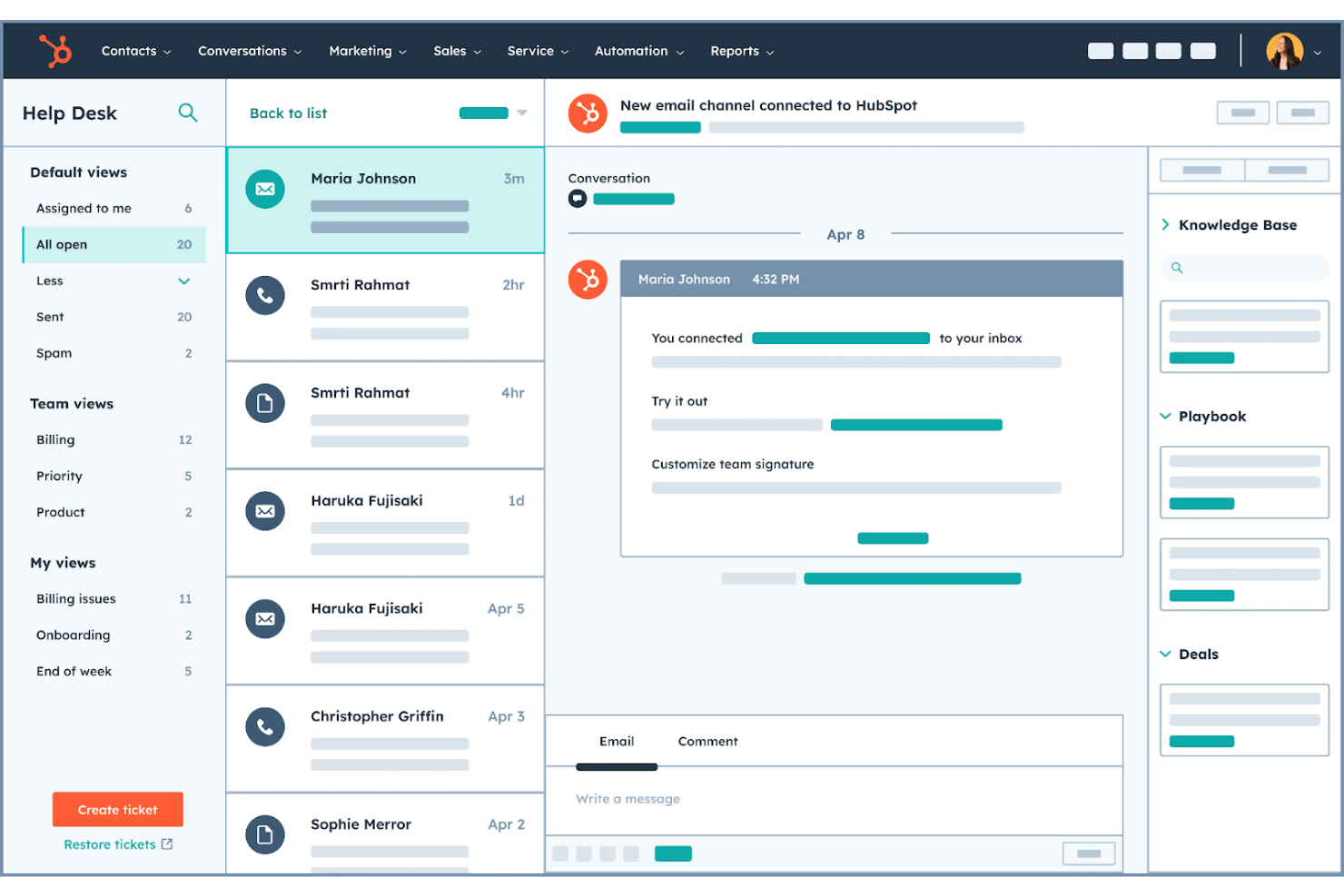
HubSpot Service Hub is a customer service platform designed for businesses wanting to strengthen their customer support through integrated CRM capabilities. It offers tools for help desk ticketing, customer feedback, and knowledge base management to improve service quality and efficiency.
Why I picked HubSpot Service Hub: HubSpot Service Hub excels in integrating CRM features that provide a unified view of customer interactions. Its ticketing system connects with customer data, allowing your team to deliver personalized support. The feedback tools help you gather valuable insights to refine your service approach. HubSpot's strength in CRM integration makes it ideal for teams looking to align support with sales and marketing efforts.
Standout Features and Integrations:
Features include a broad knowledge base that empowers customers to find answers independently, live chat, email, and bots to engage with users in real time, and customer feedback surveys to collect actionable insights. The platform also offers a customer portal for tracking tickets and interactions.
Integrations include Salesforce, Shopify, Google Gmail, Microsoft Outlook, Slack, and more.
Pros and Cons
Pros:
- Unified customer portal
- Actionable feedback tools
- All-in-one ecosystem including CRM integration
Cons:
- Advanced features require high tiers
- Very expensive as your team grows

Deskpro
Best for multi-channel support
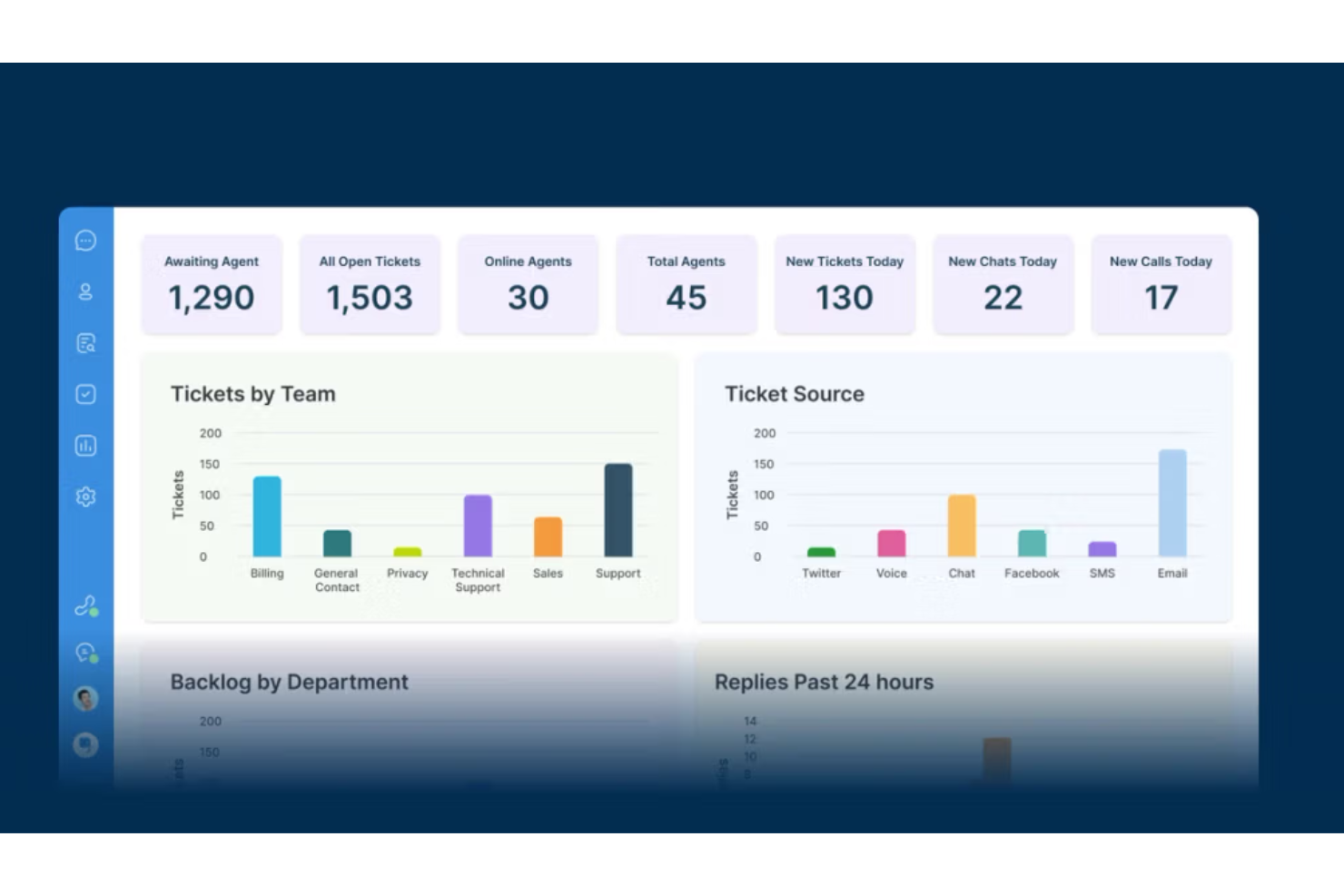
Deskpro is a help desk system designed for organizations that require efficient multi-channel support. It serves businesses by consolidating customer interactions across email, chat, phone, SMS, and social media, helping teams manage all communications in one place.
Why I picked Deskpro: Deskpro excels in providing multi-channel support, making it ideal for teams dealing with diverse communication channels. Its unified interface lets your team handle emails, live chat, and social media from a single platform. This reduces the complexity of managing multiple tools and keeps everything organized. Deskpro's ability to integrate various channels into one system ensures that no customer request goes unnoticed.
Standout Features and Integrations:
Features include customizable workflows to tailor processes to your team's needs, an advanced reporting suite to track performance metrics, and a customer portal for self-service options. It also offers a knowledge base to help customers find answers independently.
Integrations include Salesforce, Slack, Microsoft Teams, Jira, and more.
Pros and Cons
Pros:
- Strong self-service portal
- Unified communication interface
- Efficient multi-channel management
Cons:
- Interface can feel dated and cluttered
- Complex initial setup and configuration

SysAid
Best for IT Teams
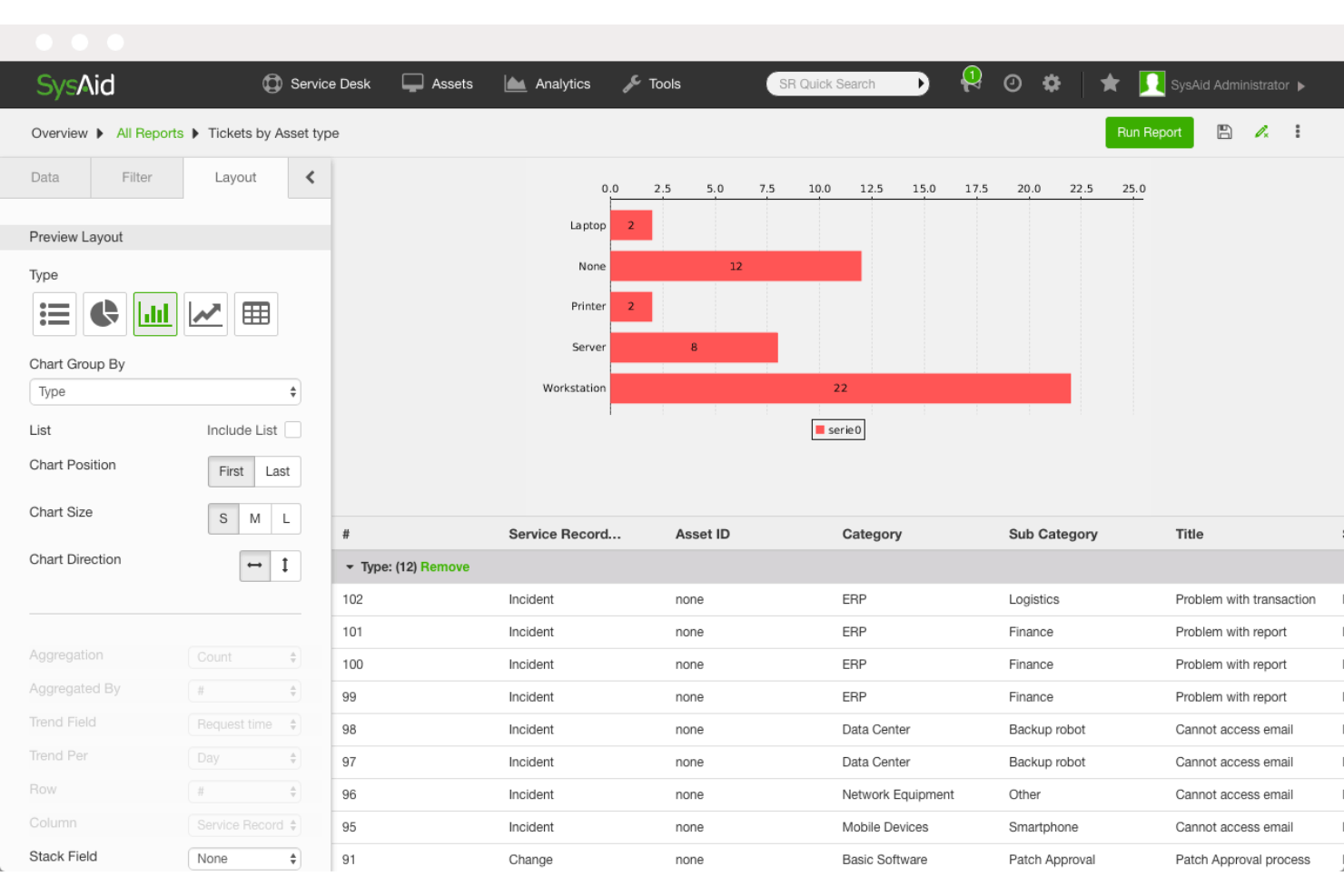
SysAid is IT service management (ITSM) software tailored for IT teams to streamline their support operations. It provides tools for ticket management, asset management, and IT process automation, supporting the efficiency of IT departments.
Why I picked SysAid: SysAid is specifically designed to meet the needs of IT teams, offering features that support ITSM. Its asset management allows you to keep track of all hardware and software assets efficiently. The ITIL-aligned processes help your team manage incidents and improve resolution times significantly. SysAid Copilot for agents works inside your workflow, making it ideal for IT departments.
Standout Features and Integrations:
Features include a built-in remote desktop for troubleshooting, a self-service portal for end-users, and customizable dashboards to visualize key metrics. The software also supports ITIL processes, which are fundamental for structured ITMS.
Integrations include Microsoft Azure, Active Directory, Okta, Google Workspace, Slack, and more.
Pros and Cons
Pros:
- Extensive self-service portal
- Customizable dashboards
- Efficient asset management
Cons:
- Unreliable mobile app experience
- Slow and inconsistent support
Other Automated Help Desk Software
Here are some additional automated help desk software options that didn’t make it onto my shortlist but are still worth checking out:
- Zendesk
For customer engagement
- Hesk
For budget-friendly needs
- HappyFox Help Desk
For custom workflows
- Risotto
For multi-lingual support
- Hiver
For managing shared inboxes in Gmail
- Desk365
For Microsoft Teams users
- Agentforce
For enterprise solutions
- Leena AI
For HR service delivery
- HelpSpot
For self-hosting
- LiveAgent
For live chat support
- Zoho Desk
For cross-functional teams
- Moveworks
For IT support automation
- Aisera
For AI-powered ticketing
- Help Scout
For email-based support
- SparrowDesk
For AI agents for startups
- Freshdesk
For AI-powered multi-language support
- Rezolve.ai
For AI-driven automation


How I Evaluate Automated Help Desk Software
I break my evaluation into two layers: the non-negotiables—automated ticket routing, AI chatbots, omnichannel intake—and the differentiators that reveal which tool fits which team.
Core Functionality (Table Stakes For This List)
When I'm selecting tools for my list, I rank each one on a scale from 0 (does not offer the functionality) to 5 (excels in this area) for each core functionality listed below. Then, I calculate the tool's total score into a percentage. Each tool needs to achieve a minimum total score of 65% to be considered for inclusion.
- Automated Ticket Management: I look at how each tool handles incoming requests—whether it can auto-categorize a billing dispute vs. a technical issue and route it to the right team without manual sorting.
- AI Chatbots & Virtual Agents: I evaluate whether the bot can actually resolve common questions like order status or password resets on its own, not just collect info and hand off every conversation.
- Omnichannel Support Intake: Each platform should pull conversations from email, live chat, social, and ideally voice into one queue so agents aren't toggling between disconnected inboxes.
- Workflow Automation & Macros: I check for trigger-based automations—things like auto-escalating a ticket that's breached its first-response SLA or applying a macro to bulk-tag and respond to a known outage.
- Self-Service Knowledge Base: A good knowledge base does more than host articles. I look for AI-suggested articles during ticket creation and within chat, which helps deflect tickets before they reach an agent.
- Reporting & SLA Automation: I evaluate whether the tool tracks SLA compliance in real time and surfaces metrics like first-response time, resolution rate, and bot containment alongside CSAT scores in a single dashboard.
Once I have a list of tools that meet this criteria, I consider what sets each platform apart.
Differentiating Factors (What Sets Vendors Apart)
Here's how I compare and contrast different vendors:
Standout Features
Sentiment and intent detection is a key differentiator—I look for tools that can flag a frustrated customer mid-conversation and auto-escalate before the situation spirals. Generative AI agents assist matters too, especially when it drafts contextual replies that agents can edit and send rather than starting from scratch. I also evaluate proactive support automation—things like triggering a check-in message when a customer's usage drops or an outage hits their account.
Beyond Features
Integration depth matters—I check whether a platform connects natively to your CRM and ecommerce stack so agents see order history or account details without switching tabs. AI training and continuous improvement is another area I evaluate closely, particularly whether agent corrections to bot responses feed back into the model over time. I also consider implementation speed, including whether the vendor offers pre-trained AI models and migration tools that help teams move off a legacy help desk and see measurable deflection gains within the first few months.
How To Choose Automated Help Desk Software
It's easy to get bogged down in long feature lists and complex pricing structures. To help you stay focused as you work through your unique software selection process, here's a checklist of factors to keep in mind:
| Factor | What To Consider |
|---|---|
| Scalability | Will the software grow with your business? Consider user limits and expansion capabilities to avoid outgrowing the tool. |
| Integrations | Does it connect with your existing systems? Look for integration with CRM, email, and communication platforms. |
| Customizability | Can you tailor the software to fit your workflows? Ensure it offers adjustable settings and templates. |
| Ease of use | Is the interface intuitive for your team? Test it with a free trial to gauge the learning curve and usability. |
| Implementation and onboarding | How quickly can you get started? Check for resources such as tutorials and support for a smooth transition. |
| Cost | Does the pricing fit your budget? Compare plans and features to ensure value without hidden fees. |
| Security safeguards | Are data protection measures in place? Look for encryption, regular updates, and compliance with regulations. |
| Support availability | How accessible is customer support? Ensure they offer multiple channels and responsive service to assist your team. |
What Is Automated Help Desk Software?
Automated help desk software is a tool designed to manage and automate customer support tasks, such as ticket management and issue resolution. IT professionals, customer service teams, and support managers generally use these tools to improve efficiency and response times. Features such as ticket automation, knowledge bases, and integration capabilities help with managing high volumes of tickets, ensuring timely responses, and maintaining organized workflows. Overall, these tools provide significant value by reducing manual workload and improving customer satisfaction.
Features
When selecting automated help desk software, keep an eye out for the following key features:
- Ticket management: Organizes and tracks customer inquiries efficiently, ensuring timely responses and quick resolution times.
- Knowledge base: Provides a self-service option for customers to find answers to common questions, reducing the support workload.
- Automation tools: Automate repetitive tasks such as ticket sorting, escalation, closing tickets, and task assignment, freeing up staff for more complex issues.
- Multi-channel support: Allows communication with customers across various platforms, such as email, chat, and social media, centralizing interactions.
- Customizable workflows: Enable the tailoring of processes to fit specific business needs, improving efficiency and effectiveness.
- Integration capabilities: Connect with existing systems such as CRM systems, project management, and communication tools, promoting functionality and data flow.
- Analytics and reporting: Offers understanding of performance and customer interactions, ensuring teams make data-driven decisions.
- Security measures: Ensure data protection and compliance with regulations, safeguarding sensitive customer information.
- Real-time chat: Facilitates instant communication with customers, improving engagement and satisfaction.
- Self-service portal: Empowers users to handle routine queries themselves, reducing the number of incoming tickets.
Benefits
Implementing automated help desk software provides several benefits for your team and your business. Here are a few you can look forward to:
- Improved efficiency: Automation tools, such as auto replies and notifications, reduce manual tasks, allowing your team to focus on complex issues and improve productivity.
- Faster response times: Ticket management and real-time chat features ensure customer inquiries are addressed quickly, supporting increased satisfaction.
- Better organization: Multi-channel support and integration capabilities centralize communication, keeping interactions orderly and accessible.
- Improved customer experience: Self-service portals and knowledge bases empower customers to find solutions independently, boosting their satisfaction.
- Data-driven decisions: Analytics and reporting provide insights into performance, helping you make informed adjustments to your support strategy.
- Cost savings: By automating repetitive tasks and reducing the need for extensive staffing, these tools help lower operational costs.
- Increased security: Strong security measures protect sensitive customer information, building trust and compliance with regulations.
Costs & Pricing
Selecting automated help desk software requires an understanding of the various pricing models and plans available. Costs vary based on features, team size, add-ons, and more. The table below summarizes common plans, their average prices, and typical features included in automated help desk software solutions:
Plan Comparison Table for Automated Help Desk Software
| Plan Type | Average Price | Common Features |
|---|---|---|
| Free Plan | $0 | Basic ticket management, email support, and a limited knowledge base. |
| Personal Plan | $12-$39/user/month | Advanced ticketing, basic automation, and chat support. |
| Business Plan | $20-$90/user/month | Multi-channel support, customization options, and analytics and reporting. |
| Enterprise Plan | $80+/user/month | Full automation, advanced security features, and dedicated account management. |
Automated Help Desk Software FAQs
Here are some answers to common questions about automated help desk software:
What is the difference between cloud-based and on-premise help desk software?
Cloud-based help desk software is hosted on the vendor’s servers and accessed via the internet, while on-premise software is installed on your company’s own servers. Cloud-based solutions offer easier scalability and updates, but you rely on the vendor for data security. On-premise solutions give you full control over your data but require more IT resources for maintenance and updates. Consider your team’s technical capacity and data security needs when choosing between the two.
Can automated help desk software integrate with existing systems?
Yes, most automated help desk software can integrate with existing systems such as CRM, email, and communication tools. Check the software’s integration capabilities to ensure it connects with the tools your team already uses. This can help streamline workflows and improve data consistency across platforms. Look for APIs or pre-built integrations that simplify the connection process.
How can I ensure data security with automated help desk software?
Ensure data security by choosing software with strong encryption and compliance with data protection regulations such as GDPR or HIPAA. Ask vendors about their security protocols, including data backup, user authentication, and incident response plans. Consider conducting a security audit or consulting with your IT team to evaluate the software’s security measures before purchasing.
Is it possible to customize automated help desk software to fit our needs?
Yes, many automated help desk tools offer customization options to tailor workflows, ticket forms, and user interfaces to your needs. Look for tools that allow you to adjust settings, create custom fields, and use templates. Customization can promote your team’s efficiency by aligning the software with your existing processes. Test customization features during a free trial to ensure they meet your requirements.
What's Next:
If you're in the process of researching automated help desk software, connect with a SoftwareSelect advisor for free recommendations.
You fill out a form and have a quick chat where they get into the specifics of your needs. Then you'll get a shortlist of software to review. They'll even support you through the entire buying process, including price negotiations.