
37 Best Chatbots For Customer Service Online In 2026

10 Best Chatbots For Customer Service Shortlist
Here's my pick of the 10 best software from the 37 tools reviewed.


Countless software solutions offer a chatbot for customer service, but sifting through them can be overwhelming. You want a chatbot that not only handles customer inquiries across multiple channels but also escalates complex issues to human agents seamlessly - and need to find the right one for your team. I’ve got you covered! In this post, I draw from my professional experience as a seasoned CX specialist to curate a list of the top chatbots designed to improve the effectiveness of your customer service operations.
Why Trust Our Software Reviews
We’ve been testing and reviewing software since 2020. As CX leaders ourselves, we know how critical and difficult it is to make the right decision when selecting software.
We invest in deep research to help our audience make better software purchasing decisions. We’ve tested more than 2,000 tools for different CX use cases and written over 1,000 comprehensive software reviews. Learn how we stay transparent & our software review methodology.
Best Chatbot for Customer Service Summary
This comparison chart summarizes pricing details for my top chatbot for customer service selections to help you find the best one for your budget and business needs.
| Tool | Best For | Trial Info | Price | ||
|---|---|---|---|---|---|
| 1 | Best for secure, GDPR-compliant support automation | Free demo available | Pricing upon request | Website | |
| 2 | Best for combining AI and human support | Free plan + free trial available | From $25/user/month (billed annually) | Website | |
| 3 | Best for industry-specific integrations | 30-day free trial available | From $31/agent/month (billed annually) | Website | |
| 4 | Best for multilingual support | 14-day free trial available | From $19/user/month (billed annually) | Website | |
| 5 | Best with AI-powered ticket triage | 14-day free trial + free demo available | From $25/seat/month (billed annually) | Website | |
| 6 | Best for it focus on generating sales | Free trial + free plan available | From $24.17/month (billed annually) | Website | |
| 7 | Best for customizable AI agents | 14-day free trial + free demo available | From $19/agent/month (billed annually) | Website | |
| 8 | Best for handling complex customer queries | Free plan available | From $32/month (billed annually) | Website | |
| 9 | Best for 24/7 ecommerce support | 14-day free trial | From $39/agent/month | Website | |
| 10 | Best for automating repetitive frontline support | Free plan available | From $16/month (billed annually) | Website |


-

SupportYourApp
Visit WebsiteThis is an aggregated rating for this tool including ratings from Crozdesk users and ratings from other sites.4.7 -
Hiver
Visit WebsiteThis is an aggregated rating for this tool including ratings from Crozdesk users and ratings from other sites.4.7 -
Freshdesk
Visit WebsiteThis is an aggregated rating for this tool including ratings from Crozdesk users and ratings from other sites.4.4


Best Chatbot for Customer Service Review
Below are my detailed summaries of the best chatbot for customer service that made it onto my shortlist. My reviews offer a detailed look at the key features, pros & cons, integrations, and ideal use cases of each tool to help you find the best one for you.

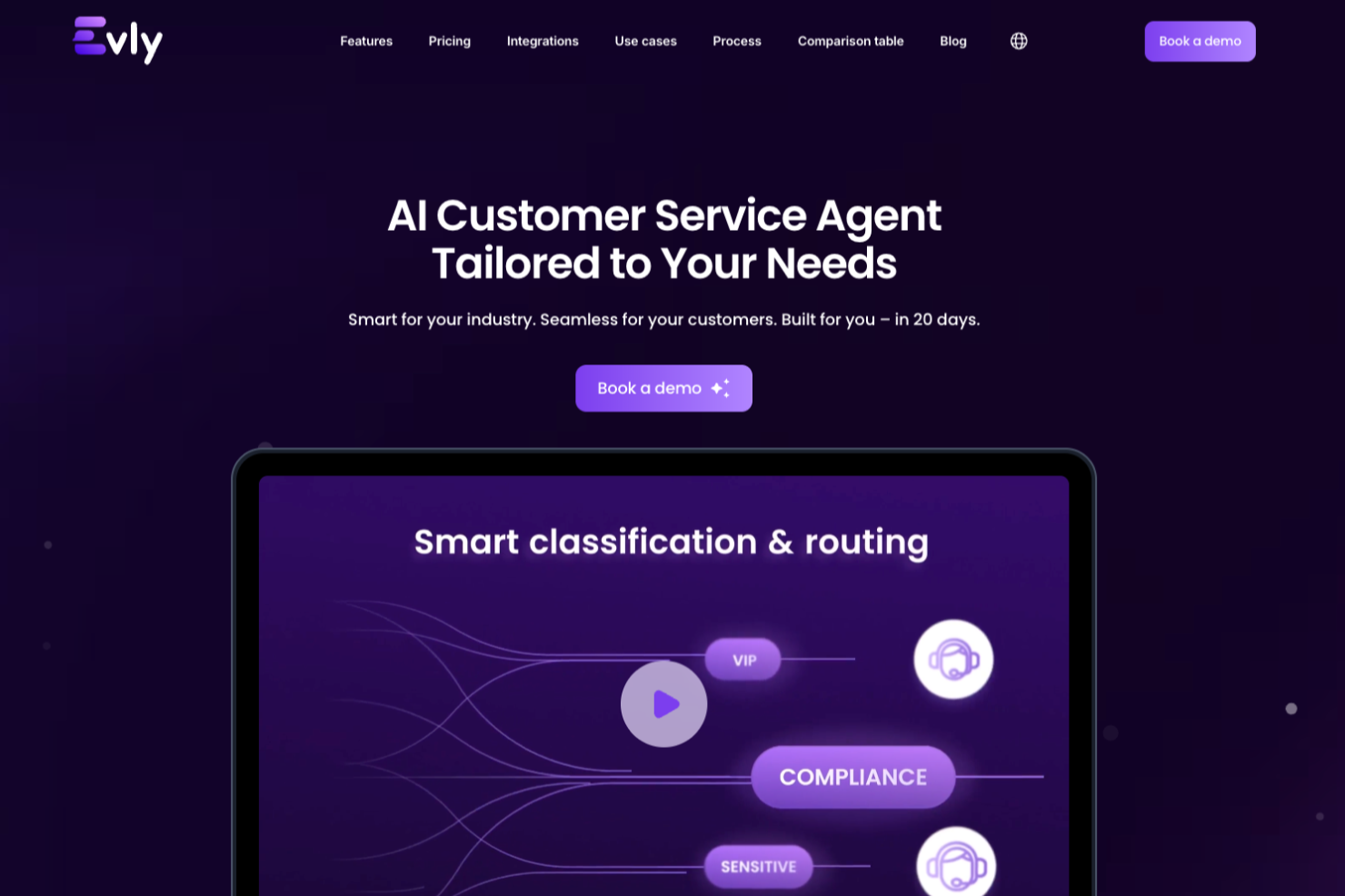
Evly is a customer service chatbot platform designed for businesses that need automated support workflows, secure messaging, and compliance with strict data privacy standards.
Who Is Evly Best For?
Evly is a good fit for businesses operating in regulated industries—like finance, healthcare, or legal—where customer data privacy and GDPR compliance are non-negotiable.
Why I Picked Evly
I picked Evly for its strong infrastructure-level data privacy. It's SOC 2 Type 2 certified and fully GDPR-compliant, and I particularly like that PII is automatically stripped from historical ticket data before it's processed by the AI. It's built in; you don't have to configure it. Evly's sentiment-based routing and AI-generated handoff summaries mean that when a case does escalate to a human agent, the context transfers cleanly without exposing unnecessary customer data along the way.
Evly Key Features
- Multilingual omnichannel coverage: Evly handles customer conversations across chat, email, and social media in 95+ languages, around the clock.
- Copilot for human agents: Evly assists live agents mid-conversation with reply drafts, context cards, and recommended next steps.
- End-to-end analytics: Evly tracks ticket resolution rates, identifies recurring request patterns, and surfaces cause-and-effect insights across your support operation.
- Knowledge base auto-sync: Evly continuously updates its responses based on changes to your connected knowledge sources, without requiring developer involvement.
Evly Integrations
Integrations include Zendesk, Intercom, HubSpot, Salesforce, Shopify, WordPress, Slack, Microsoft Teams, Telegram, and Google Drive.
Pros and Cons
Pros:
- Offers detailed conversational analytics dashboards
- Provides GDPR-compliant data handling and storage
- Supports custom brand voice configuration
Cons:
- May be complex for teams with basic automation needs
- Requires demo booking before platform access

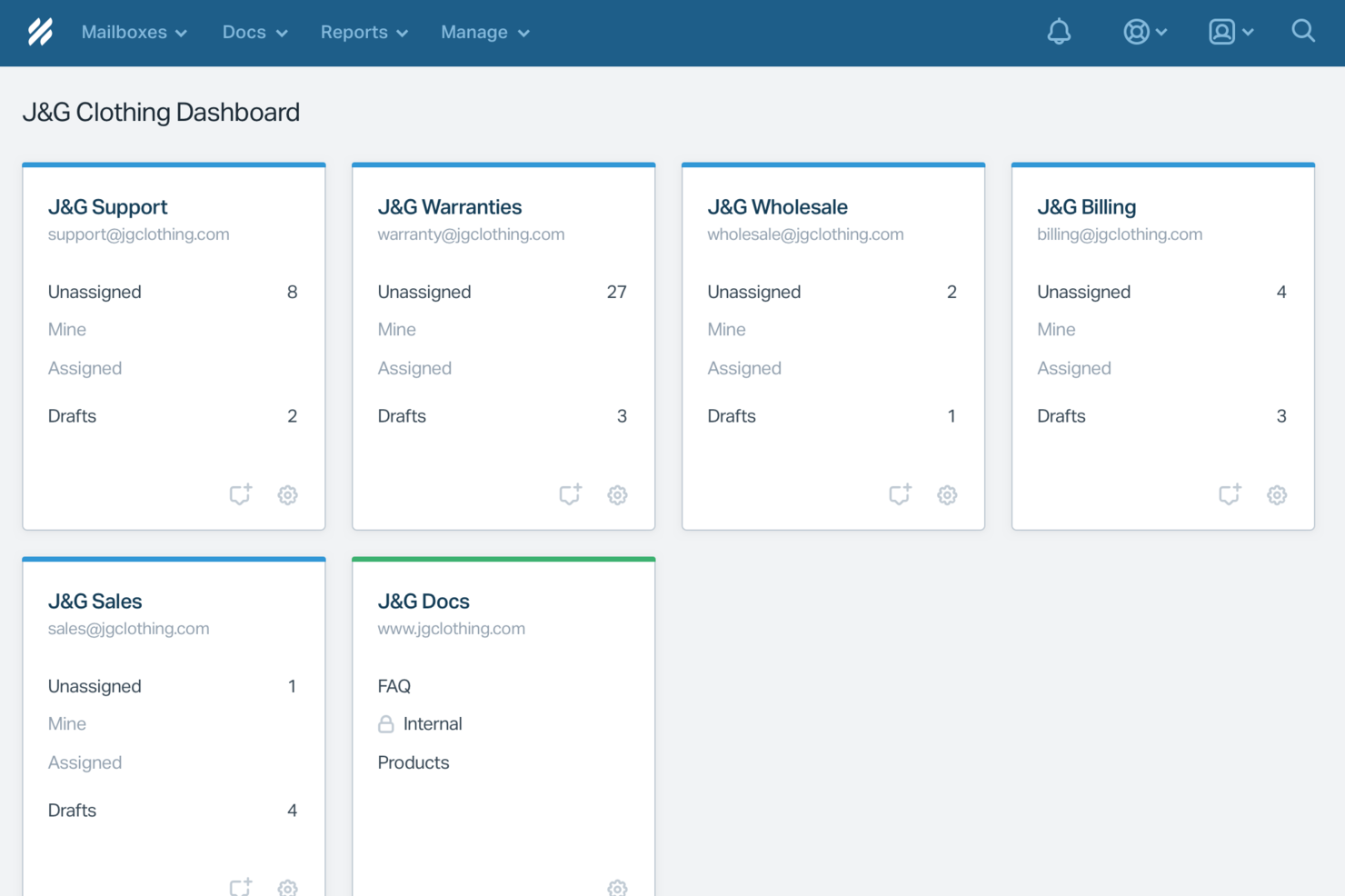
Help Scout is a customer service platform that combines AI-powered chatbots, live chat, shared inboxes, and a knowledge base to support online customer conversations.
Who Is Help Scout Best For?
Help Scout is a good fit for small to mid-sized businesses that want to handle customer support across chat, email, and self-service without managing overly complex tooling.
Why I Picked Help Scout
Help Scout earns its spot on my shortlist because of how naturally it blends AI automation with human support—without making customers feel like they're stuck in a bot loop. I really like the AI Answers feature, which helps resolve routine requests by pulling from your knowledge base and custom instructions. When AI can't handle a question, customers escalate to a live agent in a couple of clicks, feeding directly into the shared inbox. The Inbox Assistant also helps my team draft replies, summarize long threads, and adjust tone as needed, so agents stay sharp even during high-volume periods.
Help Scout Key Features
- Beacon widget: An embeddable chat widget you can place anywhere on your site or in-app to surface help articles, collect email inquiries, or start live chat conversations.
- Saved replies: Pre-written response templates that agents can pull up to answer common questions without writing from scratch each time.
- Customer profiles: Automatically populated contact records that display past conversations, account details, and data pulled in from connected apps.
- Reporting and analytics: Built-in reports tracking response time, handle time, conversation volume, and customer satisfaction scores across all channels.
Help Scout Integrations
Help Scout offers native integrations with Slack, HubSpot, Salesforce, Shopify, Mailchimp, Jira, and Google Workspace. It also connects with Zapier and provides an API for custom integrations.
Pros and Cons
Pros:
- Built-in knowledge base powers accurate automated replies
- Smooth handoff preserves conversation context for agents
- AI Answers resolves common tickets without agent involvement
Cons:
- AI effectiveness depends heavily on knowledge base quality
- Not a standalone chatbot outside Help Scout ecosystem
New Product Updates from Help Scout

Help Scout Enhances Support Management With AI and Integrations
Help Scout introduces smarter routing, WhatsApp and Aircall integrations, and new AI enhancements to help teams manage conversations, automate workflows, and support customers across more channels. For more information, visit Help Scout’s official site.
 .
.
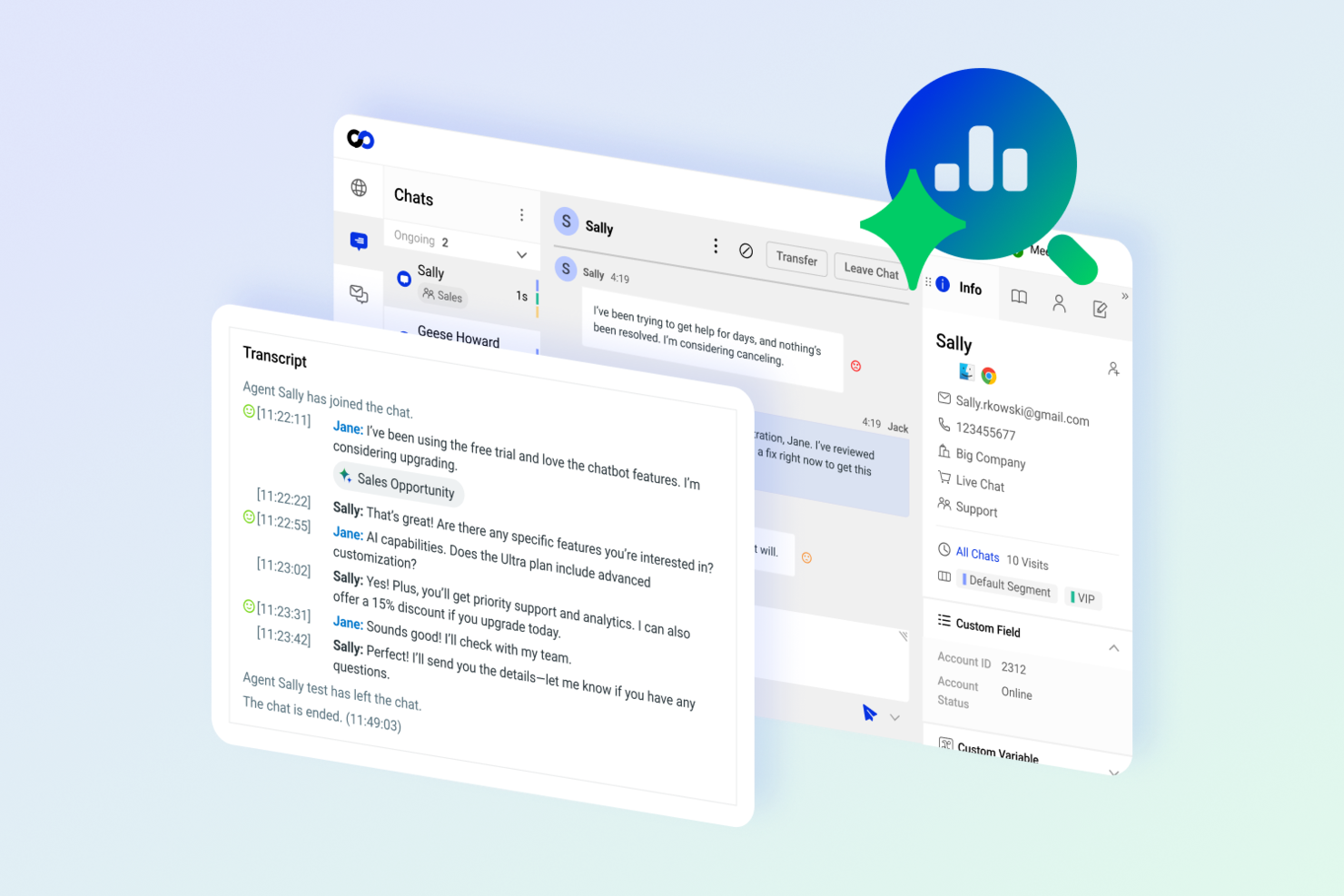
Comm100 is a customer service chatbot platform that combines AI-powered chatbots, live chat, and omnichannel messaging to help teams manage customer conversations across web, mobile, and social channels.
Who Is Comm100 Best For?
Customer service teams in regulated industries or organizations needing tailored integrations with industry-specific platforms.
Why I Picked Comm100
I picked Comm100 as one of the best because it offers deep integrations with industry-specific platforms like healthcare EMRs and financial CRMs. My team is able to connect chatbots directly to these systems, so customer data and workflows stay in sync. I also like that Comm100 supports compliance requirements for regulated industries, which is tough to find in most chatbot platforms.
Comm100 Key Features
- AI-powered chatbot: Automate customer conversations using natural language processing and machine learning.
- Omnichannel messaging: Manage chats across web, mobile, social media, SMS, and email from a single dashboard.
- Live chat transfer: Seamlessly hand off conversations from chatbot to live agents when needed.
- Customizable pre-chat forms: Collect customer information before starting a chat to route inquiries efficiently.
Comm100 Integrations
Native integrations are not clearly documented. Comm100 offers an API for custom integrations.
Pros and Cons
Pros:
- Live agent co-browsing for hands-on support
- Built-in knowledge base integration for chatbots
- Omnichannel chat covers web, mobile, and social
Cons:
- Advanced AI features require higher-tier plans
- Native integrations are not clearly documented

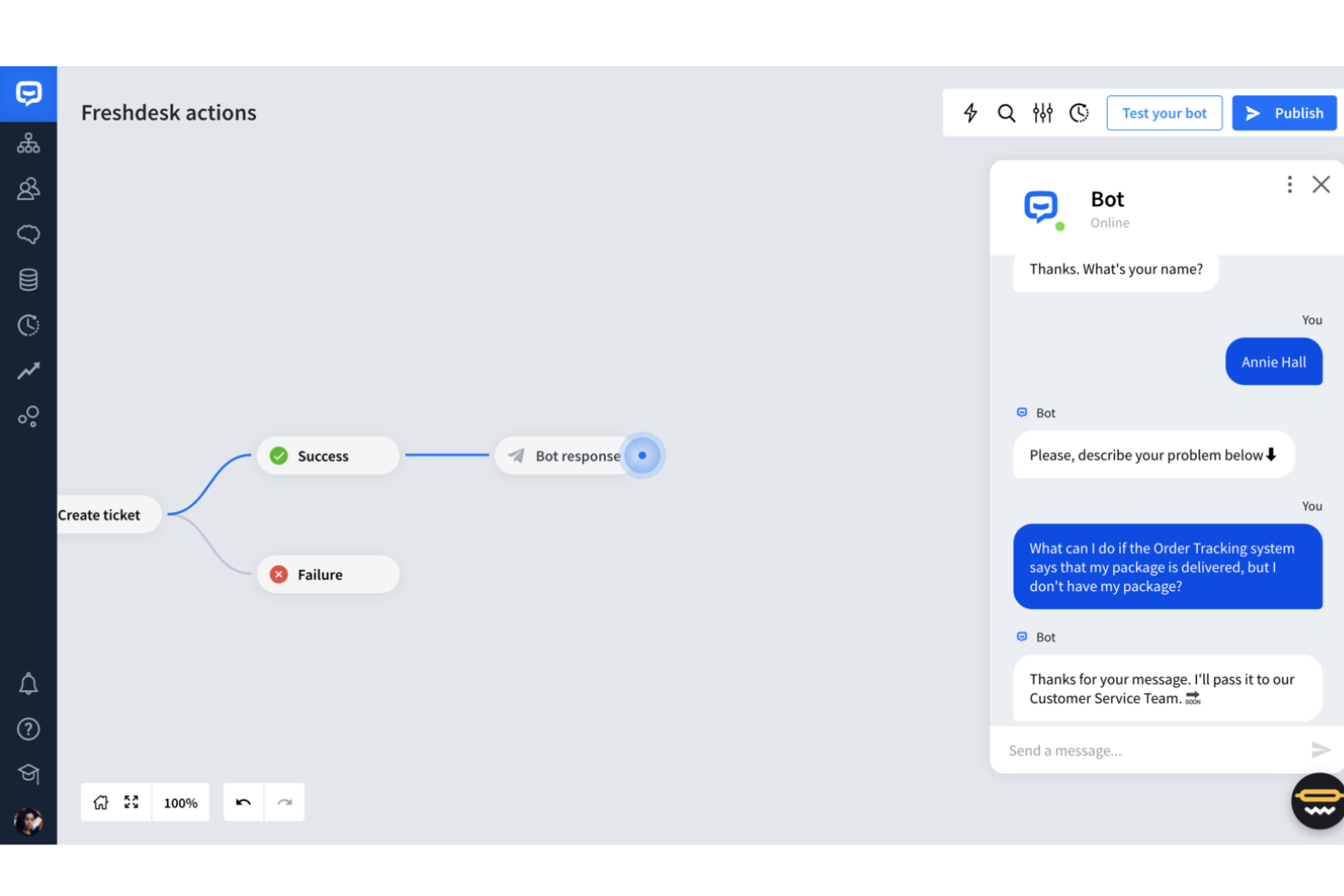
Freshdesk is a customer service platform that offers AI-powered chatbots, live chat, ticketing, and automation tools for managing online customer conversations across multiple channels.
Who Is Freshdesk Best For?
Freshdesk is a good fit for customer support teams at mid-sized to large companies that handle high volumes of inquiries across multiple languages and regions.
Why I Picked Freshdesk
I picked Freshdesk as one of the best because of how well it handles multilingual support across both its chatbot and knowledge base. Freddy AI Copilot translates conversations in real time directly inside the agent workspace, so your team can respond in a customer's language without switching tools or copying text into a translator. Freshdesk's knowledge base also supports multilingual content, so your self-service articles can be published in multiple languages and surfaced by the Freddy AI Agent during chat interactions. For teams supporting customers across different regions, that combination of live translation and localized self-service is difficult to replicate in a single platform.
Freshdesk Key Features
- Freddy AI Agent: An AI-powered bot that handles incoming customer questions automatically, resolving common issues without agent involvement.
- Ticket dispatch: Automatically routes incoming tickets to the right agent or team based on predefined rules and conditions.
- Skill-based ticket assignment: Assigns tickets to agents based on their specific skills, ensuring customers reach the most qualified person.
- Community forums: A built-in space where customers can post questions, share answers, and find solutions from other users.
Freshdesk Integrations
Freshdesk offers 1,000+ native integrations, including Slack, Salesforce, Shopify, Jira, Mailchimp, WhatsApp, Facebook Messenger, Microsoft Teams, Google Workspace, and Zoom. It also provides an API for custom integrations.
Pros and Cons
Pros:
- AI automation improves response times and reduces workload.
- Omnichannel support integrates various communication platforms.
- Customizable dashboards provide real-time support metrics.
Cons:
- Lacks integrated calling solutions, requiring separate tools.
- Emphasis on AI may not fit everyone's workflow style.
New Product Updates from Freshdesk

Freshdesk Adds Voice AI Agents in Freshcaller
Freshdesk introduces Voice AI Agents available through Freshcaller Marketplace apps to handle routine calls and reduce queues. This feature enables automated call handling with real-time, conversational support. For more information, visit Freshdesk's official site.

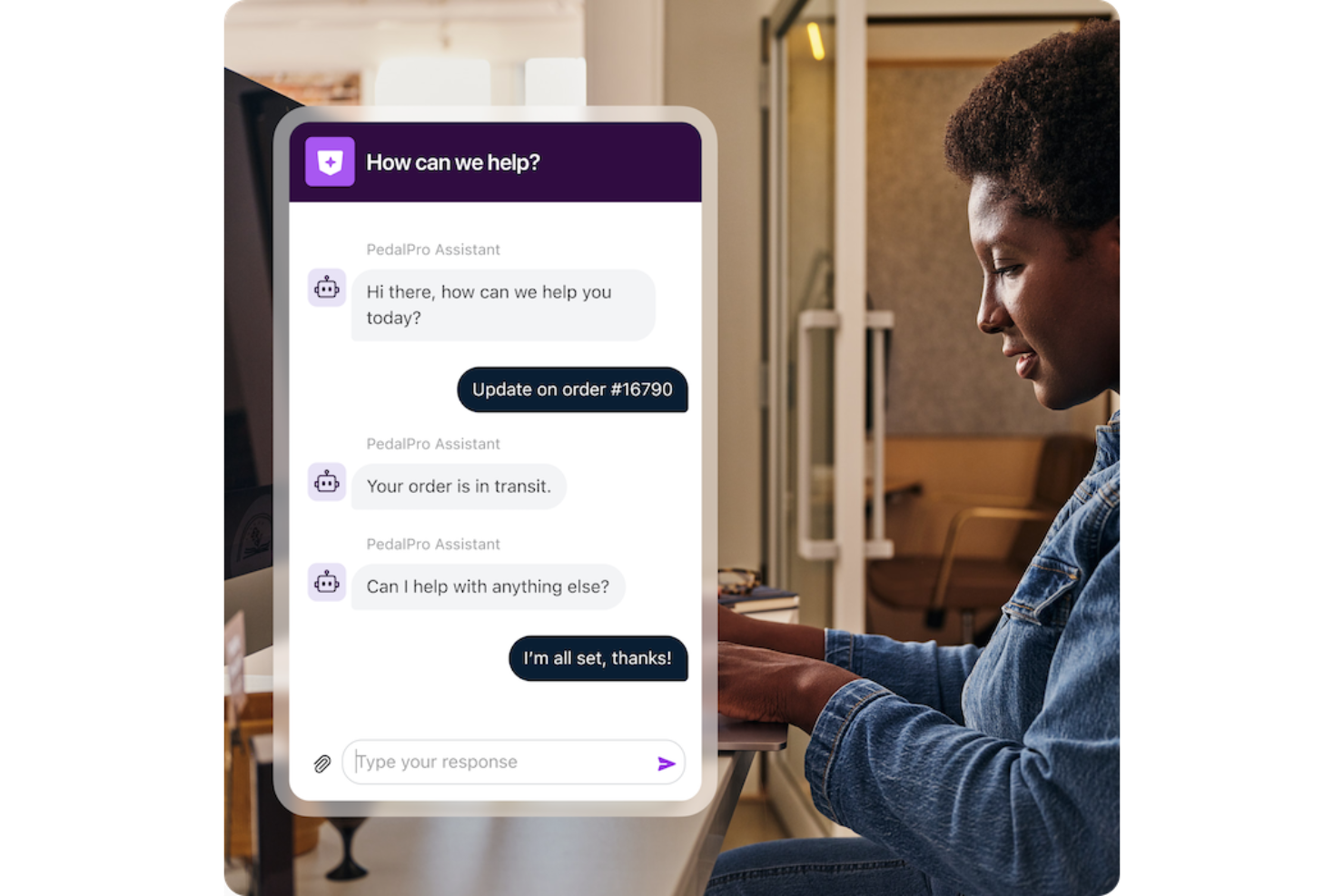
Front is a customer service platform that combines shared inboxes, chat automation, AI-driven ticket routing, and integrations with messaging channels for managing online customer conversations.
Who Is Front Best For?
Front is a good fit for mid-sized customer service and support teams that handle high volumes of conversations across email, chat, and social channels.
Why I Picked Front
Front earns a spot on my shortlist because its AI handles ticket triage beyond simple keyword matching. Front's Topics feature analyzes incoming conversations to identify contact reasons, then routes tickets to the right team or agent based on subject matter—without manual tagging. Autopilot lets you define which inquiry types AI handles autonomously and which are handed off to a human, so you retain control while increasing speed. Copilot generates AI-drafted replies based on your actual conversation history and help content, so agents aren't starting from scratch on complex tickets.
Front Key Features
- Live chat with proactive messaging: Send targeted messages to website visitors and app users based on behavior, before they even submit a request.
- Smart CSAT scoring: AI infers customer satisfaction from conversation signals automatically, without sending manual surveys.
- Omnichannel inbox: Manage email, SMS, WhatsApp, and chat conversations from a single shared inbox.
- Knowledge base with AI drafting: Create, translate, and update help articles using AI, with separate internal and external content libraries.
Front Integrations
Front offers native integrations with Aircall, Asana, Confluence, Maton, Solo, Chatra, FullContact, Gainsight, HubSpot, and ClickUp. An API is available for custom integrations.
Pros and Cons
Pros:
- Internal collaboration tools for team-based responses
- Omnichannel inbox supports chat, email, and SMS
- AI-powered ticket triage for faster routing
Cons:
- AI features require higher-tier plans
- No built-in chatbot creation or design tools


Tidio is a customer service chatbot platform that combines live chat, AI-powered chatbots, and multichannel messaging to help you manage customer conversations across your website and social channels.
Who Is Tidio Best For?
Tidio is a strong fit for small to mid-sized ecommerce businesses that need a chat solution to handle customer inquiries and engage shoppers directly on their website.
Why I Picked Tidio
I picked Tidio as one of the best because of how deliberately it's built around generating sales, not just answering questions. The Flows feature is what I keep coming back to—it's a no-code automation builder that triggers contextual messages at key moments in the customer journey, like when a shopper is about to abandon their cart or when they're browsing a specific product category. I also like Lyro Smart Actions, which lets the AI agent take real actions during a conversation, such as recommending products or booking calls, rather than just routing customers to a human. Together, these two features make Tidio one of the few customer service chatbot platforms where sales conversion is genuinely baked into the core product.
Tidio Key Features
- Multichannel inbox: Manage live chat, email, WhatsApp, Instagram, and Messenger conversations from a single dashboard.
- Ticketing system: Convert chats and emails into tickets, set priority levels, and use automated workflows to route and resolve requests.
- Live visitor list: See all active website visitors and the pages they're browsing in real time to offer targeted support.
- Analytics dashboard: Track conversation metrics, operator performance, CSAT scores, and channel performance across your support operation.
Tidio Integrations
Tidio offers native integrations with Shopify, WooCommerce, Wix, BigCommerce, WordPress, Mailchimp, HubSpot, Google Analytics, Messenger, and Instagram. It also connects with Zapier and provides an API for custom integrations.
New Product Updates from Tidio

Tidio Expands Lyro AI Across Email and Chat
Tidio expands Lyro AI to email ticketing and enhances its chatbot with Claude 3.0 integration. These updates improve automation across support channels and enhance AI-driven interactions. For more information, visit Tidio’s official site.
 .
.

Zendesk is a customer service platform that offers AI-powered chatbots, automated ticketing, and omnichannel messaging for online support teams.
Who Is Zendesk Best For?
Zendesk is a strong fit for mid-size to enterprise support teams that need a scalable, AI-driven customer service solution across multiple digital channels.
Why I Picked Zendesk
Zendesk is a top choice because it gives you strong control over how your AI agents behave. I love that you can define custom personas, set AI reasoning guardrails, and connect agents to your own knowledge sources—so the bot your customers interact with feels like a natural extension of your brand, not a generic FAQ machine. The AI agent builder lets you describe goals in plain language rather than scripting rigid flows, which means I can handle complex, multi-step requests without building out decision trees. Built-in QA scoring covers 100% of AI agent interactions, so I can see where the agent is performing well and where it needs tuning.
Zendesk Key Features
- Omnichannel messaging: Manage customer conversations across web, mobile, WhatsApp, Facebook, and Instagram from a single agent workspace.
- Omnichannel routing: Automatically assign incoming tickets to the right agent based on availability, workload, and skills across all channels.
- AI Copilot: Provides human agents with real-time suggestions, context, and next-step recommendations directly within the agent workspace.
- Prebuilt analytics dashboards: Track ticket volume, agent performance, and customer trends out of the box without custom report setup.
Zendesk Integrations
Zendesk offers over 1,200 native integrations through its marketplace, including Slack, Shopify, Google Play Reviews, Trustpilot, Pipedrive, Sprout Social, Harvest, ChannelReply, and Guru. An API is available for custom integrations.


Chatbase is an AI chatbot platform for customer service teams that lets you build, train, and deploy chatbots using your own data and connect them to your website or messaging channels.
Who Is Chatbase Best For?
Chatbase is a good fit for small to mid-sized businesses that want to deploy a custom AI chatbot trained on their own content without needing a development team.
Why I Picked Chatbase
Chatbase is one of my top picks because I love how it uses LLMs with reasoning capabilities that resolve complex customer support queries, not just simple FAQs. I use it to connect the agent to live systems like order management tools and CRMs, so when a customer asks about a delayed shipment or wants to update their subscription, the agent can pull real data and take action directly. I also rely on the smart escalation feature, which lets me set natural-language instructions for when the bot should hand off to a human agent, so genuinely tricky issues don't fall through the cracks.
Chatbase Key Features
- Custom data training: Upload documents, PDFs, or website URLs to train your chatbot on your specific knowledge base.
- Multilingual support: Detects and responds in the customer's language without manual configuration.
- Lead capture forms: Collect customer contact details mid-conversation using built-in form fields inside the chat widget.
- Conversation history: Review full transcripts of past chatbot interactions to monitor response quality and identify gaps.
Chatbase Integrations
Chatbase offers native integrations with Slack, WhatsApp, Facebook Messenger, and Telegram. An API is available for custom integrations.


eDesk is an ecommerce customer service platform that combines AI-powered chatbots, multichannel ticketing, and marketplace integrations for online support teams.
Who Is eDesk Best For?
eDesk is a strong fit for ecommerce businesses selling across multiple online marketplaces who need a centralized platform to manage customer support at scale.
Why I Picked eDesk
I picked eDesk as one of the best because of how purpose-built it is for ecommerce support around the clock. The chatbot connects directly to your order data, product catalog, and FAQs to give customers accurate, on-brand answers at any hour—without needing an agent online. I especially like the live translation feature, which means a customer shopping at midnight in a different time zone gets the same quality of response as someone reaching out during business hours. When a query does get too complex for the bot, it escalates to a human agent with the full conversation context already attached, so nothing gets lost in the handoff.
eDesk Key Features
- Smart inbox: A unified inbox that pulls in tickets from Amazon, eBay, Shopify, and 300+ channels, with order details and shipping info attached to each ticket automatically.
- AI ticket classification: Automatically sorts and tags incoming tickets by intent—returns, cancellations, order questions—so agents can prioritize and respond faster.
- SLA tracking: Monitors response time targets across all channels and surfaces at-risk tickets before deadlines are missed.
- Pre-sales support mailbox: A dedicated workspace for handling product questions from shoppers before they buy, pulling in inventory and pricing data to help agents close more sales.
eDesk Integrations
eDesk offers 200+ native integrations, including Amazon, eBay, Shopify, Walmart, BigCommerce, Magento, WooCommerce, Linnworks, ChannelAdvisor, Allegro, and Zapier. An API is available for custom integrations.
Pros and Cons
Pros:
- Designed to handle high volumes of ecommerce inquiries
- AI automations reduce repetitive support tasks
- Integrates rich order data for enhanced customer service
Cons:
- Reporting and analytics, while present, can be less customizable than more enterprise dashboards
- Primarily built for ecommerce, less flexible for other industries


Quidget is an AI-powered customer service chatbot platform that automates live chat, handles repetitive support queries, and integrates with existing help desk workflows.
Who Is Quidget Best For?
Quidget is a good fit for small to mid-sized support teams that handle high volumes of repetitive customer inquiries and need to reduce the load on human agents.
Why I Picked Quidget
Quidget earns its spot on my shortlist because of how well it handles the repetitive, high-volume queries that bog down frontline support teams. I like that it trains directly on your own content—your website, FAQs, and uploaded docs—so it's answering questions based on what your business actually says, not generic AI guesswork. When it can't resolve something, it hands the conversation to a live agent with the full chat history intact, so customers never have to repeat themselves. That handoff behavior alone makes it a more practical tool than basic chatbots that just dead-end users.
Quidget Key Features
- Multi-language support: Quidget automatically detects and responds in the customer's language, covering 45+ languages without any manual configuration.
- Multi-channel deployment: Deploy your AI agent on your website, inside your app, or share it as a standalone assistant via a unique link.
- AI performance reporting: Built-in reports show how many queries the AI resolved, which were escalated, and where your customers are located.
- No-code agent builder: Set up and customize your AI agent, including tone, behavior, and escalation rules, without writing a single line of code.
Quidget Integrations
Native integrations are not clearly documented. Quidget offers an API for custom integrations.
Other Chatbot for Customer Service
Here are some additional chatbot for customer service options that didn’t make it onto my shortlist, but are still worth checking out:
- SparrowDesk
For AI-first ticket resolution
- Birdeye
AI chatbot for capturing leads
- Hiver
For AI-driven chat automation
- Zoho SalesIQ
For its easy-to-use interface
- Tars
For ease of setup
- Drift
For turning conversations into sales
- Intercom
For simple customer interface
- Kommunicate
For balancing chatbots with the human touch
- Acquire
Designed for more human-like automated chats
- LiveHelpNow
For omnichannel customer support
- Activechat
For customer-centric brands
- Helpshift
For rapid deployment
- Genesys
For chatbots that span digital channels
- Quiq Messaging
For integrating with bots from other platforms
- SAAS First
Knowledge base-trained chatbot
- 14.ai
Intent-aware response engine
- SwiftCX
For AI-assisted live agent support
- Stonly
For interactive step-by-step guides
- Freshchat
For scaling customer support on any channel
- CoSupport AI
For faster, accurate, and secure customer support
- Alhena AI
For quick deployment and higher accuracy
- Kayako
Combines help center, website, and mobile app support
- Zendesk Sell
Excels at reducing repetitive work
- Netomi
For dealing with spikes in support demand
- Podium
For local businesses
- Kore
Automates and streamlines customer journeys
- Yellow.ai
For total user experience automation


Chatbot for Customer Service Selection Criteria
When selecting the best chatbot for customer service to include in this list, I considered common buyer needs and pain points like handling high volumes of queries and improving response times. I also used the following framework to keep my evaluation structured and fair:
Core Functionality (25% of total score)
To be considered for inclusion in this list, each solution had to fulfill these common use cases:
- Automating responses to FAQs
- Providing 24/7 customer support
- Handling multiple conversations simultaneously
- Integrating with existing CRM systems
- Collecting customer feedback
Additional Standout Features (25% of total score)
To help further narrow down the competition, I also looked for unique features, such as:
- Adaptive learning capabilities
- Personalized customer interactions
- Multilingual support
- Sentiment analysis
- Real-time analytics dashboard
Usability (10% of total score)
To get a sense of the usability of each system, I considered the following:
- Intuitive interface design
- Easy navigation
- Customizable workflows
- Quick setup process
- User-friendly chatbot builder
Onboarding (10% of total score)
To evaluate the onboarding experience for each platform, I considered the following:
- Availability of training videos
- Interactive product tours
- Access to onboarding webinars
- Pre-built templates for quick setup
- Dedicated support during migration
Customer Support (10% of total score)
To assess each software provider’s customer support services, I considered the following:
- 24/7 support availability
- Multiple support channels
- Response time to queries
- Access to a knowledge base
- Personalized support options
Value For Money (10% of total score)
To evaluate the value for money of each platform, I considered the following:
- Pricing compared to features offered
- Availability of a free trial
- Transparent pricing structure
- Discounts for annual billing
- Competitive pricing within the market
Customer Reviews (10% of total score)
To get a sense of overall customer satisfaction, I considered the following when reading customer reviews:
- Consistency of positive feedback
- Commonly reported issues
- User satisfaction with features
- Feedback on customer service
- Overall user experience ratings
How to Choose Chatbot for Customer Service
It’s easy to get bogged down in long feature lists and complex pricing structures. To help you stay focused as you work through your unique software selection process, here’s a checklist of factors to keep in mind:
| Factor | What to Consider |
|---|---|
| Scalability | Determine if the chatbot can grow with your business. Consider how many interactions it can handle and if it supports adding more users or features. |
| Integrations | Check if it connects with your existing systems like CRM or help desks. Look for seamless data sharing and reduced manual work. |
| Customizability | Assess how easily you can tailor the chatbot to your branding and workflows. Consider the level of coding required for customization. |
| Ease of use | Evaluate the user interface and how quickly your team can learn to use it. Look for drag-and-drop builders or intuitive dashboards. |
| Implementation and onboarding | Investigate the time and resources needed to get started. Consider the availability of training materials or support during the initial phase. |
| Cost | Compare the total cost, including hidden fees. Consider if the pricing aligns with your budget and offers good value for the features provided. |
| Security safeguards | Ensure the chatbot complies with data protection regulations. Check for features like encryption and access controls to protect customer data. |
| Support availability | Consider the level of support offered. Look for 24/7 availability, multiple contact methods, and a responsive support team to assist with issues. |
What Is Chatbot for Customer Service?
A chatbot for customer service is a tool that automates responses to customer inquiries, providing 24/7 support and handling routine questions. Customer service representatives and support teams generally use these tools to improve efficiency and response times. Features like automated responses, real-time interaction, and integration capabilities help manage large volumes of queries and enhance customer satisfaction. These tools ultimately save time and resources while improving the customer experience.
Features
When selecting chatbot for customer service, keep an eye out for the following key features:
- Automated responses: Provides instant answers to common questions, freeing up your team for more complex issues.
- 24/7 availability: Ensures customer support is always accessible, improving customer satisfaction and retention.
- Real-time interaction: Engages customers immediately, reducing wait times and enhancing the user experience.
- Multilingual support: Communicates with customers in their preferred language, expanding your reach and accessibility.
- Integration capabilities: Connects with existing systems like CRM and help desks, ensuring seamless data flow and reducing manual tasks.
- Visitor tracking: Monitors customer behavior in real-time, providing insights to tailor interactions and improve service.
- Lead scoring: Prioritizes potential customers based on their interactions, helping your team focus on high-value leads.
- Customizable workflows: Allows tailoring of processes to fit your specific business needs, enhancing efficiency.
- Data analytics: Offers insights into customer interactions and performance, enabling informed decision-making.
- Security safeguards: Protects customer data with encryption and access controls, ensuring compliance with data protection regulations.
Benefits
Implementing chatbot for customer service provides several benefits for your team and your business. Here are a few you can look forward to:
- Increased efficiency: Automates routine inquiries, allowing your team to focus on complex tasks and reducing response times.
- Cost savings: Reduces the need for a large support staff by handling a significant volume of queries automatically.
- Improved customer satisfaction: Offers 24/7 availability, ensuring customers receive timely support whenever they need it.
- Enhanced data insights: Provides analytics on customer interactions, helping you make informed decisions to improve service.
- Broader reach: Multilingual support allows you to cater to a diverse customer base, expanding your market presence.
- Better lead management: Features like lead scoring help prioritize high-value customers, optimizing your sales efforts.
- Consistent support quality: Ensures uniform responses and service quality across all customer interactions, maintaining brand reputation.
Costs & Pricing
Selecting chatbot for customer service requires an understanding of the various pricing models and plans available. Costs vary based on features, team size, add-ons, and more. The table below summarizes common plans, their average prices, and typical features included in chatbot for customer service solutions:
Plan Comparison Table for Chatbot for Customer Service
| Plan Type | Average Price | Common Features |
|---|---|---|
| Free Plan | $0 | Basic chat capabilities, limited integrations, and standard support. |
| Personal Plan | $5-$25/user/month | Automated responses, basic analytics, and email support. |
| Business Plan | $30-$75/user/month | Advanced analytics, multilingual support, and CRM integrations. |
| Enterprise Plan | $100-$200/user/month | Customizable workflows, dedicated account manager, and priority support. |
Chatbot for Customer Service FAQs
Here are some answers to common questions about chatbot for customer service:
Can chatbots handle complex customer queries?
No, chatbots typically excel at handling routine and straightforward queries. For complex issues, it’s best to have a system in place where the chatbot can escalate the conversation to a human agent. You can configure triggers that identify when a query is beyond the chatbot’s capabilities. Train your team on how to take over and provide personalized support when needed.
Do chatbots require ongoing maintenance?
Yes, chatbots need regular updates and maintenance to function effectively. You’ll need to update their knowledge base with new FAQs and information as your business evolves. Monitor performance metrics to identify areas for improvement. Regular maintenance ensures the chatbot remains accurate and continues to meet your customers’ needs efficiently.
How do you measure ROI from a chatbot for customer service?
You’ll want to track metrics like the percentage of queries your chatbot handles without human help, average response time, and cost per interaction. ROI is typically calculated as (Benefits – Costs) ÷ Costs × 100%.
You should also consider less tangible gains such as higher customer satisfaction or lower agent burnout. Don’t forget to include ongoing costs like maintenance, updates, and integrations.
How do you maintain and improve a chatbot after deployment?
You should regularly review chatbot conversations to spot failed interactions or confusing responses. Use analytics and user feedback to fine-tune conversation flows and update content.
Tracking metrics like containment rate, escalation rate, and satisfaction scores helps you identify areas for improvement and measure progress over time.
When should you escalate from chatbot to a human agent?
Escalate when users express frustration, when the issue falls outside common scenarios your bot can handle, or when a user specifically asks for human help.
Chatbots handle repetitive or transactional queries well, but complex or emotional issues are better managed by people. Setting clear handoff rules keeps customer interactions smooth.
What’s Next:
If you're in the process of researching chatbot for customer service, connect with a SoftwareSelect advisor for free recommendations.
You fill out a form and have a quick chat where they get into the specifics of your needs. Then you'll get a shortlist of software to review. They'll even support you through the entire buying process, including price negotiations.