

Gérer le support client peut être un véritable casse-tête, surtout lorsque vos outils ne répondent pas tout à fait à vos besoins. Si vous constatez que Zoho Desk ne convient pas à votre équipe, vous n’êtes pas seul. De nombreux responsables de l’expérience client rencontrent des difficultés similaires et recherchent des alternatives qui répondent mieux aux besoins spécifiques de leur entreprise.
J’ai testé et évalué de manière indépendante différents logiciels de service client, en me concentrant sur ce qui compte vraiment pour vous et votre équipe. Dans cet article, je vous présente mes meilleurs choix d’alternatives à Zoho Desk, avec un point de vue impartial et fondé sur des recherches approfondies.
Qu’est-ce que Zoho Desk ?
Zoho Desk est un logiciel de service client conçu pour aider votre équipe à gérer les tickets d’assistance et à améliorer les interactions avec les clients. Il est couramment utilisé par les agents du support, les responsables et les professionnels de l’expérience client qui ont besoin d’un outil fiable pour traiter efficacement les demandes. Les fonctionnalités d’automatisation, de support multicanal et de création de rapports contribuent à organiser les tâches, à communiquer avec les clients et à suivre les performances. Dans l’ensemble, Zoho Desk peut améliorer la capacité de votre équipe à fournir un support client rapide et efficace.
Pourquoi faire confiance à nos recommandations de logiciels
6,700+
Reviews
20
Industry experts
16+
Evaluation factors
14
Years
Notre équipe teste et évalue des logiciels depuis 2012. En tant que leaders CX nous-mêmes, nous savons à quel point il est difficile — et important — de choisir le bon logiciel.
Pour ce guide, nous avons évalué les outils grâce à des tests pratiques et une recherche indépendante, en notant les outils selon nos critères de sélection.
Nos avis reflètent notre jugement éditorial humain, et non un argumentaire de vente.
 Gui DrusinaCreative Director
 Tim FisherVP of AI
Tableau comparatif : alternatives à Zoho Desk
Ce tableau comparatif récapitule les informations tarifaires de mes meilleures sélections d’alternatives à Zoho Desk.
| Tool | Best For | Trial Info | Price | ||
|---|---|---|---|---|---|
| 1 | Idéal pour un support multilingue assisté par l'IA | Essai gratuit de 14 jours disponible | À partir de 19 $/utilisateur/mois (facturé annuellement) | Website | |
| 2 | Idéal pour une assistance copilote IA | Essai gratuit de 14 jours disponible | À partir de 16 $/utilisateur/mois (facturation annuelle) | Website | |
| 3 | Idéal pour gérer de gros volumes de demandes | Offre gratuite + essai gratuit disponible | À partir de $25/utilisateur/mois (facturé annuellement) | Website | |
| 4 | Idéal pour la gestion de la messagerie e-commerce | Essai gratuit de 14 jours | À partir de $39/agent/mois | Website | |
| 5 | Idéal pour la collaboration externe grâce à l'accès invité | Essai gratuit de 30 jours disponible | À partir de 14 $/utilisateur/mois (facturation annuelle) | Website | |
| 6 | Idéal pour l'intégration à Microsoft Teams | Essai gratuit de 21 jours + forfait gratuit + démo gratuite disponible | À partir de $12/agent/mois (facturé annuellement) | Website | |
| 7 | Idéale pour la résolution des tickets par une IA native | Forfait gratuit + démonstration gratuite disponible | À partir de $150/mois (facturé annuellement) | Website | |
| 8 | Idéal pour la gestion intelligente des tickets | Essai gratuit + forfait gratuit disponible | À partir de $24.17/mois (facturé annuellement) | Website | |
| 9 | Idéal pour les entreprises en croissance | Essai gratuit de 30 jours disponible | À partir de 24$/utilisateur/mois (facturé annuellement) | Website | |
| 10 | Idéal pour les intégrations informatiques | Essai gratuit de 14 jours | À partir de 24 $/agent/mois (facturé annuellement) | Website |


Nous testons et évaluons des logiciels d’expérience client depuis 2020. En tant que responsables de l’expérience client nous-mêmes, nous savons à quel point il est essentiel et difficile de prendre la bonne décision lors du choix d’un logiciel. Nous investissons dans des recherches approfondies afin d’aider notre audience à prendre de meilleures décisions d’achat de logiciels.
Nous avons testé plus de 2 000 outils pour différents cas d’utilisation liés à l’expérience client et rédigé plus de 1 000 évaluations détaillées de logiciels. Découvrez comment nous garantissons notre transparence & consultez notre méthodologie d’évaluation des logiciels.
Évaluations des meilleures alternatives à Zoho Desk
Vous trouverez ci-dessous mes résumés détaillés des meilleures alternatives à Zoho Desk qui figurent dans ma sélection. Mes évaluations présentent en détail les principales fonctionnalités, les avantages & inconvénients, les intégrations et les cas d’utilisation idéaux de chaque outil afin de vous aider à trouver celui qui vous convient le mieux.
 Idéal pour un support multilingue assisté par l'IA
- Essai gratuit de 14 jours disponible
- À partir de 19 $/utilisateur/mois (facturé annuellement)
Visit WebsiteCustomer Rating:4.4/5
Freshdesk centralise vos tickets au même endroit et facilite la collaboration interne. Conçu pour les entreprises souhaitant améliorer l'efficacité de leur support, Freshdesk offre un espace de travail centralisé qui permet à votre équipe de se concentrer sur le développement des relations client plutôt que de s'enliser dans des tâches complexes. Grâce à l'intégration de fonctionnalités d'IA telles que Freddy AI Copilot et Freddy AI Insights, Freshdesk aide à automatiser les requêtes courantes et fournit des analyses proactives, ce qui en fait un choix attrayant pour les secteurs allant du commerce de détail à la technologie nécessitant une gestion robuste des interactions client.
Pourquoi j'ai choisi Freshdesk
J'ai choisi Freshdesk comme alternative à Zoho Desk pour ses fonctionnalités avancées basées sur l'IA qui optimisent les tâches du support client. Freddy AI Copilot est particulièrement remarquable, car il assiste les agents en proposant des traductions en direct et des suggestions de réponses, essentielles pour les entreprises gérant une clientèle diversifiée.
De plus, l'espace de travail centralisé de Freshdesk est conçu pour unifier les interactions client sur plusieurs canaux, garantissant que votre équipe dispose de toutes les informations nécessaires pour résoudre rapidement les problèmes. Ces fonctionnalités répondent directement au besoin d'un support client efficace, faisant de Freshdesk un choix adapté pour les entreprises souhaitant renforcer leurs capacités de service.
Fonctionnalités clés de Freshdesk
En plus de ses fonctions basées sur l'IA, Freshdesk propose plusieurs autres fonctionnalités qui en font un sérieux concurrent à Zoho Desk :
- Support en libre-service : Freshdesk permet de créer des portails personnalisés pour les articles de la base de connaissances. Des bots email alimentés par l'IA peuvent également répondre aux questions courantes.
- Workflows automatisés : En mettant en place des workflows automatisés, votre équipe peut réduire les efforts manuels associés aux tâches répétitives, assurant ainsi un fonctionnement plus fluide.
- Tableaux de bord personnalisables : Freshdesk offre des tableaux de bord personnalisables qui vous donnent une vue en temps réel de vos indicateurs de support, vous aidant à prendre des décisions basées sur les données.
- Gestion collaborative des tickets : La plateforme prend en charge la gestion collaborative des tickets, permettant à plusieurs membres de l'équipe de travailler simultanément sur un ticket afin d'assurer des temps de résolution plus rapides.
Intégrations Freshdesk
Les intégrations incluent Slack, Microsoft Teams, Shopify, Google Workspace, Jira, Freshservice, HubSpot, Salesforce, Zapier et WhatsApp Business.
Pros and Cons
Pros:
- L'automatisation par IA améliore la réactivité et réduit la charge de travail.
- Le support omnicanal intègre divers canaux de communication.
- Les tableaux de bord personnalisables offrent des indicateurs de support en temps réel.
Cons:
- Pas de solution d'appel intégrée, nécessitant des outils séparés.
- L'accent mis sur l'IA ne convient pas à tous les styles de travail.
Learn more about Freshdesk: Idéal pour une assistance copilote IA
- Essai gratuit de 14 jours disponible
- À partir de 16 $/utilisateur/mois (facturation annuelle)
Visit WebsiteCustomer Rating:4.6/5
SparrowDesk propose une file d'attente de chat en direct unifiée et guide les clients à travers des conversations assistées par l'IA en temps réel. SparrowDesk est une plateforme de service client assistée par l'intelligence artificielle, conçue pour les entreprises souhaitant améliorer leurs capacités de support client grâce à l'automatisation intelligente. Si vous exercez dans un secteur où la gestion efficace des interactions clients est essentielle, les outils alimentés par l'IA de SparrowDesk pourraient être la solution pour réduire les temps de réponse et accroître la satisfaction des clients.
Pourquoi j'ai choisi SparrowDesk
J'ai choisi SparrowDesk comme alternative intéressante à Zoho Desk en raison de son utilisation innovante de l'IA dans le service client. Les Agents IA de la plateforme peuvent gérer la majorité des interactions client, ce qui libère votre équipe pour qu'elle se consacre aux problèmes plus urgents. De plus, le Copilote IA offre une assistance en temps réel aux agents en fournissant des résumés de conversations et des réponses intelligentes, ce qui améliore l'efficacité globale de votre équipe de support. Ces fonctionnalités répondent parfaitement aux besoins des entreprises qui donnent la priorité à un service client rapide et efficace, sans compromis sur la qualité.
Principales fonctionnalités de SparrowDesk
En plus de ses capacités IA, SparrowDesk offre plusieurs autres fonctionnalités qui en font un concurrent solide sur le marché des logiciels de service client.
- Boîte de réception omnicanale : Simplifie la communication en regroupant les interactions clients provenant de différents canaux sur une seule plateforme unifiée.
- Accords de niveaux de service (SLA) : Permet de définir des objectifs de réponse et de résolution, garantissant un support client cohérent et dans les délais.
- Analyses interactives : Fournit des informations en temps réel sur la performance des équipes et les tendances clients, vous aidant à prendre des décisions basées sur les données.
- Support multi-marques/produits : Permet la gestion de plusieurs marques ou produits au sein d'une seule plateforme, simplifiant ainsi les opérations pour les entreprises complexes.
Intégrations SparrowDesk
Les intégrations natives ne sont actuellement pas listées par SparrowDesk.
Pros and Cons
Pros:
- Les agents IA automatisent les tâches répétitives, améliorant ainsi l'efficacité
- Les fonctionnalités copilote résument les longues conversations dans la boîte de réception de l'agent
- Les analyses interactives offrent des renseignements précieux pour la prise de décision
Cons:
- Informations limitées sur les intégrations natives, ce qui peut restreindre la connectivité
- Les canaux se concentrent actuellement sur l'email et le chat en direct, pas sur la voix ou les réseaux sociaux
Learn more about SparrowDesk: Idéal pour gérer de gros volumes de demandes
- Offre gratuite + essai gratuit disponible
- À partir de $25/utilisateur/mois (facturé annuellement)
Visit WebsiteCustomer Rating:4.5/5
Help Scout propose une plateforme complète pour les conversations client. Help Scout est une plateforme de service client conçue pour les équipes qui privilégient un support client personnalisé et humain. Elle est utilisée par les entreprises souhaitant une solution de support intuitive pour gérer les demandes par e-mail, chat et base de connaissances, tout en conservant des interactions chaleureuses et personnalisées.
Pourquoi Help Scout est une bonne alternative à Zoho Desk : Help Scout propose une boîte de réception partagée qui aide les équipes à collaborer efficacement, facilitant ainsi la gestion de gros volumes de demandes sans perdre la touche personnelle. Son automatisation des workflows permet de réduire les tâches répétitives, donnant à votre équipe plus de temps pour se concentrer sur des conversations client nuancées. La plateforme offre également des messages proactifs et une interface simple et épurée, ce qui peut être bénéfique pour les équipes préférant un environnement plus facile à utiliser que la configuration omnicanale plus complexe de Zoho Desk. En outre, Help Scout comprend des outils de retour client et une assistance par IA qui soutiennent l’obtention d’informations client pertinentes et une qualité de service constante.
Fonctionnalités et intégrations remarquables :
Fonctionnalités : boîte de réception partagée pour la gestion organisée des e-mails, base de connaissances permettant l’auto-assistance, chat en direct pour un support en temps réel. Help Scout propose aussi des automatisations de workflow simplifiant les tâches répétitives et des outils de reporting offrant des informations sur les temps de réponse, le volume des conversations et la satisfaction client.
Intégrations : Slack, Salesforce, Shopify, Zapier, Asana, HubSpot, Mailchimp, Stripe, Trello, Google Sheets, Typeform et Pipedrive.
Pros and Cons
Pros:
- Soutient une base de connaissances en libre-service
- Favorise la collaboration organisée des équipes
- Fournit des rapports clairs et détaillés
Cons:
- Ne prend pas en charge les canaux sociaux natifs
- Fonctionnalité CRM limitée
Learn more about Help Scout: Idéal pour la gestion de la messagerie e-commerce
- Essai gratuit de 14 jours
- À partir de $39/agent/mois
Visit WebsiteCustomer Rating:4.4/5
eDesk synchronise les canaux e-commerce pour garder les conversations client organisées. eDesk prend en charge la gestion de la messagerie pour les entreprises de commerce en ligne qui assurent le support client sur plusieurs canaux de vente. Conçu pour les détaillants en ligne, il aide à réduire la complexité de la gestion des conversations clients en offrant une boîte de réception unifiée et des fonctionnalités d'automatisation du support. Cela fait d'eDesk une option pratique pour les équipes e-commerce désireuses d'améliorer la gestion des réponses et de maintenir des processus d'assistance client cohérents.
Pourquoi j'ai choisi eDesk
J'ai choisi eDesk pour ses capacités de gestion de messagerie e-commerce, qui facilitent la gestion des messages clients provenant de multiples canaux de vente lors de la recherche d'une alternative à Zoho Desk. Ses outils d'automatisation s'occupent des tâches de support courantes, permettant aux équipes de se concentrer sur des demandes clients plus complexes. Avec plus de 300 intégrations, notamment avec des places de marché comme Amazon et eBay, eDesk garde les conversations clients organisées et connectées aux données de commande pertinentes.
Fonctionnalités clés d'eDesk
En plus de la gestion de la messagerie e-commerce, eDesk propose :
- Boîte de réception unifiée : Centralise tous les messages clients de différentes plateformes dans une seule interface, simplifiant la communication.
- Rapports en temps réel : Fournit des analyses et des indicateurs pour vous aider à suivre la performance du support et à prendre des décisions basées sur les données.
- Assistance par chatbot 24/7 : Offre une aide instantanée aux clients grâce à des chatbots alimentés par l'IA, améliorant la satisfaction client.
- Demandes d'avis sélectives : Permet de solliciter des avis auprès des clients satisfaits, contribuant à construire et maintenir une réputation positive en ligne.
Intégrations eDesk
Les intégrations incluent Amazon, eBay, Walmart, Shopify, Magento, Facebook, WhatsApp, Shipstation, Veeqo et Shippingbo.
Pros and Cons
Pros:
- Des vues de tickets organisées améliorent l'efficacité du flux de travail quotidien
- Centralise les messages clients des marketplaces et boutiques
- L'automatisation et les modèles réduisent les tâches de support répétitives
Cons:
- Les rapports et analyses, bien que présents, sont parfois moins personnalisables que sur des tableaux de bord plus complets
- Principalement conçu pour l'e-commerce, moins flexible pour d'autres secteurs
Learn more about eDesk: Idéal pour la collaboration externe grâce à l'accès invité
- Essai gratuit de 30 jours disponible
- À partir de 14 $/utilisateur/mois (facturation annuelle)
Visit WebsiteCustomer Rating:4.8/5
Missive réunit les e-mails, les discussions et les tâches de votre équipe dans une boîte de réception collaborative, afin que vous puissiez gérer les conversations, attribuer des tâches à vos coéquipiers et transformer les messages en actions sans quitter votre boîte de réception. Missive est une plateforme de boîte de réception partagée et de discussion d'équipe conçue pour les responsables de l'expérience client et les équipes interfonctionnelles qui souhaitent réunir les e-mails, la messagerie et la gestion des tâches dans une interface unique.
À qui Missive convient-il le mieux ?
Missive convient parfaitement aux équipes interfonctionnelles qui doivent se coordonner avec des partenaires externes ou des clients grâce à des boîtes de réception partagées et à un accès invité.
Pourquoi Missive est une excellente alternative à Zoho Desk
J'ai choisi Missive comme l'une des meilleures alternatives à Zoho Desk, car elle donne à mon équipe de puissantes capacités de collaboration externe grâce à l'accès invité. Je peux inviter directement des partenaires externes dans des fils d'e-mails ou des boîtes de réception partagées, ce qui facilite la coordination de demandes ou de projets complexes sans changer de plateforme. Cet accès direct pour les invités réduit considérablement les échanges nécessaires pour les demandes entre équipes.
Fonctionnalités clés de Missive
- Boîte de réception unifiée : Gérez les e-mails, les SMS, le chat en direct et les messages des réseaux sociaux dans une seule vue.
- Attribution des tâches : Attribuez des e-mails ou des messages comme tâches à effectuer à des coéquipiers précis, avec une responsabilité clairement définie.
- Détection des collisions : Recevez des alertes en temps réel lorsqu'une autre personne consulte ou traite la même conversation.
- Serveur MCP de Missive : Connectez des outils d'IA externes (comme Claude ou ChatGPT) pour interroger les conversations d'assistance, consulter les calendriers et rédiger des réponses, tout en exigeant une vérification par un agent avant l'envoi.
- Place de marché des intégrations : Connectez des outils populaires comme Slack, Asana, Trello et Salesforce pour synchroniser vos flux de travail.
Intégrations de Missive
Missive propose des intégrations natives avec Slack, Asana, Trello et Salesforce, et se connecte à Zapier. Elle fournit également une API pour les intégrations personnalisées ainsi que son nouveau serveur MCP dans les forfaits Productive et Business (activation par un administrateur requise).
Pros and Cons
Pros:
- L'accès invité permet une collaboration directe avec les clients
- La détection des collisions réduit les réponses en double des agents
- La boîte de réception unifiée regroupe les e-mails et les canaux de discussion
Cons:
- Aucun système de tickets intégré pour les flux de travail
- Les utilisateurs invités disposent d'un accès limité aux fonctionnalités
Learn more about Missive: Idéal pour l'intégration à Microsoft Teams
- Essai gratuit de 21 jours + forfait gratuit + démo gratuite disponible
- À partir de $12/agent/mois (facturé annuellement)
Visit WebsiteCustomer Rating:4.8/5
Desk365 gère les tickets de support directement au sein des conversations Microsoft Teams. Pour les équipes à la recherche d'une alternative à Zoho Desk qui s'intègre avec Microsoft Teams, Desk365 offre une solution convaincante. Elle s'adresse aux entreprises de divers secteurs, notamment le commerce électronique, la santé et la finance, afin d'accroître la productivité et d'améliorer le service client. Desk365 se distingue par ses capacités alimentées par l'IA, permettant à votre équipe d'automatiser les tâches répétitives, de gérer les demandes des clients, et d'offrir des options en libre-service via une base de connaissances personnalisable. Cette plateforme est conçue pour répondre à la complexité du support multi-canal, ce qui en fait un choix idéal pour les organisations souhaitant optimiser leurs opérations de service client.
Pourquoi j'ai choisi Desk365
J'ai choisi Desk365 pour son intégration unique avec Microsoft Teams, particulièrement avantageuse pour les organisations utilisant déjà la suite d'outils Microsoft. Le système de gestion des tickets alimenté par l'IA permet à votre équipe de traiter les demandes provenant de plusieurs canaux, tels que les e-mails, les formulaires web et les portails de support, le tout dans une boîte de réception unifiée. De plus, les fonctionnalités d'automatisation de la plateforme, comme le suivi des SLA et l'attribution des tickets en rotation automatique, permettent à votre équipe de se concentrer sur un support rapide sans être submergée par des processus manuels.
Fonctionnalités clés de Desk365
En dehors de son intégration remarquable avec Microsoft Teams, Desk365 propose :
- Base de connaissances : Cette fonctionnalité permet à votre équipe de créer et de gérer un référentiel d'informations auquel les clients peuvent accéder en libre-service, réduisant ainsi le nombre de tickets entrants.
- Notifications instantanées : Gardez votre équipe informée grâce à des alertes en temps réel sur les mises à jour de tickets et les demandes clients, assurant ainsi une réactivité optimale.
- Workflows personnalisables : Adaptez le processus de gestion des tickets aux besoins spécifiques de votre organisation en configurant des règles et des déclencheurs d'automatisation personnalisés.
- Accès mobile : Accédez à la plateforme où que vous soyez grâce à des interfaces mobiles adaptées, offertes aussi bien aux agents qu'aux clients, offrant ainsi une flexibilité idéale pour les membres d'équipe en déplacement ou à distance.
Intégrations Desk365
Les intégrations incluent Microsoft Teams, Microsoft 365, Azure Active Directory, Power Automate et Microsoft Outlook. Desk365 prend également en charge des intégrations personnalisées via des API et des webhooks.
Pros and Cons
Pros:
- Les workflows de tickets personnalisables permettent de s'adapter aux différents processus de support opérationnel
- L'intégration native à Microsoft Teams permet de gérer les tickets directement depuis Teams
- Les intégrations avec les outils Microsoft 365 soutiennent les flux de travail du support interne
Cons:
- Les options de personnalisation du thème du portail d'administration sont limitées
- Les capacités de reporting peuvent être limitées pour les équipes ayant besoin d'analyses avancées
Learn more about Desk365: Idéale pour la résolution des tickets par une IA native
- Forfait gratuit + démonstration gratuite disponible
- À partir de $150/mois (facturé annuellement)
Visit WebsiteCustomer Rating:4.5/5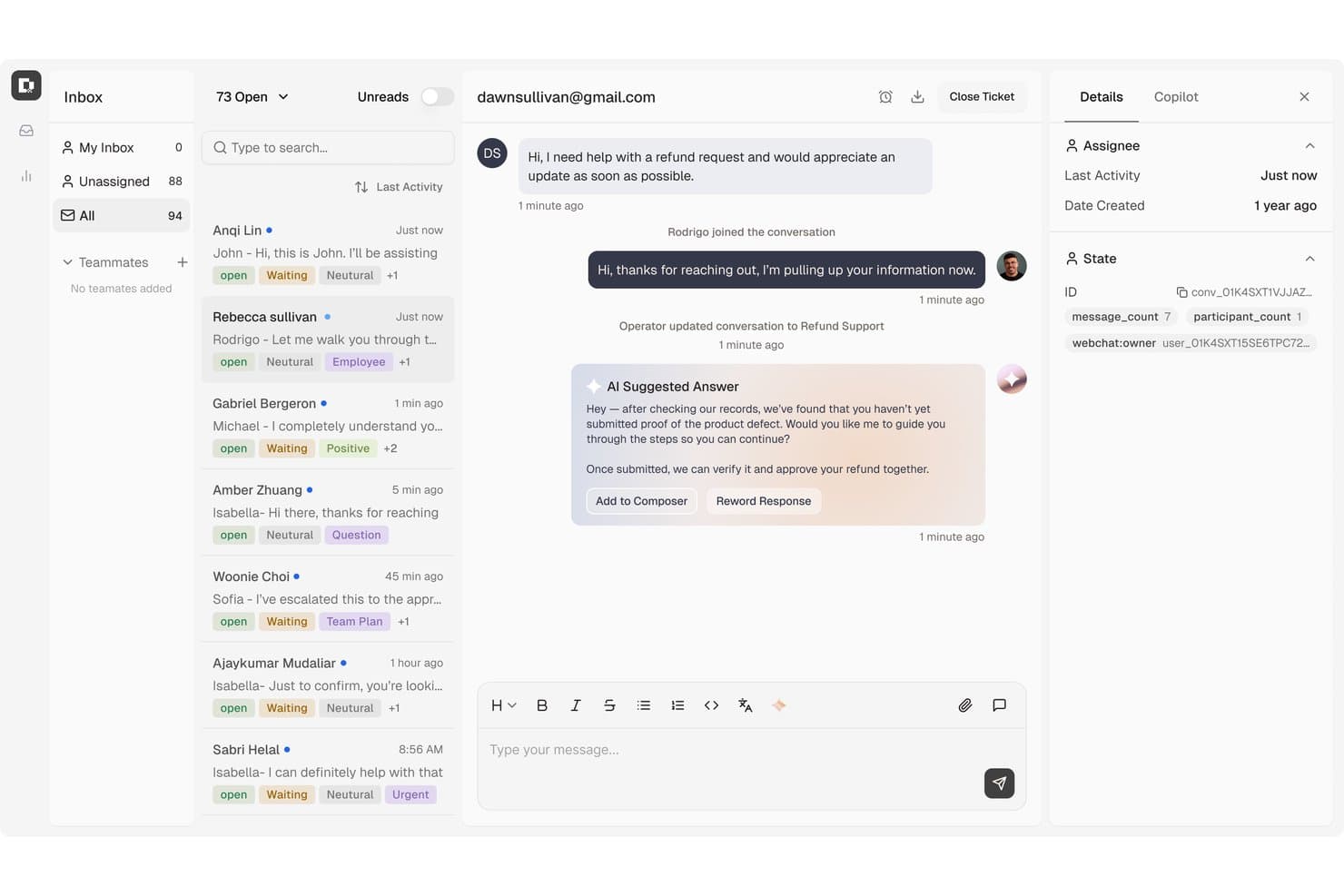
Botpress centralise les tickets d’assistance client avec des réponses suggérées par l’IA. Botpress est une plateforme d’IA conversationnelle destinée aux équipes d’assistance qui souhaitent créer des chatbots destinés aux clients, répondre aux questions courantes et automatiser les flux de travail de service sur les canaux numériques.
À qui Botpress convient-il le mieux ?
Aux équipes chargées des opérations d’assistance qui cherchent à résoudre les tickets clients répétitifs avec des agents d’IA connectés à leurs flux de travail de service.
Pourquoi j’ai choisi Botpress
J’ai choisi Botpress comme solution « Idéale pour la résolution des tickets par une IA native » parce que ses agents peuvent traiter les demandes courantes et exécuter des flux de travail en plusieurs étapes, comme la mise à jour des informations de facturation ou la correction des commandes. Lorsqu’un dossier nécessite l’intervention d’une personne, Botpress lui transmet l’historique de la conversation, les informations du compte ainsi que les étapes de dépannage déjà tentées. Cela m’offre une alternative distincte à Zoho Desk lorsque la résolution des tickets doit commencer par un agent d’IA.
Fonctionnalités clés de Botpress
- Bases de connaissances : Ajoutez des documents d’entreprise et d’autres sources afin d’ancrer les réponses des agents.
- Centre d’intégrations : Connectez Botpress à des outils tels que Zendesk, Intercom et Slack.
- Tableau de bord analytique : Suivez les utilisateurs, les sessions et les messages, puis examinez les conversations et les performances des agents.
- Connexions aux canaux : Déployez des agents sur les canaux pris en charge, notamment Viber.
Intégrations de Botpress
Botpress propose des intégrations officielles avec Zendesk, Intercom, Slack, HubSpot, Salesforce, Freshchat et d’autres outils via son centre d’intégrations. La plateforme prend également en charge Zapier et permet aux développeurs de créer des intégrations personnalisées avec le SDK Botpress.
Pros and Cons
Pros:
- Les agents d’IA peuvent exécuter des flux de travail en plusieurs étapes
- Le contexte est transmis aux personnes lors du transfert
- Le générateur visuel s’accompagne d’un contrôle au niveau du code
Cons:
- Les configurations avancées nécessitent du temps de développement
- Les réponses de l’IA peuvent présenter de manière inexacte les catalogues volumineux
Learn more about Botpress: Idéal pour la gestion intelligente des tickets
- Essai gratuit + forfait gratuit disponible
- À partir de $24.17/mois (facturé annuellement)
Visit WebsiteCustomer Rating:4.7/5
Le tableau de bord de support IA Tidio affiche des analyses sur les conversations, les taux de résolution et la performance des agents. Tidio est une plateforme de support client alimentée par l'IA qui combine chat en direct, automatisation et outils de gestion de tickets pour aider les entreprises à gérer les interactions avec les clients.
Pourquoi Tidio est une bonne alternative à Zoho Desk : Le système intelligent de gestion de tickets de Tidio est conçu pour gérer efficacement les demandes des clients en transformant les discussions en direct, e-mails et messages sur les réseaux sociaux en tickets. Vous pouvez attribuer, prioriser et taguer ces tickets, ce qui facilite la gestion et la résolution des problèmes. Le système vous permet également de mettre en place des filtres et des vues personnalisés, aidant votre équipe à rester organisée et concentrée sur l'essentiel. J’apprécie aussi que Tidio dispose d’un agent support IA, Lyro, qui peut répondre aux demandes courantes sur différents canaux et en plusieurs langues.
Fonctionnalités clés & intégrations :
Fonctionnalités : incluent un constructeur d'automatisation visuelle appelé Flows, qui vous permet de créer des flux de travail personnalisés sans coder. Par exemple, vous pouvez utiliser cet outil pour automatiser les réponses et actions en fonction du comportement du client. Tidio propose également une boîte de réception partagée multicanal, vous permettant de gérer les messages venant du chat en direct, des e-mails et des réseaux sociaux depuis un seul endroit.
Intégrations : incluent Shopify, WordPress, Squarespace, WIX, Adobe Commerce, BigCommerce, WooCommerce, Google Analytics, Mailchimp, HubSpot et Zendesk.
Pros and Cons
Pros:
- Fournit des informations sur la performance de l'équipe et la satisfaction client
- L’IA Lyro traite une grande partie des demandes des clients
- Support multicanal, y compris pour les chats, e-mails et réseaux sociaux
Cons:
- Limitations lors de l’intégration avec certains outils tiers
- De nombreuses fonctionnalités d’automatisation limitées aux forfaits supérieurs
Learn more about Tidio: Idéal pour les entreprises en croissance
- Essai gratuit de 30 jours disponible
- À partir de 24$/utilisateur/mois (facturé annuellement)
Visit WebsiteCustomer Rating:4.7/5
Groove est simple à utiliser, centralise le support et propose des workflows personnalisés. Groove est un logiciel de support client conçu pour les petites et moyennes entreprises qui souhaitent améliorer leurs opérations de service client. Il est utilisé par des équipes cherchant une plateforme facile à utiliser pour gérer les demandes des clients et renforcer leur satisfaction.
Pourquoi Groove est une bonne alternative à Zoho Desk : Groove propose une interface intuitive permettant à votre équipe de démarrer rapidement, sans longue courbe d'apprentissage. Sa boîte de réception partagée garantit que toutes les interactions client sont centralisées, aidant ainsi votre équipe à rester organisée. Grâce à la gestion des tickets personnalisables, votre équipe peut adapter les flux de travail aux besoins spécifiques de l'entreprise. De plus, les outils de reporting de Groove offrent des analyses sur la performance du support client, facilitant la prise de décisions stratégiques.
Fonctionnalités et intégrations remarquables :
Fonctionnalités : base de connaissances pour l'auto-assistance des clients, chat en direct pour un support en temps réel, et enquêtes de satisfaction client pour obtenir des retours précieux. Ces outils permettent de réduire les demandes de support, d'améliorer les interactions et de renforcer la qualité du service.
Intégrations : Slack, Shopify, Mailchimp, Trello, Google Workspace, Microsoft Teams, Salesforce, Zapier, Jira et HubSpot.
Pros and Cons
Pros:
- Organisation efficace des tickets par email
- Base de connaissances intégrée
- Support client réactif
Cons:
- Intégration limitée aux réseaux sociaux
- Problèmes de performance avec une automatisation étendue
 10Idéal pour les intégrations informatiques
HappyFox
- Essai gratuit de 14 jours
- À partir de 24 $/agent/mois (facturé annuellement)
Visit WebsiteCustomer Rating:4.5/5
HappyFox propose des outils de gestion des tickets, d'automatisation, d'auto-assistance et de reporting. HappyFox est un logiciel de centre d'assistance conçu pour les entreprises qui ont besoin d'une gestion efficace des tickets et des opérations de support client. Il est utilisé par les équipes souhaitant rationaliser leurs processus de support informatique et améliorer la qualité du service fourni.
Pourquoi HappyFox est une bonne alternative à Zoho Desk : HappyFox propose un système de gestion des tickets complet qui simplifie le traitement des demandes clients, ce qui en fait un excellent choix pour les équipes informatiques. Ses capacités d'automatisation réduisent la charge de travail en automatisant les tâches répétitives, permettant à votre équipe de se concentrer sur les problèmes complexes. Le portail en libre-service permet aux clients de trouver des solutions de manière autonome, ce qui minimise les demandes de support.
Principales fonctionnalités & intégrations :
Fonctionnalités : base de connaissances pour l'auto-assistance des clients, réduisant la dépendance envers les agents de support. La gestion des SLA permet de prioriser les tickets pour garantir des réponses rapides, tandis qu'un forum communautaire favorise l'engagement en permettant aux utilisateurs de partager leurs connaissances et collaborer sur les solutions.
Intégrations : Slack, Salesforce, Shopify, Microsoft Teams, Google Workspace, Trello, Mailchimp, QuickBooks, Jira et Zapier.
Pros and Cons
Pros:
- Gestion efficace des tickets
- Réduit la charge de travail grâce à l'automatisation
- Permet le libre-service client
Cons:
- Problèmes de performance avec l'automatisation poussée
- Limitations de l'application mobile
Autres alternatives à Zoho Desk
Voici quelques alternatives supplémentaires à Zoho Desk qui ne figurent pas dans ma sélection, mais qui méritent tout de même d’être examinées :
- 11IntercomIdéal pour un service axé sur l’IA
- 12HubSpot Service HubIdéal pour un support tout-en-un
- 13KayakoIdéal pour automatiser les tâches
- 14SysAidIdéal pour la gestion des services informatiques
- 15ZendeskIdéal pour les grandes entreprises
- 16FreshdeskIdéal pour les petites équipes
- 17Salesforce Service CloudIdéal pour un service piloté par l’IA
- 18Help ScoutIdéal pour un support personnalisé
- 19FrontIdéal pour la collaboration en équipe
- 20HiverIdéal pour l'étiquetage par IA
Comment j’évalue les alternatives à Zoho Desk
J’évalue les outils à deux niveaux : les fonctionnalités de base de gestion des tickets et des SLA qu’un centre d’assistance doit posséder, puis les éléments différenciateurs — comme l’assistance par IA et l’aide à la migration — qui permettent de distinguer la solution la mieux adaptée des autres.
Fonctionnalités essentielles (critères indispensables pour cette liste)
Lorsque je sélectionne les outils pour ma liste, j’attribue à chacun une note sur une échelle de 0 (la fonctionnalité n’est pas proposée) à 5 (l’outil excelle dans ce domaine) pour chaque fonctionnalité essentielle répertoriée ci-dessous. Je convertis ensuite le score total de l’outil en pourcentage. Chaque outil doit obtenir un score total minimum de 75 % pour être pris en compte.
- Gestion des tickets : J’examine la manière dont chaque outil gère les files d’attente de tickets, les champs personnalisés et la détection des collisions — notamment la fusion des demandes en double ou la division d’un ticket lorsqu’un client soulève deux problèmes distincts.
- Assistance omnicanale : Chaque plateforme doit réunir les e-mails, le chat, le téléphone, les réseaux sociaux et la messagerie dans un espace de travail unique pour les agents, afin que les représentants n’aient pas à jongler entre plusieurs onglets pour reconstituer l’historique d’un client.
- Base de connaissances et libre-service : Un bon centre d’aide permet de réduire le nombre de tickets avant même leur création. Je vérifie si la base de connaissances prend en charge les catégories, la recherche et les portails accessibles au public que les clients souhaitent réellement utiliser.
- Automatisation des flux de travail : Je me concentre sur les règles d’acheminement, les déclencheurs d’escalade et les réponses prédéfinies. Par exemple, l’attribution automatique des tickets de facturation à une file d’attente spécialisée ou l’escalade des SLA dépassés vers un responsable d’équipe.
- SLA et rapports : J’évalue la possibilité de configurer des politiques de SLA par priorité ou par canal, et de générer des rapports sur le délai de résolution, la charge de travail des agents et les tendances de satisfaction client sans avoir besoin d’un outil d’analyse distinct.
- Intégrations tierces : L’outil doit pouvoir se connecter aux CRM, aux plateformes de commerce électronique et aux applications de communication déjà utilisées par votre équipe, que ce soit via une marketplace native ou une API ouverte.
Une fois que j’ai établi une liste d’outils répondant à ces critères, j’examine ce qui distingue chaque plateforme.
Facteurs différenciateurs (ce qui distingue les fournisseurs)
Voici comment je compare les différents fournisseurs :
Fonctionnalités remarquables
La rédaction et la synthèse des réponses par l’IA constituent un facteur de différenciation majeur : elles aident les agents à gérer d’importants volumes sans sacrifier la qualité de chaque réponse. Je recherche également un panneau de contexte client qui affiche les données du CRM et l’historique des interactions à côté du ticket actif, afin que les représentants n’aient pas à demander aux clients de répéter les mêmes informations. Les enquêtes CSAT et NPS intégrées et directement associées aux tickets offrent aux responsables une boucle de rétroaction qui ne nécessite pas d’outil distinct.
Au-delà des fonctionnalités
L’aide à la migration est très importante lorsque vous quittez Zoho Desk. Je vérifie si une plateforme propose des assistants d’importation ou une assistance dédiée à la migration pour transférer les tickets, les contacts et les articles de la base de connaissances. La transparence des tarifs est un autre facteur que j’évalue attentivement : certains fournisseurs dissimulent les coûts des fonctionnalités d’IA ou des canaux supplémentaires derrière des niveaux d’abonnement plus élevés. Pour les équipes des secteurs réglementés comme la santé ou la finance, j’examine également les certifications de conformité telles que SOC 2 Type II et HIPAA, ainsi que les options de résidence des données et les contrôles d’accès fondés sur les rôles.
Pourquoi rechercher une alternative à Zoho Desk ?
Bien que Zoho Desk soit un bon choix de logiciel de service client, plusieurs raisons peuvent inciter certains utilisateurs à rechercher d’autres solutions. Vous cherchez peut-être une alternative à Zoho Desk en raison de…
- Options d’intégration limitées avec d’autres outils
- Configuration complexe pour les petites équipes
- Absence de fonctionnalités avancées de création de rapports
- Restrictions en matière de personnalisation pour les flux de travail spécifiques
- Support limité dans certaines régions du monde
Si certains de ces points vous correspondent, vous êtes au bon endroit. Ma liste contient plusieurs solutions logicielles de service client mieux adaptées aux équipes confrontées à ces difficultés avec Zoho Desk et à la recherche de solutions alternatives.
Fonctionnalités clés de Zoho Desk
Voici quelques-unes des principales fonctionnalités de Zoho Desk, afin de vous aider à comparer les possibilités offertes par les solutions alternatives :
- Assistance omnicanale : rationalise les interactions avec les clients sur plusieurs plateformes, notamment les réseaux sociaux et le chat en direct, afin que votre équipe puisse échanger avec les clients où qu’ils se trouvent.
- Intégration de l’IA : Zia, l’assistant IA, fournit une assistance contextuelle, ajoute automatiquement des balises aux tickets, effectue une analyse des sentiments et propose une IA générative pour personnaliser les réponses, aidant ainsi votre équipe à gérer efficacement les demandes.
- Options en libre-service : les clients peuvent accéder à des conversations guidées et à une base de connaissances pour obtenir rapidement des réponses, ce qui réduit la charge de travail de votre équipe.
- Outils de productivité pour les agents : des fonctionnalités telles que les modes de travail, l’efficacité des réponses et la mobilité améliorent la collaboration et la gestion des tickets, permettant à votre équipe de travailler plus efficacement.
- Automatisation : automatise les tâches répétitives, l’attribution des tickets et les notifications afin d’améliorer l’efficacité, permettant à votre équipe de se concentrer sur les problèmes complexes.
- Extensibilité : s’intègre à d’autres logiciels et permet de créer des fonctions et des modules personnalisés, afin d’adapter le service d’assistance aux besoins spécifiques de votre entreprise.
- Informations et analyses : fournit des rapports et des tableaux de bord pour surveiller les performances et suivre le temps, donnant à votre équipe des informations précieuses pour améliorer le service.
- Personnalisation : offre de nombreuses options pour l’image de marque, les modèles et les mises en page afin de répondre aux besoins de votre organisation.
- Sécurité : assure la protection des données grâce à un accès basé sur les rôles, à la conformité au RGPD et aux journaux d’audit, afin que votre équipe puisse traiter les données des clients en toute sécurité.