

10 alternative a WalkMe selezionate per il 2026

Elenco alternative a WalkMe


Una valida alternativa a WalkMe offre al tuo team onboarding flessibile, assistenza all’interno dell’app e automazione dei processi senza vincolarti a un unico approccio. Se stai cercando alternative a WalkMe, probabilmente stai valutando i costi e le esigenze di integrazione oppure cerchi funzionalità più adatte ai flussi di lavoro del tuo prodotto o dei tuoi dipendenti.
La piattaforma di adozione digitale (DAP) giusta può aiutarti a offrire esperienze utente coerenti, supportare la gestione del cambiamento e favorire l’adozione, senza la complessità o le limitazioni che potresti aver riscontrato con WalkMe. In questo elenco troverai diverse opzioni pensate per aziende di dimensioni diverse, requisiti tecnici differenti e vari casi d’uso, così potrai scegliere con sicurezza quella più adatta ai tuoi obiettivi di esperienza del cliente.
Che cos’è WalkMe?
WalkMe è una piattaforma di adozione digitale che aiuta le organizzazioni a guidare gli utenti nell’utilizzo dei software, automatizzare le attività e migliorare l’onboarding con procedure guidate e suggerimenti all’interno dell’app. I team utilizzano WalkMe per semplificare i processi complessi, ridurre le richieste di assistenza e aumentare l’adozione degli utenti nelle applicazioni web.
Le sue funzionalità includono l’automazione dei flussi di lavoro, l’analisi dei dati e un’assistenza personalizzabile, caratteristiche che lo rendono una scelta popolare per le aziende che desiderano migliorare l’esperienza dei dipendenti o dei clienti con gli strumenti digitali.
Tabella comparativa delle alternative a WalkMe
Questa tabella comparativa riassume i dettagli sui prezzi delle migliori alternative a WalkMe che ho selezionato:
| Tool | Best For | Trial Info | Price | ||
|---|---|---|---|---|---|
| 1 | Ideale per il monitoraggio della conformità ai flussi di lavoro | Demo gratuita disponibile | Da $9500/app | Website | |
| 2 | Ideale per automazione dei processi a livello enterprise | Demo gratuita disponibile | Prezzo su richiesta | Website | |
| 3 | Ideale per il supporto all’integrazione con Salesforce | Demo gratuita disponibile | Prezzo su richiesta | Website | |
| 4 | Ideale per l’onboarding rapido dei dipendenti | Demo gratuita disponibile | Prezzi su richiesta | Website | |
| 5 | Ideale per l'analisi di prodotto in-app | Prova gratuita di 30 giorni + piano gratuito + demo gratuita disponibile | Prezzo su richiesta | Website | |
| 6 | Ideale per la raccolta del feedback dei clienti | Prova gratuita + demo gratuita disponibili | Prezzo su richiesta | Website | |
| 7 | Ideale per l’adozione di funzionalità senza codice | Prova gratuita di 14 giorni | Da $299/mese (fatturato annualmente) | Website | |
| 8 | Ideale per la guida alle applicazioni Oracle | Prova gratuita di 90 giorni disponibile | Prezzo su richiesta | Website | |
| 9 | Ideale per la creazione automatica di contenuti formativi | Demo gratuita disponibile | Prezzo su richiesta | Website | |
| 10 | Ideale per la guida utente basata sull’IA | Demo gratuita disponibile | Prezzi su richiesta | Website |
Perché fidarsi dei nostri consigli sui software
Il nostro team testa e recensisce software dal 2012. In quanto leader CX noi stessi, sappiamo quanto sia difficile — e importante — scegliere il software giusto.
Per questa guida, abbiamo valutato gli strumenti attraverso test pratici e ricerche indipendenti, assegnando un punteggio agli strumenti in base ai nostri criteri di selezione.
Le nostre recensioni riflettono il nostro giudizio editoriale umano, non un discorso di vendita.
Recensioni delle alternative a WalkMe
Di seguito trovi le mie analisi dettagliate delle alternative a WalkMe incluse nel mio elenco. Le mie recensioni offrono uno sguardo approfondito sulle funzionalità, sui casi d’uso migliori e sulle integrazioni di ciascuna piattaforma, per aiutarti a trovare quella più adatta a te.
Apty
Ideale per il monitoraggio della conformità ai flussi di lavoro
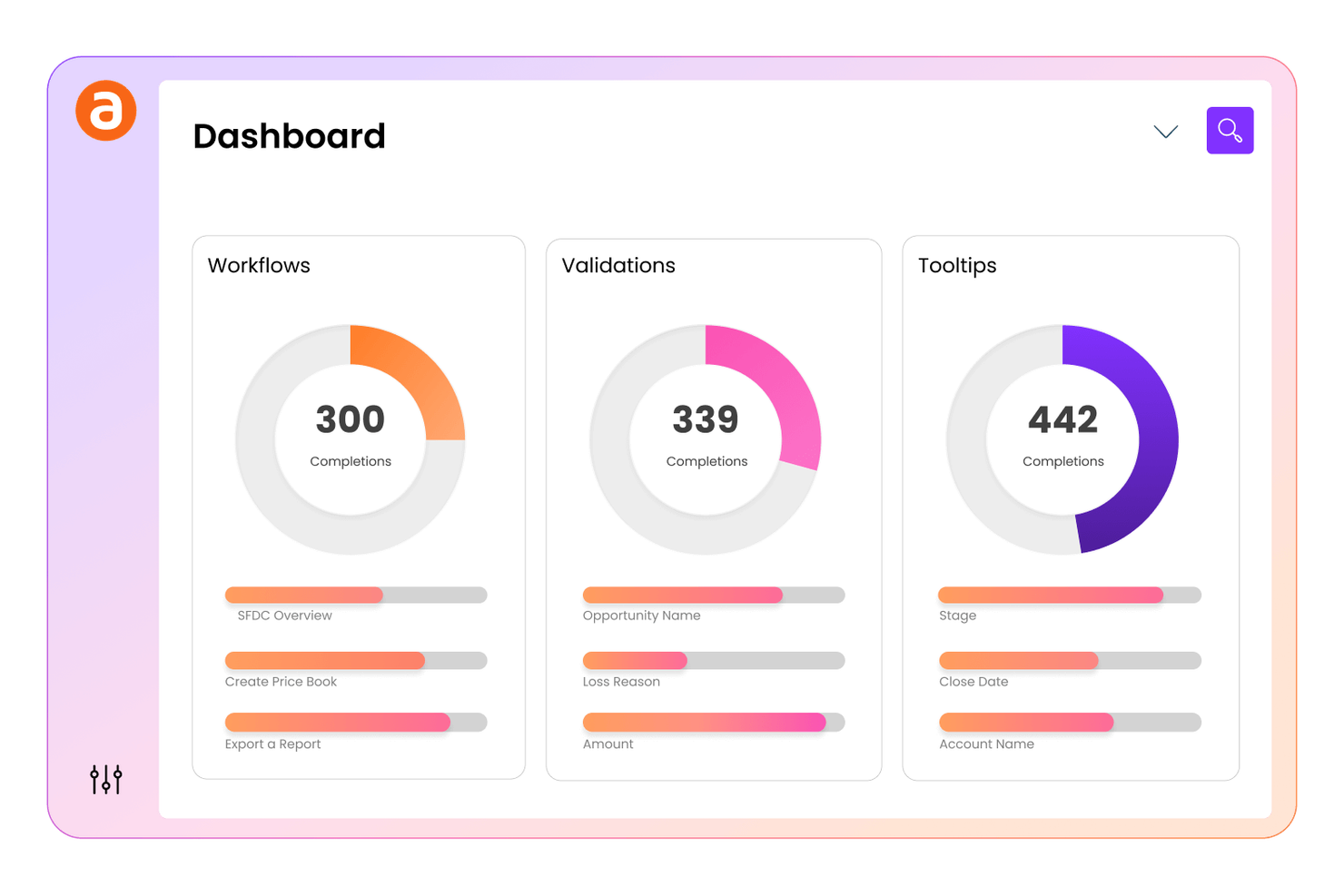
Apty offre il monitoraggio della conformità ai flussi di lavoro integrato nella sua piattaforma di adozione digitale, ideale per i team che devono garantire il rispetto dei processi e delle politiche critiche da parte dei dipendenti. È particolarmente utile per i responsabili delle operazioni, della conformità e dell'IT in settori regolamentati che necessitano di monitorare e far rispettare il corretto utilizzo del software. Apty si distingue consentendo di impostare checkpoint di conformità e tracciare le azioni degli utenti, facilitando l'identificazione e la risoluzione delle lacune nell'adesione ai processi.
Perché Apty è una valida alternativa a WalkMe
A differenza di molte piattaforme di adozione digitale, Apty è progettata per aiutarti a tracciare e far rispettare la conformità dei flussi di lavoro in tutta l'organizzazione. Ho scelto Apty perché consente di impostare checkpoint di conformità all'interno del software, così puoi monitorare se gli utenti seguono i passaggi e i processi richiesti.
La piattaforma offre anche analisi dettagliate sulle azioni degli utenti, facilitando l'individuazione dei punti in cui esistono carenze di conformità. Questo focus sulla conformità dei flussi di lavoro rende Apty una scelta ideale per i team di settori regolamentati o con requisiti di processo stringenti.
Funzionalità principali di Apty
Oltre al monitoraggio della conformità ai flussi di lavoro, Apty offre diverse altre funzionalità che favoriscono l'adozione digitale e il coinvolgimento degli utenti:
- Creazione di guide in-app: Crea walkthrough e tooltip passo-passo direttamente all'interno delle applicazioni aziendali.
- Segmentazione dei contenuti: Destina i contenuti di onboarding e formazione a gruppi di utenti o ruoli specifici.
- Strumenti per la raccolta di feedback: Raccogli feedback dagli utenti tramite sondaggi e prompt in-app.
- Monitoraggio automatico delle attività: Monitora i progressi degli utenti sulle attività assegnate e segnala le azioni incomplete.
Integrazioni di Apty
Le integrazioni includono Salesforce, Workday, Oracle, Infor, Coupa, ServiceNow, Microsoft Dynamics, SAP SuccessFactors, NetSuite e Jira.
Pros and Cons
Pros:
- Offre il monitoraggio della conformità ai flussi di lavoro
- Fornisce analisi in-app per approfondimenti
- Collega le metriche di adozione agli indicatori di performance aziendali (KPI)
Cons:
- L'editor visuale non permette un controllo avanzato del CSS
- Il targeting è limitato alle applicazioni web

Whatfix
Ideale per automazione dei processi a livello enterprise
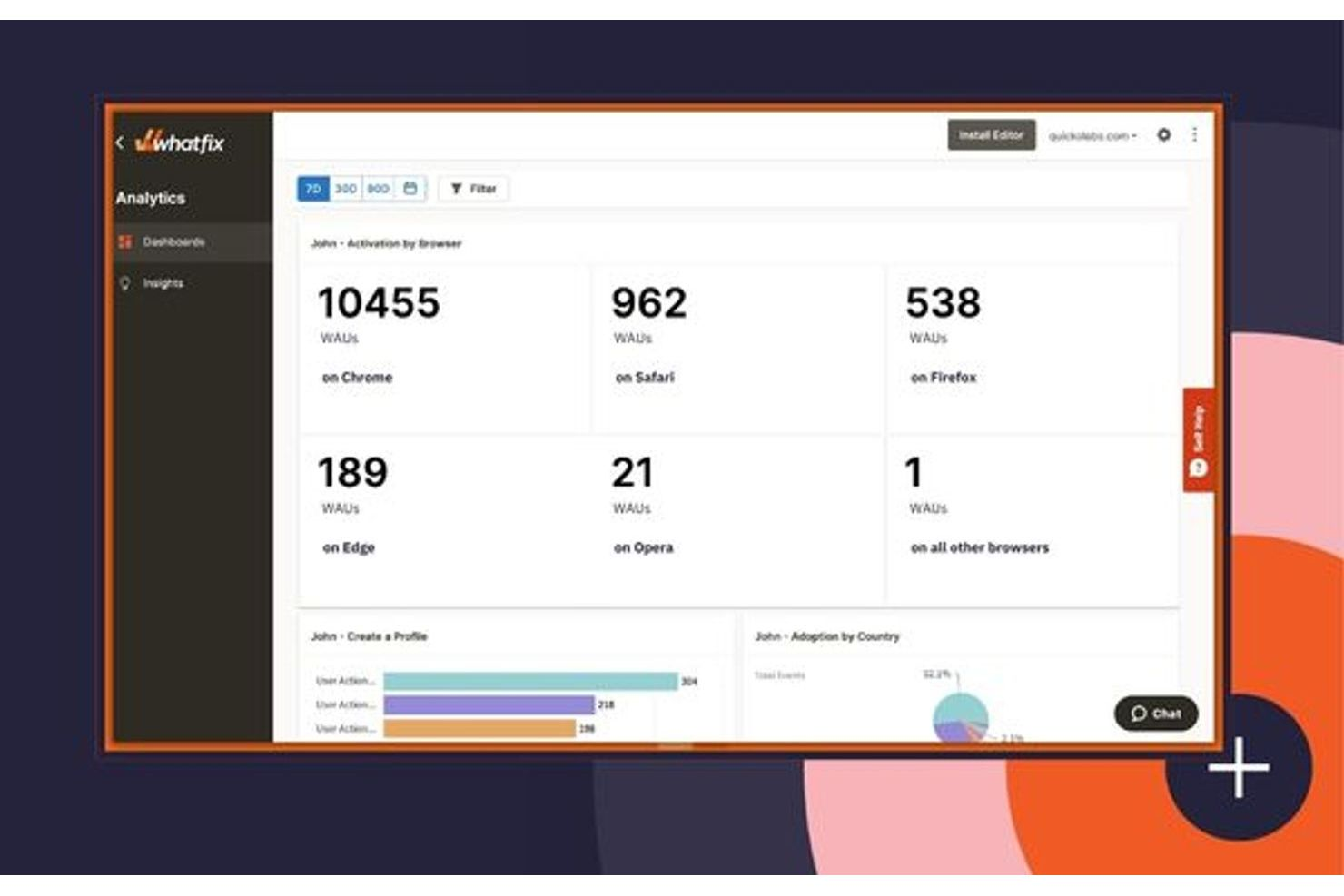
Whatfix è una piattaforma di adozione digitale progettata per organizzazioni che necessitano di automazione avanzata dei processi e di guida personalizzata per gli utenti su larga scala. È particolarmente indicata per le grandi aziende che gestiscono flussi di lavoro complessi su molteplici sistemi aziendali. I team che desiderano automatizzare compiti ripetitivi e offrire esperienze in-app su misura troveranno Whatfix particolarmente utile rispetto a strumenti di onboarding più semplici.
Perché Whatfix è una valida alternativa a WalkMe
Per i team concentrati sull'automazione di processi aziendali complessi, Whatfix si distingue per le sue capacità di automazione a livello enterprise. Ho scelto Whatfix perché consente di creare flussi di lavoro dinamici che guidano gli utenti attraverso attività multi-step, riducendo lo sforzo manuale e gli errori.
I suoi strumenti avanzati di segmentazione permettono di offrire indicazioni personalizzate in base a ruoli o comportamenti degli utenti. La piattaforma supporta anche analisi dei processi in tempo reale, così puoi monitorare l'adozione e ottimizzare i flussi di lavoro man mano che le esigenze evolvono.
Caratteristiche principali di Whatfix
Altre funzionalità di Whatfix possono aiutarti a gestire e offrire l'adozione digitale su larga scala:
- Creazione di contenuti in più formati: Crea guide passo-passo, video tutorial e PDF da un unico flusso di lavoro per supportare diverse preferenze di apprendimento.
- Knowledge base self-service: Integra widget di aiuto contestuale direttamente nelle tue applicazioni così che gli utenti possano trovare risposte senza uscire dal proprio flusso di lavoro.
- Integrazione SCORM e LMS: Collega Whatfix al tuo sistema di gestione dell'apprendimento per monitorare il completamento della formazione e la conformità.
- Supporto per la localizzazione: Fornisci guida in-app in più lingue per supportare team globali e una base utenti diversificata.
Integrazioni Whatfix
Le integrazioni includono Amplitude, Bullhorn, Confluence, FullStory, Google Analytics, Microsoft Azure, Oracle, Salesforce, ServiceNow e altre ancora.
Pros and Cons
Pros:
- Offre creazione di contenuti in più formati da un unico flusso di lavoro
- Genera walkthrough da prompt testuali
- Traduce automaticamente i contenuti in oltre 70 lingue
Cons:
- Prezzo poco chiaro fino alle ultime fasi di vendita
- Richiede 2-4 mesi per l'implementazione

Spekit
Ideale per il supporto all’integrazione con Salesforce
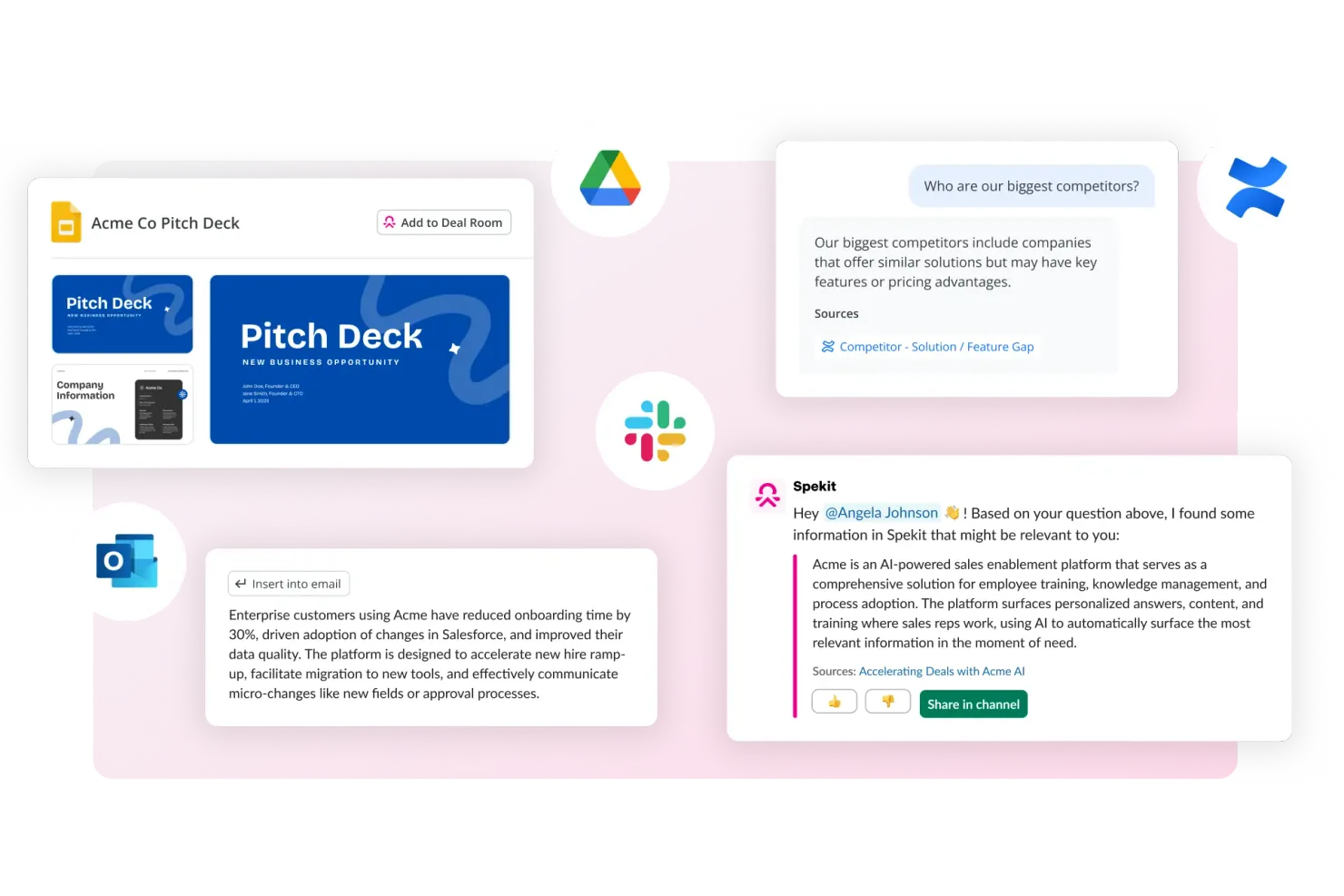
Spekit è pensato per team incentrati su Salesforce che necessitano di formazione e supporto all’interno dell’applicazione, offrendo un’integrazione profonda con Salesforce e altri strumenti web. È progettato per professionisti delle vendite, del supporto e delle operazioni che desiderano fornire conoscenza just-in-time direttamente nei propri flussi di lavoro. Spekit si distingue da WalkMe e piattaforme simili offrendo guide contestuali e concise esattamente dove gli utenti lavorano, senza interrompere la loro esperienza.
Perché Spekit è una buona alternativa a WalkMe
Per i team che fanno grande affidamento su Salesforce, Spekit offre un livello di integrazione e supporto contestuale difficilmente eguagliabile. Ho scelto Spekit perché integra formazione, documentazione dei processi e conoscenza direttamente nei campi, oggetti e flussi di lavoro di Salesforce, così gli utenti ricevono indicazioni proprio dove servono.
La piattaforma permette inoltre di aggiornare e distribuire nuovi contenuti in tempo reale, caratteristica preziosa in ambienti di vendita e supporto soggetti a rapidi cambiamenti. Questo approccio mirato e in-app rende Spekit una valida alternativa a WalkMe per le organizzazioni che danno priorità all’adozione di Salesforce.
Funzionalità principali di Spekit
Altre funzionalità che rendono Spekit utile per l’adozione digitale includono:
- Estensione Chrome: Accedi e crea contenuti Spekit direttamente dal browser.
- Cruscotto di analisi: Monitora il coinvolgimento degli utenti e l’utilizzo dei contenuti in tutta l’organizzazione.
- Verifiche di conoscenza: Aggiungi quiz e controlli di conoscenza per rafforzare l’apprendimento nei flussi di lavoro.
- Integrazione con Slack: Condividi e mostra i contenuti Spekit direttamente nelle conversazioni Slack.
Integrazioni Spekit
Le integrazioni includono Salesforce, Gmail, Outlook, Slack, Gong, Chorus, Salesloft, Outreach, SharePoint e altri.
Pros and Cons
Pros:
- Integrazione profonda con Salesforce
- Unifica abilitazione alle vendite e formazione
- Consiglia contenuti in base alle trattative in corso
Cons:
- Mancanza di funzionalità di gamification come i badge
- Analisi basilari per il monitoraggio del comportamento utente

Userlane
Ideale per l’onboarding rapido dei dipendenti
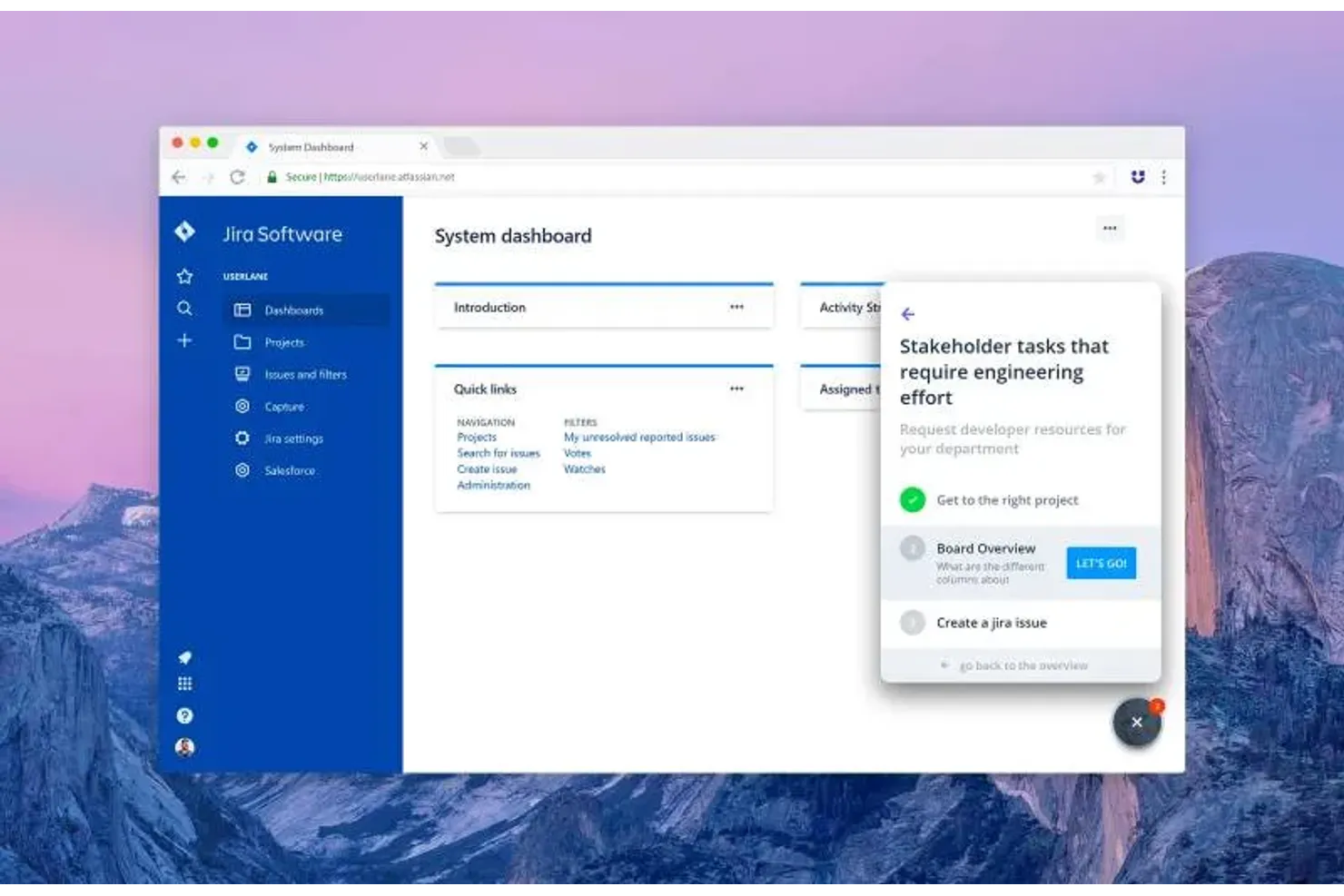
Userlane è progettato per i team che devono inserire rapidamente i dipendenti su diversi strumenti software, offrendo una guida interattiva, passo dopo passo, che supporta un'adozione rapida. È adatto a responsabili HR, IT e operations che desiderano migliorare la formazione dei dipendenti riducendo al contempo i ticket di supporto durante l'implementazione di nuovi software. La piattaforma si differenzia da altre soluzioni di adozione digitale grazie a walkthrough in tempo reale direttamente nell'applicazione, che aiutano i nuovi utenti a prendere confidenza senza interrompere il flusso di lavoro.
Perché Userlane è una buona alternativa a WalkMe
Se hai bisogno di far partire velocemente i dipendenti su un nuovo software, Userlane è costruito per un onboarding rapido. Ho scelto Userlane perché permette di creare guide interattive, direttamente in-app, che accompagnano gli utenti passo dopo passo nei processi proprio quando necessitano di aiuto.
La piattaforma include anche un assistente in tempo reale che risponde alle domande e fornisce supporto agli utenti finali direttamente all’interno dell’applicazione. Questo focus sulla guida immediata e contestuale rende Userlane una scelta solida per i team che implementano nuovi strumenti o processi
Funzionalità principali di Userlane
Altre caratteristiche di Userlane possono aiutare il tuo team a migliorare l’adozione dei software e individuare le lacune d’uso nelle tue applicazioni:
- Scoperta delle applicazioni: Visualizza quali strumenti SaaS vengono effettivamente utilizzati dai tuoi dipendenti, così puoi individuare licenze inutilizzate, strumenti sovrapposti e shadow IT.
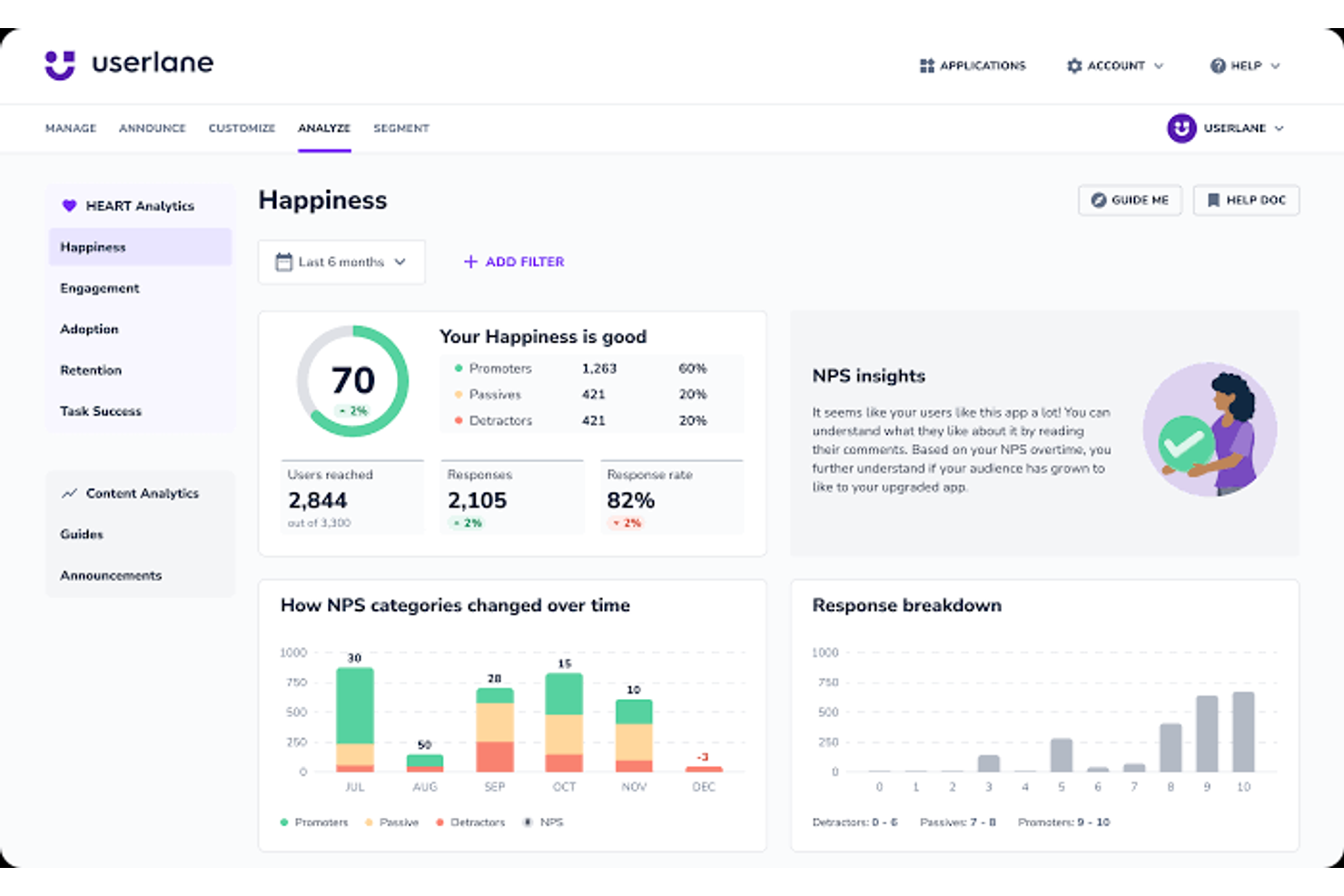
- HEART Analytics: Monitora la soddisfazione, il coinvolgimento, l’adozione, la fidelizzazione e il successo dei task per capire dove gli utenti riscontrano difficoltà.
- Annunci: Condividi aggiornamenti direttamente nell’app affinché gli utenti visualizzino i messaggi importanti durante il lavoro.
- Sondaggi e NPS: Raccogli feedback all’interno dell’applicazione e consulta i dati sul sentiment per misurare il livello di soddisfazione rispetto all’esperienza software.
Integrazioni Userlane
Le integrazioni includono SharePoint, Confluence, KnowledgeOwl e altre.
Pros and Cons
Pros:
- Supporta l’installazione completa su server in sede
- Automatizza la selezione degli elementi guida tramite Heartbeat
- Dispone di un assistente virtuale dedicato
Cons:
- Offre meno opzioni di personalizzazione visiva
- Non dispone di analitiche predittive avanzate sul comportamento

Pendo
Ideale per l'analisi di prodotto in-app
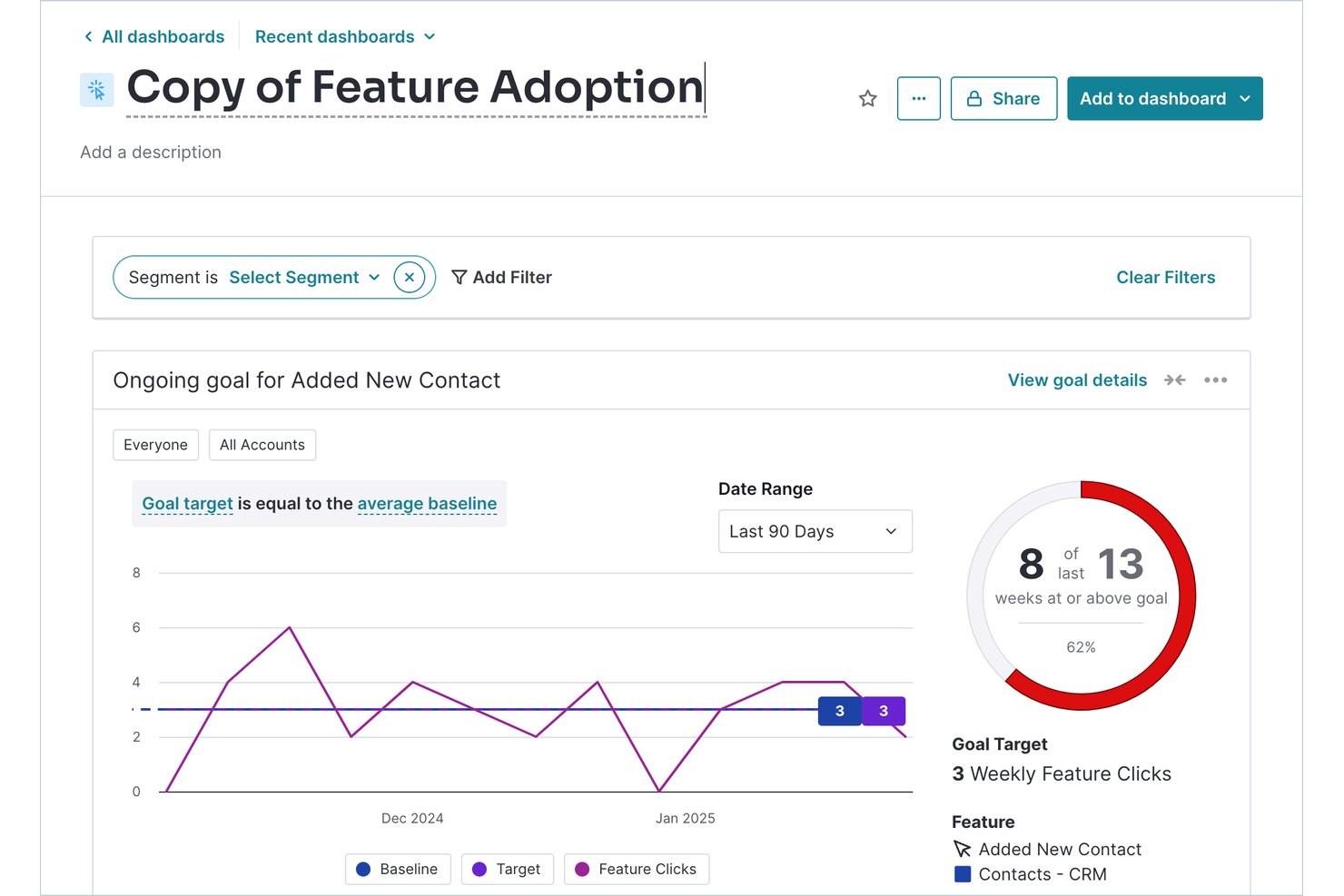
Pendo offre analisi di prodotto in-app per team che necessitano di una comprensione approfondita di come gli utenti interagiscono con il loro software. È particolarmente utile per aziende SaaS e team digitali che desiderano combinare feedback degli utenti, tracciamento dell'adozione delle funzionalità e guide in-app in un'unica piattaforma. Pendo si distingue offrendo analisi dettagliate insieme a strumenti che promuovono l'engagement, l'onboarding e l'adozione del prodotto.
Perché Pendo è una buona alternativa a WalkMe
A differenza di molte piattaforme di adozione digitale, Pendo mette le analisi di prodotto in-app al centro della propria offerta. Ho scelto Pendo perché ti permette di tracciare l'utilizzo delle funzionalità, i flussi utente e i punti di abbandono direttamente all'interno della tua applicazione, offrendoti una visione chiara di come i clienti interagiscono con il tuo prodotto.
Puoi anche raccogliere feedback degli utenti tramite sondaggi in-app e combinare quei dati con le analisi comportamentali per avere una visione più completa. Questo approccio ti aiuta a prendere decisioni basate sui dati riguardo onboarding, adozione delle funzionalità e engagement degli utenti.
Funzionalità principali di Pendo
Altre funzionalità di Pendo possono aiutarti a offrire esperienze in-app mirate e migliorare la scalabilità dell'adozione digitale:
- Builder di guide senza codice: crea walkthrough, tooltip e annunci in-app senza bisogno di risorse di sviluppo.
- Resource Center: aggiungi un hub di assistenza in-app sempre disponibile affinché gli utenti possano accedere a guide, supporto e documentazione in qualsiasi momento.
- Supporto per app mobili: distribuisci analisi e messaggi in-app sia su applicazioni web che mobili.
- Strumenti di segmentazione: invia messaggi e guide mirati a specifici gruppi di utenti in base a comportamenti o attributi.
Integrazioni di Pendo
Le integrazioni includono Salesforce, HubSpot, Jira, Segment, Slack, Zendesk, Intercom, Gong e altro ancora.
Pros and Cons
Pros:
- Mantiene le analisi utente per 7 anni
- Traccia gli eventi utente retroattivamente senza tagging
- Combina sondaggi di feedback con dati di utilizzo
Cons:
- Ritardi nei report fino a 24 ore
- Limite rigido a 500 utenti mensili


Gainsight PX è progettato per i team che cercano una piattaforma di digital adoption che dia priorità al feedback dei clienti. È pensata per i team di prodotto e i responsabili dell'esperienza cliente che desiderano raccogliere, analizzare e agire sulle intuizioni degli utenti direttamente all'interno del loro prodotto. Gainsight PX si distingue da WalkMe grazie alle sue funzionalità di survey e feedback in-app, aiutando i team a comprendere il sentiment degli utenti e a guidare i miglioramenti del prodotto.
Perché Gainsight PX è una valida alternativa a WalkMe
Gainsight PX è ideale per i team che desiderano mettere al centro della propria strategia di digital adoption la raccolta del feedback dei clienti. Ho scelto Gainsight PX perché offre survey in-app, monitoraggio NPS e widget di feedback che consentono di raccogliere intuizioni attuabili dagli utenti mentre interagiscono con il tuo prodotto. Queste funzionalità aiutano a identificare punti critici e opportunità di miglioramento direttamente dalla tua base utenti. Con Gainsight PX, puoi perfezionare continuamente l'esperienza del prodotto basandoti sul vero sentiment degli utenti, un aspetto che WalkMe non approfondisce quanto Gainsight PX.
Caratteristiche principali di Gainsight PX
Altre funzionalità che rendono Gainsight PX prezioso per i team di digital adoption includono:
- Analytics di prodotto: Monitora il comportamento degli utenti e l’adozione delle funzionalità nella tua applicazione.
- Guide in-app: Crea e lancia walkthrough dettagliati per accompagnare e formare gli utenti.
- Segmentazione dell’audience: Raggiungi gruppi specifici di utenti con messaggi ed esperienze personalizzate.
- Monitoraggio eventi: Tieni traccia di eventi personalizzati per capire come gli utenti interagiscono con i principali workflow.
Integrazioni Gainsight PX
Le integrazioni includono Salesforce, Slack, Zendesk, HubSpot e altri.
Pros and Cons
Pros:
- Attribuisce un punteggio alla salute del cliente in base all’utilizzo
- Automatizza l’invio di email in base al comportamento
- Mappa i percorsi utente su più prodotti
Cons:
- Nessuna identificazione per elementi UI non taggati
- Accesso limitato all’assistenza live 24/7 del fornitore

Userpilot è pensato per i team di prodotto e le aziende SaaS che vogliono favorire l’adozione delle funzionalità senza scrivere codice. È particolarmente utile per product manager e professionisti dell’UX che devono lanciare flussi di onboarding, tooltip e annunci delle nuove funzionalità direttamente da un editor visuale. Userpilot si distingue perché permette ai team di creare e distribuire guide interattive e checklist senza dipendere dalle risorse degli sviluppatori, facilitando una risposta rapida alle esigenze degli utenti.
Perché Userpilot è una valida alternativa a WalkMe
Per i team che vogliono incrementare l’adozione delle funzionalità senza affidarsi agli sviluppatori, Userpilot offre una soluzione davvero no-code. Ho scelto Userpilot perché ti permette di costruire e lanciare flussi di onboarding, tooltip e annunci delle nuove funzionalità direttamente da un editor visuale.
Puoi anche configurare checklist interattive e sondaggi in-app per guidare gli utenti nelle nuove funzionalità e raccogliere feedback. Questo rende Userpilot una scelta ideale per i product manager che devono agire rapidamente e aggiornare l’esperienza di onboarding in tempo reale.
Funzionalità principali di Userpilot
Altre caratteristiche che rendono Userpilot utile per i team di adozione digitale includono:
- Targeting del pubblico: Consegna esperienze di onboarding e messaggi a segmenti utente specifici in base a comportamenti o attributi.
- Test A/B: Sperimenta differenti flussi in-app e varianti di contenuto per capire cosa stimola maggiormente il coinvolgimento.
- Widget centro risorse: Aggiungi un centro di assistenza personalizzabile in-app con link, video e documentazione.
- Analisi basata su eventi: Monitora le azioni degli utenti e misura l’impatto di campagne di onboarding e adozione delle funzionalità.
Integrazioni Userpilot
Le integrazioni includono Salesforce, HubSpot, Segment, Google Analytics, Zendesk, Slack, Amplitude, Mixpanel, Intercom e altri.
Pros and Cons
Pros:
- Permette il tracciamento delle funzionalità UI con un clic
- Include dashboard NPS e CSAT integrate
- Consente test A/B sui flussi di onboarding
Cons:
- Supporta solo applicazioni web rivolte ai clienti
- Nessuna opzione gratuita per startup agli esordi

Ideale per la guida alle applicazioni Oracle
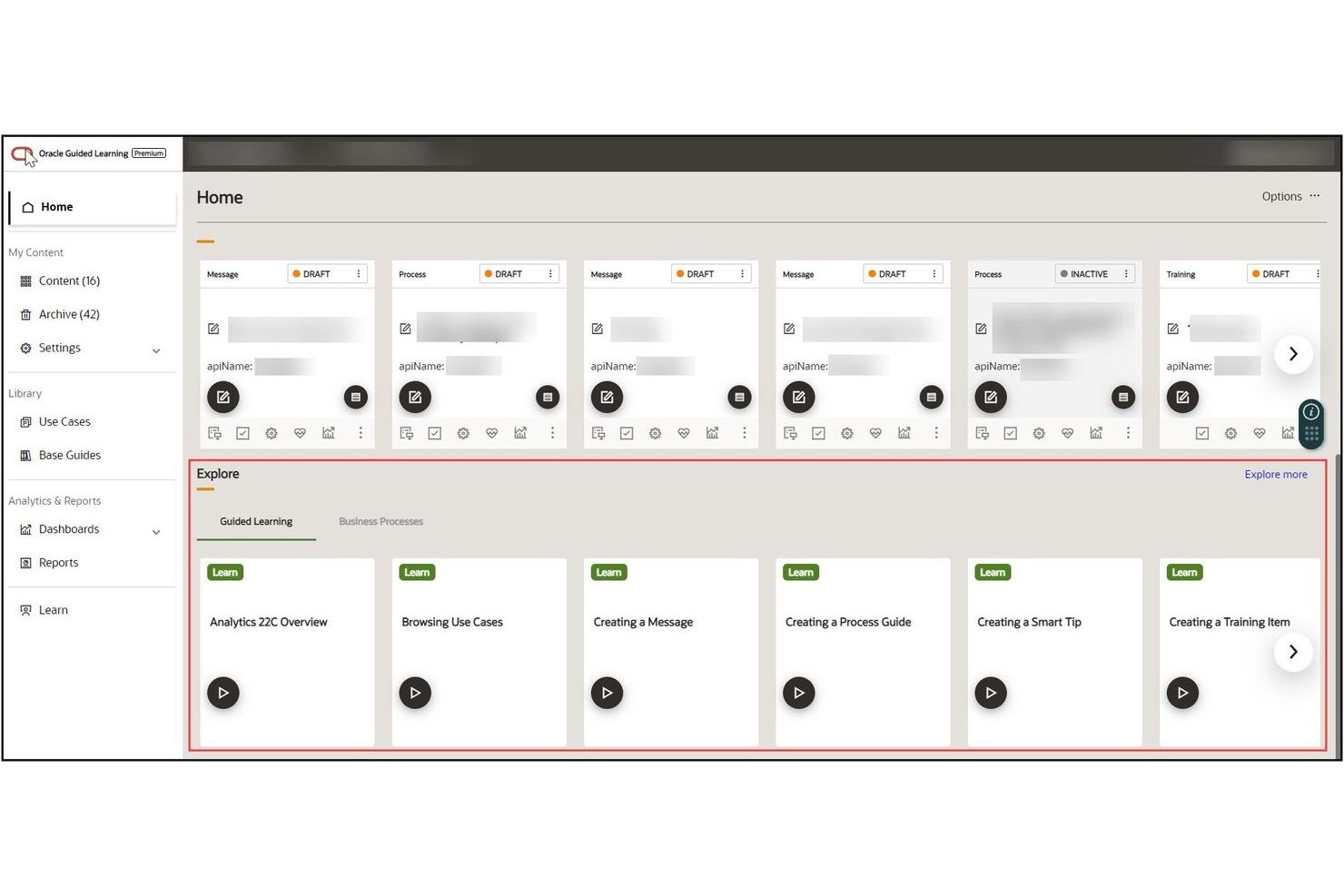
Oracle Guided Learning offre una guida integrata nell'applicazione, progettata specificamente per le organizzazioni che utilizzano applicazioni Oracle Cloud. È pensato per leader IT, team HR e professionisti delle operazioni che hanno bisogno di formare nuovi utenti e favorire l'adozione su flussi di lavoro Oracle complessi. La piattaforma si distingue per la profonda integrazione con i prodotti Oracle, consentendo di fornire assistenza contestuale e aggiornamenti sui processi direttamente all'interno dell'interfaccia Oracle.
Perché Oracle Guided Learning è una valida alternativa a WalkMe
Se la tua azienda si basa su applicazioni Oracle Cloud, Oracle Guided Learning è realizzato appositamente per offrire una guida integrata che si adatta pienamente all'interfaccia e ai flussi di lavoro Oracle in continua evoluzione. Ho scelto questo strumento perché offre walkthrough contestuali e aggiornamenti sui processi che appaiono direttamente all'interno dei prodotti Oracle, così gli utenti ricevono sempre l'assistenza più rilevante in tempo reale.
La piattaforma consente inoltre di gestire e aggiornare i contenuti delle guide da un'unica posizione centrale, caratteristica particolarmente utile per le organizzazioni che modificano frequentemente i processi. Questo livello di integrazione specifica per Oracle non può essere raggiunto dalla maggior parte delle piattaforme di adozione digitale generiche, incluso WalkMe.
Funzionalità principali di Oracle Guided Learning
Altre funzionalità che rendono Oracle Guided Learning prezioso per l'adozione digitale includono:
- Versionamento dei contenuti: Tieni traccia e gestisci diverse versioni delle guide man mano che i processi evolvono.
- Segmentazione degli utenti: Fornisci contenuti mirati a diversi gruppi di utenti o ruoli all'interno dell'organizzazione.
- Monitoraggio dei progressi: Monitora il completamento da parte degli utenti dei percorsi guidati e dei walkthrough in-app.
- Supporto multimediale: Aggiungi video, immagini e link per arricchire i contenuti delle guide in-app.
Integrazioni di Oracle Guided Learning
Le integrazioni includono Oracle Fusion Cloud Applications, Oracle NetSuite, Oracle APEX, Oracle Analytics Cloud, PeopleSoft e altri.
Pros and Cons
Pros:
- Integrato in modo nativo nelle app Oracle Cloud
- Pubblica aggiornamenti direttamente negli ambienti Fusion
- Include contenuti predefiniti per i processi Oracle
Cons:
- Limitato esclusivamente all'ecosistema Oracle
- Flussi fragili durante gli aggiornamenti dell'interfaccia Oracle


ClickLearn offre un approccio unico alla creazione di contenuti formativi tramite la generazione automatica di contenuti su diversi sistemi aziendali. È particolarmente utile per i team IT, HR e operation che desiderano acquisire processi una sola volta e produrre all'istante guide passo-passo, video e moduli di e-learning. Diversamente da WalkMe, ClickLearn si distingue automatizzando la creazione e l’aggiornamento dei materiali formativi man mano che i sistemi si evolvono.
Perché ClickLearn è una valida alternativa a WalkMe
A differenza della maggior parte delle piattaforme di adozione digitale, ClickLearn automatizza il processo di creazione dei contenuti formativi per le applicazioni aziendali. Ho scelto ClickLearn perché registra le azioni degli utenti e genera istantaneamente guide passo-passo, video e moduli e-learning in diversi formati. Lo strumento aggiorna automaticamente tutto il materiale formativo quando i processi o i software cambiano, così la tua documentazione rimane sempre attuale.
Questa automazione rende ClickLearn una valida alternativa a WalkMe per i team che hanno bisogno di mantenere le risorse formative aggiornate con il minimo sforzo manuale.
Funzionalità principali di ClickLearn
Altre funzionalità che rendono ClickLearn prezioso per l’adozione digitale includono:
- Supporto multilingue: Genera automaticamente materiali formativi in più lingue per team globali.
- Assistente virtuale: Guida gli utenti nei processi in tempo reale con un assistente su schermo.
- Portale dei contenuti: Centralizza tutti i materiali formativi in un portale brandizzato e ricercabile per un facile accesso.
- Controllo versione: Tieni traccia delle modifiche e gestisci diverse versioni dei tuoi contenuti formativi.
Integrazioni di ClickLearn
Le integrazioni includono Microsoft Dynamics 365, SAP, Oracle, Acumatica, Salesforce e molti altri.
Pros and Cons
Pros:
- Produce documentazione in 7 diversi formati
- Registra i processi su applicazioni desktop native
- Aggiorna automaticamente gli screenshot con un solo clic
Cons:
- Elaborazione più lunga per nuove registrazioni
- Richiede l'installazione locale del software per gli autori

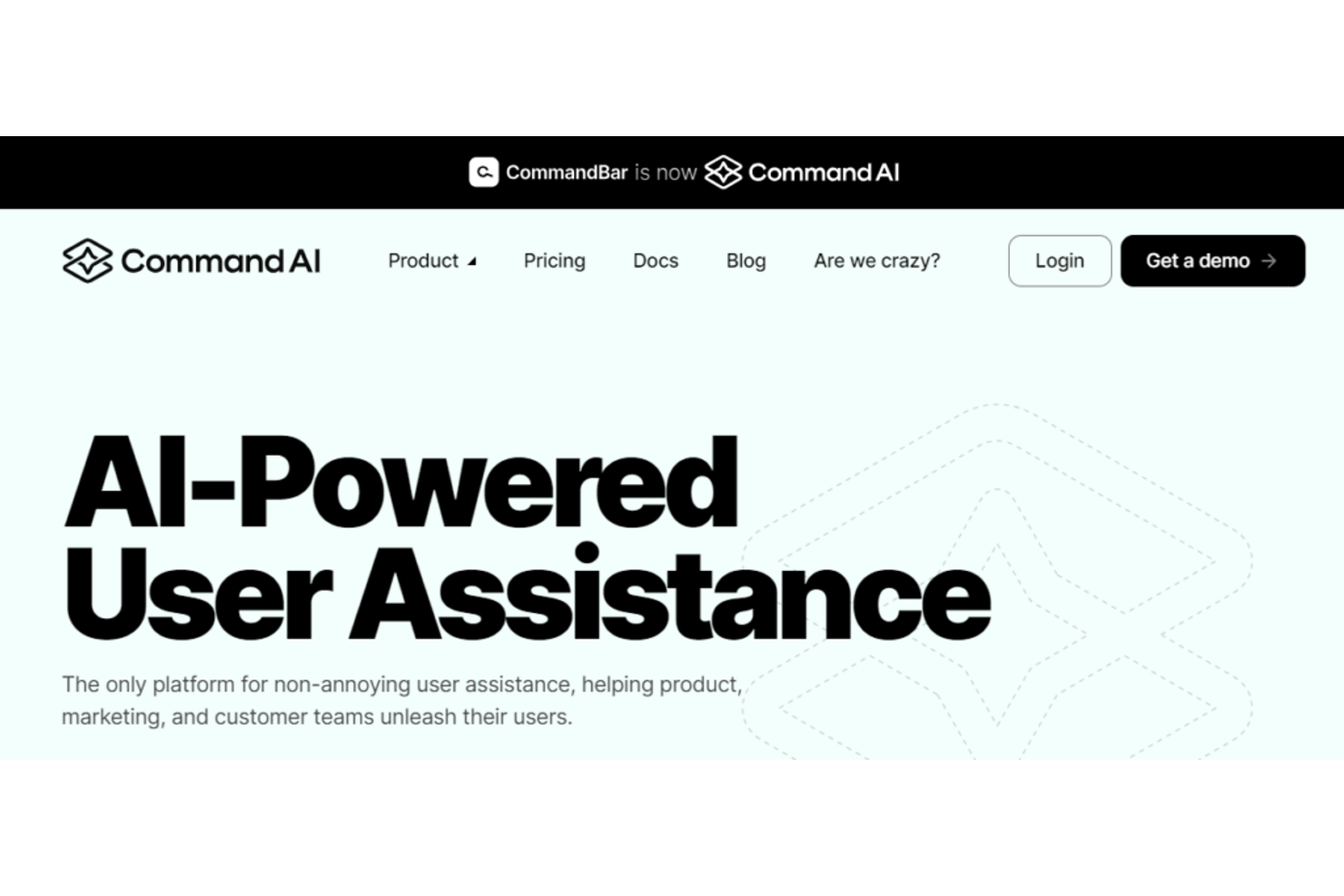
Command AI offre un approccio moderno per i team che desiderano aggiungere una guida all’utente basata sull’IA alla loro strategia di digital adoption. La piattaforma è pensata per product manager, team di customer success e responsabili delle operations che vogliono offrire supporto personalizzato e contestuale all’interno delle proprie app. Si distingue da WalkMe utilizzando l’IA generativa, che fornisce assistenza in tempo reale e su misura in base alle esigenze e alle azioni di ciascun utente.
Perché Command AI è una valida alternativa a WalkMe
Ciò che rende Command AI una valida alternativa a WalkMe è la sua attenzione alla guida utente basata sull’intelligenza artificiale e adattiva in tempo reale. Ho scelto Command AI perché utilizza l’IA generativa per offrire supporto personalizzato e contestuale direttamente all’interno dell’applicazione.
La piattaforma può analizzare il comportamento degli utenti e fornire suggerimenti o risorse pertinenti in base alle azioni di ciascun utente. Questo approccio aiuta il tuo team a offrire un supporto più dinamico e reattivo rispetto ai classici walkthrough basati su regole statiche.
Funzionalità principali di Command AI
Altre funzionalità che rendono Command AI utile per i team di digital adoption includono:
- Builder workflow no-code: crea e distribuisci flussi di guida all’utente senza scrivere codice.
- Dashboard di analytics: monitora il coinvolgimento degli utenti e misura l’impatto delle guide in-app.
- Targeting basato sul ruolo: offre guide specifiche agli utenti in base al loro ruolo o permessi.
- Integrazione della knowledge base: mostra articoli di supporto pertinenti e risorse direttamente all’interno dell’applicazione.
Integrazioni di Command AI
Tra le integrazioni figurano Salesforce, HubSpot, Zendesk, Intercom, Slack, Google Analytics, Jira, Trello e altri ancora.
Pros and Cons
Pros:
- Builder workflow no-code
- Integra la documentazione nella ricerca globale
- Offre chat basata su IA per risposte istantanee
Cons:
- Impatto sulle prestazioni nelle applicazioni web complesse
- Alti costi iniziali di installazione per startup
Altre alternative a WalkMe
Ecco alcune alternative aggiuntive a WalkMe che non sono state incluse nel mio elenco, ma che vale comunque la pena considerare:
- Stonly
Ideale per basi di conoscenza interattive
- UserGuiding
Ideale per l'onboarding nelle piccole imprese
- Chameleon
Ideale per tour di onboarding personalizzati


Come valuto le alternative a WalkMe
Valuto le alternative a WalkMe su due livelli: requisiti essenziali come i generatori di guide senza codice e la segmentazione degli utenti, e fattori distintivi come la generazione di contenuti tramite IA e le integrazioni con lo stack tecnologico CX.
Funzionalità fondamentali (requisiti essenziali per questo elenco)
Quando seleziono gli strumenti per il mio elenco, assegno a ciascuno un punteggio su una scala da 0 (non offre la funzionalità) a 5 (eccelle in quest'area) per ogni funzionalità fondamentale elencata di seguito. Quindi, calcolo il punteggio totale dello strumento trasformandolo in una percentuale. Ogni strumento deve raggiungere un punteggio totale minimo del 65% per essere preso in considerazione.
- Procedure guidate nell'app: verifico se uno strumento supporta tour a più passaggi e con diramazioni, ad esempio guidando un nuovo utente nella configurazione dell'account in modo diverso a seconda del suo ruolo o del livello del piano.
- Generatore di contenuti senza codice: i team CX devono poter pubblicare guide senza aprire richieste per gli sviluppatori, quindi cerco editor visivi con funzionalità di trascinamento, modelli e anteprime in tempo reale.
- Messaggistica contestuale nell'app: ogni strumento dovrebbe consentire di attivare descrizioni comandi, finestre modali o banner in base alle azioni degli utenti, ad esempio mostrando un messaggio quando qualcuno salta un passaggio fondamentale della configurazione.
- Segmentazione e targeting degli utenti: valuto il livello di granularità con cui è possibile indirizzare le guide, ad esempio mostrando flussi di avvio diversi agli amministratori rispetto agli utenti finali o agli account gratuiti rispetto a quelli a pagamento.
- Analisi e monitoraggio del coinvolgimento: sapere dove gli utenti abbandonano un tour o quali funzionalità non vengono utilizzate è importante, quindi cerco analisi dei funnel, tassi di completamento e pannelli per l'adozione.
- Sondaggi e feedback nell'app: verifico la presenza del supporto integrato per NPS, CSAT e sondaggi personalizzati con attivatori nell'app, ad esempio per richiedere una valutazione della soddisfazione dopo che un cliente ha completato l'avvio.
Una volta ottenuto un elenco di strumenti che soddisfano questi criteri, valuto ciò che distingue ciascuna piattaforma.
Fattori distintivi (ciò che differenzia i fornitori)
Ecco come confronto i diversi fornitori:
Funzionalità distintive
Un centro risorse integrato è un importante fattore distintivo: consente ai clienti di accedere a guide, FAQ e video da un unico widget nell'app, invece di dover cercare nella documentazione di supporto. Cerco anche l'orchestrazione dei percorsi con checklist di avvio che persistono tra una sessione e l'altra, così gli utenti possono riprendere da dove avevano interrotto. Per i team che supportano una clientela globale, il supporto multilingue con gestione integrata delle traduzioni riduce notevolmente l'impegno di localizzazione rispetto alla duplicazione manuale delle guide.
Oltre le funzionalità
Le integrazioni con lo stack CX sono molto importanti in questo caso. Verifico se una piattaforma si connette nativamente a strumenti come Zendesk, Intercom, Salesforce e Segment, perché senza queste connessioni i dati sull'adozione rimangono isolati dai flussi di lavoro dell'assistenza e del successo dei clienti. Anche i modelli di prezzo meritano particolare attenzione, poiché l'utilizzo da parte dei clienti può aumentare rapidamente; cerco fasce basate sugli MAU che non penalizzino la crescita. Il tempo necessario per ottenere valore è un altro fattore che considero. Alcune piattaforme consentono di lanciare la prima guida in un giorno, mentre altre richiedono settimane di supporto all'implementazione.
Perché cercare un’alternativa a WalkMe?
Sebbene WalkMe sia una buona scelta come piattaforma di adozione digitale, esistono diversi motivi per cui alcuni utenti cercano soluzioni alternative. Potresti cercare un’alternativa a WalkMe perché…
- Hai bisogno di opzioni di prezzo più trasparenti o flessibili
- Il tuo team desidera strumenti di analisi del prodotto o di raccolta dei feedback più avanzati
- Il tuo team vuole evitare una curva di apprendimento ripida
- Hai bisogno di un’assistenza clienti più rapida o personalizzata
- Hai bisogno di una soluzione più semplice da configurare e gestire
- La tua organizzazione ha requisiti di integrazione specifici
Se ti riconosci in una di queste situazioni, sei nel posto giusto. Il mio elenco include diverse piattaforme di adozione digitale e concorrenti di WalkMe più adatti ai team che affrontano queste difficoltà con WalkMe e cercano soluzioni alternative.
Funzionalità principali di WalkMe
Ecco alcune delle funzionalità principali offerte da WalkMe, per aiutarti a mettere a confronto ciò che offrono le soluzioni alternative:
- Procedure guidate integrate nell'app per onboarding e formazione
- Descrizioni dei comandi contestuali e messaggi a comparsa
- Automazione dei flussi di lavoro per le attività ripetitive degli utenti
- Segmentazione degli utenti per esperienze mirate
- Dashboard analitiche per monitorare il coinvolgimento degli utenti
- Elementi del marchio e dell'interfaccia personalizzabili
- Supporto multilingue per team internazionali
- Integrazione con sistemi CRM e di assistenza
- Controlli degli accessi basati sui ruoli per la gestione del team
Cosa succede ora:
Se stai cercando alternative a WalkMe, contatta gratuitamente un consulente di SoftwareSelect per ricevere consigli.
Compili un modulo e fai una breve conversazione durante la quale verranno analizzati nel dettaglio i tuoi requisiti. Dopodiché riceverai una selezione di software da valutare. Ti offriranno inoltre supporto durante l'intero processo di acquisto, comprese le negoziazioni dei prezzi.