

Recensione di Zendesk: vantaggi, svantaggi, funzionalità e prezzi spiegati
Zendesk combina l'automazione basata sull'intelligenza artificiale, il supporto omnicanale e un'ampia personalizzazione in una piattaforma progettata per aiutare i team in crescita a offrire un servizio clienti più rapido e coerente su larga scala.

Recensiamo gli strumenti in modo indipendente e le commissioni aiutano a finanziare i nostri test. Consulta la nostra politica di trasparenza, la nostra metodologia o suggerisci uno strumento.
Managing customer support gets harder as your business grows. More channels, higher ticket volumes, and rising customer expectations can quickly overwhelm teams that rely on disconnected tools and manual processes.
Zendesk is a customer support platform designed to help you bring those moving pieces together in one place. Whether you're supporting customers through email, chat, messaging, social media, or voice, the platform aims to streamline operations while helping your team resolve issues faster and more consistently.
In this review, I'll walk you through Zendesk's key features, strengths, limitations, pricing, and ideal use cases so you can determine whether it's the right fit for your customer service strategy.
Zendesk Evaluation Summary
4.3/5
- From $19/user/month (billed annually)
- 14-day free trial
Perché fidarsi dei nostri consigli sui software
6,700+
Reviews
20
Industry experts
16+
Evaluation factors
14
Years
Il nostro team testa e recensisce software dal 2012. In quanto leader CX noi stessi, sappiamo quanto sia difficile — e importante — scegliere il software giusto.
Per questa guida, abbiamo valutato gli strumenti attraverso test pratici e ricerche indipendenti, assegnando un punteggio agli strumenti in base ai nostri criteri di selezione.
Le nostre recensioni riflettono il nostro giudizio editoriale umano, non un discorso di vendita.
 Gui DrusinaCreative Director
 Tim FisherVP of AI
Zendesk Overview
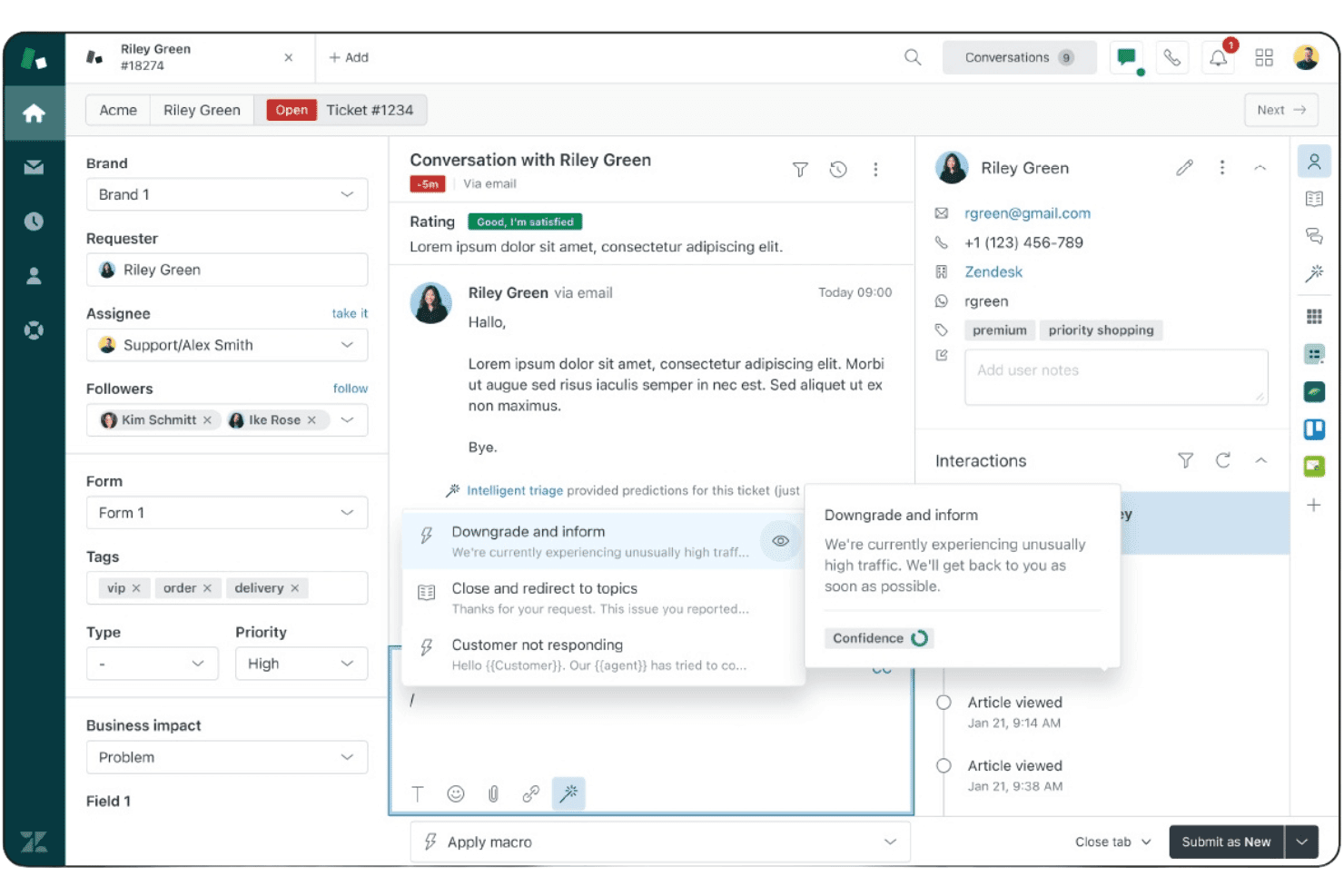
What stands out most to me about Zendesk is how effectively it combines AI, automation, and omnichannel service management in a single system. Agents can manage conversations across email, chat, voice, social messaging, and SMS from one unified workspace, while automation and AI tools help reduce repetitive work and improve response times.
I also like Zendesk's flexibility. The platform offers extensive integrations, customizable workflows, advanced routing options, and a large marketplace of apps, making it easier to adapt the system to your existing processes rather than forcing you into a rigid structure. Its reporting and analytics capabilities are equally strong, giving service leaders the visibility needed to optimize team performance and customer experience.
Pros
- AI-powered automation helps reduce ticket volume and agent workload.
- Unified workspace for email, chat, voice, social, and messaging.
- Fast deployment with strong out-of-the-box workflows and automation.
Cons
- Administration becomes more complex as environments scale.
- Advanced customization may require apps or API development.
- Compliance requirements can require additional configuration effort.
Is Zendesk Right For Your Needs?
Who Would be a Good Fit for Zendesk?
Zendesk is a strong choice for organizations that need to manage customer conversations across multiple channels while maintaining efficiency and consistency at scale. Its combination of AI-powered automation, omnichannel support, self-service tools, and flexible integrations makes it well-suited for teams handling growing support volumes or complex service operations.
Whether you're supporting customers globally, streamlining internal service requests, or improving customer experience through automation, Zendesk provides the tools needed to deliver faster, more personalized support.
- SaaS Customer SuccessOffers automation, self-service, and analytics to help growing teams improve customer retention and scale support efficiently.
- Retail & Ecommerce SupportDelivers omnichannel support across web, messaging, social, and voice to create seamless customer experiences.
- Enterprise Customer Service OperationsSupports complex routing, governance, security, and multibrand environments for large-scale customer service organizations.
- Global Support TeamsProvides scalable workflows for distributed agents and customers across regions, languages, and support channels.
- IT & Employee Service DesksAutomates internal requests and streamlines service delivery processes to improve efficiency and employee satisfaction.
- High-Volume Customer Support CentersUses AI and automation to improve resolution efficiency while reducing repetitive agent workloads and costs.
Who Would be a Bad Fit for Zendesk?
Zendesk is built for customer service, support, and customer engagement teams, but it won't be the best fit for every organization. Companies that require on-premises deployments, highly specialized compliance certifications, or extensive custom-built workflows may find more suitable options elsewhere. It's also less ideal for organizations seeking purpose-built solutions for operational functions such as manufacturing, engineering project management, or advanced IT service management.
- On-Premises Deployment RequirementsZendesk is cloud-based and not designed for self-hosted environments or organizations requiring complete infrastructure control.
- Specialized Compliance RequirementsCertain certification requirements may be better served by niche vendors built specifically for regulated industries.
- Extensive Custom Development NeedsUltra-specific workflows may exceed typical SaaS customization capabilities and require more bespoke development.
- Non-Customer Service Operational TeamsBuilt for customer service rather than manufacturing, engineering, or operational management workflows that require specialized planning and execution tools.
- Advanced ITSM OperationsMay lack the depth of purpose-built enterprise ITSM platforms for complex operational requirements.
- Very Low Support VolumeAutomation and routing features may exceed day-to-day operational needs.
Come Testiamo e Valutiamo gli Strumenti
Abbiamo passato anni a costruire, perfezionare e migliorare il nostro sistema di valutazione e testing dei software. Il nostro schema è progettato per cogliere tutte le sfumature nella selezione del software e per valutare ciò che rende uno strumento efficace, concentrandosi sugli aspetti critici nel processo decisionale. Qui sotto puoi vedere esattamente come funziona il nostro processo di testing e valutazione su sette criteri. Ci permette di offrire una valutazione imparziale del software basata su funzionalità principali, caratteristiche distintive, facilità d’uso, onboarding, supporto clienti, integrazioni, recensioni clienti e rapporto qualità/prezzo.
Funzionalità Principali (25% del punteggio finale)
Il punto di partenza della nostra valutazione sono sempre le funzionalità fondamentali dello strumento. Possiede le funzioni di base che un utente si aspetta? Alcune di queste funzionalità sono disponibili solo con piani più costosi? In sostanza, ci aspettiamo che uno strumento sia competitivo rispetto ai suoi concorrenti principali.
Caratteristiche Distintive (25% del punteggio finale)
Successivamente, valutiamo le funzionalità particolari e distintive che vanno oltre le funzionalità standard solitamente presenti in strumenti simili. Un punteggio elevato riflette funzionalità specializzate o uniche che rendono il prodotto più veloce, efficiente o che offrono valore aggiunto all’utente. Valutiamo anche quanto sia facile integrare lo strumento con altri strumenti tipicamente presenti nel tech stack, per ampliare le funzionalità e l’utilità del software. Ottengono il punteggio migliore gli strumenti che offrono numerose integrazioni native, connessioni di terze parti e accesso API per creare integrazioni personalizzate.
Facilità d’Uso (10% del punteggio finale)
Consideriamo quanto sia rapido e intuitivo eseguire le attività core usando lo strumento. Un software con un alto punteggio è ben progettato, intuitivo all’uso, offre app mobili, mette a disposizione modelli e semplifica attività relativamente complesse.
Onboarding (10% del punteggio finale)
Sappiamo quanto sia importante l’adozione rapida da parte del team per una nuova piattaforma, quindi valutiamo la facilità di apprendimento e utilizzo dello strumento con una formazione minima. Valutiamo quanto velocemente un membro del team può iniziare a usare lo strumento senza esperienza. Le soluzioni con punteggio elevato richiedono poco o nessun supporto.
Supporto Clienti (10% del punteggio finale)
Valutiamo quanto sia semplice ricevere assistenza via telefono, chat dal vivo o knowledge base. Gli strumenti e le aziende che offrono supporto in tempo reale ottengono il punteggio migliore, mentre i chatbot hanno il punteggio più basso.
Recensioni Clienti (10% del punteggio finale)
Oltre alla nostra valutazione interna, prendiamo in considerazione il net promoter score dei clienti attuali e passati. Analizziamo la probabilità che, potendo scegliere, selezionino di nuovo lo strumento per le sue funzionalità core. Un software con punteggio elevato riflette un alto net promoter score dai clienti attuali o passati.
Rapporto Qualità/Prezzo (10% del punteggio finale)
Infine, tenendo conto di tutti gli altri criteri, analizziamo il prezzo medio dei piani entry level rispetto alle funzionalità principali e consideriamo il valore delle altre metriche di valutazione. Il software che offre di più, a meno, otterrà un punteggio maggiore.
Core Features
Ticket Management
Centralizes customer inquiries from email, chat, phone, and social into a single dashboard. Users can assign, prioritize, and track tickets with custom workflows.
Automation and Triggers
Automates repetitive tasks like ticket routing, notifications, and escalations. Teams can set up rules to streamline responses and reduce manual work.
Omnichannel Support
Lets agents handle conversations across chat, email, voice, and messaging apps in one place. Customers get consistent support no matter how they reach out.
Knowledge Base
Provides a self-service portal where customers can find answers to common questions. Teams can update articles and track which resources reduce ticket volume.
Analytics and Reporting
Offers customizable dashboards and detailed reports on agent performance, ticket trends, and customer satisfaction. Managers can use these insights to improve service quality.
AI Copilot
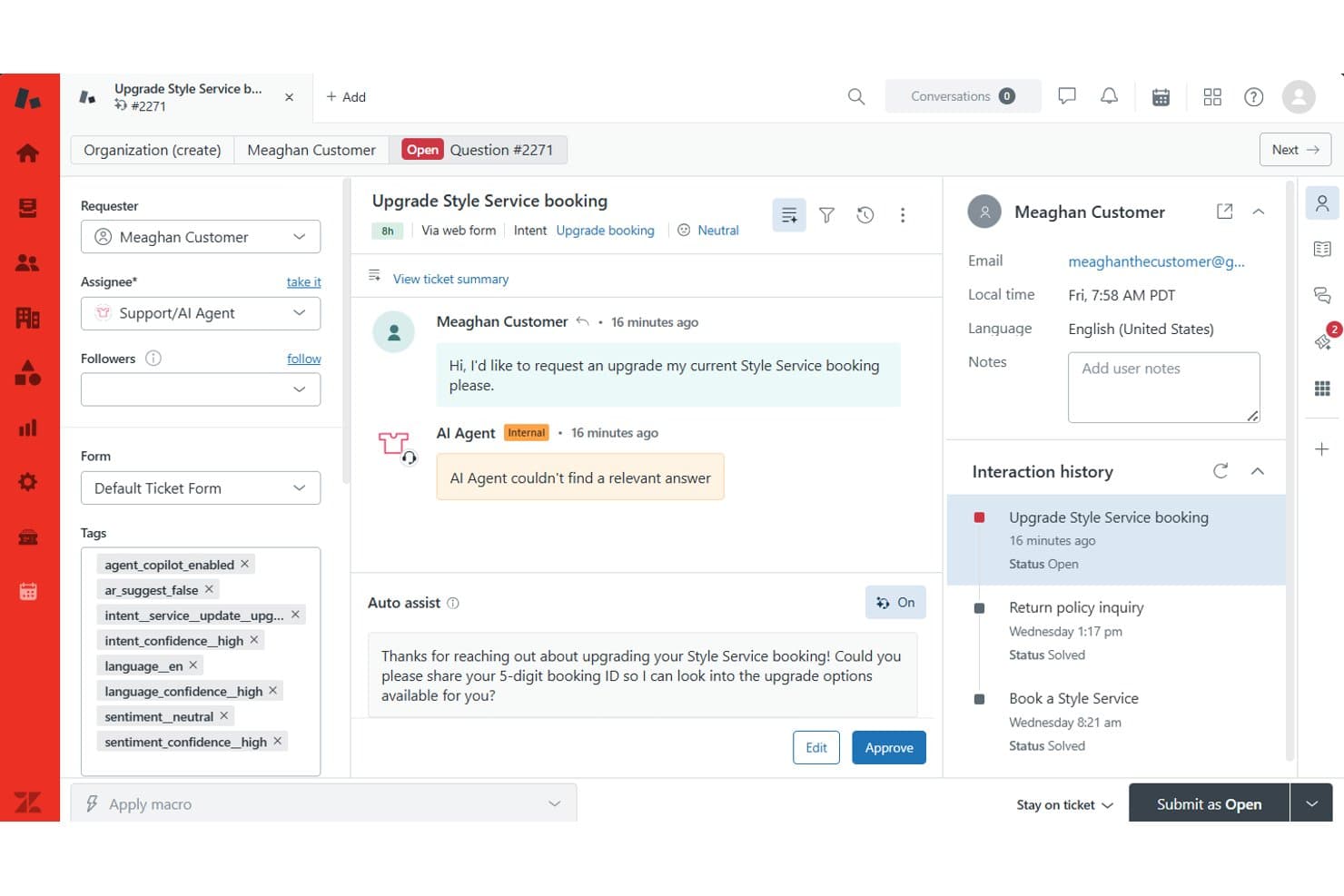
Assists agents with conversation summaries, suggested responses, and next-best actions. This helps teams resolve issues faster while maintaining service quality.
Intelligent Routing
Automatically routes customer requests to the most appropriate agent or team based on skills, availability, and predefined rules. This helps improve resolution times and support quality.
Standout Features
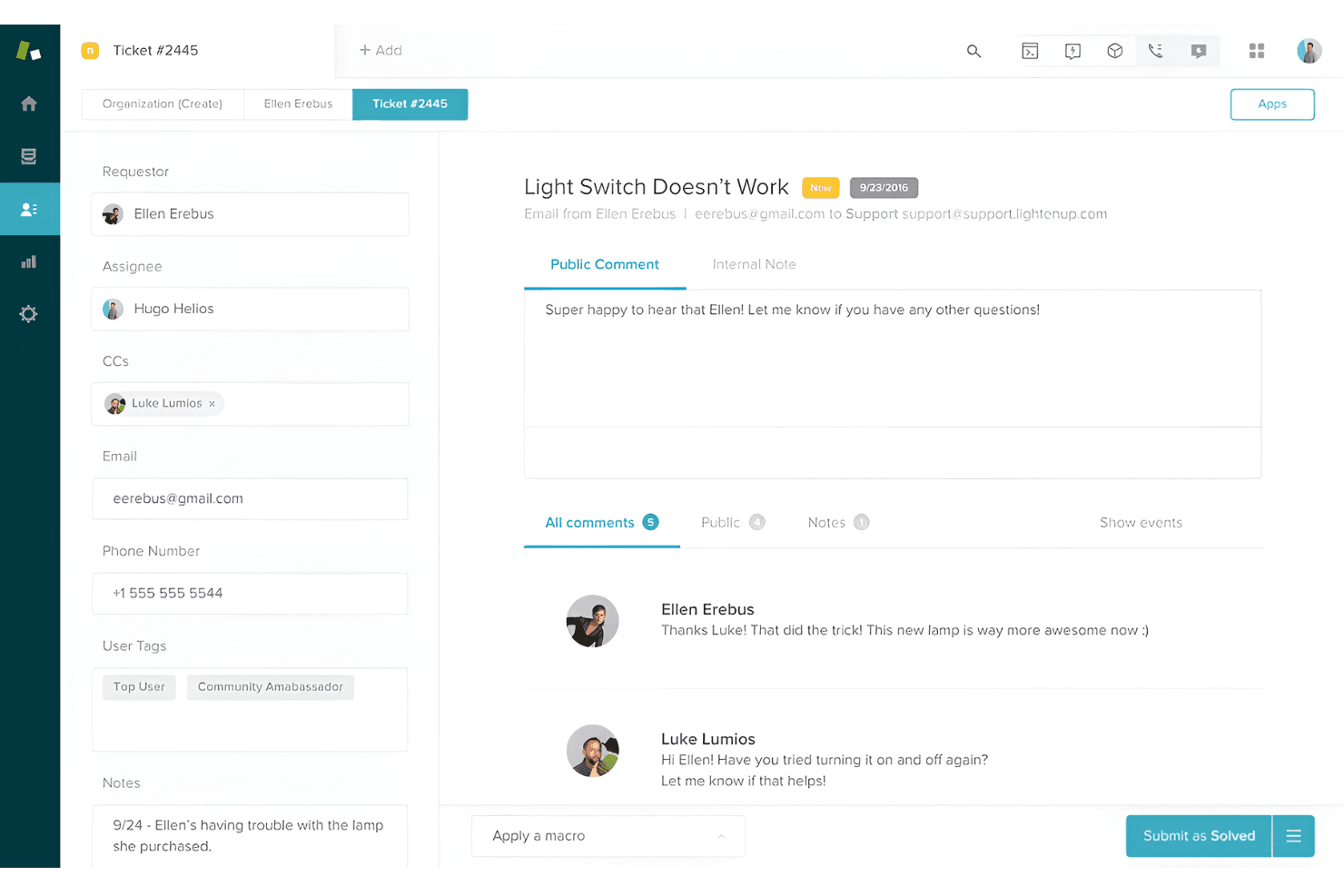
Unified Agent Workspace
Unified Agent Workspace brings email, chat, voice, social messaging, and SMS conversations into a single interface. Agents can manage every customer interaction from one place, improving efficiency and consistency across channels.
Contextual Workspaces
Contextual Workspaces automatically display relevant macros, apps, and ticket fields based on the issue type. Agents see only what they need for each case, which speeds up resolution and reduces errors.
AI Agents
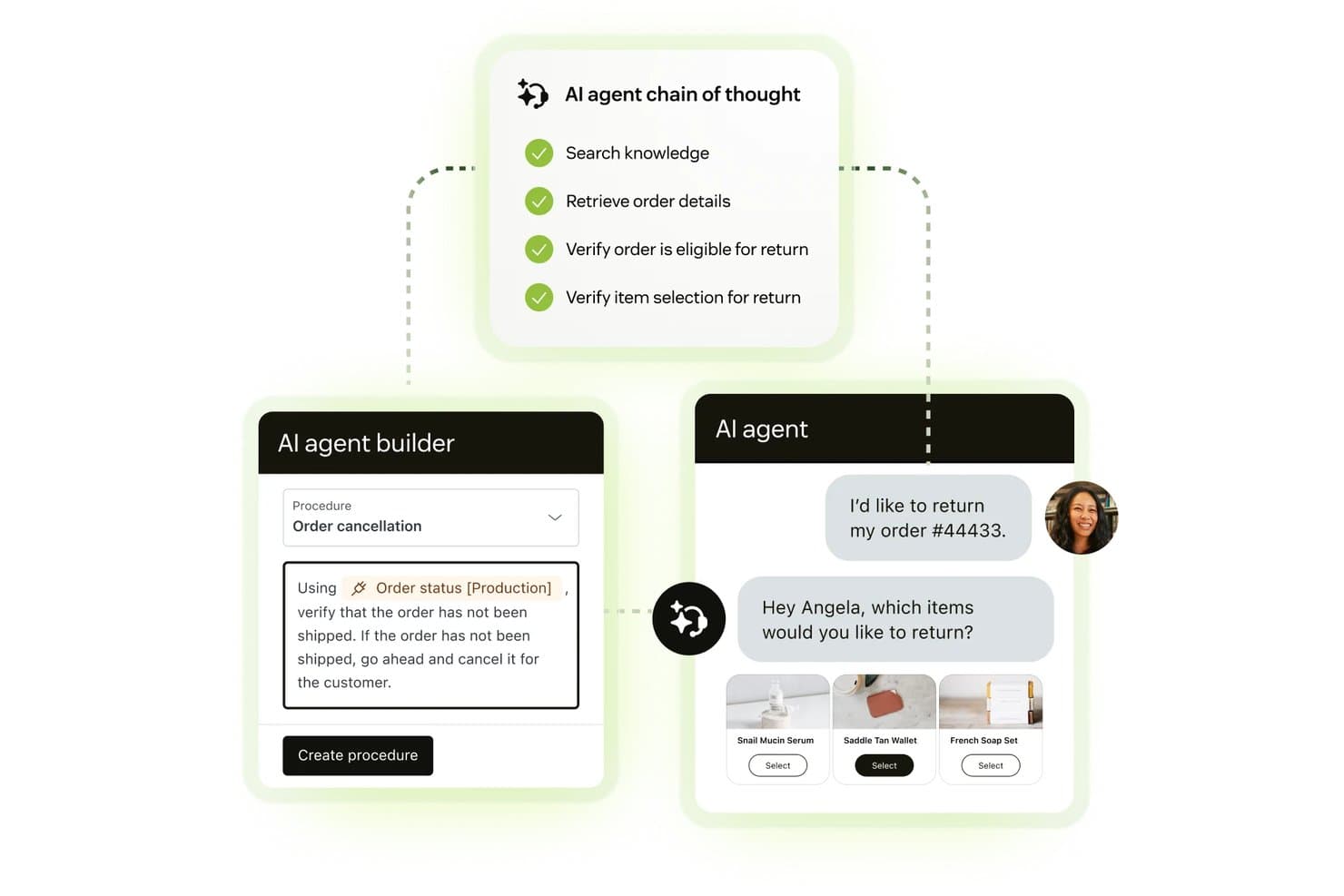
AI Agents can resolve customer requests across channels without agent involvement, handling multi-step workflows and taking actions across connected systems. Powered by Zendesk's Resolution Learning Loop, the AI continuously improves based on real customer interactions and outcomes.
Ease of Use
Zendesk is designed to help teams get up and running quickly with guided onboarding, out-of-the-box workflows, and a modern interface that centralizes customer conversations in one place. The platform is easy to navigate for day-to-day tasks such as managing tickets, responding to customers, and accessing support resources.
As your implementation grows, however, the learning curve can become steeper. Adding multiple support channels, automations, routing rules, integrations, and custom workflows introduces additional administrative complexity that may require more planning and governance. Overall, I think Zendesk strikes a strong balance between ease of adoption and advanced functionality, making it accessible for growing teams while still providing the flexibility larger organizations need.
Onboarding
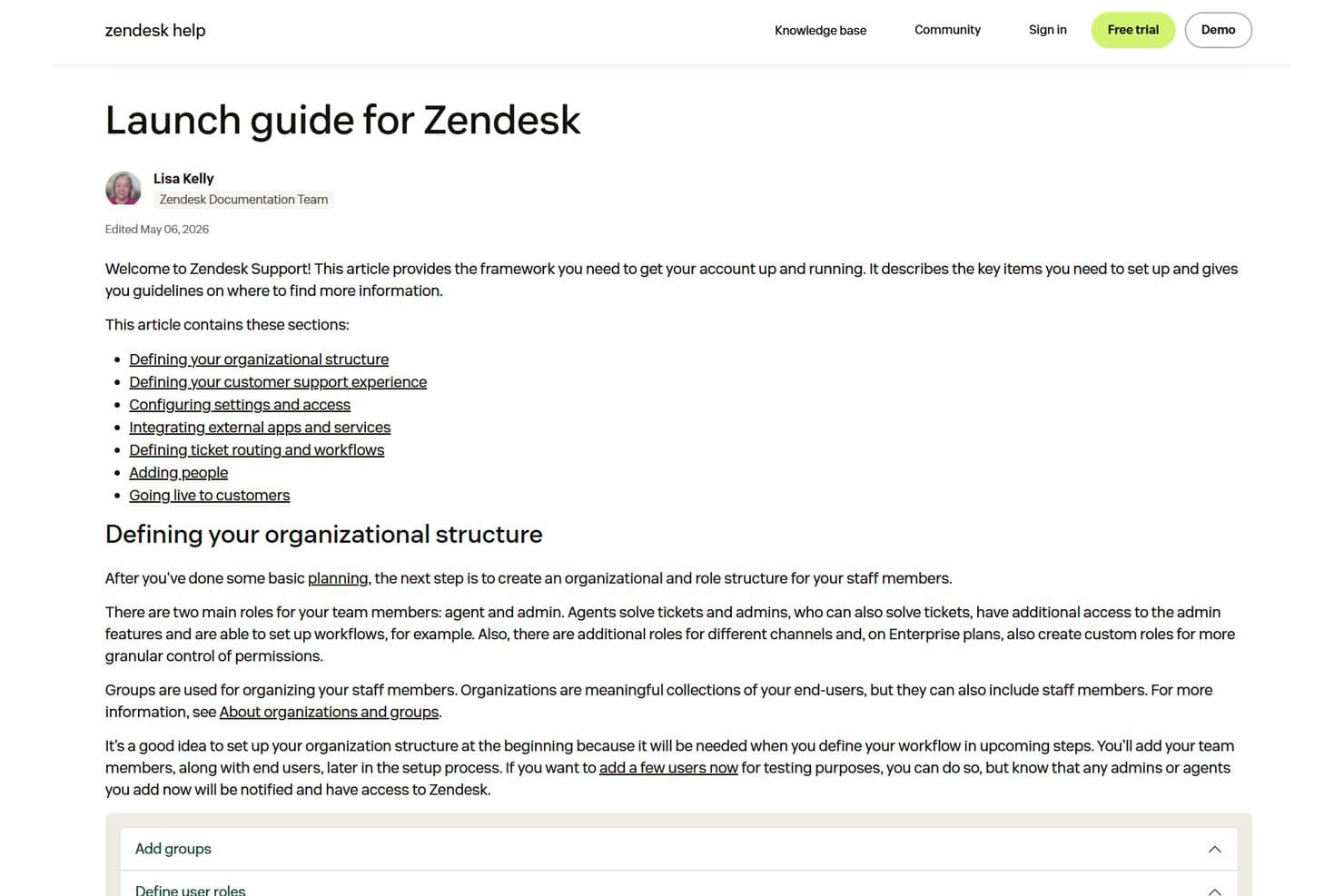
Zendesk offers a structured onboarding experience that can be self-serve or guided, depending on your team's needs and implementation complexity. Most deployments follow a phased approach that includes initial planning, system configuration, workflow setup, channel rollout, integrations, training, and ongoing optimization. For simpler implementations, Zendesk provides documentation, templates, and in-product guidance to help teams get started quickly.
Organizations with more complex requirements can work with Zendesk or a certified partner for implementation support, data migration assistance, training, and solution design. While many teams can get up and running in a matter of days or weeks, larger deployments involving multiple channels, integrations, or custom workflows typically require a longer onboarding timeline. Overall, I think Zendesk makes it relatively easy to achieve value quickly while still providing the resources needed for more advanced rollouts.
Customer Support
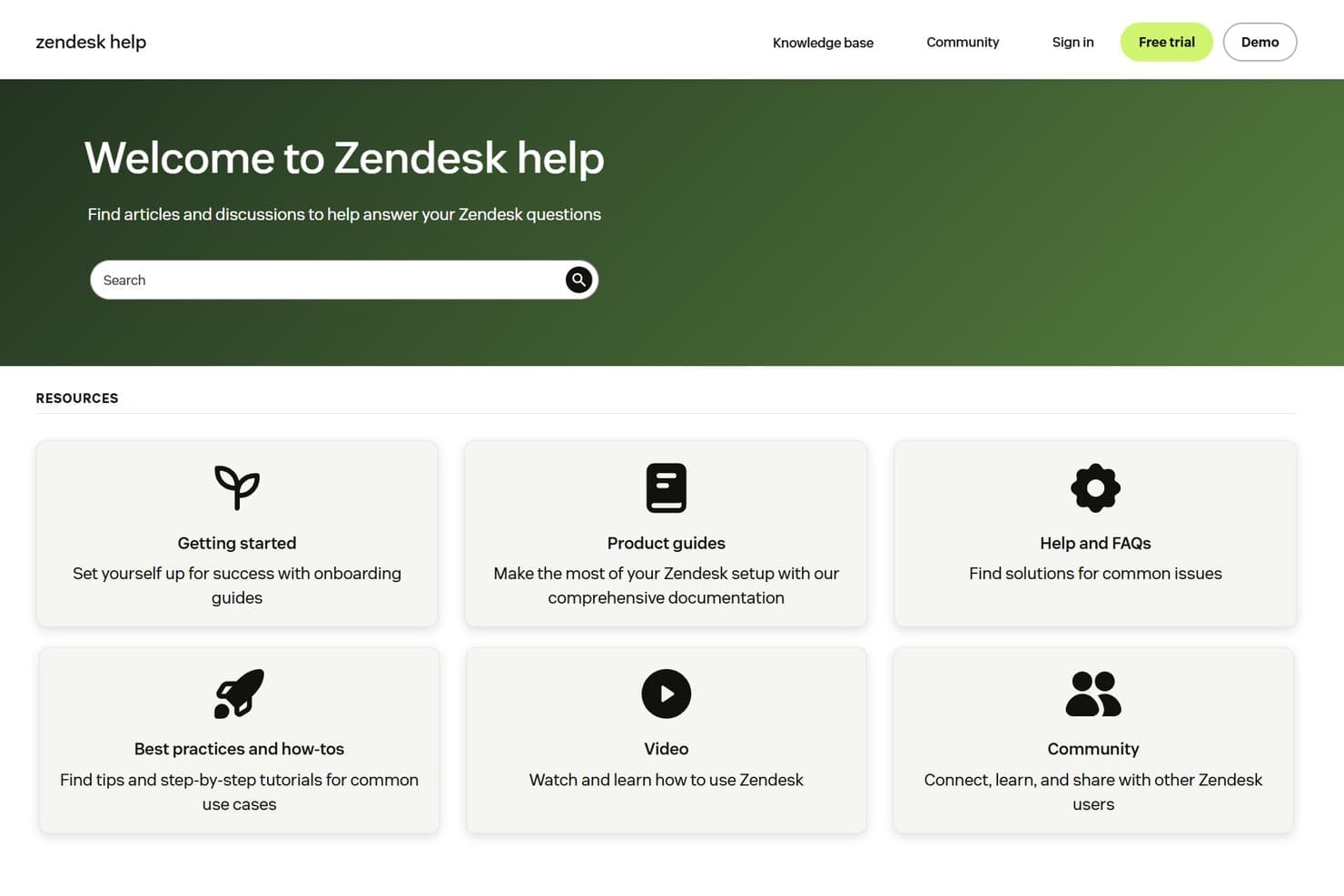
Zendesk provides support through its help center, support widget, web forms, documentation, training resources, and community content. I like that the platform emphasizes self-service, giving customers access to extensive guides, articles, and learning materials that can help resolve issues quickly without contacting support directly.
For organizations that need additional assistance, Zendesk also offers premium support options with enhanced technical expertise, priority routing, and service-level commitments. While most teams should find the available resources sufficient for day-to-day needs, businesses with complex deployments or mission-critical requirements may benefit from higher-tier support plans.
Integrations
Zendesk integrates with popular business tools such as Slack, Salesforce, Shopify, Jira, Microsoft Teams, and HubSpot, while also offering a large marketplace of apps and partner integrations (1,800+ options). Its open APIs and customization tools make it easy to connect Zendesk with existing systems and build workflows that fit your organization's needs.

Value for Money
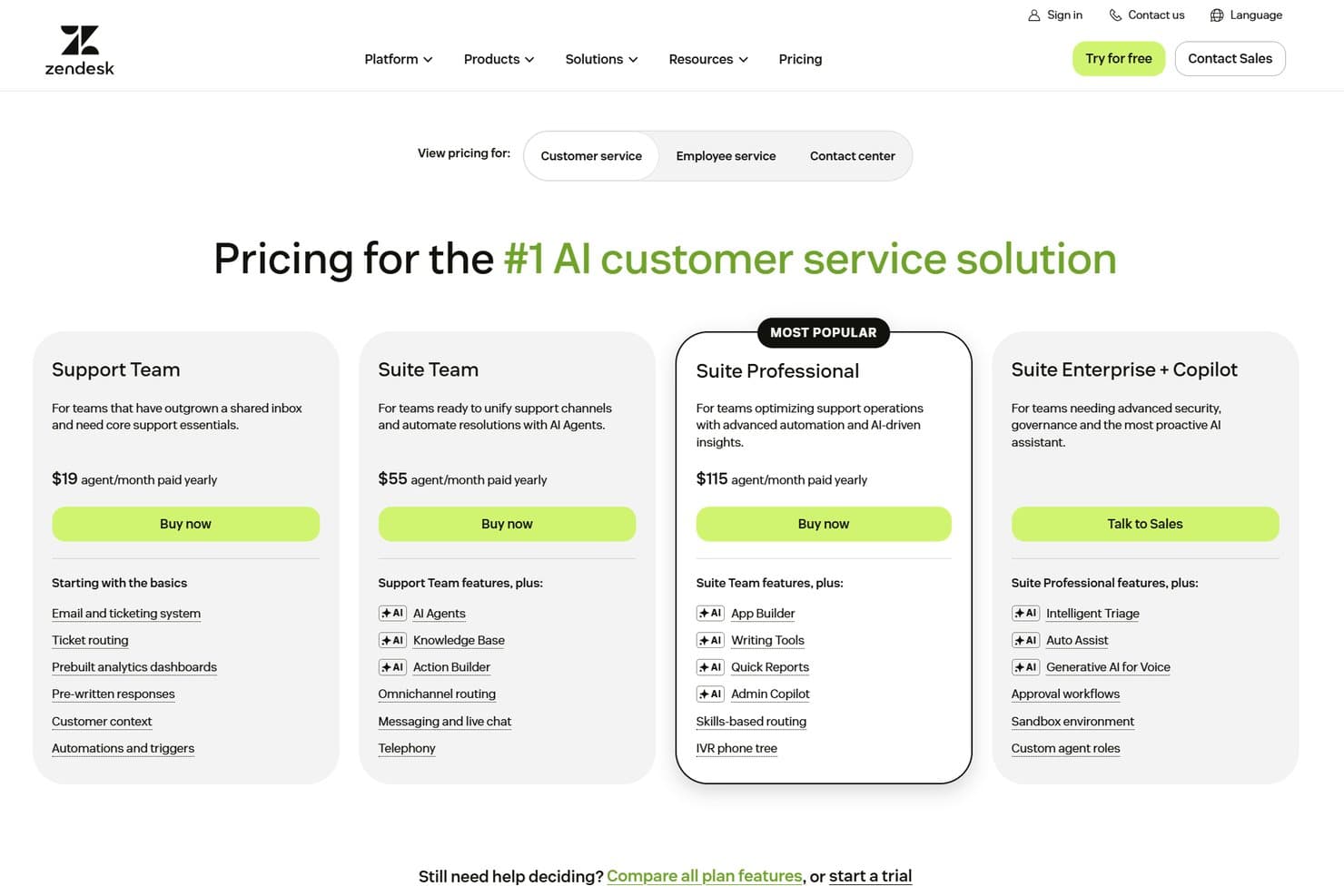
Zendesk delivers strong value for organizations that need scalable customer service tools, AI-powered automation, and omnichannel support. I think the platform's flexibility, integrations, and enterprise-ready capabilities justify the investment for growing businesses and larger organizations. Plans include:
- Support Team: Includes email and ticketing, ticket routing, customer context, automations, triggers, prebuilt analytics dashboards, and pre-written responses.
- Suite Team: Adds AI Agents, a knowledge base, Action Builder, omnichannel routing, messaging and live chat, and telephony.
- Suite Professional: Includes App Builder, AI writing tools, Quick Reports, Admin Copilot, skills-based routing, and IVR phone trees.
- Suite Enterprise + Copilot (Custom Pricing): Adds Intelligent Triage, Auto Assist, generative AI for voice, approval workflows, sandbox environments, and custom agent roles.
Zendesk Specs
- Analytics: Yes
- API: Yes
- Batch Permissions & Access: No
- Call Integration: Yes
- Chat: Yes
- Contact Management: Yes
- Contact Sharing: Yes
- CRM Integration: Yes
- Customer Management: Yes
- Customer Service: Yes
- Dashboard: Yes
- Data Export: Yes
- Data Import: Yes
- Data Visualization: Yes
- Email Integration: Yes
- Escalation Management: Yes
- External Integrations: Yes
- Instant Chat Integration: Yes
- Knowledge Base: Yes
- Lead Management: No
- Lead Scoring: No
- Multi-User: Yes
- Notifications: Yes
- Real-time Alerts: Yes
- Scheduling: Yes
- Self-service Portal: Yes
- Social Media Integration: Yes
- Support Forum: Yes
- Third-Party Plugins/Add-Ons: Yes
- Ticket Management: Yes
- Workflow Management: Yes
Zendesk FAQs
Zendesk Company Overview & History
Zendesk is a global customer service software company headquartered in San Francisco, California. Zendesk powers customer and employee experiences for over 100,000 organizations worldwide, including notable clients like Conservice, Rain, HeliosX, and NEXT. The company is known for its modern approach to customer service, focus on agent productivity, and commitment to security and sustainability. Zendesk offers a suite of products beyond service, including solutions for sales and AI-powered automation.
Zendesk Major Milestones
- 2007: Zendesk founded in Copenhagen, Denmark.
- 2009: Headquarters moved to San Francisco, California.
- 2014: Zendesk goes public on the New York Stock Exchange.
- 2022: Zendesk acquired by a consortium led by Hellman & Friedman and Permira.
- 2025: Zendesk powers over 100,000 customer and employee experiences globally.