


TeamSupport contro Pylon: confronto e recensioni degli esperti per il 2026



Scegliere tra TeamSupport e Pylon significa valutare la gestione dei ticket ricca di contesto rispetto all’automazione basata sull’IA, due approcci molto diversi al software di assistenza clienti B2B che possono determinare il risultato delle tue iniziative di CX. Se hai difficoltà a decidere quale piattaforma aiuterà il tuo team a risolvere più rapidamente i problemi, mantenere soddisfatti i clienti e crescere insieme alla tua azienda, non sei il solo. TeamSupport si distingue per le sue analisi approfondite delle relazioni con i clienti, mentre Pylon porta in campo IA e automazione dei flussi di lavoro. Questa guida analizza i punti di forza, le debolezze e i casi d’uso reali di ciascuno strumento, così potrai scegliere con sicurezza la soluzione più adatta alla tua attività di assistenza.
TeamSupport vs. Pylon: An Overview
TeamSupport
Perché fidarsi dei nostri consigli sui software
Il nostro team testa e recensisce software dal 2012. In quanto leader CX noi stessi, sappiamo quanto sia difficile — e importante — scegliere il software giusto.
Per questa guida, abbiamo valutato gli strumenti attraverso test pratici e ricerche indipendenti, assegnando un punteggio agli strumenti in base ai nostri criteri di selezione.
Le nostre recensioni riflettono il nostro giudizio editoriale umano, non un discorso di vendita.
TeamSupport vs. Pylon Pricing Comparison
| TeamSupport | Pylon | |
|---|---|---|
| Free Trial | 14-day free trial | Free demo available |
| Pricing | From $45/user/month (billed annually) | From $59/seat/month (billed annually) |
Prezzi e costi nascosti di TeamSupport e Pylon
TeamSupport utilizza un piano tariffario a livelli basato sul numero di postazioni utente e sull’accesso alle funzionalità, con i livelli superiori che sbloccano i report sulla capacità, le integrazioni e un responsabile dedicato al successo del cliente. Pylon, invece, offre prezzi basati sull’utilizzo, che aumentano in base al volume dei ticket e alle funzionalità di automazione; ciò può rendere i costi imprevedibili se la domanda di assistenza subisce variazioni. Alcune funzionalità avanzate di IA o i moduli di analisi potrebbero inoltre richiedere componenti aggiuntivi separati.
Per scegliere il modello tariffario giusto, guarda oltre l’abbonamento di base e considera i piani di crescita del tuo team, il volume dell’assistenza e le funzionalità che utilizzerai realmente. Chiedi a ciascun fornitore un dettaglio completo di ciò che è incluso, di ciò che viene considerato un componente aggiuntivo e di come potrebbero cambiare i costi con l’evoluzione della tua azienda. Richiedi esempi concreti o casi di studio di aziende simili alla tua per capire come si sviluppano i prezzi nel tempo. Questo approccio ti aiuta a evitare sorprese e garantisce che tu stia investendo in una soluzione adatta alle tue esigenze a lungo termine.
TeamSupport vs. Pylon Feature Comparison
La gestione dei ticket e il database dei clienti di TeamSupport ti aiutano a tenere traccia delle conversazioni e a risolvere rapidamente i problemi, rendendo più semplice offrire ogni giorno un’assistenza reattiva. La knowledge base basata sull’IA e i flussi di lavoro automatizzati di Pylon forniscono risposte immediate e semplificano le attività ripetitive, così puoi concentrarti sulle esigenze dei clienti più complesse.
| TeamSupport | Pylon | |
|---|---|---|
| API | ||
| Analytics | ||
| Batch Permissions & Access | ||
| CRM Integration | ||
| Call Integration | ||
| Chat | ||
| Contact Management | ||
| Contact Sharing | ||
| Customer Management | ||
| Customer Service | ||
| Dashboard | ||
| Data Export | ||
| Data Import | ||
| Data Visualization | ||
| Email Integration | ||
| Escalation Management | ||
| External Integrations | ||
| Instant Chat Integration | ||
| Knowledge Base | ||
| Lead Management | ||
| Lead Scoring | ||
| Multi-User | ||
| Notifications | ||
| Real-time Alerts | ||
| Scheduling | ||
| Self-service Portal | ||
| Social Media Integration | ||
| Support Forum | ||
| Third-Party Plugins/Add-Ons | ||
| Ticket Management | ||
| Workflow Management |
Integrazioni di TeamSupport e Pylon
| Integrazione | TeamSupport | Pylon |
|---|---|---|
| Salesforce | ✅ | ✅ |
| HubSpot | ✅ | ✅ |
| Slack | ✅ | ✅ |
| Microsoft Teams | ✅ | ✅ |
| Jira | ✅ | ✅ |
| Zendesk | ✅ | ✅ |
| QuickBooks | ❌ | ❌ |
| Google Workspace | ❌ | ✅ |
| API | ✅ | ✅ |
| Zapier | ✅ | ✅ |
TeamSupport e Pylon sono simili per quanto riguarda le integrazioni e coprono gli strumenti CRM e di produttività più diffusi, anche se Pylon si distingue per il supporto nativo a Google Workspace, ideale per i team che fanno affidamento su questi ecosistemi per una maggiore flessibilità. Entrambe le piattaforme offrono comunque accesso ad API e Zapier per creare collegamenti personalizzati tra i flussi di lavoro.
Sicurezza, conformità & affidabilità di TeamSupport e Pylon
| Fattore | TeamSupport | Pylon |
|---|---|---|
| Crittografia dei dati | Crittografa i dati in transito e inattivi utilizzando protocolli conformi agli standard del settore. | Utilizza la crittografia end-to-end per tutte le comunicazioni con i clienti e interne. |
| Conformità normativa | Offre la certificazione SOC 2 Type II, funzionalità conformi all’HIPAA e gestione dei dati pronta per il GDPR. | È conforme al GDPR e fornisce registri di controllo dettagliati per tutte le attività. |
| Garanzia di disponibilità | Offre uno SLA di disponibilità del 99,9% con monitoraggio dello stato in tempo reale. | Mantiene una disponibilità del 99,99% con failover automatico e avvisi sugli incidenti. |
| Controlli di accesso | Fornisce ruoli utente personalizzabili e integrazione SSO per un accesso sicuro. | Supporta autorizzazioni granulari e SSO basato su SAML per la sicurezza aziendale. |
Pylon è in vantaggio grazie alla garanzia di disponibilità e alla registrazione di audit più granulare, mentre la conformità HIPAA e i controlli di accesso personalizzabili di TeamSupport offrono una maggiore tranquillità. Entrambe le piattaforme garantiscono una sicurezza di livello enterprise, ma TeamSupport si distingue per la documentazione relativa alla conformità.
TeamSupport vs. Pylon: facilità d'uso
| Fattore | TeamSupport | Pylon |
|---|---|---|
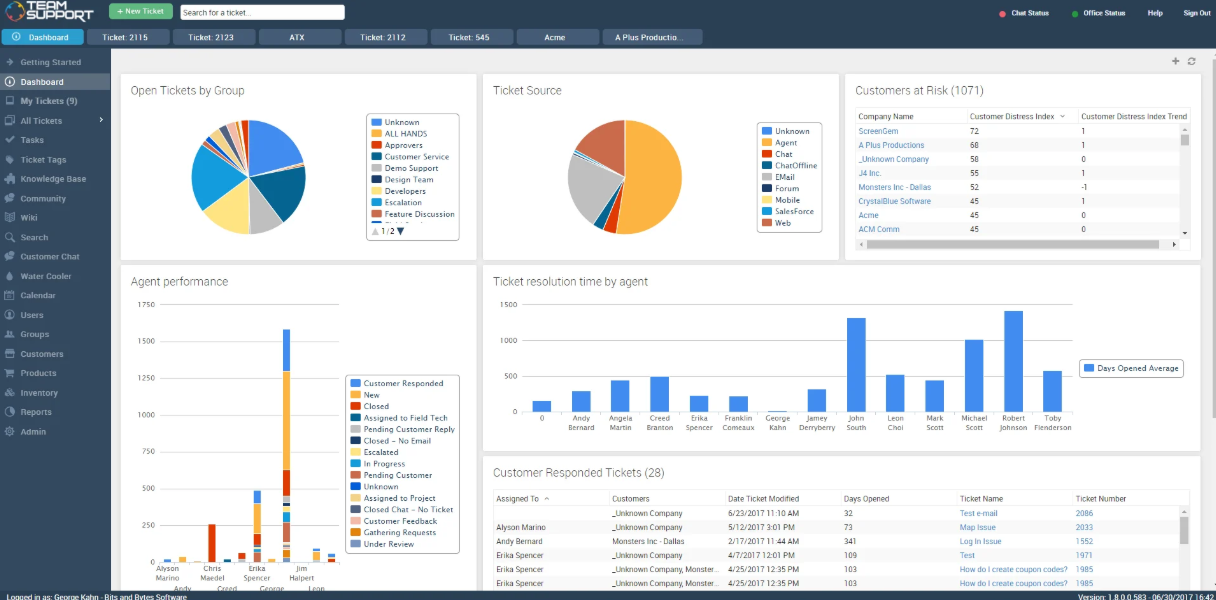
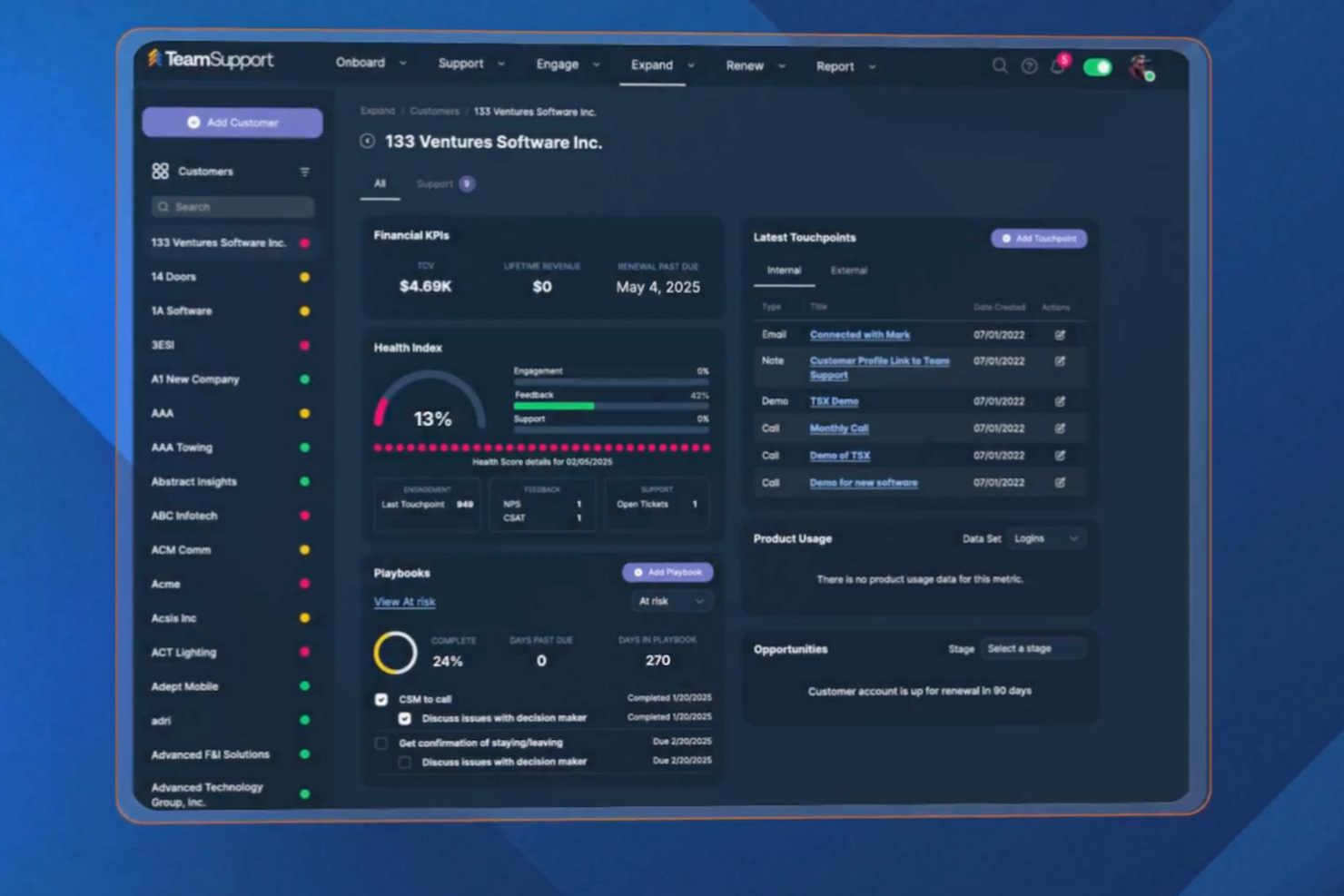
| Interfaccia utente | Offre un layout classico in stile dashboard, con widget personalizzabili. | Propone un'interfaccia moderna ispirata alle chat, progettata per una navigazione rapida. |
| Inserimento | Fornisce una configurazione guidata, tutorial integrati nell'app e un team dedicato all'inserimento. | Utilizza procedure guidate interattive e suggerimenti basati sull'intelligenza artificiale per accelerare l'adozione. |
| Gestione dei ticket | Centralizza i ticket in un hub centrale con azioni collettive e opzioni avanzate di filtraggio. | Automatizza l'instradamento e la risoluzione dei ticket direttamente in Slack. |
| Risorse di supporto | Offre un supporto generalmente tempestivo tramite chat ed e-mail, con una base di conoscenza dettagliata. | Fornisce assistenza tramite chat dal vivo e un solido centro assistenza con guide video. |
Pylon risulta più intuitivo per i team che lavorano principalmente con gli strumenti di chat, mentre la dashboard strutturata e il supporto all'inserimento di TeamSupport lo rendono accessibile ai team di supporto tradizionali. TeamSupport si distingue per la configurazione guidata e l'area di lavoro personalizzabile, mentre Pylon spicca per la perfetta integrazione con Google Workspace e le risorse di supporto in tempo reale.
TeamSupport vs Pylon: Pros & Cons
TeamSupport
- Reporting and analytics offer detailed team performance insights.
- Customer database tracks multi-contact account histories.
- Ticket collaboration tools support complex B2B workflows.
- Some users report slow response times from support.
- Integrations aren't as extensive as other platforms.
- Some users have expressed frustration with the lengthy setup.
Pylon
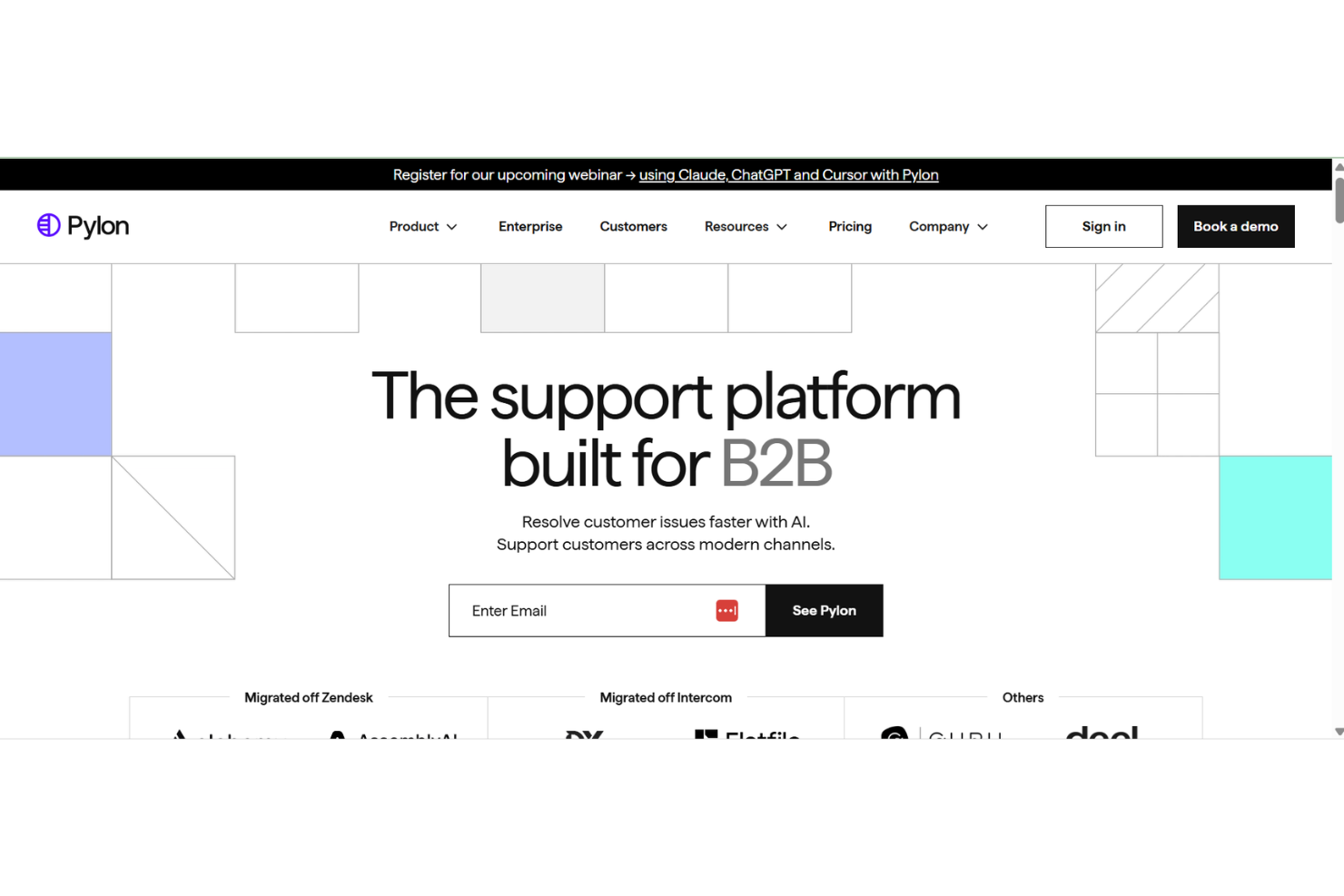
- AI agents automate repetitive support tasks for teams.
- Omnichannel support covers Slack, Teams, email, and chat.
- Knowledge management surfaces gaps and drafts articles automatically.
- Limited advanced ticketing features for complex workflows.
- Reporting customization options are less extensive than peers.
- Some users report occasional AI response inaccuracies.
Best Use Cases for TeamSupport and Pylon
TeamSupport
- Customer Success Departments Centralized customer data helps teams proactively manage client outcomes.
- Enterprise Support Teams Advanced reporting and account management suit large-scale operations.
- Healthcare Technology HIPAA-compliant features and audit trails support regulated environments.
- IT Service Desks Collaboration tools support multi-agent troubleshooting for technical issues.
- Manufacturing Companies Detailed ticket histories help manage product support and warranty claims.
- SaaS Providers TeamSupport tracks multi-contact accounts and recurring issues common in SaaS.
Pylon
- SaaS Startups Pylon’s AI knowledge base helps new teams scale support quickly.
- Remote-First Teams Slack and Teams integrations keep distributed teams connected and informed.
- IT Help Desks Automated workflows and knowledge surfacing reduce ticket volume for IT.
- Customer Success Departments Centralized knowledge sharing improves onboarding and customer-facing responses.
- HR Departments Internal support automation streamlines employee questions and requests.
- Mid-Sized Tech Companies Transparent pricing and fast onboarding suit growing tech organizations.
Chi dovrebbe usare TeamSupport e chi dovrebbe usare Pylon?
TeamSupport è ideale per i team di supporto B2B che gestiscono relazioni complesse con i clienti, necessitano di report dettagliati e apprezzano un'area di lavoro strutturata e collaborativa, soprattutto in settori come SaaS, produzione o tecnologia. Se il tuo team preferisce la gestione tradizionale dei ticket, si affida a integrazioni come Microsoft Teams o ha bisogno di una solida documentazione per la conformità, TeamSupport è la scelta giusta. Pylon è ideale per i team dinamici che desiderano gestire il supporto direttamente in Slack, automatizzare le attività ripetitive e sfruttare l'intelligenza artificiale per accelerare le risoluzioni. Scegli Pylon se dai priorità a flussi di lavoro moderni, collaborazione in tempo reale e un modello di tariffazione flessibile basato sull'utilizzo.
Differences Between TeamSupport and Pylon
| TeamSupport | Pylon | |
|---|---|---|
| Automation | Offers rule-based automations for ticket assignment and alerts. | Leverages AI to automate responses and suggest solutions. |
| Collaboration Style | Focuses on internal notes, shared views, and team dashboards. | Enables real-time collaboration through chat-based workflows. |
| Pricing Model | Charges per user with feature-based tiers. | Uses usage-based pricing tied to ticket volume and automation. |
| Ticket Management | Uses a traditional ticketing system with advanced filtering. | Automates ticket creation and routing within Slack. |
| Visit TeamSupportOpens new window | Read Pylon ReviewOpens new window |
Similarities Between TeamSupport and Pylon
| API & Zapier Access | Each offers an API and Zapier integration, so you can build custom workflows and connect with other business tools. |
|---|---|
| CRM Integrations | Both connect with major CRMs like Salesforce and HubSpot, letting you sync customer data and track interactions. |
| Knowledge Resources | Both offer searchable help centers and in-app guidance to support users as they learn the platform. |
| Reporting & Analytics | Each provides customizable dashboards and analytics to help you monitor support performance and spot trends. |
| Security Standards | Both platforms use strong encryption, SSO options, and GDPR-compliant data handling to protect customer information. |
| Visit TeamSupportOpens new window Read Pylon ReviewOpens new window | |