

10 beste Wählsysteme für Callcenter im Test 2026

Bestes Wählsystem für Callcenter – Auswahlliste


Wenn Sie ein Callcenter verwalten, wissen Sie, wie überwältigend das sein kann. Kundengespräche zu koordinieren, die Antwortzeiten niedrig zu halten und sicherzustellen, dass Ihr Team stets Bestleistungen erbringt, ist nicht einfach. Hier kommt ein Wählsystem ins Spiel: Es hilft Ihnen, Anrufe effizienter zu verwalten und die Produktivität Ihres Teams zu steigern.
Ich habe verschiedene Wählsysteme getestet und bewertet, um Ihnen einen unvoreingenommenen Überblick über die besten verfügbaren Optionen zu geben. In diesem Artikel stelle ich meine Top-Empfehlungen vor und zeige, wodurch sich die einzelnen Systeme auszeichnen. Sie erhalten ein klares Verständnis dafür, wie diese Tools Ihren Arbeitsaufwand optimieren und die Leistung Ihres Teams steigern können.
Sehen wir uns die Optionen an und finden wir das passende Wählsystem für die Anforderungen Ihres Callcenters.
Warum Sie unseren Software-Empfehlungen vertrauen können
Unser Team testet und bewertet Software seit 2012. Als CX-Führungskräfte selbst wissen wir, wie schwierig – und wichtig – es ist, die richtige Software auszuwählen.
Für diesen Leitfaden haben wir Tools mithilfe von praktischen Tests und unabhängiger Recherche bewertet und dabei unsere Bewertungskriterien angewendet.
Unsere Bewertungen spiegeln unser menschliches redaktionelles Urteilsvermögen wider, keine Verkaufsstrategie.
Vergleichstabelle der Wählsysteme für Callcenter
Die folgende Tabelle vergleicht die Preisdetails meiner besten Wählsysteme für Callcenter.
| Tool | Best For | Trial Info | Price | ||
|---|---|---|---|---|---|
| 1 | Am besten für Remote-Teams geeignet | 7-tägige kostenlose Testversion + kostenlose Demo verfügbar | Ab $30/Lizenz/Monat (jährliche Abrechnung) | Website | |
| 2 | Am besten für einheitliche Kommunikation | Kostenlose Demo verfügbar | Ab $15/Benutzer/Monat (jährliche Abrechnung) | Website | |
| 3 | Am besten geeignet für KI-gesteuerten Vertriebswahl | 14-tägige kostenlose Testphase verfügbar | Ab $25/Nutzer/Monat (jährlich abgerechnet) | Website | |
| 4 | Am besten für internationales Nummernmanagement | Kostenlose Demo verfügbar | Ab $15/Nutzer/Monat (jährlich abgerechnet) | Website | |
| 5 | Am besten für API-Zugang | Kostenlose Demo verfügbar | Ab $18/Benutzer/Monat | Website | |
| 6 | Am besten für KI-gestützte Transkription | 14-tägige kostenlose Testphase + kostenlose Demo verfügbar | Ab $15/Nutzer/Monat (jährliche Abrechnung) | Website | |
| 7 | Am besten geeignet für prädiktives Wählen | Kostenlose Demo verfügbar | Ab $199/Nutzer/Monat | Website | |
| 8 | Am besten für Cloud-Skalierbarkeit | Kostenlose Demo verfügbar | Ab $110/Nutzer/Monat | Website | |
| 9 | Am besten für Videointegration | 21-tägige kostenlose Testversion + kostenlose Demo verfügbar | Ab $20/Nutzer/Monat (jährlich abgerechnet) | Website | |
| 10 | Am besten für kleine Teams geeignet | 14-tägige kostenlose Testphase + kostenlose Demo verfügbar | Ab $29/Nutzer/Monat (jährlich abgerechnet) | Website |

Bewertungen der besten Wählsysteme für Callcenter
\u003cspan style=\u0022font-weight: 400\u0022\u003eIm Folgenden finden Sie meine ausführlichen Zusammenfassungen der besten Wählsysteme für Callcenter, die es auf meine Auswahlliste geschafft haben. Meine Bewertungen bieten einen detaillierten Überblick über die wichtigsten Funktionen, Vor- \u0026 Nachteile, Integrationen und idealen Einsatzbereiche jedes Tools, damit Sie das für Sie beste System finden.\u003c/span\u003e
Aircall
Am besten für Remote-Teams geeignet
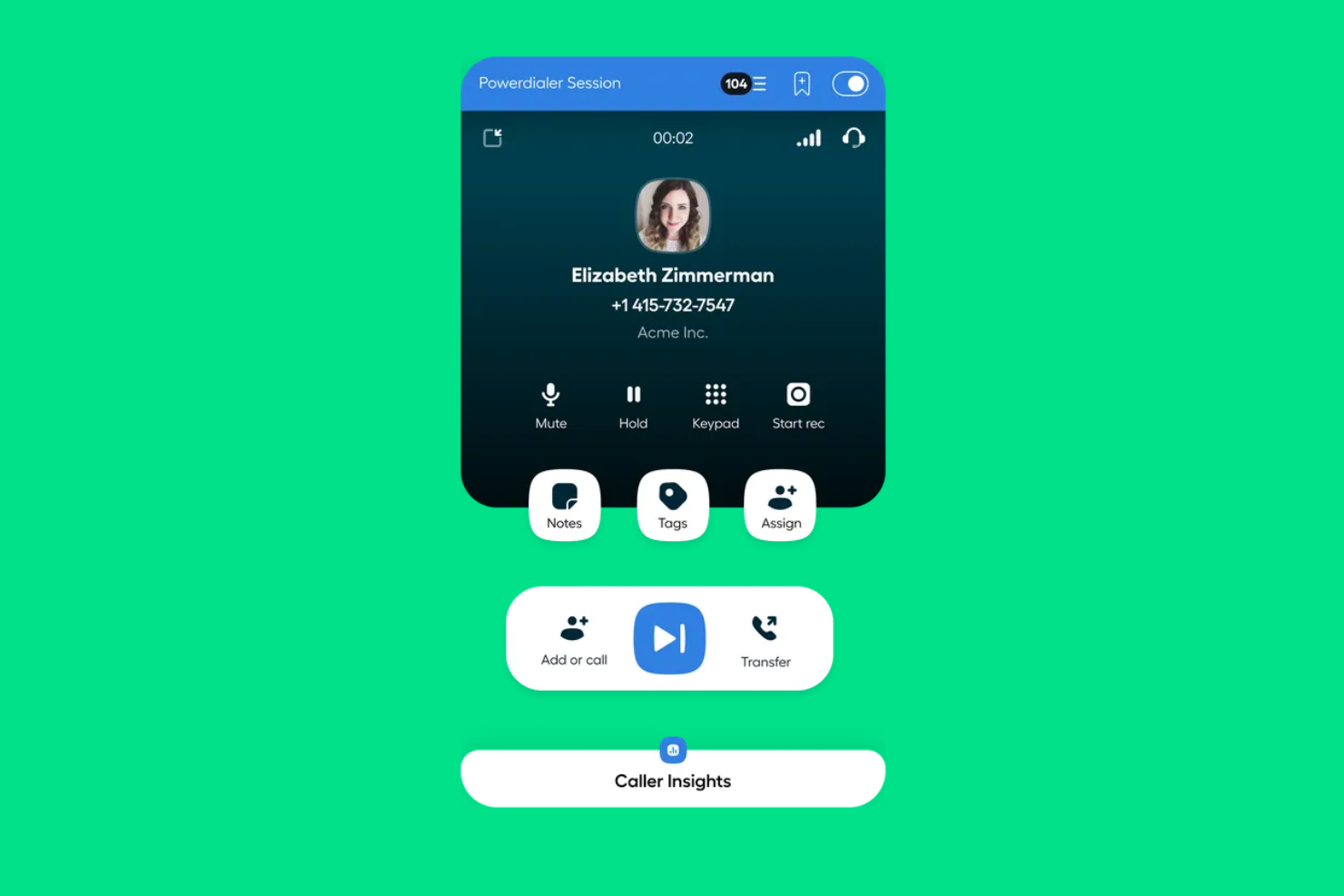
Aircall ist eine Callcenter-Software, die entwickelt wurde, um Remote-Teams mit flexiblen Kommunikationslösungen zu unterstützen. Sie ist ideal für Unternehmen, die ihre Telefonie unabhängig von einem physischen Standort verwalten möchten.
Warum ich Aircall gewählt habe: Aircall ist speziell auf Remote-Teams zugeschnitten und bietet Funktionen, die eine reibungslose Kommunikation unabhängig vom Standort Ihres Teams gewährleisten. Es beinhaltet das Call-Whispering, wodurch Vorgesetzte während Gesprächen in Echtzeit Hinweise geben können. Mit der Anrufflaggen-Funktion lassen sich Anrufe zur besseren Organisation kategorisieren. Zudem bietet Aircall internationale Nummern, was es Ihrem Team erleichtert, Kunden weltweit effizient zu erreichen.
Herausragende Funktionen & Integrationen:
Funktionen umfassen Anrufwarteschlangen, die helfen, eingehende Gespräche in Stoßzeiten zu steuern. Die Anrufaufzeichnungsfunktion ermöglicht Qualitätskontrolle und Schulungen. Mit Aircalls Echtzeit-Analyse erhalten Sie Einblicke in die Gesprächsleistung und können datengesteuerte Entscheidungen treffen.
Integrationen umfassen Salesforce, HubSpot, Slack, Zendesk, Pipedrive, Zoho CRM, Microsoft Teams, Intercom, Freshdesk und Shopify.
Pros and Cons
Pros:
- Unterstützt internationale Nummern
- Echtzeit-Call-Whispering
- Einfache Anrufflaggen
Cons:
- Eingeschränkte Offline-Funktionalität
- Gelegentliche Verbindungsprobleme

Nextiva
Am besten für einheitliche Kommunikation
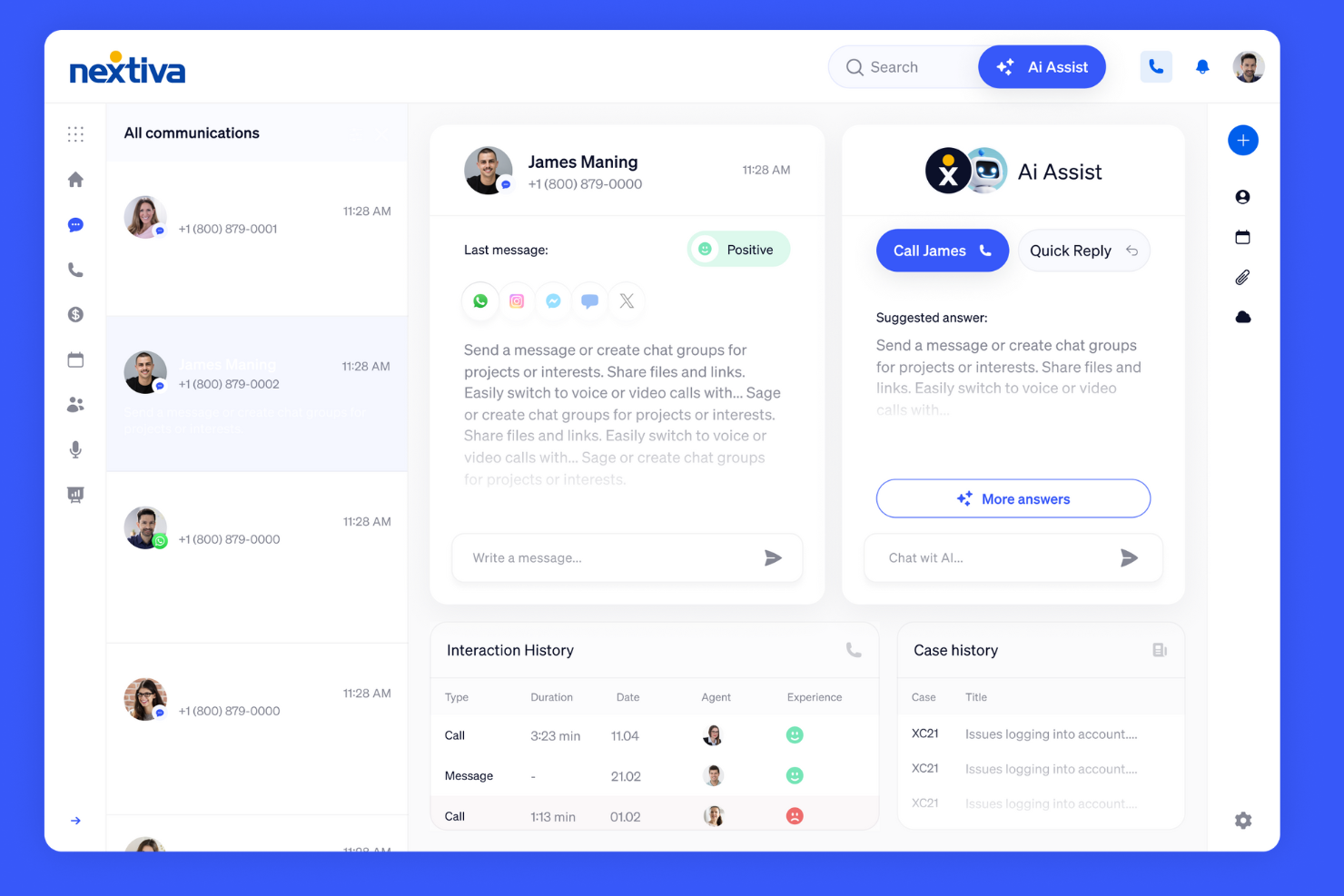
Nextiva ist ein vielseitiges Wählersystem, das für Unternehmen entwickelt wurde, die nach Lösungen für eine einheitliche Kommunikation suchen. Es richtet sich an Firmen, die Sprache, Video und Messaging auf einer Plattform integrieren möchten, um Zusammenarbeit und Effizienz zu steigern.
Warum ich Nextiva gewählt habe: Nextiva bietet einheitliche Kommunikationslösungen, sodass Ihr Team alle Kommunikationsarten über eine einzige Plattform verwalten kann. Die Call-Pop-Funktion liefert sofortige Anruferdetails, sodass Ihr Team Interaktionen personalisieren kann. Die erweiterte Anrufweiterleitung stellt sicher, dass Anrufe an die richtige Person gelangen und verbessert die Reaktionszeiten. Darüber hinaus bieten die Analyse-Tools von Nextiva Einblicke in Kommunikationstrends, damit Sie fundierte Entscheidungen treffen können.
Herausragende Funktionen & Integrationen:
Funktionen umfassen Anrufaufzeichnung, durch die Ihr Team Qualitätsstandards einhalten kann, indem vergangene Interaktionen überprüft werden. Die Voicemail-zu-E-Mail-Funktion sorgt dafür, dass Ihrem Team keine wichtigen Nachrichten entgehen, da diese direkt ins Postfach zugestellt werden. Die Nextiva Mobile App unterstützt die Kommunikation unterwegs, damit Ihr Team überall verbunden bleibt.
Integrationen umfassen Salesforce, HubSpot, Zendesk, Microsoft Teams, G Suite, Outlook, Slack, ServiceNow, SugarCRM und Zoho CRM.
Pros and Cons
Pros:
- Einheitliche Kommunikationsplattform
- Erweiterte Anrufweiterleitung
- Umfassende Analysewerkzeuge
Cons:
- Eingeschränkte Offline-Funktionalität
- Steilere Lernkurve für neue Nutzer

Am besten geeignet für KI-gesteuerten Vertriebswahl
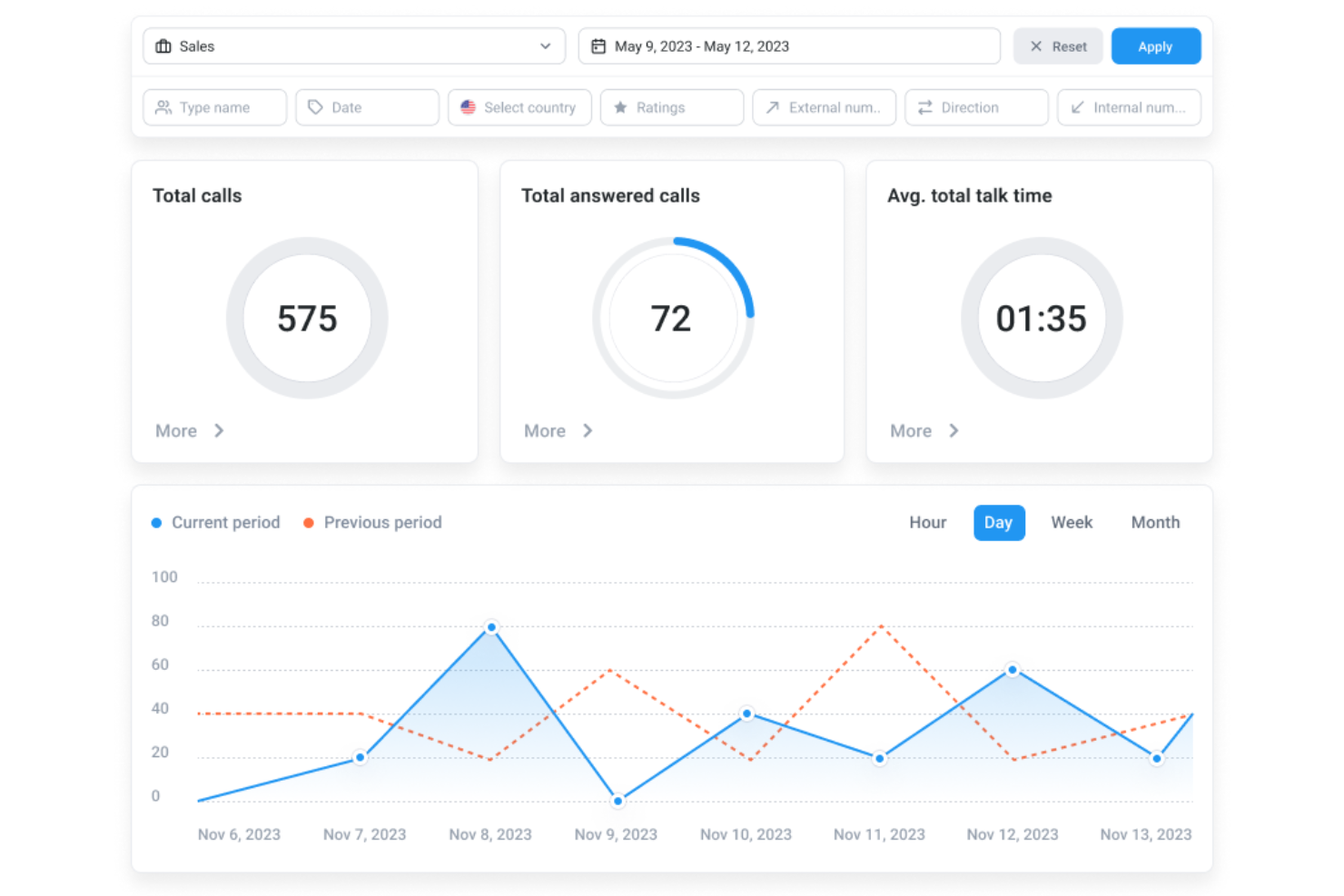
Für Callcenter-Manager und Geschäftsteams, die ein zuverlässiges Wählsystem benötigen, unterstützt CloudTalk sowohl eingehende als auch ausgehende Anrufe auf einer Plattform. Es bietet verschiedene Wahlmodi und Echtzeit-Anrufkontrollen, die Teams helfen, Anrufe bei Vertriebs- und Supportfällen konsistenter zu bearbeiten. Durch die Reduzierung manueller Anrufwahl und die Organisation von Anrufabläufen ermöglicht CloudTalk Teams, weniger Zeit für die Gesprächsvorbereitung und mehr Zeit für den direkten Kundenkontakt zu verwenden.
Warum ich CloudTalk gewählt habe
Ich habe CloudTalk aufgrund seines AI Sales Dialer gewählt, der Teams hilft, die Zeit für manuelles Wählen zu minimieren. Anrufe werden automatisch getätigt, sodass sich die Agenten auf Gespräche mit den Kunden konzentrieren können, anstatt Anruflisten zu verwalten. CloudTalk lässt sich zudem mit Tools wie HubSpot und Salesforce integrieren, wodurch Anrufaktivitäten und Kundendaten zentral gebündelt werden. Das macht CloudTalk zu einer praktischen Option für Teams, die den Outbound-Telefonvertrieb effizienter gestalten möchten.
CloudTalk Hauptfunktionen
Zusätzlich zum AI Sales Dialer bietet CloudTalk:
- Anruf-Warteschleife: Verarbeitet eingehende Anrufe effizient, indem sie in eine Warteschlange gelegt werden, wodurch kein Anruf unbeantwortet bleibt.
- IVR (Interaktiver Sprachdialog): Führt Anrufer durch ein Menü, damit sie an die richtige Abteilung oder den richtigen Ansprechpartner weitergeleitet werden.
- Echtzeit-Überwachung: Ermöglicht Vorgesetzten, Live-Anrufe mitzuhören und Agenten sofortiges Feedback zu geben.
- Voicemail Drop: Agenten können vorab aufgenommene Nachrichten hinterlassen, was Zeit spart und die Kommunikation vereinheitlicht.
CloudTalk-Integrationen
Zu den Integrationen gehören HubSpot, Salesforce, Zendesk, Microsoft Teams, Pipedrive, Zoho CRM, Intercom, Salesloft, Outreach, Bullhorn und Monday.com.
Pros and Cons
Pros:
- Hohe Gesprächsqualität sorgt für klare und unterbrechungsfreie Kommunikation
- Voicemail-Drop-Funktion standardisiert und beschleunigt die Nachrichtenübermittlung
- Starke Integration mit CRMs hält Anrufdaten synchronisiert
Cons:
- Gelegentliche Verbindungsprobleme bei Anrufen wurden von Nutzern gemeldet
- Begrenzte Anpassungsmöglichkeiten im Dashboard

Am besten für internationales Nummernmanagement
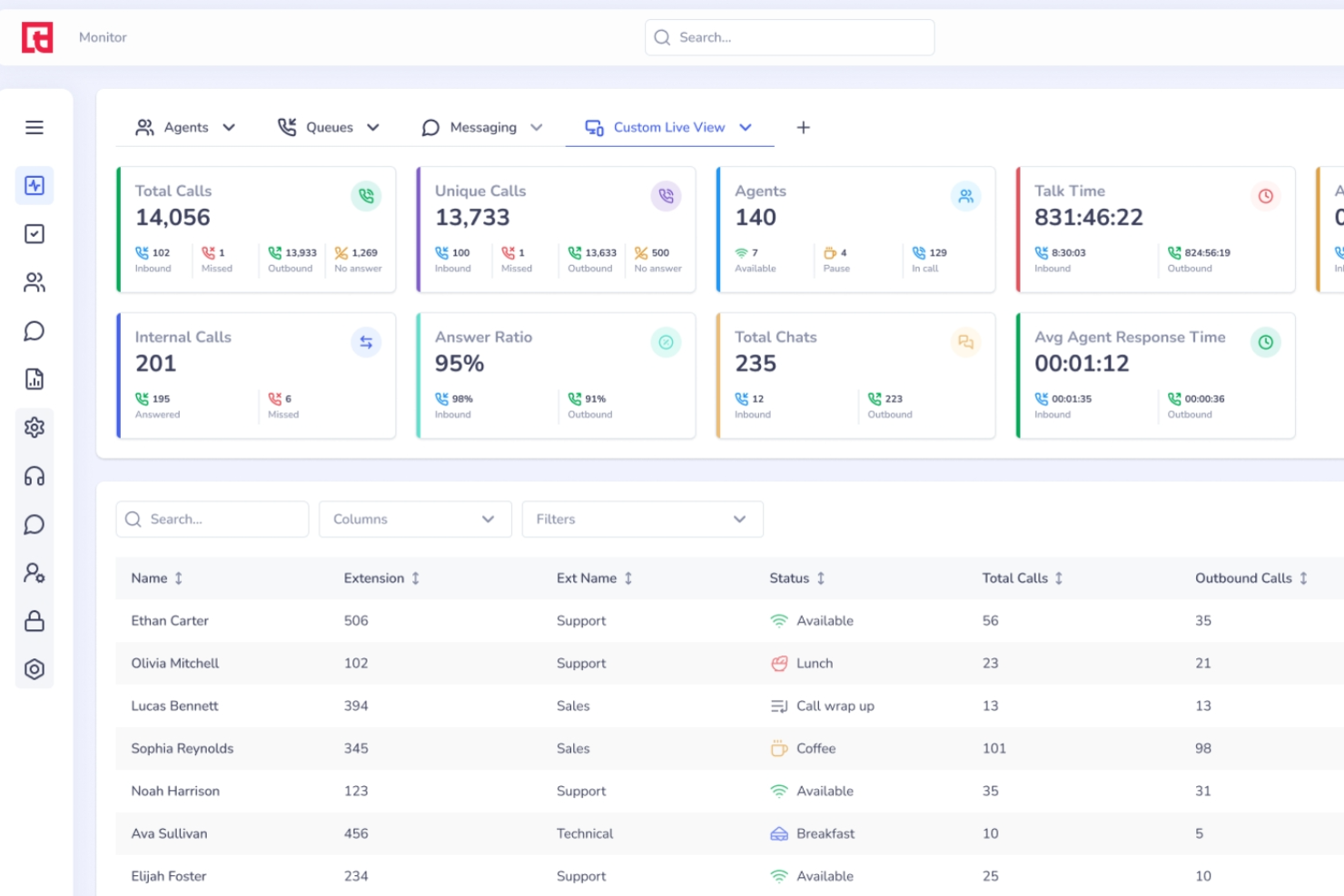
Squaretalk ist eine cloudbasierte Contact Center-Plattform, die einen prädiktiven Dialer, IVR, Omnichannel-Messaging und internationales Management von virtuellen Rufnummern für eingehende und ausgehende Callcenter-Operationen kombiniert.
Für wen ist Squaretalk am besten geeignet?
Squaretalk eignet sich besonders für ausgehende Callcenter mit globalen Kampagnen, die eine Abdeckung mit Rufnummern in mehreren Ländern und Hochvolumen-Wähltools benötigen.
Warum ich mich für Squaretalk entschieden habe
Das internationale Nummernmanagement von Squaretalk ist der Hauptgrund, warum ich es in diese Liste aufgenommen habe. Sie können virtuelle Nummern in über 100 Ländern und 4.500+ Ortsvorwahlen sofort aktivieren, was bedeutet, dass Ihr Team ausgehende Kampagnen mit einer echten lokalen Präsenz in jedem Markt durchführen kann. Besonders gefällt mir das dynamische Anruferkennungssystem (Caller ID), das Ihre ausgehende Nummer automatisch an die Region anpasst, die Sie anrufen, und so die Annahmerate erhöhen kann. Außerdem markiert der Spam-Checker Nummern mit schlechtem Ruf, bevor sie Ihre Verbindungsraten beeinträchtigen.
Squaretalk Hauptfunktionen
- Prädiktiver Dialer: Wählt automatisch mehrere Leads gleichzeitig und verbindet angenommene Anrufe in Echtzeit mit verfügbaren Agenten.
- Live-Anrufüberwachung: Supervisoren können mithören, den Agenten Hinweise geben oder aktiv in laufende Gespräche eingreifen, ohne den Kunden zu unterbrechen.
- IVR-Builder: Erstellen Sie mehrstufige interaktive Sprachmenüs, um eingehende Anrufe an das richtige Team oder die richtige Warteschlange zu leiten.
- Anrufaufzeichnung: Zeichnet eingehende und ausgehende Anrufe zu Zwecken der Qualitätssicherung, Einhaltung von Vorschriften und Agentencoaching auf.
Squaretalk Integrationen
Squaretalk lässt sich mit einer Vielzahl von CRM-, Helpdesk- und Business-Tools integrieren, darunter Zoho CRM, Salesforce, HubSpot, Zendesk, Pipedrive, monday.com und Freshdesk, Dropbox, Mailchimp, Slack und Discord. Eine API für individuelle Integrationen ist verfügbar.
Pros and Cons
Pros:
- Ortsrufnummern in über 150 Ländern verfügbar
- Prädiktiver Dialer verbindet Agents nur mit angenommenen Gesprächspartnern
- Agentenzahl flexibel skalierbar ohne Vertragsänderungen
Cons:
- Mobile App fehlt es an wichtigen Desktop-Funktionen
- Rufnummern können schnell als Spam markiert werden
New Product Updates from Squaretalk
Squaretalk Adds TradeCore Integration for Brokerage Workflows
Squaretalk adds a TradeCore integration that connects customer conversations with BrokerIQ CRM workflows. This helps brokerage teams trigger AI-driven follow-ups, tasks, and other actions from calls and messages. For more information, visit Squaretalk’s official site.
 .
.
Ozonetel
Am besten für API-Zugang
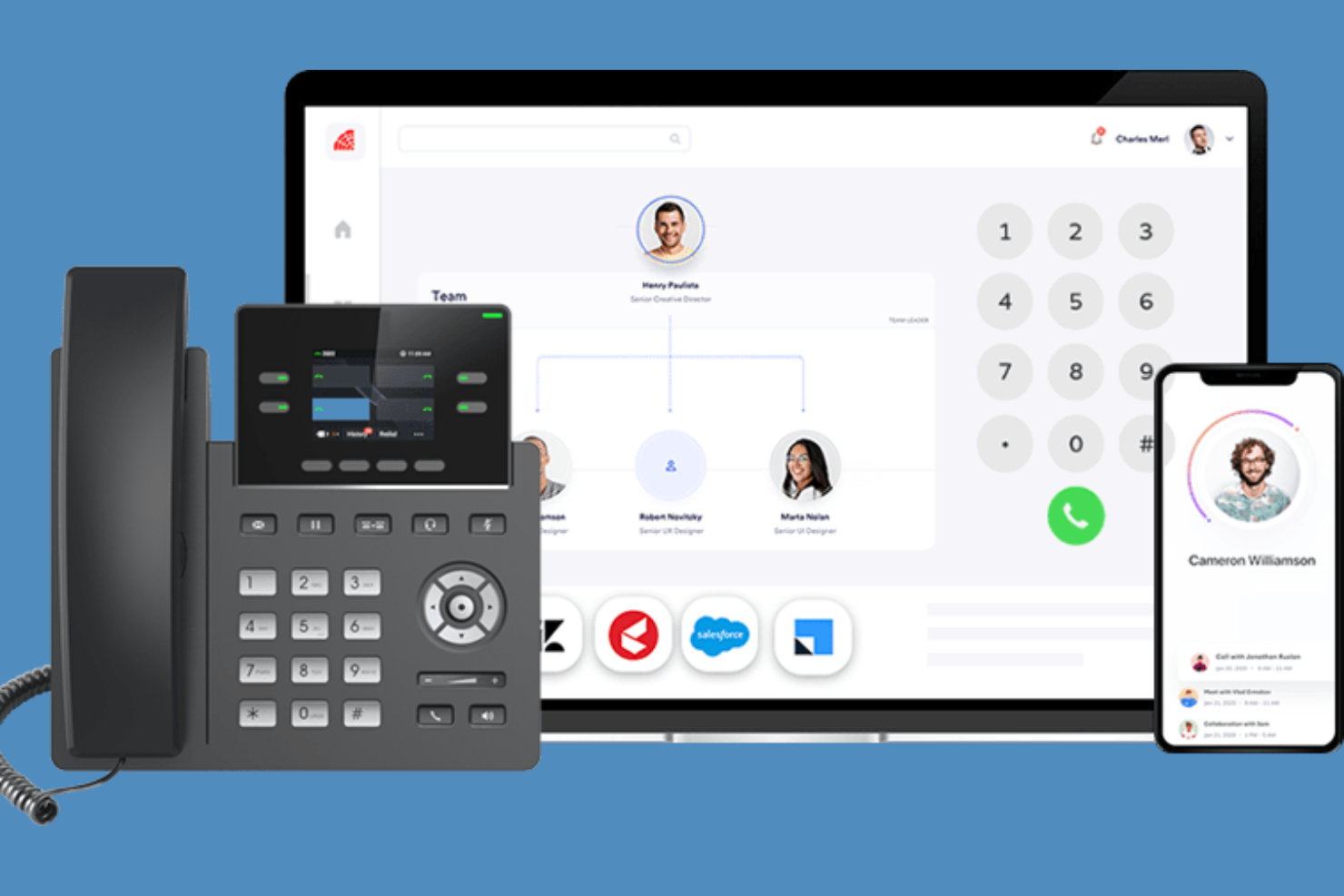
Ozonetel ist eine cloudbasierte Auto-Dialer-Lösung, die sich an Unternehmen richtet, die ein effizientes Anrufmanagement suchen. Sie ist ideal für Callcenter, die skalierbare und flexible Wähl-Lösungen benötigen, um hohe Anrufvolumina zu bewältigen.
Warum ich Ozonetel gewählt habe: Ozonetel bietet umfangreichen API-Zugang, wodurch Sie die Software individuell anpassen und nahtlos in Ihre bestehenden Systeme integrieren können. Es verfügt über Funktionen wie prädiktives Wählen, um die Produktivität der Agenten zu maximieren und Leerlaufzeiten zu minimieren. Die anpassbaren Dashboards ermöglichen es Ihrem Team, Leistungskennzahlen einfach zu überwachen. Zudem unterstützt es Call Blending, sodass Agenten eingehende und ausgehende Anrufe effizient bearbeiten können.
Herausragende Funktionen & Integrationen:
Funktionen umfassen Gesprächsaufzeichnung, mit der Ihre Teams zur Qualitätssicherung Anrufe überprüfen können. Die Click-to-Call-Funktion vereinfacht den Wählprozess und spart Zeit. Ozonetels Telefonkonferenzen erlauben mehreren Teilnehmern, einem Anruf beizutreten, was die Zusammenarbeit fördert.
Integrationen sind möglich zu Salesforce, Zoho CRM, Freshdesk, Zendesk, HubSpot, Microsoft Dynamics, Pipedrive, SugarCRM, Slack und Shopify.
Pros and Cons
Pros:
- Umfangreiche API-Anpassung
- Unterstützt Call Blending
- Anpassbare Dashboards
Cons:
- Die Ersteinrichtung kann komplex sein
- Stabile Internetverbindung erforderlich

Dialpad
Am besten für KI-gestützte Transkription
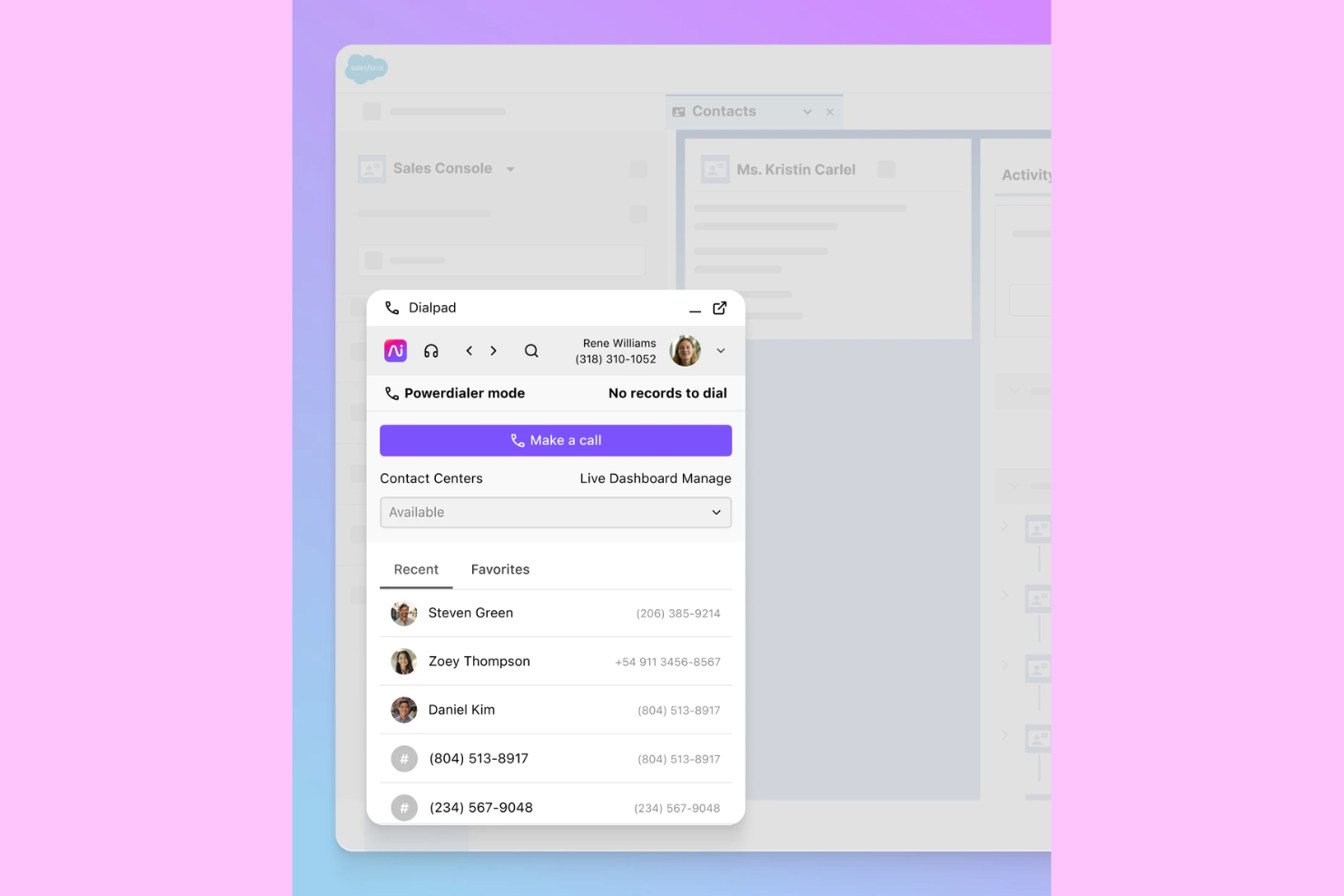
Dialpad ist ein Wählsystem, das für Callcenter entwickelt wurde und den Wählvorgang automatisiert, um die Effizienz zu steigern. Es wird hauptsächlich von Vertriebsteams genutzt, die schnell und effektiv mit Kunden in Kontakt treten möchten. Das Tool bietet Funktionen wie Gesprächsaufzeichnung und KI-gestützte Transkription, was es zu einem wertvollen Instrument für die Verbesserung der Kommunikation und die Nachverfolgung von Interaktionen macht.
Warum ich Dialpad gewählt habe: Dialpad bietet KI-basierte Transkription, wodurch es sich durch Echtzeit-Gesprächseinblicke und automatische Notizen hervorhebt. Diese Funktion ist besonders nützlich für Vertriebsteams, die sich auf Kundeninteraktionen konzentrieren möchten, ohne durch manuelle Notizen abgelenkt zu werden. Zusätzlich integriert sich Dialpad mit Salesforce und ermöglicht so ein nahtloses CRM-Management. Die Voicemail-Drop-Funktion spart Zeit, indem sie Agenten erlaubt, vorab aufgezeichnete Nachrichten zu hinterlassen, was eine konsistente Kommunikation sicherstellt.
Herausragende Funktionen & Integrationen:
Funktionen umfassen Gesprächsaufzeichnung, mit der Ihr Team Interaktionen überprüfen und Kommunikationsstrategien verbessern kann. Der Voicemail-Drop spart Agenten Zeit, indem er das Hinterlassen vorab aufgezeichneter Nachrichten ermöglicht. Das Echtzeit-Monitoring von Anrufen gibt Vorgesetzten die Möglichkeit, mehrere Anrufe zu überwachen und bei Bedarf Unterstützung zu leisten.
Integrationen umfassen Salesforce, Slack, Zendesk, HubSpot, Google Workspace, Microsoft Teams, LinkedIn, Twitter, Intercom und Zoho.
Pros and Cons
Pros:
- Echtzeit-Transkription
- Einfache CRM-Integration
- Voicemail-Drop-Funktion
Cons:
- Begrenzte Anpassungsmöglichkeiten
- Stabile Internetverbindung erforderlich

Am besten geeignet für prädiktives Wählen
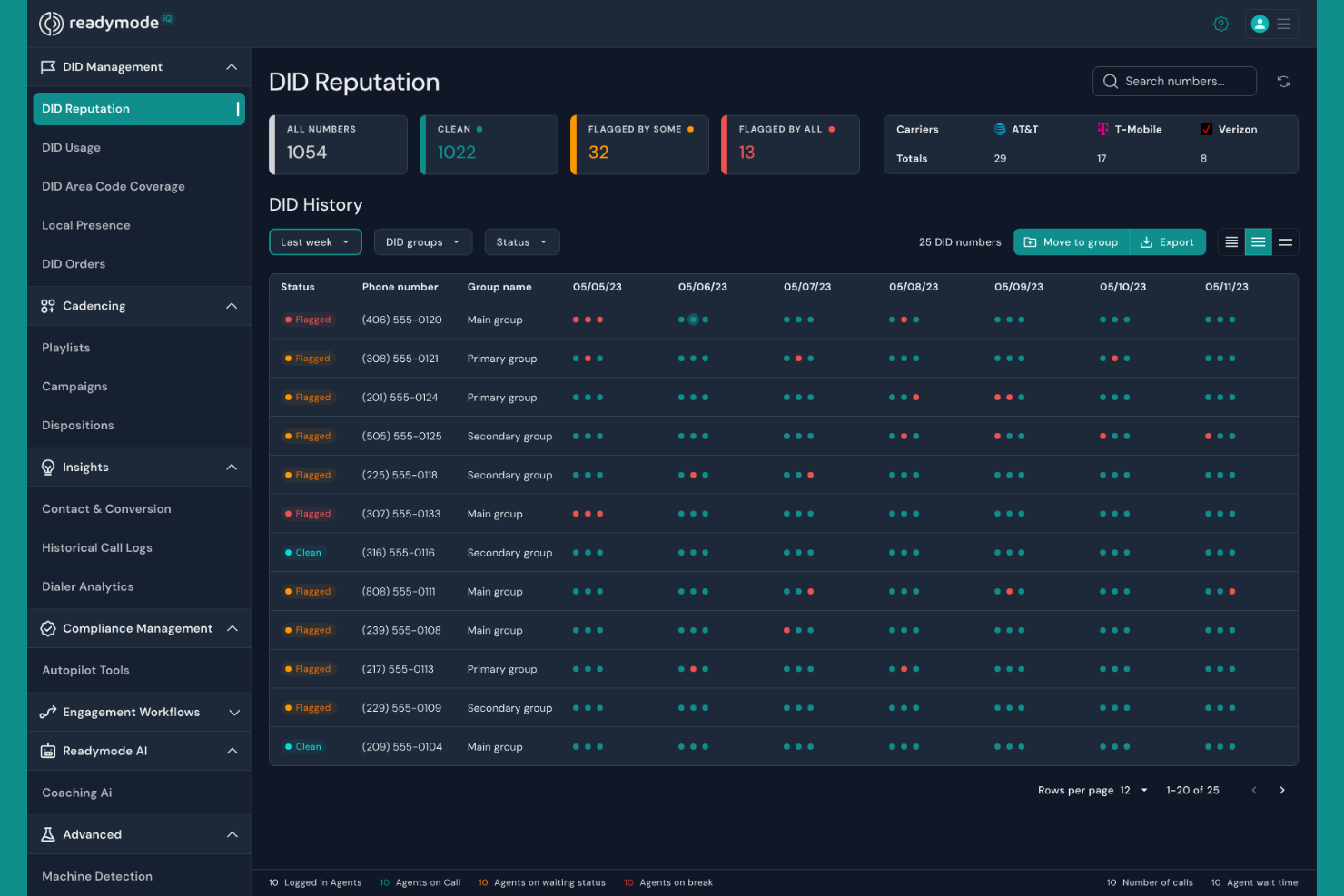
Readymode ist eine Callcenter-Softwarelösung, die sich auf die Steigerung der Effizienz durch prädiktives Wählen konzentriert. Sie richtet sich an Callcenter, die die Produktivität der Agenten maximieren und Leerlaufzeiten zwischen Anrufen minimieren möchten.
Warum ich Readymode gewählt habe: Readymode ist auf prädiktives Wählen spezialisiert, wodurch Ihr Team mehr Kunden erreichen kann, indem automatisch mehrere Nummern gewählt und nur beantwortete Anrufe mit den Agenten verbunden werden. Diese Funktion hilft, Ausfallzeiten zu reduzieren und das Anrufvolumen zu erhöhen. Die Software bietet außerdem Anrufüberwachung, mit der Sie die Leistung Ihrer Agenten in Echtzeit beobachten können. Darüber hinaus sorgen anpassbare Skripte für eine konsistente Kommunikation und verbessern die Qualität der Kundeninteraktionen.
Hervorstechende Funktionen & Integrationen:
Funktionen umfassen Anrufaufzeichnung, die es Ihnen ermöglicht, Kundeninteraktionen zu überprüfen und zu verbessern. Die Echtzeit-Reporting-Funktion liefert Einblicke in Anrufmetriken und unterstützt Sie so bei fundierten Entscheidungen. Readymode unterstützt außerdem Call Blending, sodass Agenten sowohl eingehende als auch ausgehende Anrufe effizient bearbeiten können.
Integrationen umfassen Salesforce, HubSpot, Zoho CRM, Microsoft Dynamics, Zendesk, Pipedrive, SugarCRM, Slack, Freshdesk und Shopify.
Pros and Cons
Pros:
- Effektives prädiktives Wählen
- Echtzeit-Anrufüberwachung
- Anpassbare Anrufskripte
Cons:
- Hoher Einstiegspreis
- Komplexität bei der Ersteinrichtung

Am besten für Cloud-Skalierbarkeit
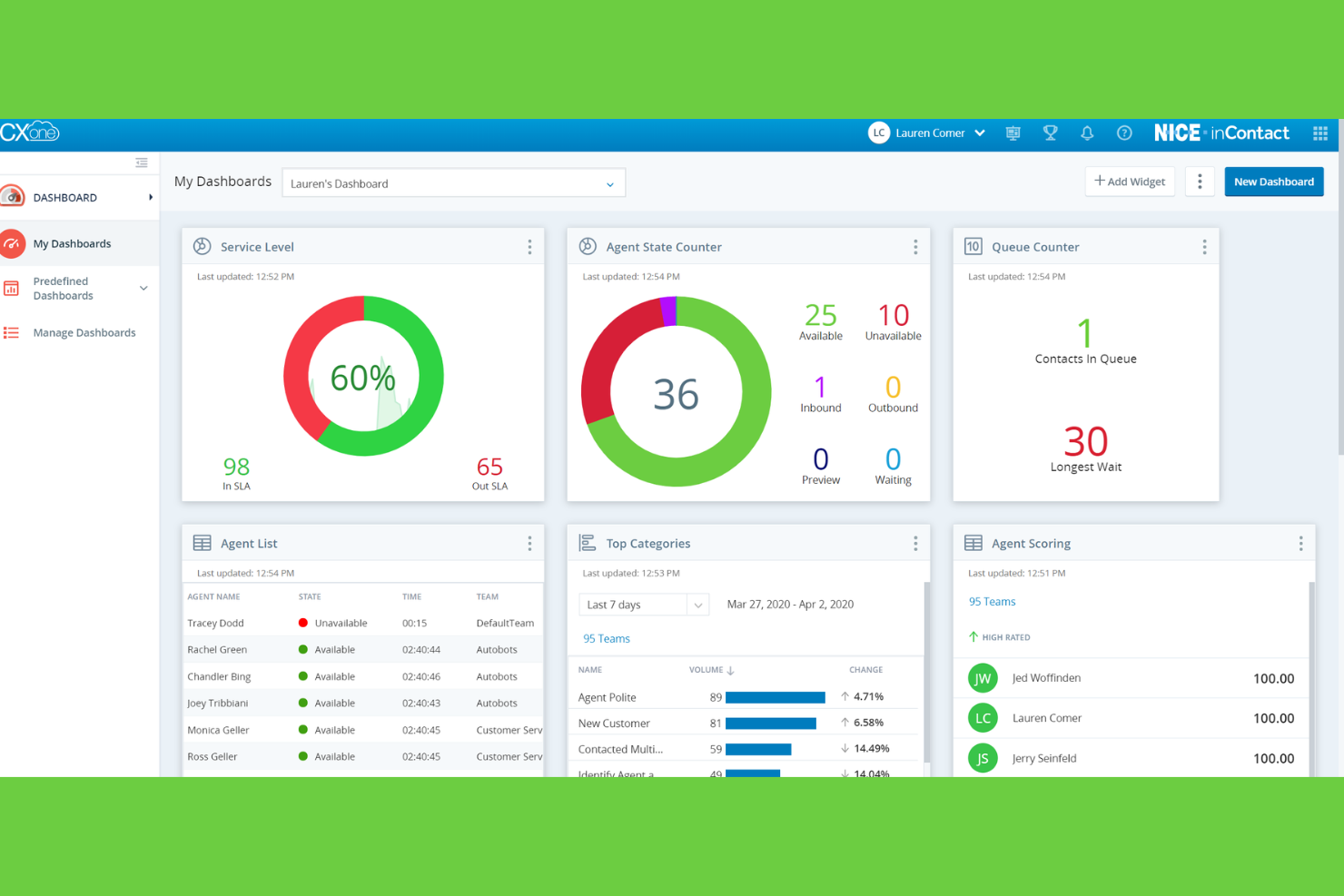
NiCE CXone ist eine cloudbasierte Callcenter-Software, die auf Unternehmen zugeschnitten ist, die skalierbare Kommunikationslösungen suchen. Sie richtet sich an Unternehmen, die Flexibilität und Effizienz bei der Verwaltung von Kundeninteraktionen über verschiedene Kanäle benötigen.
Warum ich NiCE CXone gewählt habe: NiCE CXone wurde wegen seiner Cloud-Skalierbarkeit ausgewählt, wodurch Ihr Team die Betriebsabläufe mühelos erweitern kann, wenn Ihr Unternehmen wächst. Die Omnikanal-Routing-Funktion ermöglicht es Ihrem Team, Kundeninteraktionen nahtlos über Sprache, Chat, E-Mail und soziale Medien hinweg zu steuern. Die Workforce-Management-Tools helfen bei der Optimierung von Einsatzplanung und Leistung. Darüber hinaus bieten die Echtzeit-Analysen Einblicke, die Ihnen helfen, datengestützte Entscheidungen zur Verbesserung der Servicequalität zu treffen.
Herausragende Funktionen & Integrationen:
Funktionen umfassen ein leistungsstarkes Qualitätsmanagementsystem, das sicherstellt, dass Ihr Team hohe Servicestandards aufrechterhalten kann. Die Sprachanalyse-Funktion liefert Einblicke in die Kundenzufriedenheit und aktuelle Trends. NiCE CXone bietet zudem eine intuitive Agentenoberfläche, die es Ihrem Team erleichtert, Aufgaben effizient zu verwalten.
Integrationen sind möglich mit Salesforce, Microsoft Dynamics, Zendesk, ServiceNow, SAP, Oracle, SugarCRM, HubSpot, Pega und Google Cloud.
Pros and Cons
Pros:
- Hoch skalierbare Cloud-Lösung
- Umfassendes Qualitätsmanagement
- Erweiterte Sprachanalyse
Cons:
- Komplexe Ersteinrichtung
- Eingeschränkte Offline-Funktionalität

Am besten für Videointegration
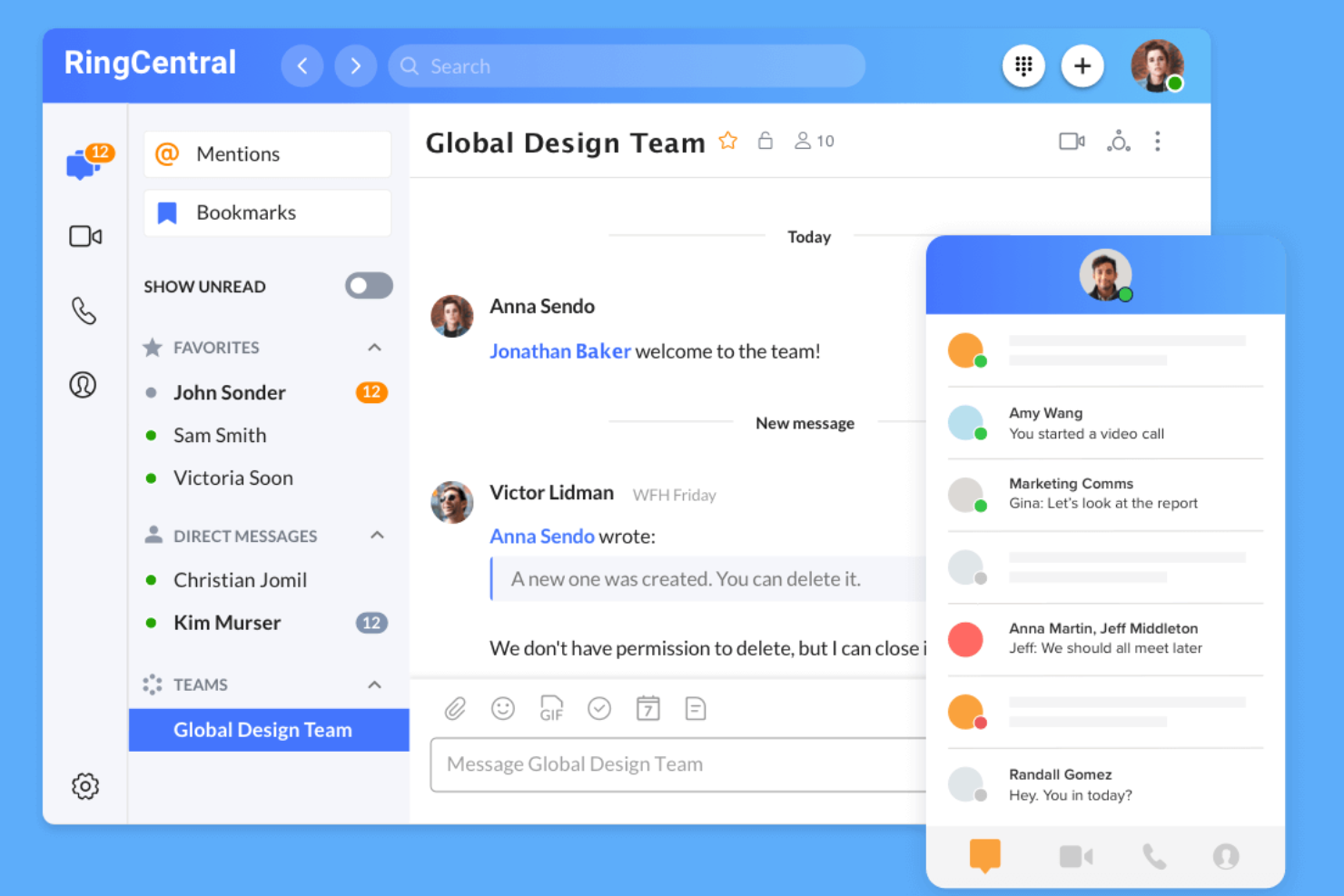
RingCentral ist eine umfassende Kommunikationsplattform, die für Unternehmen entwickelt wurde, die ein einheitliches System für Anrufe, Video und Messaging benötigen. Sie ist ideal für Teams, die Videokonferenzen nahtlos in ihren Arbeitsalltag integrieren möchten.
Warum ich RingCentral ausgewählt habe: RingCentral wurde wegen seiner hervorragenden Videointegration ausgewählt, die es Ihrem Team ermöglicht, mühelos zwischen Sprachanrufen und Videomeetings zu wechseln. Der Auto-Dialer hilft Ihrem Team, mehr Kontakte durch automatisiertes Wählen zu erreichen. Die Anrufanalysen bieten Einblicke in die Anrufleistung und unterstützen so die Optimierung Ihrer Kommunikationsstrategie. Außerdem bietet RingCentral Anrufaufzeichnung, was für Schulungen und Qualitätssicherung nützlich ist.
Hervorstechende Funktionen & Integrationen:
Funktionen umfassen das Management von Anrufwarteschlangen, womit Ihr Team hohe Anrufvolumen effizient bewältigen kann. Die Voicemail-zu-E-Mail-Funktion stellt sicher, dass wichtige Nachrichten nie verpasst werden, da sie direkt in Ihrem Posteingang landen. RingCentral bietet zudem eine Mobile App, damit Ihr Team auch unterwegs stets verbunden bleibt.
Integrationen umfassen Salesforce, Microsoft 365, Google Workspace, Slack, Zendesk, HubSpot, ServiceNow, Dropbox, Box und Okta.
Pros and Cons
Pros:
- Reibungslose Videointegration
- Effizientes Anrufwarteschlangen-Management
- Mobile App-Unterstützung
Cons:
- Kann für neue Nutzer komplex sein
- Hoher Ressourcenbedarf

JustCall
Am besten für kleine Teams geeignet
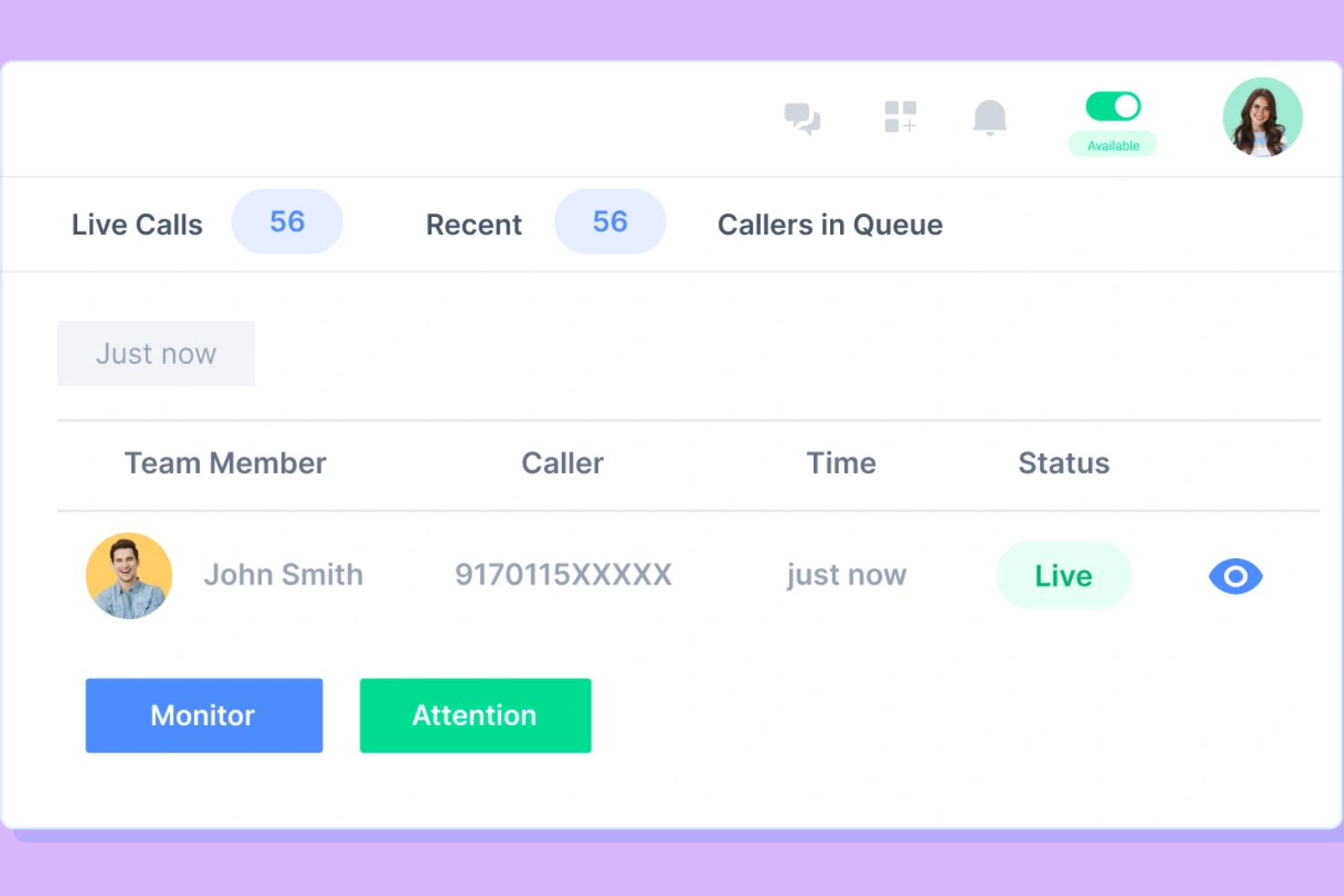
JustCall ist ein Callcenter-Dialer-System, das für kleine Teams entwickelt wurde, die ihre Anrufmöglichkeiten verbessern möchten. Es bietet Funktionen, die eine effiziente Kommunikation und Interaktion mit Kunden unterstützen und ist damit eine ideale Wahl für Start-ups und kleine Unternehmen.
Warum ich JustCall gewählt habe: JustCall ist speziell auf kleine Teams zugeschnitten und bietet Funktionen, die ohne umfangreiche technische Kenntnisse einfach zu verwenden und zu implementieren sind. Es beinhaltet Anrufweiterleitung, sodass Anrufe schnell die richtigen Teammitglieder erreichen. Mit der SMS-Automatisierungsfunktion kann Ihr Team mühelos personalisierte Nachrichten versenden. Außerdem hilft das Anrufüberwachungstool dabei, die Teamleistung zu überwachen und zu verbessern, ohne dass eine große Infrastruktur nötig ist.
Hervorstechende Funktionen & Integrationen:
Funktionen beinhalten Anrufaufzeichnung, sodass Ihr Team Gespräche noch einmal anhören kann, um die Servicequalität zu verbessern. Die Click-to-Call-Funktion ermöglicht es, Anrufe direkt aus dem Browser heraus zu starten und spart dadurch Zeit. Mit dem Anrufplanungs-Tool kann die Zeit Ihres Teams effizient verwaltet werden und es gehen keine Anrufe verloren.
Integrationen umfassen HubSpot, Zapier, Slack, Salesforce, Zoho CRM, Pipedrive, Intercom, Copper, Freshdesk und Zendesk.
Pros and Cons
Pros:
- Unterstützt SMS-Automatisierung
- Individuell anpassbare Anrufabläufe
- Leistungsüberwachung in Echtzeit
Cons:
- Begrenzte fortgeschrittene Funktionen
- Gelegentliche Probleme mit der Anrufqualität
Weitere Wählsysteme für Callcenter
\u003cspan style=\u0022font-weight: 400\u0022\u003eHier finden Sie einige weitere Wählsysteme für Callcenter, die es nicht auf meine Auswahlliste geschafft haben, aber dennoch einen Blick wert sind:\u003c/span\u003e
- Dialer360
Am besten für CRM-Integration geeignet
- MightyCall
Am besten geeignet für Anrufaufzeichnung
- Genesys
Am besten für Unternehmenslösungen geeignet
- T-Mobile for Business
Am besten für Echtzeit-Transkriptionen von Anrufen
- Exotel
Am besten für den indischen Markt geeignet


Wie ich Dialer-Systeme für Callcenter bewerte
Ich unterteile die Bewertung in zwei Ebenen: Grundlegende Kriterien, die jeder Callcenter-Dialer erfüllen muss—Predictive Dialing, CRM-Synchronisierung, Compliance—und Unterscheidungsmerkmale, die für Teams mit hohem Outbound-Volumen wichtig sind.
Kernfunktionen (Grundvoraussetzungen für diese Liste)
Bei der Auswahl von Tools für meine Liste bewerte ich jede Funktion auf einer Skala von 0 (bietet die Funktion nicht) bis 5 (überzeugt in diesem Bereich) für jede der unten aufgeführten Kernfunktionen. Anschließend rechne ich die Gesamtpunktzahl des Tools in einen Prozentsatz um. Jedes Tool muss eine Mindestgesamtpunktzahl von 65 % erreichen, um in die Auswahl aufgenommen zu werden.
- Mehrere Wählmodi: Ich prüfe, ob eine Plattform Predictive, Progressive, Power und Preview-Modi anbietet, damit Teams den Dialer an die jeweilige Kampagne anpassen können—Inkassogespräche erfordern eine andere Taktik als warme Follow-ups.
- CRM-Integration: Jedes Tool sollte Gesprächsergebnisse und Kontaktdaten mit CRMs wie Salesforce oder HubSpot synchronisieren, und ich achte auf Bildschirm-Popups, die Agenten vor Gesprächsbeginn Kontext geben.
- Integrierte Compliance-Tools: Ich bewerte DNC-Listenabgleiche, Zeitzonen-Regeln für Anrufe und Zustimmungsverfolgung, da ein einziger Verstoß während einer großvolumigen Outbound-Kampagne zu erheblichen Geldstrafen führen kann.
- Anrufbeantworter-Erkennung: Gute AMD sorgt dafür, dass Agenten mit echten Menschen statt mit Anrufbeantwortern sprechen; ich achte auf die Erkennungsgenauigkeit und darauf, ob das Tool automatische Voicemail-Übermittlung unterstützt.
- Echtzeit-Analysen & Monitoring: Supervisoren benötigen Live-Dashboards, die Agentenstatus, Warteschlangentiefe und Kampagnen-Kontaktraten anzeigen—ich achte auf anpassbare Ansichten und die Möglichkeit, historische Berichte zu exportieren.
- Anrufaufzeichnung & Qualitätsmanagement: Über die einfache Aufzeichnung hinaus prüfe ich, ob die Plattform Whisper, Barge und QA Scorecards unterstützt, mit denen Supervisoren ihre Agenten während und nach Live-Anrufen coachen können.
Nachdem ich eine Liste von Tools habe, die diese Kriterien erfüllen, schaue ich mir an, was jede Plattform besonders macht.
Unterscheidungsmerkmale (Was die Anbieter voneinander abhebt)
So vergleiche und kontrastiere ich verschiedene Anbieter:
Herausragende Funktionen
Lokales Präsenz-Wählen ist eine Funktion, die ich immer prüfe—sie passt die ausgehende Rufnummer an den Vorwahlbereich des Empfängers an und kann die Antwortquote bei Kaltakquisekampagnen deutlich erhöhen. Ich bewerte auch KI-basierte Sprachanalyse, denn Plattformen, die Stimmungsänderungen oder Schlüsselwörter in Echtzeit markieren, verschaffen Supervisoren einen Vorsprung beim Coaching. Intelligente Rückrufplanung ist ebenfalls wichtig, insbesondere für Teams mit mehrtägigen Kampagnen, da Retry-Logik und optimale Kontaktfenster die Konvertierung direkt beeinflussen.
Über die Funktionalität hinaus
Die Preisstruktur ist eines der ersten Dinge, die ich prüfe—Lizenzierung pro Sitz eignet sich für konstante Teams, aber BPOs mit saisonalen Volumenschwankungen sollten nach Modellen für gleichzeitige Benutzer oder pro Minute suchen, die sich dem Bedarf anpassen. Flexibilität der Telefonie ist ebenso entscheidend. Ich prüfe, ob eine Plattform BYOC (Bring Your Own Carrier) und SIP-Trunking unterstützt, da festgelegte Carrier-Vereinbarungen die Kosten unbemerkt in die Höhe treiben können. Für regulierte Branchen wie das Gesundheitswesen oder den Finanzsektor prüfe ich auch auf Compliance-Zertifizierungen wie SOC 2, PCI-DSS und HIPAA.
So wählen Sie ein Wählsystem für ein Callcenter aus
Bei langen Funktionslisten und komplexen Preismodellen verliert man leicht den Überblick. Damit Sie sich während Ihres individuellen Auswahlprozesses auf das Wesentliche konzentrieren können, finden Sie hier eine Checkliste mit den wichtigsten Faktoren:
| Faktor | Was Sie beachten sollten |
| Skalierbarkeit | Kann das System mit Ihrem Unternehmen wachsen? Prüfen Sie, ob es steigende Anrufvolumina und zusätzliche Benutzer problemlos unterstützt. |
| Integrationen | Funktioniert es mit Ihren bestehenden Tools? Bevorzugen Sie Systeme, die sich nahtlos in Ihr CRM und andere täglich verwendete Software integrieren lassen. |
| Anpassbarkeit | Können Sie das System an Ihre Arbeitsabläufe anpassen? Achten Sie auf Optionen, mit denen Sie Gesprächsskripte und Anrufweiterleitungen an die Anforderungen Ihres Teams anpassen können. |
| Benutzerfreundlichkeit | Wie intuitiv ist die Benutzeroberfläche? Ihr Team sollte sie mit minimalem Schulungsaufwand bedienen können. Achten Sie auf übersichtliche Layouts und unkomplizierte Menüs. |
| Implementierung und Einführung | Wie lange dauert es, bis das System einsatzbereit ist? Berücksichtigen Sie den angebotenen Support während der Einrichtung sowie verfügbare Schulungsressourcen für Ihr Team. |
| Kosten | Passt die Preisgestaltung zu Ihrem Budget? Vergleichen Sie die Kosten pro Benutzer sowie versteckte Gebühren oder langfristige Verträge. |
| Sicherheitsvorkehrungen | Sind Ihre Gespräche und Daten geschützt? Stellen Sie sicher, dass das System Verschlüsselung umfasst und alle branchenspezifischen Sicherheitsstandards erfüllt, an die Sie sich halten müssen. |
| Verfügbarkeit des Supports | Welche Unterstützung können Sie erwarten? Prüfen Sie, ob der Anbieter rund um die Uhr Support anbietet und wie einfach er bei auftretenden Problemen erreichbar ist. |
Was ist ein Wählsystem für ein Callcenter?
Ein Wählsystem für ein Callcenter automatisiert den Prozess des Wählens von Telefonnummern und erleichtert es den Agenten, eine Verbindung zu Kunden herzustellen. Diese Tools werden im Allgemeinen von Vertriebsteams, Kundendienstmitarbeitern und Telemarketern eingesetzt, um die Effizienz zu steigern und die Anrufbearbeitung zu verbessern. Funktionen wie automatisches Wählen, Gesprächsaufzeichnung und Echtzeitanalysen helfen bei der Verwaltung eines hohen Anrufaufkommens, der Schulung von Mitarbeitern und der Überwachung der Leistung. Insgesamt steigern diese Tools die Produktivität und sorgen für eine reibungslosere Kommunikation mit Kunden.
Funktionen
Achten Sie bei der Auswahl eines Wählsystems für ein Callcenter auf die folgenden wichtigen Funktionen:
- Automatisches Wählen: Wählt automatisch Nummern, um Agenten mit aktiven Gesprächen zu verbinden, wodurch Zeit gespart und Leerlauf reduziert wird.
- Gesprächsaufzeichnung: Zeichnet Gespräche auf und speichert sie für Schulungen und Qualitätssicherung, wodurch die Teamleistung verbessert wird.
- Echtzeitanalysen: Liefert Einblicke in Anrufkennzahlen und die Leistung und ermöglicht datengestützte Entscheidungen.
- Anrufweiterleitung: Leitet Anrufe an den zuständigen Agenten oder die zuständige Abteilung weiter und gewährleistet so eine effiziente Bearbeitung von Anfragen.
- CRM-Integration: Verbindet sich mit Kundenbeziehungsmanagementsystemen, um schnell auf Kundeninformationen zuzugreifen und diese zu aktualisieren.
- Vorausschauendes Wählen: Wählt mehrere Nummern und verbindet nur angenommene Anrufe mit Agenten, wodurch die Gesprächszeit der Agenten maximiert wird.
- Hinterlassen von Sprachnachrichten: Ermöglicht es Agenten, schnell vorab aufgezeichnete Nachrichten zu hinterlassen, wodurch bei Kontaktaufnahmeaktionen Zeit gespart wird.
- Anrufüberwachung: Ermöglicht Vorgesetzten, Gespräche mitzuhören, um Coaching und Leistungsbeurteilungen durchzuführen.
- Anpassbare Gesprächsleitfäden: Stellt Agenten maßgeschneiderte Gesprächsleitfäden bereit, um eine einheitliche und effektive Kommunikation sicherzustellen.
- Unterstützung mehrerer Kanäle: Ermöglicht die Bearbeitung von Kundeninteraktionen über verschiedene Kanäle wie Sprache, E-Mail und Chat.
Vorteile
Die Implementierung eines Wählsystems für ein Callcenter bietet Ihrem Team und Ihrem Unternehmen mehrere Vorteile. Hier sind einige Vorteile, auf die Sie sich freuen können:
- Höhere Effizienz: Automatisches und vorausschauendes Wählen reduziert Ausfallzeiten und ermöglicht es Agenten, in kürzerer Zeit mehr Anrufe zu bearbeiten.
- Verbesserte Kundeninteraktionen: Anrufweiterleitung und CRM-Integration stellen sicher, dass Kunden mit dem richtigen Agenten verbunden werden und ihre Informationen sofort verfügbar sind.
- Verbesserte Schulungsmöglichkeiten: Gesprächsaufzeichnungen und Überwachung liefern Materialien für Schulungen und Leistungsbeurteilungen und helfen Agenten, ihre Fähigkeiten zu verbessern.
- Datengestützte Entscheidungen: Echtzeitanalysen bieten Einblicke in die Anrufleistung und ermöglichen es Ihnen, fundierte Anpassungen an Strategien vorzunehmen.
- Einheitliche Kommunikation: Anpassbare Gesprächsleitfäden und Funktionen zum Hinterlassen von Sprachnachrichten stellen sicher, dass Ihr Team allen Kunden eine einheitliche Botschaft vermittelt.
- Besseres Ressourcenmanagement: Die Unterstützung mehrerer Kanäle ermöglicht es Ihrem Team, verschiedene Arten von Interaktionen effizient zu bearbeiten und die Ressourcennutzung zu optimieren.
- Mehr Verkaufschancen: Vorausschauendes Wählen und CRM-Integration helfen Ihrem Team, mehr potenzielle Kunden zu erreichen und mehr Geschäfte abzuschließen.
Kosten und Preise
Die Auswahl eines Wählsystems für ein Callcenter erfordert ein Verständnis der verschiedenen verfügbaren Preismodelle und Tarife. Die Kosten variieren je nach Funktionen, Teamgröße, Zusatzoptionen und weiteren Faktoren. Die folgende Tabelle fasst gängige Tarife, ihre durchschnittlichen Preise und typische enthaltene Funktionen von Wählsystemen für Callcenter-Lösungen zusammen:
Vergleichstabelle der Tarife für Wählsysteme für Callcenter
| Tariftyp | Durchschnittlicher Preis | Häufige Funktionen |
| Kostenloser Tarif | $0 | Grundlegende Anrufverwaltung, begrenzte Minuten, Anrufprotokollierung und grundlegende Berichte. |
| Persönlicher Tarif | $10-$30/Nutzer/Monat | Automatisches Wählen, Gesprächsaufzeichnung, CRM-Integration und grundlegende Analysen. |
| Geschäftstarif | $40-$70/Nutzer/Monat | Vorausschauendes Wählen, erweiterte Analysen, Anrufüberwachung und anpassbare Gesprächsleitfäden. |
| Unternehmenstarif | $80-$120/ Nutzer/Monat | Unterstützung mehrerer Kanäle, Echtzeitanalysen, erweiterte Sicherheitsfunktionen und dedizierte Kontoverwaltung. |
Dialersystem für Callcenter – häufig gestellte Fragen
Hier finden Sie einige Antworten auf häufige Fragen zu Dialersystemen für Callcenter:
Wie funktionieren automatische Wählgeräte?
Automatische Wählgeräte wählen selbstständig Nummern aus einer Liste und verbinden angenommene Anrufe mit Mitarbeitenden oder spielen vorab aufgezeichnete Nachrichten ab. Sie reduzieren das manuelle Wählen und Leerlaufzeiten, sodass sich Ihr Team auf den Kundenkontakt konzentrieren kann. Dies steigert die Effizienz und erhöht die Anzahl der bearbeiteten Anrufe.
Was ist der Unterschied zwischen prädiktiven und progressiven Wählgeräten?
Prädiktive Wählgeräte wählen gleichzeitig mehrere Nummern und verbinden angenommene Anrufe mit verfügbaren Mitarbeitenden, wodurch die Gesprächszeit der Mitarbeitenden optimiert wird. Progressive Wählgeräte wählen dagegen jeweils nur eine Nummer, wenn ein Mitarbeitender bereit ist. Wählen Sie je nach Arbeitsablauf Ihres Teams und Anrufvolumen.
Wie integrieren sich Wählgeräte in CRM-Systeme?
Wählgeräte integrieren sich in CRM-Systeme, um Kundendatensätze während der Anrufe automatisch zu aktualisieren. Dadurch verfügen Ihre Mitarbeitenden über aktuelle Informationen, was den Kundenkontakt verbessert. Achten Sie auf Systeme, die eine nahtlose Integration bieten, damit Ihre Daten synchronisiert bleiben.
Welche Compliance-Anforderungen sollte ich berücksichtigen?
Die Einhaltung von Vorschriften wie TCPA und GDPR ist bei der Verwendung von Wählgeräten entscheidend. Stellen Sie sicher, dass Ihr System Funktionen wie die Einwilligung zur Anrufaufzeichnung und die Verwaltung von Sperrlisten enthält. Dies hilft, rechtliche Probleme zu vermeiden und schützt Ihr Unternehmen.
Können Wählgeräte sowohl eingehende als auch ausgehende Anrufe verwalten?
Ja, viele Wählgeräte unterstützen sowohl die Verwaltung eingehender als auch ausgehender Anrufe. Dadurch kann Ihr Team Kundenanfragen und proaktive Kontaktaufnahmen effizient bearbeiten. Ziehen Sie Systeme in Betracht, die leistungsfähige Funktionen zur Weiterleitung und Verwaltung beider Anruftypen bieten.
Welche Vorteile bietet die Anrufaufzeichnung in Wählgeräten?
Mit der Anrufaufzeichnung können Sie Kundenkontakte für Schulungen und Qualitätssicherung erfassen und überprüfen. Sie hilft dabei, Verbesserungsmöglichkeiten zu erkennen und eine gleichbleibende Servicequalität sicherzustellen. Wählen Sie ein Wählgerät mit zuverlässigen Aufzeichnungsfunktionen, um die Leistung Ihres Teams zu verbessern.