

Die 10 besten Softwarelösungen für ausgehende Callcenter-Anrufe des Jahres 2026

10 Auswahl der besten Software für ausgehende Callcenter-Kommunikation


Software für ausgehende Callcenter-Kommunikation hilft CX-, Vertriebs- und Supportteams dabei, Herausforderungen wie niedrige Erreichbarkeitsquoten, unübersichtliche Arbeitsabläufe und mangelnde Transparenz zu bewältigen, damit Sie schneller mehr Kunden erreichen und dabei weniger manuelle Arbeit aufwenden müssen. Diese Werkzeuge unterstützen Kampagnen, die eine Anwahl großer Mengen, Echtzeit-Schulungen sowie integrierte Berichte über verschiedene Kanäle und Mitarbeiter hinweg erfordern.
Ich habe diese Plattformen anhand ihrer Anwahlmodi, CRM-Integrationen, Benutzerfreundlichkeit, Compliance-Funktionen und ihres allgemeinen ROI geprüft. Dieser Leitfaden schlüsselt die besten Optionen für Software für ausgehende Callcenter-Kommunikation auf, zeigt, wodurch sich die einzelnen Lösungen auszeichnen, und erklärt, wie Sie das richtige Werkzeug auswählen, damit Ihr Team seine Anrufziele erreicht und eine hohe Kundenzufriedenheit aufrechterhält.
Warum Sie unseren Software-Empfehlungen vertrauen können
Unser Team testet und bewertet Software seit 2012. Als CX-Führungskräfte selbst wissen wir, wie schwierig – und wichtig – es ist, die richtige Software auszuwählen.
Für diesen Leitfaden haben wir Tools mithilfe von praktischen Tests und unabhängiger Recherche bewertet und dabei unsere Bewertungskriterien angewendet.
Unsere Bewertungen spiegeln unser menschliches redaktionelles Urteilsvermögen wider, keine Verkaufsstrategie.
Zusammenfassung der besten Software für ausgehende Callcenter-Kommunikation
| Tool | Best For | Trial Info | Price | ||
|---|---|---|---|---|---|
| 1 | Bestes traditionelles Outbound-Callcenter | 7-tägige kostenlose Testversion | Ab $30/Nutzer/Monat (jährliche Abrechnung) | Website | |
| 2 | Am besten mit Live-KI-Anleitung für Agentenleistung | Kostenlose Demo verfügbar | Preise auf Anfrage | Website | |
| 3 | Am besten für Omnichannel-Routing | Kostenlose Demo verfügbar | Ab $30/Nutzer/Monat (jährlich abgerechnet) | Website | |
| 4 | Am besten für KI-gestützte Callcenter-Funktionen | Kostenlose Demo verfügbar | Ab $15/Benutzer/Monat (jährliche Abrechnung) | Website | |
| 5 | Am besten für Remote-Call-Teams | 14-tägige kostenlose Testversion verfügbar | Ab $19/Monat (jährlich abgerechnet) | Website | |
| 6 | Am besten für wachsende Unternehmen | Kostenlose Demo + 7-tägige kostenlose Testversion verfügbar | Ab $21/Nutzer/Monat (jährliche Abrechnung) | Website | |
| 7 | Bester Outbound-Dialer | 7-tägige kostenlose Testversion | Ab $49/Monat | Website | |
| 8 | Am besten für ausgehende Anrufe & SMS | Kostenlose Demo verfügbar | Ab $15/Benutzer/Monat (jährliche Abrechnung) | Website | |
| 9 | Am besten für den Zugriff auf Anrufe über mehrere Geräte geeignet | 7-tägige kostenlose Testversion verfügbar | Ab $19/Nutzer/Monat + $5/zusätzlicher Nutzer | Website | |
| 10 | Am besten für KI-gestützte Echtzeit-Transkriptionen | 14-tägige kostenlose Testversion + kostenlose Demo verfügbar | Ab $15/Nutzer/Monat | Website |

Bewertungen der besten Software für ausgehende Callcenter-Kommunikation
Mit den einfachen Übersichten zu den einzelnen Werkzeugen weiter unten können Sie nachvollziehen, wodurch sich die jeweiligen Lösungen von anderer Software für ausgehende Callcenter-Kommunikation unterscheiden.
Aircall
Bestes traditionelles Outbound-Callcenter
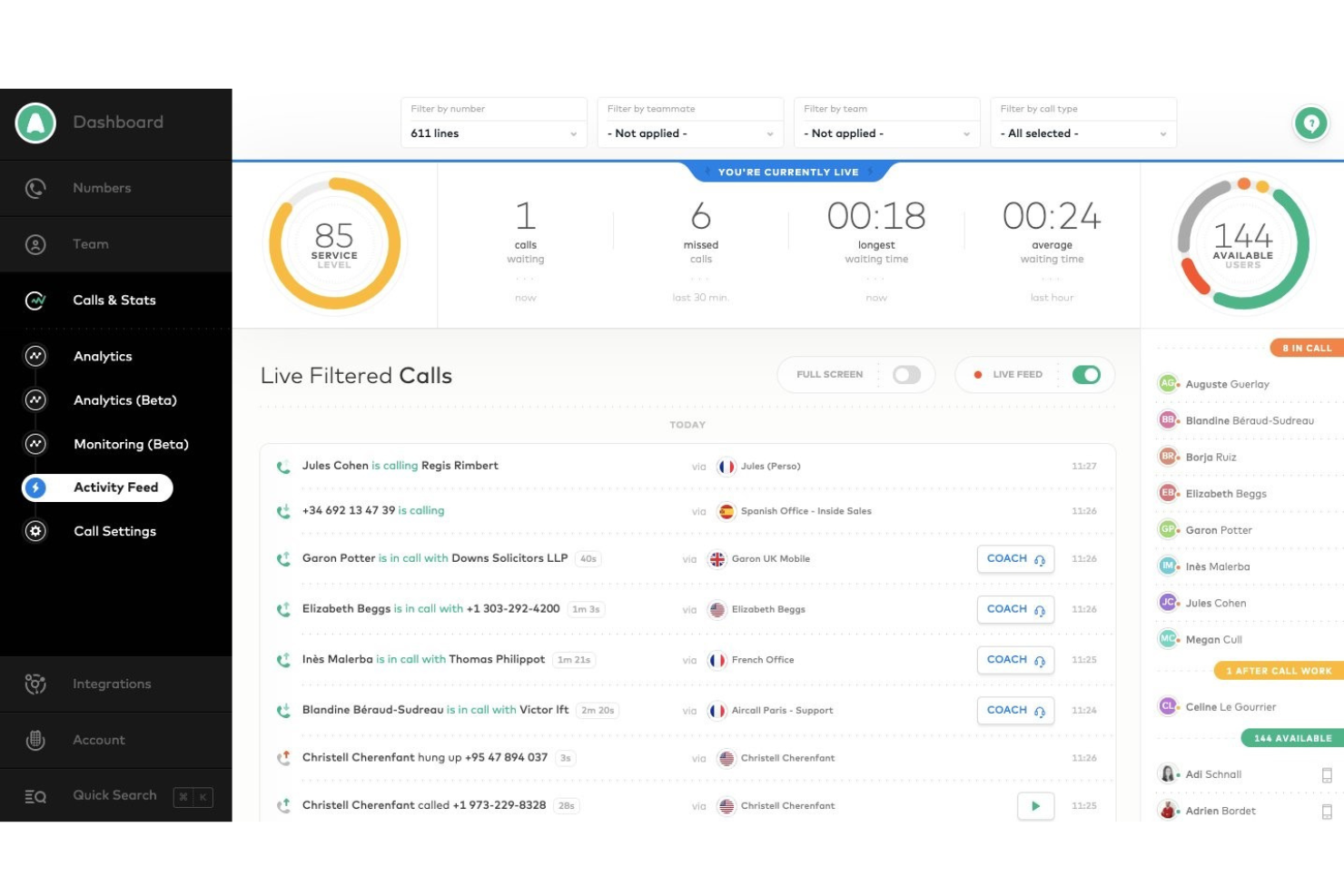
Aircall kann Support-Teams dabei helfen, Interaktionserlebnisse mit einem traditionellen Outbound-Callcenter-Toolset zu transformieren.
Warum ich Aircall gewählt habe: Diese Outbound-Callcenter-Software stellt eine nahezu vollständige Lösung dar, mit der Ihr Unternehmen ausgehende Anrufe verwalten kann. Aircall ist eine cloudbasierte Lösung, die die Funktionen bietet, die Sie normalerweise in einem traditionellen Callcenter finden würden. Sie funktioniert auf Desktop- und Mobilgeräten und ist daher sowohl für Remote-Mitarbeiter als auch für interne Teams eine ausgezeichnete Wahl. Aircall bietet die Werkzeuge, die Sie von einer Outbound-Callcenter-Software erwarten, wie z. B. fortschrittliches Routing, einen Power Dialer und Möglichkeiten für Warm Transfers.
Aircall eignet sich am besten für Vertriebs- und Support-Teams in kleinen und mittelständischen Unternehmen. Mit der Flüsterfunktion können Sie und Ihr Management-Team Ihre Agenten beraten, während sie mit Kunden telefonieren. Dies ist eine ausgezeichnete Funktion, um Ihren Agenten zu helfen, das Kundenerlebnis zu verbessern und Teammitglieder zu schulen. Aircall bietet außerdem Analysen, damit Sie die Leistung Ihrer Teammitglieder überwachen können – sowohl als Gruppe als auch individuell.
Aircall – Herausragende Funktionen und Integrationen
Funktionen umfassen gebührenfreie und internationale Nummern, Konferenztools für Anrufe, Voicemail, Anrufweiterleitung, Durchwahlen, interaktive Sprachmenüs, virtuelles Callcenter, SMS-Business-Textnachrichten, Warm Transfers, Anrufkommentare und -zuweisungen sowie Rückruf in Warteschlangen.
Integrationen umfassen ActiveCampaign, Hiver, Odoo CRM, BigCommerce, Copper, Datagrail, Freshdesk, HubSpot, Intercom, monday.com, Pipedrive und Zapier.
Pros and Cons
Pros:
- Hervorragende Audioqualität.
- Einfach zu erlernen.
- Bietet umfassende Kommunikationseinblicke.
Cons:
- Kundendienst verbesserungswürdig.
- Kann Nutzer abmelden.

Cresta
Am besten mit Live-KI-Anleitung für Agentenleistung
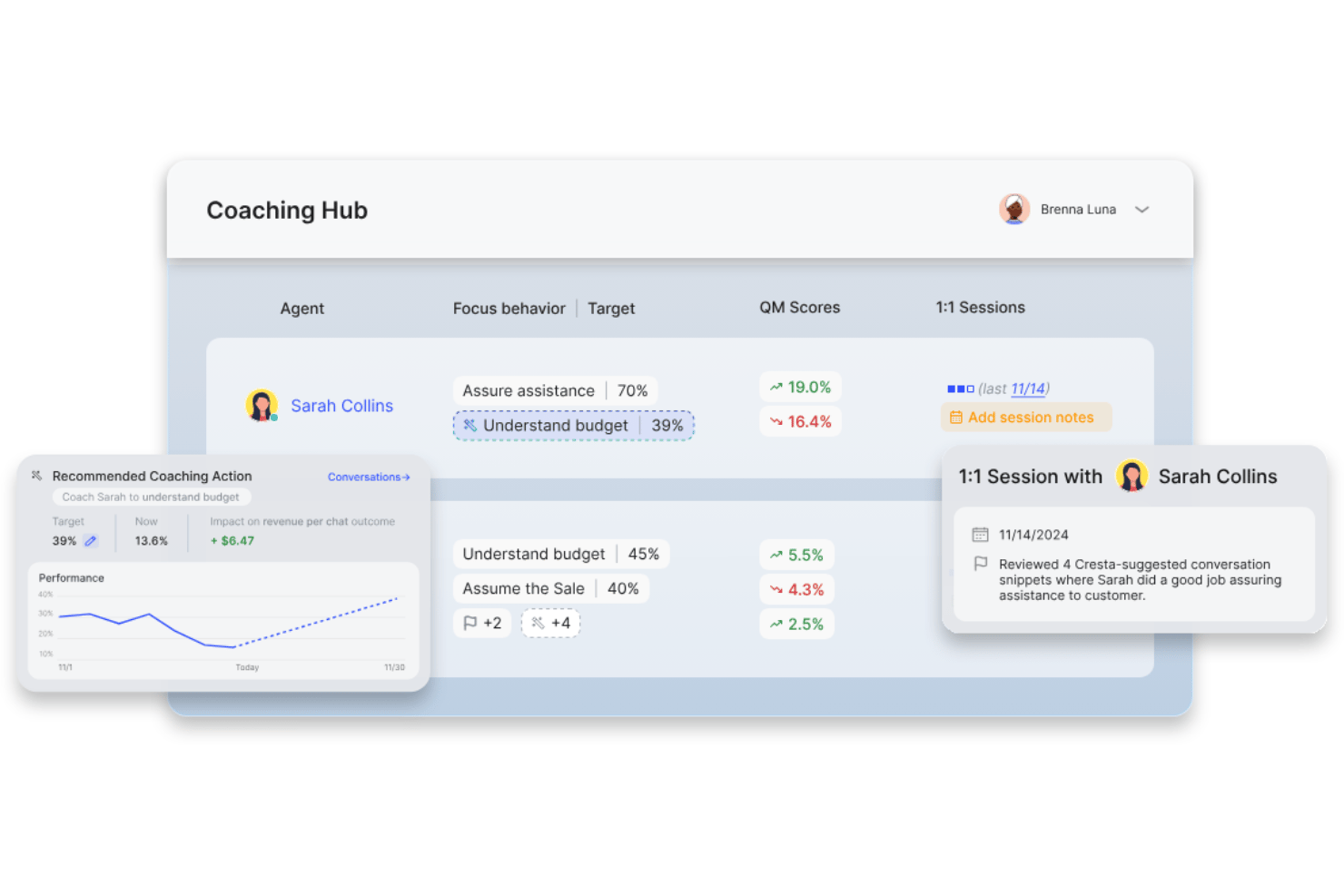
Cresta ist eine KI-gestützte Outbound-Callcenter-Softwareplattform, die Echtzeit-Agentenunterstützung, Live-Überwachung, fortschrittliche Analysen und Compliance-Tools über Ihre bestehende Contact-Center-Infrastruktur legt.
Für wen ist Cresta am besten geeignet?
Cresta eignet sich für Outbound-Contact-Center-Teams in größeren Unternehmen, die KI-Coaching und Analytik zu bestehenden Sprach- oder Omnikanal-Operationen hinzufügen möchten.
Warum ich Cresta ausgewählt habe
Ich habe Cresta als eine der besten Lösungen ausgewählt, weil ich meinen Agenten während ihrer Outbound-Anrufe Live-KI-Anleitung geben, in Echtzeit Gesprächspunkte aufzeigen und sofort zur Einhaltung coachen kann. In der Praxis bedeutet das, dass jeder Anruf automatisiertes Feedback und gezielte Leistungsanreize beinhaltet.
Wichtige Funktionen von Cresta
- Fortschrittliche Gesprächsanalyse: Überwacht jeden Outbound-Anruf auf Trends, Absichtswechsel und potenzielle Probleme durch KI.
- Individuelle Bewertungs-Vorlagen: Ermöglicht das Erstellen von Bewertungsbögen, die auf die Qualitäts- und Compliance-Anforderungen Ihres Teams zugeschnitten sind.
- Omnikanal-Transkript-Suche: Findet Transkripte von Anrufen, Chats oder SMS schnell in einer einheitlichen, durchsuchbaren Oberfläche.
- Native CRM-Integration: Synchronisiert Gesprächseinblicke und Anrufdaten mit Plattformen wie Salesforce und Zendesk.
Cresta-Integrationen
Cresta bietet native Integrationen mit Salesforce, Twilio, Pipedrive, BigCommerce, Five9, Zendesk und weiteren. Eine API steht für individuelle Integrationen zur Verfügung.
Pros and Cons
Pros:
- Echtzeit-KI-Coaching während laufender Gespräche
- Automatisches Qualitätsmonitoring und Feedback
- Detaillierte Gesprächsanalyse für jeden Anruf
Cons:
- Kein integrierter Outbound-Dialer
- Begrenzte Kampagnen- und Listenverwaltungsfunktionen
Am besten für Omnichannel-Routing
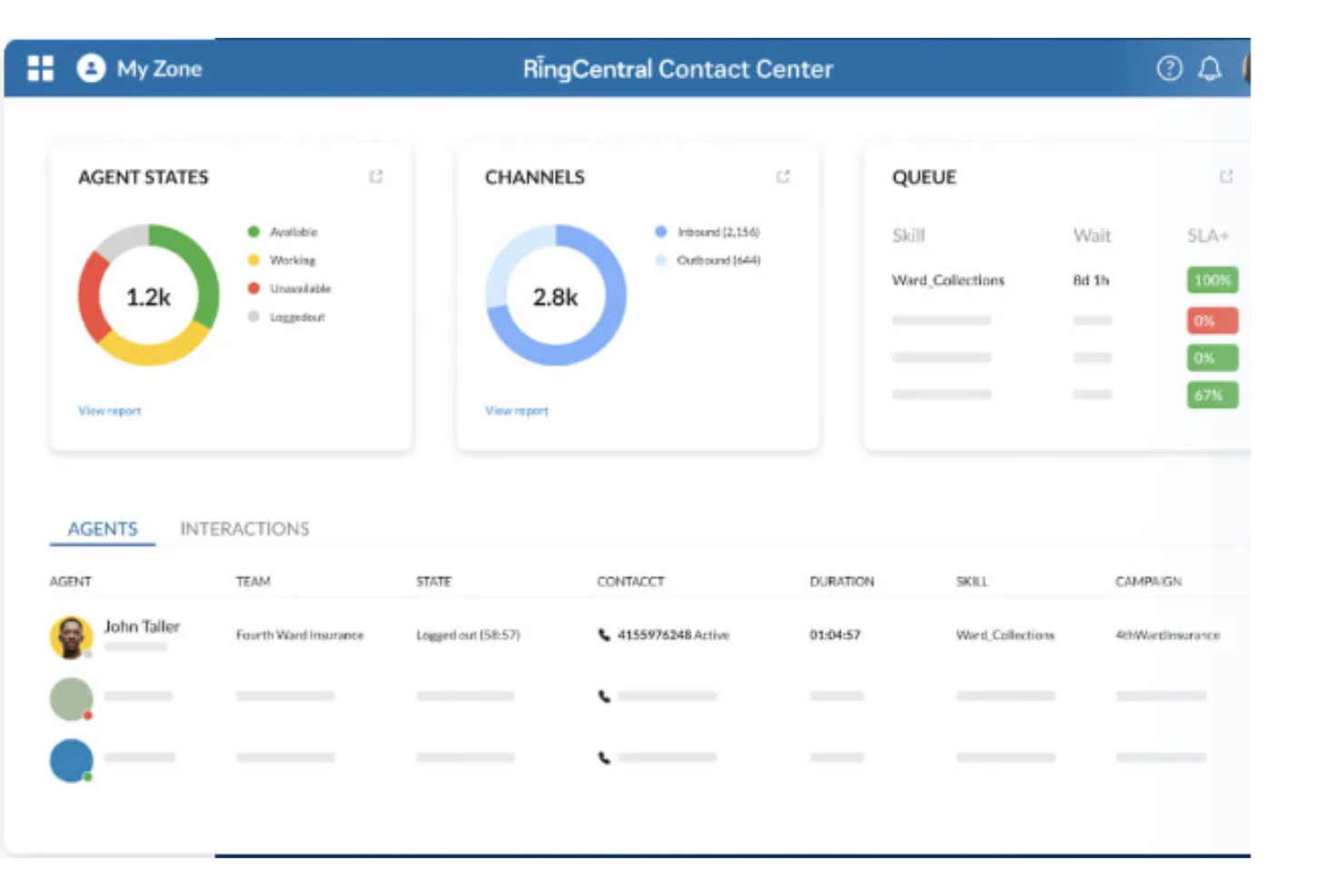
Wenn Sie nach einer Lösung suchen, um Ihre Outbound-Callcenter-Aktivitäten zu transformieren, könnte das RingCentral Contact Center genau das Richtige für Sie sein. Diese Plattform richtet sich an Unternehmen, die ihre Kundenkommunikation und Beziehungen verbessern möchten, insbesondere in Bereichen wie Vertrieb, Marktforschung und Kundenumfragen. Mithilfe von Funktionen wie prädiktivem Wählen und KI-gesteuerten Einblicken hilft sie dabei, die Ansprache effizienter zu gestalten, Prozesse zu automatisieren und letztlich sowohl die Produktivität der Agenten als auch das Kundenerlebnis zu verbessern.
Warum ich mich für das RingCentral Contact Center entschieden habe
Ich habe das RingCentral Contact Center wegen seiner außergewöhnlichen Omnichannel-Routing-Fähigkeiten ausgewählt, die für jedes Outbound-Callcenter, das die Kundenbindung steigern möchte, entscheidend sind. Diese Plattform leitet Kundenanfragen intelligent über Sprache, Video und mehr als 20 digitale Kanäle und stellt sicher, dass die Interaktion von den qualifiziertesten Agenten bearbeitet wird. Mit Funktionen wie KI-gestützter automatischer Anrufverteilung und interaktiver Sprachausgabe kann Ihr Team das Anrufaufkommen bewältigen und Kunden Selbstbedienungsoptionen bieten. Diese Funktionen reduzieren nicht nur die Wartezeiten und verbessern die Lösung beim Erstkontakt, sondern erhöhen auch die Kundenzufriedenheit, indem sie die Kunden mit den passenden Ressourcen verbinden.
Wichtige Funktionen des RingCentral Contact Center
Zusätzlich zu den Omnichannel-Routing-Fähigkeiten bietet das RingCentral Contact Center eine Vielzahl von Funktionen, die Ihren Outbound-Callcenter-Aktivitäten einen großen Nutzen bringen können.
- Proaktive Ansprache: Verschiedene Outbound-Wahlmethoden und Tools für das Kampagnenmanagement einsetzen, um Ihre Kundenbindungsstrategien zu optimieren.
- Workforce-Management: Nutzen Sie Tools zur Optimierung von Agentenplänen und -leistungen, unterstützt durch KI-gesteuerte Hilfestellungen, um sicherzustellen, dass Ihr Team maximal effizient arbeitet.
- Agenten-Tools: Statten Sie Ihre Agenten mit Echtzeit-Guidance, Skripting und Kollaborationsfunktionen aus, um den Kundenservice zu verbessern und das Ergebnis der Interaktionen zu optimieren.
- Compliance-Funktionen: Halten Sie regulatorische Vorgaben ein – mit Funktionen wie TCPA-konformem Wählen und Listenmanagement, damit Ihre Abläufe stets rechtssicher sind.
Integrationen des RingCentral Contact Center
Zu den Integrationen gehören Salesforce, HubSpot, Zendesk, Microsoft Teams, Slack, Oracle Service Cloud, ServiceNow, SAP Cloud for Customer (C4C), NetSuite und SugarCRM.
Pros and Cons
Pros:
- Sofortige Benachrichtigungen über eingehende Anrufe
- KI-basierte Analysen liefern Echtzeit-Einblicke für bessere Entscheidungen
- Schnelle Bereitstellung ermöglicht es Unternehmen, den Betrieb zügig aufzunehmen
Cons:
- Gelegentliche Probleme bei der Rufweiterleitung zu internationalen Nummern
- Anpassungsmöglichkeiten sind ohne API oder erweiterte Setups möglicherweise eingeschränkt

Nextiva
Am besten für KI-gestützte Callcenter-Funktionen
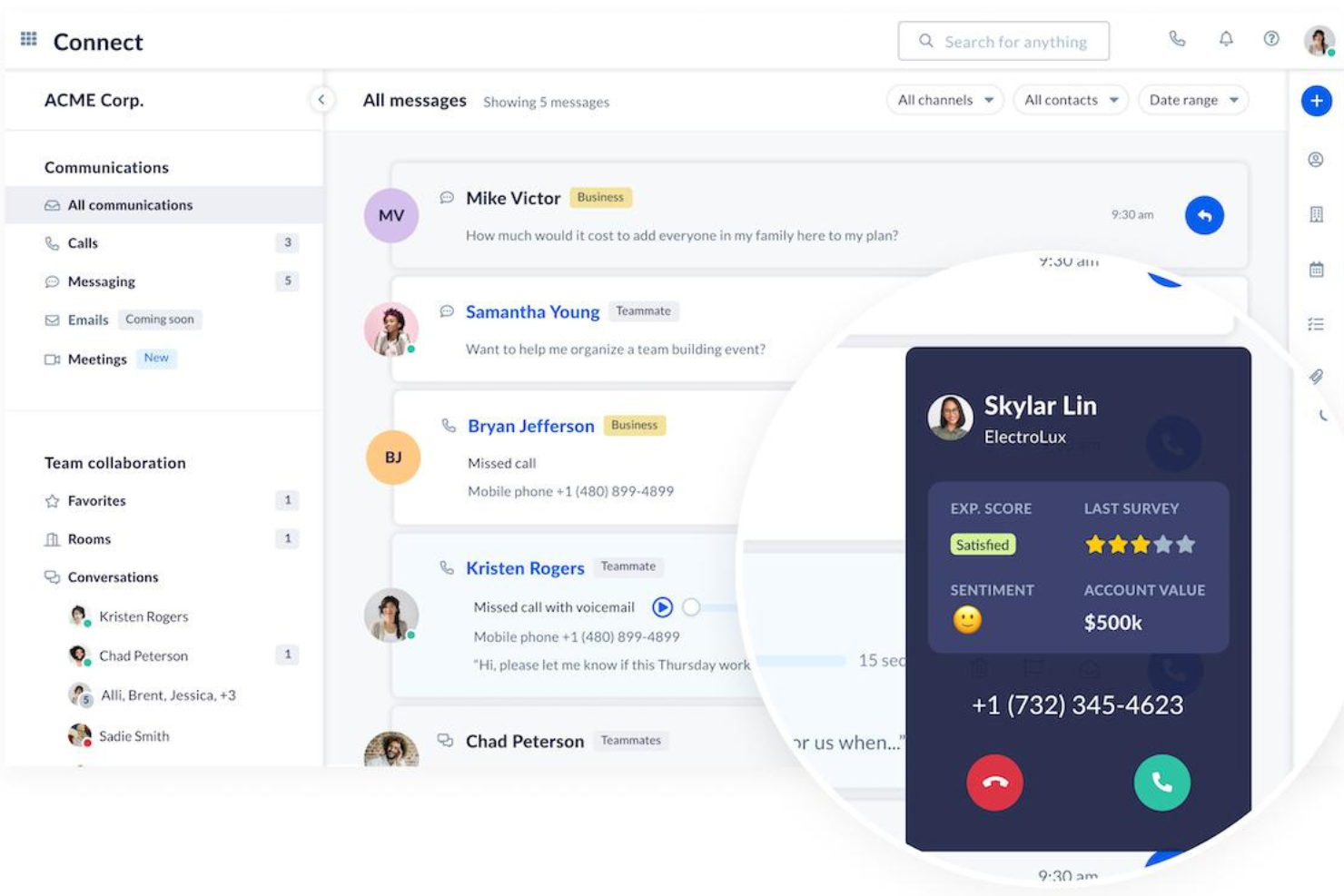
Nextiva ist eine einheitliche Plattform für das Management von Kundenerlebnissen, die eine Vielzahl von KI-gestützten Tools und Funktionen bietet, um Kundeninteraktionen zu verbessern.
Warum ich Nextiva ausgewählt habe: Ich habe mich für Nextiva entschieden wegen des Funktionsumfangs, der speziell auf das Outbound-Call-Management zugeschnitten ist. Ein herausragendes Merkmal ist der KI-gestützte Auto-Dialer, der prädiktive, Power- und progressive Wählmodi umfasst. Diese Modi reduzieren Leerlaufzeiten und steigern die Effizienz der Agenten, indem sie automatisch Nummern wählen und angenommene Anrufe an verfügbare Agenten weiterleiten.
Darüber hinaus ermöglichen Nextivas automatisierte Outbound-Kampagnen Unternehmen, einen konstanten Kontakt zur Kundenbasis aufrechtzuerhalten, wodurch keine Chancen verpasst werden und die Gesamtbindung verbessert wird. Der KI-gesteuerte Ansatz der Plattform hilft, die Abläufe im Callcenter zu optimieren, sodass sich die Agenten auf vorrangige Aufgaben konzentrieren und ihre Produktivität steigern können.
Herausragende Funktionen und Integrationen von Nextiva
Funktionen umfassen Aufzeichnung und Überwachung, Echtzeit-Statusmeldungen zum Netzwerk, proaktive Kundenbenachrichtigungen, intelligente virtuelle Assistenten, Workforce-Management, Anrufverschlüsselung, Compliance-Tools und anpassbare Anrufweiterleitung.
Integrationen umfassen Salesforce, HubSpot, Microsoft Teams, Zoho CRM, Zendesk, G Suite, Microsoft Outlook, Slack, ServiceNow, QuickBooks, SugarCRM, NetSuite und Oracle Sales Cloud.
Pros and Cons
Pros:
- Kollaborationstools für Teammitglieder
- KI-Features zur Automatisierung von Aufgaben und zur Bereitstellung von Vorschlägen
- Umfassende Analyse- und Berichtsfunktionen
Cons:
- Das erste Setup kann Zeit in Anspruch nehmen
- Viele Integrationen sind nur in höheren Tarifen verfügbar

Am besten für Remote-Call-Teams
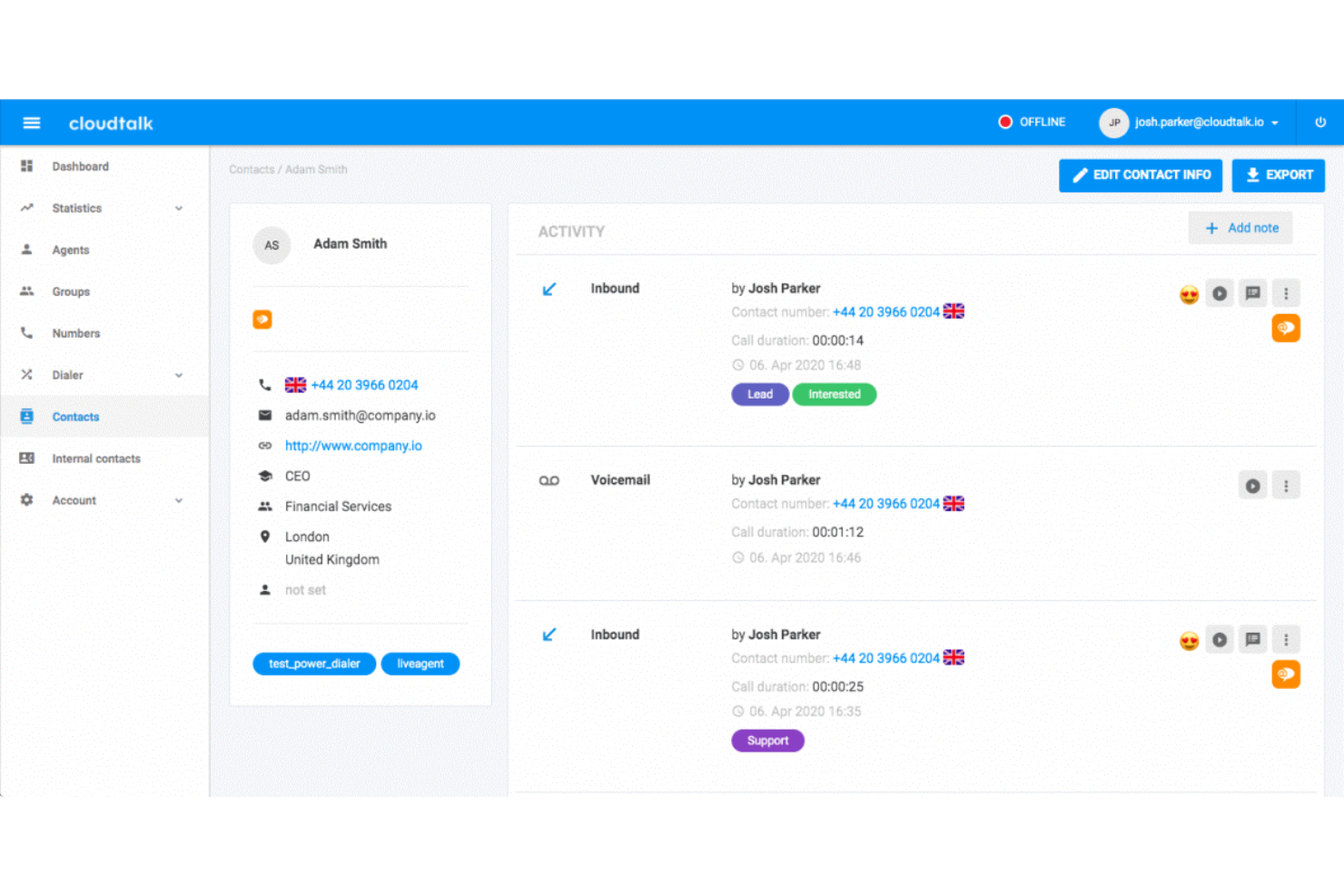
CloudTalk ist eine cloudbasierte Callcenter-Software, die Remote-Teams dabei unterstützt, schneller und relevanteren Service zu bieten.
Warum ich CloudTalk gewählt habe: Diese Plattform zeichnet sich dadurch aus, dass sie Ihrem Unternehmen ermöglicht, Callcenter-Aktivitäten von überall auf der Welt zu steuern. CloudTalk bietet professionelle Funktionen, die sich besonders für Remote-Teams mit speziellen Anforderungen eignen. Zu diesen Funktionen gehören Entwickler-Support, individuelle Berichte und eine Service-Level-Vereinbarung.
CloudTalk eignet sich gut für mittelständische und große Unternehmen, die eine Lösung benötigen, um mehr Interessenten zu erreichen und Leads zu konvertieren. Mit CloudTalk können Sie neue Callcenter-Rufnummern in über 140 Ländern erwerben. Die Plattform bietet zudem diverse anpassbare Funktionen, was sie zur ausgezeichneten Wahl macht, wenn Sie die volle Kontrolle über Ihr Callcenter benötigen.
CloudTalk: Herausragende Funktionen und Integrationen
Funktionen sind Nummernportierung, gebührenfreie Nummern, Anrufaufzeichnung, Warteschleifen für Anrufe, Voicemail, SMS- und Textnachrichten, Konferenzgespräche, Callflow-Designer, automatisierte Anrufverteilung, Anruf-Tags, Warmtransfer, ein Echtzeit-Dashboard und Anrufüberwachung.
Integrationen sind Zendesk, HubSpot, Salesforce, Pipedrive, Zapier, Zoho CRM, Microsoft Dynamics 365, Copper, ActiveCampaign, Freshsales, Gorgias, LiveAgent, Front, Intercom, Help Scout und Salesloft.
Pros and Cons
Pros:
- Hocheffiziente Anrufweiterleitung.
- Workloads lassen sich einfach verwalten.
- Benutzerfreundliche Oberfläche.
Cons:
- Mehr Unterstützung beim Onboarding wünschenswert.
- Einige Telefonnummern sind nicht gültig.
Ringover
Am besten für wachsende Unternehmen
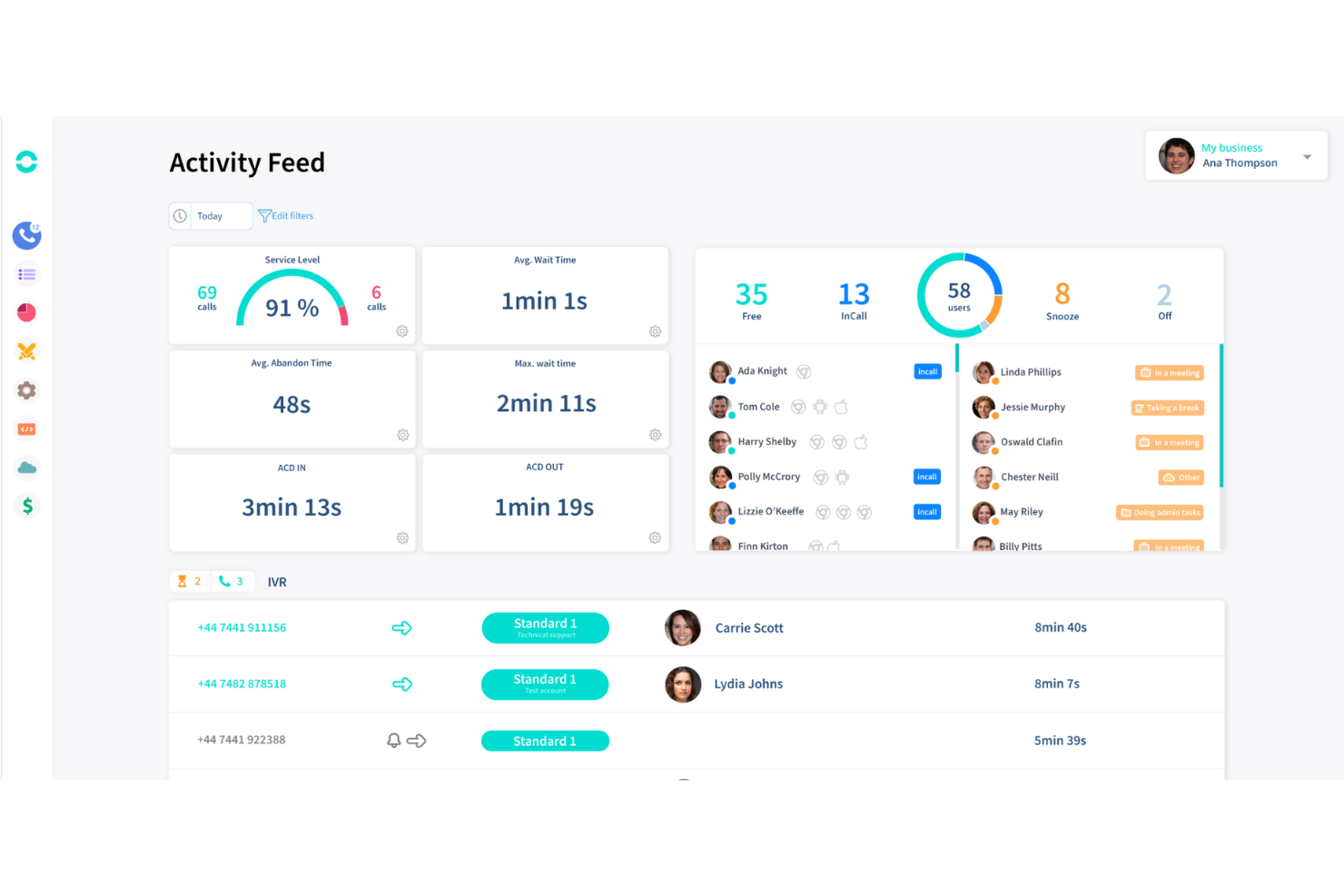
Ringover hilft wachsenden Unternehmen, ihre Teams und Telefonsysteme mit einem umfassenden Toolset zu skalieren.
Warum ich mich für Ringover entschieden habe: Das System ist eine reine Geschäftstelefonielösung, die sich mit Ihren aktuellen und zukünftigen Systemen integrieren lässt, während Ihr Unternehmen wächst. Ringover bietet eine umfangreiche Liste von vorgefertigten Integrationen, sodass Sie genau die auswählen können, die Sie beim Hinzufügen neuer Systeme benötigen. Falls Sie keine passende Integration finden, können Sie das Team von Ringover kontaktieren und eine spezifische Integration anfragen.
Ringover eignet sich für kleine und mittlere Unternehmen, die eine Plattform mit standardmäßigen Kommunikationsfunktionen benötigen. Ihre Mitarbeitenden können Ringover über eine Mobil- oder Web-App nutzen, die ortsunabhängiges Arbeiten ermöglicht. Sie können Ihre internationale Reichweite verbessern, indem Sie sofort aus Ihrem Dashboard internationale virtuelle Telefonnummern aktivieren.
Ringover – Herausragende Funktionen und Integrationen
Funktionen sind unter anderem internationale Nummern, VoIP-Telefon, Voicemail-Drops, unbegrenzte Anrufe, Voicemail-Kampagnen, intelligentes Routing, interaktive Sprachdialogsysteme, Zuweisung eines bevorzugten Agenten, Konferenzgespräche und Sofortnachrichten.
Integrationen umfassen Salesforce, HubSpot, Zoho CRM, Microsoft Teams, ActiveCampaign, Copper, DigitalOcean, Freshsales, Gong, Google Workspace, Intercom, Pipedrive, Slack und Zapier.
Pros and Cons
Pros:
- Effiziente Analysetools für das Management.
- Hervorragende Aufnahmefunktionen.
- Anpassungsfähige Funktionen.
Cons:
- Für beste Qualität wird spezifische Hardware benötigt.
- Die App stürzt manchmal ab.

Novocall
Bester Outbound-Dialer
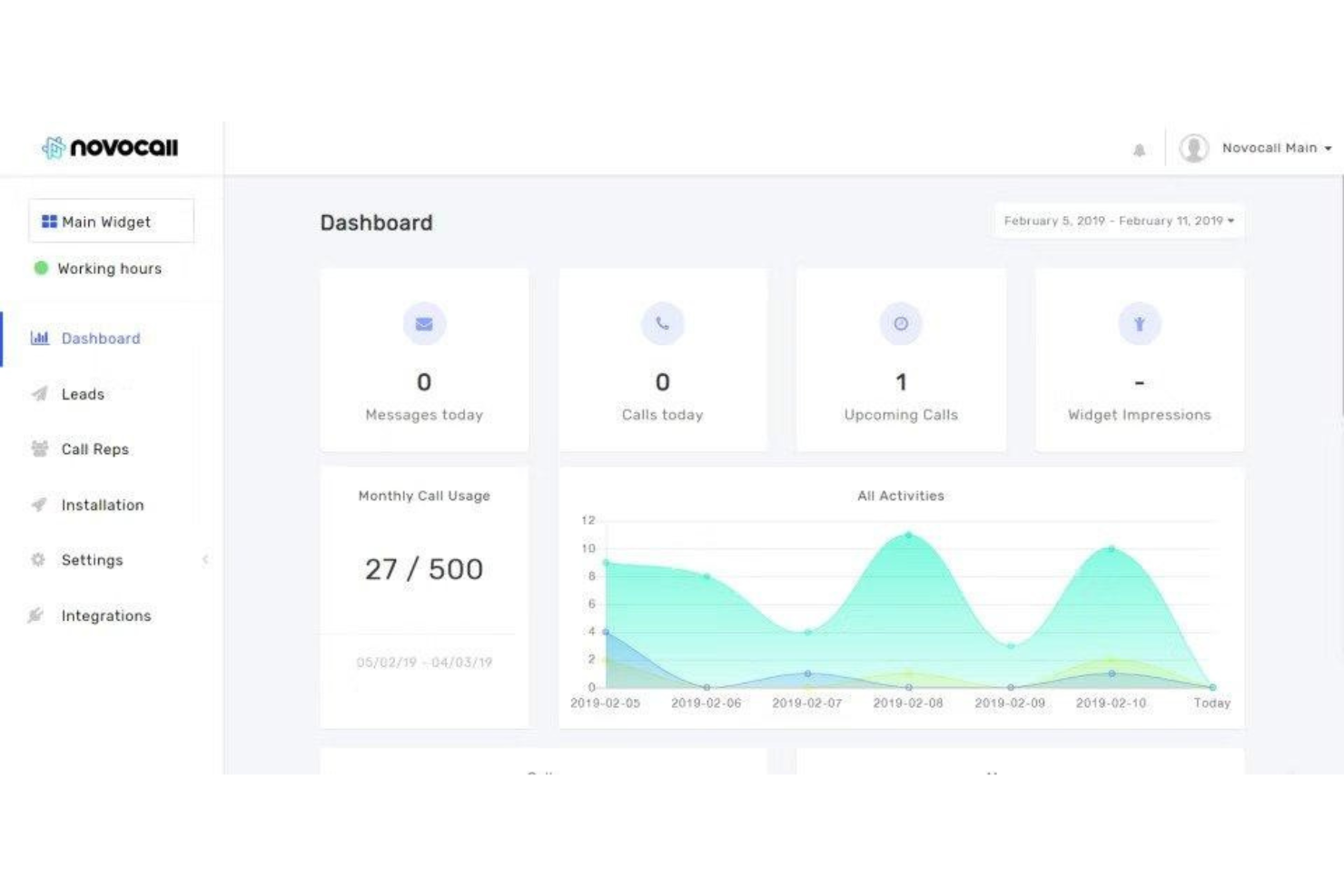
Novocall hilft Unternehmen, das manuelle Wählen von Telefonnummern zu automatisieren, um ausgehende Kampagnen effizienter zu gestalten.
Warum ich Novocall gewählt habe: Diese Plattform stellt einen effektiven automatischen Outbound-Dialer bereit, der automatisch Telefonnummern aus einer Liste anruft. Mit Novocall können Ihre Teams eine große Anzahl von Telefongesprächen führen und viele potenzielle Kunden erreichen. Wenn jemand den Anruf entgegennimmt, verbindet der Auto-Dialer Ihren Agenten direkt mit einer realen Person.
Novocall ist eine ausgezeichnete Wahl für Unternehmen jeder Größe, die eine Suite an telefonbezogenen Funktionen benötigen. Diese Funktionen beinhalten die Einrichtung eines virtuellen Outbound-Callcenters von überall aus. Novocall erfasst Feedback zu Anrufen, um Ihnen und Ihren Vertriebsleitern Einblicke zu geben, wie Ihre Mitarbeiter ihre Verkaufsstrategien verbessern können.
Herausragende Funktionen und Integrationen von Novocall
Funktionen umfassen Anrufaufzeichnung, Leistungsanalysen, Visualisierung der Anrufverläufe, Auto-Dialer, Call Blast, Verwaltung von Anruflisten, Telefonnummernüberprüfung, Anzeige der Anrufer-ID, Anrufattribute, Kampagnenverfolgung sowie lokale und virtuelle Nummern.
Integrationen umfassen HubSpot, Salesforce, Google Analytics, Slack, Webhooks, Microsoft Teams, Zapier, Pabbly, Integrately, Flock und Easyflow.
Pros and Cons
Pros:
- Einfache Anrufverwaltung.
- Intuitive, benutzerfreundliche Oberfläche.
- Regelmäßige Plattform-Updates.
Cons:
- Langsamer Kundenservice.
- Das Einrichten von Benachrichtigungen ist komplex.

Am besten für ausgehende Anrufe & SMS
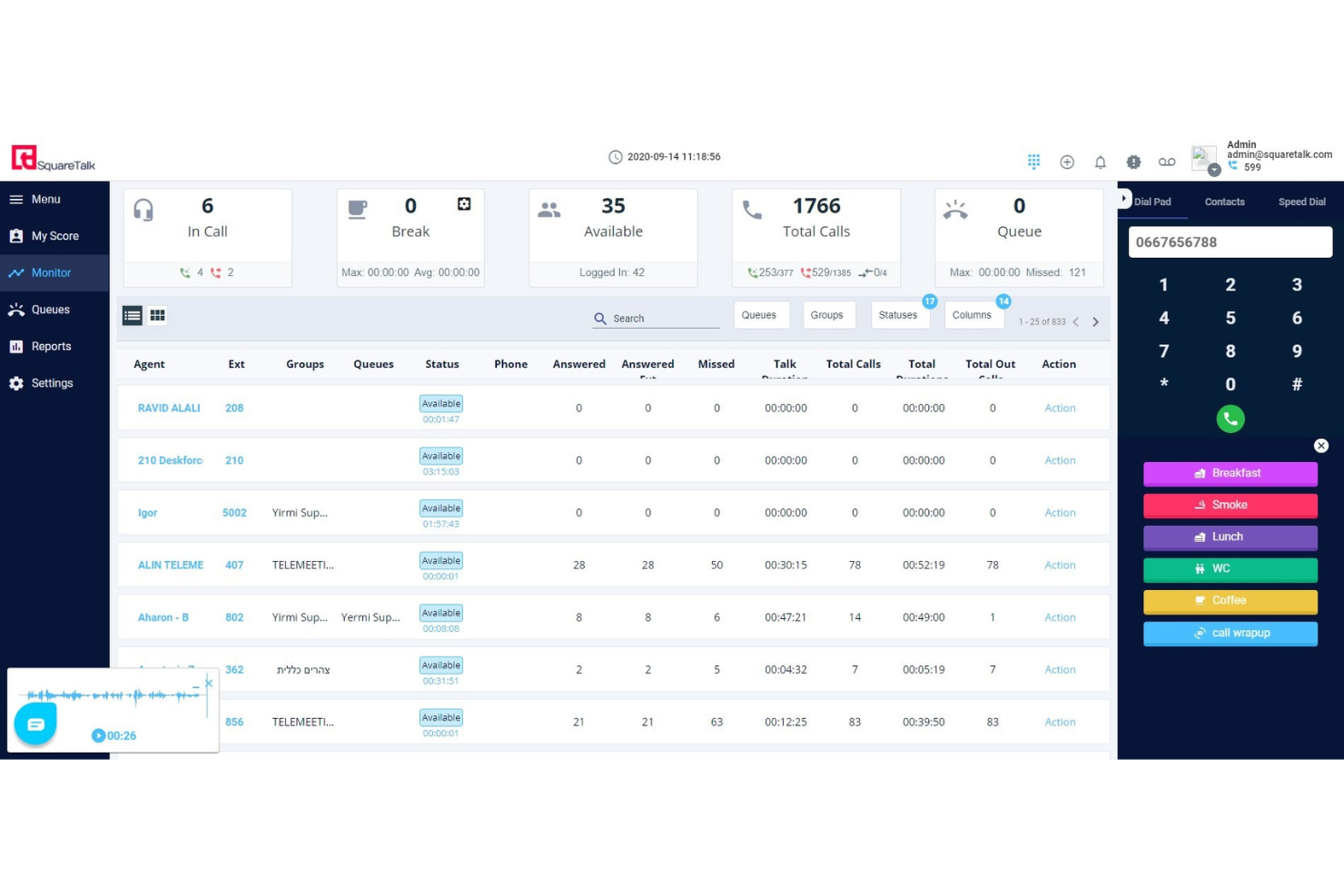
Squaretalk ist eine cloudbasierte Contact-Center-Software für sowohl ausgehende Anrufe als auch SMS-Kommunikation.
Warum ich Squaretalk ausgewählt habe: Diese Plattform hat ihren Platz auf meiner Liste verdient, weil sie vielseitig einsetzbar ist und die Anforderungen verschiedener Arten von Callcentern erfüllt. Nicht nur können Sie ausgehende Anrufe über die Software tätigen, sondern auch Ihre Aktivitäten im Bereich des SMS-Versands verwalten. Sie verfügt über Funktionen zur SMS-Automatisierung und ermöglicht das Versenden von Feedback-Formularen und Umfragen, um Kundenfeedback zu sammeln.
Bezüglich der Funktionen für ausgehende Anrufe ist die Software cloudbasiert, sodass Ihr Team sowohl im Büro als auch remote arbeiten kann. Es gibt intelligente Tools wie skillbasiertes Routing, damit jeder Anruf beim bestmöglichen Mitarbeitenden landet, sowie Anruf- und Rückrufwarteschlangen, um zeitnahe und gut priorisierte Rückmeldungen zu garantieren.
Squaretalk: Herausragende Funktionen und Integrationen
Funktionen umfassen einen intelligenten Predictive Dialer, SMS-Verwaltung, individuelle Workflows, Kontaktmanagement, Dateitransfer, Lead-Management, Kontaktfreigabe, Gesprächsaufzeichnung, Tracking, Gesprächsabschlüsse und vergleichende Berichte.
Integrationen beinhalten Zendesk, Telegram, Freshdesk, Zoho, Hubspot, Salesforce, Mailchimp und Microsoft Teams.
Pros and Cons
Pros:
- Umfangreiche Berichts- und Analysefunktionen
- Hohe Sicherheitsstandards
- Benutzerfreundliche und intuitive Oberfläche
Cons:
- Keine mobile App verfügbar
- Begrenzte Anpassungsmöglichkeiten
New Product Updates from Squaretalk
Squaretalk Adds TradeCore Integration for Brokerage Workflows
Squaretalk adds a TradeCore integration that connects customer conversations with BrokerIQ CRM workflows. This helps brokerage teams trigger AI-driven follow-ups, tasks, and other actions from calls and messages. For more information, visit Squaretalk’s official site.
 .
.
Am besten für den Zugriff auf Anrufe über mehrere Geräte geeignet

TalkRoute ist ein virtuelles Telefonsystem, das sich an Geschäftsinhaber und ihre Teams richtet und Kommunikationstools wie Anrufe, Textnachrichten und Videomeetings über eine einzige App bietet. Es umfasst Funktionen wie Anrufweiterleitung, Voicemail, Anrufaufzeichnung und anpassbare Begrüßungen, die auf Desktop-, Mobil- und Webplattformen zugänglich sind. Nutzer können die Kommunikation mit verschiedenen Telefonnummern, einschließlich gebührenfreier Nummern, Vanity-Nummern und lokalen Nummern, von jedem Gerät aus verwalten.
Warum ich TalkRoute gewählt habe: Eines der Merkmale von TalkRoute für ausgehende Callcenter ist die Verfügbarkeit auf mehreren Geräten. Ihr Team kann Anrufe sowohl über Desktop-, Web- als auch Mobile-Apps tätigen und entgegennehmen. Diese Flexibilität bedeutet, dass Ihr Team nicht an einen Ort gebunden ist und von überall arbeiten kann, sodass es immer mit Kunden oder Klienten verbunden bleiben kann, ohne physisch anwesend sein zu müssen. Das ist besonders vorteilhaft, wenn Ihr Team remote arbeitet oder im Laufe des Tages zwischen Geräten wechseln muss. Die Fähigkeit, zwischen Geräten zu wechseln, kann die Produktivität steigern und sicherstellen, dass keine Anrufe verpasst werden. Das ist hilfreich, um Kundenzufriedenheit und Effizienz aufrechtzuerhalten.
TalkRoute Herausragende Funktionen und Integrationen
Funktionen umfassen Rufnummernportierung, Migration von virtuellen Telefonsystemen, anpassbare Anrufweiterleitung und -routing, unbegrenzte Durchwahlen, Multi-Device-Zugriff, professionelles Telefonsystem für kleine Unternehmen und teamfreundliches Remote-Call-Management.
Integrationen umfassen Google Sheets, HubSpot, Slack, LeadConnector, Asana, Discord, Google Chat, Gmail und LeadSimple CRM.
Pros and Cons
Pros:
- Einfache Einrichtung und Navigation
- Preiswert für kleine Unternehmen
- Flexible Preise für mehrere Nummern
Cons:
- Fehlen einiger fortgeschrittener Funktionen im Vergleich zu Wettbewerbern
- Etwas Lernaufwand für neue Nutzer

Dialpad
Am besten für KI-gestützte Echtzeit-Transkriptionen

Dialpad ist eine KI-gestützte Kommunikationsplattform, die speziell für Outbound-Callcenter entwickelt wurde. Sie vereint Sprache, Nachrichten und Videokommunikation, allesamt durch künstliche Intelligenz verbessert, um das Kundenerlebnis und die Produktivität der Mitarbeitenden zu steigern.
Warum ich mich für Dialpad entschieden habe: Ich habe Dialpad ausgewählt, weil es Echtzeit-KI-Tools bietet, die die Leistung Ihres Teams erheblich steigern können. Diese Tools liefern während Gesprächen Live-Transkriptionen und Stimmungsanalysen, sodass Mitarbeitende ihre Gesprächsführung sofort anpassen und Abschlüsse effizienter erzielen können. Ein weiteres Highlight sind die autonomen Workflows, die sich wiederholende Aufgaben wie Terminplanung und Auftragsabwicklung automatisieren und somit Ihr Team entlasten, damit es sich auf besonders wichtige Interaktionen konzentrieren kann. Dieses Maß an Automatisierung macht Dialpad zur ausgezeichneten Wahl für Outbound-Callcenter, die ihre Abläufe optimieren möchten.
Darüber hinaus ist die Skalierbarkeit von Dialpad ein großer Vorteil für jedes wachsende Unternehmen. Es kann Tausende von Kundenkontakten gleichzeitig verarbeiten, sodass Ihr Team auch in Spitzenzeiten einen gleichbleibend hochwertigen Service bieten kann. Mit KI-basierten Einblicken und Automatisierung verbessert Dialpad nicht nur die Effizienz, sondern steigert auch das gesamte Kundenerlebnis durch zeitnahe und relevante Unterstützung.
Herausragende Funktionen & Integrationen:
Funktionen umfassen die Maßnahmen zur Einhaltung von Vorschriften und zur Sicherheit, die für jedes Unternehmen mit sensiblen Daten unerlässlich sind. Dialpad ist HIPAA-konform und SOC 2-zertifiziert und bietet mit seinen robusten Datenschutzprotokollen ein hohes Maß an Sicherheit. Eine weitere Funktion ist die All-in-One-Kommunikationsfähigkeit, mit der Ihr Team Sprache, Nachrichten und Videokommunikation auf einer einzigen Plattform verwalten kann. Diese Integration stellt sicher, dass Ihr Team produktiv bleibt, während die KI Protokolle anfertigt und wertvolle Erkenntnisse liefert.
Integrationen umfassen Salesforce, HubSpot, Slack, Microsoft Teams, Zendesk, Google Workspace, Zoho, Front, Microsoft Dynamics, Acuity Scheduling, Pipedrive und Calendly.
Pros and Cons
Pros:
- Echtzeit-Transkription und automatisierte Gesprächszusammenfassungen
- Integrierte Messenger-Funktionen ermöglichen direkte Textkommunikation
- Einfache Einrichtung und Konfiguration
Cons:
- Videokonferenzen erfordern eine separate App
- Fehlende Funktionen wie Call Barging könnten einige Nutzer beeinträchtigen
Weitere Software für ausgehende Callcenter-Kommunikation
Hier sind einige weitere Optionen, die es nicht auf die Liste der besten Softwarelösungen für ausgehende Callcenter-Kommunikation geschafft haben:
- Readymode
Am besten für dynamische Skripte
- Zoho Voice
Am besten geeignet für eine einheitliche Teamkommunikation
- CallHippo
Am besten geeignet zur Maximierung der Teamproduktivität
- Ameyo
Am besten für Agentenmanagement
- Convoso
Am besten geeignet für KI-gesteuerte Wähloptimierung
- Five9
E All-in-One-Outbound-Callcenter-Lösung
- JustCall
E Contact-Center-as-a-Service-Software
- Zoho Desk
Am besten geeignet für Helpdesk-Tools
- Thoughtly
Am besten geeignet für A/B-Tests bei Anrufen
- LiveAgent
Am besten für Omnichannel-Kommunikation geeignet
- Zendesk
Am besten für CRM-Integrationen
- Freshdesk
Am besten für umfassendes Anrufmanagement
- CXone
E Callcenter-Technologie und Analytik.
- Salesforce Sales Dialer
Am besten geeignet für Anrufe innerhalb von Salesforce.


Wie ich Outbound-Callcenter-Software bewerte
Ich unterteile meine Bewertung in Grundkriterien – wie vorausschauende Wählmodi und DNC-Konformität – und Unterscheidungsmerkmale wie Lokationswahl, AMD-Qualität und die Tiefe der CRM-Synchronisierung.
Kernfunktionen (Grundvoraussetzungen für diese Liste)
Wenn ich Tools für meine Liste auswähle, bewerte ich jedes auf einer Skala von 0 (Funktion nicht vorhanden) bis 5 (übertrifft Erwartungen in diesem Bereich) für jede unten aufgeführte Kernfunktion. Dann berechne ich die Gesamtpunktzahl des Tools als Prozentsatz. Jedes Tool muss eine Mindestgesamtpunktzahl von 65 % erreichen, um für die Aufnahme in Betracht zu kommen.
- Automatisierte Outbound-Wählmodi: Ich prüfe, welche Wählmodi vorhanden sind – Vorschau für hochwertige Abschlüsse, vorausschauend für umfangreiche Lead-Listen – und ob das Tempo an die aktuelle Verfügbarkeit der Agenten angepasst wird.
- Kampagnen- & Listenmanagement: Mehrere Kampagnen parallel durchzuführen ist üblich, deshalb bewerte ich, wie jedes Tool mit Listen-Segmentierung, Kontakt-Priorisierung, erneuter Versuchsplanung und Steuerung des Tempos umgeht.
- CRM- & Datenintegrationen: Ich suche nach bidirektionaler Synchronisierung mit CRMs wie Salesforce oder HubSpot, sodass Agenten während des Anrufs aktuelle Datensätze sehen und Ergebnisse ohne manuelle Eingabe zurückgeführt werden.
- Werkzeuge zur Einhaltung regulatorischer Vorschriften: DNC-Abgleich, Anrufzeiten je nach Zeitzone und zustimmungsbasierte Aufzeichnungs-Backups sind wichtig. Ich prüfe, wie viel davon automatisiert ist und wie viel manuell konfiguriert werden muss.
- Echtzeit-Analytik & Reporting: Live-Dashboards mit Verbindungsraten, Abbruchquoten und Agentenauslastung helfen Führungskräften, Kampagnen während der Schicht anzupassen. Ich achte auf dieses Maß an Detailgenauigkeit.
- Anrufüberwachung & Qualitätsmanagement: Supervisor-Tools wie Mithören, Flüstern und Mitsprechen ermöglichen Managern, Agenten während laufender Gespräche zu coachen. Zudem bewerte ich, ob Aufnahme- und Bewertungsfunktionen strukturierte QA-Workflows unterstützen.
Wenn ich eine Liste von Tools zusammengestellt habe, die diese Kriterien erfüllen, betrachte ich, was jede Plattform besonders macht.
Unterscheidungsmerkmale (Was Anbieter unterscheidet)
So vergleiche und bewerte ich verschiedene Anbieter:
Herausragende Funktionen
Lokationswahl ist eines der ersten Dinge, auf die ich achte, da sie sich direkt auf die Antwortquoten auswirkt – eine Rufnummer mit der Vorwahl des Interessenten kann bei großvolumigen Kampagnen entscheidend sein. Anrufbeantwortererkennung und automatische Voicemail-Zustellung arbeiten Hand in Hand; eine gute AMD sorgt dafür, dass Agenten nur mit echten Kontakten sprechen, während die Voicemail-Zustellung es ihnen ermöglicht, Aufnahmen zu überspringen und ohne Verzögerung weiterzuarbeiten. Außerdem bewerte ich KI-basierte Konversationsanalysen, die Stimmungsindikatoren und Coaching-Möglichkeiten aufzeigen, sodass Führungskräfte gezielt eingreifen können, ohne jeden Anruf einzeln anhören zu müssen.
Mehr als nur Funktionen
Preistransparenz ist in diesem Bereich essenziell. Manche Anbieter inkludieren Dialer-Minuten im Preis pro Nutzer, andere berechnen Minutentarife extrakostenpflichtig – was das Budget für großvolumige Kampagnen stark beeinflussen kann. Ich prüfe auch, wie gut sich die Plattform in bestehende Technologielandschaften integrieren lässt – vor allem in Vertriebs-Tools wie Outreach oder Salesloft sowie in Ihr CRM. Compliance-Zertifizierungen wie SOC 2 oder HIPAA sind ebenfalls zu berücksichtigen, besonders wenn Ihre Outbound-Teams in regulierten Branchen wie Gesundheits- oder Finanzwesen tätig sind.
So wählen Sie Software für ausgehende Callcenter-Kommunikation aus
Die Wahl der richtigen Software für ausgehende Callcenter-Kommunikation kann Ihre Abläufe durch Automatisierung optimieren, Kundeninteraktionen mithilfe personalisierter Kommunikationstools verbessern und die Konversionsraten im Vertrieb steigern, indem sie wertvolle Einblicke in die Leistung liefert.
Berücksichtigen Sie bei der Zusammenstellung Ihrer Auswahl, beim Testen und bei der Auswahl von Werkzeugen zur Kundensegmentierung Folgendes:
- Welches Problem möchten Sie lösen – Beginnen Sie damit, die Funktionslücke im Bereich der ausgehenden Callcenter-Kommunikation zu ermitteln, die Sie schließen möchten, um zu klären, welche Funktionen die Software für ausgehende Callcenter-Kommunikation bereitstellen muss.
- Wer muss die Software nutzen – Um Kosten und Anforderungen zu bewerten, sollten Sie berücksichtigen, wer die Software verwenden wird und wie viele Lizenzen Sie benötigen.
- Mit welchen anderen Werkzeugen muss sie funktionieren – Klären Sie, welche Werkzeuge Sie ersetzen, welche beibehalten werden und in welche Werkzeuge Sie integrieren müssen, etwa Buchhaltungs-, CRM- oder HR-Software.
- Welche Ergebnisse sind wichtig – Überlegen Sie, welche Fähigkeiten Sie hinzugewinnen oder was Sie verbessern möchten und wie Sie den Erfolg messen werden. Ein mögliches Ergebnis wäre beispielsweise ein besserer Einblick in die Leistung.
- Wie würde die Software in Ihrer Organisation funktionieren – Beziehen Sie die Softwareauswahl in Ihre Arbeitsabläufe und Ihre Vorgehensweise bei der Umsetzung ein. Bewerten Sie, was gut funktioniert und in welchen Bereichen Probleme auftreten, die behoben werden müssen.
Trends bei Software für ausgehende Callcenter-Kommunikation
Die Landschaft der Software für Outbound-Callcenter entwickelt sich weiterhin rasant und spiegelt damit umfassendere technologische Fortschritte sowie sich wandelnde Marktanforderungen wider. Unternehmen suchen nach Lösungen, die nicht nur Effizienz und Effektivität steigern, sondern auch innovative Möglichkeiten zur Kundenbindung bieten.
Hier ein Blick auf die aktuellen Trends, die sich am stärksten weiterentwickelnden Funktionen, neuartigen Funktionalitäten und Nachfrageveränderungen im Bereich der Software für Outbound-Callcenter:
Technologie zur Emotionserkennung
Zu den neuesten Funktionen gehören Funktionen zur Emotionserkennung, bei denen die Software die stimmlichen Hinweise des Anrufers analysiert, um den Gesprächsansatz in Echtzeit anzupassen. Diese Technologie soll die Kundenzufriedenheit und die Leistung der Agenten verbessern, indem sie den Umgang mit sensiblen Interaktionen optimiert.
Technologien zur Verhaltensprognose
Zu den neuesten Innovationen gehören Werkzeuge, die das Kundenverhalten anhand von Stimmton und Anrufhistorie vorhersagen. Ziel ist es, den Gesprächsansatz dynamisch an die individuelle Stimmung und die Präferenzen des jeweiligen Kunden anzupassen.
Fortschrittliche Automatisierungsfunktionen
Die Automatisierung wird immer ausgefeilter. Werkzeuge integrieren inzwischen intuitivere automatische Wählfunktionen, intelligente Anrufweiterleitung und die automatisierte Planung von Nachfassaktionen. Ja, Automatisierung hat Vor- und Nachteile, aber da diese Funktionen darauf ausgelegt sind, die Effizienz zu steigern und die Arbeitsbelastung menschlicher Agenten zu reduzieren, werden sie uns definitiv erhalten bleiben.
KI-gestützte Überwachung der Regelkonformität
Die Vorschriften für ausgehende Anrufe wie TCPA, GDPR und die Ofcom-Regeln werden zunehmend strenger. Moderne Werkzeuge für ausgehende Anrufe verfügen inzwischen über KI-basierte Systeme zur Überwachung der Regelkonformität, die riskantes Verhalten in Echtzeit kennzeichnen — etwa das Überschreiten lokaler Anruflimits, Anrufe zu unzulässigen Zeiten oder das Fehlen von Abmeldehinweisen. Dies ist besonders für die Bereiche B2C, Finanzen und Gesundheitswesen wichtig.
Orchestrierung von Sprach- und Digitalkanälen
Outbound-Kampagnen beschränken sich nicht mehr nur auf Sprache. Immer mehr Plattformen bieten kanalübergreifende Sequenzen an — also die Kombination von Sprachanrufen mit SMS, E-Mails, Videoanrufen oder sogar Nachfassaktionen über WhatsApp. Mitarbeiter oder Automatisierungen können abhängig von der Reaktion oder dem Engagement des Kunden den jeweils besten nächsten Kanal auslösen, wodurch die gesamte Konversionsrate und Reichweite gesteigert werden.
KI-gestützte Anleitung und Echtzeitunterstützung für Agenten
Einige Systeme bieten Anleitung in Echtzeit während ausgehender Anrufe an — beispielsweise durch das Empfehlen von Antworten, das Anzeigen relevanter Produktinformationen oder das Kennzeichnen eines übermäßigen Redeanteils. Dies verkürzt die Einarbeitungszeit neuer Agenten und trägt dazu bei, die Qualität bei einer hohen Anzahl von Kontaktaufnahmen aufrechtzuerhalten.
Umfassendere Integrationen von CRM- und Vertriebswerkzeugen
Käufer erwarten, dass sich Outbound-Software mit ihrem CRM, ihren Marketingautomatisierungs- und Analysewerkzeugen verbinden lässt — und nicht nur Kontakte synchronisiert. Neuere Plattformen ermöglichen Synchronisierung in Echtzeit, auslöserbasierte Abläufe (z. B. ein Anruf, wenn jemand einen Vorschlag aufruft) sowie eine durchgängige Berichterstattung über Outbound- und Vertriebssysteme hinweg.
Automatisierung des Hinterlassens von Sprachnachrichten
Ihre Callcenter-Mitarbeiter können jetzt mit nur einem Klick eine vorab aufgezeichnete Sprachnachricht hinterlassen, anstatt dieselbe Nachricht dutzende Male am Tag zu wiederholen. Dies beschleunigt die Kontaktaufnahme, sorgt für Einheitlichkeit und gibt Agenten mehr Zeit, sich auf laufende Gespräche zu konzentrieren.
Diese Trends verdeutlichen den Wandel hin zu intelligenteren, reaktionsfähigeren und vielseitigeren Lösungen für Outbound-Callcenter. Im Mittelpunkt steht, jede Kundeninteraktion so informativ und effektiv wie möglich zu gestalten und Technologie einzusetzen, um sich dynamisch an die Bedürfnisse von Agenten und Kunden anzupassen.
Was ist Software für Outbound-Callcenter?
Software für Outbound-Callcenter ist ein Werkzeug zur Verwaltung und Optimierung großer Mengen ausgehender Anrufe. Sie unterstützt Teams dabei, potenzielle Kunden oder Bestandskunden effizienter zu erreichen – mit Funktionen wie automatischer Anwahl, Gesprächsleitfäden, Anrufverfolgung und Qualitätsmanagement.
Funktionen von Software für Outbound-Callcenter
Achten Sie bei der Auswahl einer Software für Outbound-Callcenter auf die folgenden wichtigen Funktionen:
- Automatische Wählfunktionen: Diese Tools optimieren die Kontaktaufnahme Ihres Teams, indem sie automatisch Nummern aus Ihren Kontaktlisten wählen. Dadurch sparen Sie Zeit und minimieren manuelle Fehler, sodass Sie sich auf echte Gespräche konzentrieren können.
- Anrufaufzeichnung: Zeichnen Sie jedes Gespräch zu Schulungs-, Qualitätssicherungs- und Compliance-Zwecken auf. Leicht zugängliche Gesprächsaufzeichnungen helfen Ihnen, Ihr Team anhand echter Beispiele zu coachen und eine lückenlose Dokumentation zu führen.
- CRM-Integration: Verbinden Sie das System mit Kundenbeziehungsmanagementsystemen, damit Ihre Agenten den vollständigen Kontext jedes Anrufs zur Verfügung haben. Durch den schnellen Zugriff auf Kundendaten können Sie jedes Gespräch relevanter und effektiver gestalten.
- Lead-Management: Organisieren, priorisieren und verfolgen Sie Leads direkt in der Software, damit keine Gelegenheit ungenutzt bleibt. Eine intelligente Lead-Zuweisung stellt sicher, dass der richtige Agent den richtigen Interessenten zum richtigen Zeitpunkt anruft.
- Echtzeitanalysen und Berichte: Überwachen Sie Gesprächsergebnisse, die Leistung Ihrer Agenten und den Kampagnenfortschritt über intuitive Dashboards. So erkennen Sie, was funktioniert, können Probleme beheben und Erfolge mit größerer Sicherheit feiern.
- Compliance-Tools: Integrierte Compliance-Funktionen helfen Ihnen, Vorschriften wie Nicht-anrufen-Listen (DNC) und Einschränkungen der Anrufzeiten automatisch einzuhalten, sodass Sie sich keine Sorgen über Gesetzesverstöße machen müssen.
- Gesprächsskripte: Erstellen und teilen Sie strukturierte Skripte für Ihre Agenten direkt in der Software. Dies sorgt für eine einheitliche Kommunikation, reibungslosere Gespräche und weniger „Ähms“ sowie unangenehme Gesprächspausen.
- Anrufplanung: Richten Sie zukünftige Anrufe und Nachfassaktionen ganz einfach innerhalb Ihrer Plattform ein und steigern Sie so die Konversionsraten, indem Sie Interessenten erreichen, wenn sie tatsächlich verfügbar sind.
- Ergebniskennzeichnungen: Ermöglichen Sie es Agenten, Gesprächsergebnisse schnell zu kennzeichnen – ganz gleich, ob es sich um einen Verkauf, einen Rückruf oder eine „falsche Nummer“ handelt. So können Sie Daten segmentieren und Ergebnisse übersichtlich auswerten.
- Anrufüberwachung und Flüster-Coaching: Hören Sie in Echtzeit bei Gesprächen mit und geben Sie Ihren Agenten Ratschläge, ohne dass der Gesprächspartner Sie hört. Das ist, als hätten Sie einen hilfreichen Coach an Ihrer Seite, ohne selbst in den Ring steigen zu müssen.
7 Vorteile von Software für Callcenter für ausgehende Anrufe
Durch den Einsatz von Software für Callcenter für ausgehende Anrufe können Sie die Produktivität Ihres Teams deutlich steigern. Hier sind die wichtigsten Vorteile von Software für Callcenter für ausgehende Anrufe für Nutzer und Unternehmen:
- Verbesserter CSAT durch proaktiven Support: Mit Software für Callcenter für ausgehende Anrufe können Sie sich vor einer Verlängerung melden, bei wichtigen Meilensteinen der Einführung nachfassen oder Kunden mit erhöhtem Abwanderungsrisiko kennzeichnen – und das alles über integrierte Warnmeldungen, Kontaktkampagnen oder mit dem CRM verknüpfte Workflows. Proaktive Kontaktaufnahme verhindert nicht nur Probleme, sondern schafft Vertrauen, zeigt Aufmerksamkeit und stärkt die langfristige Kundenbindung.
- Höhere Effizienz durch Automatisierung: Automatisiert wiederkehrende Aufgaben wie das Wählen von Nummern, das Hinterlassen von Nachrichten und die Weiterleitung von Anrufen. Diese Automatisierung ermöglicht es Agenten, sich stärker auf die Qualität der Gespräche statt auf die technischen Abläufe des Anrufens zu konzentrieren, was zu einer höheren Produktivität führt.
- Intensivere Kundenbindung: Bietet Funktionen wie Vorschauwähler und CRM-Integration, die personalisierte Kundeninteraktionen ermöglichen. Wenn Agenten die Historie eines Kunden vor dem Anruf kennen, können sie bedeutungsvoller auf ihn eingehen, was die Kundenzufriedenheit und -treue steigern kann.
- Höhere Konversionsraten: Integriert Analysen, um Gesprächsergebnisse zu verfolgen und erfolgreiche Vorgehensweisen zu erkennen. Diese Erkenntnisse helfen dabei, Vertriebsstrategien und die Ansprache durch Agenten zu optimieren, wodurch die Konversionsraten potenzieller Kunden direkt steigen.
- Skalierbarkeit und Flexibilität: Passt sich Ihrer Unternehmensgröße und Ihren Anforderungen ohne erhebliche zusätzliche Kosten an. Ganz gleich, ob Sie Ihr Team erweitern oder andere Software integrieren: Software für Callcenter für ausgehende Anrufe wächst mit Ihrem Unternehmen und gewährleistet langfristigen Nutzen sowie Kosteneffizienz.
- Mehr Leads erreichen: Moderne Software für ausgehende Anrufe erleichtert es, schneller mehr Leads zu erreichen – ohne Ermüdung durch das Wählen von Nummern oder chaotische manuelle Nachfassaktionen. Funktionen wie Power-Wähler, Anrufwarteschlangen und CRM-integrierte Dashboards ermöglichen es Ihrem Team, sich auf Gespräche statt auf Verwaltungsaufgaben zu konzentrieren. Das bedeutet mehr Pipeline, höhere Effizienz und weniger Zeit beim Wechseln zwischen Registerkarten.
- Umfassende Leistungsüberwachung: Bietet Funktionen zur Überwachung in Echtzeit und zur Analyse historischer Daten. Diese Funktion hilft Vorgesetzten, Teams effektiv zu führen, die Einhaltung von Leistungsstandards sicherzustellen und Bereiche für die Schulung und Verbesserung von Agenten zu erkennen.
Software für Callcenter für ausgehende Anrufe stattet Sie mit den notwendigen Tools aus, um bedeutungsvollere Verbindungen zu Kunden und Interessenten aufzubauen. Wenn Sie wettbewerbsfähig und kundenorientiert bleiben möchten, sind die durch Software für Callcenter für ausgehende Anrufe bereitgestellten Effizienzgewinne und Erkenntnisse von unschätzbarem Wert für die Entwicklung von Strategien, die zu nachhaltigem Geschäftserfolg führen.
Kosten und Preise für Software für Callcenter für ausgehende Anrufe
Software für ausgehende Anrufe in Callcentern bietet eine Reihe von Preis- und Tarifoptionen, die auf unterschiedliche organisatorische Anforderungen und Größenordnungen zugeschnitten sind. Jeder Tarif umfasst bestimmte Funktionen, die darauf ausgerichtet sind, Ihre Callcenter-Abläufe zu optimieren – unabhängig davon, ob Sie ein kleines Team verwalten oder einen groß angelegten Betrieb führen. Hier ist eine Übersicht über typische Tarifoptionen, auf die Sie stoßen können:
| Tariftyp | Durchschnittlicher Preis | Übliche Funktionen |
|---|---|---|
| Kostenlos | $0 | Begrenzte Gesprächsminuten, grundlegende Wählfunktionen, Zugriff auf Standardberichte |
| Basis | $20-40 pro Benutzer/Monat | Automatischer Einzeilen-Wähler, Gesprächsaufzeichnung, grundlegende CRM-Integrationen, Standardberichte |
| Professionell | $40-75 pro Benutzer/Monat | Automatischer Mehrzeilen-Wähler, erweiterte Gesprächsweiterleitung, erweiterte CRM-Integrationen, Echtzeitanalysen, Gesprächskennzeichnung |
| Unternehmen | $75-150+ pro Benutzer/Monat | Anpassbare Wählfunktionen, vollständige CRM-Integration, erweiterte Analysen und Berichte, bevorzugter Kundensupport, unbegrenzte Gesprächsaufzeichnung |
Berücksichtigen Sie bei der Auswahl eines Tarifs für Software für ausgehende Anrufe in Callcentern die Größe Ihres Teams, den Umfang Ihrer Anrufaktivitäten, ob Ihr Callcenter vor Ort oder virtuell betrieben wird, sowie die Komplexität Ihrer Strategien für die Kontaktaufnahme.
Häufig gestellte Fragen zur Software für ausgehende Anrufe im Callcenter
Tipps zur Schulung und Optimierung virtueller Callcenter
Das Training und die Optimierung eines virtuellen Callcenters sind entscheidend, um eine hohe Servicequalität, Agentenleistung und Kundenzufriedenheit aufrechtzuerhalten. Hier sind fünf wichtige Strategien zur Verbesserung des Trainings und der Abläufe:
- KI-gestütztes Coaching nutzen: Nutzen Sie KI-Feedback in Echtzeit, um Agenten während der Gespräche anzuleiten und sofortige Vorschläge zur Verbesserung von Antworten und Kundeninteraktion zu geben.
- Laufende Schulungsmodule einführen: Aktualisieren Sie die Schulungsprogramme regelmäßig mit interaktiven Kursen, Rollenspielen und szenariobasiertem Lernen, damit die Agenten stets auf dem neuesten Stand bleiben.
- Leistung mithilfe von Analysen überwachen: Verfolgen Sie wichtige Gesprächskennzahlen wie Lösungszeit, Stimmungsanalyse und Agenteneffizienz, um Verbesserungsbereiche zu identifizieren.
- Lernen unter Kollegen fördern: Schaffen Sie eine kooperative Umgebung, in der Agenten über virtuelle Meetings oder Chatgruppen bewährte Verfahren, Herausforderungen und Erfolgsgeschichten austauschen.
- Gesprächsskripte und Arbeitsabläufe optimieren: Verfeinern Sie Skripte kontinuierlich auf Grundlage von Kundeninteraktionen und Feedback, damit Agenten natürlich kommunizieren und gleichzeitig die Markenrichtlinien einhalten.
Die Wahl des richtigen Tools liegt bei Ihnen
Die beste Software für ausgehende Callcenter-Anrufe für Ihr Unternehmen zu finden, kann eine schwierige Aufgabe sein. Es ist wichtig, sich vor einer Entscheidung gründlich zu informieren und Ihre spezifischen Anforderungen zu berücksichtigen. Es kann verlockend sein, die Option mit den meisten Funktionen zu wählen, doch das kann kostspielig sein. Denken Sie daher daran, die Lösung auszuwählen, die am besten zu Ihren Anforderungen passt.
Jedes Unternehmen kann von Software wie den oben genannten Plattformen profitieren, um das Kundenerlebnis zu verbessern. Wenn Sie weitere Beratung oder Vorschläge für Tools benötigen, melden Sie sich für unseren Newsletter an. Ganz gleich, ob Sie ein kleines neu gegründetes Unternehmen oder ein Großunternehmen sind – Sie erhalten Beratung und Softwarevorschläge direkt in Ihrem Posteingang, die Ihrem Unternehmen zugutekommen.