

I 10 migliori strumenti di analisi del sentimento basati sull’IA recensiti nel 2026

Elenco dei migliori strumenti di analisi del sentiment con IA


I migliori strumenti di analisi del sentiment con IA aiutano i team CX, marketing e prodotto a capire come si sentono i clienti, non solo cosa dicono. Questi strumenti trasformano recensioni, ticket e conversazioni in informazioni strutturate che rivelano i cambiamenti d'umore, individuano i punti critici e guidano decisioni più intelligenti lungo il percorso del cliente.
Ho utilizzato la mia esperienza alla guida di iniziative all'intersezione tra tecnologia e innovazione nell'IA per testare e recensire decine di piattaforme di analisi del sentiment con IA. Ogni strumento è stato valutato in base alla facilità d'uso, alla precisione, alle integrazioni, alla profondità dei report e al valore aziendale nel mondo reale. Questa guida analizza i prodotti con le migliori prestazioni, ciò che li distingue e come scegliere quello più adatto alle proprie fonti di dati, alle dimensioni del team e agli obiettivi.
Perché fidarsi dei nostri consigli sui software
Il nostro team testa e recensisce software dal 2012. In quanto leader CX noi stessi, sappiamo quanto sia difficile — e importante — scegliere il software giusto.
Per questa guida, abbiamo valutato gli strumenti attraverso test pratici e ricerche indipendenti, assegnando un punteggio agli strumenti in base ai nostri criteri di selezione.
Le nostre recensioni riflettono il nostro giudizio editoriale umano, non un discorso di vendita.
Tabella comparativa degli strumenti di analisi del sentiment con IA
Questa tabella comparativa riassume i dettagli sui prezzi degli strumenti di analisi del sentiment con IA che ho selezionato tra i migliori:
| Tool | Best For | Trial Info | Price | ||
|---|---|---|---|---|---|
| 1 | Ideale per i flussi di lavoro dell’assistenza clienti | Demo gratuita disponibile | A partire da $45/mese (fatturazione annuale) | Website | |
| 2 | Ideale per feedback in tempo reale | Piano gratuito + demo gratuita disponibile | Da $19.99/mese (fatturato annualmente) | Website | |
| 3 | Ideale per la classificazione dei documenti | Demo gratuita disponibile | Prezzo su richiesta | Website | |
| 4 | Ideale per l'intelligenza artificiale conversazionale | Demo gratuita disponibile | Prezzo su richiesta | Website | |
| 5 | Ideale per l’analisi multilingue | Prova gratuita disponibile | Prezzo su richiesta | Website | |
| 6 | Ideale per i call center | Demo gratuita disponibile | Prezzo su richiesta | Website | |
| 7 | Ideale per esigenze di conformità | Prova gratuita disponibile | Prezzi su richiesta | Website | |
| 8 | Ideale per approfondimenti ESG | Prova gratuita disponibile | Prezzo su richiesta | Website | |
| 9 | Ideale per l’analisi delle recensioni | Demo gratuita disponibile | A partire da $8/mese | Website | |
| 10 | Ideale per i feedback dei clienti | Prova gratuita di 30 giorni | Da €190/mese (fatturazione annuale) | Website |

Recensioni dei migliori strumenti di analisi del sentiment con IA
Di seguito sono riportati i miei riepiloghi dettagliati dei migliori strumenti di analisi del sentiment con IA inclusi nel mio elenco. Le mie recensioni offrono una panoramica dettagliata delle funzionalità principali, dei pro e dei contro, delle integrazioni e dei casi d’uso ideali di ogni strumento, per aiutarti a trovare quello più adatto a te.

Ideale per i flussi di lavoro dell’assistenza clienti
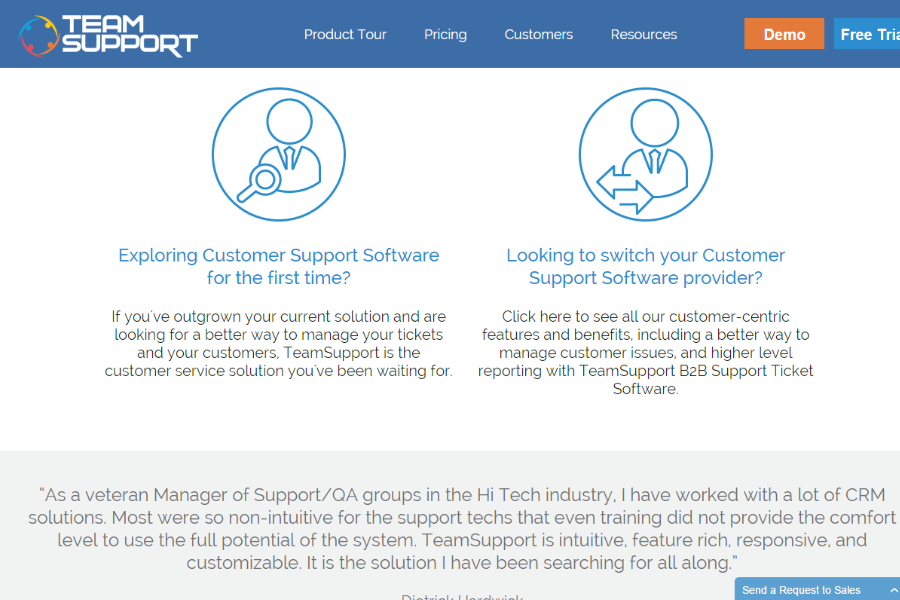
Quando si tratta di comprendere il polso emotivo delle interazioni con i clienti, TeamSupport offre un'analisi del sentiment basata su IA che potrebbe essere la soluzione di cui il tuo team ha bisogno. Progettato per le aziende che danno priorità all'eccellenza del servizio clienti, fornisce approfondimenti sulle emozioni dei clienti, aiutando i team di supporto a rispondere in modo più efficace. Questo strumento è perfetto per i settori in cui comprendere il sentiment del cliente è fondamentale, come il retail o il supporto tecnico, poiché affronta la sfida di valutare la soddisfazione del cliente in tempo reale.
Perché ho scelto TeamSupport
Ho scelto TeamSupport per la sua capacità di integrare senza problemi l'analisi del sentiment nei flussi di lavoro dell'assistenza clienti. Con funzionalità come il monitoraggio in tempo reale del sentiment, il tuo team può valutare rapidamente il tono emotivo delle interazioni e prendere decisioni informate immediatamente. Lo strumento offre anche la sintesi automatica delle chat, fornendo aggiornamenti rapidi che aiutano a risolvere i problemi in corso più velocemente. Queste capacità sono fondamentali per i team che desiderano migliorare la soddisfazione dei clienti e i tempi di risposta.
Caratteristiche principali di TeamSupport
Oltre al suo eccezionale monitoraggio in tempo reale del sentiment, TeamSupport offre altre funzionalità preziose per aumentare l'efficienza del tuo team:
- Sintesi automatica delle chat: Questa funzionalità genera sintesi concise delle interazioni con i clienti, aiutando gli operatori a comprendere rapidamente i problemi in corso.
- Raccomandazioni di miglioramento: Analizza le azioni sui ticket per offrire suggerimenti su come migliorare il supporto clienti futuro, aumentando sia le prestazioni del team che la soddisfazione dei clienti.
- Soluzioni suggerite: Fornisce soluzioni pertinenti basate sulle interazioni precedenti, consentendo agli operatori di affrontare i problemi comuni in modo più efficace.
- Dashboard intuitiva: Consolida in un'unica piattaforma facile da navigare gli approfondimenti sui clienti e i flussi di lavoro, semplificando il processo di supporto.
Integrazioni di TeamSupport
Le integrazioni includono Salesforce, Microsoft Dynamics, Zendesk, Slack, Jira, HubSpot, Freshdesk, Zoho CRM, Google Analytics e Mailchimp.
Pros and Cons
Pros:
- Automazione dei ticket con IA
- Approfondimenti sul sentiment in tempo reale
- Hub self service clienti personalizzabile
Cons:
- La base di conoscenza è poco configurabile
- Funzionalità limitate dell'app mobile

Qualaroo
Ideale per feedback in tempo reale
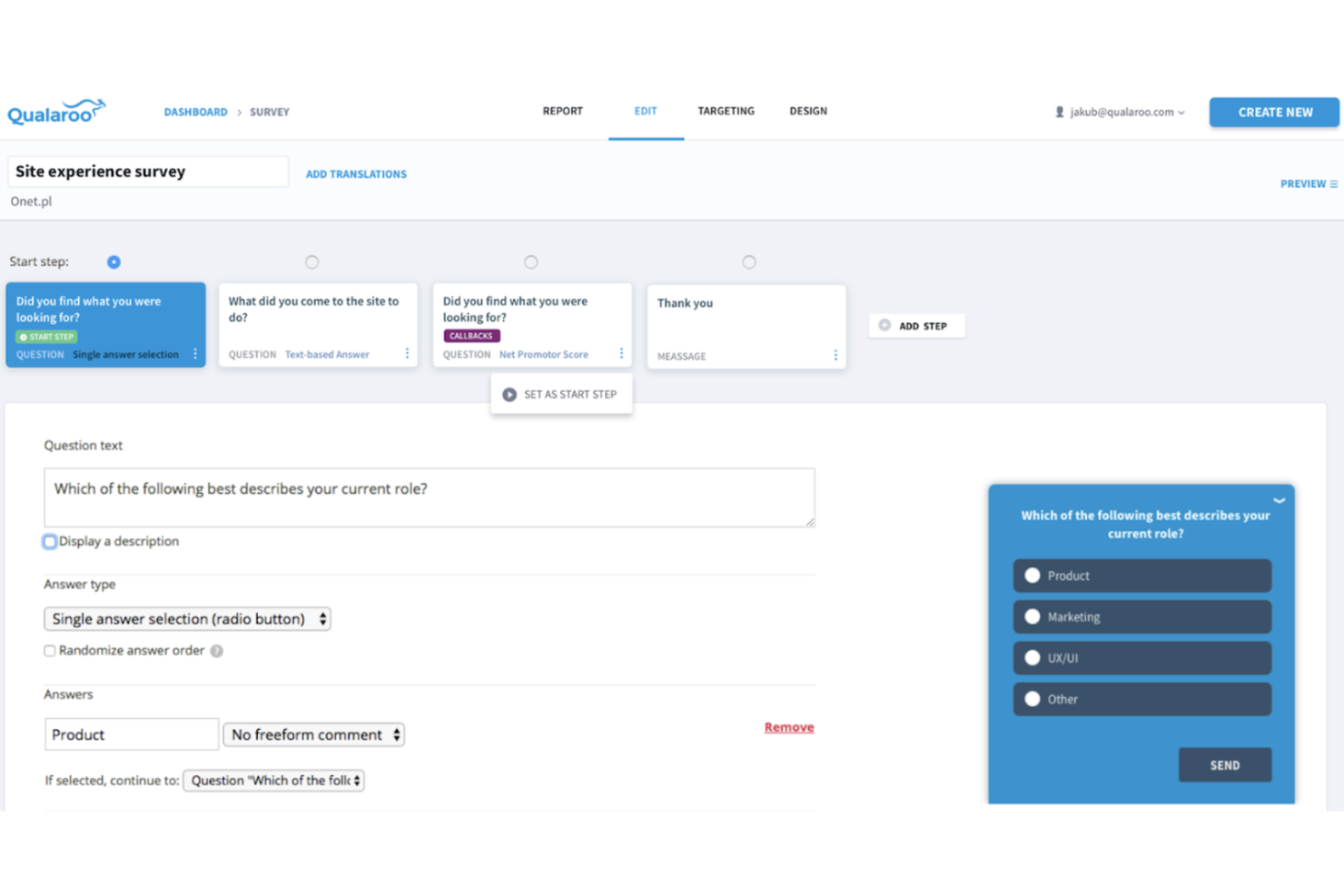
Qualaroo è uno strumento di feedback in tempo reale utilizzato principalmente dalle aziende per raccogliere informazioni dai clienti e migliorare l'esperienza utente. Aiuta i team ad analizzare il sentiment dei clienti e prendere decisioni informate basate su dati in tempo reale.
Perché ho scelto Qualaroo: Si distingue per l'integrazione dell'analisi del sentiment AI con IBM Watson, che permette al tuo team di valutare automaticamente le risposte emotive nei feedback degli utenti. Funzionalità come la ramificazione delle domande e il targeting avanzato assicurano di ottenere informazioni precise. Le capacità di feedback in tempo reale lo rendono ideale per le aziende che desiderano insight immediati dai clienti. Secondo la mia esperienza, queste caratteristiche supportano direttamente la missione dello strumento di migliorare il feedback in tempo reale.
Funzionalità e integrazioni principali:
Funzionalità includono analisi del sentiment guidata dall'AI, ramificazione delle domande per sondaggi mirati e targeting avanzato per raggiungere specifici segmenti di utenti. Lo strumento offre anche notifiche mobili in-app per raccogliere feedback direttamente nelle app. È disponibile l'A/B testing per confrontare diversi approcci di sondaggio.
Integrazioni includono HubSpot, Salesforce, Marketo, Slack, Zapier, Google Analytics, WordPress, Shopify, Segment e Mailchimp.
Pros and Cons
Pros:
- Raccolta di feedback in tempo reale
- Opzioni di targeting avanzate
- Sondaggi in-app
Cons:
- Capacità offline limitate
- Richiede apprendimento per le funzionalità avanzate

OpenText
Ideale per la classificazione dei documenti
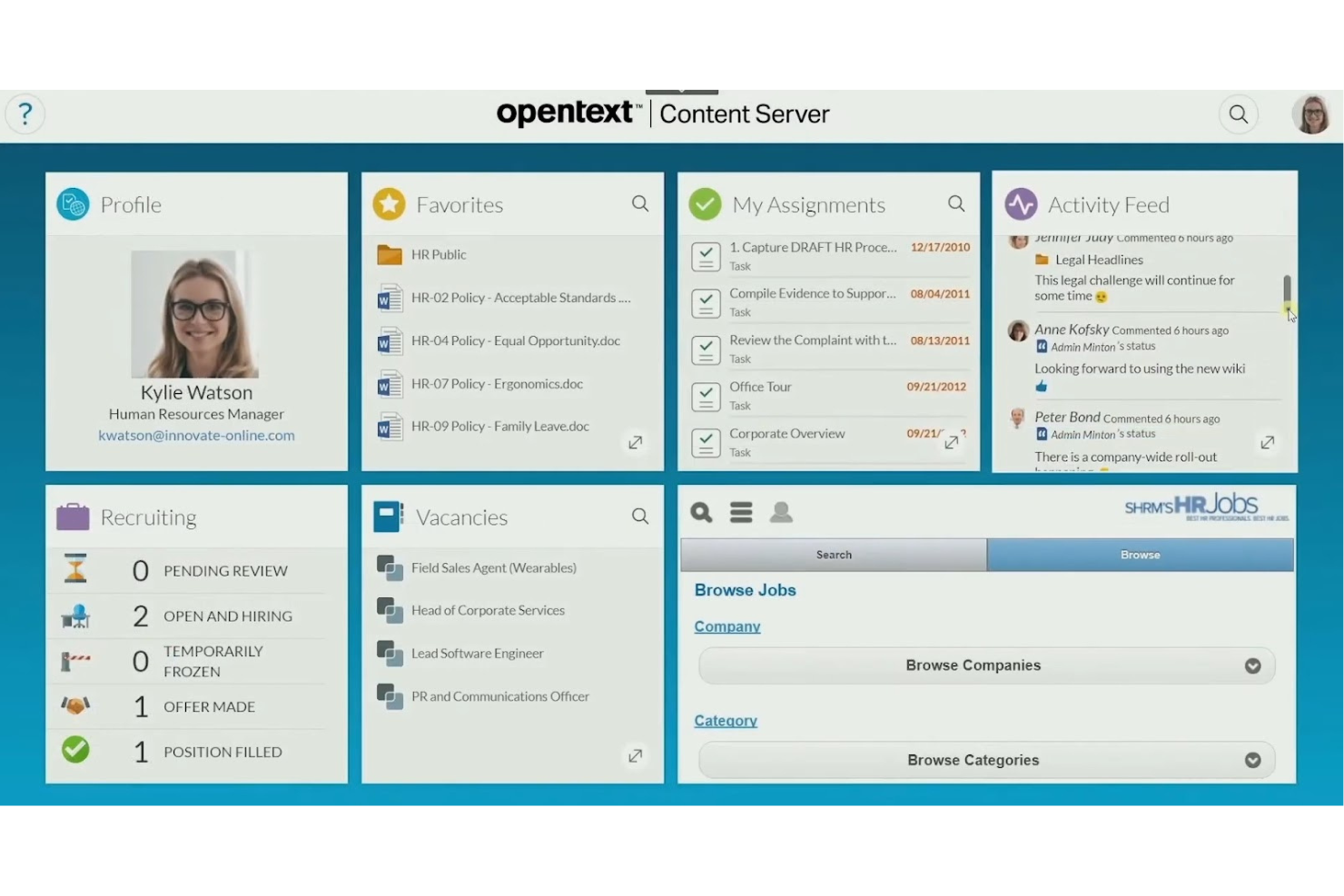
OpenText offre uno strumento di analisi del sentiment specializzato nella classificazione intelligente dei documenti, rivolto principalmente alle grandi imprese che devono gestire enormi quantità di dati non strutturati. La sua funzione principale è automatizzare la classificazione e l'organizzazione dei documenti, facilitando l'accesso e l'elaborazione efficiente delle informazioni da parte del tuo team.
Perché ho scelto OpenText: Si concentra sulla classificazione dei documenti, utilizzando l'intelligenza artificiale e l'analisi del testo per categorizzare i documenti in modo efficiente. Grazie a potenti capacità di analisi, garantisce che ogni testo sia adeguatamente classificato per la conformità normativa e l'organizzazione.
Funzionalità principali e integrazioni:
Funzionalità comprendono l'estrazione dei metadati che aiuta il tuo team a raccogliere e organizzare informazioni importanti sui documenti. La classificazione basata sul contenuto assicura che i documenti vengano categorizzati in base al loro contenuto, migliorando la precisione nel recupero delle informazioni. Lo strumento offre inoltre la possibilità di etichettare automaticamente i documenti, semplificando l'organizzazione di grandi volumi di dati.
Integrazioni includono Microsoft Office, SAP, Salesforce, Oracle, IBM, Google Workspace, Box, Dropbox, Amazon Web Services e Microsoft SharePoint.
Pros and Cons
Pros:
- Supporta la conformità normativa
- Gestisce grandi volumi di dati
- Migliora la precisione nel recupero dei documenti
Cons:
- Richiede una gestione continuativa
- Elevata curva di apprendimento per i nuovi utenti

Yogi
Ideale per l'intelligenza artificiale conversazionale
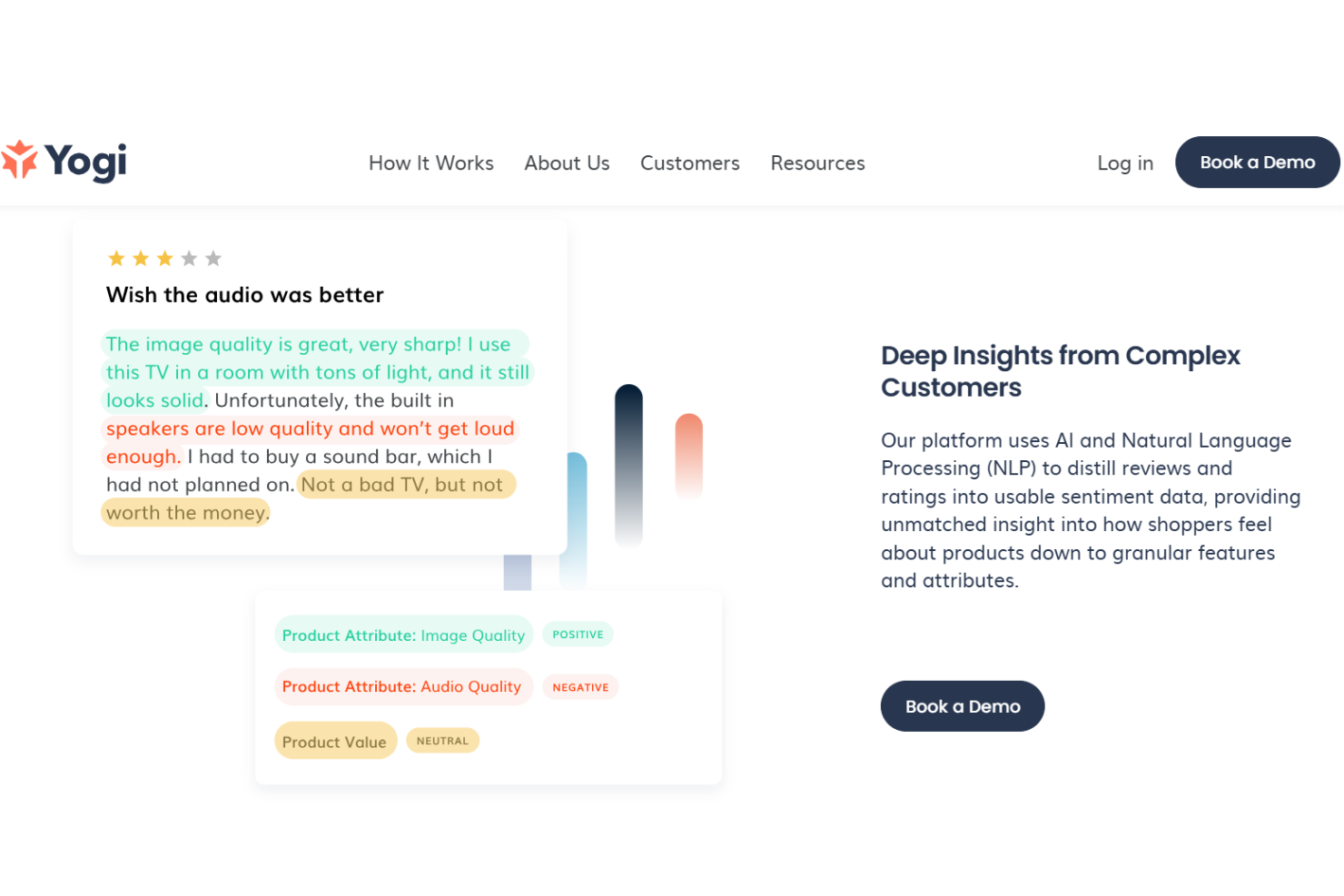
Yogi è uno strumento di intelligenza artificiale conversazionale progettato per aiutare le aziende a migliorare le interazioni con i clienti attraverso l'elaborazione del linguaggio naturale. I suoi principali utenti sono i team di assistenza clienti e le aziende che desiderano migliorare le strategie di coinvolgimento della clientela.
Perché ho scelto Yogi: Offre funzionalità uniche di intelligenza artificiale conversazionale, permettendo al tuo team di automatizzare e personalizzare le interazioni con i clienti. L'elaborazione del linguaggio naturale dello strumento aiuta a comprendere e rispondere efficacemente alle richieste dei clienti. Le analisi in tempo reale forniscono approfondimenti sulle interazioni, favorendo miglioramenti strategici. Secondo la mia esperienza, queste caratteristiche lo rendono ideale per le aziende che si concentrano sull'engagement conversazionale.
Caratteristiche e integrazioni principali:
Funzionalità includono analisi in tempo reale che offrono approfondimenti sulle interazioni con i clienti, aiutando il team a prendere decisioni informate. Le capacità di elaborazione del linguaggio naturale migliorano la qualità delle risposte automatizzate. Inoltre, le opzioni di personalizzazione permettono di adattare le interazioni alle specifiche esigenze aziendali.
Integrazioni includono Slack, Microsoft Teams, Salesforce, Zendesk, HubSpot, Google Workspace, Zoom, Intercom, Asana e Trello.
Pros and Cons
Pros:
- Efficace elaborazione del linguaggio naturale
- Sono disponibili opzioni di personalizzazione
- Supporta il miglioramento strategico dell'engagement
Cons:
- Richiede una gestione continua
- Limitato all'uso di intelligenza artificiale conversazionale

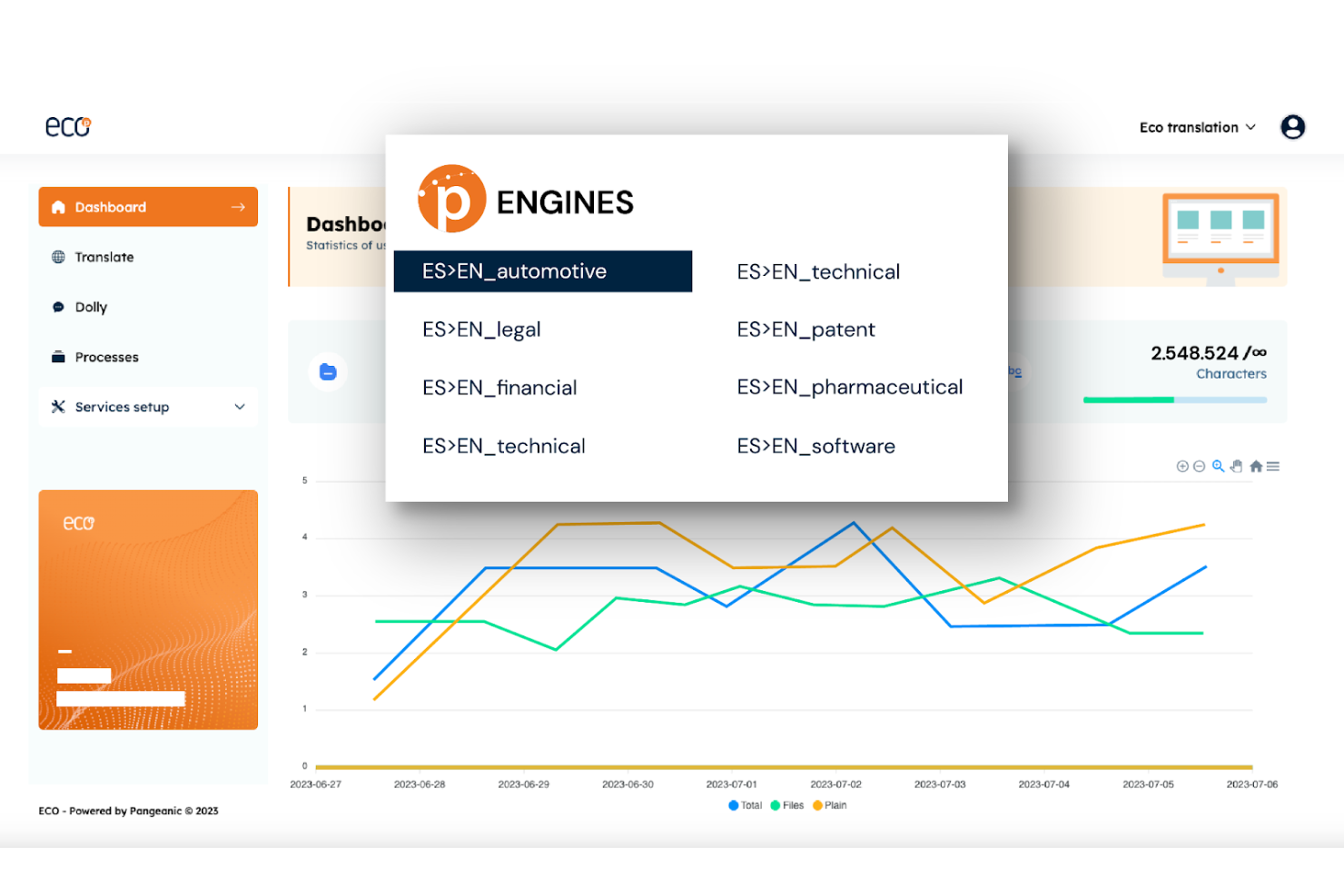
Pangeanic offre uno strumento personalizzabile di analisi del sentiment basato sull’IA, pensato per aziende che necessitano di estrarre opinioni da diverse fonti testuali come social media e recensioni. I principali utenti sono aziende che vogliono comprendere il sentiment dei clienti in più lingue.
Perché ho scelto Pangeanic: Offre un approccio ibrido, che combina metodi basati su lessici e apprendimento automatico per analizzare il sentiment in modo efficace. L’API dello strumento consente analisi immediate, utili per esigenze in tempo reale. La capacità di elaborazione in batch lo rende adatto alla gestione efficiente di grandi set di dati. Nella mia esperienza, queste funzionalità si allineano alla sua forza nell’analisi multilingue.
Funzionalità e integrazioni di rilievo:
Funzionalità includono il rilevamento delle emozioni per comprendere i sentimenti espressi nei testi. L’elaborazione in batch aiuta il team a gestire velocemente grandi volumi di dati. L’integrazione tramite API permette analisi in tempo reale e senza interruzioni, agevolando decisioni tempestive.
Integrazioni includono connessioni con piattaforme popolari come Twitter, Facebook, LinkedIn, Instagram, YouTube, Reddit e Tumblr.
Pros and Cons
Pros:
- Alta accuratezza nel rilevamento del sentiment
- Adattabile a diverse lingue
- Elaborazione batch efficiente
Cons:
- Complessità nell’analisi del sentiment
- Sfide nella sensibilità al contesto

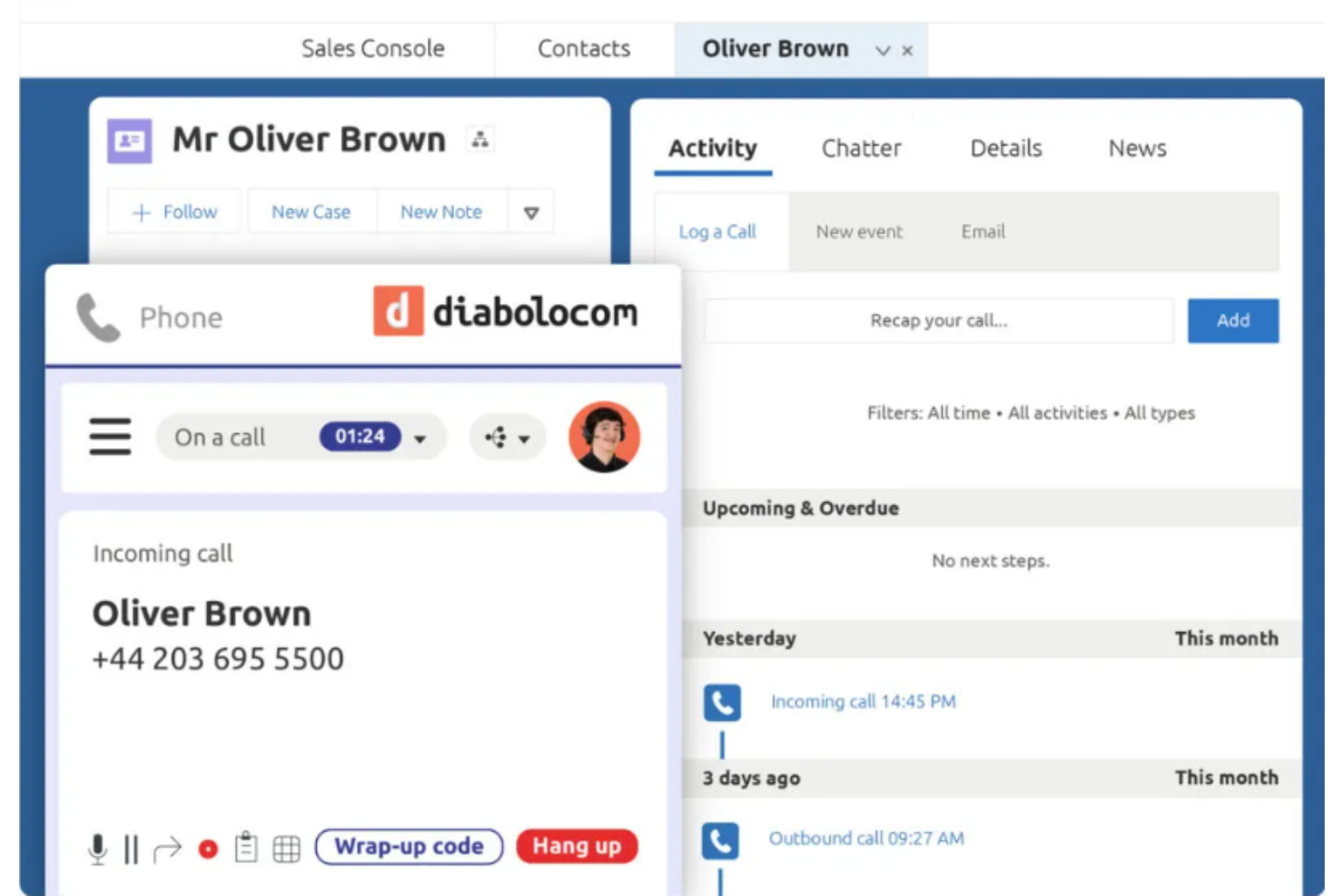
Diabolocom è uno strumento di analisi del sentiment progettato per i call center, che aiuta le aziende ad analizzare le interazioni con i clienti per migliorare la qualità del servizio. I suoi principali utenti sono i responsabili e le squadre dei call center che devono valutare il sentiment dei clienti in tempo reale.
Perché ho scelto Diabolocom: È focalizzato sui call center, offrendo funzionalità come l'analisi del sentiment in tempo reale durante le chiamate per migliorare le interazioni con i clienti. La categorizzazione automatica delle chiamate aiuta la tua squadra a gestire e a dare priorità alle chiamate in modo efficiente. Lo strumento fornisce inoltre analisi dettagliate delle chiamate, che supportano la valutazione delle prestazioni e la formazione. Per mia esperienza, queste funzionalità sono essenziali per ottimizzare le operazioni nei call center.
Caratteristiche principali & integrazioni:
Funzionalità includono il monitoraggio delle chiamate in tempo reale per garantire qualità e conformità. La categorizzazione automatica delle chiamate semplifica la gestione di grandi volumi di chiamate. Lo strumento offre analisi complete delle chiamate, fornendo informazioni sulle prestazioni del team e sulla soddisfazione dei clienti.
Integrazioni includono Salesforce, Microsoft Dynamics, Zendesk, ServiceNow, Oracle, SAP, SugarCRM, Freshdesk, Zoho CRM e HubSpot.
Pros and Cons
Pros:
- Categorizzazione automatica delle chiamate
- Supporta la valutazione delle prestazioni
- Migliora l'interazione con i clienti
Cons:
- Configurazione complessa con curva di apprendimento ripida
- Limitato all'uso nei call center

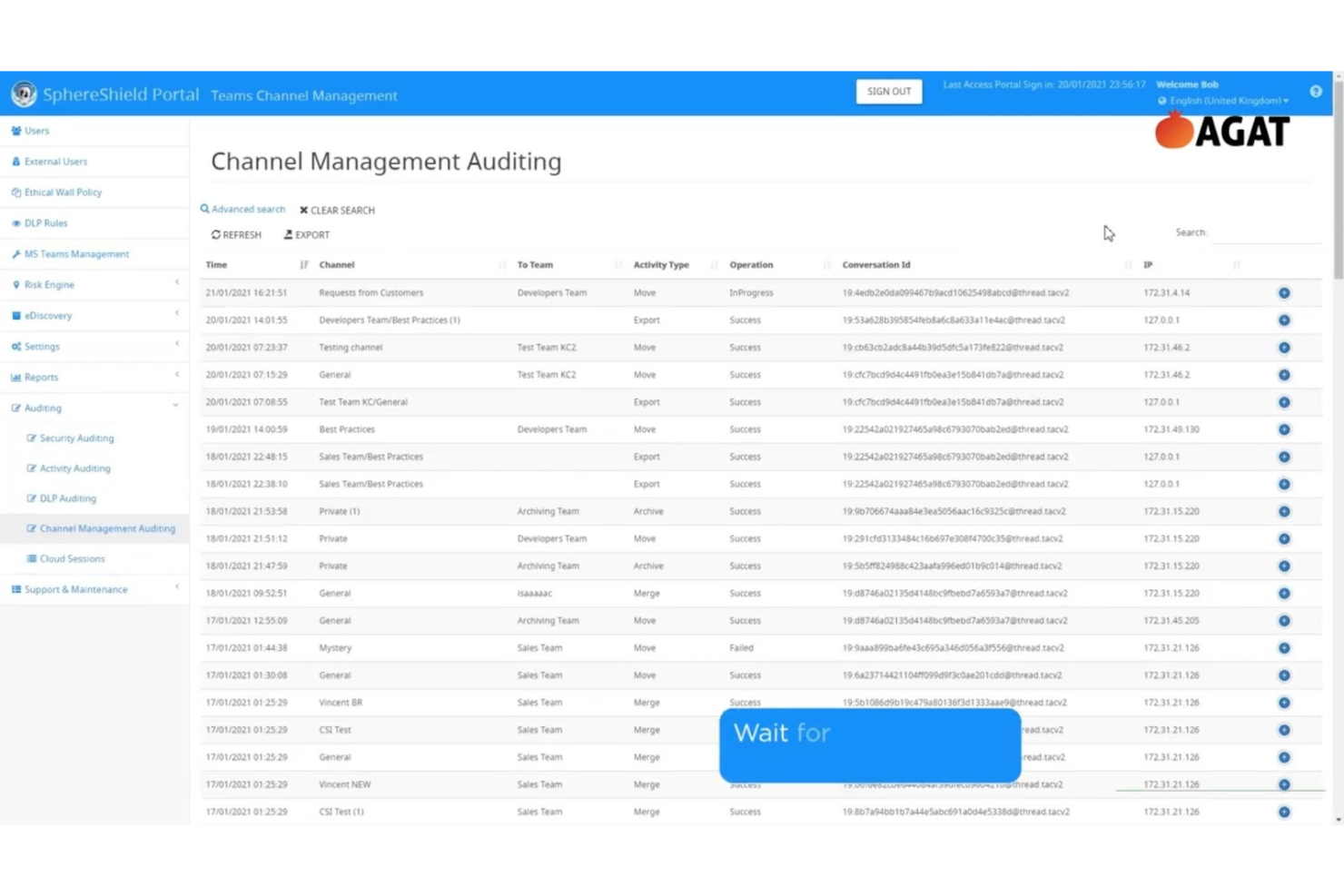
AGAT Software offre uno strumento di analisi del sentiment basato sull’intelligenza artificiale progettato per migliorare conformità, sicurezza e produttività nelle comunicazioni unificate. I suoi principali utenti sono le organizzazioni che utilizzano piattaforme come Teams, Skype, Webex, Zoom, Slack e SharePoint, concentrandosi sulla prevenzione della perdita di dati e sull’analisi della conformità in tempo reale.
Perché ho scelto AGAT Software: Si distingue per la capacità di soddisfare i requisiti di compliance grazie a funzionalità come la prevenzione della perdita di dati (DLP) in tempo reale e la gestione delle barriere etiche. Le funzionalità di ricerca avanzata consentono al tuo team di recuperare dati archiviati. Lo strumento supporta l’ispezione in tempo reale dei contenuti, garantendo che le comunicazioni rispettino gli standard di conformità. Nella mia esperienza, queste funzionalità sono fondamentali per le organizzazioni che pongono al primo posto la sicurezza e la conformità.
Funzionalità e integrazioni principali:
Funzionalità includono politiche di comunicazione flessibili che aiutano il team a gestire efficacemente il flusso di dati. L’ispezione in tempo reale dei contenuti assicura che tutte le comunicazioni rispettino le linee guida di conformità. Le funzionalità di ricerca avanzata rendono semplice trovare rapidamente le comunicazioni archiviate.
Integrazioni: Microsoft Teams, Cisco Webex, Zoom, Slack e SharePoint.
Pros and Cons
Pros:
- Protezione dei dati in tempo reale
- Funzionalità di ricerca avanzata
- Supporta diverse piattaforme di comunicazione
Cons:
- Complessità nell’installazione iniziale con elevata curva di apprendimento per i nuovi utenti
- Non ideale per team di piccole dimensioni

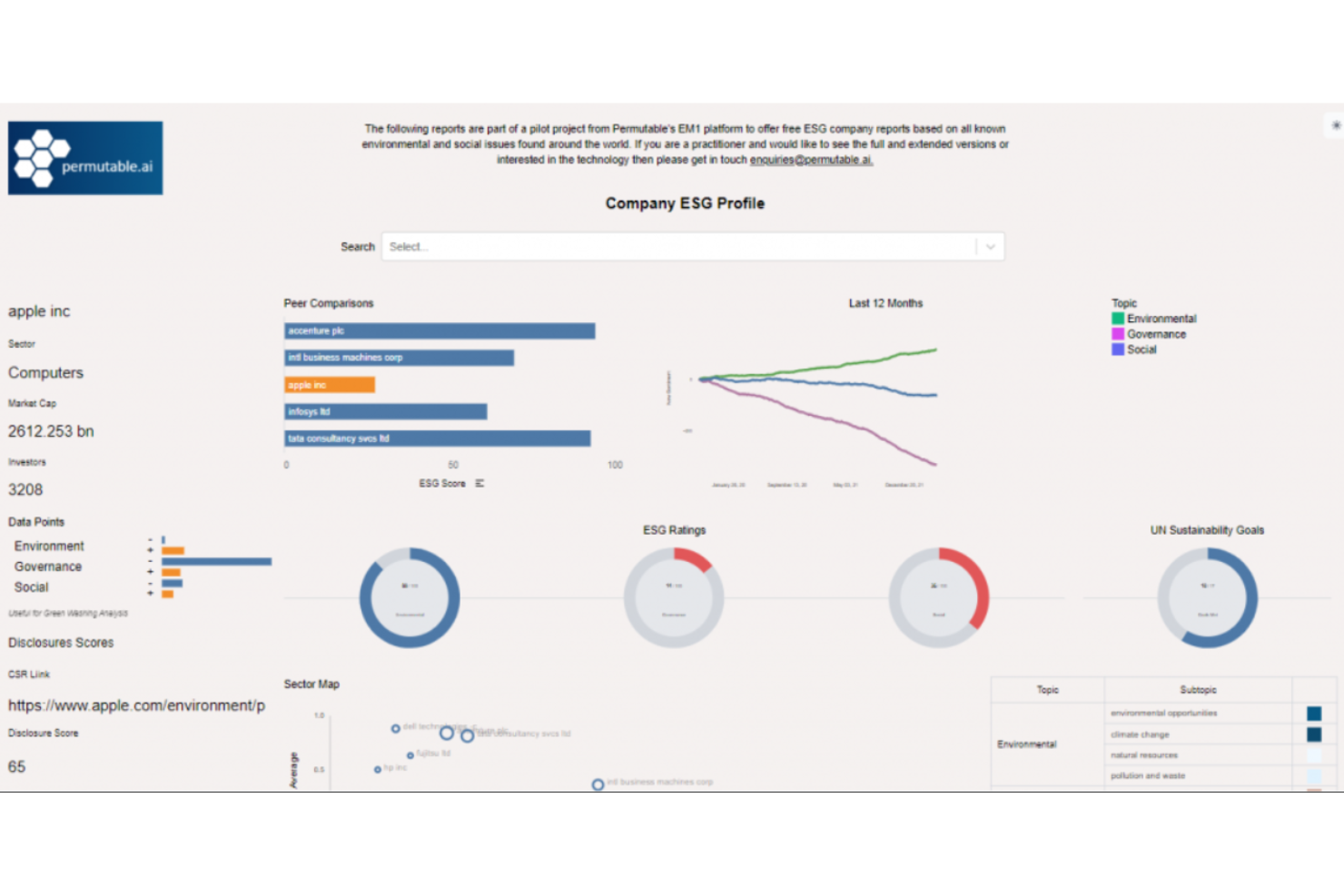
Permutable AI offre uno strumento di analisi del sentiment basato sull'intelligenza artificiale, pensato per organizzazioni che si concentrano su approfondimenti ambientali, sociali e di governance (ESG). I principali utenti sono aziende e analisti che desiderano comprendere e gestire efficacemente i dati relativi all'ESG.
Perché ho scelto Permutable AI: Offre approfondimenti ESG specializzati, aiutando il tuo team a monitorare e analizzare i dati sulla sostenibilità. Le capacità di apprendimento automatico dello strumento consentono un'analisi dettagliata del sentiment su diverse fonti. Il monitoraggio in tempo reale dei dati ESG supporta decisioni tempestive. Secondo la mia esperienza, queste caratteristiche lo rendono ideale per le organizzazioni che danno priorità ai fattori ESG.
Funzionalità e integrazioni principali:
Funzionalità includono il monitoraggio in tempo reale delle metriche ESG per tenere il team aggiornato sulle tendenze di sostenibilità. I modelli di apprendimento automatico forniscono un'analisi dettagliata del sentiment per ottenere approfondimenti più precisi. Lo strumento offre anche dashboard personalizzabili, permettendo di adattare la visualizzazione dei dati alle esigenze specifiche.
Integrazioni includono la popolare libreria di grafici TradingView, per una piena integrazione di sistema e pipeline di dati aziendali.
Pros and Cons
Pros:
- Forte focus sugli approfondimenti ESG
- Analisi dettagliata del sentiment
- Adatto a team orientati alla sostenibilità
Cons:
- Richiede personalizzazione per ottenere i migliori risultati
- Complessità nell'impostazione delle dashboard

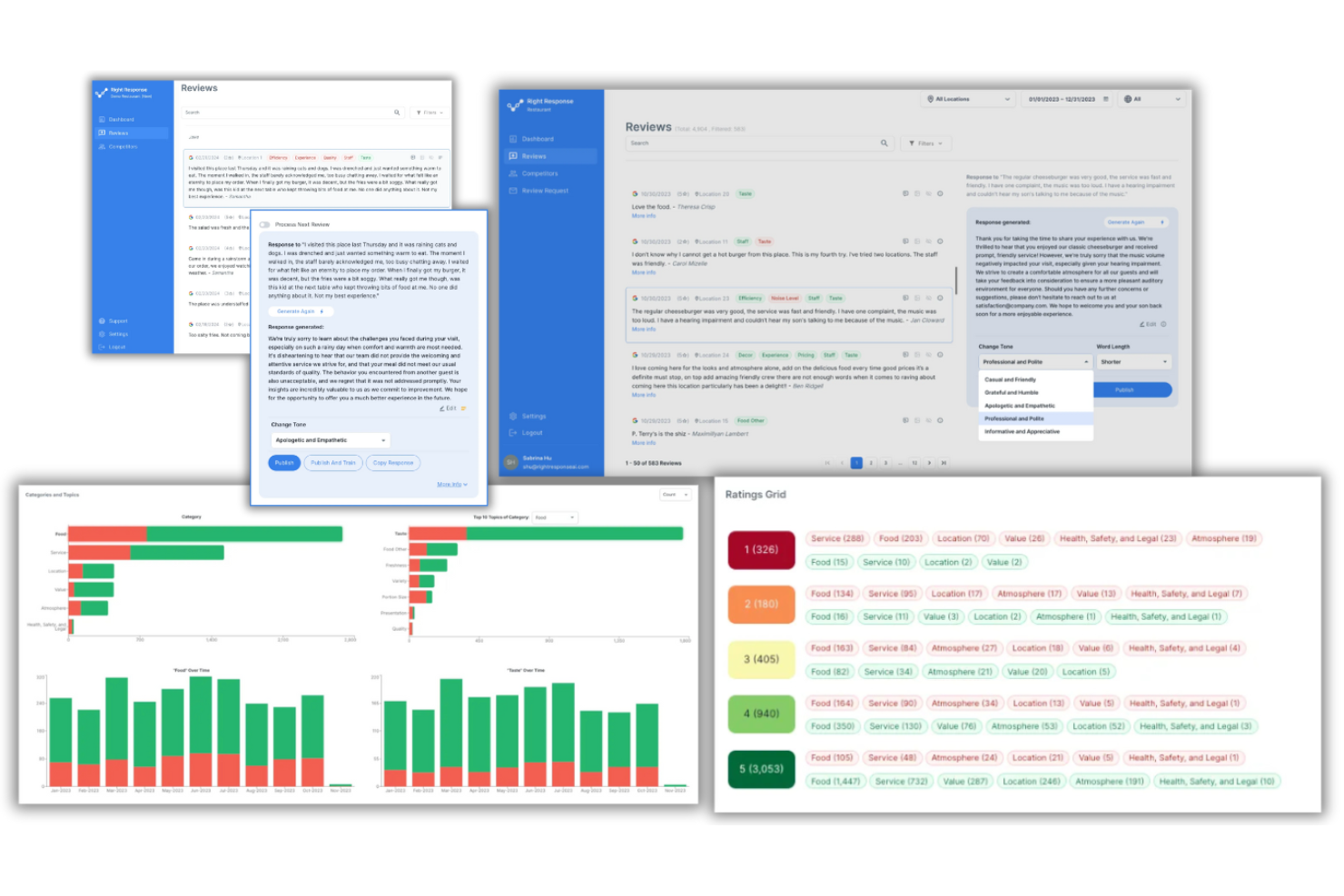
RightResponse AI è uno strumento di analisi del sentiment progettato per le aziende che vogliono comprendere e rispondere ai feedback dei clienti. I principali utilizzatori sono i team di assistenza clienti e gli analisti aziendali che lo utilizzano per migliorare la soddisfazione dei clienti e le decisioni strategiche.
Perché ho scelto RightResponse AI: Si distingue nell’analisi delle recensioni, offrendo funzionalità come il Risponditore Intelligente alle Recensioni che personalizza le risposte tramite l’IA. La funzione Analisi delle Recensioni aiuta il tuo team a comprendere le preferenze dei clienti analizzando i feedback provenienti da oltre 100 piattaforme. Il Google Maps Rank Tracker è utile per monitorare il posizionamento aziendale ed è uno strumento prezioso per ottenere informazioni basate sulla localizzazione. Secondo la mia esperienza, queste caratteristiche sono in linea con la sua specializzazione nell’analisi delle recensioni.
Caratteristiche distintive & integrazioni:
Caratteristiche includono l’analisi delle recensioni dei concorrenti, che fornisce approfondimenti sui feedback dei clienti dei competitor. Il sistema di richiesta recensioni automatizza le richieste personalizzate di recensioni per aumentare il coinvolgimento. Inoltre, l’analisi del sentiment basata su aspetti tramite machine learning categorizza ed esamina efficacemente le recensioni.
Integrazioni comprendono Google My Business, Yelp, TripAdvisor, Facebook, Trustpilot, Amazon, Booking.com, Expedia, OpenTable e Zomato.
Pros and Cons
Pros:
- Approfondimenti dettagliati sui concorrenti
- Risposte personalizzate alle recensioni
- Identificazione efficace delle tendenze
Cons:
- Supporto linguistico limitato
- Richiede tempo per la configurazione iniziale
- Struttura funzionale complessa
- Non adatto alle piccole imprese
- Alcune funzionalità richiedono input manuale

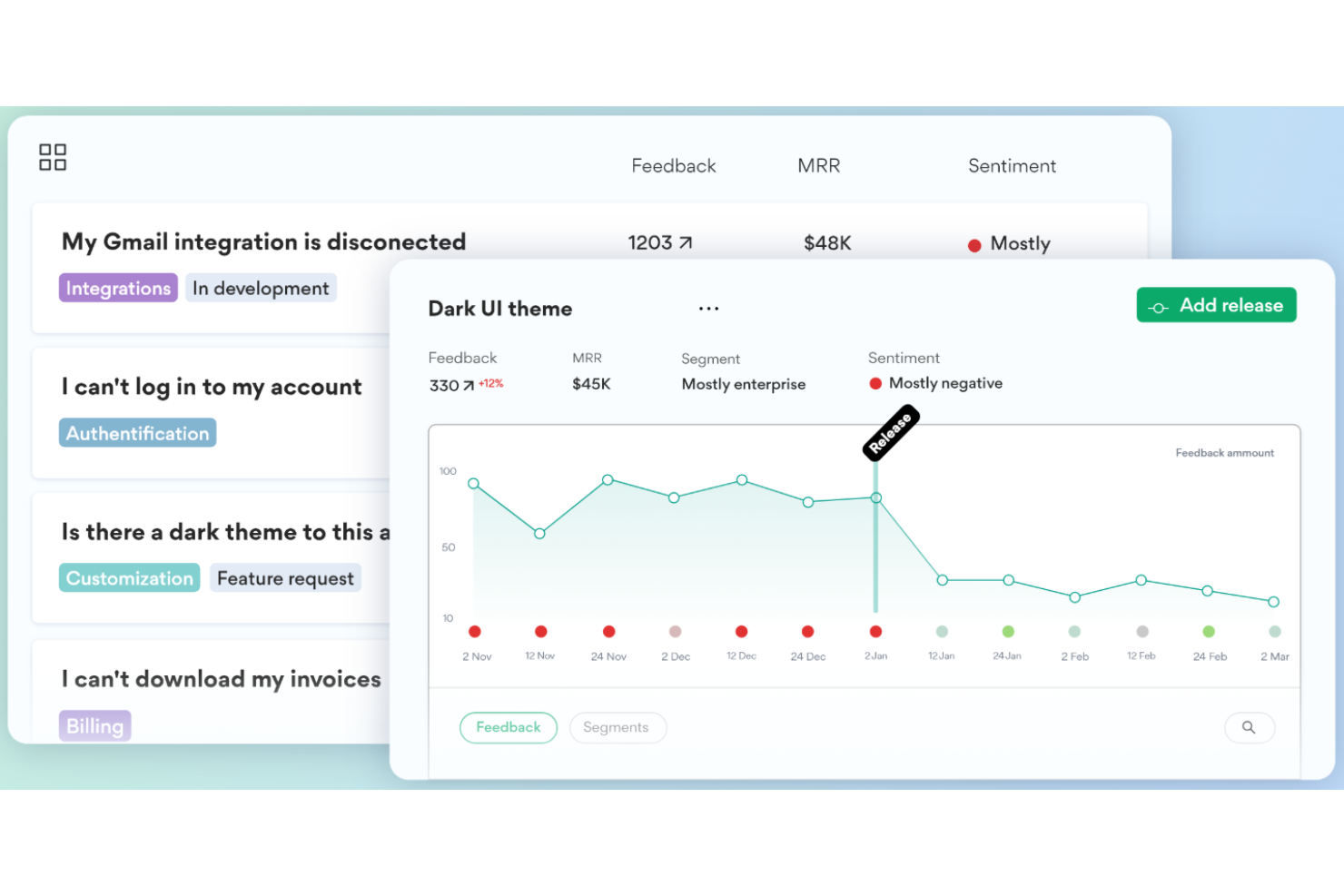
ClientZen è uno strumento di analisi del sentiment pensato per le aziende che desiderano comprendere e migliorare i feedback dei clienti. I principali utenti sono i team di assistenza clienti e gli analisti aziendali che mirano ad aumentare la soddisfazione dei clienti tramite approfondimenti dettagliati sul sentiment.
Perché ho scelto ClientZen: Si specializza nell'analisi dei feedback dei clienti, incluse le recensioni online e i feedback negativi, con funzionalità come la categorizzazione e la valutazione del sentiment. Lo strumento fornisce informazioni in tempo reale, consentendo al tuo team di rispondere rapidamente alle esigenze dei clienti. I report personalizzabili ti permettono di adattare gli insight agli obiettivi specifici della tua azienda. Secondo la mia esperienza, queste funzionalità sono particolarmente adatte al suo focus sui feedback dei clienti.
Funzionalità principali e integrazioni:
Funzionalità includono l'analisi dei feedback in tempo reale, aiutando il tuo team a restare aggiornato sui sentimenti della clientela. La categorizzazione dei feedback facilita l'organizzazione delle risposte per approfondimenti migliori. La reportistica personalizzabile consente di allineare i dati con gli obiettivi aziendali.
Integrazioni comprendono Salesforce, Zendesk, HubSpot, Slack, Microsoft Teams, Trello, Asana, Google Sheets, Intercom e Monday.com.
Pros and Cons
Pros:
- Approfondimenti in tempo reale sul sentiment
- Opzioni di reportistica personalizzate
- Supporta più canali di feedback
Cons:
- Limitato all'analisi dei feedback
- Richiede una gestione continua dei dati
Altri strumenti di analisi del sentiment con IA
Ecco alcune ulteriori opzioni di strumenti di analisi del sentiment con IA che non sono entrate nel mio elenco, ma che vale comunque la pena valutare:
- Comments Analytics
Ideale per l'analisi dei commenti
- Hiver
Ideale per insight sui clienti basati sull'IA
- Brand24
Ideale per il monitoraggio dei social media


Come Valuto gli Strumenti di Analisi del Sentimento AI
Ogni strumento qui deve andare oltre il semplice abbinamento di parole chiave e la polarità di base—cerco un'AI che realmente riveli perché i clienti provano certe emozioni, non solo se il feedback tende al positivo o al negativo. Suddivido la mia valutazione in funzionalità di base che ogni strumento deve soddisfare per entrare nella lista e fattori differenzianti che distinguono una soluzione dall'altra.
Funzionalità di Base (Requisiti Minimi per Questa Lista)
Quando seleziono gli strumenti per la mia lista, valuto ciascuno su una scala da 0 (non offre la funzionalità) a 5 (eccelle in quest'area) per ogni funzionalità di base elencata di seguito. Poi, converto il punteggio totale in una percentuale. Ogni strumento deve raggiungere un punteggio minimo totale del 65% per essere preso in considerazione.
- Classificazione del Sentimento Basata su AI: Valuto se lo strumento va oltre la semplice etichettatura di polarità—dovrebbe rilevare emozioni, intensità o contesto come il sarcasmo nelle risposte aperte ai sondaggi.
- Raccolta di Feedback Multicanale: Gli strumenti dovrebbero pescare dai canali realmente utilizzati dai team CX, come ticket di assistenza, trascrizioni di live chat, recensioni di app e menzioni sui social.
- Individuazione di Argomenti e Temi: Cerco il raggruppamento automatico degli argomenti collegato ai sentimenti, così puoi vedere che "fatturazione" ha generato punteggi negativi lo scorso mese senza dover creare tag manuali.
- Analisi e Avvisi in Tempo Reale: Lo strumento dovrebbe segnalare cambiamenti improvvisi nei sentimenti mano a mano che si verificano, ad esempio avvisando un responsabile dell'assistenza se durante un lancio di prodotto le chat diventano molto negative.
- Reportistica CX & Dashboard: Controllo che ci siano dashboard che collegano i dati sui sentimenti a metriche CX come le tendenze CSAT o NPS, con viste dettagliate utili sia agli analisti sia ai dirigenti.
- Integrazioni con la CX Stack: La piattaforma dovrebbe collegarsi nativamente agli strumenti già usati dai team CX, come Zendesk, Salesforce, Intercom o piattaforme di sondaggi come Qualtrics.
Una volta che dispongo di una lista di strumenti che soddisfano i criteri, valuto cosa distingue ciascuna piattaforma.
Fattori Differenzianti (Cosa Distingue i Fornitori)
Ecco come confronto i diversi fornitori:
Funzionalità Distintive
La sintesi con AI generativa è un elemento distintivo importante—cerco strumenti che possano trasformare migliaia di risposte aperte in una narrativa azionabile che un responsabile CX possa condividere in una riunione con gli stakeholder. Anche i segnali predittivi di abbandono dei clienti spiccano, soprattutto per i team customer success che vogliono individuare account a rischio prima delle trattative di rinnovo. Per le operazioni CX globali, la precisione del sentimento multilingue è cruciale perché una cattiva traduzione può generare risultati fuorvianti. Valuto anche la possibilità di addestrare modelli personalizzati per team con terminologia specifica.
Oltre le Funzionalità
La trasparenza del modello ha importanza—verifico se uno strumento permette di vedere perché un certo ticket o recensione è stato valutato in un certo modo, così il tuo team può avere fiducia e agire sui dati. Anche la sicurezza dei dati è un elemento che valuto, in particolare se il fornitore è chiaro sul non utilizzare i tuoi feedback per addestrare modelli AI condivisi. Infine, valuto il time-to-value: strumenti con tassonomie CX preimpostate e onboarding guidato consentono di ottenere insight utili in pochi giorni, mentre altri possono richiedere mesi di configurazione prima di diventare affidabili.
Come scegliere uno strumento di analisi del sentiment con IA
È facile perdersi in lunghi elenchi di funzionalità e strutture tariffarie complesse. Per aiutarti a rimanere concentrato mentre affronti il tuo specifico processo di selezione del software, ecco un elenco di fattori da tenere presenti:
| Fattore | Cosa considerare |
| Scalabilità | Assicurati che lo strumento possa crescere insieme al tuo team e gestire volumi di dati in aumento. Cerca opzioni che offrano piani tariffari scalabili e supporto per grandi set di dati. |
| Integrazioni | Verifica se lo strumento si integra con le piattaforme che già utilizzi, come il CRM o gli strumenti per i social media. Un'integrazione fluida garantisce un flusso di dati efficiente e informazioni migliori. |
| Personalizzazione | Valuta se lo strumento consente di adattare dashboard e report alle tue esigenze e preferenze specifiche. |
| Facilità d'uso | Cerca un'interfaccia intuitiva che richieda una formazione minima per il tuo team. Un design intuitivo può favorire l'adozione e l'efficienza. |
| Budget | Valuta se il prezzo rientra nel tuo budget. Considera le funzionalità incluse e se il costo è giustificato dal valore che apportano alle tue attività. |
| Misure di sicurezza | Assicurati che lo strumento sia conforme alle normative sulla protezione dei dati e offra solide funzionalità di sicurezza per proteggere le informazioni sensibili. |
| Assistenza | Analizza il livello di assistenza clienti disponibile, inclusi i tempi di risposta e l'accesso a risorse come tutorial e domande frequenti. |
| Analisi in tempo reale | Determina se lo strumento fornisce informazioni in tempo reale, fondamentali per prendere decisioni tempestive e rispondere ai feedback dei clienti. |
Tendenze negli strumenti di analisi del sentiment con IA
Nella mia ricerca ho raccolto innumerevoli aggiornamenti di prodotto, comunicati stampa e registri delle versioni provenienti da diversi fornitori di strumenti di analisi del sentiment con IA. Ecco alcune delle tendenze emergenti che sto monitorando:
- Rilevamento delle emozioni: gli strumenti stanno andando oltre il semplice rilevamento del sentimento positivo o negativo, per individuare emozioni specifiche come gioia, rabbia e tristezza. Questo aggiunge profondità all'analisi, aiutando le aziende a comprendere i sentimenti dei clienti con maggiore precisione. Fornitori come Pangeanic hanno integrato il rilevamento delle emozioni nelle loro offerte.
- Supporto multilingue: con l'espansione dei mercati globali, gli strumenti di analisi del sentimento supportano sempre più lingue. Questa tendenza aiuta le aziende a comprendere il sentimento dei clienti in diverse regioni senza barriere linguistiche. Molti strumenti offrono ormai questa funzionalità come standard.
- Analisi contestuale: comprendere il contesto di un sentimento sta diventando essenziale. Gli strumenti si concentrano sull'analisi del contesto in cui vengono utilizzate le parole, per fornire punteggi del sentimento più accurati. Questo è particolarmente utile nei settori in cui le sfumature linguistiche sono importanti.
- Analisi visiva del sentimento: l'analisi di immagini e video per rilevare il sentimento sta prendendo piede. Questa tendenza consente alle aziende di raccogliere informazioni dai contenuti visivi condivisi sulle piattaforme di social media. Alcuni fornitori stanno iniziando a offrire questa funzionalità per soddisfare la domanda di analisi dei dati visivi.
- Informazioni in tempo reale: le aziende vogliono agire sui dati relativi al sentimento man mano che si manifestano. Gli strumenti che offrono l'analisi del sentimento in tempo reale stanno diventando sempre più popolari, consentendo alle aziende di rispondere rapidamente ai feedback e alle tendenze dei clienti. Questa tendenza è fondamentale per i marchi che puntano a rimanere all'avanguardia nei mercati caratterizzati da ritmi intensi.
Che cos'è uno strumento di analisi del sentimento basato sull'IA?
Uno strumento di analisi del sentimento basato sull'IA utilizza l'elaborazione del linguaggio naturale e l'analisi del testo per rilevare emozioni e intenzioni nei feedback dei clienti. Aiuta i team a interpretare le opinioni presenti in recensioni, chat e social media, per individuare tendenze, migliorare la soddisfazione e prendere decisioni CX più rapide e basate sui dati.
Funzionalità degli strumenti di analisi del sentimento basati sull'IA
Quando scegli uno strumento di analisi del sentimento basato sull'IA, presta attenzione alle seguenti funzionalità principali:
- Rilevamento delle emozioni: identifica emozioni specifiche come gioia o rabbia, fornendo informazioni più approfondite sui sentimenti dei clienti.
- Supporto multilingue: analizza il sentimento in diverse lingue, una funzione utile per le aziende con un pubblico globale.
- Informazioni in tempo reale: offre un'analisi immediata del sentimento, consentendo di rispondere rapidamente ai feedback dei clienti.
- Analisi contestuale: comprende il contesto in cui vengono utilizzate le parole, portando a punteggi del sentimento più accurati.
- Analisi visiva del sentimento: analizza immagini e video per rilevare il sentimento, ampliando le informazioni oltre i dati testuali.
- Dashboard personalizzabili: consentono agli utenti di adattare le visualizzazioni dei dati alle specifiche esigenze aziendali.
- Analisi avanzata delle tendenze: rileva argomenti e tendenze emergenti, aiutando le aziende a rimanere all'avanguardia nei propri mercati.
- Accesso API per l'integrazione: consente un'integrazione fluida con i sistemi esistenti, per semplificare il flusso dei dati.
- Generazione automatica dei report: fornisce report puntuali, facendo risparmiare tempo e fatica agli utenti nell'analisi dei dati.
- Valutazione del sentimento: classifica il testo in sentimento positivo, negativo o neutro, facilitando una valutazione rapida.
Vantaggi degli strumenti di analisi del sentimento basati sull'IA
L'implementazione di uno strumento di analisi del sentimento basato sull'IA offre diversi vantaggi al tuo team e alla tua azienda. Ecco alcuni dei risultati che puoi aspettarti:
- Maggiore comprensione dei clienti: il rilevamento delle emozioni e la valutazione del sentimento aiutano a comprendere con maggiore precisione emozioni e opinioni dei clienti.
- Processo decisionale più rapido: le informazioni in tempo reale consentono al tuo team di rispondere rapidamente ai feedback e alle tendenze dei clienti.
- Portata globale: il supporto multilingue consente l'analisi in diverse lingue, ampliando la comprensione globale della tua azienda.
- Migliore reputazione del marchio: l'analisi delle tendenze e le informazioni contestuali aiutano a gestire e proteggere efficacemente l'immagine del tuo marchio.
- Gestione efficiente dei dati: la generazione automatica dei report fa risparmiare tempo, consentendo al tuo team di concentrarsi sulle azioni strategiche.
- Informazioni personalizzate: le dashboard personalizzabili consentono di concentrarsi sulle metriche più importanti per gli obiettivi aziendali.
- Informazioni visive: l'analisi visiva del sentimento amplia la comprensione includendo immagini e video, non solo testo.
Costi e prezzi degli strumenti di analisi del sentimento basati sull'IA
La scelta di uno strumento di analisi del sentimento basato sull'IA richiede la comprensione dei vari modelli di prezzo e dei piani disponibili. I costi variano in base alle funzionalità, alle dimensioni del team, ai componenti aggiuntivi e ad altri fattori. La tabella seguente riassume i piani più comuni, i relativi prezzi medi e le funzionalità tipicamente incluse nelle soluzioni di analisi del sentimento basate sull'IA:
Tabella comparativa dei piani per gli strumenti di analisi del sentiment basati sull'IA
| Tipo di piano | Prezzo medio | Funzionalità comuni |
| Piano gratuito | $0 | Analisi di base del sentiment, elaborazione limitata dei dati e assistenza minima. |
| Piano personale | $10-$50/ utente/mese | Attribuzione di punteggi al sentiment, rilevamento delle emozioni, supporto multilingue e reportistica di base. |
| Piano aziendale | $50-$100/ utente/mese | Approfondimenti in tempo reale, analisi avanzata delle tendenze, dashboard personalizzabili e accesso all'API. |
| Piano enterprise | $100-$300/utente/mese | Integrazione completa dei dati, analisi visiva del sentiment, assistenza dedicata e completa personalizzazione. |
Domande frequenti sugli strumenti di analisi del sentiment basati sull'IA
Ecco alcune risposte alle domande comuni sugli strumenti di analisi del sentiment basati sull’IA:
Come viene utilizzata l'IA nell'analisi del sentiment?
Uno strumento di analisi del sentiment basato sull’IA utilizza l’elaborazione del linguaggio naturale e l’analisi del testo per rilevare emozioni e intenzioni nei feedback dei clienti. Aiuta i team a interpretare le opinioni espresse in recensioni, chat e social media per individuare le tendenze, migliorare la soddisfazione e prendere decisioni più rapide sul CX basate sui dati. L’IA nell’analisi del sentiment viene utilizzata per elaborare e analizzare i feedback dei clienti provenienti da diverse fonti, come i social media e le recensioni. Aiuta le aziende a comprendere le emozioni e il sentiment dei clienti, consentendo loro di migliorare i servizi e gestire i reclami in modo più efficace. L’IA è in grado di identificare schemi e tendenze nei dati relativi al sentiment, fornendo informazioni preziose.
L'analisi del sentiment è supervisionata o non supervisionata?
L’analisi del sentiment può essere sia supervisionata sia non supervisionata. Nell’analisi del sentiment supervisionata, gli algoritmi vengono addestrati su dati etichettati per riconoscere gli schemi del sentiment. L’analisi del sentiment non supervisionata non utilizza dati etichettati e si basa su tecniche come il clustering per identificare il sentiment. Le aziende possono scegliere uno dei due approcci in base ai propri dati e alle esigenze di analisi.
Come funzionano gli strumenti di analisi del sentiment?
Gli strumenti di analisi del sentiment funzionano assegnando punteggi alle parole in base a un lessico. Il software analizza i dati testuali alla ricerca di queste parole e calcola un punteggio del sentiment per determinare se il testo è positivo, negativo o neutro. Questo processo aiuta le aziende a valutare rapidamente il sentiment dei clienti a partire da grandi quantità di dati.
Quanto è accurato il modello di analisi del sentiment?
L’accuratezza dei modelli di analisi del sentiment varia, ma molti mirano a raggiungere o superare i livelli di accuratezza umana dell’80-85%. L’accuratezza dipende da fattori come la qualità dei dati di addestramento e la complessità del linguaggio utilizzato. L’addestramento continuo e gli aggiornamenti del modello possono migliorarne l’accuratezza nel tempo.
L'analisi del sentiment è in grado di rilevare il sarcasmo?
Rilevare il sarcasmo nell’analisi del sentiment è difficile perché spesso implica contesto e tono, elementi difficili da interpretare per gli algoritmi. Alcuni modelli avanzati tentano di rilevare il sarcasmo analizzando schemi e contesto, ma l’accuratezza può comunque essere limitata.
Quali sono i limiti degli strumenti di analisi del sentiment?
Gli strumenti di analisi del sentiment possono avere difficoltà con sfumature come sarcasmo, contesto e differenze culturali. Possono inoltre richiedere grandi quantità di dati per garantire l’accuratezza e possono essere limitati dalla qualità dei lessici utilizzati. Comprendere questi limiti aiuta a definire aspettative realistiche sui risultati dell’analisi.
E adesso?
Iscriviti alla nostra newsletter per ricevere gli ultimi approfondimenti sul CX, guide pratiche, strategie e risorse dai migliori esperti del settore CX.