

10 Meilleurs Logiciels de Centre d’Appels pour Petites Entreprises en 2026

Liste des meilleurs logiciels de centre d'appels pour petites entreprises


Un logiciel de centre d'appels pour petites entreprises aide les équipes réduites à gérer les appels clients de façon professionnelle sans les coûts ni la complexité des solutions pour grandes entreprises. Les meilleurs outils de centre d'appels vous permettent d’optimiser le support, de rester réactif et d’offrir une expérience client homogène, que vous gériez quelques dizaines d'appels par jour ou que vous soyez en pleine croissance.
En tant que professionnel du service client, j’ai sélectionné ces options selon leur simplicité d’utilisation, leur prix abordable, leur capacité à évoluer, ainsi que les fonctionnalités essentielles comme le routage, la gestion de file d’attente et le reporting. Cet article vous aidera à choisir avec confiance le logiciel de centre d'appels pour petites entreprises qui correspond le mieux à vos besoins, pour soutenir votre équipe et vos clients plus facilement, rapidement et efficacement.
Pourquoi faire confiance à nos recommandations de logiciels
Notre équipe teste et évalue des logiciels depuis 2012. En tant que leaders CX nous-mêmes, nous savons à quel point il est difficile — et important — de choisir le bon logiciel.
Pour ce guide, nous avons évalué les outils grâce à des tests pratiques et une recherche indépendante, en notant les outils selon nos critères de sélection.
Nos avis reflètent notre jugement éditorial humain, et non un argumentaire de vente.
Résumé des meilleurs logiciels de centre d'appels pour petites entreprises
| Tool | Best For | Trial Info | Price | ||
|---|---|---|---|---|---|
| 1 | Idéal pour l'assistance de centre d'appels pilotée par l'IA | Démo gratuite disponible | À partir de $30/utilisateur/mois (facturation annuelle) | Website | |
| 2 | Idéal pour prendre des décisions basées sur les données | Démo gratuite disponible | À partir de 15 $/utilisateur/mois (facturé annuellement) | Website | |
| 3 | Idéal pour une gestion efficace des centres d'appels | Essai gratuit de 14 jours disponible | À partir de 19 $/mois (facturé annuellement) | Website | |
| 4 | Idéal pour la productivité des agents et la qualité de service | Tarification sur demande | Website | ||
| 5 | Idéal pour des opérations de centre d’appels configurables | Démo gratuite disponible | À partir de 15 $/utilisateur/mois (facturé annuellement) | Website | |
| 6 | Idéal pour une expérience client fluide et sans friction sur tous les canaux | Démo gratuite disponible | À partir de 85 $/utilisateur/mois | Website | |
| 7 | Idéal pour collaborer avec ses collègues et conclure des ventes | Essai gratuit de 14 jours offert | À partir de 15 $/mois (facturé annuellement) | Website | |
| 8 | Idéal avec application mobile et extensions navigateur | Essai gratuit de 15 jours disponible | À partir de 39 $/utilisateur/mois | Website | |
| 9 | Idéal pour intégrer des capacités d’appels téléphoniques et de messages texte aux applications | Essai gratuit + démo gratuite disponible | À partir de 150 $/utilisateur/mois | Website | |
| 10 | Idéal pour les centres de support client d'exception | Configuration solo gratuite (des frais d'appel peuvent s'appliquer), essai gratuit de 15 jours | À partir de $74/agent/mois | Website |
Aperçus des 10 meilleurs logiciels de centre d'appels pour petites entreprises
Vous pouvez consulter les aperçus simples de chaque outil ci-dessous pour comprendre ce qui distingue chaque solution parmi les logiciels de centre d’appels pour petites entreprises.
Idéal pour l'assistance de centre d'appels pilotée par l'IA
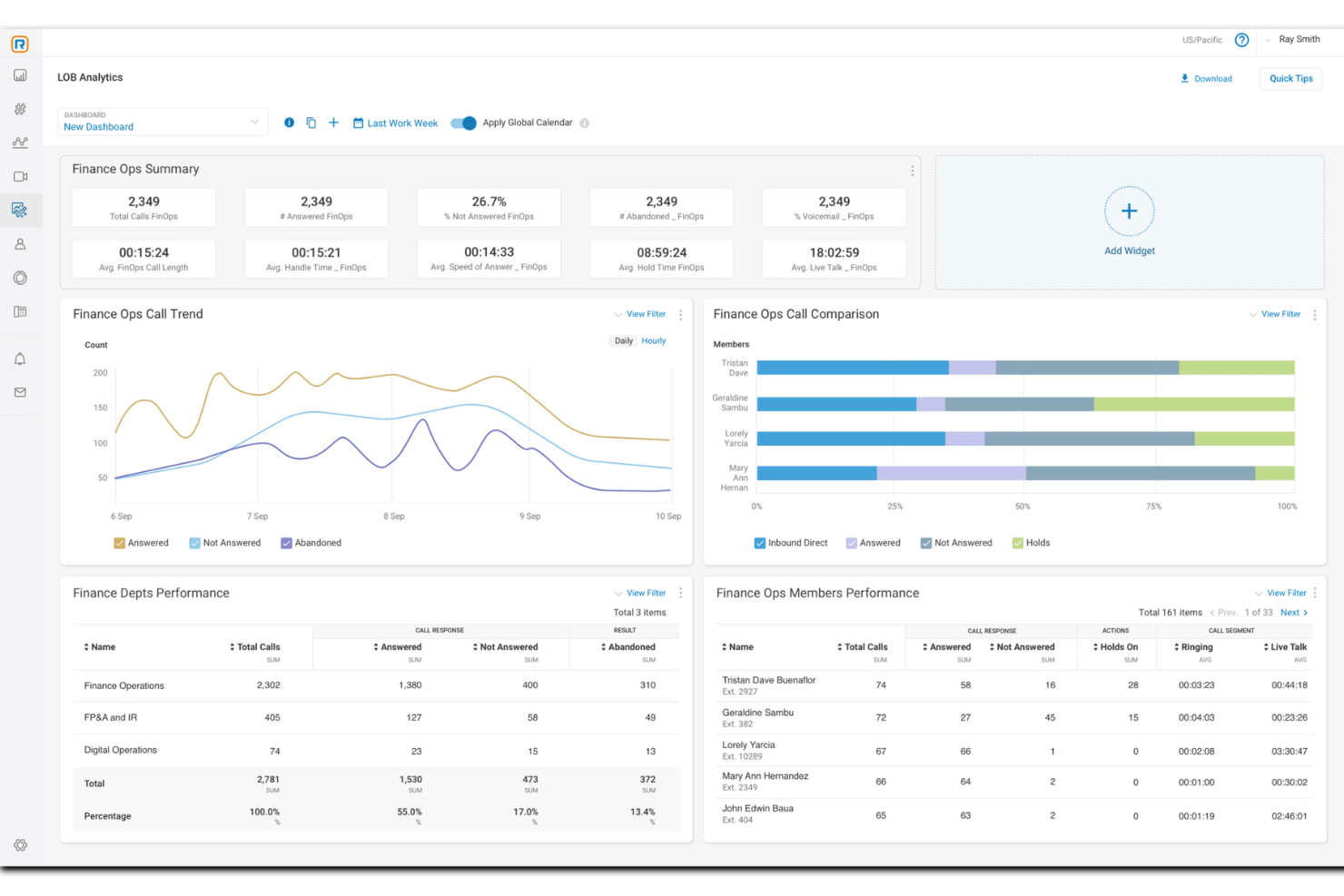
RingCentral est une solution logicielle de centre d'appels conçue pour répondre aux besoins des entreprises de toutes tailles, offrant des fonctionnalités omnicanales pour gérer les interactions avec les clients.
Pourquoi j'ai choisi RingCentral : En tant que solution de centre d'appels axée sur l'IA, RingCentral peut automatiser des tâches pour soutenir les petites entreprises ayant une capacité limitée. Ces capacités d'automatisation incluent des agents virtuels alimentés par l'IA, un coaching en temps réel, et des analyses exploitables pour vous aider à prendre des décisions éclairées concernant l'expérience client et la performance globale des agents.
RingCentral propose également un routage omnicanal, qui associe intelligemment les demandes du centre de contact à l'agent approprié, pour une résolution plus rapide. Le système de routage intelligent de la plateforme utilise différentes stratégies. Par exemple, il peut associer les clients aux meilleures ressources disponibles selon les compétences des agents, ou utiliser l'apprentissage automatique pour comprendre l'intention des messages et router les messages numériques.
Fonctionnalités et intégrations remarquables de RingCentral
Fonctionnalités comprennent les capacités omnicanales, le routage intelligent, l'IVR/self-service, le rappel automatique, le mélange d'appels, la gestion des risques de conformité, le chiffrement, l'engagement et la gestion des collaborateurs, les profils de compétences des agents, l'enregistrement d'écran, l'écoute en double, les rapports prédéfinis, et des analyses détaillées.
Intégrations : Microsoft Teams, Salesforce, Google Workspace, Beetexting, HubSpot, Asana, Zendesk, Appointment Reminder, Aha!, Trello, Zapier, Automator, et plus de 300 autres.
Pros and Cons
Pros:
- Automatisation omnicanale
- S'adapte à la croissance de votre entreprise
- Large choix d'intégrations
Cons:
- Les forfaits d'entrée de gamme offrent des fonctionnalités et des capacités de stockage limitées
- Limitations avec certains téléphones de bureau

Nextiva
Idéal pour prendre des décisions basées sur les données
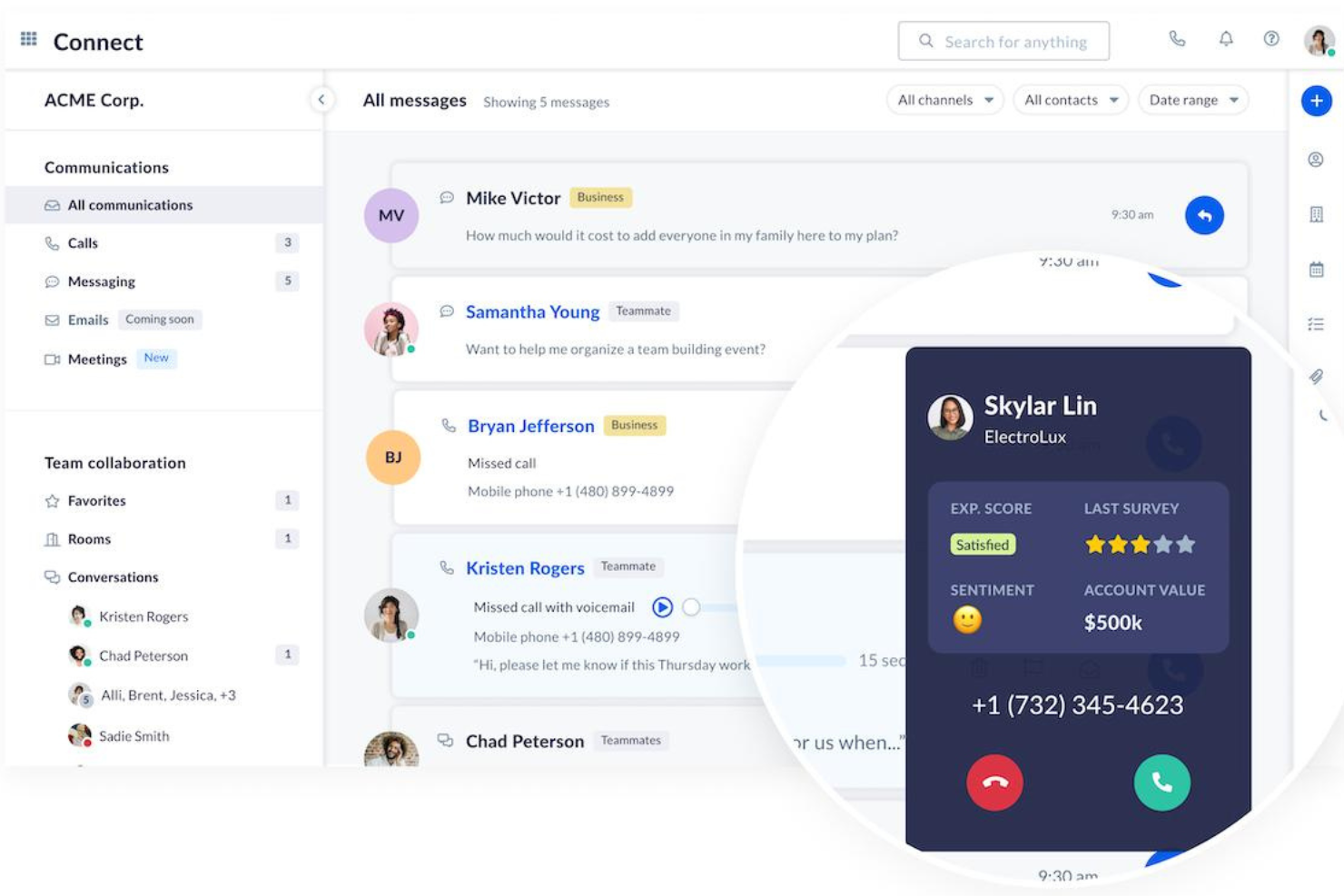
Nextiva est une plateforme unifiée de gestion de l'expérience client qui propose une large gamme d'outils et de fonctionnalités pour améliorer les interactions et les processus de communication avec les clients.
Pourquoi j'ai choisi Nextiva : La plateforme de Nextiva inclut des fonctionnalités essentielles pour les centres d'appels telles que le routage avancé des appels, le serveur vocal interactif (SVI), et la distribution automatique des appels (DAC). Ces fonctionnalités permettent aux petites entreprises de gérer un volume d'appels élevé tout en maintenant la satisfaction client. De plus, Nextiva offre des outils alimentés par l'IA tels que l'analyse de sentiment et les scripts d'appel dynamiques, qui aident à personnaliser les interactions avec les clients.
Une autre raison pour laquelle Nextiva se distingue est la richesse de ses outils de rapports et d'analyse. Ces outils fournissent des informations en temps réel sur les performances du centre d'appels, permettant aux entreprises de suivre des indicateurs clés tels que le volume d'appels, les temps d'attente et les taux de résolution. Grâce à ces informations, les petites entreprises peuvent prendre des décisions éclairées pour optimiser leurs opérations.
Fonctionnalités et intégrations remarquables de Nextiva
Fonctionnalités : assistants virtuels intelligents, enregistrement et surveillance des appels, SVI avancé, routage d'appels personnalisable, chatbots alimentés par l'IA, tableaux de bord en temps réel, analyses vocales et textuelles, outils de gestion de la qualité, et optimisation des effectifs.
Intégrations : Salesforce, Microsoft Dynamics, Microsoft Teams, HubSpot, Zendesk, Zoho, Oracle Sales Cloud, Workbooks, ServiceNow, SugarCRM, Act! CRM, Lotus Notes, ConnectWise, GoldMine et Bullhorn.
Pros and Cons
Pros:
- Fonctionnalités IA pour automatiser les tâches
- Informations en temps réel sur la performance du centre d'appels
- Fonctionnalités de gestion des effectifs
Cons:
- Les intégrations clés ne sont disponibles que sur les offres haut de gamme
- La mise en place initiale peut prendre du temps pour les petites entreprises

Idéal pour une gestion efficace des centres d'appels
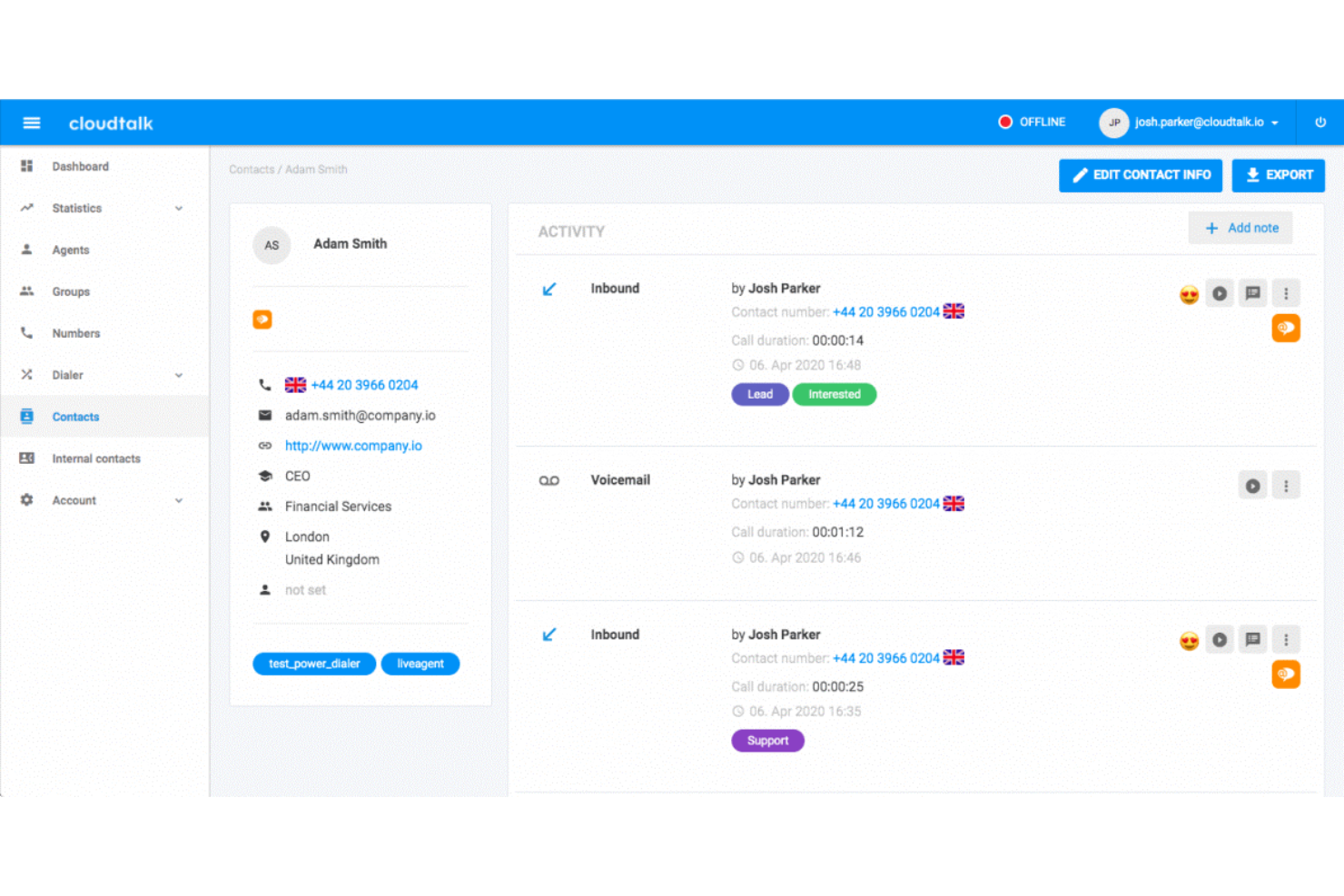
CloudTalk est un logiciel de centre d'appels qui permet aux entreprises de gérer efficacement leurs opérations, assurant des interactions client fluides et optimisées.
Pourquoi j'ai choisi CloudTalk : Ce logiciel basé sur le cloud élimine le besoin d'équipement, et son installation sans code le rend accessible à tous types d'entreprises. Il propose de nombreuses fonctionnalités utiles de gestion des appels, telles que des files d'attente illimitées, l'enregistrement des appels, ainsi que des numéros internationaux et sans frais. Mais il offre également des outils pour vous aider à piloter vos opérations.
La distribution automatisée des appels permet d'éviter que vos employés ne soient surchargés. Par ailleurs, les groupes d'appels notifient tous les agents disponibles simultanément des appels entrants, garantissant ainsi une réponse rapide. Les notes d'appel et le taggage permettent à chacun d'être informé et aligné sur l'historique et les informations importantes des clients.
Fonctionnalités et intégrations phares de CloudTalk
Fonctionnalités : composeur automatique, composeur intelligent, extensions personnalisées, appels à trois, transferts d'appels, clic pour appeler, campagnes, notes d'appel, étiquetage des appels, concepteur de flux d'appels, files d'attente VIP, agents préférés, et automatisation des flux de travail.
Intégrations : HubSpot, Zendesk, Intercom, Gong, Pipedrive, Salesforce, Copper CRM, ActiveCampaign, LiveAgent et Outreach, entre autres. D'autres intégrations peuvent être configurées avec un compte payant Zapier.
Pros and Cons
Pros:
- Concepteur de flux d'appels inclus dans l'offre de départ
- Enregistrements d'appels conservés 1 mois dans l'offre de départ
- Utilisateurs illimités dans l'offre de départ
Cons:
- Rapports et analyses limités dans l'offre de départ
- Frais supplémentaires pour numéros additionnels

Shelf
Idéal pour la productivité des agents et la qualité de service
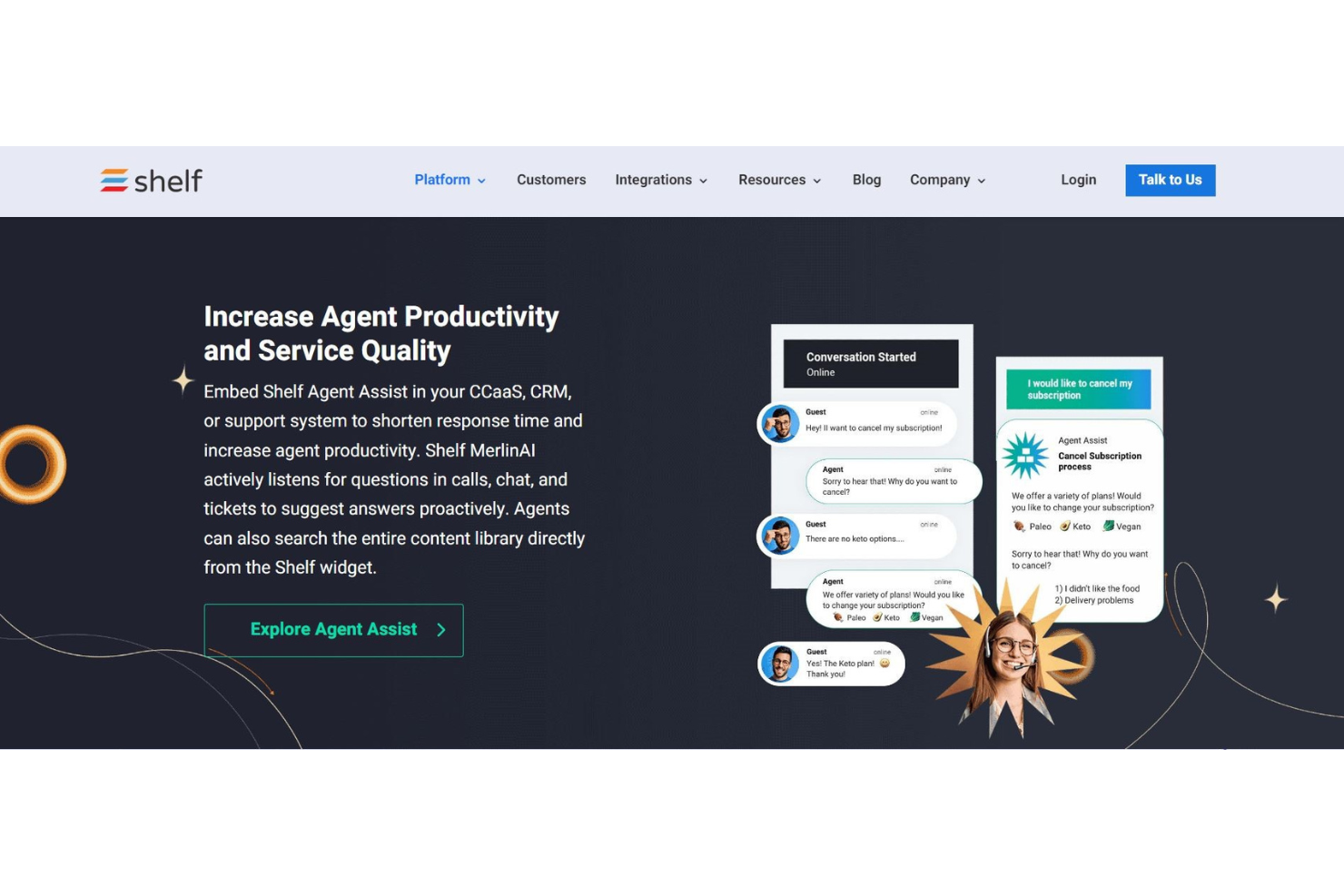
Shelf se présente comme une plateforme moderne de gestion des connaissances axée sur l'immédiateté et la réactivité. Comme les clients attendent un service instantané à la demande, les entreprises ont besoin de meilleurs outils pour anticiper et suivre leurs besoins. Grâce à son intelligence artificielle propriétaire MerlinAI, Shelf peut aider votre équipe à écouter les questions et à suggérer automatiquement les meilleures réponses.
Les outils MerlinAI et Agent Assist sont l'une des raisons pour lesquelles j'ai inclus Shelf dans cette liste. Tous deux peuvent améliorer la productivité et l'engagement des agents. Les employés n'ont plus besoin de fouiller dans des bases de données ou des notes pour répondre aux questions urgentes des clients, car l'IA de Shelf peut automatiser tout le cycle de vie des connaissances : création de contenu, annonces, revues, évaluations, et plus encore. Vous ferez gagner beaucoup de temps à votre équipe et vous améliorerez votre base de connaissances pour qu'elle soit toujours à jour.
Si vous souhaitez permettre à vos agents d'offrir le meilleur service client possible avec toutes les informations dont ils ont besoin à portée de main, Shelf est la solution qu'il vous faut. Avec des réponses aux questions des clients livrées instantanément sur leur bureau, les agents peuvent réagir plus efficacement. Shelf propose également des solutions de niveau inférieur avec des réponses sans effort via des chatbots, des formulaires de réponse alimentés par l'IA et des portails en libre-service.
Fonctionnalités et intégrations marquantes de Shelf
Fonctionnalités : assistant IA pour agents, gestion des connaissances, chatbots, portails en libre-service, système de tickets, standard de chiffrement avancé (AES), création et synchronisation automatisée de contenus, SMS, email, communication web, accès API, analyses et rapports.
Intégrations : Genesys, NICE inContact, Five9, Salesforce, Slack, Kustomer, Zendesk, Google Drive, Dropbox et Firefox.
Pros and Cons
Pros:
- S'intègre facilement aux structures existantes
- Capture rapidement des ressources depuis le web
- Donne aux agents les moyens d'offrir un meilleur service
Cons:
- La palette de couleurs peut être difficile à lire
- Pas de chat interne intégré – uniquement via Slack

Idéal pour des opérations de centre d’appels configurables
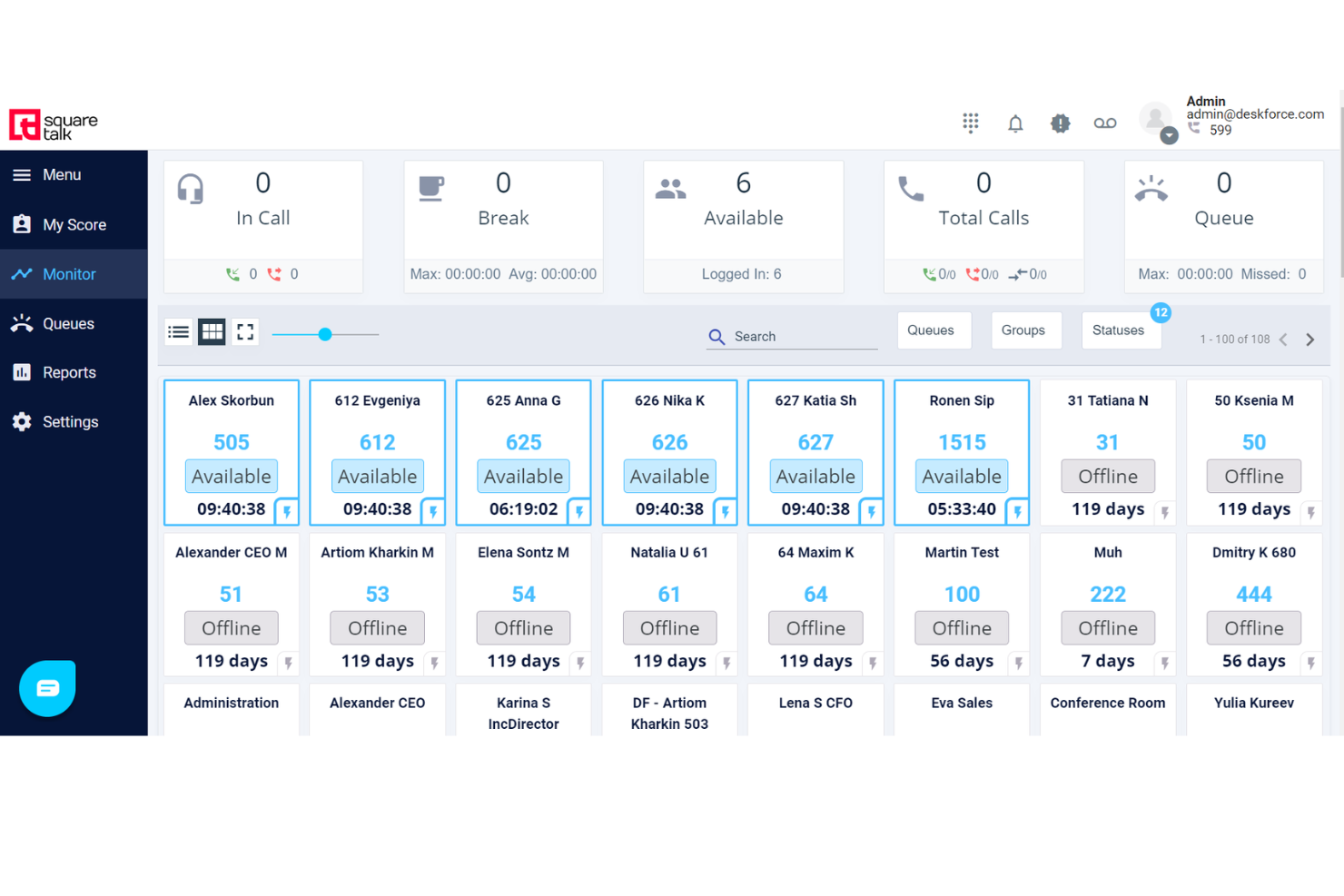
Squaretalk est une plateforme logicielle de centre de contact conçue pour améliorer la communication et l'efficacité opérationnelle des entreprises de toutes tailles.
Pourquoi j'ai choisi Squaretalk : J'apprécie la grande configurabilité de la plateforme, qui permet d'adapter l’outil à vos besoins opérationnels spécifiques. Vous pouvez créer un système aligné sur les processus et flux de travail de votre entreprise, ce qui améliore la gestion des appels et des interactions avec les clients par votre équipe.
La plateforme offre également des fonctionnalités de reporting détaillées, essentielles pour comprendre les indicateurs de performance et prendre des décisions éclairées. Vous pouvez personnaliser ces rapports afin de vous concentrer sur les données les plus pertinentes, ce qui vous permet d’identifier les tendances, d’évaluer la productivité des agents et d’optimiser vos opérations de centre d'appels sans complexité ajoutée.
Fonctionnalités et intégrations phares de Squaretalk
Fonctionnalités : routage intelligent des appels, distribution automatisée des appels, files d’attente intelligentes, numérotation prédictive, réinitialisation dynamique des leads, script affiché à l’écran, classement des agents, rappel via le web et règles de fuseau horaire.
Intégrations : Zoho, Salesforce, Freshworks, Pipedrive et Lynx.
Pros and Cons
Pros:
- Excellentes fonctions de sécurité, dont le chiffrement de bout en bout
- Large éventail complet de fonctionnalités de centre d'appels disponibles
- Inclut des fonctionnalités vidéo et un softphone
Cons:
- Certaines limitations en matière de personnalisation
- La période de formation initiale peut être longue
New Product Updates from Squaretalk
Squaretalk Adds TradeCore Integration for Brokerage Workflows
Squaretalk adds a TradeCore integration that connects customer conversations with BrokerIQ CRM workflows. This helps brokerage teams trigger AI-driven follow-ups, tasks, and other actions from calls and messages. For more information, visit Squaretalk’s official site.
 .
.
Talkdesk
Idéal pour une expérience client fluide et sans friction sur tous les canaux
Talkdesk offre aux petites entreprises une expérience de service client à l’échelle mondiale pour une grande portée. Leur solution de centre de contact fournit des connexions ultra-rapides, basées sur le cloud, ainsi que des applications d’expérience client de niveau entreprise que vous pouvez intégrer à presque tout. Talkdesk permet d’assurer une gestion omnicanale, un libre-service client et des analyses de l’expérience client, le tout au même endroit.
J’ai choisi ce logiciel car il conjugue les besoins des clients et l’ergonomie professionnelle, pour une expérience équilibrée pour tous. Vos agents apprécieront l’interface intuitive qui garantit un espace de travail épuré et des rapports simples. Grâce au routage intelligent, à l’engagement proactif sortant et à l’analyse vocale pour améliorer le taux de satisfaction client, vous disposerez de tout ce qu’il vous faut.
Cet outil est idéal pour les petites entreprises ayant des ambitions de croissance, car Talkdesk offre une grande évolutivité et extensibilité via des intégrations prêtes à l’emploi, des options de communication omnicanale et des fonctionnalités de collaboration entre employés.
Fonctionnalités et intégrations marquantes de Talkdesk
Fonctionnalités : espaces de travail dédiés pour les agents, routage intelligent, enregistrement d’appels, analyse vocale, rapports détaillés, gestion de la qualité, libre-service, intégrations préconçues, communication omnicanale et gestion des effectifs.
Intégrations : Salesforce, Slack, Microsoft Teams, Now, Dynamics 360, Zoom, Shopify, BigCommerce et OnePage CRM.
Pros and Cons
Pros:
- Appels passés via wifi
- Expérience d’appel fiable (pas de coupure)
- Mise en place et configuration intuitives
Cons:
- Quelques bugs système occasionnels
- Beaucoup de mises à jour

Dialpad
Idéal pour collaborer avec ses collègues et conclure des ventes
La technologie Dialpad repose sur l’intelligence artificielle pour optimiser votre flux de travail. Que vous utilisiez le centre de contact IA pour interagir avec les clients ou les solutions de vente pilotées par l’IA qui vous accompagnent tout au long des appels en direct, le système téléphonique le plus intelligent au monde est à portée de main.
Les possibilités offertes par la technologie IA sont immenses, et c’est l’une des principales raisons pour lesquelles Dialpad figure dans cette liste. Ils utilisent l’intelligence artificielle pour renforcer les appels vidéo, retranscrire automatiquement les discussions, réaliser des analyses de sentiment, et bien plus encore. Leur innovation vous permet de prendre du recul et de souffler pendant que l’IA effectue tout le travail.
Du commerce de détail et de la technologie à l’éducation et aux ventes, Dialpad est un outil qui transcende les secteurs. Idéal pour les grandes comme les petites entreprises, ce logiciel de centre d’appels offre une grande polyvalence et flexibilité pour répondre à vos besoins.
Fonctionnalités et intégrations distinctives de Dialpad
Fonctionnalités : centre de contact IA, engagement client omnicanal, messagerie IA, ventes IA, IA CSAT, agents virtuels IA, système téléphonique VoIP, système téléphonique d’entreprise et visioconférence.
Intégrations : Koopid, Miro, Kare Knowledgeware, Zoho, Salesforce, Now, BlogSpot, Slack, One Login, Poly et intégrations API personnalisées.
Pros and Cons
Pros:
- Notification automatisée pratique des appels entrants
- Idéal pour la vente
- Gestion efficace
Cons:
- Difficile d'écouter et de transcrire les messages vocaux

Idéal avec application mobile et extensions navigateur
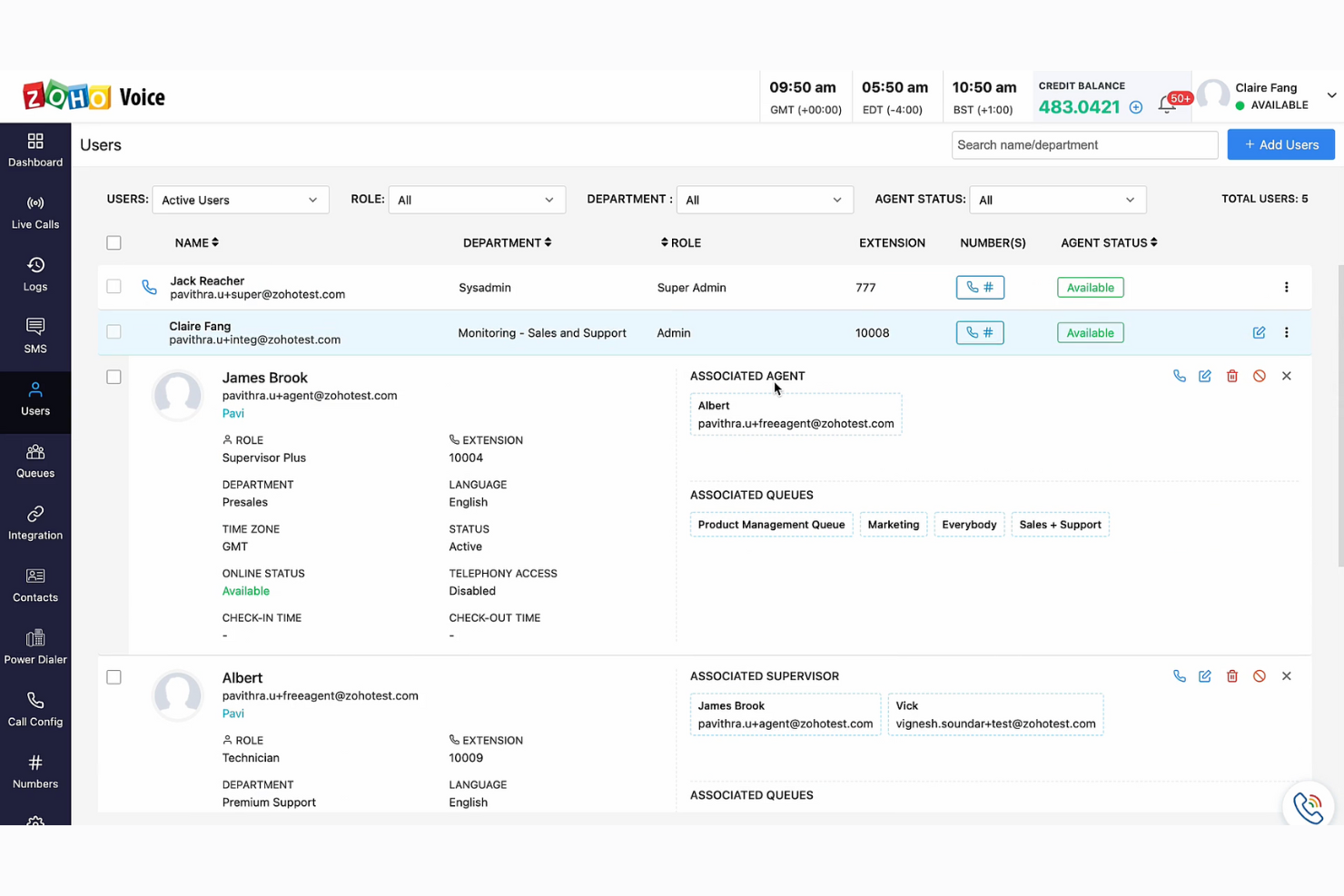
Zoho Voice est un système téléphonique VoIP basé sur le cloud, conçu pour répondre aux besoins de communication des entreprises internationales. Il peut être utilisé pour établir des centres d'appels à distance, gérer les appels internationaux et s'intégrer à vos systèmes de CRM et de support client. Grâce à des applications mobiles pour Android et iOS, ainsi qu'à des extensions de navigateur pour Chrome, Firefox et Edge, il offre une flexibilité adaptée à divers contextes et configurations.
J'ai choisi Zoho Voice car il favorise la collaboration en équipe et propose une mise en place simple, le rendant à la fois convivial et polyvalent. Sa capacité à s'intégrer aux systèmes de CRM et de support client est particulièrement avantageuse pour les petites entreprises souhaitant entretenir la relation client et le support sans investir dans plusieurs systèmes disparates.
Cette plateforme propose un système téléphonique VoIP complet avec des fonctionnalités avancées de centre d'appels et une connectivité vocale de haute qualité. Elle convient particulièrement aux besoins des petites et moyennes entreprises. D'autres fonctionnalités utiles incluent la gestion de fichiers en ligne, la création de sites web et les opérations de support client.
Points forts et intégrations de Zoho Voice
Fonctionnalités : tableau de bord tout-en-un, fonctionnalité SMS ; suivi des appels en direct ; différentes stratégies de sonnerie ; enregistrement dynamique des appels ; appels entre agents ; gestion intégrée des contacts ; intégrations avec téléphone de bureau et casque ; supervision des appels ; composeur automatique et analyses de performance.
Intégrations : incluent d'autres produits Zoho comme Zoho CRM et Zoho Desk.
Pros and Cons
Pros:
- Fonctionnalités de mise en file d'attente, de supervision et de formation des appels
- Fait partie de l'écosystème Zoho étendu
- Large choix de forfaits
Cons:
- Intégrations limitées disponibles
- Pas d'outils d'appel vidéo

Idéal pour intégrer des capacités d’appels téléphoniques et de messages texte aux applications
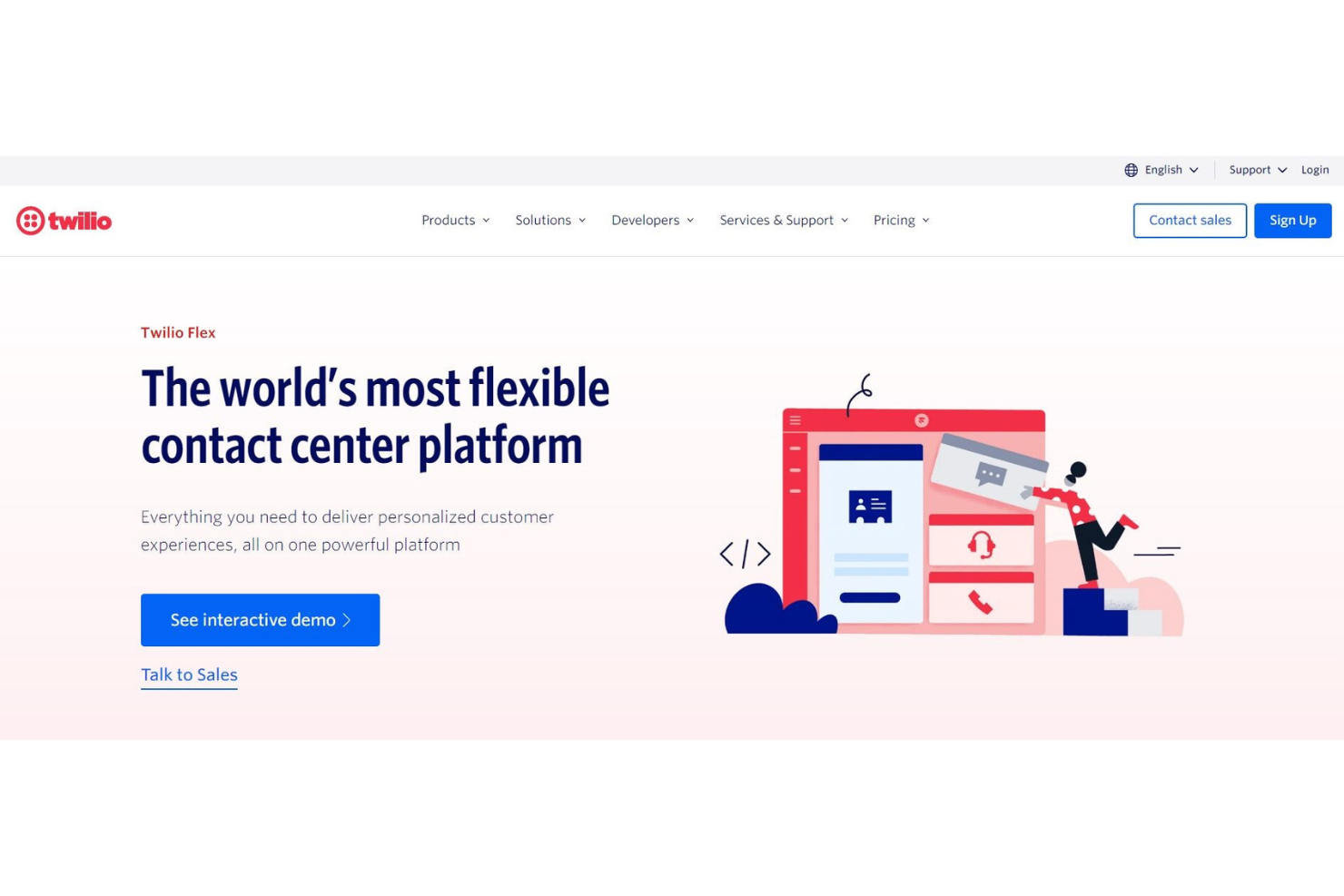
Grâce à une infrastructure de téléphonie cloud sous forme de service web, Twilio propose une nouvelle façon d’assurer des communications professionnelles complètes côté développeur. Ce logiciel de centre d’appels fournit des API de services web pour intégrer les communications dans tout, des sites web aux applications mobiles et logicielles.
J’ai choisi Twilio pour cette liste parce qu’il simplifie le matériel télécom encombrant au profit d’un système cloud qui permet de créer des solutions de communication intelligentes et complexes — sans aucun accessoire physique. Que vos développeurs aient besoin de gérer des files d’attente d’appels, de convertir du texte en parole ou d’enregistrer les appels, Twilio s’occupe de tout.
Twilio est vraiment l’allié du développeur. Si vous êtes un chef d’entreprise qui crée enfin un site web ou une application téléphonique, ce logiciel est fait pour vous ! Ce logiciel offre des solutions pour les entreprises, startups et associations de tous secteurs.
Fonctionnalités et intégrations remarquables de Twilio
Fonctionnalités : voix et vidéo programmables, API pour emails, SIP trunking, sécurité et vérification de l’utilisateur, API pour MMS, SMS, Whatsapp et Facebook Messenger.
Intégrations : Desk.com, Zendesk, LogicMonitor, OutSystems Platform, Checkfront et Vision Helpdesk.
Pros and Cons
Pros:
- Support client rapide et efficace
- Prise en charge des SMS à l’échelle mondiale
- Mise en place et intégration faciles
Cons:
- Connexion Internet de qualité requise
- Site web surchargé
- Pas d’outils d’analyse pour les SMS

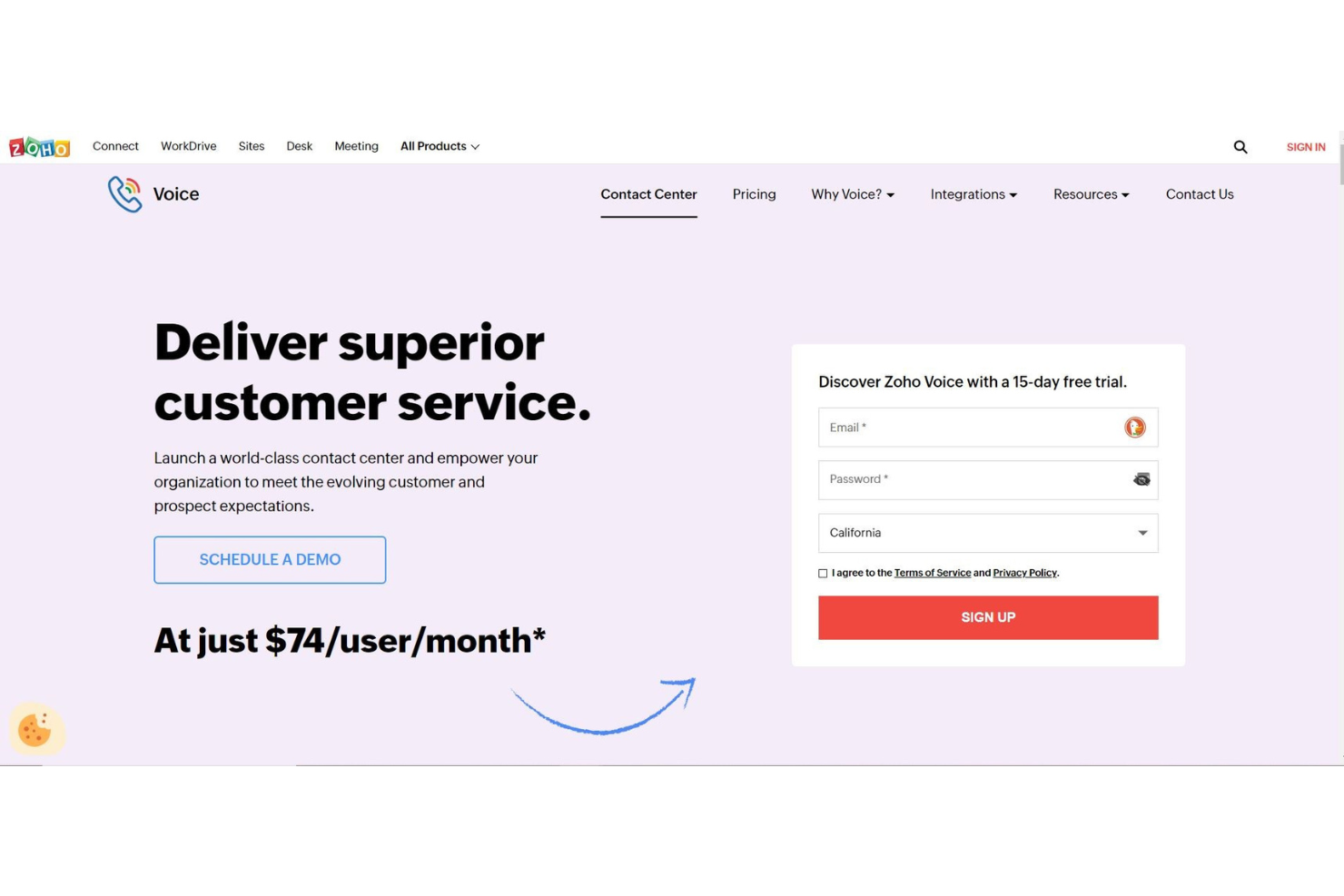
Zoho est un logiciel de centre d'appels complet qui offre bien plus que les fonctionnalités essentielles dont vous avez besoin pour un centre de service client. Avec des outils pour les ventes, le marketing, la finance et la gestion bureautique, vous bénéficiez d’une plateforme tout-en-un qui vous permet de suivre et d’analyser les tendances commerciales afin de garantir une croissance réactive et florissante.
J'apprécie particulièrement la plateforme Zoho car vous pouvez connecter tous vos employés grâce à Connect, la solution intranet de Zoho pour toutes les communications internes. Vous pourrez ainsi renforcer l’engagement des employés, instaurer la transparence et prendre le pouls de votre organisation, le tout au même endroit — tout en offrant un service excellent à vos clients.
Puisque Zoho propose des solutions personnalisées, il est idéal pour presque tous les secteurs et toutes tailles d’entreprise. De l’informatique et le juridique aux ventes et au commerce de détail, les solutions Zoho peuvent aider toutes sortes de PME à se développer.
Fonctionnalités et intégrations phares de Zoho
Fonctionnalités : numéros de téléphone virtuels, serveur vocal interactif (IVR), files d’attente, surveillance des performances des files d’attente, écoute des appels, transfert d'appel, messagerie vocale, rappel, composeur automatique, analyses des appels et notation CSAT après appel.
Intégrations : connexion avec n’importe quel système de téléphonie cloud via PhoneBridge, CRM, Desk, Bigin et ServiceDesk Plus Cloud.
Pros and Cons
Pros:
- Niveau de sécurité élevé
- Options d’outils extrêmement personnalisables
- Excellente fonctionnalité et interactions entre les outils
Cons:
- Outils difficiles à prendre en main
- Service client lent
Autres options
Voici quelques autres options qui ne figurent pas dans la liste des meilleurs logiciels de centre d’appels pour petites entreprises mais qui pourraient tout de même convenir à votre équipe :
- InGenius
Idéal pour un service personnalisé aux équipes commerciales et support client
- Kixie Powercall
Idéal pour accélérer les ventes grâce aux appels et messages automatisés
- PanTerra Networks
Idéal pour des solutions d'entreprise personnalisées
- ChaseData CCaaS
Idéal pour rationaliser les opérations en mettant l'accent sur la conformité
- LiveAgent
Idéal pour les solutions de help desk omnicanal
- Zendesk
Idéal pour une intégration rapide qui évolue avec votre entreprise
- Aircall
Idéal pour l'intégration avec des services d’assistance et autres CRM de support client


Comment j'évalue les logiciels de centre d'appels pour petites entreprises
J'évalue chaque outil sur deux plans : les incontournables de base tels que le routage IVR et l'enregistrement des appels, ainsi que les éléments différenciateurs importants pour une équipe restreinte gérant 200 appels par jour.
Fonctionnalités de base (Critères indispensables pour cette liste)
Lorsque je sélectionne des outils pour ma liste, je note chacun sur une échelle de 0 (ne propose pas la fonctionnalité) à 5 (excellent dans ce domaine) pour chaque fonctionnalité fondamentale listée ci-dessous. Ensuite, je calcule le score total de l'outil en pourcentage. Chaque outil doit obtenir un score total minimum de 65% pour être envisagé dans la sélection.
- Routage et gestion de file d'attente des appels entrants : Je recherche des IVR à plusieurs niveaux, un routage par compétence et une gestion des files d'attente permettant à une équipe de support de cinq personnes de trier les appels par langue, type de demande ou priorité.
- Outils d'appels sortants : Qu'il s'agisse d'une équipe commerciale menant des campagnes de relance ou d'agents confirmant des rendez-vous, je vérifie la numérotation accélérée, la gestion de listes et le clic-to-call.
- Enregistrement et surveillance des appels : J'évalue si les superviseurs peuvent écouter en direct, réaliser du coaching discret auprès des nouveaux agents ou intervenir dans un appel en cas d'escalade difficile.
- Intégrations CRM & Helpdesk : L'affichage de l'historique client au décroché évite aux agents de demander « pouvez-vous répéter votre numéro de commande ? » — je recherche des connecteurs natifs avec des outils comme HubSpot, Salesforce et Zendesk.
- Rapports en temps réel et historiques : Des tableaux de bord affichant la profondeur de file d'attente et les temps d'attente en direct, ainsi que des rapports de tendance hebdomadaires, aident les petites équipes à planifier les bons créneaux et à détecter tôt les manques de service.
- Tarification et déploiement adaptés aux TPE/PME : Installation dans le cloud, tarification par utilisateur et minimum de sièges faible ou nul sont essentiels ici — je veille à ce qu'une équipe de trois agents puisse démarrer sans recourir à un contrat entreprise.
Une fois que j'ai une liste d'outils satisfaisant à ces critères, j'examine ce qui distingue chaque plateforme.
Facteurs différenciants (Ce qui distingue les fournisseurs)
Voici comment je compare et distingue les différents fournisseurs :
Fonctionnalités remarquables
Le support omnicanal est un élément clé de différenciation. Je recherche des plateformes où les agents peuvent gérer un appel téléphonique et assurer le suivi par SMS ou chat sans changer d'outil. L'assistance par l'IA est aussi importante — la transcription en temps réel et les réponses suggérées aident les nouveaux agents à résoudre les appels avec confiance. Les IVR et voicebots en libre-service peuvent traiter les questions courantes, comme vérifier un statut de commande, ce qui fait vraiment la différence lorsqu'il n'y a que trois ou quatre agents dans l'équipe.
Au-delà des fonctionnalités
La transparence tarifaire compte — je vérifie si un fournisseur affiche ses tarifs par utilisateur et propose une facturation mensuelle, car beaucoup de petites équipes ne peuvent pas s'engager sur un an sans avoir constaté des résultats. La rapidité de mise en œuvre est aussi primordiale. Une plateforme dotée d'assistants de configuration et de modèles IVR préconstruits doit permettre à une équipe de prendre des appels en direct en quelques jours, pas en semaines. J'évalue aussi la capacité du fournisseur à accompagner la croissance, par exemple en ajoutant des agents saisonniers lors d'une période de forte activité sans devoir basculer sur une offre entreprise.
Comment choisir un logiciel de centre d'appels pour une petite entreprise
Il est facile de se perdre dans des listes de fonctionnalités interminables et des structures tarifaires complexes. Pour vous aider à garder l’essentiel en tête lors de votre processus de sélection, voici une liste de critères à prendre en compte :
| Critère | À prendre en compte |
| Scalabilité | Vérifiez que le logiciel pourra évoluer avec votre activité. Privilégiez des solutions permettant d’ajouter facilement des fonctionnalités ou des utilisateurs sans coûts importants. |
| Intégrations | Vérifiez si le logiciel s’intègre à vos outils existants comme des CRM, la messagerie électronique ou les plateformes de chat pour fluidifier vos opérations. |
| Personnalisation | Privilégiez une solution qui vous laisse adapter les fonctionnalités à vos besoins spécifiques. |
| Facilité d’utilisation | Optez pour une solution intuitive pour votre équipe, afin de limiter le temps de formation et d’optimiser la productivité. |
| Budget | Équilibrez le coût et les fonctionnalités. Assurez-vous qu’il n’y a pas de frais cachés et que le logiciel rentre dans votre budget. |
| Protection et sécurité | Privilégiez un logiciel qui propose le chiffrement des données, un contrôle d’accès sécurisé et des mises à jour régulières pour protéger les informations sensibles. |
Qu’est-ce qu’un logiciel de centre d’appels pour petites entreprises ?
Un logiciel de centre d’appels pour petites entreprises est une plateforme cloud qui centralise la communication client sur plusieurs canaux : téléphone, chat, email et réseaux sociaux. Il aide les petites équipes à gérer les demandes efficacement grâce à des fonctionnalités comme le routage intelligent, l'intégration CRM, et l’analyse en temps réel afin d’améliorer la qualité et la réactivité du support.
Fonctionnalités des logiciels de centre d’appels pour petites entreprises
Lorsque vous choisissez un logiciel de centre d'appels pour petite entreprise, veillez à la présence des fonctionnalités clés suivantes :
- Distribution automatisée des appels : Règle l'orientation des appels entrants vers l’agent le plus approprié, réduisant le temps d’attente et améliorant la satisfaction client.
- Réponse vocale interactive (IVR) : Permet aux appelants d’interagir avec un système informatisé pour diriger leurs appels, ce qui améliore l’efficacité.
- Analytique des appels : Fournit des informations détaillées sur le volume d’appels, leur durée et la performance des agents, aidant à la prise de décisions et à l’évaluation des performances.
- Intégration CRM : Se connecte aux systèmes de gestion de la relation client existants pour fournir aux agents des informations essentielles sur les clients.
- Scalabilité : Garantit que le logiciel peut évoluer avec l’entreprise, en accueillant davantage d’utilisateurs et de fonctionnalités selon les besoins.
- Support omnicanal : Gère les interactions clients sur plusieurs canaux comme le téléphone, l’e-mail ou le chat depuis une seule plateforme.
- Enregistrement des appels : Enregistre les appels pour l’assurance qualité, la formation et la conformité.
- Rapports en temps réel : Offre un accès immédiat aux données de performances, permettant des ajustements rapides et des changements de stratégie.
- Tableaux de bord personnalisables : Permet aux entreprises de personnaliser leur interface pour afficher les informations les plus pertinentes.
- Fonctionnalités de sécurité : Protège les données sensibles des clients par chiffrement et conformité avec les normes du secteur.
Avantages des logiciels de centre d’appels pour les petites entreprises
Mettre en place un logiciel de centre d’appels pour une petite entreprise présente de nombreux avantages pour votre équipe et votre activité. Voici quelques bénéfices auxquels vous pouvez vous attendre :
- Service client amélioré : Le logiciel de centre d’appels aide à gérer efficacement les interactions avec les clients, entraînant des délais de réponse plus rapides et une satisfaction accrue.
- Efficacité des coûts : L’automatisation des tâches répétitives réduit le besoin de personnel supplémentaire, permettant aux petites entreprises de diminuer leurs coûts de fonctionnement.
- Scalabilité : À mesure que votre entreprise se développe, le logiciel de centre d’appels peut facilement gérer un volume d’appels croissant sans investissement majeur supplémentaire.
- Intégration avec le CRM : De nombreuses solutions de centre d’appels s’intègrent aux systèmes CRM, permettant une circulation fluide des données clients et renforçant la personnalisation du service.
- Collaboration d’équipe améliorée : Les outils de communication intégrés facilitent une meilleure coordination entre les membres de l’équipe, augmentant la productivité globale.
- Analytique en temps réel : L’accès aux données et rapports en temps réel aide les petites entreprises à prendre des décisions éclairées et à optimiser leurs opérations.
- Capacités d’accès à distance : Les logiciels de centre d’appels basés sur le cloud permettent aux employés de travailler de n’importe où, offrant flexibilité et continuité d’activité.
Coûts et tarification des logiciels de centre d’appels pour petites entreprises
Choisir un logiciel de centre d’appels pour une petite entreprise nécessite de comprendre les divers modèles et plans tarifaires disponibles. Les coûts varient en fonction des fonctionnalités, de la taille de l’équipe, des options complémentaires et plus encore. Le tableau ci-dessous résume les plans courants, leurs prix moyens ainsi que les fonctionnalités typiques incluses dans les solutions de logiciels de centre d’appels pour petites entreprises :
Tableau comparatif des plans pour les logiciels de centre d’appels pour petites entreprises
| Type de plan | Prix moyen | Fonctionnalités courantes |
| Plan gratuit | $0/user/month | Gestion d’appels basique, support limité et rapports de base |
| Plan personnel | $5-$15/user/month | Routage des appels, messagerie vocale, rapports et intégrations de base |
| Plan entreprise | $20-$50/user/month | Rapports avancés, intégration CRM, enregistrement des appels et analytique |
| Plan grande entreprise | $50-$100/user/month | Intégrations personnalisées, support multicanal dédié et analytique avancée |
FAQ sur les logiciels de centre d'appels pour petites entreprises
Voici quelques réponses aux questions courantes sur les logiciels de centre d’appels pour petites entreprises :
Qu'est-ce que la règle 80/20 dans un centre d'appels ?
La règle 80/20 dans un centre d’appels, également appelée niveau de service, indique que 80 % des appels doivent être pris en charge dans les 20 secondes. Cet indicateur aide à assurer la satisfaction client en réduisant le temps d’attente. Il peut être pertinent de surveiller ce point pour maintenir l’efficacité de votre centre d’appels.
Quels éléments dois-je prendre en compte pour choisir un logiciel de centre d'appels pour ma petite entreprise ?
Lors du choix d’un logiciel de centre d’appels, prenez en compte des facteurs tels que le coût, les fonctionnalités, la facilité d’utilisation et les capacités d’intégration. Pensez aux besoins spécifiques de votre équipe et à la façon dont le logiciel peut vous aider à atteindre vos objectifs. Il est également judicieux d’opter pour un logiciel avec une période d’essai afin de vérifier s’il vous convient avant de vous engager.
Le logiciel de centre d'appels peut-il s'intégrer avec d'autres outils ?
Oui, la plupart des logiciels de centre d’appels peuvent s’intégrer à d’autres outils professionnels tels que les systèmes CRM, les e-mails et les plateformes de messagerie instantanée. Cette intégration permet à votre équipe d’accéder rapidement aux informations clients et offre une expérience plus cohérente.
Quels autres logiciels de centre d'appels pour petites entreprises devrais-je utiliser ?
Même avec toutes les options de cette liste, vous cherchez peut-être encore la formule adaptée. Consultez ces listes pour découvrir les meilleurs logiciels de gestion d’appels entrants, les logiciels virtuels, les logiciels de help desk, et bien plus encore.
Plus d’avis sur les logiciels de centre d'appels
Comme vous le savez sans doute, il existe différents types de logiciels de centre d'appels adaptés à chaque besoin professionnel. Si vous n’avez pas encore trouvé exactement ce que vous cherchez dans cette liste, l’un de mes autres top 10 vous conviendra sûrement :
- Logiciels de centre d'appels
- Logiciels de centre d'appels sortants
- Logiciels de centre d'appels pour grandes entreprises
- Logiciels de planification pour centre d'appels
- Logiciels CRM pour centres d'appels
- Logiciels de centre de contact dans le cloud
- Logiciels de gestion des effectifs des centres d'appels
- Logiciels de script pour centre d'appels
- Logiciels de service client
- Logiciels de service client IA

Trouvez toutes les informations qu'il vous faut sur The CX Lead
Si vous êtes en train de comparer les logiciels de centre d'appels pour petites entreprises, contactez gratuitement un conseiller SoftwareSelect pour des recommandations personnalisées.
Remplissez un formulaire puis échangez un instant pour qu'ils cernent au mieux vos besoins. Vous recevrez ensuite une sélection restreinte de logiciels à examiner. Ils vous accompagneront même tout au long du processus d'achat, y compris lors des négociations tarifaires.