

10 migliori piattaforme CX per una migliore esperienza cliente 2026

10 Migliori Piattaforme CX Selezionate


Con così tante soluzioni diverse per la gestione della CX disponibili, capire quale sia quella giusta per te non è semplice. Sai di voler migliorare l’esperienza cliente e gestirla in modo più efficiente, ma devi ancora scoprire qual è lo strumento migliore. Non preoccuparti! In questo articolo ti aiuterò a scegliere facilmente, condividendo le mie esperienze personali con dozzine di diversi strumenti CX utilizzati con team e progetti di grandi dimensioni, e le mie scelte delle migliori piattaforme CX.
Perché fidarsi dei nostri consigli sui software
Il nostro team testa e recensisce software dal 2012. In quanto leader CX noi stessi, sappiamo quanto sia difficile — e importante — scegliere il software giusto.
Per questa guida, abbiamo valutato gli strumenti attraverso test pratici e ricerche indipendenti, assegnando un punteggio agli strumenti in base ai nostri criteri di selezione.
Le nostre recensioni riflettono il nostro giudizio editoriale umano, non un discorso di vendita.
Le Migliori Piattaforme CX: Tabella Comparativa dei Prezzi
Questo grafico comparativo riassume i dettagli principali di ciascuna delle mie migliori scelte di piattaforme CX. Puoi visualizzare affiancati i dettagli sui prezzi e la disponibilità di prove gratuite o demo per aiutarti a trovare la piattaforma CX giusta per il tuo budget e per le necessità della tua attività.
| Tool | Best For | Trial Info | Price | ||
|---|---|---|---|---|---|
| 1 | Ideale per l'orchestrazione personalizzata del percorso del cliente | Demo gratuita disponibile | A partire da $15/utente/mese (fatturazione annuale) | Website | |
| 2 | Ideale per una rapida implementazione del feedback aziendale | Prova gratuita di 7 giorni + demo gratuita disponibile | A partire da $55/utente/mese | Website | |
| 3 | Ideale per assistenza all'agente AI in tempo reale | Demo gratuita disponibile | Prezzo su richiesta | Website | |
| 4 | Ideale per la raccolta di feedback multi-canale | Prova gratuita di 14 giorni | Da $19/mese (fatturato annualmente) | Website | |
| 5 | Ideale per la raccolta istantanea di feedback dei clienti | Demo gratuita disponibile | Prezzo su richiesta | Website | |
| 6 | Ideale per analisi del sentiment dettagliate | Demo gratuita disponibile | Prezzo su richiesta | Website | |
| 7 | Ideale per la collaborazione tramite casella di posta condivisa | Prova gratuita disponibile | Da $25/utente/mese (fatturato annualmente) | Website | |
| 8 | Ideale per flussi di automazione e assegnazione agenti personalizzabili | Prova gratuita di 14 giorni + demo gratuita disponibile | Da $19/agente/mese (fatturazione annuale) | Website | |
| 9 | Migliori insight clienti basati sull'IA | Demo gratuita disponibile | Prezzo su richiesta | Website | |
| 10 | Ideale per l'onboarding autonomo degli utenti | Prova gratuita di 14 giorni | Da $174/mese (fatturato annualmente) | Website |


Recensioni delle Migliori Piattaforme CX

Nextiva
Ideale per l'orchestrazione personalizzata del percorso del cliente
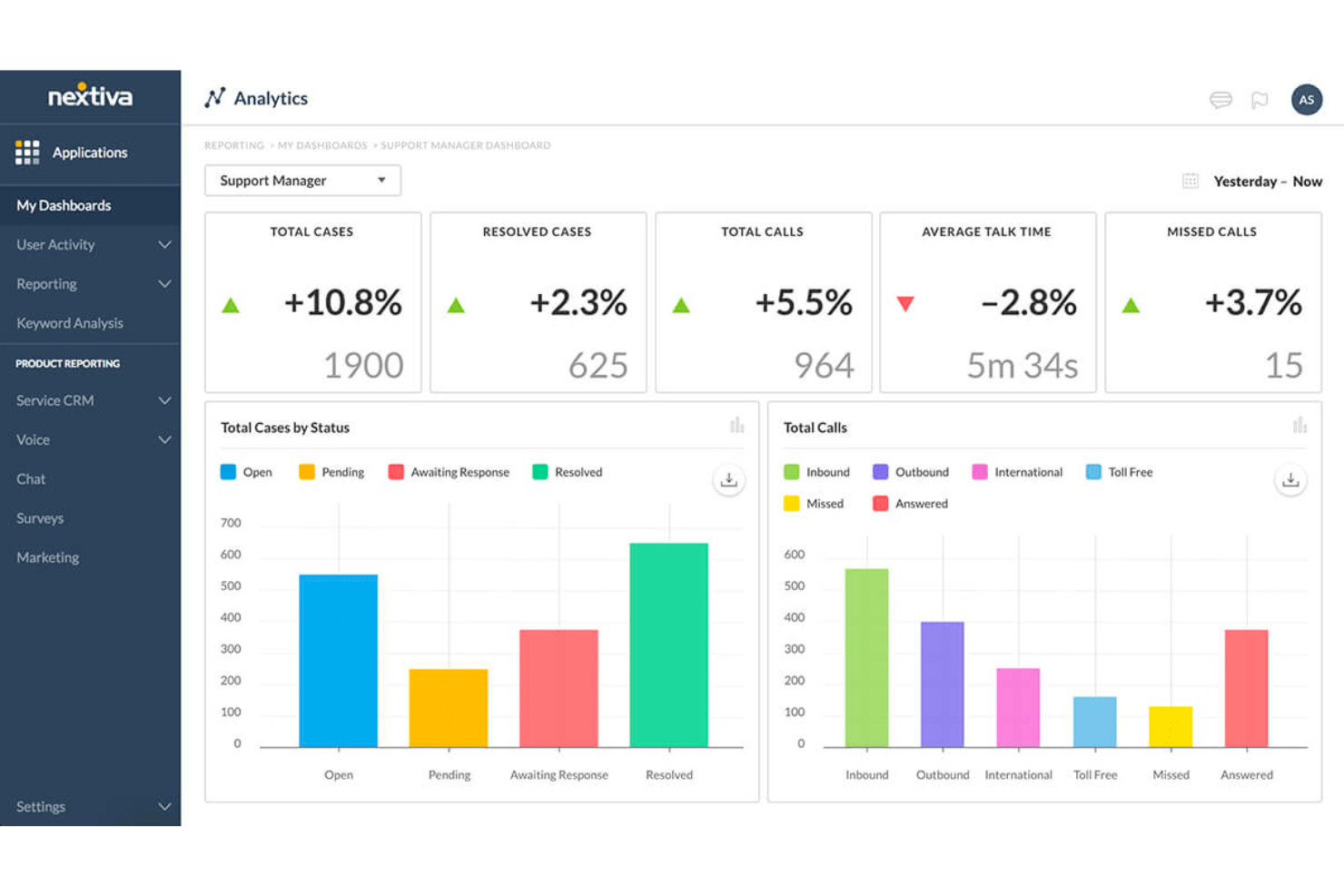
Nextiva è una piattaforma cloud completa che aiuta le aziende a offrire esperienze eccezionali ai clienti. Offre una suite di strumenti che integra voce, video, messaggistica e collaborazione in un’unica piattaforma. Con un focus su affidabilità e scalabilità, Nextiva garantisce che le aziende possano mantenere comunicazioni fluide con i propri clienti, migliorando così la soddisfazione e la fedeltà del cliente.
Perché ho scelto Nextiva: La funzione di orchestrazione del percorso di Nextiva consente alle aziende di tracciare e analizzare le interazioni con i clienti in tempo reale, offrendo una visione completa del percorso del cliente. Ciò permette alle aziende di anticipare le esigenze dei clienti, personalizzare le interazioni e offrire un’esperienza coerente su tutti i touchpoint. Sfruttando l'intelligenza artificiale e i flussi di lavoro automatizzati, Nextiva aiuta le aziende a interagire in modo proattivo con i clienti, riducendo le frizioni e aumentando la soddisfazione complessiva. Questo livello di personalizzazione è fondamentale per costruire solide relazioni con i clienti.
Caratteristiche distintive e integrazioni di Nextiva:
Le caratteristiche includono assistenti vocali e chatbot dotati di intelligenza artificiale, che offrono assistenza istantanea e personalizzata, semplificando le interazioni con i clienti. Questi bot possono gestire richieste comuni, liberando gli operatori umani per problemi più complessi. Un'altra caratteristica notevole è l’analisi vocale di Nextiva, che esamina i dati delle chiamate per fornire informazioni sul sentiment dei clienti e sulle prestazioni degli operatori.
Le integrazioni includono Salesforce, HubSpot, Microsoft Teams, Zoho CRM, Zendesk, G Suite, Microsoft Outlook, Slack, ServiceNow, QuickBooks, SugarCRM e NetSuite.
Pros and Cons
Pros:
- Piattaforma scalabile e flessibile
- Strumenti di collaborazione per il team disponibili
- Videochiamate illimitate
Cons:
- L'ampia gamma di funzionalità può risultare eccessiva per le aziende più piccole
- Molte integrazioni sono disponibili solo nei piani di livello superiore

Alchemer
Ideale per una rapida implementazione del feedback aziendale
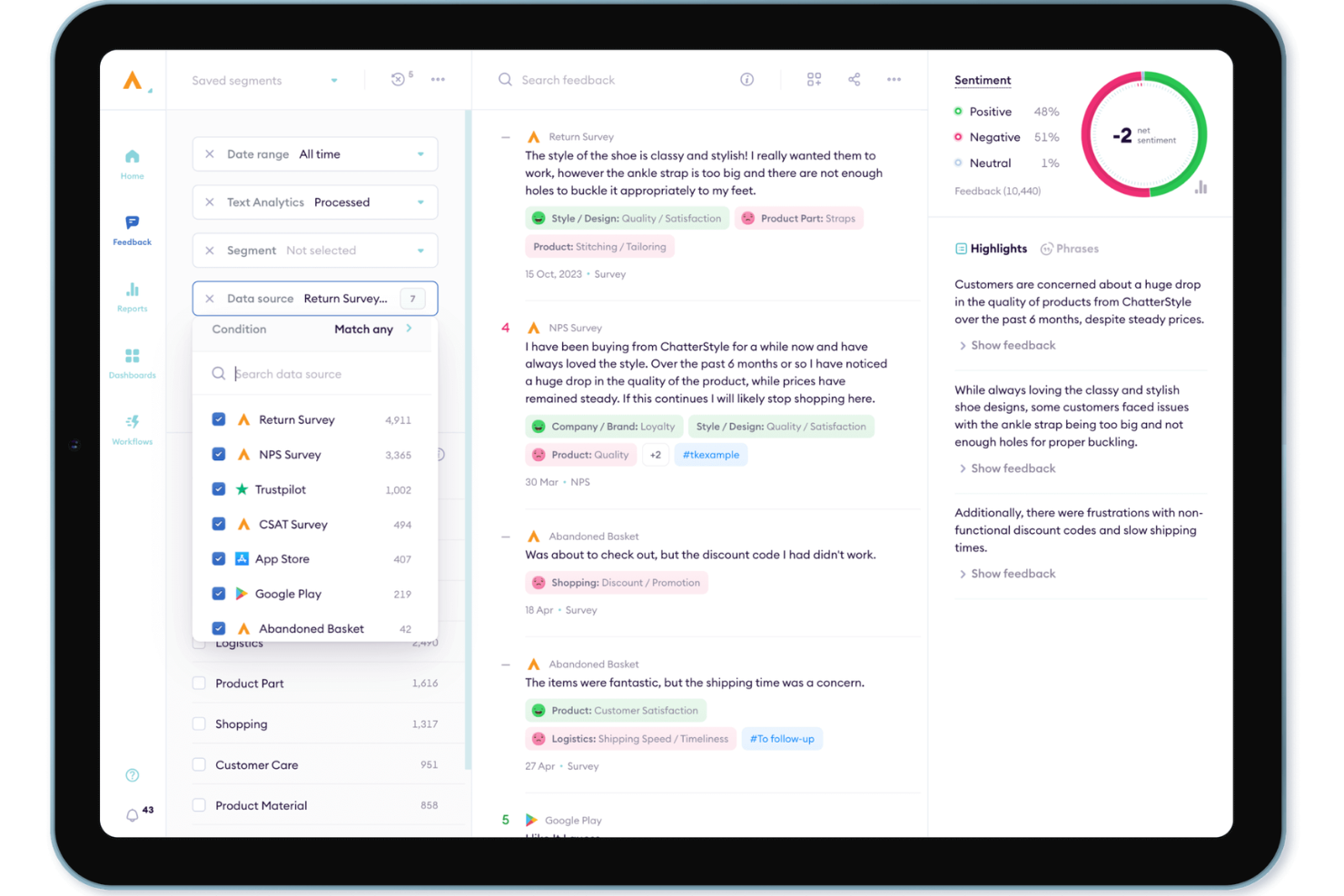
Alchemer è una piattaforma di feedback aziendale e VoC che combina la distribuzione di sondaggi omnicanale, l'analisi del sentiment basata sull'intelligenza artificiale e l'automazione dei flussi di lavoro per raccogliere e sfruttare il feedback dei clienti attraverso canali digitali, social e offline.
Per chi è più adatto Alchemer?
Alchemer è una soluzione ideale per i team CX e VoC di aziende di medie e grandi dimensioni che hanno bisogno di una piattaforma di feedback operativa rapidamente senza un forte coinvolgimento del reparto IT.
Perché ho scelto Alchemer
Alchemer si è guadagnato un posto tra i migliori della mia selezione perché apprezzo la rapidità con cui i team aziendali possono passare da zero a un programma di feedback operativo. Ciò che trovo davvero impressionante è AI Pulse, che individua automaticamente sentiment, temi e segnali di rischio tra sondaggi e recensioni, senza alcuna analisi manuale. Il pilastro Connect indirizza quindi questi insight direttamente nei sistemi già in uso, come Salesforce o Slack, attivando automaticamente azioni concrete di follow-up.
Funzionalità principali di Alchemer
- Raccolta del feedback omnicanale: Raccogli insight sui clienti tramite sondaggi, applicazioni, social media, canali offline e siti di recensioni di terze parti.
- Logica avanzata dei sondaggi: Crea sondaggi complessi con opzioni personalizzabili di ramificazione, condizioni e inserimento dinamico dei dati.
- Dashboard basate sui ruoli: Configura dashboard e report per diversi stakeholder, inclusi report programmati ed esportazioni dei dati.
- Oltre 400 integrazioni: Collega senza problemi feedback e flussi di lavoro a CRM, sistemi di help desk e sistemi aziendali come Salesforce e HubSpot.
Integrazioni di Alchemer
Alchemer offre integrazioni native con Salesforce, HubSpot, Microsoft Teams, Slack, Zendesk, Google Sheets, Tableau e Mailchimp. È disponibile un'API per le integrazioni personalizzate.
Pros and Cons
Pros:
- Implementazione rapida dei programmi di feedback aziendali
- I modelli di sondaggio predefiniti accelerano il lancio del programma
- AI Pulse individua automaticamente i temi del sentiment
Cons:
- La personalizzazione dei report richiede soluzioni tecniche alternative
- L'analisi dei percorsi è meno avanzata rispetto a quella dei concorrenti

Cresta
Ideale per assistenza all'agente AI in tempo reale
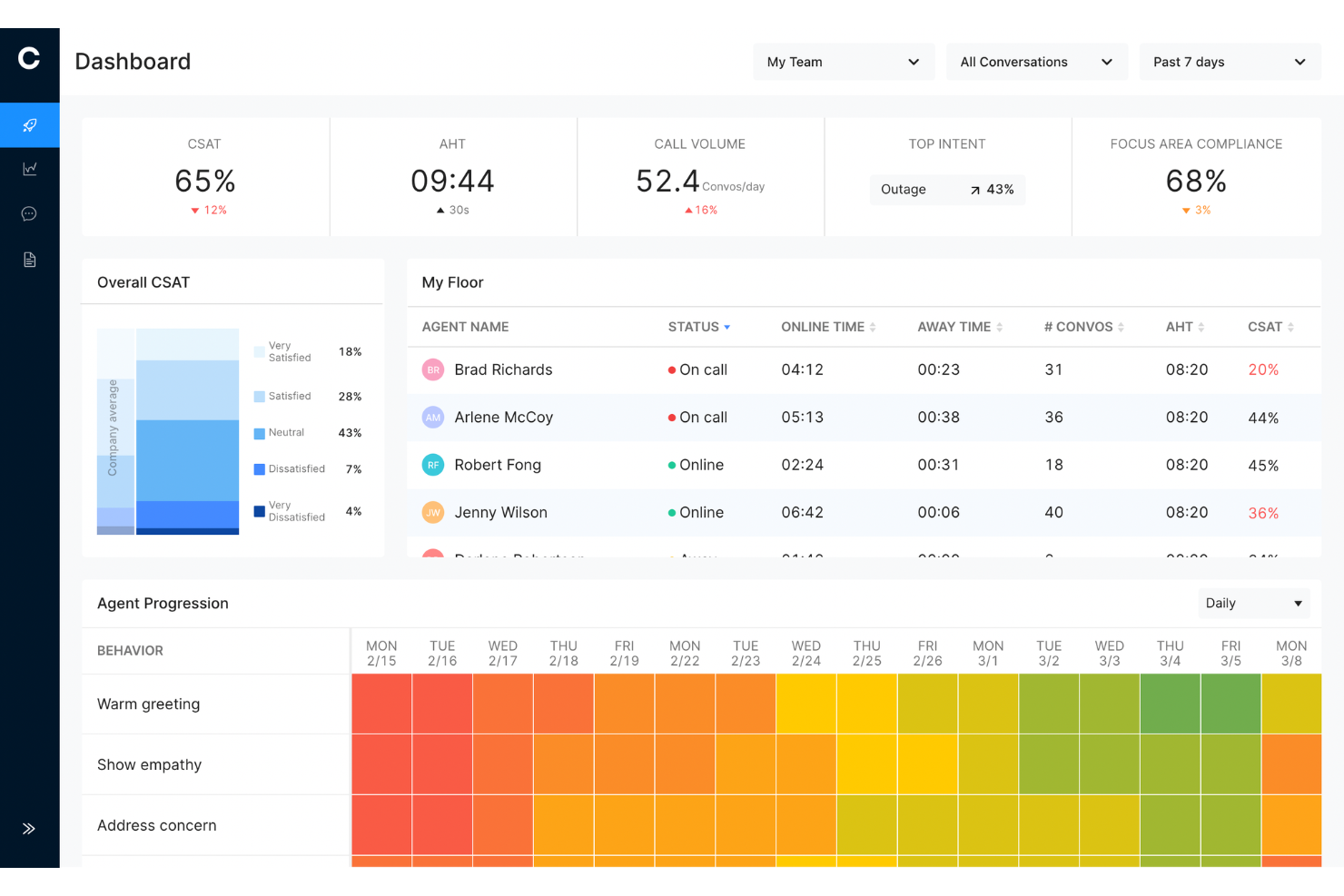
Cresta è una piattaforma di customer experience basata su AI che aiuta i contact center a migliorare la qualità del servizio attraverso la guida in tempo reale agli agenti, agenti autonomi AI, gestione della qualità e intelligenza conversazionale sui canali vocali e digitali.
Per chi è più indicato Cresta?
Cresta è ideale per contact center di medie e grandi dimensioni nei settori dei servizi finanziari, assicurazioni, retail e telecomunicazioni che gestiscono grandi volumi di conversazioni con i clienti su più canali.
Perché ho scelto Cresta
Ho scelto Cresta perché aiuta gli agenti a ottenere prestazioni migliori mentre la conversazione è ancora in corso, invece che solo a posteriori. Invece di affidarsi esclusivamente a sessioni di formazione o revisioni dopo la chiamata, Cresta fornisce una guida in tempo reale basata sulla conversazione con il cliente e sulle fonti di conoscenza disponibili. Mi piace anche che la piattaforma combini coaching, automazione e analisi in un unico sistema, offrendo alle organizzazioni un modo per migliorare sia le prestazioni degli agenti che i risultati per i clienti senza aggiungere complessità ai flussi di lavoro esistenti.
Funzionalità principali
- Agente AI autonomo: Gestisce le richieste di routine dei clienti su canali vocali, chat e messaggistica senza l'intervento dell'agente.
- Gestione della qualità automatizzata: Valuta le conversazioni con i clienti rispetto a criteri di qualità predefiniti su una porzione molto più ampia di interazioni rispetto ai tradizionali metodi di campionamento.
- Automazione delle attività post-chiamata: Genera automaticamente riepiloghi delle chiamate, note e codici di esito per ridurre il lavoro amministrativo.
- No-code AI Studio: Permette ai team di creare e gestire flussi di lavoro di intelligenza artificiale senza necessità di risorse di ingegneria.
Integrazioni
Cresta si integra con Salesforce, Zendesk, Twilio, Amazon Connect, Five9, Genesys, HubSpot, Marketo e Databricks. Offre inoltre accesso API per integrazioni personalizzate e implementazioni aziendali.
Pros and Cons
Pros:
- Guida AI in tempo reale durante le conversazioni
- Gestione della qualità automatizzata su larga scala
- Intelligenza conversazionale completa
Cons:
- Principalmente pensato per organizzazioni enterprise
- Le raccomandazioni dell'AI potrebbero richiedere supervisione in situazioni complesse

Ideale per la raccolta di feedback multi-canale
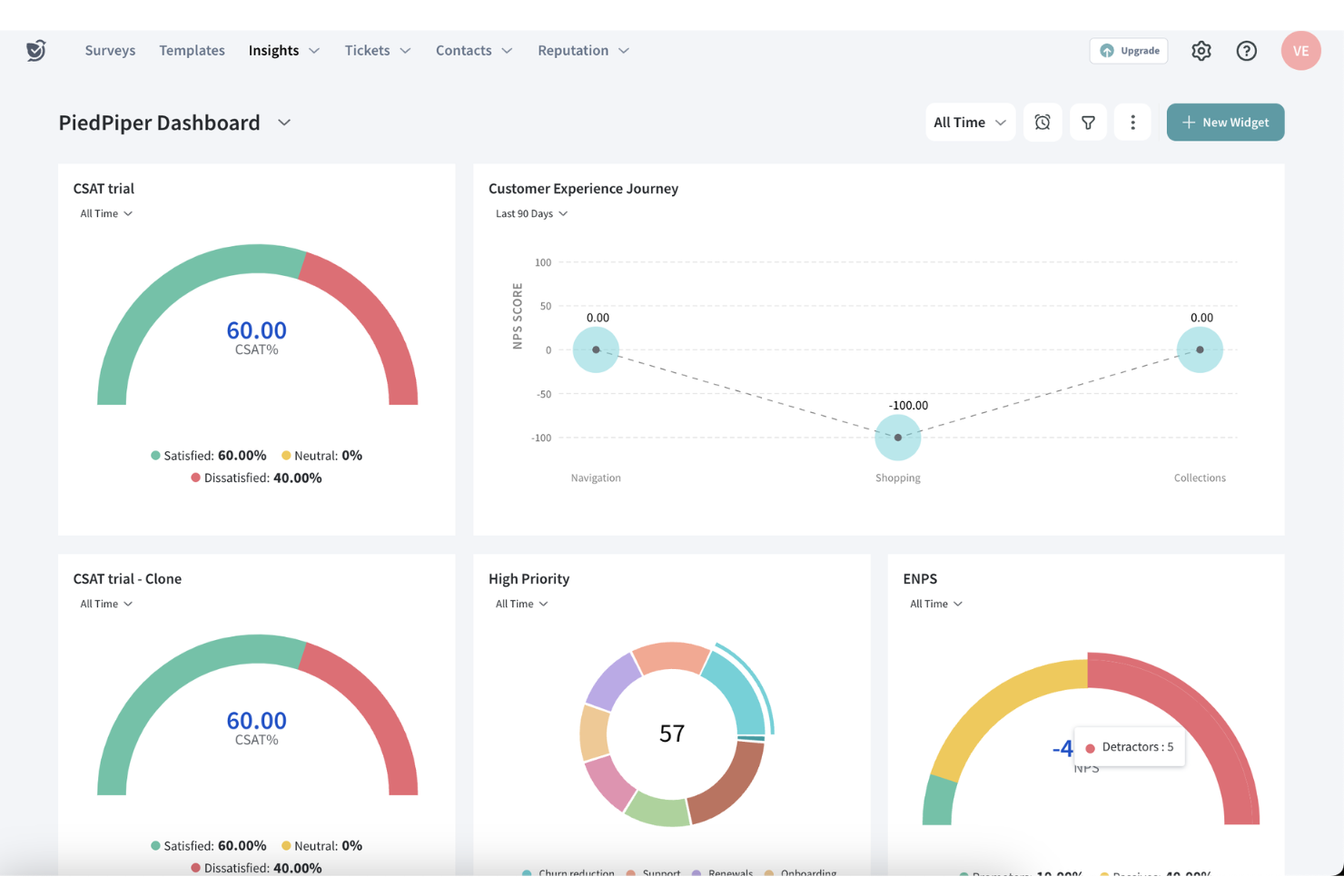
SurveySparrow è una piattaforma di gestione dell'esperienza che ti consente di raccogliere, analizzare e agire sui feedback dei clienti in tempo reale. Offre strumenti come Net Promoter Score (NPS), sondaggi offline, chat, classici e a 360° per aiutarti a migliorare le esperienze di clienti e dipendenti.
Perché ho scelto SurveySparrow: La piattaforma CX di SurveySparrow eccelle nella raccolta del feedback su più canali come WhatsApp, email e social media. Questa flessibilità assicura di raggiungere i tuoi clienti dove sono più attivi, il che può portare a tassi di risposta migliori e a feedback più dettagliati. Apprezzo particolarmente i suoi sondaggi conversazionali, che trasformano i tradizionali questionari in interazioni simili a chat, favorendo tassi di risposta più alti. Questo approccio coinvolge maggiormente i partecipanti, incoraggiandoli a fornire feedback preziosi.
Caratteristiche e integrazioni principali di SurveySparrow:
Caratteristiche includono branding personalizzabile, che consente di adattare i sondaggi per riflettere l'identità del tuo marchio, aumentando riconoscibilità e fiducia tra i rispondenti. La piattaforma offre inoltre report avanzati con dashboard senza clic e filtri, permettendo di analizzare facilmente le risposte e ricavare insight utili.
Integrazioni includono Gmail, Google Sheets, Slack, Microsoft Teams, Salesforce, HubSpot, Zendesk, Jira Software Cloud, NetSuite, Pipedrive, QuickBooks Online e Mailchimp.
Pros and Cons
Pros:
- Supporta sondaggi multilingue
- Buona analisi del feedback tramite AI
- Modelli di sondaggio personalizzabili
Cons:
- Opzioni di configurazione limitate nei piani base
- Le funzionalità di analisi del sentiment sono disponibili solo nei piani avanzati

Ideale per la raccolta istantanea di feedback dei clienti

Zonka Feedback è una piattaforma di gestione dell'esperienza del cliente progettata per la distribuzione multicanale di sondaggi, l'analisi dei feedback alimentata dall'IA, il monitoraggio delle metriche CX (NPS, CSAT, CES) e i flussi di lavoro a circuito chiuso per agire sulle risposte dei clienti.
Per chi è più indicato Zonka Feedback?
Zonka Feedback è particolarmente adatto ai team CX e di supporto di aziende di medie e grandi dimensioni che devono raccogliere e agire sui feedback dei clienti su diversi touchpoint.
Perché ho scelto Zonka Feedback
Ho incluso Zonka Feedback tra le mie scelte principali perché è una delle poche piattaforme CX che raccoglie feedback su ogni canale immediatamente dopo la conclusione di un'interazione con il cliente. Quello che trovo più utile sono i trigger degli eventi per i sondaggi: puoi inviare automaticamente un sondaggio CSAT o NPS da un evento CRM, un ticket chiuso o una transazione completata, così il feedback arriva mentre l'esperienza è ancora fresca. Inoltre, la copertura multicanale (email, SMS, WhatsApp, in-app, chiosco, codice QR e offline) garantisce che nessun punto di contatto venga trascurato, sia in una sede fisica che in un flusso di prodotto digitale.
Funzionalità principali di Zonka Feedback
- Analisi del sentiment tramite IA: Tagga e classifica automaticamente le risposte aperte in base al sentimento, così puoi individuare le tendenze negative senza leggere ogni commento.
- Gestione dei casi a circuito chiuso: Trasforma le risposte negative in task assegnabili, permettendo al tuo team di seguire direttamente i clienti insoddisfatti all'interno della piattaforma.
- Logica e diramazione dei sondaggi: Mostra diverse domande di follow-up in base alla risposta precedente del partecipante, mantenendo i sondaggi brevi e pertinenti al contesto.
- Dashboard di analisi CX: Monitora nel tempo i punteggi NPS, CSAT e CES con viste filtrabili per canale, posizione, agente o segmento di clientela.
Integrazioni di Zonka Feedback
Zonka Feedback offre integrazioni native con Salesforce, HubSpot, Zendesk, Freshdesk, Intercom, HelpScout, Front, Slack, Pipedrive e altri ancora. Si collega con Zapier, Make e Integrately e supporta i webhook e un'API per integrazioni personalizzate.
Pros and Cons
Pros:
- Reportistica basata sulla posizione per team multisede
- Modalità chiosco per la raccolta di feedback in presenza
- Analisi tematica alimentata dall'intelligenza artificiale sulle risposte aperte
Cons:
- Nessuna opzione annulla per eliminazioni accidentali
- Analisi limitata nei piani di livello inferiore

Ideale per analisi del sentiment dettagliate
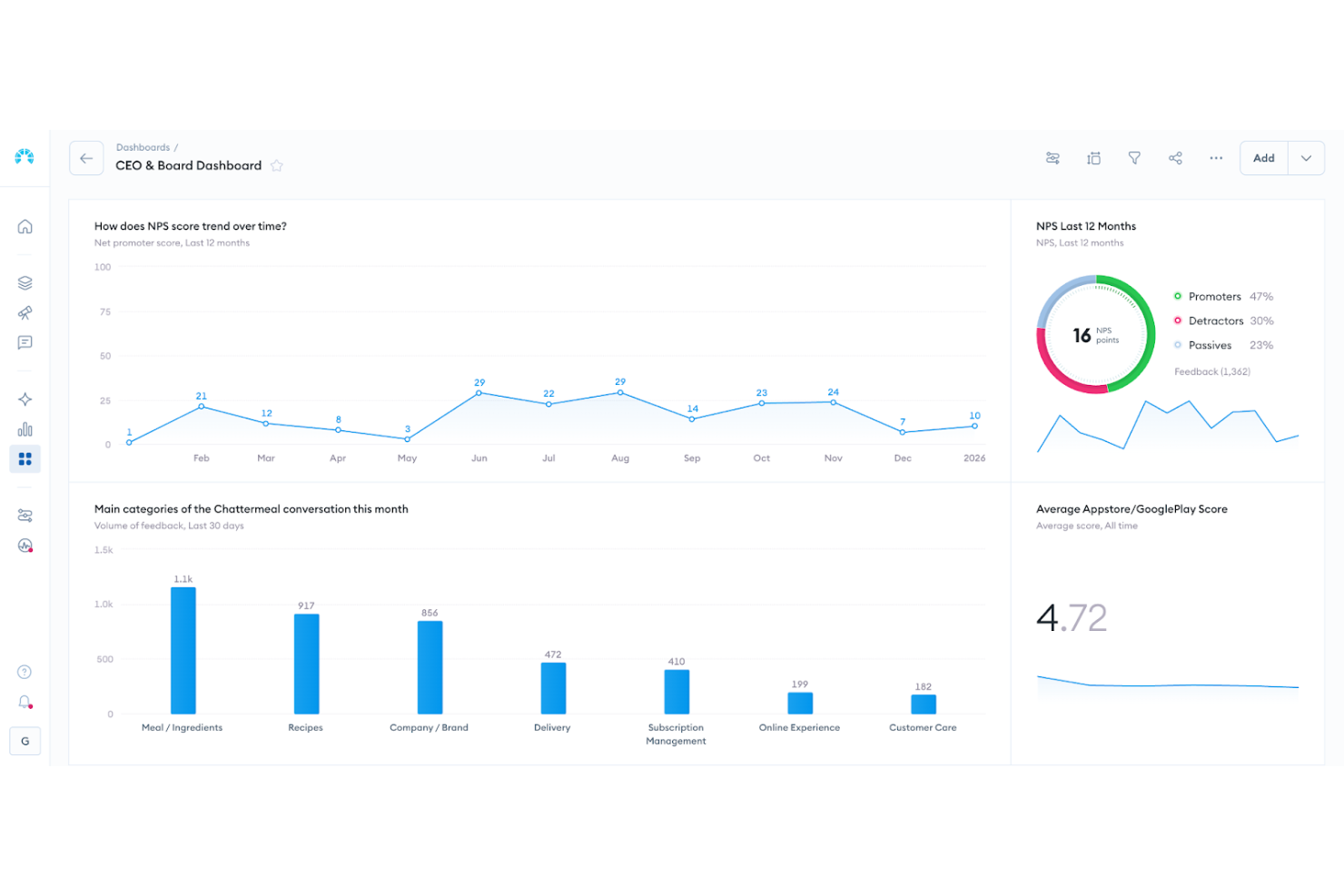
Chattermill offre una soluzione di analisi della voce del cliente per le organizzazioni che desiderano rafforzare le proprie strategie di customer experience. Progettata per team orientati alla CX in diversi settori, aiuta a comprendere grandi volumi di feedback non strutturati grazie ad avanzate analisi potenziate dall'IA. Riunendo input da molteplici canali in una sola visualizzazione, Chattermill riduce l'onere della revisione manuale e la dispersione dei dati. Il risultato sono insight tempestivi e azionabili che consentono di dare priorità ai miglioramenti, rispondere alle tendenze emergenti e costruire una maggiore fedeltà nel tempo.
Perché ho scelto Chattermill
Ho scelto Chattermill per la sua capacità unica di unificare feedback da fonti diverse e trasformarli in insight azionabili. Il suo motore Lyra AI si distingue offrendo un'analisi approfondita di sentiment e temi che collega direttamente i feedback ai principali indicatori aziendali come NPS e CSAT. Questa caratteristica consente al tuo team non solo di comprendere i sentiment dei clienti, ma anche di individuare cause profonde e opportunità di miglioramento. Inoltre, le dashboard in tempo reale di Chattermill permettono una gestione proattiva della CX fornendo insight che aiutano ad anticipare e soddisfare in modo efficace le esigenze della clientela.
Caratteristiche principali di Chattermill
Oltre ai suoi punti di forza principali, ho trovato anche diverse funzionalità che potenziano la capacità del tuo team di gestire efficacemente la customer experience:
- Osservazioni: questa funzione estrae insight precisi dai dati dei clienti, consentendoti di individuare e risolvere rapidamente problemi specifici.
- Highlights: riassume grandi volumi di feedback in sintesi affidabili, garantendo chiarezza e focus per il tuo team.
- Chiedi a Lyra: uno strumento di IA che fornisce in tempo reale risposte supportate dai dati alle domande sul cliente in linguaggio semplice, rendendo gli insight accessibili a tutti.
- Dashboard personalizzabili: permette al tuo team di monitorare citazioni del brand e tendenze, offrendo una visione completa del sentiment e delle prestazioni dei clienti.
Integrazioni di Chattermill
Le integrazioni includono Trello, Google Sheets, Slack, Typeform, Salesforce, G2 Crowd, Notion e Mailchimp.
Pros and Cons
Pros:
- Monitoraggio in tempo reale del sentiment
- Tagging dei temi basato su IA
- Modelli di sentiment specifici per settore
Cons:
- Prezzi non disponibili pubblicamente
- Potrebbe richiedere onboarding a livello enterprise

Ideale per la collaborazione tramite casella di posta condivisa
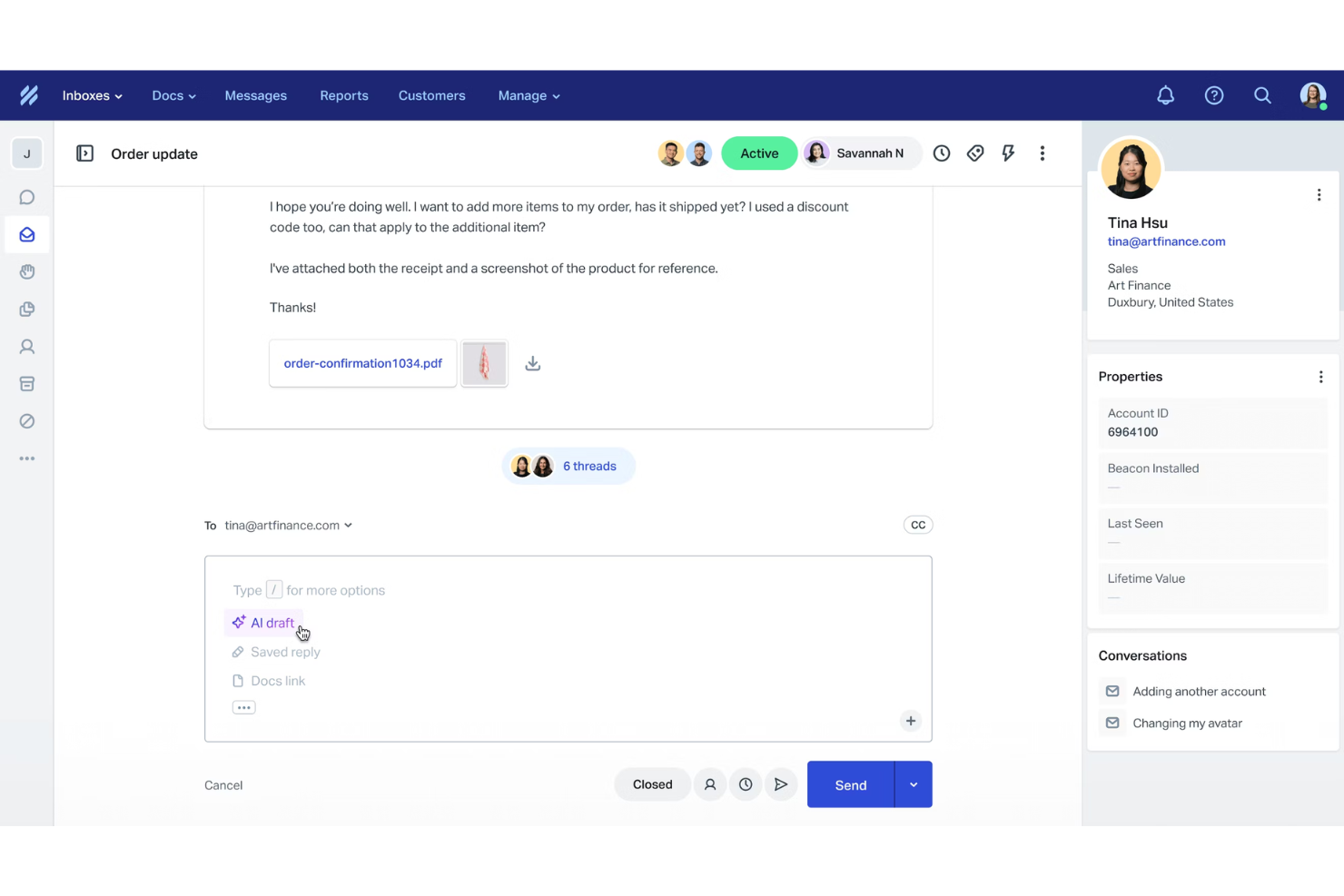
Help Scout è una piattaforma per la customer experience che aiuta i team di supporto a gestire le interazioni via email con un flusso di lavoro chiaro e collaborativo. Il tuo team può gestire le richieste dei clienti da caselle di posta condivise, offrire il self service tramite una knowledge base e fornire assistenza in tempo reale attraverso l'esperienza di chat alimentata da Beacon.
Perché ho scelto Help Scout:
Ho scelto Help Scout perché mantiene semplici le operazioni di CX quando l'obiettivo principale è il supporto via email. Puoi organizzare le conversazioni attraverso più caselle di posta, così sai sempre chi è responsabile di ogni messaggio del cliente. Il centro assistenza consente di pubblicare articoli che aiutano i clienti a risolvere autonomamente i problemi comuni, riducendo il volume delle richieste in ingresso man mano che il team cresce. Help Scout include anche automazioni leggere e funzionalità di intelligenza artificiale, così puoi velocizzare le risposte senza aver bisogno di configurazioni complesse.
Caratteristiche e integrazioni principali
Le funzionalità includono caselle di posta condivise per coordinare le risposte tra reparti, una knowledge base integrata per il self service e Beacon, che unisce live chat, articoli di aiuto e email in un unico widget rivolto al cliente. La piattaforma include anche AI Answers per risposte istantanee e strumenti di reportistica per comprendere le tendenze dei clienti. Le integrazioni includono Salesforce, Zapier, Shopify, Slack, HubSpot, Mailchimp, Asana, Google Sheets, Stripe, Facebook, Trello e WooCommerce.
Pros and Cons
Pros:
- Interfaccia intuitiva per i team di supporto
- Utili strumenti di knowledge base integrati
- Flussi di lavoro chiari per la gestione delle email
Cons:
- Opzioni di automazione avanzata limitate
- Nessun supporto nativo per WhatsApp o voce
New Product Updates from Help Scout

Help Scout Adds Automatic Conversation Reassignment
Help Scout can now automatically unassign conversations when the assigned teammate has been away long enough, keeping replies moving so others can pick them up. For more information, visit Help Scout's official site.
 .
.
Ideale per flussi di automazione e assegnazione agenti personalizzabili

Freshdesk è una piattaforma omnicanale per l'esperienza del cliente che unisce gestione dei ticket, automazione potenziata dall'IA, chat dal vivo e strumenti di self-service per gestire il supporto clienti tramite email, chat, telefono e canali social.
Per chi è ideale Freshdesk?
Freshdesk è particolarmente adatto a team di supporto di medie e grandi dimensioni che gestiscono volumi elevati di interazioni con i clienti su più canali.
Perché ho scelto Freshdesk
Ho incluso Freshdesk tra le mie scelte principali perché la sua avanzata automazione dei flussi di lavoro offre ai team di supporto un reale controllo sul processo di smistamento dei ticket. È possibile configurare regole di instradamento specifiche per canale, trigger di escalation basati sugli SLA, assegnazione automatica in base alle competenze o al carico dell'agente e flussi di auto-risoluzione, tutto all'interno della stessa interfaccia. Ciò che trovo particolarmente utile è che queste regole non sono universali: puoi costruire logiche di automazione distinte per ogni canale, così ad esempio un ticket WhatsApp segue un percorso completamente diverso rispetto a un ticket email.
Funzionalità principali di Freshdesk
- Freddy AI Copilot: Un assistente IA che suggerisce risposte, riassume le conversazioni dei ticket e propone articoli rilevanti della knowledge base agli agenti durante le interazioni live.
- Posta in arrivo omnicanale: Una vista unificata delle conversazioni con i clienti su email, chat, WhatsApp, Instagram e telefono in un'unica workspace per gli agenti.
- Sondaggi CSAT: Sondaggi automatizzati post-interazione inviati ai clienti con tempi, scale di valutazione e monitoraggio delle risposte configurabili direttamente dalla dashboard.
- Rilevamento delle collisioni: Notifiche in tempo reale che avvertono gli agenti quando un altro membro del team sta già visualizzando o rispondendo allo stesso ticket.
Integrazioni Freshdesk
Freshdesk offre oltre 1.200 integrazioni tramite il Freshworks Marketplace, tra cui Slack, Microsoft Teams, Salesforce, Jira, Shopify, Google Calendar e Google Analytics. Si collega inoltre a Zapier e fornisce API flessibili per integrazioni personalizzate.
Pros and Cons
Pros:
- I day pass aggiungono agenti temporanei durante i picchi
- La knowledge base supporta oltre 42 lingue
- Articoli della knowledge base ottimizzati SEO scalano nei risultati di ricerca
Cons:
- Il supporto telefonico richiede un componente aggiuntivo a pagamento separato
- Le analisi dei report rinnovate risultano eccessivamente complesse
New Product Updates from Freshdesk

Freshdesk Adds Voice AI Agents in Freshcaller
Freshdesk introduces Voice AI Agents available through Freshcaller Marketplace apps to handle routine calls and reduce queues. This feature enables automated call handling with real-time, conversational support. For more information, visit Freshdesk's official site.

Unwrap
Migliori insight clienti basati sull'IA
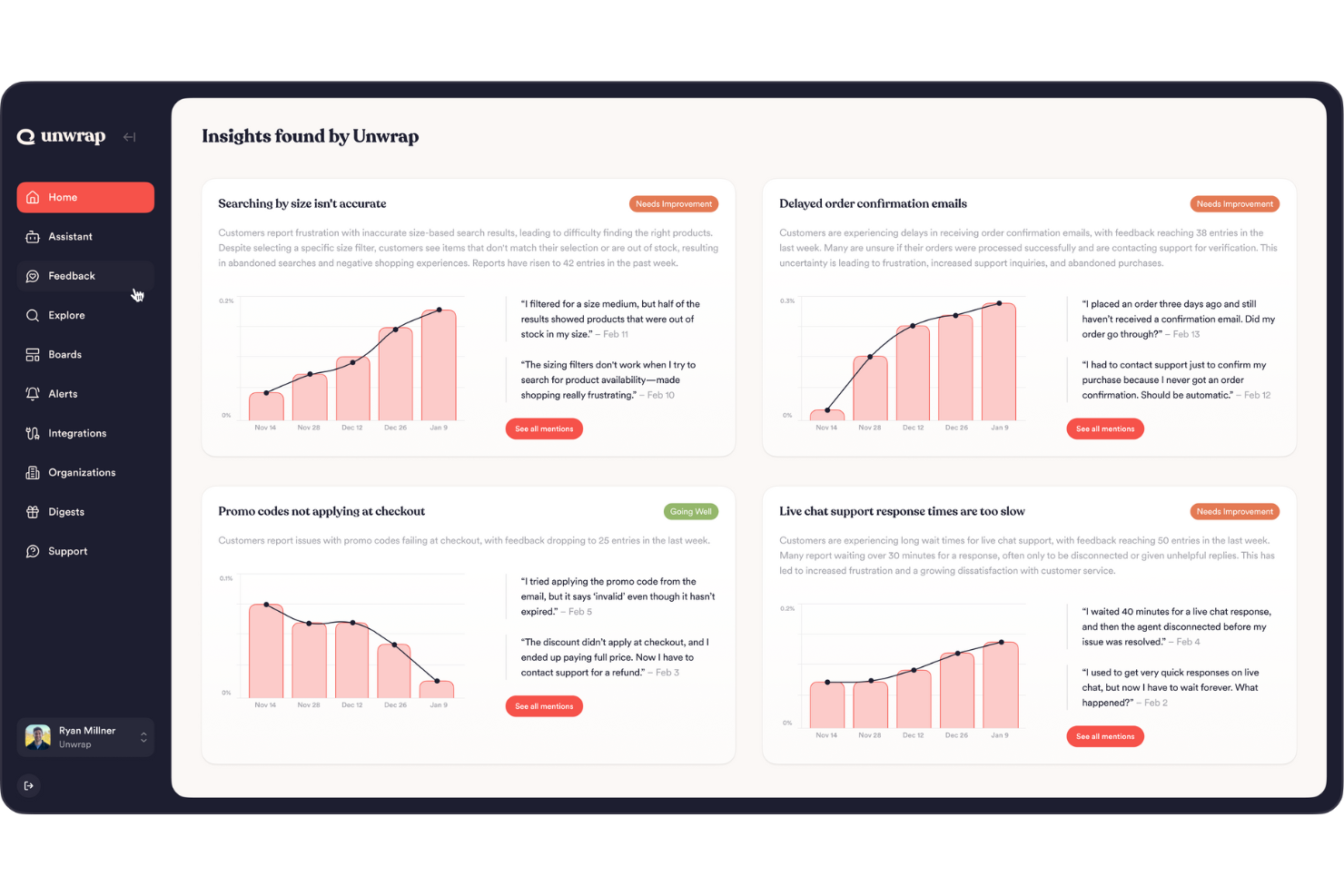
Unwrap raccoglie tutto ciò che ascolti dai tuoi clienti—ticket di assistenza, recensioni, sondaggi, post sui social e altro ancora—in un unico posto e utilizza l'IA per trasformare tutti quei feedback disordinati in schemi e tendenze chiare su cui tu e il tuo team potete agire, aiutandovi a capire cosa conta davvero per i vostri utenti senza ore di lavoro manuale. Progettato per product manager, team CX e chiunque sia responsabile dell'insight dei clienti, aiuta a dare la priorità ai problemi e alle idee sulle funzionalità in base a ciò che i clienti dicono realmente.
Perché ho scelto Unwrap
Ho scelto Unwrap perché trasforma grandi volumi di feedback non strutturati in approfondimenti prioritari e facilmente assimilabili sui quali il tuo team di prodotto e customer experience può agire senza dover analizzare ogni singolo commento. Il raggruppamento tematico e l’analisi del sentiment alimentati dall’IA classificano automaticamente i feedback in temi significativi, in modo che il tuo team veda tendenze invece che rumore, e gli avvisi in tempo reale ti aiutano a individuare i problemi emergenti mano a mano che si sviluppano. Questo focus sull'evidenziare ciò che conta di più da fonti di feedback diversificate rende Unwrap particolarmente utile per i team che vogliono basare le proprie decisioni sulla voce del cliente.
Caratteristiche principali di Unwrap
Oltre alle sue funzionalità distintive, Unwrap offre anche diverse altre capacità:
- Dashboard personalizzabili: Consentono al tuo team di creare viste personalizzate dei dati per migliorare la collaborazione e il processo decisionale.
- Query in linguaggio naturale: Permette agli utenti di interagire con i dati utilizzando un linguaggio conversazionale, semplificando il processo di analisi.
- Sistemi di avviso: Forniscono notifiche in tempo reale per insight emergenti, aiutando il tuo team a prevenire potenziali problemi.
- Analisi automatica del feedback: Converte i feedback non strutturati in dati strutturati, risparmiando tempo e riducendo l'impegno manuale.
Integrazioni Unwrap
Le integrazioni includono Salesforce, Zendesk, Intercom, Slack, HubSpot, Mailchimp, Google Analytics, Asana, Trello e Jira.
Pros and Cons
Pros:
- L’analisi del sentiment aiuta i team a quantificare come si sentono gli utenti nel tempo.
- Gli strumenti IA rilevano tendenze emergenti senza analizzare manualmente grandi insiemi di dati.
- Automatizza la categorizzazione dei feedback non strutturati in gruppi significativi tramite NLP.
Cons:
- La configurazione della tassonomia di feedback può richiedere uno sforzo extra per la personalizzazione.
- Qualche lacuna nelle integrazioni native rispetto ai concorrenti.

UserGuiding
Ideale per l'onboarding autonomo degli utenti
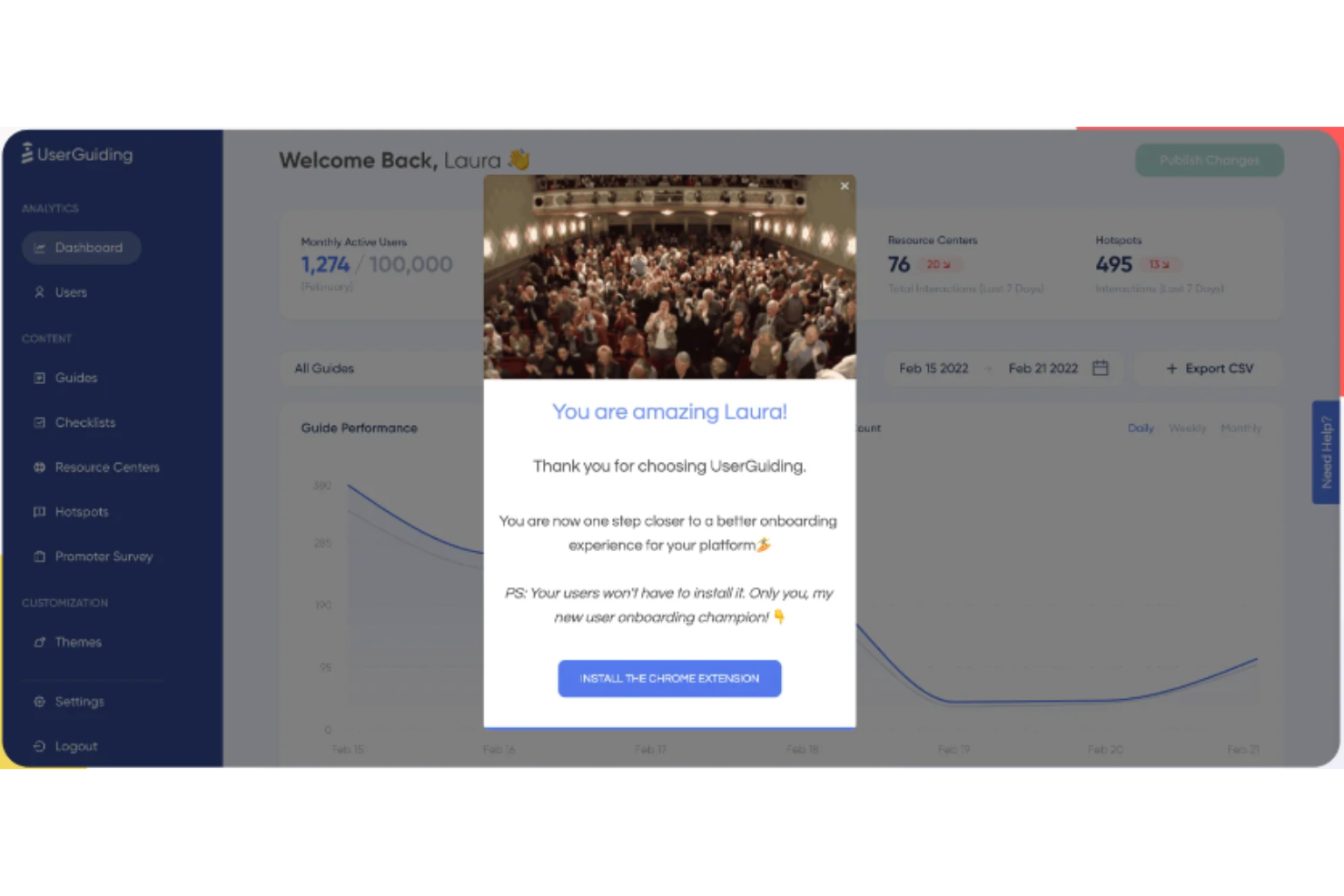
UserGuiding è un software per l'onboarding degli utenti progettato per aiutare le aziende a creare esperienze interattive all'interno dei propri prodotti, guidando gli utenti durante il processo di onboarding. È progettato per aumentare la fidelizzazione, migliorare l'adozione delle funzionalità e offrire esperienze di onboarding piacevoli.
Perché ho scelto UserGuiding: UserGuiding supporta le piattaforme per l'esperienza del cliente (CX) offrendo una suite di strumenti che facilita l'automazione delle interazioni con i clienti e la personalizzazione delle esperienze degli utenti. L'approccio dello strumento include la creazione di guide all'interno dell'app e percorsi interattivi che aiutano gli utenti a navigare nelle piattaforme digitali, consentendo così alle aziende di offrire esperienze coinvolgenti e ben progettate. UserGuiding fornisce anche sondaggi all'interno dell'app, inclusi i sondaggi NPS (Net Promoter Score), per raccogliere feedback, misurare la soddisfazione degli utenti e identificare le aree di miglioramento.
Funzionalità e integrazioni di UserGuiding
Tra le funzionalità più distintive di UserGuiding figurano liste di controllo per l'onboarding, centri risorse, segmentazione, analisi, suggerimenti, punti interattivi, finestre modali per gli annunci e aggiornamenti del prodotto. UserGuiding si integra con diverse applicazioni di terze parti, tra cui Google Analytics, MixPanel, HubSpot, Segment, Intercom, Woopra, Google Tag Manager e Slack.
Pros and Cons
Pros:
- Dimostrato che aumenta le conversioni e riduce i ticket di supporto
- Offre opzioni flessibili per il targeting dei clienti
- Interfaccia intuitiva
Cons:
- Integrazioni limitate
- Opzioni di personalizzazione limitate
- Gli strumenti di analisi potrebbero essere insufficienti per alcuni team
Altre Piattaforme CX Rilevanti
Di seguito trovi un elenco di ulteriori strumenti CX Platform che ho selezionato ma che non sono entrati tra i primi 10. Vale comunque la pena approfondirli.
- Zendesk
Ideale per il supporto clienti personalizzato con AI
- Customerscore.io
Ideale per campagne clienti automatizzate
- Tidio
Ideale per il supporto chatbot contestuale basato su IA
- Guidde
Ideale per guide video alimentate dall’intelligenza artificiale
- Front
Migliore per l'assicurazione qualità automatizzata dei ticket
- Fullstory
Ideale per il replay delle sessioni in tempo reale
- Kustomer
Il migliore per il supporto clienti omnicanale
- ServiceNow
Ideale per l'assistenza clienti orientata all'ITSM
- ZOHO CRM Plus
Ideale per la gestione unificata dell'esperienza cliente
- Crescendo
Ideale per il coaching dei team di revenue guidato dall’intelligenza artificiale


Recensioni Correlate di Software per la CX
Se non hai ancora trovato quello che stai cercando qui, dai un’occhiata a questi strumenti di gestione dell’esperienza cliente correlati che abbiamo testato e valutato.
- Software per il Servizio Clienti
- Software Help Desk
- Software Call Center
- Piattaforma Messaggistica Clienti
- Piattaforma di Digital Experience
- Strumenti di Analisi del Sentimento
Come valuto le piattaforme CX
Scompongo ogni piattaforma CX in due livelli: la base—raccolta di feedback omnicanale, sondaggi NPS/CSAT, workflow a ciclo chiuso—e i fattori differenzianti che separano gli strumenti davvero utili da quelli generici.
Funzionalità di base (requisiti fondamentali per questa lista)
Quando seleziono gli strumenti per la mia lista, valuto ciascuno su una scala da 0 (non offre la funzionalità) a 5 (eccelle in quest'area) per ogni funzionalità di base elencata di seguito. Poi trasformo il punteggio totale dello strumento in una percentuale. Ogni piattaforma deve raggiungere un punteggio totale minimo del 75% per essere presa in considerazione.
- Raccolta feedback omnicanale: Controllo da quanti canali una piattaforma raccoglie feedback in modo nativo—email, SMS, web intercept, in-app, social media—e se questi input si sincronizzano in tempo reale.
- Metriche CX & Sondaggi: La piattaforma dovrebbe supportare NPS, CSAT e CES già pronti all’uso, con logiche di sondaggio come ramificazione, limitazione e distribuzione multilingua integrate.
- Analisi del viaggio del cliente: Valuto se uno strumento è in grado di mappare e visualizzare i percorsi tra i vari touchpoint—come tracciare un cliente dall’onboarding al rinnovo—utilizzando dati di comportamento reali.
- Analisi testuale & del sentimento: Qui cerco rilevamento di temi e valutazioni di sentiment guidati da IA su risposte aperte, recensioni e trascrizioni di chiamate, non solo tag su parole chiave.
- Gestione azioni a ciclo chiuso: Le piattaforme dovrebbero generare avvisi, indirizzare i casi e automatizzare i follow-up quando viene registrato un punteggio da detrattore, in modo che i team a contatto col cliente possano agire prima che il cliente abbandoni.
- Dashboard & report basati sui ruoli: Cerco viste configurabili che forniscano a un direttore CX insight sulle tendenze e a un responsabile del supporto dettagli sulla coda, tutto dallo stesso dataset.
Una volta che ho una lista di strumenti che soddisfano questi criteri, considero cosa distingue ciascuna piattaforma.
Fattori di differenziazione (cosa distingue i fornitori)
Ecco come confronto e metto in contrasto i diversi fornitori:
Funzionalità distintive
L’analisi predittiva della CX è un importante fattore distintivo—cerco modelli che segnalano account a rischio prima dei cicli di rinnovo, dando tempo ai team di successo per intervenire. Il collegamento all’impatto finanziario è altrettanto importante, perché un direttore CX deve collegare i miglioramenti di CSAT ai risultati di fatturato quando riporta alla direzione. Valuto anche la sintesi generativa con IA, che può distillare migliaia di risposte aperte in temi azionabili in pochi minuti invece che in settimane di codifica manuale.
Oltre le funzionalità
La profondità delle integrazioni è una delle prime cose che valuto. Una piattaforma CX che non si connette nativamente a strumenti di CRM e contact center crea silos di dati che vanificano ogni percorso che stai cercando di tracciare. Verifico anche la presenza di funzionalità specifiche per settore—programmi preconfigurati per verticali come sanità o servizi finanziari possono abbreviare i tempi di implementazione di mesi. I tempi di implementazione contano anch’essi, specialmente per i team operativi che hanno bisogno di template preconfigurati e di una configurazione self-service invece di un percorso professionale di sei mesi.
Vantaggi delle Piattaforme CX
Scegliere la giusta piattaforma per l’esperienza cliente (CX) è fondamentale per le aziende che desiderano potenziare il servizio clienti e ottimizzare i processi interni. Queste piattaforme offrono numerosi benefici che non solo migliorano l’esperienza degli utenti, ma apportano vantaggi significativi anche all’organizzazione nel suo complesso. Qui sotto trovi cinque benefici principali che le piattaforme CX forniscono, come guida per chi vuole acquistare software e comprendere come questi strumenti possano trasformare il proprio approccio al coinvolgimento del cliente.
- Raccolta centralizzata dei dati dei clienti: Consolida le interazioni provenienti da vari canali. Questo rende più semplice per le aziende gestire e monitorare le interazioni con i clienti, garantendo che ogni membro del team abbia accesso alle stesse informazioni e possa offrire un servizio coerente e personalizzato.
- Miglioramento della soddisfazione del cliente (CSAT): Permette una risoluzione più rapida dei problemi. Offrendo strumenti e approfondimenti per risolvere le problematiche dei clienti in modo più efficiente, le piattaforme CX contribuiscono direttamente a livelli più elevati di soddisfazione del cliente, favorendo la fidelizzazione e incentivando il ritorno dei clienti.
- Aumento della produttività: Automatizza le attività ripetitive. Occupandosi dei compiti di routine, le piattaforme CX liberano i team di assistenza clienti per concentrarsi su attività più complesse e di valore, aumentando così la produttività e l'efficienza complessive.
- Analisi approfondite: Offre analisi e reportistica dettagliate. L'accesso ad analisi complete consente alle aziende di comprendere meglio il comportamento e le esigenze dei clienti, guidando le decisioni strategiche e aiutando a personalizzare i servizi per soddisfare le aspettative dei clienti.
- Integrazione senza soluzione di continuità: Si integra con gli strumenti software già in uso. La capacità di integrarsi perfettamente con altri strumenti aziendali garantisce un flusso di lavoro fluido, migliorando l'efficienza e riducendo al minimo il rischio di errori o la creazione di silos di dati.
Per le organizzazioni che puntano a migliorare l'esperienza del cliente, investire in una piattaforma CX offre la promessa non solo di un aumento della soddisfazione del cliente, ma anche di una maggiore efficienza operativa e di preziosi insight strategici.
Domande Frequenti sulla CX Platform
Quanto costano tipicamente queste piattaforme per la customer experience?
Il prezzo dei software per la gestione della customer experience può variare notevolmente in base alle funzionalità offerte, alla dimensione dell’azienda e al numero di utenti. Alcune piattaforme possono partire da $20 per utente al mese, mentre altre possono arrivare a costare diverse centinaia di dollari per utente al mese. La maggior parte dei fornitori propone tariffe differenziate in base alle funzionalità incluse.
Quali sono i modelli di prezzo tipici per le piattaforme di customer experience?
Generalmente, le piattaforme per la customer experience adottano un modello di prezzo per utente, per mese. È comune trovare livelli di prezzo a scaglioni, con ciascun livello che offre funzionalità aggiuntive. Alcune piattaforme offrono anche la fatturazione annuale a una tariffa scontata.
Quali sono le piattaforme per la customer experience più economiche e più costose?
Il costo di queste piattaforme può variare molto. Ad esempio, Dialpad offre piani a partire da $15 per utente al mese, mentre strumenti come Genesys Cloud potrebbero avere prezzi più elevati. È fondamentale valutare le funzionalità offerte, oltre al costo, quando si esamina una piattaforma.
Esistono piattaforme per la customer experience gratuite?
Anche se la maggior parte delle piattaforme per la customer experience non offre un piano completamente gratuito, molte propongono un periodo di prova gratuito. Questo periodo consente agli utenti di valutare le funzionalità e la facilità d’uso della piattaforma prima di sottoscrivere un piano a pagamento. È sempre consigliabile approfittare dei periodi di prova per assicurarsi che la piattaforma sia adatta alle esigenze aziendali.
Come gestiscono queste piattaforme il supporto clienti multilingue?
Le piattaforme CX spesso integrano il supporto multilingue per rivolgersi a una clientela globale, migliorando la soddisfazione e il coinvolgimento dei clienti in diverse regioni. Questa funzionalità è particolarmente preziosa per le aziende che desiderano offrire esperienze personalizzate a un pubblico eterogeneo. Le piattaforme che propongono un supporto omnicanale, come Kustomer, consentono comunicazioni fluide attraverso diversi canali (social media, e-mail, chat) in più lingue, garantendo che la barriera linguistica non ostacoli le interazioni con i clienti.
Come garantiscono le piattaforme CX la conformità alle normative internazionali?
Garantire la conformità alle normative internazionali è un’attività complessa che coinvolge molteplici livelli di sicurezza dei dati, tutele della privacy e rispetto di standard legali nei diversi paesi. Piattaforme CX come Segment si distinguono grazie a strumenti robusti per la raccolta e la gestione dei dati, incluse funzionalità di governance che aiutano a garantire la conformità. Spesso queste piattaforme adottano diverse misure di sicurezza come crittografia e controlli di accesso per proteggere i dati dei clienti. Inoltre, molte permettono l’integrazione con strumenti di gestione della conformità o offrono framework integrati progettati per aderire a standard internazionali come GDPR, SOC II e altri. È anche usuale che le piattaforme aggiornino costantemente le misure di conformità in risposta all’evoluzione delle normative.
Quali sono le best practice per implementare e ottimizzare una piattaforma CX?
Per l’implementazione e l’ottimizzazione di una piattaforma CX è fondamentale allineare lo strumento ai flussi di lavoro organizzativi e agli obiettivi specifici che si desidera raggiungere.rnrnInizia esaminando i processi attuali per identificare cosa funziona e quali sono i punti critici da affrontare. Questa analisi aiuta a garantire che la piattaforma si integri realmente con l’azienda, senza complicare ulteriormente i processi già esistenti. È inoltre essenziale definire in anticipo i parametri di successo. Ad esempio, potresti puntare a una maggiore trasparenza sulle performance o a un miglioramento del punteggio di soddisfazione del cliente. Questi obiettivi devono guidare la scelta e l’uso della piattaforma CX, assicurandoti che ogni funzionalità utilizzata contribuisca al raggiungimento dei risultati prefissati. Ricorda: la migliore piattaforma CX per la tua organizzazione è quella che si integra perfettamente nell’ecosistema aziendale, migliorando la capacità di offrire esperienze eccezionali ai clienti senza interrompere i flussi di lavoro.
Riepilogo
In conclusione, scegliere la giusta piattaforma CX è fondamentale per qualsiasi organizzazione che desideri migliorare la customer experience. Queste piattaforme offrono funzionalità, caratteristiche e modelli di prezzo diversi, e determinare quella che meglio si adatta alle esigenze della propria organizzazione può sembrare difficile. Ecco i punti chiave di questa guida:
- Valuta le tue esigenze: Analizza le esigenze uniche della tua azienda prima di scegliere una piattaforma. Questo include comprendere la dimensione della tua base clienti, i canali attraverso cui desideri raggiungerli e il tipo di coinvolgimento che vuoi instaurare.
- Le funzionalità sono fondamentali: La giusta combinazione di funzionalità può fare una grande differenza. Presta attenzione a capacità come analytics in tempo reale, supporto multicanale, scalabilità, strumenti di coinvolgimento del cliente e integrazione con altri sistemi. Le migliori piattaforme CX offrono spesso opzioni di personalizzazione che si adattano ai tuoi specifici processi aziendali.
- Il prezzo conta: Le piattaforme CX propongono strutture di prezzo diverse. Mentre alcune offrono un semplice prezzo mensile per utente, altre possono prevedere costi di attivazione oppure tariffe base. Assicurati di chiarire ogni aspetto dei costi prima di scegliere una piattaforma, inclusi eventuali costi aggiuntivi per funzioni avanzate o integrazioni.
Ricorda, la migliore piattaforma per la tua organizzazione è quella che soddisfa le tue esigenze di esperienza personalizzata e rientra nel tuo budget.
E ora?
Se sei nella fase di ricerca di piattaforme CX, contatta gratuitamente un consulente SoftwareSelect per avere delle raccomandazioni.
Compila un modulo e fai una breve chiacchierata in cui si approfondiscono nello specifico le tue esigenze. Riceverai poi una lista di software selezionati da valutare. Ti accompagneranno anche lungo tutto il processo d’acquisto, incluse le trattative sul prezzo.