

10 beste Callcenter-Softwarelösungen für kleine Unternehmen im Jahr 2026

Die beste Callcenter-Software für kleine Unternehmen – unsere Auswahl


Callcenter-Software für kleine Unternehmen hilft schlanken Teams, Kundenanrufe professionell zu verwalten – ohne die Kosten oder Komplexität von Enterprise-Systemen. Die besten Callcenter-Tools unterstützen Sie dabei, Support zu optimieren, reaktionsschnell zu bleiben und ein konsistentes Kundenerlebnis zu bieten – unabhängig davon, ob Sie nur einige Dutzend Anrufe täglich bearbeiten oder schnell wachsen.
Als CX-Experte habe ich diese Optionen basierend auf Benutzerfreundlichkeit, Preis-Leistungs-Verhältnis, Skalierbarkeit und Kernfunktionen wie Anrufweiterleitung, Warteschlangenmanagement und Reporting ausgewählt. Dieser Artikel hilft Ihnen, mit Zuversicht die richtige Callcenter-Software für kleine Unternehmen auszuwählen, sodass Sie Ihr Team und Ihre Kunden besser, schneller und smarter unterstützen können.
Warum Sie unseren Software-Empfehlungen vertrauen können
Unser Team testet und bewertet Software seit 2012. Als CX-Führungskräfte selbst wissen wir, wie schwierig – und wichtig – es ist, die richtige Software auszuwählen.
Für diesen Leitfaden haben wir Tools mithilfe von praktischen Tests und unabhängiger Recherche bewertet und dabei unsere Bewertungskriterien angewendet.
Unsere Bewertungen spiegeln unser menschliches redaktionelles Urteilsvermögen wider, keine Verkaufsstrategie.
Zusammenfassung: Die beste Callcenter-Software für kleine Unternehmen
| Tool | Best For | Trial Info | Price | ||
|---|---|---|---|---|---|
| 1 | Am besten geeignet für KI-gesteuerten Callcenter-Support | Kostenlose Demo verfügbar | Ab $30/Nutzer/Monat (jährlich abgerechnet) | Website | |
| 2 | Am besten geeignet für datengestützte Entscheidungen | Kostenlose Demo verfügbar | Ab $15/Nutzer/Monat (jährlich abgerechnet) | Website | |
| 3 | Am besten geeignet für effizientes Callcenter-Management | 14-tägige kostenlose Testphase verfügbar | Ab $19/Monat (jährlich abgerechnet) | Website | |
| 4 | Am besten für Produktivität und Servicequalität von Agenten | Preis auf Anfrage | Website | ||
| 5 | Am besten für konfigurierbare Callcenter-Operationen | Kostenlose Demo verfügbar | Ab $15/Nutzer/Monat (jährliche Abrechnung) | Website | |
| 6 | Am besten für ein nahtloses, reibungsloses Kundenerlebnis über alle Kanäle hinweg geeignet | Kostenlose Demo verfügbar | Ab $85/Nutzer/Monat | Website | |
| 7 | Am besten geeignet für die Zusammenarbeit mit Kollegen und den Abschluss von Verkäufen | 14-tägige kostenlose Testphase verfügbar | Ab $15/Monat (jährliche Abrechnung) | Website | |
| 8 | Am besten mit mobiler App und Browser-Erweiterungen | 15-tägige kostenlose Testphase verfügbar | Ab $39/Nutzer/Monat | Website | |
| 9 | Am besten geeignet für die Integration von Telefonanrufen und SMS-Funktionen in Anwendungen | Kostenlose Testversion + kostenlose Demo verfügbar | Ab $150/Nutzer/Monat | Website | |
| 10 | Am besten geeignet für Kundensupportzentren auf Weltklasseniveau | Kostenloses Solo-Setup (Anrufgebühren können anfallen), 15-tägige kostenlose Testphase | Ab $74/Agent/Monat | Website |
Übersicht der 10 besten Callcenter-Softwares für kleine Unternehmen
Mit den folgenden Kurzüberblicken zu jedem Tool sehen Sie auf einen Blick, wie sich die Callcenter-Softwares für kleine Unternehmen voneinander abheben.
Am besten geeignet für KI-gesteuerten Callcenter-Support
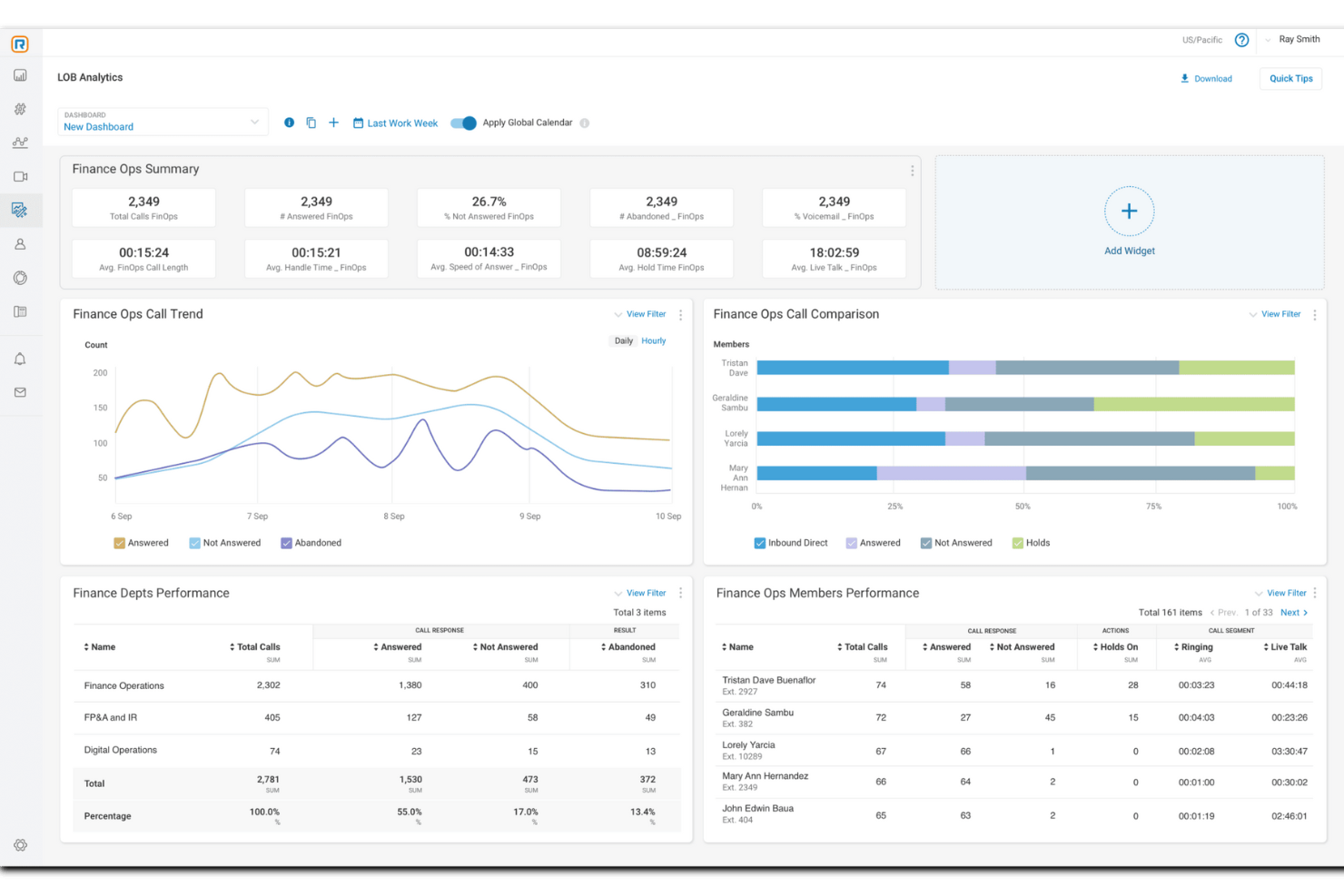
RingCentral ist eine Callcenter-Softwarelösung, die auf Unternehmen jeder Größe zugeschnitten ist und Omnichannel-Funktionen für das Management von Kundeninteraktionen bietet.
Warum ich mich für RingCentral entschieden habe: Als KI-first-Callcenter-Lösung kann RingCentral Aufgaben automatisieren, um kleine Unternehmen mit begrenzten Kapazitäten zu unterstützen. Zu diesen Automatisierungsfunktionen zählen KI-gestützte virtuelle Agenten, Echtzeit-Coaching und umsetzbare Erkenntnisse, die Ihnen helfen, fundierte Entscheidungen im Hinblick auf die Kundenerfahrung und die Gesamtleistung des Teams zu treffen.
RingCentral bietet zudem eine Omnichannel-Routing-Funktion, die Anfragen im Kontaktcenter intelligent dem passenden Agenten zuordnet, was zu einer schnelleren Lösung führt. Das intelligente Routing-System der Plattform setzt verschiedene Strategien ein. Beispielsweise kann es Kunden mit den am besten geeigneten Ressourcen basierend auf den Fähigkeiten der Agenten verbinden oder maschinelles Lernen nutzen, um die Absicht von Nachrichten zu verstehen und digitale Nachrichten weiterzuleiten.
Herausragende Funktionen und Integrationen von RingCentral
Funktionen umfassen Omnichannel-Funktionalität, intelligente Weiterleitung, IVR/Selbstbedienung, automatischen Rückruf, Call Blending, Risikominderung bei Compliance, Verschlüsselung, Mitarbeiterbindung und -management, Agentenfähigkeitsprofile, Bildschirmaufzeichnung, Dual Listening, vorgefertigte Berichte und detaillierte Analysen.
Integrationen umfassen Microsoft Teams, Salesforce, Google Workspace, Beetexting, HubSpot, Asana, Zendesk, Appointment Reminder, Aha!, Trello, Zapier, Automator und über 300 weitere.
Pros and Cons
Pros:
- Omnichannel-Automatisierungsfunktionen
- Wächst mit Ihrem Unternehmen mit
- Viele Integrationen verfügbar
Cons:
- Niedrigere Tarife bieten begrenzte Funktionen und Speicherkapazitäten
- Einschränkungen bei bestimmten Tischtelefonen

Nextiva
Am besten geeignet für datengestützte Entscheidungen

Nextiva ist eine einheitliche Plattform für das Kundenerlebnismanagement, die eine breite Palette von Tools und Funktionen bietet, um Kundeninteraktionen und Kommunikationsprozesse zu verbessern.
Warum ich Nextiva gewählt habe: Die Plattform von Nextiva umfasst wesentliche Callcenter-Funktionen wie fortschrittliche Anrufweiterleitung, interaktive Sprachdialogsysteme (IVR) und automatische Anrufverteilung (ACD). Diese Funktionen ermöglichen es kleinen Unternehmen, hohe Anrufvolumina zu bewältigen und gleichzeitig die Kundenzufriedenheit aufrechtzuerhalten. Zusätzlich bietet Nextiva KI-gestützte Tools wie Stimmungsanalyse und dynamische Anrufskripte, die helfen, Kundeninteraktionen zu personalisieren.
Ein weiterer Grund, warum Nextiva herausragt, sind die umfassenden Berichts- und Analysetools. Diese Tools bieten Einblicke in Echtzeit in die Leistung des Callcenters und ermöglichen es Unternehmen, wichtige Kennzahlen wie Anrufvolumen, Wartezeiten und Lösungsraten zu verfolgen. Mit diesen Erkenntnissen können kleine Unternehmen datengestützte Entscheidungen treffen, um ihre Abläufe zu optimieren.
Herausragende Funktionen und Integrationen von Nextiva
Funktionen umfassen intelligente virtuelle Assistenten, Anrufaufzeichnung und -überwachung, fortschrittliche IVR, anpassbare Anrufweiterleitung, KI-gestützte Chatbots, Dashboards in Echtzeit, Sprach- und Textanalysen, Tools für Qualitätsmanagement und Personaloptimierung.
Integrationen umfassen Salesforce, Microsoft Dynamics, Microsoft Teams, HubSpot, Zendesk, Zoho, Oracle Sales Cloud, Workbooks, ServiceNow, SugarCRM, Act! CRM, Lotus Notes, ConnectWise, GoldMine und Bullhorn.
Pros and Cons
Pros:
- KI-Funktionen zur Automatisierung von Aufgaben
- Echtzeit-Einblicke in die Callcenter-Performance
- Personaleinsatzplanung
Cons:
- Wichtige Integrationen sind nur in höherwertigen Tarifen verfügbar
- Die Erstinstallation kann für kleine Unternehmen zeitaufwendig sein

Am besten geeignet für effizientes Callcenter-Management

CloudTalk ist eine Callcenter-Software, die Unternehmen dabei unterstützt, ihre Callcenter-Abläufe effektiv zu steuern und reibungslose sowie effiziente Kundeninteraktionen zu gewährleisten.
Warum ich CloudTalk gewählt habe: Diese cloudbasierte Software macht die Anschaffung von Hardware überflüssig und ist dank der Einrichtung ohne Programmierkenntnisse für alle Unternehmen geeignet. Sie bietet viele hilfreiche Funktionen für das Anrufmanagement, wie unbegrenzte Warteschleifen, Anrufaufzeichnung sowie internationale und gebührenfreie Nummern. Darüber hinaus bietet sie Werkzeuge zur Verwaltung Ihrer Abläufe.
Die automatische Anrufverteilung stellt sicher, dass keine Ihrer Mitarbeiterinnen und Mitarbeiter mit Kundenanrufen überfordert wird. Gleichzeitig informieren Klingelgruppen alle verfügbaren Agenten gleichzeitig über eingehende Anrufe, damit diese schnell beantwortet werden. Anrufnotizen und Tags helfen dabei, alle auf dem aktuellen Stand sowie bezüglich der Kundengeschichte und wichtiger Informationen abgestimmt zu halten.
CloudTalk: Herausragende Funktionen und Integrationen
Funktionen umfassen Power Dialer, Smart Dialer, benutzerdefinierte Erweiterungen, 3-Wege-Gespräche, Anrufweiterleitung, Klick-zum-Anrufen, Kampagnen, Anrufnotizen, Anruf-Tagging, Anruffluss-Designer, VIP-Warteschleifen, bevorzugte Agenten und Workflow-Automatisierung.
Integrationen bestehen unter anderem mit HubSpot, Zendesk, Intercom, Gong, Pipedrive, Salesforce, Copper CRM, ActiveCampaign, LiveAgent und Outreach. Weitere Integrationen können mit einem kostenpflichtigen Zapier-Konto konfiguriert werden.
Pros and Cons
Pros:
- Anruffluss-Designer im Starter-Tarif enthalten
- Anrufaufzeichnungen werden im Starter-Tarif 1 Monat lang gespeichert
- Unbegrenzte Nutzer im Starter-Tarif
Cons:
- Begrenzte Berichte und Analysen im Starter-Tarif
- Zusätzliche Gebühr für weitere Nummern

Shelf
Am besten für Produktivität und Servicequalität von Agenten

Shelf bezeichnet sich selbst als moderne Wissensmanagement-Plattform mit Fokus auf Unmittelbarkeit und Reaktionsfähigkeit. Da Kunden heute sofortigen Service auf Abruf erwarten, benötigen Unternehmen bessere Tools, um ihre Bedürfnisse vorausschauend zu verfolgen. Mit dem firmeneigenen MerlinAI kann Shelf Ihrem Team helfen, auf Fragen zu achten und automatisch die besten Antworten vorzuschlagen.
Die Tools MerlinAI und Agent Assist sind einer der Gründe, warum ich Shelf in diese Liste aufgenommen habe. Beide bieten die Möglichkeit, die Produktivität und das Engagement von Servicemitarbeitenden zu steigern. Mitarbeiter müssen nicht mehr Datenbanken und Notizen durchsuchen, um Antworten auf dringende Kundenanfragen zu finden, da die KI von Shelf den gesamten Wissenszyklus mit Inhalts-Erstellung, Ankündigungen, Überprüfungen, Bewertungen und mehr automatisieren kann. Sie sparen Ihrem Team viel Zeit und verbessern Ihre Wissensdatenbank, damit diese stets aktuell bleibt.
Wenn Sie Ihre Service-Mitarbeitenden dabei unterstützen möchten, bestmöglichen Kundendienst mit allen benötigten Informationen direkt zur Hand zu liefern, ist Shelf die richtige Lösung. Mit sofortigen Antworten auf Kundenfragen direkt am Desktop können Ihre Mitarbeitenden noch gezielter und besser reagieren. Shelf bietet zudem niedrigschwellige Lösungen mit mühelosen Antworten durch Chatbots, KI-gestützte Antwortformulare und Self-Service-Portale an.
Hervorstechende Funktionen und Integrationen von Shelf
Funktionen umfassen KI-Agentenunterstützung, Wissensmanagement, Chatbots, Self-Service-Portale, Ticketingsystem, Advanced Encryption Standard (AES), automatisierte Inhaltserstellung und -synchronisation, SMS, E-Mail, Webkommunikation, API-Zugang sowie Analytik und Berichterstellung.
Integrationen beinhalten Genesys, NICE inContact, Five9, Salesforce, Slack, Kustomer, Zendesk, Google Drive, Dropbox und Firefox.
Pros and Cons
Pros:
- Integriert sich einfach in bestehende Strukturen
- Erfasst schnell Ressourcen aus dem Internet
- Ermöglicht Mitarbeitenden, besseren Service zu bieten
Cons:
- Farbgestaltung kann schwer lesbar sein
- Kein integrierter interner Chat – nur Slack-Integration

Am besten für konfigurierbare Callcenter-Operationen

Squaretalk ist eine Contact-Center-Softwareplattform, die darauf ausgelegt ist, die Kommunikation und operative Effizienz für Unternehmen jeder Größe zu steigern.
Warum ich mich für Squaretalk entschieden habe: Mir gefällt, wie konfigurierbar die Plattform ist, sodass Sie die Möglichkeit haben, die Plattform an Ihre spezifischen betrieblichen Anforderungen anzupassen. Sie können ein System erstellen, das auf Ihre Geschäftsprozesse und Arbeitsabläufe abgestimmt ist und dadurch verbessert, wie Ihr Team Anrufe und Kundeninteraktionen abwickelt.
Die Plattform bietet außerdem detaillierte Berichtsfunktionen, die entscheidend sind, um Leistungskennzahlen zu verstehen und fundierte Entscheidungen zu treffen. Sie können diese Berichte so anpassen, dass die wichtigsten Daten im Fokus stehen. Auf diese Weise können Sie Trends erkennen, die Produktivität der Agenten einschätzen und Ihre Callcenter-Abläufe ohne zusätzliche Komplexität optimieren.
Besondere Merkmale und Integrationen von Squaretalk
Funktionen beinhalten intelligentes Call-Routing, automatisierte Anrufverteilung, intelligente Anrufwarteschleifen, vorausschauendes Wählen, dynamisches Lead-Reset, Skript-Anzeige, Agenten-Rankings, Rückruf über das Web und Zeitzonenregeln.
Integrationen umfassen Zoho, Salesforce, Freshworks, Pipedrive und Lynx.
Pros and Cons
Pros:
- Starke Sicherheitsfunktionen, einschließlich Ende-zu-Ende-Verschlüsselung
- Umfassende Auswahl an Callcenter-Funktionen verfügbar
- Enthält Videofunktionen und ein Softphone-Tool
Cons:
- Einige Einschränkungen bei der Anpassung
- Die anfängliche Einarbeitungszeit kann lang sein
New Product Updates from Squaretalk
Squaretalk Adds TradeCore Integration for Brokerage Workflows
Squaretalk adds a TradeCore integration that connects customer conversations with BrokerIQ CRM workflows. This helps brokerage teams trigger AI-driven follow-ups, tasks, and other actions from calls and messages. For more information, visit Squaretalk’s official site.
 .
.
Talkdesk
Am besten für ein nahtloses, reibungsloses Kundenerlebnis über alle Kanäle hinweg geeignet
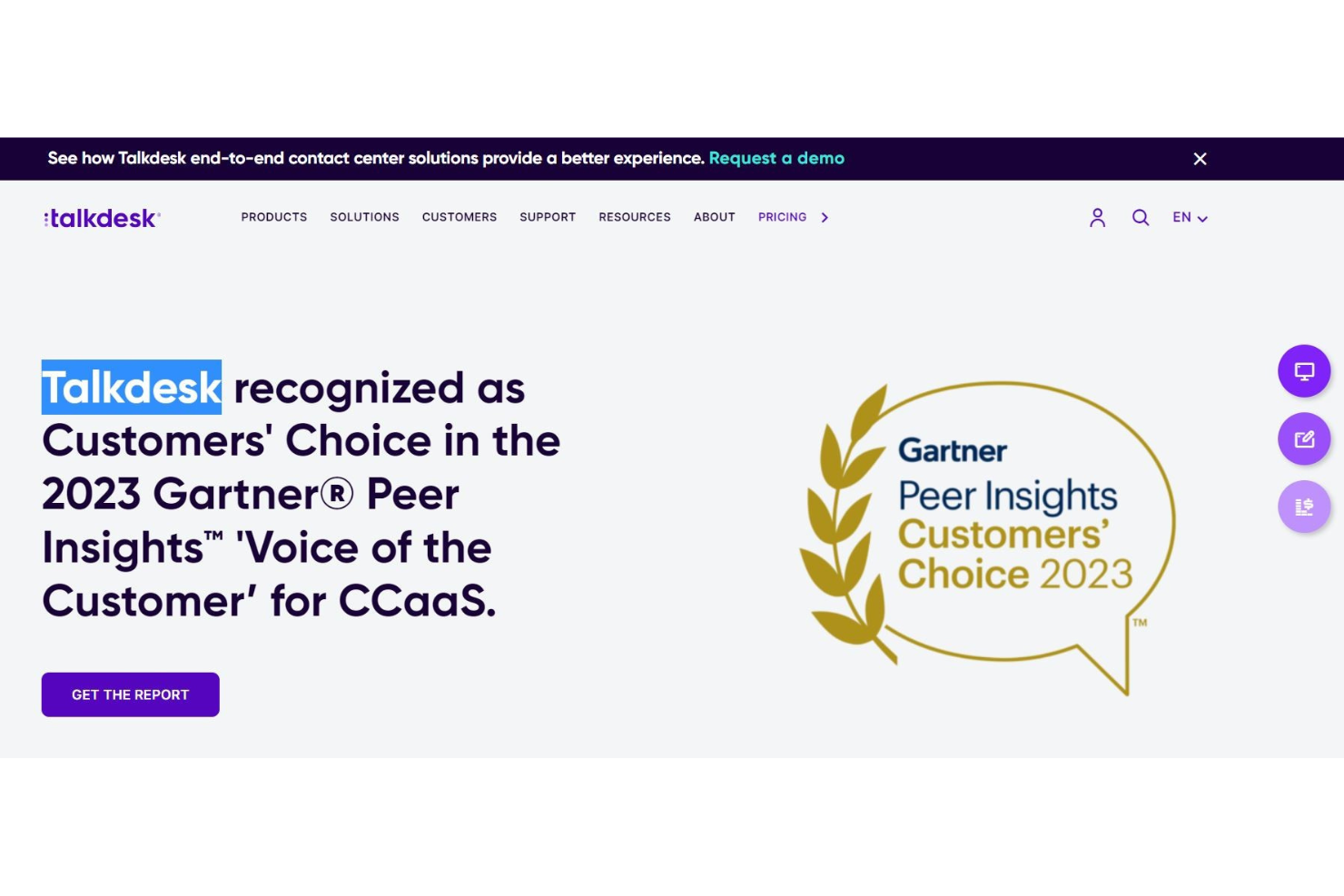
Talkdesk bietet kleinen Unternehmen mit großer Reichweite ein globales Kundendienst-Erlebnis. Die Contact-Center-Lösung ermöglicht ultraschnelle, cloudbasierte Verbindungen und CX-Anwendungen auf Unternehmensniveau, die sich mit nahezu allem integrieren lassen. Talkdesk bietet Omnichannel-Interaktionen, Self-Service für Kunden und Analysen zum Kundenerlebnis an einem Ort.
Ich habe diese Software gewählt, weil sie die Bedürfnisse der Nutzer mit der Benutzerfreundlichkeit für Unternehmen für ein ausgewogenes Erlebnis auf allen Seiten vereint. Ihre Kundenservicemitarbeitenden profitieren von der intuitiven Benutzeroberfläche, die einen übersichtlichen Arbeitsplatz und einfache Berichterstattung ermöglicht. Mit intelligentem Routing, proaktiver ausgehender Kundenansprache und Sprachanalysen zur Verbesserung von CSAT-Problemen haben Sie alles, was Sie brauchen.
Dieses Tool ist ideal für kleine Unternehmen, die wachsen wollen, denn Talkdesk ist dank vorgefertigter Integrationen, Omnichannel-Kommunikationsmöglichkeiten und Funktionen zur Mitarbeitenden-Kollaboration einfach skalierbar und erweiterbar.
Herausragende Funktionen und Integrationen von Talkdesk
Funktionen umfassen spezielle Arbeitsbereiche für Serviceagenten, intelligentes Routing, Anrufaufzeichnung, Sprachanalyse, detailliertes Reporting, Qualitätsmanagement, Self-Service, vorgefertigte Integrationen, Omnichannel-Kommunikation und Workforce-Management.
Integrationen umfassen Salesforce, Slack, Microsoft Teams, Now, Dynamics 360, Zoom, Shopify, BigCommerce und OnePage CRM.
Pros and Cons
Pros:
- WLAN-basiertes Telefonieren
- Zuverlässige Anrufqualität (keine Verbindungsabbrüche)
- Intuitive Einrichtung und Konfiguration
Cons:
- Gelegentliche Systemstörungen
- Viele Updates

Dialpad
Am besten geeignet für die Zusammenarbeit mit Kollegen und den Abschluss von Verkäufen
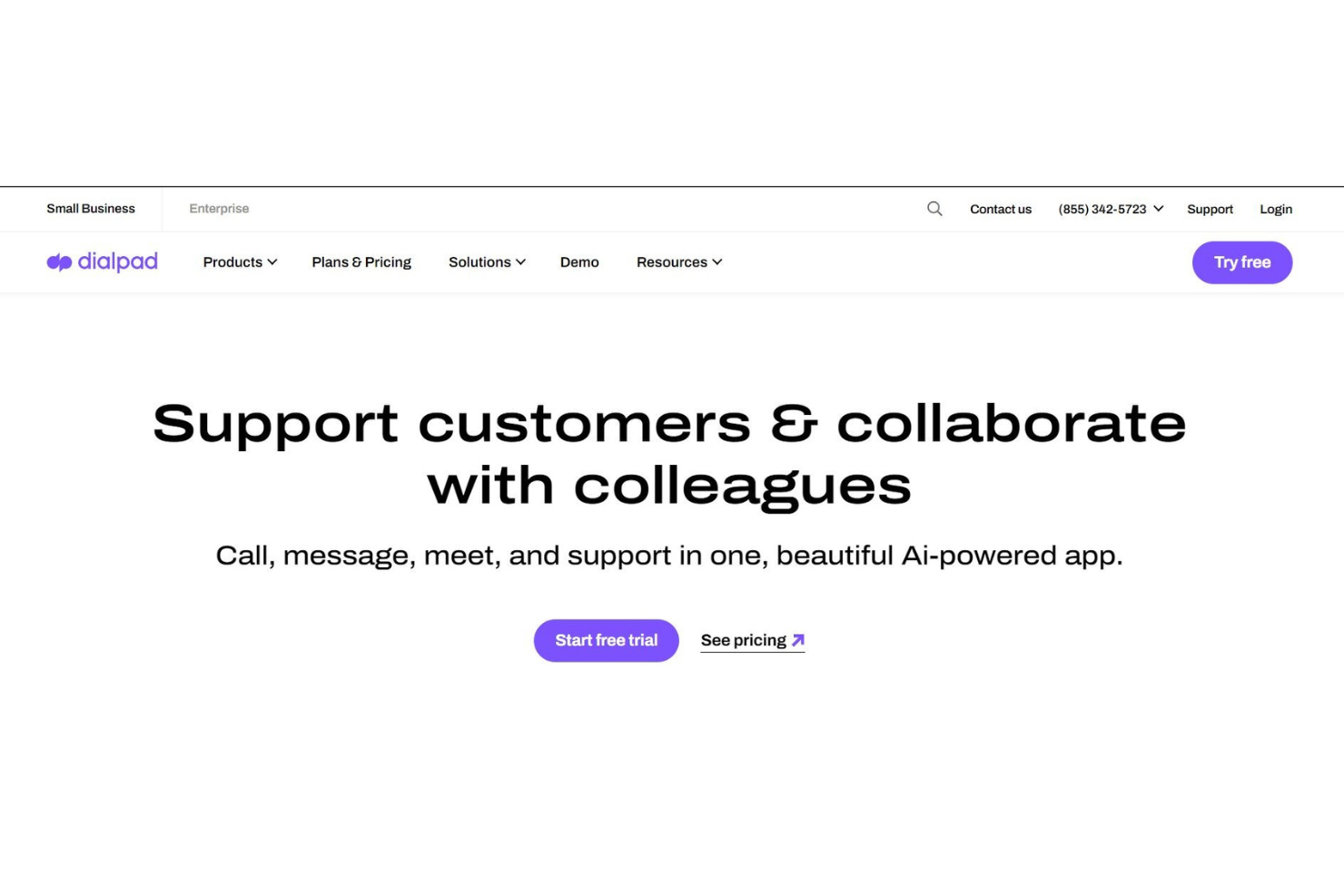
Die Dialpad-Technologie basiert auf KI-gestützter Intelligenz, um Ihre Arbeitsabläufe zu optimieren. Egal, ob Sie das KI-Kontaktcenter nutzen, um mit Kunden zu kommunizieren, oder die KI-Vertriebslösungen, die Sie Schritt für Schritt bei Live-Anrufen coachen – das weltweit intelligenteste Telefonsystem liegt Ihnen zu Füßen.
Dank KI-Technologie stehen Ihnen zahlreiche Möglichkeiten offen, und das ist einer der Hauptgründe, warum Dialpad auf dieser Liste steht. Die KI wird für Videotelefonie, automatische Transkription von Gesprächen, Durchführung von Stimmungsanalysen und vieles mehr genutzt. Durch Produktinnovationen können Sie sich entspannt zurücklehnen, während die KI die Arbeit erledigt.
Von Einzelhandel und Technologie über Bildung bis hin zum Vertrieb – Dialpad ist ein Tool, das branchenübergreifend eingesetzt werden kann. Ideal für große und kleine Unternehmen gleichermaßen, bietet diese Callcenter-Software enorme Vielseitigkeit und Flexibilität, um Ihre Anforderungen zu erfüllen.
Herausragende Funktionen und Integrationen von Dialpad
Funktionen umfassen KI-Kontaktcenter, Omnichannel-Kundeninteraktion, KI-Nachrichten, KI-Vertrieb, KI-CSAT, KI-virtuelle Agenten, VoIP-Telefonsystem, Enterprise-Telefonsystem und Videokonferenzen.
Integrationen umfassen Koopid, Miro, Kare Knowledgeware, Zoho, Salesforce, Now, BlogSpot, Slack, One Login, Poly und benutzerdefinierte API-Integrationen.
Pros and Cons
Pros:
- Bequeme automatisierte Benachrichtigung bei eingehenden Anrufen
- Ideal für den Vertrieb
- Effizientes Management
Cons:
- Schwierigkeiten beim Abhören und Transkribieren von Sprachnachrichten

Am besten mit mobiler App und Browser-Erweiterungen
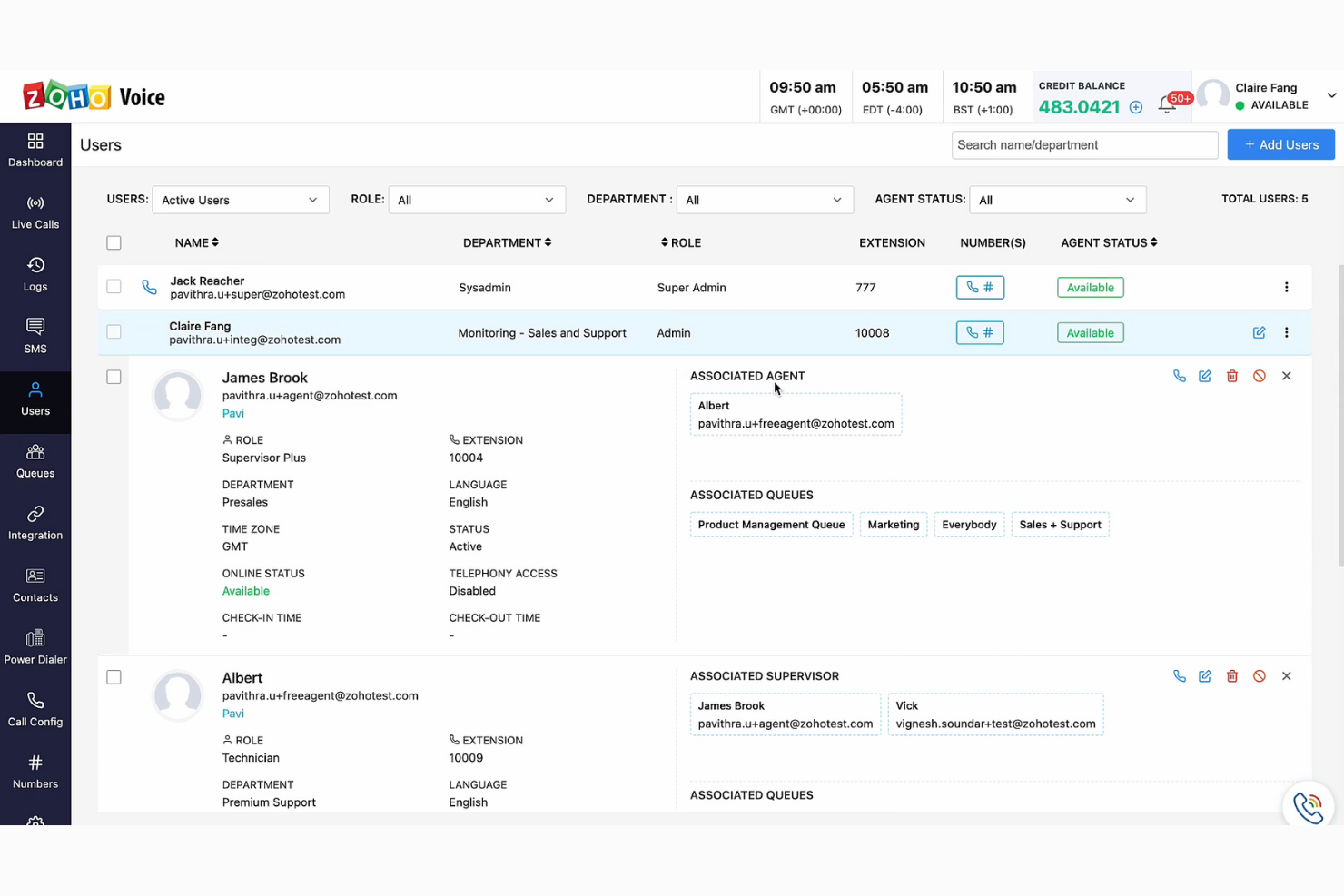
Zoho Voice ist ein cloudbasiertes VoIP-Telefonsystem, das auf die Kommunikationsbedürfnisse globaler Unternehmen zugeschnitten ist. Es kann genutzt werden, um Remote-Callcenter einzurichten, internationale Gespräche zu verwalten und sich in Ihr CRM sowie Ihre Helpdesk-Systeme zu integrieren. Mit mobilen Apps für Android und iOS sowie Browser-Erweiterungen für Chrome, Firefox und Edge ist es flexibel genug, um in verschiedenen Kontexten und Setups eingesetzt zu werden.
Ich habe Zoho Voice gewählt, weil es die Teamzusammenarbeit fördert und eine unkomplizierte Bereitstellung bietet, wodurch es benutzerfreundlich und multifunktional ist. Die Fähigkeit zur Integration mit CRM- und Helpdesk-Systemen ist besonders vorteilhaft für kleine Unternehmen, die Kundenbeziehungen und Support aufrechterhalten möchten, ohne in mehrere, voneinander getrennte Systeme investieren zu müssen.
Diese Plattform bietet ein umfassendes VoIP-Telefonsystem mit fortschrittlichen Callcenter-Funktionen und hochwertiger Sprachverbindung. Sie eignet sich am besten für die Anforderungen kleiner und mittelständischer Unternehmen. Weitere hilfreiche Funktionen sind Online-Dateimanagement, Website-Erstellung und Helpdesk-Betrieb.
Herausragende Funktionen und Integrationen von Zoho Voice
Funktionen umfassen ein All-in-one-Dashboard, SMS-Funktionalität, Live-Call-Tracking, verschiedene Klingel-Strategien, dynamische Anrufaufzeichnung, Agent-zu-Agent-Anrufe, integriertes Kontaktmanagement, Integration von Tischtelefonen und Headsets, Anrufüberwachung, Power-Dialer und Leistungsanalysen.
Integrationen beinhalten andere Zoho-Produkte wie Zoho CRM und Zoho Desk.
Pros and Cons
Pros:
- Anrufwarteschlangen, Überwachungs- und Schulungsfunktionen
- Teil des größeren Zoho-Ökosystems
- Vielfältige Tarifauswahl
Cons:
- Begrenzte Integrationen verfügbar
- Keine Videotelefonie

Am besten geeignet für die Integration von Telefonanrufen und SMS-Funktionen in Anwendungen
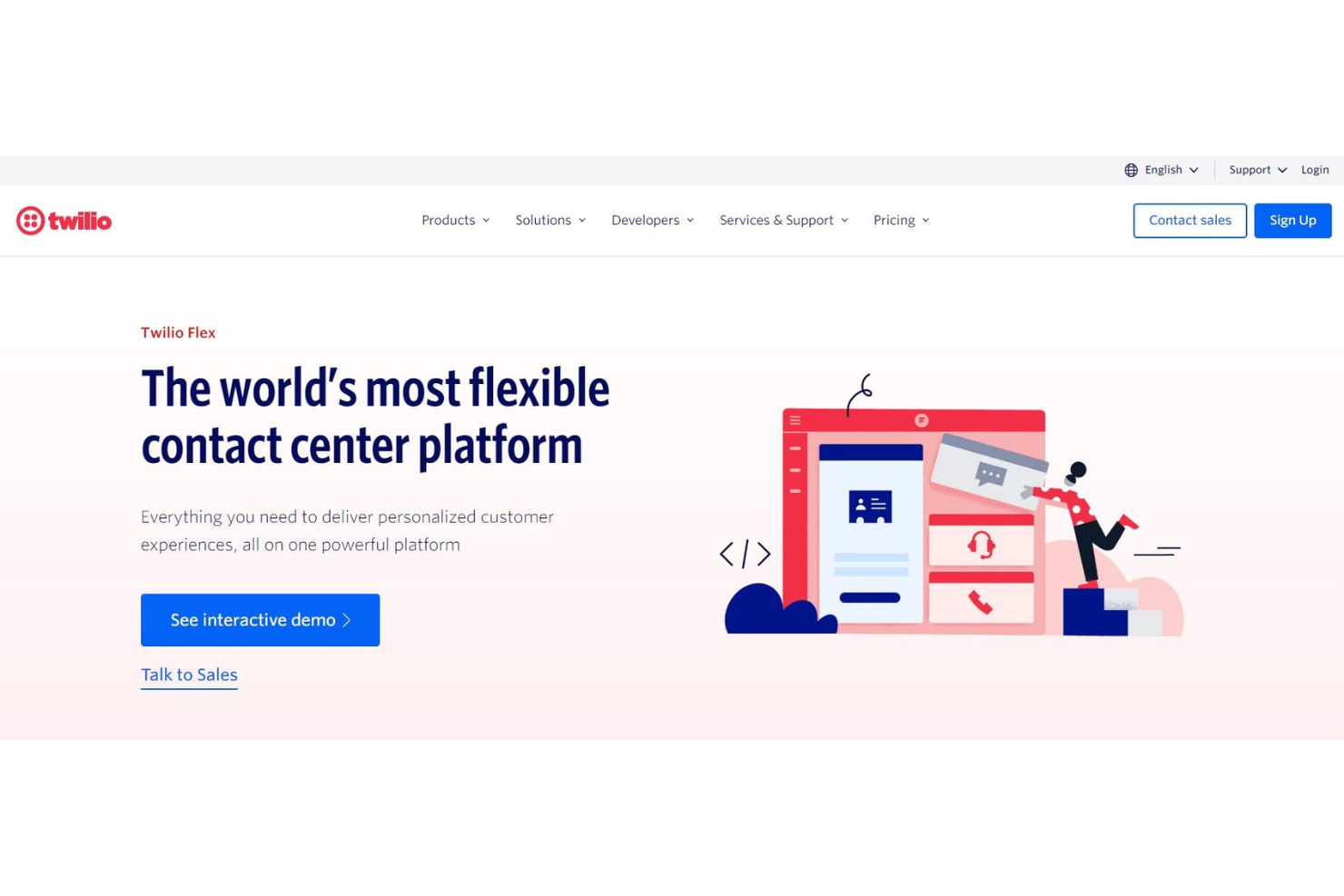
Mit einem cloudbasierten Webdienst für Telefonie-Infrastrukturen bietet Twilio eine neuartige Möglichkeit, umfassende Unternehmenskommunikation aus Entwicklersicht zu gewährleisten. Diese Callcenter-Software stellt Webservice-APIs bereit, die Kommunikation in alles von Webseiten und Mobilgeräten bis hin zu Anwendungssoftware integrieren.
Ich habe Twilio für diese Liste ausgewählt, weil es unübersichtliche Telekom-Hardware durch ein cloudbasiertes System ersetzt, das es ermöglicht, intelligente und komplexe Kommunikationssysteme zu erstellen – ganz ohne physisches Zubehör. Egal, ob Ihre Entwickler eine Lösung zum Verwalten von Anrufwarteschlangen, zur Umwandlung von Text in Sprache oder zum Aufzeichnen von Anrufen benötigen, Twilio macht all das möglich.
Twilio ist wirklich ein Freund der Entwickler. Wenn Sie als Unternehmer endlich eine Webseite oder eine Telefon-App erstellen, ist diese Software genau richtig für Sie! Finden Sie Lösungen für Unternehmen, Start-ups und gemeinnützige Organisationen aus allen Branchen mit dieser Software.
Twilio-Hauptfunktionen und Integrationen
Funktionen umfassen programmierbare Sprach- und Videofunktion, E-Mail-API, SIP-Trunking, Benutzersicherheit und Verifizierung, API für MMS, SMS, Whatsapp und Facebook Messenger.
Integrationen sind unter anderem Desk.com, Zendesk, LogicMonitor, OutSystems Platform, Checkfront und Vision Helpdesk.
Pros and Cons
Pros:
- Schneller, hilfsbereiter Kundensupport
- Unterstützt weltweite SMS
- Einfache Einrichtung und Integration
Cons:
- Gute Internetverbindung erforderlich
- Überladene Webseite
- Fehlende Analytik für SMS

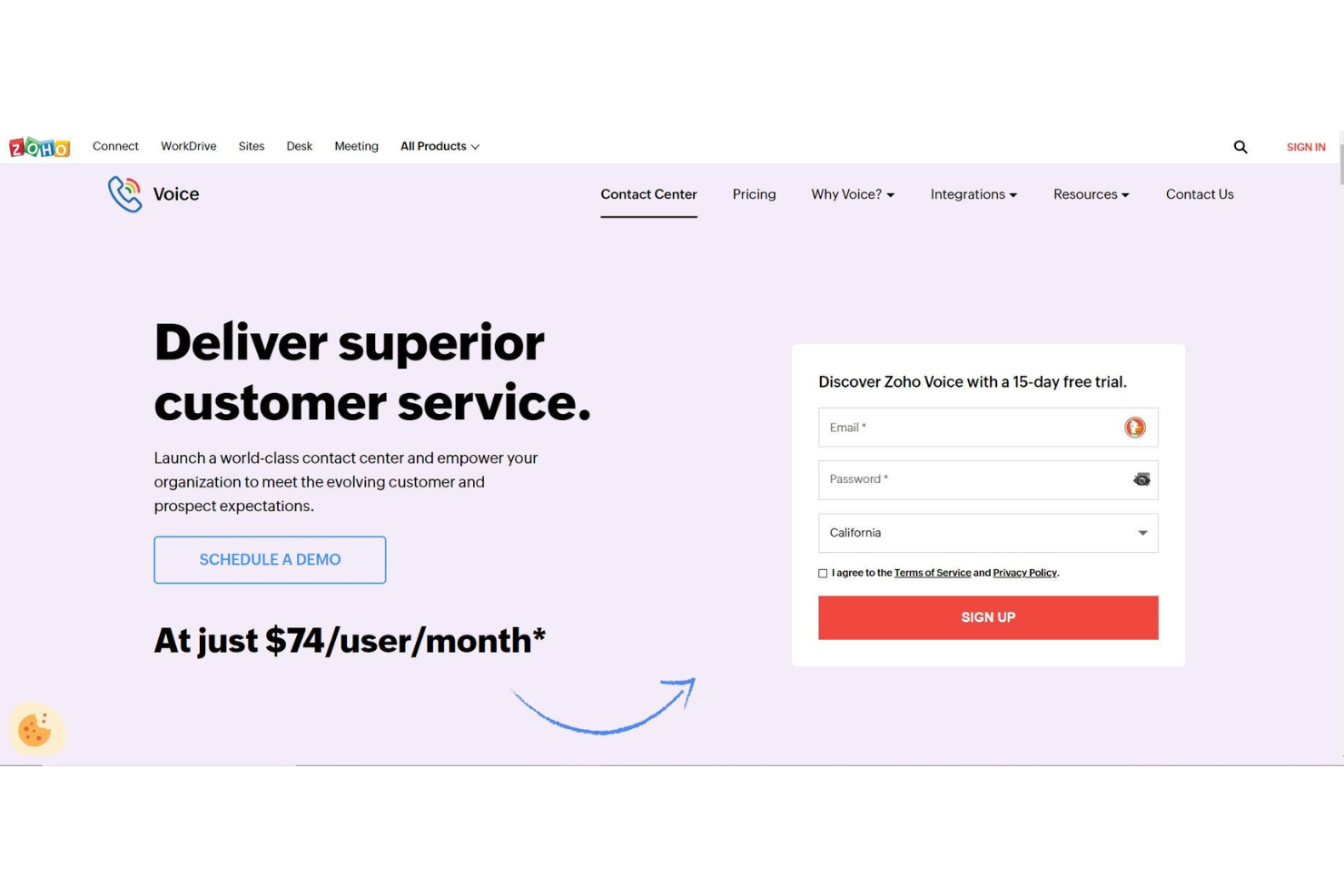
Zoho ist eine umfassende Callcenter-Software, die weit mehr bietet als nur die grundlegenden Funktionen, die Sie für ein Kundenservicecenter benötigen. Mit Tools für Vertrieb, Marketing, Finanzen und Büroverwaltung erhalten Sie eine All-in-One-Plattform, mit der Sie Geschäftstrends nachverfolgen und analysieren können, um ein reaktives und florierendes Wachstum zu gewährleisten.
Ich schätze die Zoho-Plattform besonders, weil Sie mit Connect, der Intranet-Lösung von Zoho für sämtliche interne Kommunikation, alle Ihre Mitarbeitenden miteinander verbinden können. Sie sind in der Lage, das Engagement der Mitarbeitenden zu steigern, Transparenz zu fördern und die Stimmung in Ihrem Unternehmen an einem Ort zu erfassen – und gleichzeitig Ihren Kundinnen und Kunden exzellenten Service zu bieten.
Da Zoho maßgeschneiderte Lösungen bietet, ist es nahezu für jede Branche und Unternehmensgröße ideal. Von IT und Rechtswesen über Vertrieb bis zum Einzelhandel können Zoho-Lösungen Unternehmen aller Art beim Wachstum unterstützen.
Hervorragende Funktionen und Integrationen von Zoho
Funktionen umfassen virtuelle Telefonnummern, IVR, Anrufwarteschlangen, Überwachung der Warteschlangenleistung, Mithören von Anrufen, Anrufweiterleitung, Voicemails, Rückruf, Power Dialer, Anrufanalysen und CSAT-Bewertung nach dem Gespräch.
Integrationen ermöglichen die Verbindung jedes Cloud-Telefoniesystems über PhoneBridge sowie mit CRM, Desk, Bigin und ServiceDesk Plus Cloud.
Pros and Cons
Pros:
- Sehr hohes Sicherheitsniveau
- Extrem anpassbare Tool-Optionen
- Großartige Funktionalität und Interaktion zwischen den Tools
Cons:
- Hohe Lernkurve bei den Tools
- Langsamer Kundenservice
Weitere Optionen
Hier sind noch einige Alternativen, die es zwar nicht auf die Liste der besten Callcenter-Softwares für kleine Unternehmen geschafft haben, aber dennoch eine Überlegung wert sein könnten:
- InGenius
Am besten für personalisierten Service in Vertrieb und Kundensupport
- Kixie Powercall
Am besten für Produktanalysen
- PanTerra Networks
Am besten für maßgeschneiderte Geschäftslösungen
- ChaseData CCaaS
Am besten zur Optimierung von Betriebsabläufen mit Fokus auf Compliance
- LiveAgent
Am besten geeignet für Omnichannel-Helpdesk-Lösungen
- Zendesk
Am besten geeignet für schnelle Integration, die mit Ihrem Unternehmen mitwächst
- Aircall
Am besten geeignet für die Integration mit Helpdesks und anderen Kundenservice-CRMs


Wie ich Callcenter-Software für kleine Unternehmen bewerte
Ich bewerte jedes Tool in zwei Ebenen: Die grundlegenden Anforderungen wie IVR-Routing und Anrufaufzeichnung sowie die Unterscheidungsmerkmale, die für ein schlankes Team mit 200 Anrufen pro Tag wichtig sind.
Kernfunktionen (Mindestanforderungen für diese Liste)
Wenn ich Tools für meine Liste auswähle, bewerte ich jedes einzelne auf einer Skala von 0 (bietet die Funktionalität nicht) bis 5 (übertrifft das Kriterium in diesem Bereich) für jede unten aufgeführte Kernfunktionalität. Anschließend rechne ich die Gesamtpunktzahl in einen Prozentsatz um. Jedes Tool muss eine Mindestgesamtpunktzahl von 65% erreichen, um für die Aufnahme in Betracht zu kommen.
- Eingehende Anrufweiterleitung & Warteschlangenmanagement: Ich achte auf mehrstufiges IVR, skillbasiertes Routing und Warteschlangenfunktionen, die es einem fünfköpfigen Supportteam ermöglichen, Anrufe nach Sprache, Anliegen oder Priorität zu sortieren.
- Tools für ausgehende Anrufe: Egal ob das Vertriebsteam Nachfasskampagnen durchführt oder Agenten Termine bestätigen: Ich prüfe Power Dialing, Listenmanagement und Click-to-Call.
- Anrufaufzeichnung & Monitoring: Ich bewerte, ob Manager Live-Gespräche mithören, neue Agenten per Flüsterfunktion coachen oder in ein Gespräch eingreifen können, wenn eine Eskalation zu entgleisen droht.
- CRM- & Helpdesk-Integrationen: Screen Pops mit Anruferhistorie ersparen es Agenten, immer wieder nach der Bestellnummer zu fragen – ich prüfe, ob native Verbindungen zu Tools wie HubSpot, Salesforce und Zendesk vorhanden sind.
- Echtzeit- & historische Berichte: Dashboards mit Live-Anzeige der Warteschlangenlänge und Wartezeiten sowie wöchentliche Trendberichte helfen kleinen Teams, Schichten richtig zu besetzen und Service-Lücken frühzeitig zu erkennen.
- SMB-freundliche Preise & Bereitstellung: Cloudbasierte Einrichtung, Abrechnung pro Nutzer und geringe oder keine Mindestanzahl an Plätzen sind hier wichtig – ich prüfe, ob ein Dreierteam ohne Enterprise-Vertrag starten kann.
Wenn ich eine Liste von Tools habe, die diese Kriterien erfüllen, schaue ich, was jede Plattform besonders macht.
Unterscheidungsmerkmale (Was Anbieter unterscheidet)
So vergleiche und bewerte ich verschiedene Anbieter:
Herausragende Merkmale
Omnikanal-Support ist ein wichtiges Unterscheidungsmerkmal. Ich achte auf Plattformen, bei denen Agenten Telefongespräche führen und anschließend direkt per SMS oder Chat nachfassen können, ohne das Tool zu wechseln. Auch KI-gestützte Unterstützung spielt eine Rolle – Echtzeit-Transkription und Antwortvorschläge helfen neuen Agenten, Anrufe souverän zu bearbeiten. Self-Service-IVRs und Voicebots können Routineanfragen wie Bestellstatus abfangen, was gerade für kleine Teams mit nur drei oder vier Agenten einen großen Unterschied macht.
Mehr als nur Funktionen
Preistransparenz ist entscheidend – ich prüfe, ob ein Anbieter Preise pro Nutzer veröffentlicht und monatliche Abrechnung anbietet, da sich viele kleine Teams nicht vorab auf Jahresverträge verpflichten können. Die Implementierungsgeschwindigkeit ist genauso wichtig. Eine Plattform mit geführten Einrichtungsassistenten und vorgefertigten IVR-Vorlagen sollte ein Team innerhalb weniger Tage, nicht Wochen, in die Lage versetzen, live zu telefonieren. Ich bewerte auch, wie gut ein Anbieter beim Wachstum unterstützt, z.B. wenn man während einer Hochsaison kurzfristig zusätzliche Agenten benötigt, ohne direkt auf einen Enterprise-Tarif wechseln zu müssen.
So wählen Sie die richtige Callcenter-Software für kleine Unternehmen
Es ist leicht, sich in langen Funktionslisten und komplexen Preisstrukturen zu verlieren. Damit Sie das Wesentliche im Blick behalten und Ihren individuellen Software-Auswahlprozess effizient gestalten, habe ich hier eine Checkliste mit wichtigen Aspekten zusammengestellt:
| Faktor | Worauf sollte man achten? |
| Skalierbarkeit | Stellen Sie sicher, dass die Software mit Ihrem Unternehmen wachsen kann. Suchen Sie nach Lösungen, die eine einfache Erweiterung ohne hohe Zusatzkosten ermöglichen. |
| Integrationen | Prüfen Sie, ob die Software eine Integration mit bestehenden Tools wie CRM-Systemen, E-Mail und Chat-Plattformen bietet, um Abläufe zu vereinfachen. |
| Anpassbarkeit | Wählen Sie eine Software, mit der Sie Funktionen nach Ihren spezifischen Bedürfnissen anpassen können. |
| Benutzerfreundlichkeit | Entscheiden Sie sich für eine Lösung, die für Ihr Team intuitiv bedienbar ist – das spart Einarbeitungszeit und steigert die Produktivität. |
| Budget | Stellen Sie ein gutes Preis-Leistungs-Verhältnis sicher. Achten Sie darauf, dass keine versteckten Kosten entstehen und die Software in Ihr Budget passt. |
| Sicherheitsmaßnahmen | Bevorzugen Sie Software, die Datenverschlüsselung, sichere Zugriffskontrollen und regelmäßige Sicherheitsupdates bietet, um sensible Informationen zu schützen. |
Was ist Callcenter-Software für kleine Unternehmen?
Callcenter-Software für kleine Unternehmen ist eine cloudbasierte Plattform, die Kundenkommunikation über Kanäle wie Telefon, Chat, E-Mail und soziale Medien zentralisiert. Sie unterstützt kleine Teams dabei, Anfragen effizient zu bearbeiten – mit Funktionen wie intelligenter Weiterleitung, CRM-Integration und Echtzeit-Analysen, um Support-Qualität und Reaktionsgeschwindigkeit zu optimieren.
Funktionen von Callcenter-Software für kleine Unternehmen
Achten Sie bei der Auswahl von Callcenter-Software für kleine Unternehmen insbesondere auf folgende Schlüsselfunktionen:
- Automatisierte Anrufverteilung: Verteilt eingehende Anrufe an den am besten geeigneten Mitarbeiter, verkürzt Wartezeiten und verbessert die Kundenzufriedenheit.
- Sprachdialogsystem (IVR): Ermöglicht Anrufern die Interaktion mit einem computergestützten System zur Anrufweiterleitung und steigert so die Effizienz.
- Anrufanalytik: Bietet detaillierte Einblicke in Anrufvolumen, -dauer und die Leistung der Mitarbeitenden und unterstützt die Entscheidungsfindung sowie die Leistungsbewertung.
- CRM-Integration: Verbindet sich mit bestehenden Systemen zum Kundenbeziehungsmanagement und stellt wichtige Kundeninformationen für Mitarbeitende bereit.
- Skalierbarkeit: Stellt sicher, dass die Software mit dem Unternehmen wächst, um bei Bedarf mehr Nutzer und Funktionen zu ermöglichen.
- Omnikanal-Unterstützung: Verwaltet Kundeninteraktionen über mehrere Kanäle wie Telefon, E-Mail und Chat – alles über eine zentrale Plattform.
- Anrufaufzeichnung: Zeichnet Anrufe auf zu Zwecken der Qualitätssicherung, Schulung und Compliance.
- Echtzeit-Berichterstattung: Bietet sofortigen Zugriff auf Leistungsdaten, sodass schnelle Anpassungen und Strategiewechsel möglich sind.
- Anpassbare Dashboards: Ermöglicht Unternehmen, ihre Benutzeroberfläche so zu gestalten, dass die relevantesten Informationen angezeigt werden.
- Sicherheitsfunktionen: Schützt sensible Kundendaten durch Verschlüsselung und die Einhaltung von Branchenstandards.
Vorteile von Callcenter-Software für kleine Unternehmen
Die Implementierung von Callcenter-Software für kleine Unternehmen bringt mehrere Vorteile für Ihr Team und Ihr Geschäft mit sich. Hier sind einige, auf die Sie sich freuen können:
- Verbesserter Kundenservice: Callcenter-Software hilft, Kundenanfragen effizient zu verwalten, was zu schnelleren Reaktionszeiten und höherer Kundenzufriedenheit führt.
- Kosteneffizienz: Die Automatisierung routinemäßiger Aufgaben verringert den Bedarf an zusätzlichem Personal und hilft kleinen Unternehmen, Betriebskosten zu senken.
- Skalierbarkeit: Mit wachsendem Unternehmen kann die Callcenter-Software problemlos ein höheres Anrufaufkommen bewältigen, ohne erhebliche zusätzliche Investitionen.
- Integration mit CRM: Viele Callcenter-Lösungen lassen sich in CRM-Systeme integrieren, was einen reibungslosen Datenfluss und einen personalisierten Service gewährleistet.
- Verbesserte Teamzusammenarbeit: Integrierte Kommunikationstools erleichtern die Koordination im Team und steigern die Produktivität insgesamt.
- Echtzeit-Analytik: Der Zugang zu Live-Daten und Berichten hilft kleinen Unternehmen, fundierte Entscheidungen zu treffen und ihre Abläufe zu optimieren.
- Möglichkeiten für Fernzugriff: Cloud-basierte Callcenter-Software ermöglicht es Mitarbeitenden, von überall aus zu arbeiten – bietet Flexibilität und erhält die Geschäftskontinuität.
Kosten und Preisgestaltung von Callcenter-Software für kleine Unternehmen
Die Auswahl von Callcenter-Software für kleine Unternehmen erfordert ein Verständnis der verschiedenen Preismodelle und verfügbaren Tarife. Die Kosten variieren je nach Funktionen, Teamgröße, Add-ons und mehr. Die folgende Tabelle fasst gängige Tarife, deren Durchschnittspreise sowie typische in Callcenter-Softwarelösungen für kleine Unternehmen enthaltene Funktionen zusammen:
Vergleichstabelle der Tarifpläne für Callcenter-Software für kleine Unternehmen
| Tariftyp | Durchschnittspreis | Gängige Funktionen |
| Free Plan | $0/user/month | Grundlegende Anrufverwaltung, eingeschränkter Support und Basisberichte |
| Personal Plan | $5-$15/user/month | Anrufweiterleitung, Voicemail, Berichte und grundlegende Integrationen |
| Business Plan | $20-$50/user/month | Erweiterte Berichte, CRM-Integration, Anrufaufzeichnung und Analytik |
| Enterprise Plan | $50-$100/user/month | Individuelle Integrationen, dedizierter Multikanal-Support und erweiterte Analysen |
Callcenter-Software für kleine Unternehmen: Häufig gestellte Fragen
Hier finden Sie Antworten auf häufig gestellte Fragen zur Callcenter-Software für kleine Unternehmen:
Was ist die 80/20-Regel in einem Callcenter?
Die 80/20-Regel in einem Callcenter, auch als Service-Level bekannt, besagt, dass 80 % der Anrufe innerhalb von 20 Sekunden beantwortet werden sollten. Diese Kennzahl hilft, die Kundenzufriedenheit zu gewährleisten, indem die Wartezeiten minimiert werden. Es empfiehlt sich, diesen Wert zu überwachen, um einen effizienten Callcenter-Betrieb aufrechtzuerhalten.
Was sollte ich bei der Auswahl einer Callcenter-Software für mein kleines Unternehmen beachten?
Bei der Auswahl einer Callcenter-Software sollten Sie Faktoren wie Kosten, Funktionen, Benutzerfreundlichkeit und Integrationsmöglichkeiten berücksichtigen. Denken Sie an die spezifischen Anforderungen Ihres Teams und daran, wie die Software Ihnen helfen kann, Ihre Unternehmensziele zu erreichen. Es ist auch ratsam, Software mit einer Testphase zu wählen, um ihre Eignung vor einer Verpflichtung zu prüfen.
Kann Callcenter-Software mit anderen Tools integriert werden?
Ja, die meisten Callcenter-Softwares lassen sich in andere Geschäftstools wie CRM-Systeme, E-Mail- und Chat-Plattformen integrieren. Diese Integration hilft Ihrem Team, schnell auf Kundeninformationen zuzugreifen und ein einheitlicheres Serviceerlebnis zu bieten.
Welche weiteren Callcenter-Softwares für kleine Unternehmen sollte ich nutzen?
Auch wenn diese Liste viele Optionen bietet, suchen Sie vielleicht noch nach der perfekten Lösung. Schauen Sie sich diese Listen an, um die beste Inbound-Call-Software, virtuelle Software, Helpdesk-Software und mehr zu finden.
Weitere Bewertungen zu Callcenter-Software
Wie Sie sicherlich schon wissen, gibt es verschiedene Arten von Callcenter-Software, die auf unterschiedliche geschäftliche Anforderungen zugeschnitten sind. Falls Sie in dieser Liste nicht exakt das gefunden haben, was Sie suchen, hilft Ihnen bestimmt eine meiner anderen Top-10-Listen weiter:
- Callcenter-Software
- Outbound Callcenter-Software
- Enterprise Callcenter-Software
- Callcenter-Planungssoftware
- CRM-Callcenter-Software
- Cloudbasierte Contactcenter-Software
- Callcenter Workforce Management Software
- Callcenter-Skriptsoftware
- Kundenservice-Software
- KI-Kundenservice-Software

Alle Infos, die Sie brauchen, bei The CX Lead
Wenn Sie gerade Callcenter-Software für kleine Unternehmen recherchieren, verbinden Sie sich mit einem SoftwareSelect-Berater für kostenlose Empfehlungen.
Sie füllen ein Formular aus und führen ein kurzes Gespräch, in dem Ihre individuellen Anforderungen vertieft werden. Anschließend erhalten Sie eine Auswahlliste passender Software. Die Berater begleiten Sie sogar durch den gesamten Einkaufsprozess – bis hin zu Preisverhandlungen.