

I 10 migliori software per centri di contatto basati sul cloud del 2026

10 Elenco dei migliori software per contact center basati sul cloud


Nel frenetico mondo degli affari di oggi, gestire le interazioni con i clienti può essere una vera sfida. Tu e il tuo team avete bisogno di strumenti che aiutino a gestire le richieste in modo efficiente, senza rimanere intrappolati in sistemi obsoleti. È qui che entrano in gioco i software per contact center basati sul cloud.
Ho trascorso del tempo a testare e recensire queste soluzioni per offrirti un elenco imparziale e ben documentato delle migliori opzioni disponibili. In base alla mia esperienza, trovare il software giusto può fare una differenza significativa nella produttività del tuo team e nella soddisfazione dei clienti.
In questo articolo troverai le mie scelte migliori, ognuna con caratteristiche uniche per soddisfare le tue esigenze specifiche. Che tu stia cercando scalabilità, conformità o funzionalità specializzate, qui c'è qualcosa per ogni team.
Perché fidarsi dei nostri consigli sui software
Il nostro team testa e recensisce software dal 2012. In quanto leader CX noi stessi, sappiamo quanto sia difficile — e importante — scegliere il software giusto.
Per questa guida, abbiamo valutato gli strumenti attraverso test pratici e ricerche indipendenti, assegnando un punteggio agli strumenti in base ai nostri criteri di selezione.
Le nostre recensioni riflettono il nostro giudizio editoriale umano, non un discorso di vendita.
Tabella comparativa dei software per contact center basati sul cloud
| Tool | Best For | Trial Info | Price | ||
|---|---|---|---|---|---|
| 1 | Ideale per il coaching in tempo reale degli operatori | Demo gratuita disponibile | Prezzo su richiesta | Website | |
| 2 | Ideale per integrazione semplice con app CRM e helpdesk | Demo gratuita | A partire da $30/licenza (fatturazione annuale) | Website | |
| 3 | Ideale per l'orchestrazione personalizzata del percorso cliente | Demo gratuita disponibile | Da $15/utente/mese (fatturazione annuale) | Website | |
| 4 | Ideale per supporto omnicanale nei contact center | Demo gratuita disponibile | A partire da $30/utente/mese (fatturato annualmente) | Website | |
| 5 | Migliori strumenti per call center basati sull'intelligenza artificiale | Prova gratuita di 30 giorni disponibile | A partire da $15/utente/mese | Website | |
| 6 | Il migliore con intelligenza conversazionale basata su AI | Prova gratuita di 14 giorni | A partire da $25/utente/mese (fatturato annualmente) | Website | |
| 7 | Ideale per una soluzione call center semplice e scalabile | Demo gratuita disponibile | Da $15/mese (fatturazione annuale) | Website | |
| 8 | I migliori strumenti per il tracciamento e l’analisi delle chiamate | Demo gratuita disponibile | A partire da $65/mese | Website | |
| 9 | Ideale per la gestione remota delle chiamate | Prova gratuita di 7 giorni disponibile | A partire da $19/utente/mese + $5/utente aggiuntivo | Website | |
| 10 | Ideale per la flessibilità | Prova gratuita disponibile | A partire da $0.005/messaggio | Website |

Recensioni dei migliori software per contact center basati sul cloud
Puoi utilizzare le semplici panoramiche di ogni strumento riportate di seguito per capire in che modo ciascuno si distingue dagli altri software per contact center basati sul cloud.

Cresta
Ideale per il coaching in tempo reale degli operatori
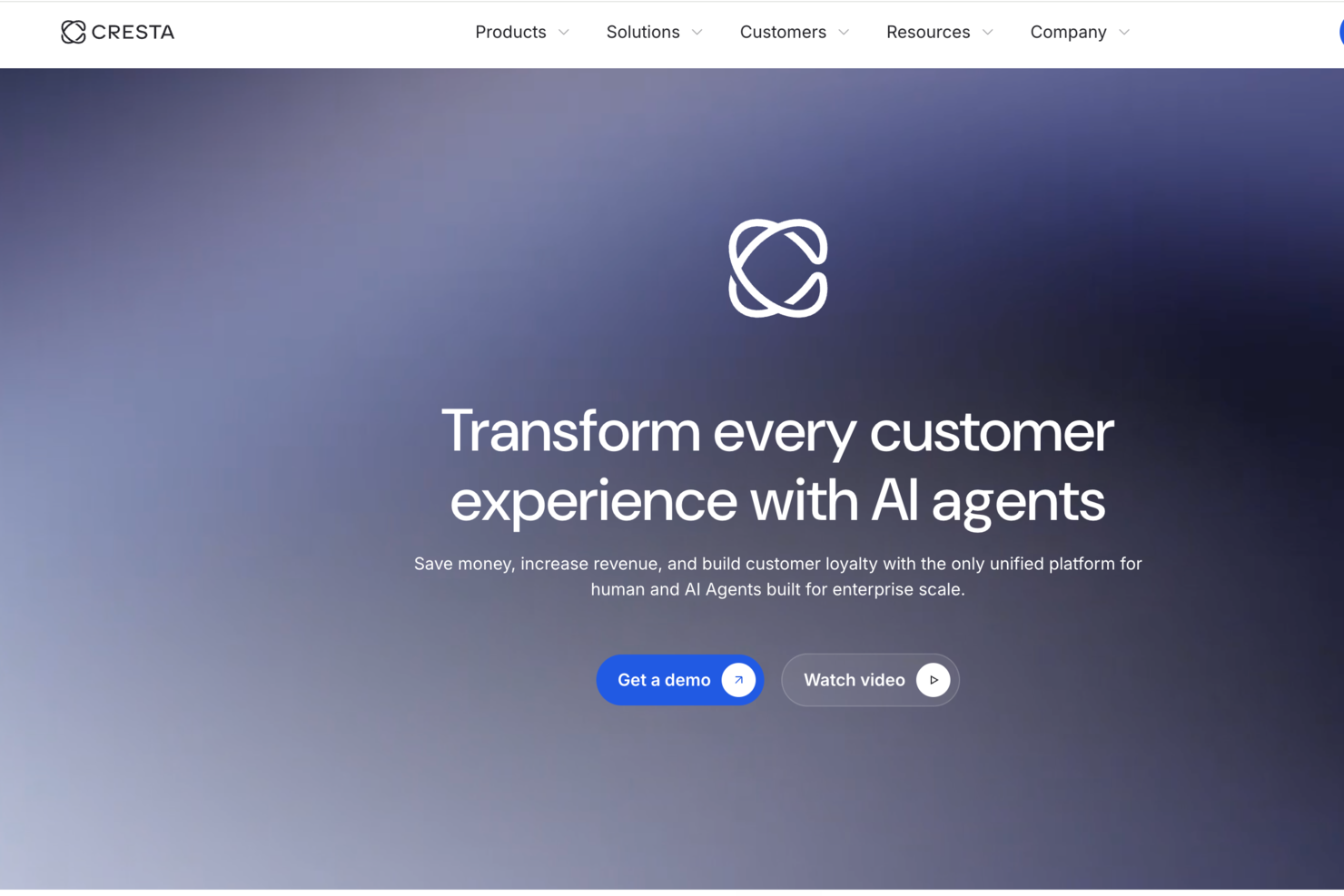
Progettata per i contact center aziendali, Cresta è una piattaforma AI che offre assistenza in tempo reale agli operatori, agenti AI autonomi, intelligenza sulle conversazioni e workflow automatizzati post-interazione su canali vocali e digitali.
Per chi è più adatta Cresta?
Cresta è adatta ai team di contact center aziendali in settori come servizi finanziari, assicurazioni, retail e telecomunicazioni che gestiscono interazioni clienti complesse e ad alto volume.
Perché ho scelto Cresta
Cresta è una delle mie scelte preferite perché adoro come Agent Assist offra coaching comportamentale in tempo reale, non dopo la chiamata. Durante le interazioni dal vivo, gli operatori ricevono suggerimenti istantanei, promemoria di conformità e indicazioni specifiche per il contesto, adattate a ciò che sta realmente accadendo nella conversazione. Mi piace in particolare Knowledge Agent, che ascolta costantemente la chiamata e fornisce risposte con fonti verificate senza che gli operatori debbano cercare manualmente. Questa è una reale differenza per i team aziendali che gestiscono chiamate complesse e di grande importanza su larga scala.
Caratteristiche principali di Cresta
- AI Agent: Gestisce interazioni vocali e digitali in entrata senza l'intervento umano, compresi risoluzione, trasferimento ed escalation.
- Gestione della qualità automatizzata: Valuta tutte le interazioni degli operatori secondo rubriche personalizzabili, sostituendo il campionamento manuale delle chiamate.
- AI Analyst: Identifica tendenze, argomenti ricorrenti e modelli di risultato sull'intero set di dati delle conversazioni senza interrogazioni manuali.
- Auto-summary: Genera note strutturate post-chiamata e le inserisce nei sistemi CRM o di ticketing collegati.
Integrazioni Cresta
Cresta si integra con le principali piattaforme CCaaS, tra cui Five9, NICE CXone, Genesys Cloud CX, Talkdesk e Dialpad, oltre che con Salesforce, Amazon Connect, Twilio e Zoom Contact Center. Cresta funziona inoltre all'interno di piattaforme aziendali come Salesforce Service Cloud per l'accesso in tempo reale ai dati CRM. Il supporto a Zapier non è chiaramente documentato, e un'API è disponibile per integrazioni personalizzate.
Pros and Cons
Pros:
- Valutazione automatica di tutte le chiamate su rubriche personalizzate
- Il coaching in tempo reale riceve feedback positivi dagli utenti
- Implementazione in quattro-sei settimane
Cons:
- L'assistente alla conoscenza a volte interpreta male l'intento del chiamante
- La trascrizione varia con chiamanti con accento
Aircall
Ideale per integrazione semplice con app CRM e helpdesk
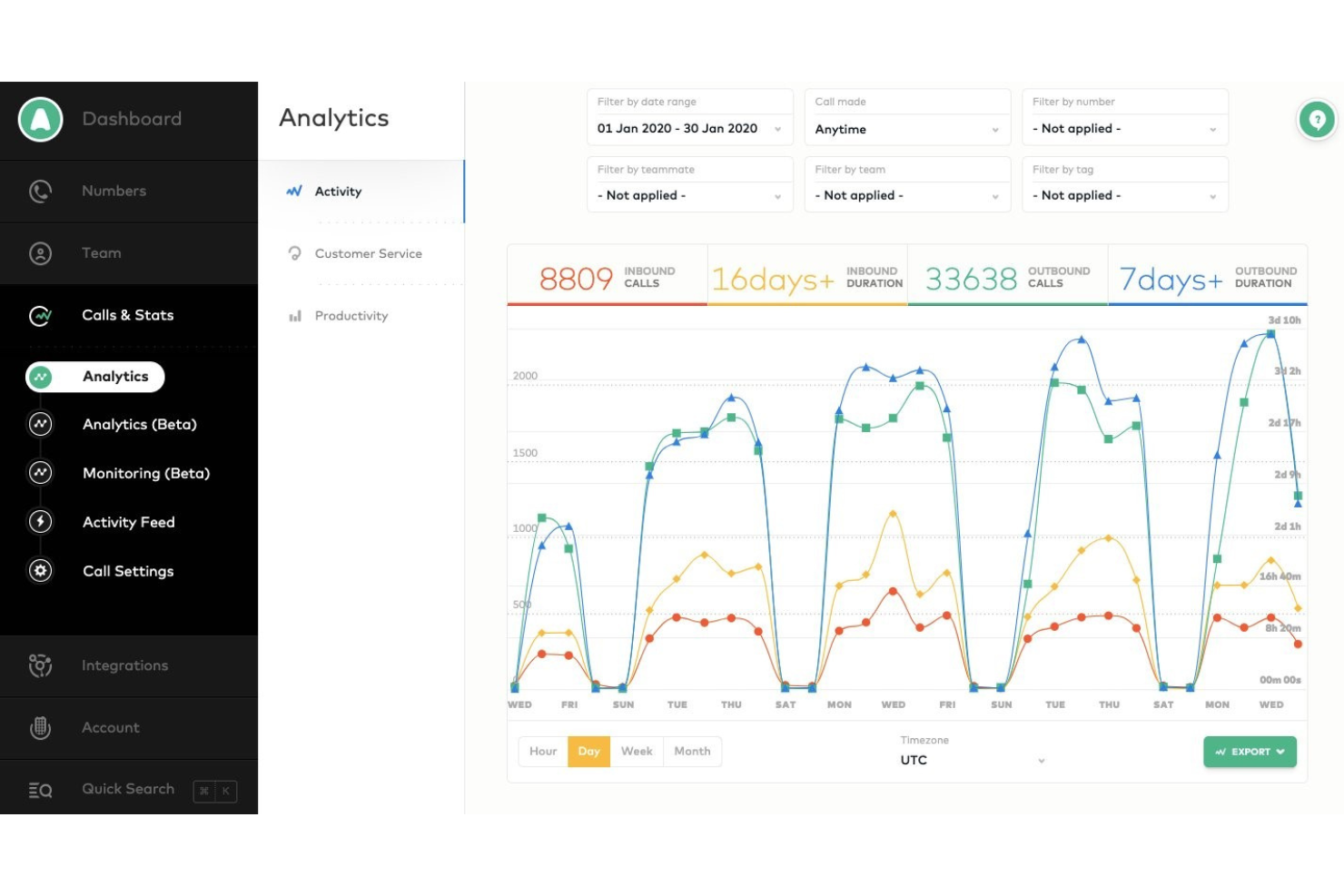
Aircall è un sistema di call center basato su cloud che si integra facilmente con i principali strumenti CRM e helpdesk per rendere l'esperienza telefonica accessibile, trasparente e collaborativa.
Perché ho scelto Aircall: Se stai cercando un sistema che si integri con i tuoi strumenti CRM o helpdesk, potresti prendere in considerazione Aircall. L'integrazione di questi sistemi aiuterà i tuoi team di vendita e supporto ad avere interazioni chiare ed efficienti con i clienti. Sincronizzando automaticamente i dettagli delle chiamate con CRM e helpdesk, Aircall aiuta i tuoi agenti a risparmiare tempo evitando di dover passare continuamente da uno strumento all'altro. Tutti possono vedere le registrazioni delle chiamate, controllare la cronologia dell'account e ottenere una panoramica completa di ogni conversazione.
Aircall è una scelta eccellente per piccole o medie imprese che necessitano di una soluzione di call center in cloud facilmente adattabile, scalabile e utilizzabile anche in ambienti di lavoro da remoto. Consente a te e ai tuoi agenti di offrire interazioni con i clienti chiare ed efficienti grazie a una profonda analisi e analitiche in tempo reale. Con Aircall puoi anche accedere ad analisi avanzate sulla produttività del call center e monitorare l'attività del team.
Caratteristiche e integrazioni principali di Aircall
Caratteristiche includono numeri verdi e internazionali, strumenti per conference call, segreteria telefonica, instradamento delle chiamate, risposta vocale interattiva, interni, numeri in blacklist, call center virtuali, messaggistica SMS business e gestione delle code di chiamata.
Integrazioni includono ActiveCampaign, Odoo CRM, Hiver, Zendesk Sell, Zapier, Copper, Freshdesk, Microsoft Dynamics, Microsoft Teams, Pipedrive, Slack, Sugar CRM, Salesforce, Outreach e monday.com.
Aircall parte da $40/utente/mese con pagamento mensile per un minimo di tre utenti oppure da $30/utente/mese con pagamento annuale. Aircall offre una prova gratuita di 7 giorni per i nuovi abbonati.
Pros and Cons
Pros:
- Gli utenti dispongono di una piattaforma di collaborazione centralizzata.
- Accessibile da desktop e mobile.
- Fornisce approfondimenti dettagliati sulla comunicazione.
Cons:
- Il sistema può disconnettere gli utenti.
- Può essere soggetto a bug occasionali.

Nextiva
Ideale per l'orchestrazione personalizzata del percorso cliente
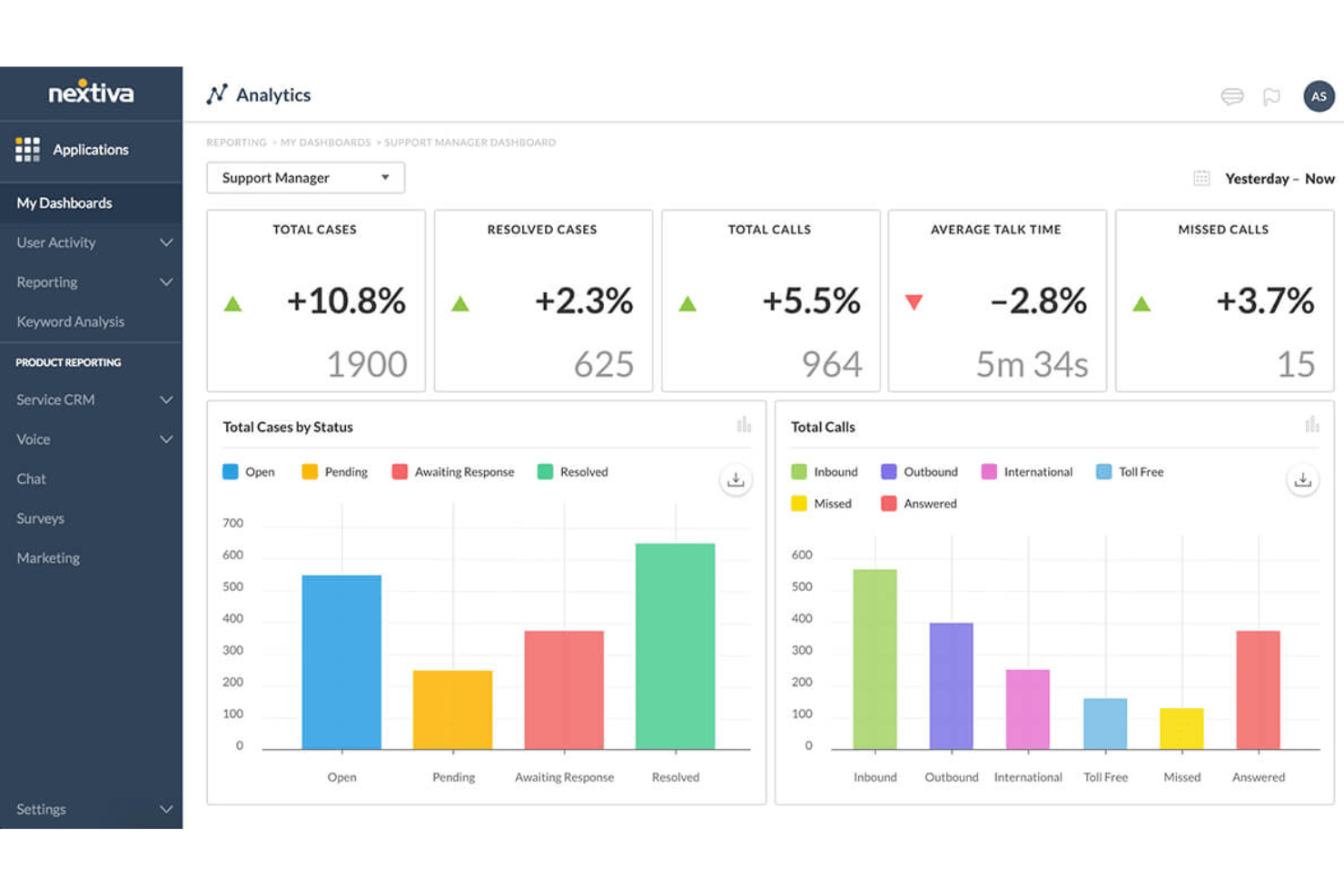
Nextiva offre una piattaforma unificata per la gestione dell'esperienza cliente con un software per call center basato su cloud che include abilitazione AI, strumenti per agenti, analisi, instradamento intelligente, orchestrazione dei percorsi e composizione automatica delle chiamate in uscita.
Perché ho scelto Nextiva: Uno dei suoi punti di forza è rappresentato dalle sue capacità avanzate di intelligenza artificiale. Queste includono strumenti per agenti alimentati dall'AI, come una base di conoscenza, assistenza ai pagamenti sicura e gestione automatica delle disposizioni. Inoltre, l'instradamento intelligente di Nextiva garantisce che i clienti siano collegati agli agenti più adatti alle loro esigenze.
La piattaforma offre anche dashboard in tempo reale e widget personalizzabili che forniscono preziose informazioni sulle interazioni con i clienti e sulle prestazioni degli agenti. Questo approccio basato sui dati consente alle aziende di prendere decisioni informate e di migliorare continuamente le operazioni del proprio centro di contatto. Inoltre, le capacità di orchestrazione dei percorsi di Nextiva, inclusi engine di workflow e transizioni bot-agente, contribuiscono a fornire un'esperienza cliente fluida e a determinare i passaggi successivi.
Caratteristiche e Integrazioni Principali di Nextiva
Le funzionalità includono composizione automatica delle chiamate in uscita con filtraggio dei lead e tutele TCPA, garantendo la conformità e massimizzando l'efficacia delle campagne outbound. Riconoscimento della lingua, trascrizione e sintesi fanno anch'essi parte delle sue funzionalità AI, rendendo la comunicazione con una clientela diversificata più gestibile ed efficace.
Le integrazioni includono Stripe, PayPal, ShipStation, ShipEngine, Salesforce, HubSpot, Zoho CRM, Oracle, Zendesk, SurveyMonkey, Microsoft Dynamics e altro ancora.
Pros and Cons
Pros:
- Una soluzione scalabile
- Chatbot AI per migliorare i flussi di lavoro del call center
- Opzioni dinamiche per gli script degli agenti
Cons:
- Limitazioni nelle integrazioni
- La configurazione iniziale può essere complessa
Ideale per supporto omnicanale nei contact center
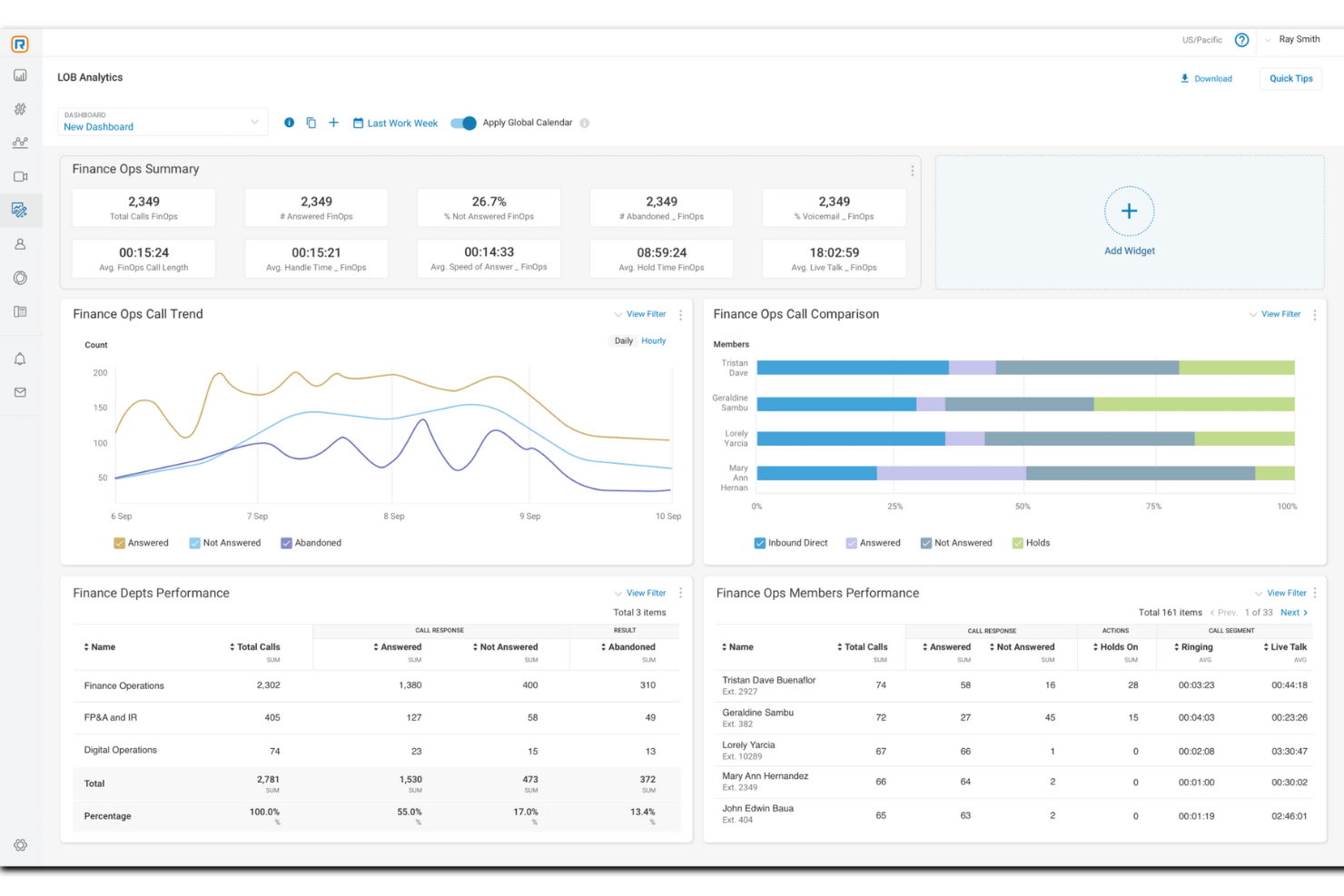
RingCentral è un software completo per contact center basato sul cloud che offre alle aziende una suite di soluzioni, tra cui comunicazione cloud e sistemi telefonici aziendali.
Perché ho scelto RingCentral: La piattaforma offre soluzioni guidate dall'IA pensate per il supporto omnicanale nei contact center. Queste funzionalità di automazione sono rivolte a imprese di ogni dimensione, progettate per essere intuitive e rapide da implementare, soddisfacendo le esigenze delle organizzazioni che cercano funzionalità avanzate e scalabilità. RingCentral si integra inoltre con altri servizi di comunicazione, ottimizzando le operazioni e migliorando l’esperienza del cliente.
Le capacità di automazione di RingCentral includono agenti virtuali potenziati dall’IA, coaching in tempo reale e insight attuabili per migliorare l'esperienza del cliente e le prestazioni degli operatori. Inoltre, il software offre gestione della qualità e della forza lavoro per aiutare a monitorare le prestazioni e prendere decisioni informate sulla produttività.
Caratteristiche e integrazioni salienti di RingCentral
Caratteristiche includono funzionalità omnicanale, instradamento intelligente, outreach proattivo, mitigazione dei rischi di conformità, crittografia, coinvolgimento e gestione della forza lavoro, profili di competenze degli agenti, registrazione dello schermo, doppio ascolto, report predefiniti e analisi dettagliate.
Integrazioni includono Microsoft Teams, Salesforce, Google Workspace, Beetexting, HubSpot, Asana, Zendesk, Appointment Reminder, Aha!, Trello, Zapier, Automator e oltre 300 altre.
Pros and Cons
Pros:
- Adattabile ad aziende di tutte le dimensioni e settori
- Automazione su più canali
- Integrazioni con centinaia di app e sistemi
Cons:
- Personalizzazione e spazio di archiviazione limitati nei piani di fascia bassa
- Limitazioni con specifici telefoni da scrivania

Migliori strumenti per call center basati sull'intelligenza artificiale
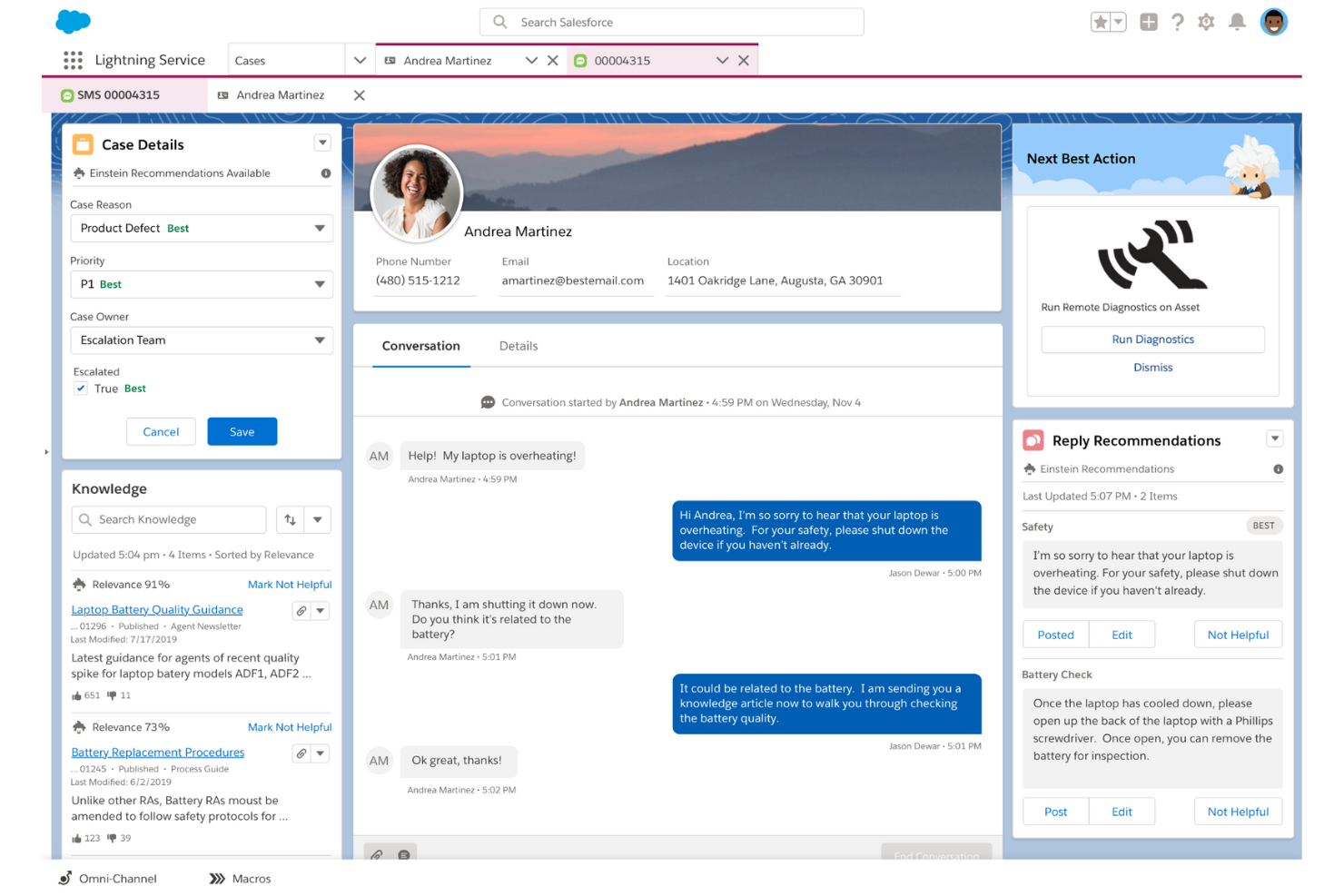
Salesforce Service Cloud utilizza l'automazione e l'intelligenza artificiale per aiutare le aziende a coinvolgere i clienti attraverso vari canali di interazione.
Perché ho scelto Salesforce Service Cloud: La piattaforma fornirà alla tua azienda un software per call center cloud basato sull'IA che può offrire ai tuoi agenti raccomandazioni contestuali sulle migliori azioni da intraprendere. Lo starter Einstein Next-Best Action alimentato dall'IA di Salesforce Service Cloud, combinato con l'app Chatter della piattaforma, fornirà ai tuoi agenti le azioni da eseguire dopo aver monitorato le fasi delle trattative, gestito le attività e mostrato i feed delle attività. Aiuterà i tuoi agenti a trovare proposte di upsell e cross-sell utili da offrire ai clienti e a fornire interazioni personalizzate.
Salesforce Service Cloud è più adatto per grandi imprese che necessitano di software per call center cloud in grado di offrire interazioni di alto livello. Può dare a manager e agenti la possibilità di impostare e misurare KPI cruciali. I dati di gestione delle relazioni con i clienti forniti da Salesforce Service Cloud popoleranno automaticamente il software insieme a insight di analisi predittiva per individuare problemi e rischi di abbandono.
Caratteristiche distintive e integrazioni di Salesforce Service Cloud
Funzionalità includono automazione e workflow, gestione dei casi, instradamento omnicanale, gestione della conoscenza, reportistica e analisi, gestione degli incidenti di assistenza clienti, gestione delle attività, registrazione delle chiamate, registrazione delle conversazioni e risposta vocale interattiva.
Integrazioni includono Freshdesk, CloudTalk, Twilio, Mailchimp, HubSpot CRM, Smartsheet, Aircall, RingCentral Contact Center, Talkative, FullStory e Vidyard.
Il servizio contact center di Salesforce Service Cloud ha un costo a partire da $150/utente/mese fatturato annualmente. Salesforce Service Cloud offre una prova gratuita di 30 giorni per i nuovi abbonati.
Pros and Cons
Pros:
- Connessione con i clienti su più dispositivi.
- Tempi di inattività molto bassi.
- Piattaforma semplice e innovativa.
Cons:
- Prezzo elevato.
- Difficile da configurare.
New Product Updates from Agentforce Service (formerly Service Cloud)
Agentforce Service Keeps Full Agentforce Voice Transcripts After Calls
Agentforce Service now shows the full conversation history in post-call transcripts for Agentforce Voice calls within the Service Console, giving agents better context for follow-ups. For more information, visit Salesforce’s official site.
 .
.
Il migliore con intelligenza conversazionale basata su AI
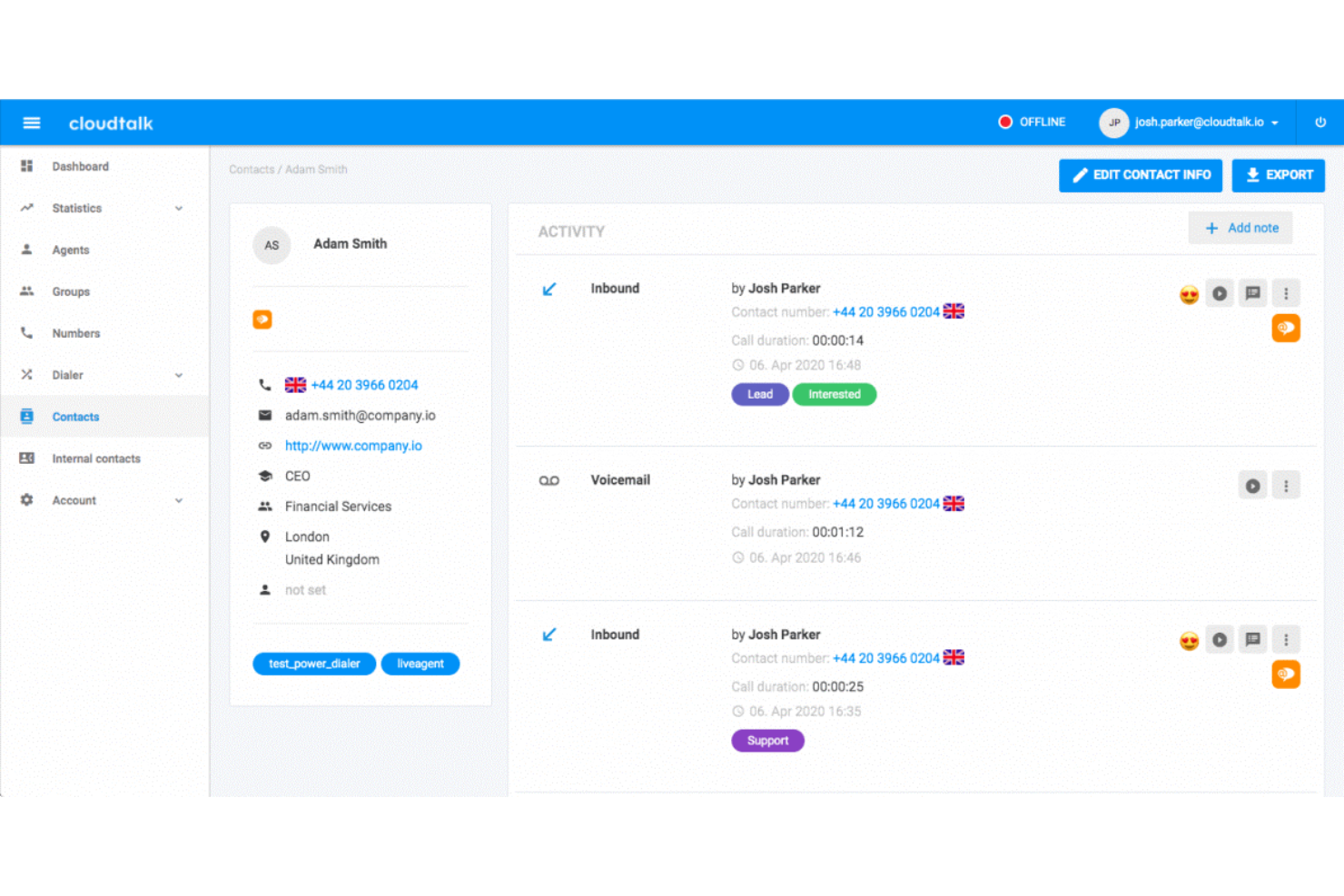
CloudTalk è un software per call center basato su cloud che elimina la necessità di una vasta attrezzatura per call center. La sua configurazione senza codice lo rende adatto a tutti i tipi di aziende, indipendentemente dal livello di competenze tecniche.
Perché ho scelto CloudTalk: Sia i team di vendita che di assistenza possono utilizzare questo software grazie alle sue funzionalità di chiamata in entrata e in uscita. Puoi instradare le chiamate all'agente più adatto in base alle sue competenze, creare code VIP e utilizzare il riconoscimento vocale interattivo (IVR) per permettere ai clienti di navigare nel tuo sistema.
Ciò che rende questo prodotto unico è il modo in cui utilizza l'intelligenza artificiale per migliorare le operazioni del call center. Può fornire agli agenti suggerimenti tempestivi basati sulle previsioni dei bisogni dei clienti e ottimizzare vari aspetti delle tue operazioni attraverso l'automazione.
Funzionalità principali e integrazioni di CloudTalk
Le funzionalità includono power dialer, smart dialer, estensioni personalizzate, chiamate a tre, trasferimenti di chiamata, click-to-call, campagne, note sulle chiamate, etichettatura delle chiamate, designer dei flussi di chiamata, code VIP, agenti preferiti e automazione dei flussi di lavoro.
Le integrazioni includono HubSpot, Zendesk, Intercom, Gong, Pipedrive, Salesforce, Copper CRM, ActiveCampaign, LiveAgent e Outreach, tra gli altri. Integrazioni aggiuntive possono essere configurate con un account Zapier a pagamento.
I piani a pagamento partono da $25 per utente, al mese. È disponibile una prova gratuita di 14 giorni.
Pros and Cons
Pros:
- Configurazione semplice e rapido ritorno sull'investimento
- Etichettatura delle chiamate e note per fornire contesto interno
- La registrazione delle chiamate agevola la formazione
Cons:
- Il piano starter non offre analisi avanzate
- Manca il supporto omnicanale

Ideale per una soluzione call center semplice e scalabile

Squaretalk è un software per call center basato su cloud che offre strumenti per supportare le esigenze di comunicazione aziendale. La sua interfaccia semplice e i piani economici lo rendono ideale per qualsiasi azienda, dalle startup alle grandi imprese.
Perché ho scelto Squaretalk: La piattaforma offre automazione robusta e un design intuitivo. Ad esempio, il compositore predittivo intelligente ottimizza le operazioni di chiamata gestendo automaticamente l’assegnazione delle chiamate in base alla disponibilità e alle competenze degli operatori, contribuendo a migliorare l’efficienza operativa. Dispone inoltre di funzionalità per la gestione dei flussi di lavoro, come assegnazione dei compiti, monitoraggio dei progressi e collaborazione.
Inoltre, la piattaforma Squaretalk è progettata per essere scalabile, in modo da adattarsi alle esigenze in evoluzione di un’azienda in crescita. L’infrastruttura cloud consente di ampliare facilmente i servizi, aggiungere nuovi utenti ed espandere le funzionalità tramite moduli aggiuntivi e integrazioni man mano che le necessità dell’azienda aumentano.
Funzionalità distintive e integrazioni di Squaretalk
Le funzionalità includono messaggistica multicanale, creator di flussi di lavoro personalizzati, piena conformità, analisi dei dati, report, monitoraggio delle chiamate, accesso API, configurazione dei ruoli flessibile, operatori remoti sicuri e molto altro.
Le integrazioni includono Salesforce, HubSpot, Freshdesk, Dropbox, Zoho, Zendesk, Mailchimp, WhatsApp, Gmail, Teams, Slack, Discord, WordPress, monday.com, e altri.
Pros and Cons
Pros:
- Configurazione rapida
- Interfaccia intuitiva
- Adatto alla scalabilità
Cons:
- Alcune integrazioni con altri strumenti possono essere complesse
- Leggera curva di apprendimento per le funzioni avanzate
New Product Updates from Squaretalk
Squaretalk Adds TradeCore Integration for Brokerage Workflows
Squaretalk adds a TradeCore integration that connects customer conversations with BrokerIQ CRM workflows. This helps brokerage teams trigger AI-driven follow-ups, tasks, and other actions from calls and messages. For more information, visit Squaretalk’s official site.
 .
.
I migliori strumenti per il tracciamento e l’analisi delle chiamate

CallTrackingMetrics è uno strumento di tracciamento e analisi che aiuta le aziende a monitorare quali interazioni e campagne generano risposte.
Perché ho scelto CallTrackingMetrics: Come suggerisce il nome, CallTrackingMetrics traccia le analisi fondamentali nel tuo call center. CallTrackingMetrics utilizza una funzione chiamata Keyword Spotting che consente di impostare regole per rilevare parole chiave specifiche nelle trascrizioni delle chiamate. Puoi quindi indicare al software di eseguire azioni specifiche in base alle parole chiave individuate. Ad esempio, se chiedi a CallTrackingMetrics di individuare la parola chiave “numero errato”, puoi poi istruirlo a non registrare la chiamata ed eliminarla dai tuoi archivi.
CallTrackingMetrics è adatto a medie imprese, come agenzie, società di consulenza e marketer orientati ai risultati, che necessitano di monitoraggio delle chiamate e intelligenza sulle conversioni per offrire esperienze personalizzate ai clienti. Può individuare tendenze nelle conversazioni e automatizzare azioni in base alle informazioni raccolte, consentendo di offrire un servizio più rapido. Puoi usare CallTrackingMetrics per identificare le campagne outbound che generano più lead e conversioni, e utilizzare queste informazioni per automatizzare i flussi delle chiamate.
Caratteristiche e integrazioni distintive di CallTrackingMetrics
Funzionalità includono inserimento dinamico dei numeri, tracciamento delle chiamate, numeri di tracciamento, registrazione delle chiamate, trascrizione delle chiamate, valutazione delle chiamate, individuazione di parole chiave, instradamento intelligente delle chiamate, gestione delle chiamate, geo-routing e attivatori automatici.
Integrazioni includono Pipedrive, Salesforce, SendGrid, Mailchimp, Kissmetrics, InstaPage, Zendesk, Zoho CRM, Zapier, Whatagraph, AgencyAnalytics, HubSpot CRM, Looker Studio, Magento e Google Analytics.
CallTrackingMetrics parte da $39/mese più costi di utilizzo per i pagamenti mensili oppure $36/mese più costi di utilizzo per chi sceglie il pagamento annuale. CallTrackingMetrics offre una prova gratuita di un mese ai nuovi iscritti.
Pros and Cons
Pros:
- È molto affidabile.
- Monitora facilmente le chiamate.
- Offre opzioni di filtraggio approfondite.
Cons:
- È difficile da navigare.
- La configurazione dello strumento è laboriosa.

Ideale per la gestione remota delle chiamate
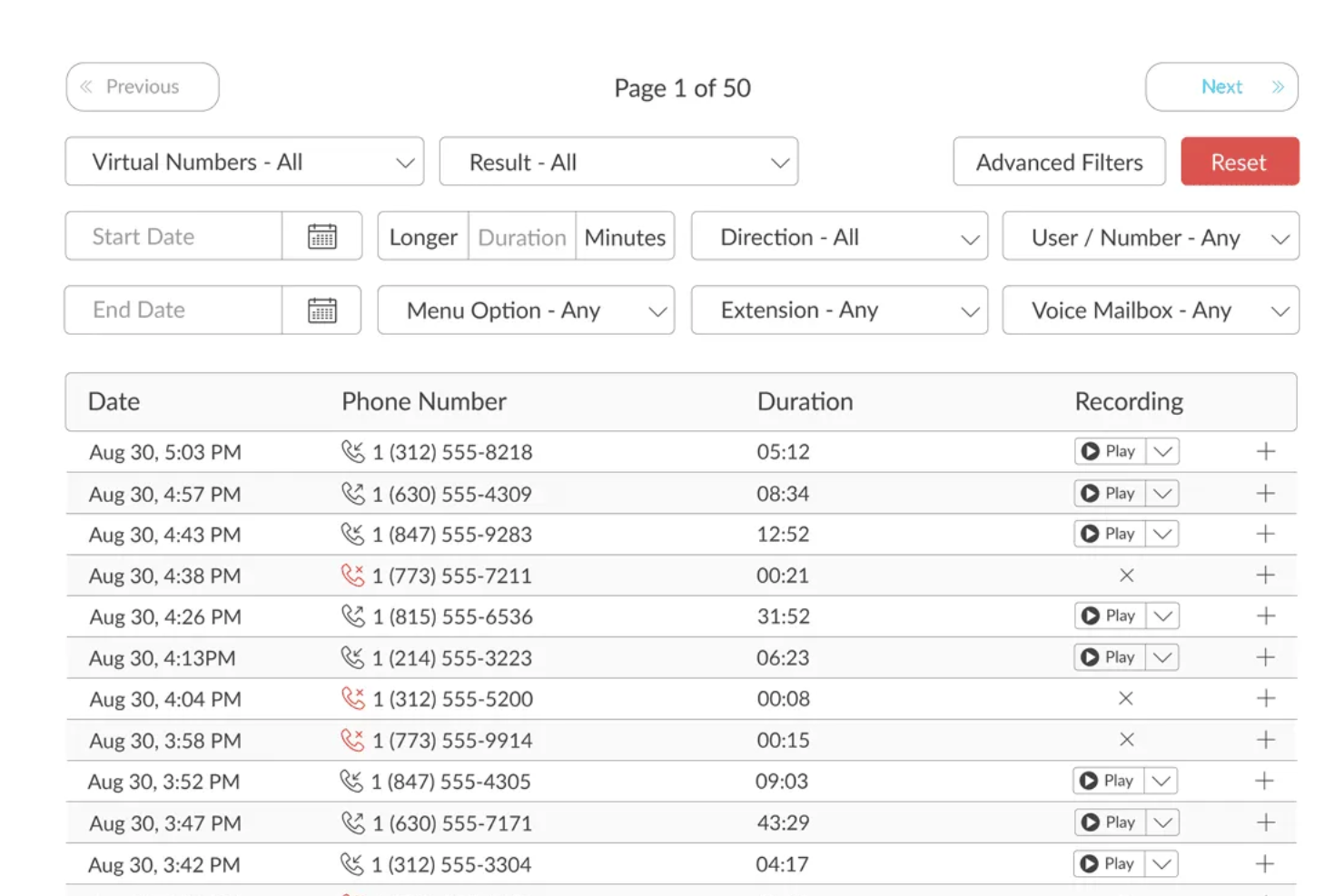
TalkRoute è un sistema telefonico virtuale pensato per i titolari di aziende e i loro team, che offre strumenti di comunicazione come chiamate, messaggi di testo e videoconferenze attraverso un’unica app. Include funzionalità quali inoltro di chiamata, segreteria telefonica, registrazione delle chiamate e messaggi di benvenuto personalizzabili, accessibili da desktop, mobile e piattaforme web. Gli utenti possono gestire le comunicazioni utilizzando numeri telefonici diversi, inclusi numeri verdi, personalizzati e locali, da qualsiasi dispositivo.
Perché ho scelto TalkRoute: Una delle caratteristiche di TalkRoute per i call center outbound è la possibilità di accesso da più dispositivi. Il tuo team può effettuare e ricevere chiamate da app desktop, web o mobile. Questa flessibilità significa che il tuo team non è vincolato a una posizione e può lavorare ovunque, garantendo così di poter sempre entrare in contatto con clienti o utenti senza essere fisicamente presente in un luogo specifico. Questo è particolarmente vantaggioso se il team lavora da remoto o necessita di passare da un dispositivo all’altro durante la giornata. La possibilità di passare da un dispositivo all’altro può aumentare la produttività e assicurare che nessuna chiamata venga persa, elemento fondamentale per mantenere la soddisfazione del cliente e l’efficienza operativa.
Funzionalità e integrazioni di spicco
Le funzionalità includono chiamate, messaggi e videoconferenze integrati, oltre a inoltro e instradamento delle chiamate, per garantire che le chiamate raggiungano i destinatari previsti su più dispositivi. Offre la possibilità di inviare messaggi di testo che supportano SMS e MMS, con permessi utente e notifiche via email. Le videoconferenze supportano fino a 100 partecipanti, offrendo condivisione dello schermo e dei file per una collaborazione migliorata. Menu e interni personalizzabili aiutano nell’efficace instradamento delle chiamate, mentre i servizi di segreteria includono trascrizione e notifiche email. TalkRoute offre anche numeri verdi e personalizzati, trasferimento chiamata in tempo reale, stacking delle chiamate, messaggi di benvenuto personalizzati e registrazione delle chiamate con spazio di archiviazione illimitato.
Le integrazioni prevedono Google Sheets, HubSpot, Slack, LeadConnector, Asana, Discord, Google Chat, Gmail e LeadSimple CRM. L’integrazione con app di terze parti tramite Zapier e la conformità a normative come HIPAA rendono TalkRoute versatile per diversi settori.

Twilio
Ideale per la flessibilità
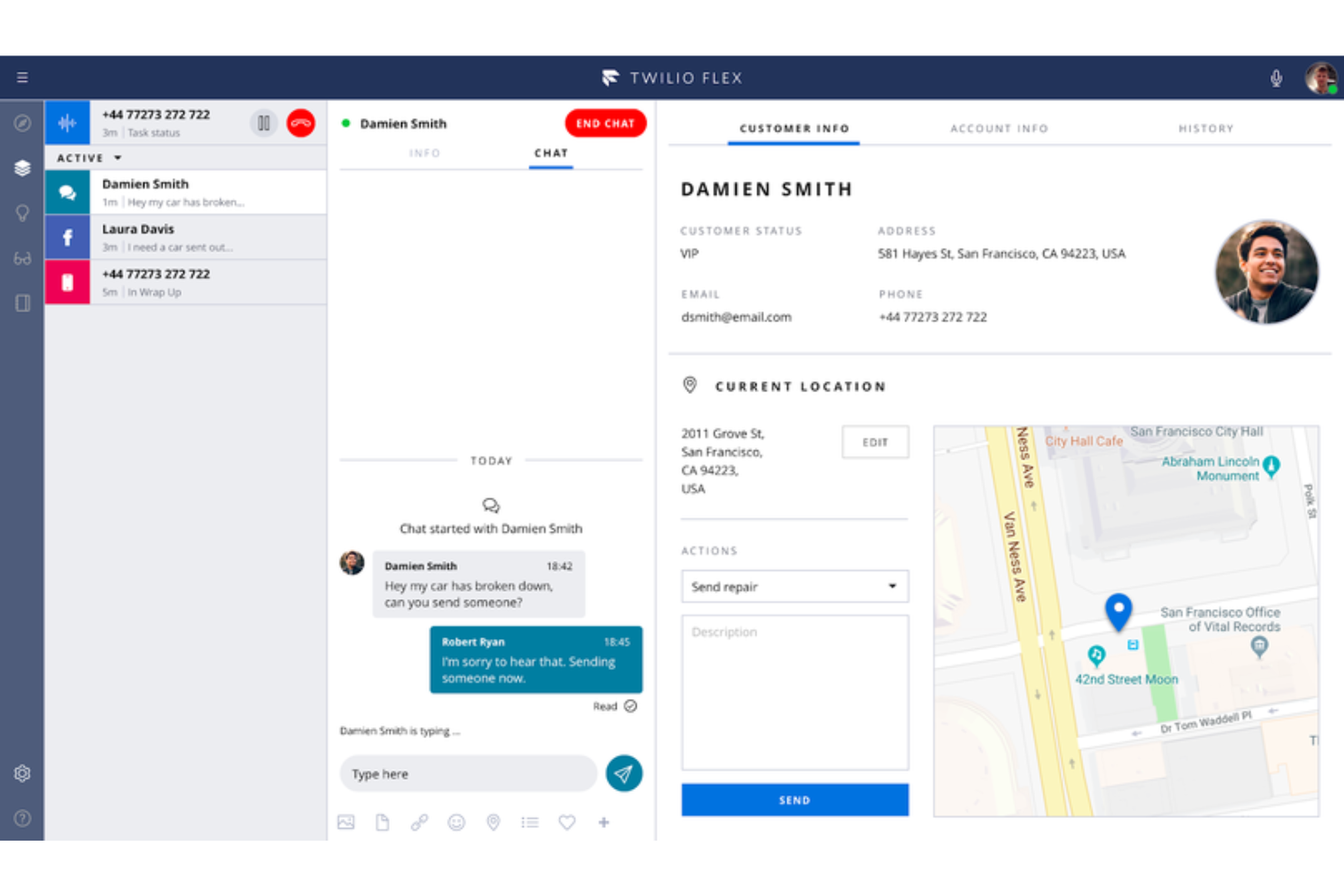
Twilio è una piattaforma di contact center basata sul cloud, abbastanza flessibile da scalare con le aziende e adattarsi a requisiti unici.
Perché ho scelto Twilio: La piattaforma utilizza un approccio di software provider di servizi di contatto per il loro contact center. Twilio ti fornisce un SDK vocale e un'API aperta che tu o il tuo team di sviluppatori potete utilizzare per creare una soluzione di call center che si adatti alle esigenze della tua organizzazione. Puoi collegare più canali di comunicazione al modulo centralizzato di Twilio, il che lo rende estremamente flessibile.
Twilio si adatta a qualsiasi dimensione aziendale che necessiti di una soluzione per contact center che consenta di creare la propria piattaforma. Può permettere alla tua azienda di utilizzare interazioni vocali, VoIP e di messaggistica integrate nel tuo software web, desktop o mobile personalizzato. Man mano che l'utilizzo aumenta o diminuisce, Twilio si adatterà automaticamente alla tua azienda.
Funzionalità e integrazioni principali di Twilio
Funzionalità includono registrazione delle chiamate, analisi, gestione dell’abbandono del cliente, instradamento delle chiamate, conferenze audio e video, raccolta di feedback, gestione delle comunicazioni, chat dal vivo, risponditore automatico per i messaggi e gestione dei contatti.
Integrazioni includono monday sales CRM, Freshdesk, HoneyBook, Zendesk, Salesforce, Mailchimp, Slack, HubSpot CRM, Zoho CRM, Quickbooks, Airtable, Zapier, Microsoft Dynamics 365 e AgencyAnalytics.
Twilio parte da $1/utente/ora oppure $150/utente a prescindere dall’attività. Twilio offre una prova gratuita fino a 5.000 ore utente attive.
Pros and Cons
Pros:
- Ha un ottimo rapporto qualità-prezzo rispetto alla concorrenza.
- Gestisce le comunicazioni internazionali.
- Uno dei migliori fornitori di API.
Cons:
- La suite di strumenti può risultare eccessiva.
- Ha bisogno di maggiori capacità analitiche.
Altri software per contact center basati sul cloud
Ecco alcune altre opzioni che non sono entrate nell’elenco dei migliori software per contact center basati sul cloud:
- Zoho Voice
Ideale per la telefonia aziendale integrata
- Five9
Ideale per le chiamate a lunga distanza
- Bitrix24
Ideale per le funzionalità CRM integrate
- Zendesk Suite
Ideale per aggiungere un sistema di ticketing a un call center
- GoTo Connect
Ideale per il filtro delle chiamate
- Kixie Powercall
Ideale per aggiungere funzionalità di call center ai CRM
- Dialfire
Ideale per trasformare un browser web in un call center
- CallTools
Miglior combinatore predittivo e di anteprima
- 3CX
Ideale per interazioni omnicanale


Come Valuto il Software di Contact Center Basato sul Cloud
Scompongo la mia valutazione in due livelli: funzionalità indispensabili—instradamento omnicanale, IVR, erogazione cloud—per gestire le interazioni con i clienti su larga scala, e fattori di differenziazione che distinguono le migliori piattaforme.
Funzionalità di Base (Requisiti Indispensabili per Questa Lista)
Quando seleziono gli strumenti per la mia lista, valuto ciascuno su una scala da 0 (non offre la funzionalità) a 5 (eccelle in quest'area) per ogni funzionalità di base elencata di seguito. Poi calcolo il punteggio totale dello strumento in percentuale. Ogni strumento deve raggiungere un punteggio minimo totale del 75% per poter essere preso in considerazione.
- Gestione Interazioni Omnicanale: Verifico se gli operatori possono gestire chiamate vocali, email, chat, SMS e messaggi social da un'unica postazione di lavoro—e se il contesto del cliente si mantiene nel passaggio delle conversazioni da un canale all'altro.
- Architettura Cloud-Native: Ogni piattaforma di questa lista deve essere completamente utilizzabile via browser, senza dipendenze on-premise, per consentire ai team distribuiti di accedere e gestire le interazioni ovunque si trovino.
- Funzionalità ACD & IVR: Valuto come la piattaforma instrada i contatti—se supporta instradamento basato su competenze, code prioritarie e alberi IVR configurabili che permettono ai chiamanti di utilizzare il self-service o raggiungere l'agente giusto.
- Reportistica in Tempo Reale e Storica: I supervisori hanno bisogno di una visione live delle code e dei dati storici sui tempi di gestione, SLA e tassi di abbandono, quindi valuto la profondità dei dashboard e le opzioni di personalizzazione dei report.
- Gestione della Forza Lavoro & Quality Management: Cerco strumenti nativi per la pianificazione dei turni, registrazione delle chiamate e valutazione della qualità—oppure, almeno, integrazioni consolidate con piattaforme WFM dedicate come Verint o Calabrio.
- Integrazioni con CRM & Sistemi Aziendali: La piattaforma deve poter essere collegata a CRM come Salesforce, HubSpot o ServiceNow, oltre a offrire API aperte per integrare workflow personalizzati nello stack tecnologico esistente.
Una volta che ho una lista di strumenti che soddisfano questi criteri, considero ciò che distingue ciascuna piattaforma.
Fattori di Differenziazione (Cosa Distingue i Fornitori)
Ecco come confronto e metto a confronto i vari fornitori:
Caratteristiche Distintive
L'assistenza agli agenti basata sull'intelligenza artificiale è un elemento di forte differenziazione—cerco piattaforme che propongano in tempo reale articoli di knowledge base e suggerimenti di risposta rilevanti, aiutando gli agenti a risolvere problemi complessi più rapidamente. Importante anche l'AI conversazionale e i bot, specialmente per i team che gestiscono grandi quantità di domande ripetitive fuori orario. Valuto inoltre se una piattaforma include un builder low-code per i flussi, visto che i responsabili CX spesso devono modificare menu IVR o logiche di instradamento al volo senza dover attendere uno sviluppatore.
Oltre le Caratteristiche
Certificazioni di conformità come HIPAA, PCI-DSS e preparazione GDPR sono fondamentali—soprattutto se i vostri operatori gestiscono dati di pagamento o sanitari. Valuto anche la trasparenza dei prezzi, poiché alcuni fornitori includono WFM e analitiche nei piani base mentre altri fanno pagare tutto come extra, influenzando notevolmente il costo totale. Sono importanti anche i tempi di implementazione. Controllo se la piattaforma offre onboarding guidato e template predefiniti che permettono ai team di essere operativi in poche settimane invece che in mesi.
Come scegliere un software per contact center basato sul cloud
È facile perdersi in lunghi elenchi di funzionalità e strutture tariffarie complesse. Per aiutarti a rimanere concentrato mentre affronti il tuo particolare processo di selezione del software, ecco una lista di controllo dei fattori da tenere a mente:
| Fattore | Cosa considerare |
|---|---|
| Scalabilità | Il software può crescere insieme alla tua attività? Verifica se supporta l'aumento dei volumi di chiamate e degli utenti senza costi aggiuntivi o problemi di prestazioni. |
| Integrazioni | Funziona con gli strumenti che già utilizzi, come CRM o posta elettronica? Assicurati che si colleghi senza problemi per evitare silos di dati e interruzioni dei flussi di lavoro. |
| Personalizzazione | Puoi adattare il software alle tue esigenze? Cerca opzioni per modificare impostazioni, flussi di lavoro e interfacce utente in modo che corrispondano ai processi del tuo team. |
| Semplicità d'uso | L'interfaccia è intuitiva? Assicurati che il tuo team possa imparare rapidamente a utilizzare e navigare nel sistema senza formazione o assistenza approfondite. |
| Implementazione e inserimento | Quanto tempo occorrerà per configurarlo? Considera il tempo e le risorse necessari per l'implementazione e la formazione. Cerca soluzioni con guide chiare e assistenza. |
| Costo | Qual è il costo totale di proprietà? Considera i costi di abbonamento, i componenti aggiuntivi e gli eventuali costi nascosti. Confrontali con il tuo budget e il potenziale ROI. |
| Misure di sicurezza | Come protegge i tuoi dati? Verifica la presenza di crittografia, controlli degli accessi e conformità alle normative sulla protezione dei dati come GDPR o CCPA. |
| Disponibilità dell'assistenza | Quali opzioni di assistenza vengono offerte? Assicurati che sia disponibile un supporto 24 ore su 24, 7 giorni su 7, tramite più canali, come chat e telefono, per risolvere rapidamente i problemi quando si presentano. |
Che cos'è un software per contact center basato sul cloud?
Il software per contact center basato sul cloud è uno strumento che gestisce le interazioni con i clienti attraverso vari canali, come telefono, e-mail e chat, tutti ospitati sul cloud. I rappresentanti del servizio clienti e i team di assistenza utilizzano principalmente questi strumenti per migliorare l'esperienza dei clienti e l'efficienza della comunicazione.
Funzionalità come l'instradamento delle chiamate, il supporto multicanale e l'analisi in tempo reale aiutano a gestire le richieste, a integrarsi con i sistemi esistenti e a fornire informazioni utili per prendere decisioni migliori. Nel complesso, questi strumenti offrono alle aziende un modo scalabile e flessibile per gestire efficacemente le interazioni con i clienti.
Funzionalità
Quando selezioni un software per contact center basato sul cloud, presta attenzione alle seguenti funzionalità chiave:
- Instradamento delle chiamate: indirizza le chiamate in arrivo all'agente o al reparto corretto, migliorando i tempi di risposta e la soddisfazione dei clienti.
- Supporto multicanale: gestisce le interazioni tramite telefono, e-mail e chat, offrendo un'esperienza di assistenza clienti unificata.
- Analisi in tempo reale: fornisce informazioni sulle metriche delle prestazioni, aiutando i team a prendere decisioni basate sui dati e a ottimizzare le operazioni.
- Sistemi IVR: automatizzano la gestione delle chiamate con una risposta vocale interattiva, riducendo i tempi di attesa e consentendo agli agenti di dedicarsi alle richieste più complesse.
- Integrazione con il CRM: si connette agli strumenti esistenti di gestione delle relazioni con i clienti, garantendo un flusso di dati senza interruzioni e il contesto per ogni interazione.
- Informazioni basate sull'intelligenza artificiale: analizza le interazioni con i clienti per fornire informazioni utili e concrete, migliorando il processo decisionale e l'efficienza.
- Dashboard personalizzabili: consentono ai team di adattare la propria interfaccia per concentrarsi sulle metriche e sui flussi di lavoro rilevanti, aumentando la produttività.
- Trascrizione automatica delle chiamate: converte le chiamate in testo, agevolando la conservazione dei registri e la conformità alle normative del settore.
- Comunicazione omnicanale: garantisce una qualità del servizio coerente su tutti i canali, migliorando l'esperienza dei clienti e la fedeltà al marchio.
Vantaggi
L'implementazione di un software per contact center basato sul cloud offre diversi vantaggi al tuo team e alla tua azienda. Ecco alcuni dei benefici che puoi aspettarti:
- Maggiore efficienza: l'instradamento automatizzato delle chiamate e i sistemi IVR aiutano gli agenti a gestire più interazioni con meno tempi di inattività.
- Esperienza del cliente migliorata: il supporto multicanale garantisce che i clienti possano contattarti sulla piattaforma che preferiscono, migliorando la soddisfazione.
- Scalabilità: le soluzioni cloud crescono insieme alla tua azienda, permettendoti di aggiungere utenti e funzionalità senza grandi investimenti.
- Decisioni basate sui dati: l'analisi in tempo reale fornisce informazioni sulle prestazioni, aiutandoti a ottimizzare i processi e l'allocazione delle risorse.
- Migliore collaborazione: l'integrazione con il CRM collega i team ai dati rilevanti dei clienti, favorendo il lavoro di squadra e un'assistenza informata.
- Riduzione dei costi: la minore necessità di infrastrutture fisiche e manutenzione riduce i costi operativi, liberando risorse per altre priorità.
- Flessibilità e lavoro da remoto: l'accesso al cloud consente al tuo team di lavorare da qualsiasi luogo, garantendo continuità del servizio e adattabilità.
Costi e prezzi
La scelta di un software per contact center basato sul cloud richiede la conoscenza dei diversi modelli e piani tariffari disponibili. I costi variano in base alle funzionalità, alle dimensioni del team, ai componenti aggiuntivi e ad altri fattori. La tabella seguente riassume i piani più comuni, i relativi prezzi medi e le funzionalità generalmente incluse nelle soluzioni software per contact center basate sul cloud:
Tabella di confronto dei piani per il software per contact center basato sul cloud
| Tipo di piano | Prezzo medio | Funzionalità comuni |
|---|---|---|
| Piano gratuito | $0 | Instradamento di base delle chiamate, supporto multicanale limitato e analisi di base. |
| Piano personale | $10-$30/user/month | Instradamento delle chiamate, supporto multicanale, integrazione con il CRM e analisi di base. |
| Piano aziendale | $40-$70/user/month | Instradamento avanzato delle chiamate, supporto multicanale completo, integrazione con il CRM e analisi. |
| Piano per grandi aziende | $80-$150/user/month | Funzionalità personalizzabili, informazioni basate sull'intelligenza artificiale, analisi completa e assistenza dedicata. |
Domande frequenti sul software per contact center basato sul cloud
Ecco alcune risposte alle domande più comuni sul software per contact center basato sul cloud:
Quanto è sicuro il software per contact center basato sul cloud?
Il software per contact center basato sul cloud è generalmente sicuro, poiché i fornitori implementano misure come la crittografia dei dati, audit di sicurezza regolari e la conformità a normative come il GDPR. Tuttavia, è fondamentale valutare i protocolli di sicurezza di ogni fornitore e assicurarsi che siano in linea con i requisiti della propria azienda. Informati sulle loro politiche di protezione dei dati e sulle eventuali certificazioni di terze parti in loro possesso.
Il mio team può lavorare da remoto con il software per contact center basato sul cloud?
Sì, il software per contact center basato sul cloud consente al tuo team di lavorare da qualsiasi luogo con una connessione Internet. Questa flessibilità supporta le modalità di lavoro da remoto e garantisce la continuità del servizio, anche se il team è distribuito in sedi diverse. Assicurati che il software scelto offra un’interfaccia intuitiva e l’accesso da dispositivi mobili per facilitare questa modalità di lavoro da remoto.
Il software per contact center basato sul cloud può integrarsi con gli strumenti esistenti?
Sì, la maggior parte dei software per contact center basati sul cloud può integrarsi con strumenti esistenti come CRM, piattaforme email e applicazioni di chat. Queste integrazioni aiutano a semplificare i flussi di lavoro e garantiscono che il team abbia accesso a tutte le informazioni necessarie in un unico posto. Prima dell’acquisto, verifica se il software supporta gli strumenti che utilizzi attualmente o se sono possibili integrazioni personalizzate.
In che modo le piattaforme per contact center basate sul cloud gestiscono volumi elevati di chiamate?
Queste piattaforme sono generalmente progettate per scalare dinamicamente in base alla domanda. L’instradamento delle chiamate, la gestione delle code e le strategie di gestione dell’eccedenza vengono controllati tramite impostazioni automatiche o regole definite dall’amministratore. Alcuni sistemi consentono di modificare in tempo reale la distribuzione delle chiamate in base all’attuale disponibilità degli operatori.
In che modo questi sistemi gestiscono i guasti o le interruzioni del servizio?
Le piattaforme affidabili utilizzano un’infrastruttura cloud ridondante per ridurre al minimo i tempi di inattività. Alcune includono sistemi integrati di failover o piani di instradamento di backup che si attivano automaticamente. In genere, gli utenti vengono informati sullo stato del servizio tramite una pagina di stato o avvisi della piattaforma.
