

10 Migliori piattaforme software di CX a confronto per il 2026

Le 12 Migliori CX Software


Con così tante soluzioni di gestione dell'esperienza cliente disponibili, scegliere quella giusta per te può essere davvero difficile. Sai di voler gestire e standardizzare il percorso cliente, ma devi capire quale strumento sia il migliore. Tranquillo, ci penso io! In questo articolo ti aiuterò a scegliere facilmente, condividendo le mie esperienze personali con decine di software CX utilizzati in grandi team e progetti, e presentandoti le mie selezioni dei migliori software CX disponibili.
Cos'è un CX Software?
Il software CX, ovvero customer experience software, è uno strumento digitale che ti aiuta a migliorare le interazioni con i tuoi clienti. In tutti i settori, queste piattaforme vengono utilizzate per gestire, analizzare e ottimizzare ogni punto di contatto lungo il percorso del cliente. Sia le piccole imprese che le grandi aziende possono usare questi strumenti per costruire relazioni solide con i clienti, aumentare la soddisfazione e stimolare la fidelizzazione.
Catturando e analizzando i feedback dei clienti, il software CX aiuta a comprendere le loro necessità, garantire la rapida risoluzione dei problemi e personalizzare le interazioni. Questo uso strategico della tecnologia influisce direttamente sulla percezione del marchio, giocando un ruolo fondamentale nella crescita e nella sostenibilità del business.
Confronta le Specifiche
| Tool | Best For | Trial Info | Price | ||
|---|---|---|---|---|---|
| 1 | Ideale per l’analisi di feedback su larga scala | Demo gratuita disponibile | Prezzo su richiesta | Website | |
| 2 | Ideale per la gestione del supporto ai venditori su marketplace | Prova gratuita di 14 giorni + demo gratuita disponibile | Da $19/agente/mese (fatturazione annuale) | Website | |
| 3 | Ideale per dashboard CX basate sui ruoli e guidate dall’IA | Demo gratuita disponibile | Prezzi su richiesta | Website | |
| 4 | Ideale per sondaggi in formato conversazionale | Prova gratuita di 14 giorni | Da $19/mese (fatturazione annuale) | Website | |
| 5 | Ideale per sondaggi clienti personalizzati | Demo gratuita disponibile | Prezzi su richiesta | Website | |
| 6 | Migliori insight sui clienti guidati dall’IA | Demo gratuita disponibile | Prezzo su richiesta | Website | |
| 7 | Miglior agente di supporto AI | Prova gratuita di 7 giorni + piano gratuito disponibile | A partire da $24.17/mese (fatturato annualmente) | Website | |
| 8 | Ideale per addestrare chatbot AI su dati personalizzati | Piano gratuito disponibile | A partire da $32/mese (fatturazione annuale) | Website | |
| 9 | Ideale per mappe mentali dinamiche | Prova gratuita + piano gratuito disponibili | Da $9/utente/mese (fatturazione annuale) | Website | |
| 10 | Ideale per la raccolta automatizzata di feedback dei clienti su più canali | Prova di 10 giorni | Da $56/mese | Website |


Panoramica Dei 12 Migliori CX Software

Ideale per l’analisi di feedback su larga scala

Chattermill è una piattaforma di analisi del feedback dei clienti nativa dell’IA che unifica i dati dei clienti provenienti da sondaggi, ticket di assistenza, recensioni e social media, e utilizza il deep learning per individuare il sentiment, i temi e le informazioni sulla customer experience su larga scala.
Per chi è ideale Chattermill?
Chattermill è particolarmente indicato per i team aziendali dedicati alla customer experience, alle analisi e alla voce del cliente che devono analizzare grandi volumi di feedback non strutturati provenienti da molteplici fonti di dati.
Perché ho scelto Chattermill
Chattermill si guadagna il suo posto nella mia lista per la capacità del suo modello di deep learning di gestire l’analisi dei feedback su vasta scala. Sono particolarmente colpito da come classifica automaticamente temi e sentiment su milioni di dati provenienti da fonti come ticket Zendesk, recensioni su App Store e sondaggi NPS, tutto senza etichettatura manuale. Mi affido anche al copilota AI Ask Lyra, che mi permette di interrogare l’intero set di feedback in linguaggio naturale per individuare pattern che altrimenti richiederebbero settimane di analisi manuale.
Caratteristiche principali di Chattermill
- Avvisi in tempo reale: Imposta notifiche basate su soglie che si attivano quando i punteggi di sentiment diminuiscono o specifici temi aumentano su qualsiasi fonte di feedback.
- Analisi a livello di segmento: Filtra e confronta i feedback per fascia di clientela, regione, linea di prodotto o qualsiasi attributo personalizzato per identificare dove si concentrano i problemi di CX.
- Dashboard delle tendenze: Visualizza come cambiano i temi e il sentiment nel tempo con dashboard personalizzabili che tracciano i KPI della customer experience su periodi temporali variabili.
- Unificazione delle fonti di feedback: Importa dati da sondaggi, recensioni sugli store, ticket di assistenza e canali social in un unico archivio di feedback ricercabile.
Pros and Cons
Pros:
- Monitoraggio del sentiment in tempo reale
- Tagging dei temi tramite IA
- Modelli di sentiment specifici per settore
Cons:
- Prezzi non divulgati pubblicamente
- Potrebbe richiedere onboarding a livello enterprise

Ideale per la gestione del supporto ai venditori su marketplace
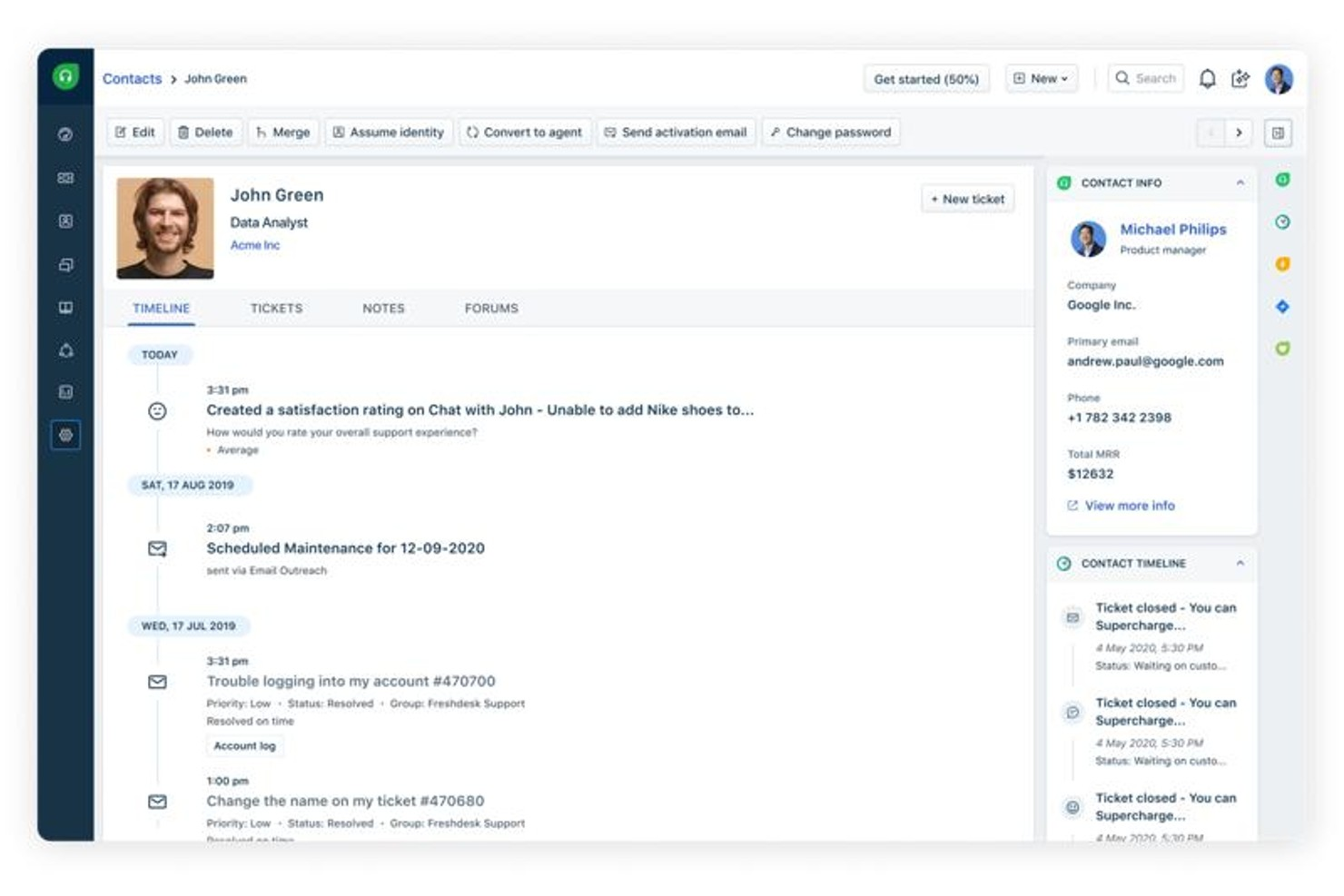
Freshdesk è una piattaforma di supporto clienti omnicanale che centralizza ticketing, chat dal vivo, telefono, email e interazioni sui social media, insieme a strumenti di automazione e self-service alimentati dall'intelligenza artificiale.
Per chi è Freshdesk?
Freshdesk è particolarmente indicato per aziende di e-commerce e marketplace di medie e grandi dimensioni che necessitano di una piattaforma di supporto centralizzata su più canali cliente.
Perché ho scelto Freshdesk
Freshdesk è una delle mie scelte preferite per la gestione del supporto ai venditori su marketplace grazie alla sua capacità di gestire la complessità dei ticket multi-parte. Quando arriva una controversia da un acquirente, gli operatori ricevono il contesto completo della conversazione nel Command Center, evitando di dover passare da una scheda all'altra per ricostruire cosa ha detto il venditore rispetto alla segnalazione dell'acquirente. Apprezzo anche l'instradamento basato sulle competenze, che garantisce che i ticket relativi a controversie tra venditori, problemi di pagamento o di logistica vengano assegnati automaticamente all'agente giusto, invece che al primo disponibile in coda.
Funzionalità principali di Freshdesk
- Freddy AI Copilot: Suggerisce risposte e articoli della knowledge base pertinenti agli operatori in tempo reale durante le interazioni dal vivo.
- Gestione SLA: Imposta obiettivi di tempo di risposta e risoluzione per tipo di ticket, con trigger di escalation automatica quando le scadenze sono a rischio.
- Sondaggi CSAT: Invia automaticamente sondaggi di soddisfazione dopo la chiusura del ticket per raccogliere feedback a livello di interazione.
- Portale self-service: Permette ai clienti di accedere a un portale brandizzato per inviare ticket, seguirne lo stato e consultare articoli di aiuto senza contattare un operatore.
Integrazioni Freshdesk
Freshdesk offre oltre 1.000 integrazioni di marketplace, inclusi Slack, Microsoft Teams, Shopify, Salesforce, Jira, Google Calendar, Google Analytics e Aircall. È disponibile su Zapier e fornisce un'API per integrazioni personalizzate.
Pros and Cons
Pros:
- Copre email, chat, telefono e canali social
- L'ecosistema Freshworks condivide dati CRM
- Supporta l'automazione dell'instradamento dei ticket
Cons:
- Gli strumenti di reportistica sono poco approfonditi nei piani base
- Funzionalità limitate nell'app mobile
New Product Updates from Freshdesk

Freshdesk Adds Voice AI Agents in Freshcaller
Freshdesk introduces Voice AI Agents available through Freshcaller Marketplace apps to handle routine calls and reduce queues. This feature enables automated call handling with real-time, conversational support. For more information, visit Freshdesk's official site.

Ideale per dashboard CX basate sui ruoli e guidate dall’IA
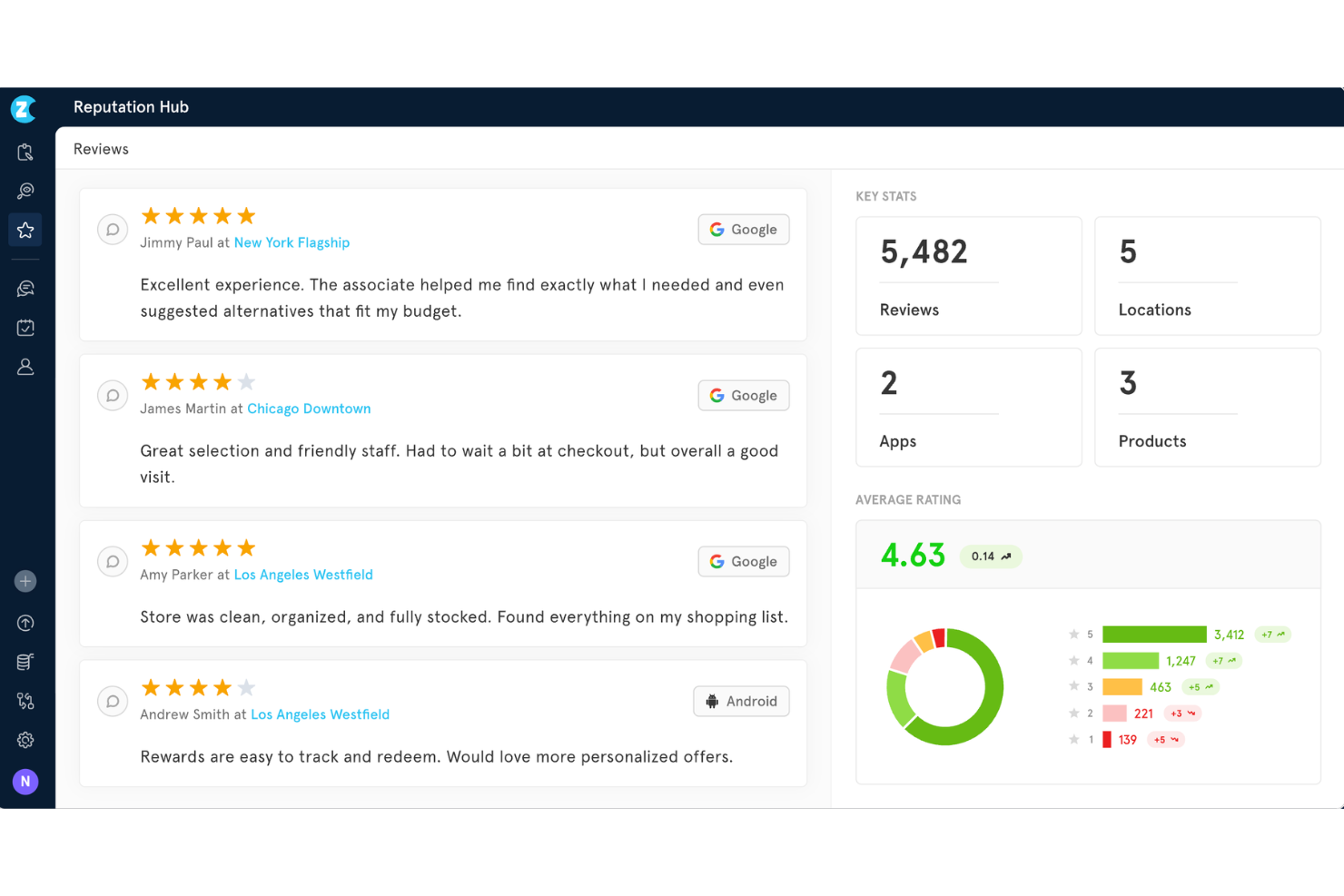
Zonka Feedback è una piattaforma CX potenziata dall'IA che combina raccolta di feedback omnicanale, strumenti di sondaggio NPS/CSAT/CES, analisi del sentiment e dei temi, gestione dei casi a ciclo chiuso e dashboard basate sui ruoli.
Per chi è ideale Zonka Feedback?
Zonka Feedback è adatto a team CX di PMI e aziende di fascia media che necessitano di gestione del feedback su più sedi e insight guidati dall’intelligenza artificiale senza la complessità a livello enterprise.
Perché ho scelto Zonka Feedback
Ho incluso Zonka Feedback tra le mie scelte principali perché le sue dashboard basate sui ruoli cambiano davvero il modo in cui i diversi team consumano i dati CX. Un responsabile presso il punto vendita vede le tendenze CSAT a livello di sede, mentre un CXO riceve un’analisi di impatto guidata dall’IA che collega i temi del feedback direttamente all’andamento dell'NPS. Apprezzo anche il rilevamento delle anomalie Agentic AI, che segnala cali di punteggio in tempo reale prima che si trasformino in rischi di abbandono.
Caratteristiche principali di Zonka Feedback
- Motore di sondaggi omnicanale: Raccogli feedback tramite email, SMS, WhatsApp, web, app mobile, chioschi e codici QR in un’unica piattaforma.
- Logica avanzata dei sondaggi: Usa ramificazioni, skip logic e supporto multilingue per personalizzare le domande in base ai segmenti di pubblico.
- Workflow di automazione CX: Automatizza follow-up, escalation e assegnazione dei casi in base a trigger specifici dei sondaggi.
- Conformità a livello enterprise: Mantieni la sicurezza con certificazione ISO 27001, GDPR, conformità HIPAA e opzioni di localizzazione dei dati.
Integrazioni di Zonka Feedback
Zonka Feedback offre oltre 20 integrazioni native, tra cui Salesforce, HubSpot, Pipedrive, Mailchimp, Zendesk, Intercom, Freshdesk, HelpScout, Front, Jira e Slack. Sono disponibili Zapier e una API aperta per integrazioni personalizzate.
Pros and Cons
Pros:
- Modalità offline per chioschi disponibile
- L’analisi di impatto collega i temi del feedback all’NPS
- I riepiloghi IA fanno emergere automaticamente i pattern
Cons:
- Il customer journey mapping manca di strumenti di orchestrazione visiva
- Punteggio predittivo di abbandono limitato

Ideale per sondaggi in formato conversazionale
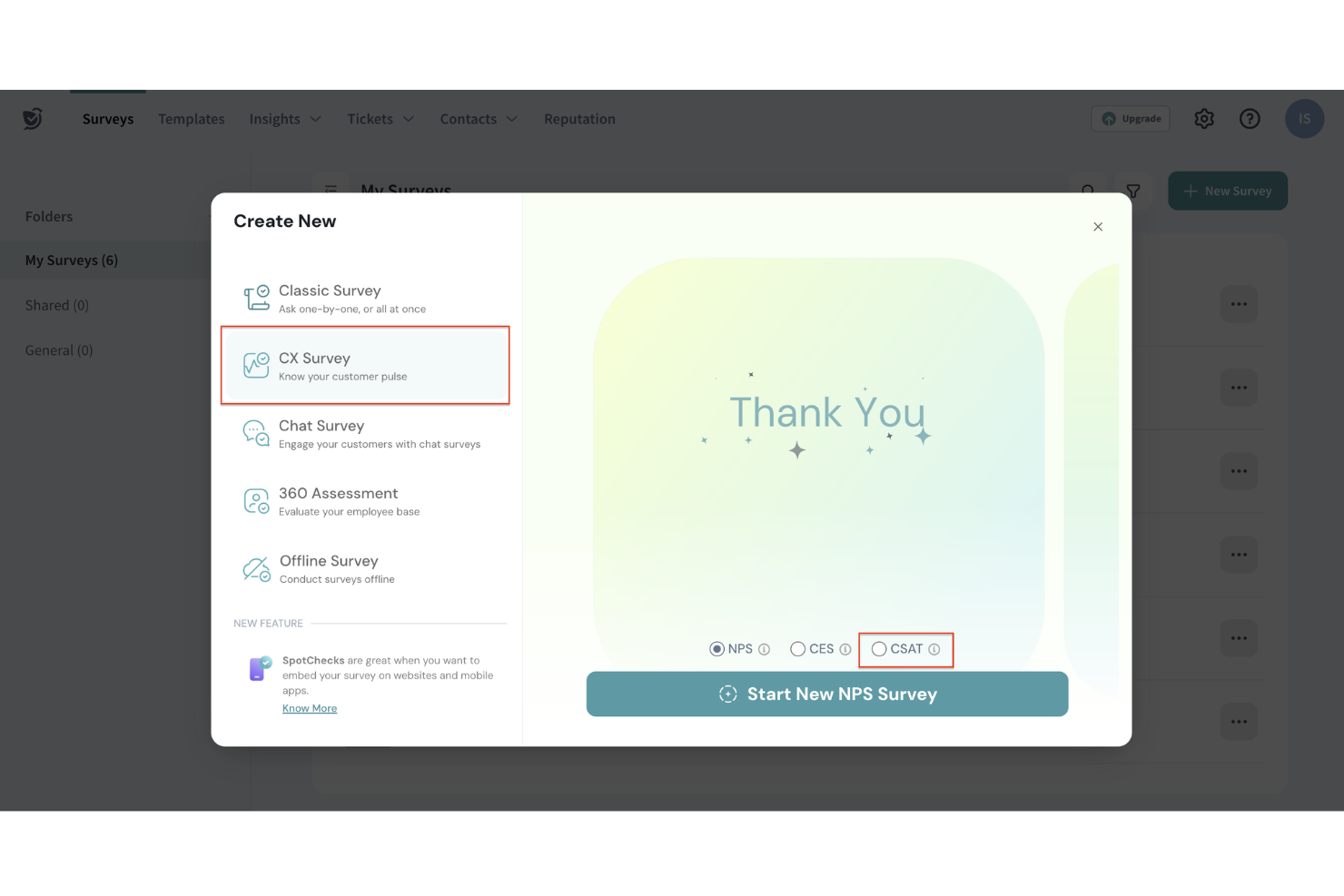
SurveySparrow è una piattaforma di gestione dell'esperienza che combina la misurazione di NPS, CSAT e CES, la raccolta di feedback omnicanale, analisi basate su intelligenza artificiale, e un sistema di ticketing integrato per chiudere il ciclo del feedback dei clienti.
Per chi è ideale SurveySparrow?
SurveySparrow è particolarmente adatto ai team di esperienza cliente e analisi delle aziende di medie dimensioni che gestiscono programmi di raccolta feedback dei clienti frequenti e su più canali.
Perché ho scelto SurveySparrow
SurveySparrow conquista la sua posizione nella mia selezione perché il suo formato di sondaggio conversazionale trasforma ciò che normalmente sarebbe un modulo di feedback statico in uno scambio interattivo che assomiglia più a una chat che a un questionario. Apprezzo il fatto che le domande vengano visualizzate una alla volta, mantenendo così i clienti coinvolti per tutta la durata dell'indagine e prevenendo l'abbandono a metà strada di un lungo sondaggio NPS. SpotChecks è un'altra funzione che trovo davvero utile: permette di distribuire micro-sondaggi mirati in momenti specifici del percorso cliente, come subito dopo la risoluzione di un'interazione con il supporto.
Caratteristiche principali di SurveySparrow
- Sondaggi ricorrenti: Automatizza la pianificazione dei sondaggi per inviare questionari NPS o CSAT ai clienti a intervalli prestabiliti senza necessità di attivazione manuale.
- Sistema di ticketing: Trasforma le risposte negative ai sondaggi in ticket di supporto e assegnali ai membri del team per il follow-up direttamente dalla piattaforma.
- CogniVue: Motore di analisi basato su intelligenza artificiale che identifica tendenze e pattern tra grandi volumi di dati delle risposte ai sondaggi.
- Gestione della reputazione: Monitora e rispondi alle recensioni online direttamente da SurveySparrow insieme ai dati di feedback raccolti dai sondaggi.
Pros and Cons
Pros:
- Mette a disposizione modalità di condivisione semplici via web, mobile ed email.
- Offre insight guidati dall'IA per decisioni realmente attuabili.
- Supporta molteplici tipi di domanda per una raccolta di feedback diversificata.
Cons:
- Opzioni di esportazione dati limitate, che riducono la flessibilità nella reportistica.
- La copertura mobile o offline dei sondaggi può richiedere configurazioni aggiuntive in scenari di lavoro sul campo.

Ideale per sondaggi clienti personalizzati
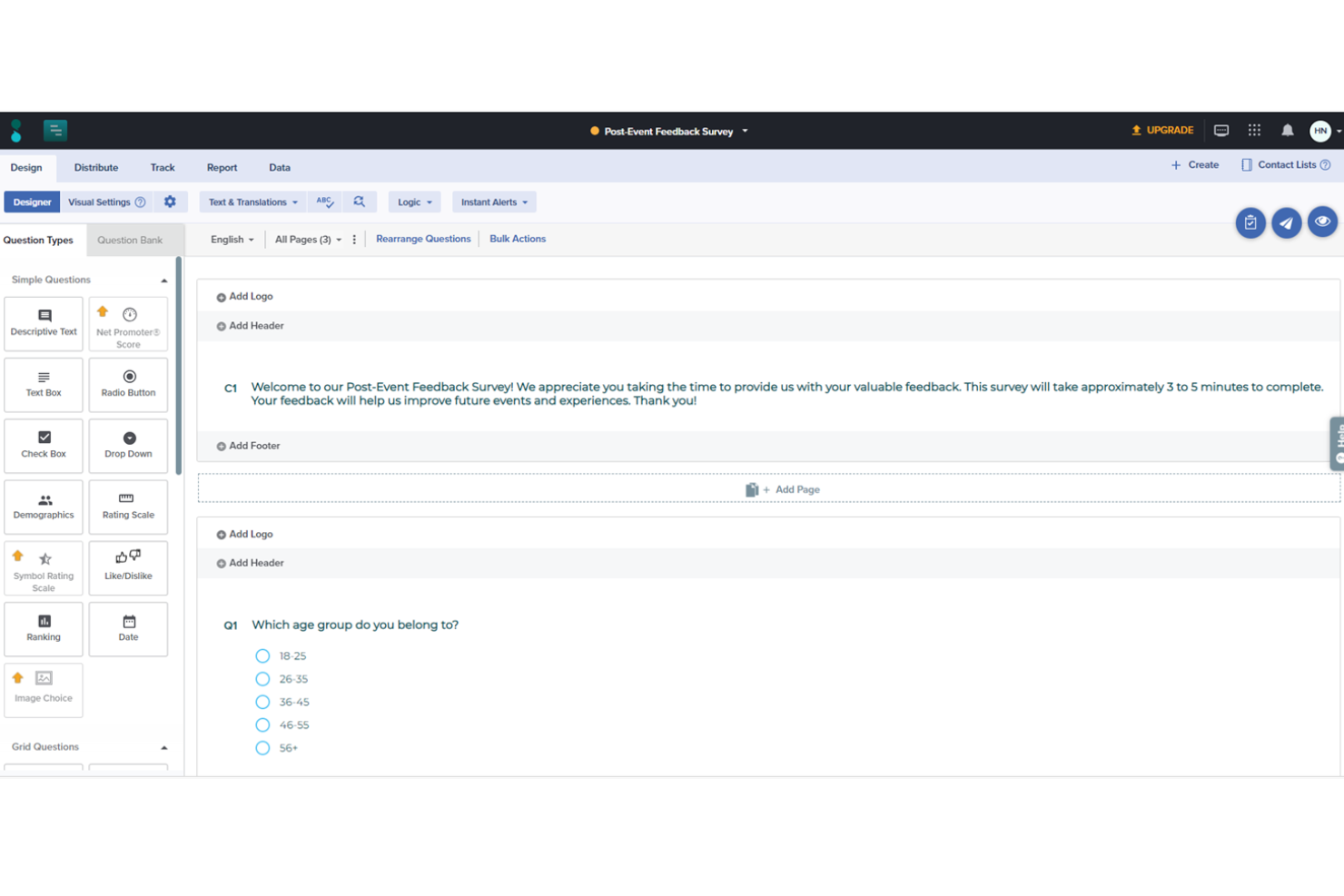
Sogolytics è una solida piattaforma online per la gestione di sondaggi e feedback, progettata per aiutare le organizzazioni a raccogliere, analizzare e agire sulle opinioni di clienti, dipendenti e altri stakeholder. Grazie a un’interfaccia intuitiva e a potenti strumenti di analisi, Sogolytics consente di creare sondaggi personalizzati che raccolgono informazioni essenziali.
Perché ho scelto Sogolytics:
SogoCX, parte della piattaforma Sogolytics, si concentra sul miglioramento della soddisfazione e della fedeltà dei clienti offrendo una dashboard interattiva che monitora le interazioni e il feedback dei clienti su molteplici punti di contatto. Permette alle aziende di identificare tendenze, misurare i principali fattori che influenzano il sentiment dei clienti e adottare misure proattive per migliorare l’esperienza complessiva del cliente. Funzionalità come i promemoria automatici e gli inviti personalizzati ai sondaggi aiutano ad aumentare i tassi di risposta, garantendo feedback abbondanti e rappresentativi.
Caratteristiche distintive e integrazioni:
Le avanzate capacità di progettazione dei sondaggi di Sogolytics includono temi personalizzabili, logica di ramificazione avanzata e salto di domanda, consentendo sondaggi altamente personalizzati e coinvolgenti. Inoltre, il suo potente motore di analisi offre reportistica in tempo reale, formattazione condizionale e analisi incrociata per aiutare gli utenti a decifrare dati complessi.
Le integrazioni includono Salesforce, Microsoft Office, Google Workspace, Zapier, Tableau, HubSpot e Slack.
Pros and Cons
Pros:
- Vasta gamma di tipologie di domande avanzate
- Ottime funzionalità di raccolta e analisi dati
- Distribuzione multicanale
Cons:
- La versione gratuita potrebbe essere troppo basilare per alcuni utenti
- Alcune funzionalità analitiche avanzate richiedono una conoscenza tecnica più approfondita
New Product Updates from Sogolytics
Sogolytics Adds Teams and Slack Surveys and Custom Automations
Sogolytics adds native Microsoft Teams and Slack survey distribution, a Custom Automations Builder, Derived Fields, PointClickCare integration, and authenticator-based MFA. These updates expand survey distribution and workflow automation while adding new data management and security capabilities. For more information, visit Sogolytics’ official site.
 .
.
Unwrap
Migliori insight sui clienti guidati dall’IA
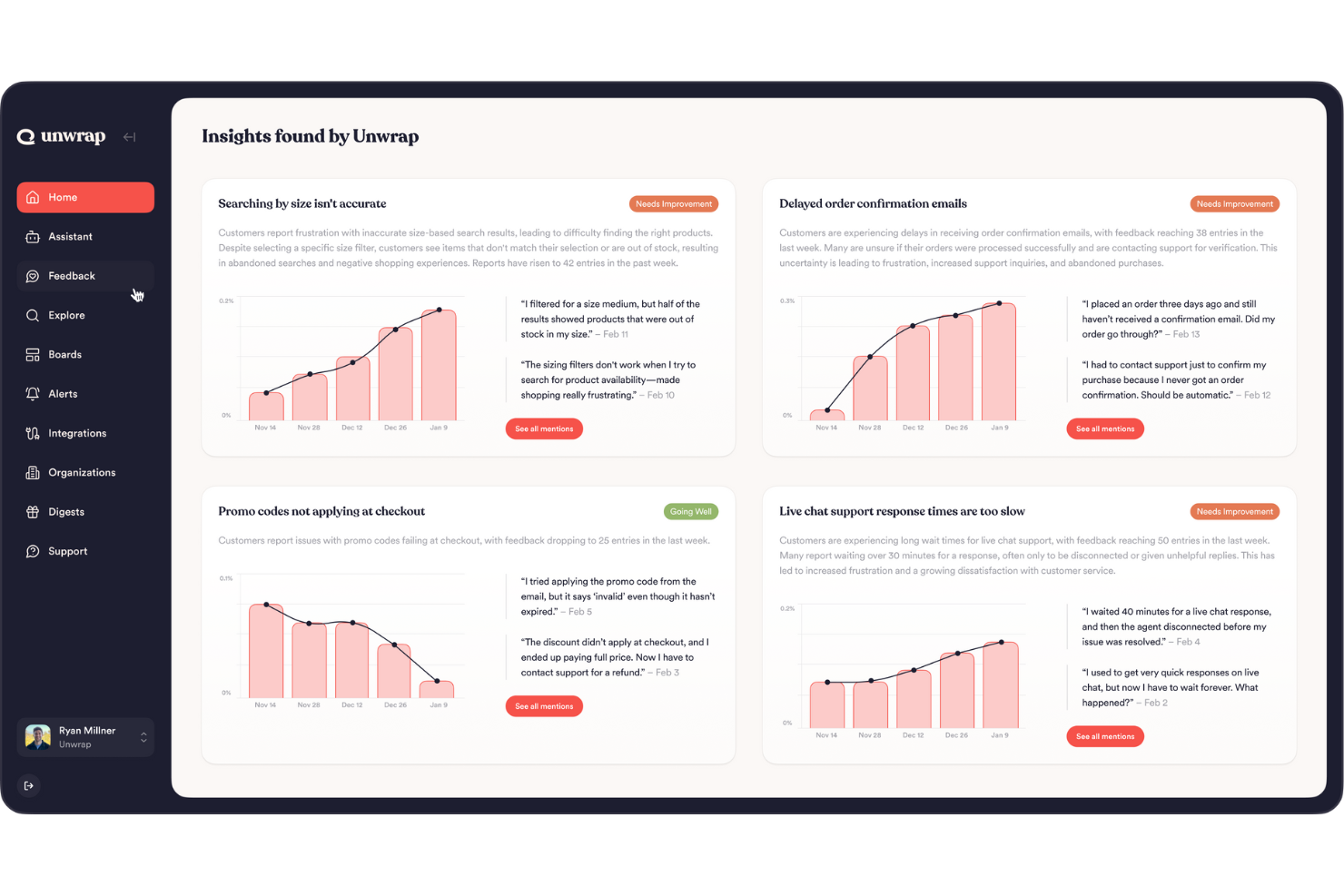
Unwrap è una piattaforma di customer intelligence alimentata dall'IA che aggrega feedback da ticket di supporto, recensioni, sondaggi, chiamate e altre fonti, facendo poi emergere automaticamente tendenze, modelli di sentiment e anomalie in tutto questo insieme di dati.
Per chi è Unwrap?
Unwrap è particolarmente adatto ai team di prodotto e CX delle aziende B2B SaaS che devono interpretare grandi volumi di feedback dei clienti senza etichettatura o analisi manuale.
Perché ho scelto Unwrap
Ho inserito Unwrap tra le mie prime scelte perché l’IA alla base non si limita a categorizzare il feedback: fa emergere schemi che normalmente non penseresti di cercare. L’Auto Tagger organizza automaticamente il feedback ricevuto secondo una tassonomia personalizzata, evitandoti di passare ore a smistare ticket o risposte ai sondaggi. Trovo particolarmente utile la rilevazione delle anomalie, che invia un alert in tempo reale su Slack non appena un nuovo problema inizia a diffondersi nei tuoi canali di feedback—prima che diventi una crisi di supporto.
Funzionalità principali di Unwrap
- Assistente IA: Interroga l’intero database dei feedback in linguaggio naturale per ottenere risposte immediate su cosa dicono i clienti su qualsiasi argomento.
- Responder: Invia risposte personalizzate in massa ai clienti su diversi canali di feedback direttamente dalla piattaforma.
- SupportIQ: Misura le prestazioni del team di supporto analizzando gli schemi di risoluzione dei ticket e identificando le lacune nelle risposte ai clienti.
- Aggregazione multi-sorgente: Raccoglie feedback da sondaggi, recensioni, ticket di supporto e chiamate in una vista unificata.
Pros and Cons
Pros:
- L'analisi del sentiment aiuta i team a quantificare come si sentono gli utenti nel tempo.
- Gli strumenti di IA fanno emergere trend emergenti senza dover analizzare manualmente grandi insiemi di dati.
- Automatizza la categorizzazione dei feedback non strutturati in gruppi significativi tramite NLP.
Cons:
- La configurazione della tassonomia dei feedback può richiedere uno sforzo aggiuntivo per la personalizzazione.
- Alcune integrazioni native con le piattaforme risultano meno complete rispetto a quelle della concorrenza.

Tidio
Miglior agente di supporto AI
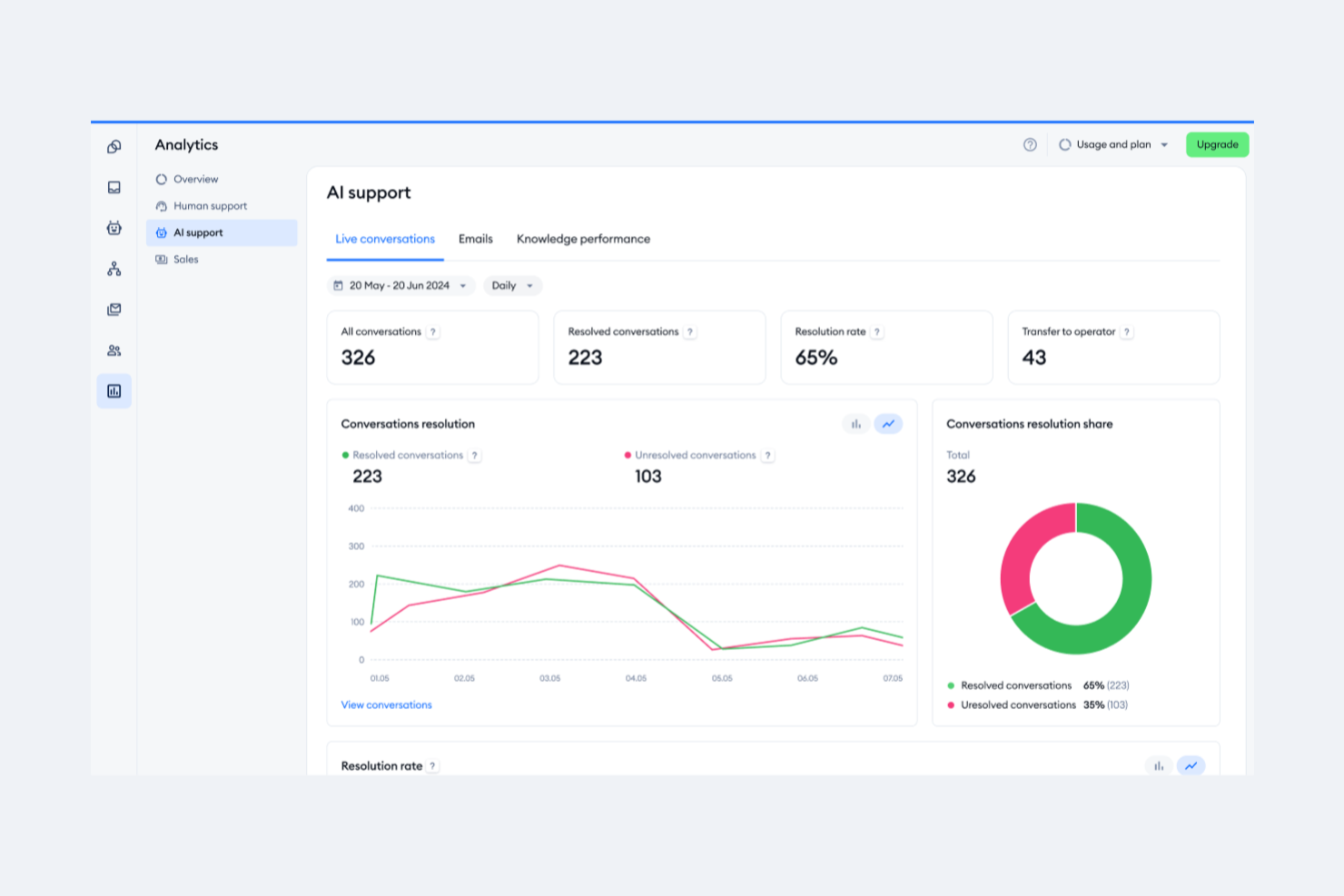
Tidio è una piattaforma di assistenza clienti che combina chat dal vivo, una casella di posta multicanale, automazione delle chat alimentata da AI e un sistema di ticketing per gestire le conversazioni con i clienti su web, email e canali social.
Per chi è ideale Tidio?
Tidio è particolarmente adatto per le piccole e medie aziende ecommerce che hanno bisogno di gestire l'assistenza clienti su chat e canali social senza disporre di un grande team di supporto.
Perché ho scelto Tidio
Ho incluso Tidio tra le mie scelte migliori perché il suo agente Lyro AI è uno dei pochi in questo settore a sostenere realmente le proprie affermazioni con una garanzia sul tasso di risoluzione. Tidio riporta una media del 67% di risoluzione tramite AI e ti rimborsa se Lyro non raggiunge almeno il 50% con il tuo team. Mi piace anche il fatto che Lyro utilizzi i contenuti di supporto già esistenti come base di conoscenza, il che significa che non è necessario alcun addestramento manuale. Aggiungi le Lyro Smart Actions, che possono gestire attività come il controllo dello stato degli ordini e la qualificazione dei lead senza intervento umano, e ottieni un agente AI che si occupa dell'assistenza reale fin dal primo giorno.
Funzionalità principali di Tidio
- Casella di posta multicanale: Gestisci le conversazioni provenienti da chat dal vivo, email, WhatsApp, Instagram e Messenger in un'unica casella di posta centralizzata.
- Costruttore di automazioni Flows: Crea sequenze di automazione senza codice utilizzando oltre 40 modelli preimpostati per attivare risposte e instradare le conversazioni.
- Sistema di ticketing: Crea, assegna e prioritizza i ticket di supporto con instradamento automatico e monitoraggio dello stato.
- Sondaggi CSAT: Invia sondaggi di soddisfazione al termine delle conversazioni e monitora i risultati tramite la dashboard analitica di Tidio.
Pros and Cons
Pros:
- Fornisce approfondimenti sulle prestazioni del team e sulla soddisfazione dei clienti
- Lyro AI gestisce una parte significativa delle richieste dei clienti
- Supporto multicanale, inclusi chat, email e social media
Cons:
- Limitazioni nell'integrazione con alcuni strumenti di terze parti
- Molte funzionalità di automazione sono limitate ai piani di livello superiore

Chatbase
Ideale per addestrare chatbot AI su dati personalizzati
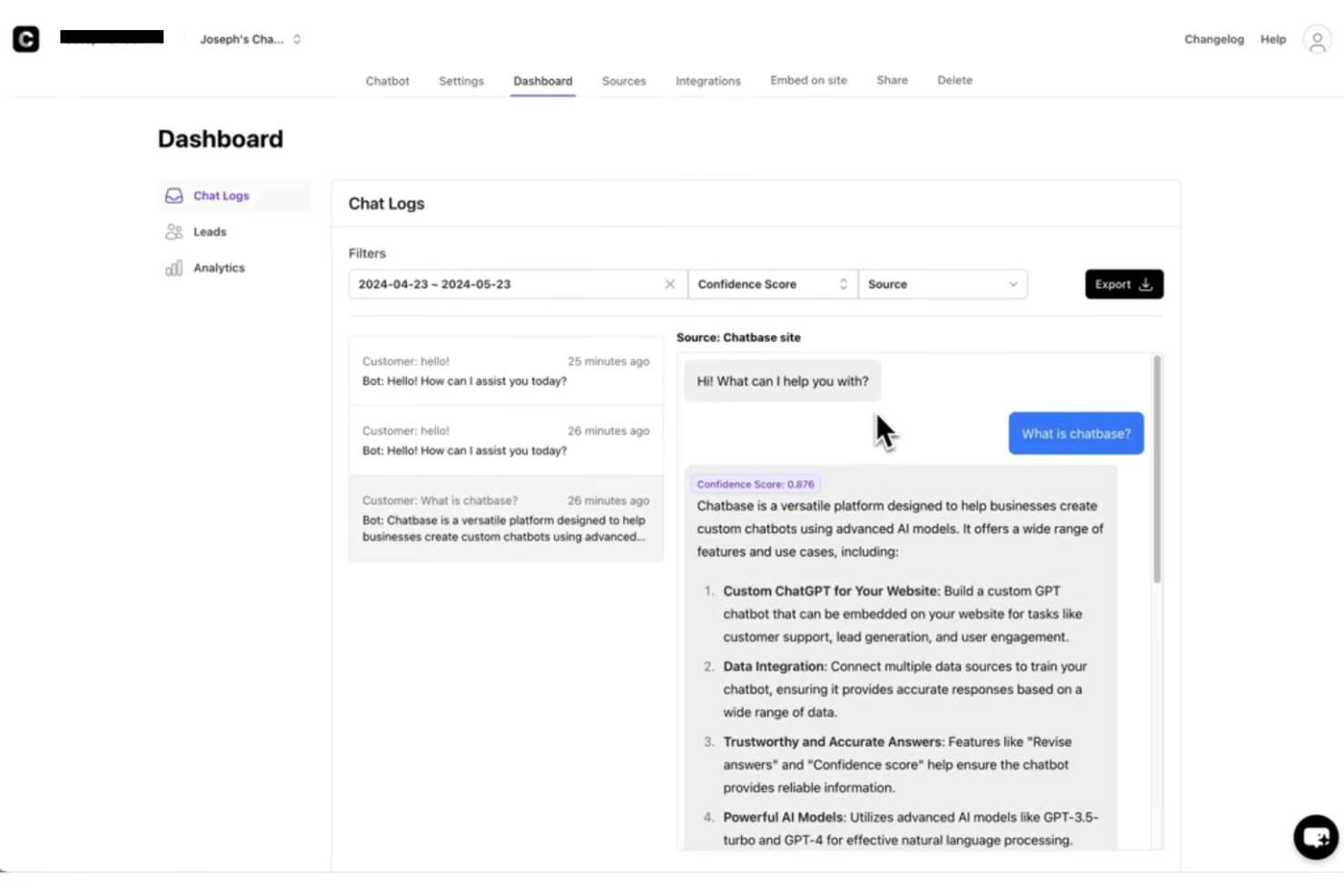
Chatbase è un generatore di chatbot AI senza codice che ti permette di addestrare agenti AI personalizzati sui dati della tua azienda—documenti, pagine web, PDF e FAQ—e distribuirli sul tuo sito, WhatsApp, Messenger, Slack ed email.
Per chi è Chatbase?
Chatbase è particolarmente adatto a piccole e medie imprese e team SaaS che vogliono automatizzare l'assistenza clienti con un chatbot AI senza bisogno di sviluppatori.
Perché ho scelto Chatbase
Ho scelto Chatbase tra i migliori grazie alla gestione dell'addestramento su dati personalizzati—puoi caricare PDF, URL di siti web, sitemap e pagine Notion, e il sistema basa ogni risposta su quei contenuti specifici utilizzando RAG. Mi piace che, quando la documentazione di prodotto cambia, posso riaddestrare il chatbot senza dover ricostruire nulla. La funzione di istruzioni personalizzate permette anche di definire tono, ambito delle risposte e trigger per l'escalation affinché il bot si comporti in modo coerente in ogni interazione con il cliente.
Caratteristiche chiave di Chatbase
- Distribuzione multicanale: Pubblica il tuo chatbot AI su sito web, WhatsApp, Instagram, Messenger e Slack da una singola configurazione.
- Passaggio a operatore umano: Imposta condizioni che trasferiscono automaticamente la conversazione a un agente umano quando il bot non può risolvere una richiesta.
- Analisi delle conversazioni: Esamina i log delle chat, il volume dei messaggi e le domande senza risposta per identificare lacune nella conoscenza del chatbot.
- Acquisizione lead: Raccogli nomi, email e numeri di telefono dei visitatori durante la conversazione, sia prima che dopo la risposta del bot.
Pros and Cons
Pros:
- Permette di limitare il bot a temi specifici
- Esporta log completi delle conversazioni per l'analisi
- Offre una dashboard di analisi con dettagli delle conversazioni
Cons:
- Nessun passaggio live a operatori umani
- Template preimpostati limitati per settori specifici

Ideale per mappe mentali dinamiche

Lucidspark è una lavagna virtuale progettata per brainstorming in tempo reale, ideazione collaborativa, mappatura dei customer journey e pianificazione visiva per team ibridi.
Per chi è pensato Lucidspark?
Lucidspark è particolarmente indicato per i team CX e prodotto che necessitano di uno spazio condiviso per mappare i percorsi cliente, condurre workshop e allinearsi visivamente sulla strategia di customer experience.
Perché ho scelto Lucidspark
Ho incluso Lucidspark tra le mie scelte principali perché adoro come le sue mappe mentali dinamiche consentano ai team CX di sviluppare idee in tempo reale, per poi ristrutturarle facilmente senza dover ricominciare da zero. Quando organizzo un brainstorming sul percorso cliente, posso espandere rami, comprimere gruppi e riorganizzare l’intera struttura semplicemente trascinando i nodi nella tela infinita. In aggiunta, la generazione di idee assistita dall’IA suggerisce concetti correlati durante la costruzione, offrendo uno strumento che mantiene tutti i team funzionali in movimento senza perdere il filo della conversazione.
Funzionalità principali di Lucidspark
- Template predefiniti: Accedi a una libreria di modelli focalizzati sulla CX, come customer journey map, empathy map e framework per persona utente.
- Sessioni di voto: Conduci esercizi strutturati di prioritizzazione dove i membri del team votano direttamente sulle idee nella lavagna.
- Bacheche suddivise: Suddividi una sessione in bacheche di lavoro più piccole, così i sottogruppi possono lavorare in parallelo e poi riportare i risultati sulla tela principale.
- Cluster di post-it: Raggruppa e etichetta i post-it per tema per organizzare feedback grezzi o i risultati del workshop in categorie chiare.
Pros and Cons
Pros:
- Template Kanban disponibili per i team
- Collaborazione in tempo reale per i team
- Integrazione con Google Drive e Jira
Cons:
- I piani team partono da $10 al mese per utente
- Richiesta fatturazione annuale per l’accesso

Survicate
Ideale per la raccolta automatizzata di feedback dei clienti su più canali
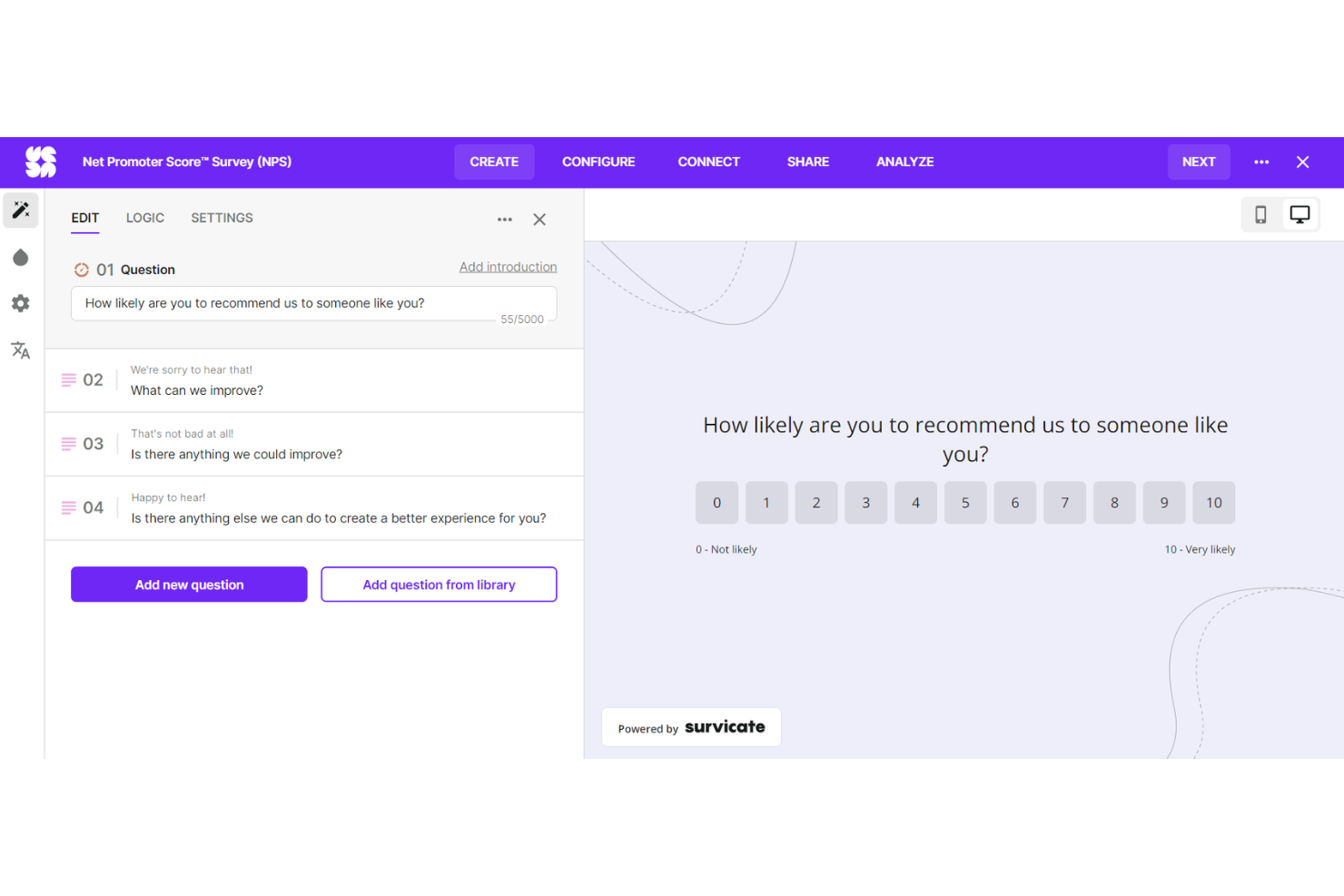
Survicate è una piattaforma di raccolta feedback dei clienti che ti permette di creare e distribuire sondaggi tramite email, sito web, canali in-app e mobile, per poi analizzare le risposte con analisi del sentiment basata su AI e monitoraggio delle principali metriche di CX.
Per chi è Survicate?
Survicate è particolarmente adatto a team di prodotto e CX di aziende SaaS e digitali che hanno bisogno di raccogliere feedback dei clienti su larga scala attraverso molteplici touchpoint.
Perché ho scelto Survicate
Ho scelto Survicate come uno dei migliori perché gestisce la raccolta automatizzata dei feedback su più canali in un modo che la maggior parte degli strumenti di sondaggio indipendenti non può eguagliare. Posso impostare trigger comportamentali per inviare automaticamente sondaggi CSAT o NPS dopo momenti chiave del cliente, come la chiusura di un ticket di supporto o l'utilizzo di una funzionalità per la prima volta. Il Research Hub centralizza anche le risposte da sondaggi, recensioni e ticket di supporto in un unico posto, così non devo estrarre manualmente i dati da più fonti.
Caratteristiche principali di Survicate
- Analisi del sentiment con AI: Tagga e classifica automaticamente le risposte a testo libero dei sondaggi in base al sentiment, permettendoti di individuare rapidamente tendenze di feedback negativo senza revisione manuale.
- Monitoraggio delle metriche CX: Monitora punteggi NPS, CSAT e CES nel tempo con dashboard dedicate progettate appositamente per tenere traccia delle metriche di customer experience.
- Targeting del pubblico: Permette di filtrare e segmentare i rispondenti ai sondaggi secondo attributi come tipo di piano, posizione geografica o comportamento utente, così da ottenere feedback da gruppi specifici di clienti.
- Avvisi in tempo reale: Invia notifiche istantanee via email o Slack quando un rispondente invia un punteggio basso, così il tuo team può intervenire prima che il churn diventi un rischio.
Pros and Cons
Pros:
- Analisi in tempo reale
- Nessuna necessità di codice
- Template di sondaggio altamente personalizzabili
Cons:
- Le risposte continue dei clienti possono risultare difficili da gestire
- Curva di apprendimento per chi non ha familiarità con la raccolta feedback più automatizzata
New Product Updates from Survicate

Survicate MCP Support Now Available
Survicate now supports MCP, letting teams use AI tools like Claude, ChatGPT, and Slack to explore survey results, analyze responses and insights, and draft new surveys. For more information, visit Survicate's official site.
 .
.Altri CX SoftwareAltri CX Software
Di seguito trovi una lista di altri software CX che avevo selezionato, ma che non sono entrati nella top 12. Vale comunque la pena dargli un’occhiata.
- Customerscore.io
Ideale per punteggi real-time sullo stato dei clienti
- UserGuiding
Ideale per un onboarding utente intuitivo
- Nextiva
Ideale per la gestione dell'esperienza cliente con intelligenza artificiale
- Dock
Ideale per creare portali clienti
- Groove
Ideale per piccoli team che necessitano di una comunicazione clienti unificata
- Front
Ideale per flussi di lavoro multi-team guidati dall'IA
- Intercom
Ideale per bot personalizzati e messaggistica mirata
- Uservoice
Ideale per raccogliere e analizzare i feedback dei clienti
- ZOHO CRM Plus
Ideale per la gestione integrata dell’esperienza cliente su vari punti di contatto
- Salesforce Financial Services Cloud
Ideale per organizzazioni di grandi dimensioni che necessitano di strumenti diversificati per la gestione dei clienti
- Guru
Ideale per centralizzare la conoscenza nei team CX
- Qualtrics CustomerXM
Ideale per analisi dati avanzate
- HubSpot Service Hub
Ideale per integrare il servizio clienti con gli sforzi di vendita e marketing
- Medallia Experience Cloud
Ideale per la mappatura completa del percorso cliente


Criteri di Selezione per un CX Software
Dopo aver passato innumerevoli ore a valutare decine di software per la gestione dell'esperienza cliente, posso assicurarti che non tutti gli strumenti sono uguali. Nella mia ricerca dei migliori, ho cercato in particolare quelli eccellenti in termini di funzionalità principali, caratteristiche chiave e usabilità. Qui di seguito approfondisco questi criteri nel dettaglio.
Funzionalità Principali
Per qualsiasi strumento di gestione dell'esperienza cliente, ci sono alcune funzioni che devono essere imprescindibili:
- Customer Journey Mapping: Lo strumento dovrebbe consentirti di rappresentare visivamente i passaggi che i clienti compiono mentre interagiscono con la tua azienda.
- Raccolta del Feedback: È fondamentale poter raccogliere feedback da vari canali come email, sondaggi, social media, ecc.
- Analisi dei Dati: È necessaria una solida funzionalità di analisi per interpretare i dati raccolti.
- Reporting: Lo strumento dovrebbe essere in grado di generare report dettagliati per condividere gli insight con il tuo team.
Caratteristiche Chiave
Nella scelta di un software di gestione dell'esperienza cliente, ci sono alcune caratteristiche che fanno davvero la differenza:
- Supporto Multicanale: Permette di raccogliere feedback da fonti diverse per una visione completa dell'esperienza cliente.
- Integrazione: Il software dovrebbe integrarsi perfettamente con altri strumenti come il tuo CRM oppure l'helpdesk.
- Personalizzazione: Devi poter personalizzare sondaggi, dashboard e report in base alle tue esigenze.
- Avviso in Tempo Reale: Notifiche immediate sui feedback clienti ti aiutano a intervenire tempestivamente e risolvere i problemi più rapidamente.
Usabilità
Infine, l'esperienza utente dello strumento stesso è una considerazione fondamentale. Ecco ciò che cercavo:
- Interfaccia intuitiva: Un buon software di gestione dell'esperienza cliente dovrebbe essere facile da navigare, con un design pulito e funzioni chiaramente contrassegnate.
- Onboarding rapido: Lo strumento dovrebbe consentire una procedura di configurazione veloce, con istruzioni semplici e, idealmente, con template per iniziare più rapidamente.
- Scalabilità: Lo strumento dovrebbe poter crescere insieme alla tua azienda, gestendo un volume di dati in aumento senza compromettere le prestazioni.
- Supporto affidabile: L'accesso a un supporto clienti puntuale ed efficace garantisce che eventuali problemi tecnici non compromettano il monitoraggio dell'esperienza dei clienti.
Domande più frequenti sul software CX
Quali sono i vantaggi dell’utilizzo di un software per la customer experience (CX)?
L’uso di un software CX offre numerosi vantaggi alle aziende:rnu003culu003ern tu003cliu003eu003cstrongu003eMaggiore comprensione dei clientiu003c/strongu003e: Raccogliendo e analizzando i feedback, gli strumenti CX forniscono informazioni su ciò che i clienti apprezzano o non gradiscono dei tuoi servizi o prodotti. Questa conoscenza permette di migliorare le offerte e, in definitiva, aumentare la fidelizzazione e la soddisfazione dei clienti.u003c/liu003ern tu003cliu003eu003cstrongu003eRaccolta efficiente dei feedbacku003c/strongu003e: Il software CX automatizza il processo di raccolta dei feedback dei clienti su più canali, risparmiando tempo e aumentando la portata degli sforzi di raccolta.u003c/liu003ern tu003cliu003eu003cstrongu003eRisoluzione proattiva dei problemiu003c/strongu003e: Con avvisi in tempo reale, gli strumenti CX permettono alle aziende di identificare e risolvere rapidamente i problemi prima che peggiorino, prevenendo così l’insoddisfazione del cliente.u003c/liu003ern tu003cliu003eu003cstrongu003eDecisioni guidate dai datiu003c/strongu003e: I dati e le analisi forniti dal software CX aiutano a prendere decisioni aziendali informate e strategiche.u003c/liu003ern tu003cliu003eu003cstrongu003eMaggiore fidelizzazione dei clientiu003c/strongu003e: Dando priorità all’esperienza cliente e intervenendo in base ai loro feedback, le aziende possono aumentare la fedeltà e la fidelizzazione della clientela.u003c/liu003ernu003c/ulu003e
Quanto costa un software CX?
Il costo di un software CX varia notevolmente a seconda della complessità dello strumento, del numero di utenti e delle funzionalità richieste. Alcune piattaforme offrono versioni gratuite, ma queste prevedono generalmente delle limitazioni.
Quali sono i modelli di prezzo tipici per i software CX?
La maggior parte dei software CX prevede un modello di prezzo per utente/mese oppure una tariffa fissa/mese. Con il modello per utente/mese, si paga una cifra specifica per ogni utente che utilizzerà il software. Il prezzo con tariffa fissa, invece, prevede un unico canone mensile indipendentemente dal numero di utenti.
Qual è la fascia di prezzo tipica dei software CX?
I prezzi dei software CX possono partire da appena $10/utente/mese e arrivare fino a svariate centinaia di dollari al mese per le soluzioni più avanzate di livello enterprise.
Qual è il software CX più economico e il più costoso?
Tra gli strumenti elencati, Freshdesk offre uno dei prezzi di partenza più bassi a $15/utente/mese. Dall’altro lato, Qualtrics CustomerXM rappresenta una delle soluzioni più costose, con prezzi disponibili solo su richiesta data la sua natura altamente personalizzabile.
Esistono soluzioni CX gratuite?
Sì, alcuni software CX prevedono opzioni gratuite. Ad esempio, Freshdesk offre un piano gratuito con funzionalità limitate. Anche Wootric dispone di un piano gratuito, ma con limitazioni sul numero di sondaggi inviabili mensilmente.
Altre recensioni di software per help desk
- Software per help desk
- Banche dati per helpdesk
- Software di ticketing per l’assistenza clienti
- Software help desk online
Riepilogo
In conclusione, la scelta del software per la Customer Experience (CX) giusto dipende in gran parte dalle esigenze specifiche della tua azienda e non esiste una soluzione valida per tutti. Ogni software offre una combinazione unica di funzionalità e capacità pensate per casi d’uso diversi, quindi comprendere le proprie necessità è fondamentale.
Punti chiave
- Valuta le tue esigenze Inizia identificando le funzionalità principali di cui la tua azienda ha bisogno. Questo potrebbe includere qualsiasi cosa, dall'analisi del sentiment ai sistemi di ticketing o al supporto omnicanale. Il miglior software CX per te sarà quello che risponde efficacemente a queste necessità.
- Considera la facilità d’uso Anche se le funzionalità sono importanti, il software deve essere semplice da utilizzare. Una buona piattaforma CX avrà un'interfaccia utente intuitiva e un servizio clienti affidabile, assicurando che tu possa sfruttare al meglio lo strumento senza attriti inutili.
- Pensa alla scalabilità futura Infine, considera la scalabilità del software. Man mano che la tua azienda cresce, anche le tue esigenze CX potrebbero evolversi. Il software che scegli dovrebbe essere in grado di crescere con la tua attività e adattarsi alle aspettative dei clienti in cambiamento.
Cosa ne pensi?
Se conosci altri strumenti CX che pensi dovrebbero essere inclusi in questo elenco, mi piacerebbe conoscere le tue opinioni ed esperienze. Il tuo feedback è prezioso per rendere questa guida il più completa e utile possibile, quindi non esitare a contattarmi!