

10 Migliori Soluzioni di Help Desk Interno del 2026

10 Migliori Software di Help Desk Interno - Shortlist


Con così tanti software di help desk interno disponibili, trovare quello giusto per le tue esigenze può essere difficile. Sai che ti serve un software per centralizzare e risolvere le richieste e le domande di supporto interno, ma devi capire quale sistema è il migliore. In questo articolo ti aiuterò a rendere questa scelta più semplice condividendo le mie opinioni sui migliori software di help desk interno per tracciare le richieste, ottimizzare la comunicazione e migliorare l'efficienza operativa.
Perché fidarsi dei nostri consigli sui software
Il nostro team testa e recensisce software dal 2012. In quanto leader CX noi stessi, sappiamo quanto sia difficile — e importante — scegliere il software giusto.
Per questa guida, abbiamo valutato gli strumenti attraverso test pratici e ricerche indipendenti, assegnando un punteggio agli strumenti in base ai nostri criteri di selezione.
Le nostre recensioni riflettono il nostro giudizio editoriale umano, non un discorso di vendita.
Riepilogo dei Migliori Software di Help Desk Interno
Questa tabella comparativa riassume i dettagli sui prezzi delle migliori soluzioni di help desk interno per aiutarti a trovare quella più adatta al tuo budget e alle esigenze della tua azienda.
| Tool | Best For | Trial Info | Price | ||
|---|---|---|---|---|---|
| 1 | Ideale per il supporto IT con strumenti di collaborazione integrati | Prova gratuita di 14 giorni + demo gratuita disponibile | A partire da $19/utente/mese (fatturazione annuale) | Website | |
| 2 | Ideale per la gestione dei servizi IT orientata all'AI | Prova gratuita di 14 giorni | Prezzi su richiesta | Website | |
| 3 | Ideale per ticketing e supporto guidati dall'intelligenza artificiale | Prova gratuita di 14 giorni + demo gratuita disponibile | Da $19/agente/mese (fatturazione annuale) | Website | |
| 4 | Il miglior sistema cloud per personalizzare i servizi tra reparti | Prova gratuita di 15 giorni + demo gratuita disponibile | Da $7/utente/mese (fatturazione annuale) | Website | |
| 5 | Ideale per configurazioni rapide | Piano gratuito + prova gratuita di 7 giorni + demo gratuita disponibile | Da $25/utente/mese (fatturato annualmente) | Website | |
| 6 | Ideale per supporto multilingue a clienti e colleghi | Demo gratuita disponibile | Prezzo su richiesta | Website | |
| 7 | Miglior software help desk satellite per gestire più marchi in un'unica sede | Prova gratuita di 30 giorni | Da $12/utente/mese | Website | |
| 8 | Ideale per la personalizzazione no-code | Prova gratuita di 14 giorni | Da $9/postazione/mese (fatturazione annuale) | Website | |
| 9 | Ideale per un servizio automatizzato che permette agli utenti di accelerare e scalare | Prova gratuita di 14 giorni + demo gratuita disponibile | Da $29/utente/mese (fatturazione annuale) | Website | |
| 10 | Miglior help desk cloud per un approccio a 360° alla gestione dei servizi IT | Demo gratuita | Contattare per un preventivo | Website |


Recensioni dei Migliori Software di Help Desk Interno
Di seguito trovi i miei riepiloghi dettagliati dei migliori software di help desk interno che sono entrati nella mia shortlist. Le mie recensioni offrono uno sguardo approfondito alle funzionalità chiave, ai pro e contro, alle integrazioni e agli usi ideali di ciascuno strumento per aiutarti a trovare quello più adatto a te.
Ideale per il supporto IT con strumenti di collaborazione integrati
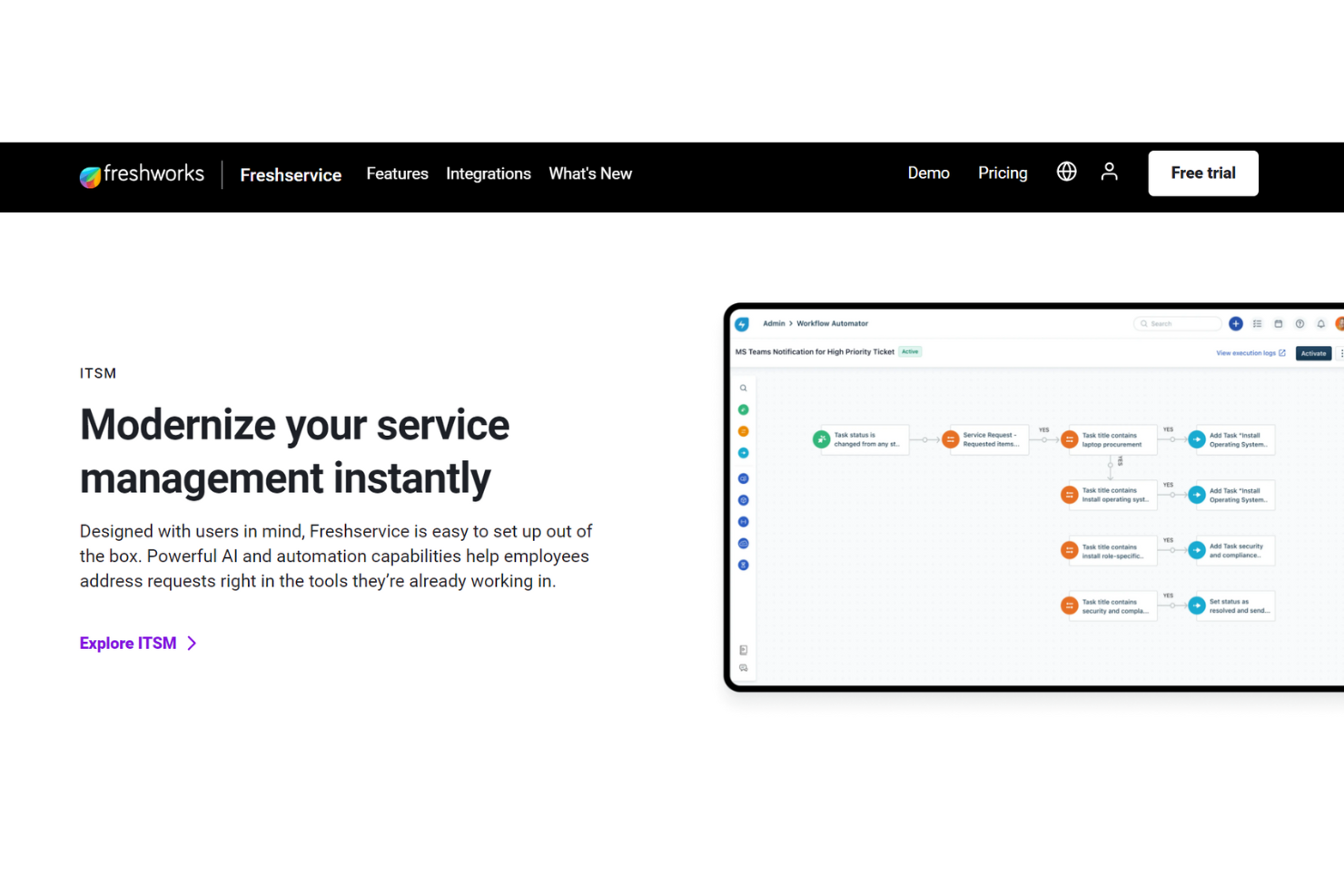
Questo software di help desk interno di Freshdesk mira a fornire un supporto di livello cliente per i dipendenti attraverso strumenti di collaborazione integrati, deflessione dei ticket tramite IA e portali self-service completi.
L'IA di Freshservice è una funzione che va oltre le basi, offrendo un'erogazione rapida dei servizi e una gestione degli incidenti che copre registrazione, classificazione, prioritizzazione, indagine, risoluzione e chiusura. Fornisce anche strumenti di escalation secondo necessità. Freshservice consente assistenza interna multicanale per tutti i team.
Gli strumenti di help desk interni sono categorizzati separatamente dagli altri servizi Freshdesk e possono supportare sia piccole aziende che organizzazioni di livello enterprise a diversi livelli. Offrono inoltre una varietà di componenti aggiuntivi, inclusi gestione SaaS, gestione progetti e agenti aziendali.
Caratteristiche e Integrazioni Distintive di Freshservice
Caratteristiche includono gestione dei cambiamenti, gestione degli incidenti, workspace, gestione della conoscenza, onboarding dei dipendenti e gestione degli asset. La gestione dei servizi IT comprende raggruppamento automatico degli alert, gestione on-call e regole intelligenti di gestione degli alert.
Integrazioni includono Jira, Detailr, Google Hangouts, Instagram, Office 365 Calendar, Skype, TeamViewer, Trello, WhatsApp e YouTube. Freshservice offre integrazioni con app sia gratuite che a pagamento.
Pros and Cons
Pros:
- API e automazione dei flussi di lavoro
- Strumenti flessibili e personalizzabili
- Facile da usare
Cons:
- Interfaccia utente lenta
- Mancano alcune funzionalità lato agente
New Product Updates from Freshservice
 Experience)
Freshservice Introduces a Reimagined IT Asset Management (ITAM) Experience
Freshservice introduces a reimagined IT Asset Management (ITAM) experience with continuous infrastructure discovery, dependency mapping, IPAM, and Software License Management. This update helps teams improve asset visibility and manage connected IT environments more effectively. For more information, visit Freshservice’s official site.
SysAid
Ideale per la gestione dei servizi IT orientata all'AI
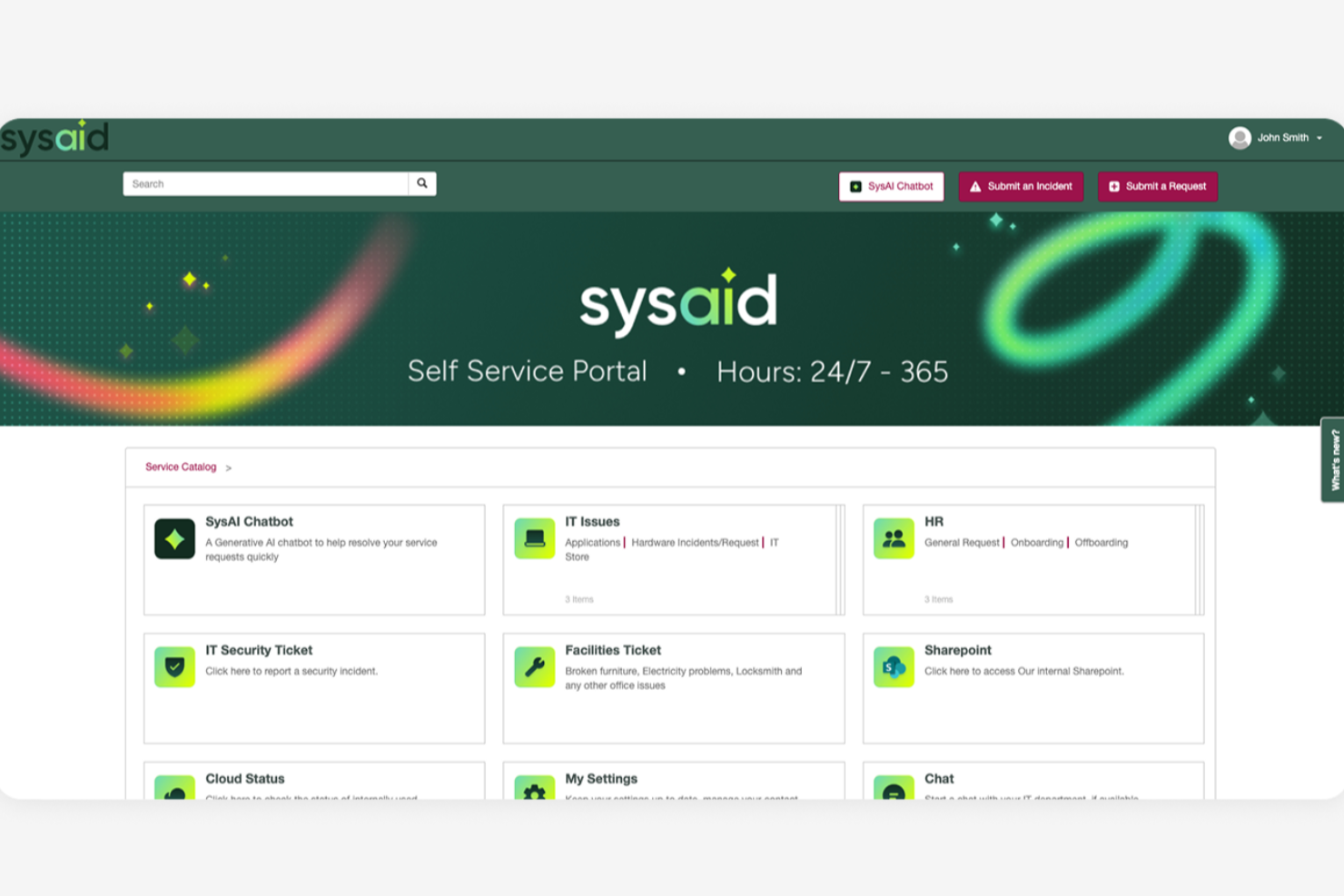
SysAid è una piattaforma completa di IT Service Management (ITSM) e help desk progettata per supportare le operazioni IT di organizzazioni di varie dimensioni. Fornisce un'ampia gamma di strumenti che aiutano i team a gestire i servizi IT, le richieste di supporto e l'infrastruttura da un sistema centralizzato.
Perché ho scelto SysAid: Ho scelto SysAid per le sue solide capacità di automazione dei servizi IT, che aiutano a ridurre la quantità di lavoro manuale richiesta ai team IT. L'automazione supporta attività come l'instradamento dei ticket, la prioritizzazione, l'escalation e l'esecuzione dei flussi di lavoro, consentendo alle richieste di incident e di servizio di muoversi nel sistema in modo più efficiente. Questo dà ai team IT più tempo per concentrarsi su attività di maggiore valore o strategiche, invece che su task di supporto ripetitivi.
SysAid include anche funzionalità di self-service che aiutano gli utenti finali a risolvere autonomamente i problemi comuni. Tramite un portale self-service e una base di conoscenza, i dipendenti possono trovare risposte, inviare richieste o risolvere problemi senza contattare direttamente il team IT, contribuendo a ridurre il volume complessivo di ticket.
Funzionalità principali e integrazioni di SysAid
Funzionalità includono gestione degli asset, gestione del cambiamento, gestione dei problemi, gestione degli incident, gestione delle richieste di servizio, una base di conoscenza, reportistica e analisi, gestione dei livelli di servizio, controllo remoto, gestione delle patch, rilevamento e monitoraggio della rete, benchmark IT, automazione dei flussi di lavoro, un catalogo dei servizi e gestione dei dispositivi mobili.
Le integrazioni includono Microsoft Active Directory, LDAP, Microsoft Azure, Microsoft 365, Google Workspace, Salesforce, Jira, Slack, Microsoft Teams, Zapier, Zoom, FreshBooks, QuickBooks, Dropbox, OneDrive, AWS e VMware.
Pros and Cons
Pros:
- Interfaccia intuitiva
- Capacità di automazione complete
- Portale self-service disponibile
Cons:
- La configurazione può richiedere tempo
- I report potrebbero essere più personalizzabili
New Product Updates from SysAid

SysAid Adds Bulk Contract Import
SysAid added bulk contract import to License Manager Essentials, letting admins upload a CSV template, validate entries, and create multiple contracts at once. For more information, visit SysAid's official site.

Ideale per ticketing e supporto guidati dall'intelligenza artificiale
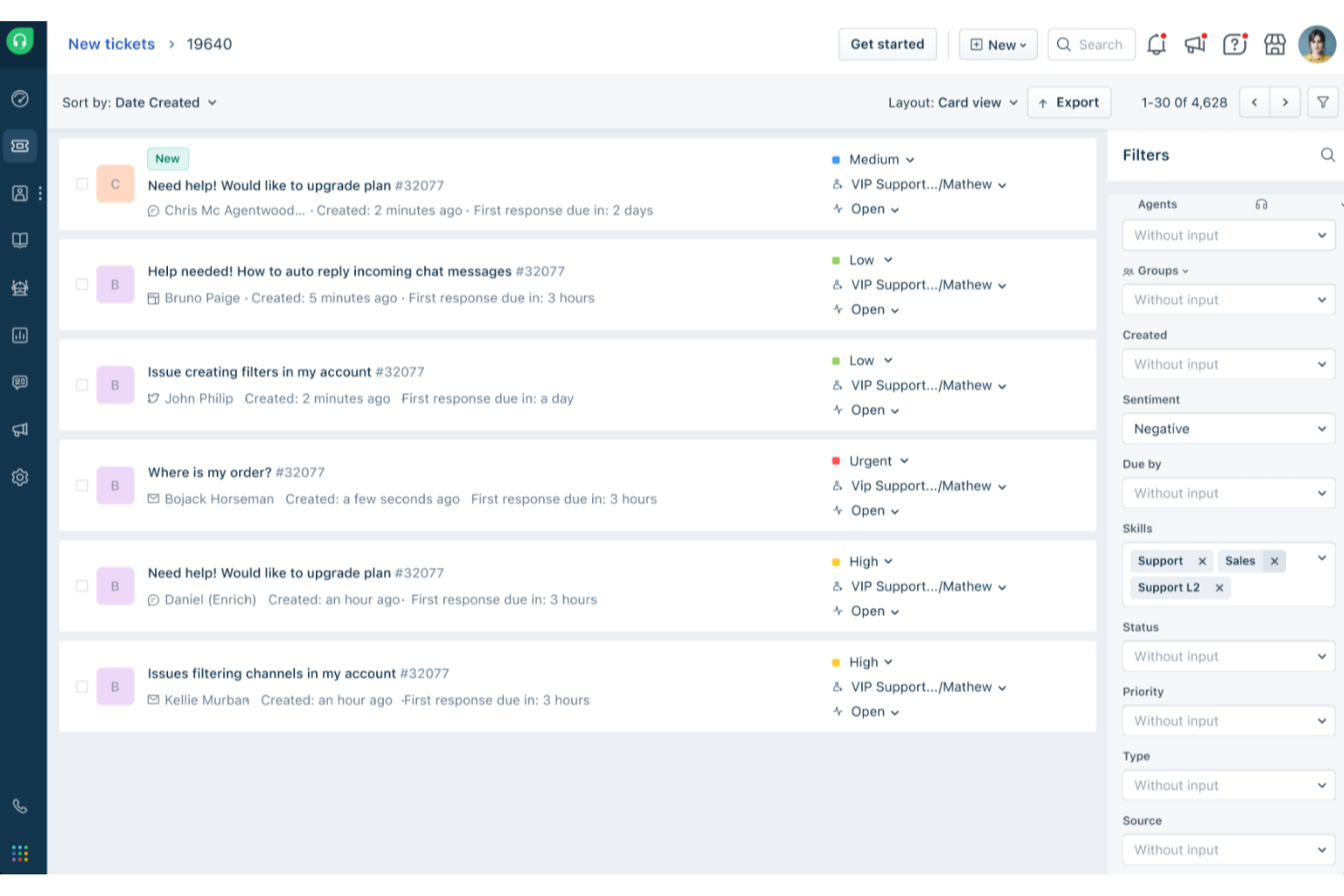
Freshdesk (un prodotto di Freshworks Inc.) è una piattaforma di help desk progettata per supportare i team nella gestione delle richieste di servizio su varie scale, sia per casi d'uso rivolti ai clienti che di supporto interno. Offre strumenti strutturati che aiutano i team a organizzare le richieste, monitorare i progressi e mantenere la coerenza nelle operazioni di supporto.
Perché ho scelto Freshdesk: Ho scelto Freshdesk per il modo in cui supporta la gestione dei ticket per i team che devono gestire grandi volumi di richieste. La piattaforma offre automazioni integrate e Freddy AI, che può aiutare con compiti come la categorizzazione e l'instradamento dei ticket, contribuendo a ridurre il lavoro manuale per i team di supporto interno.
Questo approccio consente agli agenti di dedicare più tempo alle problematiche che richiedono un'analisi più approfondita o collaborazione, invece che ad attività amministrative ripetitive.
Funzionalità e integrazioni principali di Freshdesk
Le funzionalità includono opzioni di personalizzazione, reportistica e analisi, portali self-service, basi di conoscenza, gestione degli SLA, supporto multilingue, strumenti di collaborazione e un'app mobile.
Le integrazioni comprendono Salesforce, Shopify, Slack, Mailchimp, Microsoft Teams, WhatsApp e altri strumenti di terze parti comunemente utilizzati dai team di supporto e operativi.
Pros and Cons
Pros:
- Funzionalità robuste di gestione dei ticket
- Helpdesk self-service
- Automazione e gestione dei flussi di lavoro
Cons:
- Mancanza di report personalizzati
- La knowledge base multilingue è disponibile solo nei piani superiori
New Product Updates from Freshdesk

Freshdesk Adds Voice AI Agents in Freshcaller
Freshdesk introduces Voice AI Agents available through Freshcaller Marketplace apps to handle routine calls and reduce queues. This feature enables automated call handling with real-time, conversational support. For more information, visit Freshdesk's official site.

Il miglior sistema cloud per personalizzare i servizi tra reparti
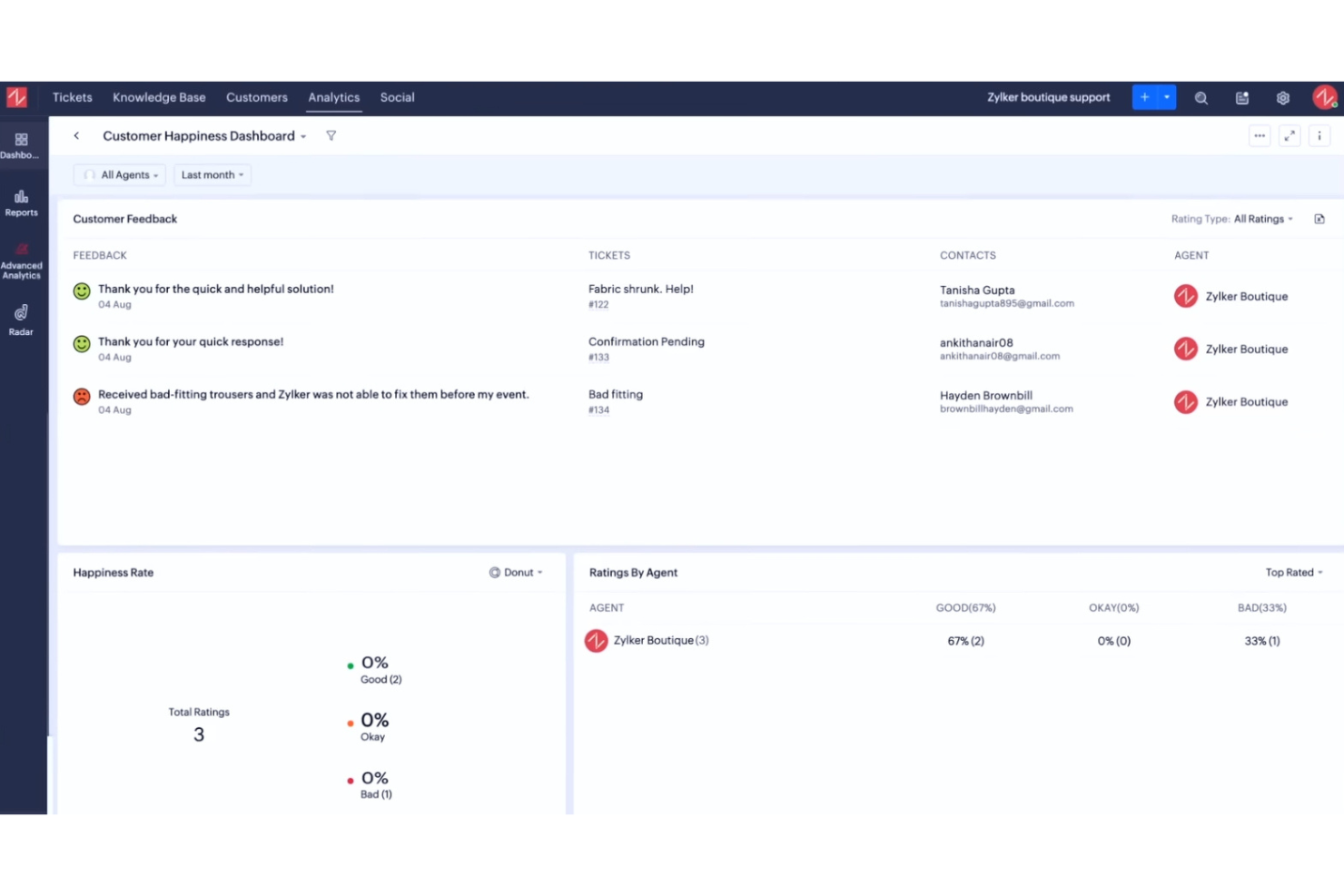
Zoho Desk è una piattaforma basata sul cloud che aiuta i team a gestire le operazioni di assistenza clienti tra diversi reparti. Offre alla tua azienda uno spazio condiviso per gestire le richieste di servizio, organizzare la comunicazione e migliorare la gestione delle risposte tramite automazione e dati contestuali. È progettato per aiutare i team a restare coordinati e fornire soluzioni più rapide e personalizzate.
Perché ho scelto Zoho Desk: Puoi adattare Zoho Desk ai processi di servizio interni del tuo team, semplificando l’allineamento dei flussi di lavoro tra i reparti. La piattaforma consente di automatizzare azioni ripetitive con blueprint, personalizzare le strutture dei ticket e definire accordi sui livelli di servizio in linea con le tue politiche interne. Puoi gestire cicli di approvazione complessi, monitorare le performance tramite dashboard e indirizzare le richieste in base al reparto o alle competenze degli agenti. Questa flessibilità aiuta il tuo team a gestire attività interdipartimentali mantenendo visibilità e coerenza.
Funzionalità principali & integrazioni:
Funzionalità includono la proprietà condivisa dei ticket per una risoluzione collaborativa, suggerimenti di risposta alimentati da AI con Zia e strumenti integrati per la personalizzazione del centro assistenza. Puoi creare centri assistenza multibrand, configurare regole di automazione contestuali e accedere ad analisi delle prestazioni che mostrano come gli sforzi del tuo team siano allineati agli obiettivi interni.
Integrazioni includono Zoho CRM, Zoho Books, Zoho Projects, Microsoft Teams, Slack, Google Workspace, Jira, Salesforce, Trello, Shopify e Zapier.
Pros and Cons
Pros:
- Permette di personalizzare facilmente i flussi di lavoro
- Supporta l’instradamento interno dei ticket
- Offre strumenti AI per risposte più rapide
Cons:
- L’automazione avanzata richiede formazione
- Gli strumenti AI richiedono una messa a punto per mantenere l’accuratezza

Hiver
Ideale per configurazioni rapide
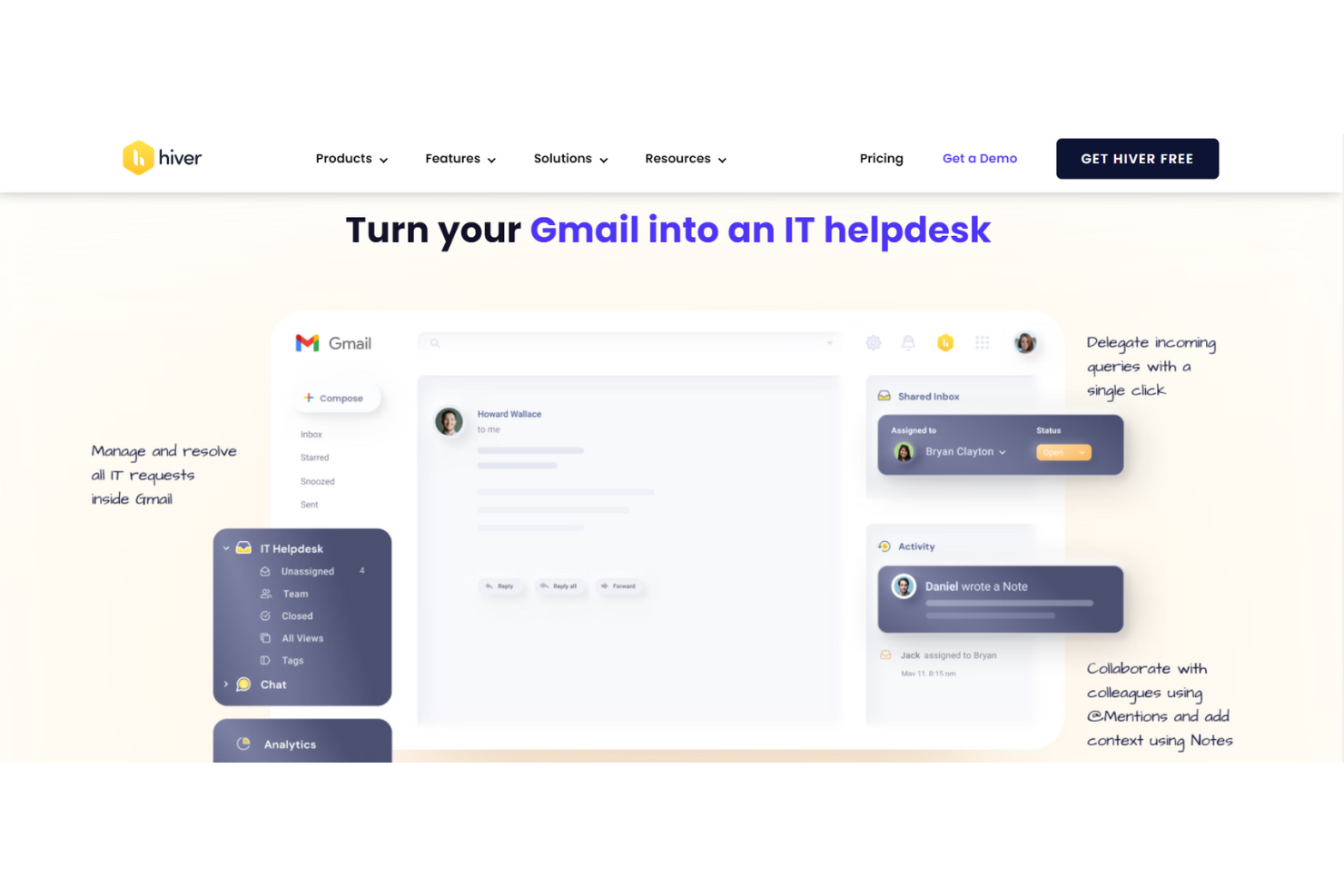
Hiver è una moderna piattaforma di help desk potenziata dall'IA che può essere utilizzata per il supporto interno tra diversi team. Che si tratti di gestire richieste IT dei dipendenti, di rispondere a domande di HR o di semplificare le approvazioni finanziarie, Hiver mette a disposizione una casella di posta condivisa che funge da hub centrale per tutte le comunicazioni di supporto interno.
Perché ho scelto Hiver: Hiver è pensato per team moderni e dinamici che vogliono lavorare rapidamente. Dato che la sua interfaccia, simile a quella delle email, è familiare alla maggior parte di noi, l’apprendimento dello strumento risulta immediato. Non è necessario effettuare una formazione approfondita per iniziare. L’installazione richiede solo pochi minuti. Dispone di una casella di posta condivisa che viene utilizzata come hub centrale per tutte le richieste dei dipendenti, con sistema di tracciamento dei ticket integrato così che nulla venga dimenticato. I team possono anche collaborare facilmente utilizzando note private, @menzioni e bozze condivise, tutto all’interno della stessa interfaccia.
Funzionalità e integrazioni distintive di Hiver
Funzionalità includono flussi di lavoro di approvazione che rendono facile instradare le richieste che necessitano di una conferma, come permessi di accesso o approvazioni di budget. Puoi anche configurare regole di automazione per etichettare, assegnare e dare priorità ai ticket in base al tipo, aiutando il tuo team a rimanere organizzato senza interventi manuali. Il tracciamento degli SLA garantisce risposte tempestive, mentre una knowledge base integrata consente di documentare processi e policy interni così che i dipendenti possano trovare risposte in autonomia.
Integrazioni includono Aircall, Asana, Jira, Okta, QuickBooks, Salesforce, Slack, WhatsApp, Zapier e oltre 100 altre piattaforme.
Pros and Cons
Pros:
- Ottime funzionalità di collaborazione interna
- Assistenza clienti da persone reali disponibile 24/7 via chat o email, in tutti i piani (compreso quello gratuito)
- Funzionalità di IA integrate in tutte le fasi del supporto clienti
Cons:
- L’esperienza mobile non è robusta come quella desktop
- Rispetto ad alcune altre piattaforme, Hiver offre meno integrazioni di terze parti
New Product Updates from Hiver

Hiver Brings Chat Widget Support to Mobile Apps
Hiver now lets you embed the Hiver Chat Widget in iOS, Android, React Native, and Flutter apps so customers can start chats without leaving your app. For more information, visit Hiver's official site.

HappyFox
Ideale per supporto multilingue a clienti e colleghi
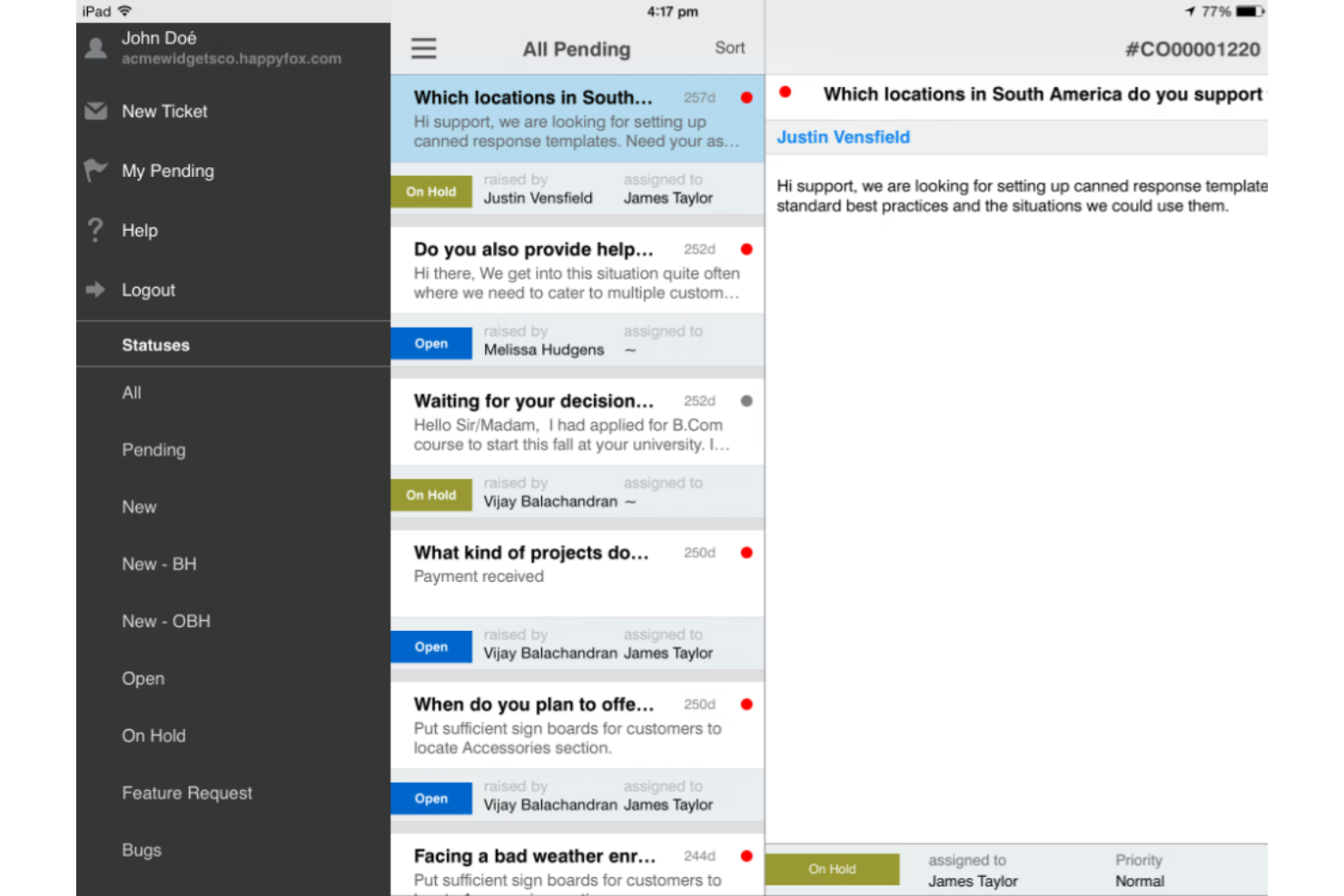
Il software di help desk HappyFox integra il servizio clienti e il supporto interno, permettendo alla tua azienda di utilizzare un unico strumento per gestire entrambi gli aspetti dell'organizzazione.
Indipendentemente dalla lingua parlata dal tuo team o dai tuoi clienti, HappyFox può offrire supporto multilingue in 35 lingue. Grazie a un sistema automatizzato di gestione dei ticket, gli agenti possono monitorare le richieste di supporto degli utenti finali, creare basi di conoscenza sia interne che esterne e fornire comunicazione omnicanale tramite SMS, email, voce e social media.
HappyFox è una soluzione versatile in grado di offrire opzioni per piccole e medie imprese, grandi organizzazioni ed esigenze aziendali in diversi settori, inclusi istruzione, servizi IT, vendita al dettaglio, no-profit, compagnie aeree, sanità e immobiliare. Offre sconti per organizzazioni no-profit ed educative.
Caratteristiche principali e integrazioni di HappyFox
Funzionalità includono sistema di gestione ticket, azioni preimpostate, gestione delle attività, reportistica help desk, base di conoscenza e automazioni. Gli utenti possono creare FAQ e basi di conoscenza personalizzate sia per esigenze interne che esterne.
Integrazioni includono Azure, Asana, Jira, Microsoft Teams, Okta, Pipedrive, Salesforce, Slack, WhatsApp e Wrike. HappyFox è compatibile con integrazioni per app di contabilità, automazione, business intelligence, bot, CRM, gestione dispositivi e marketing.
Pros and Cons
Pros:
- Si adatta alla crescita dell'azienda
- Soluzione personalizzabile
- Strumenti intuitivi
Cons:
- Requisiti di implementazione impegnativi
- Strumenti di autoformazione limitati

Miglior software help desk satellite per gestire più marchi in un'unica sede
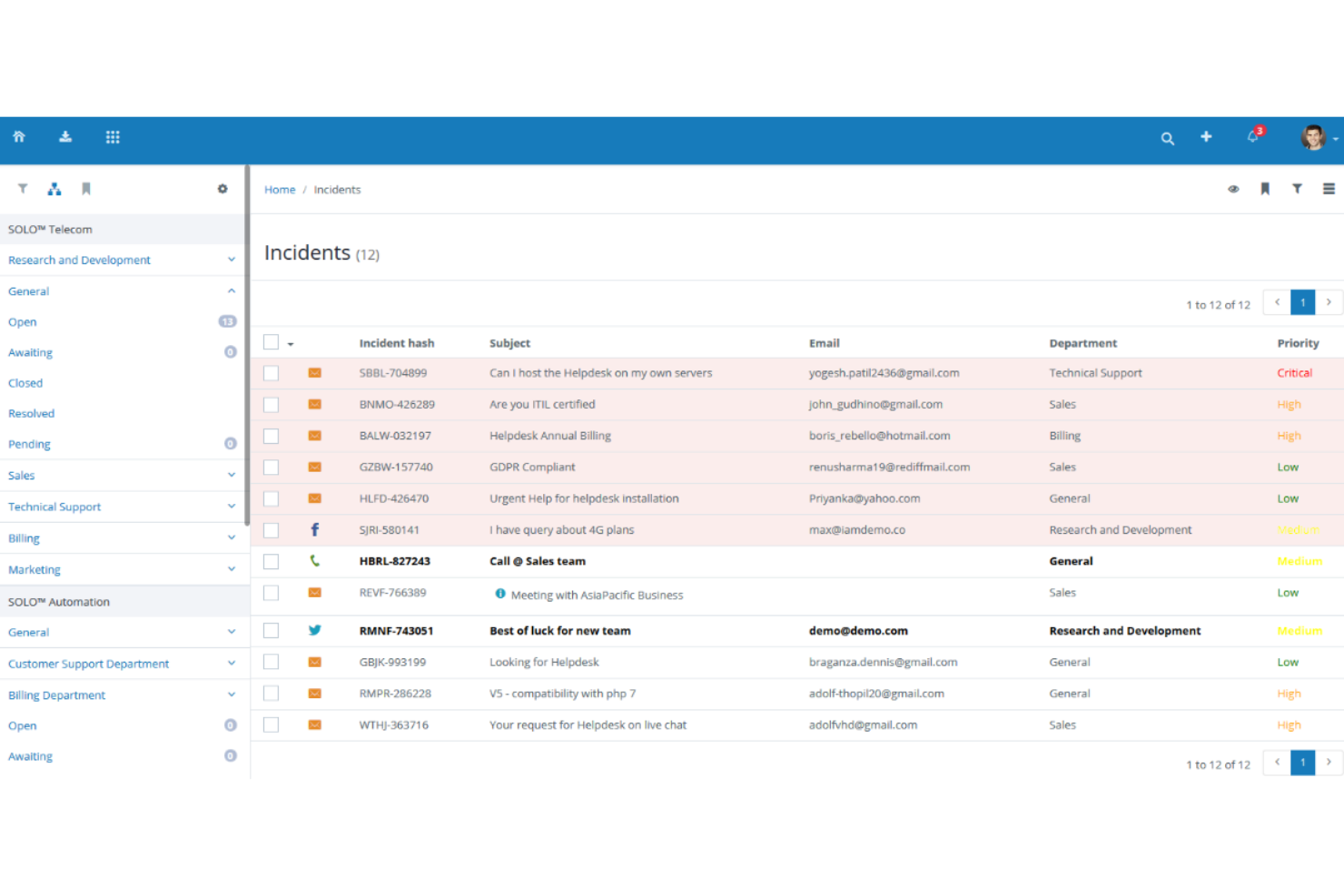
Vision Helpdesk offre quattro soluzioni distinte di help desk, tra cui un sistema di ticketing base per richieste di incidenti o servizi, un service desk ITIL/ITSM per le esigenze dei team IT, un software di chat dal vivo per comunicazioni in tempo reale e multi-azienda e un'opzione di help desk satellite per gestire più marchi nella stessa sede.
Con l'help desk satellite, Vision Helpdesk offre funzionalità di supporto clienti e service desk IT per più prodotti, marchi o aziende in un unico posto. Tuttavia, anche gestendo più aziende, il sistema mantiene una completa separazione tra ogni categoria, utente finale e membro dello staff.
Vision Helpdesk supporta la licenza cloud SaaS, una licenza in abbonamento ricorrente e una licenza con pagamento una tantum, per adattarsi alle esigenze della tua azienda. Ognuna ha un sistema a livelli basato sul numero di agenti nella tua organizzazione.
Funzionalità e integrazioni di spicco di Vision Helpdesk
Funzionalità includono gestione degli incidenti, il supporto multilingua e fusi orari, gestione delle risorse CMDB, fatturazione degli incidenti e monitoraggio del tempo, generatore di moduli e gestione dei cambiamenti. Ogni tipo di help desk ha alcune funzionalità uniche.
Integrazioni includono 2SMS, Active Directory, Clickatell, Clientexec, Drupal, Facebook, Microsoft Office, PayPal, Twitter e WHMCS. Vision Helpdesk dispone anche di app per iPhone e Android.
Pros and Cons
Pros:
- Numerosi report in tempo reale
- Minimi requisiti di formazione
- Soluzione software semplice
Cons:
- La durata dei report arriva fino a tre mesi
- Integrazioni limitate
Ideale per la personalizzazione no-code

monday service è una piattaforma di servizi personalizzabile progettata per gestire e automatizzare le operazioni e i processi di servizio. Offre una gamma di soluzioni pronte all'uso per diversi casi d'uso di service management, inclusa la gestione dei ticket, il supporto multicanale e le automazioni basate sull'intelligenza artificiale.
Perché ho scelto monday service: L'impostazione no-code del software consente agli utenti di creare flussi di lavoro su misura per le esigenze specifiche del proprio team. Con workflow personalizzabili, è possibile progettare processi adatti al modo in cui opera la tua squadra. Inoltre, le dashboard visive ti permettono di vedere in tempo reale le richieste di supporto e di assegnare priorità alle attività di conseguenza.
Caratteristiche e integrazioni distintive di monday service
Le funzionalità includono automazioni che consentono al tuo team di concentrarsi sulla risoluzione dei problemi invece che su compiti ripetitivi. Notifiche in tempo reale mantengono i team aggiornati e gli strumenti di reportistica offrono approfondimenti sulle prestazioni.
Le integrazioni includono Slack, Zoom, Microsoft Teams, Google Drive, Dropbox, Jira, HubSpot, Salesforce, GitHub e Gmail.
Pros and Cons
Pros:
- Monitoraggio visivo delle richieste di supporto
- Workflow altamente personalizzabili
- Si adatta bene alla crescita dei team
Cons:
- Richiede tempo per la configurazione
- Funzionalità limitate dell'app mobile

Intercom
Ideale per un servizio automatizzato che permette agli utenti di accelerare e scalare
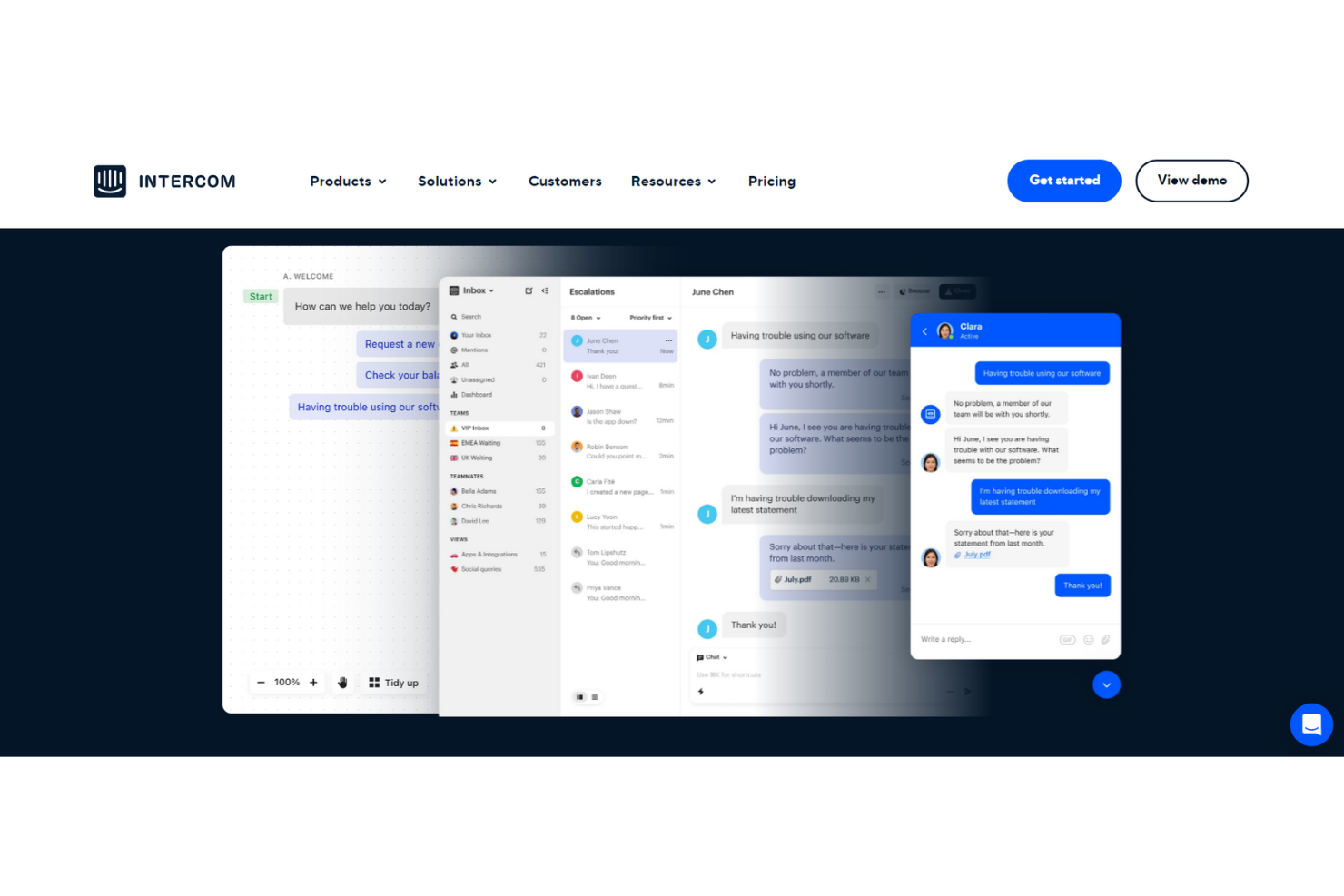
Intercom è una soluzione completa di servizio clienti e help desk interno che offre un'esperienza senza interruzioni grazie alla combinazione di automazione e supporto umano. Questa piattaforma offre risposte automatiche per liberare il tuo team dalle domande ripetitive tramite chatbot e altri strumenti alimentati dall’intelligenza artificiale.
Con un'automazione di supporto avanzata tramite bot di risoluzione attivi 24/7, Intercom afferma di poter aiutare i team di assistenza a risolvere il 33% delle domande più comuni. I casi di studio di Intercom mostrano inoltre che le loro soluzioni AI hanno portato a un miglioramento del 44% nei tempi di risposta degli operatori. Questo chatbot è disponibile in diverse lingue e fusi orari per una copertura completa.
Intercom supporta aziende di tutte le dimensioni, incluse le startup nella fase iniziale, che possono accedere all’Early Stage Academy con uno sconto del 95% se idonee. Questa piattaforma offre anche soluzioni per piccole, medie e grandi imprese nei settori ecommerce, istruzione, sanità e servizi finanziari.
Funzionalità e integrazioni distintive di Intercom
Funzionalità includono automazione basata su AI, chatbot personalizzati, caselle di posta condivise, strumenti di supporto proattivo, messenger, comunicazione via email e SMS, articoli del centro assistenza, strumenti di gestione, sondaggi e messaggistica transazionale.
Integrazioni includono Aircall Now, Delighted Inc., Google Calendar, Importa, Instagram, Jira Cloud, Marketo, Salesforce, Stripe e WhatsApp.
Pros and Cons
Pros:
- Ottimo team di supporto
- Navigazione e strumenti intuitivi
- Rapido e facile da imparare
Cons:
- Costoso se si desidera pagare ogni servizio necessario
- Prezzi a pacchetti per le integrazioni aggiuntive

Miglior help desk cloud per un approccio a 360° alla gestione dei servizi IT
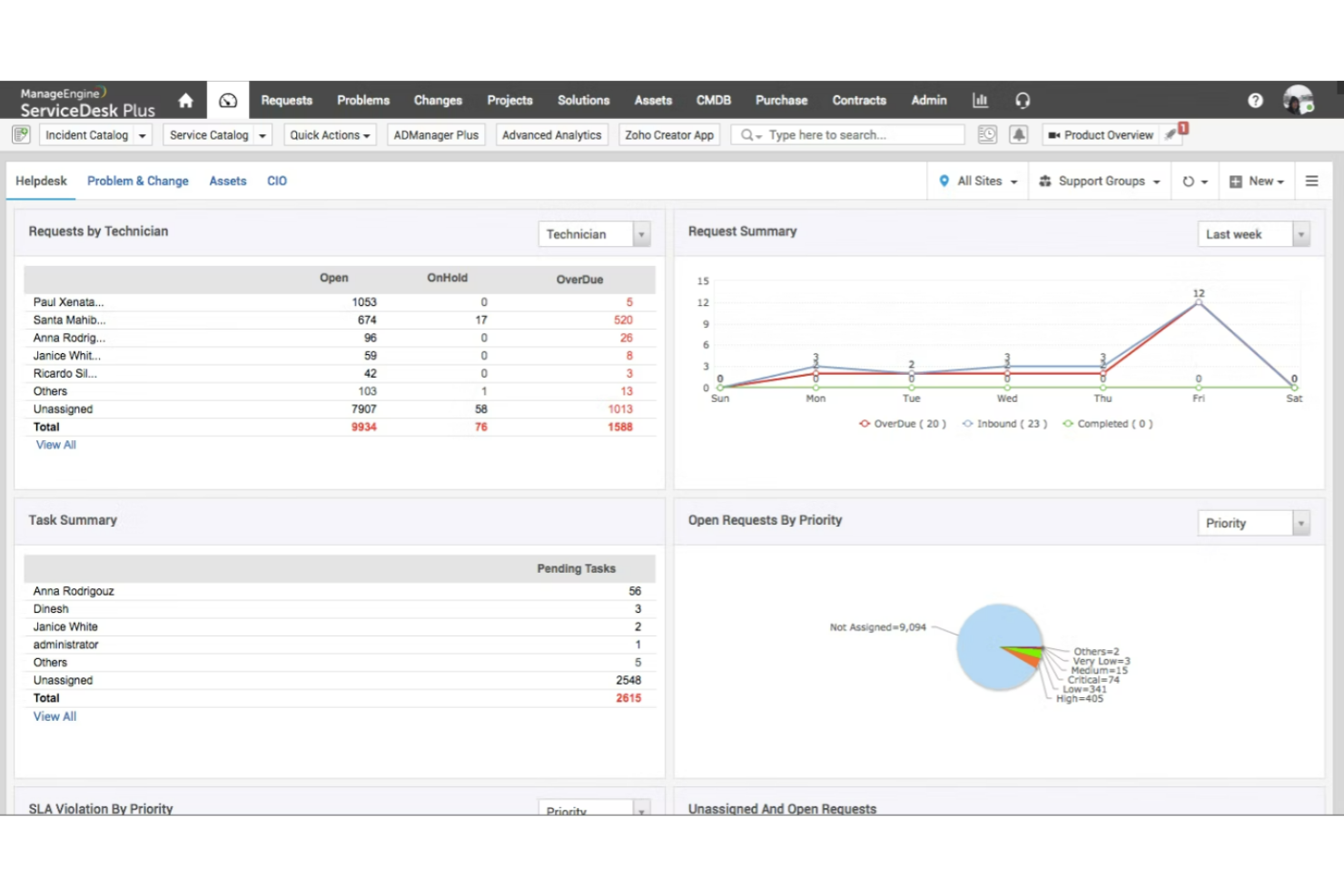
ServiceDesk Plus di ManageEngine è una soluzione software che combina la gestione degli asset IT e dei servizi con CMDB, offrendo funzionalità di livello enterprise in tutti i reparti, inclusi finanza, risorse umane e strutture. Disponibile sia on-premises che in cloud, ServiceDesk Plus è scelto da organizzazioni di tutto il mondo.
L'approccio olistico di ServiceDesk Plus si concentra sulla sicurezza attraverso data center proprietari senza sub-processori, integrazioni native approfondite con un'ampia gamma di strumenti IT e un modello multi-istanza per una chiara separazione di dati e processi. Questa soluzione di help desk interno è attualmente disponibile in 23 lingue.
ServiceDesk Plus offre edizioni flessibili per adattarsi al livello di maturità della tua azienda. Scegli fra una piattaforma che fornisce un service desk per team non IT, un'opzione con funzionalità ITAM oppure una soluzione all-in-one per grandi aziende.
Funzionalità e integrazioni distintive di ServiceDesk Plus
Funzionalità includono gestione multi-istanza, funzionalità low-code per la personalizzazione, gestione degli incidenti, gestione degli asset, catalogo dei servizi, gestione delle release IT, gestione degli spazi e gestione delle modifiche.
Integrazioni includono Jira, Microsoft Outlook, Microsoft Teams, Office 365, TeamViewer, Zoho Cliq, Zoho Flow e Zoho Voice. Gli sviluppatori possono utilizzare API pubbliche basate sul web per integrare ServiceDesk Plus.
Pros and Cons
Pros:
- Ottimo servizio clienti
- Automazioni amministrative robuste
- Infinitamente configurabile
Cons:
- Le configurazioni personalizzate richiedono un investimento
- Mancano alcune funzionalità minori
Altri Software di Help Desk Interno
Ecco alcune ulteriori opzioni di software di help desk interno che non sono entrate nella mia shortlist, ma che meritano comunque di essere considerate:
- Issuetrak
Ideale per l'invio di ticket omnicanale
- InvGate Service Management
Ideale per collegare i ticket agli asset
- Kayako
Ideale per visualizzare le interazioni interne con i colleghi
- Guru
Ideale per l’autoservizio nei flussi di lavoro esistenti
- Document360
Ideale per la creazione di alberi decisionali
- LiveAgent
Ideale per il supporto multilingue
- Help Scout
Ideale per team in crescita e aziende in espansione
- Zendesk
Ideale per supporto HR e IT centralizzato
- Zoho Assist
Ideale per la formazione al supporto remoto
- Jitbit Helpdesk
Ideale per funzionalità email-first e self-hosting
- OneDesk
Ideale per esigenze di help desk tramite web, cloud e app mobile


Come Valuto il Software per Help Desk Interno
Divido la mia valutazione in due livelli: i requisiti di base—ticketing, instradamento, SLA e self-service—e i fattori di differenziazione che rendono uno strumento la scelta giusta per i team di supporto CX.
Funzionalità di Base (Elementi Fondamentali di Questa Lista)
Quando seleziono gli strumenti per la lista, li valuto ciascuno su una scala da 0 (non offre la funzionalità) a 5 (eccelle in quest'area) per ogni funzionalità di base elencata di seguito. Poi calcolo il punteggio totale dello strumento in percentuale. Ogni strumento deve raggiungere un punteggio minimo totale del 65% per essere considerato per l'inclusione.
- Sistema di Ticketing Interno: Verifico se ogni strumento offre una coda dedicata interna affinché le richieste degli agenti per il reset delle password o l'accesso agli strumenti restino separate dai ticket rivolti ai clienti.
- Knowledge Base: La knowledge base dovrebbe proporre risposte direttamente dove gli agenti già lavorano, ad esempio suggerendo un articolo di risoluzione dei problemi VPN quando viene aperto un ticket per problemi di connettività.
- Instradamento e Assegnazione: Valuto come lo strumento assegna i ticket al team interno giusto, che si tratti di instradamento basato sulle competenze tra IT e HR o di una distribuzione equilibrata tra i turni.
- Portale Self-Service per Dipendenti: Un buon portale permette agli agenti di inviare richieste, sfogliare un catalogo servizi e controllare lo stato in autonomia invece di contattare il manager su Slack.
- SLA e Automazione dei Workflow: Guardo se è possibile impostare SLA interni per livello di priorità e automatizzare le escalation, come segnalare un ticket quando un agente risulta bloccato da oltre un'ora.
- Reporting e Analisi: Le dashboard dovrebbero monitorare KPI interni come il tempo di risoluzione per categoria e le tendenze dei problemi ricorrenti, così da individuare criticità sistemiche prima che influiscano sul CSAT.
Una volta ottenuta una lista di strumenti che rispettano questi criteri, considero ciò che distingue ogni piattaforma.
Fattori di Differenziazione (Cosa Distingue i Fornitori)
Ecco come confronto e metto in contrasto i vari fornitori:
Caratteristiche Distintive
Le integrazioni con i sistemi di chat sono molto importanti qui. Quando gli agenti possono aprire un ticket da Slack o Microsoft Teams senza cambiare strumento, la risoluzione parte prima. Valuto anche le funzionalità di deflessione tramite IA—gli strumenti che suggeriscono automaticamente articoli dalla knowledge base o generano risposte a domande comuni come "come reimposto il mio softphone" riducono sensibilmente il volume dei ticket. Un catalogo strutturato delle richieste è un altro fattore distintivo. Moduli preimpostati per cambi di coda, richieste di accesso e scambi di turni mantengono organizzate le richieste e riducono la necessità di chiarimenti continui.
Oltre le Caratteristiche
La profondità dell'integrazione è una delle prime cose che verifico. Un help desk interno che si collega in modo nativo alla piattaforma CCaaS e all'HRIS significa che gli agenti dispongono di contesto—come ruolo, sede e manager—senza inserimenti manuali. La struttura dei prezzi conta quando devi implementare lo strumento in un contact center da 200 postazioni; verifico se il modello prevede un costo per agente, per dipendente o per richiedente. Il time-to-value è un altro aspetto fondamentale. Template di supporto interno preconfezionati e strumenti di migrazione delle caselle possono fare la differenza tra un rollout di due settimane o un progetto da due mesi.
Come Scegliere un Software di Help Desk Interno
È facile perdersi tra lunghe liste di funzionalità e strutture di prezzo complesse. Per aiutarti a rimanere focalizzato durante il tuo processo di selezione del software, ecco una checklist dei fattori da considerare:
| Fattore | Cosa Considerare |
|---|---|
| Scalabilità | Il software può crescere insieme alla tua azienda? Considera quanti utenti può supportare e se è in grado di gestire un numero crescente di ticket in modo efficiente. |
| Integrazioni | Si collega con i tuoi strumenti attuali come CRM o sistemi di posta? Verifica la presenza di integrazioni native per evitare costose personalizzazioni. |
| Personalizzazione | Puoi adattare il software ai tuoi flussi di lavoro? Cerca opzioni per modificare campi dei ticket, dashboard e report affinché corrispondano ai tuoi processi. |
| Facilità d'uso | L'interfaccia è intuitiva per il tuo team? Evita strumenti con una curva di apprendimento ripida che potrebbero rallentare l'adozione e la produttività. |
| Implementazione e onboarding | Quanto rapidamente puoi iniziare a usarlo? Valuta la disponibilità di guide, tutorial e supporto per facilitare la transizione. |
| Costo | Il costo rientra nel tuo budget? Confronta diversi modelli di prezzo e fai attenzione a costi nascosti come componenti aggiuntivi o extra per il supporto. |
| Sicurezza | Rispetta i tuoi standard di sicurezza? Cerca funzionalità come crittografia dei dati e controlli di accesso per proteggere le informazioni sensibili. |
| Disponibilità del supporto | Quanto facile è ricevere aiuto quando ne hai bisogno? Considera l'orario del supporto del fornitore, i tempi di risposta e i canali disponibili come chat o telefono. |
Cos'è un Software di Help Desk Interno?
Il software interno di help desk è uno strumento che aiuta le aziende a gestire e risolvere le richieste di supporto IT interne. Questi strumenti sono tipicamente utilizzati da professionisti IT e dai team di assistenza clienti per migliorare l'efficienza e i tempi di risposta. Le funzionalità di gestione dei ticket, creazione di una knowledge base e supporto multicanale agevolano l'organizzazione delle richieste e la fornitura di soluzioni rapide. In generale, questi strumenti aumentano la produttività del team e garantiscono un supporto costante all'interno di un'organizzazione.
Funzionalità
Quando scegli un software interno di help desk, presta attenzione alle seguenti caratteristiche chiave:
- Gestione dei ticket: Organizza e attribuisce priorità alle richieste di supporto per garantire una risoluzione tempestiva ed un flusso di lavoro efficiente.
- Knowledge base: Offre un archivio centralizzato di informazioni e soluzioni ai problemi comuni, riducendo le richieste ripetitive.
- Supporto multicanale: Permette di gestire richieste provenienti da vari canali di comunicazione come email, chat e telefono in un unico luogo.
- Flussi di lavoro automatizzati: Snellisce attività e processi ripetitivi, lasciando più tempo per affrontare questioni più complesse.
- Dashboard personalizzabili: Offre viste e metriche su misura per monitorare le prestazioni e tenere traccia dei principali indicatori di supporto.
- Capacità di integrazione: Si collega ai sistemi già esistenti, come CRM o email, per fornire un'esperienza senza interruzioni.
- Misure di sicurezza: Protegge i dati sensibili con funzionalità come crittografia e controlli di accesso.
- Reportistica e analisi: Fornisce approfondimenti sulle operazioni di supporto, aiutando il team a identificare tendenze e migliorare la qualità del servizio.
- Portali self-service: Consente agli utenti di trovare autonomamente soluzioni, riducendo il carico sul team di supporto.
- Accessibilità tramite app mobile: Permette ai team di supporto di gestire e rispondere alle richieste anche in mobilità, garantendo un servizio continuo.
Vantaggi
Implementare un software interno di help desk offre diversi benefici al tuo team e alla tua azienda. Ecco alcuni vantaggi a cui puoi aspirare:
- Maggiore efficienza: Automatizza le attività ripetitive e organizza le richieste, aiutando il team a risolvere i problemi più rapidamente.
- Comunicazione migliorata: Centralizza le interazioni provenienti da diversi canali, assicurando che nulla venga trascurato e migliorando i tempi di risposta.
- Aumento della produttività: Libera i membri del team per concentrarsi su questioni più complesse grazie a opzioni self-service e knowledge base per le domande ricorrenti.
- Migliore sicurezza dei dati: Protegge le informazioni sensibili con funzionalità di sicurezza come crittografia e controlli di accesso.
- Analisi dettagliate: Offre approfondimenti basati sui dati sulle operazioni di supporto, consentendo decisioni informate e miglioramenti del servizio.
- Scalabilità: Supporta team in crescita e un incremento del volume delle richieste, adattandosi alle esigenze aziendali nel tempo.
- Maggiore autonomia per gli utenti: Mette a disposizione strumenti come portali self-service, permettendo agli utenti di risolvere autonomamente i problemi e ridurre il carico sul personale di supporto.
Costi e Prezzi
La scelta di un software interno di help desk richiede la comprensione dei diversi modelli e piani tariffari disponibili. I costi variano in base alle funzionalità, alla dimensione del team, agli add-on e altri fattori. La tabella qui sotto riassume i piani più comuni, i prezzi medi e le funzionalità tipiche incluse nelle soluzioni di help desk interne:
Tabella di confronto dei piani per software interno di help desk
| Tipo di piano | Prezzo medio | Funzionalità comuni |
|---|---|---|
| Piano gratuito | $0 | Gestione basilare dei ticket, reportistica limitata e supporto dalla community. |
| Piano personale | $5-$25/user/month | Gestione dei ticket, reportistica di base, supporto via email e una knowledge base di piccole dimensioni. |
| Piano business | $30-$60/user/month | Reportistica avanzata, supporto multicanale, integrazioni e funzionalità di automazione. |
| Piano enterprise | $70-$150/user/month | Dashboard personalizzabili, supporto prioritario, sicurezza avanzata e analisi approfondite. |
Domande frequenti sul software di help desk interno
Ecco alcune risposte alle domande più comuni sul software di help desk interno:
Qual è la differenza tra software di help desk interno ed esterno?
Il software di help desk interno è progettato per gestire e supportare le richieste e i problemi IT interni all’interno di un’organizzazione, mentre il software di help desk esterno si concentra sull’assistenza ai clienti e sul servizio per persone al di fuori dell’azienda. I sistemi interni spesso si integrano con strumenti specifici dell’azienda e gestiscono le richieste dei dipendenti, mentre i sistemi esterni sono pensati per il servizio clienti, spesso includendo integrazioni CRM e portali rivolti ai clienti.
Il software di help desk interno può essere utilizzato anche da team non IT?
Sì, il software di help desk interno può essere adattato per l’uso anche da team non IT come risorse umane o gestione delle strutture. Questi team possono utilizzare il software per gestire richieste interne come l’onboarding di nuovi dipendenti o la risoluzione di problemi di manutenzione degli uffici. La flessibilità di questi strumenti permette ai diversi dipartimenti di personalizzare i flussi di lavoro, assicurando una gestione efficiente delle richieste in tutta l’organizzazione.
È necessario formare il personale sul nuovo software di help desk?
Sì, la formazione è fondamentale quando si implementa un nuovo software di help desk per garantire che il team possa utilizzare lo strumento in modo efficace. Una formazione adeguata aiuta il personale a capire come registrare le richieste, gestire i ticket e sfruttare funzioni come reportistica e analisi. Investire tempo nella formazione iniziale può portare a una migliore adozione, rendendo il team più efficiente sul lungo periodo.
E adesso?
Se sei alla ricerca di un software di help desk interno, contatta un consulente SoftwareSelect per ricevere gratuitamente consigli personalizzati.
Compila un modulo e fai una breve chiacchierata in cui approfondiranno le tue esigenze specifiche. Riceverai così una lista selezionata di software da valutare. Ti supporteranno anche durante tutto il processo d’acquisto, comprese le trattative sul prezzo.