

I 10 migliori sistemi di composizione automatica per call center recensiti nel 2026

Miglior sistema di composizione automatica per centri di contatto - Selezione


Se gestisci un centro di contatto, sai quanto può essere impegnativo. Gestire le chiamate dei clienti, mantenere bassi i tempi di risposta e assicurarti che il tuo team dia sempre il meglio di sé non è facile. È qui che entra in gioco un sistema di composizione automatica, che ti aiuta a gestire le chiamate in modo più efficiente e a migliorare la produttività del tuo team.
Ho dedicato del tempo a testare e valutare diversi sistemi di composizione automatica per offrirti una panoramica imparziale delle migliori opzioni disponibili. In questo articolo condividerò le mie scelte principali, evidenziando ciò che distingue ciascuna di esse. Avrai una chiara comprensione di come questi strumenti possano semplificare il tuo carico di lavoro e aumentare le prestazioni del tuo team.
Entriamo nel vivo e troviamo il sistema di composizione automatica più adatto alle esigenze del tuo centro di contatto.
Perché fidarsi dei nostri consigli sui software
Il nostro team testa e recensisce software dal 2012. In quanto leader CX noi stessi, sappiamo quanto sia difficile — e importante — scegliere il software giusto.
Per questa guida, abbiamo valutato gli strumenti attraverso test pratici e ricerche indipendenti, assegnando un punteggio agli strumenti in base ai nostri criteri di selezione.
Le nostre recensioni riflettono il nostro giudizio editoriale umano, non un discorso di vendita.
Tabella comparativa dei sistemi di composizione automatica per centri di contatto
La tabella seguente confronta i dettagli dei prezzi delle mie migliori selezioni di sistemi di composizione automatica per centri di contatto.
| Tool | Best For | Trial Info | Price | ||
|---|---|---|---|---|---|
| 1 | Ideale per i team da remoto | Demo gratuita | Da $30/licenza (fatturazione annuale) | Website | |
| 2 | Ideale per comunicazioni unificate | Demo gratuita disponibile | A partire da $15/utente/mese (fatturazione annuale) | Website | |
| 3 | Ideale per la composizione delle vendite guidata dall'Intelligenza Artificiale | Prova gratuita di 14 giorni | Da $25/utente/mese (fatturazione annuale) | Website | |
| 4 | Ideale per la gestione internazionale dei numeri | Demo gratuita disponibile | Da $15/mese (fatturato annualmente) | Website | |
| 5 | Ideale per l'accesso API | Demo gratuita disponibile | Da $18/utente/mese | Website | |
| 6 | Ideale per la trascrizione tramite IA | Prova gratuita di 14 giorni + demo gratuita | Da $80/utente/mese (fatturato annualmente) | Website | |
| 7 | Ideale per la composizione predittiva | Demo gratuita disponibile | Da $199/utente/mese | Website | |
| 8 | Ideale per la scalabilità nel cloud | Demo gratuita | Da $110/utente/mese | Website | |
| 9 | Ideale per l'integrazione video | Demo gratuita E prova gratuita di 14 giorni | Da $54/organizer/mese (fatturazione annuale) | Website | |
| 10 | Ideale per piccoli team | Prova gratuita di 14 giorni + demo gratuita | Da $29/utente/mese (fatturato annualmente) | Website |

Recensioni dei migliori sistemi di composizione automatica per centri di contatto
Di seguito trovi i miei riepiloghi dettagliati dei migliori sistemi di composizione automatica per centri di contatto entrati nella mia selezione. Le mie recensioni offrono uno sguardo dettagliato alle funzionalità principali, ai vantaggi e agli svantaggi, alle integrazioni e ai casi d’uso ideali di ciascuno strumento, per aiutarti a trovare quello più adatto a te.
Aircall
Ideale per i team da remoto

Aircall è un software per call center progettato per supportare i team da remoto offrendo soluzioni di comunicazione flessibili. È ideale per le aziende che necessitano di gestire le attività telefoniche senza essere legate a una sede fisica.
Perché ho scelto Aircall: Aircall è pensato per i team da remoto, fornendo funzionalità che assicurano una comunicazione fluida ovunque si trovi il tuo gruppo di lavoro. Include la funzione di call whispering, che consente ai supervisori di offrire supporto in tempo reale durante le chiamate. La funzione di etichettatura delle chiamate aiuta a categorizzare le conversazioni per una migliore organizzazione. Inoltre, Aircall offre numeri internazionali, rendendo più facile per il tuo team raggiungere clienti in tutto il mondo in modo efficiente.
Funzionalità e integrazioni principali:
Funzionalità come l'instradamento in coda delle chiamate aiutano a gestire le chiamate in entrata durante i periodi di maggiore traffico. La registrazione delle chiamate permette di monitorare la qualità e facilitare la formazione. Le analisi in tempo reale di Aircall forniscono dati sulle performance delle chiamate, aiutandoti a prendere decisioni basate sui dati.
Integrazioni disponibili con Salesforce, HubSpot, Slack, Zendesk, Pipedrive, Zoho CRM, Microsoft Teams, Intercom, Freshdesk e Shopify.
Pros and Cons
Pros:
- Supporto per numeri internazionali
- Call whispering in tempo reale
- Etichettatura delle chiamate semplice
Cons:
- Funzionalità offline limitate
- Problemi di connettività occasionali

Nextiva
Ideale per comunicazioni unificate
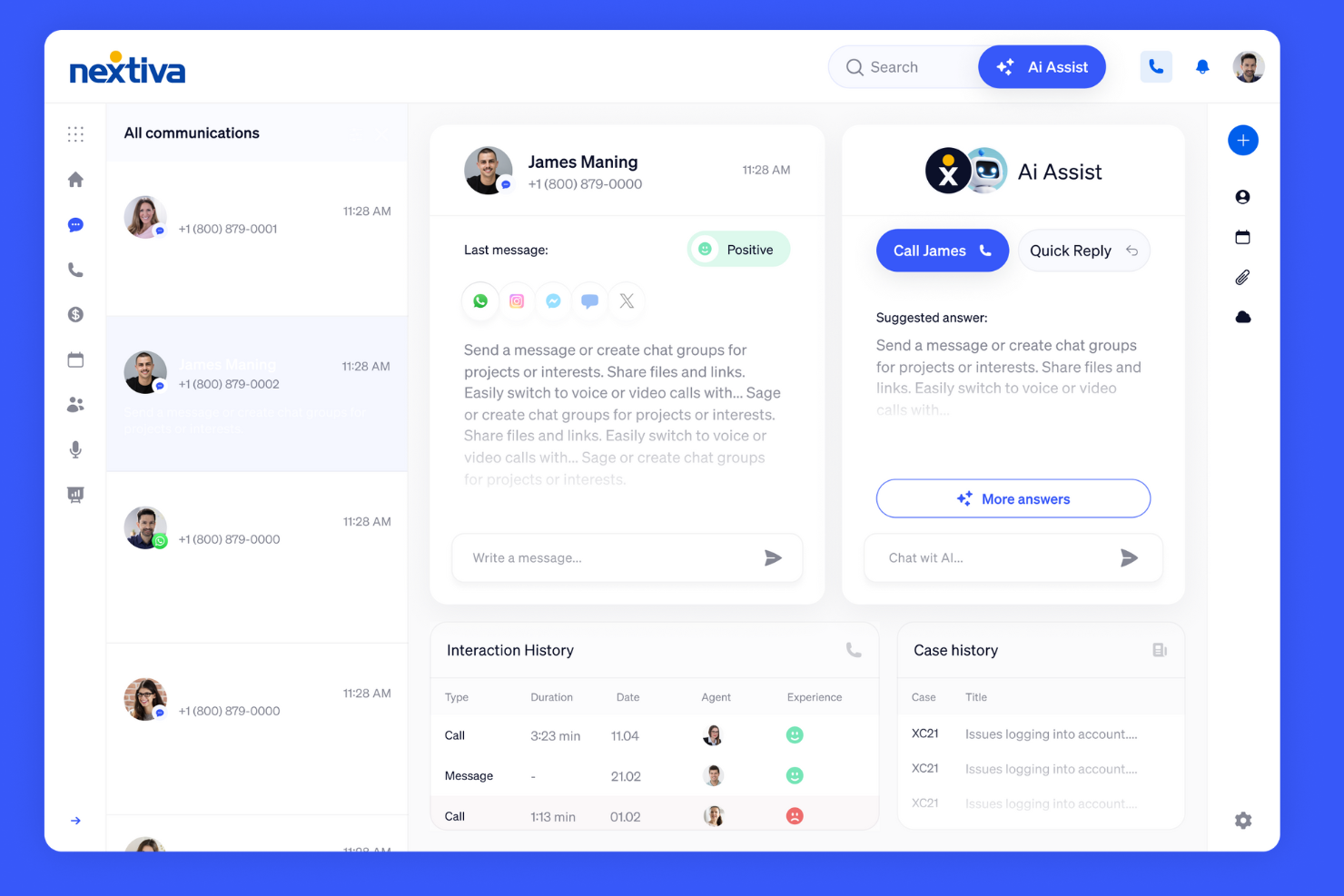
Nextiva è un sistema di dialer versatile progettato per le aziende che necessitano di soluzioni di comunicazione unificata. È pensato per le aziende che desiderano integrare voce, video e messaggistica in un'unica piattaforma per migliorare la collaborazione e l'efficienza.
Perché ho scelto Nextiva: Nextiva offre comunicazioni unificate, consentendo al tuo team di gestire tutte le forme di comunicazione da un'unica piattaforma. La funzione call pop fornisce dettagli immediati sul chiamante, aiutando il tuo team a personalizzare le interazioni. L'instradamento avanzato delle chiamate garantisce che le chiamate siano indirizzate alla persona giusta, migliorando i tempi di risposta. Inoltre, gli strumenti di analisi di Nextiva offrono informazioni sulle tendenze di comunicazione, aiutandoti a prendere decisioni informate.
Funzionalità e integrazioni principali:
Funzionalità includono la registrazione delle chiamate, che aiuta il tuo team a mantenere standard qualitativi rivedendo le interazioni passate. La funzione di segreteria telefonica via email assicura che il tuo team non perda mai messaggi importanti, inviandoli direttamente nella loro casella di posta. L'app mobile di Nextiva supporta la comunicazione in mobilità, mantenendo il tuo team connesso ovunque si trovi.
Integrazioni includono Salesforce, HubSpot, Zendesk, Microsoft Teams, G Suite, Outlook, Slack, ServiceNow, SugarCRM e Zoho CRM.
Pros and Cons
Pros:
- Piattaforma di comunicazione unificata
- Instradamento avanzato delle chiamate
- Strumenti di analisi completi
Cons:
- Funzionalità offline limitate
- Curva di apprendimento più ripida per i nuovi utenti

Ideale per la composizione delle vendite guidata dall'Intelligenza Artificiale
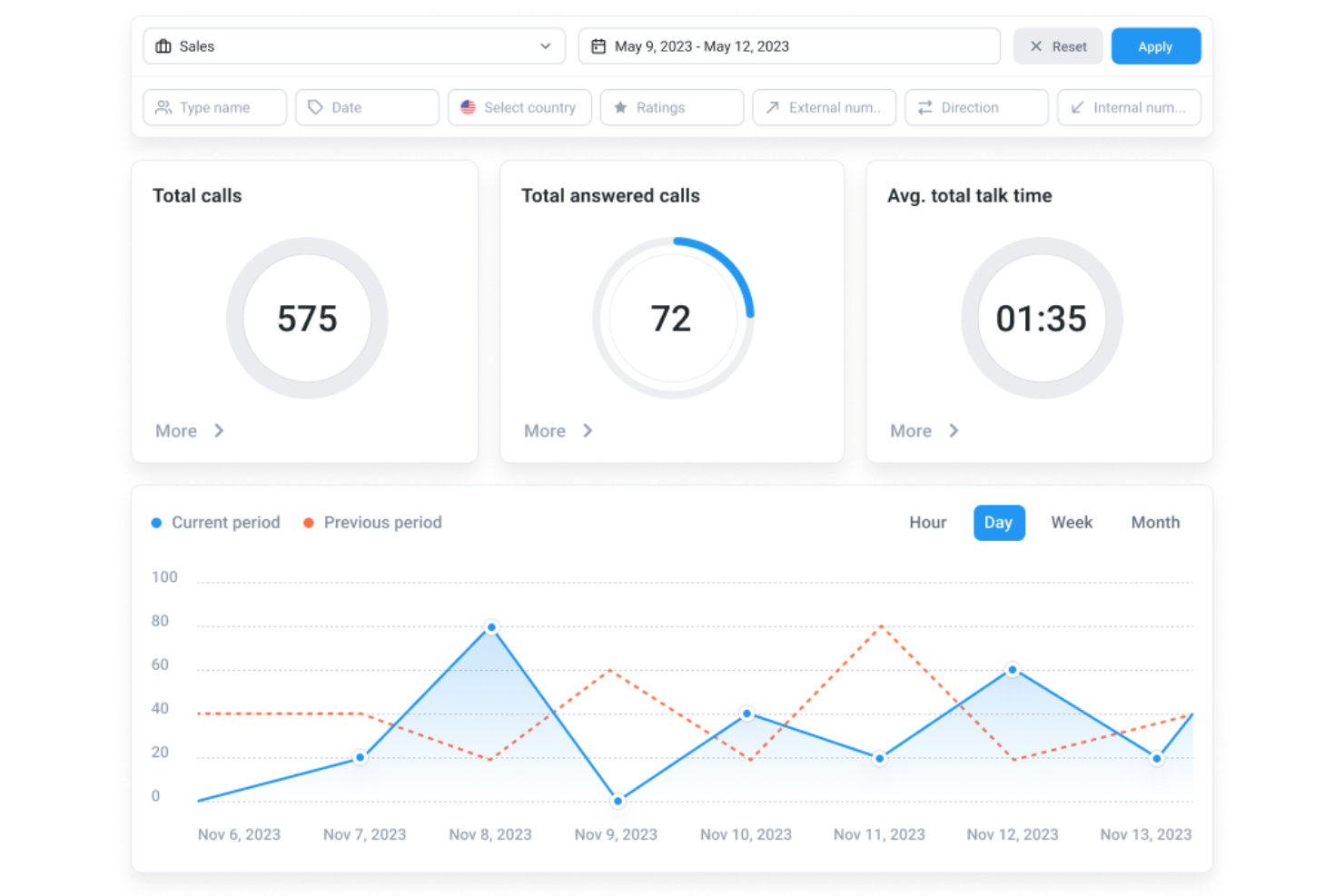
Per i responsabili dei call center e i team aziendali che necessitano di un sistema di composizione delle chiamate affidabile, CloudTalk supporta sia le chiamate in entrata che in uscita su un'unica piattaforma. Offre modalità di composizione e controlli delle chiamate in tempo reale che aiutano i team a gestire le chiamate in modo più uniforme sia per le vendite che per l'assistenza. Riducendo la composizione manuale e organizzando i flussi di chiamata, CloudTalk consente ai team di passare meno tempo alla preparazione delle chiamate e più tempo a parlare con i clienti.
Perché ho scelto CloudTalk
Ho scelto CloudTalk per il suo Compositore AI per le vendite, che aiuta i team a ridurre il tempo speso nella composizione manuale. Effettua automaticamente le chiamate, così gli agenti possono concentrarsi sul parlare con i clienti invece che sulla gestione delle liste di chiamate. CloudTalk si integra anche con strumenti come HubSpot e Salesforce, mantenendo attività di chiamata e dati dei clienti in un unico posto. Questo lo rende un'opzione pratica per i team che desiderano gestire le chiamate in uscita in modo più efficiente.
Funzionalità principali di CloudTalk
Oltre al Compositore AI per le vendite, CloudTalk offre:
- Gestione delle code di chiamata: Gestisce efficacemente le chiamate in entrata mettendole in coda, assicurando che nessuna chiamata resti senza risposta.
- IVR (Risposta Vocale Interattiva): Guida i chiamanti attraverso un menu per indirizzarli al reparto o all'agente appropriato.
- Monitoraggio in tempo reale: Consente ai supervisori di ascoltare le chiamate in diretta e fornire feedback immediati agli agenti.
- Messaggi vocali preregistrati (Voicemail Drop): Permette agli agenti di lasciare messaggi preregistrati, risparmiando tempo e garantendo coerenza nella comunicazione.
Integrazioni CloudTalk
Le integrazioni includono HubSpot, Salesforce, Zendesk, Microsoft Teams, Pipedrive, Zoho CRM, Intercom, Salesloft, Outreach, Bullhorn e Monday.com.
Pros and Cons
Pros:
- Alta qualità delle chiamate assicura comunicazioni chiare e senza interruzioni
- La funzione di messaggi vocali preregistrati standardizza e velocizza la consegna dei messaggi
- Forte integrazione con i CRM mantiene sincronizzati i dati delle chiamate
Cons:
- Segnalati occasionali problemi di connessione alle chiamate dagli utenti
- Opzioni di personalizzazione limitate nelle dashboard

Ideale per la gestione internazionale dei numeri
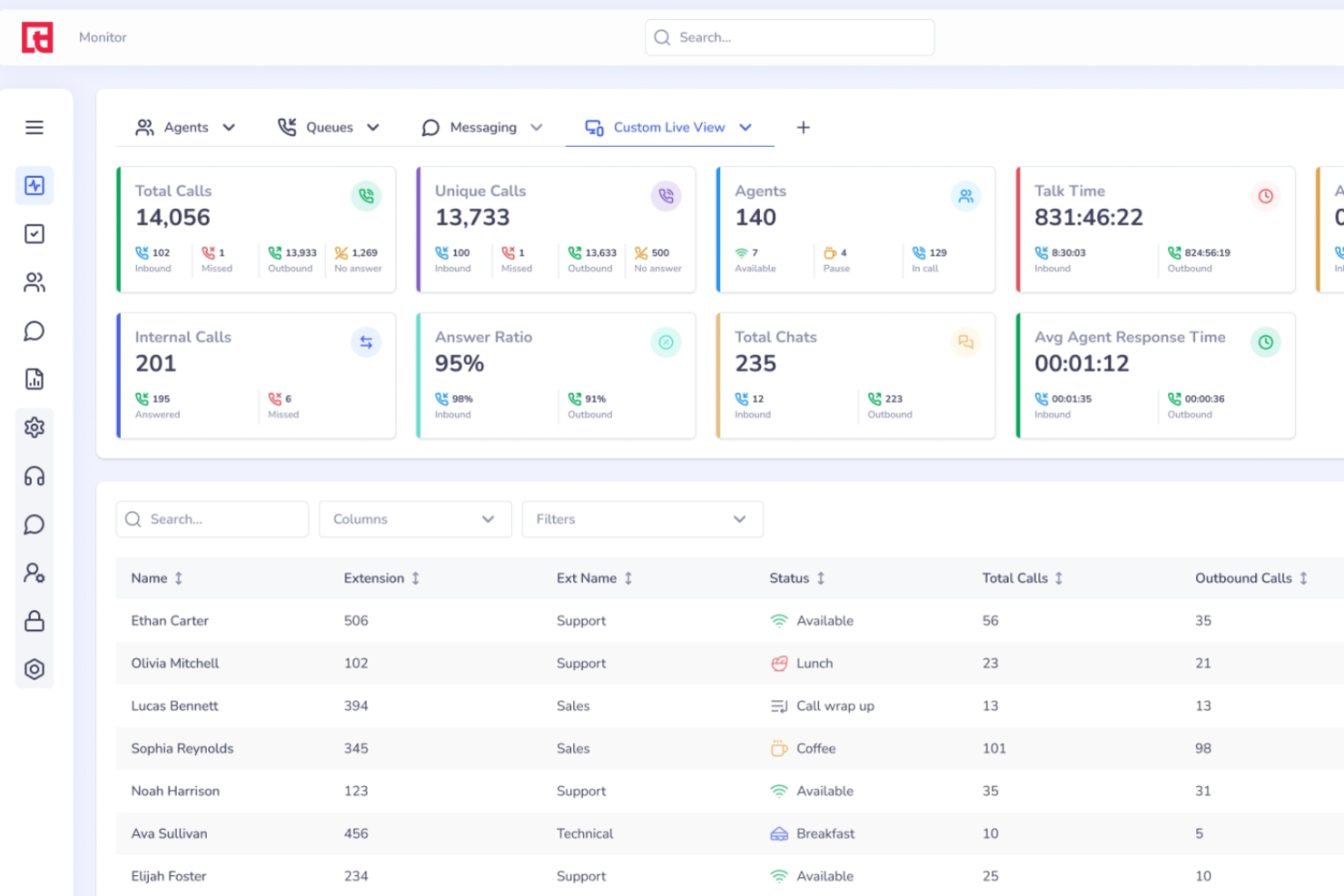
Squaretalk è una piattaforma per contact center basata su cloud che combina un compositore predittivo, IVR, messaggistica omnicanale e gestione di numeri virtuali internazionali per le operazioni inbound e outbound dei call center.
Per chi è ideale Squaretalk?
Squaretalk è particolarmente adatto a call center con un'elevata attività outbound che gestiscono campagne globali e necessitano di copertura numerica multipaese e strumenti per chiamate ad alto volume.
Perché ho scelto Squaretalk
La gestione internazionale dei numeri è il motivo principale per cui ho inserito Squaretalk in questa lista. Puoi attivare istantaneamente numeri virtuali in oltre 100 paesi e 4.500 prefissi locali, permettendo al tuo team di gestire campagne outbound con una vera presenza locale in ciascun mercato. Apprezzo particolarmente la funzione di ID chiamante dinamico, che abbina automaticamente il tuo numero in uscita alla regione da cui stai chiamando e può aumentare i tassi di risposta. Inoltre, il controllo antispam segnala i numeri con cattiva reputazione prima che danneggino i tuoi tassi di connessione.
Funzionalità principali di Squaretalk
- Compositore predittivo: Chiama automaticamente più lead contemporaneamente e collega le chiamate risposte agli operatori disponibili in tempo reale.
- Monitoraggio chiamate in tempo reale: I supervisori possono ascoltare, sussurrare agli operatori o entrare nelle chiamate attive senza interrompere il cliente.
- Costruttore IVR: Crea menù vocali interattivi multilivello per instradare le chiamate inbound al team o alla coda corretta.
- Registrazione chiamate: Registra chiamate inbound e outbound per il controllo qualità, la conformità e la formazione degli operatori.
Integrazioni Squaretalk
Squaretalk si integra con diversi strumenti CRM, helpdesk e business, inclusi Zoho CRM, Salesforce, HubSpot, Zendesk, Pipedrive, monday.com, Freshdesk, Dropbox, Mailchimp, Slack e Discord. È disponibile un'API per integrazioni personalizzate.
Pros and Cons
Pros:
- Numeri locali disponibili in oltre 150 paesi
- Il compositore predittivo collega gli operatori solo alle risposte effettive
- Permette di aumentare o ridurre il numero di operatori senza modifiche contrattuali
Cons:
- L'app mobile manca di alcune funzioni chiave della versione desktop
- I numeri di telefono possono essere segnalati come spam rapidamente
New Product Updates from Squaretalk
Squaretalk Adds TradeCore Integration for Brokerage Workflows
Squaretalk adds a TradeCore integration that connects customer conversations with BrokerIQ CRM workflows. This helps brokerage teams trigger AI-driven follow-ups, tasks, and other actions from calls and messages. For more information, visit Squaretalk’s official site.
 .
.
Ozonetel
Ideale per l'accesso API

Ozonetel è una soluzione di composizione automatica basata su cloud, rivolta alle aziende che cercano una gestione efficiente delle chiamate. È ideale per i call center che necessitano di soluzioni di composizione scalabili e flessibili per gestire elevati volumi di chiamate.
Perché ho scelto Ozonetel: Ozonetel offre un accesso API esteso, che consente di personalizzare e integrare il software senza problemi con i sistemi già esistenti. Fornisce funzionalità come la composizione predittiva per massimizzare la produttività degli operatori e ridurre al minimo i tempi di inattività. I dashboard personalizzabili permettono al tuo team di monitorare facilmente le metriche di performance. Inoltre, supporta il call blending, consentendo agli operatori di gestire in modo efficiente sia le chiamate in entrata che quelle in uscita.
Funzionalità e integrazioni principali:
Funzionalità includono la registrazione delle chiamate, che aiuta a mantenere il controllo qualità permettendo al team di riascoltare le conversazioni. La funzione click-to-call semplifica il processo di composizione, facendo risparmiare tempo. L'audioconferenza di Ozonetel consente a più persone di partecipare a una chiamata, migliorando la collaborazione.
Integrazioni includono Salesforce, Zoho CRM, Freshdesk, Zendesk, HubSpot, Microsoft Dynamics, Pipedrive, SugarCRM, Slack e Shopify.
Pros and Cons
Pros:
- Ampie possibilità di personalizzazione tramite API
- Supporta il call blending
- Dashboard personalizzabili
Cons:
- La configurazione iniziale può essere complessa
- Richiede una connessione internet stabile

Dialpad
Ideale per la trascrizione tramite IA
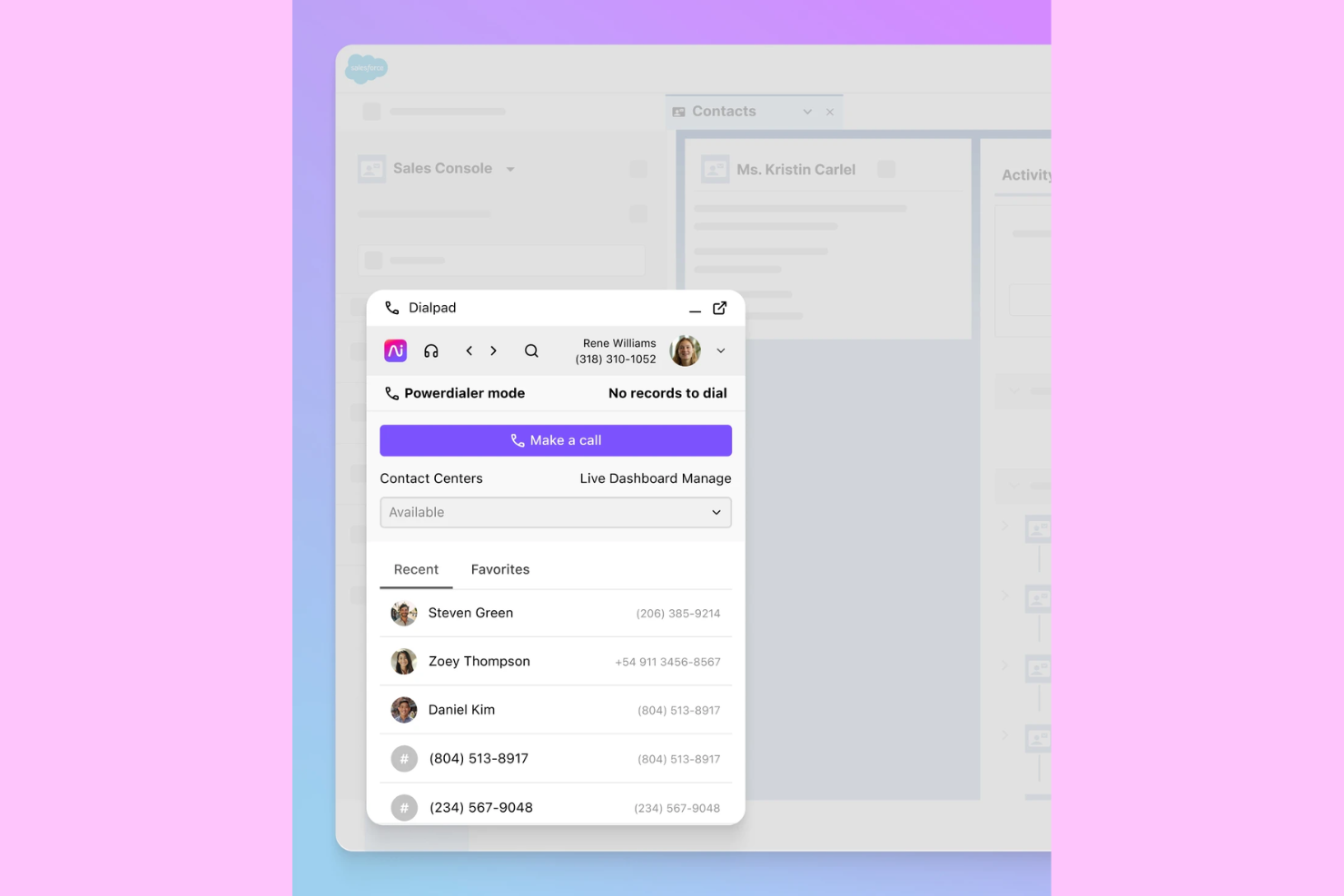
Dialpad è un sistema di composizione automatica progettato per i call center, che automatizza il processo di chiamata per aumentare l'efficienza. Viene utilizzato principalmente dai team di vendita che desiderano connettersi con i clienti in modo rapido ed efficace. Lo strumento offre funzionalità come la registrazione delle chiamate e la trascrizione guidata dall'IA, diventando così una risorsa preziosa per migliorare la comunicazione e tracciare le interazioni.
Perché ho scelto Dialpad: Dialpad offre una trascrizione supportata dall'IA, che lo distingue fornendo approfondimenti sulle chiamate in tempo reale e appunti automatici. Questa funzionalità è particolarmente utile per i team di vendita che hanno bisogno di concentrarsi sulle interazioni con i clienti senza la distrazione della presa di appunti manuale. Inoltre, Dialpad si integra con Salesforce consentendo una gestione CRM senza interruzioni. La funzione di messaggio vocale pre-registrato consente agli agenti di risparmiare tempo lasciando messaggi preimpostati, aiutando a mantenere un flusso di comunicazione coerente.
Funzionalità principali & integrazioni:
Funzionalità includono la registrazione delle chiamate, che consente al tuo team di rivedere le interazioni e migliorare le strategie di comunicazione. Il messaggio vocale pre-registrato permette agli agenti di risparmiare tempo lasciando messaggi preimpostati. Il monitoraggio in tempo reale delle chiamate offre ai supervisori la possibilità di supervisionare più conversazioni e offrire supporto secondo necessità.
Integrazioni includono Salesforce, Slack, Zendesk, HubSpot, Google Workspace, Microsoft Teams, LinkedIn, Twitter, Intercom e Zoho.
Pros and Cons
Pros:
- Trascrizione in tempo reale
- Integrazione CRM semplice
- Funzione di messaggio vocale pre-registrato
Cons:
- Opzioni di personalizzazione limitate
- Richiede una connessione Internet stabile

Ideale per la composizione predittiva
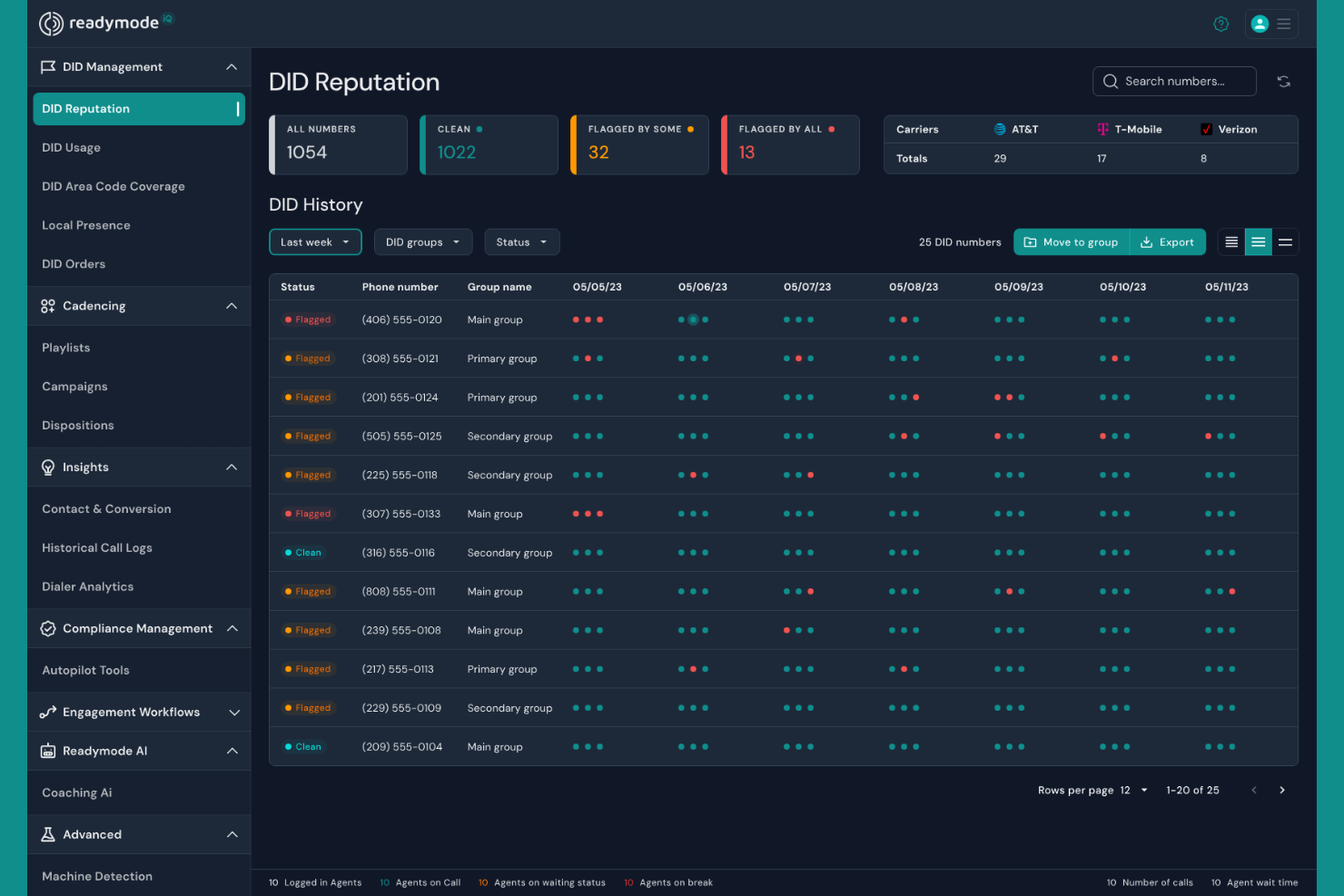
Readymode è una soluzione software per call center focalizzata sul miglioramento dell'efficienza tramite la composizione predittiva. È pensato per i call center che devono massimizzare la produttività degli operatori e ridurre il tempo di inattività tra una chiamata e l'altra.
Perché ho scelto Readymode: Readymode è specializzato nella composizione predittiva, permettendo al tuo team di entrare in contatto con più clienti componendo automaticamente più numeri e collegando agli operatori solo le chiamate risposte. Questa funzione aiuta a ridurre i tempi morti e ad aumentare il volume delle chiamate. Il software offre anche il monitoraggio delle chiamate, che ti consente di supervisionare le prestazioni degli operatori in tempo reale. Inoltre, i suoi script personalizzabili garantiscono una comunicazione coerente, migliorando la qualità delle interazioni con i clienti.
Funzionalità e integrazioni principali:
Funzionalità includono la registrazione delle chiamate, che offre un modo per rivedere e migliorare le interazioni con i clienti. La funzione di reportistica in tempo reale offre approfondimenti sulle metriche delle chiamate, aiutandoti a prendere decisioni consapevoli. Readymode supporta anche il call blending, consentendo agli operatori di gestire efficacemente sia le chiamate in entrata che in uscita.
Integrazioni includono Salesforce, HubSpot, Zoho CRM, Microsoft Dynamics, Zendesk, Pipedrive, SugarCRM, Slack, Freshdesk e Shopify.
Pros and Cons
Pros:
- Composizione predittiva efficace
- Monitoraggio delle chiamate in tempo reale
- Script delle chiamate personalizzabili
Cons:
- Prezzo di partenza elevato
- Complessità della configurazione iniziale

Ideale per la scalabilità nel cloud
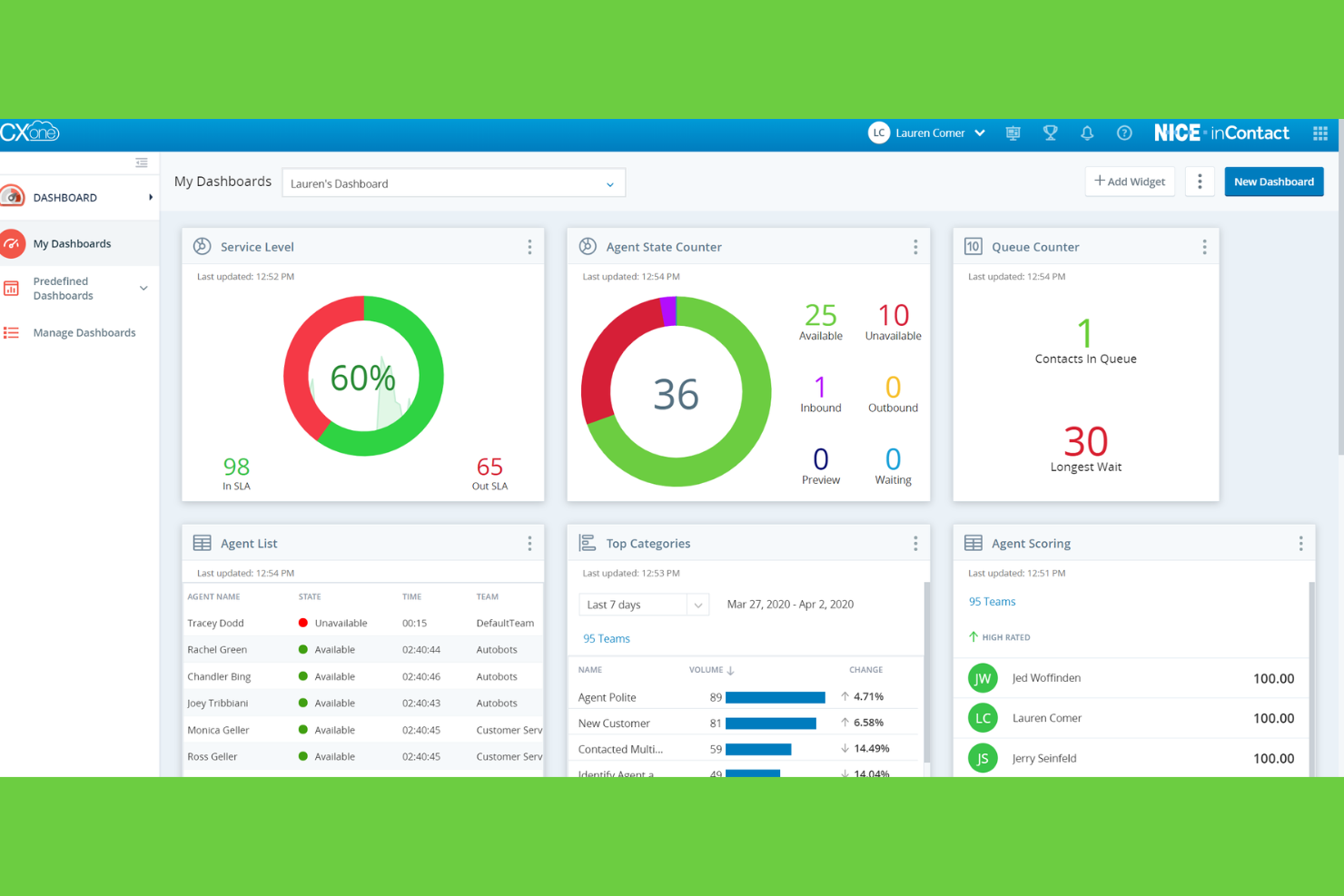
NiCE CXone è un software per call center basato su cloud progettato per le aziende che cercano soluzioni di comunicazione scalabili. Serve le imprese che necessitano di flessibilità ed efficienza nella gestione delle interazioni con i clienti su diversi canali.
Perché ho scelto NiCE CXone: NiCE CXone è stato scelto per la sua scalabilità cloud, che permette al tuo team di espandere le operazioni senza sforzo mentre la tua azienda cresce. Offre un routing omnicanale, così il team può gestire senza interruzioni le interazioni con i clienti tramite voce, chat, email e social. Gli strumenti di gestione della forza lavoro aiutano a ottimizzare pianificazione e prestazioni. Inoltre, le sue analisi in tempo reale offrono informazioni utili per prendere decisioni basate sui dati e migliorare la qualità del servizio.
Funzionalità e integrazioni principali:
Funzionalità includono un solido sistema di gestione della qualità, che assicura al team di mantenere elevati standard di servizio. La funzione di analisi vocale fornisce informazioni su sentiment e tendenze dei clienti. NiCE CXone offre anche un'interfaccia intuitiva per gli operatori, facilitando una gestione efficiente dei compiti.
Integrazioni includono Salesforce, Microsoft Dynamics, Zendesk, ServiceNow, SAP, Oracle, SugarCRM, HubSpot, Pega e Google Cloud.
Pros and Cons
Pros:
- Soluzione cloud altamente scalabile
- Gestione della qualità completa
- Analisi vocale avanzata
Cons:
- Configurazione iniziale complessa
- Funzionalità offline limitate

Ideale per l'integrazione video
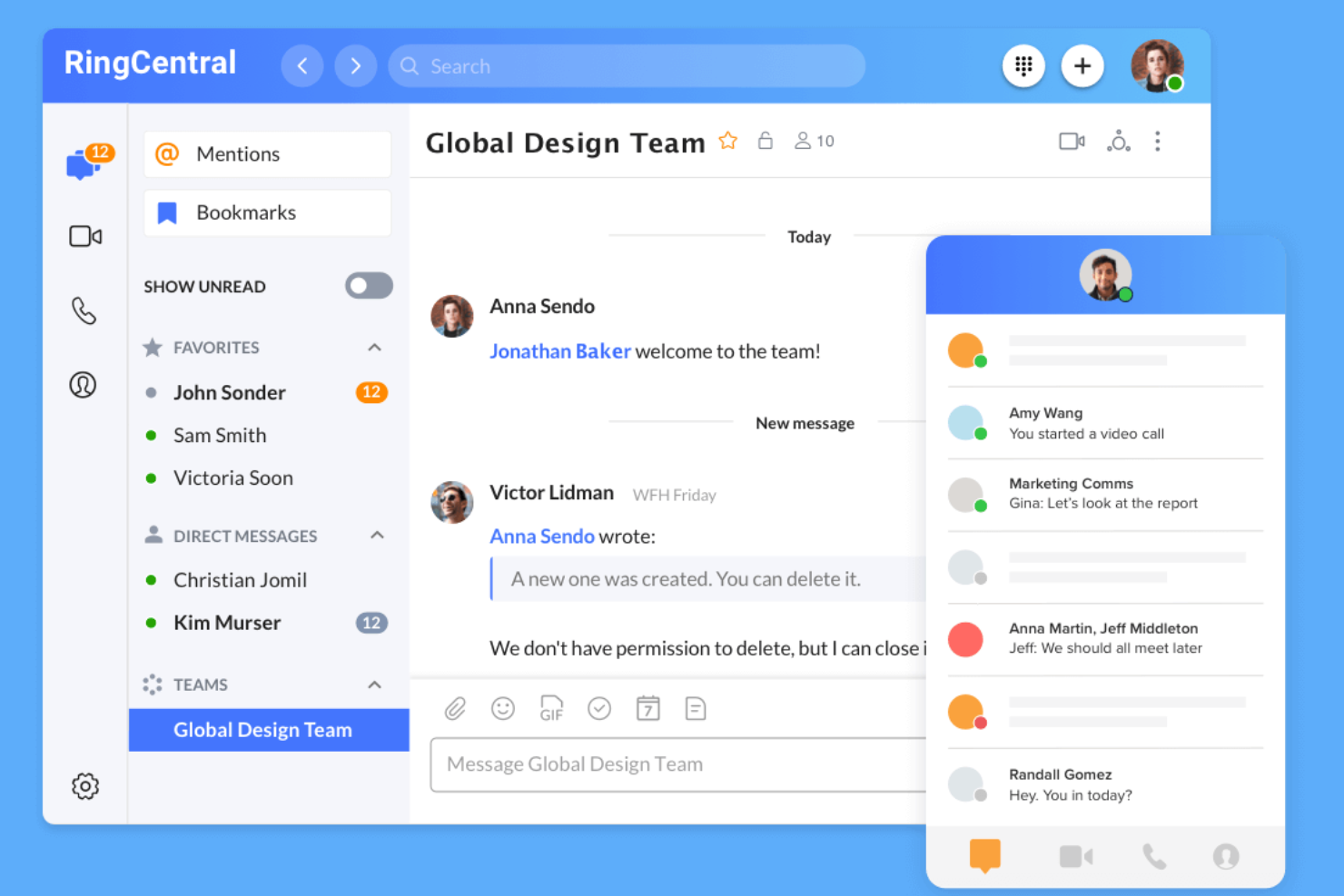
RingCentral è una piattaforma di comunicazione completa progettata per le aziende che necessitano di un sistema unificato per chiamate, video e messaggistica. È ideale per i team che desiderano integrare le videoconferenze senza soluzione di continuità nelle loro attività quotidiane.
Perché ho scelto RingCentral: RingCentral è stato scelto per l'eccellente integrazione video, che consente al team di passare senza sforzo dalle chiamate vocali alle riunioni video. L'auto-dialer aiuta il team a raggiungere più contatti automatizzando il processo di chiamata. Le sue analisi delle chiamate offrono informazioni sulle prestazioni delle chiamate, aiutando a migliorare le strategie di comunicazione. Inoltre, RingCentral offre la registrazione delle chiamate, utile per la formazione e l'assicurazione qualità.
Funzionalità principali & integrazioni:
Funzionalità includono la gestione delle code di chiamata, che aiuta il team a gestire efficientemente volumi elevati di chiamate. La funzione voicemail-to-email garantisce che i messaggi importanti non vengano mai persi, inviandoli direttamente nella tua casella di posta. RingCentral offre anche un'app mobile, che mantiene il tuo team sempre connesso, ovunque si trovi.
Integrazioni includono Salesforce, Microsoft 365, Google Workspace, Slack, Zendesk, HubSpot, ServiceNow, Dropbox, Box e Okta.
Pros and Cons
Pros:
- Integrazione video fluida
- Gestione efficiente delle code di chiamata
- Supporto per app mobile
Cons:
- Può essere complesso per i nuovi utenti
- Richiede molte risorse

JustCall
Ideale per piccoli team
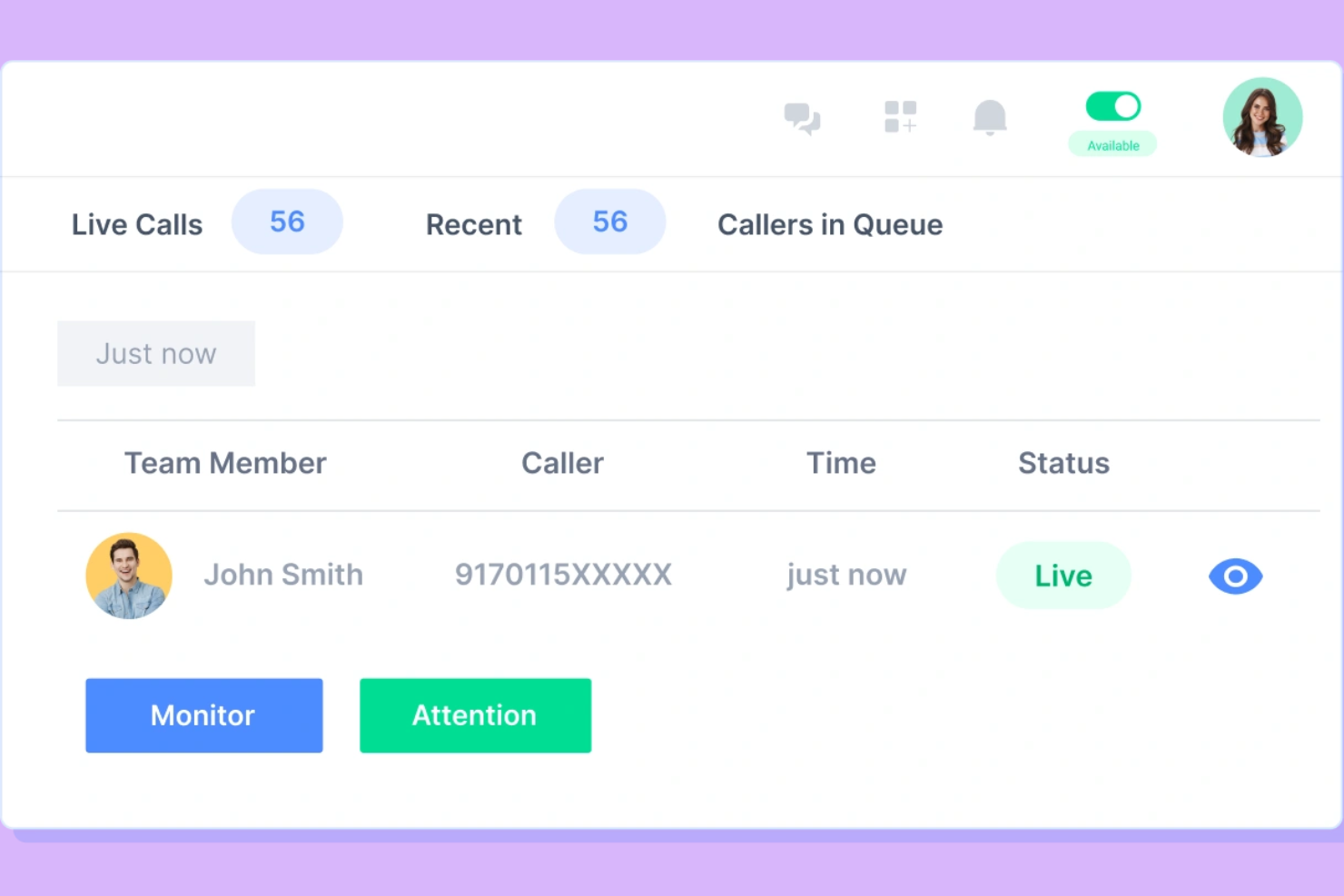
JustCall è un sistema di composizione chiamate per call center progettato per piccoli team che desiderano migliorare le loro capacità di chiamata. Offre funzionalità che favoriscono una comunicazione efficiente e un'interazione efficace con i clienti, rendendolo una scelta ideale per startup e piccole imprese.
Perché ho scelto JustCall: JustCall è pensato per i piccoli team e offre caratteristiche facili da usare e implementare, senza necessità di conoscenze tecniche approfondite. Include il routing delle chiamate, che assicura che le chiamate raggiungano rapidamente i membri giusti del team. La funzionalità di automazione degli SMS consente di inviare messaggi personalizzati in modo semplice. Inoltre, lo strumento di monitoraggio delle chiamate permette di supervisionare e migliorare le performance del team senza bisogno di una grande infrastruttura.
Funzionalità e integrazioni principali:
Funzionalità includono la registrazione delle chiamate, che consente al tuo team di riascoltare le conversazioni per migliorare la qualità del servizio. La funzione click-to-call consente di avviare le chiamate direttamente dal browser, risparmiando tempo. Lo strumento di programmazione delle chiamate aiuta a gestire il tempo del team e ad assicurare che nessuna chiamata venga persa.
Integrazioni includono HubSpot, Zapier, Slack, Salesforce, Zoho CRM, Pipedrive, Intercom, Copper, Freshdesk e Zendesk.
Pros and Cons
Pros:
- Supporta l'automazione SMS
- Flussi di chiamata personalizzabili
- Monitoraggio delle performance in tempo reale
Cons:
- Funzionalità avanzate limitate
- Occasionali problemi di qualità delle chiamate
Altri sistemi di composizione automatica per centri di contatto
Ecco alcune ulteriori opzioni di sistemi di composizione automatica per centri di contatto che non sono entrate nella mia selezione, ma che vale comunque la pena prendere in considerazione:
- Dialer360
Ideale per l'integrazione con il CRM
- MightyCall
Ideale per la registrazione delle chiamate
- Genesys
Ideale per soluzioni aziendali
- T-Mobile for Business
Ideale per le trascrizioni delle chiamate in tempo reale
- Exotel
Ideale per il mercato indiano


Come Valuto i Sistemi Dialer per i Call Center
Divido la valutazione in due livelli: criteri di base che ogni dialer per call center deve rispettare—dialing predittivo, sincronizzazione con il CRM, conformità normativa—e fattori differenzianti che contano per i team outbound ad alto volume.
Funzionalità Core (Requisiti Minimi per Questa Lista)
Quando seleziono gli strumenti per la mia lista, valuto ciascuno su una scala da 0 (non offre la funzionalità) a 5 (eccelle in quest'area) per ognuna delle funzionalità core elencate di seguito. Poi, calcolo il punteggio totale dello strumento in percentuale. Ogni strumento deve raggiungere un punteggio totale minimo del 65% per essere preso in considerazione.
- Modalità di Chiamata Multiple: Verifico se una piattaforma offre modalità predittiva, progressiva, power e preview, così i team possono abbinare il dialer alla campagna—le chiamate per recupero crediti richiedono una strategia di ritmo diversa rispetto a quelle di follow-up.
- Integrazione con il CRM: Ogni strumento dovrebbe sincronizzare gli esiti delle chiamate e i dati dei contatti con CRM come Salesforce o HubSpot, e cerco pop-up di schermata che forniscano agli agenti contesto prima che dicano "pronto".
- Strumenti di Conformità Incorporati: Valuto la pulizia delle liste DNC, le regole di chiamata in base al fuso orario e le funzionalità di tracciamento del consenso, perché una sola violazione durante una campagna outbound ad alto volume può portare a multe significative.
- Rilevamento Segreterie Telefoniche: Un buon AMD mantiene gli agenti a parlare con persone reali invece di attendere i messaggi di segreteria, quindi analizzo l'accuratezza del rilevamento e se lo strumento supporta invii automatici di messaggi vocali.
- Analisi e Monitoraggio in Tempo Reale: I supervisori necessitano di dashboard live che mostrino lo stato degli agenti, la profondità delle code e i tassi di connessione delle campagne—cerco viste personalizzabili e la possibilità di esportare report storici.
- Registrazione delle Chiamate e Gestione della Qualità: Oltre alla registrazione base, valuto se la piattaforma supporta whisper, barge e scorecard QA che permettono ai supervisori di formare gli agenti durante e dopo le chiamate dal vivo.
Una volta che ho una lista di strumenti che soddisfano i criteri, considero cosa distingue ogni piattaforma.
Fattori Differenzianti (Cosa Distingue i Fornitori)
Ecco come confronto e metto a confronto i diversi fornitori:
Funzionalità Distintive
Il dialing con presenza locale è una funzionalità che verifico sempre—abbina l'ID chiamante in uscita al prefisso della zona del destinatario, il che può aumentare sensibilmente il tasso di risposta nelle campagne di contatto a freddo. Valuto anche l'analisi vocale AI, poiché le piattaforme che segnalano in tempo reale cambi di sentimento o parole chiave danno ai supervisori un vantaggio nella formazione. Anche una gestione intelligente delle richiamate è importante, soprattutto per i team che gestiscono campagne su più giorni dove la logica di retry e le finestre ottimali di contatto incidono direttamente sulle conversioni.
Oltre le Funzionalità
La struttura dei prezzi è una delle prime cose che valuto—le licenze per utente funzionano bene per i team stabili, ma i BPO con picchi stagionali dovrebbero cercare modelli per utenti concorrenti o a consumo che si adattano alla domanda. La flessibilità telefonica è altrettanto rilevante. Controllo se una piattaforma supporta BYOC (Bring Your Own Carrier) e trunk SIP, perché accordi vincolanti con operatori possono far salire i costi senza che ci si accorga. Per settori regolamentati come sanità o servizi finanziari, guardo anche le certificazioni di conformità come SOC 2, PCI-DSS e HIPAA.
Come scegliere un sistema di composizione automatica per un centro di contatto
È facile perdersi in lunghi elenchi di funzionalità e strutture tariffarie complesse. Per aiutarti a rimanere concentrato mentre affronti il tuo processo specifico di scelta del software, ecco un elenco di fattori da tenere a mente:
| Fattore | Cosa considerare |
| Scalabilità | Il sistema può crescere insieme alla tua attività? Verifica che supporti l'aumento del volume delle chiamate e l'aggiunta di utenti senza problemi. |
| Integrazioni | Funziona con gli strumenti che già utilizzi? Dai priorità ai sistemi che si integrano senza problemi con il tuo CRM e con gli altri software che usi quotidianamente. |
| Personalizzazione | Puoi adattarlo ai tuoi flussi di lavoro? Cerca opzioni che ti consentano di modificare gli script delle chiamate e l'instradamento in base alle esigenze del tuo team. |
| Semplicità d'uso | Quanto è intuitiva l'interfaccia? Il tuo team dovrebbe poterla utilizzare con una formazione minima. Cerca layout chiari e menu semplici. |
| Implementazione e avvio | Quanto tempo servirà per renderlo operativo? Considera il supporto offerto durante la configurazione e le risorse formative disponibili per il tuo team. |
| Costo | Il prezzo rientra nel tuo budget? Confronta il costo per utente e le eventuali commissioni nascoste o i contratti a lungo termine. |
| Misure di sicurezza | Le tue chiamate e i tuoi dati sono protetti? Assicurati che il sistema includa la crittografia e sia conforme agli eventuali standard di sicurezza specifici del settore che devi rispettare. |
| Disponibilità dell'assistenza | Quale assistenza puoi aspettarti? Verifica se il fornitore offre assistenza 24 ore su 24, 7 giorni su 7 e quanto sia facile contattarlo quando si verificano problemi. |
Che cos'è un sistema di composizione automatica per un centro di contatto?
Un sistema di composizione automatica per un call center automatizza il processo di composizione dei numeri di telefono, facilitando il collegamento tra gli operatori e i clienti. Questi strumenti vengono generalmente utilizzati dai team di vendita, dagli addetti al servizio clienti e dagli operatori di telemarketing per aumentare l'efficienza e migliorare la gestione delle chiamate. Le funzionalità di composizione automatica, registrazione delle chiamate e analisi in tempo reale aiutano a gestire elevati volumi di chiamate, formare il personale e monitorare le prestazioni. Nel complesso, questi strumenti aumentano la produttività e garantiscono una comunicazione più fluida con i clienti.
Funzionalità
Quando selezioni un sistema di composizione automatica per un call center, presta attenzione alle seguenti funzionalità chiave:
- Composizione automatica: compone automaticamente i numeri per collegare gli operatori alle chiamate con interlocutori in linea, risparmiando tempo e riducendo i periodi di inattività.
- Registrazione delle chiamate: acquisisce e archivia le chiamate per la formazione e il controllo della qualità, contribuendo a migliorare le prestazioni del team.
- Analisi in tempo reale: fornisce informazioni sulle metriche e sulle prestazioni delle chiamate, consentendo di prendere decisioni basate sui dati.
- Instradamento delle chiamate: indirizza le chiamate all'operatore o al reparto appropriato, garantendo una gestione efficiente delle richieste.
- Integrazione con il CRM: si connette ai sistemi di gestione delle relazioni con i clienti per accedere rapidamente alle informazioni sui clienti e aggiornarle.
- Composizione predittiva: compone più numeri e collega agli operatori solo le chiamate a cui è stata data risposta, massimizzando il tempo di conversazione degli operatori.
- Rilascio di messaggi vocali: consente agli operatori di lasciare rapidamente messaggi preregistrati, risparmiando tempo durante le attività di contatto.
- Monitoraggio delle chiamate: consente ai supervisori di ascoltare le chiamate per fornire coaching e valutare le prestazioni.
- Script personalizzabili: fornisce agli operatori script personalizzati per garantire una comunicazione coerente ed efficace.
- Supporto multicanale: consente di gestire le interazioni con i clienti attraverso diversi canali, come voce, e-mail e chat.
Vantaggi
L'implementazione di un sistema di composizione automatica per un call center offre diversi vantaggi al team e all'azienda. Ecco alcuni dei vantaggi che puoi aspettarti:
- Maggiore efficienza: la composizione automatica e la composizione predittiva riducono i tempi di inattività, consentendo agli operatori di gestire più chiamate in meno tempo.
- Migliori interazioni con i clienti: l'instradamento delle chiamate e l'integrazione con il CRM garantiscono che i clienti siano collegati all'operatore giusto e che le loro informazioni siano immediatamente disponibili.
- Maggiori opportunità di formazione: la registrazione e il monitoraggio delle chiamate forniscono materiali per la formazione e la valutazione delle prestazioni, aiutando gli operatori a migliorare le proprie competenze.
- Decisioni basate sui dati: le analisi in tempo reale offrono informazioni sulle prestazioni delle chiamate, consentendo di apportare modifiche informate alle strategie.
- Comunicazione coerente: gli script personalizzabili e le funzionalità di rilascio dei messaggi vocali garantiscono che il team trasmetta un messaggio uniforme a tutti i clienti.
- Migliore gestione delle risorse: il supporto multicanale consente al team di gestire in modo efficiente diversi tipi di interazioni, ottimizzando l'uso delle risorse.
- Maggiori opportunità di vendita: la composizione predittiva e l'integrazione con il CRM aiutano il team a raggiungere più potenziali clienti e a concludere più trattative.
Costi e prezzi
La scelta di un sistema di composizione automatica per un call center richiede la comprensione dei vari modelli e piani tariffari disponibili. I costi variano in base alle funzionalità, alle dimensioni del team, agli extra e ad altri fattori. La tabella seguente riassume i piani più comuni, i relativi prezzi medi e le funzionalità tipicamente incluse nei sistemi di composizione automatica per soluzioni di call center:
Tabella comparativa dei piani per un sistema di composizione automatica per call center
| Tipo di piano | Prezzo medio | Funzionalità comuni |
| Piano gratuito | $0 | Gestione di base delle chiamate, minuti limitati, registrazione delle chiamate e reportistica di base. |
| Piano personale | $10-$30/utente/mese | Composizione automatica, registrazione delle chiamate, integrazione con il CRM e analisi di base. |
| Piano aziendale | $40-$70/utente/mese | Composizione predittiva, analisi avanzate, monitoraggio delle chiamate e script personalizzabili. |
| Piano aziendale avanzato | $80-$120/ utente/mese | Supporto multicanale, analisi in tempo reale, funzionalità di sicurezza avanzate e gestione dedicata dell'account. |
Sistema di composizione per le chiamate per le domande frequenti sui call center
Ecco alcune risposte alle domande comuni sui sistemi di composizione per le chiamate dei call center:
Come funzionano i sistemi di composizione automatica?
I sistemi di composizione automatica chiamano automaticamente i numeri presenti in un elenco e collegano le chiamate a cui viene data risposta agli operatori oppure riproducono messaggi preregistrati. Riducono la composizione manuale e i tempi di inattività, consentendo al team di concentrarsi sulle interazioni con i clienti. Questo migliora l’efficienza e aumenta il numero di chiamate gestite.
Qual è la differenza tra i sistemi di composizione predittiva e progressiva?
I sistemi di composizione predittiva chiamano contemporaneamente più numeri e collegano le chiamate a cui viene data risposta agli operatori disponibili, ottimizzando il tempo di conversazione degli operatori. I sistemi di composizione progressiva, invece, compongono un numero alla volta solo quando un operatore è pronto. Scegli in base al flusso di lavoro del team e al volume delle chiamate.
Come si integrano i sistemi di composizione con i sistemi CRM?
I sistemi di composizione si integrano con i sistemi CRM per aggiornare automaticamente i dati dei clienti durante le chiamate. Questo garantisce che gli operatori dispongano di informazioni aggiornate, migliorando le interazioni con i clienti. Cerca sistemi che offrano un’integrazione fluida per mantenere sincronizzati i tuoi dati.
Quali requisiti di conformità devo considerare?
Il rispetto di normative come TCPA e GDPR è fondamentale quando si utilizzano sistemi di composizione. Assicurati che il sistema includa funzionalità come il consenso alla registrazione delle chiamate e la gestione degli elenchi di numeri da non contattare. Questo aiuta a evitare problemi legali e protegge la tua attività.
I sistemi di composizione possono gestire sia le chiamate in entrata sia quelle in uscita?
Sì, molti sistemi di composizione supportano la gestione sia delle chiamate in entrata sia di quelle in uscita. Questo consente al team di gestire in modo efficiente le richieste dei clienti e le attività di contatto proattivo. Prendi in considerazione sistemi che offrano funzionalità avanzate di instradamento e gestione delle chiamate per entrambi i tipi di chiamata.
Quali sono i vantaggi della registrazione delle chiamate nei sistemi di composizione?
La registrazione delle chiamate consente di acquisire e rivedere le interazioni con i clienti per la formazione e la garanzia della qualità. Aiuta a individuare le aree di miglioramento e garantisce una qualità del servizio costante. Scegli un sistema di composizione con funzionalità di registrazione affidabili per migliorare le prestazioni del team.