

I 10 migliori software per l’autoassistenza dei clienti recensiti nel 2026

Elenco dei migliori software self-service per i clienti


In qualità di responsabile dell'esperienza cliente, ti trovi costantemente a gestire le esigenze di migliorare la soddisfazione e ridurre i costi. Soddisfare le aspettative dei clienti gestendo al contempo le risorse in modo efficiente non è facile. È qui che entra in gioco il software self-service per i clienti. Consente ai tuoi clienti di trovare autonomamente le risposte, lasciando al tuo team più tempo da dedicare alle problematiche più complesse.
Ho testato e valutato diverse soluzioni software per aiutarti a trovare quella più adatta alle tue esigenze. In base alla mia esperienza, lo strumento giusto può fare una differenza significativa. Condividerò recensioni imparziali delle mie migliori scelte, concentrandomi su come possono affrontare le tue sfide specifiche. Esploriamo le opzioni che possono davvero supportare il tuo team e contribuire a migliorare la tua strategia di assistenza clienti.
Perché fidarsi dei nostri consigli sui software
Il nostro team testa e recensisce software dal 2012. In quanto leader CX noi stessi, sappiamo quanto sia difficile — e importante — scegliere il software giusto.
Per questa guida, abbiamo valutato gli strumenti attraverso test pratici e ricerche indipendenti, assegnando un punteggio agli strumenti in base ai nostri criteri di selezione.
Le nostre recensioni riflettono il nostro giudizio editoriale umano, non un discorso di vendita.
Tabella comparativa dei software self-service per i clienti
Questa tabella comparativa riassume i dettagli dei prezzi delle mie migliori selezioni di software self-service per i clienti:
| Tool | Best For | Trial Info | Price | ||
|---|---|---|---|---|---|
| 1 | Ideale con il supporto tramite chat in tempo reale | Prova gratuita di 15 giorni + demo gratuita disponibile | A partire da $25/utente/mese (con fatturazione annuale) | Website | |
| 2 | Il migliore per il supporto di agenti AI multilingue | Piano gratuito disponibile | Da $32/mese (fatturati annualmente) | Website | |
| 3 | La migliore per le capacità di coaching IA in tempo reale per gli agenti | Demo gratuita disponibile | Prezzo su richiesta | Website | |
| 4 | Ideale per l'assistenza basata sulla chat e potenziata dall'IA | Prova gratuita di 14 giorni + demo gratuita disponibile | A partire da $9.6/mese | Website | |
| 5 | Ideale per le esigenze delle piccole imprese | Prova gratuita di 14 giorni disponibile | A partire da $19/mese | Website | |
| 6 | Il migliore con flussi di automazione senza codice | Prova gratuita di 7 giorni + piano gratuito disponibile | A partire da $24.17/mese (fatturazione annuale) | Website | |
| 7 | Ideale per l'assistenza multicanale basata sull'IA | Prova gratuita di 14 giorni + demo gratuita disponibile | A partire da $26.1/utente/mese (con fatturazione annuale) | Website | |
| 8 | Ideale per percorsi cliente gestiti dall'IA | Demo gratuita disponibile | Prezzi disponibili su richiesta | Website | |
| 9 | Ideale per team incentrati sugli sviluppatori e supportati dall'IA | Piano gratuito + demo gratuita disponibili | Prezzi su richiesta | Website | |
| 10 | Ideale per CRM guidato dall'IA e coinvolgimento del cliente | Piano gratuito + prova gratuita di 14 giorni + demo gratuita disponibile | Da $9/postazione/mese (fatturato annualmente) | Website |
Recensione dei migliori software self-service per i clienti
Di seguito trovi i miei riepiloghi dettagliati dei migliori software self-service per i clienti inclusi nel mio elenco. Le mie recensioni offrono una panoramica dettagliata delle funzionalità principali, dei pro e dei contro, delle integrazioni e dei casi d’uso ideali di ogni strumento, per aiutarti a trovare quello più adatto a te.

Ideale con il supporto tramite chat in tempo reale
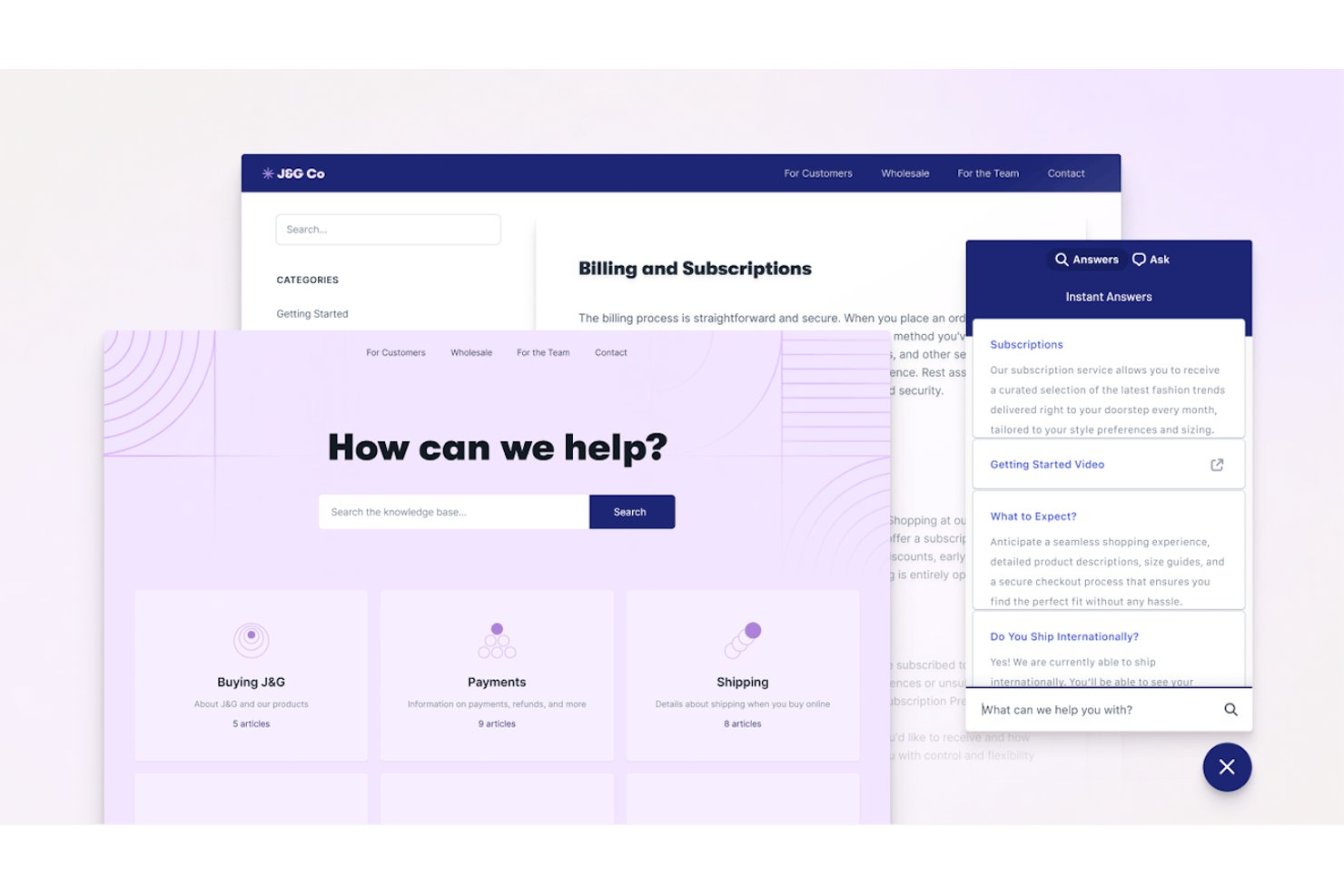
Help Scout è una piattaforma di assistenza clienti e autoassistenza che combina una casella di posta condivisa, un widget incorporabile della base di conoscenza, Docs (centro assistenza) e un chatbot basato sull'intelligenza artificiale per la risoluzione automatizzata delle richieste dei clienti.
Per chi è più adatto Help Scout?
Help Scout è una soluzione adatta ai team SaaS di piccole e medie imprese e del mercato intermedio che desiderano gestire l'autoassistenza e il supporto tramite chat dal vivo da un'unica piattaforma semplice e intuitiva.
Perché ho scelto Help Scout
Ho scelto Help Scout come una delle migliori soluzioni perché il suo widget Beacon combina chat in tempo reale e autoassistenza in un modo che considero davvero intelligente. Prima ancora che un cliente digiti un solo messaggio, Beacon mostra proattivamente gli articoli pertinenti di Docs. La chat dal vivo appare solo quando gli agenti sono online, così i clienti non iniziano mai una conversazione che rimane senza risposta. AI Answers gestisce autonomamente il resto, risolvendo le domande direttamente dalla tua base di conoscenza senza l'intervento degli agenti.
Funzionalità principali di Help Scout
- Base di conoscenza Docs: Crea basi di conoscenza illimitate con categorie, branding personalizzato e una potente funzione di ricerca.
- Automazione dei flussi di lavoro: Configura regole per instradare, applicare tag o assegnare automaticamente le conversazioni in base ai trigger definiti.
- Casella di posta multicanale: Gestisci i messaggi dei clienti provenienti da e-mail, WhatsApp, Instagram, Messenger, SMS e chiamate vocali in un unico spazio di lavoro condiviso.
- Messaggistica nell'app: Invia annunci mirati, suggerimenti per l'onboarding e sondaggi sulla soddisfazione direttamente all'interno del tuo prodotto o sito web.
Integrazioni di Help Scout
Help Scout offre integrazioni native con Salesforce, HubSpot, Slack, Jira, Shopify, Mailchimp, Aircall, Google Workspace, Trello e Zapier. È disponibile un'API per le integrazioni personalizzate.
Pros and Cons
Pros:
- Beacon mostra gli articoli di assistenza prima dell'apertura della chat
- AI Answers risolve i ticket senza l'intervento degli agenti
- Docs è rapido da creare e pubblicare
Cons:
- Le analisi sulla riduzione delle richieste sono basilari rispetto a quelle dei concorrenti
- La base di conoscenza non dispone di funzionalità native per più lingue
New Product Updates from Help Scout

Help Scout Adds Automatic Conversation Reassignment
Help Scout can now automatically unassign conversations when the assigned teammate has been away long enough, keeping replies moving so others can pick them up. For more information, visit Help Scout's official site.
 .
.
Chatbase
Il migliore per il supporto di agenti AI multilingue
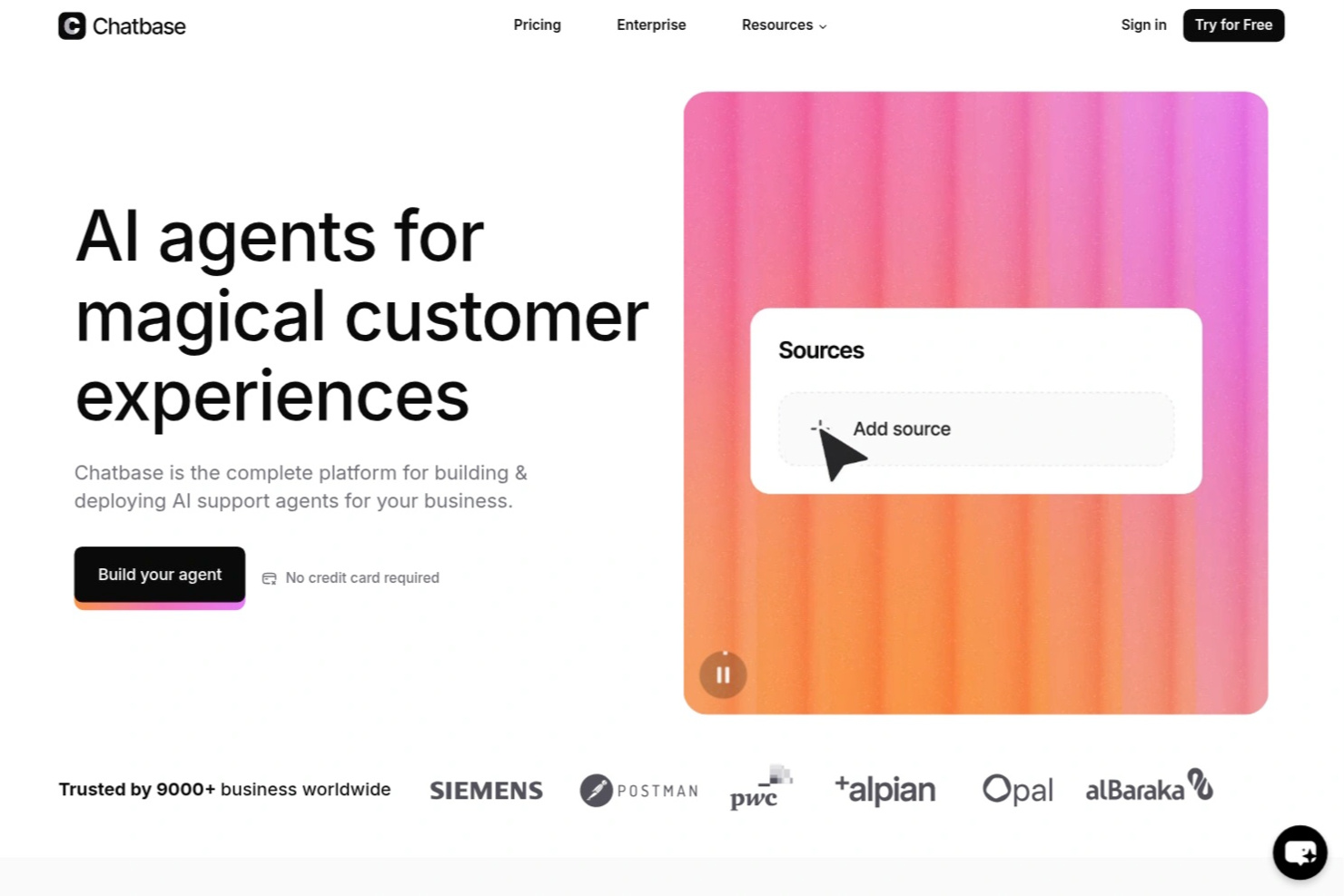
Chatbase è una piattaforma di chatbot AI progettata per aziende e team di supporto che desiderano automatizzare l'assistenza clienti self-service, ridurre le richieste ripetitive e fornire risposte immediate e accurate su tutti i canali digitali.
Per chi è ideale Chatbase?
Chatbase è adatto ai team di supporto e alle aziende che vogliono automatizzare le interazioni con i clienti e fornire risposte istantanee su molteplici canali digitali.
Perché ho scelto Chatbase
Ho scelto Chatbase tra i migliori perché posso addestrare i suoi agenti AI sui miei contenuti e farli rispondere in oltre 95 lingue. Il mio team utilizza Chatbase per supportare i clienti nella loro lingua preferita, il che è particolarmente utile per il pubblico globale. Mi piace anche che la piattaforma rilevi automaticamente la lingua dell'utente e adatti le risposte di conseguenza.
Funzionalità principali di Chatbase
- Costruttore di chatbot personalizzati: Crea chatbot AI su misura per il tuo brand e base di conoscenza.
- Caricamento di file e URL: Addestra i bot utilizzando PDF, file di testo o URL di siti web per risposte accurate.
- Personalizzazione del widget: Modifica l'aspetto e la sensazione del widget di chat per adattarlo al tuo sito.
- Analisi delle conversazioni: Monitora le interazioni degli utenti e le prestazioni del chatbot con strumenti di analisi integrati.
Integrazioni di Chatbase
Le integrazioni includono Make, Zendesk, Notion, Slack, Stripe, Salesforce, Cal.com, Calendly, WhatsApp e Messenger. È disponibile anche un'API per integrazioni personalizzate.
Pros and Cons
Pros:
- Consente di addestrare i bot con file e URL personalizzati
- Fornisce analisi dettagliate sulle conversazioni del chatbot
- Permette l'integrazione diretta con strumenti business popolari
Cons:
- Opzioni limitate per l'automazione di workflow avanzati
- La rimozione del branding è disponibile solo nei piani di fascia alta

Cresta
La migliore per le capacità di coaching IA in tempo reale per gli agenti
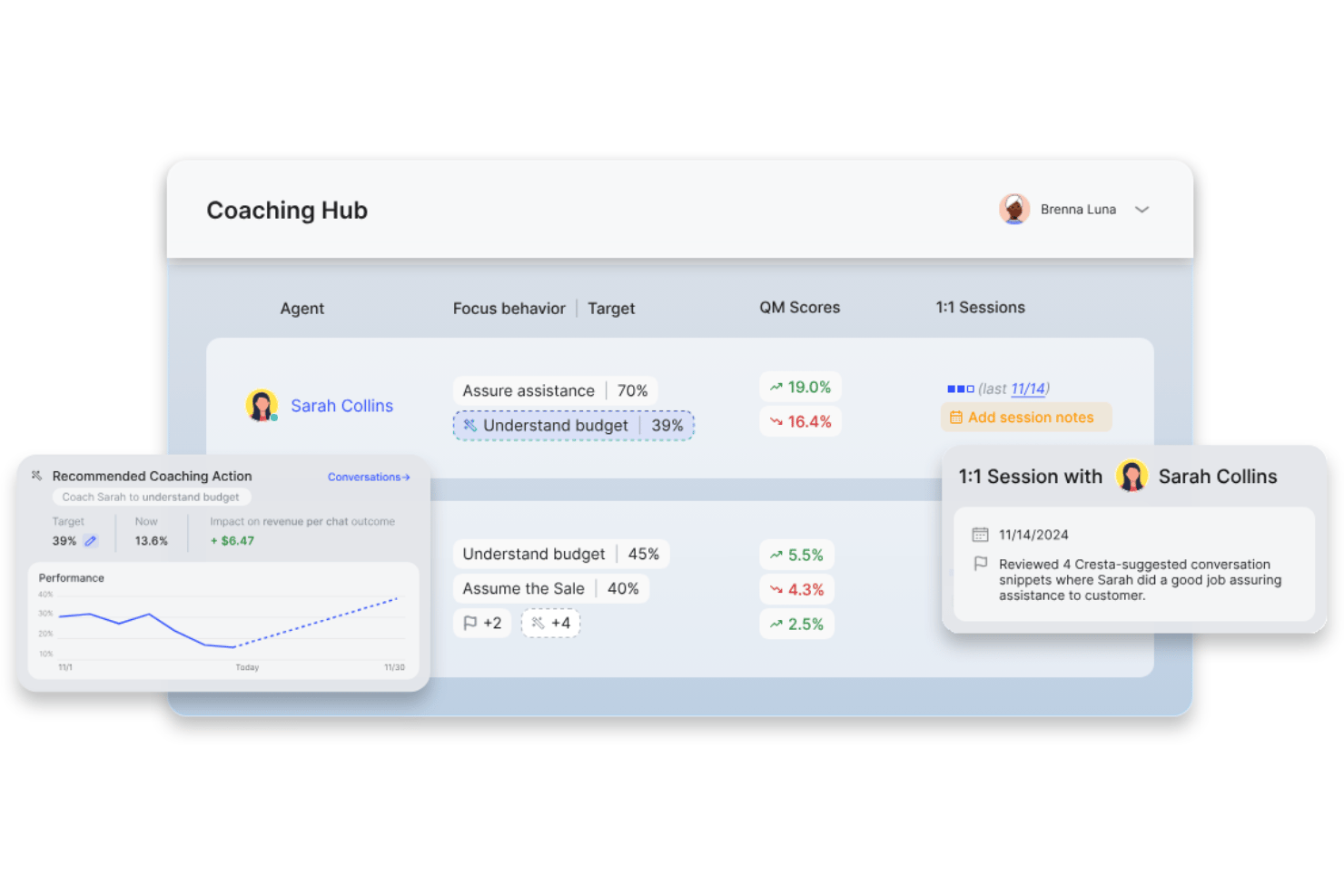
Cresta è una piattaforma per il self-service clienti basata sull'IA che combina agenti di intelligenza artificiale conversazionale, ricerca intelligente sulle conoscenze aziendali e automazione intelligente per aiutare le aziende a risolvere le richieste dei clienti su canali vocali e digitali.
Per chi è ideale Cresta?
Cresta è adatta a contact center aziendali e team di assistenza clienti che vogliono ottimizzare le operazioni di servizio omnicanale su larga scala grazie all'automazione alimentata dall'IA.
Perché ho scelto Cresta
Ho scelto Cresta tra le migliori perché il mio team beneficia delle capacità di coaching per agenti in tempo reale basate su IA, che suggeriscono risposte, rendono facilmente accessibili le informazioni e aiutano a ottenere una riduzione misurabile dei ticket su tutti i canali.
Caratteristiche principali di Cresta
- Distribuzione omnicanale: Si integra con voce, chat, SMS, WhatsApp e canali web per un'automazione unificata del supporto.
- Integrazione dell'agente di conoscenza: L'IA cerca e propone contenuti rilevanti dalla base di conoscenza in tempo reale durante le conversazioni.
- Cruscotto di analisi avanzate: Monitora i tassi di deflessione dei ticket, le interazioni con i clienti e informazioni sulle prestazioni in tutti i canali.
- Integrazioni CRM e CCaaS: Si collega senza soluzione di continuità con Salesforce, Zendesk, AWS Connect e altre piattaforme aziendali.
Integrazioni di Cresta
Cresta offre integrazioni native con Salesforce, Twilio, Pipedrive, BigCommerce, Five9, Zendesk e altre ancora. È disponibile un'API per integrazioni personalizzate.
Pros and Cons
Pros:
- Coaching in tempo reale per gli agenti da parte dell'IA
- Analisi conversazionali e approfondimenti avanzati
- Contenimento degli agenti IA su più canali
Cons:
- Nessun portale self-service clienti con marchio
- Funzionalità limitate di creazione della base di conoscenza

Ideale per l'assistenza basata sulla chat e potenziata dall'IA
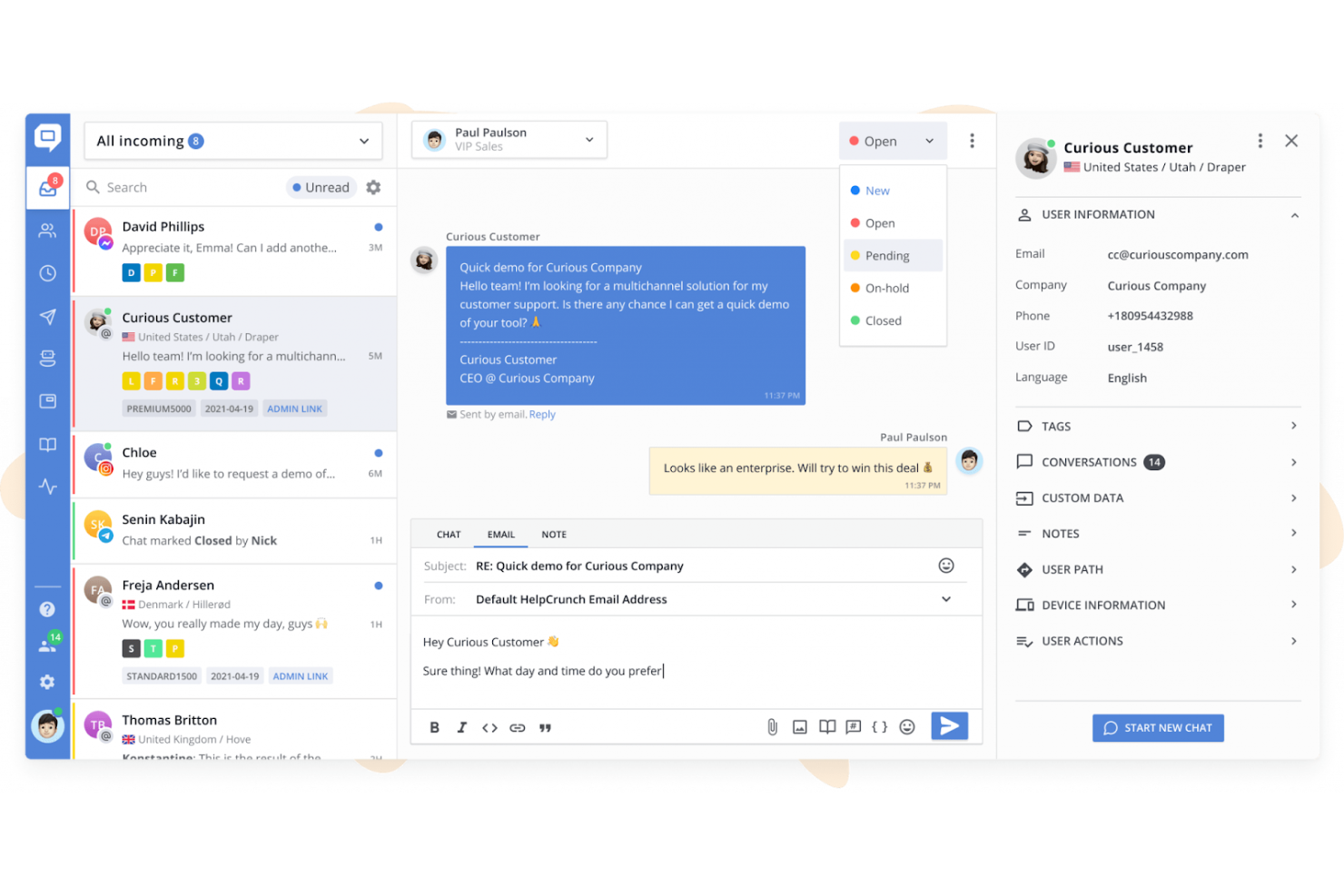
HelpCrunch è una piattaforma di assistenza clienti omnicanale che combina chat dal vivo, una base di conoscenza multilingue, agenti IA, flussi per chatbot e una casella di posta condivisa tra canali come WhatsApp, Messenger e Telegram.
Per chi è più adatto HelpCrunch?
HelpCrunch è una soluzione ideale per le piccole e medie imprese che hanno bisogno di una piattaforma di assistenza conveniente e completa, senza i costi e la complessità degli strumenti aziendali come Intercom o Zendesk.
Perché ho scelto HelpCrunch
HelpCrunch si è guadagnato un posto tra i migliori della mia selezione perché apprezzo il modo in cui gli agenti IA vengono addestrati sugli articoli della tua base di conoscenza e sulle risposte personalizzate, risolvendo le domande più comuni 24 ore su 24, 7 giorni su 7, senza l'intervento degli operatori. La base di conoscenza si integra direttamente nel widget della chat, così i clienti ricevono suggerimenti di articoli pertinenti durante la conversazione invece di essere reindirizzati a un centro assistenza separato. Ho inoltre constatato che il servizio self-service basato sull'IA si estende a WhatsApp, Telegram e Messenger senza configurazioni aggiuntive.
Funzionalità principali di HelpCrunch
- Base di conoscenza multilingue: Crea e gestisci contenuti di assistenza in più lingue, con cambio di lingua con un solo clic.
- Opzioni avanzate di personalizzazione: Personalizza l'aspetto del widget e il branding della base di conoscenza utilizzando CSS e JavaScript personalizzati.
- Casella di posta condivisa per l'assistenza omnicanale: Instrada, organizza e gestisci le conversazioni provenienti da e-mail, WhatsApp, Messenger, Telegram e altri canali in un'unica casella di posta centralizzata.
- Analisi e report integrati: Monitora l'utilizzo del centro assistenza, il volume delle chat, i tassi di risoluzione e le prestazioni dei contenuti attraverso dashboard integrate.
Integrazioni di HelpCrunch
HelpCrunch offre integrazioni native con Slack, WhatsApp, Facebook Messenger, Instagram, Telegram e HubSpot, oltre a un'API per integrazioni personalizzate.
Pros and Cons
Pros:
- Gli agenti IA risolvono i ticket senza passaggio a un operatore
- La base di conoscenza si integra nel widget della chat
- Base di conoscenza multilingue con cambio di lingua con un solo clic
Cons:
- Nessun forum della community o spazio di discussione tra utenti
- I report non offrono una modellazione avanzata del tasso di deflessione

Ideale per le esigenze delle piccole imprese
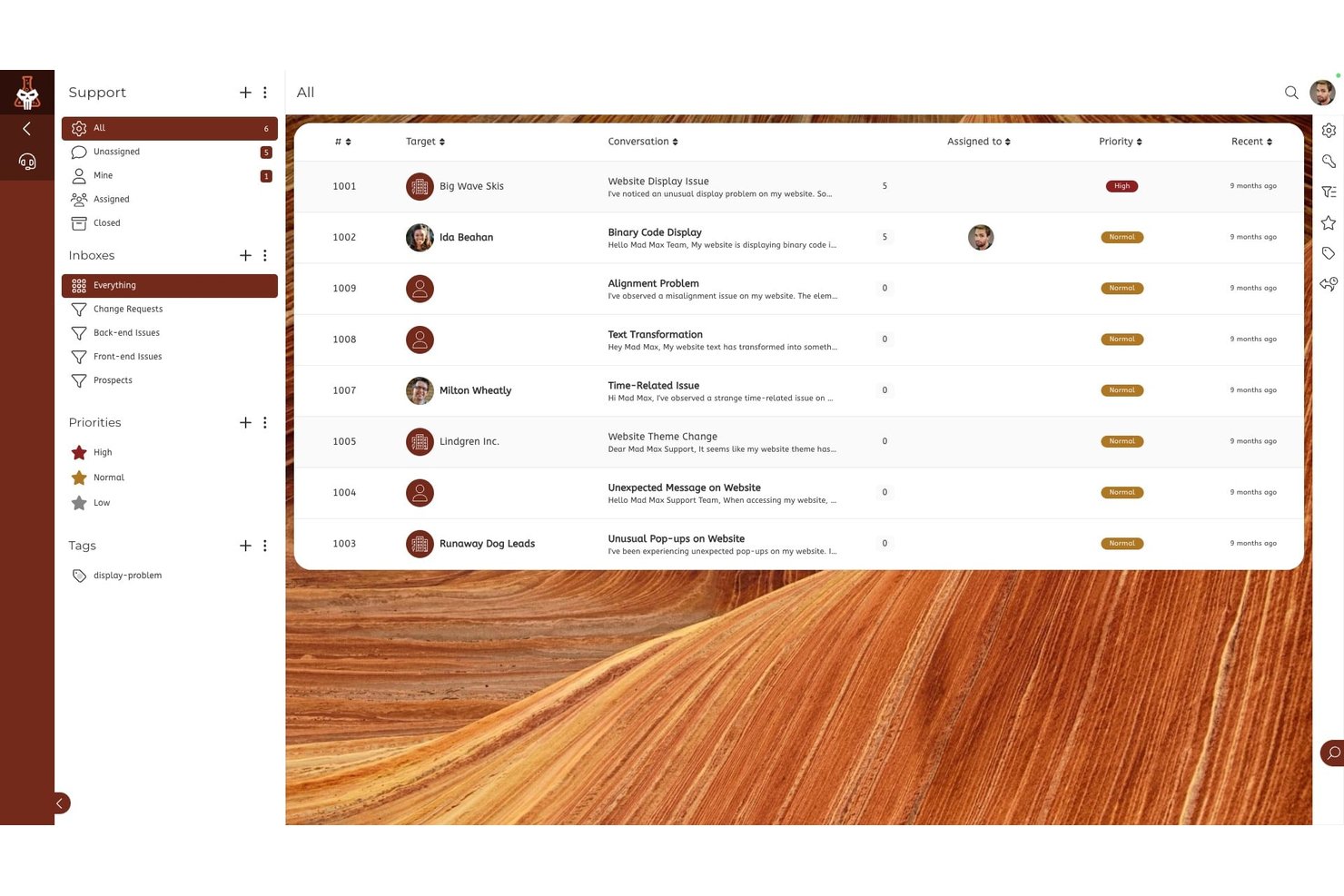
SuiteDash è una piattaforma di gestione aziendale completa che combina un portale clienti con marchio personalizzato, la gestione dei ticket di supporto, lo scambio di file, la fatturazione, la pianificazione degli appuntamenti e la messaggistica sicura in un unico spazio di lavoro a tariffa fissa.
A chi è più adatto SuiteDash?
SuiteDash è adatto alle piccole imprese e alle agenzie basate sui servizi che gestiscono rapporti continuativi con i clienti e desiderano sostituire più soluzioni specifiche con un'unica piattaforma.
Perché ho scelto SuiteDash
Ho incluso SuiteDash tra le mie migliori scelte perché racchiude strumenti avanzati per l'autonomia dei clienti in uno spazio di lavoro a tariffa fissa progettato per i piccoli team. Il kit di accoglienza FLOWs consente ai clienti di completare processi di raccolta dati in più fasi senza continui scambi di messaggi, mentre il portale con marchio personalizzato permette loro di inviare ticket di supporto, pagare le fatture e condividere file con la tua identità visiva. In pratica, questo significa che posso configurare il portale una sola volta e lasciare che i clienti gestiscano autonomamente la raccolta dati, i pagamenti e le richieste di file secondo i propri tempi.
Funzionalità principali di SuiteDash
- Strumenti per ticket di supporto: consentono ai clienti di inviare, monitorare e gestire le richieste di assistenza all'interno del portale con marchio personalizzato.
- Modulo forum della community: crea spazi online dedicati alle discussioni tra utenti e al coinvolgimento dei clienti.
- App mobile con marchio personalizzato: offre ai clienti un'esperienza con app mobile personalizzata per accedere al portale ovunque si trovino.
- Autorizzazioni e portali basati sui ruoli: consentono di offrire esperienze diverse a clienti, membri del team e collaboratori all'interno di un unico spazio di lavoro, garantendo un controllo granulare degli accessi.
Integrazioni di SuiteDash
Le integrazioni native non sono documentate chiaramente. SuiteDash fornisce un'API per le integrazioni personalizzate.
Pros and Cons
Pros:
- Portale con marchio personalizzato e controllo completo dell'identità visiva
- Accoglienza dei clienti integrata tramite l'automazione FLOWs
- Supporta l'invio di ticket all'interno del portale clienti
Cons:
- Nessuna funzionalità nativa di assistente conversazionale basato sull'IA
- Gli strumenti della knowledge base sono molto limitati

Tidio
Il migliore con flussi di automazione senza codice
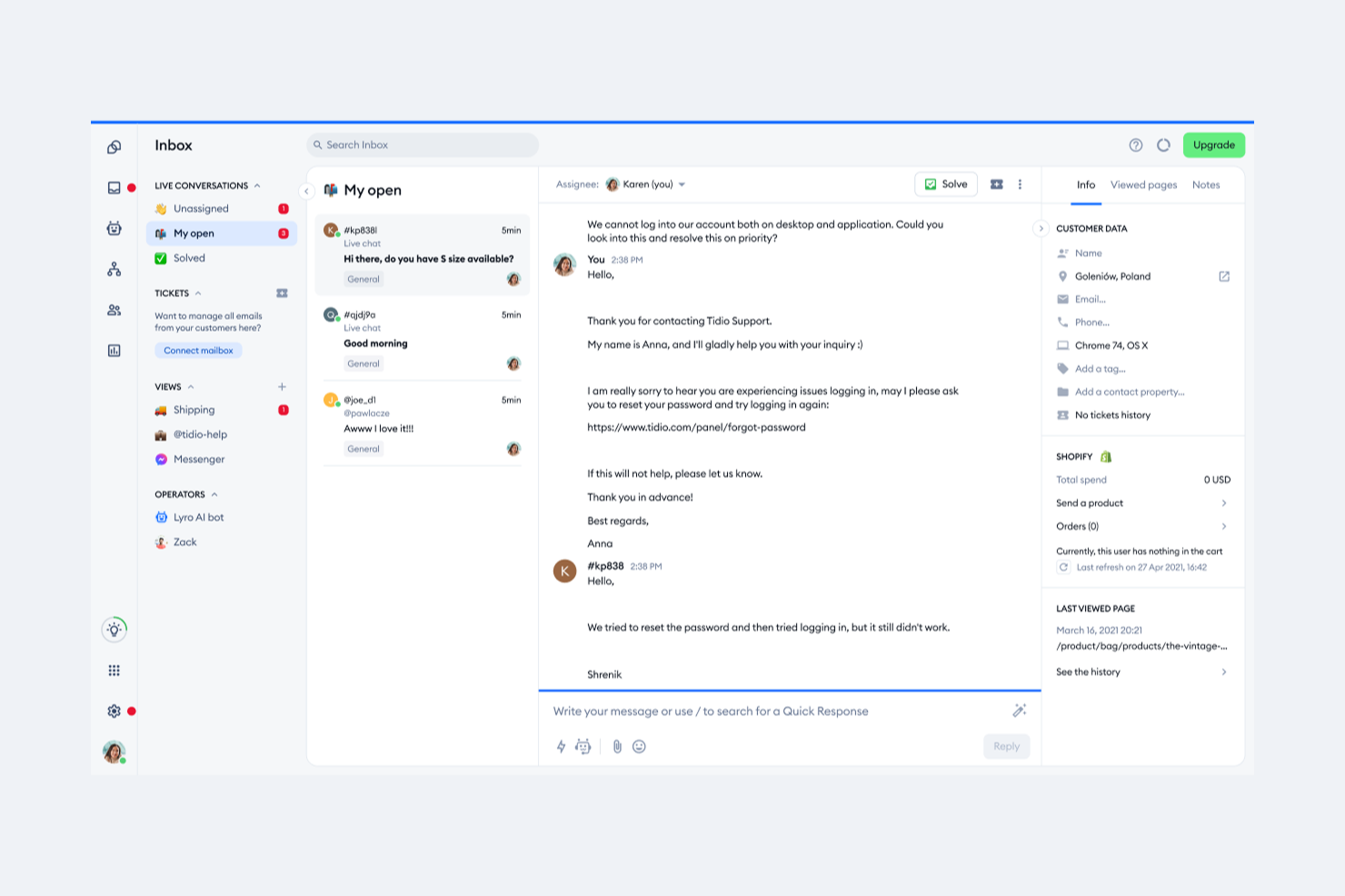
Tidio unisce chat dal vivo, chatbot AI e automazione in un'unica piattaforma per le aziende che desiderano offrire assistenza clienti istantanea e sempre attiva. È particolarmente adatto a negozi ecommerce, aziende SaaS e team di assistenza che vogliono ridurre le domande ripetitive e aiutare i clienti a trovare risposte in autonomia. Grazie al suo focus sull'automazione e al supporto multicanale, Tidio consente ai team di gestire grandi volumi di richieste senza sovraccaricare gli operatori.
Per chi è ideale Tidio?
Tidio è adatto a piccole e medie aziende ecommerce e team di assistenza che desiderano automatizzare il supporto clienti e offrire risposte istantanee su più canali.
Perché ho scelto Tidio
Per i team che vogliono automatizzare il supporto clienti senza programmare, Tidio si distingue grazie ai suoi flussi di automazione no-code. Ho scelto Tidio perché il suo costruttore visuale di flussi consente di progettare conversazioni chatbot e risposte automatiche con una semplice interfaccia drag-and-drop. Questo significa che puoi impostare opzioni di self-service per FAQ, tracciamento ordini o acquisizione contatti senza bisogno di sviluppatori. La possibilità di lanciare e modificare rapidamente i flussi di automazione rende facile mantenere aggiornata l'esperienza self-service in base alle esigenze dei clienti che cambiano nel tempo.
Funzionalità principali di Tidio
Altre funzionalità di Tidio che supportano il self-service dei clienti includono:
- Widget di live chat: Aggiungi un widget di chat personalizzabile al tuo sito per permettere ai clienti di contattarti o trovare risposte immediatamente.
- Chatbot Lyro con intelligenza artificiale: Utilizza un chatbot AI che può rispondere alle domande dei clienti sfruttando la tua knowledge base e le conversazioni passate.
- Posta in arrivo multicanale: Gestisci conversazioni provenienti da live chat, email, Messenger, Instagram e WhatsApp in un'unica casella di posta unificata.
- Template chatbot preimpostati: Scegli tra una libreria di template chatbot già pronti per scenari di assistenza comuni come tracciamento ordini, prenotazione appuntamenti e FAQ.
Integrazioni di Tidio
Le integrazioni includono Shopify, WooCommerce, WordPress, Zendesk, Salesforce, HubSpot, Messenger, Instagram, WhatsApp e Intercom.
Pros and Cons
Pros:
- Si integra nativamente con le principali piattaforme ecommerce
- Fornisce risposte AI per domande comuni
- Include tracciamento dei visitatori in tempo reale e analisi
Cons:
- Le opzioni di personalizzazione del chatbot possono risultare limitanti
- Le funzionalità di reportistica non offrono segmentazione avanzata

Re:amaze
Ideale per l'assistenza multicanale basata sull'IA
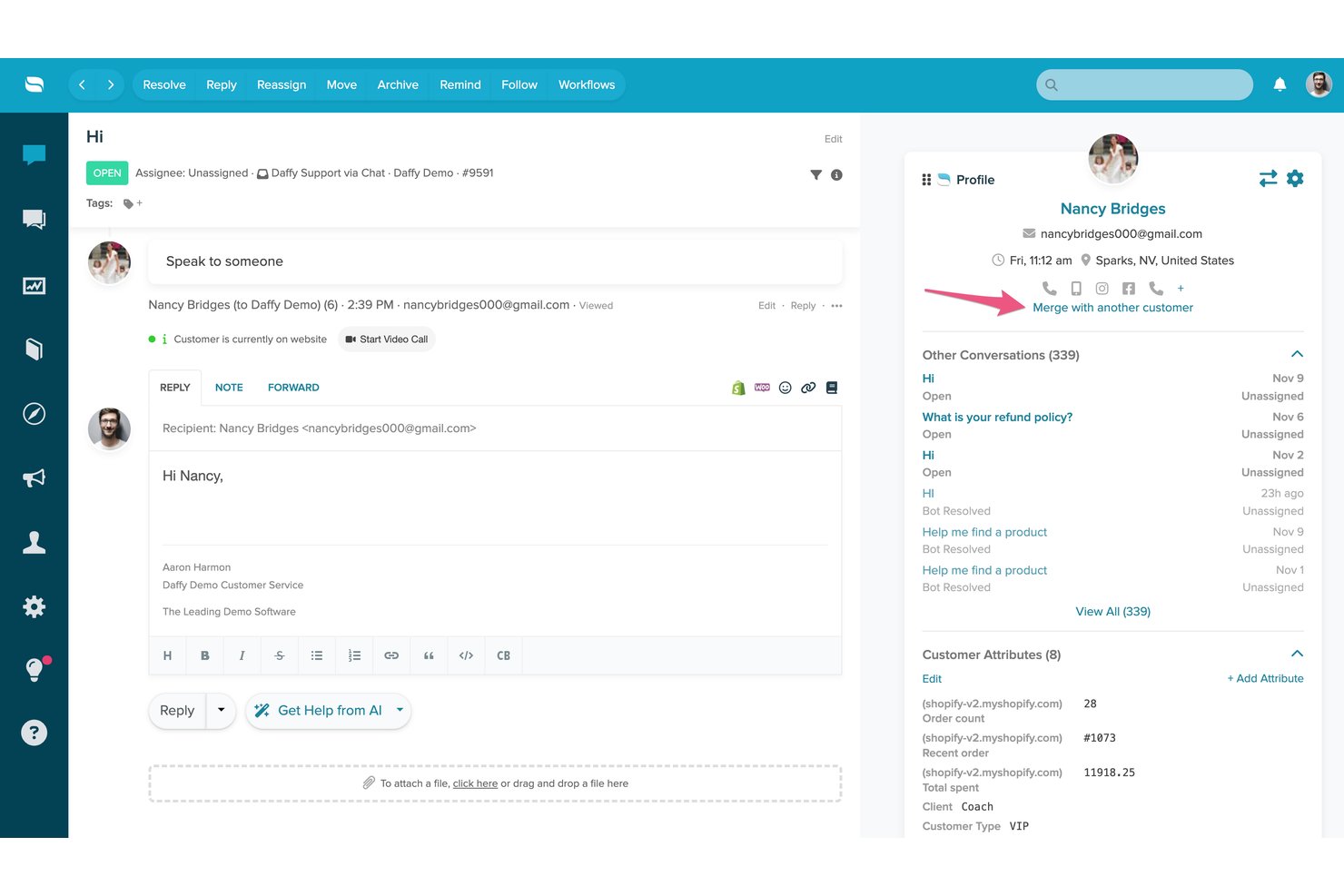
Re:amaze è una piattaforma di helpdesk e messaggistica per i clienti che combina una casella di posta condivisa multicanale, chatbot basati sull'IA, una sezione FAQ/Centro assistenza self-service e una chat dal vivo in un'unica interfaccia di supporto.
Per chi è più adatto Re:amaze?
Re:amaze è una soluzione particolarmente adatta alle aziende di e-commerce di piccole e medie dimensioni che devono gestire l'assistenza clienti su più canali da un unico luogo.
Perché ho scelto Re:amaze
Re:amaze merita un posto tra le migliori soluzioni della mia selezione perché il suo agente IA viene addestrato direttamente sui contenuti delle FAQ, permettendogli di risolvere autonomamente le domande dei clienti tramite chat, SMS, email e canali social senza l'intervento degli operatori. Apprezzo in particolare il modo in cui il widget di chat integrato mostra articoli FAQ pertinenti prima ancora che il cliente invii un messaggio. La funzionalità Intenti IA (a partire dal piano Pro) aggiunge un ulteriore livello, riconoscendo l'intento del cliente e indirizzando o gestendo la risposta di conseguenza.
Funzionalità principali di Re:amaze
- FAQ e centro assistenza personalizzabili: Crea, organizza e pubblica articoli consultabili per favorire l'autonomia dei clienti.
- Gestione di più marchi: Gestisci le operazioni di assistenza per più marchi o negozi da un unico account.
- Messaggi automatici proattivi: Attiva messaggi mirati e automatici in base al comportamento dell'utente o a determinate condizioni.
- Dashboard live in tempo reale: Monitora l'attività dei clienti, le conversazioni e il coinvolgimento del personale su tutti i canali man mano che si verificano.
Integrazioni di Re:amaze
Re:amaze offre integrazioni native con Shopify, BigCommerce, WooCommerce, Stripe, Instagram, Facebook, Twitter, SMS e Slack, oltre a fornire un'API per integrazioni personalizzate.
Pros and Cons
Pros:
- L'agente IA risolve i ticket senza intervento umano
- La casella di posta multicanale comprende email, social e SMS
- Centro assistenza e chat dal vivo inclusi nativamente
Cons:
- La reportistica è poco approfondita rispetto alle piattaforme dedicate
- La base di conoscenza offre un supporto multilingue limitato

Kustomer
Ideale per percorsi cliente gestiti dall'IA
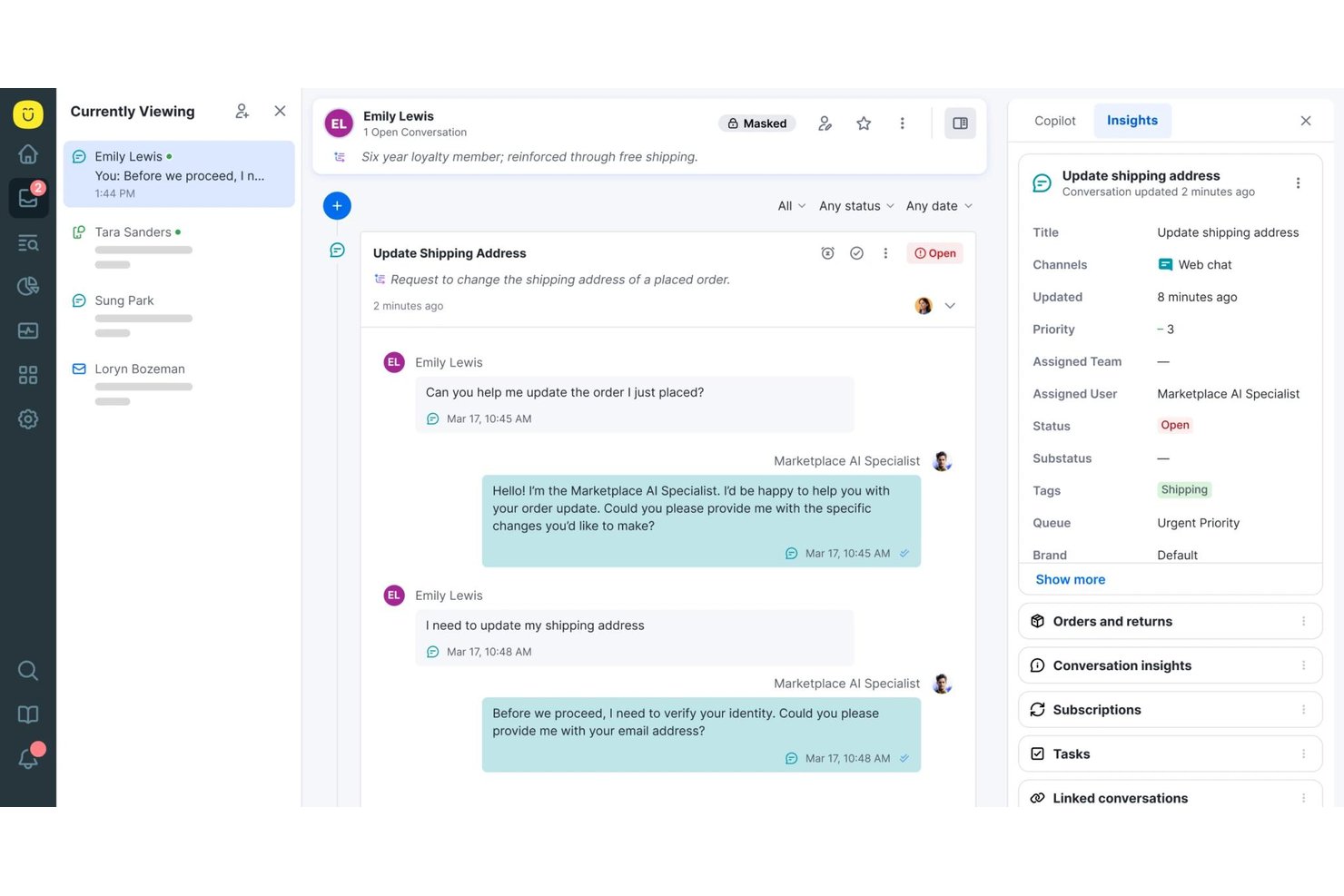
Kustomer è una piattaforma CRM per il servizio clienti nativa dell'IA che combina una base di conoscenza self-service, un portale clienti personalizzato con il marchio, agenti IA omnicanale e flussi di lavoro automatizzati per gestire le interazioni con i clienti su larga scala.
A chi è più adatto Kustomer?
Kustomer è particolarmente adatto ai marchi B2C di medie e grandi dimensioni con elevati volumi di richieste di assistenza, che necessitano di funzionalità self-service basate sull'IA su più canali digitali.
Perché ho scelto Kustomer
Kustomer merita un posto tra le migliori soluzioni della mia lista ristretta grazie al modo in cui il suo agente IA Concierge gestisce il self-service dall'inizio alla fine. Mi piace il fatto che non si limiti a rispondere alle domande, ma esegua anche azioni, come elaborare un reso o aggiornare un ordine, senza trasferire la richiesta a un agente umano. Il motore di ragionamento dell'IA rende tracciabile ogni decisione, permettendomi di vedere esattamente perché un cliente ha ricevuto una determinata soluzione, una caratteristica rara a questo livello di automazione.
Caratteristiche principali di Kustomer
- Timeline omnicanale del cliente: Memorizza ogni interazione con il cliente proveniente da tutti i canali in un'unica timeline unificata.
- Oggetti e flussi di lavoro personalizzati: Consente di creare regole aziendali, automazioni e instradamenti complessi su misura per il proprio processo di assistenza.
- Base di conoscenza pubblica e privata: Offre sia un centro assistenza rivolto ai clienti sia una libreria di riferimento interna con controlli di accesso.
- Analisi basate sull'IA e monitoraggio del team: Fornisce dashboard in tempo reale, metriche di utilizzo e analisi del sentiment per valutare le prestazioni del team e dei contenuti.
Integrazioni di Kustomer
Kustomer offre integrazioni native con Salesforce, Shopify, Slack, Facebook, Instagram, WhatsApp e altri servizi, oltre a un'API per integrazioni personalizzate.
Pros and Cons
Pros:
- L'agente IA completa autonomamente le azioni richieste dai clienti
- Cronologia delle conversazioni omnicanale in un'unica timeline
- Flussi di lavoro altamente configurabili per operazioni complesse
Cons:
- Le dashboard dei report necessitano di filtri più granulari
- L'implementazione aziendale richiede risorse tecniche significative

DevRev
Ideale per team incentrati sugli sviluppatori e supportati dall'IA
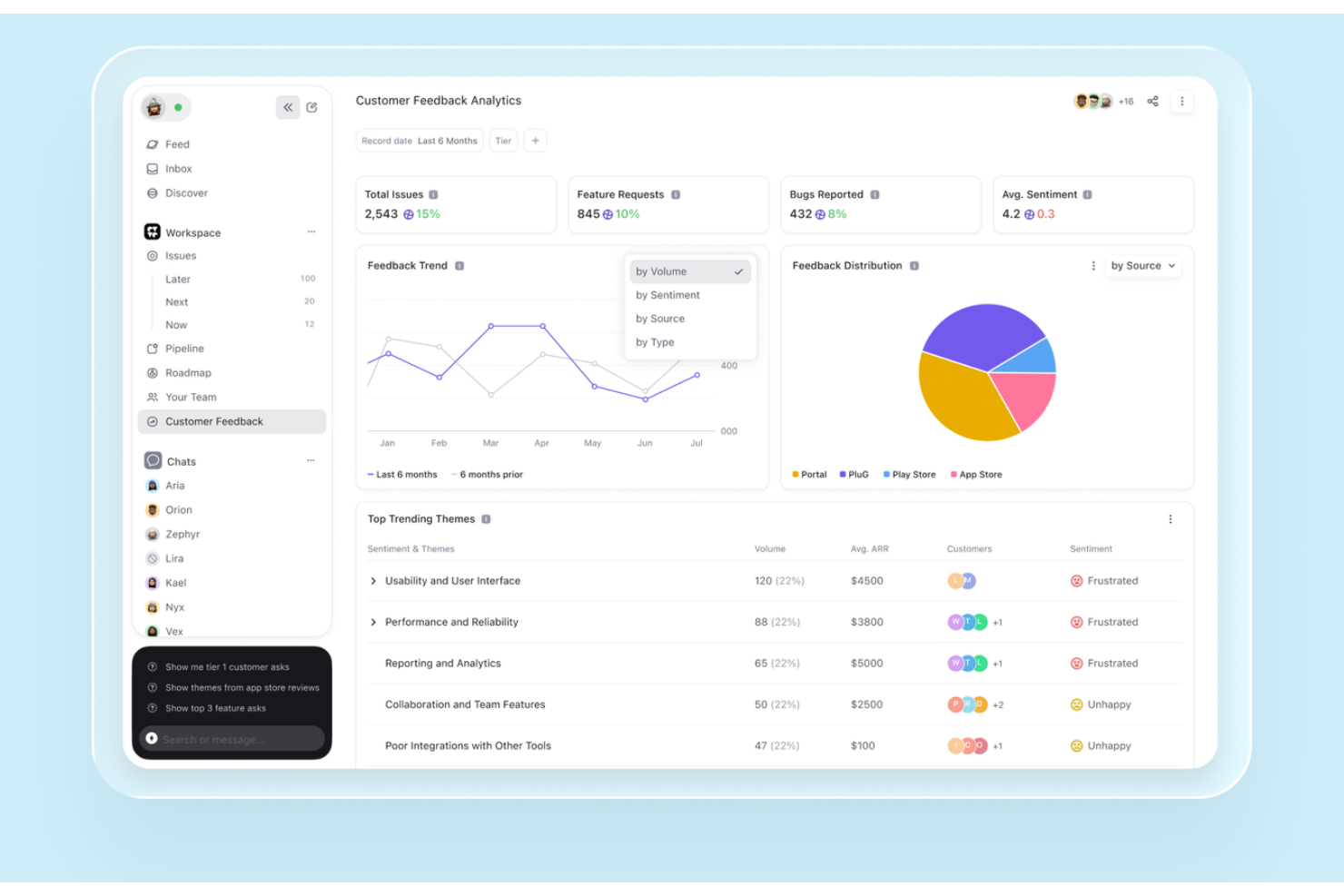
DevRev è una piattaforma di assistenza clienti e autoassistenza basata sull'IA che combina una base di conoscenza, agenti di IA conversazionale, un portale clienti e una ricerca federata di dati in tempo reale tra i sistemi aziendali connessi, il tutto in un unico spazio di lavoro unificato.
Per chi è più adatto DevRev?
DevRev è particolarmente adatto alle aziende SaaS e tecnologiche in cui i team di assistenza, prodotto e ingegneria devono lavorare a partire da una visione condivisa dei problemi dei clienti.
Perché ho scelto DevRev
Ho scelto DevRev perché Agent Studio mi consente di creare agenti di IA che risolvono autonomamente i ticket ed eseguono azioni concrete, senza bisogno di scrivere codice. Ciò che lo distingue davvero è il collegamento diretto di ogni ticket risolto a un componente di prodotto o a un elemento di lavoro di ingegneria, così il mio team può vedere esattamente quali problemi dei clienti determinano il maggior numero di decisioni relative al prodotto. Il livello AirSync in tempo reale fa sì che i risultati della ricerca attingano a dati aggiornati provenienti da record CRM, ticket, documenti e note delle riunioni, invece di utilizzare istantanee obsolete.
Funzionalità principali di DevRev
- Widget PLuG: Incorpora risposte automatizzate e basate sull'IA direttamente nel tuo sito web o nella tua app.
- Portale clienti: Consente ai clienti di accedere per inviare, monitorare e gestire ticket o fornire riscontri in un ambiente personalizzato con il tuo marchio.
- Connettori dati AirSync: Sincronizza dati strutturati e non strutturati provenienti da strumenti come Jira, Salesforce e Google Drive per offrire una ricerca e un contesto unificati.
- Observe App: Monitora il comportamento, i riscontri e il sentiment dei clienti con analisi integrate per i team che si occupano dell'esperienza.
Integrazioni di DevRev
DevRev offre integrazioni native con Jira, Salesforce, Slack, GitHub, Google Drive, Notion e Twilio, oltre a fornire un'API per le integrazioni personalizzate.
Pros and Cons
Pros:
- Gli agenti di IA risolvono i ticket senza intervento umano
- Collega direttamente i ticket di assistenza ai flussi di lavoro di ingegneria
- Ricerca federata in tempo reale tra tutti gli strumenti connessi
Cons:
- Avvio più complesso per i team CX non tecnici
- Gli strumenti per la base di conoscenza sono meno avanzati rispetto a quelli dei concorrenti

Ideale per CRM guidato dall'IA e coinvolgimento del cliente
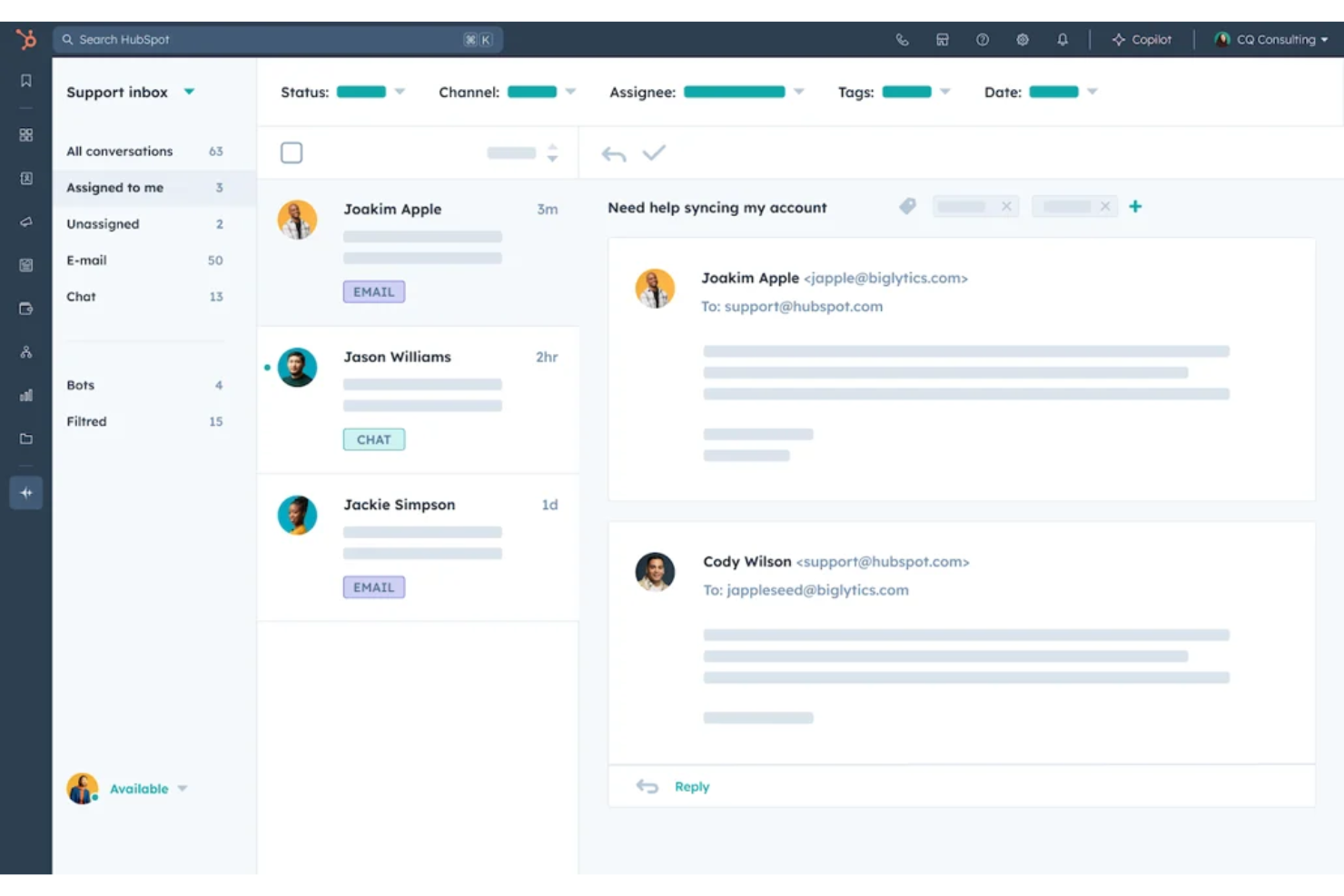
HubSpot Service Hub è una piattaforma di assistenza clienti guidata dall'IA, progettata per le aziende che desiderano migliorare il loro supporto clienti tramite l'integrazione CRM. Serve una vasta gamma di settori offrendo strumenti per la gestione dei ticket, il feedback dei clienti e la gestione della knowledge base.
Perché ho scelto HubSpot Service Hub: La sua forte integrazione con il CRM lo rende ideale per le aziende che vogliono una visione unificata delle interazioni con i clienti. Offre anche una funzionalità di knowledge base, che permette di creare e condividere preziose informazioni con i clienti. Queste capacità lo rendono una scelta solida per migliorare le operazioni di assistenza clienti.
Caratteristiche principali e integrazioni:
Le funzionalità includono uno strumento di feedback clienti che consente di raccogliere informazioni direttamente dagli utenti. La funzionalità di knowledge base aiuta il tuo team a creare e condividere articoli utili. HubSpot Service Hub offre anche un sistema di ticketing per gestire efficacemente le richieste dei clienti.
Le integrazioni includono Salesforce, Slack, Zapier, Mailchimp, Shopify, WordPress e altri ancora.
Pros and Cons
Pros:
- Funzionalità di reportistica personalizzabili
- Configurazione semplice della knowledge base
- Scalabile per aziende in crescita
Cons:
- Funzionalità avanzate disponibili solo nelle fasce alte
- Costi di onboarding obbligatori e onerosi
Altri software self-service per i clienti
Ecco alcune opzioni aggiuntive di software self-service per i clienti che non sono state incluse nel mio elenco, ma che vale comunque la pena prendere in considerazione:
- Engageware
Ideale per il supporto basato sull'intelligenza artificiale nei settori regolamentati
- Knack
Ideale per la creazione di portali personalizzati con intelligenza artificiale
- Bettermode
Ideale per il coinvolgimento della comunità
- Salesforce Agentforce Service
Ideale per il supporto aziendale guidato da AI
- Stonly
Ideale per guide interattive supportate dall'IA
- TeamSupport
Ideale per l’assistenza clienti B2B con intelligenza artificiale


Come Valuto il Software di Self Service per i Clienti
Scompongo la mia valutazione in elementi indispensabili di base—come knowledge base ricercabili e analisi sulla deviazione dei ticket—e gli elementi differenzianti che distinguono i buoni strumenti da quelli eccellenti per il tuo team.
Funzionalità Principali (Requisiti Fondamentali per Questa Lista)
Quando seleziono gli strumenti per la mia lista, assegno a ciascuno un punteggio da 0 (non offre la funzionalità) a 5 (eccelle in quest’area) per ciascuna delle funzionalità principali elencate di seguito. Poi calcolo il punteggio totale dello strumento trasformandolo in percentuale. Ogni strumento deve raggiungere un punteggio totale minimo del 65% per essere considerato per l’inclusione.
- Pubblicazione del Knowledge Base: Valuto l’editor degli articoli, la struttura delle categorie e il flusso di pubblicazione—elementi come il controllo delle versioni e i permessi di accesso che consentono di mantenere i contenuti di supporto accurati e organizzati.
- Portale Self-Service per Clienti: Ogni portale dovrebbe consentire ai clienti di accedere per monitorare i ticket aperti, vedere i dettagli dell’account e gestire il proprio profilo senza dover contattare il tuo team.
- Chatbot AI o Agente Virtuale: Controllo se il bot può recuperare risposte dal knowledge base, gestire conversazioni multi-turno e passare la conversazione a un operatore umano con tutto il contesto quando necessario.
- Ricerca & Scoperta dei Contenuti: Una buona ricerca va oltre l’abbinamento delle parole chiave. Cerco ranking di rilevanza, suggerimento dei risultati e tolleranza agli errori di battitura così che i clienti trovino realmente ciò che cercano al primo tentativo.
- Distribuzione Multi-Canale: I tuoi strumenti self-service devono raggiungere i clienti dove già si trovano. Valuto se la piattaforma supporta web widget, mobile e app di messaggistica come WhatsApp o Messenger.
- Analisi & Reportistica sulla Deviazione: Metriche come tasso di deviazione, ricerche senza esito e prestazione degli articoli ti dicono cosa funziona. Guardo come ogni strumento evidenzia questi insight e se è possibile creare report personalizzati.
Una volta individuati gli strumenti che soddisfano questi criteri, considero ciò che distingue ogni piattaforma.
Elementi Differenzianti (Cosa Distingue i Fornitori)
Ecco come confronto e metto a paragone i vari fornitori:
Funzionalità Degne di Nota
Un builder di bot senza codice è importante perché permette al team CX di progettare conversazioni senza coinvolgere gli sviluppatori. Cerco anche possibilità di personalizzazione—strumenti che adattano la vista del portale o le risposte del chatbot in base al livello di prodotto o alle interazioni precedenti offrono un’esperienza nettamente migliore. I forum della community sono un altro elemento distintivo, perché danno ai clienti uno spazio per trovare risposte collettive e ridurre la dipendenza dai contenuti pubblicati.
Oltre le Funzionalità
La profondità dell’integrazione è una delle prime cose che verifico. Il portale self-service deve poter estrarre dati live dal CRM o sistema di ticketing, così i clienti possono vedere lo stato degli ordini o i dettagli di fatturazione senza attendere un operatore. Valuto anche quanto rapidamente un team può andare in produzione—strumenti di migrazione per importare articoli di supporto esistenti e template di bot predefiniti possono ridurre di settimane l’implementazione. Per i team che lavorano con clienti globali, il supporto multilingue sia per il knowledge base che per il chatbot è un fattore decisivo importante.
Come scegliere un software self-service per i clienti
È facile perdersi in lunghi elenchi di funzionalità e strutture tariffarie complesse. Per aiutarti a rimanere concentrato mentre affronti il tuo particolare processo di selezione del software, ecco un elenco di fattori da tenere presenti:
| Fattore | Cosa considerare |
|---|---|
| Scalabilità | Il software può crescere insieme alla tua attività? Considera i limiti di utenti e la capacità di archiviazione. Cerca piani flessibili che supportino la tua crescita senza aumenti eccessivi dei costi. |
| Integrazioni | Si collega agli strumenti che utilizzi attualmente? Verifica la compatibilità con i sistemi CRM, le piattaforme email e gli altri software che usi quotidianamente. Evita gli strumenti che isolano i tuoi dati. |
| Personalizzazione | Puoi adattare il software ai tuoi flussi di lavoro? Cerca opzioni per personalizzare le interfacce utente e i flussi di lavoro in modo che corrispondano ai processi del tuo team. |
| Facilità d'uso | Il software è intuitivo? Verifica se i membri del team riescono a utilizzarlo senza una formazione approfondita. Un'interfaccia intuitiva può far risparmiare tempo e ridurre la frustrazione. |
| Implementazione e avviamento | Quanto tempo servirà per essere operativi? Considera le risorse necessarie per la configurazione e la formazione. Cerca strumenti con procedure guidate di avviamento e assistenza. |
| Costo | In che modo i prezzi si allineano al tuo budget? Considera non solo il prezzo indicato, ma anche i costi nascosti, come la formazione o l'assistenza premium. |
| Misure di sicurezza | In che modo il software protegge i tuoi dati? Cerca la crittografia, aggiornamenti di sicurezza regolari e la conformità agli standard del settore per mantenere al sicuro le tue informazioni. |
| Disponibilità dell'assistenza | Quale aiuto è disponibile quando ne hai bisogno? Verifica se sono disponibili assistenza 24/7, responsabili dedicati dell'account o forum della community per aiutarti quando si verificano problemi. |
Che cos'è un software self-service per i clienti?
Il software per l'autoassistenza dei clienti offre ai clienti modalità per trovare risposte, risolvere problemi e completare attività di routine senza contattare un operatore dell'assistenza. Può includere basi di conoscenza, portali per i clienti, agenti IA, domande frequenti, forum della comunità, IVR e autoassistenza mobile.
Le piattaforme moderne possono anche utilizzare i dati dei clienti e degli account per fornire risposte più pertinenti, automatizzare le richieste di routine e trasferire i clienti a un operatore quando è necessario il supporto umano. L'obiettivo non è eliminare l'assistenza con operatore, ma consentire ai clienti di gestire autonomamente i problemi più semplici, mantenendo gli operatori disponibili per le questioni più complesse.
Principali canali di autoassistenza per i clienti
L'autoassistenza dei clienti può avvenire attraverso diversi canali, a seconda delle attività che i clienti devono svolgere e del modo in cui preferiscono ricevere aiuto. Le configurazioni più efficaci combinano generalmente più opzioni invece di affidarsi a un unico canale.
Agenti IA
Gli agenti IA possono interpretare le domande dei clienti, trovare informazioni pertinenti e gestire richieste di routine senza l'intervento di un operatore. Gli strumenti più avanzati possono utilizzare il contesto e l'intento del cliente per orientare le risposte o completare azioni come verificare un ordine o aggiornare i dati dell'account.
Basi di conoscenza
Le basi di conoscenza offrono ai clienti accesso ricercabile a guide pratiche, procedure per la risoluzione dei problemi, politiche e documentazione dei prodotti. Gli articoli possono includere anche video, schermate e diagrammi quando una spiegazione visiva è più utile del solo testo.
Portali per i clienti
I portali per i clienti offrono ai clienti uno spazio sicuro e personalizzato per accedere all'assistenza e gestire le attività di routine. A seconda della piattaforma, un portale può concentrarsi sull'invio e sul monitoraggio delle richieste di assistenza oppure offrire un'autoassistenza più ampia per gestire i dati dell'account, gli ordini, gli abbonamenti, la fatturazione, i documenti e altri servizi.
Il tipo di portale più adatto dipende dalle attività che i clienti devono effettivamente svolgere. Un semplice portale di assistenza può essere sufficiente per la visibilità dei ticket e l'accesso alla base di conoscenza, mentre le relazioni con i clienti più complesse possono richiedere flussi di lavoro autenticati e specifici per l'account.
Domande frequenti
Le domande frequenti forniscono risposte rapide a domande comuni e semplici. Sono più efficaci per i problemi che non richiedono procedure di risoluzione, informazioni specifiche del cliente o diversi passaggi per essere risolti.
Forum della comunità
I forum della comunità consentono ai clienti di porre domande e imparare dagli altri utenti. Sono particolarmente utili quando i clienti hanno casi d'uso diversi e possono trarre vantaggio dalle soluzioni o dai consigli condivisi dagli utenti più esperti.
Risposta vocale interattiva (IVR)
L'IVR consente ai clienti di utilizzare menu telefonici o comandi vocali per trovare informazioni e completare richieste semplici senza parlare immediatamente con un operatore. Può anche raccogliere informazioni prima di indirizzare i problemi più complessi al team di assistenza corretto.
Autoassistenza mobile
Le app mobili possono offrire ai clienti l'accesso alla gestione dell'account, ai contenuti di assistenza, al monitoraggio degli ordini, alle richieste di servizio e ad altri flussi di lavoro di autoassistenza direttamente dal telefono.
Come misurare il successo dell'autoassistenza dei clienti
L'autoassistenza non dovrebbe essere valutata in base al numero di clienti che la utilizzano, ma in base alla loro effettiva capacità di risolvere i problemi. Monitora una combinazione di metriche di efficienza e di risultati per i clienti:
| Metrica | Cosa indica |
|---|---|
| Tasso di risoluzione tramite autoassistenza | La frequenza con cui i clienti risolvono un problema senza l'assistenza di un operatore |
| Tasso di deflessione | Il numero di potenziali contatti con l'assistenza evitati attraverso l'autoassistenza |
| Tasso di escalation | La frequenza con cui le interazioni di autoassistenza richiedono comunque l'intervento di un operatore |
| Tasso di successo delle ricerche | Se i clienti trovano risposte utili quando cercano nei contenuti di assistenza |
| Tempo di risoluzione | La rapidità con cui i clienti risolvono i problemi tramite l'autoassistenza |
| Soddisfazione del cliente (CSAT) | Se i clienti sono soddisfatti dell'esperienza di autoassistenza |
| Costo per risoluzione | L'efficienza con cui l'autoassistenza risolve i problemi rispetto all'assistenza con operatore |
| Tempo medio di gestione (AHT) | Se l'autoassistenza riduce il tempo che gli operatori dedicano alla risoluzione dei problemi che richiedono comunque il supporto umano |
Non ottimizzare solo per la riduzione delle richieste. Un cliente che abbandona una ricerca senza successo può sembrare un ticket evitato, ma il problema non è stato risolto. Abbina la riduzione delle richieste alla risoluzione, all'escalation e alla soddisfazione per avere un quadro più chiaro dell'effettiva efficacia del self-service.
Come implementare un software per il self-service dei clienti
Un buon avvio parte dai problemi che i clienti vogliono davvero risolvere da soli, non dall'attivazione di ogni funzionalità disponibile. Usa questa checklist per mantenere l'implementazione focalizzata:
| ✓ | Prima di avviare il self-service dei clienti… |
|---|---|
| ☐ | Identifica le richieste più frequenti che i clienti possono realisticamente risolvere senza l'assistenza di un operatore. |
| ☐ | Esamina i contenuti esistenti per individuare informazioni obsolete, duplicate o mancanti prima di trasferirli nel nuovo sistema. |
| ☐ | Definisci i percorsi di escalation affinché i clienti possano contattare un operatore quando il self-service non riesce a risolvere il problema. |
| ☐ | Collega i dati corretti dei clienti provenienti dal CRM, dal sistema di assistenza, dagli account o dai sistemi di prodotto, quando necessario. |
| ☐ | Testa l'esperienza dei clienti per la ricerca, le risposte dell'IA, le autorizzazioni, l'accesso da dispositivi mobili e i passaggi agli operatori. |
| ☐ | Stabilisci le metriche di riferimento per la risoluzione, la riduzione delle richieste, l'escalation e il CSAT prima del lancio. |
| ☐ | Migliora dopo il lancio utilizzando le ricerche senza successo, le domande irrisolte e le escalation per individuare le lacune nell'esperienza di self-service. |
Inizia con un insieme limitato di casi d'uso ben definiti ed espandilo da lì. Un'esperienza di self-service più ridotta, che risolve in modo affidabile i problemi dei clienti, è più utile di una soluzione ampia ma piena di risposte incomplete o obsolete.
Impara a capire quando passare all'assistenza umana
Il self-service deve avere limiti chiari. Definisci regole di escalation affinché i clienti possano raggiungere un operatore quando è improbabile che l'automazione risolva il problema.
| Attivatore dell'escalation | Cosa dovrebbe accadere |
|---|---|
| Bassa affidabilità dell'IA | Indirizza l'interazione a un operatore invece di presentare una risposta incerta. |
| Tentativi ripetuti senza successo | Avvia l'escalation dopo ricerche senza successo, risposte del chatbot o riformulazioni ripetute della stessa richiesta. |
| Sentiment negativo | Dai priorità al passaggio a un operatore quando il linguaggio indica frustrazione, urgenza o insoddisfazione. |
| Richieste sensibili | Indirizza i problemi relativi a sicurezza, contestazioni, cancellazioni o fatturazione complessa all'operatore o al team appropriato. |
| Complessità specifiche dell'account | Avvia l'escalation quando la risoluzione richiede autorizzazioni, valutazioni o azioni che il sistema di self-service non può eseguire. |
Durante il passaggio, conserva la cronologia della conversazione, i termini di ricerca, i contenuti visualizzati, le azioni tentate e il motivo dell'escalation, così il cliente non dovrà ricominciare da capo.
Monitora quindi i tassi di escalation e i contatti ripetuti per tipo di problema. Se le stesse richieste arrivano ripetutamente agli operatori, è un segnale che occorre migliorare i contenuti di base, la risposta dell'IA o il flusso di lavoro automatizzato.
Funzionalità
Quando scegli un software per il self-service dei clienti, presta attenzione alle seguenti funzionalità chiave:
- Gestione della base di conoscenza: Crea, organizza, cerca e aggiorna articoli di assistenza, FAQ, guide, video, diagrammi e altri contenuti di supporto.
- Creazione di contenuti assistita dall'AI: Usa l'AI generativa per redigere, riassumere, tradurre o aggiornare i contenuti della base di conoscenza e identificare potenziali lacune nei contenuti.
- Agenti AI e chatbot: Rispondi alle domande, identifica l'intento dei clienti, recupera le informazioni pertinenti e automatizza le richieste di assistenza di routine.
- Portali clienti: Offri ai clienti uno spazio sicuro per gestire gli account, monitorare le richieste, accedere ai documenti e trovare informazioni di supporto personalizzate.
- Cataloghi dei servizi: Consenti ai clienti di consultare i servizi disponibili e inviare richieste standardizzate tramite moduli e flussi di lavoro predefiniti.
- Autoassistenza omnicanale: Rendi disponibile l'autoassistenza sul web, sui dispositivi mobili, tramite messaggistica, chat e altri punti di contatto con i clienti.
- Ricerca e scoperta dei contenuti: Aiuta i clienti a trovare rapidamente risposte pertinenti tramite ricerca, filtri, consigli e risultati contestuali.
- Escalation e passaggio a un agente: Trasferisci i problemi irrisolti a un agente di supporto preservando il contesto di ciò che il cliente ha già provato.
- Analisi e reportistica: Monitora le ricerche, le risoluzioni, la prevenzione delle richieste di assistenza, le escalation, le prestazioni dei contenuti e altri indicatori dell'efficacia dell'autoassistenza.
- Integrazioni: Collega l'autoassistenza al CRM, all'help desk, agli account, ai prodotti e ad altri sistemi necessari per fornire informazioni accurate e specifiche per il cliente.
Vantaggi
L'implementazione di un software per l'autoassistenza clienti offre diversi vantaggi al tuo team e alla tua azienda. Eccone alcuni:
- Riduzione del carico di lavoro del supporto: Consentendo ai clienti di trovare risposte tramite base di conoscenza e chatbot, il tuo team dedica meno tempo alla risoluzione di problemi ripetitivi.
- Maggiore soddisfazione dei clienti: L'accesso rapido alle soluzioni di autoassistenza tramite forum della comunità e portali self-service può migliorare l'esperienza utente e fidelizzare i clienti.
- Risparmio sui costi: L'automazione e i sistemi efficienti di gestione dei ticket riducono i costi operativi minimizzando la necessità di un ampio personale di assistenza clienti.
- Maggiore efficienza: Le notifiche in tempo reale e le funzionalità di integrazione contribuiscono a garantire operazioni fluide e risposte rapide nell'app alle esigenze dei clienti.
- Migliore processo decisionale: Le analisi e la reportistica forniscono informazioni sul comportamento dei clienti e sulle interazioni con il supporto, aiutandoti a perfezionare le tue strategie.
- Accessibilità migliorata: Il supporto multilingue consente l'accesso ai clienti di tutte le aree geografiche, ampliando la tua portata e migliorando l'inclusività del servizio.
Costi e prezzi
La scelta di un software per l'autoassistenza clienti richiede la comprensione dei vari modelli di prezzo e dei piani disponibili. I costi variano in base alle funzionalità, alle dimensioni del team, ai componenti aggiuntivi e ad altri fattori. La tabella seguente riassume i piani più comuni, i relativi prezzi medi e le funzionalità tipicamente incluse nelle soluzioni software per l'autoassistenza clienti:
Tabella comparativa dei piani
| Tipo di piano | Prezzo medio | Funzionalità comuni |
|---|---|---|
| Piano gratuito | $0 | Base di conoscenza di base, supporto limitato e forum della comunità. |
| Piano personale | $12-$49/user/month | Supporto via chat, sistema di gestione dei ticket e analisi di base. |
| Piano aziendale | $30-$75/user/month | Personalizzazione avanzata, funzionalità di integrazione e supporto multilingue. |
| Piano per grandi aziende | $80-$3600/month | Piattaforma completa, account manager dedicato e analisi personalizzate. |
Domande frequenti sul software per il self-service dei clienti
Ecco alcune risposte alle domande più comuni sul software per il self-service dei clienti:
Come faccio a sapere se la mia azienda ha bisogno di un software per il self-service dei clienti?
Se il tuo team è sommerso dalle richieste di assistenza, il software per il self-service dei clienti può essere d’aiuto. Consente ai clienti di trovare autonomamente le risposte, riducendo il carico di lavoro del personale. Prendilo in considerazione se vuoi migliorare i tempi di risposta e la soddisfazione dei clienti. Anche le piccole aziende possono trarne vantaggio se gestiscono spesso richieste ripetitive.
Il software per il self-service dei clienti può integrarsi con i sistemi che già utilizzo?
Sì, la maggior parte dei software per l’help desk clienti offre funzionalità di integrazione. Verifica che il software supporti il tuo CRM, la posta elettronica o altri strumenti aziendali. Le integrazioni favoriscono un flusso di dati fluido e l’efficienza operativa. Sono importanti per mantenere la coerenza e massimizzare il valore del software in tutta l’organizzazione.
Quanto è sicuro il software per il self-service dei clienti?
Il livello di sicurezza varia a seconda del provider, ma solide misure di protezione sono ormai la norma. Cerca funzionalità come la crittografia dei dati, gli aggiornamenti regolari e la conformità a standard come il GDPR. Prima di scegliere uno strumento, valuta le sue misure di sicurezza per contribuire a proteggere i dati dei clienti. Questo è particolarmente importante per i settori che gestiscono informazioni sensibili.
Cosa devo considerare quando passo a un software per il self-service dei clienti?
Considera il processo di transizione, inclusi la migrazione dei dati e la formazione del team. Scegli un provider che offra assistenza durante l’onboarding per ridurre al minimo le interruzioni. Valuta quanto il software sia in linea con i flussi di lavoro attuali. Pianificare attentamente il passaggio può aiutare il team ad adattarsi senza difficoltà e a massimizzare i vantaggi del nuovo strumento.
Qual è la differenza tra i portali self-service per i clienti e quelli per i dipendenti?
I portali self-service per i clienti sono progettati per consentire ai clienti esterni di trovare risposte, gestire gli account, monitorare le richieste e completare le attività di assistenza di routine. I portali self-service per i dipendenti sono rivolti all’uso interno e in genere consentono ai dipendenti di accedere a risorse HR, buste paga, assistenza IT, policy aziendali e richieste di servizi sul luogo di lavoro.
Come si calcola il ROI del software per il self-service dei clienti?
Confronta il costo di implementazione e gestione del software con le variazioni dei costi di assistenza e dei risultati ottenuti dai clienti. Esamina metriche come la deviazione dei ticket, i tassi di risoluzione tramite self-service, il costo per risoluzione, il carico di lavoro degli agenti e la soddisfazione dei clienti. L’obiettivo non è semplicemente ridurre il volume dei ticket. I risparmi rappresentano un ROI reale solo se i clienti riescono a risolvere con successo i propri problemi, invece di abbandonare il self-service e cercare aiuto altrove.