

I 10 migliori software automatizzati per help desk recensiti nel 2026

Elenco dei migliori software per help desk automatizzati


Gestire le interazioni con i clienti può essere un grattacapo per qualsiasi team. In qualità di responsabile dell'esperienza del cliente, devi affrontare costantemente la sfida di mantenere un'assistenza efficiente mentre gestisci molteplici attività. Il software per help desk automatizzato può alleggerire questo onere, gestendo le richieste di routine e permettendo al tuo team di concentrarsi sui problemi complessi.
Ho testato e recensito diverse opzioni software per aiutarti a scegliere quella giusta. Il mio obiettivo è offrire una valutazione onesta e imparziale dei migliori software per help desk disponibili. In questo articolo troverai una panoramica delle mie scelte principali, ciascuna con funzionalità adatte a esigenze diverse.
Alla fine, avrai un'idea chiara di quale software possa supportare al meglio gli obiettivi del tuo team.
Perché fidarsi dei nostri consigli sui software
Il nostro team testa e recensisce software dal 2012. In quanto leader CX noi stessi, sappiamo quanto sia difficile — e importante — scegliere il software giusto.
Per questa guida, abbiamo valutato gli strumenti attraverso test pratici e ricerche indipendenti, assegnando un punteggio agli strumenti in base ai nostri criteri di selezione.
Le nostre recensioni riflettono il nostro giudizio editoriale umano, non un discorso di vendita.
Riepilogo dei migliori software per help desk automatizzati
Questa tabella comparativa riassume i dettagli sui prezzi delle mie migliori selezioni di software per help desk automatizzati, per aiutarti a trovare quello più adatto al tuo budget e alle esigenze della tua azienda.
| Tool | Best For | Trial Info | Price | ||
|---|---|---|---|---|---|
| 1 | Ideale per automatizzare i compiti ripetitivi | Prova gratuita disponibile | A partire da $25/utente/mese (fatturazione annuale) | Website | |
| 2 | Migliore per la sicurezza di livello aziendale | Piano gratuito disponibile | Da $32/mese (fatturato annualmente) | Website | |
| 3 | Ideale per la gestione ordini Shopify direttamente in chat | Prova gratuita di 7 giorni + piano gratuito disponibile | Da $24,17/mese (fatturazione annuale) | Website | |
| 4 | Ideale per installazione rapida | Piano gratuito + demo gratuita disponibile | Da $29/utente/mese | Website | |
| 5 | Ideale per chat in tempo reale | Prova gratuita di 14 giorni + demo gratuita disponibile | Da $29/utente/mese (fatturazione annuale) | Website | |
| 6 | Ideale per piccole imprese | Piano gratuito + demo gratuita disponibili | Da $39.99/mese (fatturazione annuale) | Website | |
| 7 | Ideale per la scalabilità | Prova gratuita di 30 giorni + demo gratuita disponibile | Da $39/mese | Website | |
| 8 | Ideale per l'integrazione CRM | Prova gratuita di 14 giorni + piano gratuito + demo gratuita disponibile | Da $20/mese/postazione | Website | |
| 9 | Ideale per il supporto multicanale | Prova gratuita di 14 giorni + demo gratuita disponibile | Da $39/utente/mese | Website | |
| 10 | Ideale per i team IT | Prova gratuita di 14 giorni + demo gratuita disponibile | Prezzo su richiesta | Website |
Recensione dei migliori software per help desk automatizzati
Di seguito trovi i miei riepiloghi dettagliati dei migliori software per help desk automatizzati inclusi nel mio elenco. Le mie recensioni offrono una panoramica dettagliata delle funzionalità principali, dei pro e dei contro, delle integrazioni e dei casi d’uso ideali di ogni strumento, per aiutarti a trovare quello più adatto a te.

Ideale per automatizzare i compiti ripetitivi
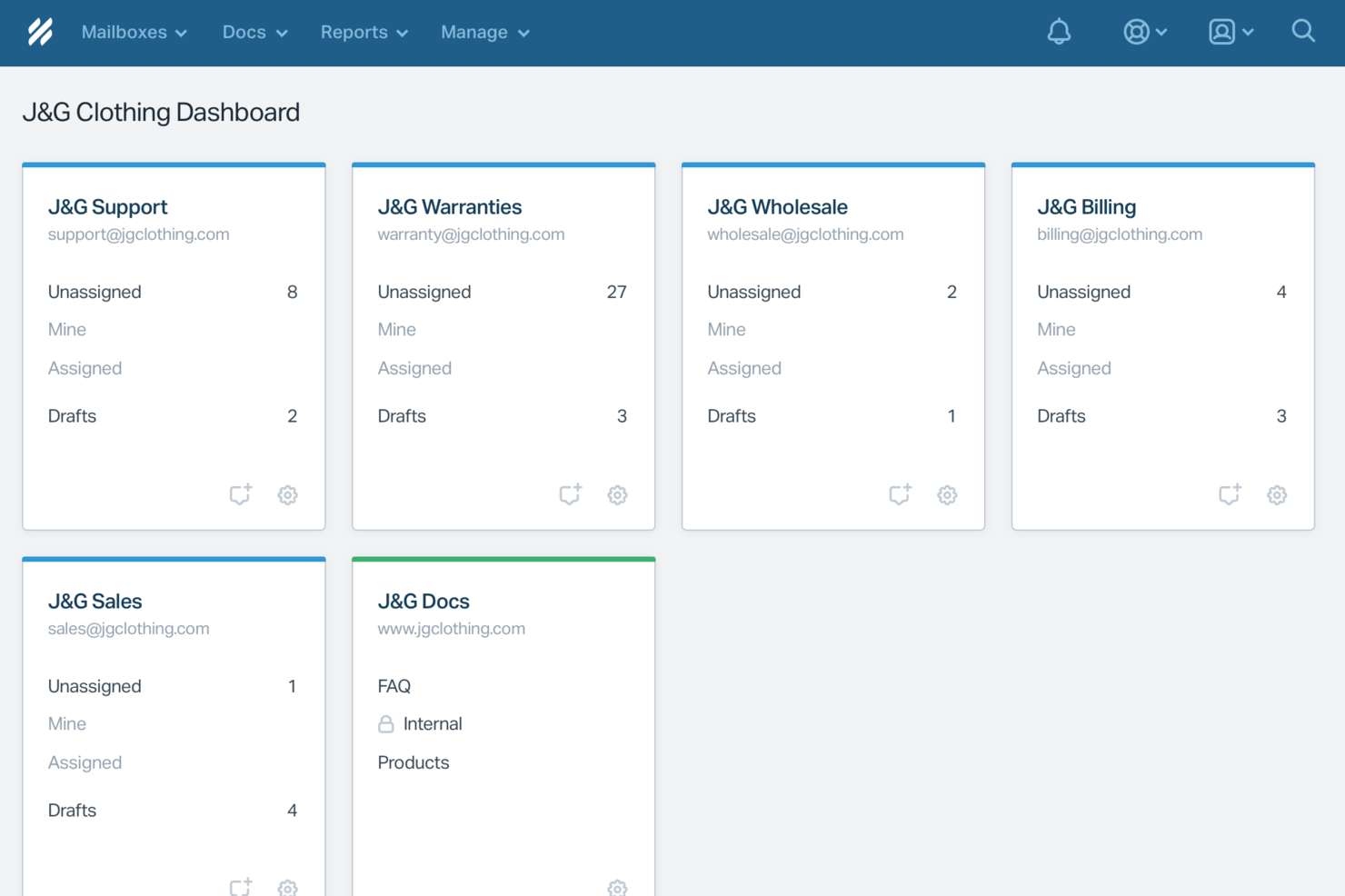
Help Scout è progettato per le aziende che vogliono migliorare il proprio supporto clienti grazie a un software di help desk automatizzato. La sua combinazione unica di strumenti basati sull'intelligenza artificiale e funzionalità di supporto umano lo rende ideale per i team che desiderano ottimizzare la comunicazione mantenendo un tocco personale. Affrontando sfide comuni come i tempi di risposta ritardati e le interazioni clienti poco efficienti, Help Scout aiuta a offrire un servizio eccezionale e a migliorare la soddisfazione complessiva dei clienti.
Perché ho scelto Help Scout
Ho scelto Help Scout per la sua funzione distintiva, lo strumento Workflows, che automatizza i compiti ripetitivi e organizza i messaggi in arrivo in base a criteri specifici. Questa funzionalità migliora notevolmente i tempi di risposta e l'efficienza generale nella gestione delle richieste dei clienti. Inoltre, l'integrazione dell'IA fornisce risposte istantanee alle domande frequenti, permettendo al tuo team di concentrarsi su questioni più complesse. Queste caratteristiche rendono Help Scout una scelta interessante per il software di help desk automatizzato, soprattutto per le aziende che desiderano ottimizzare i propri processi di assistenza.
Funzionalità principali di Help Scout
Oltre alle sue solide capacità di automazione, Help Scout offre numerose altre funzionalità che ne aumentano il valore come software di help desk automatizzato.
- Posta in arrivo condivisa: Questa funzione consente al tuo team di collaborare sulle richieste dei clienti in uno spazio unico e organizzato.
- Knowledge Base: Uno strumento self-service che permette ai clienti di trovare le risposte autonomamente, riducendo il volume dei ticket di supporto.
- Live Chat: Offre comunicazione in tempo reale con i clienti, migliorando l'engagement e la soddisfazione.
- Analisi: Fornisce approfondimenti sulle prestazioni del team e sulle interazioni con i clienti, aiutando a realizzare miglioramenti informati.
Integrazioni di Help Scout
Le integrazioni includono Slack, HubSpot, Shopify, Salesforce, Mailchimp, Jira, Trello, QuickBooks, Stripe e Google Workspace.
Pros and Cons
Pros:
- AI Answers risolve i ticket comuni senza coinvolgimento degli agenti
- La transizione senza interruzioni conserva il contesto della conversazione per gli agenti
- Knowledge base integrata che consente risposte automatiche accurate
Cons:
- Non è un chatbot autonomo al di fuori dell'ecosistema Help Scout
- L'efficacia dell'AI dipende molto dalla qualità della knowledge base
New Product Updates from Help Scout

Help Scout Adds Automatic Conversation Reassignment
Help Scout can now automatically unassign conversations when the assigned teammate has been away long enough, keeping replies moving so others can pick them up. For more information, visit Help Scout's official site.
 .
.
Chatbase
Migliore per la sicurezza di livello aziendale
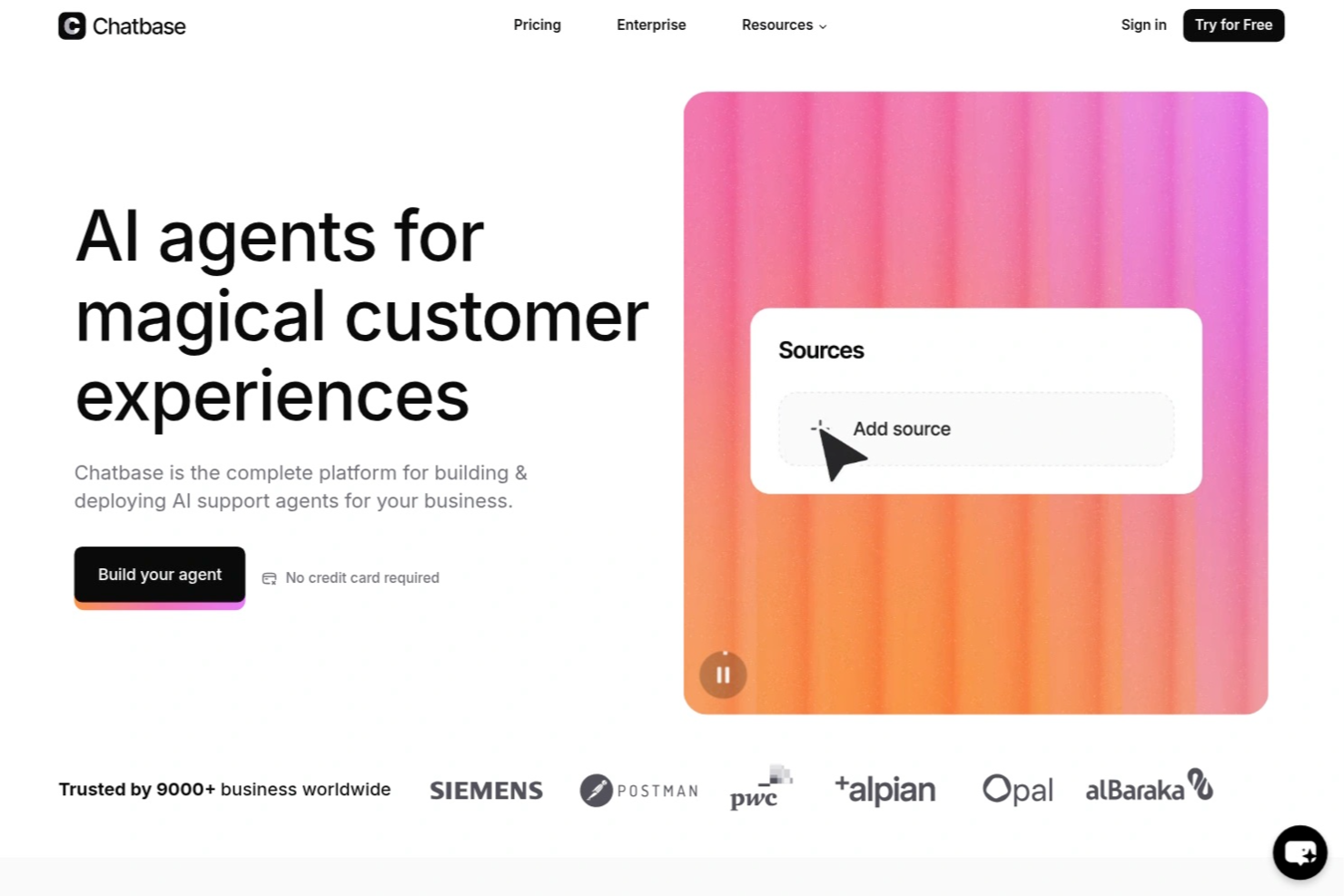
Chatbase è una piattaforma di assistenza clienti alimentata dall'IA, pensata per le aziende che desiderano automatizzare il supporto clienti, semplificare le richieste ripetitive e fornire risposte rapide e accurate su più canali.
Per chi è ideale Chatbase?
Chatbase è ideale per i team di supporto nelle aziende in crescita che vogliono automatizzare le interazioni con i clienti e scalare il servizio senza aumentare il personale.
Perché ho scelto Chatbase
Ho scelto Chatbase come una delle migliori soluzioni perché ho bisogno di un software di assistenza automatizzato che dia priorità alla sicurezza di livello aziendale. Mi piace che Chatbase offra avanzati sistemi di crittografia dei dati, registri di controllo e controlli di conformità per dati sensibili dei clienti. Il mio team può distribuire con fiducia chatbot basati su IA in settori regolamentati senza preoccuparsi della divulgazione dei dati.
Funzionalità principali di Chatbase
- Costruttore di chatbot IA personalizzati: Crea e addestra chatbot utilizzando le tue fonti di dati e il tuo database di conoscenze.
- Distribuzione multi-canale: Distribuisci chatbot sul tuo sito web, WhatsApp, Facebook Messenger e altre piattaforme.
- Analisi delle conversazioni: Monitora le interazioni e le prestazioni dei chatbot con dashboard di analisi integrate.
- Accesso API: Integra Chatbase con i tuoi sistemi e flussi di lavoro esistenti usando endpoint API robusti.
Integrazioni di Chatbase
Le integrazioni includono Zendesk, Notion, Slack, Stripe, Salesforce, Cal.com, Calendly, WhatsApp, Messenger e Make. È disponibile anche un'API per integrazioni personalizzate.
Pros and Cons
Pros:
- Distribuzione multi-canale su web e app di messaggistica
- Supporta più lingue per team globali
- Analisi delle conversazioni con report esportabili
Cons:
- Nessun passaggio integrato all'operatore umano
- Funzionalità di branding disponibili solo nei piani a pagamento

Tidio
Ideale per la gestione ordini Shopify direttamente in chat
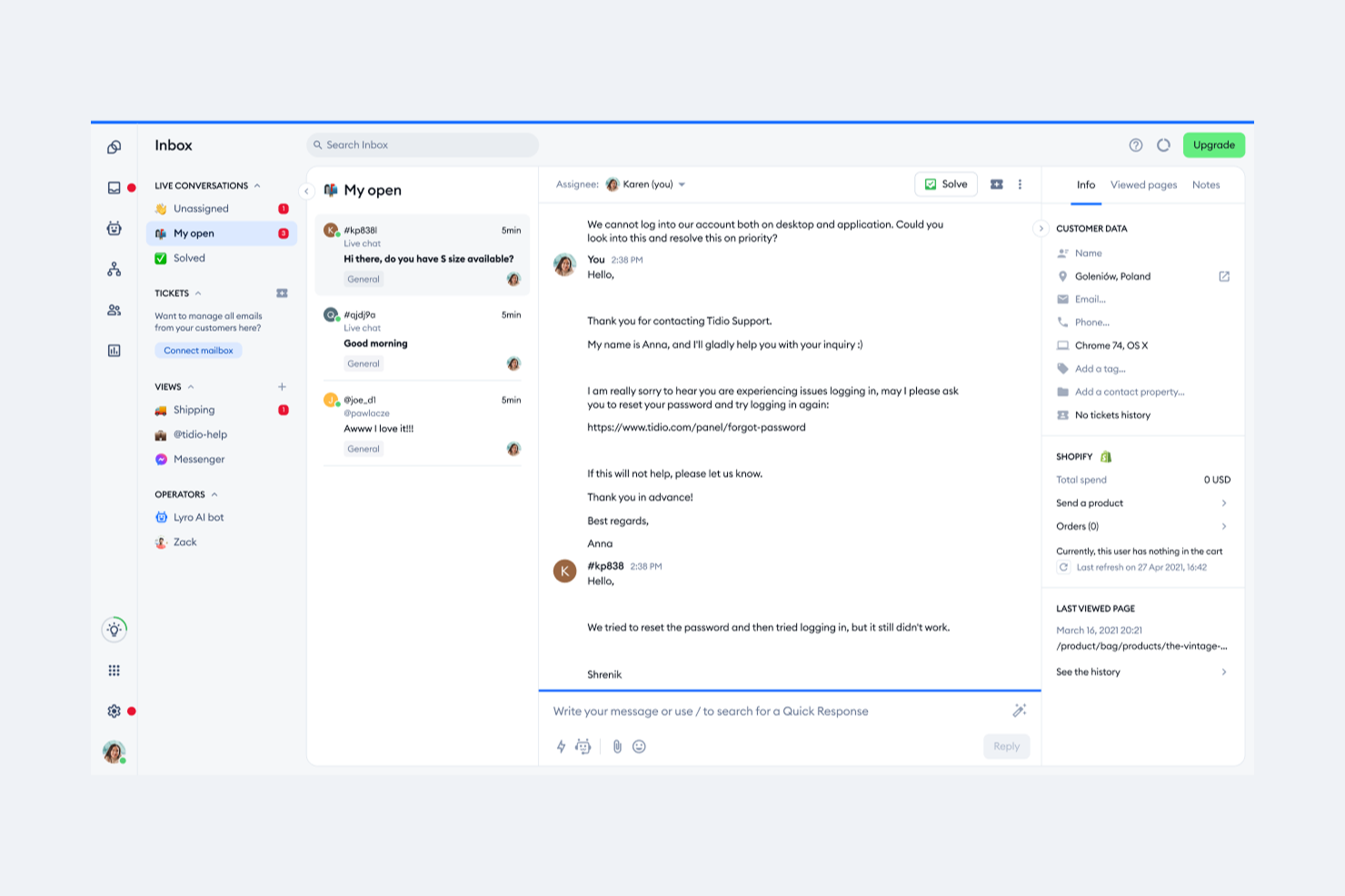
Tidio riunisce chat dal vivo, chatbot alimentati dall'IA e messaggistica multicanale per aiutare le aziende ad automatizzare e gestire l'assistenza clienti da un'unica piattaforma. È particolarmente adatto per negozi ecommerce, piccole imprese e team che desiderano ottimizzare le conversazioni con i clienti e la gestione dei ticket. Se hai bisogno di gestire un alto volume di richieste mantenendo un tocco personale, Tidio offre strumenti per automatizzare le risposte e tenere organizzato il supporto clienti.
Per chi è più indicato Tidio?
Tidio è ideale per piccole e medie imprese ecommerce e team di assistenza che vogliono automatizzare le interazioni con i clienti e gestire le richieste su più canali.
Perché ho scelto Tidio
Per i team ecommerce che utilizzano Shopify, Tidio si distingue perché permette agli operatori di gestire ordini e richieste dei clienti direttamente dall'interfaccia della chat. L'integrazione con Shopify consente agli addetti dell'assistenza di visualizzare i dettagli degli ordini, aggiornare lo stato, emettere rimborsi o cancellazioni senza uscire dalla conversazione. Ho scelto Tidio perché questo livello di gestione degli ordini nella chat riduce i cambi di contesto e aiuta gli operatori a risolvere più rapidamente i problemi dei clienti. È particolarmente utile per i negozi che vogliono mantenere supporto e gestione degli ordini strettamente collegati in un unico luogo.
Funzionalità principali di Tidio
Altre funzionalità di Tidio che aiutano ad automatizzare e organizzare il supporto clienti includono:
- Chatbot alimentati dall'IA: Crea e distribuisci chatbot in grado di rispondere alle domande ricorrenti, raccogliere informazioni e indirizzare automaticamente i ticket.
- Messaggistica multicanale: Gestisci le conversazioni da chat dal vivo, email, Messenger e Instagram in un'unica casella di posta unificata.
- Sistema di ticketing: Traccia, assegna e risolvi i problemi dei clienti con un flusso di lavoro integrato per i ticket.
- Messaggistica proattiva: Imposta messaggi automatici per coinvolgere i visitatori in base al loro comportamento o per attivare specifici flussi di lavoro.
Integrazioni di Tidio
Le integrazioni includono Shopify, Zendesk, Intercom, WordPress, Instagram, Messenger, HubSpot, Salesforce, WhatsApp e Microsoft Dynamics.
Pros and Cons
Pros:
- Chatbot con intelligenza artificiale automatizzano le attività ripetitive di supporto
- Casella di posta multicanale centralizza le conversazioni con i clienti
- Messaggistica proattiva in base al comportamento dei visitatori
Cons:
- Ritardi occasionali nelle notifiche della chat dal vivo
- La rimozione del branding è disponibile solo nei piani superiori

HelpDesk
Ideale per installazione rapida

HelpDesk è un programma di help desk e gestione dei ticket progettato per piccole aziende e imprese in settori come IT, SaaS, retail e vendite. Si concentra sulla gestione dei ticket secondo gli accordi sui livelli di servizio (SLA), sulla collaborazione del team e sul supporto multicanale per migliorare le operazioni del servizio clienti.
Perché ho scelto HelpDesk: Questo strumento è ideale per i team che necessitano di un avvio rapido senza complicazioni. Le sue funzionalità includono l'ordinamento e la prioritizzazione automatica dei ticket, che fanno risparmiare tempo al tuo team. L'interfaccia utente semplice garantisce che il tuo team possa iniziare a utilizzarlo subito senza una curva di apprendimento impegnativa. L'enfasi di HelpDesk sull'efficienza e la facilità d'uso si allinea al vantaggio dell'installazione rapida.
Caratteristiche e integrazioni principali:
Le funzionalità includono rilevamento automatico della lingua, per servire una clientela diversificata, tracciamento di ticket simili per ridurre le attività ripetitive, e suggerimenti di tag basati su intelligenza artificiale per una migliore organizzazione dei ticket. Le sue solide misure di sicurezza garantiscono che i tuoi dati restino protetti.
Le integrazioni includono Slack, Zapier, Shopify, LiveChat, HubSpot, Salesforce e altro ancora.
Pros and Cons
Pros:
- Supporta tempi di risoluzione rapidi
- Gestione centralizzata dei ticket
- Robusto sistema di sicurezza dei dati
Cons:
- Nessun supporto multilingue
- Suddivisione del branding LiveChat confusa

Intercom
Ideale per chat in tempo reale
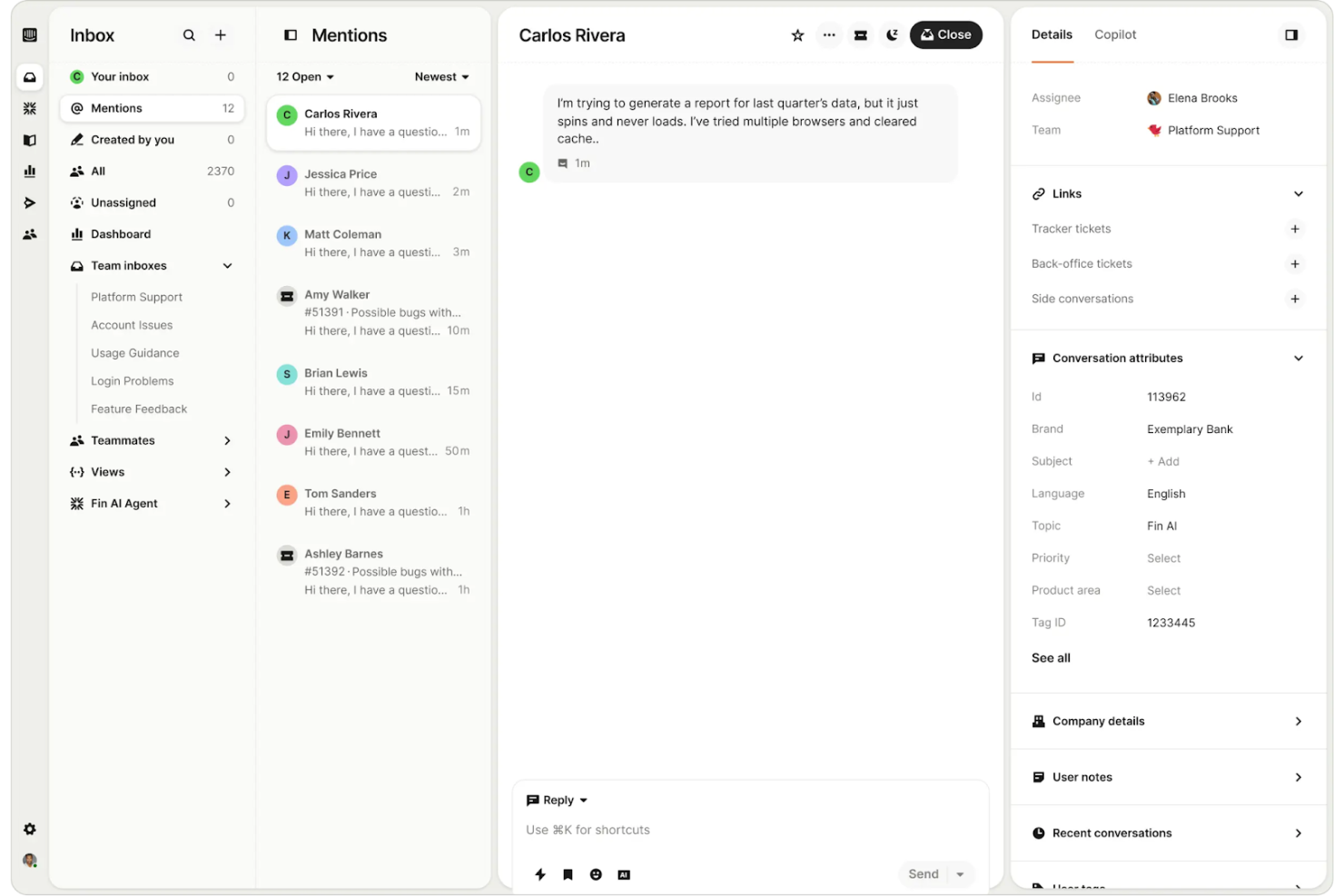
Intercom è una piattaforma di comunicazione con i clienti pensata per le aziende che vogliono favorire il coinvolgimento dei clienti tramite chat in tempo reale. Serve le aziende offrendo strumenti per la messaggistica, l'assistenza clienti e la generazione di lead, aiutando i team a connettersi con gli utenti in modo efficiente.
Perché ho scelto Intercom: Intercom è ideale per i team che danno priorità alla comunicazione in tempo reale con i clienti. Il suo widget di chat dal vivo permette al tuo team di coinvolgere gli utenti istantaneamente sul tuo sito web o app. Le capacità di automazione della piattaforma aiutano a gestire le richieste ripetitive, liberando il tuo team per compiti più complessi. Il focus di Intercom sulla chat in tempo reale e sull'automazione lo rende perfetto per le aziende che vogliono migliorare l'interazione con i clienti.
Caratteristiche principali e integrazioni:
Le caratteristiche includono un messenger personalizzabile per adattarsi al tuo brand, messaggistica proattiva per raggiungere gli utenti al momento giusto e un centro assistenza integrato per il self-service. La piattaforma offre anche messaggistica mirata per coinvolgere in modo efficace segmenti specifici di utenti.
Le integrazioni includono Salesforce, Slack, HubSpot, Shopify, Google Analytics e altre ancora.
Pros and Cons
Pros:
- Piattaforma unificata che include chat, bot e altro
- Strumenti di automazione efficaci
- Opzioni di messaggistica mirata
- Commissioni elevate per risoluzioni tramite bot AI
Cons:
- Il supporto può essere lento nel rispondere

Ideale per piccole imprese
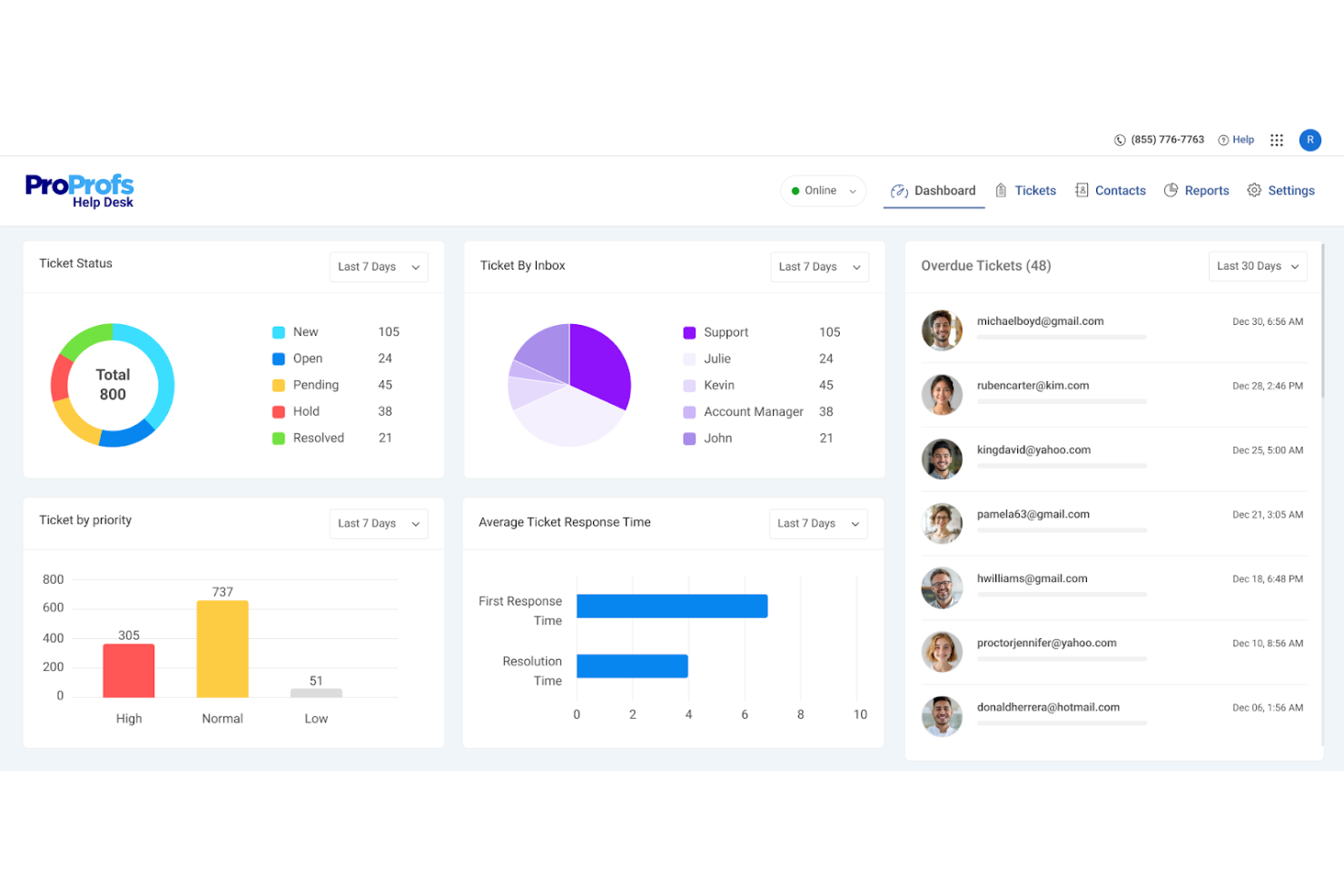
ProProfs Help Desk è un software di ticketing e supporto progettato per le piccole imprese che consente di gestire le richieste dei clienti in modo efficiente. Centralizza le richieste di supporto e favorisce la collaborazione tra i membri del team, facilitando il monitoraggio e la risoluzione dei problemi.
Perché ho scelto ProProfs Help Desk: Questo strumento è pensato per le piccole imprese e offre funzionalità che supportano la gestione efficiente dei ticket senza una complessità eccessiva. La funzionalità di casella di posta condivisa aiuta il team a collaborare, mentre l’assegnazione automatica dei ticket garantisce che i problemi comuni vengano indirizzati alla persona giusta. I sondaggi sulla soddisfazione dei clienti raccolgono feedback essenziali per aiutarti a migliorare il servizio. ProProfs si distingue per il giusto equilibrio tra semplicità e funzionalità, adattandosi perfettamente a team di piccole dimensioni.
Caratteristiche principali e integrazioni:
Le funzionalità includono supporto basato sull’intelligenza artificiale per una risoluzione più rapida dei ticket, gestione centralizzata delle richieste provenienti da vari canali e strumenti collaborativi come le caselle condivise. L’automazione delle assegnazioni dei ticket e la reportistica sulle prestazioni sono altri elementi chiave.
Le integrazioni comprendono Salesforce, Atlassian Jira, BigCommerce, Slack e altro.
Pros and Cons
Pros:
- Strumenti per la collaborazione del team
- Adatto a piccole e medie imprese
- Opzioni di personalizzazione flessibili
Cons:
- Mancano strumenti avanzati di reportistica
- Nessun supporto ticket da social media

Ideale per la scalabilità
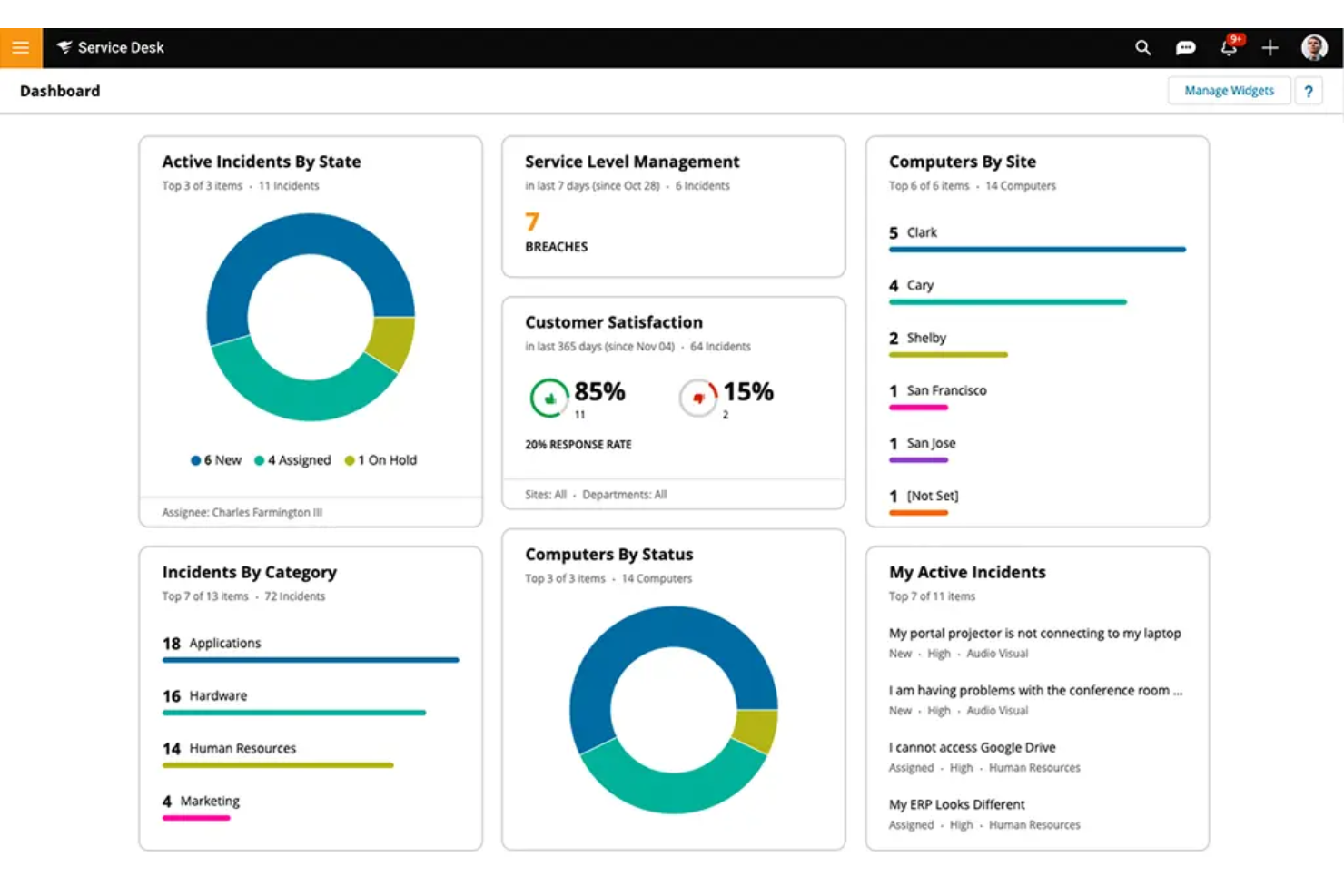
Il software SolarWinds Service Desk è un sistema ITSM basato su cloud rivolto a team IT che desiderano migliorare la distribuzione dei servizi e le operazioni di supporto. Si concentra sulla gestione degli incidenti, sulla gestione dei cambiamenti e sulla gestione delle risorse per ottimizzare i processi IT.
Perché ho scelto SolarWinds Service Desk: Questo strumento eccelle in termini di scalabilità, rendendolo adatto alle organizzazioni in crescita. Le sue capacità di gestione degli asset consentono di monitorare in modo efficiente tutte le risorse IT. La funzione di gestione dei cambiamenti aiuta il team a gestire le modifiche IT senza interruzioni. SolarWinds Service Desk è progettato per supportare i team in espansione grazie alla sua infrastruttura scalabile e agli strumenti ITSM completi.
Funzionalità principali e integrazioni:
Le funzionalità includono un catalogo dei servizi che centralizza tutte le richieste di servizio, una knowledge base che offre agli utenti finali opzioni di self-service e flussi di lavoro automatizzati per aumentare l'efficienza. Il software offre anche report dettagliati per aiutarti a monitorare i parametri di performance.
Le integrazioni includono Microsoft Azure, Active Directory, Google Workspace, Slack e molto altro.
Pros and Cons
Pros:
- Scalabile per organizzazioni in crescita
- Monitoraggio esteso per ambienti IT ibridi
- Gestione dettagliata delle risorse
Cons:
- Frequenti necessità di aggiornamenti di sicurezza
- Prezzo elevato per le piccole imprese

Ideale per l'integrazione CRM
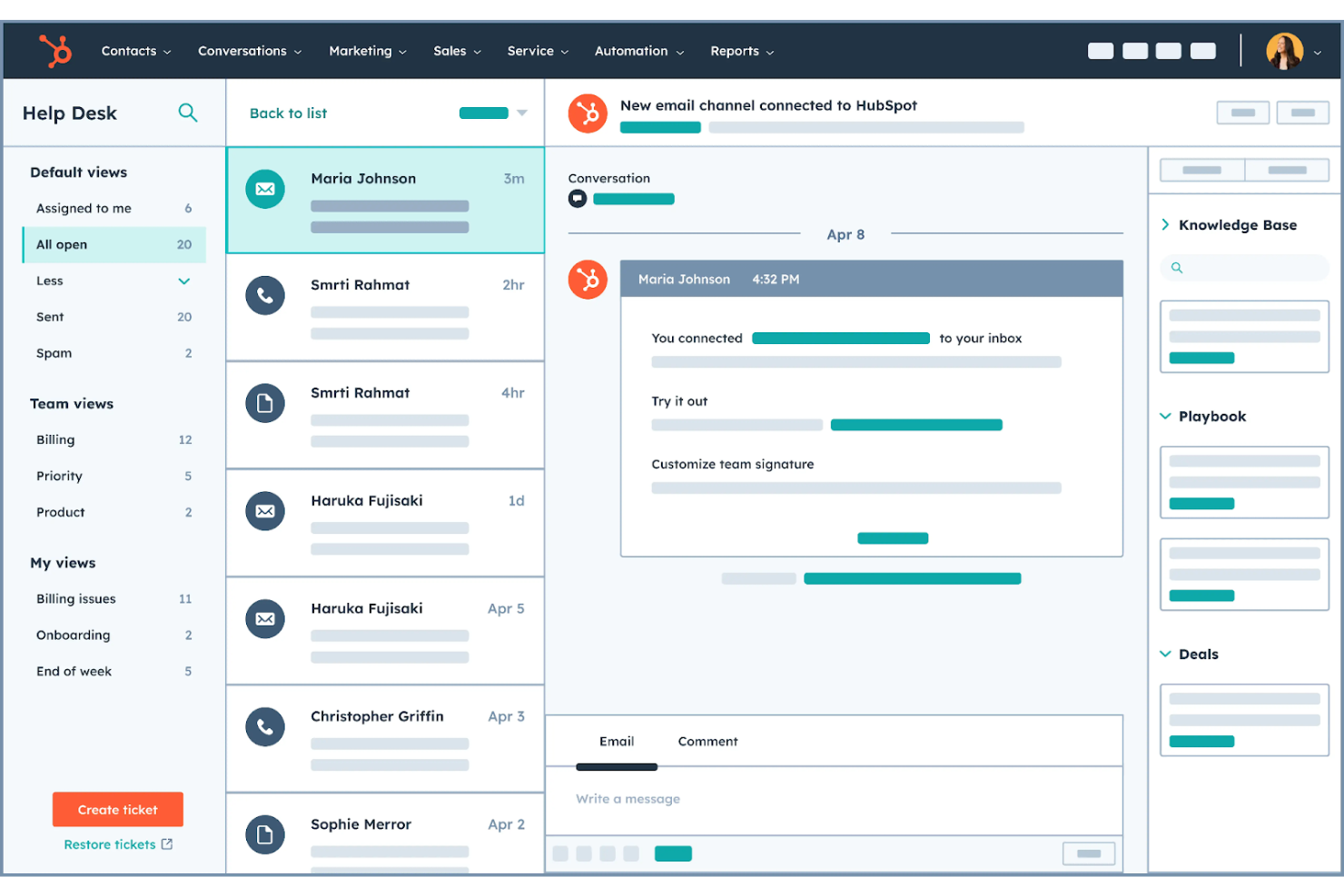
HubSpot Service Hub è una piattaforma di assistenza clienti pensata per le aziende che desiderano rafforzare il proprio supporto clienti tramite funzionalità CRM integrate. Offre strumenti per la gestione dei ticket dell'help desk, feedback dei clienti e gestione della knowledge base per migliorare la qualità e l'efficienza del servizio.
Perché ho scelto HubSpot Service Hub: HubSpot Service Hub si distingue per l'integrazione delle funzionalità CRM che forniscono una visione unificata delle interazioni con i clienti. Il suo sistema di ticketing si collega ai dati del cliente, permettendo al tuo team di offrire un supporto personalizzato. Gli strumenti di raccolta feedback ti aiutano a ottenere preziose informazioni per perfezionare il tuo approccio al servizio. La forza di HubSpot nell'integrazione CRM lo rende ideale per i team che desiderano allineare il supporto agli sforzi di vendita e marketing.
Funzionalità e integrazioni principali:
Le funzionalità includono un'ampia knowledge base che consente ai clienti di trovare risposte in autonomia, chat dal vivo, email e bot per interagire in tempo reale con gli utenti e sondaggi di feedback per raccogliere indicazioni concrete. La piattaforma offre anche un portale clienti per monitorare ticket e interazioni.
Le integrazioni includono Salesforce, Shopify, Google Gmail, Microsoft Outlook, Slack e altre ancora.
Pros and Cons
Pros:
- Ecosistema completo inclusa l'integrazione CRM
- Strumenti di feedback concreti
- Portale clienti unificato
Cons:
- Molto costoso con la crescita del team
- Le funzionalità avanzate richiedono piani superiori

Deskpro
Ideale per il supporto multicanale
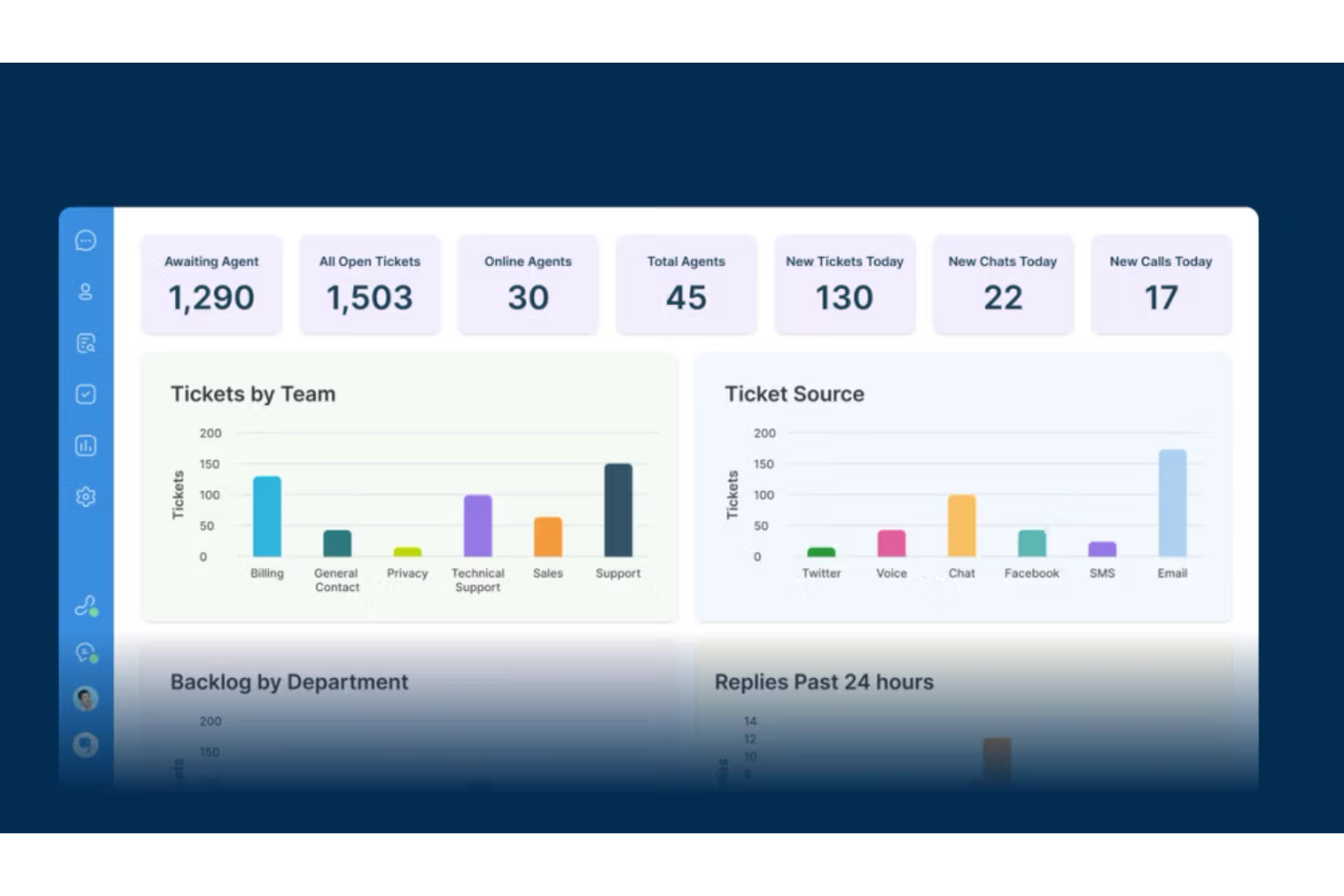
Deskpro è un sistema help desk progettato per le organizzazioni che necessitano di un supporto multicanale efficiente. Serve le aziende consolidando le interazioni con i clienti tramite email, chat, telefono, SMS e social media, aiutando i team a gestire tutte le comunicazioni in un unico luogo.
Perché ho scelto Deskpro: Deskpro eccelle nel fornire supporto multicanale, rendendolo ideale per i team che gestiscono diversi canali di comunicazione. La sua interfaccia unificata consente al tuo team di gestire email, chat dal vivo e social media da un'unica piattaforma. Questo riduce la complessità della gestione di più strumenti e mantiene tutto organizzato. La capacità di Deskpro di integrare vari canali in un solo sistema assicura che nessuna richiesta dei clienti passi inosservata.
Funzionalità principali e integrazioni:
Le funzionalità includono flussi di lavoro personalizzabili per adattare i processi alle esigenze del tuo team, una suite di reportistica avanzata per monitorare i parametri di performance, e un portale clienti per opzioni di self-service. Offre inoltre una knowledge base per aiutare i clienti a trovare risposte in autonomia.
Le integrazioni includono Salesforce, Slack, Microsoft Teams, Jira e molto altro.
Pros and Cons
Pros:
- Gestione efficiente del multicanale
- Interfaccia comunicativa unificata
- Solido portale self-service
Cons:
- Configurazione iniziale complessa
- Interfaccia può apparire datata e caotica

SysAid
Ideale per i team IT
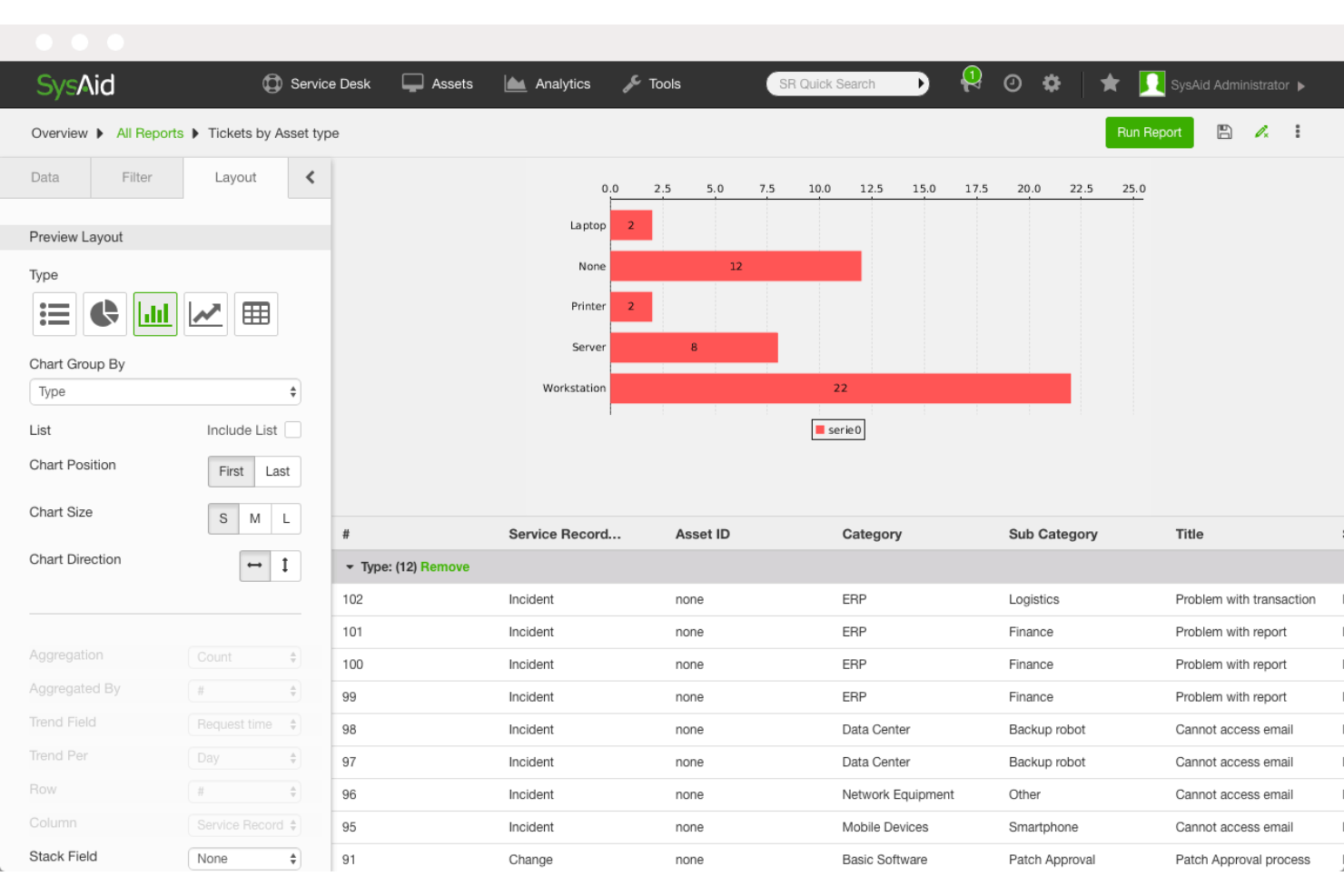
SysAid è un software di gestione dei servizi IT (ITSM) pensato per i team IT, volto a semplificare le operazioni di supporto. Offre strumenti per la gestione dei ticket, la gestione delle risorse e l'automazione dei processi IT, supportando l'efficienza dei dipartimenti IT.
Perché ho scelto SysAid: SysAid è progettato specificamente per soddisfare le esigenze dei team IT, offrendo funzionalità che supportano l'ITSM. La sua gestione delle risorse permette di tenere traccia in modo efficiente di tutte le risorse hardware e software. I processi allineati a ITIL aiutano il tuo team a gestire gli incidenti e a migliorare significativamente i tempi di risoluzione. SysAid Copilot per gli operatori funziona all'interno del tuo flusso di lavoro, rendendolo ideale per i dipartimenti IT.
Funzionalità e integrazioni principali:
Le funzionalità includono un desktop remoto integrato per la risoluzione dei problemi, un portale self-service per gli utenti finali e dashboard personalizzabili per visualizzare i principali indicatori. Il software supporta anche i processi ITIL, fondamentali per un ITSM strutturato.
Le integrazioni includono Microsoft Azure, Active Directory, Okta, Google Workspace, Slack e altri ancora.
Pros and Cons
Pros:
- Gestione efficiente delle risorse
- Dashboard personalizzabili
- Portale self-service completo
Cons:
- Supporto lento e non sempre coerente
- Esperienza poco affidabile dell'app mobile
Altri software per help desk automatizzati
Ecco alcune altre opzioni di software per help desk automatizzati che non sono entrate nel mio elenco, ma che vale comunque la pena valutare:
- Zendesk
Ideale per il coinvolgimento dei clienti
- Hesk
Ideale per chi cerca una soluzione economica
- HappyFox Help Desk
Ideale per flussi di lavoro personalizzati
- Risotto
Ideale per il supporto multilingue
- Hiver
Ideale per gestire caselle di posta condivise in Gmail
- Desk365
Ideale per gli utenti di Microsoft Teams


Come Valuto il Software di Help Desk Automatizzato
Suddivido la mia valutazione in due livelli: i non negoziabili—smistamento automatico dei ticket, chatbot AI, acquisizione omnicanale—e i fattori differenzianti che rivelano quale strumento si adatta a quale team.
Funzionalità di Base (Requisiti Minimi per Questa Lista)
Quando seleziono gli strumenti per la mia lista, valuto ciascuno su una scala da 0 (non offre la funzionalità) a 5 (eccelle in quest’area) per ogni funzionalità di base elencata di seguito. Poi, calcolo il punteggio totale dello strumento in percentuale. Ogni strumento deve ottenere un punteggio totale minimo del 65% per essere considerato per l’inclusione.
- Gestione Automatica dei Ticket: Esamino come ogni strumento gestisce le richieste in entrata—se può auto-categorizzare una contestazione di fatturazione rispetto a un problema tecnico e instradarlo al team giusto senza smistamento manuale.
- Chatbot AI & Agenti Virtuali: Valuto se il bot è realmente in grado di risolvere autonomamente le domande più comuni, come lo stato di un ordine o il reset della password, e non semplicemente raccogliere informazioni e passare ogni conversazione a un operatore.
- Acquisizione Omnicanale delle Richieste: Ogni piattaforma dovrebbe raccogliere conversazioni da email, live chat, social e idealmente voce in un’unica coda, così gli operatori non devono passare da una casella all’altra disconnessa.
- Automazione dei Flussi di Lavoro & Macro: Controllo la presenza di automazioni basate su trigger—come la segnalazione automatica di un ticket che ha violato la sua SLA di prima risposta o l’applicazione di una macro per etichettare e rispondere in massa a un guasto noto.
- Base di Conoscenza Self-Service: Una buona base di conoscenza fa più che ospitare articoli. Cerco articoli suggeriti dall’AI durante la creazione del ticket e nella chat, cosa che aiuta a deviare richieste prima che arrivino a un operatore.
- Reportistica & Automazione SLA: Valuto se lo strumento monitora la conformità agli SLA in tempo reale e mostra metriche come tempo di prima risposta, tasso di risoluzione e contenimento del bot insieme ai punteggi CSAT in un unico cruscotto.
Una volta che dispongo di un elenco di strumenti che soddisfano questi criteri, considero cosa distingue ciascuna piattaforma dalle altre.
Fattori Differenzianti (Cosa Distingue i Fornitori)
Ecco come paragono e confronto i diversi fornitori:
Funzionalità Distintive
La rilevazione del sentimento e dell’intento è un elemento chiave—cerco strumenti che sappiano identificare un cliente frustrato nel mezzo di una conversazione e aumentare l’escalation prima che la situazione precipiti. Anche gli agenti AI generativi fanno la differenza, specialmente quando redigono risposte contestuali che gli operatori possono modificare e inviare anziché riscrivere da zero. Valuto anche le automazioni di supporto proattivo—come l’invio di un messaggio di controllo quando il consumo di un cliente diminuisce o si verifica un’interruzione sul suo account.
Oltre le Funzionalità
La profondità dell’integrazione è importante—verifico se una piattaforma si collega nativamente al CRM e alla soluzione ecommerce così che gli operatori vedano la cronologia ordini o i dettagli dell’account senza cambiare scheda. Un altro aspetto che analizzo con attenzione è l’addestramento dell’AI e il miglioramento continuo, in particolare se le correzioni degli operatori alle risposte dei bot vengono reinserite nel modello nel tempo. Considero anche la velocità di implementazione, incluso se il fornitore offre modelli AI pre-addestrati e strumenti di migrazione che aiutano i team a passare da una piattaforma help desk legacy e ottenere miglioramenti tangibili già nei primi mesi.
Come scegliere un software per help desk automatizzato
È facile perdersi in lunghi elenchi di funzionalità e strutture di prezzo complesse. Per aiutarti a rimanere concentrato mentre affronti il tuo processo di selezione del software, unico per le tue esigenze, ecco un elenco di fattori da tenere presenti:
| Fattore | Cosa considerare |
|---|---|
| Scalabilità | Il software crescerà insieme alla tua azienda? Considera i limiti degli utenti e le possibilità di espansione per evitare che lo strumento diventi insufficiente. |
| Integrazioni | Si collega ai sistemi che utilizzi già? Cerca l'integrazione con CRM, e-mail e piattaforme di comunicazione. |
| Personalizzazione | Puoi adattare il software ai tuoi flussi di lavoro? Assicurati che offra impostazioni e modelli regolabili. |
| Facilità d'uso | L'interfaccia è intuitiva per il tuo team? Provalo con una versione di prova gratuita per valutare la curva di apprendimento e l'usabilità. |
| Implementazione e avviamento | Quanto rapidamente puoi iniziare? Verifica la disponibilità di risorse come tutorial e assistenza per una transizione senza intoppi. |
| Costo | Il prezzo rientra nel tuo budget? Confronta piani e funzionalità per assicurarti un buon rapporto qualità-prezzo senza costi nascosti. |
| Misure di sicurezza | Sono presenti misure per la protezione dei dati? Cerca crittografia, aggiornamenti regolari e conformità alle normative. |
| Disponibilità dell'assistenza | Quanto è accessibile l'assistenza clienti? Assicurati che offra più canali e un servizio tempestivo per aiutare il tuo team. |
Che cos'è un software per help desk automatizzato?
Il software per centri di assistenza automatizzati è uno strumento progettato per gestire e automatizzare le attività di assistenza clienti, come la gestione dei ticket e la risoluzione dei problemi. I professionisti IT, i team del servizio clienti e i responsabili dell'assistenza utilizzano generalmente questi strumenti per migliorare l'efficienza e i tempi di risposta. Funzionalità come l'automazione dei ticket, le basi di conoscenza e le capacità di integrazione aiutano a gestire elevati volumi di ticket, garantire risposte tempestive e mantenere flussi di lavoro organizzati. Nel complesso, questi strumenti offrono un valore significativo riducendo il carico di lavoro manuale e migliorando la soddisfazione dei clienti.
Funzionalità
Quando selezioni un software per centri di assistenza automatizzati, presta attenzione alle seguenti funzionalità principali:
- Gestione dei ticket: organizza e monitora in modo efficiente le richieste dei clienti, garantendo risposte tempestive e tempi di risoluzione rapidi.
- Base di conoscenza: offre ai clienti un'opzione autonoma per trovare risposte alle domande frequenti, riducendo il carico di lavoro dell'assistenza.
- Strumenti di automazione: automatizzano attività ripetitive come l'ordinamento dei ticket, l'escalation, la chiusura dei ticket e l'assegnazione delle attività, lasciando al personale più tempo da dedicare ai problemi complessi.
- Assistenza multicanale: consente di comunicare con i clienti su diverse piattaforme, come e-mail, chat e social media, centralizzando le interazioni.
- Flussi di lavoro personalizzabili: consentono di adattare i processi a specifiche esigenze aziendali, migliorando efficienza ed efficacia.
- Capacità di integrazione: si collegano ai sistemi esistenti, come i sistemi CRM, gli strumenti di gestione dei progetti e quelli di comunicazione, favorendo funzionalità e flusso dei dati.
- Analisi e report: offrono una visione delle prestazioni e delle interazioni con i clienti, garantendo che i team prendano decisioni basate sui dati.
- Misure di sicurezza: garantiscono la protezione dei dati e la conformità alle normative, salvaguardando le informazioni sensibili dei clienti.
- Chat in tempo reale: facilita la comunicazione immediata con i clienti, migliorando il coinvolgimento e la soddisfazione.
- Portale autonomo: consente agli utenti di gestire autonomamente le richieste di routine, riducendo il numero di ticket in arrivo.
Vantaggi
L'implementazione di un software per centri di assistenza automatizzati offre diversi vantaggi al tuo team e alla tua azienda. Eccone alcuni:
- Maggiore efficienza: gli strumenti di automazione, come le risposte automatiche e le notifiche, riducono le attività manuali, consentendo al tuo team di concentrarsi sui problemi complessi e migliorare la produttività.
- Tempi di risposta più rapidi: le funzionalità di gestione dei ticket e di chat in tempo reale garantiscono che le richieste dei clienti ricevano una risposta rapida, contribuendo a una maggiore soddisfazione.
- Organizzazione migliore: l'assistenza multicanale e le capacità di integrazione centralizzano la comunicazione, mantenendo le interazioni ordinate e accessibili.
- Esperienza cliente migliorata: i portali autonomi e le basi di conoscenza consentono ai clienti di trovare autonomamente le soluzioni, aumentando la loro soddisfazione.
- Decisioni basate sui dati: le analisi e i report forniscono informazioni sulle prestazioni, aiutandoti ad apportare modifiche consapevoli alla tua strategia di assistenza.
- Risparmio sui costi: automatizzando le attività ripetitive e riducendo la necessità di un organico numeroso, questi strumenti contribuiscono a diminuire i costi operativi.
- Maggiore sicurezza: solide misure di sicurezza proteggono le informazioni sensibili dei clienti, rafforzando la fiducia e garantendo la conformità alle normative.
Costi & Prezzi
La scelta di un software per centri di assistenza automatizzati richiede la comprensione dei diversi modelli e piani tariffari disponibili. I costi variano in base alle funzionalità, alle dimensioni del team, agli elementi aggiuntivi e ad altri fattori. La tabella seguente riassume i piani più comuni, i relativi prezzi medi e le funzionalità generalmente incluse nelle soluzioni software per centri di assistenza automatizzati:
Tabella comparativa dei piani per software per centri di assistenza automatizzati
| Tipo di piano | Prezzo medio | Funzionalità comuni |
|---|---|---|
| Piano gratuito | $0 | Gestione di base dei ticket, assistenza via e-mail e una base di conoscenza limitata. |
| Piano personale | $12-$39/utente/mese | Gestione avanzata dei ticket, automazione di base e assistenza via chat. |
| Piano aziendale | $20-$90/utente/mese | Assistenza multicanale, opzioni di personalizzazione, analisi e report. |
| Piano per grandi aziende | $80+/utente/mese | Automazione completa, funzionalità di sicurezza avanzate e gestione dedicata dell'account. |
Domande frequenti sul software automatizzato per help desk
\u003cspan style=\u0022font-weight: 400\u0022\u003eEcco alcune risposte alle domande più comuni sul software automatizzato per help desk:\u003c/span\u003e
Qual è la differenza tra il software per help desk basato sul cloud e quello installato localmente?
Il software per help desk basato sul cloud è ospitato sui server del fornitore e vi si accede tramite Internet, mentre il software installato localmente viene installato sui server della propria azienda. Le soluzioni basate sul cloud offrono una scalabilità e aggiornamenti più semplici, ma ci si affida al fornitore per la sicurezza dei dati. Le soluzioni installate localmente garantiscono il pieno controllo dei dati, ma richiedono maggiori risorse IT per la manutenzione e gli aggiornamenti. Nella scelta tra le due opzioni, considera le competenze tecniche del tuo team e le esigenze di sicurezza dei dati.
Il software automatizzato per help desk può integrarsi con i sistemi esistenti?
Sì, la maggior parte dei software automatizzati per help desk può integrarsi con sistemi esistenti come CRM, email e strumenti di comunicazione. Verifica le capacità di integrazione del software per assicurarti che si colleghi agli strumenti già utilizzati dal tuo team. Questo può contribuire a semplificare i flussi di lavoro e a migliorare la coerenza dei dati tra le piattaforme. Cerca API o integrazioni preconfigurate che semplifichino il processo di connessione.
Come posso garantire la sicurezza dei dati con il software automatizzato per help desk?
Garantisci la sicurezza dei dati scegliendo un software dotato di una crittografia efficace e conforme alle normative sulla protezione dei dati come il GDPR o l’HIPAA. Chiedi ai fornitori informazioni sui loro protocolli di sicurezza, inclusi il backup dei dati, l’autenticazione degli utenti e i piani di risposta agli incidenti. Prima dell’acquisto, valuta la possibilità di effettuare un audit di sicurezza o di consultare il tuo team IT per valutare le misure di sicurezza del software.
È possibile personalizzare il software automatizzato per help desk in base alle nostre esigenze?
Sì, molti strumenti automatizzati per help desk offrono opzioni di personalizzazione per adattare i flussi di lavoro, i moduli dei ticket e le interfacce utente alle tue esigenze. Cerca strumenti che consentano di modificare le impostazioni, creare campi personalizzati e utilizzare modelli. La personalizzazione può aumentare l’efficienza del tuo team allineando il software ai processi esistenti. Prova le funzionalità di personalizzazione durante un periodo di prova gratuito per assicurarti che soddisfino i tuoi requisiti.
Cosa succede ora:
Se stai cercando un software automatizzato per help desk, contatta gratuitamente un consulente di SoftwareSelect per ricevere consigli.
Compili un modulo e fai una breve conversazione durante la quale il consulente approfondirà le tue esigenze specifiche. In seguito riceverai una selezione ristretta di software da esaminare. Ti assisterà anche durante l'intero processo di acquisto, comprese le trattative sul prezzo.