

18 migliori software per call center sanitari nel 2026

Migliore selezione di software per centri di assistenza telefonica sanitari


Il software per centri di assistenza telefonica sanitari aiuta il tuo gruppo a gestire le chiamate dei pazienti, la programmazione degli appuntamenti e i ricontatti su più canali, mantenendo al contempo la conformità alle normative sanitarie. Se stai cercando modi per migliorare la comunicazione con i pazienti, aumentare l'efficienza del personale, ridurre gli errori manuali o ampliare le operazioni in più sedi, trovare la piattaforma per centri di assistenza telefonica giusta è importante. Scegliere una soluzione progettata per il settore sanitario significa poter offrire ogni giorno interazioni sicure, tempestive e attente.
In questa guida troverai opzioni affidabili per i centri di contatto sanitari, così potrai confrontare con sicurezza funzionalità, integrazioni e punti di forza distintivi per scegliere quella più adatta alla tua organizzazione.
Perché fidarsi dei nostri consigli sui software
Il nostro team testa e recensisce software dal 2012. In quanto leader CX noi stessi, sappiamo quanto sia difficile — e importante — scegliere il software giusto.
Per questa guida, abbiamo valutato gli strumenti attraverso test pratici e ricerche indipendenti, assegnando un punteggio agli strumenti in base ai nostri criteri di selezione.
Le nostre recensioni riflettono il nostro giudizio editoriale umano, non un discorso di vendita.
Riepilogo dei migliori software per centri di assistenza telefonica sanitari
Questa tabella comparativa riassume i dettagli dei prezzi delle mie migliori selezioni di software per centri di assistenza telefonica sanitari, per aiutarti a trovare quello più adatto al tuo budget e alle esigenze della tua attività.
| Tool | Best For | Trial Info | Price | ||
|---|---|---|---|---|---|
| 1 | Ideale per flussi di chiamata personalizzati | Prova gratuita di 14 giorni | A partire da $25/utente/mese (fatturazione annuale) | Website | |
| 2 | Ideale per l'intelligenza vocale | Prova gratuita di 14 giorni + demo gratuita | Da $80/utente/mese (fatturazione annuale) | Website | |
| 3 | Ideale per analisi guidate dall'IA | Demo gratuita | Da $110/utente/mese | Website | |
| 4 | Ideale per contact center in cloud | Demo gratuita disponibile | Da $119/sede/mese | Website | |
| 5 | Ideale per il supporto omnicanale | Demo gratuita disponibile | Da $75/utente/mese (fatturazione annuale) | Website | |
| 6 | Ideale per un'integrazione semplice | Demo gratuita disponibile | Da $85/utente/mese | Website | |
| 7 | Ideale per operazioni su larga scala | Demo gratuita disponibile | Prezzo su richiesta | Website | |
| 8 | Ideale per servizi di triage infermieristico | Demo gratuita disponibile | Prezzo su richiesta | Website | |
| 9 | Ideale per la reportistica delle chiamate | Demo gratuita disponibile | Prezzo su richiesta | Website | |
| 10 | Ideale per il coinvolgimento dei pazienti | Demo gratuita disponibile | Prezzi su richiesta | Website |
Recensioni dei migliori software per centri di assistenza telefonica sanitari
Di seguito trovi i miei riepiloghi dettagliati dei migliori software per centri di assistenza telefonica sanitari inclusi nella mia selezione. Le mie recensioni offrono una panoramica approfondita delle funzionalità, delle integrazioni e dei casi d’uso migliori di ciascuna piattaforma, per aiutarti a trovare quella più adatta alle tue esigenze.

Ideale per flussi di chiamata personalizzati

CloudTalk è una piattaforma per call center basata su cloud progettata per operatori sanitari, con chiamate conformi a HIPAA, instradamento IVR delle chiamate, intelligenza artificiale per l'analisi delle conversazioni, monitoraggio in tempo reale e integrazioni con EHR.
Per chi è più adatto CloudTalk?
CloudTalk è ideale per organizzazioni sanitarie che necessitano di un call center cloud con conformità integrata, dai piccoli ambulatori alle reti ospedaliere con più sedi.
Perché ho scelto CloudTalk
Ho scelto CloudTalk come uno dei migliori per i flussi di chiamata personalizzati grazie al suo designer visivo di flussi di chiamata, che consente di costruire una logica di instradamento inbound senza scrivere una riga di codice. Dal piano Essential in poi, hai accesso a opzioni di flusso personalizzate che vanno oltre i semplici menu, includendo l'instradamento basato su condizioni, competenze e informazioni del chiamante. In ambito sanitario, ciò significa che puoi gestire diversamente le chiamate urgenti rispetto alle richieste di appuntamento, oppure indirizzare le chiamate fuori orario direttamente a una linea di reperibilità, tutto senza dover coinvolgere uno sviluppatore per riconfigurare il sistema.
Caratteristiche chiave di CloudTalk
- Intelligenza artificiale sulle conversazioni: Trascrive le chiamate, rileva il sentiment e genera riepiloghi post-chiamata per ogni interazione con i pazienti.
- Registrazione delle chiamate: Registra e archivia le chiamate in entrata e in uscita, con la possibilità di riascoltarle direttamente dalla dashboard dell'agente.
- Agente vocale AI: Gestisce richieste in entrata come la prenotazione di appuntamenti e le FAQ senza bisogno di un operatore dal vivo.
- Dashboard di analisi in tempo reale: Mostra dati in tempo reale sulle code di chiamata, l'attività degli agenti e i tempi di attesa in tutto il call center.
CloudTalk offre oltre 100 integrazioni native, tra cui Salesforce, HubSpot, Zendesk, Pipedrive, Intercom, Zoho CRM, Microsoft Teams, Freshdesk, Help Scout e Shopify. Si collega a Zapier e un'API supporta integrazioni personalizzate.
Pros and Cons
Pros:
- Conformità HIPAA integrata con crittografia end-to-end
- Connettività EHR via API per i dati dei pazienti
- Agenti vocali AI rispondono alle chiamate dei pazienti fuori orario
Cons:
- La qualità delle chiamate cala nelle ore di punta
- Nessuna funzione video per conversazioni di telemedicina
New Product Updates from CloudTalk
CloudTalk Adds Campaign Statistics to MCP
CloudTalk adds campaign statistics to MCP with funnel, call, conversion, disposition, and duration metrics. This helps reporting assistants review campaign performance using read-only aggregate data. For more information, visit CloudTalk’s official site.
 .
.
Dialpad
Ideale per l'intelligenza vocale
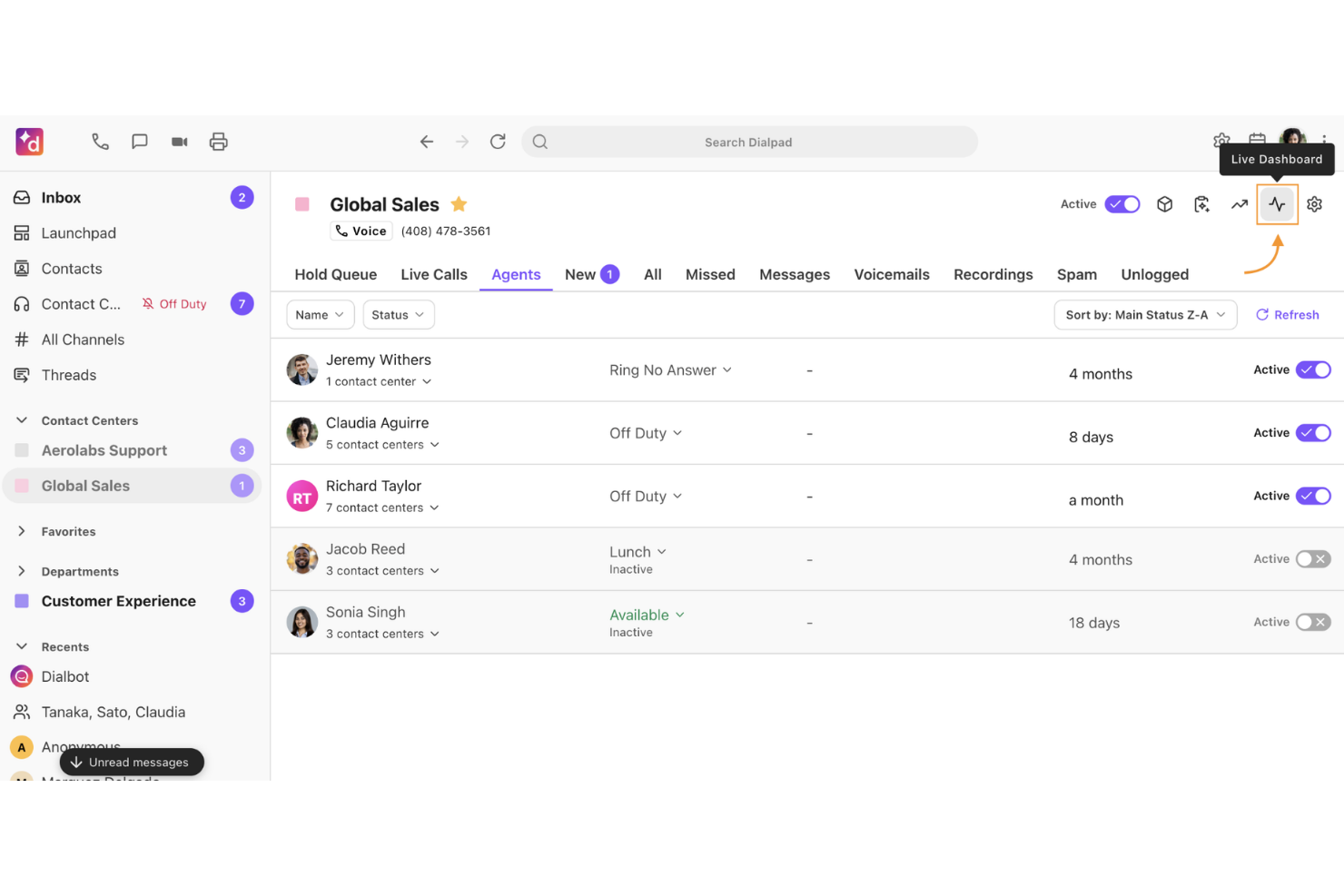
Dialpad è una soluzione cloud per call center sanitari che offre trascrizioni delle chiamate tramite intelligenza artificiale, analisi vocale in tempo reale, instradamento delle chiamate e monitoraggio automatico della qualità.
Per chi è più indicato Dialpad?
Dialpad è adatto a call center sanitari che desiderano funzionalità avanzate di intelligenza artificiale vocale per analisi conversazionale, assicurazione della qualità e monitoraggio della conformità.
Perché ho scelto Dialpad
Ho scelto Dialpad tra i migliori perché utilizzo le sue trascrizioni vocali in tempo reale e il rilevamento immediato del tono di conversazione per segnalare escalation dei pazienti non appena si verificano. Apprezzo la possibilità di rivedere i riepiloghi delle chiamate generati dall'intelligenza artificiale per il coaching degli operatori e gli audit di conformità.
Caratteristiche principali di Dialpad
- Messaggistica omnicanale: Gestisci chiamate, SMS e chat dei pazienti da un'unica interfaccia.
- Instradamento chiamate e IVR: Instrada i pazienti verso il reparto o l'operatore giusto utilizzando regole personalizzabili.
- Casella di posta condivisa per il team: Centralizza messaggi in entrata e messaggi vocali per un follow-up di squadra.
- Dashboard delle prestazioni degli operatori: Monitora metriche delle chiamate, stato degli operatori e tendenze delle code in tempo reale.
Integrazioni di Dialpad
Dialpad offre integrazioni native con Salesforce, Epic, Microsoft Teams, Google Workspace, Zendesk, HubSpot, Slack, Okta, ServiceNow e Zoom. È disponibile un'API per integrazioni personalizzate.
Pros and Cons
Pros:
- Analisi del sentiment in tempo reale tramite IA
- Riepiloghi automatici delle chiamate per le interazioni con i pazienti
- Analisi vocale e archiviazione conformi HIPAA
Cons:
- L'accuratezza delle trascrizioni varia in base agli accenti
- La personalizzazione dei report può essere complessa

Ideale per analisi guidate dall'IA
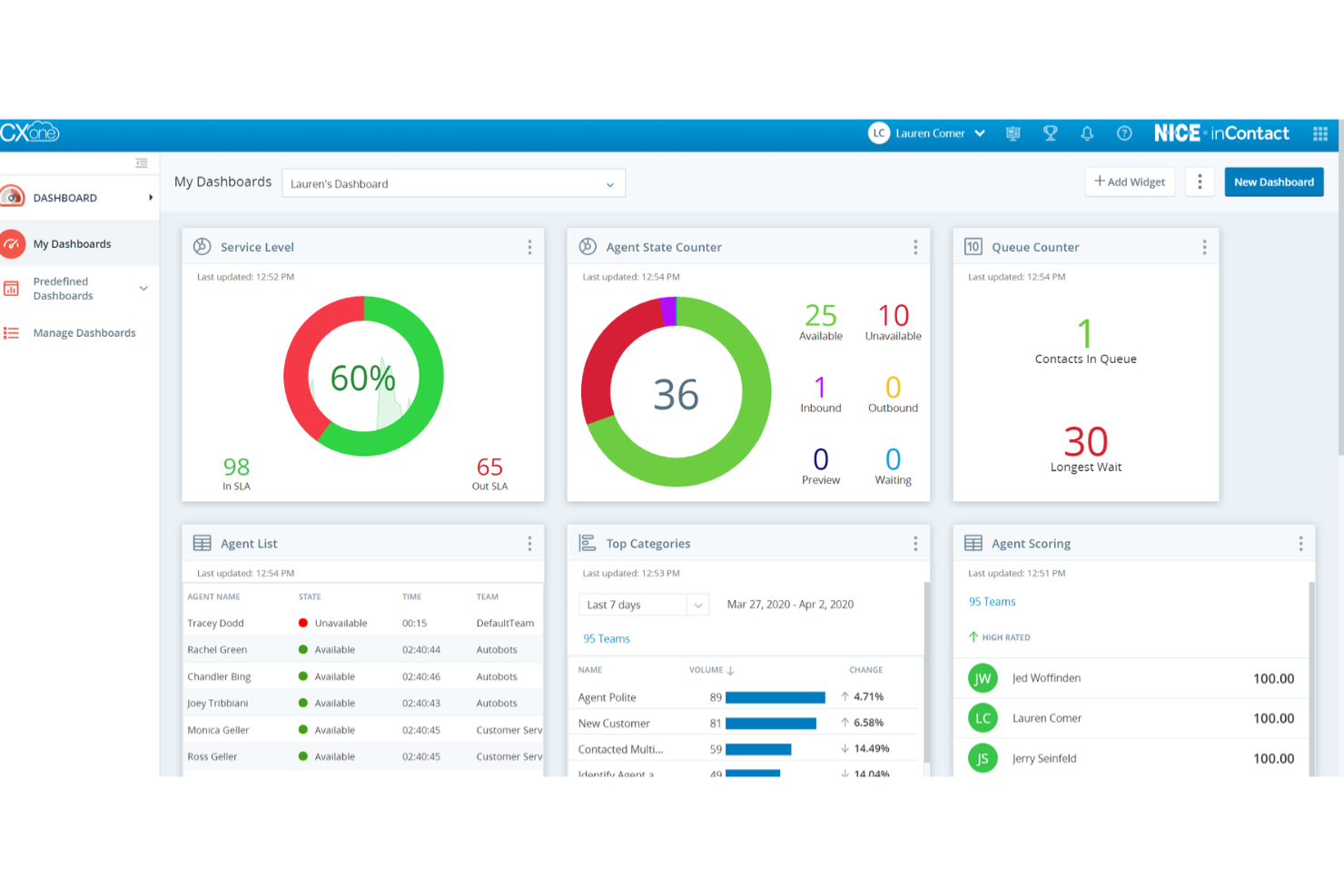
NICE CXone è una piattaforma cloud per call center nel settore sanitario che consente di gestire voce, chat, messaggistica social, coinvolgimento del personale e comunicazioni con i pazienti in un'unica soluzione.
Per chi è consigliato NICE CXone?
NICE CXone è ideale per organizzazioni sanitarie di grandi dimensioni che necessitano di analisi avanzate e automazione nei contact center multi-canale su larga scala.
Perché ho scelto NICE CXone
Ho scelto NICE CXone come uno dei migliori perché i suoi agenti di intelligenza artificiale conversazionale e le analisi fanno emergere automaticamente il sentiment dei pazienti e i pattern di performance. Apprezzo le sue analisi vocali in tempo reale e il routing comportamentale predittivo che migliorano i risultati nei call center sanitari ad alto volume.
Funzionalità principali di NICE CXone
- Instradamento omnicanale: Gestisce i contatti dei pazienti tramite voce, chat, email e SMS in un'unica interfaccia per l'operatore.
- Gestione del personale: Pianifica, monitora e ottimizza la gestione dei turni nei call center per i team sanitari.
- Strumenti di gestione della qualità: Supporta la registrazione delle chiamate, il monitoraggio e la valutazione per la conformità e la formazione.
- Sondaggi pazienti automatizzati: Raccoglie feedback post-interazione tramite sondaggi digitali configurabili.
Integrazioni NICE CXone
NICE CXone offre integrazioni nativamente con AWS, Snowflake, SAP, Microsoft Dynamics, ServiceNow e altri, oltre a fornire un'API per integrazioni personalizzate.
Pros and Cons
Pros:
- Analisi in tempo reale del sentiment dei pazienti
- IVR personalizzabile per instradamenti sanitari complessi
- Gestione avanzata della conformità e sicurezza
Cons:
- L'interfaccia dei report può essere difficile da navigare
- Alcune funzionalità richiedono una configurazione iniziale
Five9
Ideale per contact center in cloud
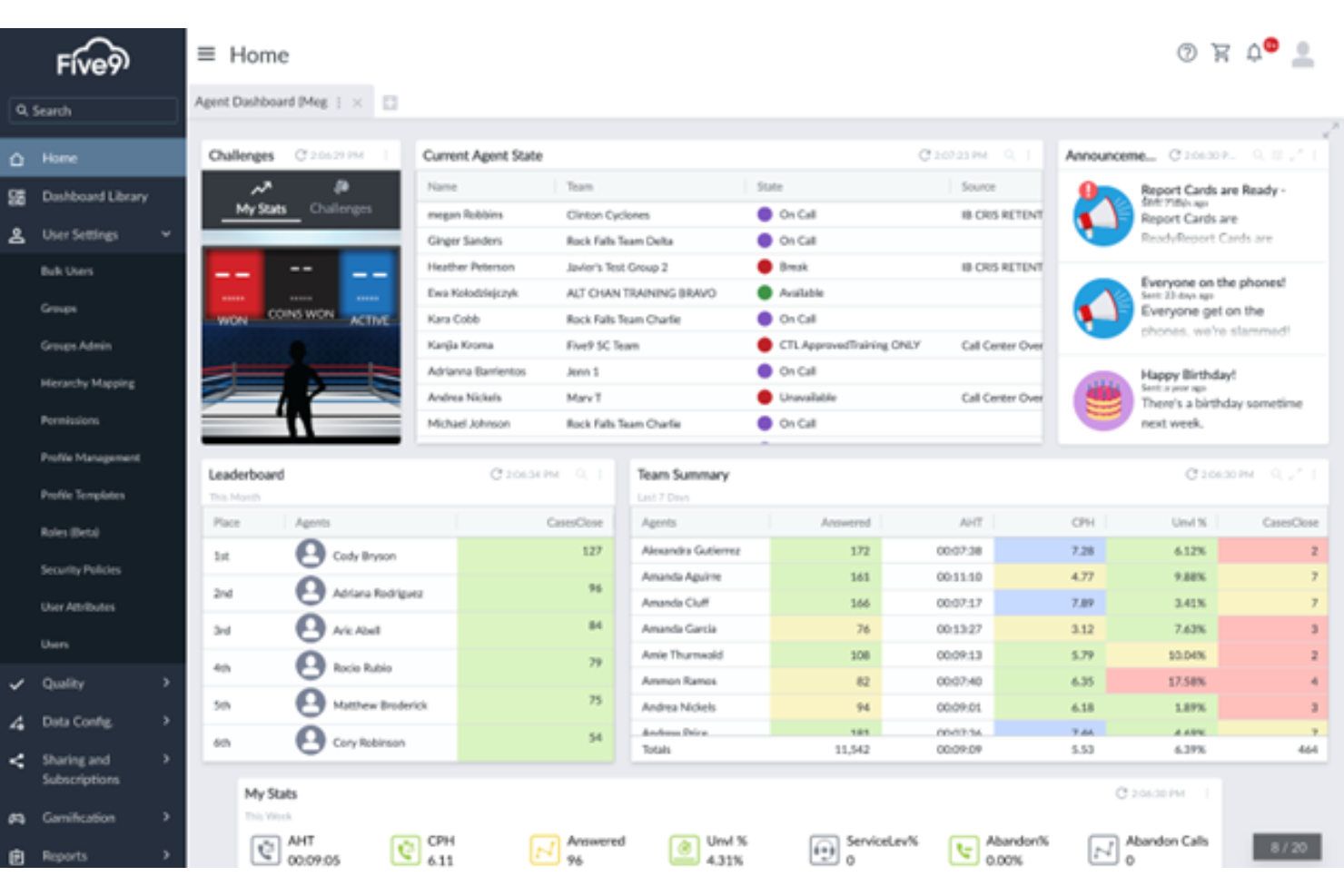
Five9 è un software per call center basato su cloud progettato per le organizzazioni sanitarie, che consente di gestire chiamate in entrata e in uscita, comunicazioni con i pazienti, instradamento omnicanale e ottimizzazione della forza lavoro su un'unica piattaforma.
Per chi è ideale Five9?
Five9 è adatto a organizzazioni sanitarie di medie e grandi dimensioni che necessitano di una soluzione cloud scalabile per la comunicazione con i pazienti e le operazioni del call center.
Perché ho scelto Five9
Ho scelto Five9 come uno dei migliori perché offre strumenti per call center sanitari specifici con comunicazioni sicure su cloud tramite voce, SMS e chat. Apprezzo le opzioni per l'ingaggio proattivo dei pazienti e la creazione di script intelligenti per gli operatori nella gestione di richieste complesse dei pazienti.
Caratteristiche principali di Five9
- Desktop omnicanale: unifica telefono, email, chat e SMS in un'unica interfaccia per gli agenti.
- AI di assistenza agli agenti: offre suggerimenti e prompt in tempo reale durante le chiamate con i pazienti.
- Suite per la gestione della qualità: consente registrazione, valutazione e coaching delle chiamate dalla piattaforma.
- Predictive dialer: automatizza campagne di chiamate in uscita ad alto volume verso i pazienti.
Integrazioni di Five9
Five9 offre integrazioni native con Microsoft Teams, Nextiva, Zoom e RingCentral. È disponibile un'API per integrazioni personalizzate.
Pros and Cons
Pros:
- AI nativa per instradamento delle chiamate e code
- Workflow di dati dei pazienti conforme a HIPAA
- Ottimizzazione della forza lavoro per operatori sanitari
Cons:
- La configurazione omnicanale può richiedere tempo
- Gli strumenti di reporting richiedono personalizzazione iniziale
Genesys
Ideale per il supporto omnicanale
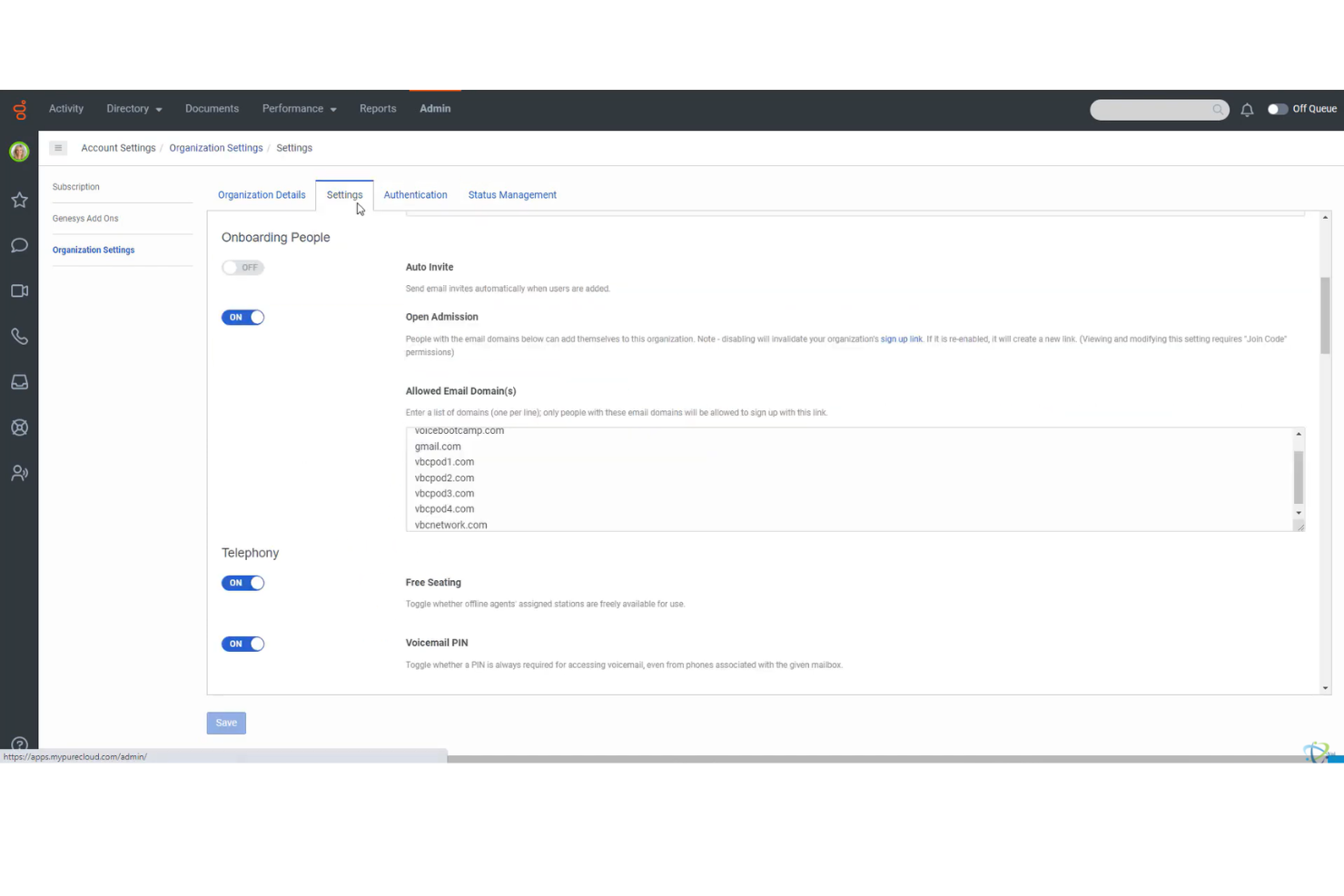
Genesys è una piattaforma di contact center per il settore sanitario che unisce strumenti di comunicazione moderni in un'unica soluzione progettata per migliorare l'esperienza del cliente per i pazienti
Per Chi è Genesys?
Genesys è una scelta solida per reti sanitarie e ospedali che hanno bisogno di unificare le comunicazioni con i pazienti attraverso telefono, chat e canali digitali.
Perché ho scelto Genesys
Ho scelto Genesys tra i migliori perché riunisce voce, SMS, email e chat in una console unica. Nella mia esperienza, questo consente al personale di gestire le interazioni con i pazienti da qualsiasi canale senza dover cambiare sistema. Apprezzo anche i suoi strumenti di mappatura dei percorsi in tempo reale.
Caratteristiche Principali di Genesys
- Personalizzazione avanzata dell'IVR: Crea e aggiorna i flussi di chiamata per adattarli ai processi clinici e alle regole di pianificazione.
- Strumenti di comunicazione conformi a HIPAA: Supporta la gestione sicura dei dati paziente per tutte le interazioni vocali e digitali.
- Gestione automatica delle richiamate: Consenti ai pazienti di richiedere una richiamata per ridurre i tempi di attesa e migliorare i tassi di contatto.
- Interfaccia di scripting per gli operatori: Fornisce agli operatori suggerimenti dinamici per supportare la prenotazione di appuntamenti e scenari di triage.
Integrazioni Genesys
Genesys offre integrazioni native con Brightmetrics, Cartesia Sonic TTS, Centrical, Gryphon AI, Mediabriz e altro ancora, oltre a disporre di un'API per integrazioni personalizzate.
Pros and Cons
Pros:
- IVR personalizzabile per l'instradamento specifico dei pazienti
- Workspace omnicanale per il personale clinico
- Canali voce e chat conformi a HIPAA
Cons:
- L'interfaccia dei report può essere difficile da navigare
- Alcune funzionalità richiedono una configurazione aggiuntiva

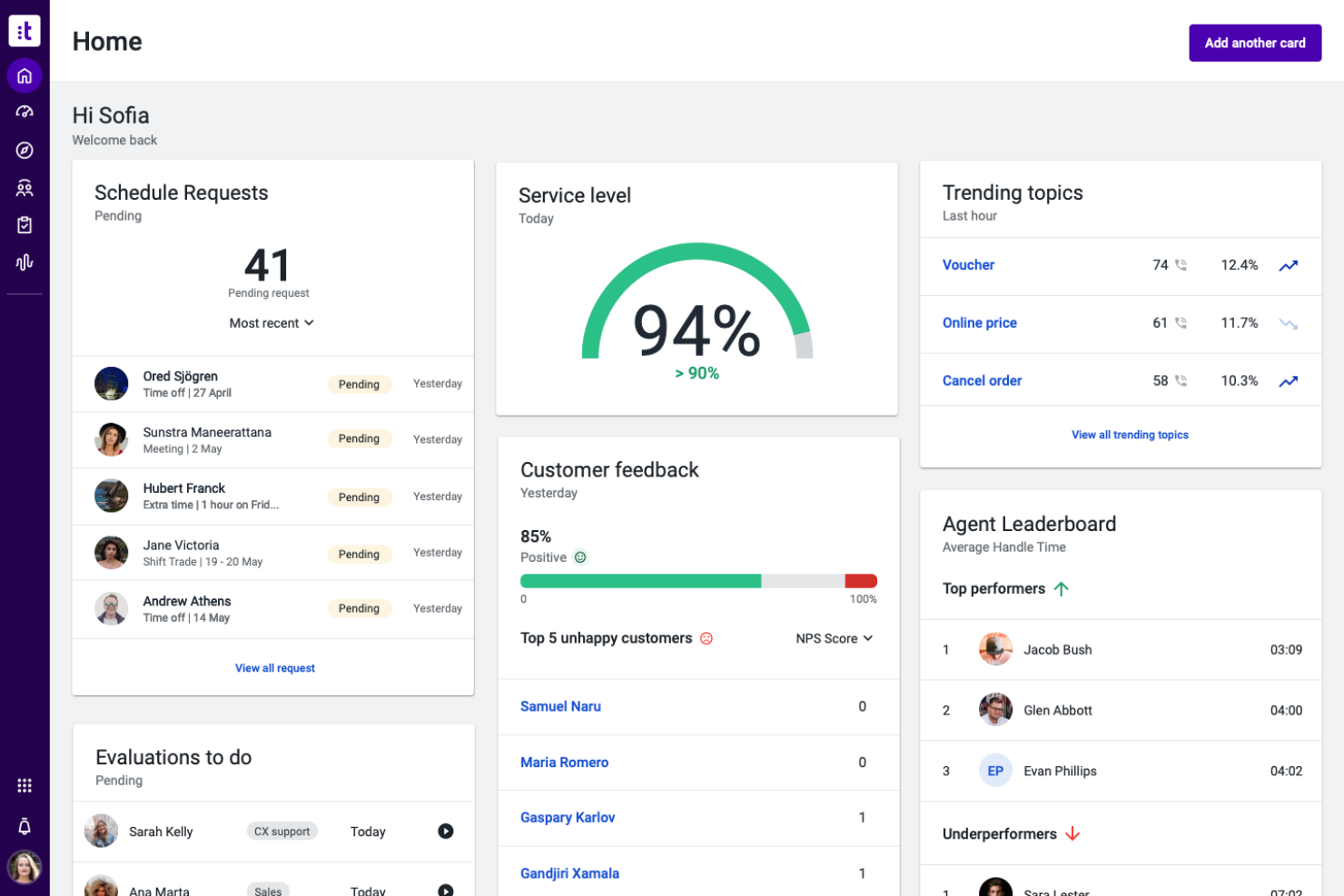
Talkdesk è un software per call center sanitario basato su cloud che offre strumenti per la pianificazione dei pazienti, instradamento omnicanale, assistenza agli agenti basata su intelligenza artificiale e moduli specializzati per la gestione delle interazioni cliniche e amministrative.
Per chi è pensato Talkdesk?
Talkdesk è adatto a fornitori di servizi sanitari e organizzazioni di servizi che necessitano di un'implementazione rapida e interoperabilità con sistemi EHR o CRM esistenti.
Perché ho scelto Talkdesk
Ho scelto Talkdesk tra i migliori perché posso collegare rapidamente la sua suite a EHR, CRM e app di telemedicina tramite connettori preconfigurati. Apprezzo i moduli dedicati all'ambito sanitario per il contatto con i pazienti e la gestione degli appuntamenti. L'integrazione facile permette al mio team di concentrarsi sull'assistenza ai pazienti.
Funzionalità chiave di Talkdesk
- Comunicazione omnicanale con i pazienti: Gestisci voce, SMS, chat ed email da un'unica console.
- Agente virtuale basato su IA: Automatizza le domande di routine dei pazienti e la pianificazione degli appuntamenti.
- Suite di gestione della qualità: Monitora e valuta le interazioni degli agenti per garantire la conformità.
- Cruscotto di analisi in tempo reale: Visualizza metriche sulle chiamate, stato delle code e performance degli agenti in tempo reale.
Integrazioni di Talkdesk
Talkdesk offre integrazioni native con Salesforce, Epic, Microsoft Teams, Zendesk, ServiceNow, Google Workspace, Slack, HubSpot, Zoom e Microsoft Dynamics 365. È disponibile un'API per integrazioni personalizzate.
Pros and Cons
Pros:
- Strumenti altamente specializzati per la mappatura del percorso del paziente
- Workflow conformi HIPAA per operatori sanitari
- Supporto IA in tempo reale per le conversazioni degli agenti
Cons:
- La configurazione dell'instradamento omnicanale può essere complessa
- La personalizzazione dei report richiede una configurazione esperta


Conduent è una piattaforma cloud per call center sanitari che offre comunicazione omnicanale, coinvolgimento digitale dei pazienti, flussi di lavoro automatizzati e analisi per operazioni di servizio sanitario su larga scala.
Per chi è Conduent?
Conduent è adatto a organizzazioni sanitarie di grandi dimensioni che hanno bisogno di centralizzare comunicazioni ad alto volume con i pazienti e gestire flussi di lavoro operativi complessi in più sedi.
Perché ho scelto Conduent
Ho scelto Conduent perché la sua automazione dei flussi di lavoro aiuta a ridurre il tasso di abbandono quando si gestiscono alti volumi di chiamate su più siti. Apprezzo la reportistica in tempo reale e i dashboard personalizzabili per gli operatori.
Funzionalità principali di Conduent
- Scambio sicuro di documenti: consente agli operatori di inviare e ricevere documenti dei pazienti all'interno della piattaforma.
- Assistente virtuale basato su AI: implementa chatbot conversazionali per gestire richieste di routine dei pazienti utilizzando l'elaborazione del linguaggio naturale.
- Strumenti di monitoraggio della conformità: monitora i requisiti normativi per i contact center sanitari.
- Monitoraggio della qualità integrato: include strumenti per revisionare e valutare le interazioni degli operatori.
Integrazioni Conduent
Le integrazioni native non sono elencate pubblicamente.
Pros and Cons
Pros:
- Piattaforma conforme a HIPAA per informazioni sanitarie protette
- Supporta comunicazione omnicanale per grandi team
- Assistente virtuale avanzato basato su AI per l'instradamento delle chiamate
Cons:
- La personalizzazione dei report è limitata per gli utenti finali
- I tempi di implementazione sono più lunghi della media del settore

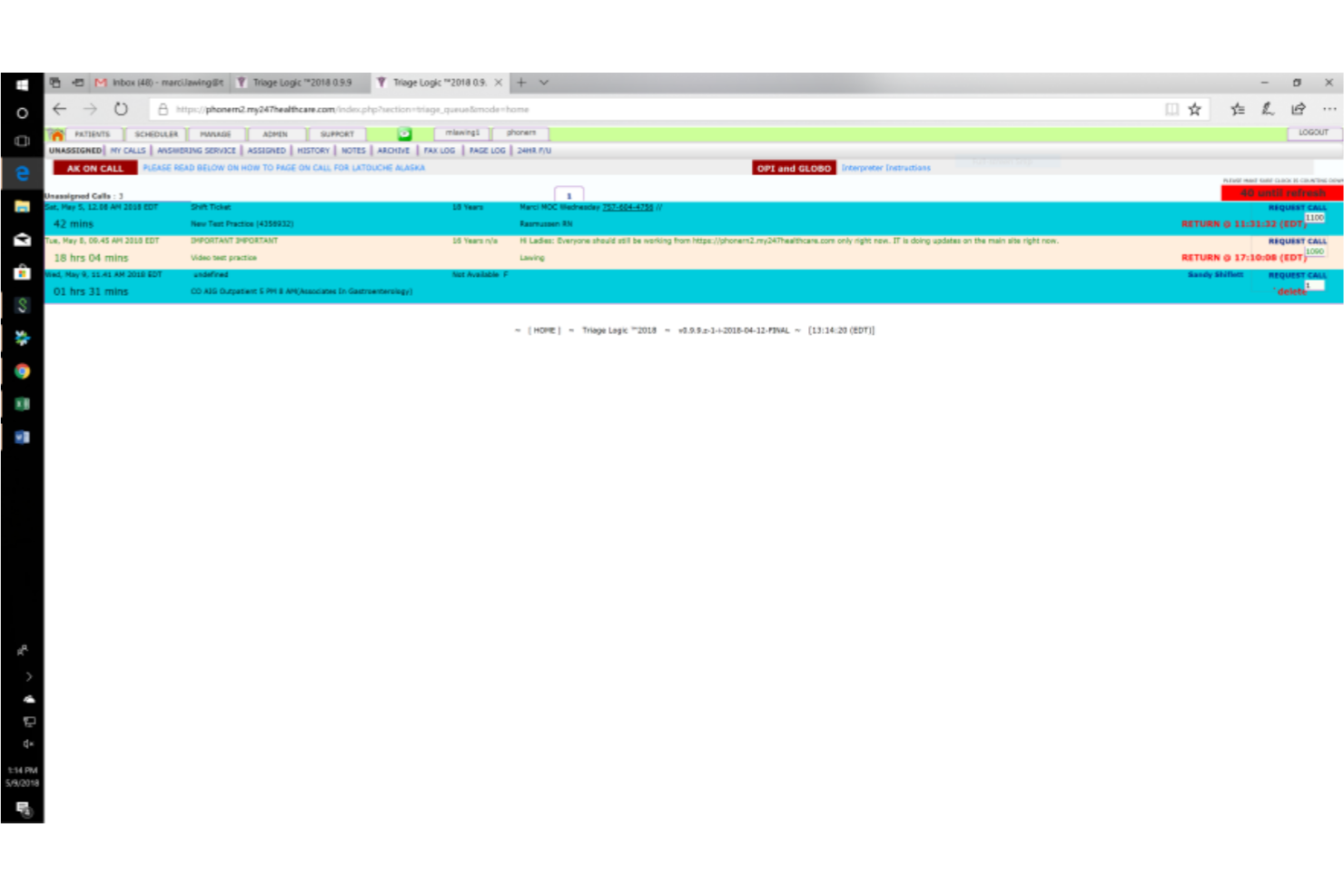
TriageLogic è un software per call center sanitario specializzato nella gestione del triage infermieristico, che offre strumenti per il triage telefonico, protocolli basati sui sintomi, documentazione dei pazienti e flussi di lavoro delle chiamate personalizzabili.
Per chi è più indicato TriageLogic?
TriageLogic è una scelta solida per ospedali, gruppi medici e studi medici che necessitano di una gestione specializzata del triage infermieristico e di supporto alle chiamate cliniche.
Perché ho scelto TriageLogic
Ho scelto TriageLogic tra i migliori perché posso contare sui suoi protocolli di triage infermieristico e sul supporto del call center fuori orario, pensato appositamente per le equipe mediche. Utilizzo i suoi strumenti di valutazione basata sui sintomi e la documentazione clinica in tempo reale per gestire in modo efficiente le chiamate urgenti dei pazienti.
Caratteristiche principali di TriageLogic
- Librerie di script personalizzabili: Consentono ai team di adattare i protocolli di gestione delle chiamate alle diverse specializzazioni cliniche.
- Dashboard di monitoraggio delle chiamate dei pazienti: Monitora il volume delle chiamate, i tempi di risposta e i casi di triage aperti in un'unica schermata.
- Messaggistica sicura: Supporta la comunicazione conforme a HIPAA tra infermieri, medici e personale.
- Strumenti di reportistica e analisi: Forniscono dati sugli esiti del triage e sul follow-up dei casi per il monitoraggio operativo.
Integrazioni di TriageLogic
Le integrazioni native non sono pubblicamente elencate.
Pros and Cons
Pros:
- Protocolli di triage infermieristico Schmitt-Thompson integrati
- Supporto specializzato alle chiamate infermieristiche fuori orario
- Messaggistica conforme a HIPAA tra i membri del team
Cons:
- Canali di coinvolgimento del paziente limitati oltre al telefono
- Gli strumenti di reportistica richiedono una configurazione manuale

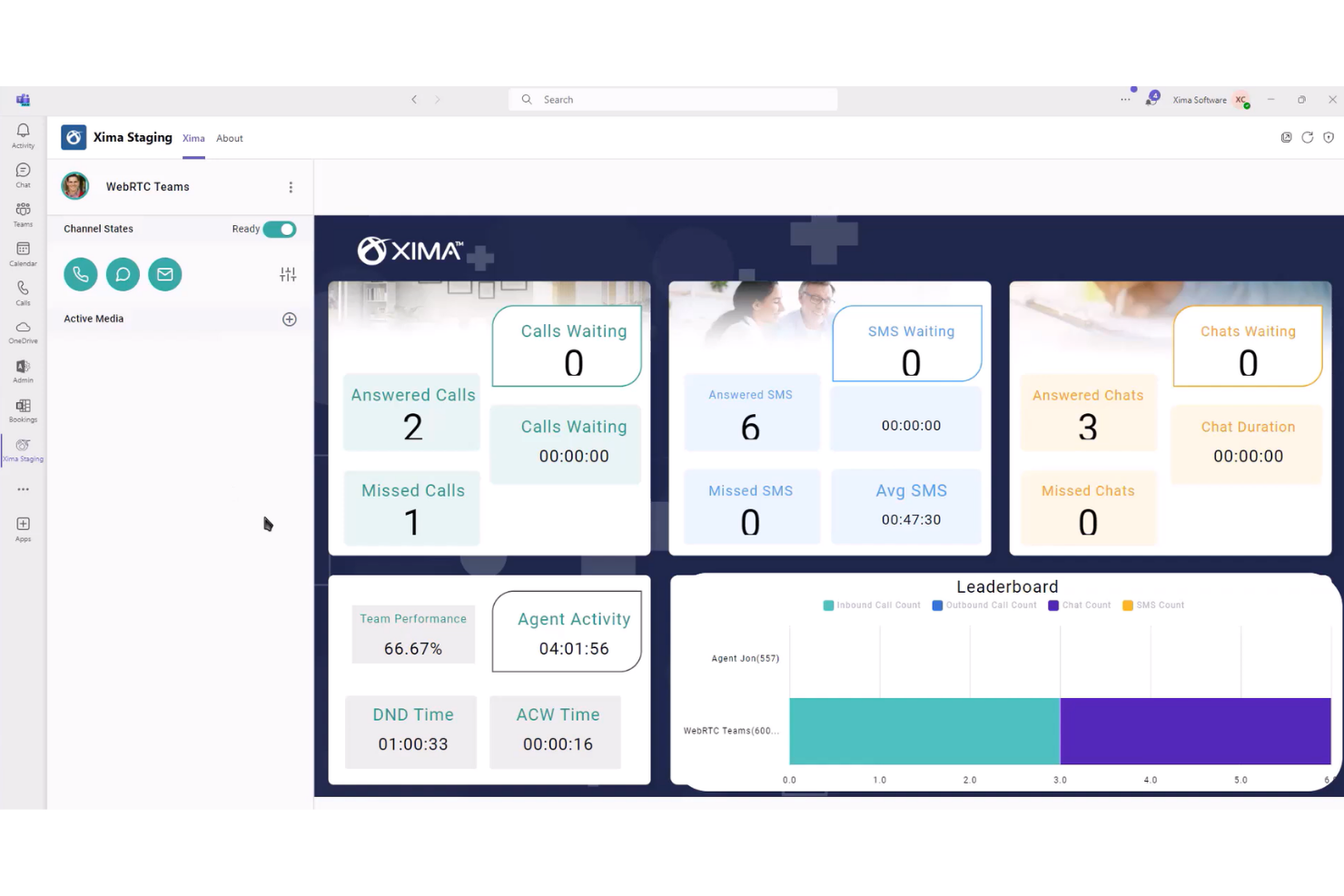
Xima è una soluzione software per call center sanitario incentrata su reportistica dettagliata delle chiamate, dashboard di chiamate in tempo reale e analisi personalizzabili per monitorare i dati di comunicazione con i pazienti.
Per chi è più adatto Xima?
Xima è adatto ai responsabili di call center sanitari che necessitano di report avanzati e analisi delle chiamate per garantire conformità e controllo qualità.
Perché ho scelto Xima
Ho scelto Xima tra i migliori perché mi affido alla sua reportistica personalizzabile per analizzare volumi, durate ed esiti delle chiamate in tempo reale. Apprezzo come la reportistica storica mi permette di monitorare la performance degli operatori e la conformità all'interno degli ambienti sanitari.
Funzionalità principali di Xima
- Wallboard in tempo reale: Visualizza statistiche sul call center in tempo reale per team e supervisori.
- Instradamento basato sulle competenze: Instrada automaticamente le chiamate in base alle competenze e alla disponibilità degli operatori.
- Avvisi personalizzati: Invia notifiche per chiamate perse o violazioni degli SLA.
- Riproduzione storica delle chiamate: Permette ai team di rivedere e verificare le chiamate registrate.
Integrazioni Xima
Xima si integra con Oracle, HubSpot, Connectwise, Microsoft Teams e oltre 70 soluzioni EHR. Offre anche un'API per integrazioni personalizzate.
Pros and Cons
Pros:
- Dashboard in tempo reale per la visibilità immediata del call center
- Monitoraggio dettagliato degli esiti delle chiamate e delle performance degli operatori
- Registrazione e riproduzione storica delle chiamate disponibili
Cons:
- Supporto omnicanale limitato oltre alle chiamate telefoniche
- L'installazione e la personalizzazione possono richiedere il coinvolgimento dell'IT

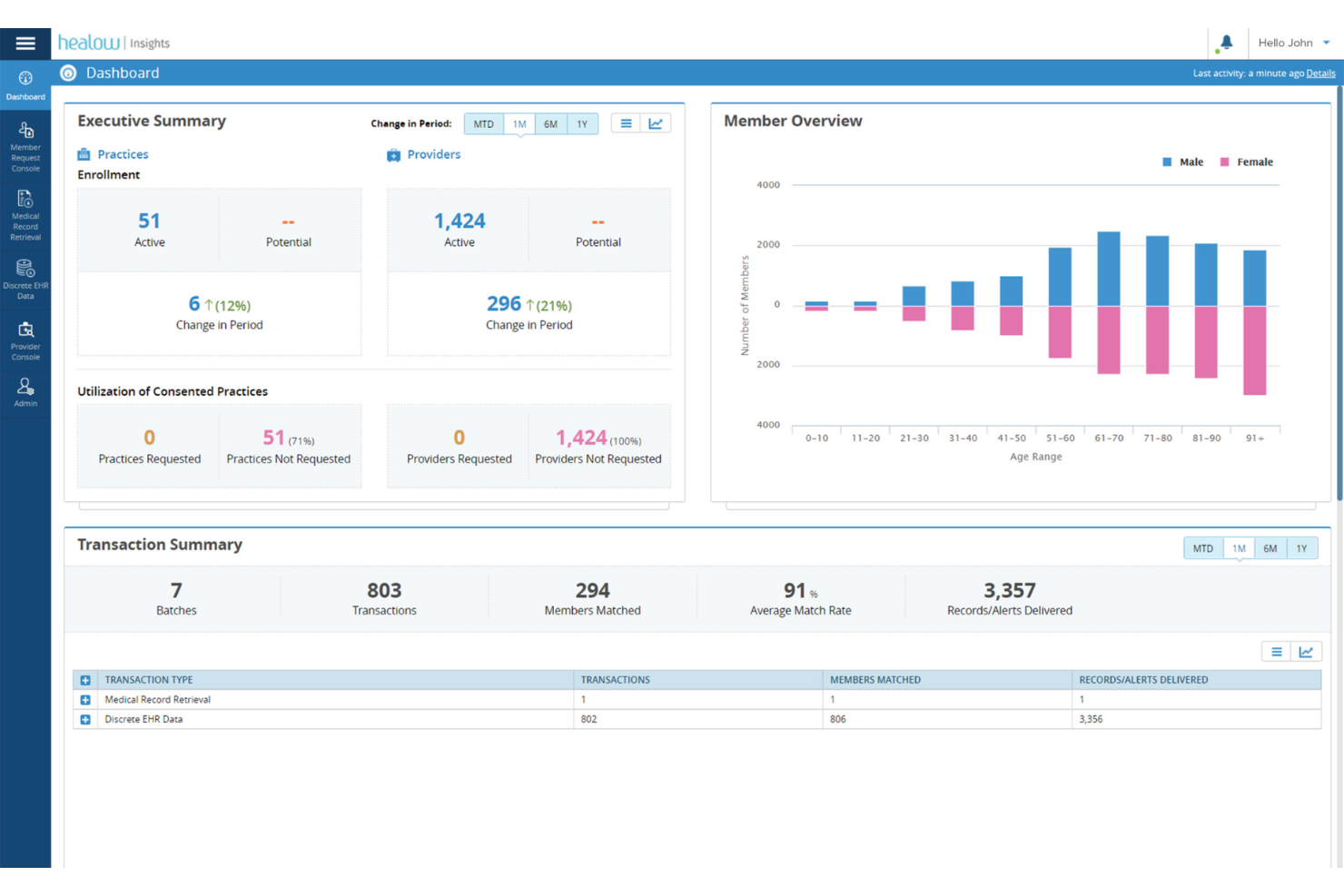
healow Genie è un software cloud-based per call center sanitari rivolto ad ambulatori e cliniche, che unisce strumenti di comunicazione con il paziente, soluzioni di contatto automatico, pianificazione appuntamenti e messaggistica sicura.
Per chi è ideale healow Genie?
healow Genie è l'ideale per fornitori di servizi sanitari e cliniche che desiderano centralizzare il coinvolgimento dei pazienti attraverso strumenti digitali di comunicazione e pianificazione.
Perché ho scelto healow Genie
Ho scelto healow Genie tra i migliori perché lo utilizzo per inviare promemoria agli appuntamenti dei pazienti, messaggi personalizzati e comunicazioni sicure direttamente dalla piattaforma. Mi piace il fatto che combini chat in tempo reale, email e SMS in un unico posto per un coinvolgimento multicanale.
Funzionalità principali di healow Genie
- Dashboard visiva della coda delle chiamate: Visualizza tutte le chiamate in arrivo e in attesa in tempo reale.
- Registrazione delle chiamate: Registra le chiamate per finalità di controllo qualità e formazione del personale.
- Distribuzione automatica delle chiamate dei pazienti: Instrada le chiamate agli operatori in base a criteri personalizzati.
- Accesso integrato all'EHR: Visualizza e aggiorna le cartelle dei pazienti durante le chiamate.
Integrazioni healow Genie
Le integrazioni native non sono elencate pubblicamente.
Pros and Cons
Pros:
- Il dashboard degli appuntamenti mostra lo stato della coda delle chiamate
- Accesso alle cartelle dei pazienti con un clic durante le chiamate
- Supporta richiamate e promemoria automatizzati ai pazienti
Cons:
- Le opzioni di reportistica sono limitate per i supervisori
- Nessun supporto di chat dal vivo con i pazienti
Altri software per centri di assistenza telefonica sanitari
Ecco alcune opzioni aggiuntive di software per centri di assistenza telefonica sanitari che non sono state incluse nella mia selezione, ma che vale comunque la pena prendere in considerazione:
- Nextiva
Ideale per le comunicazioni unificate
- Authenticx
Ideale per approfondimenti sulle interazioni con i clienti
- Plura
Ideale per la pianificazione guidata dall'IA


Come valuto il software per i call center sanitari
Valuto gli strumenti su due livelli: la base che ogni piattaforma deve soddisfare—come la copertura BAA HIPAA, la consultazione in tempo reale dell'EHR durante le chiamate dei pazienti—e i fattori differenzianti che individuano la soluzione più adatta.
Funzionalità principali (requisiti minimi per questa lista)
Quando seleziono gli strumenti per la mia lista, assegno a ciascuno un punteggio da 0 (non offre la funzionalità) a 5 (eccelle in quest'area) per ogni funzionalità principale elencata qui sotto. Poi converto il punteggio totale dello strumento in percentuale. Ogni strumento deve raggiungere un punteggio minimo totale del 55% per essere preso in considerazione.
- Comunicazioni conformi a HIPAA: Verifico la presenza di un BAA firmato, crittografia end-to-end su canali vocali e digitali, archiviazione sicura delle registrazioni delle chiamate e gestione dei dati PHI in sicurezza con log di audit.
- Integrazione EHR/EMR: Gli operatori devono avere il contesto del paziente in tempo reale sullo schermo. Cerco connessioni native con i principali EHR come Epic, Oracle Health e athenahealth con sincronizzazione bidirezionale dei dati.
- Coinvolgimento omnicanale del paziente: I pazienti contattano tramite telefono, SMS, chat ed email. Valuto se la piattaforma unifica la cronologia delle interazioni su tutti i canali in una singola timeline del paziente.
- Instradamento intelligente delle chiamate & IVR: I call center sanitari gestiscono pianificazioni, fatturazione, triage e invii. Cerco instradamento basato sulle competenze e alberi IVR configurabili pensati per queste distinte linee di servizio.
- Flussi di lavoro per la pianificazione degli appuntamenti: Valuto se gli operatori possono prenotare, riprogrammare e confermare appuntamenti direttamente dall'interfaccia di chiamata, insieme a promemoria automatici per ridurre le mancate presentazioni.
- Analisi e reportistica sanitaria: I normali indicatori sulle chiamate non bastano. Cerco dashboard che monitorino KPI specifici per la sanità come tasso di abbandono delle chiamate per linea di servizio e risoluzione al primo contatto.
Dopo aver stilato una lista di strumenti che soddisfano questi criteri, considero cosa distingue ciascuna piattaforma dalle altre.
Fattori differenzianti (cosa distingue i fornitori)
Ecco come metto a confronto i diversi fornitori:
Funzionalità distintive
Pongo particolare attenzione al triage infermieristico basato su AI, dove la piattaforma valuta l'urgenza dei sintomi e instrada le chiamate al personale clinico senza passaggi manuali. Un'ulteriore area che considero è il supporto multilingue ai pazienti: traduzione in tempo reale e instradamento degli operatori bilingue permettono ai contact center di servire popolazioni eterogenee senza ritardi dovuti a interpreti esterni. Gli interventi di outreach per la salute della popolazione completano il confronto, in particolare campagne automatiche per promemoria di cure preventive e follow-up per condizioni croniche indirizzati a specifici gruppi di rischio.
Oltre le funzionalità
L'integrazione nell'ecosistema sanitario gioca un ruolo cruciale. Verifico se le piattaforme supportano gli standard HL7 e FHIR, poiché ciò incide su quanto facilmente i dati dei pazienti fluiscono tra il call center e i sistemi clinici. L'esperienza nell'implementazione è altrettanto importante: cerco fornitori con team di onboarding specializzati in sanità che abbiano già operato su reti ospedaliere multisito. Un ulteriore aspetto che considero è la scalabilità su diverse linee di servizio, in particolare se una sola piattaforma può gestire chiamate di pianificazione, triage, fatturazione e farmacia senza dover attivare istanze separate.
Come scegliere un software per centri di assistenza telefonica sanitari
È facile perdersi tra lunghi elenchi di funzionalità e strutture tariffarie complesse. Per aiutarti a rimanere concentrato mentre affronti il tuo specifico processo di selezione del software, ecco una lista di controllo dei fattori da tenere a mente:
| Fattore | Cosa considerare |
|---|---|
| Scalabilità | La piattaforma è in grado di gestire i volumi di chiamate dei pazienti previsti man mano che il tuo studio cresce? Verifica se l'aggiunta di utenti, reparti o sedi comporta costi aggiuntivi. |
| Integrazioni | Si collega nativamente al tuo sistema EHR, agli strumenti di programmazione e agli altri sistemi essenziali? Valuta se i dati fluiscono facilmente tra le tue principali piattaforme sanitarie. |
| Facilità d'uso | Quanto è intuitivo il flusso di lavoro quotidiano per gli operatori e i supervisori? Esegui delle prove con utenti non tecnici e chiedi quanto tempo serve per formare i nuovi membri del gruppo. |
| Implementazione e inserimento | Qual è il tempo di configurazione tipico dalla firma del contratto all'avvio operativo? Cerca risorse come liste di controllo per l'inserimento, specialisti dedicati o supporto alla migrazione. |
| Costo | Ci sono costi nascosti per componenti aggiuntivi, utilizzo o assistenza? Calcola la spesa totale mensile e annuale in base alle funzionalità necessarie per il tuo centro di assistenza telefonica. |
| Misure di sicurezza | Lo strumento è conforme all'HIPAA o ad altri requisiti pertinenti in materia di privacy dei dati? Verifica le certificazioni e chiedi informazioni sui registri delle verifiche e sulla crittografia dei dati. |
| Disponibilità dell'assistenza | Hai bisogno di un'assistenza 24 ore su 24, 7 giorni su 7, o sono sufficienti i normali orari lavorativi? Chiarisci i tempi di risposta previsti dagli SLA e le procedure di escalation per i problemi urgenti. |
| Personalizzazione | Puoi adattare i flussi delle chiamate, i cruscotti e i report ai processi del tuo gruppo? Valuta quali configurazioni sono disponibili senza ricorrere a uno sviluppo personalizzato. |
Che cos'è un software per centri di assistenza telefonica sanitari?
Il software per i call center sanitari è costituito da piattaforme digitali che aiutano le organizzazioni mediche a gestire, monitorare e trattare le interazioni telefoniche con i pazienti. Questi sistemi supportano il personale con portali self-service per i pazienti, instradamento intelligente delle chiamate, ricerca dei dati dei pazienti e comunicazioni sicure. Svolgono un ruolo fondamentale nel coordinamento degli appuntamenti, nella trasmissione delle informazioni e nel garantire un servizio efficiente e conforme alle normative tra i team sanitari.
Funzionalità del software per call center sanitari
Quando scegli il software per call center sanitari, presta attenzione alle seguenti funzionalità chiave:
- Instradamento delle chiamate: indirizza automaticamente le chiamate in arrivo al reparto o all'operatore appropriato in base a criteri preimpostati, assicurando che i pazienti raggiungano rapidamente il contatto giusto.
- Ricerca delle informazioni sui pazienti: consente agli operatori di accedere in tempo reale durante le chiamate alle cartelle cliniche, allo storico degli appuntamenti e ad altre informazioni importanti, per conversazioni più informate.
- Pianificazione degli appuntamenti: permette al personale di fissare, riprogrammare e confermare gli appuntamenti durante le chiamate, spesso con sincronizzazione del calendario e promemoria automatici.
- Registrazione delle chiamate: registra le interazioni telefoniche per il controllo della qualità, la conformità alle normative e le revisioni successive, aiutando i responsabili a formare il personale e a risolvere le controversie.
- Gestione delle code: mostra le code delle chiamate e i tempi di attesa in tempo reale, aiutando i supervisori ad assegnare il personale e a gestire in modo più efficiente i periodi di maggiore affluenza.
- Analisi e report: offre dashboard e report per monitorare il volume delle chiamate, le prestazioni degli operatori, i tempi di risoluzione e le tendenze, favorendo miglioramenti basati sui dati.
- Promemoria e notifiche automatici: invia promemoria automatici vocali, via SMS o tramite email per ridurre le assenze e mantenere i pazienti informati sugli appuntamenti o sulle azioni successive.
- Messaggistica sicura: fornisce canali di comunicazione conformi agli standard HIPAA per condividere informazioni sensibili con i pazienti o tra i membri del personale all'interno della piattaforma.
- IVR (risposta vocale interattiva): consente ai chiamanti di interagire con i menu usando comandi vocali o la tastiera, semplificando processi come la conferma degli appuntamenti o il trasferimento al team appropriato.
- Supporto multicanale: consente al personale di gestire le interazioni con i pazienti tramite telefono, email, SMS e talvolta chat web, centralizzando le comunicazioni e il monitoraggio.
Vantaggi del software per call center sanitari
L'implementazione di un software per call center sanitari offre diversi vantaggi al tuo team e alla tua attività. Ecco alcuni dei benefici che puoi aspettarti:
- Risposta più rapida ai pazienti: l'instradamento automatico e le informazioni sui chiamanti in tempo reale consentono al tuo team di collegare rapidamente i pazienti al membro del personale giusto.
- Gestione degli appuntamenti migliorata: gli strumenti di pianificazione integrati riducono le assenze e aiutano a mantenere i calendari degli appuntamenti accurati e aggiornati.
- Maggiore soddisfazione dei pazienti: funzionalità come la messaggistica sicura e i promemoria automatici creano un'esperienza più comoda e informata per i pazienti.
- Maggiore conformità e sicurezza: la messaggistica e le funzionalità di registrazione conformi agli standard HIPAA contribuiscono a garantire che le informazioni sui pazienti rimangano protette e verificabili.
- Allocazione più intelligente delle risorse: la gestione delle code e le dashboard analitiche evidenziano i periodi di maggiore affluenza e aiutano i supervisori a bilanciare in modo efficiente i carichi di lavoro degli operatori.
- Informazioni utili per intervenire: gli strumenti di report evidenziano le chiamate perse, i tempi di attesa e i problemi ricorrenti, aiutandoti a perfezionare i flussi di lavoro e a individuare le aree di miglioramento.
Costi e prezzi del software per call center sanitari
La scelta del software per call center sanitari richiede la comprensione dei vari modelli di prezzo e dei piani disponibili. I costi variano in base alle funzionalità, alle dimensioni del team, agli strumenti aggiuntivi e ad altri fattori. La tabella seguente riassume i piani più comuni, i relativi prezzi medi e le funzionalità tipicamente incluse nelle soluzioni software per call center sanitari:
Tabella comparativa dei piani per il software per call center sanitari
| Tipo di piano | Prezzo medio | Funzionalità comuni |
|---|---|---|
| Piano gratuito | $0 | Instradamento di base delle chiamate, registri delle chiamate limitati, assistenza via email e analisi minime. |
| Piano personale | $15-$30/utente/mese | Chiamate in entrata e in uscita, pianificazione degli appuntamenti, report di base e risorse per la formazione degli utenti. |
| Piano aziendale | $30-$60/utente/mese | Instradamento avanzato delle chiamate, dashboard analitiche, opzioni di integrazione, messaggistica sicura e assistenza clienti prioritaria. |
| Piano per grandi aziende | $60-$120/utente/mese | Flussi di lavoro personalizzabili, gestione di massa degli utenti, sicurezza avanzata, onboarding dedicato e assistenza garantita da SLA. |
Domande frequenti sul software per contact center sanitari
Ecco alcune risposte alle domande più comuni sul software per contact center sanitari:
Quali integrazioni dovrei cercare in un software per contact center sanitari?
Cerca integrazioni con il tuo sistema di cartella clinica elettronica (EHR), il software di gestione dello studio e i sistemi di pianificazione. Collegare questi strumenti consente di visualizzare le informazioni sui pazienti, automatizzare i promemoria degli appuntamenti e mantenere aggiornati i registri delle comunicazioni senza interventi manuali.
Il software per contact center sanitari può supportare la conformità HIPAA?
Sì, la maggior parte delle soluzioni offre funzionalità che aiutano a rispettare l’HIPAA e altre normative sulla privacy, come la crittografia dei dati, i controlli degli accessi, i registri di controllo e la messaggistica sicura. Conferma sempre i requisiti di conformità con il tuo fornitore.
In quanto tempo è possibile implementare un software per contact center sanitari?
I tempi di implementazione variano, ma spesso vanno da pochi giorni per le opzioni basate sul cloud a diverse settimane per le soluzioni personalizzate. Fattori come la migrazione dei dati, la formazione e l’integrazione con i sistemi attuali possono influire sui tempi di avviamento.
È necessaria una formazione per utilizzare un software per contact center sanitari?
La maggior parte delle piattaforme è progettata per essere intuitiva, ma di solito è necessaria una certa formazione del personale, soprattutto per le funzionalità più avanzate. Molti fornitori offrono supporto per l’avviamento, centri assistenza e video formativi per aiutare i team a diventare operativi rapidamente.
Quali strumenti di reportistica sono generalmente inclusi?
Sono generalmente disponibili dashboard che mostrano il volume delle chiamate, i tempi di attesa, l’attività degli operatori e i tassi di chiamate perse. Questi strumenti aiutano a individuare le tendenze, ottimizzare il personale e monitorare la qualità del servizio. Alcuni sistemi generano anche report di conformità o pronti per gli audit.