

I 10 migliori software di help desk per email del 2026

10 Selezione dei migliori software di assistenza clienti via e-mail


Il software di assistenza clienti via e-mail aiuta i team di supporto a gestire rapidamente, con ordine e responsabilità, grandi volumi di e-mail dei clienti. Se sei sommerso da e-mail non tracciate o hai difficoltà a dare priorità alle risposte, gli strumenti di assistenza via e-mail possono aiutarti a semplificare la gestione dei ticket, migliorare i tempi di risposta e mantenere l'organizzazione man mano che il tuo team cresce.
Ho selezionato questi migliori software di assistenza clienti via e-mail dopo averne testato e analizzato personalmente la capacità di trasformare caselle di posta disordinate in flussi di lavoro gestibili, concentrandomi sulle funzionalità che supportano sia gli operatori in prima linea sia i responsabili del servizio clienti.
Che cos'è il software di assistenza clienti via e-mail?
Il software di assistenza clienti via e-mail è uno strumento che aiuta i team di supporto a gestire, monitorare e rispondere alle richieste dei clienti tramite e-mail. Semplifica la comunicazione centralizzando i messaggi, automatizzando i flussi di lavoro e migliorando la visibilità all'interno del team.
Perché fidarsi dei nostri consigli sui software
Il nostro team testa e recensisce software dal 2012. In quanto leader CX noi stessi, sappiamo quanto sia difficile — e importante — scegliere il software giusto.
Per questa guida, abbiamo valutato gli strumenti attraverso test pratici e ricerche indipendenti, assegnando un punteggio agli strumenti in base ai nostri criteri di selezione.
Le nostre recensioni riflettono il nostro giudizio editoriale umano, non un discorso di vendita.
Riepilogo dei migliori software di assistenza clienti via e-mail
| Tool | Best For | Trial Info | Price | ||
|---|---|---|---|---|---|
| 1 | Ideale per un sistema di gestione dei ticket robusto | Prova gratuita di 14 giorni + demo gratuita disponibile | Da $19/agente/mese (fatturazione annuale) | Website | |
| 2 | Migliore automazione da email a ticket | Prova gratuita di 14 giorni | Prezzo su richiesta | Website | |
| 3 | Ideale per caselle di posta centralizzate email e chat | Prova gratuita disponibile | A partire da $16/utente/mese (fatturazione annuale) | Website | |
| 4 | Ideale per offrire assistenza clienti potenziata dall’intelligenza artificiale | Piano gratuito + 7 giorni di prova gratuita + demo gratis disponibile | Da $25/utente/mese (fatturazione annuale) | Website | |
| 5 | Ideale per combinare IA e supporto umano | Prova gratuita disponibile | Da $25/utente/mese (fatturazione annuale) | Website | |
| 6 | Ideale per collaborare e condividere informazioni in tempo reale | Prova gratuita di 15 giorni + demo gratuita disponibile | Da $7/utente/mese (fatturazione annuale) | Website | |
| 7 | Ideale per la redazione collaborativa di email nei team | Prova gratuita di 30 giorni disponibile | A partire da $14/utente/mese (fatturato annualmente) | Website | |
| 8 | Ideale per automatizzare le attività di supporto nell'e-commerce | Prova gratuita di 14 giorni | Da $39/agente/mese | Website | |
| 9 | Ideale per l'organizzazione intelligente dei ticket | Prova gratuita di 7 giorni + piano gratuito disponibile | Da $24.17/mese (fatturato annualmente) | Website | |
| 10 | Ideale per il tracciamento degli incidenti | Prova gratuita di 14 giorni | Prezzo su richiesta | Website |


Panoramica dei 20 migliori software di assistenza clienti via e-mail
\u003cspan style=\u0022font-weight: 400\u0022\u003ePuoi utilizzare le semplici panoramiche di ogni strumento riportate di seguito per capire in che modo ciascuno strumento si distingue dagli altri software di assistenza clienti via e-mail.\u003c/span\u003e

Ideale per un sistema di gestione dei ticket robusto
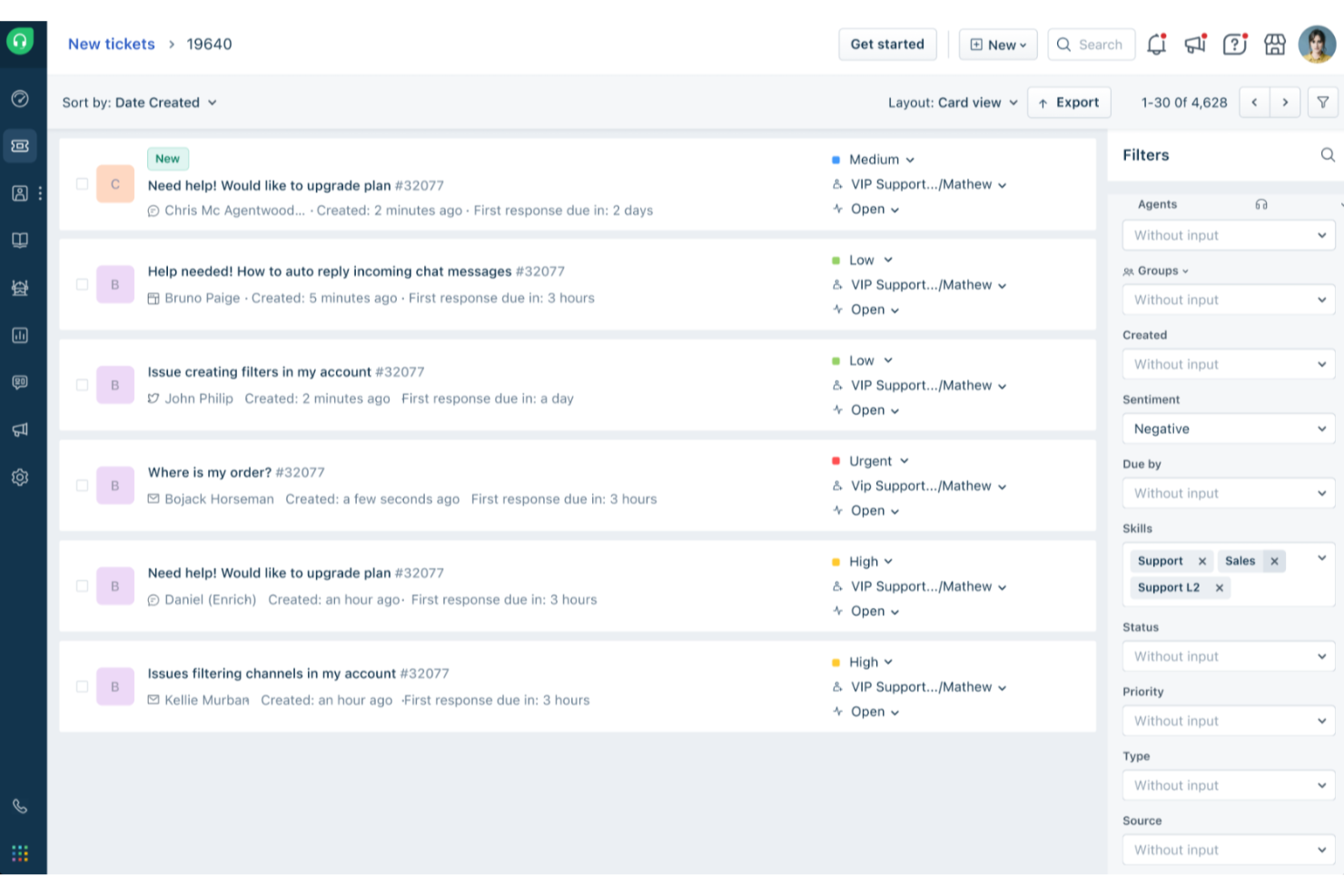
Freshdesk (un prodotto di Freshworks Inc.) è una piattaforma di help desk focalizzata sull'email, progettata per aiutare i team a gestire le richieste dei clienti in modo più strutturato. Converte le email in arrivo in ticket di supporto, permettendo ai team di tracciare le conversazioni, dare priorità alle richieste e mantenere coerenza man mano che il volume dei ticket aumenta.
Perché ho scelto Freshdesk
Ho scelto Freshdesk per le sue capacità di gestione dei ticket, pensate appositamente per i flussi di lavoro basati su email. Funzionalità come le caselle di posta condivise e i ticket padre-figlio aiutano i team a gestire problemi correlati e dipendenze senza perdere il contesto. Freddy AI è integrato nella piattaforma per assistere in attività come la gestione dei ticket e il supporto al flusso di lavoro, contribuendo così a ridurre lavori manuali e ripetitivi. Insieme, questi strumenti rendono più semplice per i team di supporto rimanere organizzati e collaborare anche quando gestiscono grandi volumi di richieste via email.
Caratteristiche principali di Freshdesk
Oltre al suo solido sistema di gestione dei ticket, Freshdesk offre una varietà di funzionalità che migliorano le operazioni del help desk tramite email per il tuo team.
- Portale clienti: Questa funzione permette ai tuoi clienti di inviare ticket e accedere alle risorse in autonomia, favorendo l'indipendenza e riducendo il carico sul tuo team di supporto.
- Analisi e approfondimenti: Fornisce un'analisi on-demand di metriche chiave come la soddisfazione del cliente e il tempo di prima risposta, aiutandoti a monitorare le performance e identificare aree di miglioramento.
- Strumenti self-service: Include una knowledge base multilingue e forum della community, permettendo ai clienti di trovare rapidamente risposte in maniera efficiente.
- Smistamento e automazione SLA: Semplifica i flussi di lavoro automatizzando l'assegnazione dei ticket e i follow-up, permettendo agli operatori di concentrarsi sulle questioni più critiche.
Integrazioni di Freshdesk
Le integrazioni includono Microsoft Teams, Slack, WhatsApp, Google Drive, Shopify, Mailchimp, Trello, Salesforce, Jira e HubSpot.
Pros and Cons
Pros:
- Strumenti di automazione che ottimizzano la gestione dei ticket e migliorano l'organizzazione
- Opzioni di self-service per i clienti, inclusa una knowledge base
- L'automazione basata su AI migliora i tempi di risposta e la soddisfazione del cliente
Cons:
- La knowledge base multilingue è disponibile solo nei piani più avanzati
- La creazione di report personalizzati può richiedere competenze avanzate o piani di livello superiore
New Product Updates from Freshdesk

Freshdesk Adds Voice AI Agents in Freshcaller
Freshdesk introduces Voice AI Agents available through Freshcaller Marketplace apps to handle routine calls and reduce queues. This feature enables automated call handling with real-time, conversational support. For more information, visit Freshdesk's official site.

SysAid
Migliore automazione da email a ticket
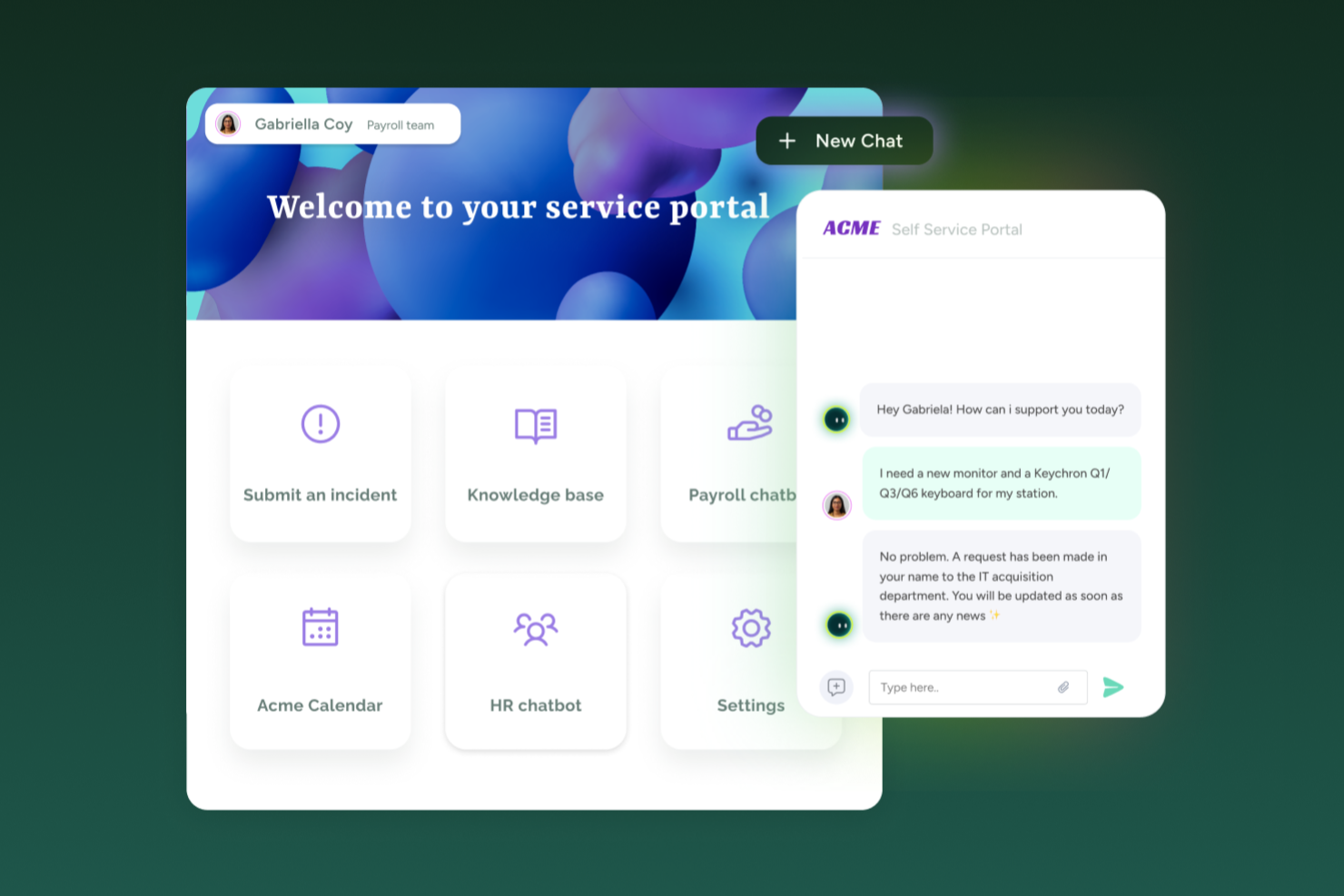
SysAid unisce help desk e gestione dei servizi IT in modo da adattarsi ai team IT che gestiscono richieste di supporto via email insieme al monitoraggio degli asset e all'instradamento delle richieste. Se hai bisogno di uno strumento di help desk che supporti ticket in ingresso tramite email, portali self-service e workflow ITSM, sia per una media azienda che per una realtà più grande, SysAid offre un unico sistema per gestire richieste di servizio, asset e carichi di lavoro dei ticket.
Perché ho scelto SysAid
Ho scelto SysAid perché supporta la creazione automatica di ticket dalle email in ingresso, convertendo ogni messaggio di supporto in una richiesta di servizio tracciata con instradamento e categorizzazione integrata. Questo aiuta a garantire che le richieste di supporto inviate via email non vengano perse o trascurate, cosa importante se l’email rimane un canale principale di ricezione per i tuoi utenti. Le sue funzionalità di automazione, inclusi l’instradamento basato su regole e la prioritizzazione dei ticket, aiutano il tuo team a gestire le richieste in modo più uniforme. Mi piace anche che SysAid supporti sia le funzionalità base di help desk sia processi ITSM più avanzati, rendendolo adatto a team che prevedono una crescita delle proprie esigenze di service management nel tempo.
Funzionalità chiave di SysAid
Oltre a trasformare le email in ticket e automatizzare l’instradamento, potresti trovare utili queste funzioni:
- Portale Self-Service: consente agli utenti finali di inviare richieste di servizio direttamente tramite un portale web — riducendo la dipendenza da richieste via email o telefono.
- Gestione degli Asset: permette di monitorare asset hardware e software, collegarli ai ticket e visualizzare la cronologia completa dei servizi per ogni asset.
- Reportistica & Analytics: offre report e dashboard pronti all’uso che aiutano a monitorare volumi di ticket, tempi di risoluzione e cicli di vita degli asset — utili per comprendere le prestazioni e pianificare miglioramenti.
- Gestione degli Incidenti: gestisce e risolve in modo efficiente gli incidenti attraverso un’interfaccia snella che facilita tempi di risposta rapidi.
Integrazioni di SysAid
Le integrazioni includono Microsoft 365, Salesforce, Slack, Google Workspace, Microsoft Dynamics 365, Zendesk, QuickBooks, Shopify, ServiceNow e Zoom.
Pros and Cons
Pros:
- L’automazione potenziata dall’IA riduce significativamente le attività IT ripetitive.
- SysAid offre una solida integrazione e-mail per la creazione efficiente di ticket.
- La piattaforma offre funzionalità complete di gestione degli asset.
Cons:
- L’esperienza con l’app mobile manca di funzionalità complete.
- Quando le funzionalità non sono configurate correttamente, le automazioni e i workflow SLA possono risultare complessi e confusi per gli agenti.
New Product Updates from SysAid

SysAid Adds Bulk Contract Import
SysAid added bulk contract import to License Manager Essentials, letting admins upload a CSV template, validate entries, and create multiple contracts at once. For more information, visit SysAid's official site.

Ideale per caselle di posta centralizzate email e chat
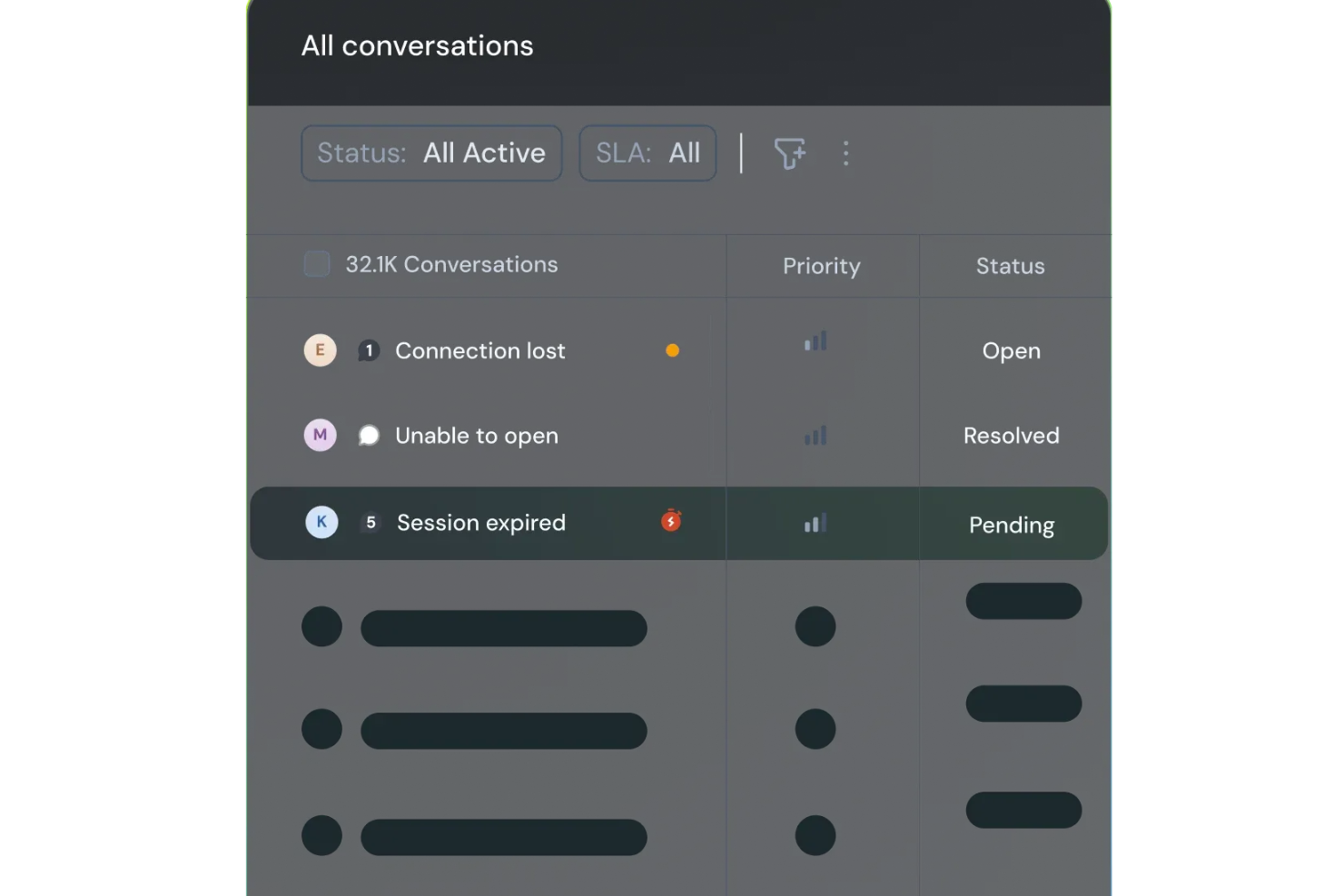
SparrowDesk è una piattaforma di assistenza clienti guidata dall'IA progettata per aumentare la produttività del team e la soddisfazione del cliente grazie alle sue funzionalità intelligenti. Pensata per le aziende che desiderano ottimizzare i propri canali di supporto, offre una casella di posta unificata che consolida comunicazioni email e chat, gestendo efficacemente la necessità di una gestione efficiente dei ticket e tempi di risposta rapidi.
Perché ho scelto SparrowDesk
Ho scelto SparrowDesk per le sue capacità AI di spicco che migliorano direttamente la gestione delle email. L'agente Luna AI della piattaforma risolve automaticamente una parte significativa delle richieste dei clienti, consentendo così al tuo team di concentrarsi su questioni più complesse. Apprezzo molto anche la casella di posta centralizzata, che raggruppa tutte le comunicazioni e permette una gestione senza interruzioni delle interazioni via email e chat. Inoltre, l'AI Copilot assiste gli operatori con riepiloghi istantanei e suggerimenti intelligenti per le bozze, riducendo notevolmente i tempi di risposta e migliorando la qualità del supporto.
Funzionalità principali di SparrowDesk
Oltre alle sue capacità basate sull'IA, SparrowDesk offre diverse altre funzionalità che ne aumentano l'utilità come software helpdesk per email:
- Service Level Agreements (SLA): Definisce obiettivi di risposta e risoluzione per garantire un supporto tempestivo ai tuoi clienti.
- Gestione Orari Lavorativi: Gestisce automaticamente le aspettative dei clienti e l'instradamento dei ticket in base agli orari di lavoro da te definiti.
- Macro Azioni Rapide: Automatizza compiti ripetitivi, facendo risparmiare tempo al team e garantendo coerenza nelle risposte.
- Analisi Interattive: Fornisce informazioni in tempo reale sulle prestazioni del team e sulle tendenze dei clienti, aiutandoti a prendere decisioni informate.
Integrazioni di SparrowDesk
Attualmente SparrowDesk non elenca integrazioni native.
Pros and Cons
Pros:
- Casella di posta unificata per email e chat dal vivo evita la frammentazione dei canali e consente al tuo team di operare in un unico luogo.
- Il generatore di workflow no-code semplifica le regole di instradamento, tagging ed escalation senza risorse di ingegneria.
- Dashboard e report in tempo reale offrono visibilità sull'aderenza agli SLA e sui carichi di lavoro degli operatori.
Cons:
- Il forte focus sull'IA può richiedere maggiore configurazione iniziale.
- Non supporta canali diversi da email e chat.

Hiver
Ideale per offrire assistenza clienti potenziata dall’intelligenza artificiale

Hiver è una moderna piattaforma di help desk potenziata dall'intelligenza artificiale che rende l’assistenza clienti via email semplice ed efficiente. Riunisce tutte le richieste dei clienti in un’interfaccia simile a quella delle email, dove puoi assegnare ticket, monitorare i progressi e collaborare con i colleghi in tempo reale.
Perché ho scelto Hiver: Le capacità AI di Hiver lo rendono una scelta eccellente per i team che vogliono massimizzare l’efficienza e offrire un supporto di qualità anche con risorse limitate. Questo perché l’AI si occupa di buona parte del lavoro. Ad esempio, l’AI Copilot aiuta gli agenti a rispondere ai clienti suggerendo risposte contestuali, redigendo bozze, perfezionando il tono e riformulando messaggi per mantenere le risposte chiare e in linea con il brand, attingendo da conversazioni passate, conoscenze interne e documenti archiviati.
I suoi Agenti AI aiutano a impostare workflow autonomi per gestire le FAQ, inviare follow-up, rilevare chiusure di ringraziamento, eseguire azioni multi-step come i rimborsi e classificare/indirizzare le conversazioni per categoria, urgenza o sentimento. Hiver offre anche Insights AI che trasformano ogni conversazione in un’opportunità di apprendimento. Aiuta a individuare colli di bottiglia nella risoluzione, prevedere potenziali problemi e rilevare rischi sulla salute degli account prima che si aggravino. I modelli predittivi individuano tendenze per permettere ai team di agire in anticipo e migliorare continuamente.
Caratteristiche e integrazioni principali di Hiver
Le funzionalità includono una casella di posta condivisa per assegnare e monitorare le richieste, insieme a strumenti per la collaborazione come note, @mention e bozze condivise che mantengono il team allineato. Offre anche automazioni dei flussi di lavoro e gestione SLA per garantire risposte tempestive, oltre ad analisi dettagliate per monitorare le prestazioni e la soddisfazione del cliente. La knowledge base aiuta gli agenti a evitare di gestire domande frequenti e comuni.
Le integrazioni includono Aircall, Asana, Jira, Okta, QuickBooks, Salesforce, Slack, WhatsApp, Zapier e oltre 100 altre piattaforme.
Pros and Cons
Pros:
- Assistenza clienti da persone reali disponibile 24/7 via chat o email, su tutti i piani (compreso quello gratuito)
- Funzionalità AI integrate in tutte le fasi del percorso di supporto clienti
- Ottime funzionalità di collaborazione interna
Cons:
- L’esperienza mobile non è all’altezza di quella desktop
- Rispetto ad altre piattaforme, Hiver offre meno integrazioni di terze parti
New Product Updates from Hiver

Hiver Brings Chat Widget Support to Mobile Apps
Hiver now lets you embed the Hiver Chat Widget in iOS, Android, React Native, and Flutter apps so customers can start chats without leaving your app. For more information, visit Hiver's official site.

Ideale per combinare IA e supporto umano
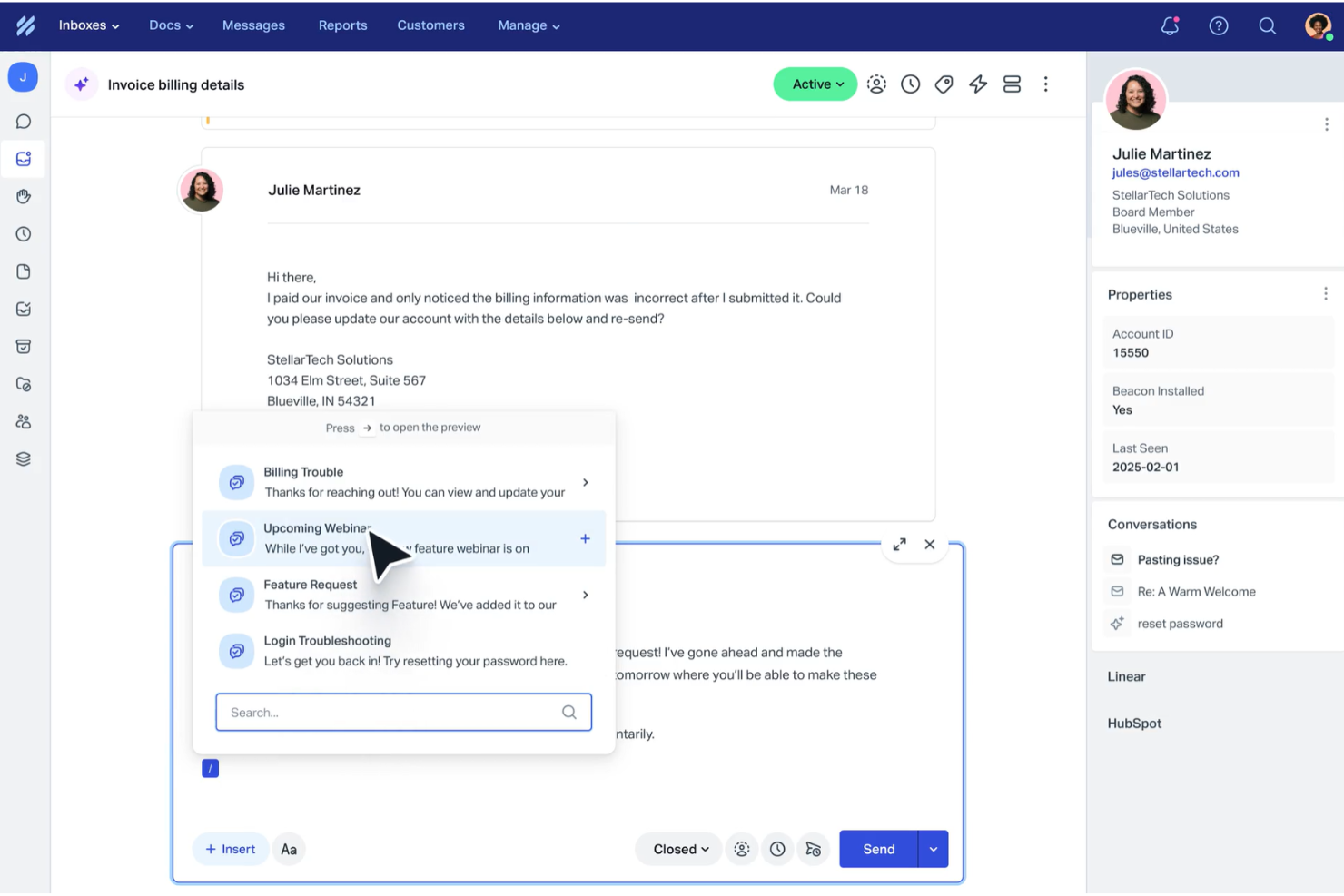
Help Scout è pensato per le aziende che desiderano migliorare l’esperienza di assistenza clienti attraverso una combinazione di intelligenza artificiale e interazione umana. Automatizzando le attività di routine e offrendo una casella di posta condivisa per la collaborazione del team, Help Scout affronta problematiche come la comunicazione disorganizzata e i tempi di risposta lenti, rivelandosi uno strumento prezioso per aumentare la soddisfazione dei clienti.
Perché ho scelto Help Scout
Ho scelto Help Scout per la sua capacità di unire l’IA al supporto umano, rendendolo una scelta eccellente per team di diversi settori. La funzione di casella condivisa consente al tuo team di collaborare, assicurando che tutte le comunicazioni con i clienti siano organizzate e accessibili. Inoltre, il chatbot AI gestisce una vasta parte delle richieste di routine, liberando il tuo team per concentrarsi su questioni più complesse. Questa combinazione di caratteristiche aiuta a gestire grandi volumi di richieste senza compromettere la qualità del servizio.
Funzionalità principali di Help Scout
Oltre alla casella di posta condivisa e al chatbot AI, Help Scout offre altre funzioni utili per il tuo team:
- Centro assistenza: Questa funzione ti permette di creare un portale self-service dove i clienti possono trovare risposte alle domande frequenti, riducendo il carico sul team di supporto.
- Flussi di lavoro automatizzati: Puoi impostare regole di automazione per ottimizzare la gestione della casella di posta, assicurando che le email importanti non vengano mai perse.
- Risposte predefinite: Questa funzione consente al tuo team di rispondere rapidamente alle domande più frequenti, migliorando i tempi di risposta e la coerenza.
- Messaggistica in-app: Coinvolgi i clienti direttamente all’interno del tuo prodotto per offrire assistenza durante l’onboarding, raccogliere feedback e condividere aggiornamenti.
Integrazioni di Help Scout
Help Scout offre un’ampia gamma di integrazioni native che ne ampliano le funzionalità, tra cui Salesforce, Shopify, Slack, HubSpot, Mailchimp, Jira, Trello, Google Apps, WooCommerce e WordPress.
Pros and Cons
Pros:
- Il chatbot AI gestisce efficacemente le richieste di routine dei clienti.
- Fornisce analisi dettagliate per il monitoraggio e il miglioramento delle prestazioni.
- Offre una solida base di conoscenza per il supporto self-service.
Cons:
- Opzioni di personalizzazione avanzate limitate rispetto alla concorrenza.
- Non supporta canali in tempo reale come WhatsApp e chiamate vocali.
New Product Updates from Help Scout

Help Scout Adds Automatic Conversation Reassignment
Help Scout can now automatically unassign conversations when the assigned teammate has been away long enough, keeping replies moving so others can pick them up. For more information, visit Help Scout's official site.
 .
.
Ideale per collaborare e condividere informazioni in tempo reale

Zoho Desk è un software di assistenza clienti abilitato all’intelligenza artificiale che aiuta gli utenti a gestire le conversazioni con i clienti tramite email, telefono, chat e social media.
Perché ho scelto Zoho Desk: Dispone di un assistente virtuale intelligente chiamato Zia, che automatizza diverse attività. Ad esempio, può categorizzare i ticket, suggerire soluzioni alle richieste e prevedere il livello di soddisfazione dei clienti.
Zoho Desk offre inoltre funzionalità per i tuoi operatori di assistenza, manager e clienti. Ad esempio, strumenti self-service come la Knowledge Base e la Community aiutano i clienti a trovare risposte autonomamente, mentre le funzionalità di reportistica e analisi aiutano i manager ad analizzare la performance degli agenti di supporto.
Un altro aspetto eccellente del software è l’integrazione nativa con altre applicazioni Zoho, come Zoho CRM, Zoho SalesIQ, Zoho Analytics e altre ancora. Questo permette alle aziende di creare un hub centralizzato per i dati e il supporto clienti, facilitando la collaborazione fra diversi team.
Funzionalità e integrazioni principali di Zoho Desk
Funzionalità includono gestione dei ticket, auto-tag dei ticket, analisi del sentiment, notifiche Zia, dashboard Zia, assistente alle risposte, strumenti self-service, integrazione con CRM, funzioni personalizzate, SDK, marketplace e piattaforma, API, report e dashboard, monitoraggio del tempo, help center multibrand, mappatura dei domini e gestione di utenti e accessi.
Integrazioni includono Twilio, RingCentral, Amazon Connect, Ozonetel, Exotel, Knowlarity, Jive, sipgate, JustCall, ringover e altre soluzioni software.
Pros and Cons
Pros:
- Offre una vasta gamma di funzionalità
- Ampie opzioni di personalizzazione
- Interfaccia pulita e intuitiva, facile da usare
Cons:
- Reportistica limitata nei piani di fascia bassa
- Curva di apprendimento sulle funzionalità avanzate

Missive
Ideale per la redazione collaborativa di email nei team
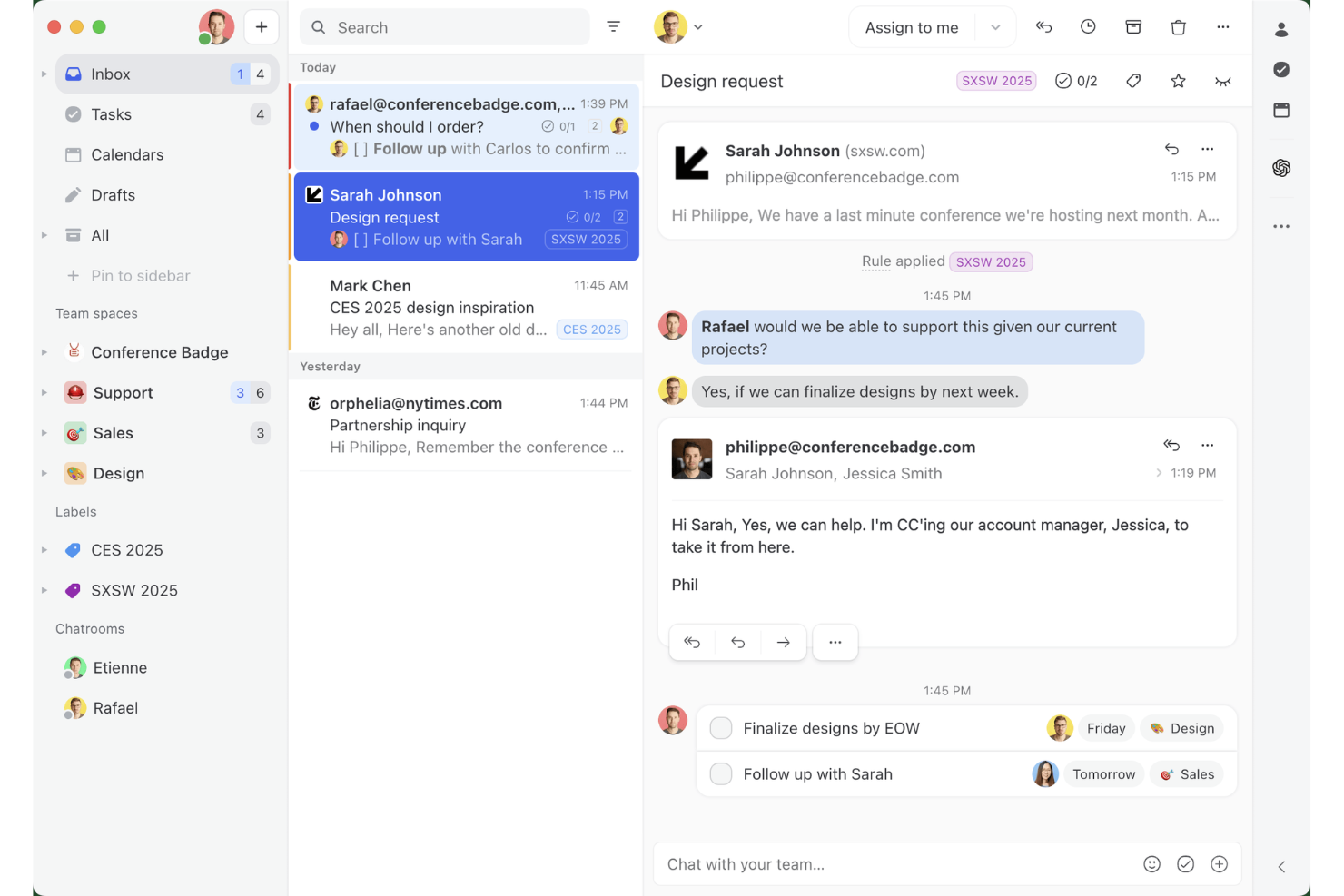
Missive è una piattaforma collaborativa per caselle di posta condivise che combina la gestione delle email multicanale, i thread interni del team, le regole di instradamento basate sull'IA e la co-redazione in tempo reale tra email, WhatsApp, SMS e canali di messaggistica social.
Per chi è più adatto Missive?
Missive è una soluzione particolarmente adatta ai team di assistenza di piccole e medie dimensioni che hanno bisogno di più operatori che collaborino su code email condivise senza i costi e la complessità di un sistema formale di gestione dei ticket.
Perché ho scelto Missive
Ho incluso Missive tra le mie migliori scelte perché è l'unico strumento di helpdesk per email in cui più operatori possono co-redigere una singola risposta in tempo reale, una funzione importante quando un problema complesso di un cliente richiede il contributo di due persone prima dell'invio. Il rilevamento delle collisioni mostra chi sta visualizzando o digitando attivamente in una conversazione, evitando così che il team invii risposte duplicate. Le regole IA aggiungono un instradamento basato sul contenuto, segnalando automaticamente i messaggi urgenti o dal tono negativo.
Funzionalità principali di Missive
- Risposte predefinite: Salva e riutilizza risposte preimpostate con supporto per variabili, per comunicazioni personalizzate e coerenti in tutto il team.
- Bilanciamento del carico di lavoro: Distribuisci automaticamente le conversazioni in arrivo utilizzando metodi di assegnazione a rotazione, all'operatore meno impegnato, a tutti contemporaneamente o casuale.
- Regole IA: Automazioni consapevoli del contenuto che analizzano il significato dei messaggi per attivare l'etichettatura, l'escalation o la creazione di bozze in base all'intento o al sentimento.
- Server MCP di Missive: Collega client IA esterni (come Claude o ChatGPT) per interrogare i dati dell'helpdesk email, controllare i calendari e creare bozze di risposta, mantenendo obbligatoria la revisione umana prima dell'invio.
- Posta in arrivo multicanale: Gestisci email, WhatsApp, SMS, Facebook Messenger e messaggi diretti di Instagram da un'unica posta in arrivo condivisa.
Integrazioni di Missive
Missive offre integrazioni native con Salesforce, HubSpot, Pipedrive, Shopify, Asana, ClickUp, Trello, Todoist, WhatsApp Business e Twilio per gli SMS. Supporta inoltre un'API REST, webhook, Zapier e il suo nuovo server MCP nei piani Productive e Business (richiede l'attivazione da parte dell'amministratore).
Pros and Cons
Pros:
- Redazione collaborativa delle email in tempo reale per i team
- Instradamento basato sull'IA e suggerimenti di risposta disponibili
- Posta in arrivo unificata per email e canali di messaggistica
Cons:
- Nessun ID tradizionale del ticket o monitoraggio del ciclo di vita
- La reportistica avanzata richiede un piano di livello superiore
New Product Updates from Missive
Missive Adds Conversation Pins
Missive now lets you pin key links, decisions, and notes inside a conversation, keeping them accessible in a dedicated Pins section in the Details sidebar. For more information, visit Missive's official site.
 .
.
eDesk
Ideale per automatizzare le attività di supporto nell'e-commerce
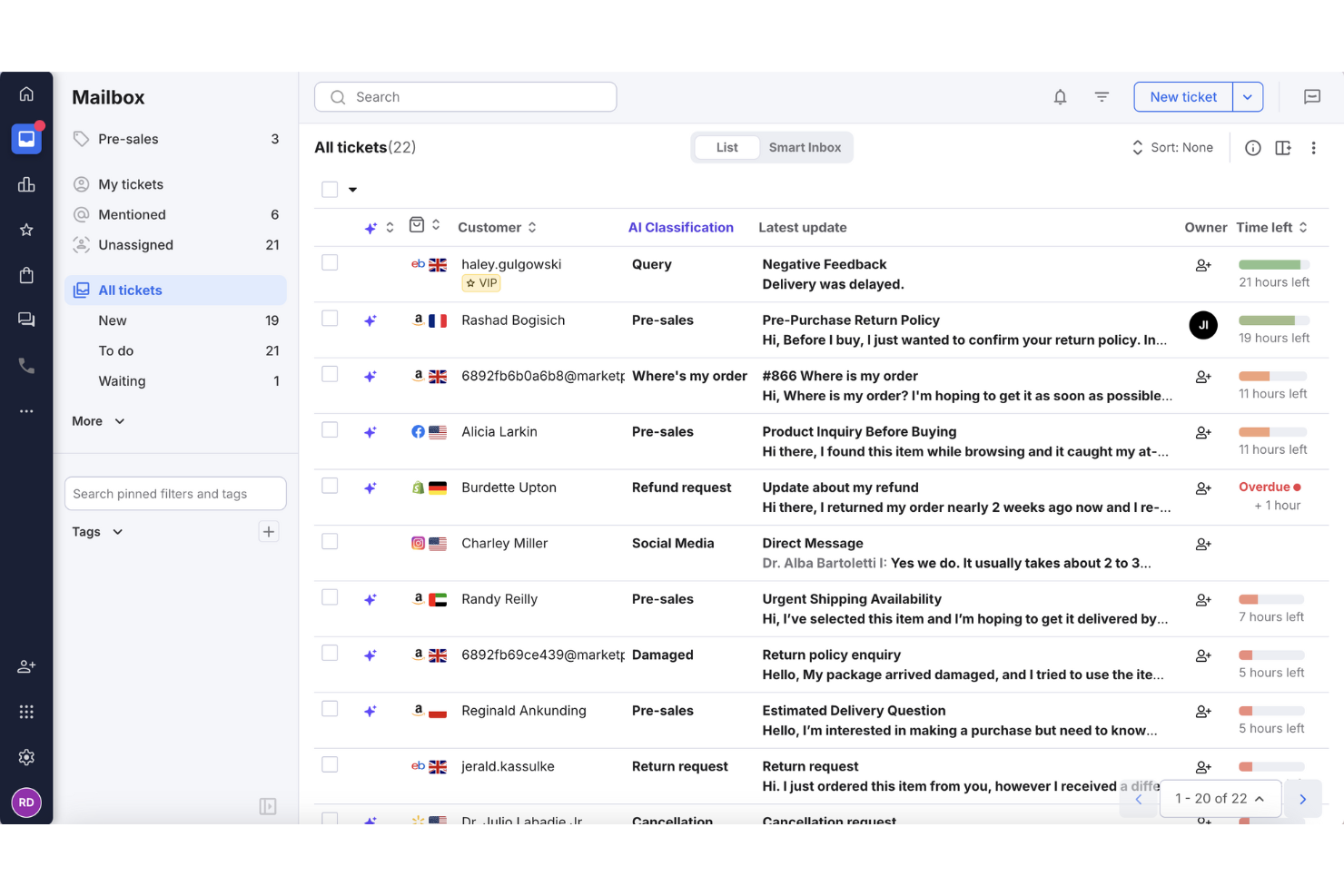
Per le aziende di e-commerce che cercano un modo efficiente per gestire le richieste dei clienti, eDesk si distingue come una soluzione su misura. La sua piattaforma basata sull'intelligenza artificiale centralizza la comunicazione proveniente da diversi canali in un'unica casella di posta, facilitando la risposta tempestiva da parte del tuo team. Progettato specificamente per l'eCommerce, eDesk non solo aumenta la soddisfazione del cliente ma ottimizza anche le operazioni di supporto, affrontando la sfida comune della gestione di volumi elevati di interazioni con i clienti.
Perché ho scelto eDesk
Ho scelto eDesk per la sua capacità di automatizzare le attività di supporto di routine, un aspetto fondamentale per le aziende che gestiscono un elevato numero di richieste dei clienti. Questa automazione è supportata da funzionalità quali un chatbot attivo 24/7 che aiuta a rispondere alle domande più comuni in qualsiasi momento. eDesk si integra inoltre con molteplici canali di e-commerce, rendendo più semplice la gestione delle conversazioni con i clienti e del supporto agli ordini in un unico luogo.
Caratteristiche principali di eDesk
Oltre alle notevoli capacità di automazione, eDesk offre:
- Posta in arrivo unificata: Consolida i messaggi provenienti da oltre 300 canali, incluse le principali piattaforme di marketplace e social media.
- Reportistica in tempo reale: Fornisce informazioni sulle metriche di performance, aiutandoti a ottimizzare le tue operazioni di supporto.
- Automazione basata su IA: Automatizza le risposte alle richieste più comuni, permettendo al tuo team di concentrarsi su questioni più complesse.
- Workflow personalizzabili: Consente al tuo team di creare flussi di lavoro su misura che soddisfano le esigenze specifiche del tuo business.
Integrazioni di eDesk
Le integrazioni includono Amazon, eBay, Walmart, Shopify, Magento, Facebook, WhatsApp, Etsy, BigCommerce e WooCommerce.
Pros and Cons
Pros:
- Il chatbot attivo 24/7 può gestire domande di base
- Le automazioni con IA riducono le attività di supporto ripetitive
- Integra dati dettagliati sugli ordini per un servizio clienti avanzato
Cons:
- Progettato principalmente per l'e-commerce, meno flessibile per altri settori
- La personalizzazione della reportistica è limitata per analisi complesse
New Product Updates from eDesk
eDesk Adds Galeria and Kaufland Support in Spain and Netherlands
eDesk adds support for Galeria, Kaufland Spain, and Kaufland Netherlands marketplaces. These integrations bring more European buyer messages into eDesk with routing, templates, AI insights, and automated translation. For more information, visit eDesk’s official site.
 .
.
Tidio
Ideale per l'organizzazione intelligente dei ticket

Tidio è una piattaforma di assistenza clienti che combina chat dal vivo, automazione tramite AI e strumenti di helpdesk basati su email. È progettata per aiutare i team a gestire le conversazioni con i clienti attraverso più canali da un'unica dashboard.
Perché ho scelto Tidio: Una cosa che apprezzo è il suo sistema intelligente di gestione dei ticket. Puoi trasformare email, chat e messaggi social in ticket, assegnarli ai membri del team, impostare priorità e monitorarne lo stato. Il sistema supporta l'uso di tag, note interne e viste personalizzate, così il tuo team può filtrare e organizzare i ticket in base a condizioni specifiche.
Un altro motivo per cui ho scelto Tidio è la sua automazione delle email alimentata da AI. L'Agente Lyro AI può gestire le richieste ricorrenti dei clienti analizzando le email in arrivo e rispondendo ai problemi più comuni. Se l'AI non riesce a risolvere il problema, trasferisce la conversazione al tuo team mantenendo il contesto.
Caratteristiche e integrazioni distintive di Tidio
Le funzionalità includono risposte predefinite, viste personalizzate dei ticket, gestione della cartella spam, risposte automatiche, aggiornamenti dello stato dei ticket, unione dei ticket, personalizzazione dell'indirizzo mittente, impostazione delle priorità, note interne, etichettatura dei ticket, sondaggi di soddisfazione del cliente e politiche SLA.
Le integrazioni includono Shopify, WordPress, Squarespace, WIX, Adobe Commerce, BigCommerce, WooCommerce, Google Analytics, Mailchimp, HubSpot e Zendesk.
Pros and Cons
Pros:
- Supporto multicanale, inclusi chat, email e social media
- Lyro AI gestisce una parte significativa delle richieste dei clienti
- Fornisce informazioni sulle prestazioni del team e sulla soddisfazione dei clienti
Cons:
- Molte funzionalità di automazione sono riservate ai piani di livello superiore
- Limitazioni nell'integrazione con alcuni strumenti di terze parti

Halo
Ideale per il tracciamento degli incidenti
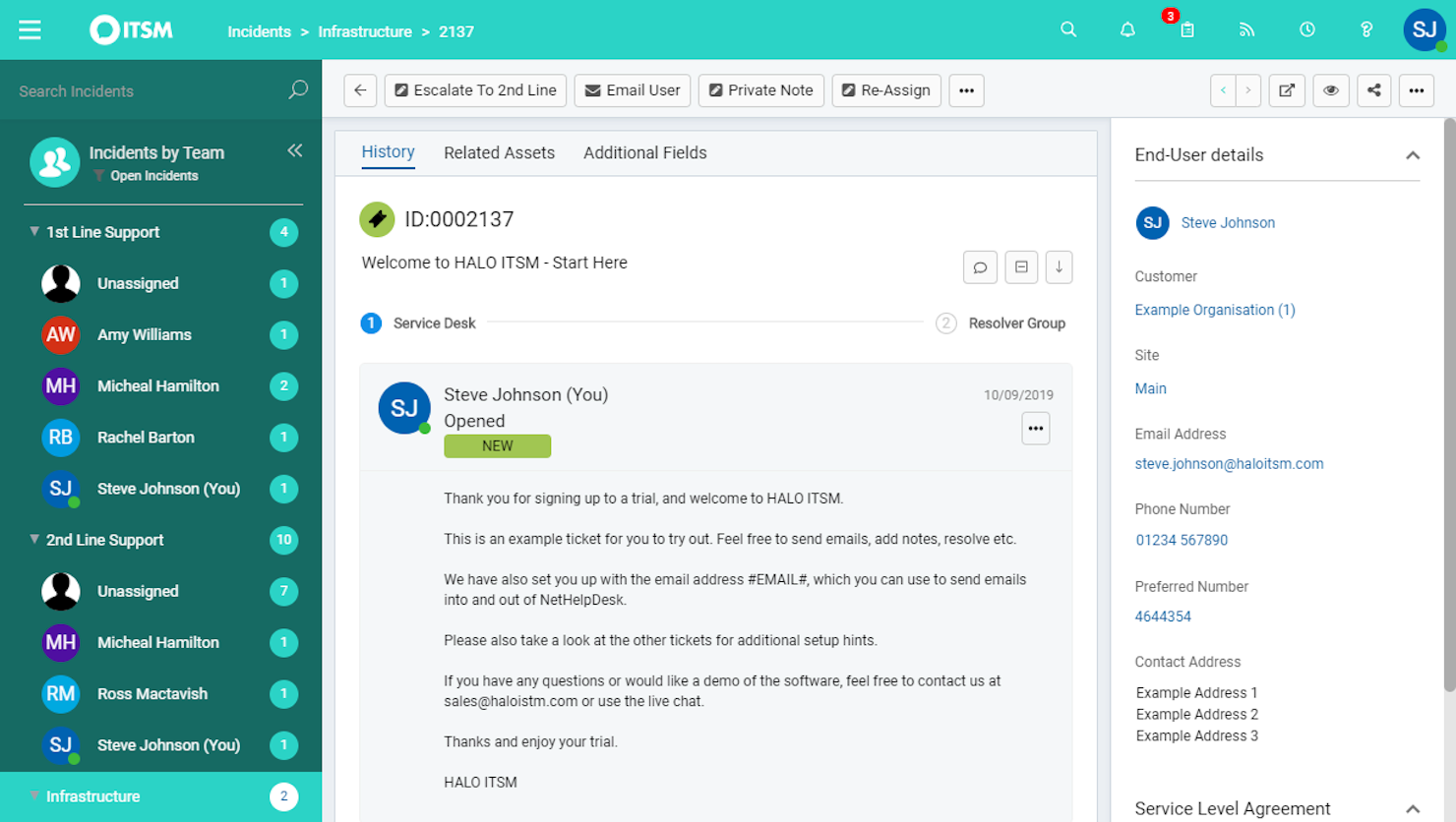
HaloITSM è una piattaforma versatile di gestione dei servizi IT che supporta la gestione efficiente dei processi IT. Offre una suite di strumenti per migliorare l'erogazione dei servizi, rendendolo una scelta eccellente per i team che desiderano rafforzare le proprie capacità di helpdesk.
Perché ho scelto HaloITSM: Ho scelto HaloITSM per le sue solide capacità di gestione degli incidenti. Questa funzionalità garantisce che il tuo team possa tracciare e risolvere i problemi, fondamentale per mantenere un supporto di alta qualità. Inoltre, le notifiche via email della piattaforma tengono tutti informati, riducendo così il rischio di perdere aggiornamenti critici.
Un altro motivo per scegliere HaloITSM è l'eccellente sistema di knowledge base. Questa funzionalità consente al tuo team di creare e gestire articoli di supporto, aiutando gli utenti a trovare soluzioni rapidamente senza dover inviare numerose email. Supporta un approccio proattivo al servizio clienti, permettendo di ridurre il volume delle richieste in arrivo.
Caratteristiche principali e integrazioni:
Le funzionalità includono un catalogo dei servizi che consente agli utenti di richiedere servizi con facilità, assicurando che tutte le richieste siano tracciate e gestite. Le capacità di gestione degli asset aiutano a tenere traccia delle risorse IT, offrendo visibilità sui propri asset. Inoltre, la gestione delle modifiche permette di gestire i cambiamenti in modo sistematico, minimizzando le interruzioni dei servizi.
Le integrazioni includono RingCentral, Xero, Slack, Salesforce, TeamViewer, Cisco Webex, QuickBooks Online, Jira, AnyDesk, Azure Active Directory, Lansweeper e Splashtop.
Pros and Cons
Pros:
- Funzionalità di gestione degli asset
- Assegnazione automatica dei ticket
- Strumenti di reportistica dettagliati
Cons:
- Occasionali rallentamenti delle prestazioni
- Funzionalità mobile limitate
Altre opzioni
\u003cspan style=\u0022font-weight: 400\u0022\u003eEcco alcune altre opzioni che non sono entrate nell’elenco dei migliori software di assistenza clienti via e-mail:\u003c/span\u003e
- Vision Helpdesk
Ideale per il supporto multi-canale
- monday service
Ideale per centralizzare le comunicazioni via email
- Gorgias
Ideale per l'integrazione con altre piattaforme di ecommerce
- Assembled AI
Ideale per le previsioni tramite machine learning
- Issuetrak
Ideale per il tracking e la gestione delle segnalazioni
- Froged
Ideale per la comunicazione omnicanale
- TOPdesk
Ideale per la visualizzazione dei dati in tempo reale
- Front
Ideale per migliorare la collaborazione e la comunicazione del team
- Jira Service Desk
Ideale per connettere il supporto clienti, le operazioni IT e i team aziendali
- HelpSpot
Ideale per i team che hanno bisogno di numerose opzioni di personalizzazione
- Rescue
Ideale per il supporto remoto e le capacità di accesso
- Front
Ideale per automazione e gestione della comunicazione
- NinjaOne
Ideale per la gestione degli asset dell'help desk
- LiveAgent
Ideale per migliorare motivazione e performance degli operatori tramite la gamification
- Zendesk
Ideale per creare un'esperienza cliente omnicanale


Come valuto i software di help desk email
Divido la mia valutazione in due livelli: la base che ogni strumento deve soddisfare—casella di posta condivisa, instradamento dei ticket, monitoraggio SLA—e i fattori che differenziano le soluzioni e determinano quella più adatta al tuo team.
Funzionalità di base (requisiti fondamentali per questa lista)
Quando seleziono gli strumenti per la mia lista, valuto ciascuno su una scala da 0 (non offre la funzionalità) a 5 (eccelle in quest'area) per ognuna delle funzionalità di base elencate di seguito. Quindi calcolo il punteggio totale dello strumento come percentuale. Ogni strumento deve raggiungere un punteggio totale minimo del 65% per essere preso in considerazione.
- Casella email condivisa: Controllo se lo strumento consolida più indirizzi di supporto (ad esempio, support@, fatturazione@, resi@) in uno spazio di lavoro unico in cui gli agenti possono visualizzare e rispondere senza sovrapporsi.
- Conversione ticket & threading: Ogni email in entrata dovrebbe essere automaticamente convertita in un ticket tracciabile con un ID univoco, conversazione completa ed etichette di stato chiare, così nulla viene perso.
- Regole di assegnazione & instradamento: Valuto come la piattaforma distribuisce i ticket—se supporta round-robin, instradamento basato sulle competenze o regole condizionali come l'invio delle email dei clienti VIP a una coda agenti più esperti.
- Risposte predefinite & macro: Sono importanti le risposte salvate e macro multi-step. Cerco la presenza di variabili dinamiche (nome cliente, numero ordine) e librerie di template condivise gestibili centralmente dal team.
- Strumenti di collaborazione interna: Funzionalità come note private, @menzioni e rilevamento delle collisioni permettono agli agenti di coinvolgere colleghi o segnalare una richiesta di rimborso complicata senza che il cliente veda le comunicazioni interne.
- SLA email & reportistica: Controllo se la piattaforma monitora il tempo di prima risposta, tempo di risoluzione e il rispetto degli SLA per casella postale o team, e se le dashboard sono personalizzabili a sufficienza per individuare colli di bottiglia.
Una volta compilata la lista degli strumenti che soddisfano questi criteri, valuto cosa distingue ogni piattaforma.
Fattori di differenziazione (cosa distingue i fornitori)
Ecco come confronto i diversi fornitori:
Funzionalità distintive
Funzionalità basate sull'intelligenza artificiale fanno davvero la differenza. Se un agente apre un ticket comune come il reset password, una risposta precompilata fa risparmiare minuti reali su larga scala. Valuto anche se lo strumento mostra una sidebar con il contesto del cliente—ticket passati, dettagli account o storico ordini—accanto al thread attivo. Un knowledge base integrato è un altro elemento di differenziazione che considero. Consente agli agenti di inserire articoli di aiuto nelle risposte e riduce le domande ripetitive prima che arrivino in coda.
Oltre le funzionalità
L'ecosistema di integrazione è molto importante. Controllo se uno strumento si collega nativamente a CRM e piattaforme ecommerce già in uso dal tuo team—Salesforce, HubSpot, Shopify—così gli agenti non devono passare da una scheda all'altra per trovare lo stato di un ordine. Valuto con attenzione anche la struttura dei prezzi, soprattutto se i costi per agente restano ragionevoli quando il team di supporto supera i cinque o dieci membri. Considero anche la compatibilità con la dimensione del team, poiché una startup di tre persone che condivide una casella Gmail ha esigenze molto diverse rispetto a un'operazione con 50 agenti e SLA a livelli differenti.
Come scegliere il software di assistenza clienti via e-mail
È facile perdersi in lunghi elenchi di funzionalità e strutture tariffarie complesse. Per aiutarti a rimanere concentrato mentre affronti il tuo specifico processo di selezione del software, ecco una lista di fattori da tenere presenti quando scegli uno strumento di assistenza clienti via e-mail:
| Fattore | Cosa considerare |
|---|---|
| Scalabilità | Assicurati che il software possa crescere insieme alla tua azienda, gestendo volumi crescenti di e-mail e team di operatori in espansione senza compromettere le prestazioni. |
| Integrazioni | Verifica se il software si integra con gli strumenti che già utilizzi, come CRM, chat e piattaforme di social network, per creare un sistema di supporto coerente. |
| Personalizzazione | Cerca opzioni che consentano di adattare i flussi di lavoro, i pannelli di controllo e i ruoli degli utenti alle esigenze e ai processi specifici del tuo team. |
| Facilità d'uso | Valuta l'interfaccia utente e la navigazione per assicurarti che il tuo team possa diventare rapidamente operativo senza una formazione approfondita. |
| Budget | Confronta i piani tariffari e verifica quali funzionalità sono incluse in ogni livello. Considera il costo totale di proprietà, comprese eventuali commissioni nascoste o spese aggiuntive. |
| Misure di sicurezza | Verifica che il software sia conforme alle normative sulla protezione dei dati e offra funzionalità come la crittografia e i controlli di accesso per mantenere al sicuro i dati dei clienti. |
| Opzioni di supporto | Considera la disponibilità e la qualità dell'assistenza clienti, inclusi il servizio 24 ore su 24, 7 giorni su 7, molteplici canali di contatto e risorse per l'autoassistenza. |
| Strumenti di reportistica | Esamina le funzionalità di analisi e reportistica per assicurarti di poter monitorare le metriche delle prestazioni e ottenere informazioni sulle interazioni con i clienti. |
Tendenze nel software di assistenza clienti via e-mail
Nella mia ricerca, ho raccolto innumerevoli aggiornamenti sui prodotti, comunicati stampa e registri delle versioni di diversi fornitori di software per l’assistenza via e-mail. Ecco alcune delle tendenze emergenti che sto tenendo d’occhio:
- IA e apprendimento automatico: L’IA sta diventando fondamentale per prevedere le esigenze dei clienti e automatizzare le risposte, e i software di assistenza basati sull’IA integrano sempre più queste funzionalità nel flusso di lavoro di supporto principale. Strumenti come Zoho Desk utilizzano l’IA per fornire informazioni utili e automatizzare le attività ripetitive, aiutando il tuo team a concentrarsi sui problemi più complessi.
- Supporto omnicanale: I clienti vogliono comunicare attraverso diversi canali. I software per l’assistenza via e-mail stanno integrando chat, social media e supporto vocale, consentendo ai team di gestire tutte le interazioni in un unico posto.
- Portali ad accesso autonomo: Le aziende mettono i clienti nelle condizioni di risolvere autonomamente i problemi. Software come Freshdesk offrono opzioni complete per l’autonomia dei clienti, riducendo il carico di lavoro dei team di supporto e migliorando i tempi di risposta.
- Funzionalità di personalizzazione: Personalizzare le interazioni con i clienti è fondamentale. Alcuni strumenti offrono ora opzioni per adattare le risposte in base alla cronologia e alle preferenze dei clienti, migliorando l’esperienza complessiva del cliente.
- Analisi avanzate: Le aziende hanno bisogno di informazioni sulle interazioni con i clienti. Le nuove funzionalità di analisi aiutano i team a monitorare le metriche delle prestazioni e a identificare le tendenze, semplificando il miglioramento della qualità del servizio.
Funzionalità dei software per l’assistenza via e-mail
Quando scegli un software per l’assistenza via e-mail, presta attenzione alle seguenti funzionalità chiave:
- Gestione dei ticket su più canali: Organizza, monitora e risolvi in modo efficiente le richieste dei clienti che arrivano tramite e-mail, chat e social media, tutto da un unico pannello di controllo ordinato. Puoi dire addio alla gestione di schede multiple o ai messaggi importanti persi.
- Assegnazione automatica dei ticket: Indirizza automaticamente i ticket in arrivo al membro del team o al reparto giusto in base alle regole che hai configurato. In questo modo il flusso di lavoro procede senza intoppi e le richieste arrivano subito alla persona giusta.
- Risposte predefinite: Salva e invia risposte già scritte alle domande frequenti, così non dovrai scrivere più volte la stessa cosa. Questo accelera i tempi di risposta e garantisce ogni volta comunicazioni accurate e coerenti con il tono del marchio.
- Strumenti di collaborazione: Menziona i colleghi, lascia note interne o inoltra i ticket complessi ai livelli superiori. Queste funzionalità aiutano tutti a rimanere aggiornati, evitando di dover inoltrare e-mail o perdere tempo a seguire gli aggiornamenti.
- Monitoraggio della cronologia dei clienti: Accedi istantaneamente a un registro completo delle conversazioni precedenti e dei ticket passati di ogni cliente. Questo contesto ti consente di personalizzare le risposte ed evitare che il cliente debba ripetere le stesse informazioni.
- Reportistica e analisi complete: Monitora metriche delle prestazioni come tempi di risposta, tassi di risoluzione e soddisfazione dei clienti. Utilizza queste informazioni per perfezionare la strategia di supporto del tuo team (e magari anche per vantarti un po’).
- Integrazione con il portale per l’accesso autonomo: Offri ai clienti un portale facilmente accessibile con domande frequenti, guide e possibilità di inviare nuovi ticket. In questo modo riduci la pressione sulla tua casella di posta e permetti ai clienti di trovare autonomamente una soluzione nella maggior parte dei casi.
- Gestione degli accordi sul livello di servizio (SLA): Configura e monitora gli SLA per assicurarti che il tuo team rispetti le scadenze di risposta e risoluzione. Puoi individuare i colli di bottiglia e mantenere elevatissimi gli standard di assistenza clienti.
- Campi dei ticket personalizzabili: Adatta le informazioni raccolte e monitorate in ogni ticket alle esigenze della tua azienda. Questo semplifica la categorizzazione e la reportistica relativa ai problemi specifici.
- Funzionalità di sicurezza e conformità: Proteggi i dati sensibili dei clienti con autorizzazioni utente, crittografia, registri di controllo e opzioni di conformità come il supporto al GDPR. In questo modo mantieni alta la fiducia e riduci al minimo i grattacapi.
Vantaggi dei software per l’assistenza via e-mail
L’implementazione di un software per l’assistenza via e-mail offre diversi vantaggi al tuo team e alla tua azienda. Eccone alcuni di cui potrai beneficiare:
- Tempi di risposta migliorati: L'automazione delle attività e la gestione delle interazioni tramite il supporto omnicanale aiutano il tuo team a rispondere più rapidamente ai clienti.
- Maggiore soddisfazione dei clienti: Offrire interazioni personalizzate e opzioni self-service garantisce un'esperienza cliente più soddisfacente.
- Maggiore efficienza: Gli strumenti di automazione e le informazioni basate sull'IA riducono il lavoro manuale, consentendo al tuo team di concentrarsi sui problemi dei clienti più complessi.
- Migliore gestione dei dati: Le funzionalità avanzate di analisi e integrazione ti aiutano a monitorare le prestazioni e a ottenere informazioni sulle interazioni con i clienti.
- Scalabilità: Le opzioni di personalizzazione e l'accessibilità da dispositivi mobili garantiscono che il software possa crescere insieme alla tua attività e adattarsi alle esigenze in continua evoluzione.
- Riduzione dei costi: Ridurre la necessità di processi manuali e migliorare l'efficienza può far risparmiare tempo e denaro alla tua azienda.
- Maggiore sicurezza: Le misure di sicurezza proteggono i dati dei clienti, garantendo la conformità alle normative e rafforzando la fiducia degli utenti.
Opzioni di implementazione per il servizio di assistenza via e-mail
Quando configurano un servizio di assistenza via e-mail, le aziende devono valutare fattori chiave come i requisiti tecnici, le opzioni di personalizzazione e i modelli di distribuzione. Scegliere il metodo di implementazione corretto garantisce un'assistenza clienti fluida, scalabilità ed efficienza operativa.
Requisiti tecnici
Prima di implementare un servizio di assistenza via e-mail, considera:
- Compatibilità dell'infrastruttura – Assicurati che il software si integri con i sistemi di posta elettronica esistenti (ad esempio, Outlook, Gmail) e con gli strumenti di gestione delle relazioni con i clienti (CRM).
- Funzionalità di automazione – Cerca funzioni come l'instradamento dei ticket, le risposte automatiche e l'automazione dei flussi di lavoro per migliorare l'efficienza.
- Sicurezza e conformità – Verifica gli standard di crittografia, le politiche di conservazione dei dati e la conformità alle normative (ad esempio, GDPR, HIPAA).
Possibilità di personalizzazione
- Identità e personalizzazione del marchio – Scegli un software che consenta di creare modelli e-mail, firme e risposte personalizzate con il marchio.
- Configurazione dei flussi di lavoro – Possibilità di adattare le categorie dei ticket, le regole di escalation e i ruoli degli utenti alle esigenze dell'organizzazione.
- Opzioni di integrazione – Assicurati della compatibilità con strumenti di terze parti, come chat dal vivo, basi di conoscenza e dashboard per la reportistica.
Modelli di distribuzione
Le organizzazioni possono scegliere tra diversi metodi di distribuzione in base al budget, alle risorse IT e agli obiettivi aziendali:
a. Servizio di assistenza basato sul cloud
- Vantaggi: Configurazione rapida, aggiornamenti automatici, accessibilità da remoto e costi iniziali inferiori.
- Svantaggi: Personalizzazione limitata, dipendenza dalla connettività Internet e costi di abbonamento ricorrenti.
b. Servizio di assistenza in sede
- Vantaggi: Maggiore controllo sulla sicurezza, sulla proprietà dei dati e sulla personalizzazione.
- Svantaggi: Richiede risorse IT dedicate, costi iniziali più elevati e manutenzione continua.
c. Distribuzione ibrida
- Vantaggi: Combina l'accessibilità del cloud con il controllo dei sistemi in sede, offrendo flessibilità alle aziende con esigenze di conformità.
- Svantaggi: Configurazione più complessa e potenziali difficoltà di integrazione.
Valutando questi fattori, le aziende possono selezionare la migliore strategia di implementazione per il proprio servizio di assistenza via e-mail, garantendo un'assistenza clienti efficiente e operazioni fluide.
Costi e prezzi del software per servizi di assistenza via e-mail
La scelta di un software per servizi di assistenza via e-mail richiede la comprensione dei diversi modelli e piani tariffari disponibili. I costi variano in base alle funzionalità, alle dimensioni del team, agli extra e ad altri fattori. La tabella seguente riassume i piani più comuni, i relativi prezzi medi e le funzionalità tipicamente incluse nelle soluzioni software per servizi di assistenza via e-mail:
Tabella comparativa dei piani per il software di help desk via email
| Tipo di piano | Prezzo medio | Caratteristiche comuni |
|---|---|---|
| Piano gratuito | $0 | Gestione di base delle richieste, supporto via email e reportistica limitata. |
| Piano personale | $5-$25/user/month | Gestione delle email, automazione di base e integrazione con il supporto clienti. |
| Piano aziendale | $30-$50/user/month | Automazione avanzata, supporto multicanale e analisi dettagliate. |
| Piano aziendale | $60-$100/user/month | Flussi di lavoro personalizzati, approfondimenti basati sull'intelligenza artificiale e supporto clienti premium. |
Le persone chiedono anche
Hai domande generali su come funziona il software di help desk via email? Queste risposte alle domande frequenti (FAQ) dovrebbero indicarti la direzione giusta:
Quali misure di sicurezza e conformità dovrebbe avere il software di help desk via email?
Dovresti cercare un software di help desk che offra la crittografia end-to-end, solidi controlli degli accessi, registri di controllo dettagliati e backup automatici. Assicurati che supporti gli standard di conformità pertinenti al tuo settore, come GDPR, PCI DSS o HIPAA, soprattutto se gestisci dati sensibili dei clienti. Anche le certificazioni del fornitore e gli aggiornamenti regolari della sicurezza sono importanti per proteggere le informazioni sia dei clienti sia degli operatori.
In che modo il software di help desk via email gestisce lo spam e le email indesiderate?
La maggior parte degli strumenti di help desk via email include filtri antispam integrati e consente di impostare regole personalizzate. Puoi contrassegnare lo spam sospetto o indirizzarlo automaticamente a cartelle specifiche. Per i call center, questo significa che gli operatori dedicano meno tempo a esaminare i messaggi irrilevanti e più tempo a risolvere i problemi reali dei clienti. Puoi anche inserire indirizzi in una lista autorizzata e in una lista bloccata per migliorare la precisione.
Come posso misurare le prestazioni degli operatori utilizzando il software di help desk via email?
Puoi monitorare le prestazioni degli operatori utilizzando metriche come il tempo di risoluzione delle richieste, il tempo di prima risposta, i punteggi di soddisfazione dei clienti e il volume di email gestito. La maggior parte delle piattaforme offre dashboard e report in tempo reale, così puoi individuare le esigenze di formazione, premiare i migliori e gestire i carichi di lavoro in modo efficiente. Molte si integrano anche con strumenti di gestione della forza lavoro per ottenere una visione completa della produttività del team.
Quali integrazioni dovrei cercare nel software di help desk via email per il mio call center?
Cerca un software che si integri con il tuo CRM, i sistemi telefonici del call center, la chat dal vivo e gli strumenti di gestione della forza lavoro. Questo ti aiuta a mantenere allineati i dati dei clienti tra i vari canali, automatizzare le attività ripetitive e migliorare il flusso di lavoro del team. Il supporto API e i connettori predefiniti per piattaforme come Salesforce, Zendesk o Microsoft Teams sono particolarmente utili.
Il software di help desk via email può supportare il servizio clienti omnicanale nel mio contact center?
Sì, molte soluzioni di help desk via email offrono funzionalità omnicanale, consentendo di gestire email, chat, social network e chiamate da un’unica interfaccia. Questo aiuta gli operatori a fornire risposte coerenti e rende più semplice per i clienti contattarti tramite il canale che preferiscono. L’integrazione con il CRM e il sistema di gestione delle richieste garantisce che tutte le interazioni vengano registrate in un unico luogo.
In che modo le funzionalità di automazione degli strumenti di help desk via email migliorano l'efficienza del mio team?
Le funzionalità di automazione, come l’instradamento automatico delle richieste, le risposte predefinite e i promemoria sugli SLA, velocizzano i flussi di lavoro comuni e riducono il lavoro manuale. Puoi impostare regole per assegnare le richieste in base alla disponibilità o alle competenze, inoltrare automaticamente ai livelli superiori i problemi irrisolti e attivare avvisi per le richieste urgenti. Questo aiuta la squadra a dare priorità alle attività ad alto valore e consente agli operatori di concentrarsi sulle esigenze dei clienti più complesse.
Altre recensioni di software di help desk
Stai cercando un altro tipo di software di help desk? Potresti dare un'occhiata anche a queste altre liste delle 10 migliori soluzioni:
- Software per help desk: recensito e confrontato
- Software per help desk per piccole imprese
- Basi di conoscenza dell'help desk per il servizio clienti
- Software per help desk online
- Software per help desk semplice e facile da usare
- Software per help desk interno
- Software per help desk aziendale
- Software per help desk cloud
- Miglior software gratuito per help desk
Conclusione
Il cliente di oggi si aspetta più di un buon prodotto o servizio. Desidera anche un'esperienza di assistenza eccellente, che può essere un fattore importante nel decidere se acquistare da te oppure no.
Spero che la mia recensione del miglior software per help desk via email ti abbia aiutato nella tua ricerca. Se vuoi saperne di più su come migliorare l'esperienza dei tuoi clienti, iscriviti alla nostra newsletter.