

I 10 migliori software per la registrazione dei call center recensiti nel 2026

Migliore software di registrazione per call center


Il miglior software di registrazione per call center aiuta i team CX e di supporto a garantire la conformità, formare gli operatori in modo più efficace e risolvere le controversie con sicurezza. Questi strumenti vanno oltre la semplice acquisizione delle chiamate, offrendo registrazioni ricercabili, monitoraggio della qualità e analisi che aiutano a comprendere le conversazioni con i clienti e a migliorare il servizio senza aumentare il carico operativo.
Basandomi sulla mia esperienza nella valutazione delle tecnologie CX e delle piattaforme di assistenza, ho testato e analizzato i migliori software di registrazione per call center in base alla qualità delle registrazioni, all'accuratezza della trascrizione, ai controlli di conformità, alle integrazioni, alla facilità d'uso e al rapporto qualità-prezzo complessivo. In questa guida analizzo le mie scelte principali, ciò che ogni strumento sa fare meglio e gli aspetti da considerare per scegliere la soluzione più adatta alle esigenze e al livello di maturità del tuo team.
Perché fidarsi dei nostri consigli sui software
Il nostro team testa e recensisce software dal 2012. In quanto leader CX noi stessi, sappiamo quanto sia difficile — e importante — scegliere il software giusto.
Per questa guida, abbiamo valutato gli strumenti attraverso test pratici e ricerche indipendenti, assegnando un punteggio agli strumenti in base ai nostri criteri di selezione.
Le nostre recensioni riflettono il nostro giudizio editoriale umano, non un discorso di vendita.
Riepilogo dei migliori software di registrazione per call center
Questa tabella comparativa riassume i dettagli dei prezzi delle mie principali scelte di software di registrazione per call center, per aiutarti a trovare la soluzione migliore per il tuo budget e le tue esigenze aziendali.
| Tool | Best For | Trial Info | Price | ||
|---|---|---|---|---|---|
| 1 | Ideale per integrazioni con CRM | Demo gratuita | Da $30/licenza (fatturazione annuale) | Website | |
| 2 | Ideale per la registrazione automatica delle chiamate | Prova gratuita di 14 giorni | Da $25/utente/mese (fatturazione annuale) | Website | |
| 3 | Ideale per archiviazione illimitata | Prova gratuita di 7 giorni disponibile | Da $19/utente/mese + $5/utente aggiuntivo | Website | |
| 4 | Ideale per l'archiviazione personalizzabile | Demo gratuita | A partire da $85/utente/mese | Website | |
| 5 | Ideale per trascrizioni guidate dall'IA | Prova gratuita di 14 giorni + demo gratuita | Da $80/utente/mese (fatturazione annuale) | Website | |
| 6 | Ideale per piccole imprese | Demo gratuita + prova gratuita di 10 giorni disponibile | Da $1/utente/mese (fatturato annualmente) | Website | |
| 7 | Ideale per soluzioni basate sull'intelligenza artificiale | Demo gratuita | Da $110/utente/mese | Website | |
| 8 | Il meglio per la registrazione omnicanale | Demo gratuita disponibile | Prezzi su richiesta | Website | |
| 9 | Ideale per funzionalità dedicate alla conformità | Demo gratuita disponibile | Prezzo su richiesta | Website | |
| 10 | Ideale per soluzioni scalabili | Demo gratuita disponibile | Prezzo su richiesta | Website |

Recensione dei migliori software di registrazione per call center
Di seguito trovi i miei riepiloghi dettagliati dei migliori software di registrazione per call center inclusi nella mia selezione. Le mie recensioni offrono una panoramica dettagliata delle funzionalità principali, dei pro & contro, delle integrazioni e dei casi d’uso ideali di ogni strumento, per aiutarti a trovare quello più adatto a te.
Aircall
Ideale per integrazioni con CRM

Aircall è un software di registrazione per call center basato su cloud, pensato per le aziende che necessitano di soluzioni di comunicazione efficienti. Supporta i team nella gestione delle interazioni con i clienti e nel miglioramento della qualità del servizio.
Perché ho scelto Aircall: Aircall si distingue per le sue integrazioni con i CRM, diventando la scelta ideale per i team che fanno affidamento sulla gestione delle relazioni con i clienti. Puoi sincronizzare i dati delle chiamate con il tuo CRM, assicurandoti informazioni sui clienti sempre aggiornate. Il software offre inoltre la possibilità di etichettare le chiamate e aggiungere commenti per migliorare l'accuratezza dei dati. Le modifiche in tempo reale alle impostazioni delle chiamate consentono di adattarsi rapidamente alle esigenze che cambiano.
Funzionalità e integrazioni principali:
Funzionalità includono il monitoraggio delle chiamate per il controllo qualità, la funzione whispering per assistere gli operatori durante le chiamate e la gestione delle code per affrontare grandi volumi. Puoi anche registrare e analizzare le chiamate per ottenere approfondimenti sulle interazioni con i clienti. L'interfaccia intuitiva del software aiuta il tuo team a navigare facilmente tra le varie funzionalità.
Integrazioni includono Salesforce, HubSpot, Pipedrive, Zendesk, Intercom, Slack, Microsoft Teams, Shopify, Zoho CRM e Freshdesk.
Pros and Cons
Pros:
- Processo di configurazione rapido
- Facile da scalare con il tuo team
- Analisi dettagliata delle chiamate
Cons:
- Capacità offline limitate
- Richiede una connessione Internet stabile

Ideale per la registrazione automatica delle chiamate
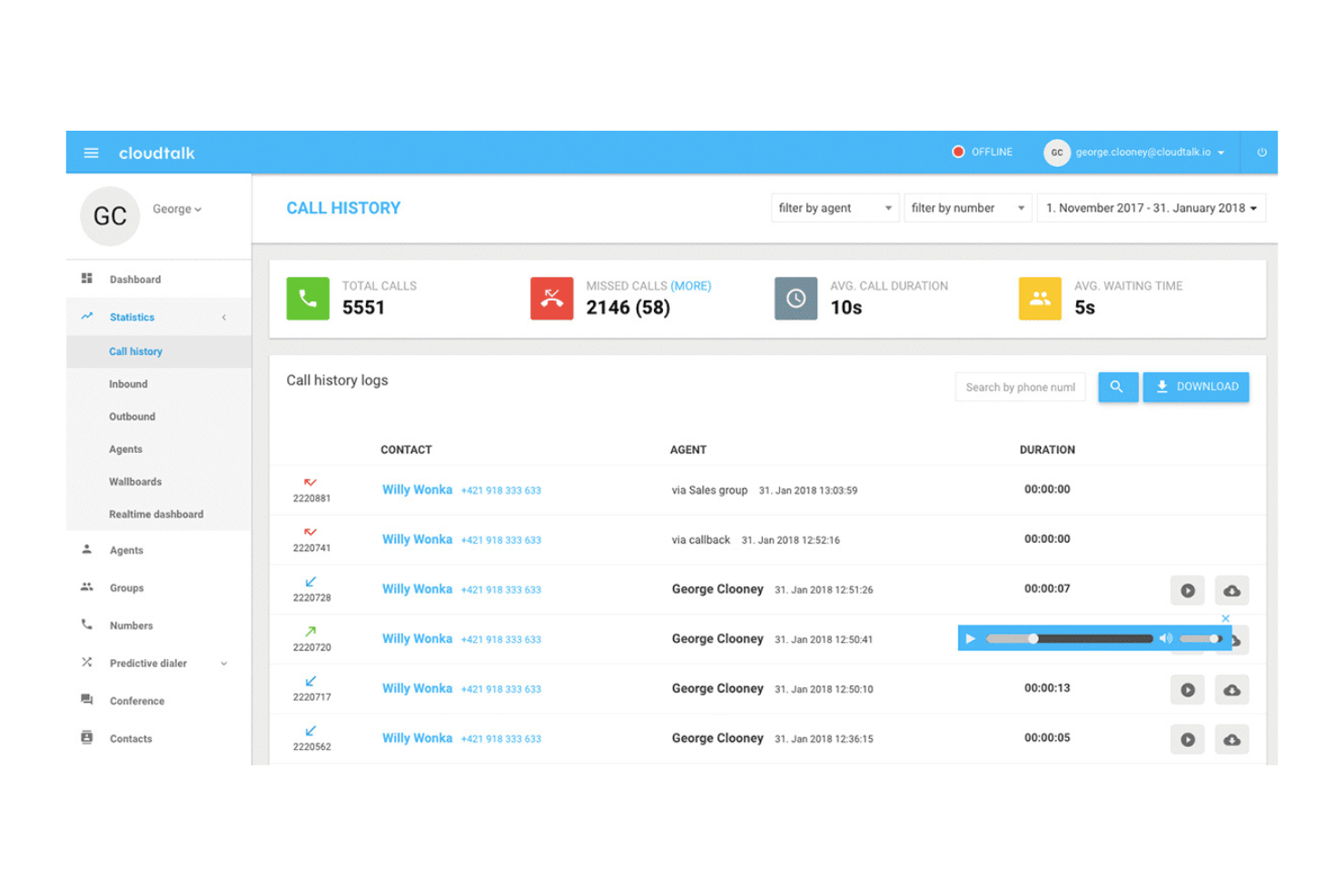
CloudTalk è un software di registrazione per call center progettato per piccole e medie imprese. Aiuta i team a gestire le chiamate in modo efficiente e a concentrarsi sul miglioramento del servizio clienti.
Perché ho scelto CloudTalk: La registrazione automatica delle chiamate di CloudTalk si distingue perché fa risparmiare tempo a te e al tuo team, registrando i dettagli delle chiamate senza bisogno di inserimenti manuali. È inoltre possibile taggare le chiamate e aggiungere note per facilitare i follow-up. Le statistiche sulle chiamate offrono una visione chiara delle performance, così da poter adattare le strategie quando necessario.
Caratteristiche principali & Integrazioni:
Le funzioni includono gestione delle code, compositore intelligente e monitoraggio delle chiamate. È possibile personalizzare i flussi di chiamata in base alle esigenze aziendali. Il software offre anche una risposta vocale interattiva per migliorare le interazioni con i clienti.
Le integrazioni includono Salesforce, HubSpot, Pipedrive, Zendesk, Zoho CRM, Intercom, Slack, Freshdesk, Microsoft Teams e Google Workspace.
Pros and Cons
Pros:
- Facile da configurare
- Instradamento flessibile delle chiamate
- Flussi di chiamata personalizzabili
Cons:
- Occasionali problemi di qualità delle chiamate
- Opzioni di reportistica limitate
New Product Updates from CloudTalk
CloudTalk Adds Campaign Statistics to MCP
CloudTalk adds campaign statistics to MCP with funnel, call, conversion, disposition, and duration metrics. This helps reporting assistants review campaign performance using read-only aggregate data. For more information, visit CloudTalk’s official site.
 .
.
Ideale per archiviazione illimitata
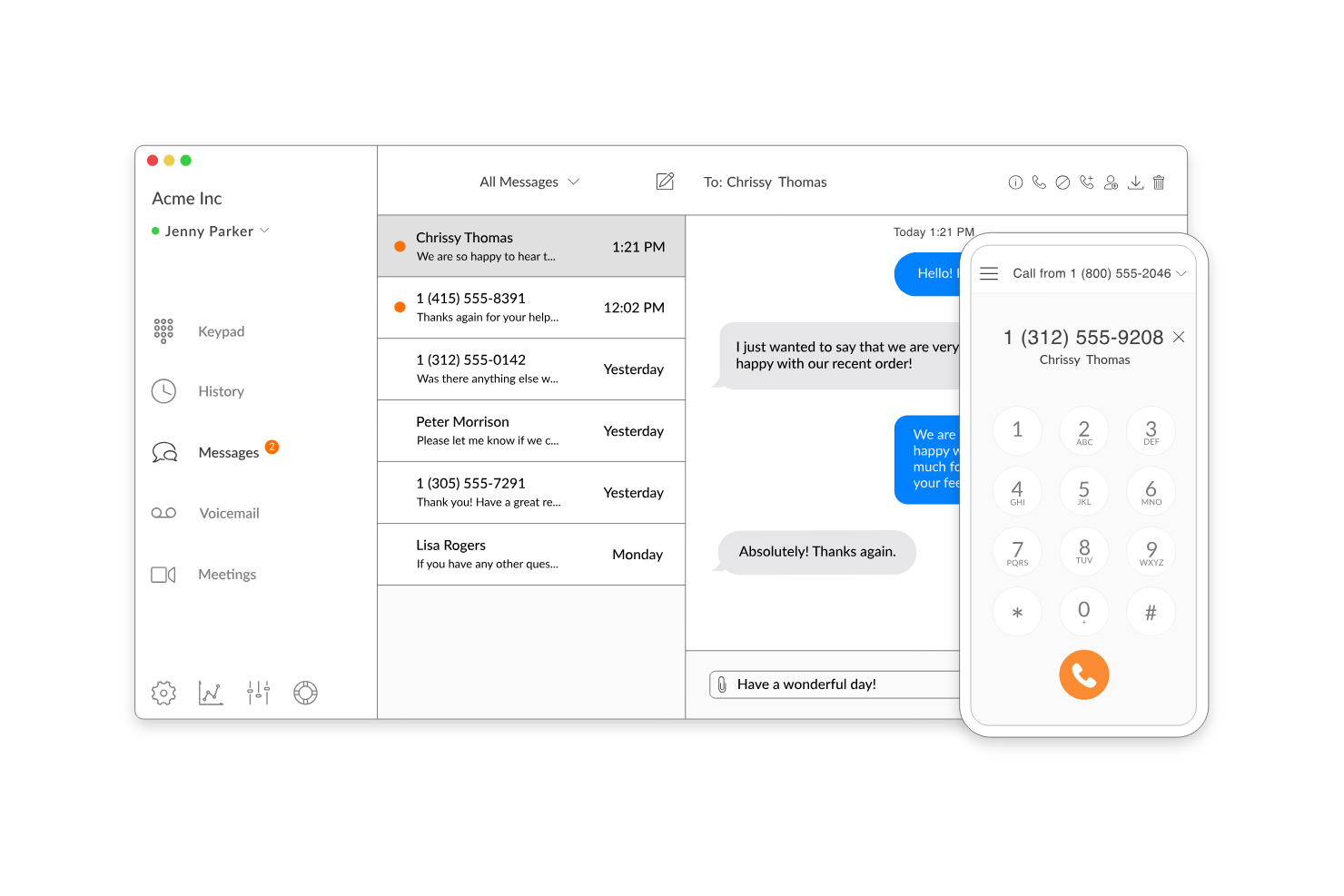
Talkroute è un sistema telefonico virtuale ideale per le piccole imprese che necessitano di una gestione delle chiamate flessibile. Offre la registrazione delle chiamate, aiutando i team a riascoltare le interazioni e migliorare il servizio clienti.
Perché ho scelto Talkroute: Talkroute offre spazio di archiviazione illimitato per le registrazioni delle chiamate, quindi non dovrai mai preoccuparti di esaurire lo spazio disponibile. Puoi accedere alle registrazioni in qualsiasi momento, facilitando al tuo team l'utilizzo per la formazione e i controlli di qualità. Talkroute ti fornisce anche report dettagliati sulle chiamate, permettendoti di vedere come si sta comportando il tuo team.
Funzionalità e integrazioni principali:
Funzionalità includono l'inoltro di chiamata, l'accodamento delle chiamate e la trascrizione della segreteria telefonica. Puoi gestire le chiamate in modo efficiente con messaggi di benvenuto e menu personalizzati. Il software offre anche analisi delle chiamate per aiutarti a monitorare le prestazioni.
Integrazioni includono Google Contacts, Zoho CRM, Salesforce, Zendesk, Freshdesk, Slack, Microsoft Teams, HubSpot, Intercom e ActiveCampaign.
Pros and Cons
Pros:
- Archiviazione illimitata delle registrazioni
- Gestione facile dei flussi di chiamata
- Accesso rapido ai registri delle chiamate
Cons:
- Funzionalità avanzate limitate
- Opzioni di report essenziali

Talkdesk
Ideale per l'archiviazione personalizzabile
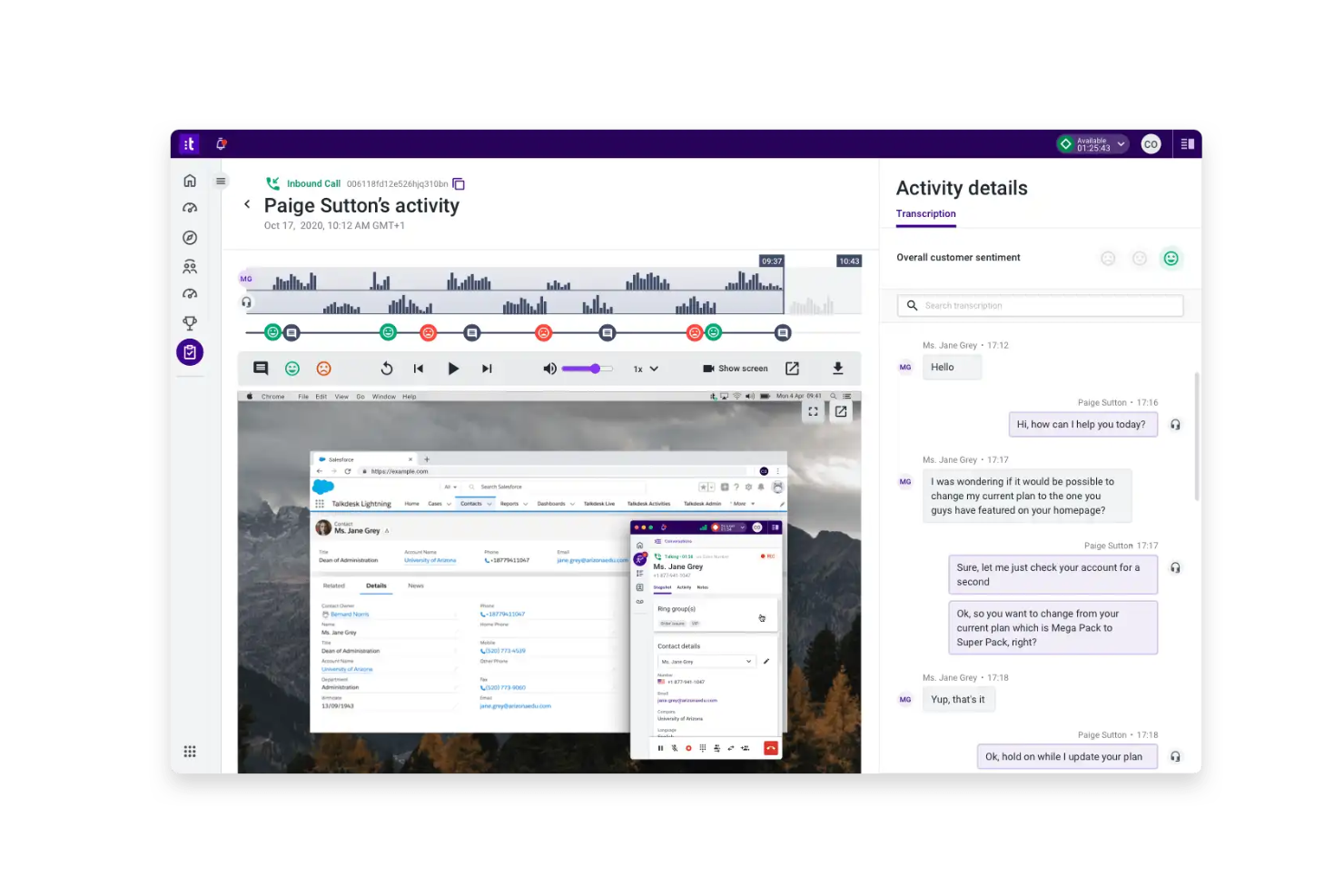
Talkdesk è un software per call center basato su cloud progettato per le aziende che desiderano migliorare le interazioni con i clienti. Supporta i team nella gestione efficiente delle chiamate telefoniche e nel migliorare la qualità e la fidelizzazione del servizio clienti.
Perché ho scelto Talkdesk: Talkdesk offre opzioni di archiviazione personalizzabili, che ti permettono di adattare le esigenze di registrazione. Puoi regolare la durata e la capacità dello storage secondo le necessità della tua azienda. La piattaforma fornisce analisi delle chiamate per aiutare il tuo team a monitorare le prestazioni e prendere decisioni basate sui dati. Grazie a dashboard in tempo reale, puoi seguire le attività delle chiamate e ottimizzare le tue operazioni.
Funzionalità principali & integrazioni:
Funzionalità includono il monitoraggio delle chiamate per garantire il controllo qualità e la funzione di call whispering per supportare la formazione degli operatori durante le chiamate in diretta. Puoi impostare flussi di lavoro automatizzati per semplificare i processi. Il software offre anche analisi del parlato per ottenere approfondimenti dalle interazioni con i clienti.
Integrazioni includono Salesforce, Zendesk, Slack, Microsoft Teams, Google Workspace, HubSpot, ServiceNow, Pipedrive, Freshdesk e Shopify
Pros and Cons
Pros:
- Opzioni di archiviazione personalizzabili
- Analisi dettagliata delle chiamate
- Dashboard di monitoraggio in tempo reale
Cons:
- Richiede competenze tecniche
- Configurazione iniziale complessa

Dialpad
Ideale per trascrizioni guidate dall'IA
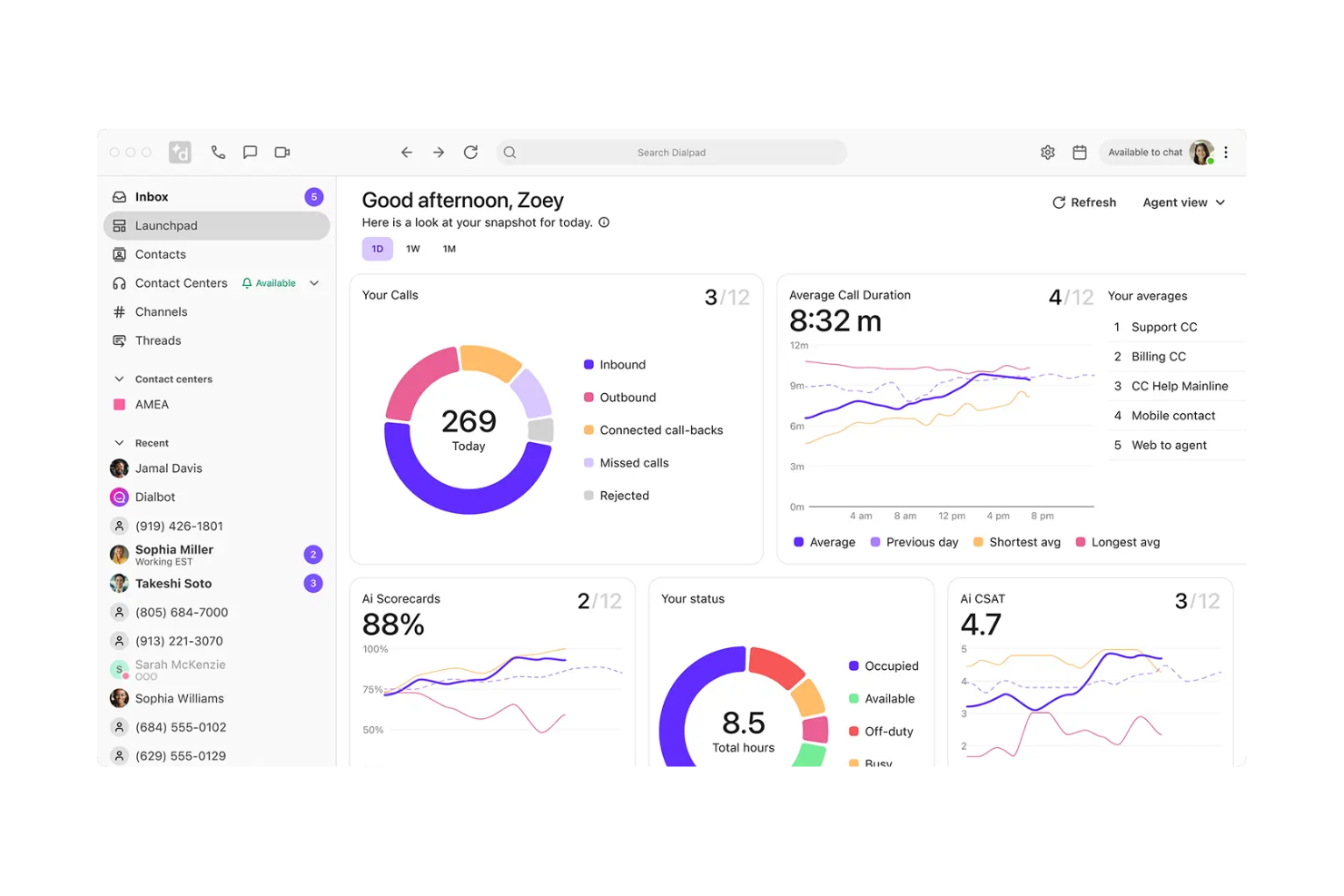
Dialpad è un software di registrazione per call center basato su intelligenza artificiale, pensato per le aziende che vogliono migliorare le interazioni con i clienti e le prestazioni degli operatori. È particolarmente utile per i team che si concentrano sul monitoraggio e la formazione tramite le chiamate registrate.
Perché ho scelto Dialpad: Le straordinarie funzionalità di trascrizione automatica guidate dall'IA distinguono Dialpad dalla concorrenza. Le trascrizioni in tempo reale aiutano il tuo team a monitorare efficacemente le chiamate. Il software offre impostazioni di sicurezza personalizzate, permettendo di mettere in pausa le registrazioni quando vengono condivise informazioni sensibili. È possibile creare playlist di formazione dalle chiamate registrate, rendendolo uno strumento ideale per l'addestramento degli operatori.
Funzioni e integrazioni principali:
Funzionalità includono la gestione delle registrazioni con un solo clic, trascrizioni AI in tempo reale e la possibilità di creare playlist di formazione dalle chiamate registrate. Puoi anche utilizzare impostazioni di sicurezza personalizzate per mettere in pausa le registrazioni durante la condivisione di informazioni sensibili. Queste funzionalità aiutano a garantire la conformità e migliorare le prestazioni degli operatori.
Integrazioni includono Salesforce, HubSpot, Microsoft Teams, Google Workspace, Slack, Zendesk, Zoho CRM, ServiceNow, Intercom e Okta.
Pros and Cons
Pros:
- Potenzia la formazione e la conformità
- Offre supporto in tempo reale per gli operatori
- Migliora la risoluzione delle controversie
Cons:
- Potrebbe essere necessaria una configurazione iniziale
- Possono sorgere preoccupazioni sulla privacy dei dati

Ideale per piccole imprese
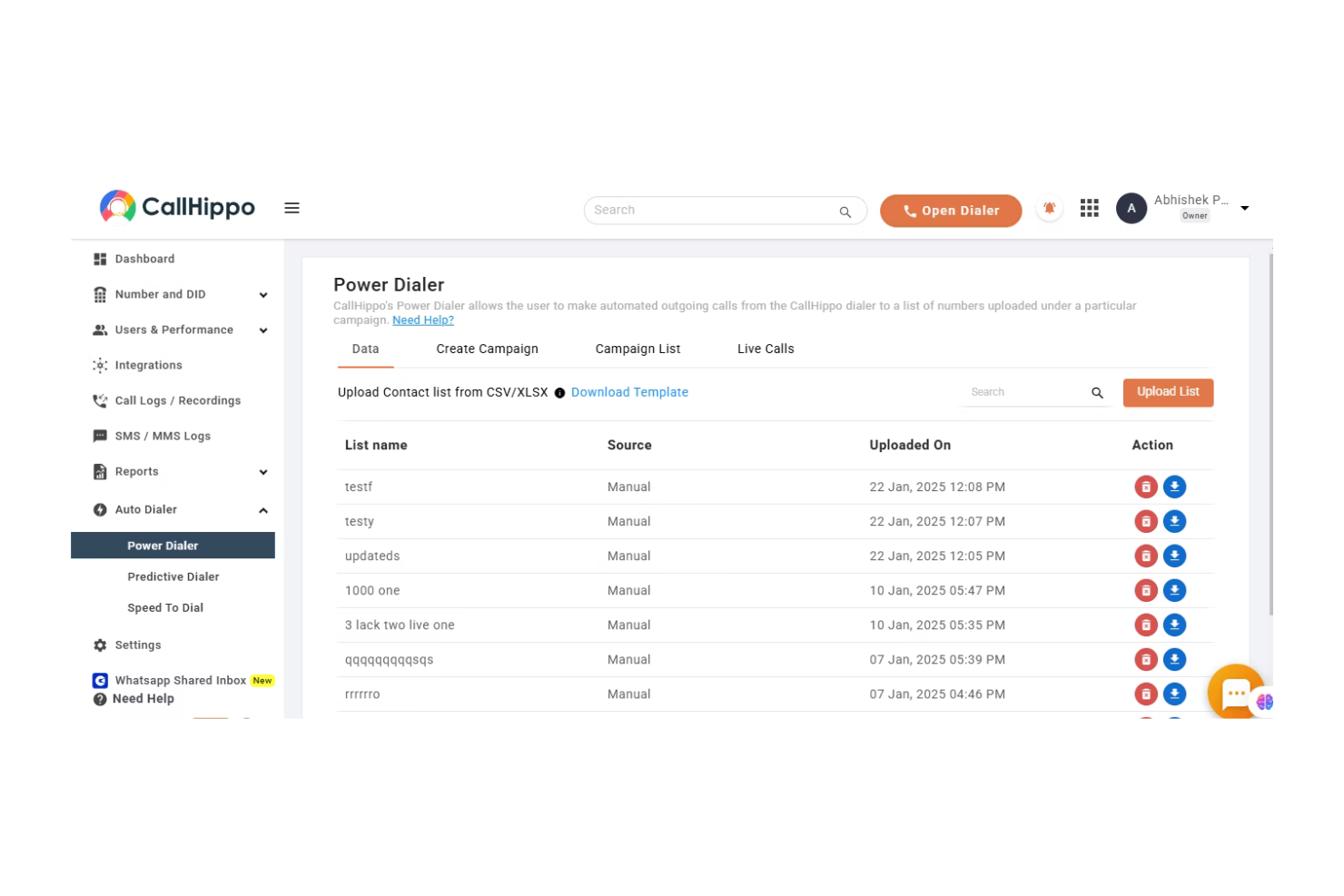
CallHippo è un sistema telefonico virtuale progettato per le piccole imprese che cercano soluzioni di comunicazione efficienti. Supporta i team nella gestione delle chiamate e nel miglioramento del servizio clienti.
Perché ho scelto CallHippo: CallHippo è pensato per le piccole imprese, offrendo funzionalità adatte alle loro esigenze. Puoi configurare rapidamente un sistema telefonico virtuale, ideale se hai bisogno di una soluzione immediata. La registrazione delle chiamate è una funzione chiave che permette al tuo team di riascoltare le conversazioni a fini di controllo qualità. Grazie ai numeri internazionali, puoi espandere facilmente la portata della tua attività.
Funzionalità e integrazioni principali:
Funzionalità includono l'accodamento delle chiamate per gestire efficacemente alti volumi. Puoi utilizzare la funzione smart switch per passare facilmente da un numero all'altro. L'analisi delle chiamate fornisce dati sulle prestazioni, aiutando il tuo team a prendere decisioni consapevoli.
Integrazioni includono Salesforce, HubSpot, Slack, Zoho CRM, Pipedrive, Zendesk, Freshdesk, Intercom, Shopify e Microsoft Teams.
Pros and Cons
Pros:
- Configurazione e avvio rapidi
- Supporta chiamate internazionali
- Offre analisi delle chiamate
Cons:
- Funzionalità avanzate limitate
- Problemi occasionali nella qualità delle chiamate

Ideale per soluzioni basate sull'intelligenza artificiale
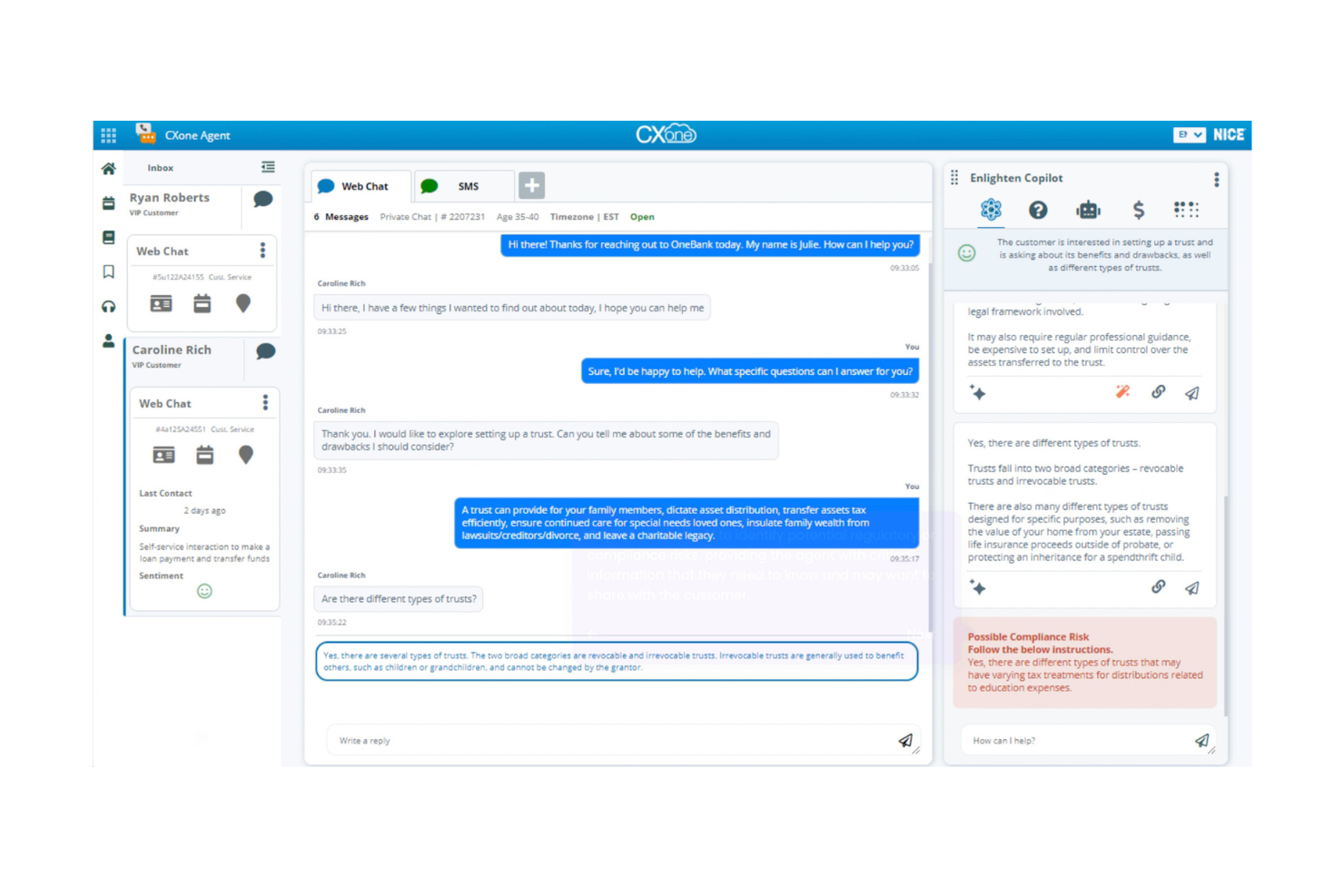
NiCE CXone è una piattaforma completa per call center che si rivolge alle aziende che cercano una gestione avanzata delle interazioni con i clienti. Aiuta i team a migliorare la qualità del servizio grazie a funzionalità di registrazione delle chiamate, comunicazione integrata e strumenti di analisi.
Perché ho scelto NiCE CXone: NiCE CXone sfrutta soluzioni basate sull'intelligenza artificiale per migliorare l'assistenza clienti. Le analisi in tempo reale forniscono informazioni utili che aiutano il tuo team a prendere decisioni informate. La piattaforma include un instradamento automatico delle chiamate per garantire una gestione efficiente delle richieste dei clienti. Dashboard personalizzabili ti permettono di monitorare in modo efficace i principali indicatori di prestazione.
Caratteristiche e integrazioni principali:
Le funzionalità includono strumenti di ottimizzazione della forza lavoro per aumentare la produttività del team e strumenti di gestione delle prestazioni per monitorare l'efficacia degli operatori. Puoi utilizzare l'analisi predittiva per anticipare le esigenze dei clienti e adattare di conseguenza le strategie. Il software offre inoltre supporto omnicanale, consentendo al tuo team di gestire le interazioni su più piattaforme.
Le integrazioni includono Salesforce, Microsoft Dynamics, ServiceNow, Zendesk, Oracle, SAP, Google Cloud, AWS, Twilio e Genesys.
Pros and Cons
Pros:
- Analisi avanzate basate sull'IA
- Dashboard delle prestazioni personalizzabili
- Supporta la comunicazione omnicanale
Cons:
- Configurazione iniziale complessa
- Richiede competenze tecniche
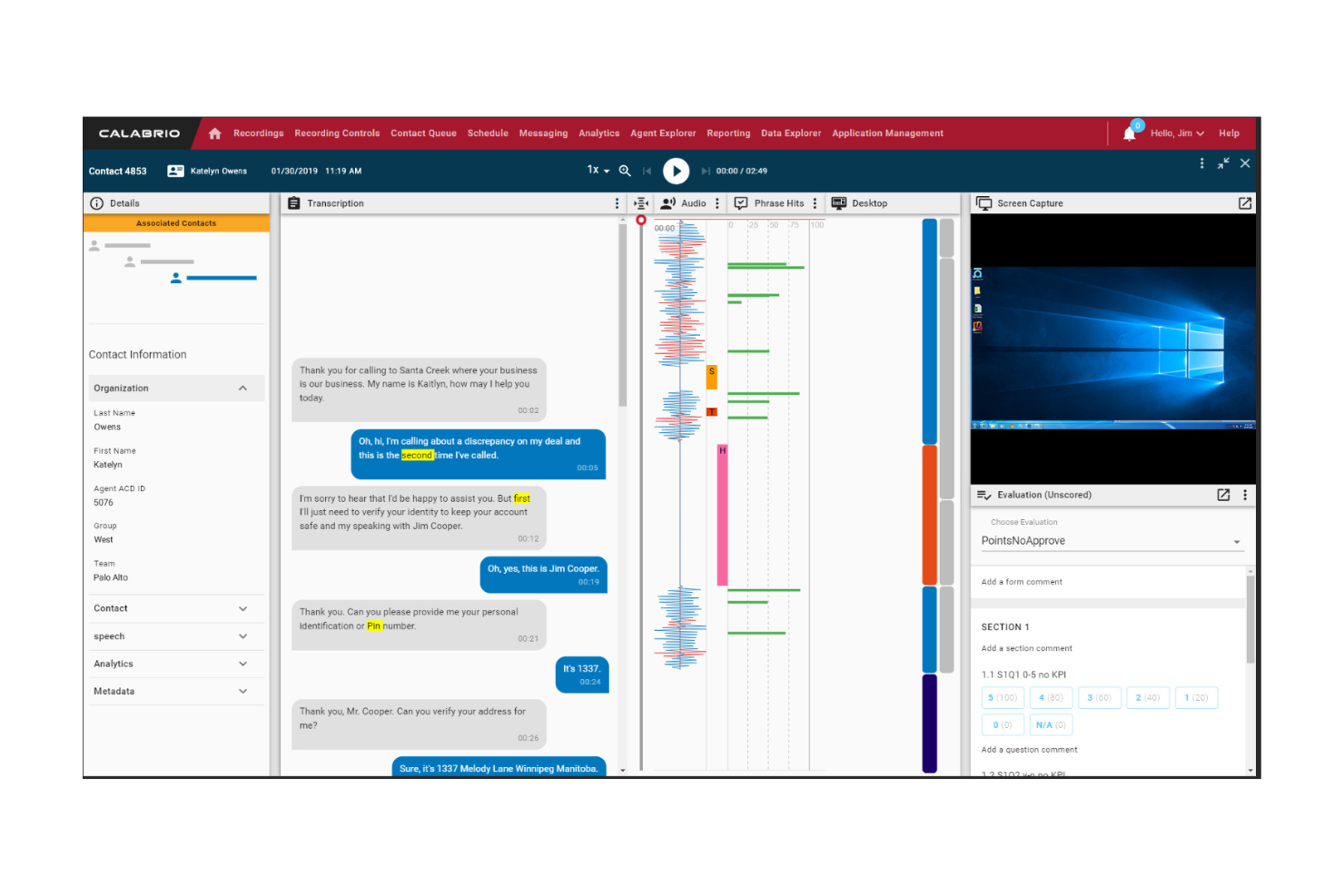
Calabrio è una soluzione per la registrazione delle chiamate progettata per le aziende che devono gestire le interazioni con i clienti su più canali. Supporta i team nella raccolta, nell'analisi e nel miglioramento delle esperienze del servizio clienti.
Perché ho scelto Calabrio: Calabrio eccelle nella fornitura di funzionalità di registrazione omnicanale, rendendolo ideale per le aziende con esigenze di comunicazione diversificate. È possibile registrare e analizzare le interazioni provenienti da vari canali, tra cui voce, e-mail, chat e registrazione dello schermo. Questa funzionalità consente al team di ottenere una visione completa delle interazioni con i clienti. La possibilità di registrare l'attività dello schermo rende questa soluzione particolarmente utile per i team di assistenza tecnica. Grazie ai pannelli personalizzabili, è possibile monitorare le prestazioni e individuare le aree di miglioramento.
Funzionalità e integrazioni distintive:
Le funzionalità includono analisi vocali avanzate per comprendere i sentimenti e il comportamento dei clienti. È possibile utilizzare strumenti di gestione della qualità per garantire coerenza nell'erogazione del servizio. Il software offre inoltre l'ottimizzazione della forza lavoro per migliorare la produttività e l'efficienza del team.
Le integrazioni includono Salesforce, Microsoft Dynamics, ServiceNow, Zendesk, Amazon Connect, Genesys, Twilio, Cisco, Avaya e Five9.
Pros and Cons
Pros:
- Registrazione omnicanale completa
- Pannelli delle prestazioni personalizzabili
- Analisi vocali avanzate
Cons:
- Configurazione iniziale complessa
- Richiede competenze tecniche


Eleveo è una soluzione di registrazione per call center progettata per le aziende che puntano su conformità e controllo qualità. Aiuta i team a catturare e analizzare le interazioni telefoniche per garantire il rispetto delle normative.
Perché ho scelto Eleveo: Eleveo si distingue per le sue funzionalità mirate alla conformità, il che lo rende ideale per settori soggetti a regolamentazioni restrittive come PCI o la sanità. Puoi utilizzare regole di registrazione personalizzabili per soddisfare i requisiti legali specifici del tuo settore. Il software offre monitoraggio automatico della qualità per garantire che il tuo team segua le migliori pratiche. Strumenti di reporting dettagliati ti aiutano a tracciare efficacemente i parametri di conformità.
Caratteristiche principali & Integrazioni:
Funzionalità includono analisi vocale per ottenere insight dalle chiamate, dashboard in tempo reale per il monitoraggio delle prestazioni e schede di valutazione personalizzabili per le verifiche di qualità. Puoi anche beneficiare di avvisi automatici per affrontare tempestivamente problemi di conformità. Queste funzionalità rendono più facile per il tuo team mantenere standard elevati.
Integrazioni includono Salesforce, Microsoft Dynamics, ServiceNow, Zendesk, Genesys, Avaya, Cisco, Amazon Connect, Twilio e Five9.
Pros and Cons
Pros:
- Forte attenzione alla conformità
- Regole di registrazione personalizzabili
- Monitoraggio automatico della qualità
Cons:
- Procedura di configurazione complessa
- Richiede competenze tecniche

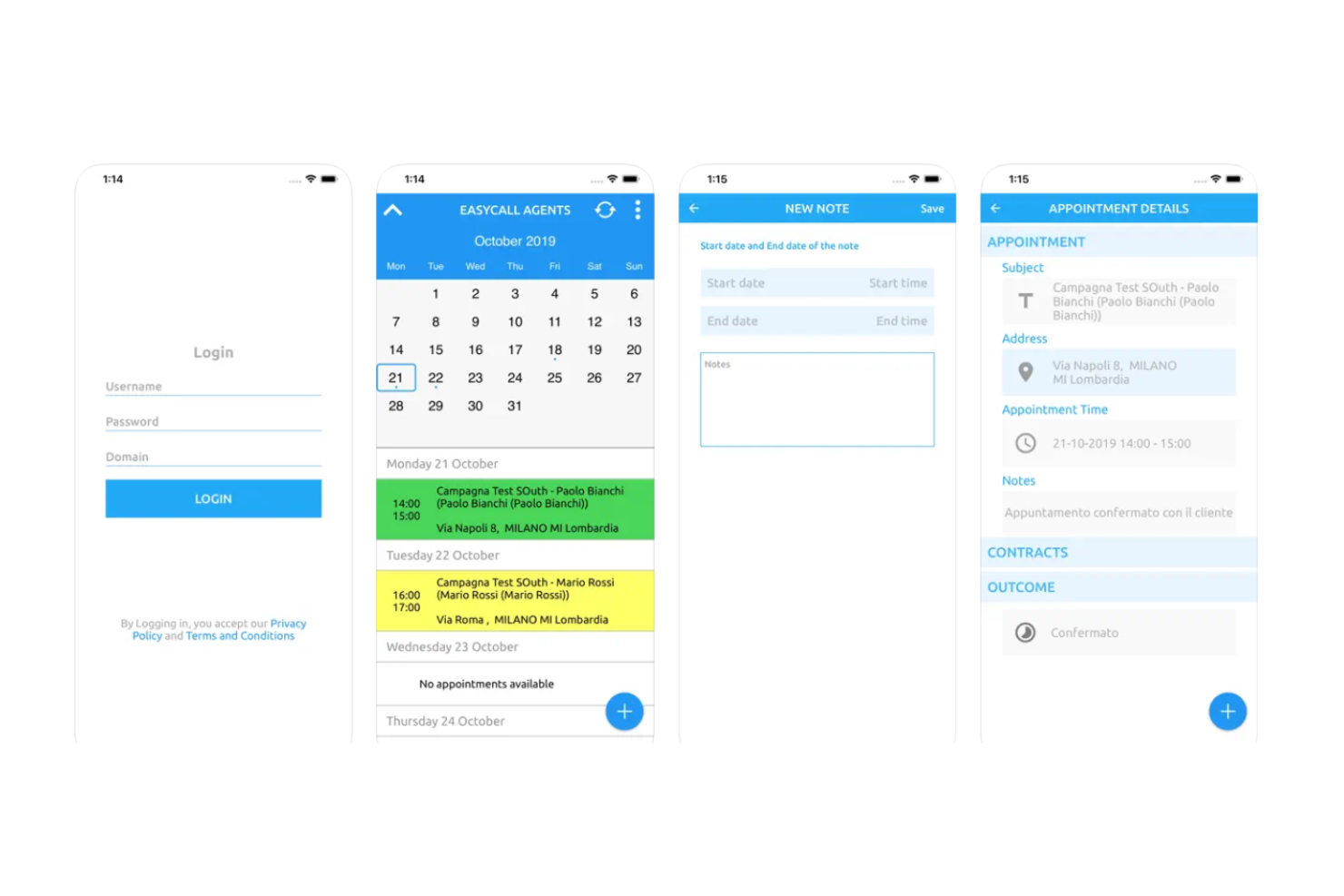
EasyCall è una soluzione di registrazione delle chiamate progettata per le aziende che desiderano espandere le proprie capacità di comunicazione. Supporta i team nella gestione delle interazioni con i clienti e nell'espansione efficiente delle operazioni.
Perché ho scelto EasyCall: EasyCall offre un sistema di registrazione delle chiamate scalabile che si adatta alle esigenze crescenti della tua azienda. Puoi gestire più linee e utenti senza difficoltà, rendendolo ideale per team in crescita. Il software fornisce registrazione delle chiamate e analisi, aiutandoti a migliorare la qualità del servizio. La flessibilità di EasyCall permette di regolare le impostazioni in base alle tue esigenze specifiche.
Funzionalità distintive e integrazioni:
Funzionalità includono l'instradamento delle chiamate in coda per gestire efficacemente un alto volume di chiamate. Puoi utilizzare analisi dettagliate delle chiamate per ottenere informazioni sulle interazioni con i clienti. Il software offre anche la trascrizione delle segreterie vocali, che aiuta il tuo team a tenere traccia facilmente dei messaggi.
Le integrazioni comprendono Shopify, Wix, WooCommerce, BigCommerce, Squarespace, Ecwid, Magento, WordPress, PrestaShop e OpenCart.
Pros and Cons
Pros:
- Facilmente scalabile per aziende in crescita
- Opzioni di gestione delle chiamate flessibili
- Supporta più linee e utenti
Cons:
- Funzionalità avanzate limitate
- Potrebbe richiedere una configurazione iniziale
Altri software di registrazione per call center
Ecco alcune altre opzioni di software di registrazione per call center che non sono entrate nella mia selezione, ma che vale comunque la pena considerare:


Come Valuto il Software di Registrazione per Call Center
Valuto gli strumenti su due livelli: gli elementi imprescindibili—cattura delle chiamate, archiviazione criptata e integrazione con la QA—e i fattori differenzianti che contano di più per i responsabili della conformità e i team di QA.
Funzionalità di Base (Requisiti Minimi per Questa Lista)
Quando seleziono gli strumenti per la mia lista, assegno a ciascuno un punteggio da 0 (non offre la funzionalità) a 5 (eccelle in quest'area) per ogni funzionalità di base elencata di seguito. In seguito, calcolo il punteggio totale dello strumento in percentuale. Ogni strumento deve raggiungere un punteggio totale minimo del 65% per essere considerato per l'inclusione.
- Registrazione delle Chiamate: Verifico se la piattaforma cattura automaticamente le chiamate sia in entrata che in uscita su linee VoIP e PSTN senza che gli operatori debbano premere "registra" manualmente.
- Archiviazione Sicura & Conservazione: La crittografia a riposo e in transito è essenziale, insieme a regole di conservazione configurabili—come l'eliminazione automatica dopo 90 giorni per le chiamate non contrassegnate.
- Controlli di Conformità: Cerco funzionalità come pausa/ripresa durante le procedure di pagamento, avvisi per il consenso e oscuramento dei dati personali per rispondere ai requisiti PCI-DSS, HIPAA e GDPR.
- Ricerca & Riproduzione: I supervisori devono poter recuperare una chiamata specifica rapidamente, quindi valuto il filtraggio dei metadati per operatore, intervallo di date e numero di telefono, oltre alla ricerca per parola chiave.
- Integrazione con il Monitoraggio Qualità: Considero se lo strumento collega le registrazioni ai flussi di lavoro QA—schede di valutazione, moduli di valutazione e tag di coaching collegati direttamente a ciascuna interazione.
- Registrazione Schermo & Multi-Canale: Oltre alla voce, guardo se lo strumento registra lo schermo degli operatori in sincronia con le chiamate e cattura canali digitali come chat o email per avere il quadro completo dell'interazione.
Una volta ottenuta una lista di strumenti che soddisfano questi criteri, considero cosa distingue ogni piattaforma dalle altre.
Fattori Differenzianti (Ciò che Distingue i Fornitori)
Ecco come confronto e metto a confronto i diversi fornitori:
Funzionalità Distintive
L'analisi vocale è un grande elemento di differenziazione—valuto se la piattaforma trascrive le chiamate e segnala i cambiamenti di tono, così i team di QA possono individuare le opportunità di coaching senza dover rivedere manualmente ogni registrazione. Anche il monitoraggio in tempo reale è importante. I supervisori che possono intervenire sussurrando consigli o entrare direttamente in una chiamata dal vivo hanno un vantaggio significativo rispetto a chi può solo effettuare revisioni post-chiamata. Valuto anche la redazione automatica, che elimina dati sensibili come numeri di carte dalle registrazioni e dalle trascrizioni senza interventi manuali.
Oltre le Funzionalità
Le integrazioni hanno qui grande importanza—verifico se la piattaforma si collega in modo nativo ai principali sistemi CCaaS e CRM, poiché uno strumento di registrazione che vive al di fuori dello stack esistente crea attrito sia per gli operatori sia per i supervisori. Anche le certificazioni di conformità come SOC 2 Type II e le opzioni di residenza dei dati pesano molto, soprattutto per i team che gestiscono registrazioni in più regioni. La trasparenza dei prezzi è altrettanto rilevante. Valuto se i costi di archiviazione, trascrizione e analisi sono inclusi o fatturati separatamente, perché i supplementi possono cambiare sensibilmente il costo totale di proprietà.
Come scegliere un software di registrazione per call center
Per aiutarti a rimanere concentrato mentre affronti il tuo processo di selezione del software, ecco un elenco di fattori da tenere a mente:
| Fattore | Cosa considerare |
|---|---|
| Scalabilità | Il software può crescere insieme a te? Verifica che sia in grado di gestire un aumento del volume delle chiamate e l'aggiunta di utenti senza problemi. |
| Integrazioni | Funziona con gli strumenti che già utilizzi? Cerca API o integrazioni fluide con CRM, piattaforme di comunicazione e altri software che usi già. |
| Personalizzazione | Puoi adattarlo ai tuoi flussi di lavoro? Assicurati che il software consenta di personalizzare impostazioni, dashboard e report in base alle tue esigenze specifiche. |
| Facilità d'uso | È intuitivo? Valuta se il tuo team può navigare facilmente nell'interfaccia senza bisogno di una formazione approfondita. |
| Implementazione e inserimento | Quanto tempo serve per essere operativi? Valuta il tempo e le risorse necessari per implementare il software e integrare il team in modo efficiente. |
| Costo | Rientra nel tuo budget? Confronta i piani tariffari con il tuo budget e considera eventuali costi aggiuntivi per aggiornamenti o componenti aggiuntivi. |
| Misure di sicurezza | Le tue registrazioni sono protette? Verifica che il software disponga di una solida crittografia e di funzionalità di protezione dei dati per mantenere al sicuro le informazioni dei clienti. |
| Requisiti di conformità | Rispetta le normative del settore? Controlla che il software sia conforme agli standard giuridici pertinenti, come GDPR o HIPAA, a seconda del tuo settore. |
Che cos'è un software di registrazione per call center?
Il software di registrazione dei call center acquisisce e archivia le interazioni telefoniche con i clienti, consentendo ai team di supporto, controllo qualità e conformità di esaminare le conversazioni. Offre registrazione sicura delle chiamate, riproduzione ricercabile, trascrizione e analisi, aiutando le organizzazioni a monitorare la qualità, soddisfare i requisiti normativi, risolvere le controversie e trasformare le chiamate in informazioni utili.
Funzionalità del software di registrazione dei call center
Quando scegli un software di registrazione dei call center, presta attenzione alle seguenti funzionalità chiave:
- Registrazione delle chiamate: acquisisce e archivia le interazioni telefoniche per supportare la conformità e il controllo qualità.
- Trascrizione: converte le parole pronunciate in testo, facilitando la revisione e l'analisi delle chiamate.
- Analisi: fornisce informazioni sui dati delle chiamate per contribuire a migliorare le prestazioni e il servizio clienti.
- Opzioni di archiviazione: offre capacità di archiviazione flessibili per gestire e conservare le registrazioni delle chiamate.
- Strumenti per la conformità: garantisce il rispetto delle normative di settore come GDPR e HIPAA.
- Dashboard personalizzabili: consente agli utenti di personalizzare visualizzazioni e report in base alle proprie esigenze specifiche.
- Monitoraggio in tempo reale: permette ai supervisori di ascoltare le chiamate per fornire feedback e supporto immediati.
- Integrazioni: si collega a strumenti esistenti come i CRM e le piattaforme di comunicazione per semplificare i flussi di lavoro.
- Funzionalità di sicurezza: protegge i dati sensibili mediante crittografia e controlli di accesso sicuri.
- Flussi di lavoro automatizzati: semplifica i processi automatizzando le attività di routine e l'instradamento delle chiamate.
Vantaggi del software di registrazione dei call center
L'implementazione di un software di registrazione dei call center offre numerosi vantaggi al tuo team e alla tua azienda. Ecco alcuni dei benefici che puoi aspettarti:
- Formazione migliorata: le chiamate registrate forniscono esempi reali per formare i nuovi operatori, migliorandone competenze e conoscenze.
- Conformità rafforzata: gli strumenti per la conformità garantiscono che le registrazioni rispettino le normative di settore, riducendo i rischi legali.
- Controllo qualità: il monitoraggio delle chiamate e l'analisi aiutano a mantenere elevati standard qualitativi identificando le aree di miglioramento.
- Informazioni sui clienti: trascrizioni e analisi offrono dati preziosi sul comportamento e sulle preferenze dei clienti, favorendo decisioni migliori.
- Risoluzione efficiente delle controversie: l'accesso alle registrazioni delle chiamate consente di risolvere rapidamente controversie e incomprensioni con i clienti.
- Valutazione delle prestazioni: dashboard e report personalizzabili offrono un quadro chiaro delle prestazioni degli operatori, supportando valutazioni e feedback.
- Automazione dei processi: i flussi di lavoro automatizzati riducono le attività manuali, permettendo al team di concentrarsi su attività più strategiche.
Costi e prezzi del software di registrazione dei call center
La scelta di un software di registrazione dei call center richiede la comprensione dei vari modelli e piani tariffari disponibili. I costi variano in base alle funzionalità, alle dimensioni del team, agli extra e ad altri fattori. La tabella seguente riassume i piani più comuni, i relativi prezzi medi e le funzionalità generalmente incluse nelle soluzioni software di registrazione dei call center:
Tabella comparativa dei piani per il software di registrazione dei call center
| Tipo di piano | Prezzo medio | Funzionalità comuni |
|---|---|---|
| Piano gratuito | $0 | Registrazione di base delle chiamate, spazio di archiviazione limitato e report essenziali. |
| Piano personale | $5-$25/user/month | Registrazione delle chiamate, analisi di base e integrazioni limitate. |
| Piano aziendale | $30-$60/user/month | Analisi avanzate, maggiore spazio di archiviazione e integrazioni multiple. |
| Piano per grandi aziende | $70-$120/user/month | Funzionalità personalizzabili, supporto dedicato e strumenti completi per la conformità. |
Domande frequenti sul software di registrazione dei call center
Ecco alcune risposte alle domande comuni sul software di registrazione dei call center:
Come posso assicurarmi che le registrazioni delle chiamate siano conformi agli standard legali?
Per garantire la conformità, familiarizza con le leggi locali come il GDPR o l’HIPAA. Verifica se il software offre funzionalità come richieste automatiche di consenso o la crittografia. Informa sempre i chiamanti della registrazione e valuta la possibilità di consultare esperti legali per comprendere appieno i tuoi obblighi.
Le registrazioni delle chiamate possono essere utilizzate per la formazione?
Sì, le registrazioni delle chiamate sono preziose per la formazione. Consentono al tuo team di ascoltare interazioni reali e imparare da esse. Utilizza le registrazioni per evidenziare le migliori pratiche, individuare le aree di miglioramento e fornire feedback ai nuovi operatori, migliorandone le competenze e la sicurezza.
Quali opzioni di archiviazione sono disponibili per le registrazioni delle chiamate?
Il software di registrazione delle chiamate offre generalmente l’archiviazione su cloud o in locale. L’archiviazione cloud garantisce scalabilità e accessibilità, mentre quella in locale offre un maggiore controllo sui dati. Nella scelta dell’opzione di archiviazione più adatta, considera le esigenze della tua azienda in termini di sicurezza, accesso e costi.
In che modo il software di registrazione delle chiamate può migliorare il servizio clienti?
Il software di registrazione delle chiamate è utile perché fornisce informazioni preziose sulle interazioni con i clienti. Puoi analizzare le registrazioni per individuare i problemi più comuni, monitorare le prestazioni degli operatori e prendere decisioni informate per migliorare la qualità del servizio. Inoltre, aiuta a risolvere le controversie fornendo una registrazione delle conversazioni.
Sono disponibili funzionalità di sicurezza per proteggere le registrazioni delle chiamate?
Sì, la maggior parte dei software di registrazione delle chiamate include funzionalità di sicurezza come la crittografia e i controlli degli accessi. Queste proteggono i dati sensibili dagli accessi non autorizzati. Assicurati che il software scelto sia conforme agli standard del settore e offra solide misure di sicurezza per salvaguardare le tue registrazioni.
Come posso integrare il software di registrazione delle chiamate con i sistemi esistenti?
L’integrazione consiste generalmente nel collegare il software di registrazione al tuo CRM o alle piattaforme di comunicazione, utilizzando API o software di terze parti. Verifica se il software offre opzioni di integrazione semplici con gli strumenti che già utilizzi. Un’integrazione fluida può migliorare l’efficienza e fornire una visione più unificata delle interazioni con i clienti.
Qual è il prossimo passo:
Se stai cercando un software di registrazione per call center, contatta gratuitamente un consulente SoftwareSelect per ricevere consigli personalizzati.
Compili un modulo e fai una breve conversazione durante la quale il consulente approfondirà le tue esigenze specifiche. In seguito riceverai una selezione ristretta di software da valutare. Ti assisterà anche durante l'intero processo di acquisto, comprese le negoziazioni sul prezzo.